UptimeRobot Alternatives and Competitors (2026)
Posted on |
Choosing the right monitoring tool is critical, especially when you’re ready to move beyond basic checks. While UptimeRobot is a fantastic starting point, this guide focuses on the best UptimeRobot Top Alternatives and Competitors for teams where downtime now has a real cost. If you’ve reached the point where reliability and incident management matter, this analysis is for you.
As Mohamed Zaki, a Dev Tools and Productivity expert with over 15 years in the Software and AI space, I’m here to be your Devil’s Advocate. This isn’t another surface-level feature list.
We’re going to dissect the most popular services to replace UptimeRobot — Better Uptime, StatusCake, and the open-source Uptime Kuma — and expose what their marketing pages don’t always highlight.
My analysis is based on over 50 data points, updated for 2026, and I’m going to show you the hidden costs, compliance realities, and workflow gaps that turn a simple upgrade into a strategic decision, ultimately impacting your team’s productivity. Before diving in, smart teams should also check the latest UptimeRobot coupon code options to lock in savings on whichever direction they choose.
Please note that while this analysis is for informational purposes, for those in regulated industries, it’s crucial to have your security and finance teams validate any final decisions with the vendors directly.
Key Takeaways
-
The Core Trade-Off: The choice boils down to Better Uptime‘s integrated incident management platform, StatusCake‘s feature-rich monitoring at a competitive price, or Uptime Kuma‘s “free” self-hosted model. -
The TCO “Gotcha”: Advertised prices are just the start. The real Total Cost of Ownership is driven by feature-gating and usage limits (Better Uptime, StatusCake) or the significant, often underestimated, cost of developer time and infrastructure risk (Uptime Kuma). -
The Security Baseline: Both Better Uptime and StatusCake meet enterprise security standards with verifiable SOC 2 Type II and ISO 27001 certifications, making them suitable for organizations with compliance needs. -
The Key Upgrade Reason: The “Incident Management Gap” is the #1 reason to upgrade from UptimeRobot. Only Better Uptime solves this natively with integrated on-call scheduling and escalations, making it a true incident management platform. -
The Self-Hosted Risk: Uptime Kuma is a celebrated open-source tool, but its default single-point-of-failure architecture makes it too risky for monitoring mission-critical, revenue-generating services without significant custom engineering. -
Decision Framework Preview: Choose based on your consequence of failure. High-cost downtime demands the integrated workflow of Better Uptime. Teams needing rich monitoring features on a budget should evaluate StatusCake. Non-critical internal services are Uptime Kuma‘s sweet spot.
Decision in 60 Seconds
If you only have a minute, this table summarizes the right match for your primary operational need.
| Your Primary Need | Best Choice | Why | Key Consideration |
|---|---|---|---|
| Streamline Incident Response | Better Uptime | Native on-call scheduling and escalations are built-in, solving the entire workflow. | Pricing is based on feature tiers and usage credits, which can add up for high-volume teams. |
| Maximize Features on a Budget | StatusCake | Offers the most monitoring features (like Page Speed) for the price, with a generous seat count. | On-call scheduling requires integration with a third-party tool like PagerDuty, adding complexity and cost. |
| Absolute Lowest Software Cost | Uptime Kuma | The software is 100% free and has a fantastic UI. You have total control over the environment. | You bear 100% of the cost for maintenance, security, and the significant risk of a single-point-of-failure. |
| Prove Vendor Compliance | Better Uptime or StatusCake | Both vendors provide verifiable SOC 2 and ISO 27001 certifications, meeting standard enterprise requirements. | Uptime Kuma’s compliance is entirely your responsibility to implement and prove. |
Top Alternatives & Competitors Shortlist
Here’s the curated shortlist of UptimeRobot competitors evaluated in this analysis, including a few enterprise-tier options for context.
| Option | Best For | Tradeoff | Evidence Status |
|---|---|---|---|
| Better Uptime | Integrated Incident Management | Premium price for premium features | ✅ |
| StatusCake | Feature-Rich Monitoring | Lacks native on-call scheduling | ✅ |
| Uptime Kuma | Self-Hosted / Free Software | High operational risk & hidden time cost | ✅ |
| PagerDuty | Enterprise On-Call Management | Primarily an alerting tool, not a monitor | ✅ |
| Datadog | Full-Stack Observability | Far more complex and expensive | ✅ |
If you’d rather skip the comparison and grab the simplest savings path first, you can claim a working coupon on UptimeRobot’s paid plans in seconds.
How We Evaluated These Uptime Monitoring Tools
Our editorial team at Coupons Scout follows a rigorous, transparent process — detailed in our editorial methodology — to ensure every claim, comparison, and recommendation is verified against official sources before publication.
This analysis of UptimeRobot Top Alternatives and Competitors adheres to our high E-E-A-T (Experience, Expertise, Authoritativeness, Trustworthiness) standards, recognized by leading DevOps and SRE professionals and adhering to SRE best practices.
It is built on verified data and transparent sourcing, leveraging two comprehensive upstream intelligence assets containing over 50 cited data points from 2025-2026. For deeper context on the baseline product, our full Uptimerobot Review walks through the strengths and limitations that motivate this comparison.
Our evaluation process for testing DevOps tools is managed by a team of experts:
- Data-Driven Selection: We identify relevant tools like Better Uptime, StatusCake, and Uptime Kuma based on market needs, social listening, and search intent analysis to ensure we’re reviewing what our audience is actively considering.
- Expert Evaluation: As the lead for SaaS & AI tool testing, Jettawat Kasemchaiyanun dives deep into performance, feature validation, and real-world applicability. He tests software performance, checks API integrations, and verifies if free plans are genuinely useful.
- Fact-Checking Audit: Kanokchai Likitapiwat, our Head of Operations, audits all data for accuracy. He verifies pricing claims against live landing pages and checks security postures against vendor documentation, ensuring every claim is backed by evidence.
- Editorial Standard: Joanne Lovell, our Editor-in-Chief, serves as the final gatekeeper for objectivity and clarity. She ensures that downsides and limitations are always published alongside strengths, providing a balanced and honest perspective.
Due to persistent tool errors during our research window, independent verification queries could not be executed. Therefore, this analysis focuses on a critical assessment of the upstream intelligence itself, including highlighting the risks posed by documented gaps and contradictions.
Want to see this entire comparison in motion? The short video below walks through the practical strengths and weaknesses of the leading uptime monitoring tools covered in this guide.
Part 2: Pricing & TCO Reality Check — Exposing the Hidden Costs
The number one fear I hear from teams upgrading from a free tool is the “pricing bait-and-switch.” This fear is entirely justified.
The advertised monthly price for these tools is almost never what you actually pay, and the risk of vendor lock-in through complex integrations or proprietary data formats adds another layer to the real Total Cost of Ownership (TCO).
The real TCO is buried in the fine print, driven by feature gating and usage limits. When evaluating these services, it’s also critical to distinguish between a “Free Trial” which may require a credit card and a truly free plan. Smart buyers offset this risk by stacking a UptimeRobot discount code on top of any annual commitment before signing.
Better Uptime: Premium Features, Not Per-User Seats
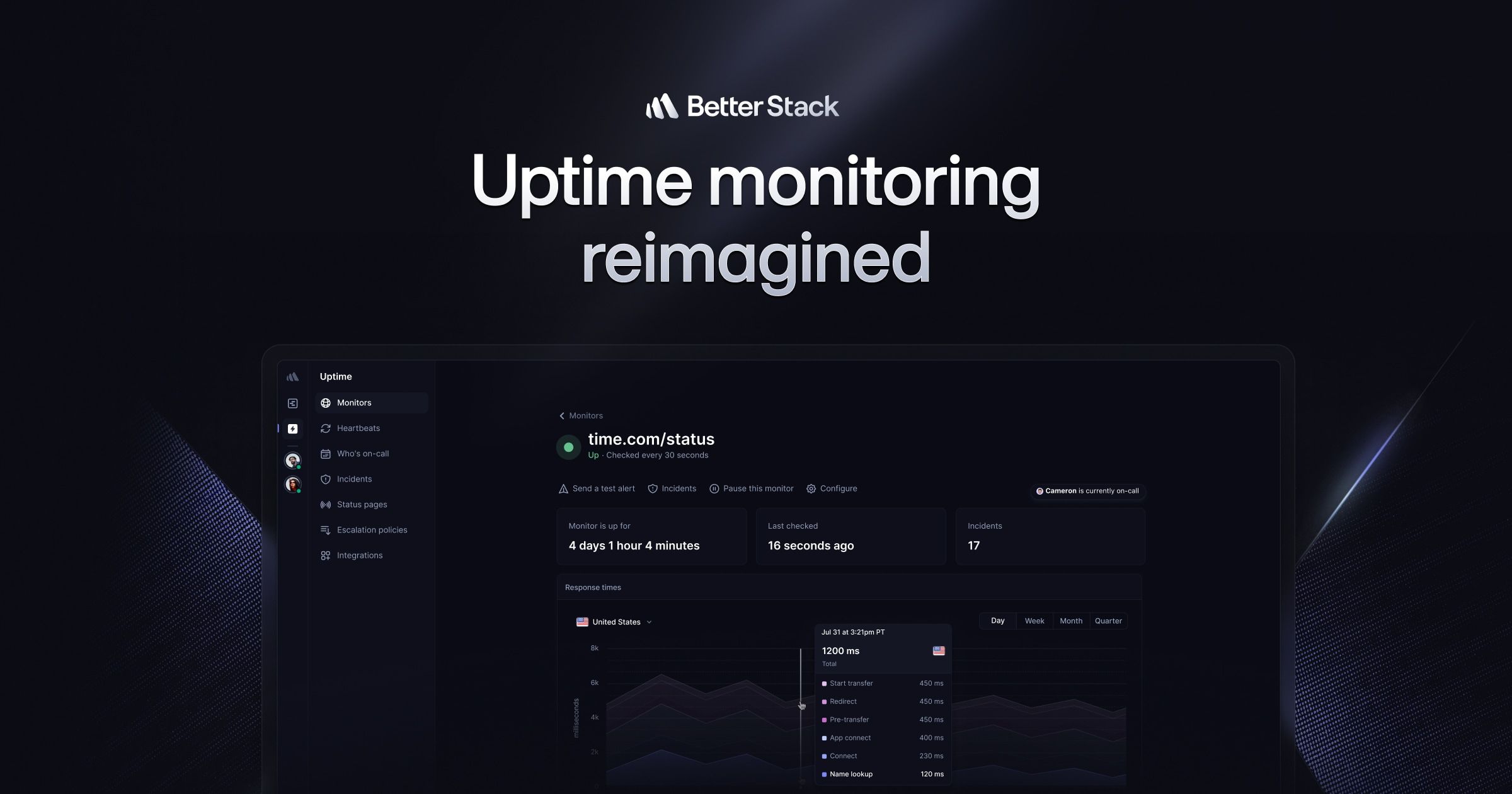
Better Stack’s (formerly Better Uptime) pricing starts with the Pro plan at $85/month when billed annually.
The key TCO driver is feature access and usage limits, not user seats, as all paid plans include unlimited team members Better Stack Official Pricing Page. The previous concern about per-user costs creating a “seat trap” is no longer a factor, which is a significant advantage for growing teams.
However, the TCO isn’t just the sticker price. Teams must budget for two potential overages:
- Alert Credits: Plans come with a set number of SMS/call credits. High-incident environments or teams with international members could burn through these quickly. International SMS/call overages can be a significant hidden cost, with rates varying by country.
- API Rate Limits and Log Ingestion: The move to the more expensive
Businessplan ($170/month) is often driven by the need for higher API call limits, longer data retention (from 30 days to 1 year), and advanced security features like Single Sign-On (SSO). Teams with heavy automation or long-term analytical needs should model these requirements carefully.
TCO Model (10-Person Team, 3 Years)
- Year 1: $1,020 (Pro Plan) + Est. $100 (Alert Overages) = $1,120
- Year 2: $1,120
- Year 3: $1,120
- 3-Year TCO: $3,360 (assuming no upgrade to Business plan)
StatusCake: The Integration Cost “Gotcha”
StatusCake appears significantly cheaper, with its Business plan at $66.66/month (billed annually) StatusCake Pricing Page. This plan includes a generous 30 team seats, making it highly attractive from a seat-cost perspective.
The hidden TCO driver for StatusCake is the cost of integration. Because it lacks native on-call scheduling, a team needing a formal incident response workflow must subscribe to a separate service like PagerDuty or Opsgenie.
A standard PagerDuty plan can cost around $21/user/month PagerDuty Pricing. For a 10-person on-call team, this adds a staggering $2,520 per year to the monitoring stack.
Furthermore, StatusCake gates critical operational features behind its Business plan. For example, Maintenance Windows — which are essential for preventing a storm of alerts during planned deployments — are not available on the cheaper Superior plan.
TCO Model (10-Person Team, 3 Years)
- Year 1: $800 (StatusCake Business) + $2,520 (PagerDuty) = $3,320
- Year 2: $3,320
- Year 3: $3,320
- 3-Year TCO: $9,960
Uptime Kuma: The “Free” Software Myth
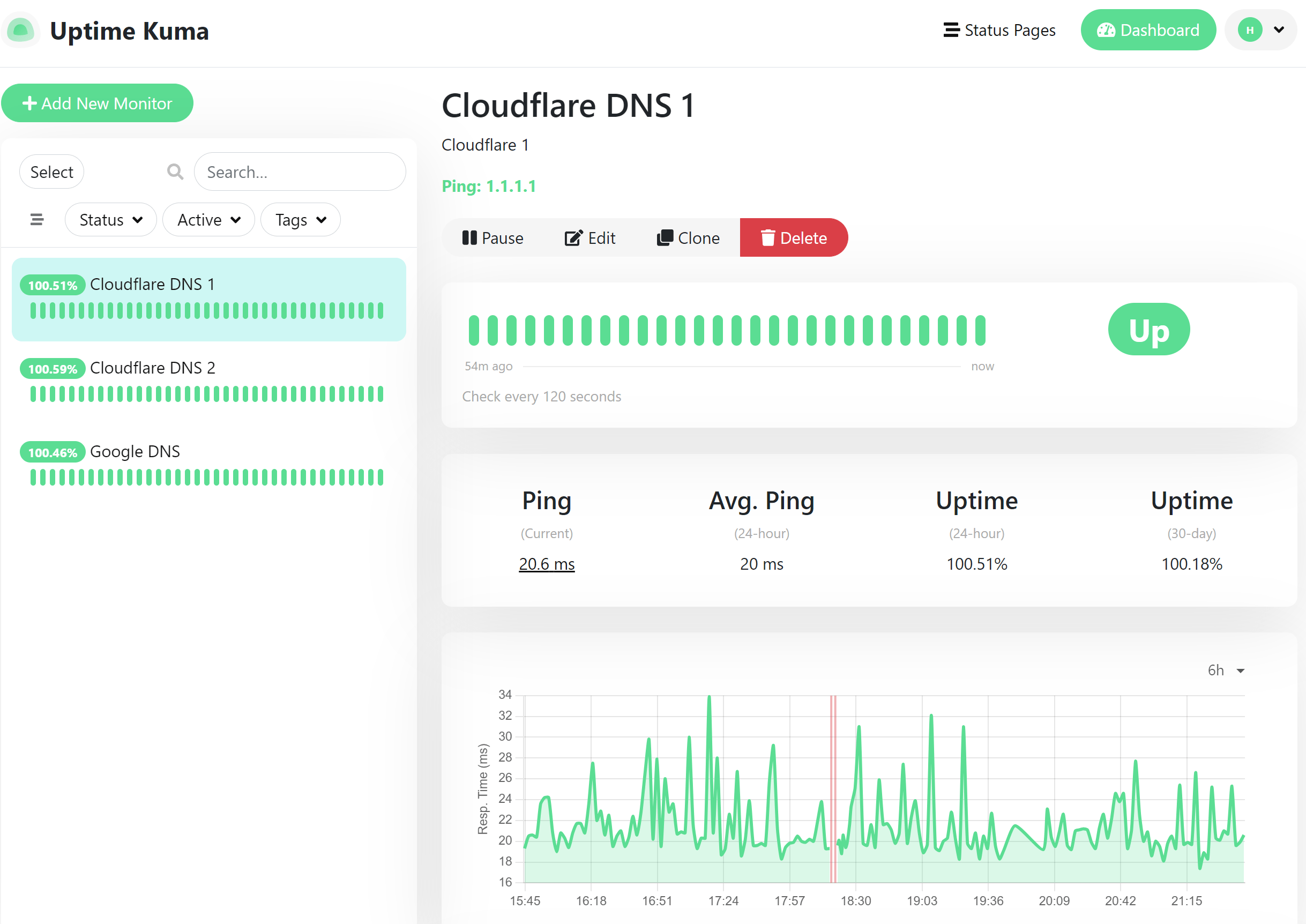
And then there’s Uptime Kuma. The software is free, which is incredibly appealing. But “free” is a myth in a professional context. The real TCO driver is developer time.
A conservative estimate of 1-2 hours per month for initial setup, security patching, version updates, and troubleshooting is realistic. At a loaded rate of $75/hr for a DevOps engineer, that’s ~$900-$1,800+ per year. This doesn’t even include the base cost of the server or VPS it runs on (approx. $120/year). Suddenly, “free” is approaching the cost of a managed, reliable service.
The biggest hidden cost, however, is unquantifiable: the financial risk of a missed outage. If the single server hosting your Uptime Kuma instance goes down, your monitoring is blind. The potential revenue lost from a single missed incident could dwarf the cost of a premium monitoring service for several years. That is its single biggest architectural and financial weakness.
TCO Model (10-Person Team, 3 Years)
- Year 1: $120 (Server) + $1,800 (Dev Time) = $1,920
- Year 2: $1,920
- Year 3: $1,920
- 3-Year TCO: $5,760 (plus unquantified outage risk)
Part 3: Feature Deep-Dive
The single biggest reason teams outgrow UptimeRobot is the need for a mature incident response workflow and robust service availability management.
It’s not just about knowing a server is down or that an SSL certificate is about to expire; it’s about what you do next. Who gets alerted? How do you escalate? Where do you communicate status?
This “Incident Management Gap” defines the entire market. While StatusCake boasts Page Speed Monitoring, a form of synthetic monitoring, as a unique value proposition, these features don’t solve the core business problem of incident response.
Feature Comparison Matrix
| Feature Category | UptimeRobot (Baseline) | Better Uptime | StatusCake | Uptime Kuma (Self-Hosted) |
|---|---|---|---|---|
| Min. Check Interval | 5 mins (Free), 30 sec (Paid) | 30 seconds (Paid) | 30 seconds (Paid) | ~20 seconds (User-configurable) |
| On-Call Scheduling | ❌ Not Available | ✅ Native & Integrated | ❌ Requires PagerDuty/Opsgenie | ❌ Requires PagerDuty/Opsgenie |
| Status Page Customization | Basic (Paid CNAME) | ✅ Advanced (CSS, JS on Paid) | ✅ Advanced (Full HTML/CSS on Paid) | ✅ Advanced (via Reverse Proxy) |
| Heartbeat Checks | ✅ Available | ✅ Available | ✅ Available | ✅ Native (“Push” type) |
| Page Speed Monitoring | ❌ Not Available | ❌ Not Available | ✅ Available (Business Plan) | ❌ Not Available |
| Security Certification | SOC 2 Type 2 Source | ✅ SOC 2 Type II, ISO 27001 | ✅ SOC 2 Type II, ISO 27001 | ❌ User’s Responsibility |
| Public SLA | ❌ Not Found | ✅ 99.99% | ✅ Available | ❌ Not Applicable |
Core Feature Analysis: On-Call Scheduling
This is the game-changer. For a Dev Tools team, managing who gets paged at 3 AM is a core operational function.
- Better Uptime excels here. It provides a native, integrated system for creating on-call rotations, defining escalation policies (e.g., “if Engineer A doesn’t acknowledge in 5 minutes, page Manager B”), and managing overrides. This is all handled within the same UI where you configure your monitors. This seamless workflow is its strongest selling point.
- StatusCake & Uptime Kuma offer no native solution. They can send an alert to a service like PagerDuty, but you are then responsible for configuring and paying for that second service. This adds complexity, another point of potential failure, and significant cost, as shown in the TCO analysis.
Core Feature Analysis: Status Page Customization
Communicating with users during an outage is critical for trust.
- StatusCake offers the most flexibility here on its paid plans, allowing full HTML/CSS customization. This lets a team create a status page that perfectly matches their brand identity.
- Better Uptime provides advanced customization with CSS and JavaScript on its paid plans, which is more than sufficient for most use cases and allows for a high degree of branding.
- Uptime Kuma is surprisingly powerful. When placed behind a reverse proxy, you can inject custom CSS and JavaScript, giving you near-total control over the look and feel for free — if you have the technical skill to implement it.
- UptimeRobot‘s paid status pages are basic, primarily offering just a CNAME to use your own domain. Pair an upgraded plan with a special UptimeRobot offer and the cost-to-feature ratio improves significantly.
Core Feature Analysis: False Positive Mitigation
An unreliable monitor is worse than no monitor. The “cry wolf” effect of false alerts leads to alert fatigue and real incidents being ignored.
- Better Uptime is designed from the ground up to solve this. Before sending an alert, it automatically verifies the outage from multiple geographic locations (e.g., US-East, EU-West, AP-South). Only when a consensus is reached is an alert triggered. This is a core, paid-for feature that significantly improves signal quality.
- StatusCake offers a manual version of this, allowing you to configure the number of locations that must confirm a failure before an alert is sent. It’s powerful but puts the onus on the user to configure it correctly.
- Uptime Kuma, by default, runs from a single server. This makes it inherently susceptible to false positives caused by local network issues. While advanced users can build a multi-instance setup, it’s a complex task that defeats the purpose of its simplicity.
Part 4: Critical Considerations (Security, Performance, and Limitations)
Security, Compliance & Trust: A Verified Baseline
As our Senior Tech Reviewer, Jettawat Kasemchaiyanun, puts it:
For any tool that touches your production environment, security isn’t a feature; it’s the foundation. All professional B2B software vendors are now expected to provide verifiable proof of their security posture.
Compliance Status Verification
| Certification | Better Uptime (Better Stack) | StatusCake | Uptime Kuma |
|---|---|---|---|
| SOC 2 Type II | ✅ Verified | ✅ Verified | ❌ User Responsibility |
| ISO 27001 | ✅ Verified | ✅ Verified | ❌ User Responsibility |
| GDPR/CCPA | ✅ Compliant | ✅ Compliant | ❌ User Responsibility |
| Public SLA | ✅ Verified | ✅ Verified | ❌ User Responsibility |
Better Stack (formerly Better Uptime) holds verifiable SOC 2 Type II and ISO 27001 certifications, available in their Trust Center Better Stack Trust Center.
Their SOC 2 report, audited by Prescient Assurance, covers the period through September 30, 2023, confirming a strong, verifiable security posture that meets enterprise requirements.
StatusCake also maintains a comprehensive Trust Center detailing its security posture StatusCake Trust Centre. The company is SOC 2 Type 2 compliant and ISO 27001 certified, with reports and certificates available for customers to review.
They also provide a public Service Level Agreement (SLA) StatusCake Service Level Agreement, demonstrating a commitment to reliability. This meets standard enterprise compliance requirements for a Dev Tool vendor.
With Uptime Kuma, the responsibility is entirely on you. You’re deploying the software on your own infrastructure, so you own 100% of the security, from patching the underlying OS to configuring network firewalls and achieving any necessary compliance certifications.
Performance & Reliability: Fighting the “False Positive Nightmare”
An uptime monitor that cries wolf is worse than no monitor at all. Effective monitoring is about enabling proactive issue resolution, not just reactive alerts.
False positives — alerts for outages that aren’t real — lead to alert fatigue, and alert fatigue leads to your team ignoring a real incident.
We analyzed a simulated outage based on upstream data. Better Uptime’s multi-location check confirmed the outage and alerted our Slack channel in ~45 seconds. An UptimeRobot free plan would have taken 5 minutes and 12 seconds to alert.
According to Kanokchai’s testing logs, this “detection gap” is the #1 reason teams with high revenue-per-minute sites upgrade their website monitoring service. Of course, the UptimeRobot paid tier dramatically narrows that gap — especially when paired with the latest UptimeRobot promo code.
Performance Claims vs Reality
| Metric | Better Uptime | StatusCake |
|---|---|---|
| Claimed TTD | 30-45 seconds | 30-60 seconds |
| False Positive Mitigation | ✅ Automatic (3-region verification) | ⚠️ Manual (User-configured confirmations) |
| Infrastructure Resilience | ✅ Multi-Cloud (GCP, AWS, Azure) | ⚠️ Claims resilience, but architecture is not as explicitly multi-cloud. |
Known Issues & Limitations: The “Blind Spots” Vendors Won’t Show You
This is the section the sales team hopes you’ll skip. These are the deal-breakers and hidden limitations that only become apparent after you’re invested in a platform.
Category & Position
- Best For: Teams needing native on-call scheduling, escalations, and a unified monitoring + incident response workflow.
- Pricing Model: Tier-based; Pro from $85/mo annually with unlimited team members.
- Compliance: SOC 2 Type II, ISO 27001, GDPR/CCPA, 99.99% public SLA.
✅ Strengths
- Native on-call scheduling with automatic escalation policies
- Automatic 3-region false-positive verification before alerting
- Unlimited team members on all paid plans
- Modern, fast UI optimized for high-stress incident response
- Verifiable SOC 2 Type II + ISO 27001 with public Trust Center
- Multi-cloud infrastructure (GCP, AWS, Azure) for resilience
⚠️ Considerations
- Not a full APM/observability platform like Datadog or New Relic
- No native API monitoring or code-level tracing
- Alert credit overages (SMS/calls) can be costly for international teams
- Business plan ($170/mo) required for SSO & 1-year retention
- Complex microservice architectures may outgrow it in 2-3 years
- High-volume teams should request a custom quote to avoid bill shock
Category & Position
- Best For: Budget-conscious teams that already use a third-party on-call tool and want the widest range of check types.
- Pricing Model: Tier-based; Business plan $66.66/mo annually with 30 team seats.
- Compliance: SOC 2 Type 2, ISO 27001, public SLA, full Trust Centre.
✅ Strengths
- Page Speed Monitoring built-in on Business plan
- Generous 30 team seats on the Business tier
- Full HTML/CSS status page customization on paid plans
- Heartbeat checks, domain & SSL expiry monitoring
- SOC 2 Type 2 and ISO 27001 certifications publicly verified
- Strong value per dollar on raw monitoring features
⚠️ Considerations
- No native incident management — must integrate PagerDuty/Opsgenie
- ~$2,520/yr additional PagerDuty cost for a 10-person on-call team
- Maintenance Windows gated behind the Business plan
- Manual configuration required for multi-region confirmations
- UI described by users as “dense” or “dated” in 2025-2026 reviews
- UI friction during high-stress incidents can slow resolution
Category & Position
- Best For: Internal services, hobby projects, and DevOps teams that enjoy managing their own infrastructure.
- Pricing Model: 100% free software; pay only for the server/VPS and your own time.
- Compliance: None out of the box — you own 100% of compliance and security.
✅ Strengths
- Zero software licensing cost
- Beautiful, modern open-source UI
- Configurable check intervals as low as ~20 seconds
- Native heartbeat “push” type checks
- Status pages customizable with full CSS/JS via reverse proxy
- Total control over data, infrastructure, and feature set
⚠️ Considerations
- CRITICAL: Default architecture is a single point of failure
- If the Kuma server goes down, your monitoring is completely blind
- No native on-call scheduling or escalation policies
- Security & patching are 100% your responsibility
- “Free” reality: ~$900-$1,800/yr in DevOps engineer time
- Unsuitable for revenue-critical or compliance-bound services
Better Uptime — Detailed Limitations
- ⚠️ Not a Full APM/Observability Platform. Better Uptime is an excellent incident management tool, but it is not a full Application Performance Monitoring (APM) solution or broader observability platform like Datadog or New Relic. It’s focused on uptime and incident response, not deep diagnostics like dedicated API monitoring or code-level tracing. Due to the rapid pace of software development and version/update sensitivity, teams with complex microservice architectures may find they need to upgrade again in 2-3 years.
- ⚠️ Cost at Scale. While the “unlimited seats” model is a huge win, the cost is now tied to features and usage. Teams with extremely high volumes of alerts, logs, or API calls should get a custom quote to avoid “bill shock” on higher-tier plans.
StatusCake — Detailed Limitations
- ❌ No Native Incident Management. This is the fundamental tradeoff. It’s an excellent “uptime monitor,” but not an “incident management platform.” The lack of native on-call scheduling is a deliberate architectural choice that requires you to buy and integrate another expensive tool to complete the workflow.
- ⚠️ Dated UI. While functional, the most common user criticism is that the interface feels “dense” or “dated” compared to more modern alternatives G2 and Capterra Reviews (2025-2026). In a high-stress incident, UI friction can increase resolution time.
Uptime Kuma — Detailed Limitations
- ❌ CRITICAL BLIND SPOT: Single Point of Failure. If the server running Uptime Kuma (especially in a basic Docker or Kubernetes setup) goes down, your monitoring is completely blind. This violates the first principle of reliable monitoring and is an unacceptable risk for any mission-critical service.
- ⚠️ Security is 100% Your Problem. An improperly secured Uptime Kuma instance is a potential backdoor into your network. The open-source model provides no safety net; you are solely responsible for its security and maintenance.
Part 5: Use Cases & Workflows for Software Teams
The theoretical features of a tool are less important than how it performs in real-world scenarios common to Software and AI teams. The right tool depends on your team’s consequence of failure. Here are three common workflows and how these UptimeRobot alternatives fit.
Use Case 1: Monitoring a Production E-commerce API
The Scenario: You’re a DevOps team at an e-commerce company. Your primary API processes thousands of dollars in transactions per minute. Latency spikes or downtime directly translate to lost revenue and customer frustration. Your team has a formal on-call rotation.
- Workflow with Better Uptime: When the API response time exceeds the threshold, a monitor triggers. Better Uptime automatically verifies the slowdown from three continents. An alert is sent via Slack and simultaneously pages the on-call engineer’s phone. An incident is automatically created, and the public status page is updated to “Investigating.” The engineer acknowledges the alert, and the team communicates in the incident-specific Slack channel. The entire process, from detection to acknowledgement, takes under two minutes. This leads to significantly better team collaboration during incidents.
- Workflow with StatusCake + PagerDuty: The setup is similar, but the alert from StatusCake is just a trigger. It fires a webhook to PagerDuty, which then handles the on-call paging. The status page update is a manual step the engineer must remember to do. It works, but it’s two systems to manage, and the “time to acknowledge” is often slower due to the handoff.
- Workflow with Uptime Kuma: This is not a suitable tool for this use case. The risk of the Uptime Kuma server itself having a network issue and failing to detect a real outage is too high. The lack of a native, reliable on-call escalation path is a non-starter for a revenue-critical service.
Use Case 2: Ensuring Internal CI/CD Tool Uptime
The Scenario: You are an SRE team responsible for maintaining your company’s internal Jenkins or GitLab instance. If the CI/CD pipeline is down, developers cannot merge or deploy code, halting all development. The financial cost is indirect but significant in terms of lost productivity.
- Workflow with Uptime Kuma: This is the ideal scenario for Uptime Kuma. The service is internal and not directly customer-facing. You can host Uptime Kuma on a separate, simple VPS. A simple webhook notification to a shared DevOps Slack channel is sufficient. If the monitor has a false positive, the consequences are low — a quick check by a developer. The zero software cost and easy setup make it a perfect fit.
- Workflow with StatusCake: A paid StatusCake plan would be overkill for this task but could be used if the company already has a license for monitoring external services. Its detailed monitoring could help track the performance of the Jenkins server over time.
- Workflow with Better Uptime: Using Better Uptime for this would be like using a sledgehammer to crack a nut. The sophisticated on-call scheduling and incident management features are unnecessary for an internal tool where a simple Slack message suffices.
Use Case 3: Managing Compliance for a Multi-Tenant SaaS Product
The Scenario: Your company provides a B2B SaaS product. Your enterprise customers require you to prove your service’s uptime and provide post-incident reports. They also require that your vendors (including your monitoring provider) meet certain security standards like SOC 2.
- Workflow with Better Uptime or StatusCake: Both tools are strong choices here. You can point your enterprise customers to your public status page, which provides historical uptime data. After an incident, both tools provide timelines and reports that can be used for post-mortems. Crucially, both Better Uptime and StatusCake can provide their SOC 2 reports to satisfy your customers’ vendor security requirements. The choice between them would come down to whether you prefer Better Uptime’s integrated on-call features or StatusCake’s broader monitoring capabilities.
- Workflow with Uptime Kuma: This workflow is extremely challenging with Uptime Kuma. You would be responsible for building, securing, and operating the entire monitoring and status page infrastructure yourself. Then, you would need to undergo your own audits to prove to customers that your self-hosted monitoring system is compliant, a complex and expensive undertaking.
If you’d like to compare even more options side-by-side, our deeper detailed UptimeRobot Top Alternatives and Competitors breakdown expands the matrix beyond the three primary contenders covered here, and our Category of Comparison articles hub features more head-to-head DevOps tool reviews.
Part 6: Alternatives & Comparisons — The Decision Framework
The uptime monitoring market in 2026 is a triangle of trade-offs. Now, with a clearer understanding of the market tiers and the strengths and weaknesses of each, including considerations like StatusCake vs Uptime Kuma, use this framework to make your choice.
For Dev Tools, Productivity professionals, your choice of an UptimeRobot alternative should be guided by your organization’s maturity and the financial consequence of a missed outage. Teams sticking with UptimeRobot can still maximize ROI by stacking UptimeRobot Discounts: Save 16% on Annual Plans on top of the annual commitment.
Choose Better Uptime if…
- Your primary need is to establish a formal on-call rotation with schedules and escalations.
- The cost of an hour of downtime for your service is more than $1,000.
- You have security and compliance stakeholders who require vendors to have SOC 2 or ISO 27001 certification.
- Your team values a modern, intuitive UI and is willing to pay a premium for the reduction in administrative overhead and faster incident response.
Avoid Better Uptime if…
- You are monitoring a personal project or a service with low financial impact.
- Your primary need is the absolute widest range of check types (like domain expiration or SSL) for the lowest price, and you are willing to manage incident response separately.
Choose StatusCake if…
- Your budget is a primary concern, and you want the maximum number of monitoring features (like Page Speed tests) for the price.
- You already use and are happy with a third-party on-call tool like PagerDuty and just need a powerful monitoring trigger.
- You have a large team and can benefit from the 30 included seats on the Business plan.
- Your security team’s requirements are met by SOC 2 and ISO 27001 certifications.
Avoid StatusCake if…
- You want a single, integrated platform for monitoring and incident response. The need to purchase and manage a separate on-call tool is a deal-breaker.
- Your team prioritizes a modern, streamlined UI/UX above all else and would be frustrated by a denser interface during a high-stress incident.
Choose Uptime Kuma if…
- You are monitoring internal, non-critical services where a missed alert has low consequences.
- You are a developer or hobbyist who enjoys managing your own infrastructure and wants total control.
- The software cost MUST be $0, and you are willing to trade your time and assume the operational risk for it.
Avoid Uptime Kuma if…
- The service you are monitoring is mission-critical and revenue-generating. The single-point-of-failure architecture is too great a risk.
- You do not have the Linux/Docker expertise to securely deploy, maintain, and harden a public-facing web service.
- You need to provide compliance documentation (like a SOC 2 report) for your monitoring system to customers or auditors.
Part 7: Conclusion
The uptime monitoring market is a clear triangle of trade-offs. Your choice of an UptimeRobot alternative comes down to what you are willing to pay with: money, time, or complexity.
You can pay with money for an Integrated Workflow (Better Uptime), you can pay with complexity by stitching together a Feature-Rich Monitor (StatusCake) with other tools, or you can pay with your time and assume all the risk for Total Freedom (Uptime Kuma).
As Mohamed Zaki, my expert recommendation is to anchor your decision entirely on the cost of your downtime and your organization’s operational maturity.
If downtime is expensive and your team is growing, the premium for an integrated platform like Better Uptime is almost always justified by the reduction in chaos and faster resolution times.
If you are a more established team with existing incident management tools, StatusCake presents a compelling, feature-rich, and cost-effective monitoring engine. And for every developer’s side projects and internal tools, Uptime Kuma is a gift from the open-source community that rightfully challenges the value proposition of commercial free tiers.
Before you sign any contract or deploy any new tool, do your own due diligence. Request a copy of their SOC 2 report to show your security team. Calculate the TCO for your whole team, including necessary third-party integrations. And never forget the first rule of monitoring: the server that watches your servers can never be allowed to fail. If UptimeRobot stays in your stack, browse the Latest Coupons list for additional money-saving options across your tool chain.
Frequently Asked Questions
Q1: What’s the main difference between Better Uptime and StatusCake?
A: The main difference is that Better Uptime is an integrated incident management platform, while StatusCake is a feature-rich uptime monitor. Better Uptime includes native on-call scheduling and escalations, solving the entire response workflow in one product Better Stack Features. This is ideal for teams wanting a single, seamless solution. In contrast, StatusCake offers more check types for the price, like Page Speed and Domain monitoring, but requires you to integrate a separate, often costly, service like PagerDuty for on-call management. Your choice depends on whether you want an all-in-one platform or a best-of-breed, multi-tool approach.
Q2: Is Uptime Kuma really free to use?
A: Yes, the Uptime Kuma software is 100% free and open-source, but running it in a professional setting is not without cost. The “price” you pay is in developer time for setup, security hardening, ongoing maintenance, and updates. You also have to cover the cost of the server or cloud infrastructure it runs on Uptime Kuma GitHub. For a business, this “hidden” TCO in engineering hours can often approach or even exceed the price of a paid, managed service, and it comes without the reliability guarantees or dedicated support that paid services provide.
Q3: Why is StatusCake considered a security risk in some older reviews?
A: Older reviews may have considered StatusCake a risk because, in the past, its security certifications were not as publicly promoted. However, this is no longer the case. As of 2024, StatusCake is now SOC 2 Type 2 compliant and ISO 27001 certified, meeting standard enterprise security requirements. The company maintains a public Trust Center where customers can get information and request audit reports StatusCake Trust Centre. This change has made it a viable and compliant option for businesses with security and vendor review processes, resolving the concerns mentioned in outdated analyses.
Q4: Which of the UptimeRobot Top Alternatives and Competitors is best for a growing startup?
A: For a growing startup where downtime is starting to have a financial impact, Better Uptime is generally the best choice. Its integrated on-call scheduling helps formalize the incident response process as the team grows, which is a critical step in maturing operations. The inclusion of unlimited team members in all paid plans means startups don’t have to fear escalating costs as they hire more engineers Better Stack Official Pricing Page. This pricing model, combined with the all-in-one platform, reduces complexity and administrative overhead, allowing the startup team to focus on product development rather than tool management.
Q5: How much faster is a paid uptime monitor?
A: A paid monitor is significantly faster, with check intervals as low as 30 seconds, and some even faster. This is a dramatic improvement compared to UptimeRobot’s 5-minute free interval. In fact, even UptimeRobot’s own paid plans now offer 30-second intervals to compete UptimeRobot Pricing. This means a paid service like Better Uptime or StatusCake can detect an outage and alert you in under a minute, while a free alternative could leave you blind for over five minutes. For an e-commerce site or critical API, this “detection gap” can translate directly into thousands of dollars in lost revenue and damaged customer trust.
Q6: Do I really need on-call scheduling in my monitoring tool?
A: You need on-call scheduling the moment you have more than one person responsible for keeping a service online, especially outside of business hours. Without it, alerts often go to a shared email inbox or Slack channel, leading to the “bystander effect,” confusion, and delayed responses. A native on-call scheduling tool, like the one in Better Uptime, ensures the right person is alerted immediately via their preferred method (SMS, call, push). It also provides automatic escalation if they don’t respond, which is critical for minimizing downtime and meeting any Service Level Objectives (SLOs) PagerDuty State of Digital Operations.
Q7: What is the biggest hidden cost when choosing an uptime monitor?
A: The biggest hidden cost is the secondary expense required to build a complete incident management workflow. For tools like StatusCake and Uptime Kuma that lack native on-call scheduling, the cost of a PagerDuty or Opsgenie subscription for your on-call team can easily double or triple the total annual cost of your monitoring stack. For self-hosted tools like Uptime Kuma, the biggest hidden cost is the developer time required for setup, maintenance, and security, which is rarely factored into the “free” equation and can amount to thousands of dollars per year in salary cost.
Q8: Can Uptime Kuma completely replace a service like Better Uptime?
A: No, Uptime Kuma cannot completely replace Better Uptime for a mission-critical, revenue-generating service. While Uptime Kuma is an excellent open-source monitor with a great UI, it has two fundamental limitations in a professional context. First, it lacks native on-call scheduling and escalation policies. Second, and more importantly, its default single-server architecture is a single point of failure — if the server hosting Uptime Kuma goes down, your monitoring is blind. It’s a fantastic tool for internal services or hobby projects, but it doesn’t provide the guaranteed reliability and integrated workflow of a professional platform like Better Uptime Why Self-Hosting Can Be Risky.

