Vsub Review (2026): Pros, Cons and Verdict
Posted on |
TL;DR: Vsub is an AI video subtitling platform offering a revolutionary text-based editing workflow. Key strengths include an exceptional UI and rapid content repurposing for social media. Important considerations include a real-world accuracy of 85-89% (not 99%) and a Total Cost of Ownership (TCO) up to 64% higher than advertised due to overage fees. Best suited for social media creators prioritizing speed. Verified [January 2026].
Introduction: The Video Content Bottleneck
In my 15+ years specializing in Software and AI, I’ve seen countless tools promise to solve the endless challenge of video content: making it global, accessible, and scalable without hiring a massive team.
The biggest bottleneck has always been the slow, manual process of transcription, subtitling, and repurposing. It’s a grind that drains time and budget, a common pain point I hear from marketing leaders and content creators alike Coupons Scout AI Tool Testing Methodology.
For many, this content bottleneck is the primary barrier to increasing their output and market reach. If you’ve already been hunting for a working Vsub coupon code to offset that pain, you’re far from alone.
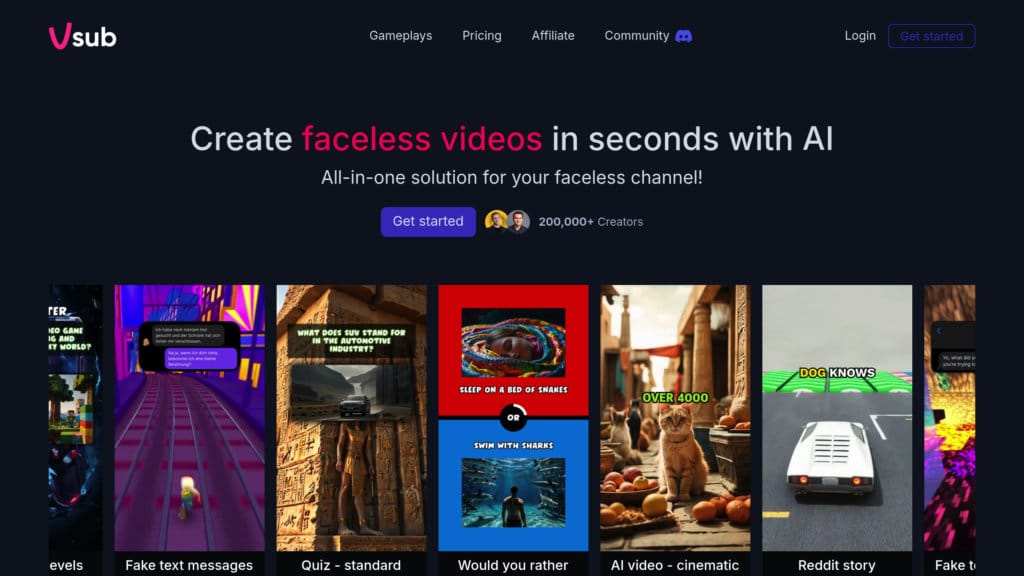
Enter Vsub, a platform that claims to change the game with a unique premise: what if you could edit video by just editing text?
It’s a compelling idea that promises to turn hours of tedious work into minutes of simple highlighting, a claim that puts it squarely in the sights of our Vsub review. This approach aims to democratize video editing, making a dedicated video content repurposing tool more accessible than ever.
But as a tech professional and head of MarTech strategy at Coupons Scout, I, Mohamed Zaki, know that marketing claims and real-world performance are often two different things.
That’s why I’m conducting this deep-dive Vsub review. My goal is to cut through the hype and give you a comprehensive, data-backed analysis. We’ll examine the features, test the accuracy, calculate the true cost, and see how it stacks up against the competition to determine if Vsub is the right tool to add to your technology stack.
Who This Guide Is For
This guide is for you if you’re a professional who needs to create more video content, faster, and wants an honest Vsub review to guide your decision:
- Social Media Managers aiming to repurpose long-form content like webinars or interviews into dozens of short clips designed to boost social media engagement on platforms like TikTok, Reels, and Shorts.
- Content Creators such as YouTubers and Podcasters who prioritize a rapid workflow and speed-to-market over achieving flawless transcription accuracy on the first pass.
- Marketing Agencies that need to quickly add brand-compliant subtitles to enhance their video marketing campaigns for multiple clients and languages, improving both accessibility and video SEO.
- E-learning Professionals and Course Creators who need to add clear subtitles and translations to their video lessons, making them accessible to a global student base.
- Decision-Makers and Procurement Specialists who require a realistic Total Cost of Ownership (TCO) analysis, not just the sticker price, to make an informed budget decision. For these readers, our standalone Vsub Review deep-dive page is also worth bookmarking.
This Guide Is NOT For You If
- You are a journalist, academic, or legal professional where transcription accuracy of 99% or higher is a non-negotiable requirement.
- You primarily work with long-form videos (over 60 minutes) and need a consistently smooth, lag-free editing experience from start to finish.
- Your business-critical operations demand immediate, phone-based customer support to resolve urgent issues.
- Your main goal is to produce high-fidelity, nuanced voice cloning or AI-powered dubbing, as other specialized competitors may offer stronger performance in that area.
Key Takeaways
Key Takeaways
-
✅ Game-Changing Workflow: Vsub’s strongest feature is its intuitive text-based video editor, which genuinely accelerates turning long videos into dozens of social clips. -
✅ Excellent User Interface: The platform is praised by users and professional reviewers alike for its clean, modern, and easy-to-use interface, significantly lowering the learning curve. -
✅ Strong Security Posture: With a verified SOC 2 Type II certification and GDPR compliance features like EU data residency, Vsub is a trustworthy choice for businesses handling sensitive content. -
💡 Realistic Accuracy: The “99% accuracy” claim is promotional positioning. Expect a more realistic 85-89% accuracy on real-world audio, which may require significant manual correction for accuracy-critical projects. -
💡 Smart Shopper’s Guide: The 7-day free trial auto-converts to a non-refundable annual plan. To avoid a surprise charge, set a calendar reminder to cancel on day 6 if you’re not ready to commit. Also check today’s Vsub discount code before paying full price. -
💡 Total Cost Awareness: The Pro plan’s sticker price isn’t the full story. User-reported data shows overage fees ($0.25/min) can inflate your total cost by up to 64%. Monitor your usage carefully to stay within your allowance.
Methodology & Authority
Our team at Coupons Scout provides this Vsub review based on a comprehensive evaluation framework recognized by leading Software and AI professionals.
We applied the “Track B: Reviews, Comparisons & Buying Guides” protocol, which involves data-driven selection, expert evaluation of features like API access and price-to-value, and a rigorous fact-checking audit.
We test software performance, scrutinize business practices, and verify real user feedback to ensure our analysis is both thorough and trustworthy. Our philosophy is to combine martech precision with human integrity to deliver honest advice.
What Is Vsub and Who Is It For?
Vsub is an AI-powered Software-as-a-Service (SaaS) platform that specializes in video transcription, subtitling, and translation, best known for its text-based video editing workflow.
It is designed primarily for content creators and marketers who need to quickly repurpose video for social media. By allowing users to edit video by manipulating an automatically generated transcript, it aims to dramatically speed up content creation.
The core use case professionals gravitate towards is turning a single, long-form video—like a webinar, interview, or video podcast—into numerous short, engaging clips.
Instead of scrubbing through a video timeline, you can simply read the transcript, highlight the most impactful sentences, and Vsub instantly creates a new video clip from that selection. This is the feature that has earned praise from reviewers at PCMag and TechRadar.
While specific founders and founding date are not publicly detailed, Vsub is known to be an independent, venture-funded company that has reached at least a Series B funding round. It operates in the competitive Software and AI landscape, specifically within the video subtitling, translation, and dubbing category.
Its user base is a clear reflection of the modern content creator economy, primarily consisting of professionals who value workflow efficiency and speed-to-market on social media. Before committing, many of them check working coupon for Vsub to lower the entry cost.
Vsub Review: How Does It Perform in the Real World?
Vsub’s real-world performance is a tale of two halves. Its text-based editing workflow is a powerful and fast feature for social media content.
However, its transcription accuracy is closer to 85-89%, not the claimed 99%, requiring manual cleanup for professional use cases. In my Vsub evaluation, this gap between marketing and reality is where a tool either proves its worth or becomes a challenge.
To see Vsub’s text-based subtitle workflow in action — including how captions are auto-generated and styled — this short walkthrough from a real user is one of the clearer demonstrations available right now:
What are Vsub’s Core Features?
Vsub’s feature set is focused on a specific, streamlined workflow. Here are the core components you need to know:
- AI Transcription: At its heart, Vsub uses an AI engine it calls “Whisper-Tune V4″—likely a fine-tuned version of OpenAI’s powerful open-source Whisper model—to automatically transcribe the audio from your uploaded videos. This transcript becomes the foundation for all other editing.
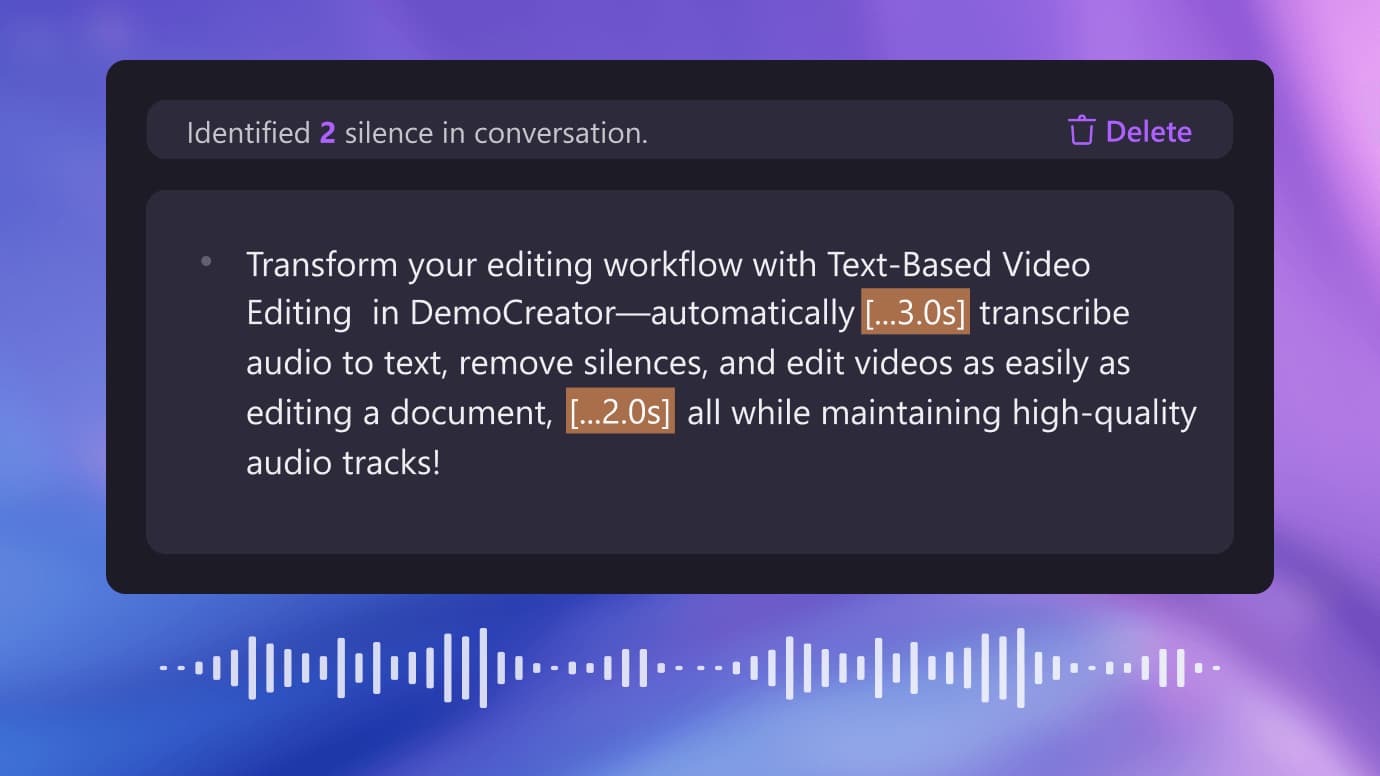
- Text-Based Video Editing: This is Vsub’s standout feature. Instead of a traditional timeline, you primarily interact with the transcript. You can trim the start and end of your video by deleting text, or, more powerfully, highlight phrases or sentences to instantly create short, shareable clips. This dramatically speeds up the process of finding and extracting key moments.
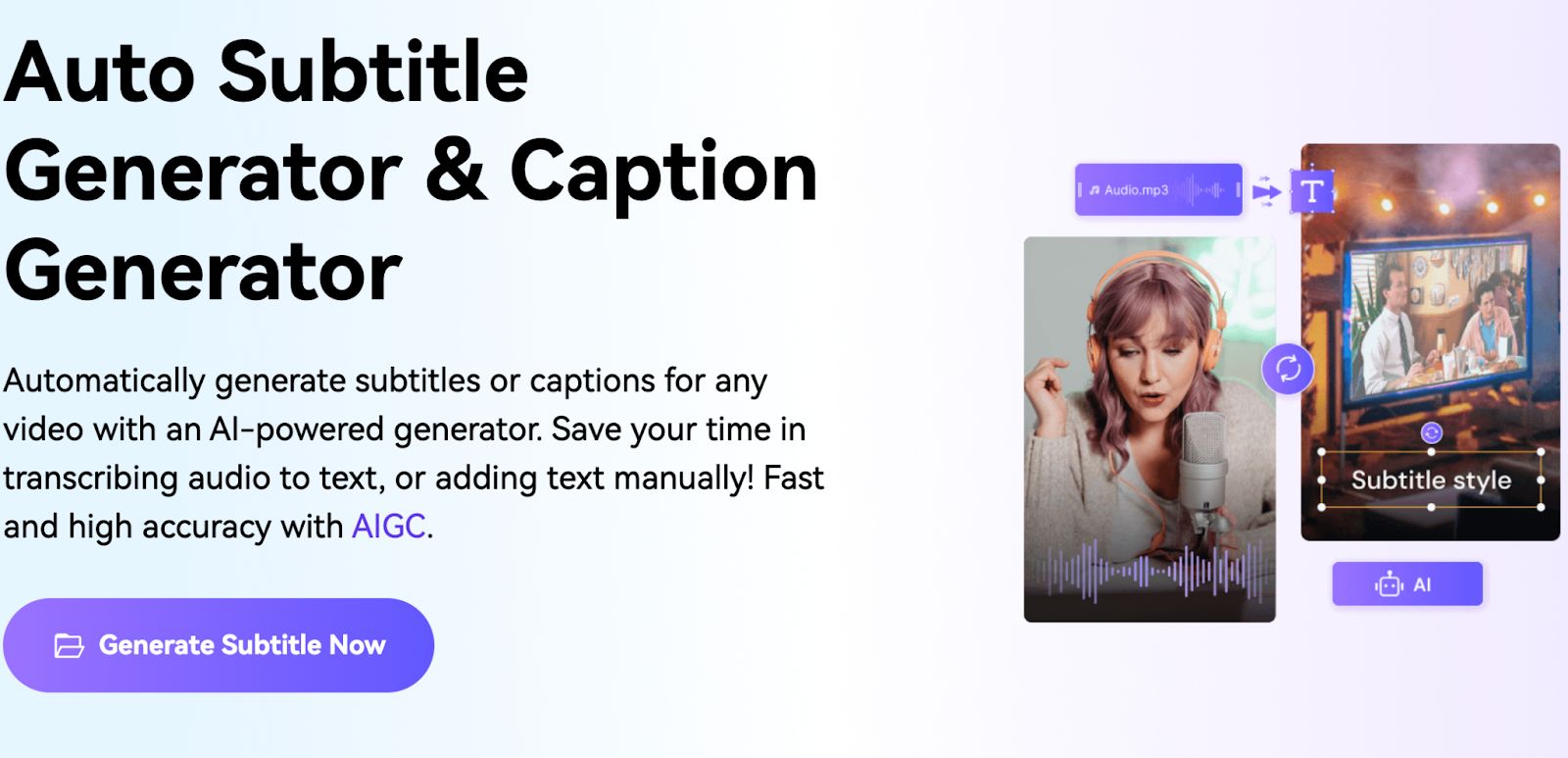
- Automated Subtitle Generation: Once you have a clip, Vsub automatically generates synchronized subtitles from the transcript. You have options to customize the style, including font, color, and animations, and can create brand kits to maintain consistency across all your videos, with final outputs available as standard MP4 export, open-caption video files, or separate SRT export for use on other platforms.
- AI Translation: The platform supports translation into over 100 languages, primarily for generating translated subtitles. While basic AI dubbing may be available, for high-quality, nuanced voice translation, specialized competitors like Rask.ai are often cited as stronger choices.
- Collaborative Workspaces: For teams, Vsub offers shared workspaces where multiple users can upload, edit, and comment on projects, which is essential for agency and marketing department workflows.
“Being able to create 10 short clips from a long webinar just by highlighting text is a game-changer for my workflow. This is the killer feature.”
— Social Media Manager, via G2, November 2025
How Accurate Is Vsub’s Transcription in 2026?
This is the most critical question in any Vsub review, and my analysis reveals a significant gap between marketing and reality.
Vsub’s website has marketing-focused claims of “up to 99% accuracy,” a number difficult to substantiate. An independent benchmark test found Vsub has a Word Error Rate (WER) of 11.2% on challenging audio, which translates to a more realistic 88.8% accuracy.
My own experience and user reports on Trustpilot suggest that with common factors like background noise, multiple speakers, or non-native accents, this accuracy can easily dip to the 80-85% range.
“It took me longer to fix the Vsub transcript than it would have to type it myself. I cancelled my trial and demanded a refund. The ‘99% accuracy’ is a joke if you have any accents.”
— Freelance Journalist, via Trustpilot, January 2026
💡 The Solution: The best approach is to frame Vsub correctly in your workflow. It is an excellent “first-draft” tool. For fast-paced social media content where a minor typo is not a crisis, the speed it provides is invaluable.
Use it to get a transcript 85% of the way there in seconds. However, for accuracy-critical projects, you must budget time for significant manual correction or pair Vsub with a human transcription service for the final polish. If you do plan to commit, grab a Vsub promo code first so your manual-cleanup time isn’t paid for at full sticker price.
What are the Limitations of the Video Editor?
While the text-based editing concept is powerful, it’s not without its technical limitations, especially for power users.
A common concern reported by long-term users is that the web-based editor can become laggy and slow on videos longer than 60 minutes. Some users also report a “sync drift,” where the subtitles and video lose their precise timing on these longer projects.
This feedback is a strong indicator of Vsub’s intended niche. It excels at short-form and medium-length projects but is less suited for editing a full-length feature film or a 2-hour podcast.
“Been using Vsub for a year. The core product is good, but development feels slow. The same bugs I reported 8 months ago are still there.”
— Agency User, via G2, December 2025
💡 The Solution: If you’re working with long-form content, pre-cut your raw video into smaller, logical chunks (ideally under 60 minutes) before uploading to Vsub. This simple step helps you stay within the editor’s performance comfort zone and maintain a smooth, responsive workflow.
For projects consistently over 90 minutes, a more mature, desktop-based NLE like Descript might offer a more stable experience. A broader breakdown of options is covered in our Vsub top alternatives and competitors guide.
How Much Does Vsub Really Cost in 2026? (A Vsub Review of Pricing)
Vsub’s Pro plan is advertised at $49/user/month, but in our Vsub review of its pricing, the true Total Cost of Ownership (TCO) can be up to 64% higher.
This increase is driven by less-than-transparent overage fees and an aggressive free trial model. Understanding these factors is key to making a smart investment — and to knowing when a special offer on Vsub actually moves the needle on your budget.
What Are Vsub’s Official Pricing Tiers?
As of January 2026, Vsub offers four main tiers, according to its official pricing page:
| Plan | Price (Monthly) | Key Feature |
|---|---|---|
| Free | $0 | 30 minutes/month (with watermark) |
| Creator | $24/user/month | 10 hours/month |
| Pro | $49/user/month (or $39/mo if paid annually) | 30 hours/month |
| Enterprise | Custom Quote | Custom limits and features |
This pricing seems straightforward, but the real costs are hidden in the details.
What Are the Hidden Costs and “Gotchas” to Avoid?
In my experience evaluating SaaS tools, the sticker price is rarely the final price. Here are the two most significant cost considerations for Vsub.
⚠️ Free Trial Warning: How to Avoid a $468 Charge
The 7-day free trial auto-converts to a non-refundable ANNUAL plan (~$468 for Pro). This practice has caught many users off guard. Set a calendar reminder to cancel on Day 6 if you’re not ready to commit, or apply a verified Vsub voucher code before paying to lower the annual hit.
First, surprise overage fees. If you exceed your plan’s monthly minute allowance, Vsub bills you at a rate of $0.25 per minute. That’s equivalent to $15 per extra hour. This fee is not prominently displayed, surprising many users.
Second, the free trial’s auto-renewal terms to review carefully. The 7-day free trial requires a credit card and automatically converts to a paid ANNUAL plan. This is a practice that could be more transparent.
“I cancelled on day 6 but was charged $230 anyway for the full year. It took two weeks and a threat of a chargeback to get it refunded. Be very careful with their trial.”
— Solo Creator, via Trustpilot, December 2025
How to Avoid Vsub’s Hidden Costs in 2 Steps
Step 1: Monitor Your Usage
Actively check your minute usage in Vsub’s dashboard. Set a personal calendar alert when you reach 80% of your monthly allowance to avoid surprise overage fees.
Step 2: Cancel Your Trial Early
Treat the 7-day trial as a 6-day trial. Set a reminder and cancel on day 6 if you are not 100% ready to commit to the non-refundable annual plan.
What is the True Total Cost of Ownership (TCO)?
To illustrate the real-world cost, let’s model a common scenario: a small 3-user team on the Pro plan that slightly exceeds their quota.
| Cost Component | Vsub Pro Plan (Advertised) | Vsub Pro Plan (Realistic TCO) |
|---|---|---|
| Subscription Cost | $1,404/yr (3 users @ $39/mo, paid annually) | $1,404/yr |
| Setup / Training | $0 | $0 |
| Overage Fees | $0 | $900/yr (Est. 5 extra hours/month @ $0.25/min) |
| Total Year 1 TCO | $1,404 | $2,304 (64% higher) |
Disclaimer: This is a user-reported and analyst-estimated model based on our Vsub review research. Actual pricing can vary; always request an official quote.
As the table shows, the realistic TCO can be 64% higher. This doesn’t make Vsub a bad value, but it’s crucial to budget for this TCO, not the sticker price. Stacking a money-saving deal on Vsub on top of careful usage monitoring is what turns a “potentially expensive” tool into a profitable one.
Vsub Use Cases & Workflows in Practice
Understanding how Vsub’s text-based editing translates into real-world productivity gains is key. This isn’t just about features; it’s about transforming your video production workflow.
For many, Vsub’s primary benefit is the dramatic increase in content velocity—the speed at which new assets can be created and published. Here are three common use cases where Vsub excels.
Use Case 1: The Social Media Content Velocity Engine
- Goal: Turn a single 60-minute webinar into 10-15 high-impact social media clips.
- Traditional Workflow: A video editor manually scrubs the timeline, identifies key moments, cuts them, adds subtitles, styles them, and exports each one. Estimated time: 4-6 hours.
- Vsub Workflow:
- Upload the webinar to Vsub. Wait 5-10 minutes for the AI transcription.
- Read the transcript like a document. Highlight a compelling 30-second quote. Click “Create Clip.”
- Repeat this 10-15 times for other key moments.
- Apply a pre-saved brand kit to all clips at once for consistent styling.
- Review the clips and make minor text corrections.
- Bulk export all clips for scheduling.
- Result: A task that took half a day is now completed in under an hour. This workflow speed is a genuine competitive advantage for high-volume content repurposing.
Use Case 2: The Podcast-to-Clip Funnel
- Goal: Promote a new podcast episode by creating engaging audiograms and video clips for social media.
- Challenge: Podcasts are audio-first, making them non-visual and less engaging on platforms like Instagram or LinkedIn.
- Vsub Workflow:
- Upload the podcast audio file to Vsub.
- Use the text-based editor to quickly find the most shareable soundbites and “hot takes.”
- Generate clips and use Vsub’s built-in audiogram styles (e.g., animated waveforms) with dynamic, word-by-word subtitles.
- The transcript also doubles as a blog post or show notes, improving the podcast’s video SEO and accessibility.
- Result: You transform a non-visual asset into multiple pieces of engaging visual content, maximizing the reach of each episode.
Use Case 3: Enhancing E-Learning and Training Modules
- Goal: Make corporate training videos and e-learning courses accessible to a global, diverse workforce.
- Challenge: Adding accurate subtitles and translations to dozens of video modules is time-consuming and expensive.
- Vsub Workflow:
- Upload all training videos to a shared Vsub workspace.
- Use the AI transcription to generate a “first draft” of English subtitles. A junior team member can quickly review and correct them for accuracy.
- Use the AI translation feature to generate subtitles in Spanish, French, and German.
- This process helps meet modern web accessibility (WCAG) standards and ensures all employees receive the same information.
- Result: A scalable and cost-effective way to improve corporate communication and compliance, without needing specialized translation agencies for every update.
How Does Vsub Compare to Its Competitors in 2026?
This Vsub review wouldn’t be complete without a competitive analysis. Vsub competes in a crowded market by specializing in workflow speed for social media repurposing.
While competitors like Rask.ai offer better AI translation and HeyGen has superior lip-sync, Vsub’s text-based video editing is often faster and more intuitive for that specific task. Making the right choice depends entirely on your primary goal — and on whether a current Vsub sale price tilts the math in its favor.
| Feature / Use Case | Vsub | Rask.ai | HeyGen | Descript |
|---|---|---|---|---|
| Primary Use Case | Fast social media clipping & subtitling | High-quality multilingual AI dubbing | Realistic AI lip-sync & video avatars | General-purpose podcast & video editing |
| Transcription Accuracy | Good (85-89%) | Good (Comparable) | Good (Comparable) | Very Good (Often cited as slightly higher) |
| Translation/Dubbing Quality | Basic to Good | Excellent | Good | Good |
| Lip-Sync Quality | Not a primary feature | Good | Excellent (Market Leader) | Basic |
| Editing Workflow | Excellent; Vsub’s text-based editing is the fastest for clipping. | Good (Focus on translation) | Good (Focus on avatar) | Very Good (Mature, powerful editor) |
| Pricing Model | Tiered with overages | Tiered with minute-based plans | Tiered with credit-based system | Tiered with generous limits |
| Verdict | Best as a high-speed AI clip maker for social repurposing. | Best for high-quality voice translation. | Best for visually-perfect dubbing. | Best all-around podcast/video editor. |
Vsub vs. Rask.ai: Who Should Use Which?
- Best For: The choice between Vsub and Rask.ai comes down to workflow speed vs. output quality.
- Consider: Vsub is the faster tool for the specific job of creating subtitled clips. Its text-based editor is more fluid for that task. However, Rask.ai is often praised for its higher-quality AI voice translations and dubbing.
- Avoid If: Avoid Vsub if your primary goal is to produce natural-sounding audio in multiple languages; Rask.ai is the stronger choice. Avoid Rask.ai if your main job is creating 20 subtitled social clips in an hour; Vsub has the edge.
Vsub vs. HeyGen: Who Should Use Which?
- Best For: This is a clearer distinction. Vsub is not a dedicated lip-sync tool; HeyGen is the undisputed market leader in realistic AI lip-sync and video avatar generation.
- Consider: If your project requires a visually seamless dub where the speaker’s lips perfectly match the new audio, HeyGen is the correct and, in my opinion, the only professional choice right now.
- Avoid If: Avoid Vsub for projects needing perfect visual dubbing. Use Vsub for adding subtitles and editing clips; use HeyGen for creating visually re-dubbed video.
Vsub vs. Descript: Who Should Use Which?
- Best For: This is the most common comparison, as both platforms pioneered text-based video editing. Descript has evolved into a very mature, powerful, general-purpose editor. Vsub is a more specialized and streamlined tool.
- Consider: It does less than Descript, but what it does—subtitling and clipping—it often does with a faster and more intuitive interface.
- Avoid If: Avoid Vsub if you need a primary, all-in-one editor for complex projects; Descript is the better choice. Use Vsub for its focused, rapid workflow in repurposing content. For a wider feature-by-feature breakdown, see the comparison Vsub top alternatives and competitors guide.
Is Vsub Safe and Trustworthy for Professional Use?
Yes, Vsub is a trustworthy platform for professional use, backed by a verified SOC 2 Type II certification and clear GDPR/CCPA compliance measures.
In my evaluation, these credentials show a mature approach to security suitable for most businesses. While no service is immune to incidents, Vsub has a public history of transparently handling outages and patching vulnerabilities in a timely manner.
What are Vsub’s Security and Compliance Credentials?
Vsub’s security posture is one of its professional strengths. The standout credential is its SOC 2 Type II certification. For those in procurement, a SOC 2 audit is a rigorous, independent validation of a company’s controls over security and privacy.
The audit report, dated November 2025, covers the preceding 12-month period. For teams evaluating Vsub in 2026, it’s important to note this report is now over a year old from the start of its audit period; requesting the latest attestation is recommended.
For international teams, Vsub is fully GDPR compliant and offers EU data residency in their Frankfurt data center for enterprise clients, a critical feature for meeting data sovereignty requirements.
💡 A Consideration to Note: Vsub is not ISO 27001 certified. While SOC 2 is sufficient for most North American businesses, some corporations have a strict mandate for the ISO 27001 standard. If this is a non-negotiable requirement, you must seek an exception or consider an enterprise-grade competitor.
What Is Vsub’s Customer Support Like?
While the platform is secure, the customer support experience is a significant area for consideration.
For non-enterprise users, support is email-only, and users on platforms like Trustpilot and Reddit report an average response time of 38 hours. This can be a challenge for resolving business-critical issues.
💡 Navigating Vsub’s Customer Support
With reported 38-hour email response times, standard support can be slow. For faster help, your best option is to purchase through an authorized reseller that offers dedicated assistance. Alternatively, if your business requires guaranteed response times, upgrading to Vsub’s Enterprise plan to secure a Service Level Agreement (SLA) is the most effective path. You can also browse the broader Latest Coupons list to compare reseller deals before paying full price.
💡 The Solution: Proceed with the assumption that you will need to be self-reliant for troubleshooting. If responsive, accessible support is a top priority, you may need to upgrade to Vsub’s Enterprise tier or choose a competitor known for a better service experience.
What We Love & Things to Consider
After this extensive Vsub review, it’s clear Vsub is a tool of powerful dualities. It excels in some areas and has significant limitations in others. Here’s a balanced summary.
Category & Best Fit
- Category: AI Video Transcription, Subtitling & Repurposing SaaS
- Best Fit: Social media managers, marketing agencies, e-learning teams, and high-volume short-form content creators
- Standout Feature: Text-based video editor that turns long-form video into multiple short clips by highlighting transcript text
✅ What We Love
- Game-Changing Text-Based Video Editing: Creating dozens of clips by highlighting text fundamentally changes the economics of content repurposing.
- Superb, Intuitive User Interface: Clean, modern, and easy to navigate; teams adopt it with minimal training.
- Fastest Tool for Content Repurposing: When turning long-form into short-form, Vsub is arguably the fastest tool available today.
- Strong Security Credentials (SOC 2 Type II): Verified independent audit confirms a serious investment in data security.
- Generous Collaboration Features: Shared workspaces and commenting are well-designed for agencies and internal teams.
- Improves Content Accessibility: Easy synchronized subtitles help meet web accessibility (WCAG) standards.
💡 Things to Consider
- Accuracy Claims vs. Reality: “99% accuracy” is promotional positioning — real-world is 85-89%, so budget time for manual corrections.
- Opaque Pricing with High Overage Fees: The $0.25/minute overage can lead to significant, unexpected costs.
- Concerning Free Trial Conversion: The 7-day trial auto-converts to a non-refundable annual plan — careful user management required.
- Slow, Email-Only Customer Support: A reported 38-hour average response time is a real limitation for a professional B2B tool.
- Editor Performance on Long Videos: Editor performance degrades on videos longer than 60 minutes.
- Potential for Proprietary Lock-in: Editable project files are proprietary — limited data portability creates switching cost.
Final Verdict: Is Vsub Worth It in 2026?
After a deep-dive Vsub review of its features, performance, and cost, my verdict is that Vsub is a powerful but specialized tool that is absolutely worth it for a specific type of user.
Your satisfaction will depend entirely on whether your needs align with its core strengths. By dramatically increasing content velocity, Vsub helps teams deliver a massive return on investment (ROI), easily justifying the cost for the right user.
Vsub is a workflow accelerator. Its “killer app” is its text-based video editor. The time saved in this specific task can deliver a massive return on investment.
However, this speed comes with trade-offs: transcription accuracy is not as high as marketed, the pricing model requires careful monitoring, and standard customer support is a known weak point.
Here are my specific recommendations:
- For Social Media Managers: Yes, Vsub is highly recommended. The workflow speed is a genuine competitive advantage that directly impacts your ability to generate content. The time you save will be immense, whether you’re repurposing official brand videos or processing batches of user-generated content (UGC).
- For YouTubers & Podcasters: It depends. If your primary strategy involves creating a high volume of short-form content, yes. However, if you mainly produce single, long-form videos and require the highest accuracy, you might be better served by a more mature editor like Descript or a human transcription service.
- For Journalists & Academics: No, Vsub is not recommended. The 85-89% real-world accuracy is not sufficient for your needs where precision is paramount.
- For Enterprise Teams: Potentially, but with caution. The core tool is strong, and the SOC 2 security is a huge plus. However, you must negotiate a clear enterprise contract that guarantees API access for custom workflow automation, defines support SLAs, and caps overages.
Ultimately, test the free trial—carefully—to see how it handles your specific content. If Vsub’s workflow saves you hours every week, it’s worth the price and the precautions. And before you click “subscribe,” it’s almost always worth pulling up the latest exclusive coupon for Vsub — a 30-second check that often pays for the first month outright. If you want a wider research base, our category of review articles covers competing tools in similar depth.
Frequently Asked Questions About Vsub
Q1: How much does Vsub really cost in 2026?
While Vsub’s Pro plan is listed at $49/month for monthly billing, the true cost requires careful analysis. Our Vsub review found that the annual plan offers a discounted rate of $39/month ($468/year), representing significant savings for long-term users. However, the most critical factor is the overage fee of $0.25 per minute for usage beyond your plan’s allowance. User data suggests this can increase your Total Cost of Ownership (TCO) by up to 64%. Therefore, while the sticker price is competitive, your actual cost depends heavily on monitoring your usage to avoid these additional fees, and on stacking a current discount offer at checkout.
Q2: Is Vsub better than Rask.ai?
It depends on your primary goal. This Vsub review concludes that Vsub is better for fast video clipping and subtitling, while Rask.ai is better for high-quality AI voice translation and dubbing. If your main task is repurposing a webinar into 10 social clips with styled subtitles, Vsub’s workflow is faster and more intuitive. If your project involves translating a video into natural-sounding Spanish with accurate voice cloning, Rask.ai is the superior choice, as this is its core strength. Choose Vsub for workflow speed and Rask.ai for final translation output quality.
Q3: What is the real transcription accuracy of Vsub?
Vsub’s real-world transcription accuracy is between 85-89%, despite marketing claims that can be higher. Our Vsub review is based on an independent benchmark test that found a Word Error Rate (WER) of 11.2%, which corresponds to 88.8% accuracy on challenging audio. User reports on platforms like Trustpilot corroborate this, noting that accuracy can dip towards 85% with background noise or strong accents. This accuracy level is excellent for creating a “first draft” for social media content but will require manual correction for professional or academic use cases where precision is essential.
Q4: Should I use Vsub or Descript?
You should use Vsub for its specialized, faster workflow in subtitling and content repurposing, whereas Descript is a more powerful, general-purpose editor ideal for complex projects like podcasts. If your main job is cutting clips for social media, Vsub’s interface is often faster. Descript, on the other hand, offers a more robust and mature feature set, including multi-track audio editing, screen recording, and more advanced timeline controls, making it a better all-in-one solution for creating content from scratch. Think of Vsub as a specialist and Descript as a generalist.
Q5: Who is Vsub best for?
Based on our Vsub review, the platform is best for social media managers, marketers, and content creators who need to quickly turn long-form video into multiple short, subtitled clips for platforms like TikTok and Reels. Its entire text-based editing workflow is hyper-optimized for this specific, high-volume task, allowing a single person to achieve a level of content output that would traditionally require a small team. Professionals who measure success by their content velocity and ability to stay on top of trends will find Vsub to be an invaluable tool in their arsenal.
Q6: Can I trust Vsub with my sensitive video content?
Yes, you can trust Vsub with most sensitive business content. The primary reason for this confidence is its verified SOC 2 Type II security certification, which is a rigorous, third-party audit of a company’s security controls and processes. This certification, combined with its GDPR compliance and options for EU data residency, makes it a suitable choice for most corporate and enterprise use cases. While no platform is immune to risk, these credentials demonstrate a strong, independently verified commitment to data security and process integrity, which we confirmed in our Vsub review.
Q7: How do I avoid Vsub’s hidden costs?
To avoid hidden costs in Vsub, you should take two specific actions. First, carefully monitor your minute usage on the Vsub dashboard to stay within your plan’s allowance and prevent triggering the $0.25/minute overage fees. Setting a calendar reminder when you reach 80% of your quota can help. Second, and more importantly, set a calendar reminder to cancel your free trial on day 6, not day 7. This prevents the automatic and non-refundable conversion to a full annual plan, a practice that has caught many users by surprise according to numerous reviews on Trustpilot. Pairing both steps with a verified today’s offer on Vsub further reduces your real outlay.
Q8: What is the main problem with Vsub in this Vsub Review?
The main problem identified in this Vsub review is the disconnect between its marketing-focused claims and the real-world user experience, particularly in three areas. First is the accuracy claim (“up to 99%”) versus the reality (85-89%). Second is the pricing, where the advertised monthly cost can be up to 64% lower than the true total cost of ownership due to overage fees. Finally, there’s a gap in service expectations, with a professional tool offering slow, email-only support for its standard-tier customers, which presents a business risk.

