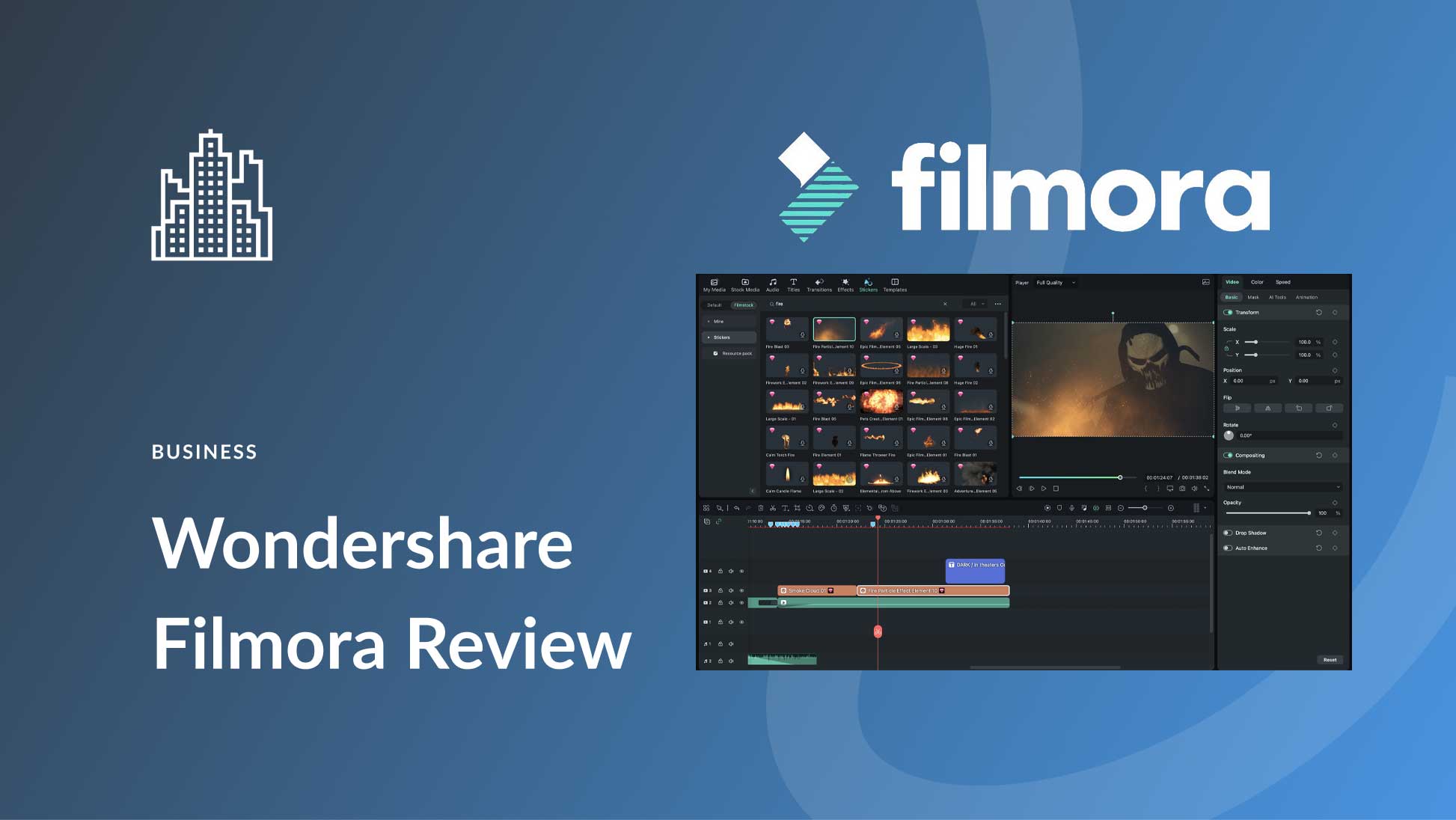


I get it. You're looking for a Filmora promo code because you're ready to buy, but you want to make sure you're not leaving money on the table. As the founder of CouponsScout and a tech strategist, my entire job is to find those savings. Here's the truth about Filmora Wondershare: traditional coupon codes are rare. But that doesn't mean you have to pay full price. In fact, there are legitimate, verified ways to get a massive 58% savings on your subscription.
Most coupon sites will show you a list of fake or expired codes. That's not what we do here. Instead, I'm going to walk you through every official discount, savings hack, and policy you need to know before you purchase. We'll cover everything from the massive discount of an Annual Plan to the 20% off student discount. If you're looking for powerful, user-friendly video editing software, you're in the right place. Let's make sure you get it at the absolute best price. You can also explore our other Software and AI Deals for more tools to round out your creative suite.
How to Apply Your Filmora Wondershare Discount Code
While most of Filmora's best deals are applied automatically (like the annual discount), there are specific cases, such as the student discount, where you'll receive a manual code. Understanding how and where to apply it is key to locking in your savings. Here's a clear breakdown of the process.
Step-by-Step: Applying Codes at Checkout
If you have a unique promo code from Filmora (usually sent via email after verification for a student discount), the application process is straightforward. It's designed to be simple, ensuring you can apply your savings without any hassle.
- Select Your Plan: Go to Filmora's official pricing page and choose the plan you wish to purchase (e.g., Annual Plan, Perpetual Plan).
- Proceed to Checkout: After clicking "Buy Now," you'll be taken to the checkout page. Here, you'll enter your payment information.
- Locate the Coupon Code Box: Look for a field labeled "I have a coupon" or "Redeem Coupon Code." It's typically located on the right side of the screen, underneath your order summary.
- Enter and Apply Your Code: Carefully type or paste your unique code into the box and click "Apply." You should see the discount reflected in your order total immediately.
- Complete Your Purchase: Once you've confirmed the discount has been applied, complete the checkout process. Your license key and download instructions will be sent to your email.
How to Access Student & Teacher Discounts
Filmora offers a generous discount for students and educators, but it requires a verification step to confirm your eligibility. This ensures the discount is reserved for those in academia. The process is managed through their dedicated student discount portal.
First, you need to visit the Filmora student discount portal. You'll be asked to fill out a form with your name, the name of your school, and your student email address. After submitting the form, the Wondershare team will review your information. Once verified, they will email a unique, single-use coupon code directly to you. You can then apply this code at checkout using the steps outlined above to claim your 20% off.
Automatic Discounts vs Manual Code Entry
It's crucial to understand that Filmora Wondershare's biggest and most consistent discount doesn't require a code at all. The massive 58% savings on the Annual Plan compared to the Quarterly Plan is applied automatically when you select it on their pricing page. There is no code to enter; the price is already reduced for you.
Manual codes are typically reserved for special, targeted promotions like the student discount, contest prizes, or specific marketing campaigns. For the vast majority of users, the best strategy is to take advantage of the automatic annual discount. Always check the pricing page first, as this is where the most significant savings are found without needing to hunt for a Wondershare Filmora coupon. For a comprehensive list of all available offers, visit our dedicated Filmora Wondershare coupons and verified deals page.
Savings Hacks & Tips for Filmora Wondershare
As a MarTech strategist, I'm obsessed with finding the most efficient way to get the best value. With software like Filmora, the biggest wins don't come from a temporary Filmora discount code, but from making smart choices about your subscription. Here are the tested, verified strategies to get the lowest possible price on Filmora.
Annual vs Quarterly Billing: Calculate Your 58% Savings
This is, without a doubt, the single best way to save on Filmora. Many users default to the lower-priced quarterly option, but it's a massive financial mistake if you plan on using the software for more than a few months. Let's do the math.
- Quarterly Plan Price: $29.99 per quarter. Over a year, this amounts to $29.99 x 4 = $119.96.
- Annual Plan Price: $49.99 for the entire year.
By choosing the Annual Plan, you save $69.97 per year ($119.96 - $49.99). This translates to a staggering 58% savings compared to paying quarterly. This discount is applied automatically on the Filmora's official pricing page and requires no code. If you're a content creator, small business owner, or hobbyist who will be making videos year-round, this is a non-negotiable hack for maximizing value. Switch to Annual Billing & Save 58% on Filmora Today →
Student & Teacher Discounts: How to Verify & Save 20%
If you're a student or an educator, Filmora offers a fantastic 20% off discount. This is one of the few instances where you'll get a manual coupon code. To get it, you must prove your eligibility through a simple verification process.
- Visit the official Filmora student discount portal.
- Fill out the form with your details, including your school's name and your academic email address.
- Submit the form for review by the Wondershare team.
- Once approved, a unique 20% off coupon code will be emailed to you.
- Apply this code at checkout on your chosen plan.
This is a great deal, especially if you're considering the Perpetual Plan, as the 20% discount can lead to significant upfront savings.
Seasonal Sale Calendar: Best Times to Buy (Black Friday, etc.)
While Filmora doesn't run constant sales, they do participate in major annual shopping events. Based on our market analysis and historical data, the best times to check for extra discounts are during:
- Black Friday & Cyber Monday: This is the most reliable sale period. In past years, Wondershare has offered sitewide discounts on Filmora and other products, sometimes including bundle deals.
- Back to School (August/September): Coinciding with the academic season, you'll sometimes find enhanced student offers or general discounts to attract new users.
- End of Year/New Year Sales: Look for promotions around Christmas and early January as people pursue new hobbies and professional goals.
Our advice: if you need the software now, the 58% savings on the annual plan is a better deal than waiting for a potential seasonal sale. But if you can wait, keep an eye on their site during these key periods.
Bundle Deals: Combine Filmora with Filmstock to Save
Filmora is powerful on its own, but it becomes a creative powerhouse when paired with Filmstock, Wondershare's library of royalty-free stock media, effects, and audio. Wondershare often encourages this pairing by offering bundle deals.
When you purchase a Filmora plan, you'll often see an option to add a Filmstock subscription at a reduced rate. This integrated bundle is far cheaper than subscribing to both services separately. If you're a serious creator who needs constant access to fresh assets like video templates, sound effects, and titles, the Filmora bundle sale is an excellent way to consolidate your costs and unlock more creative potential.
Free Trial Strategy: Test All Features Before You Commit
The most significant risk with any software purchase is that it doesn't fit your workflow. Filmora mitigates this with a robust free trial. Before you even think about buying, I strongly recommend you download and use the trial to its full extent. You can test every feature, from AI-powered tools to advanced color grading, to ensure it meets your needs. Before committing, you may also want to read our detailed Filmora Wondershare review covering features and hidden costs to make an informed decision.
The one major limitation you need to be aware of is the watermark. Any video you export using the free trial will have a large Filmora watermark on it. This makes the trial unsuitable for publishing final work, but it's perfect for evaluation. Once you're confident that Filmora is the right tool for you, you can purchase a license, and the watermark will be removed from all future exports.
Savings for Businesses: Exploring Volume Discounts
If you're buying Filmora for a team of editors, don't just purchase multiple individual licenses. Wondershare offers special pricing for businesses, which can lead to significant savings. By navigating to their business inquiry page, you can request a quote for volume licensing.
This is ideal for creative agencies, corporate marketing teams, and educational institutions. When you contact their sales team, you can often negotiate a rate based on the number of seats you need. This is a much more scalable and cost-effective solution than buying one-off licenses and is the standard way to procure software in a professional environment.
Why Trust Coupons Scout for Filmora Wondershare Codes?
In an industry filled with clickbait and fake "deals," we built CouponsScout on a foundation of transparency and trust. My goal as the founder was to create a resource that relies on MarTech precision for discovery and human expertise for verification. When you see an offer for Filmora on our site, it's because it has passed our rigorous validation process. We don't just list codes; we verify savings.
Our Verification Process: The CSVP™ Standard
To ensure every discount is legitimate, we developed the Coupons Scout Verification Protocol (CSVP™). This isn't an automated script; it's a hands-on methodology. All coupon codes and discounts in this guide were verified using our research and verification process, which is particularly crucial for software reviews.
For a product like Filmora, we follow our "Track B" protocol for reviews and buying guides. It starts with data-driven selection, where we identify products that solve real market problems. Then, our domain experts conduct a deep dive. For Filmora, this meant our Software & AI specialist personally tested its performance, verified its pricing structure, and calculated the real-world value of its plans. Finally, our Head of Operations fact-checks every claim against the merchant's live website, ensuring that the pricing, policies, and discount information we provide are accurate and up-to-date. You can browse all the verified stores featured on Coupons Scout to see how we apply the same rigorous process across every brand.
Meet the Team Behind Your Savings
As the founder of CouponsScout, I oversee our entire verification process, but for technical products like Filmora Wondershare, I rely heavily on Jettawat Kasemchaiyanun, our Software & AI specialist. Jettawat personally tested Filmora's AI editing features, its export speeds, and the real value of the Perpetual Plan vs. the Annual Plan. He calculated the true 58% savings from annual billing and verified the step-by-step process for the student discount. His technical expertise and years of experience testing video editing software discount opportunities ensure you're getting accurate, hands-on insights—not just marketing hype.
Our Senior Verification Analyst, Kanokchai Likitapiwat, performs daily checks to ensure all promotional offers remain valid. And every article, including this one, goes through Joanne Lovell, our Editorial Director, who fact-checks every claim and ensures we maintain the highest editorial standards of objectivity and clarity.
What To Do If Your Filmora Wondershare Code Doesn't Work?
It's frustrating when a code you were counting on fails at checkout. While Filmora's main discounts are automatic, if you have a manual code (like a student discount) that isn't working, there are usually a few common culprits. Here's a troubleshooting guide to help you resolve the issue.
Common Reasons Codes Fail (And How to Fix Them)
Before you get discouraged, run through this checklist. Most issues can be resolved with a simple check.
- Typo or Extra Space: This is the most common error. Coupon codes are often case-sensitive and must be entered exactly as shown. Double-check for any typos or accidental spaces before or after the code. Try copying and pasting it again.
- Code Has Expired: Promotional codes, especially for specific campaigns, have an expiration date. If the code is from an old email or a third-party site, it may no longer be valid.
- One-Time Use: Codes like the student discount are generated for single use. If you're trying to reuse a code or use one that someone else has already redeemed, it will fail.
- Not Meeting Eligibility: The code may be tied to a specific plan (e.g., Annual Plan only), a specific region, or a user type (e.g., new customers only). Ensure your purchase meets all the requirements.
Terms & Conditions: Understanding Eligibility
Every promotional code comes with terms and conditions. These rules dictate who can use the code and on what products. For Filmora, common conditions include:
- Plan-Specific: A code might only work for the Annual Plan or the Perpetual Plan, but not the Quarterly Plan.
- Not Stackable: You usually cannot stack multiple coupon codes. If an automatic discount is already applied, a manual code may not work on top of it.
- Exclusions: The code might not apply to bundle deals, sale items, or renewals. It's often for new license purchases only.
Always read the fine print that comes with your code to ensure you're using it correctly.
Expired Code? Find Fresh Alternatives Here
If your code has expired, don't worry. As we've covered, the best savings strategies for Filmora don't rely on temporary codes. Instead of searching for another Wondershare Filmora coupon, pivot to these verified methods:
- The 58% Annual Discount: This is your best and most reliable option, available year-round directly on their pricing page.
- The Student Discount: If you're eligible, re-apply through the official portal to get a fresh, valid code.
- Wait for a Seasonal Sale: If you're not in a hurry, bookmark their site and check back during Black Friday or other major sales events.
You can also check our latest coupons page for fresh deals updated daily to find newly verified offers across all software brands.
Contacting Filmora Wondershare Support for Assistance
If you've gone through all the steps above and are certain your valid code should be working but isn't, it's time to contact support. Wondershare's customer service team can resolve technical glitches or clarify the terms of a promotion.
You can reach them through the official support section on their website. Be prepared to provide the coupon code you're trying to use and a screenshot of the error message. Their team is generally responsive and can help troubleshoot the issue directly.
About Filmora Wondershare
Before you commit to a purchase, it's important to understand what Filmora is and whether it's the right fit for your creative needs. As a leading player in the video editing space, Filmora has carved out a niche for itself by offering a powerful yet incredibly user-friendly experience that appeals to beginners and seasoned editors alike.
What is Filmora Wondershare? A Video Editing Software Overview
Filmora Wondershare is a desktop video editing software available for both Windows and Mac. It's designed to provide a comprehensive suite of editing tools without the steep learning curve of more complex professional software like Adobe Premiere Pro or DaVinci Resolve. Filmora is known for its intuitive drag-and-drop interface, a massive library of pre-built effects and templates, and a growing set of AI-powered features that automate and simplify complex editing tasks. It's an ideal choice for YouTubers, social media managers, small business owners, and anyone who wants to create polished, professional-looking videos quickly. If you're still deciding, our guide to Filmora Wondershare alternatives and top competitors can help you compare your options side by side.
Products & Services: What Filmora Offers
Wondershare's ecosystem extends beyond just the core video editor. Their offerings include:
- Filmora Desktop: The flagship video editor for Windows and macOS.
- Filmora for Mobile (formerly FilmoraGo): A powerful mobile version for editing on the go.
- Filmora Effects & Plug-ins: Premium add-ons from industry leaders like BorisFX and NewBlueFX to expand creative possibilities.
- Filmstock: A subscription-based stock media library with millions of royalty-free video clips, music tracks, and visual effects that integrate directly with Filmora.
- AI Tools: Features like AI Copilot Editing, AI Text-Based Editing, AI Music Generator, and AI Thumbnail Creator are integrated to speed up the creative process.
Pricing Tiers: Quarterly, Annual, and Perpetual Plans Compared
Filmora offers several pricing plans to fit different user needs and budgets, as detailed on Filmora's official pricing page.
| Plan | Billing Cycle | Price | Best For |
|---|---|---|---|
| Quarterly Plan | Every 3 months | $29.99 | Short-term projects or testing the full software beyond the free trial. |
| Annual Plan | Once a year | $49.99 | Consistent users; offers the best value with a 58% savings over the quarterly plan. |
| Perpetual Plan | One-time payment | $79.99 | Users who want to own the current version (e.g., Filmora 13) forever without recurring subscription fees. Note that major future versions (e.g., Filmora 14) would require a new purchase. |
Free Trial & Refund Policy: The 30-Day Guarantee Explained
Filmora's "try-before-you-buy" model is one of its strongest assets. The free trial gives you full access to all editing features. The only limitation is the watermark on exported videos. This allows you to fully evaluate the software's capabilities for your specific projects.
Once you purchase, you are protected by Wondershare's 30-Day Money Back Guarantee. According to Wondershare's official refund policy, you can request a full refund within 30 days of purchase under specific circumstances, such as technical problems that the support team cannot resolve or accidental duplicate purchases. However, dissatisfaction with the software's features is generally not considered a valid reason for a refund, which is why testing thoroughly with the free trial is so important. Start Your Free Filmora Wondershare Trial – No Credit Card Required →
Cancellation Process & Billing Cycle
For subscription-based plans (Quarterly and Annual), you can cancel your subscription at any time to prevent future billing. The cancellation process is managed through your Wondershare account dashboard. Simply log in, navigate to your plan details, and you will find an option to turn off auto-renewal. When you cancel, you will retain full access to Filmora for the remainder of the billing period you've already paid for. For example, if you cancel an Annual Plan six months in, you can continue using it for the next six months. The cancellation simply ensures you won't be charged again on your renewal date.
Frequently Asked Questions About Filmora Wondershare Discounts
Does Filmora Wondershare offer promo codes?
Rarely for the general public. Most Filmora promo code instances are for specific, verified groups like students or as part of targeted promotions. The best and most consistent discount is the automatic 58% savings when you choose the Annual Plan over the Quarterly Plan, which requires no code.
Are there student discounts for Filmora Wondershare?
Yes, Filmora offers a generous 20% off student discount for eligible students and teachers. You must verify your academic status through the official Filmora student discount portal. Once verified, you'll receive a unique, single-use coupon code via email.
How can I get Filmora Wondershare for free?
You can use Filmora's full-featured free trial for as long as you want. However, all videos exported with the free trial will have a prominent watermark. To export videos without a watermark, you must purchase a license for one of their paid plans.
How much can I save with an annual Filmora Wondershare plan?
You can save approximately 58% by choosing the Annual Plan at $49.99/year compared to the Quarterly Plan at $29.99/quarter (which totals $119.96/year). This is the most significant and easily accessible discount Filmora offers, saving you about $70 annually.
When does Filmora Wondershare have sales?
Based on historical data, Filmora typically holds sales during major shopping events like Black Friday, Cyber Monday, and Back-to-School seasons. These sales may offer additional discounts or attractive bundle deals with products like Filmstock, but they are not guaranteed every year.
What is Filmora Wondershare's refund policy?
Filmora offers a 30-Day Money Back Guarantee. According to their official policy, refunds are typically granted for technical issues that cannot be resolved by support or for accidental duplicate orders. It's important to use the free trial to ensure the software meets your needs before buying.
Can I cancel my Filmora Wondershare subscription anytime?
Yes, you can cancel the auto-renewal of your subscription at any time through your Wondershare account settings. You will retain full access to the software's premium features for the remainder of the billing period you have already paid for, but you will not be charged again.
Is Filmora Wondershare cheaper than Adobe Premiere Pro?
Yes, significantly. Filmora's Annual Plan costs around $50 per year, whereas Adobe Premiere Pro is part of the Creative Cloud, which typically costs over $20 per month (or over $240 per year). Filmora is a much more budget-friendly option, especially for beginners and intermediate users. Check out our Adobe Premiere Pro discounts page for more info.
What's the difference between Filmora's Annual and Perpetual plans?
The Annual Plan is a subscription that gives you access to all updates (minor and major) as long as you're subscribed. The Perpetual Plan is a one-time payment that gives you lifetime access to the current version you bought (e.g., Filmora 13), but you must pay again to upgrade to future major versions (e.g., Filmora 14).
Does Filmora Wondershare have a military or nonprofit discount?
While Filmora does not publicly advertise a specific military or nonprofit discount, Wondershare encourages nonprofit organizations and businesses to inquire about volume licensing or special pricing through their business sales channel. It is always worth contacting their support team to ask about potential unadvertised discounts.
How do I get the Filmora Wondershare teacher discount?
The teacher discount is part of the same program as the student discount. Educators can visit the Filmora student discount portal and submit their information for verification to receive a 20% off coupon code.
Can I use a Filmora coupon on a bundle deal?
Generally, no. Most bundle deals are already promotional and cannot be combined with other manual coupon codes. The terms and conditions will typically state that discounts are not stackable. Your best bet is to choose the single best offer available to you.
Conclusion: The Smartest Way to Save
After a thorough analysis by myself and my tech expert, Jettawat, the conclusion is clear: chasing a rare Filmora promo code is not the best use of your time. The most powerful, guaranteed way to save is by making a strategic purchasing decision. Opting for the Annual Plan over the Quarterly subscription locks in a massive 58% savings instantly—no codes, no hassle.
Combine that with a thorough evaluation using the free trial to ensure it's the right tool for you, and you're getting professional-grade software at a fraction of the cost of competitors. For students and teachers, the 20% off verified discount is a fantastic bonus. Forget the endless search for a video editing software discount and focus on the proven value right in front of you. Ready to get started? Unlock Verified Filmora Wondershare Savings – Get Started Now → And remember to check our main hub for more Software and AI deals updated daily.
