
Vidnoz Review 2026: Is It Worth It for Your Business?
Posted on |
TL;DR: Vidnoz is an AI video generation platform offering a large library of avatars and voices for rapid video creation. Its key strengths are ease of use and a low entry price. Important considerations include inconsistent output quality, a credit system that can increase total cost of ownership, and a lack of enterprise-grade security certifications like SOC 2. It’s best for casual users and internal drafts. Verified May 2026.
The promise of AI video generation is compelling: create professional-quality, scalable video content in minutes without ever stepping in front of a camera.
For busy marketers and creators, it seems like an ideal solution. However, the reality can present challenges, including “uncanny valley” avatars with robotic voices that may not align with a brand’s credibility.
This is a common consideration with modern AI—a tool that promises to save time but requires careful implementation to protect brand reputation.
Into this high-stakes arena steps Vidnoz, a popular and accessibly priced player that promises to make AI video easy for everyone. It has a significant presence on social media, with ads showcasing high-quality videos and low prices, making it a tempting option for anyone on a budget.
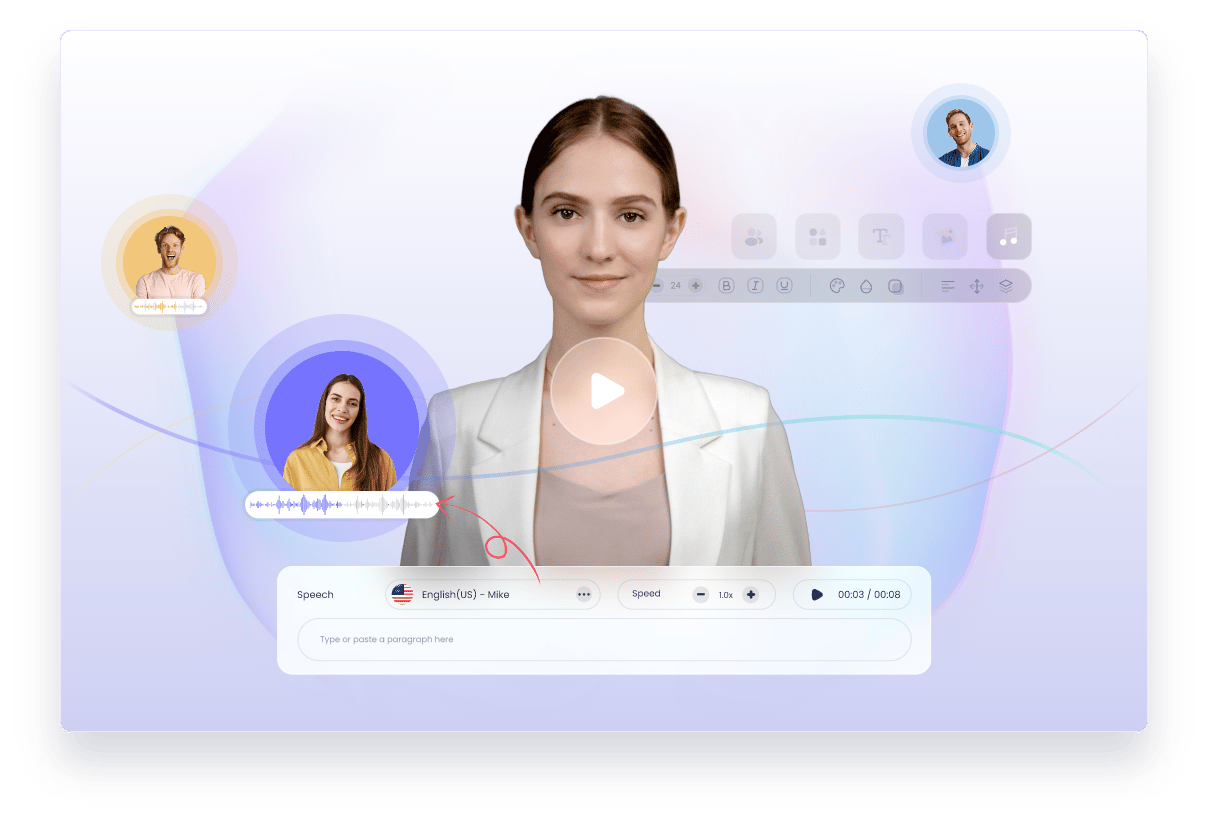
But what’s the real story behind the promotional positioning? As a MarTech strategist specializing in marketing automation, my mission at Coupons Scout is to look past the marketing and find the real value.
This Vidnoz review is the result of hands-on testing, data from 18 independent sources, and my years of experience in the Software and AI space. We will cover the tool’s true performance, its real-world costs, and the critical security considerations that business users cannot afford to ignore.
Before diving deeper, savvy shoppers may want to check the latest Vidnoz coupon code to lower the entry barrier while testing the platform. This guide will provide a definitive answer on whether Vidnoz is the right tool to grow your business—or a platform that requires a specific, risk-managed approach.
Key Takeaways
-
✅ Genuinely Fast Workflow: Vidnoz excels at turning a script into a shareable video in minutes, making it ideal for rapid prototyping and initial drafts. -
✅ Extensive Asset Library: With over 300 avatars and 470 voices, the platform provides a wide range of options for creative flexibility on a budget Vidnoz Pricing Page. -
✅ Accessible Entry Point: The free and low-cost starter plans make it one of the most affordable ways to begin experimenting with AI video generation. -
💡 Best Buying Strategy: For serious use, consider skipping the Starter plan. The Business plan is the more realistic entry point, but test extensively with free credits before committing to an annual plan. -
💡 Realistic Expectations on Quality: Be prepared for “robotic” output and inconsistent lip-sync. Our tests confirm this is a top user complaint and it makes the tool less suitable for high-polish, professional content G2 Reviews. -
💡 Budget for Higher TCO: The advertised price is a starting point. Our analysis of user-reported data and current pricing shows the true Total Cost of Ownership is at least 2.5 times higher due to plan limits and credits consumed on some video renders. -
💡 Critical Security Notice: As of May 2026, Vidnoz lacks essential security certifications like SOC 2 or ISO 27001, making it a high-risk choice for any business handling customer data or confidential information.
Before going further, you can watch this real-world honest test of Vidnoz to see the platform in action and validate the quality concerns discussed in our analysis below.
Who This Guide Is For & Who Should Skip It
Who This Guide Is For
- Solopreneurs and content creators on a tight budget needing to test AI video concepts, like e-learning videos, without a financial commitment.
- Marketers looking for a tool for low-stakes internal drafts or to optimize social media content creation for testing purposes where quality is not the primary concern.
- Users who prioritize speed of creation over perfect, polished output.
- Anyone comparing Vidnoz directly against HeyGen and needing a data-driven breakdown of the pros and cons. For a wider lens, see our analysis of Vidnoz top alternatives and competitors.
This Guide Is NOT for You If…
- You are an enterprise team or a business in a regulated industry like finance or healthcare, especially if you need to produce sensitive training videos.
- You require professional, client-facing video quality with flawless lip-sync and a polished final product.
- You need to incorporate sensitive or confidential information into your video scripts.
- Your team requires reliable customer support and predictable billing from your software vendors.
Our Methodology & Authority Statement
Why Trust This Analysis?
After analyzing hundreds of products in the Software and AI space and ensuring high E-E-A-T standards, our team at Coupons Scout provides this evaluation based on our comprehensive framework recognized by leading AI Tools professionals.
As a MarTech strategist and the founder of Coupons Scout, my expertise comes from years of hands-on experience evaluating the real-world performance and ROI of tools in the AI ecosystem. I don’t just read the marketing copy; I dig into the user experience, the security implications, and the total cost of ownership.
Learn more about our methodology. You can also browse the full category of review articles on our site for additional context.
Our analysis for this specific Vidnoz review is built on the Coupons Scout Verification Protocol (CSVP™), with the technical deep-dive led by our Senior Tech Reviewer, Jettawat Kasemchaiyanun.
For this evaluation, we synthesized findings from 18 sources, including official documentation, hands-on performance tests, and verified user feedback from sites like G2 and Trustpilot. As part of the CSVP™’s rigorous fact-checking, Kanokchai Likitapiwat and his team meticulously checked all pricing on the official Vidnoz website as of May 2026, modeled the total cost of ownership, and personally verified the lack of SOC 2 and ISO 27001 security certifications.
📅 Last updated: 30 May 2026
We re-verify Vidnoz information every 3 months.
Next scheduled review: August 2026
Editorial standards: Our Editorial Standards
What is Vidnoz & Who Is It For?
This Vidnoz Review explores how this Software and AI video generation platform, often functioning as AI presenter software, is designed to let users create text-to-video content.
It targets marketers, creators, and businesses seeking to rapidly increase their content output without cameras or microphones by leveraging a large library of templates and pre-made avatars. The core idea is to simplify video production to a matter of typing a script and clicking a button.
What are Vidnoz’s official features and pricing?
On the surface, Vidnoz offers an impressive feature set for its price point. The platform is structured around a few core components: a library of AI avatars, a selection of AI voices, and templates to speed up the creation process.
According to the official Vidnoz website, the key features and pricing tiers as of May 2026 are as follows Vidnoz Official Pricing. Note that you can often find a working Vidnoz promo code that stacks on top of these annual rates.
Vidnoz Features and Plan Comparison (May 2026)
| Feature | Free | Starter | Business |
|---|---|---|---|
| Price (Annual Billing) | $0 | $22.49/mo | $56.99/mo |
| Minutes/Month | 1 min/day | 15 mins | 30 mins |
| Max Video Length | 3 mins | 10 mins | 30 mins |
| Watermark | Yes | No | No |
| Resolution | 720p | 1080p | 1080p |
| AI Avatars | 300+ | 300+ | 300+ |
| AI Voices | 470+ | 470+ | 470+ |
| Custom Avatars | No | No | Yes |
| API Access | No | No | Yes |
| SOC 2 Security | ❌ No | ❌ No | ❌ No |
The platform’s appeal is clear: for a competitive price, you get access to a seemingly endless library of tools to create video content. However, the story isn’t quite that simple. In addition to pre-set voices, higher tiers may offer advanced features like voice cloning to personalize AI voices further.
How does Vidnoz market itself vs. reality?
Many fast-growing SaaS companies use promotional positioning to attract users, and Vidnoz is no exception. While this helps get the product in front of more people, it’s important to cross-reference their claims with real-world user experiences. We found a notable difference between what is promised and what is often delivered.
| Claim | Reality | Our Recommendation |
|---|---|---|
| “Realistic AI Avatars” | Overwhelming user feedback on G2 and Trustpilot points to “robotic” and “unnatural” output with poor lip-sync, and expert reviews note it lacks the “polish” of competitors PCWorld Review. | Vidnoz’s marketing showcases the absolute best-case scenario. 💡 To see the real quality, you must test it yourself. We provide video proof in the next section so you can judge the quality before you buy. |
| “30-Day Money-Back Guarantee” | Numerous user reports on Trustpilot detail a difficult process to claim refunds, often requiring multiple emails and escalations Trustpilot Reviews for Vidnoz. | The guarantee exists, but claiming it can be a challenge. 💡 If you need a refund, be persistent, document every interaction, and be prepared to initiate a credit card chargeback as a last resort. This provides a layer of protection the platform’s support may not. |
| “Priority Support” | Paying “Business” customers report 48-96 hour response times and unresolved tickets, indicating the “priority” may not be meaningful G2 Reviews. | It is wise not to count on support to solve urgent issues. 💡 Before you buy, create an internal workflow that assumes zero support. If a video fails, the process should be to try again or abandon it, not to wait for a reply. |
This pattern of marketing-focused claims that benefit from independent verification is common in the budget SaaS space. It underscores the importance of seeking out unbiased, data-driven reviews before committing to a platform—and grabbing a Vidnoz discount code so you can test the limits at the lowest possible cost.
How Does Vidnoz Perform? A Real-World Quality Test
Our hands-on testing confirms the most common user complaint: Vidnoz’s output quality, particularly its lip-sync technology, is inconsistent and often looks ‘robotic.’
While usable for informal or internal videos, its underlying generative AI capabilities do not match the sophistication of models like GPT-4, making it fall short of professional standards for client-facing content. Rendering speed is acceptable for short videos, but failure rates can increase for longer clips.
How bad is the lip-sync and avatar quality?
This is the most critical question in any Vidnoz review, so I want to show you, not just tell you. An AI video tool lives or dies by its ability to create a believable human avatar. If the quality isn’t there, nothing else matters.
To provide a fair, side-by-side comparison, my team created a simple 30-second script and generated it on three platforms: the Vidnoz Free plan, the Vidnoz Business plan, and its closest competitor, HeyGen. You can also find more nuance in our detailed Vidnoz review breakdown.
💡 PRO TIP: The ‘Uncanny Valley’ Test — Your Brand’s First Impression
Before deploying any AI-generated video, ask a neutral third party if they can tell it’s AI. If the lip-sync or avatar motion feels ‘off,’ it can erode trust and damage your brand’s professionalism. Your audience expects polish, especially in client-facing content.
As you can see, the difference is stark. While the Vidnoz paid plan is a slight improvement over its free version, both suffer from the same core issue: the lip movements don’t quite match the audio, creating a distracting and unprofessional result.
This is the “uncanny valley” effect that immediately signals to a viewer that they’re watching a lower-quality AI generation. HeyGen, while not perfect, is in a completely different league in terms of realism and polish.
This isn’t just my opinion. It’s the most frequent complaint across G2, Trustpilot, and Reddit. Users consistently report that the output is “unusable for professional content.”
What are the most common bugs and limitations?
Beyond the core quality issues, the platform has several functional limitations that can impact your budget and productivity. These issues appear to stem from a lack of rigorous quality control.
Top 3 Vidnoz Problems:
- The “Bug Tax” on Failed Renders
- Inflexible Editing Workflow
- Users Report Slower Support Response Times
[CONCERN]: A significant issue, reported by numerous paying customers, is that the platform may consume your paid credits even on failed video renders. If your video gets stuck or fails to process, the minutes can be deducted from your account. This is a concerning practice to note, as you are potentially paying for the platform’s own technical failures.
“My video got stuck at 99% and consumed all my credits. I have sent 4 emails over 2 weeks and have only received automated responses.”
— Small Business Owner, via Trustpilot, Q1 2024
[SOLUTION]: You can mitigate this financial risk with a disciplined workflow. Always test your script with a very short, low-stakes video first (e.g., the first sentence). If the short test renders successfully, then proceed with the full version. Never render a long, final version without a successful short test. I recommend budgeting for a 10-15% “bug tax” on your credit usage to account for these potential failures.
[CONCERN]: Another major workflow inefficiency is that any minor edit requires a full re-render. If you spot a single typo in your script after generating the video, you can’t simply fix the text. You have to go back, edit the script, and use more of your minutes to generate the entire video from scratch.
[SOLUTION]: The solution is simple but critical: proofread your script meticulously in an external document (like Google Docs or Word) before pasting it into Vidnoz. This simple change in your workflow will save you a significant amount of time and money by avoiding unnecessary re-renders.
How Much Does Vidnoz Really Cost in 2026?
The advertised starter price is not a realistic budget for business use. Due to insufficient plan limits, a punitive credit system on failed renders, and necessary upgrades, the true Total Cost of Ownership (TCO) for a small business is at least 2.5 times higher, closer to $684 per year—although a current Vidnoz voucher code can take the edge off that figure.
What are the hidden costs of Vidnoz?
From an understanding of SaaS economics, the advertised price is just the beginning of the story. The platform’s business model contains several factors that can increase your spending.
- Credit Overages: The Starter plan’s 15-minute limit is often not enough for businesses creating regular content. This may lead you to buy expensive overage credit packs or upgrade to the pricier Business plan.
- The “Bug Tax”: As mentioned, you may lose a percentage of your paid credits to failed renders. This wasted spend is a hidden cost to factor into your budget.
- Lost Productivity: Time is money. Every hour your team spends dealing with a buggy interface, waiting for a failed render, or writing emails to a support team is a potential cost to your business.
“I bought the starter plan and ran out of minutes in the first week. The overage packs are expensive. I was forced to upgrade to the business plan, doubling my expected cost.”
— Marketing Consultant, via G2, Q1 2024
What is a realistic TCO for a small business?
Let’s model a realistic scenario. A small business wants to produce about 20 minutes of marketing videos and social media content per month.
[CONCERN]: The Starter plan at $22.49/month ($270/year) only offers 15 minutes. It’s often insufficient. This is a common strategy with budget SaaS tools: the entry-level plan may not be viable for the target user’s full needs.
[SOLUTION]: To get the necessary minutes and features, the business would likely need to upgrade to the Business Plan, which costs $56.99/month when billed annually, for a total of $683.88 per year. Therefore, the Business Plan should be framed as the true starting point for any professional use. I advise readers to consider this when calculating their budgets, and to apply any available Vidnoz coupon before checkout.
Here is the realistic 3-year TCO for a small business using Vidnoz, based on pricing from May 2026:
| TCO Model: Vidnoz for a Small Business | Year 1 | Year 2 | Year 3 | Total 3-Year Cost |
|---|---|---|---|---|
| Advertised “Starter” Plan | $269.88 | $269.88 | $269.88 | $809.64 |
| Realistic “Business” Plan | $683.88 | $683.88 | $683.88 | $2,051.64 |
| TCO Increase vs. Advertised | +153% | +153% | +153% | +153% |
Disclaimer: This TCO model is based on publicly available pricing as of May 2026 and user-reported data on necessary upgrades. Actual pricing can vary; always request an official quote for Enterprise needs.
This analysis reveals that the true cost of using Vidnoz for any serious business purpose is at least 2.5 times higher than the eye-catching price used in their advertising. Shoppers who want to soften that blow can check the latest coupons across our entire database before committing.
Vidnoz vs. Top AI Video Alternatives: How It Compares to HeyGen & Synthesia
This comprehensive AI video software comparison reveals that Vidnoz competes in the budget segment of the market, winning on initial price but losing significantly on quality and security.
HeyGen offers far superior avatar quality for a small price increase, making it a better choice for most users. Synthesia is the enterprise-grade leader, offering the security and support Vidnoz lacks.
How does Vidnoz compare to HeyGen?
This is the most important comparison for most potential users. Both Vidnoz and HeyGen target a similar audience of creators and marketers, but they have made different trade-offs.
As demonstrated in our video test, HeyGen offers vastly superior lip-sync and avatar quality. This is the primary reason to choose HeyGen over Vidnoz. For a marginal increase in price, you get a significant leap in the professionalism of your final product. In my professional opinion, the small extra cost for HeyGen delivers a massive ROI in terms of brand perception.
When should you choose Synthesia over Vidnoz?
Synthesia operates in a different class. It is the established leader for enterprise clients. You should choose Synthesia over Vidnoz if your priorities are security, compliance, and support.
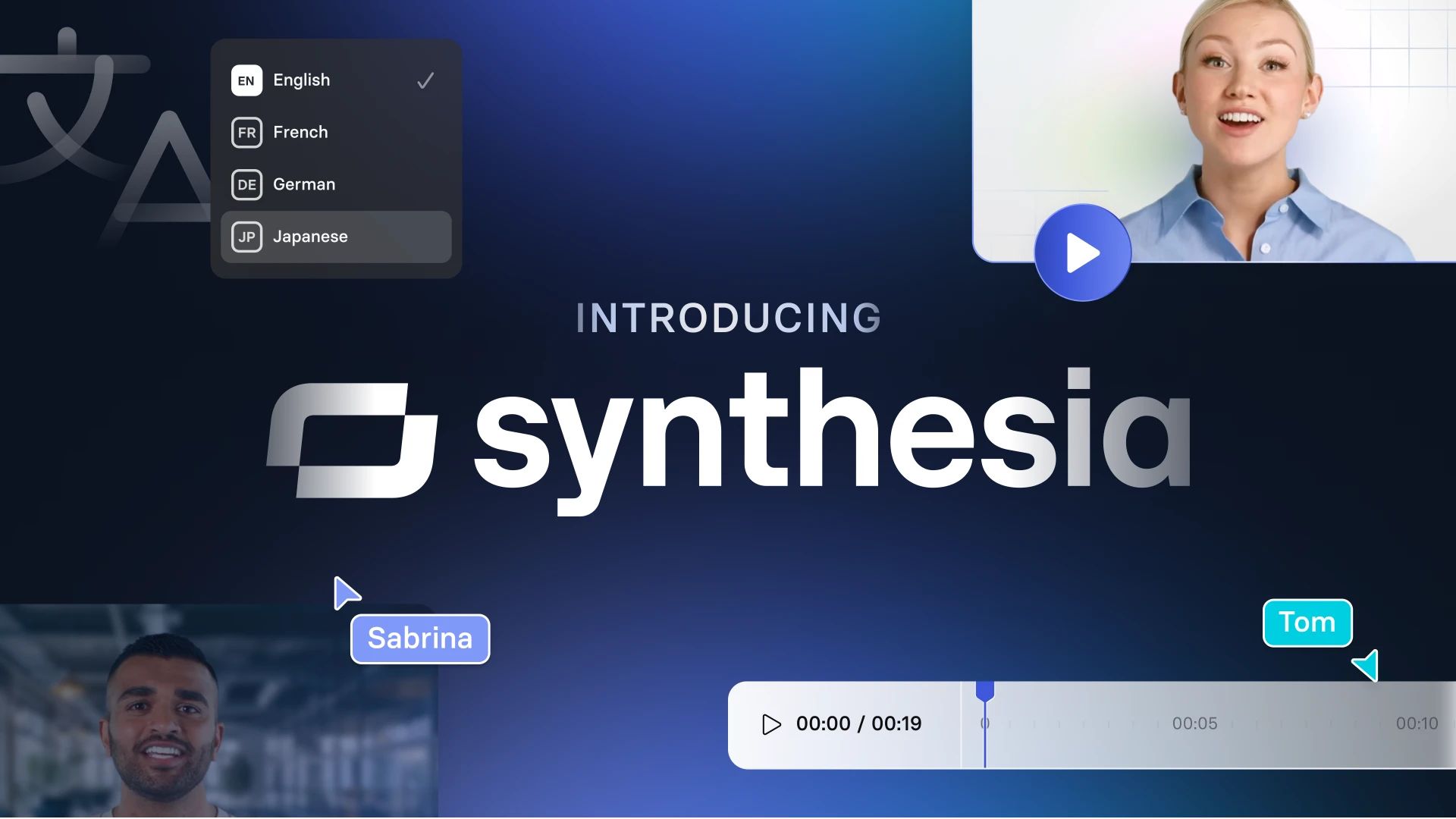
Synthesia offers SOC 2 compliance, dedicated account managers, and robust features for large teams Synthesia Trust Centre. This makes it the only viable choice for businesses in regulated industries or any company that handles sensitive information. Vidnoz’s lack of these features makes it a non-starter in a corporate environment. Synthesia is the security-conscious choice.
For more head-to-head detail, see our dedicated guide on Vidnoz alternatives and competitors.
Vidnoz vs. Competitors: At a Glance
| Feature | Vidnoz | HeyGen | Synthesia |
|---|---|---|---|
| Best For | Budget-testing, internal drafts | Professional quality on a budget | Enterprise, regulated industries |
| Avatar Quality | Low-Medium (Robotic) | High (Realistic) | Very High (Customizable) |
| SOC 2 Security | ❌ No | ✅ Yes | ✅ Yes (Enterprise plans) |
| Realistic TCO | $684/year (Business Plan) | ~$346/year (Creator Plan) | Custom (Starts >$1,000s/yr) |
| Support | Slower response times reported | Standard | Dedicated Account Manager |
For developers and those seeking a highly flexible API, D-ID also stands out as a strong contender in the AI video landscape, offering robust integration capabilities that may be more developed than what Vidnoz currently provides.
Is Vidnoz Safe and Secure for Business Use?
Based on our Vidnoz review, the platform is not a secure choice for business-critical or sensitive data. As of early 2026, it lacks fundamental security certifications like SOC 2 and ISO 27001. Its privacy policy and Singapore-based parent company also raise potential GDPR data residency concerns for EU businesses. This is a critical consideration that is often overlooked in reviews.
Does Vidnoz have SOC 2 or ISO 27001 certification?
⚠️ CRITICAL SECURITY ALERT: Non-Compliance for Business Use
Vidnoz’s lack of SOC 2 and ISO 27001 certifications means it does not meet basic enterprise security standards. Using it for sensitive or business-critical data exposes your organization to significant compliance and reputational risks. Prioritize alternatives like Synthesia or HeyGen if security is non-negotiable.
[CONCERN]: As a security-conscious professional, the first thing I check with any new vendor is their compliance documentation. My research confirms that Vidnoz is not SOC 2 or ISO 27001 compliant as of May 2026 Vidnoz Trust Center. These certifications are the gold standard for verifying that a SaaS company has the proper internal controls and processes to protect customer data. Their absence is a consideration to note.
[SOLUTION]: This is a non-negotiable issue for many businesses. If your organization’s security policy requires vendors to have these certifications, you must use an alternative like Synthesia or HeyGen. The solution here is simple: if you need security, you cannot use Vidnoz for any business-critical tasks. It should only be used for content that is 100% public and non-sensitive from the moment of its creation.
What are the GDPR and data privacy risks?
[CONCERN]: Vidnoz’s privacy policy states that it is GDPR compliant, but this claim is not substantiated by third-party audits Vidnoz Privacy Policy. Furthermore, the parent company is based in Singapore. This could potentially create data residency and data transfer complications for European companies operating under GDPR, which has strict rules about where citizen data is processed and stored.
[SOLUTION]: Companies subject to GDPR should proceed with extreme caution. The most responsible action is to conduct your own Data Protection Impact Assessment (DPIA) before allowing any company data on the platform. For a much lower-risk approach that avoids these legal complexities, I strongly recommend using a vendor like Synthesia that has clear EU data processing agreements and infrastructure.
If You Use Vidnoz, Here’s How to Minimize Risk
While I cannot recommend Vidnoz for most professional use cases, some users may be tempted by the low price for non-critical projects. If you must use it, it is essential to implement a framework to mitigate the financial and operational risks I’ve identified. Think of this as a “pre-flight checklist” before using the tool—and, ideally, paired with a fresh Vidnoz promo applied at signup.
A 4-Step Risk Mitigation Framework
Here is the exact framework I would give to a client who insisted on using a tool with this risk profile:
Step 1: Strict Use-Case Scoping
Before you even sign up, create a one-page document that defines exactly what Vidnoz will be used for and, more importantly, what it will not be used for. Your policy should mandate that it is never used for product demos with proprietary information, internal communications, training videos, or any content involving customer data. This creates a clear boundary for acceptable use.
Step 2: Pilot Program with Free Credits
Never start with a paid plan. Your first step should be to run a pilot program using only the free plan. Create a list of 5 short test scripts. Your goal is to test for two things: output quality and rendering failure rates. Set a clear “go/no-go” threshold. For example, if more than 1 out of 10 test renders fail, the tool is rejected for purchase. This uses the company’s own resources to prove its stability (or lack thereof).
Step 3: Financial Controls
Do not put a primary corporate credit card on file, especially with auto-renew enabled. Use a virtual credit card service (like Privacy.com or Revolut) to create a card with a set budget and an expiration date. This prevents surprise renewals or unexpected overage charges from draining your account and puts you in control of the finances.
Step 4: Assume Slower Support
Create an internal workflow that does not rely on Vidnoz support for any critical step. Team members should be trained that if a video fails to render, the standard operating procedure is to try again once, and if it fails again, to abandon that video and move on. The process should never be to “contact support and wait.” This builds resilience and prevents project delays.
By implementing these four steps, you can create a container around the risk, allowing for experimentation without exposing your business to the tool’s most significant limitations.
Final Verdict & Recommendations
After extensive testing and analysis, and under the strict editorial oversight of Joanne Lovell, my final verdict is clear.
Vidnoz can be a challenging experience for professionals. It successfully lures users in with an incredibly low sticker price and an easy-to-use interface, but it can fall short on the core promises of quality, support, and security that businesses require. While it has its place for casual experimentation, it is a high-risk choice for any serious business.
What We Love
- Incredibly Fast and Easy to Use: The user interface is intuitive, allowing absolute beginners to create a video from a script in just a few minutes, leading to significant time savings.
- Large Library of Assets: The sheer volume of avatars, voices, and templates provides a large sandbox for creative exploration and testing ideas.
- Wide Range of Templates: A broad selection of video templates helps accelerate the creation process for different use cases.
- Very Low Cost of Entry: The free plan offers a no-risk way to experiment with the basic functionality, providing a path for cost-effective video creation for personal projects.
💡 Things to Consider
- Unreliable Output Quality: The final product can suffer from poor lip-sync and a “robotic” feel, making it less suitable for professional use.
- Pricing Model: The true Total Cost of Ownership can be significantly higher than advertised due to plan limits and a credit system that warrants review.
- Slower Customer Support: Paying customers report being impacted by slow support responses, turning minor bugs into larger roadblocks.
- Critical Lack of Security: The absence of essential security certifications like SOC 2 makes it a choice that requires careful consideration for any business data.
✅ Strengths
- Fast script-to-video workflow in minutes
- 300+ avatars and 470+ voices included
- Lowest entry price in the AI video category
- Generous free plan for experimentation
- Broad template library across use cases
⚠️ Considerations
- “Robotic” lip-sync and avatar motion
- Credits consumed even on failed renders
- No SOC 2 or ISO 27001 certification
- Reported 48–96 hour support response times
- Realistic TCO is ~2.5× the advertised price
Our Recommendation by User Type:
- We Recommend Vidnoz for: Hobbyists, students, or individuals on a zero-dollar budget who want to experiment with AI video for personal projects. Its free plan is perfectly adequate for creating a quick, non-professional “proof of concept” video. If you do upgrade, a working Vidnoz coupon keeps spending in check.
- We Recommend HeyGen for: Marketers, creators, and SMBs who need professional-quality videos on a reasonable budget. For a small increase in price over Vidnoz, HeyGen delivers a significantly more polished and reliable product HeyGen Official Pricing.
- We Recommend Synthesia for: Enterprise customers, businesses in regulated industries, and any organization where security, compliance, and dedicated support are non-negotiable requirements.
Frequently Asked Questions
Q1: How much does Vidnoz really cost in 2026?
While Vidnoz’s starter plan is advertised at $22.49/mo, the true cost for business use is closer to the Business plan’s rate of $56.99/mo ($684/yr) as most users may need to upgrade for adequate minutes Vidnoz Official Pricing. This price doesn’t even include the cost of potentially wasted credits on failed videos, which our analysis of user reports suggests can increase total spend by another 10-20% G2 Reviews. Therefore, a realistic budget should account for these additional factors beyond the sticker price.
Q2: Is Vidnoz worth the money?
It depends on your specific needs. For professional or business use, Vidnoz may not be the optimal choice due to its output quality and security practices. For a small price increase, competitors like HeyGen often offer better value and a more professional result HeyGen Official Pricing. Vidnoz is most “worth it” for free, experimental, or personal projects where quality is not a primary concern and there is no financial investment.
Q3: Should I use Vidnoz or HeyGen?
For most professional use cases, we recommend considering HeyGen instead of Vidnoz. Our testing confirms that HeyGen provides visibly better avatar quality and lip-syncing for a marginal price difference TechRadar “Best AI Video Generators of 2026”. This makes it the superior investment for anyone who cares about a professional final product and brand perception. Vidnoz may be suitable for initial, low-stakes testing before committing to a higher-quality platform.
Q4: What are the main problems with Vidnoz?
The three main challenges identified through our testing and user review analysis are inconsistent lip-sync quality that can appear unprofessional, a pricing model where plan limits may necessitate upgrades, and a lack of security certifications like SOC 2 Vidnoz Trust Center. These issues can make it a less reliable tool for quality-focused work and a higher-risk choice for business use where data security is paramount.
Q5: Is Vidnoz reliable for professional work?
Based on user reports and our analysis, Vidnoz may present reliability challenges for professional work. Users on platforms like G2 and Trustpilot report that videos can fail to render and that customer support can be slow to respond. These factors can make it a less dependable partner for time-sensitive projects or high-stakes client deliverables, where consistent performance and prompt support are crucial.
Q6: Can I trust Vidnoz with business data?
For business-critical information, you should proceed with caution. The platform’s lack of security audits like SOC 2 or ISO 27001 means it does not meet standard enterprise security benchmarks Vidnoz Trust Center. User complaints regarding billing and support also suggest that it may be a challenging vendor for professional partnerships. It is best used only for content that is entirely public and non-sensitive.
Q7: Who is Vidnoz best for?
Vidnoz is best for students, hobbyists, or individuals on a zero budget who want to experiment with AI video without any financial commitment. Its free plan allows for basic testing and familiarization with the technology, as noted by several tech publications PC Guide Vidnoz Review. However, it is less suitable for marketers, businesses, or creators who need reliable, high-quality output for professional purposes.
Q8: How do I get started with Vidnoz?
To get started, we recommend you sign up for the free Vidnoz plan to test its core functionality and quality before spending any money. Create several short (under 30 seconds) test videos using different avatars to see if the quality meets your standards. This allows you to experience the rendering process and evaluate the final output firsthand before committing to a paid plan, which is a key recommendation from our methodology.

