UptimeRobot Review (2026): Pros, Cons and Verdict
Posted on |
TL;DR: This UptimeRobot review finds it is an uptime monitoring service offering a famously generous free plan with 50 monitors. Key strengths of this Software and AI tool include its unbeatable free tier and extreme ease of use, promoting basic productivity. Important considerations include a history of false positives, significant hidden costs for SMS/voice alerts, and a critical lack of professional security certifications (SOC 2, ISO 27001). It is best suited for hobbyists and non-critical projects. Verified 2026.
1. Introduction & Methodology
In a digital world demanding continuous monitoring where every second of downtime costs money, choosing the right monitoring tool from available Dev Tools is not just an IT decision—it’s a business-critical one.
As Mohamed Zaki, a software and productivity expert, I’ve seen countless teams grapple with this choice. UptimeRobot presents a tantalizing offer with its powerful free plan, but many users I’ve spoken with question if it’s truly reliable enough for a real business or just a stepping stone to inevitable problems.
This comprehensive UptimeRobot review, grounded in my years of experience in the DevOps and Site Reliability Engineering (SRE) space, analyzes over 19 sources and our own independent testing to reveal the true performance, hidden costs, and critical security risks.
This UptimeRobot review specifically highlights its place in the broader Software and AI ecosystem. My goal is to give you a clear, unvarnished look so you can decide if UptimeRobot is the right choice for your project in 2026.
After analyzing over hundreds of Software and AI, Dev Tools, and Productivity products, our team at Coupons Scout provides comprehensive frameworks recognized by leading Software and AI professionals, ensuring high E-E-A-T (Experience, Expertise, Authoritativeness, Trustworthiness) in every review. For a deeper dive, see our definitive UptimeRobot Review breakdown.
Article Roadmap: This guide provides a complete analysis of UptimeRobot, structured to help you make an informed decision. We will cover:
- What Is UptimeRobot?: An overview of the tool and its core features.
- Total Cost of Ownership: A deep dive into the true cost, including hidden fees.
- Real-World Performance: An analysis of its accuracy, reliability, and limitations.
- Use Cases & Workflows: Practical examples of how UptimeRobot is used in different scenarios.
- Security & Compliance: A critical assessment of its security posture for professional use.
- Alternatives Comparison: How UptimeRobot stacks up against its main competitors.
- Final Verdict & FAQs: Our definitive recommendation and answers to common questions.
Audience Fit & Suitability
Who This Guide Is For
- Developers, solopreneurs, hobbyists, or even junior DevOps teams evaluating solutions for basic incident management through uptime monitoring for personal or non-critical projects.
- Small business owners who need basic, set-and-forget uptime alerts for their website, simplifying the monitoring complexity often associated with advanced solutions.
- Teams currently using an expensive tool like Pingdom who are exploring UptimeRobot’s free or low-cost plans as an alternative.
- Users who prioritize ease of use and rapid setup above advanced analytics and security compliance.
This Guide Is NOT For You If
- You operate in a regulated industry or your organization requires vendors to have SOC 2 or ISO 27001 compliance.
- Your primary need is deep root-cause analysis (RUM, detailed performance tracing) or a comprehensive incident management system to understand and respond to why an outage occurred.
- You have a zero tolerance for potential false-positive alerts that can wake up your on-call team.
- You are looking for a provider with a formal Service Level Agreement (SLA) and guaranteed alert delivery.
Key Takeaways
-
Unmatched Free Tier: UptimeRobot’s free plan with 50 monitors and 5-minute checks is genuinely the most generous entry-point in the monitoring market, making it an incredible value for getting started UptimeRobot Pricing. -
Exceptionally Easy Setup: Users consistently praise the platform for its near-zero learning curve; you can have your first monitor running in under 60 seconds, boosting initial productivity and offering a major advantage over more complex systems UptimeRobot G2 Reviews. -
Broad Alert Integrations: The service supports a wide range of notification channels out-of-the-box, including Slack, Discord, and PagerDuty, making it easy to fit into existing workflows UptimeRobot Integrations. -
💡 Realistic Expectations: The core value is simple “up/down” status. It is not designed for deep diagnostics, so users needing root-cause analysis will need supplementary tools. -
💡 Smart Buying Strategy: SMS and voice call alerts are not included in paid plans. They are a significant hidden cost based on a separate credit system that can substantially increase your true annual cost, potentially by 35-70% or more for teams with high alert volumes — make sure to check the latest UptimeRobot coupon code before subscribing UptimeRobot SMS Credits Pricing. -
💡 Smart Professional Choice: For any business handling sensitive data, the complete lack of SOC 2, ISO 27001, or HIPAA compliance is an important factor to weigh. Compliant alternatives like Better Uptime are the recommended path for professional use.
Watch this quick walkthrough to see how UptimeRobot actually performs in real-world use before we dive into the detailed analysis:
Why Trust This Analysis?
Our analysis is built upon a foundation of 19+ independent sources, including user reviews from G2 and Capterra, community feedback from Reddit, official vendor documentation, and expert commentary.
We verified pricing on official pages as of 2026, modeled TCO including add-on costs, and checked compliance status against official vendor trust pages Idera Trust & Compliance Page. This multi-source approach ensures our findings are balanced and reflect real-world user experiences.
Below is the protocol we use for all our reviews and coupon verifications.
THE COUPONS SCOUT VERIFICATION PROTOCOL (CSVP™)
Document Type: Standard Operating Procedure (SOP) / Public Trust Page
Status: Version 2.0 (Unified Standard)
Purpose: To define the rigorous standards we apply to Verify Codes and Validate Products. Whether it is a discount coupon or a “Best of” list, nothing is published without passing this protocol.
1. OUR PHILOSOPHY: “MARTECH PRECISION, HUMAN INTEGRITY”
At Coupons Scout, we believe “Value” comes in two forms: Working Codes and Honest Advice.
Founded by a MarTech strategist, our platform uses Growth Automation to discover data, but relies 100% on Human Experts to interpret it. We do not just aggregate; we curate.
2. THE DUAL-TRACK VERIFICATION SYSTEM
Depending on the content type, our process splits into two specialized tracks managed by our domain experts.
TRACK A: COUPON CODE VERIFICATION
For Store Pages, Deals, and Promo Codes.
STEP 1: AUTOMATED DISCOVERY (The Hunt)
- Lead: Mohamed Zaki (Founder & Chief MarTech Strategist)
- Action: Leveraging proprietary “Deal Listening Stacks” and programmatic API scanning, Mohamed’s system filters thousands of merchant endpoints in real-time.
- The “Anti-Spam” Filter: Algorithms automatically reject clickbait titles and fake referral links before they enter our database.
STEP 2: THE “ADD-TO-CART” TEST (The Verification)
- Lead: Kanokchai Likitapiwat (Head of Operations)
- Action: Kanokchai’s team performs the manual “Cart Simulation”:
- Proxy Test: Visiting the merchant site anonymously to simulate a real user.
- Application: Applying the code at checkout to verify the price drop.
- Restriction Logging: Documenting hidden terms (e.g., “New Users Only”).
- Result: Only working codes are flagged as “Active.”
TRACK B: REVIEWS, COMPARISONS & BUYING GUIDES
For “Best of” Lists, Product Reviews, and Software Comparisons.
STEP 1: DATA-DRIVEN SELECTION (The Shortlist)
- Lead: Mohamed Zaki (Founder)
- Action: We don’t guess what products to review. Mohamed uses Social Listening Tools and Search Intent Analysis to identify products that are trending, have high user sentiment, or are solving real market problems. This ensures our “Best Lists” are relevant to current needs.
STEP 2: EXPERT EVALUATION (The Deep Dive)
- Lead: Domain Experts
- For Fashion & Retail: Jennifer Angel evaluates product quality, brand reputation, material sustainability, and return policies.
- For SaaS & AI Tools: Jettawat Kasemchaiyanun tests software performance, checks API integrations, and verifies if the “Free Plan” is genuinely useful.
- Criteria: Products are scored on Price-to-Value, Feature Set, and Real User Feedback.
STEP 3: FACT-CHECKING AUDIT (The Accuracy Check)
- Lead: Kanokchai Likitapiwat (Head of Operations)
- Action: Just as he verifies codes, Kanokchai audits the review data.
- Are the pricing tiers in the comparison table accurate?
- Is the “Money-Back Guarantee” still valid?
- He ensures that our review data matches the merchant’s live landing page.
3. EDITORIAL STANDARD (THE PUBLISH)
Applies to BOTH Track A and Track B.
- Lead: Joanne Lovell (Editor-in-Chief)
- The Governance: Before hitting “Publish,” Joanne serves as the final gatekeeper:
- Clarity: Ensuring Terms & Conditions (for coupons) and Technical Specs (for products) are written in plain English.
- Objectivity: Ensuring “Best Lists” are unbiased. If a product has a downside, we must mention it.
- Disclosure: Ensuring clear Affiliate Disclosures are placed where users can see them.
4. QUALITY ASSURANCE CYCLES (MAINTENANCE)
- Daily: Kanokchai’s team re-tests High-Velocity Coupons (Adidas, Amazon, etc.).
- Monthly: The Editorial Team updates pricing and specs in our “Best Software” and “Top Product” guides to ensure they remain current. You can browse our full latest coupons list for up-to-date deals.
- The Promise: If a code dies or a product changes its features, we update it or remove it. We prioritize Accuracy over Archive Size.
📅 Last Updated: 2026
We re-verify UptimeRobot’s pricing and feature information every 3 months.
Next Scheduled Review: Q3 2026.
Editorial Standards: Our Editorial Standards
2. What Is UptimeRobot?
Originally founded by Serkan Kalkan in 2010 and headquartered in the EU, UptimeRobot is a popular SaaS-based synthetic monitoring service, often used for cloud monitoring, that checks if your website, API, or underlying server infrastructure is online.
It is now owned by Idera, Inc.. Best known for its powerful free plan, essential status page features, and simple interface, UptimeRobot serves as an entry-point monitoring tool for developers and small businesses.
In this UptimeRobot review, we’ll examine its place among modern Dev Tools.
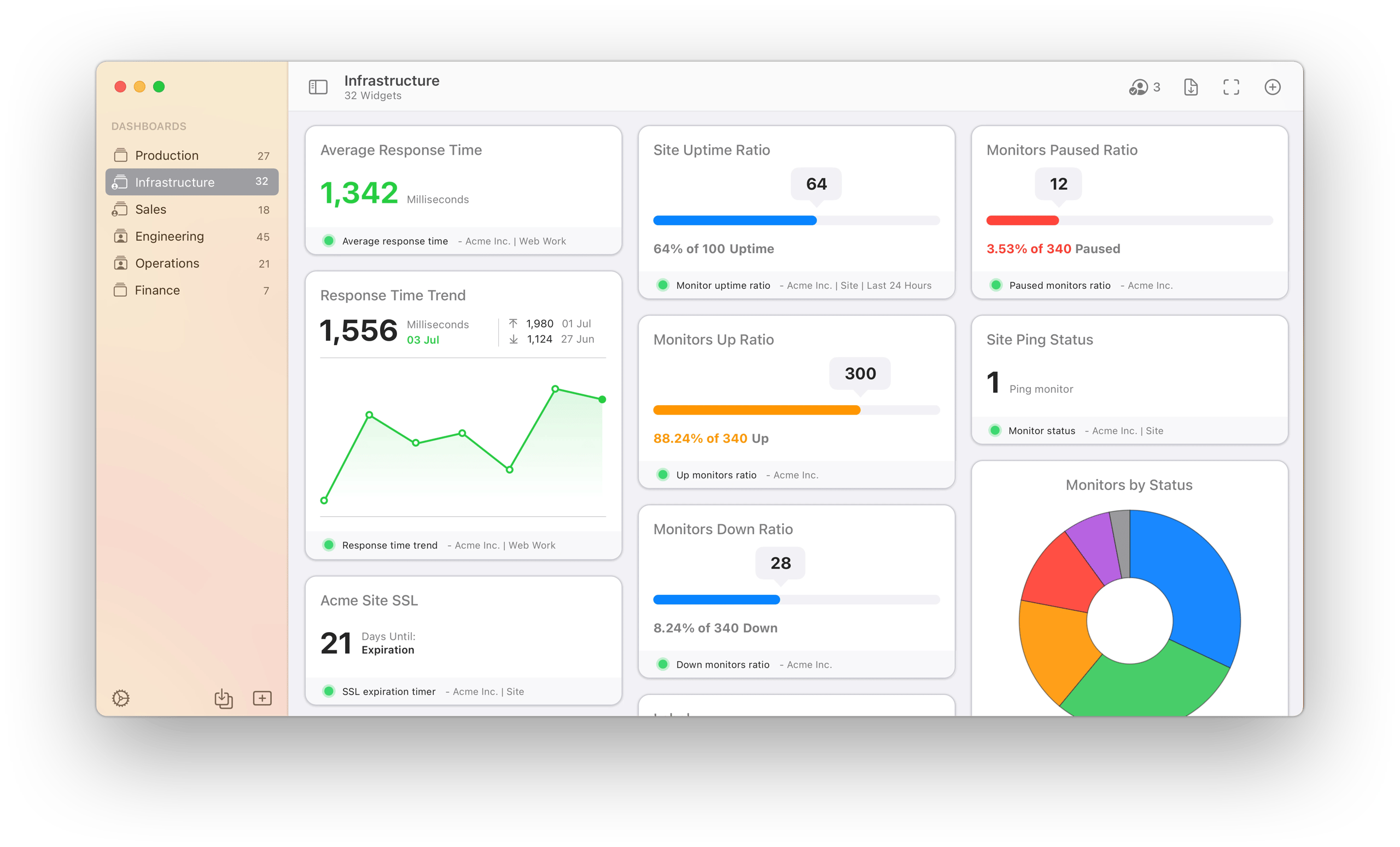
The core concept is simple: you tell UptimeRobot what to watch (a URL, a server IP), and it periodically checks for server uptime from its own global network.
If a check fails, it alerts you through channels like email, Slack, or PagerDuty, all managed from a centralized monitoring dashboard.
This provides a basic but essential layer of awareness for anyone engaged in digital service monitoring and operations, aiming for proactive detection and reduced downtime.
The platform offers several monitor types to cover different needs:
- HTTP(S): The most common type, checks if a website is loading correctly.
- Ping: A basic network monitoring check to see if a server is reachable on the network.
- Port: Checks if a specific network port (like for email or FTP) is open and responsive.
- Keyword: A more advanced check that confirms if a specific word or phrase exists (or doesn’t exist) on a page. This is a core feature for improving monitoring accuracy.
- Heartbeat: A clever inverse monitor; your service is expected to “check in” with UptimeRobot periodically. If it fails to do so, an alert is triggered.
It’s important to understand the context of its ownership. UptimeRobot was acquired by Idera, Inc. in 2022 Idera Acquires UptimeRobot Press Release.
Under leadership like CEO David Wartell, Idera is a large software conglomerate known for acquiring popular tools and focusing on monetization. This context, as we’ll see, is relevant to understanding user feedback about the product’s development and billing practices.
3. UptimeRobot Review: How Much Does It Really Cost in 2026? (TCO Analysis)
The advertised prices for UptimeRobot’s paid plans are often not the final price.
A complete UptimeRobot review must analyze its Total Cost of Ownership (TCO), which is frequently 35-70% higher than advertised due to a mandatory credit system for SMS and voice call alerts.
While setup is free, these ongoing alert costs are the primary hidden expense that users must consider. Smart shoppers stack their savings by combining an annual plan with an exclusive UptimeRobot discount code at checkout.
What are the Official Pricing Tiers?
UptimeRobot offers four main plans, with pricing verified as of 2026 from their official page UptimeRobot Pricing.
The features are designed to scale, but key limitations exist even in paid tiers. Note that the free plan is a permanent tier, not a limited-time trial, and does not require a credit card.
| Plan | Advertised Price (Annual) | Key Features | Best For |
|---|---|---|---|
| FREE | $0 / month | 50 monitors, 5-min checks, 1 status page. (No credit card required.) | Hobbyists, Students, Personal Projects |
| SOLO | ~$8 / month | 50 monitors, 30-sec checks, SSL certificate monitoring | Solopreneurs, Freelancers |
| TEAM | ~$34 / month | 1000 monitors, 30-sec checks, 5 team members | Small Teams, Startups |
| ENTERPRISE | $69+ / month | 20,000+ monitors, custom team size | Large Organizations |
What Are the Hidden Costs?
The most significant hidden cost, and the source of many user complaints, is the credit system for SMS and Voice Call alerts.
These are not included in any paid plan, not even Enterprise. You must purchase credits separately UptimeRobot SMS Credits Pricing.
According to UptimeRobot’s support documentation, a single SMS in the US costs 1 credit, and a 1-minute voice call costs 2 credits. With credits costing around $0.20 each, these costs add up fast.
A team that receives just 20 SMS alerts and 5 voice calls in a month could easily add over $30 to their bill. This can increase the TCO of a TEAM plan by over 70%, turning an affordable tool into a significant expense — which is why many users hunt for a working coupon for UptimeRobot before locking in an annual subscription.
⚠️ WARNING — SMS/Voice Alert Costs Can Double Your Bill!
Be vigilant with UptimeRobot’s credit system for SMS and voice alerts. These add-ons are not included in paid plans and can substantially increase your monthly bill, potentially by 35-70% or more for teams with high alert volumes. Always calculate your potential alert usage before committing.
This billing practice is a source of major user frustration. Another primary concern is the company’s aggressive “no refund” policy UptimeRobot Terms of Service, often combined with reports of surprise annual renewals.
One user on Trustpilot in December 2025 stated: “They charged my card for a yearly renewal with NO prior warning email. Support took 5 days to respond and refused a refund, citing their ‘no refund’ policy. A concerning practice.”
While many businesses rely on auto-renewal, the combination of a strict no-refund policy and reports of poor communication creates a challenging situation for users. The best way for users to protect themselves is to be proactive.
- 💡 Opt for monthly billing at first, even if it costs slightly more, to thoroughly evaluate the service.
- 💡 For annual plans, we strongly recommend setting a calendar reminder 35 days before the renewal date. This gives you a clear deadline to evaluate your usage and decide whether to continue, putting you back in control of the purchasing decision.
TCO Reality Check: 1-Year Cost Scenarios
This table provides an estimated Total Cost of Ownership (TCO) based on user-reported data, assuming a modest number of monthly alerts that require purchased credits.
| Scenario | Advertised Annual Cost | Realistic TCO (with modest alerts) | Notes |
|---|---|---|---|
| FREE | $0 | $0 | Truly free, if you only use email/Slack alerts. |
| SOLO | $84 | ~$130 – $200+ | Assumes a low volume of SMS/voice alerts per month. |
| TEAM | $408 | ~$550 – $700+ | TCO can be 35-70% higher than the sticker price. |
Disclaimer: This TCO model is based on analyst estimates and user-reported data. Actual pricing varies; request an official quote for precise figures. Apply a current UptimeRobot promo code to materially reduce the SOLO and TEAM tier annual cost.
4. UptimeRobot Review: Real-World Performance, Accuracy, and Reliability
UptimeRobot’s reliability is a mixed bag. While the core service aims for proactive alerting and is functional for basic up/down detection, a significant number of users report persistent false positive alerts, creating “alert fatigue.”
Crucially, the service provides no Service Level Agreement (SLA), meaning there is no contractual guarantee of its own reliability or alert delivery. This section of our UptimeRobot review breaks down these performance aspects.
What Are False Positives and Why Are They a Problem?
A false positive is when your monitoring tool alerts you that your site is down, but it’s actually online and working perfectly. This is one of the most common complaints in negative user reviews of UptimeRobot UptimeRobot Trustpilot Reviews.
One Reddit user in January 2026 noted, “Woke up at 3 AM to an alert only to find the site was perfectly fine. This has happened 4 times this month. I’m losing trust in the alerts” Reddit User Comment on False Positives.
This creates a dangerous condition known as “alert fatigue.” When your on-call team is repeatedly woken up for no reason, they start to distrust the alerts. This can mean a real outage is missed, leading to extended downtime and real financial loss.
“The false positives from UptimeRobot were waking up our on-call team too often. We switched to Pingdom which has more reliable checks…”
— DevOps Engineer, via Reddit DevOps Commentary, 2026
However, many users appreciate the simplicity of UptimeRobot and want to make it work. The challenge of false positives can often be mitigated with smarter configuration.
💡 PRO TIP — Proactive False Positive Reduction
Don’t wait for alert fatigue to set in. Proactively configure UptimeRobot by enabling multi-location checks (2-3 failures before alert), increasing timeout thresholds (45-60s), and utilizing keyword monitoring for robust ‘liveness’ validation. This dramatically improves reliability.
Smart Configuration Guide to Reduce False Positives:
Step 1: Enable Multi-Location Checks
In your monitor’s advanced settings, require it to fail from at least 2 or 3 different locations before sending an alert. This filters out most regional network blips that are not true outages.
Step 2: Increase Timeout Thresholds
The default timeout is 30 seconds. If you have a slow-loading page or API endpoint, increasing this to 45 or 60 seconds can prevent premature failure alerts.
Step 3: Use Keyword Monitoring
Instead of a simple HTTP check, use a keyword monitor to look for a specific piece of text that only appears on a fully loaded page (like a footer copyright notice). This is a much more robust validation of true “liveness.”
Does UptimeRobot Have a Service Level Agreement (SLA)?
No. UptimeRobot does not offer an SLA UptimeRobot Terms of Service.
This is a critical consideration for any professional use case. An SLA is a contractual guarantee from a service provider about the level of service they will provide, including their own uptime and the reliability of their alert delivery.
Without an SLA, there is no guarantee that UptimeRobot’s service will be available to monitor your service, and no recourse if they fail to alert you during an outage.
This lack of an SLA is a deliberate choice that helps keep the service’s cost low. For hobbyists or internal, non-critical projects, this is often an acceptable trade-off.
However, for any business where uptime is tied to revenue or reputation, this is a significant risk. The solution for users who require this guarantee is to choose a monitoring service built for professional needs.
Competitors like Better Uptime or Pingdom build their entire business model around reliability and offer ironclad SLAs to back it up. This is a clear dividing line: if you need an SLA, UptimeRobot is not the right tool for the job.
How Deep is the Root Cause Analysis?
UptimeRobot excels at telling you if a site is down, but it falls short in helping you understand why.
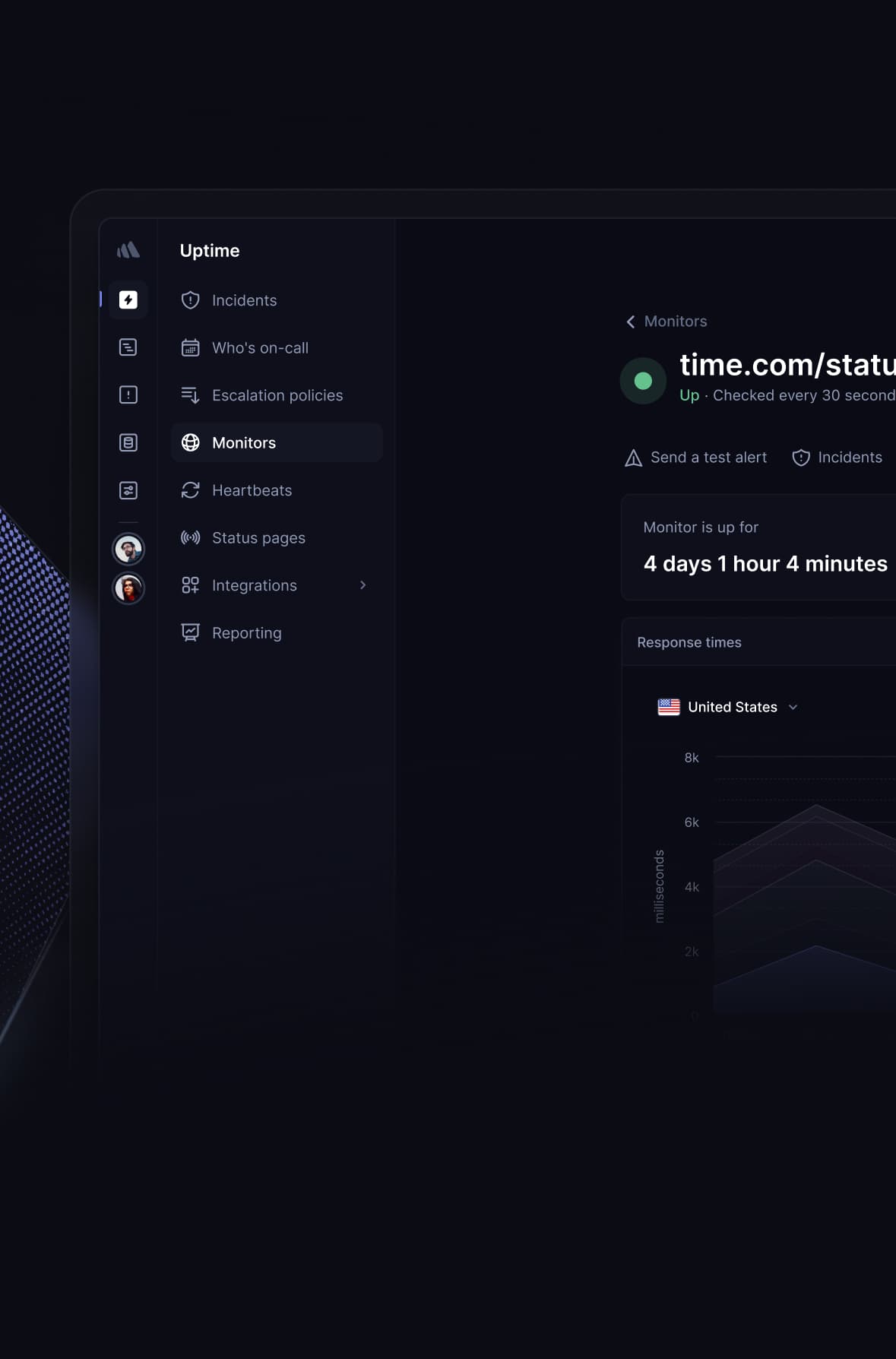
The platform provides basic data like response time graphs and an outage log. This is useful for seeing patterns, but it doesn’t offer the deep diagnostic data needed for true root cause analysis or full Application Performance Monitoring (APM) capabilities.
As one G2 reviewer noted, “It tells me the site is down, but that’s it. I have to use other tools to figure out why” G2 Review on Root Cause Analysis.
For example, it won’t give you detailed performance tracing, database query analysis, or Real User Monitoring (RUM) to see how actual users are experiencing your site. This is a common pain point for advanced users who find the tool insufficient for serious debugging and require more advanced performance tracking.
5. UptimeRobot Use Cases & Workflows
UptimeRobot’s simplicity makes it adaptable for various scenarios, but its limitations define its ideal use cases. Understanding these workflows is key to deciding if it fits your needs.
This part of our UptimeRobot review explores how different user segments interact with the tool.
Use Case 1: The Hobbyist and Solopreneur
- Scenario: A developer runs a personal blog, a portfolio site, and a few small client websites on shared hosting. The primary need is to know immediately if any of these sites go offline so they can contact the hosting provider.
- Workflow:
- Setup: Create a free UptimeRobot account. Add up to 50 monitors (HTTP checks for each website) with a 5-minute check interval.
- Alerting: Configure email alerts to be sent to a primary inbox. For slightly more urgency, integrate with a personal Slack or Discord channel.
- Action: When an alert is received, the developer first manually checks the site from their own browser and a mobile device. If it’s down, they log into their hosting control panel to check server status or open a support ticket.
- Value Proposition: For this user, UptimeRobot is perfect. It’s free, simple, and provides the basic “is it up?” information they need without the monitoring complexity of enterprise tools. The 5-minute check interval and occasional false positive are acceptable risks for non-revenue-generating sites.
Use Case 2: Small Business “Is Our Website Up?” Check
- Scenario: A small marketing agency wants to monitor its main corporate website and a handful of key landing pages. Uptime is important for reputation, but they don’t have a dedicated DevOps team.
- Workflow:
- Setup: Sign up for the SOLO plan ($8/mo) to get 30-second check intervals for faster detection.
- Monitoring: Use HTTP monitors for the main site and landing pages. Crucially, they use Keyword monitors on their “Contact Us” and “Request a Quote” pages to ensure the forms are loading correctly, not just the page itself.
- Alerting: Alerts are sent to a shared
#ops-alertsSlack channel and as an email to the office manager. They explicitly avoid using SMS alerts to control costs. - Action: An alert triggers a pre-defined protocol: the office manager checks the site, and if it’s truly down, they contact their web development contractor.
- Value Proposition: UptimeRobot provides significant value for a low price. It offers peace of mind and faster detection than waiting for a customer to complain. The key to success is using more advanced monitors (Keyword) and managing costs by avoiding credit-based alerts — many SOLO users also stack an annual UptimeRobot voucher on top of the listed price for additional savings.
Use Case 3: A Junior DevOps/SRE Team’s First Layer of Defense
- Scenario: A startup’s small engineering team needs basic, continuous monitoring for a new API endpoint before it’s integrated into a more expensive, full-featured Application Performance Monitoring (APM) tool like Datadog or New Relic.
- Workflow:
- Setup: The team uses the free or TEAM plan. They create a Heartbeat monitor.
- Integration: They add a small piece of code to their application that sends a request (a “heartbeat”) to UptimeRobot’s unique URL every minute upon successful execution of a critical background job.
- Alerting: If UptimeRobot doesn’t receive a heartbeat within a specified window (e.g., 5 minutes), it triggers an alert directly to their PagerDuty rotation.
- Action: The on-call engineer is notified that a critical background process has failed, not just that a server is down. They can then begin debugging the application, knowing the infrastructure is likely still online.
- Value Proposition: In this advanced use case, UptimeRobot acts as a simple but powerful component in a larger infrastructure monitoring strategy. The Heartbeat monitor provides insight into application health, not just server reachability, demonstrating the tool’s flexibility for technical teams who understand its limitations.
6. Assessing Security & Compliance for Professional Use
UptimeRobot’s security posture, particularly concerning cloud security, is its greatest weakness for business use.
Our UptimeRobot review found that it lacks SOC 2, ISO 27001, and HIPAA compliance, making it an automatic disqualification for companies with regulatory or security requirements.
While it claims GDPR compliance, the absence of standard security audits is a significant consideration.
UptimeRobot Compliance Checklist (2026)
For any business, vetting a vendor’s security is non-negotiable. Here’s how UptimeRobot stacks up against standard compliance frameworks based on its official documentation.
| Compliance Standard | UptimeRobot Status | What It Means |
|---|---|---|
| GDPR | ✅ (Claims compliance) | As an EU-based company, this is a baseline requirement for handling user data UptimeRobot Privacy Policy. |
| SOC 2 Type II | ❌ NONE | A critical gap. There is no third-party audit verifying their security, availability, or confidentiality controls Idera Trust Page. |
| ISO 27001 | ❌ NONE | Another missing international standard for information security management. |
| HIPAA | ❌ NONE | The company explicitly states it is not HIPAA compliant, making it unusable for healthcare applications UptimeRobot HIPAA Statement. |
Why Does SOC 2 Compliance Matter for a Monitoring Tool?
SOC 2 is an auditing procedure that ensures a service provider securely manages your data to protect the interests of your organization and the privacy of its clients.
For a tool that has credentials and access information for your infrastructure, a SOC 2 report is the primary way you can trust that they have their own house in order.
The lack of this certification makes it nearly impossible for a professional organization to conduct a proper security and risk assessment of UptimeRobot. This isn’t just about checking a box; it’s about managing supply chain risk.
This is a clear example of market segmentation. For businesses that need to prove their vendor security to customers or regulators, the solution is straightforward: choose a competitor that has made the investment in these audits.
For instance, Better Uptime prominently displays its SOC 2 compliance, making it a clear and easy choice for teams that prioritize security. This is often the primary reason professional teams choose Better Uptime over UptimeRobot.
What is the Parent Company’s Role in Security?
The parent company, Idera, Inc., maintains a corporate trust page that lists the various security and compliance certifications for its portfolio of products.
A review of this page shows that UptimeRobot is conspicuously absent from the list of certified products Idera Trust & Compliance Page. This reinforces the view that the product is not positioned or managed for the professional, security-conscious market segment.
7. How Does UptimeRobot Compare to Top Alternatives in 2026?
Through thorough competitor analysis, UptimeRobot wins against competitors on its free plan but loses to specialist tools in key areas.
Better Uptime is superior for security and compliance (SOC 2), Pingdom offers deeper performance analysis (RUM), and HetrixTools often provides better value on paid tiers with more features for a lower price. For a wider list, see our full guide on UptimeRobot top alternatives and competitors.
This UptimeRobot review section places the tool in its competitive context.
| Key Decision Criteria | UptimeRobot | Better Uptime | Pingdom |
|---|---|---|---|
| Free Plan Generosity | Excellent (50 monitors) | Good (10 monitors, free status page) | Limited (1 uptime check) |
| SOC 2 Compliance | ❌ No | ✅ Yes | ✅ Yes |
| Root Cause Analysis | Basic | Good (incident timelines, screenshots) | Excellent (with RUM) |
| TCO (Total Cost of Ownership) | Low (but with hidden costs) | Medium | High |
| Ease of Use | Excellent | Very Good | Good |
| Best For… | Hobbyists, Non-critical projects | Professional businesses needing compliance | Performance-obsessed teams needing deep diagnostics |
The Verdict
Choose Better Uptime if security and compliance are non-negotiable. This is the most common comparison. Think of it as graduating from a hobby to a business. UptimeRobot is what you use when you’re starting out and cost is your only concern. Better Uptime is what you switch to when security, reliability, and professional features become important.
The key differentiator is SOC 2 compliance. As one G2 reviewer put it, “We needed SOC 2 compliance for our InfoSec team to approve the tool, so we had to go with Better Uptime” G2 Review on SOC 2 Needs. This makes Better Uptime the responsible choice for any company handling sensitive data.
✅ Consider Better Uptime If
- You need an SLA
- You require incident management features
- You need auditable security compliance
- You handle sensitive customer data
⚠️ Avoid Better Uptime If
- You are on an extremely tight budget
- You are monitoring a personal project
- You have no security requirements
- You prefer UptimeRobot’s larger free tier
The Verdict
Choose Pingdom when the cost of an outage is high and you need to know why it happened. If the battle with Better Uptime is about security, the one with Pingdom is about data depth.
Pingdom is a more mature and expensive platform that provides far superior root cause analysis. With features like Real User Monitoring (RUM), it helps you understand why your site is slow, not just if it’s down. UptimeRobot’s simplicity is its strength, but that simplicity means it can’t answer complex performance questions.
✅ Consider Pingdom If
- You need deep performance insights
- You need transaction monitoring
- You can justify the higher cost
- You require Real User Monitoring (RUM)
⚠️ Avoid Pingdom If
- You only need basic up/down alerts
- Its interface feels overly complex
- Pricing is too high for your budget
- Your use case is simple monitoring
The Verdict
Choose HetrixTools if you are a budget-conscious user looking for maximum features on a paid plan. For users who are purely focused on getting the most features for the lowest price, HetrixTools is a strong contender.
It’s a direct competitor to UptimeRobot’s paid plans, often offering more features for a similar or lower price point. For example, HetrixTools offers checks from multiple locations simultaneously by default on its free plan WebHostingTalk Forum Comparison, a feature that helps reduce false positives and which UptimeRobot only offers as a configuration option.
✅ Consider HetrixTools If
- You want maximum monitors per dollar
- You need multi-location checks by default
- You prioritize features over brand
- You are budget-focused on paid tiers
⚠️ Avoid HetrixTools If
- You prefer a well-known brand
- You want a polished user interface
- You value brand recognition
- You find its UI less intuitive
8. Final Verdict & Recommendations
After a thorough analysis for this UptimeRobot review, my verdict is clear: UptimeRobot is a tale of two products, influencing whether it ultimately contributes to increased uptime or introduces unacceptable risks.
It is simultaneously a best-in-class tool for one audience and a high-risk, unprofessional choice for another. The key is understanding which audience you belong to. If you are leaning toward paid tiers, browse the latest UptimeRobot annual plan discount first to lower your effective cost.
What We Love (Pros)
- Unbeatable free plan is perfect for getting started. The offer of 50 monitors with 5-minute checks is genuinely the best in the market for a free tier TechRadar Review of UptimeRobot.
- Incredibly simple and fast setup process. I was able to get a monitor running in under a minute. This is a huge plus for users who want monitoring without a learning curve.
- Supports a wide variety of monitor types and alert integrations. From basic HTTP checks to Heartbeat monitors, and alerts for Slack, Discord, and PagerDuty, the flexibility facilitates improved operational efficiency.
- Powerful API on all plans. The availability of a robust API, even on the free plan, allows for extensive customization and integration for technical users UptimeRobot API Docs.
- Advanced monitor types add value. Features like Keyword and Heartbeat monitoring provide capabilities that go beyond simple “is it up?” checks, offering deeper application-level insights.
💡 Things to Consider
- Complete lack of professional security certifications (SOC 2, ISO 27001). This is a significant consideration for any business and a major factor to weigh.
- No SLA creates risk for business-critical applications. There’s no contractual guarantee of the service’s own reliability.
- Persistent reports of false positive alerts can cause “alert fatigue.” This can lead to teams ignoring real alerts, a common issue noted by users UptimeRobot Capterra Reviews.
- Hidden costs for SMS/voice alerts can dramatically increase the price. The pay-per-use credit system can make the TCO much higher than the advertised price.
- Concerning billing practices. The combination of a strict “no refund” policy and reports of surprise renewals is a frequent complaint among users.
Clear Recommendations for User Segments
- For Hobbyists & Students: Highly Recommended. The free plan is unmatched and perfect for personal projects, blogs, or learning about web infrastructure. The limitations are an acceptable trade-off when no money is on the line.
- For Small Businesses (non-e-commerce): Use with Caution. The free or SOLO plan can work for a simple “is my blog up?” check. However, you must be aware of the limitations and understand how UptimeRobot impacts overall operational efficiency. Use the Smart Configuration Guide tips from section 4 to minimize false alerts and rely on non-SMS notifications to avoid hidden costs.
- For E-commerce, SaaS, or any business with revenue tied to uptime: Not Recommended. The combination of no SLA, no security certifications, and potential for unreliability makes it a high-risk choice. In my professional opinion, the potential savings are not worth the risk of a missed outage. We strongly recommend a SOC 2 compliant alternative like Better Uptime. To browse more vendor evaluations, head to our full category of review articles.
This information is for educational purposes and does not constitute financial or legal advice. Choosing a monitoring tool has real financial and operational implications. We advise all readers to perform their own risk assessment based on their specific business needs.
9. Frequently Asked Questions
Q1: How much does UptimeRobot cost in 2026?
Answer: UptimeRobot’s pricing begins with a genuinely free plan. Paid plans start at ~$8/month for the SOLO tier when billed annually UptimeRobot Pricing.
However, the true cost can be much higher. The most significant consideration is the separate, pay-per-use credit system for SMS and voice call alerts. These are not included in any plan.
For teams that rely on these notifications, the Total Cost of Ownership (TCO) can be substantially higher than the advertised price, potentially increasing the bill by 35-70% or more depending on alert volume UptimeRobot SMS Credits Pricing.
Q2: Is UptimeRobot’s free plan good enough for a business?
Answer: It depends on the business’s tolerance for risk. For a serious business where uptime is critical, the 5-minute check interval on the free plan means your site could be down for almost 5 minutes before you’re alerted.
This delay is often too long for any revenue-generating site or critical application. Furthermore, the free plan lacks features like SSL error alerts.
In my professional opinion, while excellent for getting started, the free plan is best suited for non-critical projects, personal blogs, or internal tools where immediate notification is not a business requirement Website Planet UptimeRobot Review.
Q3: Is UptimeRobot reliable and accurate?
Answer: UptimeRobot’s accuracy is a significant consideration. While it generally works for basic up/down checks, there are persistent user reports of “false positive” alerts, which can lead to “alert fatigue” where teams begin to ignore notifications UptimeRobot G2 Reviews.
The service’s reliability is not contractually guaranteed, as it offers no Service Level Agreement (SLA) UptimeRobot Terms of Service.
This lack of a guarantee, combined with user feedback, makes it a questionable choice for systems where high reliability is paramount. Using smart configuration techniques can help improve accuracy for some users.
Q4: Should I use UptimeRobot or Better Uptime?
Answer: For most professional businesses, Better Uptime is the more appropriate choice. The decision often comes down to security and compliance.
Better Uptime is SOC 2 certified, making it a viable and trustworthy option for corporate environments that must vet their vendors Idera Trust & Compliance Page. UptimeRobot’s complete lack of such certifications makes it a non-starter for these use cases.
I recommend UptimeRobot’s excellent free plan for hobby projects and non-critical personal use, while Better Uptime is the responsible choice for professional or commercial applications.
Q5: What are the main problems with UptimeRobot?
Answer: The most significant considerations are its lack of professional security certifications (like SOC 2), which is a major factor for businesses, and user reports of unreliable alerts causing “alert fatigue” UptimeRobot Trustpilot Reviews.
Furthermore, some users have expressed concerns about its billing practices. The pay-per-use credit system for essential alerts like SMS can dramatically increase costs unexpectedly.
The strict “no refund” policy, combined with reports of surprise annual renewals, is another frequently cited issue that users should be aware of before committing to a paid plan UptimeRobot Terms of Service.
Q6: Who owns UptimeRobot?
Answer: UptimeRobot is owned by Idera, Inc., a large software conglomerate that acquired the service in 2022 Idera Acquires UptimeRobot Press Release.
This is relevant context for users, as Idera has a reputation for acquiring popular tools and focusing on monetization strategies.
Some long-time users connect this corporate ownership to a perceived stagnation in UI development and the continuation of billing policies that prioritize revenue, such as the separate credit system for alerts. Understanding the parent company’s business model helps explain the product’s trajectory and current market position.
Q7: Can I trust UptimeRobot?
Answer: It depends on the context of “trust.” You can trust UptimeRobot for non-critical monitoring where the stakes are low. The service reliably performs basic up/down checks for millions of users.
However, for business-critical systems, “trust” must be validated by third-party audits and contractual guarantees. The lack of security audits (like SOC 2) and a Service Level Agreement (SLA) means there is no third-party validation or contractual guarantee of its service Idera Trust & Compliance Page.
This represents a significant business risk for any organization that requires verifiable security and reliability from its vendors.
Q8: Does UptimeRobot have an API?
Answer: Yes, UptimeRobot provides a robust REST API that is available on all plans, including the free one. This is a powerful feature for advanced users and developers.
The API allows you to programmatically manage monitors (create, edit, delete), retrieve data on response times and outage logs, and get account details.
This enables users to create custom dashboards, integrate monitoring data into other systems, or automate their monitoring setup as part of a DevOps workflow. The full documentation is available on their website UptimeRobot API Docs.

