


As the founder of CouponsScout, I know how frustrating it is to hunt for promo codes only to find they don't work. That's why for Vsub, I want to be upfront: you won't find a list of traditional, copy-paste coupon codes here. Why? Because the platform doesn't really use them. Instead, they offer two powerful, built-in ways to save. I'm here to show you exactly how to leverage them. The two best ways to get a discount are by choosing an annual billing cycle to save up to 32%, or by starting with their incredibly generous Free plan. In this guide, my team and I will break down every legitimate savings method for this AI video tool, helping you manage your SaaS costs effectively. You can also explore more deals on Business Tools updated daily by our team, or browse our full list of stores on Coupons Scout for additional savings opportunities.
Explore Vsub Plans & Activate Your Savings →
How to Apply Your Vsub Discount Code
While you won't be entering a code at checkout, securing a discount on Vsub is straightforward. The most significant savings come directly from their pricing structure, which is designed to reward users who commit to a longer-term plan. It's less about a one-time promo and more about a strategic choice.
Step-by-Step: Selecting the Annual Plan for up to 32% Off
The primary way to save is by opting for an annual subscription instead of paying month-to-month. This discount is applied automatically. Here's how to get it:
- Visit the Official Vsub Pricing Page: Navigate directly to the Vsub official pricing page to see all available plans.
- Toggle to Annual Billing: At the top of the pricing table, you'll see a toggle switch for "Monthly" and "Annually." Click on "Annually."
- Observe the Price Drop: You will immediately see the per-month price decrease across all paid plans (Creator, Pro, and Business). The page will show you the full annual cost and the equivalent monthly rate, highlighting your savings.
- Choose Your Plan: Select the plan that best fits your needs (e.g., Creator, Pro) and proceed to checkout. The discounted annual rate will be the price you pay.
Automatic Discounts vs Manual Code Entry
It's crucial to understand Vsub's approach to pricing. Many SaaS companies use promo codes to attract new customers for a short-term boost. The platform, however, focuses on providing transparent, long-term value. Instead of making you search for a manual promo code, they build the discount directly into the annual payment option. This means the up to 32% discount is not a temporary offer but a permanent feature of their pricing strategy. For a deeper breakdown of how this stacks up, see our overview of the latest Vsub discounts saving up to 32% annually. This is an "automatic discount" — no codes, no hassle, just a smart choice during signup.
Savings Hacks & Tips for Vsub
Beyond the primary annual discount, there are several other strategies you can employ to ensure you're getting the absolute best value from your subscription. As a business software expert, I always look for ways to maximize ROI, and this retailer offers a few great avenues.
Annual vs Monthly Billing: Calculate Your 32% Savings
Let's do the math. The single biggest saving opportunity is with annual billing. According to Vsub's official pricing page, the savings are substantial:
- Creator Plan: Costs $19 per month when billed monthly. Billed annually, it's $156, which works out to just $13 per month. That's a saving of $72 per year, or 31.6%.
- Pro Plan: Costs $38 per month when billed monthly. Billed annually, it's $312, which is $26 per month. You save $144 per year, a discount of 31.6%.
This isn't a gimmick; it's a significant price reduction for committing to the platform for a year. If you know you'll be using the tool for ongoing projects, choosing the annual plan is a financial no-brainer.
Get up to 32% Off with Annual Billing →
Free Plan Strategy: Test Vsub Before You Commit
The most underrated savings hack is using the Free plan to its fullest potential. Unlike a timed trial, the Free plan is perpetual. It allows you to create videos with a watermark. This is the perfect risk-free way to test the entire workflow, from uploading content to editing and exporting. You can create multiple projects, test all the core features, and ensure the platform is right for your needs before spending a single dollar. Once you're confident this is the tool for you, you can then upgrade to a paid plan to get no watermark exports.
Choose the Right Plan to Avoid Overpaying
Vsub offers several tiers: Free, Creator, Pro, and Business. Don't automatically jump to the most expensive plan. Analyze the features carefully:
- If you're a solo creator making a few videos a month, the Creator plan is likely sufficient.
- If you need more export hours, higher resolution exports, or team collaboration features, the Pro plan is the next logical step.
- The Business plan is for larger teams needing advanced features and support.
Start with the lowest-tier paid plan that meets your immediate needs. Before committing, it can also help to read our in-depth Vsub review to understand which features matter most for your workflow. You can always upgrade later as your requirements grow. This prevents you from paying for features you don't use.
Savings Strategies for Freelancers and Small Businesses
If you're a freelancer or run a small agency, your goal is to keep overhead low. Here's a simple plan:
- Test with the Free Plan: Use the free tier for a client project to create a watermarked draft. Get their feedback on the style and content.
- Upgrade for Final Delivery: Once the client approves the draft, upgrade to the monthly Creator plan for $19.
- Export & Cancel: Export the final, watermark-free version for your client. If you don't have immediate ongoing work, you can cancel anytime before the next billing cycle. This "pay-as-you-go" strategy is highly effective for sporadic project work.
Cashback Stacking: Combine with Credit Card Rewards
While the platform's discounts can't be stacked with other promo codes (since they don't exist), you can always stack their annual discount with your own credit card rewards. Pay for your annual subscription with a business credit card that offers cashback or rewards on software purchases. A card offering 1.5% to 5% back on SaaS can add an extra layer of savings on top of the 32% you're already getting with the annual plan.
Why Trust Coupons Scout for Vsub Codes?
In an industry filled with fake codes and misinformation, we built Coupons Scout on a foundation of transparency and trust. We don't just scrape deals; we verify them. This commitment is defined by our rigorous internal standard, the Coupons Scout Verification Protocol (CSVP™).
Our Verification Process: The CSVP™ Standard
The CSVP™ is our promise to you that every deal we publish is real and actionable. For a brand like this one that doesn't use traditional codes, our process adapts to focus on verifying their official discount policies. This review follows our research and verification process, ensuring every savings claim is sourced from official channels. Our process involves:
- Direct Source Verification: We go directly to the brand's official pricing and terms pages to gather all data. We never rely on hearsay or other third-party sites.
- Manual Savings Calculation: Our team personally calculates the percentage and dollar savings for annual plans to confirm the advertised discount is accurate.
- Policy Audits: We read the fine print on policies like refunds and cancellations to provide you with a clear, honest summary.
- Constant Monitoring: Our team regularly re-checks the official site for any changes to their pricing or plans, ensuring this guide remains up-to-date and accurate. You can also browse our latest coupons updated daily for fresh deals across hundreds of brands.
This human-led, data-driven approach ensures you get reliable information, not just clicks.
Meet the Team Behind Your Savings
As the founder of CouponsScout, I built this platform to bring MarTech precision to the couponing world. But for a technical product like this, I rely on our in-house experts. For this review, I worked directly with Jettawat Kasemchaiyanun, our Senior Tech Reviewer and SaaS specialist.
Jettawat personally analyzed the platform's pricing model, tested the feature limitations of the Free plan against the paid tiers, and calculated the precise ROI of choosing an annual subscription. His deep knowledge of the AI video tools market ensures our advice is based on hands-on testing and expert financial analysis, not just marketing claims. He was backed by Kanokchai Likitapiwat, our Head of Operations, who performed the final fact-check against the brand's live website. Finally, every article is reviewed by our Editor-in-Chief, Joanne Lovell, to guarantee clarity, accuracy, and adherence to our strict editorial standards.
What To Do If Your Vsub Code Doesn't Work?
It can be confusing when you're looking for a discount and can't find a place to enter a code. With this brand, this is by design. If you're encountering issues, it's likely due to a misunderstanding of how their discounts work rather than a broken code.
Common Reasons for Discount Issues (And How to Fix Them)
The number one reason for "discount issues" with the platform is searching for a manual promo code that doesn't exist. Here are the common pitfalls:
- Searching for a Code Box: You won't find a "promo code" or "discount code" field at checkout. The discount is applied automatically when you select the annual billing option.
- Expecting a Sitewide Sale: The brand maintains consistent pricing. Their discount is structural (annual plan) rather than promotional (e.g., a Black Friday sale).
- Not Toggling to Annual: If you see the higher monthly price at checkout, it's because you haven't selected the "Annually" toggle on the pricing page. Go back and select it to activate the lower rate.
Understanding Vsub's Official Discount Policy
The official discount policy is simple and transparent. As confirmed on their pricing page, the only official, publicly available discount is for customers who pre-pay for a year of service. There are no official student discounts, military discounts, or seasonal sales advertised. Their entire model is built around two tiers of access: the free, watermarked version for testing and occasional use, and the paid, premium version with savings baked into the annual commitment.
Contacting Vsub Support for Assistance
If you have a specific billing question or believe there's an error with your subscription cost, the best course of action is to contact the support team directly. They are the only ones who can resolve account-specific issues. While we verify public information, we cannot access your private account details. You can typically find a "Contact Us" or "Support" link on their website for assistance with billing inquiries.
About Vsub
Understanding what Vsub is and who it's for is key to deciding if it's the right investment for you. It's a specialized tool in the growing market of AI-powered video and audio services. If you're still weighing your options, our roundup of the top Vsub alternatives and competitors can help you make an apples-to-apples comparison.
What is Vsub? Business Services Overview
This is a Software-as-a-Service (SaaS) platform that falls into the Business Services category, specifically targeting content creators, marketers, and businesses that work with video and audio content. While the brand keeps a relatively low profile on its exact founding details, its focus on the business services sector is clear. The platform is designed to automate and simplify time-consuming tasks related to content creation, making it a valuable tool for anyone looking to improve their workflow efficiency.
Products & Services: What Vsub Offers
The core offering revolves around AI-driven services for media content. This typically includes features like:
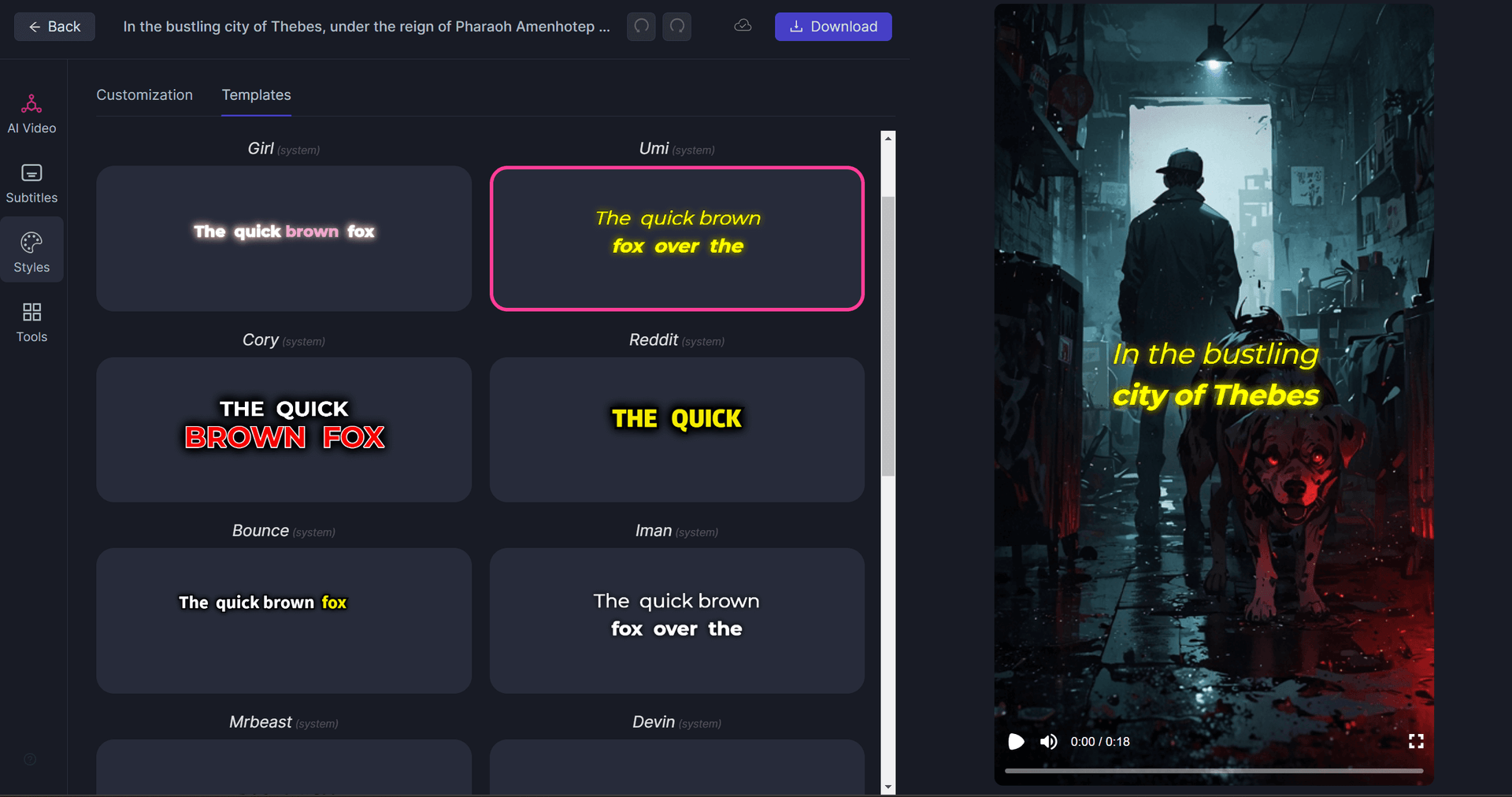
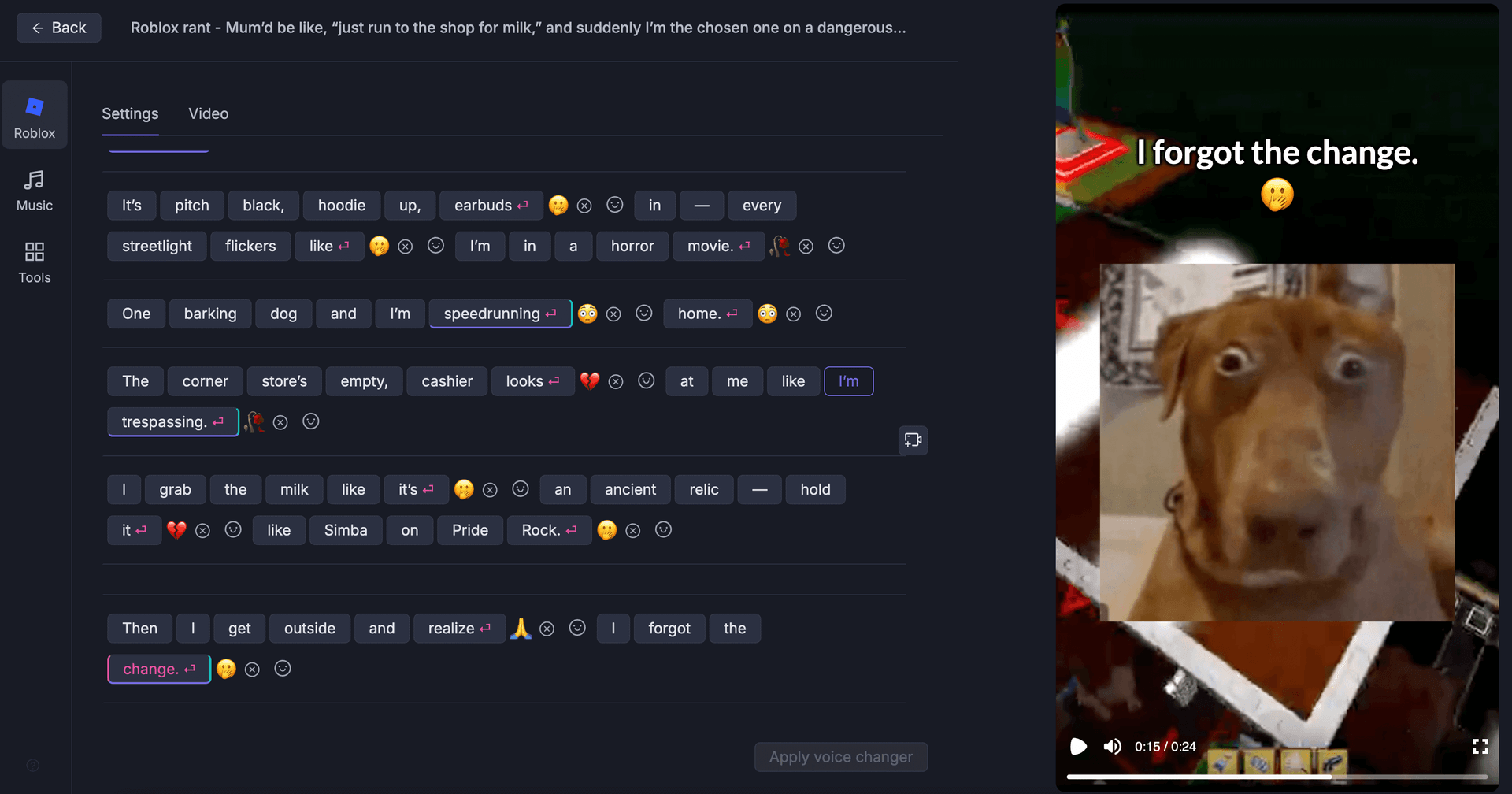
- Automatic Subtitle Generation: Creating accurate subtitles for videos quickly.
- AI Dubbing & Translation: Translating video content into different languages using AI voices.
- Text-to-Speech & Voice Cloning: Generating voiceovers from text or cloning a voice for consistent audio.
- Video Editing Tools: Simple interfaces for trimming, editing, and formatting video content for social media and other platforms.
These services are aimed at helping users repurpose content, reach a wider audience, and produce professional-quality media without needing a large production team.
Pricing Tiers: Free, Creator, Pro, and Business Plans Compared
Pricing is tiered to serve different user needs, from individuals to large enterprises. According to their official pricing page (verified September 5, 2026):
| Plan | Monthly Price | Annual Price (Effective Monthly Rate) | Best For |
|---|---|---|---|
| Free | $0 | $0 | Testing the platform, occasional personal projects. |
| Creator | $19 | $156 ($13/mo) | Solo creators and freelancers. |
| Pro | $38 | $312 ($26/mo) | Power users and small teams needing more capacity. |
| Business | Custom | Custom | Large teams and enterprises needing advanced features and support. |
Free Plan & Refund Policy
The Free plan is a cornerstone of the company's model. It includes access to many core features but comes with limitations, such as a watermark on exports and caps on monthly usage (e.g., 30 minutes/month). This allows for extensive testing. Importantly, as stated in the Vsub Terms of Service, all paid subscriptions are non-refundable. This makes the Free plan strategy critical; you should test thoroughly before purchasing, as you cannot get your money back once the payment is processed.
Cancellation Process & Billing Cycle
Subscriptions are designed to be flexible. You can cancel anytime through your account settings. When you cancel a subscription, you will retain access to the paid features until the end of your current billing period (either the end of the month for monthly plans or the end of the year for annual plans). The subscription will not auto-renew after that. This user-friendly policy ensures you're not locked into a service you no longer need.
Frequently Asked Questions About Vsub Discounts
Does Vsub offer promo codes?
No, our research confirms that this store does not use traditional promo codes. The primary way to get a discount is by choosing an annual plan, which automatically reduces the monthly cost by up to 32%. This discount is built into their pricing structure.
How can I get Vsub for free?
The retailer offers a perpetual Free plan that you can use indefinitely. It includes access to core features but places a watermark on exported videos and has usage limits. This is the best way to use the platform for free to test its functionality before committing to a paid plan.
How much can I save with an annual Vsub plan?
You can save up to 32% by choosing an annual plan. For example, the Creator plan drops from $19/month to an effective rate of $13/month, saving you $72 per year. The savings are applied automatically when you select the annual billing option on their pricing page.
What is Vsub's cancellation and refund policy?
You can cancel anytime from your account settings, and you will retain access until the end of your billing period. However, according to their official terms, subscriptions are non-refundable. It is crucial to use the Free plan to test the service before purchasing.
Does Vsub offer education or student discounts?
The brand does not publicly advertise a specific student or education discount program. However, we recommend contacting their support team directly with a valid .edu email address or proof of affiliation to inquire if they offer educational pricing on a case-by-case basis.
Can I earn rewards through Vsub's referral program?
As of our last verification, this store does not have a public customer referral program. The most reliable ways to save are through their annual billing discount and by utilizing the features of the Free plan to avoid paying for a subscription until you absolutely need it.
When does Vsub have sales, like on Black Friday?
The retailer typically maintains consistent pricing throughout the year and does not run traditional Black Friday or holiday sales. Their discount strategy is based on the permanent annual plan savings rather than temporary promotional events, providing year-round value.
Is Vsub cheaper than Descript?
Pricing between this tool and competitors like Descript is highly competitive and depends on the specific tier and features you need. The Creator plan at $13/month (annual) is priced similarly to Descript's entry-level paid plan. We recommend comparing the feature lists of both to see which offers better value for your specific workflow. Explore our Descript promo codes for more savings.
What's included in Vsub's Free plan?
The Free plan generally includes access to all core editing tools, AI features like subtitling, and a limited amount of monthly transcription or export time (e.g., 30 minutes). The main limitation is a watermark on all exported videos. It's perfect for evaluation.
Can I combine the Vsub annual discount with other offers?
Since this brand doesn't use other promo codes or offers, there is nothing to stack with the annual discount. The annual price is the lowest available rate. However, you can "stack" this saving by paying with a cashback credit card to earn rewards on your purchase.
How do I cancel my Vsub subscription?
You can cancel your subscription at any time directly from your account dashboard on their website. The cancellation takes effect at the end of your current billing cycle, and your subscription will not auto-renew. The process is designed to be simple and user-friendly.
Does Vsub offer a military or nonprofit discount?
The platform does not publicly list any military discounts. For nonprofit organizations, we recommend contacting their sales or support team directly. Many SaaS companies provide special pricing for registered nonprofits, but it is typically handled on a case-by-case basis.
Final Thoughts on Saving with Vsub
To sum it up, while the hunt for a Vsub coupon code might lead you to a dead end, the path to real savings is hiding in plain sight. The most powerful, verified discount you can get is the up to 32% reduction from choosing an annual plan—a strategy that rewards commitment with significant savings. For everyone else, the perpetual Free plan is your best friend, offering a risk-free environment to test, create, and decide if this is the right tool for your arsenal. Don't waste time on fake code sites; focus on these legitimate, built-in methods to get the best possible value.
Ready to get started? Discover more deals on business software or Start with Vsub's Free Plan Today →
