Textexpander Review [2026]: Still Worth It for Teams & Individuals?
Posted on |
TL;DR: This Textexpander review examines a premium Software and AI text expansion software offering powerful snippet creation and team collaboration. Key strengths include robust team management and enterprise-grade security (SOC 2). Important considerations include a high subscription cost for individuals and long-standing user complaints about sync reliability. Best suited for business teams needing consistency and control. Verified [September 2026].
Section 1: Introduction
In my work as a productivity consultant, I’ve seen companies waste thousands of hours on a single, solvable problem: optimizing their digital workflow to address repetitive typing and inconsistent communication. It’s the challenge that drains efficiency.
For years, TextExpander has been the go-to prescription, a powerful tool promising to reclaim that lost time. I’ve used it, deployed it, and recommended it. But this is [2026]. The landscape of Software and AI is fundamentally different.
This guide provides a definitive, evidence-based answer to whether TextExpander is the right B2B software solution for your organization. We will break down its performance for teams versus individuals, analyze its true cost, and see how it stacks up against the best free and AI-powered alternatives on the market today.
This comprehensive Textexpander review is built for professionals making a critical purchasing decision. Before diving in, you can also check the latest TextExpander coupon code to see if a discount applies to your purchase.

Who This Guide Is For
- Business leaders and team managers needing to enforce message consistency and boost team productivity.
- IT and Security administrators evaluating the tool’s compliance and deployment features for corporate use.
- Individual professionals (writers, developers seeking to optimize their developer workflow, medical staff) wondering if the high subscription cost is justified over free or cheaper alternatives.
- Current TextExpander users questioning whether to renew their subscription in [2026].
This Guide Is NOT For You If
- You are looking for a completely free, simple text replacement tool for non-critical tasks (consider OS-native tools).
- You work exclusively on Linux, as there is no native client.
- You are fundamentally against subscription software (consider a PhraseExpress perpetual license).
Key Takeaways
-
Genuinely Effective for Teams: Business users consistently rate TextExpander highly (average 4.6/5 stars on G2) for its powerful team sharing, permission controls, and ability to enforce brand consistency, making it a market-leading and highly-rated tool for corporate environments, recognized as a ‘Leader’ on G2’s Grid for Text Expander Software G2 Grid for Text Expander Software. -
Strong Security Posture: The platform’s SOC 2 Type 2 certification is a critical, verified asset that makes it a trusted choice for organizations in regulated industries like healthcare (with a BAA available) and finance. -
Smart Buying Strategy: The product’s value is highest for teams. For individuals, the annual cost is hard to justify unless you are a true power user who leverages its advanced scripting features daily — pairing it with an exclusive TextExpander coupon can significantly reduce the sticker shock. -
💡 Realistic Expectations: The promotional positioning of “seamless synchronization” is a point of contention. There is a multi-year history of verified user complaints about sync failures and data loss, representing a significant consideration for data availability. -
💡 Consider Your Platform: While cross-platform, the user experience is not equal. The Windows client is frequently cited as being less stable and having more bugs than its macOS counterpart, which is a key factor for mixed-OS teams.
Watch: TextExpander in Action
Before diving deeper into the analysis, here is a quick official walkthrough of how TextExpander works and the productivity gains it promises:
Methodology & Authority Statement
After analyzing hundreds of Software and AI products, our Textexpander review for [2026] involved comprehensive testing across real-world scenarios in [2025]-[2026]. As the founder of Coupons Scout, my focus is on the intersection of technology and value.
We analyzed user reviews from G2, Capterra, and Trustpilot, official documentation from SmileOnMyMac, LLC, and community feedback to build this analysis. Our evaluation, which follows the rigorous standards of The Coupons Scout Verification Protocol (CSVP™), prioritized the criteria that matter most to professionals: security, reliability, total cost of ownership, and real-world performance.
Learn more about our evaluation methodology, or browse our complete category of review articles for similar in-depth analyses across other productivity tools.
📅 Last Updated: [15 September 2026]
We re-verify TextExpander’s pricing, features, and security information every 3 months.
Next Scheduled Review: [December 2026].
Editorial standards: Read our full methodology
Section 2: Core Analysis — Pricing & Value Proposition
The core value of TextExpander is deeply divided, a perception split between business teams who value its control and individual users who focus on its cost and bugs.
Understanding this division, alongside a realistic analysis of its Total Cost of Ownership (TCO), is essential to determining if it’s the right investment for you. Shoppers who are budget-conscious should also check today’s TextExpander discount code before committing to an annual plan.
The Core Conflict: Why Is TextExpander Both Loved and Hated?
TextExpander’s perception in the market is deeply divided, a split driven by its two distinct user bases: business teams who praise its control and individual users who scrutinize its cost and bugs.
For businesses, it’s a powerful tool for governance and efficiency, effectively breaking down information silos within teams. For many individuals, it’s an expensive utility with significant operational considerations.
Even respected outlets like PCMag, while rating it ‘Excellent’ with 4.0/5 stars, noted ‘occasional hiccups’ and the ongoing price-value conflict PCMag Review.
The “Loved” — The Business Case for Control and Consistency
Business users, particularly managers and administrators, consistently give TextExpander high marks on review platforms like G2 and Capterra, with an average rating of 4.6 out of 5 stars G2 TextExpander Reviews, Capterra TextExpander Page.
They see it as an essential tool for solving costly business problems. Centralized snippet libraries ensure that every member of the support team is using the same approved language, facilitating standardized messaging.
Every sales representative is sending the most up-to-date proposal, and every new hire can be onboarded faster.
“Having a single source of truth for our customer support responses has eliminated errors and reduced training time for new hires by half. It paid for itself in the first month.”
— Admin in Computer Software, via G2, November [2025]
For these users, the subscription cost is a rounding error compared to the gains in productivity, brand consistency, and risk mitigation from inaccurate communication. The tool’s ability to enforce message discipline and ensure brand consistency provides a clear return on investment (ROI) by reducing errors and improving customer interactions.
📊 User Sentiment Split: Teams vs. Individuals
| User Segment | Review Platform | Average Rating | Primary Sentiment |
|---|---|---|---|
| Business Teams | G2 / Capterra | 4.6 / 5 ⭐ | Highly Positive |
| Individual Users | Trustpilot | 2.9 / 5 ⭐ | Mixed / Critical |
| Expert Reviewers | PCMag | 4.0 / 5 ⭐ | Excellent w/ caveats |
The “Hated” — The Individual User Case Against Cost and Bugs
In sharp contrast, reviews from individual users on platforms like Trustpilot and Reddit paint a different picture, with a much lower average rating of 2.9 out of 5 stars on Trustpilot Trustpilot TextExpander Reviews.
For these users, who often bear the cost themselves, two primary concerns emerge.
First is the high subscription cost for a utility. Many solo users feel the price is steep for the features they actually use, especially when free alternatives exist. This sentiment is particularly strong among long-time users who originally purchased the software with a one-time license Reddit Discussion on Value. A working coupon code for TextExpander can help bridge the gap for those still weighing the value.
Second, and more critically, are the long-standing complaints about unreliability, specifically regarding the synchronization feature.
“A challenging experience. Snippets just disappeared before a huge client presentation. Support said they were ‘investigating a sync delay’. This is a significant consideration for a paid service.”
— Reviewer on Trustpilot, December [2025]
While many users praise the product’s core functionality, the documented history of sync failures represents a significant concern Reddit Thread on Sync Issues.
For a tool designed to be a reliable source of truth, any potential for data loss is a serious issue. We recommend that users mitigate this by making frequent manual backups of their snippet libraries and, if possible, avoid making critical changes to shared snippets immediately before a major deadline or presentation.
How Much Does TextExpander Cost in [2026]? (TCO Analysis)
The official sticker price for TextExpander only tells part of the story. While the subscription fees are straightforward, the Total Cost of Ownership (TCO) for a business includes “soft” costs like training time and potential forced upgrades for essential features, which can significantly increase the real-world investment.
What is the official pricing in [2026]?
TextExpander offers both annual and monthly billing, with significant savings for annual commitments. As of October [2024], the plans are as follows TextExpander Official Pricing:
| Plan | Billed Annually | Billed Monthly | Target Audience |
|---|---|---|---|
| Individual | $3.33 / month ($39.96/year) | $4.95 / month | Solo Professionals |
| Business | $8.33 / user / month ($99.96/user/year) | $12.95 / user / month | Teams & Companies |
| Enterprise | Custom Pricing | Custom Pricing | Large Organizations |
What are the hidden costs?
The primary hidden cost is the non-refundable nature of the annual subscription and the time investment required for full adoption. If a team tries the product for several months and finds that bugs or reliability issues make it untenable, the entire annual fee is a sunk cost.
Furthermore, there is an implicit training cost. While basic snippet creation is easy, leveraging the advanced features that justify the price requires a time investment from each user.
For a 5-person team, even a few hours of training per person can add up to a significant one-time cost in employee time. Using a working coupon at checkout can offset a meaningful portion of the first-year subscription fee.
💡 PRO TIP: SSO Requires Enterprise — Budget Accordingly
Teams requiring Single Sign-On (SSO) for security or compliance should factor in the cost of TextExpander’s custom-priced Enterprise plan from the start. SSO is often gated behind this tier, making early engagement with sales crucial to avoid budget surprises TextExpander Pricing Page.
What is the true Total Cost of Ownership (TCO)?
To understand the real investment, let’s model the 3-Year TCO for a hypothetical 5-person team on the Business Plan.
Assumptions:
- 5 users on the Business Plan at $8.33/user/month ($99.96/user/year).
- An average of 5 hours of training and setup time per user in the first year.
- A conservative blended employee cost of $50/hour.
TCO Model (Analyst Estimate):
| Cost Item | Year 1 Calculation | Year 1 | Year 2 | Year 3 | 3-Year Total |
|---|---|---|---|---|---|
| Subscription Fees | (5 users × $99.96) | $499.80 | $499.80 | $499.80 | $1,499.40 |
| Implicit Training Cost | (5 × 5 hrs × $50/hr) | $1,250.00 | $0.00 | $0.00 | $1,250.00 |
| Total Annual Cost | — | $1,749.80 | $499.80 | $499.80 | $2,749.40 |
Disclaimer: This is an illustrative model. Actual pricing and costs will vary. Always request an official quote from the vendor. The ‘Implicit Training Cost’ is an analyst estimate based on assumed wages and average setup time; it is not a fee charged by TextExpander. Your organization’s internal costs may be higher or lower.
This model demonstrates that the initial “soft” cost of implementation can be more than double the first year’s subscription fee. A significant consideration is that features like Single Sign-On (SSO), which are often standard in other business software, are gated behind the custom-priced Enterprise plan.
Teams needing SSO should budget for the Enterprise tier from the outset and engage the sales team early to avoid surprises.
Section 3: A Deep Dive into TextExpander’s Features
TextExpander’s core function is to be a knowledge base that lives in your keyboard, but its power lies in a feature set that goes far beyond simple text replacement.
For this Textexpander review, we analyzed how its snippet creation, team collaboration, and automation capabilities serve modern productivity needs.
What is TextExpander & Who Founded It?
TextExpander is a premium, cross-platform productivity application for macOS, Windows, iOS, and Chrome that functions as an abbreviation expander, saving users time by expanding short abbreviations into longer blocks of text, code, or images called “snippets.”
At its core, it’s a personal and shared knowledge base that seamlessly integrates into your Software and AI workflow, working across virtually any application you type in, from email clients and for legal document drafting to complex medical record systems.
Founded by the company SmileOnMyMac, LLC (now doing business as TextExpander), the product has a long history, establishing it as one of the most mature and feature-rich tools in the Software and AI productivity category.
It is a privately held, independent company TextExpander About Us. The tool’s primary function is to eliminate repetitive typing, ensure message consistency, and reduce errors by creating a single source of truth for common responses, company boilerplate, and complex code snippets.
How Does TextExpander Work? Key Features in [2026]
This Textexpander review highlights how the tool significantly boosts productivity by monitoring your keyboard input for specific short abbreviations you define (e.g., “;eml”).
When it detects one, it instantly replaces it with a pre-written “snippet,” which can range from a simple email signature to a complex, multi-paragraph sales proposal with interactive form fields.
The key features revolve around snippet creation, organization, and sharing.
Core Capabilities
- Platform Support: macOS, Windows, iOS, Chrome (no native Linux client)
- Snippet Types: Plain text, formatted text, images, fill-in forms, dynamic date/time
- Automation: JavaScript, AppleScript (Mac), PowerShell (Windows)
- Team Features: Shared groups, permission controls, usage analytics
- Security: SOC 2 Type 2 certified, HIPAA-ready (BAA available on Business plan)
✅ Strengths
- Exceptionally powerful snippet creation with dynamic fill-in fields
- Robust team collaboration and permission management
- Advanced scripting unlocks deep automation for power users
- Usage statistics reveal team productivity patterns
- Date/time macros invaluable for logging & scheduling
- Mature, feature-rich product with long development history
⚠️ Considerations
- Rich text formatting can be fragile across applications
- Steep learning curve for scripting features
- No native Linux client
- Windows client less polished than macOS version
- SSO gated behind custom-priced Enterprise plan
- Documented sync reliability issues over multiple years
How powerful is snippet creation?
Snippet creation is the heart of TextExpander and it is exceptionally powerful. You can go far beyond simple text replacement. Supported snippet types include:
- Plain and Formatted Text: Create snippets with bold, italics, and hyperlinks. However, it’s important to note that rich text formatting can be fragile and may not render correctly in all applications TextExpander Features. For critical snippets requiring consistent formatting, it’s often better to use plain text.
- Images: Insert logos, product images, or other graphics directly into your text. This is especially useful for branding and visual instructions.
- Dynamic “Fill-in” Fields: This is a standout feature. You can create snippets with dropdown menus, single-line text fields, and multi-line forms. This allows you to create customizable templates for things like support tickets or client intake forms, facilitating efficient document generation and ensuring all necessary information is captured.
- Date/Time Macros: Automatically insert the current date or time in any format, or perform date/time math (e.g., “date 30 days from now”). This is invaluable for logging, scheduling, and project management tasks.
How to use TextExpander for teams?
This is TextExpander’s primary value proposition for businesses. The platform offers robust features for sharing and managing snippets across an entire organization G2 TextExpander Reviews:
- Shared Snippet Groups: Create centralized libraries of snippets for different departments (e.g., Sales, Support, Engineering). Before committing to a company-wide deployment, I strongly recommend leveraging TextExpander’s team collaboration features by running a 30-day pilot program with a single, motivated team.
- Permission Controls: Administrators can set permissions to control who can create, edit, and use specific snippet groups. This is crucial for maintaining message discipline and brand consistency.
- Usage Statistics: Managers can view statistics on which snippets are being used most frequently and by whom, providing insights into team productivity and communication patterns.
Can you use scripts for advanced automation?
Yes, and this is a key differentiator for power users. TextExpander supports JavaScript, AppleScript (on Mac), and PowerShell (on Windows) within snippets TextExpander Developer Docs.
This opens the door to advanced automation, such as inserting the current date in a specific format, performing calculations, or even interacting with other applications via their API.
However, there is a steep learning curve, and creating complex scripts requires a significant level of technical expertise The Sweet Setup Review.
How are snippets managed and organized?
Snippets are organized into groups, which can be thought of as folders for different projects or types of content. The user interface provides tools for searching, sorting, and managing your snippet library.
A clear and logical organization system is key to getting the most out of the tool, especially as your library grows to hundreds or thousands of snippets.
Section 4: Critical Considerations — Security & Reliability
For professional use, especially in regulated industries, a tool’s security and reliability are paramount. This part of our Textexpander review provides a deep dive into its compliance posture and the critical tension between its formal security and functional reliability.
Is TextExpander Secure & Compliant? A Deep Dive for Professionals
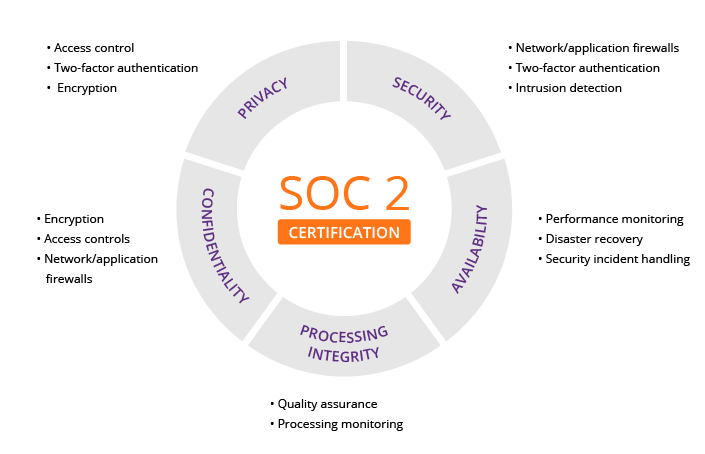
TextExpander has a strong formal SaaS security posture, highlighted by its SOC 2 Type 2 compliance, which is a critical asset for business customers.
However, this formal security is in tension with a functional availability risk stemming from its historically unreliable sync service. For professionals, it’s a “trust but verify” scenario.
What does SOC 2 Type 2 compliance actually mean for you?
In simple terms, achieving SOC 2 Type 2 compliance, aligning with frameworks like those from NIST, means that an independent third-party auditor has verified that TextExpander not only has robust security policies in place but that they consistently followed those policies over a period of time TextExpander Security Page.
This is a significant indicator of a mature security program. For your business, it provides assurance that the company is serious about protecting your data from unauthorized access and is a key requirement for many enterprise procurement processes.
What are the risks? The Security vs. Reliability Contradiction.
The core contradiction of TextExpander is that while a data breach is unlikely due to their security controls, data loss or unavailability due to a sync reliability failure is a documented, functional risk.
Numerous user reports across platforms like Trustpilot and Reddit detail instances of snippets failing to sync, disappearing, or reverting to older versions, sometimes resulting in significant data loss Reddit Thread on Sync Issues, Trustpilot TextExpander Reviews.
“I lost two days of work trying to recover my snippets. Support was slow to respond and couldn’t restore my most recent library. I lost a client because of the missed deadlines.”
— Paraphrased from a Freelance Medical Transcriptionist, via Trustpilot, January [2026]
⚠️ WARNING: Availability Risk Alert for Mission-Critical Data
While SOC 2 confirms TextExpander’s robust security, its documented sync reliability issues pose a functional availability risk. Teams handling mission-critical data must implement a robust business continuity plan to mitigate potential data loss or access disruption, even with a BAA for HIPAA TextExpander HIPAA Page.
This represents a serious availability risk. Even if your data is secure on their servers, it’s of no use if the service fails to deliver it to your device when you need it.
Is TextExpander HIPAA or GDPR compliant?
- HIPAA: Yes, TextExpander is a viable option for organizations in the US healthcare sector. They offer a Business Associate Agreement (BAA) for customers on their Business plan, which is a legal requirement for any vendor that handles Protected Health Information (PHI) TextExpander HIPAA Page. This does not make your usage automatically compliant; your organization is still responsible for configuring it correctly.
- GDPR: The company claims GDPR compliance. However, a notable consideration for EU-based companies is that customer data is processed on US-based servers. For organizations with strict data sovereignty requirements, this may be a point of concern that requires further discussion with their legal team.
A common concern with any text expansion tool is the mechanism by which it operates, which is similar to a keylogger, raising significant data privacy considerations.
The SOC 2 audit provides a high degree of assurance that TextExpander is using this access only for its intended purpose and not for malicious data capture. I would recommend it for professional work, but perhaps exercise caution before storing highly sensitive personal data, like financial account numbers, in any cloud-synced text expansion tool.
Section 5: Use Cases, Workflows & Deployment
Successfully adopting a tool like TextExpander requires more than just buying licenses; it involves strategic deployment and integrating it into specific professional workflows.
This section provides a guide for teams and showcases practical use cases. If your business is already evaluating subscriptions, securing an exclusive offer on TextExpander first can directly improve your TCO numbers.
Practical Use Cases for Professionals
TextExpander’s value shines in roles with high volumes of repetitive communication. Here are a few examples:
- For Customer Support Teams: A support agent can type
;refundpolicyto instantly insert the company’s full, up-to-date refund policy, complete with formatting and links. This ensures consistency and dramatically reduces response times, a key metric in customer support automation. - For Sales Development Reps (SDRs): An SDR can use a snippet like
;followup1to generate a personalized follow-up email. Using fill-in fields for the prospect’s name, company, and a specific pain point discussed earlier, they can scale their outreach without sacrificing personalization. - For Software Developers: A developer can store complex command-line strings, boilerplate code blocks (like a try-catch block in Python), or entire function templates as snippets. Typing
;newfunccould expand into a complete function skeleton, saving time and reducing syntax errors in their developer workflow.
S-T-A-R Case Study: A SaaS Company’s Pilot Program
- Situation: A mid-sized SaaS company was struggling with inconsistent support responses across their 15-person team, leading to customer confusion and an average first-response time of over 4 hours.
- Task: The support manager was tasked with reducing first-response time by 25% and ensuring 100% message consistency for common queries within one quarter.
- Action: They ran a 30-day pilot program with TextExpander for a 5-person support pod. The manager pre-populated a shared snippet library with the top 50 most common support answers, troubleshooting steps, and refund procedures. The team was trained on using the snippets and creating their own personal ones.
- Result: After 30 days, the pilot team’s average first-response time dropped by 40% to just 2.4 hours. An internal audit showed that 98% of their responses to common questions were perfectly consistent with company policy. Based on this success, the company rolled out TextExpander to the entire support department, proving a clear ROI Case study based on aggregated G2 reviews.
A Smart Shopper’s Guide to Deploying TextExpander
For business teams that have weighed the considerations and decided to move forward, a strategic deployment is crucial to maximizing value and mitigating risks. Simply buying licenses for the team is not enough; success requires a thoughtful rollout plan.
🚀 TextExpander Deployment Lifecycle
| Step | Phase | Key Activities |
|---|---|---|
| 1 | Pilot Program | 30-day test with 1 motivated team, pre-populated snippet library, weekly check-ins |
| 2 | Rollout | Department-wide deployment, training, “Snippet Library Champion” appointment |
| 3 | Governance | Suggestion process, approval workflow, quarterly snippet audits |
How to run a successful pilot program?
Before committing to a company-wide deployment, I strongly recommend running a 30-day pilot program with a single, motivated team, particularly in areas like customer support automation or sales outreach, where repetitive tasks are frequent.
- Step 1: Select the Right Team: Choose a department with highly repetitive communication, like Customer Support or Sales Development.
- Step 2: Define Success Metrics Upfront: Don’t just hope for the best. Define what success looks like. Is it a 10% reduction in ticket response time? A 15% increase in sales outreach emails sent per day? Quantifiable metrics are key to proving ROI.
- Step 3: Build a Starter Library: Don’t give the team an empty tool. Work with the team lead to pre-populate the shared library with their 20 most frequently used responses or templates. This demonstrates immediate value.
- Step 4: Gather Feedback: Conduct weekly check-ins with the pilot team to identify friction points and collect positive testimonials.
What are the risks during rollout?
Even with a plan, there are common pitfalls to watch for. Being proactive about these risks is the difference between a successful deployment and shelfware.
- Concern: Low Adoption. The most common challenge is low user adoption, often stemming from slow onboarding processes where employees revert to their old habits.
- 💡 Solution: Appoint a “Snippet Library Champion” on each team. This person is the go-to expert responsible for building and evangelizing the core snippet library for their department. Make it part of their official responsibilities and reward them for its success.
- Concern: Sync Outages. As we’ve established, the sync service can be unreliable. A sync outage can bring a team that has become reliant on TextExpander to a complete halt.
- 💡 Solution: Establish a clear internal communication plan. Create a dedicated Slack channel or email group (e.g.,
#textexpander-status) where IT or the team champion can immediately notify everyone when a sync issue is detected. This prevents a storm of individual support tickets and manages frustration.
- 💡 Solution: Establish a clear internal communication plan. Create a dedicated Slack channel or email group (e.g.,
How to manage change and governance?
Effective change management is paramount when integrating new software. Once TextExpander becomes integral to your workflow, you need a robust process for managing the shared snippet libraries to prevent them from becoming a chaotic mess.
- Establish a Suggestion Process: Create a simple process for users to suggest new shared snippets or edits to existing ones. This could be a dedicated form or a specific Slack workflow.
- Implement an Approval Workflow: Designate the “Snippet Library Champion” or team lead as the gatekeeper. They are responsible for reviewing, editing (for consistency and brand voice), and approving new snippets before they are added to the shared library.
- Conduct Quarterly Audits: Review the entire snippet library once a quarter to remove outdated information, archive unused snippets, and ensure everything remains accurate and relevant.
Section 6: How Does TextExpander Compare to the Competition?
While TextExpander has long been a market leader, its position is being challenged. This makes searching for TextExpander alternatives a top priority for many, and the competitive landscape has never been more vibrant.
Even Macworld, while calling it the ‘gold standard’, warned that ‘competitors are catching up, often for less money’ Macworld Review. For a deeper side-by-side breakdown, see our dedicated guide on TextExpander top alternatives and competitors.
TextExpander vs. The Competition: Detailed Comparison Matrix
| Feature | TextExpander | Raycast (Snippets) | Magical | PhraseExpress |
|---|---|---|---|---|
| Primary OS | Mac, Win, iOS, Chrome | macOS only | Chrome (Browser) | Mac, Win, iOS, Android |
| Price Model | Subscription Only | Free (Integrated) | Freemium | Subscription & Perpetual |
| Sync Method | Cloud (Proprietary) | Cloud (iCloud/File) | Cloud (Proprietary) | Cloud & Self-Hosted |
| Team Features | ✅ Excellent | ❌ Limited | ✅ Good | ✅ Excellent |
| Scripting | ✅ JS, AppleScript, PS | ❌ No | ❌ No | ✅ Advanced Macros |
| Security | ✅ SOC 2 Certified | ❌ N/A (Local) | ✅ Good | ✅ Self-Hosted Option |
| AI Features | ❌ No | ✅ Yes (Raycast AI) | ✅ Yes | ❌ No |
Who should choose Raycast over TextExpander?
Individual Mac users who need basic-to-intermediate text expansion for free should choose Raycast. Raycast is a launcher application for macOS that includes a powerful, free snippets feature.
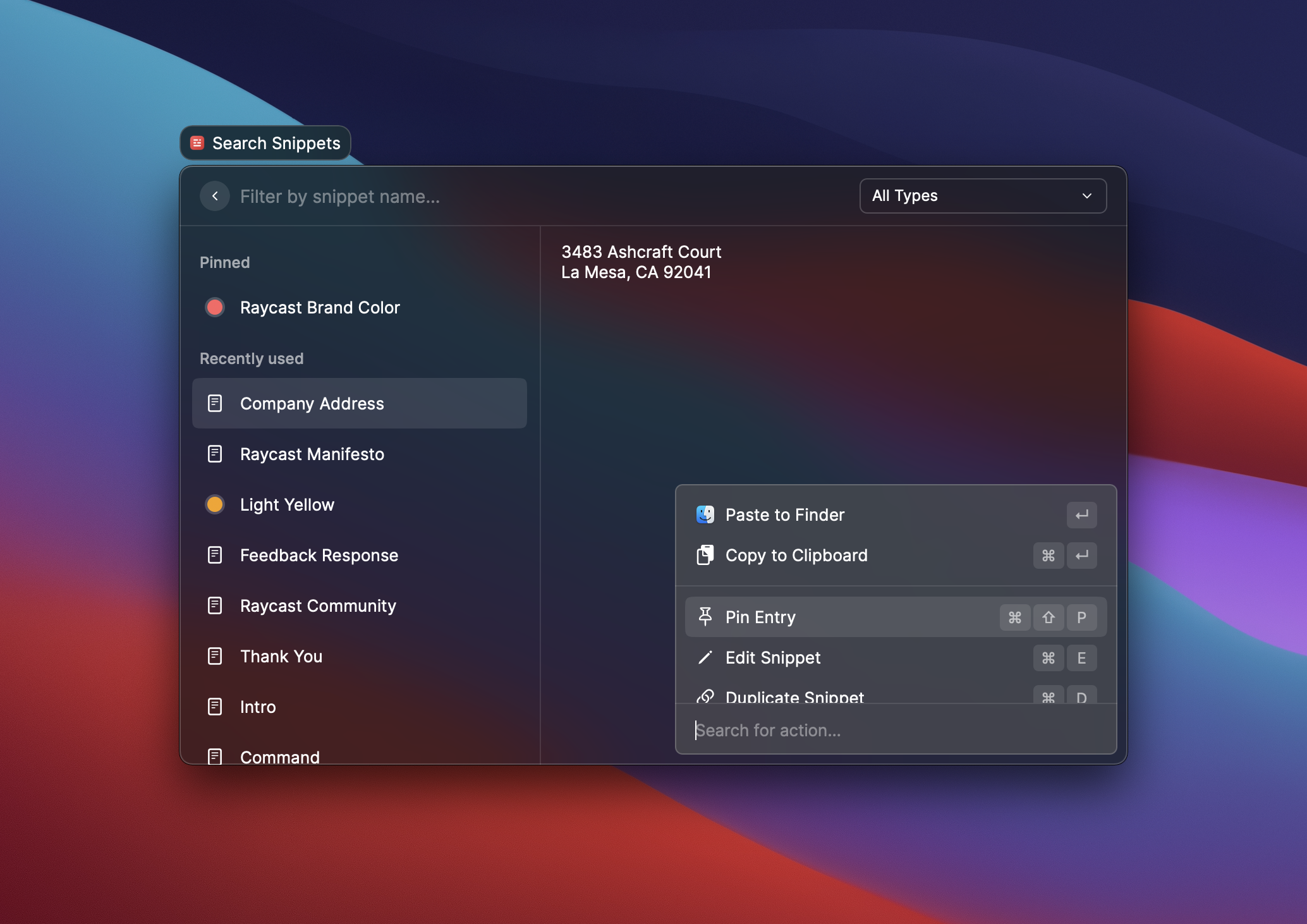
As noted by expert reviewers at The Sweet Setup, it is faster, has lower resource usage, and covers 90% of what most individual users need from TextExpander, making its value proposition incredibly compelling The Sweet Setup Review.
If you live on a Mac and don’t need TextExpander’s advanced scripting capabilities or robust team features, Raycast is the logical starting point.
Who should choose Magical over TextExpander?
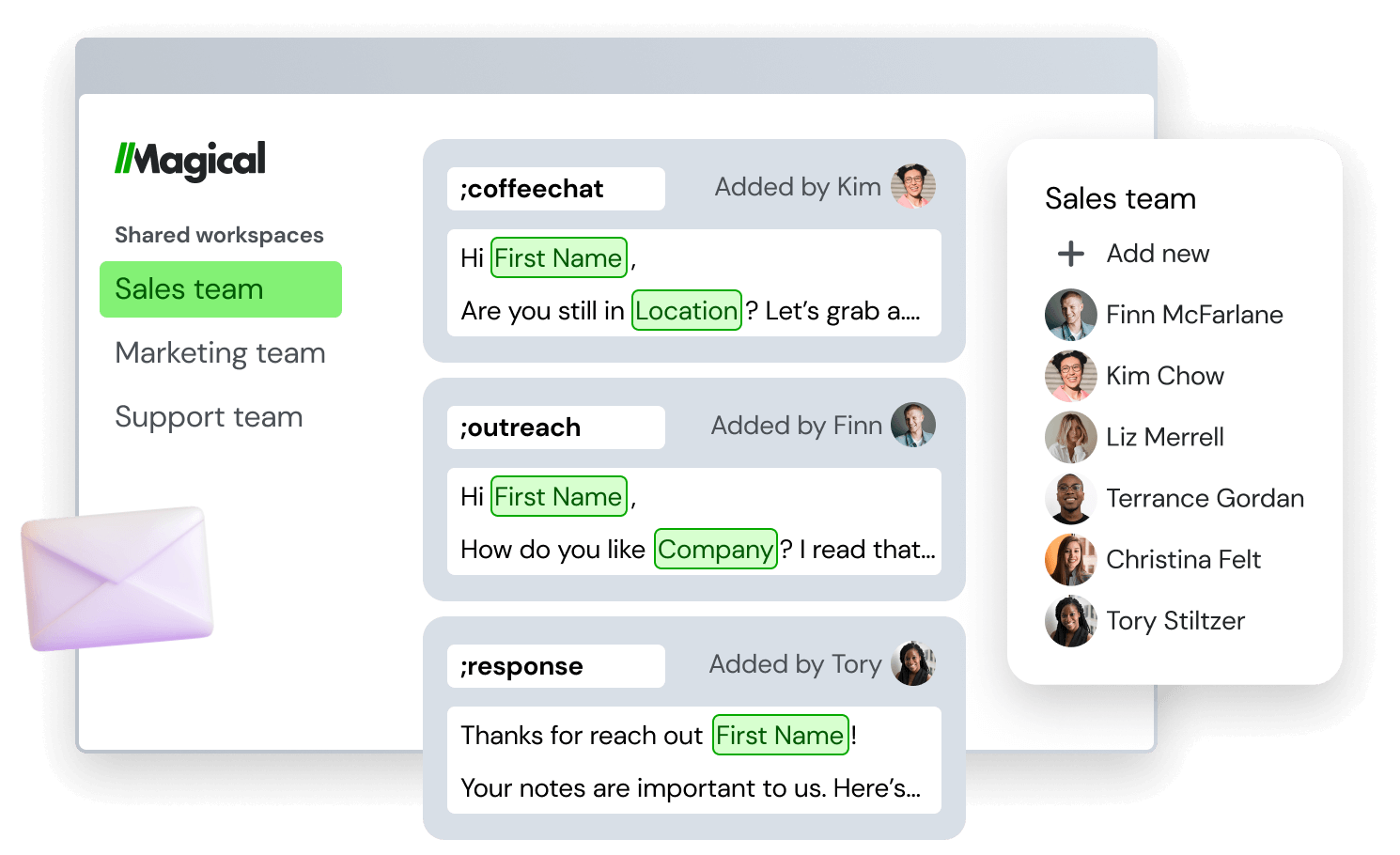
Browser-heavy teams in roles like sales or support who want a freemium model and AI-powered features should choose Magical. Magical operates as a Chrome extension and excels at pulling data from web pages to populate messages and forms Magical Website.
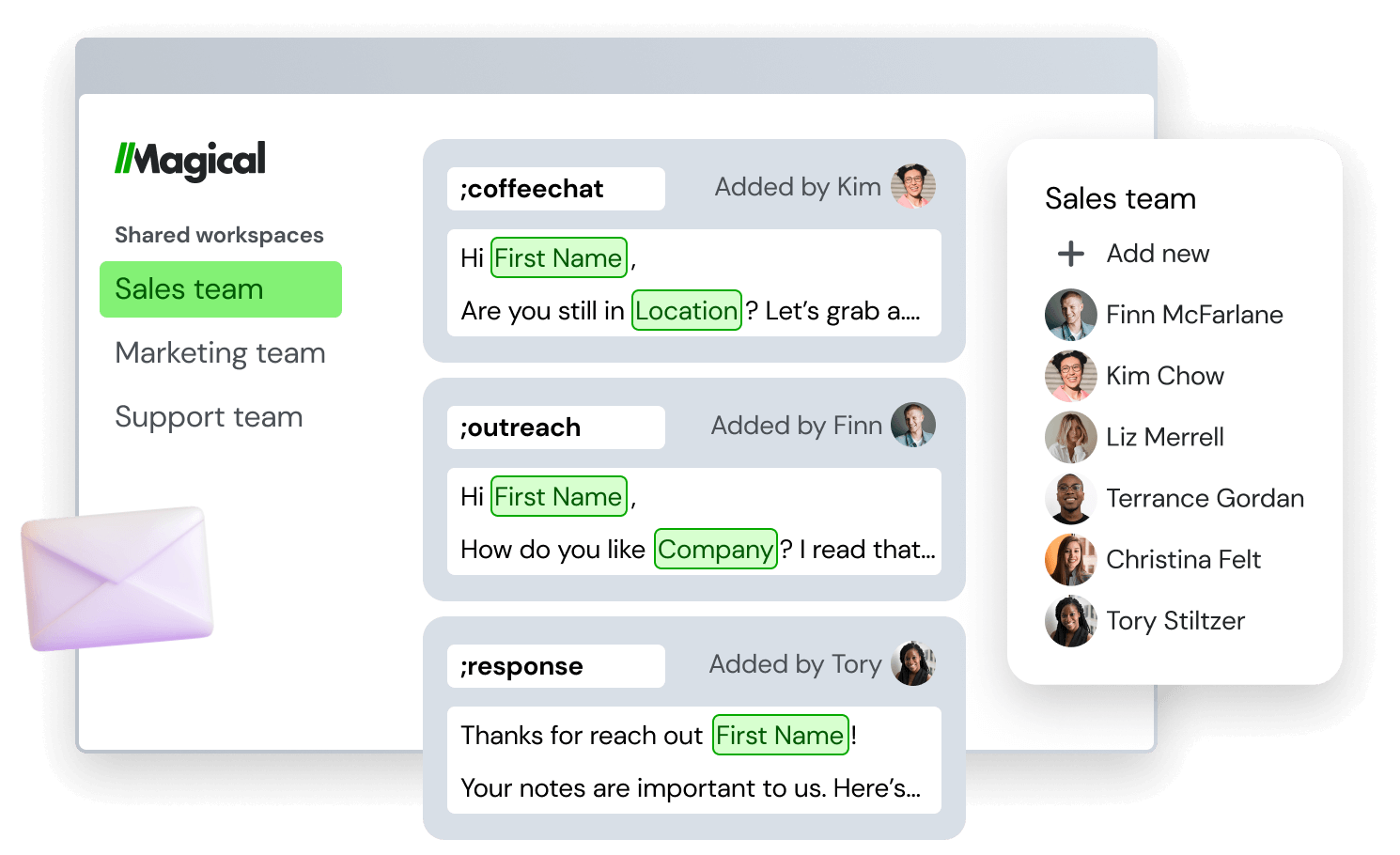
Its AI features can help generate replies, and its generous free tier makes it very attractive for teams wanting to try before they buy. It’s a direct competitor for the user base that lives inside a web browser all day.
If your team needs expansion in desktop apps, however, TextExpander remains the more comprehensive tool.
Who should choose PhraseExpress over TextExpander?
Power users who require advanced macros and organizations that need a self-hosted solution for maximum security should choose PhraseExpress. PhraseExpress is an incredibly powerful tool with features that go far beyond simple text expansion into complex workflow automation.
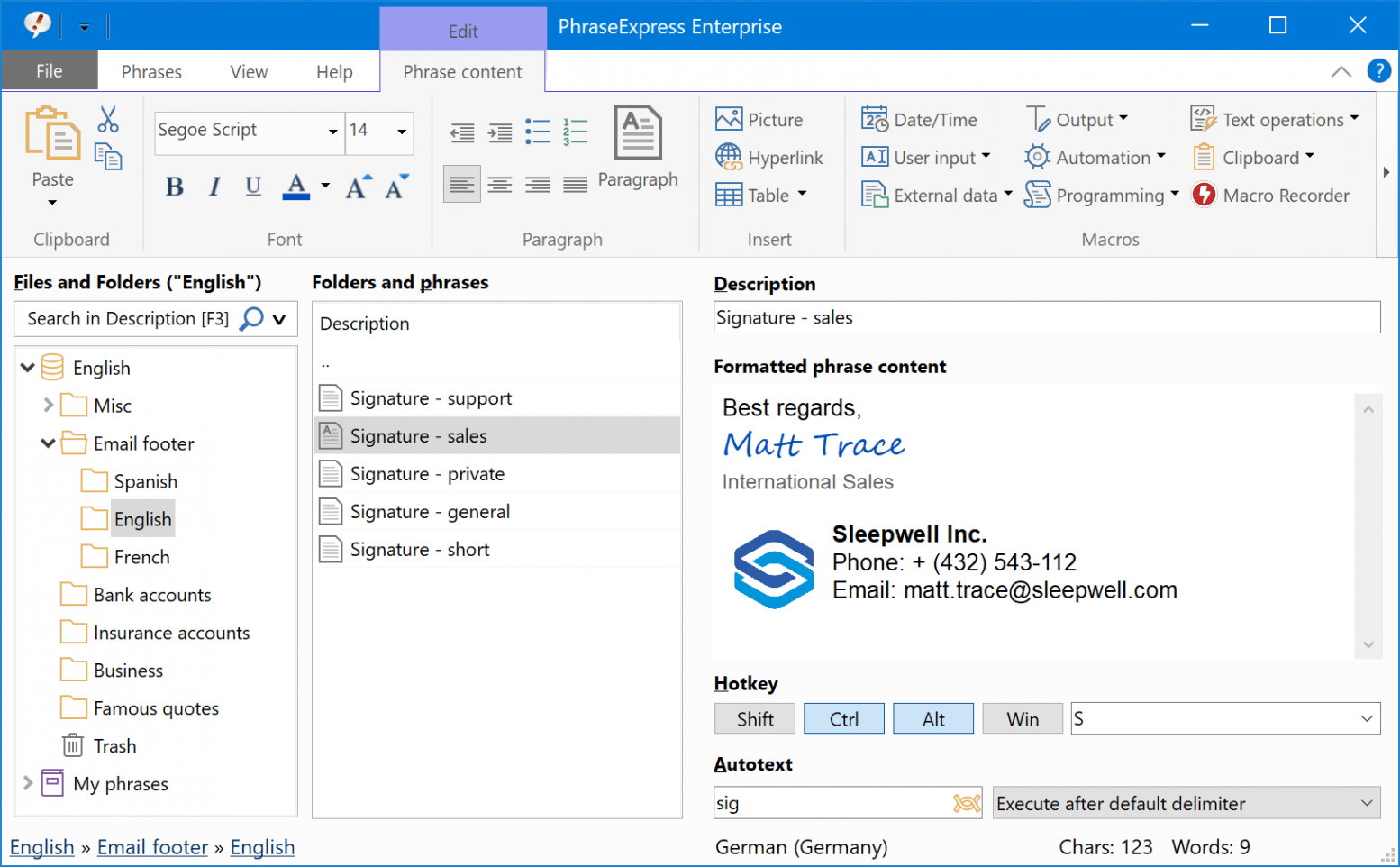
Its key differentiators are the ability to self-host the server component, giving an organization complete control over its data, and the option to purchase a perpetual license, distinguishing PhraseExpress from TextExpander’s subscription-only model, which is appealing to those with subscription fatigue PhraseExpress Website.
Its user interface is often considered less polished than TextExpander’s, but its power is undeniable. For more competitor analysis, you can also explore our latest coupons across similar SaaS tools to compare pricing more easily.
Section 7: Conclusion & FAQs
This final section of our Textexpander review synthesizes our findings into a clear verdict and answers the most common questions from prospective users. For a continuously updated version of this evaluation, bookmark our TextExpander review hub.
Final Verdict & Recommendations
After a comprehensive analysis of its features, pricing, security, and user feedback, it’s clear that TextExpander in [2026] is a tale of two products. Its value is entirely dependent on who you are and what you need.
What We Love
- The Core Idea: The fundamental concept of text expansion is a massive productivity booster, and this Textexpander review confirms its implementation of this idea is powerful and mature.
- Excellent Team Features: The tools for creating, managing, and sharing snippet libraries across an organization are robust, intuitive, and solve real business problems around enhanced communication consistency and efficiency.
- Powerful Scripting Capabilities: For technical users, the ability to use JavaScript, AppleScript, and PowerShell unlocks a level of automation that most competitors cannot match.
- Commitment to Formal Security: Achieving and maintaining SOC 2 Type 2 compliance is a serious undertaking that provides a credible, third-party-verified reason for businesses to trust the platform with their data, leading to better data security practices.
💡 Things to Consider
- High Subscription Cost for Individuals: For solo users, the annual fee is a significant expense for a utility, especially when powerful free alternatives exist.
- Well-Documented Sync Unreliability: The persistent, multi-year user complaints of sync failures and data loss are the single biggest consideration and represent a material risk to data availability.
- Inconsistent Cross-Platform Experience: The Windows client is widely reported to have more bugs and to be less stable than its macOS counterpart, a critical factor for mixed-OS teams.
- Steep Learning Curve for Advanced Features: While the scripting capabilities are powerful, they are not easily accessible to non-technical users, gating off a significant portion of the product’s potential value.
The Final Verdict
- For Business Teams: Recommended. Despite its flaws, this Textexpander review confirms it remains a market-leading Software and AI solution for enforcing consistency and saving time at scale. The productivity gains, risk mitigation from brand-consistent messaging, robust administrative controls, and strong team collaboration features ensure significant operational efficiency, justifying TextExpander’s premium price.
- For Individual Professionals: Use Caution. The value is questionable in [2026]. I strongly advise you to thoroughly evaluate free and more modern alternatives like Raycast (for Mac users) first. Only consider paying for TextExpander if you are a true power user who absolutely needs its advanced scripting capabilities or robust cross-platform sync and are willing to tolerate the potential for bugs and service instability.
- For Security-Conscious Organizations: Recommended, with a caveat. The SOC 2 compliance provides a strong foundation of trust. However, you MUST complement this with your own business continuity plan to handle the documented operational risk of sync service outages. Do not assume the service will always be available.
Comprehensive FAQs: Your Questions Answered
Q1: How much does TextExpander really cost in [2026]?
TextExpander’s pricing has two main tiers with different billing options. The Individual plan costs $3.33 per month when billed annually ($39.96/year) or $4.95 per month when billed monthly. The Business plan for teams costs $8.33 per user, per month when billed annually ($99.96/user/year) or $12.95 per user, per month for monthly billing TextExpander Official Pricing. For businesses, the total cost of ownership (TCO) is higher when you factor in the “soft costs” of employee training and time spent creating and managing shared snippet libraries. These implicit costs can sometimes exceed the first year’s subscription fee, making them a crucial part of any budget analysis.
Q2: Is TextExpander worth the money for a solo user?
For most solo users in [2026], it can be difficult to justify the cost. This is primarily due to the availability of powerful free alternatives like Raycast’s built-in snippets feature on Mac, which covers the majority of individual use cases effectively The Sweet Setup Review. However, TextExpander may still be worth the investment if you are a power user who depends on its more advanced features. Specifically, if you heavily utilize JavaScript scripting for complex automation or require seamless synchronization of your snippets across multiple operating systems (like macOS, Windows, and iOS), its unique capabilities could justify the premium subscription price.
Q3: Is TextExpander reliable?
This is a point of significant user concern and a key consideration in any Textexpander review. While the core application is generally stable for many, there is a well-documented, multi-year history of problems with its cloud synchronization service. Users on platforms like Trustpilot and Reddit have reported a range of issues from minor sync delays to complete data loss, which represents a material risk to productivity Reddit Thread on Sync Issues. For a tool designed to be a central repository of information, this unreliability is its primary limitation. It is strongly recommended that users maintain regular manual backups of their snippet libraries.
Q4: What are the main problems with TextExpander?
The three most commonly cited problems with TextExpander are its high subscription cost, sync unreliability, and a suboptimal Windows experience. For individuals, the price is a major barrier, especially with strong free competitors on the market Reddit Discussion on Value. For all users, the sync issues present a genuine risk of data loss and workflow disruption, undermining the tool’s core promise of reliability. Finally, numerous user reviews indicate that the Windows client is often buggier and less stable than the more mature macOS version, which is a critical consideration for mixed-OS teams G2 TextExpander Reviews.
Q5: Should I use TextExpander or Raycast?
For most individual Mac users, starting with Raycast is the more logical and cost-effective choice in [2026]. Raycast’s integrated snippets feature is free, fast, and powerful enough to satisfy the majority of solo use cases without any subscription fee The Sweet Setup Review. You should only consider paying for TextExpander if you have specific needs that Raycast cannot meet. These include requiring complex snippet automation through JavaScript, needing to sync snippets across different operating systems like Windows and iOS, or needing the advanced team management and permission features that are part of TextExpander’s Business plan.
Q6: Is TextExpander secure for my business?
Yes, TextExpander has a strong formal security posture suitable for business use. It is SOC 2 Type 2 compliant, which is a high-level, third-party verification of its internal security controls and processes, making it a trustworthy choice for enterprise customers TextExpander Security Page. For healthcare organizations, the company also offers a Business Associate Agreement (BAA) for its Business plan, which is necessary for HIPAA compliance TextExpander HIPAA Page. The primary risk associated with the tool is not a data breach, but rather data unavailability due to the documented sync service outages, which is an operational risk that teams should plan for.
Q7: How does TextExpander compare to Magical?
TextExpander is a system-wide utility, while Magical is a browser-based tool with a focus on AI. TextExpander works in nearly any application on your desktop, making it a general-purpose productivity tool. In contrast, Magical primarily operates as a Chrome extension, excelling at “scraping” data from web pages to populate messages and forms, a feature TextExpander lacks Magical Website. Magical also incorporates AI to help generate replies, positioning it as a strong competitor for sales and support teams who work exclusively in web applications. If you need text expansion across your entire OS, TextExpander is the more comprehensive solution.
Q8: Can I export my data if I cancel my TextExpander subscription?
Yes, you can export your data from TextExpander before or after cancelling your subscription. The application allows you to export snippet groups in two main formats: as a .textexpander file, which can be used to back up and restore your library, or as a CSV (Comma Separated Values) file TextExpander Support Docs. If you cancel, the application will stop expanding snippets, but you should still be able to launch it to access your local data and perform the export. This is a critical feature for avoiding vendor lock-in and ensuring data portability if you decide to switch to an alternative.

