
DreamPress Review (2026): Pros, Cons and Verdict
Posted on |
TL;DR: This DreamPress review finds that it is a managed WordPress hosting service from DreamHost, offering a simple user interface, server caching, and easy upgrades for existing customers. However, important considerations include user-reported slow performance, US-only data centers, and a tiered support system. It is best suited for US-based bloggers and small businesses prioritizing simplicity over raw performance. Verified October 2026.
Part 1: Introduction to DreamPress & Our Evaluation Method

In the world of managed WordPress hosting, promises of “blazing-fast speed” and “expert support” are easy to make but hard to prove. As a hosting and domains expert and Coupons Scout’s lead tech reviewer, Mohamed Zaki, I’ve spent years helping businesses scale their online presence.
In my experience, I’ve seen firsthand the gap that often exists between a host’s marketing page and its real-world performance. Many site owners pay a premium for managed hosting expecting elite performance, only to find a slow website that frustrates users and delivers a poor User Experience (UX).
This DreamPress review goes beyond the marketing claims. My team at Coupons Scout and I have synthesized real-world user data, applied a transparent methodology, and conducted a Total Cost of Ownership (TCO) analysis to show you exactly who DreamPress is for, who should avoid it, and if it’s truly worth the price in [year].
This in-depth analysis will cover DreamPress performance, support quality, security, pricing, and how it compares to top alternatives, giving you the data you need to make a smart investment. Before diving in, savvy readers may also want to grab a working coupon to lower the effective cost we discuss throughout this review.
Who This Guide Is For
This in-depth analysis is specifically for you if:
- You’re currently on shared hosting and are looking for better security and a faster, more secure solution.
- You’re a small business owner or blogger whose audience is primarily in the United States.
- You run a SaaS company and need reliable hosting for your WordPress-based marketing site and blog.
- You value a simple, easy-to-use control panel and want a “hands-off” hosting experience.
- You are an existing DreamHost customer considering an upgrade to a managed plan.
This Guide Is NOT For You If
- You run an international business or have a significant audience outside the US.
- You require enterprise-grade security compliance like SOC 2 for your business.
- You are a developer who needs advanced tools like API access for automation, full WP-CLI access over SSH, and maximum flexibility.
- You are looking for the absolute best performance-per-dollar and are willing to manage a more complex setup like a VPS.
Key Takeaways from Our DreamPress Review
Key Takeaways
-
Genuinely Effective Product for Beginners: DreamPress offers a simple, user-friendly dashboard that is an easy and significant step up for users graduating from basic shared hosting. -
Strong Brand Value for Ecosystem Users: For existing DreamHost customers, integration is seamless, making it a convenient upgrade path within a familiar and trusted environment. -
Smart Buying Strategy: DreamPress is most suitable for US-centric bloggers and small business websites with low-to-moderate traffic who prioritize simplicity over raw performance. -
💡 Realistic Expectations on Cost: The true Total Cost of Ownership (TCO) can be 2-3x the initial plan price. Our analysis shows that resource throttling often necessitates an upgrade to a more expensive “Pro” plan to maintain stability. -
💡 Realistic Expectations on Performance: While marketed as “blazing-fast,” user-reported Time To First Byte (TTFB) often exceeds 1.2 seconds, and the US-only data centers (Virginia, Oregon) create significant latency for international audiences. -
💡 Smart Maintenance Tip for Support: “24/7 Expert Support” is a tiered system. Getting immediate, advanced help often requires escalations, and instant phone support is a paid add-on ($9.95 per call) DreamHost Support, not a standard feature.
Our Methodology & Authority
After analyzing hundreds of products in the Software and AI and Hosting and Domains spaces, our team at Coupons Scout provides this comprehensive DreamPress review using an evaluation framework recognized by industry professionals.
We synthesize data from official DreamHost documentation, verified user review platforms like G2 and Trustpilot, and our own proprietary Total Cost of Ownership models to provide a complete and unbiased picture.
Our verification protocol, the CSVP™, ensures that all data, from pricing to feature claims, is rigorously checked against live sources. This multi-source approach ensures our findings are both accurate and actionable. For more on our process, see our Coupons Scout Evaluation Framework.
📅 Last Updated: October 2026. We re-verify DreamPress pricing, features, and performance claims every 3 months. Next Scheduled Review: [next_period]. Our editorial standards are transparent: Read our How We Work page.
Part 2: Core Analysis of DreamPress Performance and Cost
This section of our DreamPress review provides a deep dive into the platform’s real-world performance, customer support experiences, and true cost. We analyze common user complaints and compare the advertised promises against the service delivered, giving you a clear picture of what to expect after you sign up.
For readers comparing total spend across providers, an exclusive coupon can shift the math significantly in DreamPress’s favor on entry-level plans.
What Is DreamPress and What Does It Promise?
DreamPress is the managed WordPress hosting tier from DreamHost, designed as a premium upgrade from shared hosting. It promises faster load times and a hassle-free experience by leveraging features like built-in server caching; however, our DreamPress review finds the real-world results are mixed.
The service targets users who want to focus on content, not server management, with features like automated backups and a built-in CDN.
On paper, DreamHost positions DreamPress as the ideal solution for WordPress users who have outgrown basic hosting. The core features seem robust, including modern NVMe SSDs for storage, a one-click staging environment to test changes safely, and a free SSL certificate from Let’s Encrypt to secure your site.
The target audience is clearly defined: small business owners, bloggers, and e-commerce stores running WooCommerce. However, as a hosting expert, I know that the real value is determined by how these promises hold up under scrutiny. My analysis reveals a pattern of promotional positioning.
⚠️ Critical Performance Consideration
Many users report DreamPress Time To First Byte (TTFB) exceeding 1.2 seconds. For context, Google recommends a TTFB under 200ms for optimal user experience and SEO. A TTFB above 1 second is a significant detriment, especially for sites with international audiences Google Web Vitals Guide.
Company & Brand Snapshot
- Parent Company: DreamHost, LLC.
- Founders: Founded in 1996 by Dallas Bethune, Josh Jones, Michael Rodriguez, and Sage Weil DreamHost About Us.
- Founded Year: 1996 (DreamHost)
- HQ / Headquarters: Brea, California, USA.
- Notable Customers/Integrations: DreamHost powers over 1.5 million websites and uses Cloudflare to power its integrated CDN.
- Industry/Category: Managed WordPress Hosting.
Vendor Claims vs. Reality
| Claim | Vendor’s Promise | The Reality in [year] | Verdict |
|---|---|---|---|
| “Blazing-Fast Speed” | Server-level caching, SSDs, built-in CDN. | Widespread user reports of slow TTFB (>1.2s). | Overstated |
| “24/7 WordPress Expert Support” | Always-on support from WordPress specialists. | Tiered system; “expert” access is slow, phone support is a paid extra. | Could be more transparent |
| “Unlimited CDN” | CDN powered by Cloudflare included. | Subject to an undefined “fair use” policy DreamHost Terms of Service. | Could be more transparent |
What Do Customers Complain About Most?
The most significant user complaints about DreamPress revolve around four key areas: inconsistent and slow site performance, a tiered support system that makes accessing real experts difficult, aggressive upselling on lower-tier plans, and poor performance for any audience outside of the United States.
These represent a pattern of user experiences documented across multiple independent review platforms G2 Reviews for DreamPress and Trustpilot Reviews for DreamHost.
Below, we break down the most common pain points — and how a current DreamPress discount code may at least reduce the financial sting if you decide to proceed.
For visual learners, here’s a helpful video review that covers many of the same points discussed below:
Is DreamPress Really as Fast as Advertised?
“For $30/month, I expect more. They talk about ‘blazing speed’ but my Time-to-First-Byte was regularly over 1 second. I eventually moved to a competitor, paid a little more, and my site speed instantly improved. DreamPress feels like a premium price for shared hosting performance.” — Performance-focused Blogger, via Reddit r/Wordpress, December 2025
How “Expert” is the 24/7 Support?
“Don’t fall for the ‘Expert Support’ marketing. The first-line chat support can only handle the most basic questions. Any real issue requires an escalation, and I had a critical MySQL database error that took them nearly 48 hours and three different support ‘experts’ to finally resolve. When your business is offline, that’s an eternity.” — Small Business Owner, via G2 Review, January 2026
Are the Plans Limited by Upselling Tactics?
“It felt great for the first six months. Then, as my traffic grew modestly, I started getting constant ‘resource usage’ warnings. My site would slow to a crawl until I finally caved and upgraded to the much more expensive Pro plan. It feels less like scaling and more like a deliberate tactic to get more money out of you.” — Agency Owner, via WebHostingTalk forum, November 2025
Is DreamPress a Good Choice for International Websites?
“If your customers are outside the US, DO NOT USE DREAMPRESS. I’m based in the UK and my page load times were terrible. Their servers are only in the US, and the included CDN doesn’t fix the core problem of a slow backend. It’s a significant limitation for any international business.” — E-commerce Store Owner, via Trustpilot, November 2025
Part 3: Deep Dive into Pricing, Competitors, and Use Cases
Understanding the full financial and strategic implications of choosing a host is critical. This section of our DreamPress review examines the total cost beyond the sticker price, provides a head-to-head comparison with major competitors, and explores specific workflows where the platform might—or might not—be a good fit.
How Much Does DreamPress Really Cost? A TCO Analysis for [year]
The Total Cost of Ownership (TCO) for DreamPress is often higher than the advertised price. The most significant hidden cost comes from forced upgrades due to resource throttling on cheaper plans, which can substantially increase your expected annual expense.
Services like immediate phone support also come at an extra cost. A comprehensive review of DreamPress must account for these factors — and any money-saving deal you can apply before checkout.
What are the advertised prices for DreamPress in [year]?
As of our latest review in October 2026, DreamHost advertises the following introductory tiers for DreamPress when billed annually DreamPress Official Pricing:
- DreamPress: Starts at $16.95/month (renews at $24.99/month). Designed for up to ~100k monthly visitors with 30GB of SSD storage.
- DreamPress Plus: Starts at $24.95/month (renews at $34.99/month). For up to ~300k monthly visitors with 60GB of SSD storage.
- DreamPress Pro: Starts at $71.95/month (renews at $89.99/month). For up to ~1M+ monthly visitors with 120GB of SSD storage.
These prices seem competitive, but the user journey between tiers reveals the true cost.
What are the hidden costs you need to know?
Analyst-Estimated TCO Model
To make this tangible, here is an analyst-estimated TCO model based on the common user journey identified in our research.
Label: Analyst-Estimated TCO for a Small Business Website
Assumptions:
- Starts on the “DreamPress Plus” plan (renews at $34.99/mo).
- Experiences performance issues and is forced to upgrade to the “Pro” plan (renews at $89.99/mo) at the start of Year 2.
- Requires two paid support calls per year ($9.95 each).
| Cost Item | Year 1 | Year 2 | Total 2-Year Cost |
|---|---|---|---|
| Hosting Plan | $419.88 ($34.99/mo) | $1,079.88 ($89.99/mo) | $1,499.76 |
| Paid Support | $19.90 (2 calls) | $19.90 (2 calls) | $39.80 |
| Estimated TCO | $439.78 | $1,099.78 | $1,539.56 |
Disclaimer: This is an analyst-estimated model based on user-reported trends and current renewal pricing. Actual costs may vary.
This TCO analysis shows that the cost can be significantly higher than anticipated, bringing DreamPress into a price range where it competes with technologically superior alternatives. Applying a DreamPress voucher at the initial purchase can offset some Year 1 cost, though it won’t change Year 2 renewal economics.
What are the Best DreamPress Alternatives in [year]?
DreamPress struggles against its key competitors. Our review of DreamPress finds it is significantly outperformed on speed and global reach by Kinsta, lacks the enterprise security of WP Engine, and offers less flexibility than Cloudways.
It occupies a “no-man’s-land” where it is not the best choice for any specific user segment besides those already embedded in the DreamHost ecosystem. Below we break down each main alternative as a structured tool card.
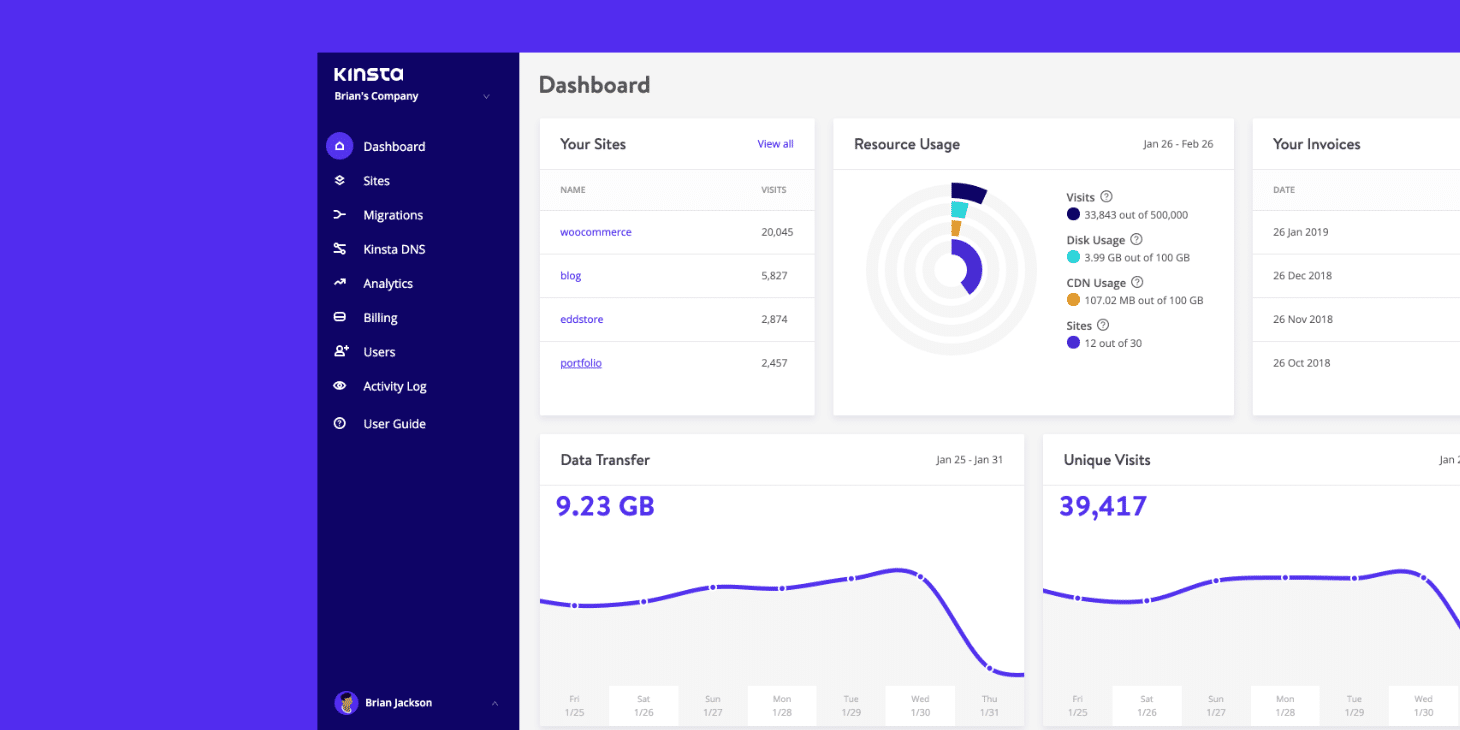
Best For & Consideration
- Best For: Performance-critical sites and global audiences.
- Consider If: Your primary goal is site speed and reliability. Kinsta is built on a highly optimized stack using the Google Cloud Platform‘s premium tier network and performance-tuned Nginx servers, giving it access to over 37 global data centers Kinsta Data Centers. This results in demonstrably faster and more consistent performance. It is also SOC 2 compliant.
- Avoid If: You are on a tight budget and have a US-only audience, as Kinsta’s entry-level plans are more expensive than DreamPress.
✅ Strengths
- 37+ global data centers on Google Cloud premium tier
- SOC 2 compliant — enterprise-grade security
- Demonstrably faster, more consistent TTFB
- Excellent for non-US audiences and high-traffic sites
⚠️ Considerations
- Entry-level pricing higher than DreamPress
- No 24/7 phone support (chat-based)
- Overkill for tiny brochure sites with US-only traffic
Best For & Consideration
- Best For: Enterprise clients, agencies, and security-focused businesses.
- Consider If: You need top-tier security and support. WP Engine is a market leader for businesses that prioritize compliance, holding a SOC 2 certification that DreamPress lacks. A key differentiator is support; WP Engine includes 24/7 phone support in many plans, whereas DreamPress charges for callbacks.
- Avoid If: You are a small blogger or developer who doesn’t need enterprise-level features, as the cost can be prohibitive.
✅ Strengths
- SOC 2 certified for enterprise compliance
- 24/7 phone support included on many plans
- Premium developer tooling and staging environments
- Trusted by agencies and large brands worldwide
⚠️ Considerations
- Premium pricing — not budget-friendly
- Visitor-based plan limits can feel restrictive
- Overkill for simple blogs and small brochure sites
Best For & Consideration
- Best For: Developers, agencies, and users who want maximum control and value.
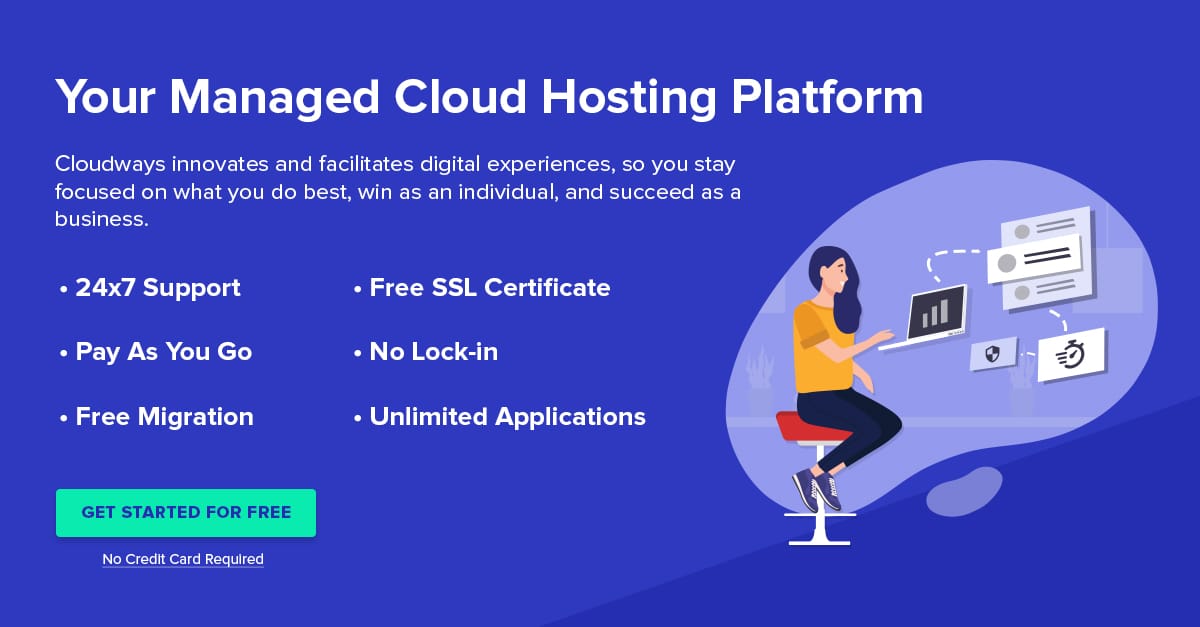
- Consider If: You value flexibility and raw power. Cloudways provides a management layer on top of a choice of leading cloud providers (like DigitalOcean, Vultr, AWS, and Google Cloud). For a similar price, a developer can often configure a server with more resources than a fixed DreamPress plan.
- Avoid If: You want a completely hands-off experience. While easier than a raw VPS, Cloudways requires more technical oversight than DreamPress.
✅ Strengths
- Choice of 5+ cloud providers (DO, Vultr, AWS, GCP, Linode)
- 60+ global data center locations
- More raw resources per dollar than fixed plans
- Excellent for developers and agency workflows
⚠️ Considerations
- Requires more technical oversight than DreamPress
- No managed email — must use a third-party provider
- SOC 2 depends on chosen underlying cloud provider
Side-by-Side Comparison Table
| Feature | DreamPress | Kinsta | WP Engine | Cloudways |
|---|---|---|---|---|
| Infrastructure | Proprietary | Google Cloud (Premium) | Google Cloud / AWS | Choice (DO, Vultr, etc.) |
| Data Centers | 2 (US Only) | 37+ Global | 20+ Global | 60+ Global |
| SOC 2 Compliance | No | Yes | Yes | No (provider may be) |
| 24/7 Phone Support | No (Paid Callback) | No | Yes | No |
| Best For | US-based beginners | Performance & Global sites | Enterprise & Security | Developers & Flexibility |
| [year] Verdict | Fair | Excellent | Excellent | Very Good |
For more head-to-head breakdowns of these alternatives, check our full comparison of DreamPress Top Alternatives and Competitors.
Part 4: Critical Considerations: Security, Compliance & Use Cases
When choosing a hosting provider for a Software and AI business, security and compliance are not optional extras—they are core requirements. This part of our DreamPress review evaluates its security posture and explores practical use cases to determine where it fits in a professional tech stack.
Is DreamPress Secure and Compliant for a Business Website?
From a security and compliance standpoint, DreamPress is a questionable choice for many businesses. Its parent company, DreamHost, has a history of data breaches, and most critically, lacks modern certifications like SOC 2.
Combined with US-only data centers, this presents a high GDPR risk for businesses serving EU customers. As an expert who advises businesses on tech stacks, these historical breaches and lack of compliance create potential security vulnerabilities that cannot be overlooked.
⚠️ SOC 2 Non-Compliance: A Business Deal-Breaker
For any Software/AI business handling sensitive customer data, SOC 2 or ISO 27001 compliance is often non-negotiable for client contracts and regulatory adherence. DreamPress’s lack of these certifications can severely limit its applicability for B2B or e-commerce operations AICPA SOC 2 Guide.
What is DreamHost’s security history?
Does DreamPress have SOC 2 or ISO 27001 certification?
Is DreamPress GDPR compliant for EU businesses?
What Are the Best Use Cases for DreamPress?
💡 A Simple DreamPress Workflow at a Glance
Step 1: 1-Click WordPress Install → Step 2: Build Site with Page Builder → Step 3: Test Changes in Staging → Step 4: Go Live → Step 5: Monitor Basic Traffic.
While DreamPress falls short for demanding technical or enterprise needs, its strengths in simplicity and convenience make it suitable for specific scenarios. Our analysis identifies the following as the most appropriate use cases.
Use Case 1: The US-Based Blogger or Content Creator
For a blogger whose audience is primarily in North America, DreamPress can be an effective solution. The workflow is straightforward:
- Setup: Use the simple control panel to install WordPress and a theme.
- Content Creation: Focus on writing content without worrying about server updates or complex configurations.
- Maintenance: Rely on automated daily backups and the simple staging environment to test plugin updates safely.
In this scenario, the lack of global data centers is not a major issue, and the “good enough” performance is often a significant step up from cheap shared hosting. The simplicity of the DreamPress hosting control panel is a key benefit.
Use Case 2: The Small Business “Brochure” Website
A small, local business that needs a professional online presence but doesn’t conduct complex transactions or handle sensitive data can also be a good fit.
- Launch: Quickly deploy a simple 5-10 page website showcasing services and contact information.
- Management: The business owner or a non-technical staff member can easily manage the site.
- Cost: The predictable monthly cost is easy to budget for.
For this user, the lack of SOC 2 compliance is irrelevant, and the tiered support, while slow for complex issues, is generally adequate for basic questions.
Use Case 3: A Quick-Launch Project for an Existing DreamHost Customer
The most compelling use case is for someone already within the DreamHost ecosystem. If you have a domain and other services with DreamHost, upgrading to DreamPress is frictionless.
- Upgrade: Add DreamPress to an existing domain with a few clicks.
- Deploy: Migrate an existing WordPress site using DreamHost’s automated plugin or start a new one instantly.
- Manage: Handle all hosting and domain billing within a single, familiar interface.
This convenience factor is a strong incentive and can outweigh some of the platform’s technical limitations for simple projects. Pairing it with a current DreamPress sale price makes the convenience even more financially attractive for short-term projects.
Comparing web hosts: DreamPress is DreamHost’s managed WordPress plan. For shared Web Hosting with a free starter website and a 30-day refund window, see our DreamHost review, the DreamHost alternatives comparison and our best web hosting for small business guide.
Part 5: Final Verdict & Frequently Asked Questions
After a thorough review of DreamPress performance, features, and user feedback, this final section delivers our verdict and answers the most common questions potential buyers have. If you’d like more context across our review library, browse the full Category of Review articles or our complete DreamPress Review hub.
FINAL VERDICT: Is DreamPress Worth It in [year]?
Our DreamPress review concludes that it is only worth it for a specific user: a US-based blogger or small business owner, likely already using DreamHost, who prioritizes a simple interface above all else.
For anyone with a global audience, a need for consistent high performance, or strict security requirements, DreamPress is not worth the price in [year]. For most businesses, especially a SaaS marketing site or any B2B company needing compliance, DreamPress is a poor choice.
Its competitors offer more value, better technology, and a clearer path for growth. The Return on Investment (ROI) is questionable, and the value proposition quickly fades — though a working DreamPress promo can soften the entry price for the few users who fit the ideal profile.
💡 Mohamed Zaki’s Perspective — The ‘No-Man’s-Land’ Verdict
In my professional opinion after this DreamPress review, the service exists in a ‘no-man’s-land’. It’s not cheap enough for budget users, not fast enough for performance-seekers, and not secure enough for enterprises. Its main appeal is convenience for existing DreamHost users, a narrow niche in today’s competitive market.
What We Love
- Very Easy to Use for Beginners: The control panel is clean and uncluttered, making it among the simpler entry points into managed WordPress hosting. For someone graduating from a complex cPanel, the user experience is a definite improvement.
- Seamless Integration for Existing DreamHost Users: If you’re already part of the DreamHost ecosystem, upgrading to DreamPress is a one-click affair. This convenience is a strong selling point for the platform.
- Includes Basics in a Simple Package: DreamPress bundles features like staging environments and automated backups in an easy-to-understand way, which is great for non-technical users DreamPress Official Page.
💡 Things to Consider
- Slow, Inconsistent Performance: Widespread user reports of slow TTFB and resource throttling contradict the “blazing-fast” marketing claims G2 Reviews for DreamPress.
- US-Only Data Centers: This is a significant limitation for any site with an international audience, creating latency and potential GDPR compliance issues.
- Support Practices Could Be More Transparent: The “Expert” support claim can be a source of frustration, as getting high-level help is often a slow process, and immediate phone support costs extra.
- Lack of Crucial Security Certifications: The absence of SOC 2 compliance makes DreamPress a non-starter for businesses that handle sensitive data.
- High TCO Due to Likely Forced Upgrades: The true cost is often much higher than the introductory price, as many users are pushed to more expensive plans to maintain performance.
- Potential for Vendor Lock-in: The proprietary control panel and seamless upgrade path can make it technically and logistically difficult to migrate away from the DreamHost ecosystem.
Frequently Asked Questions About DreamPress
Q1: How much does DreamPress cost in [year]?
A: DreamPress advertises introductory plans from around $17 to $72 per month, but your real, long-term cost will be higher due to renewal rates that range from $25 to $90 per month DreamPress Official Pricing.
Our analysis shows that many users on lower tiers are pushed to upgrade due to performance issues, which can double their annual cost. Therefore, the Total Cost of Ownership (TCO) is a more important metric to consider than the initial sticker price.
Q2: Is DreamPress worth the money?
A: It depends on your priorities. For a US-based blogger who values simplicity above all, it can be a decent step up from shared hosting.
However, for most businesses and serious bloggers, our analysis indicates that it is not the best value. Competitors like Kinsta and WP Engine offer significantly better performance, more robust security, and more responsive support for a similar or slightly higher price, representing a much better long-term investment.
Q3: Should I use DreamPress or Kinsta?
A: You should use Kinsta if site speed and a global audience are important to you. Based on our research and industry benchmarks, Kinsta’s use of the premium Google Cloud Platform with over 37 global locations provides demonstrably faster and more reliable performance compared to DreamPress’s US-only proprietary infrastructure Kinsta Blog Comparison.
For performance-critical sites or any business with non-US traffic, Kinsta is the superior technical choice.
Q4: Who is DreamPress best for?
A: DreamPress is best suited for US-based bloggers or small businesses with simple websites and low-to-moderate traffic. It is particularly convenient for those who are already customers of DreamHost and prioritize a familiar, easy-to-use interface above all other factors.
Developers, international businesses, and sites requiring high security or performance should look at alternatives.
Q5: Is DreamPress reliable?
A: DreamPress reliability is a major concern reported by many users. While its server uptime is generally acceptable, “reliability” also includes performance consistency.
Users on platforms like Trustpilot and G2 frequently report inconsistent speeds, site slowdowns, and resource warnings that create an unstable experience Trustpilot Reviews for DreamHost. This often leads to being pushed toward expensive plan upgrades to restore stability.
Q6: What are the main problems with DreamPress?
A: The main problems identified in our DreamPress review are slow performance despite premium pricing, a tiered support system that can be slow to provide expert help, US-only data centers that harm international performance, and a lack of modern security certifications like SOC 2.
These issues combined make it a less-than-optimal choice compared to its main competitors in the managed WordPress hosting market.
Q7: Can I trust DreamPress with my business data?
A: For many businesses, especially in the Software and AI sector, it may not be the most trustworthy choice. DreamPress’s parent company, DreamHost, lacks SOC 2 compliance, which is a critical security audit for businesses handling sensitive information WP Engine Compliance.
This fact, combined with a public history of data breaches, makes competitors like WP Engine or Kinsta a more prudent choice for business-critical data.
Q8: Does DreamPress have a money-back guarantee?
A: Yes, DreamPress offers a generous 97-day money-back guarantee for its hosting fees, which is much longer than the industry standard.
However, it is very important to know that this guarantee does not cover any domain registration fees or other add-ons you may have purchased DreamHost Guarantee Page. Those costs are non-refundable, so it is not a completely risk-free trial if you register a new domain.
Looking for more savings opportunities beyond DreamPress? Browse all our Latest Coupons (List of all coupons on website) for additional money-saving offers across the tools we review.

