AdsPower Browser Review 2026: Features, Pricing, Pros & Cons
Posted on |
Home › Reviews › AdsPower Browser Review
By Mohamed Zaki · Researched and updated October 2, 2026 · Coupons Scout may earn a commission when you buy through links on this page, at no extra cost to you. Affiliate disclosure.
This Adspower Browser review is for anyone who manages more than a handful of online accounts: ad accounts, marketplace stores, social profiles or client logins. AdsPower is an antidetect browser, which means every account gets its own isolated browser profile with its own fingerprint, cookies and proxy. Below we look at what it does well, what it costs in 2026, and how to pay less with current AdsPower promo codes and deals.
Quick Verdict
Our score: 4.6/5 · Excellent value for multi-account work
AdsPower is one of the easiest antidetect browsers to recommend. You get two browser engines, deep fingerprint controls, built-in RPA automation and team permissions, a free plan with 2 profiles and up to 40% off with annual billing. The main thing to plan for: purchases are non-refundable, so use the 7-day free trial first.
Best for: affiliate marketers, e-commerce sellers, ad buyers, agencies and social media teams that run many accounts.
Consider an alternative if: you need a refund window, or you only manage one or two accounts (a normal browser profile may be enough).
Key Takeaways
- AdsPower is an antidetect browser that gives every online account its own isolated browser profile, fingerprint, cookies and proxy, so many accounts can run side by side on one computer.
- As of October 2026, AdsPower offers a free-forever plan with 2 profiles and a 7-day free trial of all features.
- Paid plans start at $5.40 per month for 10 profiles on annual billing, according to AdsPower’s blog. Annual billing is 40% cheaper than monthly, and quarterly billing is 15% cheaper.
- AdsPower’s standout strengths are automation (RPA robot, multi-window synchronizer, Local API) and team permissions.
- AdsPower does not refund paid packages, so the free plan and trial are the smartest way to test before buying.
- Coupons Scout rates AdsPower 4.6 out of 5 for multi-account work.
AdsPower at a Glance
| Detail | AdsPower Browser |
|---|---|
| Product type | Antidetect browser for multi-account management |
| Browser engines | SunBrowser (Chromium) and FlowerBrowser (Firefox) |
| Desktop apps | Windows, macOS and Linux |
| Free plan | 2 profiles, free forever |
| Free trial | All features free for 7 days |
| Paid plans | Professional (10, 20, 50 or 100 profiles), Business and Enterprise (5,000+ profiles) |
| Billing discounts | 15% off quarterly, 40% off annually |
| Team members | $5 per member on paid plans (per AdsPower’s help center) |
| Refunds | Not offered after purchase |
| Security | SOC 2 Type II, ISO 27001 and ISO 27701 (as stated by AdsPower) |
Facts from AdsPower’s official website and help center, checked October 2, 2026.
What Is AdsPower Browser and Who Is It For?
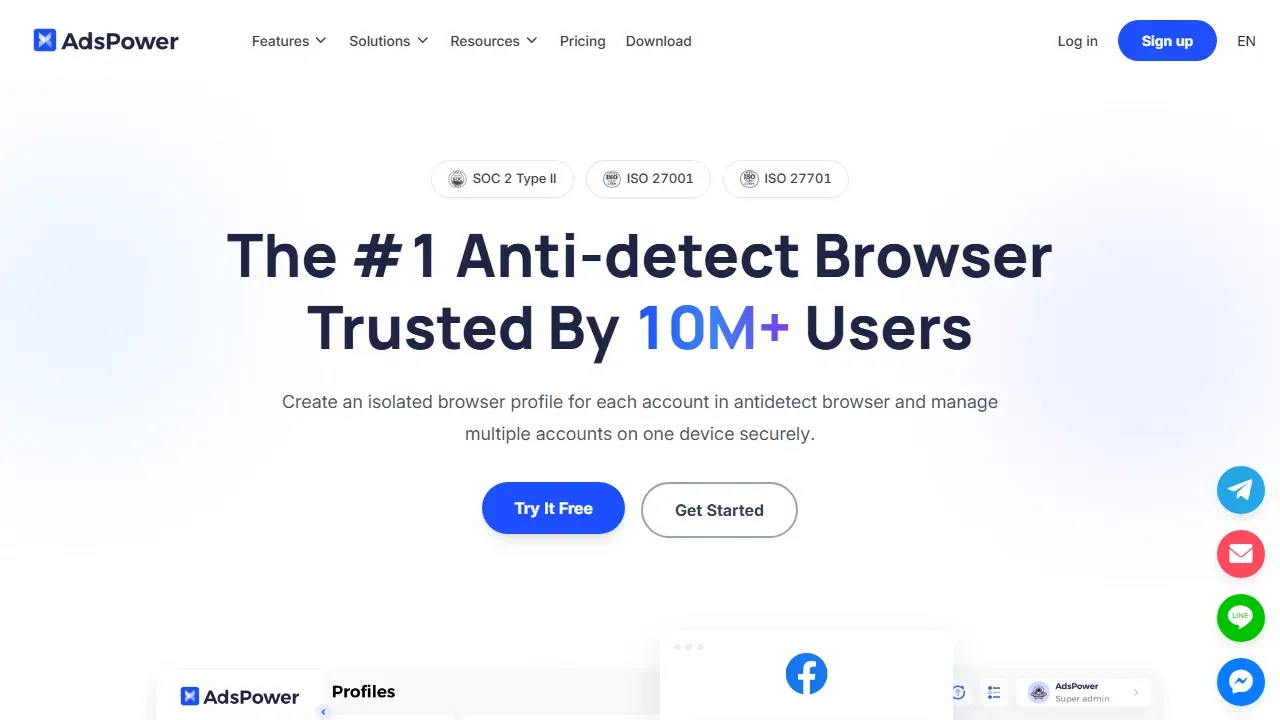
AdsPower lets you create a separate browser profile for every account and run them side by side on one computer. Each profile looks like a different device to the websites you visit, because it carries its own browser fingerprint (user agent, Canvas, WebGL, audio, WebRTC and more), its own cookies and its own proxy. AdsPower says more than 10 million users across 235 countries and regions use the product.
That makes it a strong fit for work where accounts must stay apart:
- Affiliate and performance marketers running several ad accounts or campaigns.
- E-commerce sellers managing stores on Amazon, eBay, Shopify and similar platforms.
- Social media managers and agencies handling many client profiles without mixing logins.
- Teams that need to share access to accounts without sharing passwords.
Why Not Just Use Chrome Profiles?
Regular Chrome profiles keep cookies apart, but every profile still shares the same device fingerprint and, unless you change it, the same IP address. Websites can see that all those logins come from one machine. AdsPower gives each profile its own fingerprint and its own proxy, so each account looks like it runs on a separate device. That is the key difference between a normal browser and an antidetect browser.
Adspower Browser Review: Key Features
How Does AdsPower Keep Browser Profiles Separate?
Every profile gets a custom fingerprint built from 20+ options and 50+ adjustable parameters, so you can match a profile to a real device type or let AdsPower generate settings for you. You can pick the Chromium-based SunBrowser or the Firefox-based FlowerBrowser per profile, which is handy when a website behaves better in one engine. Profile data is encrypted, and paid plans can sync profiles across computers and restore deleted profiles from the trash.
Can AdsPower Automate Repetitive Work?
Yes, and this is one of its best strengths. The RPA robot records and replays browser tasks with customizable workflows, and AdsPower says it can save up to 90% of the time spent on repetitive operations. The multi-window synchronizer repeats your actions across many windows at once. Developers can connect their own scripts through the Local API, and AdsPower also offers AI-agent control through MCP for newer automation setups.
Does AdsPower Work Well for Teams?
Very well. A super-administrator creates member accounts, assigns roles and decides exactly which profiles each person can open. Profiles can be shared without handing over passwords, and activity can be tracked. On paid plans, extra team members cost $5 each according to AdsPower’s subscription help page.
Which Proxies and Platforms Does AdsPower Support?
You can attach HTTP, HTTPS, SOCKS5 or SSH proxies to each profile, with coverage in 200+ countries according to AdsPower. The desktop app runs on Windows, macOS and Linux, and AdsPower also partners with a cloud-phone service for mobile workflows.
AdsPower Pricing and Plans in 2026
AdsPower keeps pricing simple: one free plan and paid plans that scale by the number of profiles. Its help center explains that Professional and Business plans include the same features; the difference is the number of profiles, and the more profiles you buy, the lower the price per profile.
| Plan | Profiles | Best for | Price notes |
|---|---|---|---|
| Free | 2 | Learning the app | $0, free forever |
| Professional | 10, 20, 50 or 100 | Freelancers and small teams | From $5.40/month for 10 profiles billed annually (about $9 on monthly billing) |
| Business | Custom, up to 10,000+ | Growing teams and agencies | Price per profile drops as the package grows |
| Enterprise | 5,000+ | Large operations | Price on request |
The $5.40 starting price comes from AdsPower’s own blog (March 2026); the monthly figure follows from the official 40% annual discount. AdsPower shows prices by region and currency (USD, BRL, PLN and VND), so check the official pricing page for your exact quote.
What Does AdsPower Cost Per Year?
For the 10-profile Professional plan, annual billing saves about $43 a year compared with paying monthly. Here is the math using AdsPower’s official discounts:
| Billing period | Price per month | Cost per year | You save |
|---|---|---|---|
| Monthly | $9.00 | $108.00 | – |
| Quarterly (15% off) | $7.65 | $91.80 | $16.20 |
| Annually (40% off) | $5.40 | $64.80 | $43.20 |
Example based on the $5.40 annual starting price from AdsPower’s blog and the official 15% and 40% billing discounts. Your regional price may differ.
Is the AdsPower Free Plan Enough to Get Started?
For learning, yes. The free plan gives you 2 profiles forever, and new users can try every feature for 7 days. The free plan does not include data sync or batch operations, and deleted profiles cannot be restored from the trash, so most people move to a paid plan once their workflow is set up.
How Can You Pay Less for AdsPower?
- Choose annual billing for 40% off, or quarterly billing for 15% off. These discounts come from AdsPower itself.
- Check our coupon page before checkout. Our AdsPower coupon page lists promo codes of about 10% off, each labelled by how strongly it is confirmed.
- Buy only the profiles you need and add members later; you can change your package when you renew.
- Use the 7-day trial first so you pay only once you know the setup fits your work.
Promo codes and official billing discounts in one place.
Pros and Cons of AdsPower
✅ What We Like
- Generous free plan (2 profiles, free forever) plus a 7-day trial of every feature.
- Two browser engines: SunBrowser (Chromium) and FlowerBrowser (Firefox).
- Fingerprint control with 20+ options and 50+ adjustable parameters.
- Built-in RPA robot, multi-window synchronizer and a Local API for automation.
- Clear team tools: roles, profile sharing and per-member permissions.
- Big official billing discounts: 15% off quarterly and 40% off annually.
- Security certifications listed by AdsPower: SOC 2 Type II, ISO 27001 and ISO 27701.
💡 Things to Consider
- No refunds after purchase, so test on the free plan or trial first.
- Plans renew automatically; turn off renewal at least 2 working days before expiry if you want to stop.
- Prices are shown by region and currency, so the number you see can differ from other reviews.
The list of strengths is long, and the points to consider are all about planning your purchase. Start with the free plan or trial, pick annual billing once you are confident, and set a reminder before renewal.
Is AdsPower Safe and Legit?
AdsPower is a well-established, legitimate software company with a large user base. It states that it holds SOC 2 Type II, ISO 27001 and ISO 27701 certifications, it encrypts profile data, and it offers online customer support. Its refund policy is clear: purchases of paid packages are not refundable, and you need to notify AdsPower at least 2 working days before expiry if you do not want a renewal. Knowing this upfront makes the purchase stress-free.
How We Rated AdsPower
| Criterion | Score | Why |
|---|---|---|
| Features | 4.8/5 | Two engines, fingerprint controls, RPA, synchronizer and Local API are all included. |
| Ease of use | 4.5/5 | Profiles can be created one by one or in bulk; the free plan is a low-risk way to learn. |
| Pricing & value | 4.7/5 | A free plan plus 15% and 40% billing discounts keep the cost per profile low. |
| Team & collaboration | 4.6/5 | Roles, permissions and profile sharing; extra members are priced per seat. |
| Trust & support | 4.3/5 | Security certifications and online support; no refunds after purchase. |
| Overall | 4.6/5 | Excellent value for multi-account work |
How we score: we read AdsPower’s official pricing, feature, help-center and policy pages and compare them with other antidetect browsers. Scores reflect that research, not a paid sponsorship. AdsPower has not reviewed or approved this article.
How AdsPower Compares to Other Antidetect Browsers
AdsPower competes with Multilogin, GoLogin and Dolphin Anty. Here is a quick look at entry plans, using each company’s official pricing page:
| Browser | Free plan | Entry paid plan | Stand-out strength |
|---|---|---|---|
| AdsPower | 2 profiles | 10 profiles from $5.40/mo billed annually | RPA robot plus two browser engines |
| Multilogin | 5 profiles | Pro 10: $11/mo, or $85/year | Built-in proxy traffic and cloud phones |
| GoLogin | 3 profiles | Professional 10: $9/mo, or $4.50/mo billed annually | Cloud browser and low annual price |
| Dolphin Anty | 5 profiles | Starter: $10/mo for 60 profiles | Many profiles on a small budget |
Competitor prices checked on each official pricing page on October 2, 2026.
Want the full side-by-side breakdown? Read our AdsPower alternatives and competitors comparison, see where it ranks in our best antidetect browsers guide, or read our Multilogin review. Multilogin users can also check Multilogin coupons.
How to Get Started with AdsPower
- Create a free account and download the app for Windows, macOS or Linux.
- Create your first profile, choose SunBrowser or FlowerBrowser, and add a proxy.
- Log in to one account per profile and save the profile into a group.
- Try the RPA robot or synchronizer on a simple task during the 7-day trial.
- Pick a plan, choose annual billing for the biggest saving, and apply a code from our coupon page at checkout.
Final Verdict: Is AdsPower Worth It?
Yes. For marketers, sellers and agencies that run many accounts, AdsPower offers an excellent mix of features and value: two browser engines, strong fingerprint controls, real automation and team permissions, starting with a free plan. Plan around the no-refund policy by testing first, then lock in the 40% annual discount. You can also start the 7-day free trial on AdsPower’s website.
Frequently Asked Questions
Is AdsPower free?
Yes. AdsPower has a free-forever plan with 2 browser profiles, and new users can try all features free for 7 days. Paid plans add more profiles, data sync, batch operations and team members.
How much does AdsPower cost?
AdsPower’s own blog lists paid plans from $5.40 per month for 10 profiles with annual billing. Prices depend on the number of profiles, the billing period and your region, so check the official pricing page. Annual billing is 40% cheaper than monthly.
Is AdsPower safe to use?
AdsPower states that it holds SOC 2 Type II, ISO 27001 and ISO 27701 certifications and that profile data is encrypted. As with any tool, use strong passwords, give team members only the permissions they need and follow the rules of the platforms you work on.
Does AdsPower offer refunds?
Refunds are not offered after a paid package is confirmed. That is why the free plan and 7-day trial are useful: you can test your full workflow before paying.
What is the difference between SunBrowser and FlowerBrowser?
SunBrowser is AdsPower’s Chromium-based engine and FlowerBrowser is its Firefox-based engine. You can choose the engine for each profile, depending on which one a website works best with.
Are there AdsPower promo codes?
Yes. Our AdsPower coupon page lists promo codes of about 10% off, labelled by how strongly each one is confirmed, plus the official 15% quarterly and 40% annual billing discounts, which need no code.
About the author: Mohamed Zaki, Founder & Chief MarTech Strategist, Coupons Scout. Mohamed Zaki is the founder of Coupons Scout and leads how the team finds deals and researches the software behind them. He focuses on marketing technology, automation tools and ways to pay less for them.
Editorial note: this article is based on research of official product pages, help centers and policies, last checked October 2, 2026. Scores are our editorial opinion. Coupons Scout may earn a commission from some links, which never changes our rankings.
Sources
Official pages we used for this article, checked October 2, 2026. Prices and plans can change, so confirm on the official site before you buy.

