Prezi Review 2026: AI Presentations, Pricing, Pros & Cons
Posted on |
By Mohamed Zaki · Researched and updated October 3, 2026 · Coupons Scout may earn a commission when you buy through links on this page, at no extra cost to you. Affiliate disclosure.
This Prezi review is for teachers, trainers and presenters who want slides people actually take part in. Prezi is no longer only a presentation editor: you can bring in a PowerPoint, Google Slides, Canva or PDF file, or describe your topic in a sentence, then add live polls, quizzes and Q&A on top. We read Prezi’s official pages and help center in October 2026 to explain what it does, what the plans cost and who should choose it.
Quick Verdict
Our score: 4.2/5 · A strong choice for interactive, audience-friendly presentations
Prezi turns the slides you already have, or a one-sentence topic, into a presentation people can join: live polls, quizzes and Q&A work from a QR code, with nothing for the audience to install. The free Basic plan and 14-day trial on paid plans make it easy to try, and EDU Plus discounts help teachers and students.
Best for: teachers, trainers and presenters who want their audience to take part.
Consider an alternative if: you need a long refund window spelled out in advance, or your slides start from long documents rather than decks.
Key Takeaways
- Prezi is a presentation platform that imports PowerPoint, Google Slides, Canva, PDF and Word files, or builds an AI draft from a one-sentence description.
- Prezi adds live polls, quizzes and Q&A to a presentation, and the audience joins by scanning one QR code with nothing to install.
- As of October 2026, Prezi’s pricing page lists Standard at $7, Plus at $19 and Premium at $29 per month, and the free Basic plan includes 500 AI credits and up to five presentations.
- Plus and Premium list unlimited AI presentation generation, and Plus adds the desktop app with offline access and PDF export.
- Paid plans start with a 14-day free trial, and eligible teachers and students can get EDU Plus at up to 80% off standard pricing.
- Coupons Scout rates Prezi 4.2 out of 5 for interactive and classroom presentations.
Prezi at a Glance
| Detail | Prezi |
|---|---|
| Best for | Teachers, trainers and presenters who want interactive sessions |
| Free plan | Basic: up to five presentations and 500 AI credits |
| Paid plans | Standard $7, Plus $19, Premium $29 per month (pricing page) |
| Free trial | 14 days on paid plans |
| Imports | PowerPoint, Google Slides, Canva, PDF and Word |
| Audience tools | Live polls, quizzes and Q&A, joined by QR code |
| Education | EDU Plus at up to 80% off for eligible teachers and students |
| Cancel or pause | From the License tab in Account Settings |
From Prezi’s official pricing, education, billing and help pages, October 3, 2026.
What Is Prezi and Who Is It For?
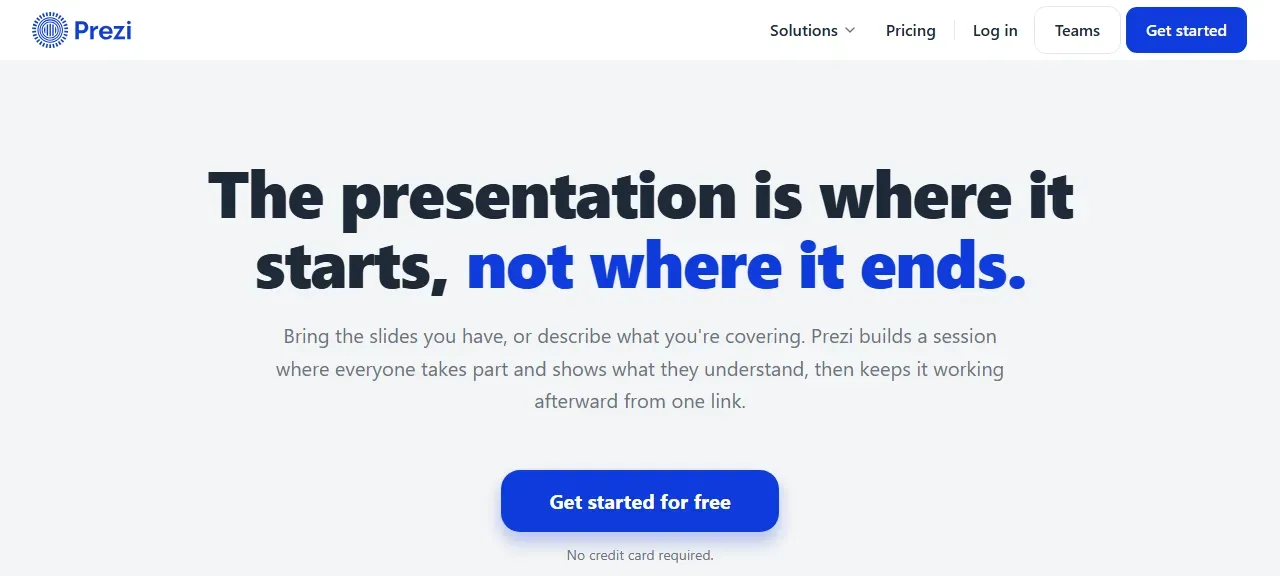
Prezi is a presentation platform that lets you start from the slides you already have or from a short description of your topic. Its AI builds a draft you can edit, and you decide what to keep, change or explain differently. Prezi says it is a G2 Leader in AI presentation tools, presentation software and audience response.
Prezi is a great fit for:
- Teachers and trainers who want students to answer polls and quizzes instead of only listening.
- Presenters with existing decks who want to add interaction without rebuilding their slides.
- Learning teams that need SCORM export to an LMS with completion data.
- Remote presenters who present inside Zoom or other video call tools.
Prezi Review: Key Features
How Does Prezi Build a Presentation?
You can import a PowerPoint, Google Slides, Canva, PDF or Word file, including slides made in ChatGPT and other AI tools, and Prezi says they arrive with fonts, line spacing and formatting intact. Or you describe the topic in a sentence and Prezi builds a draft. On Basic and Standard, AI presentation generation uses 500 credits with up to 10 talking points; Plus and Premium list unlimited generation.
What Are Prezi’s Live Polls, Quizzes and Q&A?
Once your deck is in Prezi, you can add polls, quizzes and Q&A on top without recreating it. Students scan one QR code from the phone already in their hand, with no app to install and no account to create. Results come back question by question, alongside the questions students asked and an end-of-session feedback digest.
Can You Keep Teaching After the Session?
The same link can keep working after class: Prezi describes a narrated video, a podcast, flashcards or a self-test that students use on their own time. Learning teams can export to an LMS in SCORM format with completion data.
Where Can You Use Prezi?
Prezi runs in the browser, and Prezi says it works on Chromebooks, iPads and Smartboards. You can present inside Zoom and other video call tools. Plus and Premium add a desktop app with offline access and portable presentations.
Prezi Pricing and Plans in 2026
Prezi’s pricing page lists three paid individual plans next to the free Basic plan. Here is what each includes, based on Prezi’s pricing page and help center in October 2026.
| Plan | Listed price | AI features | Notable extras |
|---|---|---|---|
| Basic | Free | 500 credits, up to 10 talking points | Up to five presentations in the online editor |
| Standard | $7/mo | 500 credits | Privacy and sharing controls, icons, symbols and story blocks |
| Plus | $19/mo | Unlimited AI presentation generation | Desktop app, offline access, PDF export, voice over, personal branding |
| Premium | $29/mo | Unlimited AI presentation generation | Everything in Plus, plus Prezi Analytics and phone support |
Prices are as shown on prezi.com/pricing on October 3, 2026. The text we read did not state the billing term, so check the toggle on the pricing page. Business and education plans are priced separately.
How Much Does Prezi Cost?
Standard starts at $7 a month, Plus is $19 and Premium is $29, according to Prezi’s pricing page, and each paid plan starts with a 14-day free trial. Teams that want centralized billing can look at Prezi Business, which includes everything in Premium plus collaboration and advanced support; teams with 10 or more licenses also get custom templates and branded designs.
How Can You Pay Less for Prezi?
- Use a promo code. Our Prezi coupon page lists current codes and offers; click Get Code so the discount is applied.
- Start with the free trial. Paid plans start with a 14-day free trial, and Prezi says its education offer is free to try with no credit card.
- Check EDU Plus. Eligible teachers and students can get EDU Plus at up to 80% off standard pricing.
- Compare plans before upgrading. Basic and Standard share 500 AI credits, so choose Plus only if you need unlimited AI generation, the desktop app or PDF export.
Pros and Cons of Prezi
✅ What We Like
- Imports PowerPoint, Google Slides, Canva, PDF and Word files, so you do not start from scratch.
- Live polls, quizzes and Q&A run inside the presentation.
- Students join by scanning a QR code, with nothing to install.
- Free Basic plan with 500 AI credits, plus a 14-day trial on paid plans.
- Education discounts of up to 80% on EDU Plus for eligible teachers and students.
- SCORM export to an LMS with completion data.
- Works in the browser, on Chromebooks and iPads, and inside Zoom.
💡 Things to Consider
- The pricing page lists per-month prices, so confirm the billing term at checkout.
- Basic is limited to five presentations, so frequent presenters move to a paid plan.
- Refunds are evaluated under the terms of your trial or subscription, so read them first and use the free trial to decide.
Prezi’s strengths are interaction and flexibility: bring what you have, add the audience and share one link. The things to consider are mostly about choosing the right plan, which the free tier and 14-day trial make easy.
Is Prezi Safe and Legit?
Yes. Prezi publishes a help center that explains how to cancel, pause or downgrade a subscription. You can cancel from the License tab in Account Settings to stop the recurring payment, and your presentations stay in your account after a license expires, although you cannot edit them until you renew or downgrade. For refunds, Prezi’s billing page says requests are evaluated under the terms for your trial or subscription, so use the trial to decide before paying.
How We Rated Prezi
| Criterion | Score | Why |
|---|---|---|
| Features | 4.4/5 | Imports, AI drafts, polls, quizzes, Q&A and LMS export. |
| Presentation quality | 4.2/5 | Imported decks keep their formatting, per Prezi; AI drafts are fully editable. |
| Ease of use | 4.3/5 | Start from a file or a sentence; the audience joins by QR code. |
| Value | 4.0/5 | Free Basic plan, entry plan from $7 a month and education discounts. |
| Trust & policies | 4.0/5 | Clear cancel and pause steps; refund terms depend on your trial or subscription terms. |
| Overall | 4.2/5 | A strong choice for interactive, audience-friendly presentations |
How we score: we read Prezi’s official homepage, pricing page, education page, billing page and help center on October 3, 2026, and compared them with other AI presentation tools. Scores reflect this research, not a sponsorship, and no company reviewed this article.
How Prezi Compares to Other AI Presentation Tools
| Tool | Free option | Paid entry price | Stand-out strength |
|---|---|---|---|
| Prezi | Free Basic plan (500 AI credits) | Standard $7/mo (Plus $19/mo) | Live polls, quizzes and Q&A |
| PopAI | 500 credits | Pro $12.00/mo on the App Store | Slides + ChatPDF + writing in one place |
| Gamma | 400 credits at signup | Plus $9/mo billed annually | Polished decks and simple websites |
| Canva | Free plan | Pro US$144/year | Templates, stock assets and design tools |
| Beautiful.ai | 14-day trial (card) | Pro $14.50/mo billed annually | Auto-formatted Smart Slides |
See the full breakdown in our Prezi alternatives and competitors comparison and our best AI presentation makers guide.
How to Get Started with Prezi
- Create a free account at prezi.com; Prezi says the free start needs no credit card.
- Import your PowerPoint, Google Slides, Canva, PDF or Word file, or describe your topic in a sentence.
- Edit the draft and add a poll, quiz or Q&A where you want the audience to take part.
- Share the link or QR code, or present inside Zoom or your classroom.
- Check our Prezi coupon page before you upgrade to a paid plan.
Final Verdict: Is Prezi Worth It?
Yes, especially if your presentation needs the audience to take part. Prezi lets you keep the slides you already have, add polls, quizzes and Q&A, and share one link or QR code, with a free Basic plan and a 14-day trial on paid plans. Choose a tool such as PopAI if you start from documents, or Gamma and Canva if design polish matters most.
Frequently Asked Questions
Is Prezi free?
Yes, Prezi has a free Basic plan. According to Prezi’s help center, Basic lets you create up to five presentations in the online editor and includes 500 AI credits. Paid plans add features such as privacy controls, unlimited AI generation, the desktop app and analytics.
How much does Prezi cost?
As of October 2026, Prezi’s pricing page lists Standard at $7, Plus at $19 and Premium at $29 per month. Check the billing term on the pricing page before you buy, and see our Prezi coupon page for current offers.
Can Prezi make a presentation with AI?
Yes. You describe the presentation in a sentence and Prezi builds a draft that you can edit. Basic and Standard include 500 AI credits, and Plus and Premium list unlimited AI presentation generation.
Can I import PowerPoint into Prezi?
Yes. Prezi imports PowerPoint, Google Slides, Canva, PDF and Word files, and says slides come in with their fonts, line spacing and formatting intact.
Does Prezi offer refunds?
Prezi’s billing page says refund requests are evaluated under the terms that apply to your trial or subscription, and eligible requests are processed immediately. Use the 14-day free trial first, then read the terms at checkout.
Are there Prezi promo codes?
Yes. Our Prezi coupon page lists current promo codes and offers. Click Get Code on the page so the discount is applied at checkout, and check EDU Plus if you are a eligible teacher or student.
About the author: Mohamed Zaki, Founder & Chief MarTech Strategist, Coupons Scout. Mohamed Zaki is the founder of Coupons Scout and leads how the team finds deals and researches the software behind them. He focuses on marketing technology, automation tools and ways to pay less for them.
Editorial note: this article is based on research of official product pages, help centers and policies, last checked October 3, 2026. Scores are our editorial opinion. Coupons Scout may earn a commission from some links, which never changes our rankings.
Sources
Official pages we used for this article, checked October 3, 2026. Prices and plans can change, so confirm on the official site before you buy.

