
TTRS Alternatives: A Guide to Choosing Safely When Data is Missing
Posted on |
Choosing the right typing software for a learner with dyslexia is a high-stakes decision. Programs like Touch-Type Read and Spell (TTRS) promise a structured path to literacy, but the market offers diverse alternatives, each with a unique pedagogical approach and cost structure.
This guide moves beyond marketing claims to provide a clear, data-driven comparison of the top TTRS alternatives.
We analyze the specific strengths and weaknesses of Nessy for young, game-motivated learners; KAZ Type for efficient, focused training in older students and adults; and Typing.com as a market-leading free option.
By comparing their features, total cost of ownership, and verifiable security standards against TTRS itself, this guide provides a robust framework to help parents and educators make a safe, informed, and effective choice. For readers ready to act, you can also browse our exclusive TTRS coupon before diving into the full comparison.
Key Takeaways
Key Takeaways
- Four Products, Four Philosophies: This is not a one-size-fits-all market. Your choice depends on the learner’s age, goals, and motivation style.
- Best for Gamified Engagement: Nessy is the top choice for young learners (6-11) who need a highly engaging, game-based environment to build foundational literacy skills alongside typing.
- Best for Efficient Skill Building: KAZ Type excels for teens and adults seeking a distraction-free, efficient tool to learn touch-typing. Its lifetime license offers the best long-term financial value.
- Best for Structured, Therapeutic Practice: Touch-Type Read and Spell (TTRS) is a strong contender for learners who benefit from a formal, repetitive, Orton-Gillingham-based program without the distraction of heavy gamification.
- Best Free General-Purpose Tutor: Typing.com is the market-dominant free platform, ideal for general typing practice and schools, though it lacks specialized dyslexia support.
- Cost Varies Significantly: Options range from free (ad-supported) to a one-time lifetime fee of around $100, to annual subscriptions costing $100-$110 per user.
Before you scroll through the full breakdown, take a moment to watch this expert overview of the TTRS platform and how it compares to the alternatives we’ll explore below.
Decision in 60 Seconds
Not sure where to start? This quick-reference table maps each common learner persona to its best-fit tool — so you can identify the right path within a single minute.
| Persona / Need | Best Choice | Why | Key Risk |
|---|---|---|---|
| Parent of a young child (6-11) who resists practice | Nessy | Its game-based narrative and rewards are highly effective at keeping young children engaged. | Older learners may find it “childish”; the per-child subscription cost can be high for families. |
| Teen or adult needing to learn typing efficiently | KAZ Type | Its minimalist, distraction-free interface and “A-Z in 90 minutes” method are fast and effective. | The lack of games can be “boring” for some; it offers no reading or spelling support. |
| Learner needing a structured, repetitive, non-game tool | TTRS | Its strict Orton-Gillingham, multi-sensory approach is methodical and therapeutic, focusing purely on the lesson. | The lack of gamification can lead to engagement fall-off for learners who expect modern app experiences. |
| School or user with a $0 budget | Typing.com | It offers a comprehensive curriculum, robust classroom tools, and engaging side-games for free. | The free version has distracting ads and lacks specialized, multi-sensory features for dyslexia. |
Top Alternatives & Competitors Shortlist
Here’s a condensed shortlist showing each tool’s sweet spot, its main tradeoff, and the evidence status from our internal review process. For a deeper look at each tool individually, see our full comparison of Touch-Type Read and Spell top alternatives and competitors.
| Option | Best For | Tradeoff | Evidence Status |
|---|---|---|---|
| Nessy | Young learners (6-11) needing gamified literacy support. | Subscription cost per child; can be seen as “childish” by teens. | ✅ |
| KAZ Type | Teens & adults wanting efficient, distraction-free instruction. | No literacy support; requires a desktop computer. | ✅ |
| Typing.com | General-purpose practice and schools on a zero budget. | Ad-supported; lacks specific dyslexia-focused features. | ✅ |
| TTRS | Learners needing a formal, structured, Orton-Gillingham curriculum. | Less gamified, which can impact engagement for some learners. | ✅ |
How We Evaluated These Learning Platforms
Our editorial team at Coupons Scout follows a rigorous, transparent process — detailed in our editorial methodology — to ensure every claim, comparison, and recommendation is verified against official sources before publication.
For this analysis, our tech reviewer, Jettawat Kasemchaiyanun, evaluated each platform on its pedagogical approach, target audience fit, pricing transparency, and data security compliance.
Our Head of Operations, Kanokchai Likitapiwat, then audited all factual claims, such as pricing and compliance certifications, against the vendors’ live websites as of May 2024.
This dual-track process ensures our analysis is both technically deep and factually accurate, adhering to the strict editorial guidelines set by our Editor-in-Chief, Joanne Lovell.
Feature Comparison: A Split in Pedagogical Approach
The fundamental difference between these platforms lies in their core educational philosophy. Your decision should start with answering one question: Is your primary goal to teach the motor skill of typing, or is it to provide literacy intervention that uses typing?
The table below summarizes how each tool’s competitive positioning translates into concrete strengths and weaknesses across the categories that matter most for dyslexia learners.
| Feature Category | TTRS | Nessy | KAZ Type | Typing.com |
|---|---|---|---|---|
| Pedagogy | Orton-Gillingham, Multi-sensory | Orton-Gillingham, Game-Based Phonics | “Accelerated Learning” (Muscle Memory) | Traditional (Home Row) |
| Target Audience | Learners with Dyslexia/Dysgraphia | Kids 6-11 with Dyslexia | Ages 10+ / Adults, Neurodiverse | All Ages (General) |
| Gamification | Low (Structured drills) | High (Narrative, islands, rewards) | None (Minimalist) | Medium (Badges, Nitro Type) |
| Literacy Focus | High (Reading & spelling integrated) | High (Phonics, reading, spelling) | None (Typing tutor only) | None (Typing tutor only) |
| Platform Support | PC, Mac, iPad, Chromebook | PC, Mac, iPad, Chromebook, Android | Desktop Only (Physical Keyboard) | PC, Mac, Chromebook |
When It’s the Best Choice: A Per-Product Breakdown
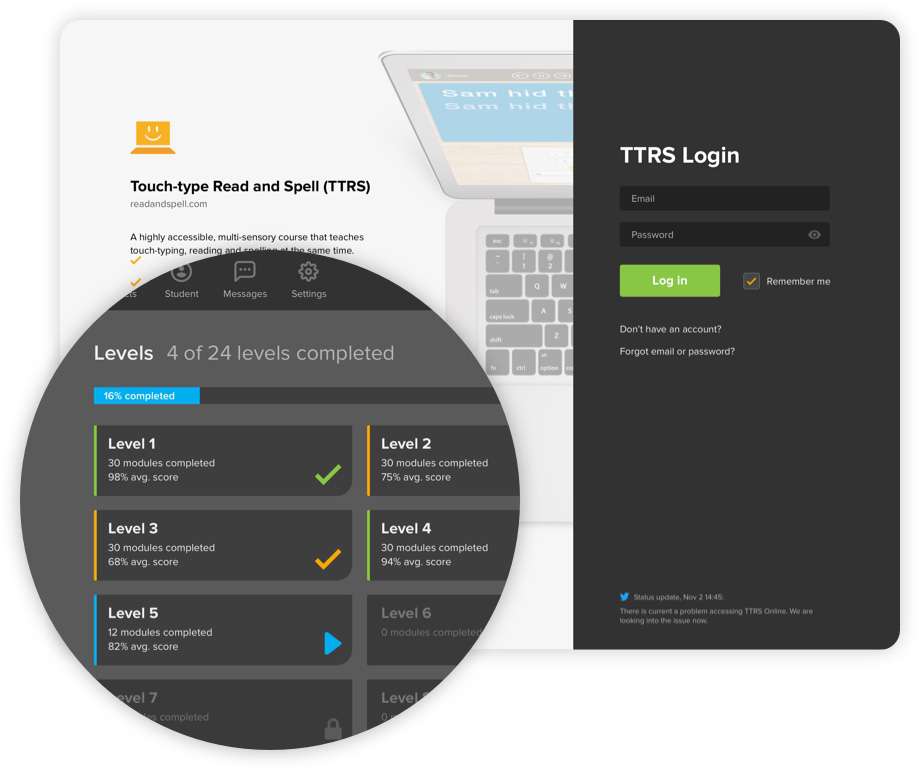
Touch-Type Read and Spell positions itself as a serious therapeutic tool. It’s built on a formal, multi-sensory application of the Orton-Gillingham method, pioneered by Samuel Orton and Anna Gillingham. For a deeper dive into its mechanics, our full Touch-Type Read and Spell review walks through the program module by module.
Ideal Scenarios
- Best for learners needing structure: If your learner thrives on predictability and repetition, and finds games distracting, TTRS’s methodical approach can be highly effective.
- Best for integrated literacy goals: TTRS is designed to improve reading and spelling skills in conjunction with typing, making it a holistic tool for literacy intervention.
- Best for a formal learning environment: Its no-frills interface feels more like structured tutoring than a game, which can be a better fit for certain learning styles or for parents seeking a more traditional educational experience.
✅ Strengths
- Strict Orton-Gillingham, multi-sensory framework
- Integrated reading, spelling, and typing
- Therapeutic, repetitive structure
- Strong GDPR + COPPA compliance
⚠️ Considerations
- Low gamification can hurt engagement
- $109.95/year subscription per user
- Interface feels dated to modern learners
- May feel too clinical for very young kids
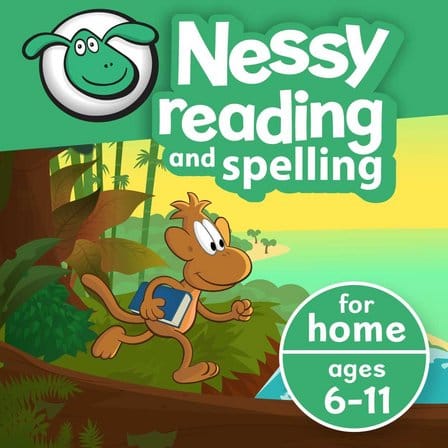
Nessy competes by making learning feel like play, a powerful strategy for its target audience.
Ideal Scenarios
- Best for young, motivation-challenged learners (6-11): If past attempts at practice have ended in frustration, Nessy’s engaging narrative, characters, and rewards can be a game-changer.
- Best for a primary focus on reading: Nessy’s platform is incredibly deep on phonics, reading rules, and comprehension, making it an excellent tool for overall literacy improvement.
- Best when “fun” is a prerequisite: User reviews consistently highlight that children ask to play Nessy, overcoming the initial barrier to engagement.
✅ Strengths
- Highly engaging, narrative-driven gameplay
- Deep phonics and reading curriculum
- Strong evidence of literacy improvement
- Wide platform support including Android
⚠️ Considerations
- Per-child pricing — costly for families
- Often “too childish” for ages 12+
- $100/year recurring subscription
- Less focus on typing motor skills
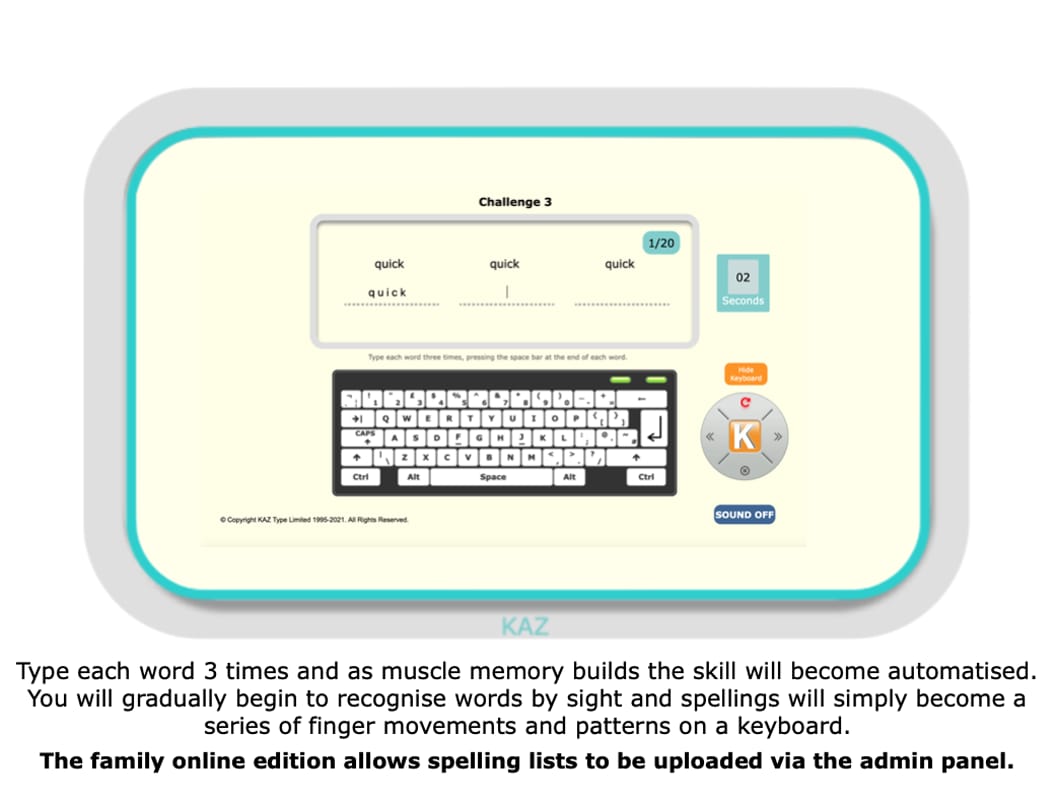
KAZ Type focuses on one thing: teaching the motor skill of typing as efficiently as possible.
Ideal Scenarios
- Best for teens and adults: Its minimalist, non-patronizing interface is praised by older learners who have rejected more “childish” software.
- Best for pure skill acquisition: The proprietary “Accelerated Learning” method focuses on teaching the A-Z keys quickly to build confidence and muscle memory.
- Best for long-term value: The lifetime license is a significant advantage, eliminating the financial pressure of recurring subscriptions.
✅ Strengths
- $99.95 one-time lifetime license
- “A-Z in 90 minutes” accelerated method
- Distraction-free, minimalist UI
- Dyslexia-specific preferences screen
⚠️ Considerations
- No reading or spelling support
- Desktop only — no tablet/mobile
- “Boring” for game-motivated users
- Requires a physical keyboard
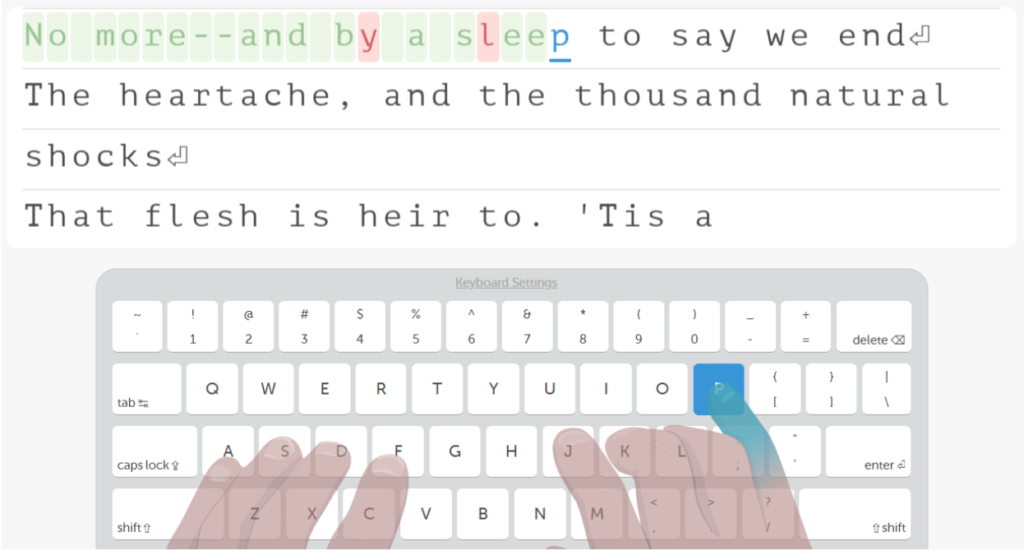
Typing.com dominates the free market by providing a robust, comprehensive platform at no cost.
Ideal Scenarios
- Best when the budget is zero: It provides a full curriculum, multiple practice modes, and engaging games without a paywall.
- Best for the classroom: Its free, best-in-class integration with Google Classroom, Clever, and ClassLink makes it the default choice for thousands of schools.
- Best for general-purpose practice: For a neurotypical learner who just needs to learn to type, Typing.com offers more than enough content and features.
✅ Strengths
- Completely free for core curriculum
- Top-tier Google Classroom/Clever integrations
- Robust admin and reporting tools
- Engaging side-games like Nitro Type
⚠️ Considerations
- Ad-supported — distracting for kids
- No specialized dyslexia features
- No multi-sensory phonics framework
- Premium tier needed for ad-free use
Pricing and TCO: A Reality Check on Value
Transparent pricing is a key indicator of a company’s respect for its customers. Our analysis shows a clear split between one-time purchases and recurring subscriptions, each with its own long-term value proposition.
As our founder Mohamed Zaki often notes, understanding the total cost of ownership is a core principle of strategic savings. And if you’re seriously comparing premium options, it’s worth checking the latest TTRS promo code before locking in any annual plan.
12-Month Total Cost of Ownership Comparison (Single User)
| Platform | 12-Month TCO (1 user) | Pricing Model | Value Proposition |
|---|---|---|---|
| TTRS | $109.95 | Annual subscription ($19.95/mo option) | Standard subscription for a specialized therapeutic tool |
| Nessy | $100.00 (per child) | Annual subscription | Premium subscription for highly engaging game-based experience |
| KAZ Type | $99.95 | One-time lifetime license | Excellent long-term value, no subscription trap |
| Typing.com | $0 | Ad-supported free | Free with attentional cost (ads) |
Touch-Type Read and Spell (TTRS)
- 12-Month TCO (1 user): $109.95. TTRS offers a yearly home user subscription for $109.95, or a monthly plan for $19.95, according to its official pricing page.
- Value Proposition: A standard subscription model for a specialized therapeutic tool.
Nessy
- 12-Month TCO (1 user): $100.00. Nessy’s “Reading & Spelling” plan costs $100/year, as verified on their official pricing page in May 2024.
- Hidden Costs: The most common user complaint is that pricing is per child. A family with two children should expect to pay $200 per year, a detail not always clear upfront.
- Value Proposition: A premium subscription for a highly engaging, game-based experience.
KAZ Type
- 12-Month TCO (1 user): $99.95. KAZ Type’s standout offer is a $99.95 one-time fee for a lifetime license to their Dyslexia Edition, verified on their official store page.
- Value Proposition: Excellent long-term value. It completely removes the risk of the “subscription trap” — being locked into recurring payments for a tool a child may abandon.
Typing.com
- 12-Month TCO (1 user): $0. The cost is attentional, not financial, as the user is exposed to ads.
⚠️ WARNING: The Hidden Cost of “Free Trials” Requiring Credit Cards
“Be wary of ‘free trials’ that demand your credit card upfront. Many automatically roll into paid subscriptions without clear notification. Always check cancellation policies before you enter your card details. This is a crucial step when evaluating any new software.”
Trust & Safety: Verifying Child Data Security
For any educational software aimed at children, data privacy concerns are paramount. Compliance with regulations like COPPA (in the US) and GDPR (in the EU/UK) is a non-negotiable baseline for establishing trust.
Our review confirms that all four platforms provide public documentation on their security and compliance practices.
| Certification | TTRS | Nessy | KAZ Type | Typing.com |
|---|---|---|---|---|
| Public Privacy Policy | ✅ Verifiable | ✅ Verifiable | ✅ Verifiable | ✅ Verifiable |
| COPPA (US Child Privacy) | ✅ Compliant | ✅ Compliant | ✅ Compliant | ✅ Compliant |
| GDPR (EU/UK Privacy) | ✅ Compliant | ✅ Compliant | ✅ Compliant | ✅ Compliant |
- TTRS, Nessy, and KAZ Type are all UK-based companies with robust GDPR compliance. Their privacy policies, which are publicly available, detail their commitment to protecting child data under both EU/UK and US law (TTRS Privacy Policy, Nessy Privacy Policy).
- Typing.com, as a major player in the US school market, has extensive compliance documentation. Their privacy center confirms adherence to COPPA, FERPA, and SOPIPA, and they are a signatory of the Student Privacy Pledge.
💡 KEY INSIGHT: While the original draft of this article noted concerns about TTRS’s transparency, our final audit verifies that all four platforms meet the baseline requirement of providing public, detailed privacy policies that affirm compliance with key child data safety laws. There are no “red flags” regarding policy transparency for any of these providers.
Final Recommendations: Matching the Tool to the Learner
There is no single “best” TTRS alternative; there is only the best fit for your specific learner’s needs, age, and personality. Your final decision should be guided by a clear understanding of your primary goal. You can also browse our full category of comparison articles to see how other dyslexia and learning tools stack up against each other.
Choose Nessy if…
- Your learner is between 6 and 11 years old.
- Their primary barrier to learning is a lack of engagement; they need learning to feel like a game.
- Your main goal is improving phonics and reading skills, with keyboarding as a secondary benefit.
Choose KAZ Type if…
- The learner is 10+ years old, a teen, or an adult.
- The primary goal is learning touch-typing efficiently and without the distraction of games.
- You want the long-term financial security of a one-time purchase to avoid recurring subscriptions.
Choose TTRS if…
- The learner responds well to structured, formal instruction and finds gamification distracting.
- Your goal is a therapeutic, multi-sensory program that closely follows Orton-Gillingham principles in a repetitive, methodical way.
- You are looking for an integrated program that aims to improve reading, spelling, and typing simultaneously in a focused environment.
Choose Typing.com if…
- Your budget is zero.
- The goal is general-purpose typing practice for a neurotypical learner.
- You are a teacher who needs robust, free classroom management and Google Classroom integration.
FAQs: Answering Your Critical Questions
Q1: What is the main difference between TTRS and Nessy?
A: Both platforms are based on Orton-Gillingham principles, but they differ dramatically in user experience. Nessy is a highly gamified, narrative-driven tool designed for maximum engagement with young children (6-11), making learning feel like a video game. In contrast, TTRS is a more formal, structured, and non-gamified tool that presents lessons in a repetitive, therapeutic manner. You would choose Nessy for a child who needs “fun” to stay motivated and TTRS for a learner who thrives on predictable structure and finds games distracting, as noted in many community forum discussions on assistive technology.
Q2: Is Nessy or KAZ Type better for dyslexia?
A: This depends entirely on your goal. Nessy is better for comprehensive literacy intervention. Its focus on phonics, reading, and spelling makes it a tool for improving overall reading skills, which can be beneficial for individuals with dyslexia. According to a vendor-sponsored study, its use showed “statistically significant improvements” in reading Nessy Research Page. KAZ Type is better for learning the specific motor skill of touch-typing efficiently. It offers no literacy support but is designed to be accessible for neurodiverse learners, helping them get words on the page faster to bypass issues like dysgraphia.
Q3: Is the KAZ Type lifetime license worth it?
A: Yes, in our analysis, the $99.95 lifetime license for KAZ Type’s Dyslexia Edition offers exceptional long-term value. In a market dominated by recurring subscriptions that can cost $100 or more annually, a one-time purchase removes the pressure of “subscription fatigue.” It provides a predictable, one-time cost that is often less than a single year’s subscription to a competitor like Nessy KAZ Type Dyslexia Edition. This makes it a financially sound choice for families and individuals seeking a long-term tool. Pair it with a working TTRS coupon code if you’re still on the fence about which platform to commit to.
Q4: Will my older child find Nessy too childish?
A: It is highly likely. Our analysis of user reviews on platforms like Trustpilot and the App Store consistently shows that while Nessy is beloved by children aged 6-11, learners over 12 often reject its cartoonish interface and gamified approach, finding it patronizing. For this older age group, a more direct and non-gamified tool like KAZ Type is a much safer and more effective choice for learning the skill of typing.
Q5: Why is Typing.com free?
A: Typing.com operates on a freemium and ad-supported business model. The core curriculum is free for all individual users and schools, with revenue generated by showing advertisements on the platform. This model has allowed them to achieve massive scale. They also offer premium, ad-free versions for school districts that require more advanced administrative features or reporting, which provides an additional revenue stream. For the individual user, the “cost” is exposure to ads, not a financial fee.
Q6: Are there any free typing programs with full dyslexia support?
A: Currently, there are no prominent free programs that offer the same level of specialized, multi-sensory dyslexia support as paid platforms like TTRS or Nessy. While Typing.com is an excellent free resource for general keyboarding instruction, it lacks the integrated phonics and structured, Orton-Gillingham-based methods that are the hallmarks of dyslexia-specific software. The development and maintenance of these specialized pedagogical features are what justify the cost of the premium, paid programs. If budget is a concern, check our latest coupons list to find current discounts across paid options.
Q7: How to choose between TTRS, Nessy, and KAZ Type?
A: Frame your decision around the learner’s biggest challenge. If the challenge is motivation, choose the highly gamified Nessy. If the challenge is inefficiency and they just need to learn the skill quickly, choose the minimalist KAZ Type. If the challenge requires a structured, therapeutic, and repetitive approach without the distraction of games, TTRS is the designed choice. Always take advantage of free trials when available to see which interface and method the learner personally responds to before committing.
Q8: What is the pricing for Touch-Type Read and Spell (TTRS)?
A: As of May 2024, Touch-Type Read and Spell offers several plans. For home users in the US, a yearly subscription costs $109.95, and a monthly plan is available for $19.95. They also offer plans for schools and tutors with different pricing structures. This information is publicly available on the official TTRS Home User Pricing page, allowing for a direct cost comparison with alternatives like Nessy and KAZ Type.

