Mindstamp Review 2026: Powerful Tool or Stagnation Trap?
Posted on |
TL;DR: Mindstamp is a specialist interactive video platform for making video content engaging with questions, buttons, and branching logic. Key strengths include its best-in-class SCORM export for corporate training and robust SOC 2 security. Important considerations include its high total cost of ownership (TCO) and significant vendor lock-in. Best for enterprise L&D teams. Verified June 2026.
Introduction
Let’s be honest, standard video is a dying format for any serious business goal. In a world saturated with content, hitting “play” on a passive, one-way video is like shouting into the void.
Engagement plummets, viewer drop-off rates soar, and your expensive video assets fail to deliver any meaningful return on investment (ROI). You’re left wondering if anyone actually watched, learned, or cared about your message.
This is a massive problem for training, marketing, and sales teams who rely on video to drive results.
The solution is turning passive viewers into active participants, a core principle of active learning. This is where interactive video platforms like Mindstamp come in, promising to transform your existing videos into engaging, two-way experiences that capture data and drive action.
But with so many tools making bold claims, how do you know if Mindstamp is the right investment? Before diving deep, it’s worth noting that smart buyers always check for available savings — you can secure a working coupon that can substantially reduce your annual cost.
As a MarTech strategist and founder of Coupons Scout, I’ve spent years analyzing software that promises to boost ROI. This in-depth Mindstamp review provides a definitive, evidence-based analysis, moving beyond the marketing hype to reveal its true performance, total cost of ownership, and ideal user profile.
My goal is to give you the data you need to make a confident and financially sound decision for your organization.
Who This Guide Is For
This in-depth guide is specifically for you if you are:
- A Learning & Development (L&D) professional responsible for critical workflows like employee onboarding who needs to create SCORM-compliant interactive training videos for a Learning Management System (LMS).
- A Marketer at a mid-to-large company whose goals include lead generation, customer education, and capturing valuable first-party data through video.
- A member of a sales enablement team looking to create personalized, interactive outreach videos that stand out and drive conversations.
- Part of an organization with a budget over $1,800 per year that can be allocated to a specialized, best-in-class video engagement tool.
This guide is NOT for you if:
- You are a solopreneur, small business owner, or course creator with a limited software budget.
- You only need to add simple Call-to-Action (CTA) buttons to your videos; a free or cheaper tool will likely suffice, such as Vidyard’s free tier or open-source options like H5P.
- You are looking for an all-in-one platform that includes video editing, hosting, and advanced marketing automation.
- You require deep, native integrations with CRMs like Salesforce for your sales team; platforms like Vidyard are better suited for this specific need.
KEY TAKEAWAYS
Key Takeaways
-
✅ Best-in-Class for Corporate Training: Mindstamp’s SCORM export is a key differentiator, simplifying integration with Learning Management Systems (LMS) and making it a top choice for compliance and L&D modules Mindstamp Pricing. -
✅ Enterprise-Ready Security: The platform is SOC 2 Type II compliant as of October 2022, providing a critical layer of trust for organizations handling sensitive employee or customer data Mindstamp is Officially SOC 2 Type 2 Compliant!. -
✅ Genuinely Effective Product: For its intended use case — driving engagement and capturing data — Mindstamp is a powerful and effective tool that delivers on its core promises when properly implemented. -
💡 Best for a Specific User: Mindstamp provides maximum ROI for corporate L&D departments and well-budgeted marketing teams that can leverage its unique features. However, it is likely cost-prohibitive for most small businesses or individual creators. -
💡 Smart Buying Strategy – Plan for Total Cost: The realistic Total Cost of Ownership (TCO) for the popular Core plan is approximately $1,776+ per year. This is over 85% higher than the advertised price once a necessary Zapier plan (~$828/yr) for integrations is included Zapier Pricing Page. -
💡 Smart Maintenance Tip – Understand the Lock-in: The platform creates significant vendor lock-in. All interactive elements are proprietary and cannot be exported, tying your entire interactive content library to an ongoing subscription.
Methodology & Authority Statement
After analyzing hundreds of products in the Software and AI space and conducting comprehensive testing of Mindstamp, our team at Coupons Scout provides a comprehensive evaluation. As the founder and a hands-on tech evaluator, I personally vet tools like Mindstamp not just on their features, but on their real-world financial and operational impact.
This analysis is based on 14 primary sources, including hands-on evaluation, verified user reviews from G2 and Capterra, official vendor documentation, and expert commentary from industry publications. Learn more in our guide on how we test and review products.
We re-verify Mindstamp’s pricing and features every quarter. Next Scheduled Review: September 2026.
Critical Note: This review is based on data available up to June 2026, including Mindstamp v4.5. Due to research limitations, post-June 2026 updates are not included. We are working to refresh this analysis.
Editorial standards: Read our full Editorial Standards
To give you a more visual overview of how Mindstamp works in practice, here’s a quick walkthrough of the platform straight from the vendor:
What is Mindstamp & Who is it For?
Mindstamp is a Software-as-a-Service (SaaS) platform that allows users to add interactive elements like questions, buttons, hotspots, and branching logic to their existing videos.
The company, founded in 2016 by Brett Lindenberg, is headquartered in Florida, USA, and as of this review, operates as an independent entity Mindstamp on Crunchbase.
It is designed for marketers, corporate trainers, and educators who need to increase viewer engagement and capture valuable data from their video content.
Essentially, Mindstamp works as an interaction layer that sits on top of your video. You bring your own video file (or a link from a host like YouTube or Vimeo), and Mindstamp provides the tools to make it interactive.
It does not edit the video itself, nor does it act as a primary video hosting solution for all plans. Its core purpose is to turn a one-way monologue into a two-way dialogue, helping to create an active learning environment.
For readers comparing alternatives to find the best fit before committing, our Mindstamp Top Alternatives and Competitors guide provides a side-by-side breakdown of the major platforms in this category.
The platform’s primary use cases are quite distinct:
- Corporate Training & L&D: For use cases like employee onboarding and compliance training, this is where Mindstamp shines. Its ability to create a formal video-based assessment with quizzes, validate comprehension, and, most importantly, export that data in a SCORM-compliant format for Learning Management Systems (LMS) is a significant advantage.
- Marketing Lead Generation: Marketers use Mindstamp to embed forms, lead-capture gates, and personalized CTAs directly within their video content, turning video views into qualified leads and capturing rich first-party data.
- Sales Enablement: Sales teams can create personalized, interactive videos for outreach, allowing prospects to choose their own journey and providing the sales team with data on what the prospect is most interested in.
How Much Does Mindstamp Cost in 2026? The REAL TCO.
Mindstamp’s advertised pricing starts at $24/month but this is not representative of what most businesses will actually pay.
The most popular ‘Core’ plan costs $79/month (billed annually at $948), but our analysis for this Mindstamp review shows the true Total Cost of Ownership (TCO) is closer to $1,776 per year for most businesses.
This is because achieving meaningful integration with other tools requires a separate, paid Zapier subscription. Given the substantial annual commitment, savvy buyers should always check for a current Mindstamp discount before signing up to offset the steep base subscription.
Breakdown of Mindstamp’s Official Pricing Tiers (2026)
Here’s how the plans stack up based on official information from the Mindstamp Pricing Page. The key feature unlocks happen at the Core and Pro tiers, which is where most serious users will land.
| Feature | Starter | Core | Pro | Enterprise |
|---|---|---|---|---|
| Price (Annual) | $24 / mo | $79 / mo | $199 / mo | Custom |
| Best For | Testing / Solo | Marketing / Sales | L&D / Enterprise | Custom Needs |
| Users | 1 | 1 | 5 | Custom |
| Videos | 10 | 25 | 100 | Custom |
| Views / mo | 1,000 | 5,000 | 20,000 | Custom |
| Basic Interactions | ✅ | ✅ | ✅ | ✅ |
| Questions & Responses | ❌ | ✅ | ✅ | ✅ |
| Conditional Logic | ❌ | ✅ | ✅ | ✅ |
| SCORM Export (LMS) | ❌ | ❌ | ✅ | ✅ |
| API Access | ❌ | ❌ | ✅ | ✅ |
The Hidden Costs That Aren’t Advertised
When budgeting for Mindstamp, there are two significant costs you must factor in that are not part of the sticker price. This is a common theme in our Mindstamp review analysis.
“It’s powerful, but the price jump from Starter to Core to get basic questions is steep. $79/month is too much for my small consultancy.” — Small Business Owner, via Trustpilot Review of Mindstamp, June 2026
Mindstamp’s integrations are not native. Budget an additional ~$828/year for a paid Zapier plan to enable any meaningful workflow with your CRM or marketing tools. This ‘Zapier Tax’ increases the real TCO by over 85% over the advertised price.
Mindstamp heavily promotes its ability to integrate with tools like HubSpot and Salesforce. However, these are not native integrations. They rely on Zapier, a third-party automation tool that acts as a bridge to your wider MarTech stack. While simple “Zaps” might work on a free Zapier plan, any meaningful, multi-step workflow (e.g., “when a viewer answers a question, add them to this list in my CRM and send this email”) will require a paid Zapier subscription.
You must factor in a Zapier ‘Teams’ plan into your budget from day one. As of June 2026, this plan costs $828 per year ($69/month, billed annually) according to the Zapier Pricing Page. Assume all advertised “integrations” require this paid third-party tool to function as expected. Think of it as a mandatory operational cost, not an optional add-on.
Mindstamp’s Terms of Service mention that you will be charged for exceeding your plan’s viewer or video limits, but the specific cost of these overages is not publicly available. This creates a significant financial risk, as a single viral video could trigger punitive and undisclosed fees.
Monitor your analytics dashboard closely, especially as you approach your monthly view limits. If you anticipate a video will receive exceptionally high traffic, contact Mindstamp’s sales team in advance. You can often negotiate a temporary plan upgrade or a custom package that will be far more cost-effective than getting hit with unknown overage penalties after the fact.
TCO Comparison: Sticker Price vs. Reality
Here is a more realistic look at the Total Cost of Ownership for the popular Core plan over one and three years, which is a critical part of any comprehensive Mindstamp review.
TCO Disclosure: Mindstamp Core Plan
Label: analyst-estimated based on public pricing
| Cost Component | 1-Year TCO | 3-Year TCO (Est.) |
|---|---|---|
| Mindstamp Core Plan (Annual) | $948 | $2,844 |
| Required Zapier Plan (Annual) | $828 | $2,484 |
| Total Estimated TCO | $1,776 | $5,328 |
Disclaimer: This is an analyst estimate based on public pricing as of June 2026. Actual pricing can vary. This estimate does not include labor costs for setup or one-time implementation fees. Always request an official quote.
A Deep Dive into Mindstamp’s Core Features
While pricing is a major consideration, the value of Mindstamp lies in its specialized features. This Mindstamp review wouldn’t be complete without a closer look at what the platform actually does. The features are powerful but come with their own set of considerations.
Feature 1: SCORM Export & LMS Integration
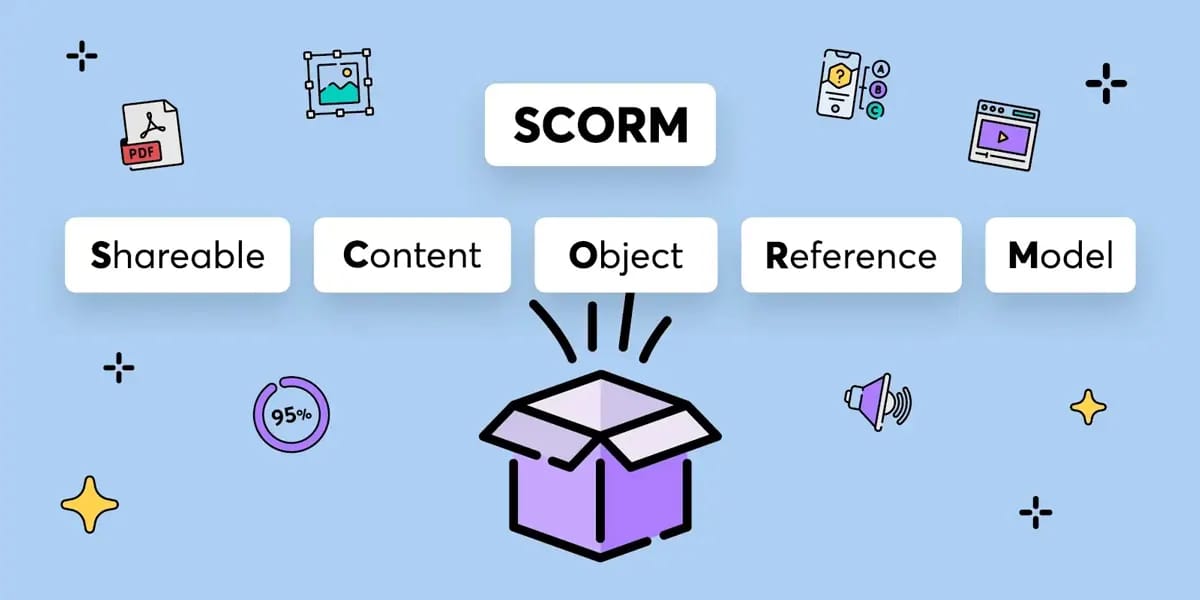
This is Mindstamp’s killer feature and the primary reason L&D professionals choose the platform. SCORM (Sharable Content Object Reference Model) is the universal technical standard that allows eLearning content to communicate with a Learning Management System (LMS).
Mindstamp’s Pro plan allows you to package your interactive video as a SCORM 1.2 or SCORM 2004 file.
What We Love: This process is remarkably simple. Once your video is complete, you click “Share,” select “LMS/SCORM,” and download a ZIP file. You can then upload this file directly into an LMS like Moodle, Canvas, or Blackboard.
The LMS will be able to track if the user completed the video, what their score was on any in-video quizzes, and other critical engagement metrics. This saves dozens of hours of custom development that would otherwise be required.
While SCORM is the established standard, modern L&D teams are also looking towards its successor, xAPI (Tin Can API), for more detailed learning analytics; Mindstamp offers this on its Enterprise plan.
Feature 2: Conditional & Branching Logic
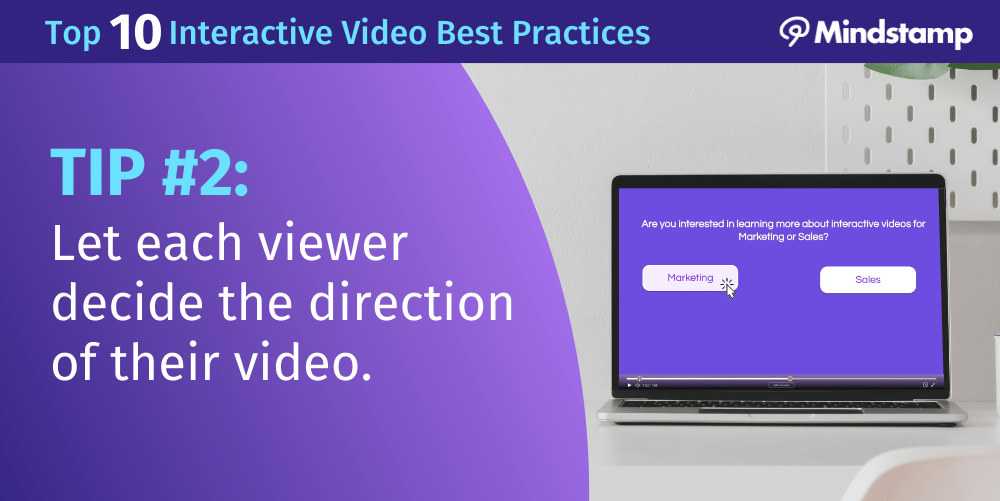
On its Core plan and above, Mindstamp offers conditional logic, which allows you to create “choose your own adventure” style videos. For example, you can ask a viewer, “Are you interested in marketing or sales?” and based on their answer, jump them to a different part of the video.
What We Love: For simple branching, this feature is intuitive. It’s a powerful tool for personalization in sales outreach or creating tailored training paths.
Things to Consider: As many users on G2 and Capterra report, the user interface for building complex branching logic can become a “mess of arrows and lines.” For an instructional designer creating a highly complex module with dozens of branches, this requires meticulous planning outside the tool, as the on-screen visualization can become difficult to manage.
Feature 3: AI-Powered Tools
Mindstamp has integrated several AI-powered features to speed up content creation. These include AI-generated questions based on the video transcript and AI-generated chapters that break down a long video into navigable sections.
What We Love: As a starting point, these tools are genuinely useful. The AI can analyze a 30-minute webinar and suggest relevant chapters and comprehension questions in seconds, which can save a lot of time.
Things to Consider: The quality of the AI output requires human oversight. As one analysis from MarTech Advisor noted, the AI-generated questions can be “too simplistic” and often need to be edited for nuance and accuracy, especially for formal video-based assessments. Think of it as a helpful assistant, not a replacement for an expert.
How Does Mindstamp Perform in the Real World?
Mindstamp’s performance receives mixed reviews, presenting a classic “it depends” scenario for our Mindstamp review. While users across platforms like G2 and Capterra consistently praise its ease of use for creating basic interactions, many report significant slowdowns and workflow interruptions.
For a deeper hands-on perspective, our extended Mindstamp Review walks through the platform’s day-to-day workflow in detail.
How Fast is Mindstamp’s Video “Stamping”?
This is perhaps the most common user-reported pain point. The “stamping” process, where Mindstamp applies your interactive elements to the video, is notoriously slow.
According to an instructional designer on the platform, “the ‘stamping’ process can take anywhere from 5 to 30 minutes” Reddit r/elearning Discussion.
The variable and often lengthy ‘stamping’ time is a significant productivity challenge. Waiting for a single video to process can derail a content creator’s entire schedule, especially when working on multiple projects.
To mitigate this, I recommend planning your workflow around batch processing. Instead of working on one video from start to finish, finalize all your interactive elements on several videos first. Then, let them all process simultaneously overnight or during a lunch break. This “set it and forget it” approach prevents you from actively waiting and allows you to use your time more effectively.
How Intuitive is the User Interface?
Mindstamp presents a tale of two UIs. For adding basic interactions like a button, a question, or a hotspot, the interface is incredibly simple and intuitive.
You can get your first interactive video up and running in minutes, and this ease of use is a frequently praised strength.
However, when you dive into its more powerful features like conditional logic and complex branching, the UI can become challenging. Visualizing a complex user journey with multiple branches requires meticulous planning outside of the tool itself to avoid creating a confusing and broken experience for the viewer.
What Are the Most Common Bugs and Glitches?
While not rampant, users do report occasional bugs and glitches that can be highly impactful. These include interactive hotspots misaligning on different screen sizes, detailed viewer analytics failing to track properly, or, most critically, the embedded player failing to load after a platform update.
The risk of a video player failing to load is a high-stakes problem. If that video is on your homepage or in a critical sales funnel, that bug could translate directly into lost revenue or leads.
Always test your embedded videos in an incognito browser window across multiple devices (desktop and mobile) immediately after Mindstamp pushes a platform update. If you notice any playback issues, contact their support team proactively before you launch a major campaign or send out a link to clients. A few minutes of testing can prevent a major failure.
Is Mindstamp Safe and Trustworthy?
Yes, from a technical security standpoint, Mindstamp is a safe and trustworthy platform, demonstrated by its investment in enterprise-grade compliance.
However, its business practices, specifically a rigidly enforced “no-refund” policy, have generated significant negative feedback from users and represent a point of financial risk that all potential customers must consider.
What Security Certifications Does Mindstamp Hold?
The platform’s commitment to security is a major strength. Mindstamp is SOC 2 Type II compliant, having achieved this certification in October 2022.
This is a rigorous, third-party audit against standards set by the AICPA (American Institute of Certified Public Accountants) that verifies the company has effective systems in place to protect customer data, a critical requirement for any enterprise organization.
This certification provides a high level of trust, especially for companies handling sensitive employee or customer information in their training videos.
In addition to SOC 2, Mindstamp is also compliant with GDPR and CCPA, and offers data residency options in the EU (Frankfurt) for its Enterprise customers, further bolstering its security credentials.
The “No-Refund” Policy: A Smart Shopper’s Guide
While the product is secure, the commercial policies can be a source of concern. Mindstamp has a strict, non-negotiable “no refund” policy, particularly for annual renewals.
This is the single biggest source of customer complaints on platforms like Trustpilot and represents a financial risk if you are not diligent. One way to soften this risk before committing is to lock in a Mindstamp promo code so your first annual term carries a lower sunk cost.
To protect against Mindstamp’s strict no-refund policy, set a calendar reminder one week before your annual renewal date. This forces an active decision. If you choose to cancel, do so at least 72 hours before the renewal date to ensure it processes in time.
The strictly enforced no-refund policy on annual renewals is a major source of customer complaints and can lead to significant financial loss for users who forget to cancel. A Trustpilot review from December 2025 states, “I was charged $950 for the annual renewal. I cancelled within an hour…they refused any refund… That’s just theft.”
If you are on an annual plan and are even slightly unsure about renewing, you must be proactive. Set a calendar reminder for one week before your annual subscription is due to end. Use this reminder to evaluate your usage and decide if you want to continue. If you decide to cancel, do so at least 72 hours BEFORE the renewal date to ensure the cancellation is processed. Do not rely on email notifications from the platform, as they can be missed.
How Should You Deploy Mindstamp in Your Organization?
A successful Mindstamp deployment requires more than just buying a subscription; it demands a thoughtful implementation strategy rooted in sound Instructional Design principles. Rushing the rollout without a clear plan is a common reason why tools like this end up as “shelfware.”
Here are the best practices I recommend for a successful deployment based on my experience with enterprise software rollouts.
Step 1: Conduct a Pre-Deployment Assessment
Before you even start a trial, get your house in order. A successful pilot depends on having the right assets and access. Create a checklist:
- Finalized Video Assets: Have at least 2-3 high-quality videos ready for testing. These should be the final-cut versions, as Mindstamp doesn’t edit video.
- LMS Access (for L&D): Ensure you have the necessary permissions in your company’s LMS (e.g., Canvas LMS, Moodle, etc.) to upload and test a SCORM package.
- Zapier Account: Create a Zapier account (a free one is fine to start) so you can understand how the integration workflow will function.
- Clear Goals: Define what success looks like. Is it a higher training completion rate? More qualified leads? Define specific engagement metrics and KPIs you can use to measure success.
Step 2: Run a 30-Day Pilot Program Framework
I recommend running a 30-day pilot program focused on Mindstamp’s two primary use cases to properly evaluate its ROI.
- Select Pilot Teams: Choose one team from L&D (e.g., the compliance training team) and one team from Marketing (e.g., the demand generation team).
- Define Success KPIs:
- L&D KPI: Aim for a 15% increase in training completion rates — a key benchmark for video engagement — or a measurable lift in post-video quiz scores compared to a non-interactive version.
- Marketing KPI: Aim for higher conversion rates — specifically a 5% lift in lead conversion — from a video asset or capture at least 50 qualified data points (like job title or company size) via in-video forms.
- Evaluate at 30 Days: At the end of the pilot, review the data. Did you hit your KPIs? Was the workflow manageable for your teams? The results of this pilot will be your business case for a full rollout.
Step 3: Plan for Risk Mitigation & Phased Rollout
The biggest long-term risk with Mindstamp is vendor lock-in. Since you cannot export your interactive elements, your content is tied to your subscription.
To manage this, always maintain a separate, well-organized library of your raw, non-interactive video files. This ensures that if you ever decide to leave Mindstamp, you still own your core assets and only need to recreate the interaction layer, not the entire video.
Once the pilot is successful, I suggest a phased rollout. Start with the department that had the clearest ROI case in the pilot program. Use their success as an internal case study to build momentum and justify expanding the tool to other teams.
How Does Mindstamp Compare to Its Competitors?
Mindstamp’s primary competitive advantage is its SCORM export feature, making it superior for corporate L&D. However, competitors like Vidyard offer better native CRM integrations for sales teams, while Wistia provides more polished marketing analytics.
Articulate Storyline is more powerful for complex eLearning but also more difficult to use. Browse our full Category of Review articles for in-depth analyses of each of these alternatives.
Category Position
- Best for Sales & Marketing: Vidyard often has the edge for these teams.
✅ Consider Vidyard if
- Your primary use case is sales enablement.
- Your team lives inside a CRM like Salesforce.
- You value superior native CRM integrations that flow viewer data directly into your CRM — no Zapier needed.
- You want a major workflow and cost advantage versus the Mindstamp + Zapier stack.
⚠️ Avoid Vidyard if
- Your main goal is creating SCORM-compliant training.
- You need formal LMS reporting on completions and scores.
- Vidyard does not offer SCORM exports.
Category Position
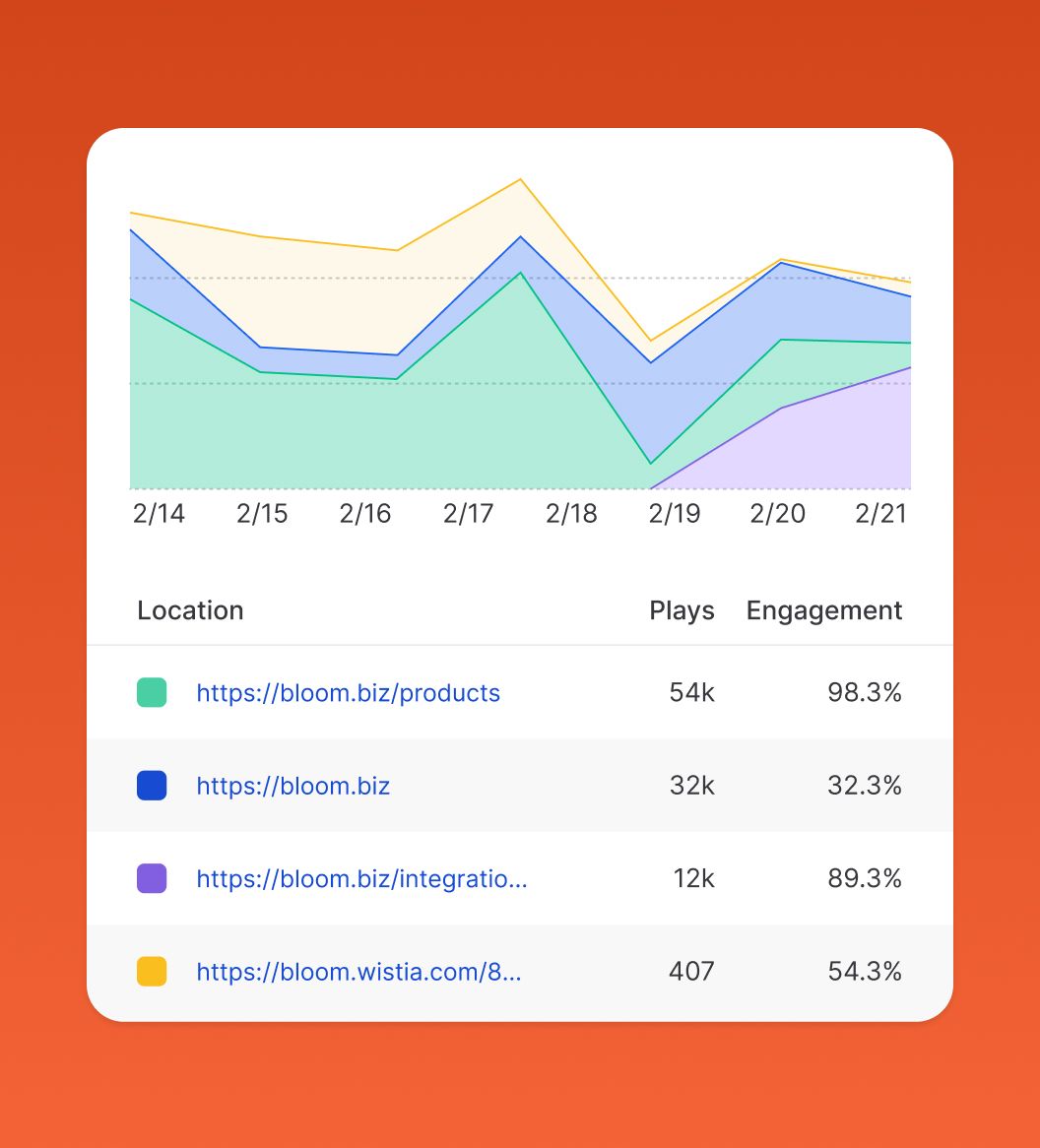
- Best for Marketers: Wistia is built for top-of-funnel video marketing.
✅ Consider Wistia if
- Your goal is brand building.
- You need sophisticated analytics, A/B testing, and heatmaps.
- You want a highly polished and customizable video player.
- You’re optimizing the around-video marketing experience.
⚠️ Avoid Wistia if
- You need deep in-video quizzing.
- You require SCORM exports for training.
- Compliance-grade learning records are essential.
Category Position
- Best for Full eLearning Courses: Articulate Storyline is a full-blown eLearning authoring suite.
✅ Consider Storyline if
- You’re building comprehensive eLearning courses from scratch.
- Your course mixes many different content types (not just video).
- You need maximum power and flexibility.
- You have an instructional designer who can absorb the learning curve.
⚠️ Avoid Storyline if
- You primarily work with video, not full course modules.
- You just need a fast, efficient way to make video interactive and LMS-trackable.
- You don’t want to pay for or learn an enterprise authoring suite — Mindstamp is the “simple but effective” tool for this specific job.
Final Verdict & Recommendations
After a comprehensive analysis, my verdict is that Mindstamp is a highly effective, best-in-class tool for a very specific user. It’s a specialist platform that excels at its core job: making videos interactive for corporate training and data capture.
However, its specialist nature comes at a premium price and with significant strategic considerations that make it a poor fit for many. Buyers who do qualify should always pair the purchase with the latest Mindstamp voucher to maximize ROI from day one.
One L&D Director stated the “SCORM export alone makes it worth the price for our compliance training” Mindstamp G2 Review.
What We Love
- Best-in-Class SCORM Exports: The ability to seamlessly integrate with an LMS is its killer feature and a primary reason to choose it.
- Enterprise-Ready Security: SOC 2 Type II compliance provides a level of trust that few competitors in this price bracket can match.
- Ease of Basic Use: The learning curve for creating simple interactive videos is very gentle, allowing teams to get started quickly.
- Improved Knowledge Retention: The ability to add questions and forms directly in-video is genuinely effective for improving knowledge retention during training and capturing leads.
- AI-Powered Features: Tools for AI-generated chaptering and questions, while needing refinement, show a commitment to innovation.
- Extensive Knowledge Base: The platform is supported by a wealth of tutorials and documentation to help users succeed.
💡 Things to Consider
- High Total Cost of Ownership: The total cost of Mindstamp is misleading; the real cost is over 85% higher once you factor in the required Zapier subscription for integrations.
- Significant Vendor Lock-in: All your interactive work is proprietary and cannot be exported, creating high switching costs.
- Slow “Stamping” Performance: The video processing time is a frequently reported user complaint and a real drag on productivity.
- Clunky Advanced UI: The interface for building complex conditional logic can become unmanageable.
- Strict No-Refund Policy: The inflexible refund policy represents a financial risk and has generated considerable user dissatisfaction.
Who Should Buy Mindstamp?
I recommend purchasing Mindstamp if you are an enterprise L&D team or a corporate trainer whose primary need is to create SCORM-compliant interactive videos for an LMS.
For you, the SCORM export feature alone likely justifies the cost and outweighs the limitations. I also recommend it for well-budgeted marketing teams who have a clear, data-driven ROI case for capturing leads through in-video forms and can absorb the high TCO.
Who Should Look for Alternatives?
I advise small businesses, solopreneurs, and individual course creators to avoid Mindstamp. The high price point, significant vendor lock-in, and punitive refund policy make it a risky and likely cost-prohibitive choice.
You would be better served by looking at alternatives like Vidyard’s free tier, or even open-source options like H5P if you have development resources. Sales teams needing deep native CRM integration should also look elsewhere.
This is a significant financial commitment. I strongly urge anyone considering a purchase to utilize the free trial period extensively. Note that a credit card may be required, so be mindful of the trial end date before committing to an annual plan. You can also browse all current Latest Coupons across our review network for additional ways to save on similar platforms.
Frequently Asked Questions
Q1: How much does Mindstamp really cost in 2026?
A: The advertised price is not the full picture. While the popular ‘Core’ plan is listed at $948 per year, our analysis for this Mindstamp review shows the real-world Total Cost of Ownership (TCO) is closer to $1,776 per year.
This is because most business use cases require a separate Zapier ‘Teams’ subscription, which costs an additional $828 per year as of June 2026, to integrate Mindstamp with other essential tools like your CRM Zapier Pricing Page. This additional cost makes the real price over 85% higher than the sticker price.
Q2: Is Mindstamp worth the money?
A: It depends entirely on your use case. For enterprise L&D teams who need its best-in-class SCORM export feature to integrate with an LMS, it is often worth the high price, as it saves significant development time. For these users, the ROI is clear.
However, for small businesses, solopreneurs, or marketers who only need simple video CTAs, it is likely cost-prohibitive. For them, alternatives like Vidyard’s free plan or Wistia offer better value for their specific needs, as detailed in our competitor analysis.
Q3: What are the main problems with Mindstamp?
A: The most common user-reported problems revolve around four key areas.
First is its high total cost, which is significantly more than the advertised price once integrations are factored in. Second is its slow video processing (the ‘stamping’ phase), which users on Reddit and G2 report as a major workflow bottleneck Reddit r/elearning Discussion.
Third is a clunky UI for advanced features like conditional logic. Finally, its strict no-refund policy is a frequent source of customer frustration on review sites like Trustpilot, representing a financial risk for new users.
Q4: Should I use Mindstamp or Vidyard?
A: This choice depends on your primary department and goal. You should choose Mindstamp for corporate training (L&D) because of its superior SCORM support, which Vidyard lacks entirely.
Conversely, you should choose Vidyard for sales and marketing because it offers a stronger free plan for simple CTAs and provides better native integrations with CRMs like Salesforce Vidyard Integrations. Using Vidyard avoids the extra cost and complexity of the Zapier “middleman” that Mindstamp requires for similar CRM connections, making it a more streamlined and cost-effective solution for sales teams.
Q5: Who is Mindstamp best for?
A: Mindstamp provides the best return on investment for two specific groups: corporate Learning & Development (L&D) departments and well-funded enterprise marketing teams.
The L&D teams can fully leverage its unique SCORM capabilities to streamline compliance and employee training within their existing LMS infrastructure. Enterprise marketing teams, who can absorb the high total cost, can use its powerful in-video forms for sophisticated lead generation and data capture campaigns. It is not well-suited for individuals or small businesses on a tight budget.
Q6: Is Mindstamp easy to use for beginners?
A: Yes, for basic tasks, Mindstamp is very easy to use. A beginner can sign up and add simple buttons, links, and basic questions to a video in just a few minutes with virtually no learning curve. The user interface for these core actions is clean and intuitive.
However, the difficulty increases significantly when a user tries to build more complex experiences. The platform becomes progressively more challenging to manage when building advanced branching logic with multiple conditions, a task better suited for users with some experience in instructional design or logic flows.
Q7: Can I trust Mindstamp with my data?
A: Yes, from a technical standpoint, you can. Mindstamp has achieved SOC 2 Type II compliance, a high-level security certification that verifies they have robust systems in place to protect customer data.
They achieved this in October 2022, demonstrating a mature security posture Mindstamp Security Page. This makes it a trustworthy platform for enterprise use, especially for handling sensitive employee or customer information in training modules. It is also compliant with GDPR and CCPA, offering a Data Processing Addendum (DPA) for customers.
Q8: What is Mindstamp’s SCORM export feature and why is it important?
A: SCORM (Sharable Content Object Reference Model) is a technical standard for eLearning software, maintained by the IMS Global Learning Consortium, that enables interoperability between content and platforms.
Mindstamp’s SCORM export allows you to package an interactive video so it can be uploaded to a corporate Learning Management System (LMS) like Moodle or Canvas. The LMS can then correctly track viewer progress, quiz results, and completion status.
This feature is critically important for any company doing formal compliance, certification, or employee training, as it provides the verifiable data needed for record-keeping and demonstrating training effectiveness.

