



As a video content creator myself, I know how challenging and expensive it can be to produce professional-quality videos consistently. That's why I'm always on the lookout for tools that simplify the process without breaking the bank. Invideo's AI-powered platform is a game-changer, but the real question is: how can you get it for the best price? While public Invideo promo codes are rare, you can structurally save up to 60% savings on your subscription. I'm here to show you exactly how. As the founder of CouponsScout, I've dug into every legitimate way to lower your costs with this brand. In this guide, we'll walk through everything from massive annual discounts to hidden partnership perks. Let's get you the best deal. If you'd like a quick overview before diving in, check out the latest Invideo promo codes and savings overview on our store page. For more expert-vetted software deals, you can always explore our Software and AI category.
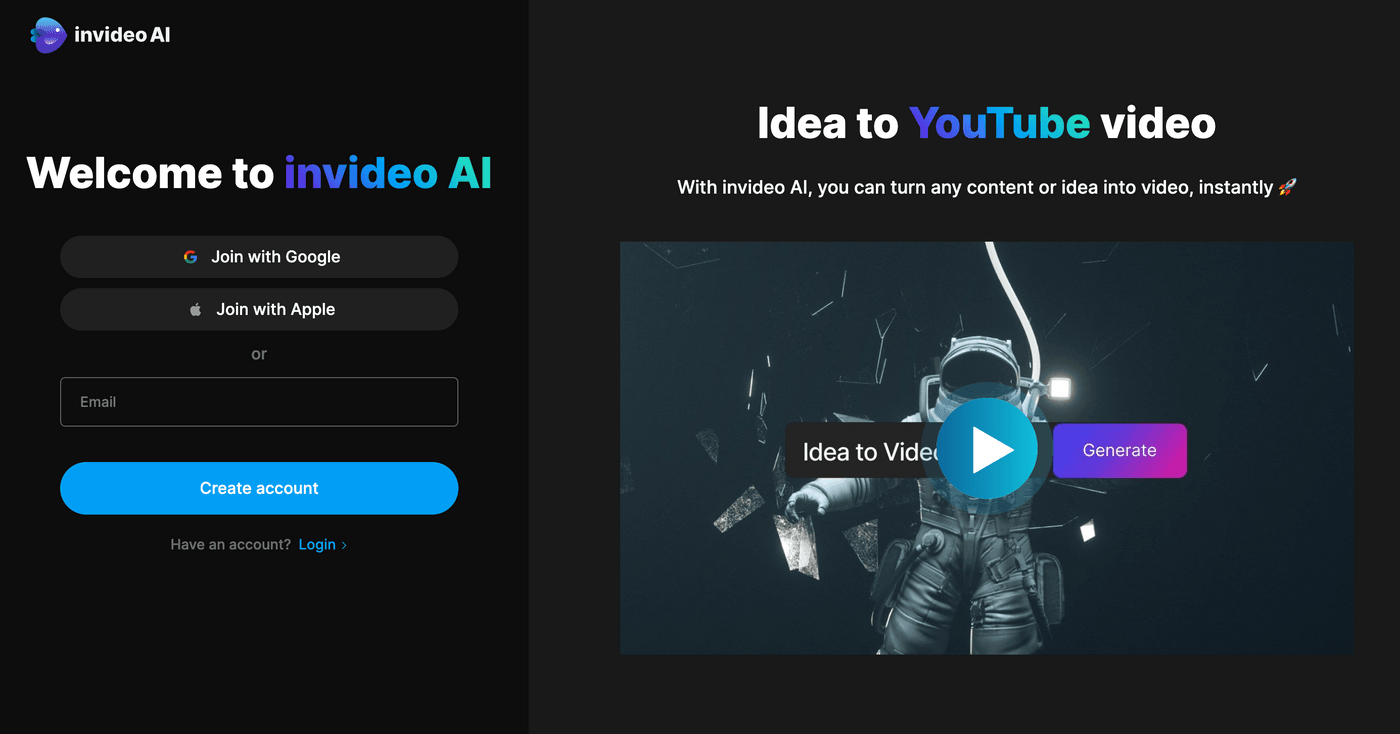
How to Apply Your Invideo Discount Code
Getting a discount on Invideo is less about finding a magic promo code and more about knowing which structural savings to leverage. While traditional coupon fields are uncommon, savings are applied automatically through specific links or plan choices. Here's how it works.
Step-by-Step: Applying Codes at Checkout
In most cases, you won't need to manually enter a code. The most common "code" comes from the Referral program, where using a friend's unique link automatically applies a discount to your first purchase. Here's the typical flow:
- Click a Referral Link: You must start the process by clicking a unique referral link from an existing user of the platform.
- Sign Up for an Account: The link will take you to the homepage. Proceed to sign up for a new account. The discount is typically tracked via cookies from the link.
- Choose Your Plan: Navigate to the pricing page and select the plan you wish to purchase (e.g., Plus or Max).
- Verify Discount at Checkout: As you proceed to the payment page, you should see the 25% off discount automatically reflected in your order summary before you enter any payment details.
If the discount doesn't appear, it's best to clear your browser cookies and click the referral link again to ensure it's tracked properly.
How to Access Partnership & Startup Discounts
Invideo offers significant discounts through partner platforms, primarily aimed at early-stage startups. Accessing these requires applying through the partner's portal, not on the store's site directly.
- Find a Partner Platform: Identify a platform that offers a deal, such as the JoinSecret startup program or other similar startup-focused communities.
- Check Eligibility: Review the partner's eligibility criteria. Typically, this involves being a funded startup under a certain revenue or funding cap.
- Apply Through the Portal: Complete the application process on the partner's website. You may need to provide details about your company.
- Receive Your Unique Offer: Once approved, the partner will provide you with a unique link or instructions to claim your discount (e.g., 25% off or a $150 credit).
Automatic Discounts vs Manual Code Entry
Understanding the two main ways to save here is key. Forget hunting for codes on random sites; focus on these two methods:
- Automatic Discounts (Highest Savings): This is the platform's preferred method. The single biggest discount comes from choosing an annual plan over a monthly one. This requires no code and instantly saves you 50-60%. It's the most reliable way to lower your cost.
- Manual/Linked Discounts: This category includes the referral program and partnership deals. While they require an initial manual step (clicking a specific link), the discount is usually applied automatically at checkout. This is the only context where a "code" is relevant, but it's tied to the link you use.
Savings Hacks & Tips for Invideo
Beyond standard codes, there are several powerful strategies to reduce your spending. As a tech founder, I always look for these structural savings first — they provide more value than any temporary promotion. Before we dig in, you may find it helpful to read our in-depth honest Invideo review covering its hidden time tax to understand where the real ROI sits.
Annual vs Monthly Billing: Calculate Your 50-60% Savings
This is, without a doubt, the easiest and most significant way to save. By committing to a yearly subscription, the retailer offers a massive price reduction. Let's do the math based on the current pricing.
| Plan | Monthly Price | Annual Price (per month) | Total Annual Savings |
|---|---|---|---|
| Plus | $25/month | $12.50/month ($150/year) | $150 (50% off) |
| Max | $60/month | $24/month ($288/year) | $432 (60% off) |
As you can see, opting for the annual plan is a no-brainer if you plan to use the tool for more than a few months. The 60% savings on the Max plan is particularly compelling, bringing the effective monthly cost down from $60 to just $24. You can view current Invideo pricing and switch to annual billing here.
Student & Educator Discounts: How to Verify & Save 50%
The platform supports the next generation of creators with a generous educational discount. According to Invideo's official help documentation, students and educators are eligible for a 50% off discount on annual plans.
How to Apply:
- You must have a valid student or faculty ID from an accredited educational institution.
- Contact the support team through their 24/7 live chat or email.
- Provide them with a copy of your ID for verification.
- Once verified, they will provide you with the details to purchase an annual plan at half the price. This discount makes their powerful tools incredibly accessible for academic projects.
Startup Discounts: How to Get up to 25% Off or a $150 Credit
For new businesses, the brand offers special perks through various partnership platforms. The exact offer can vary depending on the partner. Our research found two main types of offers:
- Percentage Discount: Platforms like JoinSecret offer a recurring 25% off on plans for eligible startups. This is ideal for long-term savings on your subscription.
- Account Credits: Other partners, like FounderPass, have been known to offer a one-time $150 credit. This is great for covering your first few months of service or applying toward an annual plan.
To get the startup discount, you must check the eligibility on these third-party platforms and apply through them. The discount cannot be claimed directly from the official website.
Non-Profit Discounts: Get 25% Off Any Plan
Our research indicates that the company also extends its support to non-profit organizations with a 25% Off discount. While this isn't advertised on the main pricing page, it's a common practice for SaaS companies to support charitable work.
To access this discount, you will likely need to contact customer support directly. Be prepared to provide documentation proving your organization's non-profit status (e.g., 501(c)(3) determination letter in the US). A 25% discount can make a significant difference in a non-profit's marketing budget.
Referral Rewards: Get 25% Off Through a Friend's Link
The referral program is a win-win for both you and a friend. According to the official Invideo referral program page, when an existing user refers a new user, the new user gets 25% off their first purchase. This is one of the few ways to get a percentage-based discount on a monthly plan. The referring user also earns rewards, typically in the form of Amazon vouchers, creating a great incentive to share.
Savings Strategies for Freelancers & Small Businesses
If you don't qualify for student or startup discounts, there's still a clear path to maximizing value. Here's my recommended strategy for freelancers and small teams:
For Freelancers:
- Start with the Free plan: Don't rush into a paid subscription. Use the Free plan to create your first few videos. Test the workflow, explore the features, and ensure it's the right tool for you.
- Upgrade to an Annual Plan: Once you're confident the tool is a fit, skip the monthly payments. Upgrade directly to the Plus or Max annual plan to lock in the 50-60% savings. This is the single biggest financial hack available.
For Small Businesses/Agencies:
- Calculate Your Usage: Determine how many videos and stock media downloads you'll need per month. The Max plan offers the most generous limits and is often the best value for active agencies.
- Go Annual Immediately: For a business, the ROI is clear. Saving over $400 a year on the Max plan is a significant operational efficiency.
- Time Your Purchase: While not guaranteed, some SaaS companies offer better terms or are more flexible with enterprise queries at the end of a financial quarter (March, June, September, December). If you're considering a large multi-seat plan, it's a good time to reach out to their sales team.
Why Trust Coupons Scout for Invideo Codes?
In an industry full of expired codes and misleading offers, we built CouponsScout on a foundation of transparency and trust. We don't just scrape data; we verify it. Our commitment is to provide you with accurate, actionable savings advice, and we have a rigorous process to back it up. If you ever want to compare what's live across our network, you can browse the full list of stores on Coupons Scout at any time.
Our Verification Process: The CSVP™ Standard
Every offer we list is subjected to the Coupons Scout Verification Protocol (CSVP™), a system I developed to merge tech efficiency with human oversight. All data in this article was independently verified using our research and verification process. For a SaaS product like this one, this means we go beyond a simple code check. Our process involves two primary tracks:
- Track A (Code Verification): Our operations team manually simulates the checkout process for any available promotions, like the referral program, to ensure the discount applies as described. We document restrictions, such as "new users only" or "applies to first purchase."
- Track B (Product & Policy Verification): For structural discounts, our specialists dive deep. We read the fine print on the 7-day money-back guarantee, verify the eligibility requirements for the student discount, and analyze the ROI of the annual plan.
We believe value isn't just a working code; it's honest, expert advice. Our CSVP™ standard ensures you get both.
Meet the Team Behind Your Savings
As the founder of CouponsScout, I oversee our entire verification process. For technical products like this one, I rely heavily on Jettawat Kasemchaiyanun, our Software & AI specialist. I worked with Jettawat to personally test the AI video generation features, verify the partnership deals with platforms like JoinSecret, and calculate the true ROI for switching to an annual plan. His technical expertise ensures you're getting accurate, hands-on insights. Our team also includes Jennifer Angel, our Lifestyle & Retail Editor, who ensures our content is always user-focused. Our Senior Verification Analyst, Kanokchai Likitapiwat, performs daily checks to ensure all offers remain valid. And every article, including this one, goes through Joanne Lovell, our Editorial Director, who fact-checks every claim and ensures we maintain the highest editorial standards.
Real-Time Testing: How We Keep Offers Fresh
The world of SaaS discounts moves quickly. A partner program can change its terms overnight, and pricing tiers can be updated without warning. That's why our work isn't a one-time event. Kanokchai's team re-validates our top offers on a recurring basis. We monitor official pricing pages, help-desk articles, and partner portals for any changes. When we say an offer was "verified," it means a human on our team has confirmed it's active. This commitment to real-time testing means you can spend less time searching for deals and more time creating. If you want to see every freshly tested code site-wide, our complete list of latest verified coupons is updated continuously throughout the day.
What To Do If Your Invideo Code Doesn't Work?
Since most discounts here are automatic or link-based, "code failure" usually points to an eligibility issue. If you were expecting a discount and didn't get one, here's a quick troubleshooting guide.
Common Reasons Codes Fail (And How to Fix Them)
- You're an Existing User: Most percentage-based discounts, like the referral and startup offers, are for new customers only. If you already have an account, you won't be eligible. The best discount for existing users is upgrading to an annual plan.
- Browser Cookie Issues: If you clicked a referral link but the discount isn't showing up, your browser may not have tracked it. Try clearing your browser's cache and cookies, then click the link again before signing up.
- Plan or Term Mismatch: Some offers are plan-specific. For example, a discount might only apply to an annual plan, not a monthly one. Double-check the terms of the offer to ensure your selected plan is eligible.
- The Offer Has Expired: While we strive to keep our information current, partner offers can change. The startup deal on one platform may have been replaced or discontinued.
Terms & Conditions: Understanding Eligibility
Always read the fine print associated with the discount you're trying to use. Key things to look for:
- New vs. Existing Customers: This is the most common restriction.
- Geographic Location: Some offers may be region-specific.
- Subscription Term: Check if the discount requires an annual commitment.
- Stacking Rules: The platform generally does not allow "stacking" multiple discounts. You can't combine a referral discount with a student discount, for example. You must choose the one that gives you the greatest savings.
Contacting Invideo Support for Assistance
If you've checked all the above and believe you are eligible for a discount that wasn't applied, don't hesitate to contact the support team. They are available 24/7 via live chat on their website.
- Be polite and clearly explain the situation.
- Mention the specific discount you were expecting (e.g., "I signed up through a referral link for a 25% discount").
- Provide any necessary proof, such as the referral link you used or your student ID.
In my experience, their support team is helpful and will often honor a legitimate discount if there was a technical glitch in the application process.
About Invideo
Founded in 2017 by Sanket Shah and Harsh Vakharia, Invideo was created with a mission to make professional video creation accessible to everyone, regardless of technical skill. Headquartered in Mumbai, India, with a presence in San Francisco, the company has rapidly grown to serve millions of users across 190+ countries, positioning itself as a major player in the AI-powered video editing space. If you're still weighing your options, our breakdown of the top Invideo alternatives and competitors compares features, pricing, and ideal use cases side by side.
What is Invideo? AI-Powered Video Creation for Everyone
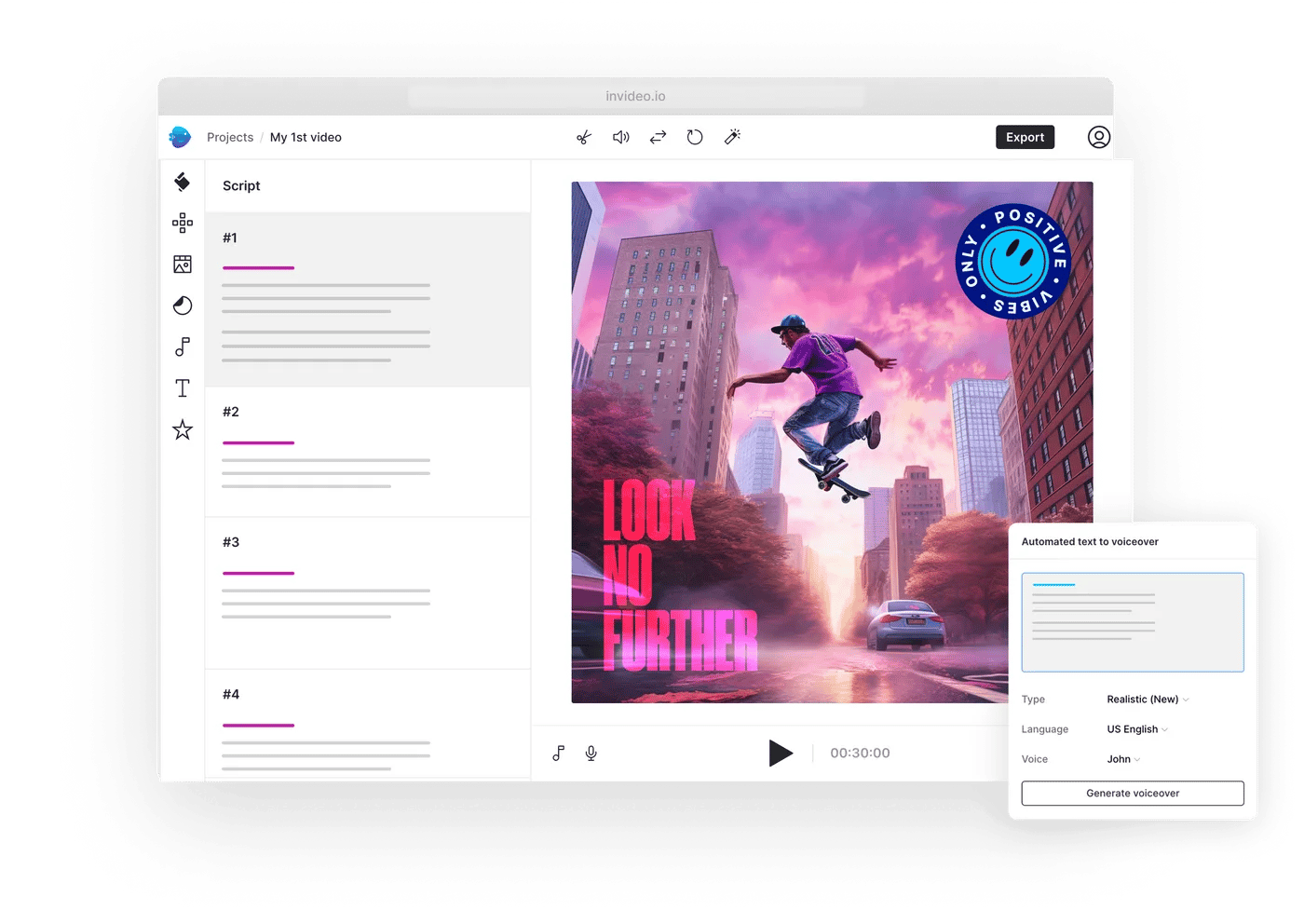
Invideo is a cloud-based video creation platform that empowers users to turn ideas into videos in minutes. It's designed for marketers, entrepreneurs, content creators, and businesses who need to produce high-quality video content quickly and efficiently. Using a combination of pre-made templates, a vast stock media library, and powerful AI, the platform simplifies everything from creating social media ads to producing full-length promotional videos.
Products & Services: InVideo Studio vs InVideo AI
The company offers two distinct products tailored to different creative workflows:
- InVideo Studio: This is the classic, template-based editor. It's perfect for users who want more hands-on control. You choose from over 5,000 professionally designed templates and customize them with your own text, images, and brand colors. It's ideal for structured projects like video ads, intros, and social media posts.
- InVideo AI: This is their newer, revolutionary text-to-video generator. You simply type in a prompt describing the video you want to create, and the AI generates a complete video with script, voiceover, stock footage, and music. It's an incredible tool for brainstorming, creating faceless YouTube videos, and producing content at scale with minimal effort.
Pricing Tiers: Free, Plus, and Max Plan Comparison
Pricing is straightforward and designed to scale with your needs. According to Invideo's official pricing page, here's a breakdown of the main tiers:
- Free Plan: A great starting point to test the platform. It includes access to many core features but comes with a watermark on exported videos and limited stock media/AI generation credits.
- Plus Plan: The ideal choice for individuals and small creators. It removes the watermark, offers more monthly video exports, and provides access to a larger library of premium stock media.
- Max Plan: Designed for power users, agencies, and businesses. This plan provides the highest limits on everything: more AI generation, more stock media usage, and more exports, making it the best value for anyone producing content professionally.
You can start with the Invideo Free Plan today and explore the features for yourself.
The Freemium Plan: What's Included (and What's Not)
The Free plan is genuinely useful for getting acquainted with the platform. Here's what you can typically expect:
What's Included:
- Access to both InVideo Studio and InVideo AI.
- Ability to create and edit videos.
- A limited number of AI generation credits.
- Access to a portion of the standard stock media library.
What's Not Included (The Limitations):
- A prominent watermark on all exported videos.
- Limited monthly video exports.
- No access to the premium stock media library (iStock).
- Lower caps on AI usage and storage.
The free plan is perfect for trial and error, but for any professional or public-facing work, you'll want to upgrade to a paid plan to remove the watermark.
Cancellation & Refund Policy: 7-Day Money-Back Guarantee
The brand stands by its product with a customer-friendly refund policy. As stated in their official terms and conditions, they offer a 7-day money-back guarantee. If you purchase a plan and find that it doesn't meet your needs, you can request a full refund within the first seven days of your purchase, provided you haven't downloaded any videos. You can cancel your subscription at any time from your account settings, which will prevent future billing but allow you to use the service until the end of your current billing period.
Frequently Asked Questions About Invideo Discounts
Does Invideo offer promo codes?
This store rarely uses traditional, public promo codes. Instead, discounts are typically applied automatically through specific links for referrals, partnerships, or by choosing an annual subscription plan, which offers the most significant savings.
How can I get the biggest discount on Invideo?
The single biggest discount is achieved by subscribing to an annual plan instead of a monthly one. This can save you between 50% and 60% on your subscription cost without needing any code. This is the most effective and reliable savings strategy.
Is there a free version of Invideo?
Yes, this store offers a robust Free plan that allows you to use its core features, including the AI video generator. However, videos exported from the free plan will have a watermark. It's a great way to test the platform before committing to a paid plan.
Does Invideo offer education or student discounts?
Yes, the platform offers a generous 50% student discount on its annual plans. To qualify, you must contact their support team with a valid student or educator ID from an accredited institution for verification. This makes it highly affordable for academic use.
How do I get the Invideo startup discount?
The startup discount is available through partner platforms like JoinSecret. You must apply through the partner's website and meet their eligibility criteria. Offers vary but can include recurring discounts like 25% off or one-time credits of up to $150.
How much can I save with an annual Invideo plan?
You can save significantly with an annual plan. The Plus plan offers a 50% discount, saving you $150 per year, while the Max plan provides a 60% discount, saving you over $430 per year compared to paying monthly.
Can I stack the annual discount with a startup discount on Invideo?
Generally, this store does not allow stacking multiple promotional offers. You cannot combine a startup discount with a student discount, for example. The annual plan's reduced price is structural, so some partner discounts may apply on top of it, but you should clarify with support.
What is Invideo's cancellation and refund policy?
The brand offers a 7-day money-back guarantee on all new subscriptions. You can request a full refund within the first week if you're not satisfied. You can also cancel your subscription at any time to prevent future billing through your account dashboard.
Can I earn rewards through Invideo's referral program?
Yes. When you refer a new user who signs up and makes a purchase, they receive 25% off their first payment. As the referrer, you earn rewards, typically in the form of Amazon vouchers, making it a great way to earn by sharing the tool.
Is Invideo cheaper than Canva for video?
It depends on your needs. The platform's specialized AI text-to-video features can offer more value for users focused purely on video creation at scale. While Canva is a versatile design tool, the annual plans here, especially with the 60% discount, make it a highly competitive and often more powerful option for dedicated video workflows.
Where can I find verified Invideo offers?
The most reliable offers are found directly on Invideo's official pricing page (for the annual discount) and through their official student, referral, and partner programs. Our page at CouponsScout is also continuously updated with verified structural savings.
Can I cancel my Invideo subscription at any time?
Yes, you can cancel your subscription at any time from your account settings. This will stop any future payments. You will retain access to the paid features until the end of your current billing period (monthly or annually).
Final Thoughts on Saving with Invideo
After a thorough review, it's clear that while traditional Invideo coupon codes are not part of their marketing strategy, the opportunities for significant savings are plentiful and reliable. The path to the best price isn't about hunting for an elusive code; it's about making smart structural choices.
The single most powerful action you can take is to choose an annual plan, which instantly cuts your cost by up to 60%. Layering on discounts for students, non-profits, or through referral links can reduce the price even further. By focusing on these verified, built-in savings, you ensure you're getting the most powerful video creation tools at the absolute best price. Ready to start creating? Unlock Verified Invideo Savings – Get Started Now →. And remember to check our Software and AI deals for more savings on top tools.
