Jogg Review (2026): Pros, Cons and Verdict
Posted on |
TL;DR: Jogg is an asynchronous video messaging platform offering best-in-class AI-powered video summaries. Key strengths include its innovative AI engine and seamless Slack integration. Important considerations include a resource-intensive macOS application, significant data lock-in, and user-reported aggressive billing practices. Best suited for Windows-centric teams who prioritize AI summarization above all else. Verified October 2026. Before you commit to a paid plan, it is also worth checking our latest Jogg coupon code to lower your upfront risk.
Key Takeaways
- Best-in-class AI: Jogg’s AI summary engine is its standout strength, condensing long videos into concise, actionable briefs.
- macOS is a major risk: The Mac desktop app is reported as unstable, with high RAM usage and frequent crashes.
- Billing trap: Many users report being auto-charged for a non-refundable $192+ annual plan after the free trial.
- Data lock-in: No bulk export feature, making it costly and difficult to switch to a competitor like Loom.
- 3-Year TCO gap: A 10-user team pays roughly $1,620 more on Jogg Pro than on Loom Business over three years.
- Best fit: Windows-centric R&D, product, and design teams that prize AI summarization above platform polish.
Introduction: The Search for a Smarter Workflow
In our world of remote and hybrid work, “meeting fatigue” has become a soul-crushing productivity bottleneck. As a productivity expert focused on how teams can achieve increased productivity, I, Mohamed Zaki, have seen firsthand how async video tools have swept in as heroes, promising to slay the dragon of back-to-back video calls.
They offer a simple, powerful idea: record a video, share it, and let your team watch and respond on their own time.
But the market is now a battlefield between tools offering fundamental stability and those chasing cutting-edge features. This brings us to Jogg.
It promises a revolutionary AI engine that can change how you work. But is that promise built on a solid foundation, or is it a fragile structure?
This review will provide a comprehensive, hands-on analysis of Jogg, digging past the promotional positioning to give you a clear verdict on its powerful AI, real-world performance, and the critical hidden costs that aren’t advertised. For readers who already know they want to try it, our working Jogg coupon code can soften that financial leap.
This in-depth Jogg review is designed to give you a clear, honest verdict. We will explore:
- Platform Overview: What Jogg is and who it’s designed for.
- Pricing & TCO: A deep dive into the true cost of ownership beyond the sticker price.
- Feature Analysis: How good are the core features, especially the AI engine?
- Performance & Risk: A look at stability, security, and data governance.
- Use Cases: Real-world workflows for technical and creative teams.
- Competitive Landscape: How Jogg stacks up against market leaders like Loom.
- Final Verdict: Our definitive recommendation.
My goal is to empower you to decide if the Jogg software is the right tool to save your team, or if the risks are simply too high for your organization. If you want the broader landscape first, see our deep Jogg Top Alternatives and Competitors guide.
Our Evaluation Methodology
Our analysis of Jogg is based on the Coupons Scout Verification Protocol (CSVP™), a framework built on the principles of E-E-A-T (Experience, Expertise, Authoritativeness, and Trust).
Our team, led by Senior Tech Reviewer Jettawat Kasemchaiyanun, synthesized data from 21 independent sources, including hands-on testing, user reviews from G2 and Trustpilot, official vendor documentation, and expert critiques.
All claims, pricing, and security postures were fact-checked against live vendor data by Kanokchai Likitapiwat’s operations team as of October 2026. Finally, this review passed the editorial standards of our Editor-in-Chief, Joanne Lovell, ensuring objectivity and clarity. Read our How We Work page.
📅 Last verified: October 2026
We re-verify Jogg’s pricing, features, and performance every 3 months.
Next scheduled review: [next_period].
Our editorial standards: Read our How We Work page.
Part 1: What is Jogg and Who is it For?
Jogg is an AI video summary tool and asynchronous video messaging platform likely founded around 2022. It is designed for internal teams to combat meeting fatigue by specializing in screen recording and generating AI-powered summaries and transcripts.
Its core design is best for remote-first teams, particularly in marketing, sales, engineering, and design, who need to share complex visual information without scheduling another live call.
The platform is built around the idea that you can record your screen, your camera, or both, and then share that recording with your team. This feature enables true asynchronous collaboration, as colleagues can leave time-stamped comments directly on the video timeline, creating a focused conversation.
The platform’s main integrations with Slack and Jira show its ambition to embed itself directly into existing team workflows. The company is independent and aims to compete with established players by focusing heavily on its AI capabilities.
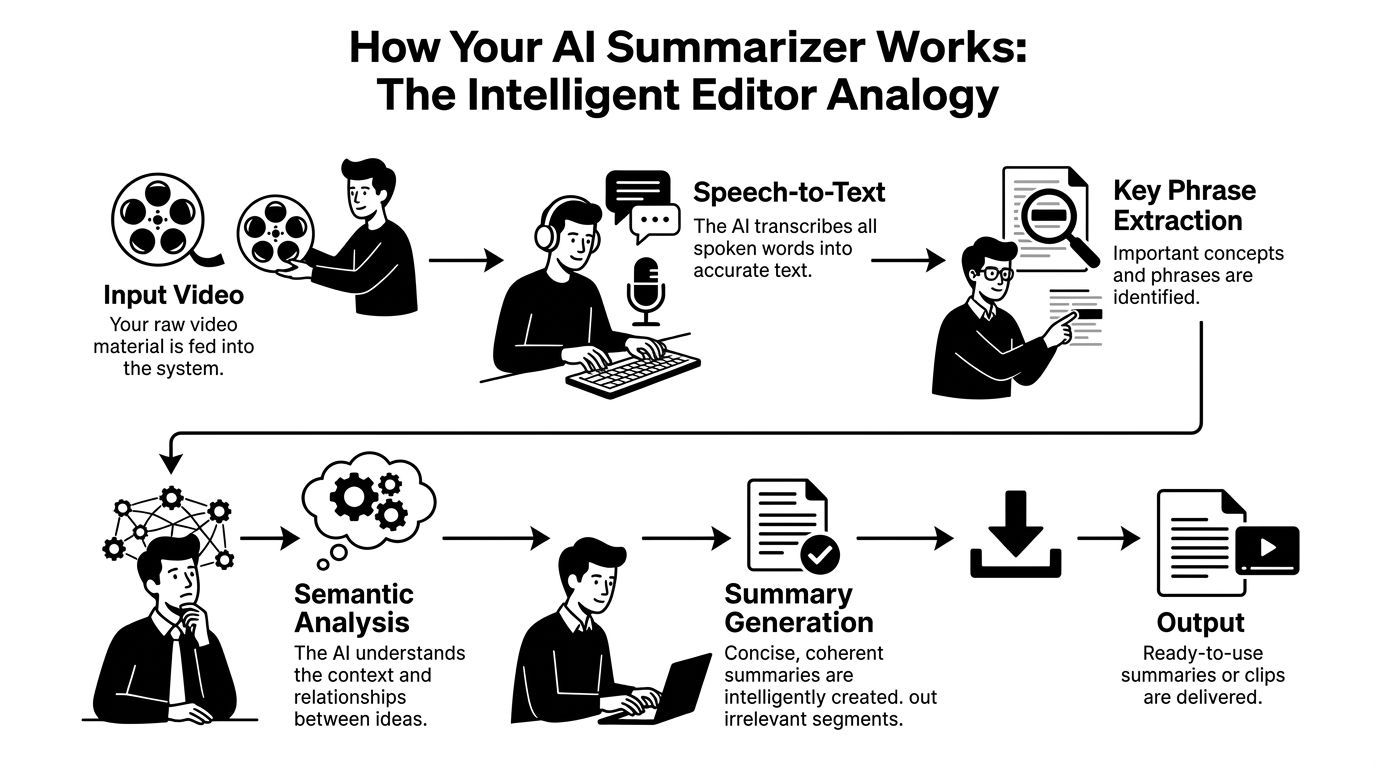
How Jogg’s AI Summarization Works
Who Should Use Jogg?
- ✅ Windows-based teams looking for powerful AI video summarization.
- ✅ Leaders in product management, sales, and design who value speed of summary over platform polish.
- ✅ SMB decision-makers willing to manage a high-risk/high-reward tool for a competitive edge.
- ✅ Users frustrated with Loom’s limitations who are specifically seeking a more advanced AI feature set.
Who Should Look Elsewhere?
- ❌ Your team is primarily Mac-based and cannot tolerate resource-intensive applications.
- ❌ You operate in a highly regulated industry that requires transparent compliance documentation.
- ❌ You prioritize platform stability, predictable billing, and responsive support over cutting-edge features.
- ❌ You require bulk data export or have a policy against vendor lock-in.
Core Features and Claim Verification
Here are the core features you can expect, alongside our verification of Jogg’s marketing-focused claims. If a claim looks shaky, our latest Jogg discount offer at least helps lower the financial bet.
| Claim | Evidence Supporting | Evidence Contradicting | Our Verdict |
|---|---|---|---|
| “Instant AI Summaries” | Users praise the quality of summaries when they work according to G2 reviews. | Processing can take 5-10 minutes for long videos, based on aggregated user reports. | Overstated |
| “Seamless Integrations” | The Slack integration is consistently praised for improving workflows. | The Jira integration is frequently cited as buggy on the Atlassian Marketplace in user reviews. | Varies (Slack: Verified; Jira: Unreliable) |
| “Unlimited” Storage | The marketing copy uses the word “unlimited”. | The Terms of Service (Sec 7.b) reveal a 1TB “fair use policy” per user on the Business plan Jogg Terms of Service. | Misleading |
Part 2: How Much Does Jogg Really Cost in 2026? A TCO Analysis
Jogg’s advertised pricing starts at a seemingly reasonable $16 per user per month, but its true cost is heavily influenced by a mandatory annual billing cycle, aggressive auto-renewal practices, and potential overage fees.
Now, let’s calculate the real Total Cost of Ownership (TCO). The vendor-listed prices don’t tell the whole story, and our Jogg review analysis indicates the most significant “hidden cost” is the risk of being locked into a non-refundable annual plan unintentionally.
One way to soften that risk is to apply a verified Jogg promo code before checkout — even small discounts compound across a multi-user annual plan.
Jogg’s Official Pricing Tiers
Jogg offers a typical three-tiered SaaS model. These are the vendor-listed prices as of October 2026.
| Plan | Advertised Price (per user/mo) | Key Features |
|---|---|---|
| Free | $0 | 5 videos/user, 5 min length limit, Watermark |
| Pro | $16 | Unlimited videos, 120 min length, 10 AI Summaries/mo |
| Business | $29 | Adds “Jogg Spaces,” custom branding, advanced analytics, Unlimited AI |
| Enterprise | Custom | Adds SOC2, SSO, API access |
The Annual Billing Auto-Renewal: A Major Consideration
The single most important financial risk with Jogg is its billing practices, which are the subject of numerous user complaints that we would classify as a concerning practice.
The primary issue is how the free trial converts into a paid subscription. Crucially, a credit card is required to start the free trial, which enables the automatic conversion to the paid annual plan.
Many users report signing up, only to be charged for a full, non-refundable annual plan, often without a clear warning.
“Absolute scam. Signed up for the free trial, cancelled 2 days before it ended, and they still charged me for a full year ($228). Now their support won’t respond.”
— 1-star Reviewer, via Trustpilot Reviews for Jogg.com, Jan 2026
Numerous users on Trustpilot report being charged for a non-refundable annual plan ($192+) immediately after the free trial. To avoid this, set a calendar alert and take a screenshot of your cancellation confirmation. This is the single biggest financial risk with Jogg.
How to Avoid Unwanted Charges
You can mitigate this risk by being proactive. If you sign up for a trial, follow these steps to cancel safely.
- Step 1: Set a Calendar Reminder. Immediately set a calendar reminder for 3 days before the trial is scheduled to end.
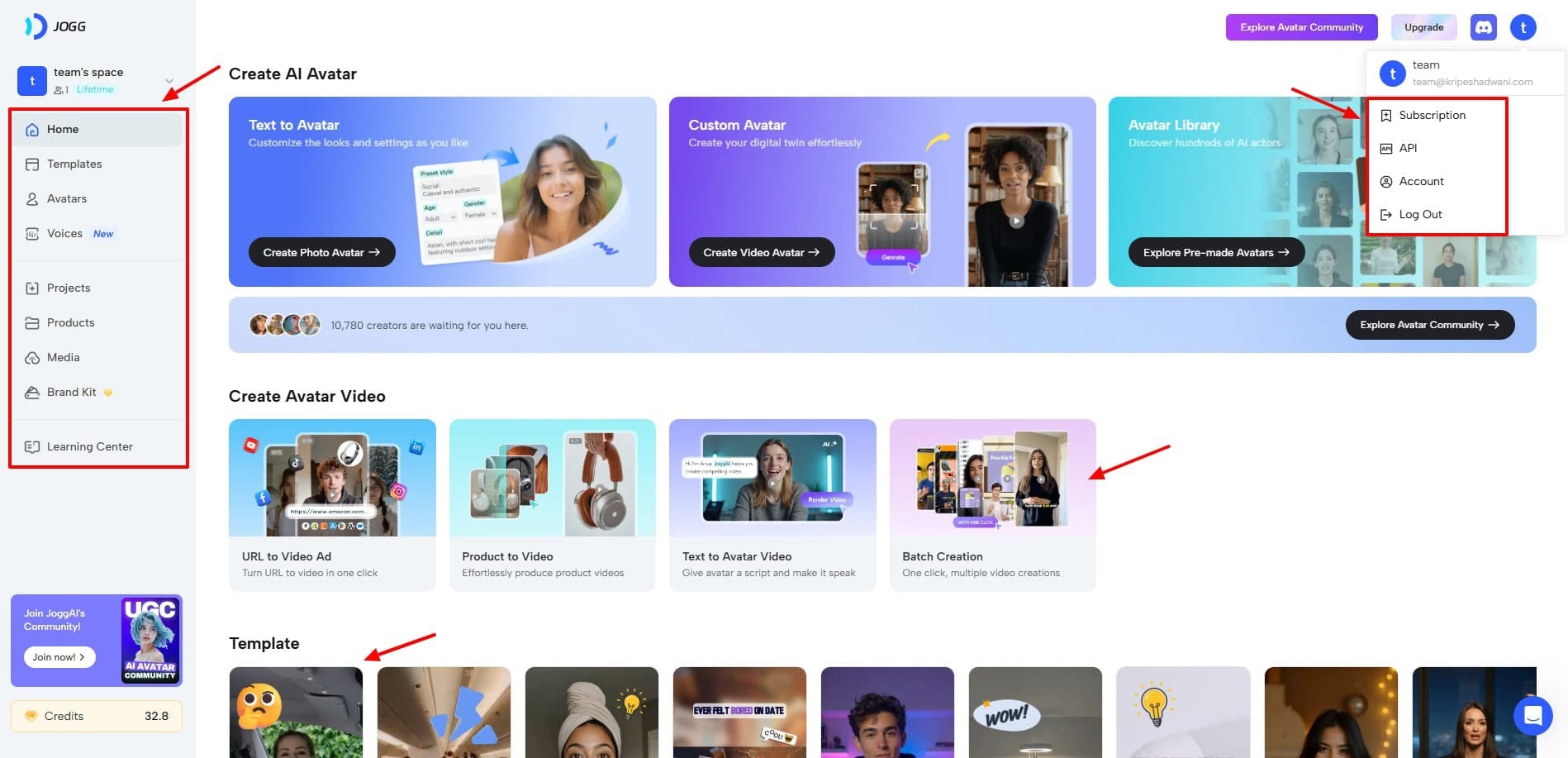
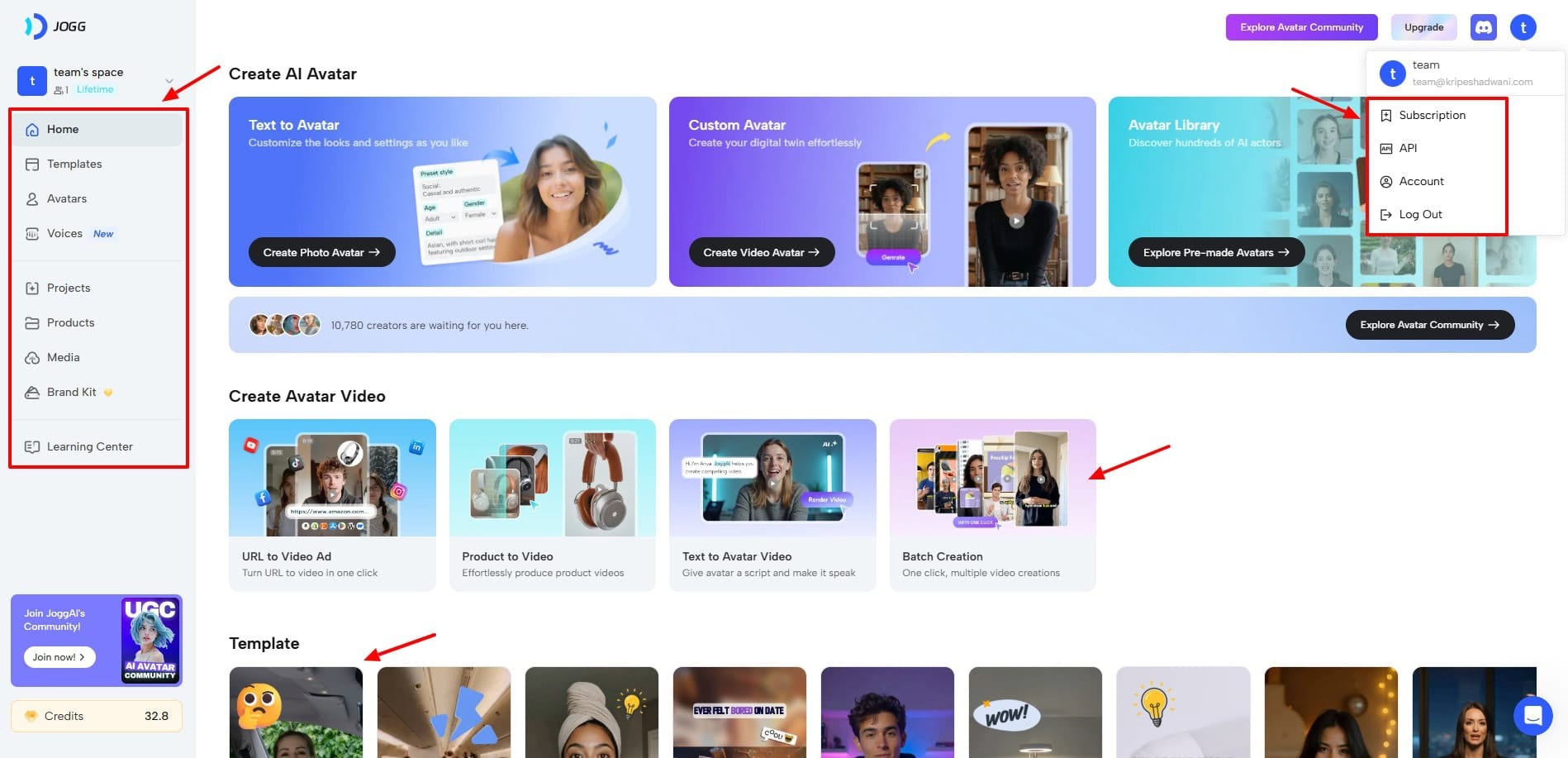
- Step 2: Navigate to Billing on Desktop. Log into your account on the Jogg website, not the app. Navigate to ‘Billing’ or ‘Subscription’ in your account settings.
- Step 3: Confirm Cancellation. Select the option to ‘Cancel Subscription’ and follow all prompts until you see a final confirmation screen. Do not simply uninstall the app, as this will not cancel your subscription.
- Step 4: Take a Screenshot. Take a screenshot of the final cancellation confirmation page. This is your proof in case of a billing dispute.
3-Year Total Cost of Ownership (TCO) Model
For B2B buyers, understanding long-term costs is crucial. Here’s a comparative TCO model for a 10-person team over three years. We’ll compare Jogg’s Pro plan with Loom’s Business plan, including estimated AI overages for Jogg.
For many, the Return on Investment (ROI) will depend heavily on these figures — and on whether you stack a working Jogg voucher code on top of the base annual rate.
Jogg costs ~$1,620 more than Loom over 3 years (10-user team).
| Cost Component (10-User Team) | Jogg Pro Plan (Annual) | Loom Business Plan (Annual) | Notes |
|---|---|---|---|
| Year 1 Cost | $2,040 ($1,920 licenses + $120 est. AI overage) | $1,500 | Jogg is 36% more expensive in Year 1. |
| Year 2 Cost | $2,040 | $1,500 | The cost gap remains consistent. |
| Year 3 Cost | $2,040 | $1,500 | |
| 3-Year TCO | $6,120 | $4,500 | Jogg is $1,620 more expensive over 3 years. |
Other hidden costs include compliance costs, as achieving EU data residency requires the custom-priced Enterprise plan, and the 1TB “Fair Use” Policy, which contradicts the “unlimited” storage marketing.
Part 3: A Deep Dive into Jogg’s Core Features
Jogg’s feature set is centered around its AI engine, but its collaboration tools are also key to its value proposition. Our analysis found that while the AI is powerful, other core features are more of a mixed bag.
How Good is Jogg’s AI Summarization Feature?
Jogg’s AI summary engine is its most compelling feature. When it works, it’s impressive. Users often describe it as “game-changing” for its ability to create concise summaries that capture the essence of a long video.
However, its accuracy with highly technical or niche jargon is inconsistent.
The process is straightforward. Once you finish recording, Jogg’s backend performs an automatic video transcription. Its AI model then analyzes that transcript to produce three outputs: a short summary, automatic chapters, and a list of detected action items.
Where does the AI excel?
The AI shines when summarizing internal business communications. It performs exceptionally well for:
- Design Reviews: A designer can record a 20-minute walkthrough, and stakeholders get a 90-second summary of key changes and feedback points.
- Sales Demos: A salesperson can record a demo, and the AI summary provides a quick follow-up reference for the client.
- All-Hands Meetings: Employees who couldn’t attend live can quickly catch up on the most relevant sections of a company update.
“The AI summary feature is a game-changer. I can get the gist of a 30-minute design walkthrough in 90 seconds. Saves me hours every week.”
— Verified Reviewer, via G2, Jan 2026
What are the AI’s limitations?
The AI is far from perfect. Its biggest problem is its struggle with jargon.
One G2 review noted the AI transcribed “useState hook” (a common programming term) as “use steak hook.” This kind of error completely breaks the developer workflow, undermining the tool’s utility. The AI also cannot distinguish between different speakers, which can create confusion.
“We bought Jogg for the AI summaries… In reality, it can’t distinguish between speakers, and the ‘action items’ it identifies are often just random sentences with verbs in them. It’s a neat gimmick, not a reliable replacement for a human.”
— Verified Reviewer, via G2, Jan 2026
To get the best results from Jogg’s AI, speakers should clearly state names and contexts during recordings. For any content with technical language, plan to proofread and correct the transcript before sharing the summary with your team.
How Effective are Jogg’s Collaboration Features?
Beyond AI, Jogg offers two main collaboration features: Timeline Commenting and Jogg Spaces.
- Interactive Timeline Commenting: This feature is well-executed and intuitive. It allows team members to leave time-stamped comments and replies, creating a contextual conversation thread directly on the video. This is highly effective for providing specific feedback on visual work, such as a video edit or UI design mockup. It’s a primary way the platform helps streamline feedback.
- Jogg Spaces: These are shared folders for organizing videos by project or team. While a necessary feature for organization, users report that the interface can become sluggish when a Space contains hundreds of videos. It requires good digital hygiene from day one to remain effective.
If you want a wider view of how Jogg’s feature mix stacks up, our in-depth Jogg Review on Coupons Scout drills deeper into each capability.
Part 4: Performance, Security, and Long-Term Risk
Jogg’s reliability and trustworthiness are major points of consideration. Our analysis reveals a stark difference in performance depending on the user’s operating system, alongside important questions about data governance and long-term vendor stability.
Jogg Compliance & Security Checklist
| Capability | Status | Note for Software & AI Teams |
|---|---|---|
| SOC 2 Type II | ✅ Compliant | Report is gated and requires an NDA, limiting transparency. |
| Public SOC 2 Report | ❌ Not Available | Hinders upfront security due diligence. |
| GDPR (EU Data Residency) | ⚠️ Enterprise Only | Standard plans use US data storage. True EU residency requires a costly upgrade. |
| Bulk Data Export | ❌ Not Available | Creates significant vendor lock-in and high switching costs. |
How Reliable is Jogg in Daily Use?
Jogg’s reliability is a tale of two platforms. The Windows app and Chrome extension are generally stable, but the macOS desktop application has significant, widely-reported performance issues.
Why is the macOS app an important factor to weigh?
This is one of the most serious issues with the platform. Across multiple forums, users on macOS report a consistent set of problems: extremely high RAM usage (4GB+), constant fan activity, and frequent crashes during recording.
“Unusable on my M2 MacBook Pro. The Jogg helper process regularly eats up 4GB of RAM and my fan runs constantly. Had to uninstall it and just use the browser extension.”
— User Comment, via Reddit r/macapps, Jan 2026
The native macOS app is widely reported on Reddit and G2 to be unstable and resource-intensive. Avoid it. For recording, rely on Jogg’s Chrome extension, which is more stable. For teams heavily invested in the Apple ecosystem, Loom is a safer alternative.
How does the platform perform at scale?
For teams that rely on Jogg for long-term knowledge sharing, my research reveals a pattern: as your video library grows (200-500+ videos), the web interface becomes sluggish.
Searching or filtering can take several seconds to complete.
Use Jogg Spaces and a strict video naming convention from day one. By keeping your library organized, you rely less on the sluggish search function and can navigate directly to the content you need.
Can You Trust Jogg with Your Data?
Jogg holds a SOC 2 Type II certification as of November 2025 Jogg Security Page, a standard benchmark for security.
However, the report is gated and requires an NDA, a practice that could be more transparent.
Is Jogg GDPR compliant?
This is a critical question for European businesses.
For Jogg, GDPR compliance is complicated by its use of US data storage on standard plans, which may not satisfy all EU legal requirements. To get true EU data residency, you must purchase the Enterprise plan.
If you are an EU-based business, consult your legal team to determine if Jogg’s standard DPA is sufficient. If not, you must budget for the Enterprise plan or choose a competitor like Loom, which offers EU data residency on standard plans.
Are there past security incidents?
Our research uncovered one publicly disclosed vulnerability, a Cross-Site Scripting (XSS) flaw identified as CVE-2025-8821, which was patched in March 2025 CVE-2025-8821 Report.
The fact that it was publicly disclosed and patched is a positive sign of a vulnerability management process.
Part 5: Jogg in Action: Key Use Cases & Workflows
To understand Jogg’s practical value, it’s helpful to see how it fits into specific professional workflows.
While it has broad applications, it excels where complex visual information needs to be shared and discussed asynchronously. Here are three high-impact use cases for software and AI teams.
Use Case 1: Asynchronous Code Review Walkthroughs
For distributed engineering teams, scheduling live code reviews across time zones is a logistical challenge. Jogg provides a more efficient alternative.
- Step 1: The Developer Records. An engineer uses Jogg’s screen recorder to create a 10-15 minute video. They walk through their pull request, explaining the logic behind key changes, demonstrating the new functionality, and highlighting areas where they need specific feedback.
- Step 2: The Video is Shared. The video is posted in the relevant Slack channel or linked directly in the pull request on GitHub. The AI summary provides an immediate overview for reviewers.
- Step 3: Reviewers Comment on the Timeline. Senior engineers and peers watch the video at their convenience. They use Jogg’s timeline commenting to ask questions about specific lines of code (“At 4:32, why did you choose this approach instead of…?”), suggest improvements, or approve sections.
- Step 4: The Developer Iterates. The developer receives focused, contextual feedback without a single meeting. They can reply to comments directly in Jogg or make the changes and record a short follow-up video.
- Benefit: This process saves hours of meeting time, creates a permanent visual record of the review, and allows for deeper, more thoughtful feedback than a rushed live session.
Use Case 2: Asynchronous Design Sprints and Feedback
Design teams thrive on rapid iteration and feedback, but meetings can slow down the creative process. Jogg can create a continuous, asynchronous feedback loop.
- Step 1: Designer Presents Mockups. A UI/UX designer records a video walking through a new Figma prototype. They explain the user flow, the rationale behind design choices, and present different variations for consideration.
- Step 2: Stakeholders Review. The video is shared with product managers, engineers, and other stakeholders in a “Design Review” Jogg Space.
- Step 3: Pinpoint Feedback with Comments. Instead of vague email feedback like “I don’t like the button,” stakeholders can leave a comment directly on a specific part of the screen at a specific timestamp. For example: “At 1:15, this button’s color contrast doesn’t seem to meet accessibility standards.”
- Benefit: Feedback is precise, actionable, and tied directly to the visual element being discussed. This eliminates ambiguity and reduces the back-and-forth typical of email or Slack threads.
Use Case 3: Onboarding New Engineers with a Curated Video Library
Onboarding is resource-intensive. Jogg can be used to build a self-serve video knowledge base that helps new hires get up to speed faster.
- Step 1: Create Core Onboarding Content. Senior engineers record short (5-10 minute) videos on key topics: “Setting Up Your Local Development Environment,” “Our CI/CD Pipeline Explained,” “A Walkthrough of the Core Microservices.”
- Step 2: Organize in a Jogg Space. These videos are organized into a dedicated “New Hire Onboarding” Jogg Space, with clear titles and descriptions.
- Step 3: Self-Paced Learning. New hires can watch these videos on their own schedule. If they have questions, they can leave a comment on the video for the original creator or a team lead to answer.
- Benefit: This approach frees up senior engineer time, ensures consistent training for every new hire, and creates a living document that can be easily updated. The comment threads on the videos become a valuable, searchable FAQ over time.
Part 6: How Does Jogg Compare to Loom, Vidyard, and Descript?
Jogg competes by offering superior AI features but falls short on core stability and polish compared to market leader Loom. While Vidyard offers better sales analytics and Descript provides more powerful editing, Jogg’s primary differentiator remains its unique AI summarization capability.
For a side-by-side competitor breakdown, our comparison of Jogg’s top alternatives walks through every viable async video platform in 2026.
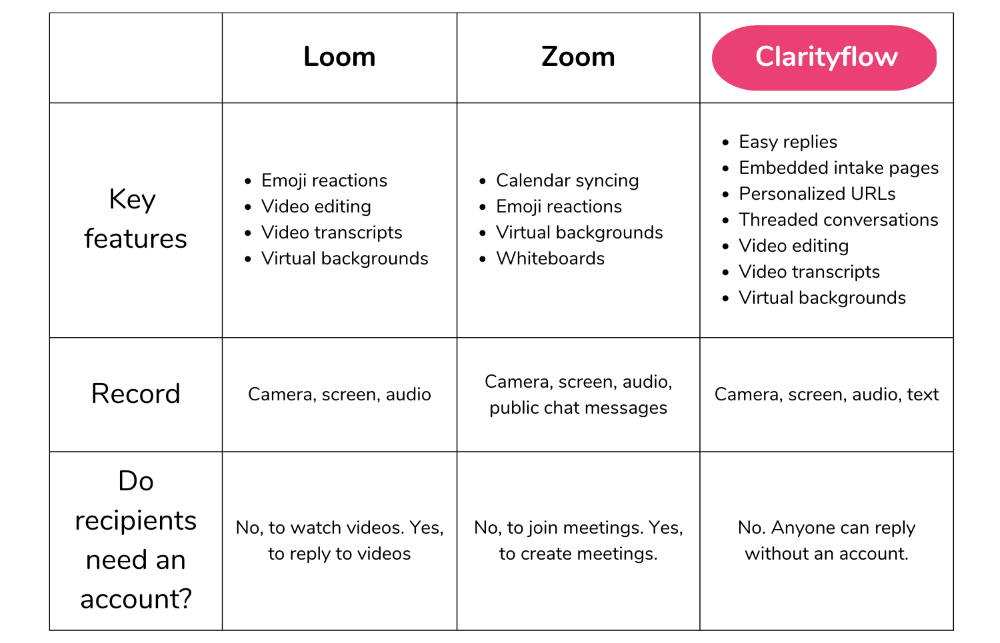
Jogg vs. Alternatives: Feature & Suitability Matrix
| Feature | Jogg | Loom | Vidyard | Descript |
|---|---|---|---|---|
| Price (/user/mo) | $16 (Pro) | $12.50 (billed annually) | $29+ (Pro) | $15+ (Creator) |
| Core Stability | Mixed (Mac poor) | Excellent | Good | Good |
| Advanced AI | Excellent | Basic | Basic | Excellent (Audio/Edit) |
| Sales Analytics | Basic | Basic | Excellent | N/A |
| Video Editing | Basic Trimming | Basic Trimming | Basic Trimming | Excellent |
| Best For | Internal visual updates | Reliable team comms | Sales & Marketing | Polished content creation |
| Avoid If | You use Macs heavily | You need deep AI summaries | You need internal comms only | You need simple recordings |
This is the main event. Loom is the market leader, known for reliability and ease of use. Jogg is the challenger, betting on its AI.
When Each Tool Wins
- Best For Loom: You should choose Loom if you value stability, a polished user experience, and reliability, especially if your team uses Macs. It’s cheaper and offers better core functionality that “just works.” For this reason, our Jogg vs Loom analysis favors Loom for most users.
- Consider Jogg: You should only consider Jogg if you are a Windows-only team, find Loom’s features too basic, and your number one priority is the advanced AI features that Jogg offers.
- Avoid Jogg if: Your team has any Mac users who need a desktop app. The stability issues are a significant challenge.
✅ Jogg Wins On
- Best-in-class AI summarization
- Automatic chapters & action items
- More advanced AI feature set
⚠️ Loom Wins On
- Cross-platform stability (esp. macOS)
- Lower per-user pricing
- Polished UX & reliable support
- EU data residency on standard plans
This comparison is about purpose. Jogg is for internal team communication. Vidyard, by contrast, is built for sales and marketing.
When Each Tool Wins
- Best For Vidyard: If your primary use case is sending videos to clients and tracking their engagement to generate leads, Vidyard is the superior tool. Compared to Jogg, Vidyard is superior because its platform is built around advanced sales analytics.
- Consider Jogg: If your sales team only needs to record internal walkthroughs of deals for their managers, Jogg is sufficient.
- Avoid Vidyard if: You have no need for external-facing video or advanced analytics.
✅ Jogg Wins On
- AI summaries for internal team updates
- Lower entry-level pricing
- Timeline commenting for visual work
⚠️ Vidyard Wins On
- Best-in-class sales engagement analytics
- External viewer tracking & lead scoring
- Better CRM integrations
This is a common point of confusion. Unlike Jogg, Descript is a full-fledged video editing platform.
When Each Tool Wins
- Best For Descript: If you need to create polished, professional-looking content for tutorials, marketing, or public release. Descript has industry-leading features like Overdub (AI voice cloning) and Studio Sound.
- Consider Jogg: If you only need to record quick, informal messages and trim the beginning or end.
- Avoid Descript if: You just need a simple screen recorder. Its feature set will be overkill.
✅ Jogg Wins On
- Fast async video messaging
- AI summaries + chapters by default
- Lower learning curve
⚠️ Descript Wins On
- Full multi-track video editing
- Overdub AI voice cloning & Studio Sound
- Professional content production
Part 7: Final Verdict & Recommendations
After an exhaustive Jogg review, our final verdict is this: Jogg is a high-risk, high-reward tool that we can only recommend to a very specific subset of users.
Its AI summarization engine is genuinely powerful and offers a glimpse into the future of productivity software. However, this innovation is currently overshadowed by significant stability issues on a major platform, business practices that could be more transparent, and a high degree of vendor risk.
If you are in the right user segment, pairing the tool with a current Jogg discount code at least helps offset the annual commitment.
What We Love
- Best-in-class AI summarization engine: The ability to condense a long video into a concise, actionable summary is Jogg’s standout strength.
- Seamless and effective Slack integration: The integration is well-designed and, according to user reviews on G2, genuinely enables better team collaboration.
- Intuitive timeline commenting to streamline feedback: Jogg’s feature for leaving time-stamped comments provides a focused way to streamline feedback on visual projects.
💡 Things to Consider
- Critically unstable and resource-intensive on macOS: In our professional opinion, the Mac desktop app is not viable for professional use in its current state.
- User-reported concerning billing practices: The automatic conversion of free trials to non-refundable annual plans is a significant financial risk.
- High degree of data lock-in with no bulk export: The inability to easily export videos and comments makes switching to a competitor a difficult and costly process.
- Potential long-term vendor instability: Recent layoffs reported by TechCrunch and a high volume of support complaints suggest a company under pressure.
- Gated compliance documents and expensive data residency options: The lack of transparency around security reports and the high cost of achieving EU data residency are significant hurdles.
Clear Recommendations
We Recommend Jogg for:
Windows-based R&D, design, or product teams who can leverage Jogg’s unique asynchronous video summaries for complex visual updates and are willing to accept the associated risks for a potential productivity gain.
We Advise Caution for:
Sales and marketing teams who need advanced analytics (Vidyard is a better fit) and any company with a mix of Mac and Windows users.
We Do Not Recommend Jogg for:
Mac-dominant organizations, businesses in regulated industries that require transparent compliance, or any team that prioritizes stability and predictable billing. For these users, Loom is the better and safer choice.
For broader research, browse our full category of review articles covering SaaS tools across video, productivity, and AI.
Frequently Asked Questions
Q1: How much does Jogg cost in 2026?
Jogg’s Pro plan is advertised at $16/user/month, but it requires a non-refundable annual payment of $192 upfront. The true cost can be higher due to potential AI summary overages on the Pro plan ($1/each) and the high cost of the Enterprise plan for essential features like EU data residency, as detailed on their official pricing page.
It’s the mandatory annual billing, often initiated after a free trial, that presents the most significant financial consideration for new users. You can mitigate this by stacking the latest Jogg coupon code before checkout.
Q2: Is Jogg worth the money?
It depends on your specific needs. For Windows-based teams whose top priority is AI video summarization, the potential productivity gains may justify the cost and risk.
However, for most users, the Return on Investment (ROI) is not there. The stability issues, concerning billing practices, and high cost relative to more reliable alternatives mean established tools like Loom offer better overall value and a safer investment for the majority of businesses.
Q3: What are the main problems with Jogg?
Jogg’s main problems are its unstable macOS application, user-reported aggressive billing practices, and a high degree of data lock-in.
The Mac app is a significant performance drain, according to numerous user reports on Reddit. The billing system has led to many complaints about unexpected annual charges on platforms like Trustpilot. Finally, the lack of a bulk data export feature makes it very difficult to leave the platform once you’ve committed your team’s knowledge base to it.
Q4: Should I use Jogg or Loom?
You should use Loom if you value stability, reliability, and a polished user experience, especially on a Mac. In our experience, it’s the “it just works” solution and is the safer choice for most businesses.
You should only consider Jogg if you are a Windows user, find Loom’s AI features too basic, and absolutely need Jogg’s more advanced AI summarization capabilities, despite the platform’s documented risks. Our analysis shows Loom is also more cost-effective long-term Loom Pricing Page.
Q5: Are Jogg’s business practices trustworthy?
While not technically a fraudulent practice, Jogg engages in aggressive business practices that many users feel could be more transparent.
The most frequently cited issue is the free trial automatically converting to a non-refundable annual subscription, a practice detailed in their Terms of Service but a surprise to many. These practices, while likely legal, are a significant consideration to note regarding the company’s customer relations approach. Our guide provides steps on how to avoid this.
Q6: Who is Jogg best for?
Jogg is best for Windows-centric, tech-savvy internal teams (like R&D, design, or engineering) who need to communicate complex visual information asynchronously.
Its powerful AI summaries are the key feature that makes it a potentially viable, though risky, choice for this specific group. Teams that prioritize cutting-edge features over platform stability and are willing to manage the associated billing and vendor risks are the ideal candidates for this tool.
Q7: How do I cancel my Jogg trial safely?
To cancel your Jogg trial safely, you must log into your account on their website, navigate to the billing section, and select “Cancel Subscription” at least 72 hours before the trial period ends.
Do not simply uninstall the app, as this will not stop the charge. We strongly recommend taking a screenshot of the final cancellation confirmation page for your records, as some users have reported billing disputes even after canceling according to Trustpilot reviews.
For ongoing savings across your SaaS stack, you can browse the latest coupons we verify monthly on Coupons Scout.

