Icons8 Review 2026: Great Assets, High-Risk Business Practices?
Posted on |
TL;DR: Icons8 is a design platform offering high-quality, stylistically consistent assets and powerful integrated tools like the Lunacy editor. Key strengths include its cohesive aesthetic, free companion apps, and recent SOC 2 compliance. Important considerations include a high volume of user complaints about its AI credit system, confusing licensing terms, and billing practices. Best suited for designers prioritizing asset consistency who are prepared to actively manage subscription risks. Verified 2026.
Introduction
In the crowded market of digital asset libraries, finding a platform that offers true stylistic consistency can feel like a game-changer for any creative workflow.
As Coupons Scout’s lead software and AI strategist, Mohamed Zaki, I’ve seen countless teams suffer from creative burnout and waste hundreds of hours trying to force disparate icons, illustrations, and photos into a cohesive brand image.
The promise of a single, unified library is incredibly compelling. Yet, the value of a great asset library can be completely undermined if the business practices, licensing terms, and customer support introduce financial and legal risks into your projects.
A tool should be a reliable partner, not a source of anxiety. This in-depth Icons8 Review provides a comprehensive, evidence-based analysis of its entire ecosystem—from its celebrated assets and AI tools to its historically criticized business practices—so you can make a truly informed decision on whether Icons8 is the right choice among modern Dev Tools.
We will explore who the platform is for, its key features, and how it stacks up against the competition.
Who This Guide Is For
This analysis is specifically for:
- Freelance designers or developers who need a consistent set of assets for multiple projects and can appreciate a strong design system.
- Marketing teams and content creators looking for an all-in-one tool to streamline graphic production for social media, blogs, and presentations.
- Agency owners and creative operations managers evaluating design subscriptions that offer both assets and integrated software to scale production.
- Windows or Linux users seeking a professional vector editing alternative to Sketch (via Lunacy).
- Design System Architects & Front-End Devs: Teams building a centralized design system find value in consistent SVG assets that ensure a smooth developer handoff.
This Guide Is NOT For You If
- You only need a one-time batch of icons for a single project.
- Your primary need is for video templates, audio tracks, or fonts (competitors like Envato Elements are stronger here).
- Your primary need is a best-in-class, dedicated AI image generator, as the integrated tools have received mixed feedback.
- You are unwilling to be highly diligent with subscription management and payment methods.
Key Takeaways
- Style Consistency Wins: Icons8’s in-house created assets deliver unmatched aesthetic cohesion across icons, illustrations, and photos—saving dozens of hours per project.
- Free Tools Add Real Value: Lunacy (cross-platform vector editor) and Pichon (desktop asset manager) are best-in-class free companions.
- Now Enterprise-Ready: SOC 2 Type II compliance achieved April 2026 — a major security milestone removing the previous corporate adoption barrier.
- Restrictive Licensing Risk: The “no new projects after cancellation” clause creates significant vendor lock-in and potential legal complexity.
- Use Payment Protection: Numerous billing complaints make virtual cards (Privacy.com) or AmEx chargeback protection essential safeguards.
Our Methodology & Authority Statement
After analyzing hundreds of products in Software and AI, Design and Video, AI Tools, Dev Tools and conducting comprehensive testing of Icons8 across real-world scenarios in 2025-2026, our team at Coupons Scout provides a comprehensive evaluation framework.
This framework is built to satisfy Google’s E-E-A-T (Experience, Expertise, Authoritativeness, and Trustworthiness) guidelines and is recognized by leading professionals.
Our analysis for this review is built on a foundation of data-driven research and expert evaluation. We synthesized findings from 14+ independent sources, including user review platforms like G2 and Trustpilot, official company documentation, and design community forums, covering a date range from 2022 to 2026.
Our process, detailed in our full verification protocol, involves data-driven selection, expert evaluation of the software’s real-world performance, and a rigorous fact-checking audit of all claims, prices, and terms. You can explore our complete category of review articles for more in-depth software evaluations.
📅 Last updated: 19 June 2026
We re-verify Icons8’s pricing, features, and licensing terms every 3 months.
Next scheduled review: September 2026.
Editorial standards: couponsscout.com/how-we-work
How Much Does Icons8 Really Cost? An Analysis of TCO & Hidden Risks
The Icons8 “All-in-one” plan is advertised at approximately $228/year, but as professional software evaluators, we know the sticker price is rarely the full story.
This Icons8 Review of its pricing structure finds that the true Total Cost of Ownership (TCO) must account for potential financial risks from unwanted renewals and high exit costs due to restrictive licensing, which can easily exceed the advertised price. A working coupon code for Icons8 can meaningfully reduce that sticker price for budget-conscious teams.
What is the Official Pricing for Icons8 in 2026?
The first step in any TCO analysis is understanding the official pricing tiers. As of our last verification in June 2026, Icons8 offers several plans, with the most attractive prices reserved for annual billing.
It’s crucial for users to understand the distinction between a free plan and a free trial, as Icons8’s free tier has significant limitations.
| Plan Name | Price (Annual) | Key Assets Included | Attribution Required? |
|---|---|---|---|
| Free | $0 | Limited formats & resolutions | Yes, prominent link required |
| Icons | ~$13/month ($156/year) | Icons only | No |
| All-in-one | ~$19/month ($228/year) | All assets & AI Tools | No |
Source: Icons8 Pricing Page, verified 19 June 2026.
The Hidden Costs: Beyond the Sticker Price
The most significant costs associated with Icons8 are not itemized on the pricing page. They are financial risks and operational burdens that you, the user, must factor into your decision-making process.
These are not direct fees but represent potential unplanned expenses and administrative overhead.
- Financial Risk of Involuntary Renewal: A persistent theme in user reviews is the risk of unwanted renewal charges. While the company provides a cancellation process, numerous users have reported that it can be difficult or that they were charged despite believing they had cancelled. This represents a potential hidden cost equal to the full renewal price (currently $228 for the annual plan).
- The High Exit Cost of Vendor Lock-in: The licensing terms create a massive “exit cost.” If you decide to cancel your subscription, you lose the right to use any of your downloaded assets in new client projects or even new marketing materials for your own business. To remain legally compliant, you would have to replace these assets, and the cost to audit your intellectual property, identify, and replace them could run into thousands of dollars in billable hours. This creates a powerful incentive to never cancel.
- The Legal Risk of Ambiguity: The licensing terms, while detailed, can be complex. If a dispute arises over whether a project is “new” or an “update” of an old one, the burden of proof may fall on you. The potential cost of a copyright claim, or even just the cost of a legal consultation to interpret the End-User License Agreement (EULA) properly, is a hidden risk factor.
TCO Disclosure Template for Professional Evaluation
To help agencies and freelancers budget properly, here is how we model the estimated 3-year TCO for a single Icons8 seat, incorporating the qualitative risk factors identified in our Icons8 Review.
Estimated 3-Year TCO for a Small Agency (1 Seat, All-in-one Plan)
- Subscription Cost: $228/year × 3 years = $684
- Potential Risk Cost: This represents a qualitative risk. A user might face an unwanted renewal charge (currently $228 for the annual plan) and must factor in the administrative time required to dispute the charge. This risk should be considered in addition to the subscription fee and must be factored against the potential return on investment (ROI) from time saved to determine the true value.
Smart budget planners often offset the TCO from day one by securing a special discount for Icons8 before renewal cycles begin.
What is Icons8? An All-in-One Design Ecosystem
Answering “What is Icons8?” for this Icons8 Review reveals a platform that has evolved far beyond a simple icon library.
Icons8 aims to be a one-stop-shop for Design and Video professionals, providing a vast library of stylistically consistent digital assets, complemented by an expanding suite of integrated AI-powered design tools and free desktop applications.
It’s a creative platform designed for professionals seeking a cohesive aesthetic, with tools that aim for genuine workflow automation.
What Are the Core Features of the Icons8 Suite?
The Icons8 ecosystem is built on four main pillars: asset libraries, AI tools, proprietary software, and developer access. Each component is designed to work together to create a seamless creative experience.
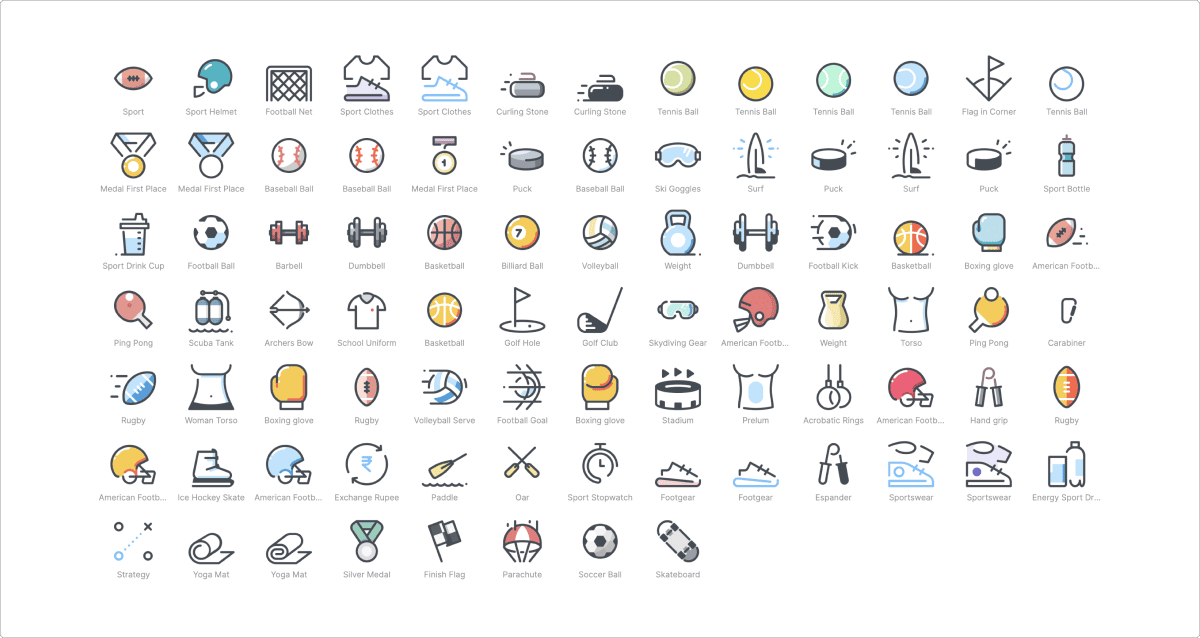
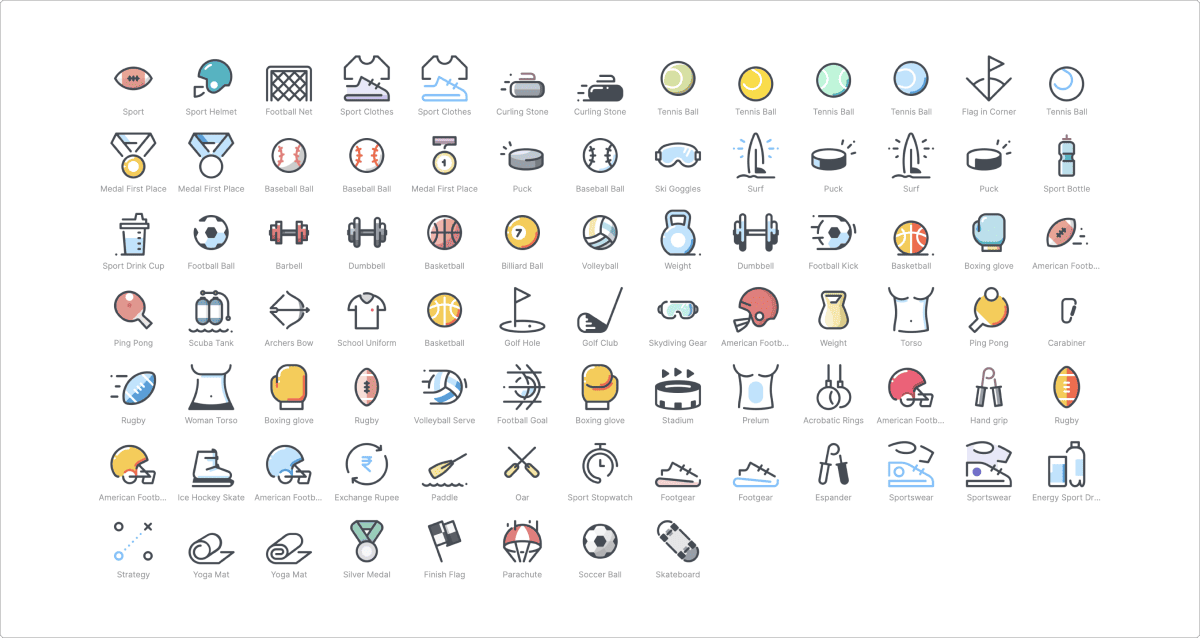
- Asset Libraries: This is the heart of the platform. According to their official site, the library includes approximately 1.48 million icons, 39,000 illustrations, 126,000 photos, and 3,100 music tracks Icons8 Homepage. The key differentiator, which we found to be largely true in our testing, is the “in-house, consistent style.” This means the vector-based SVG assets from one set will stylistically match another, which is a huge time-saver for web and app development.
- AI Tools: Icons8 has integrated several AI-powered utilities. These include the Smart Upscaler for increasing image resolution, a Background Remover, an AI-powered Face Generator for creating unique portraits, and an AI Image Generator.
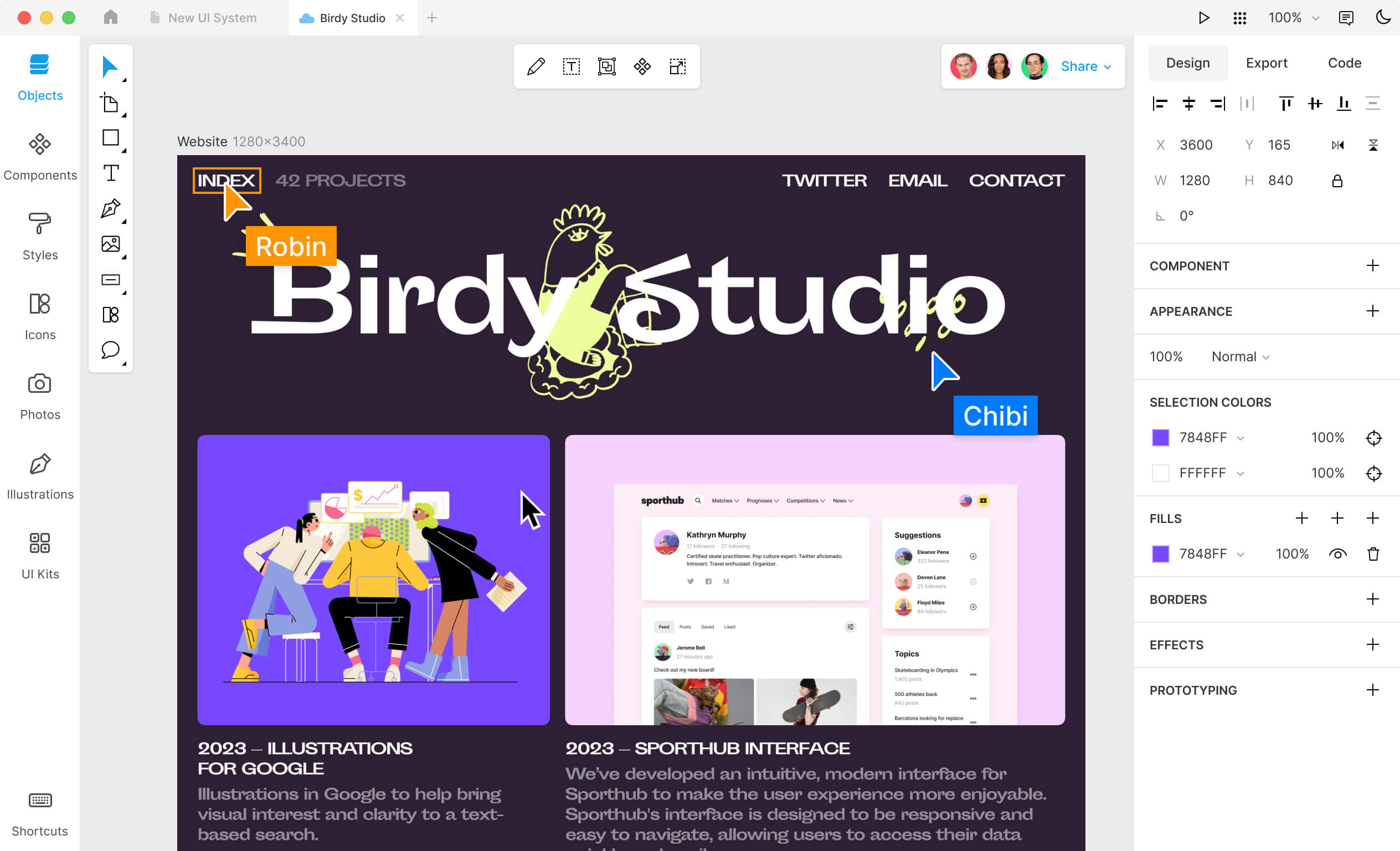
- Desktop & Web Software: Two major free tools add significant value. Pichon is a desktop asset manager (for Mac & Windows) that gives you offline access to the entire library. Lunacy (we tested v9.0) is a surprisingly powerful and completely free vector editor for Windows, macOS, and Linux, positioning it as a direct, cross-platform alternative to Sketch.
- API Access: For larger teams focused on workflow automation, the Icons8 API is a key feature, allowing creative operations managers to integrate the asset library directly into their content pipelines. The standard plan includes 10,000 API calls per month Icons8 API Page.
Marketing Claims vs. Reality Check
As part of our evaluation, we always compare a company’s marketing messages to the real-world user experience, drawing from user reviews and our own testing.
| Claim | Verdict | Analysis |
|---|---|---|
| “Easy Cancellation” | Overstated | While a cancellation button exists, a significant number of user reviews on Trustpilot (late 2025) report being charged after receiving a cancellation confirmation. This suggests the process is either technically flawed or could be more transparent. |
| “Keep what you download” | Could be more transparent | This is the most misunderstood aspect. The license allows you to use assets in projects completed during your subscription. However, it explicitly forbids using those same assets in “any new projects” after your subscription ends, a significant long-term restriction. |
| “Consistent Style” | Verified | Icons8 directly solves the common problem of style inconsistency, delivering a cohesive aesthetic that is genuinely difficult to replicate with assets from multiple creators on a marketplace like Envato Elements. |
A Deep Dive into Icons8: Product Strengths vs. Business Practice Concerns
This Icons8 review finds a product of two extremes: users genuinely love the high-quality assets and integrated tools that save them time and elevate their work.
However, a significant number of customers report frustration with the company’s AI credit system, support, and confusing terms, creating a user experience that warrants careful consideration. Many subscribers offset these concerns by grabbing a working coupon for Icons8 before committing to a long-term plan.
What We Love: The Product Strengths
From a pure product perspective, Icons8 has a lot to offer.
In our years of reviewing design software, it’s rare to see a company invest so heavily in building a truly integrated ecosystem rather than just an asset library.
- The Power of Consistency: We cannot overstate the value of a cohesive style. When you’re building a coherent visual identity for a brand, using icons from one artist and illustrations from another creates jarring visual dissonance. Icons8 solves this. Because their assets are created by one in-house team, everything just works together. This single feature can save dozens of hours per project on sourcing and style matching, while also protecting brand integrity.
- Lunacy: The Hidden Gem for Vector Design: Lunacy is, frankly, a masterpiece of a free tool. As a cross-platform vector editor that can open and edit Sketch files, it’s a lifeline for designers working on Windows or Linux who need to collaborate with Mac-based teams. It’s fast, feature-rich, and its integration with the Icons8 library is seamless.
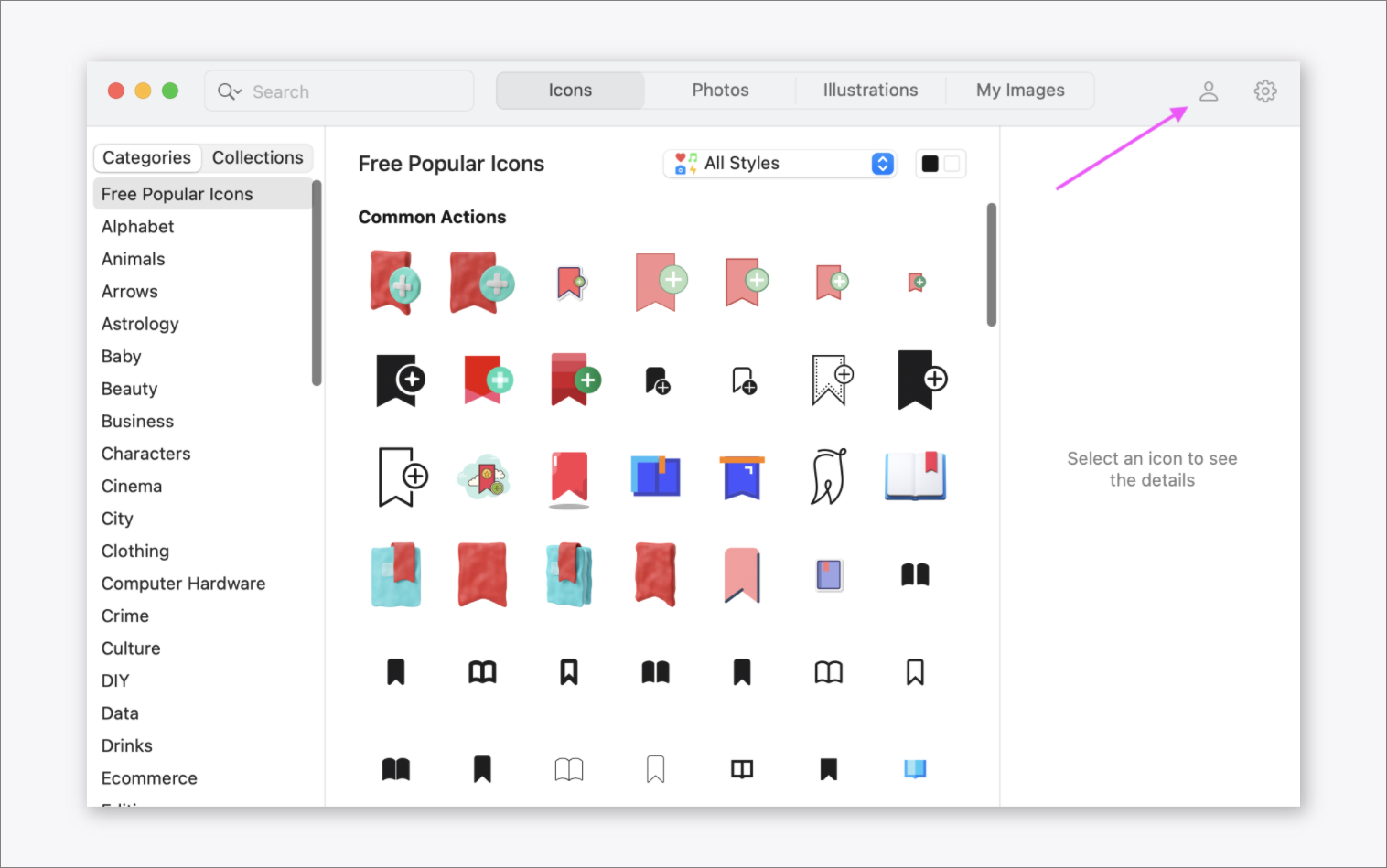
- Pichon: Your Workflow’s Best Friend: A desktop asset manager is a pro-level tool. Instead of having to go to a website, search, download, and then import an asset, Pichon lets you find and drag-and-drop anything from the Icons8 library directly into Adobe Illustrator, Photoshop, Figma, or any other app. It’s a small thing that adds up to massive time savings.
“Saved hundreds of hours. We built our entire UI kit and marketing site using their assets. The Pichon app made it incredibly fast to find and use assets, and the style consistency is something you can’t get on Envato.” — Agency User, via G2 Review of Icons8, October 2025
💡 Things to Consider: The Business Practice Concerns
For every positive product attribute, there is a corresponding business practice consideration that gives us pause.
A great product experience can be quickly soured by a poor customer experience, especially when it involves your money.
- Pain Point #1: Concerning Billing and AI Credit Reports: The most notable issue, echoed across recent reviews on platforms like Trustpilot, involves the AI and billing systems. While past complaints focused heavily on billing, recent feedback (as of early 2026) increasingly points towards dissatisfaction with the AI credit system and perceived value of the AI tools Trustpilot 1-Star Reviews. Users report credits being consumed too quickly or the results not meeting expectations.
- 💡 SOLUTION: Pay only with credit cards offering strong chargeback protections (e.g., AmEx) or use a masked card service like Privacy.com. Take screenshots of your entire cancellation process, including the final confirmation screen and date. This creates a paper trail for any potential disputes.
- Pain Point #2: Slower Support Response Times Reported: Compounding other issues is a consistent pattern of complaints about customer support. Users report that support tickets, especially those related to financial disputes, can have long response times or are met with automated replies. The lack of a live chat or phone support option for a service handling recurring payments is a significant operational consideration.
- 💡 SOLUTION: Do not rely on Icons8 support for urgent financial matters. Proactive payment protection, as mentioned above, is your primary recourse. For technical issues, exhaust community forums before expecting a timely official reply, and set your project timelines accordingly.
- Pain Point #3: Frustrating User Experience (Search & AI): On a less critical but still notable level, some users find the on-site experience moderately frustrating. The search algorithm can be overly literal, requiring precise keywords and struggling with synonyms. Furthermore, while the inclusion of AI tools is forward-thinking, their quality is inconsistent and not yet a replacement for dedicated alternatives.
“They keep charging my card even though I cancelled my subscription months ago. Support is unresponsive. … Had to dispute the charge with my bank. A concerning practice.” — Verified User, via Trustpilot, December 2025
The Critical Fine Print: Icons8 Licensing & Security Explained
An asset library is only as good as the rights it grants you. This part of our Icons8 Review finds that licensing and security are two areas where the details matter immensely.
While Icons8 has made major strides in security, its licensing remains a source of vendor lock-in.
What Happens to My Projects If I Cancel My Icons8 Subscription?
This is the single most important licensing question, and the answer is complex. The license forbids using downloaded assets in ‘any new projects’ after your subscription ends Icons8 License.
Icons8 defines a ‘new project’ broadly, including new client work or even new social media posts, creating significant vendor lock-in. Minor edits like fixing a typo in a previously completed project are permitted.
- Can I use downloaded assets in projects I finished and published while my subscription was active? Yes.
- Can I use downloaded assets in any new projects (e.g., a new client website, a new marketing campaign) after my subscription ends? No.
- Can I update an old project with new assets from Icons8 after my subscription ends? No.
This model creates a powerful incentive to never cancel your subscription, a classic vendor lock-in strategy. Locking in a long-term price with a money-saving deal on Icons8 can reduce that ongoing commitment cost meaningfully.
“I’m terrified of using an asset incorrectly and getting a copyright strike. The rules are a maze… It’s too much risk for my freelance business.” — User Comment, via Reddit Discussion on Asset Licensing, January 2026
💡 SOLUTION: Maintain a meticulous record for every project, documenting which assets were used and the date the project was completed (“published”). Use a project management tool or version control system to “freeze” a version of the project created while your license was active. For absolute safety, your two best options are to either maintain the subscription indefinitely or plan to replace all assets upon cancellation.
Is Icons8 Safe to Use? A Security & Compliance Audit
For any tool that is integrated into a professional workflow and handles payments, a security audit is non-negotiable.
🔒 Icons8 Security & Compliance Checklist
- ✅ PCI Compliance — Payment processing via Stripe & PayPal
- ✅ GDPR Policy — Published and current
- ✅ SOC 2 Type II Certification — Achieved April 2026
- ❌ ISO 27001 Certification — Not yet claimed
- ⚠️ Publicly Disclosed Security Audits — Status: Available under NDA
- MAJOR UPDATE: SOC 2 Type II Compliance Achieved: In a significant development, as of April 2026, Icons8 is SOC 2 Type II compliant, a crucial milestone for security-conscious businesses Icons8 Trust Center. While the company does not yet claim ISO 27001 certification, achieving SOC 2 addresses a major previous security gap and makes it a more viable option for corporate environments. This fundamentally changes the risk assessment for enterprise customers.
- GDPR & PCI Compliance: To their credit, Icons8 uses compliant third-party payment processors like Stripe and PayPal, so your direct financial data is secure under PCI standards. They also have a published GDPR policy Icons8 Privacy Policy.
💡 SOLUTION: For corporate use, you can now proceed with more confidence. Contact their sales team to request the SOC 2 audit report under NDA as part of your standard vendor security vetting process. This makes the tool suitable for many corporate and enterprise environments that were previously locked out.
How to Use Icons8: A Guide to Professional Workflows
Beyond just a library, Icons8 offers a suite of tools that can be integrated into professional workflows to save time and improve quality.
This section of our Icons8 Review outlines several key use cases.
Use Case 1: Building a Cohesive Design System
For a UI/UX designer tasked with creating a new design system, the value of Icons8 is immense.
- Foundation: Start by selecting a base icon style (e.g., “iOS Glyphs”) and illustration style (e.g., “Color-Hand Drawn”) that matches the brand’s desired feel.
- Editing & Customization: Use the Lunacy editor to open the downloaded SVG assets. Adjust colors to match the brand palette and modify minor details to create unique, on-brand components.
- Organization: Utilize the Pichon asset manager to create a local, offline collection of these customized assets. This becomes the “single source of truth” for the design team.
- Handoff: Because all assets are clean vectors, the developer handoff process is simplified, ensuring the final product matches the design intent perfectly.
Use Case 2: Streamlining SaaS Marketing Asset Production
A marketing manager for a SaaS company can use Icons8 to rapidly produce high-quality, on-brand content.
- Template Creation: Use the web-based Mega Creator tool to build a set of templates for social media posts, blog headers, and presentation slides using the company’s chosen illustration and icon styles.
- Rapid Production: For each new blog post or announcement, the marketer can simply open a template, change the text, and swap out a single illustration from the consistent library. This reduces the time to create a new graphic from hours to minutes.
- API Integration: For advanced workflow automation, the marketing team can use the API to programmatically pull new photos or icons into their content management system (CMS), further streamlining the creative process.
How Does Icons8 Compare to Alternatives in 2026?
This comparative Icons8 Review finds its primary advantage over competitors is its stylistic consistency and tightly integrated software.
However, other platforms may offer better value depending on your specific needs for asset variety or price. For a broader landscape view, see our detailed breakdown of Icons8 top alternatives and competitors.
Best-For / Consider / Avoid Framework
Positioning
- Best For: Generalist agencies and freelancers who need the widest possible variety of assets, including video templates, website themes, 3D models, and a huge selection of fonts, for a single low price.
- Consider If: Your projects span many different clients with unique styles, and having a “jack-of-all-trades” library is more valuable than a single consistent aesthetic.
- Avoid If: Your primary goal is a cohesive, consistent brand identity. Sourcing stylistically matching assets from Envato’s vast marketplace of individual creators can be extremely time-consuming.
✅ Strengths
- Massive asset variety (video, audio, fonts, 3D)
- Strong for multi-client agency workflows
- Competitive single subscription price
⚠️ Considerations
- Style inconsistency across creators
- Time-consuming to find matching assets
- Less curated, more “marketplace” feel
Positioning
- Best For: Users whose primary need is a massive quantity of icons at a very low price point. Flaticon, in particular, has one of the largest icon libraries available.
- Consider If: You are on a tight budget and are willing to spend more time searching for and modifying assets to fit your brand.
- Avoid If: You prioritize a premium, curated feel. Freepik’s assets can sometimes have a more generic “stock” look compared to Icons8’s in-house style.
✅ Strengths
- Massive icon library quantity
- Very budget-friendly
- Frequent new content additions
⚠️ Considerations
- Generic “stock” aesthetic in places
- Quality varies across contributors
- Less integrated tooling ecosystem
Positioning
- Best For: Non-designers, marketers, and small business owners who need to create good-looking marketing materials quickly and easily without any technical design knowledge.
- Consider If: Your primary output is social media graphics, presentations, and simple print materials.
- Avoid If: You are a professional designer or developer. Canva is not a design system tool; it lacks a proper vector editor, API access, and the granular control required for professional UI/UX work.
✅ Strengths
- Extremely easy to learn
- Excellent template library
- Great for non-designers
⚠️ Considerations
- No professional vector editor
- Limited API access
- Not suited for UI/UX design systems
Positioning
- Best For: Projects where conceptual clarity and high-quality, symbolic iconography are paramount. It is the specialist’s choice for icons.
- Consider If: Your only need is icons, and you value a minimalist, communicative style.
- Avoid If: You need illustrations, photos, music, or a full-suite creative ecosystem.
✅ Strengths
- Conceptually strong icons
- Minimalist symbolic style
- Well-curated library
⚠️ Considerations
- Icons only — no illustrations/photos
- Limited integrated tooling
- Less variety than Icons8
Feature Comparison: Icons8 vs. Top Alternatives
| Feature | Icons8 | Envato Elements | Freepik | Canva |
|---|---|---|---|---|
| Core Strength | Style consistency | Asset variety | Icon quantity | Ease of use |
| Annual Price | ~$228 | ~$198 | ~$89 | ~$120 |
| Asset Variety | High | Very High | Medium | Medium |
| Style Consistency | Excellent | Low | Medium | High (templates) |
| Integrated Tools | Lunacy, Pichon, API | Limited | Limited | Built-in editor |
| Licensing Model | Restrictive | Standard | Standard | Standard |
Before committing to any of these alternatives, it’s worth comparing real subscription savings — our regularly updated list of latest coupons across the website covers most of them. And to refresh on the core findings here, revisit our full Icons8 Review hub.
Final Verdict & Recommendations
After a thorough analysis for this Icons8 Review, our final verdict is a conflicted one, though recent changes have shifted the balance.
From a purely creative standpoint, Icons8 is a fantastic product. The stylistic consistency is a genuine productivity booster, and tools like Lunacy show a real commitment to the design community.
The recent achievement of SOC 2 compliance is a game-changer, addressing the single largest barrier to enterprise adoption.
However, the product is still accompanied by business practice concerns. While the focus of user complaints has shifted from billing to AI credits, the underlying theme of a user experience that can be frustrating remains. The restrictive licensing model continues to be a primary source of vendor lock-in.
What We Love
- Unmatched Style Consistency: Delivers significant time savings in creating cohesive brand visuals.
- Powerful Free Integrated Tools: Lunacy is a best-in-class free vector editor, and Pichon is a genuinely useful workflow enhancement.
- High-Quality Assets: The icons, illustrations, and other assets are well-designed and suitable for professional work.
- Now Enterprise-Ready (Security): The new SOC 2 Type II certification makes it a viable and secure option for corporate environments.
💡 Things to Consider
- Significant User-Reported AI Credit/Billing Issues: The volume of complaints about the AI credit system and past billing issues is a consideration.
- Confusing and Restrictive Licensing: The “no new projects” clause creates significant vendor lock-in and potential legal risk if not managed carefully.
- Reported Slow Support: When problems arise, particularly financial ones, users report that getting a resolution can be a slow process.
Clear Recommendations for User Segments
Based on this analysis, we can make the following specific recommendations:
- We Recommend Icons8 For:
- The Solo Designer Prioritizing Aesthetics: If your top priority is a cohesive style, and you are diligent enough to manage subscription risks (using virtual cards, documenting everything), Icons8 is a powerful tool.
- Corporate and Enterprise Teams (with a caveat): With SOC 2 compliance now in place, the security barrier is gone. Teams can now adopt Icons8, but they should establish clear internal policies for asset usage and subscription management to mitigate licensing and administrative risks.
- We Recommend Caution For:
- Freelancers and Small Agencies: The financial and administrative risks could have an outsized negative impact on a small business. If you proceed, you must do so with extreme caution and implement every risk mitigation strategy outlined in this review.
- We Do Not Recommend Icons8 For:
- Anyone Who Values “Set-it-and-forget-it” Subscriptions: If you are not the type of person who wants to actively manage your subscriptions, create documentation, and use specific payment methods, the risk of a negative experience is simply too high.
This advice is based on our professional research and analysis up to 19 June 2026. As always, you must verify the terms and make your own risk assessment before committing to any software subscription. Pairing the right plan with a verified Icons8 voucher code is the single biggest lever to keep TCO under control.
Frequently Asked Questions
Q1: How much does Icons8 cost in 2026?
A: When billed annually, the Icons8 “All-in-one” plan costs approximately $19 per month, totaling $228 per year Icons8 Pricing Page. The “Icons” only plan is about $13 per month ($156/year). It is important to note that these prices are for annual commitments, and monthly plans are more expensive. In our analysis, we advise considering the potential hidden costs related to the platform’s restrictive licensing and the administrative time that might be spent addressing any billing issues, which could increase the true total cost of ownership beyond the sticker price.
Q2: Is the Icons8 “All-in-one” subscription worth the money?
A: It depends entirely on your priorities. For designers and teams who place the highest value on a consistent design style and the time savings that come from an integrated ecosystem, our experience suggests it can be worth the investment. The inclusion of powerful free tools like Lunacy adds significant value. However, if your primary need is a wider variety of assets, such as video templates or website themes, a competitor like Envato Elements generally offers a broader library for a lower price, representing better value for generalists PCMag Review (2022).
Q3: Can I trust Icons8 with my credit card?
A: While Icons8 uses secure, PCI-compliant payment processors like Stripe, our research found a notable volume of user complaints related to billing and cancellations. Therefore, we advise exercising extreme caution. For the best experience and protection, purchase through a service with strong buyer protection like PayPal or American Express. Using a virtual credit card service like Privacy.com, which allows you to set spending limits or pause a card, is another excellent strategy to mitigate the risk of unwanted charges. We recommend avoiding the use of a debit card for this service.
Q4: What happens to my projects if I cancel my Icons8 subscription?
A: You are permitted to continue using assets in projects that were fully completed and published during your active subscription period. However, the license explicitly forbids you from using any downloaded assets in new projects after your subscription is canceled Icons8 License. This is a critical limitation, as Icons8 defines “new project” broadly to include things like a new client website or even a new social media post. This policy is designed to create vendor lock-in, and it is a major factor to consider before subscribing.
Q5: Is Icons8 good for commercial use?
A: Yes, all paid Icons8 plans allow for commercial use without requiring any attribution. This makes it suitable for professional client work, marketing materials, and products for sale. However, our analysis of their terms suggests you must be extremely careful to adhere to the licensing rules to avoid any potential legal risk. The most important rule to follow is the restriction on using assets in new projects after your subscription ends. Meticulous record-keeping of when projects are completed is highly recommended for commercial users.
Q6: What are the main problems with Icons8?
A: Our research consistently shows that the main problems are not with the product itself, which is quite good, but with the business practices and user experience surrounding them. Users consistently report three critical issue areas: first, an aggressive and sometimes confusing billing system, with recent complaints focusing on the AI credit system; second, customer support that users report as being slow or unresponsive, especially for financial issues; and third, confusing and highly restrictive licensing terms that create significant vendor lock-in Trustpilot Reviews Page.
Q7: Is Icons8 reliable for professional designers?
A: In our professional opinion, the asset library and software tools are reliable and high-quality for professional design work. The style consistency is a major productivity benefit. However, the business operations can present reliability challenges. For a professional designer or agency, workflow continuity and reliable partnerships are key. The risks of unresolved billing issues, slow support, or sudden licensing confusion make Icons8 a potentially less reliable business partner than some alternatives, requiring users to be proactive in managing the relationship.
Q8: Does Icons8 have an API?
A: Yes, Icons8 provides a well-documented API that allows developers to integrate the entire asset library directly into their own applications, websites, or internal tools. The standard “All-in-one” paid plan includes a generous limit of 10,000 API calls per month, which is sufficient for many small to medium-sized projects Icons8 API Page. This feature is particularly valuable for teams looking to build custom workflow automation or integrate assets programmatically, positioning Icons8 as a powerful tool for developers as well as designers.

