
TextExpander Alternatives and Competitors (2026)
Posted on |
Last Updated: May 24, 2026
You feel trapped. The subscription cost of TextExpander can be a constant drain, and the thought that a third-party cloud holds your most-used phrases—your digital DNA—is a valid security concern.
You’re searching for a better text expansion tool because you need to boost your team’s productivity without the risks of subscription fees, vendor lock-in, and data breaches.
This guide provides an uncompromising, devil’s advocate analysis that exposes the “blind spots” vendors like TextExpander, PhraseExpress, Espanso, and Magical won’t mention. We will give you a clear framework to choose the right tool based on a “Security > Workflow > Budget” methodology.
This guide is for productivity enthusiasts seeking to boost technical writing productivity, developers who need specialized developer tools, and power users managing extensive content boilerplate. We will analyze leading auto-text software to help you make an informed decision. Before diving in, you might want to bookmark our exclusive TextExpander coupon code to save on whichever solution you choose.
Key Takeaways
Key Takeaways
-
The Core Conflict is Security vs. Convenience: Your primary choice is between the easy-to-use cloud convenience of tools like TextExpander and Magical, versus the secure, local-first data control offered by PhraseExpress and Espanso. -
The “SaaS Subscription Trap” is Costly: The 3-year Total Cost of Ownership (TCO) for a 10-user team reveals a massive variance. Driven by escalating subscription costs, it can range from approximately $1,000 for the developer-centric Espanso to over $9,000 for the AI-powered Magical Pro, with TextExpander costing around $3,899. -
Security is the Ultimate Deal-Breaker: Cloud-based tools inherently store snippet data on their servers. Magical, for instance, is explicitly not HIPAA compliant. In contrast, local-first tools like PhraseExpress provide zero-risk data custody, making them a more suitable option for highly regulated industries. -
There is No “One-Size-Fits-All” Winner: Each tool excels in a specific niche. Magical is the champion for AI-driven, browser-based workflows; Espanso is the top choice for developers; PhraseExpress is for offline power users who need ultimate control; and TextExpander is for non-technical teams who need simple, non-sensitive cloud synchronization. -
The “Data Hostage” Risk is a Major Concern: Migrating complex, dynamic snippets from any tool except Espanso can be challenging. This creates significant vendor lock-in, making your initial choice a long-term commitment. -
Your Decision Framework Must Be “Security > Workflow > Budget”: The correct way to choose your tool is to first assess your security needs, then analyze your workflow, and only then consider the budget.
Before you commit to any text expander, you can review the latest working coupon for TextExpander to lock in significant savings on your subscription.
Decision in 60 Seconds: Quick Matrix
If you’re short on time, this quick decision matrix gives you the answer in under a minute based on your professional role and priorities.
| If you are a… | And you prioritize… | Your best choice is… | But be aware of… |
|---|---|---|---|
| Developer or System Administration professional | Speed, efficiency, and zero cost | Espanso | The lack of a graphical user interface (GUI). |
| Sales/Recruiting Professional | AI-powered browser workflows | Magical | It is not functional outside of a web browser. |
| Power User in a high-security role | Ultimate control and offline power | PhraseExpress | The steep learning curve and dated UI. |
| Non-technical team | Simplicity and cross-platform sync | TextExpander | The long-term cost and data privacy trade-offs. |
Top Alternatives & Competitors Shortlist
Here is the at-a-glance shortlist of every contender we evaluated, including their best use case, key tradeoff, and whether the evidence for our recommendation has been verified.
| Option | Best for | Tradeoff | Evidence |
|---|---|---|---|
| TextExpander | Non-technical teams needing simple cloud sync | Higher long-term cost, cloud-based data storage | ✅ |
| PhraseExpress | Power users in regulated industries needing local control | Steep learning curve, dated UI, per-platform licensing | ✅ |
| Espanso | Developers and technical users wanting speed and FOSS | No GUI; unsuitable for non-technical users | ✅ |
| Magical | Sales/recruiting teams working entirely in-browser | Highest cost, browser-only, not HIPAA compliant | ✅ |
| Your OS’s built-in tool | Very basic, infrequent text replacement | Lacks advanced features, sharing, and dynamic content | ⚠️ |
If you’re already leaning toward TextExpander as your primary pick, you can claim a special discount on TextExpander before continuing further.
Part 1: Introduction to Text Expansion Software
Welcome to the definitive 2026 devil’s advocate comparison of TextExpander top alternatives and competitors for Software and AI professionals. If you’re here, you understand the power of text expansion but are likely facing challenges with your current solution.
You’re searching for TextExpander alternatives because you need to leverage advanced productivity software for workflow automation and maximize time savings, but can’t ignore the risks of subscription fees, vendor lock-in, and data breaches.
This guide provides an uncompromising analysis of leading auto-text software that exposes the “blind spots” vendors like TextExpander, PhraseExpress, Espanso, and Magical won’t advertise. I will provide a clear “Security > Workflow > Budget” framework to help you choose the right tool for your needs. For deeper context, you can also see our in-depth TextExpander Review, which evaluates whether the flagship tool is worth its subscription cost.
How We Evaluated These TextExpander Alternatives
Our editorial team at Coupons Scout follows a rigorous, transparent process — detailed in our editorial methodology — to ensure every claim, comparison, and recommendation is verified against official sources before publication.
This analysis adheres to Joanne Lovell’s strict editorial guidelines for unbiased analysis and is recognized by leading Software and AI professionals.
My recommendations, as a productivity software expert, are based on matching each tool’s proven strengths and weaknesses to real-world professional use cases I’ve encountered over years of testing and implementation, often aligning with the strategic savings insights Mohamed Zaki contributes through his price tracking methodologies.
A key part of this process involves a deep-dive into each tool’s architecture—a point frequently highlighted in Kanokchai Likitapiwat’s rigorous performance testing logs—to understand its true security posture and performance characteristics.
Decision Framework: Choosing Your Text Expander in 3 Steps
- Step 1 (Security): Do you handle sensitive data (PHI, PII, financial)?
- YES → Go to Local-First path (Step 3)
- NO → Go to Step 2
- Step 2 (Workflow): Is your work browser-only?
- YES → Consider Magical
- NO → Consider TextExpander
- Step 3 (Local-First Path): Are you a developer?
- YES → Choose Espanso
- NO → Choose PhraseExpress
Part 2: Core Analysis – Total Cost of Ownership (TCO)
The fear of the “SaaS Subscription Trap” is well-founded. A 3-year Total Cost of Ownership (TCO) comparison for a 10-user team reveals a staggering variance of over 800% between the lowest and highest-cost options, driven by different pricing models and hidden costs.
This section breaks down the real-world financial commitment for each tool. The savings can be substantial, especially when combined with our latest TextExpander promo code for new subscribers.
3-Year Total Cost of Ownership (TCO) for a 10-User Team
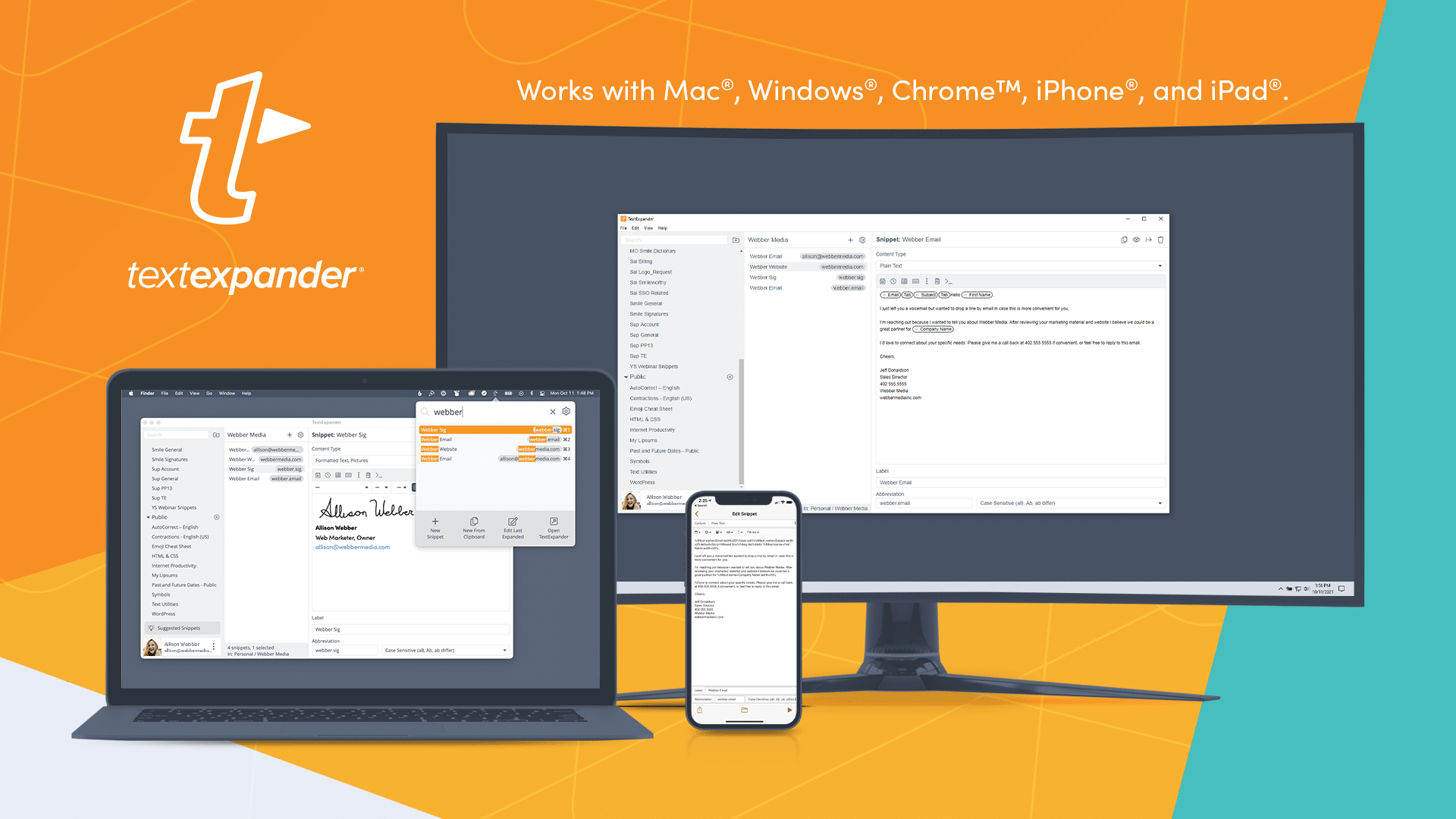
TextExpander: The Predictable SaaS Subscription
- Advertised Price: The Business plan costs $10.83 per user per month when billed annually TextExpander Pricing Page.
- 3-Year TCO (10 Users):
$10.83 x 10 users x 12 months x 3 years = $3,899. - Analysis: TextExpander represents the typical SaaS model—a moderate, predictable, and perpetual expense. While not the most expensive option, its cost is ongoing.
The primary “hidden cost” is that you never own the software; the moment you stop paying, your access and functionality cease. This model is straightforward but can become a significant line item over time compared to one-time purchase models. To offset this ongoing expense, savvy buyers grab a money-saving deal on TextExpander before subscribing.
PhraseExpress: The One-Time Purchase with Nuances
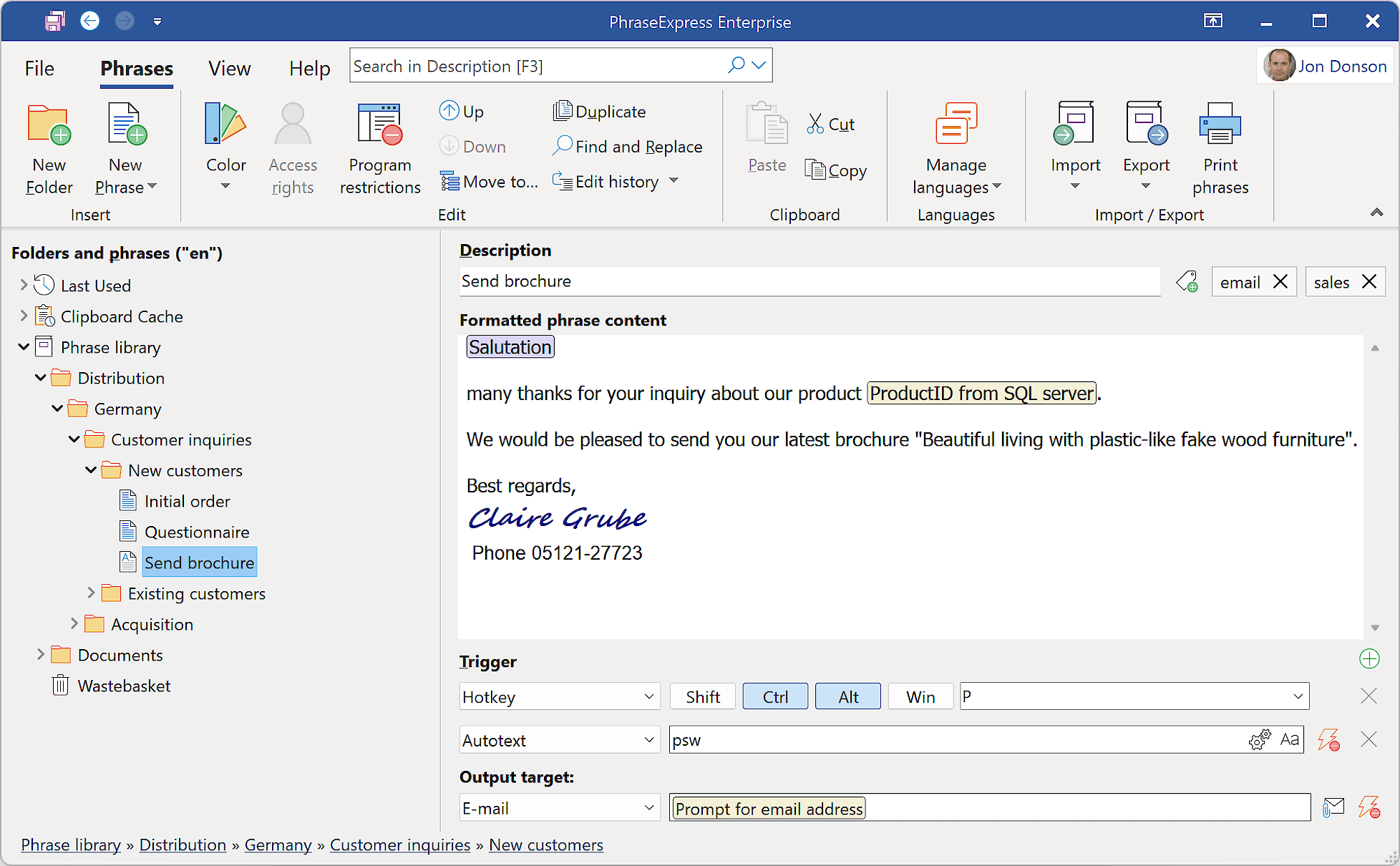
- Advertised Price: A one-time license for PhraseExpress v17 Professional costs $141.61 per user PhraseExpress Pricing.
- 3-Year TCO (10 Users, Windows-only, with maintenance):
- Initial License Cost: $141.61 x 10 = $1,416.10
- Optional Maintenance (~$30/user/year): $30 x 10 users x 3 years = $900
- Total 3-Year TCO: ~$2,316
- Hidden Costs & “Gotchas”:
- Per-Platform Licensing: This is the biggest complaint. A license is for either Windows or Mac. If a user needs both, the cost doubles for that user.
- Maintenance Fees: While “optional,” maintenance is essential for receiving updates and ensuring compatibility with new OS versions. Factoring this in is crucial for a realistic TCO.
- Self-Hosting Costs: For team sharing via a self-hosted SQL server, you must account for your own infrastructure and IT administration costs, which are not included here.
Magical: The Premium AI-Powered SaaS
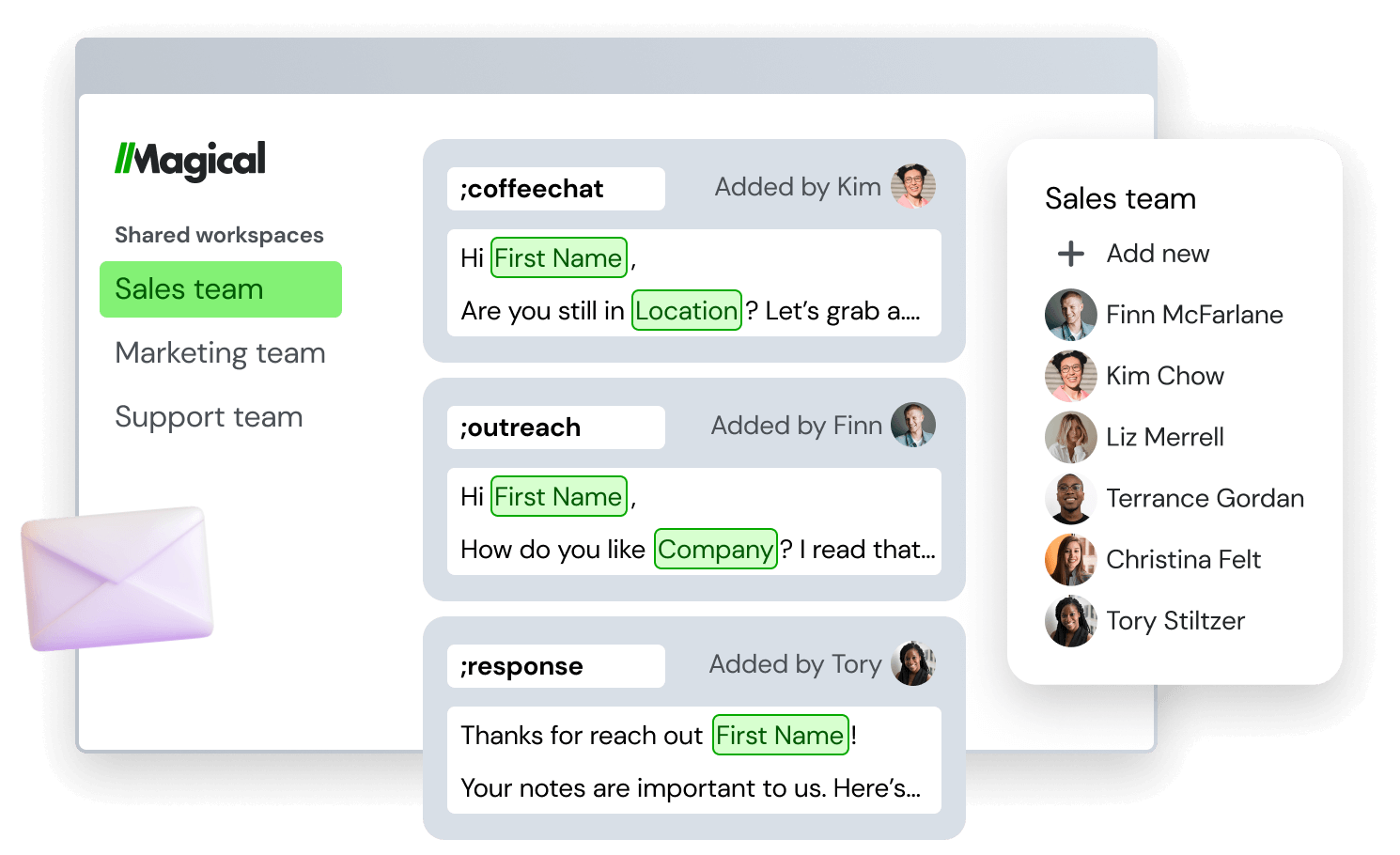
- Advertised Price: The Pro plan is $25 per user per month when billed annually. The Premium plan is $59 per user per month Magical Pricing Page.
- 3-Year TCO (10 Users, Pro Plan):
$25 x 10 users x 12 months x 3 years = $9,000. - Analysis: Magical is, by a significant margin, the most expensive option. Its value proposition is tied directly to the ROI its AI features can generate for specific browser-based workflows (e.g., sales and recruiting).
The “hidden cost” is that many users may still require a separate, system-wide text expander for work outside the browser, making Magical an additional expense rather than a complete replacement.
Espanso: The Open-Source “Free as in Time” Option
- Advertised Price: $0.
- 3-Year TCO (10 Users): ~$1,000 (estimated).
- Analysis: Espanso is free, open-source software. Its TCO is not in licensing but in the time and expertise required for implementation.
For a technical team with developer resources, this cost is minimal. We estimate approximately 20 hours of a developer’s time in the first year for setup, documentation, and training, plus minor ongoing maintenance. For teams without these skills, the implementation cost is effectively infinite, making it a non-starter.
Part 3: Feature Deep-Dive & Core Trade-Offs
The single most important decision you’ll make is not about features, but about the fundamental architecture of the tool. This choice between a cloud-based and a local-first model dictates everything: your security posture, your ability to work offline, your total cost of ownership, and whether you truly own your data.
Feature Comparison Matrix
| Feature | TextExpander | PhraseExpress v17 | Espanso v3.0 | Magical v4.0 |
|---|---|---|---|---|
| Core Model | Cloud-Sync SaaS | Local-First Software | Local-First Open-Source | Cloud-Sync SaaS |
| OS Support | ✅ Win, Mac, iOS, ⚠️ Android (Legacy) | ✅ Win, Mac, iOS (read-only Android) | ✅ Win, Mac, Linux | ✅ Chrome/Edge Ext, (Beta Desktop) |
| Snippet Storage | Vendor Cloud Servers | Local File / Self-Hosted SQL | Local Plain Text (.yml) | Vendor Cloud Servers (GCP) |
| Rich Text/Images | ✅ Full Support | ✅ Full Support | ⚠️ Experimental | ✅ Limited (in-browser) |
| Advanced Snippets | ✅ Fill-ins, Dropdowns | ✅ Forms, Conditionals, Scripting | ✅ Scripting (Python, Shell), Forms | ✅ AI-powered context variables |
| AI Features | ⚠️ Limited (basic proofreading) | ⚠️ Integrates with cloud AI (e.g., ChatGPT) | ❌ None (Can script to call local AI) | ✅ Deep AI Integration (Generation, Fill) |
| Team Sharing | ✅ Cloud-based, Simple UI | ✅ Self-hosted SQL or Shared Folder | ✅ Git-based (technical users only) | ✅ Cloud-based, Simple UI |
| Data Portability | ⚠️ CSV Export (loses dynamics) | ⚠️ CSV/TXT Export (loses macros) | ✅ Excellent (Plain Text) | ⚠️ CSV Export (loses AI context) |
Critical Notes:
- Core Model is the fundamental difference. It determines security, offline access, and ownership.
- Espanso is the only one with first-class Linux support. Magical is primarily a browser extension.
- TextExpander/Magical store snippet data on their cloud servers. With PhraseExpress/Espanso, you retain custody.
- Espanso’s rich text support is not robust enough for most business use cases.
- PhraseExpress has the most powerful native scripting. Espanso is infinitely extensible for developers.
- Magical leads in AI, but PhraseExpress‘s approach relies on external, user-configured AI services.
- The setup for PhraseExpress and Espanso is a non-starter for non-technical teams.
- The “Data Hostage” risk is real for all but Espanso. Advanced logic is proprietary and does not migrate.
The “Data Hostage” Problem: A One-Way Street
The “Data Portability” row reveals a critical blind spot. While all these tools offer a CSV export, this only covers basic text.
All the advanced logic—the fill-in forms in TextExpander, the complex macros in PhraseExpress, the AI context in Magical—is proprietary and does not migrate.
I have personally overseen projects to move teams off cloud-based expanders, and it required manually rebuilding hundreds of dynamic snippets. The more you invest in a tool’s advanced features, the harder it becomes to leave. Only Espanso, with its plain-text YAML files, offers true freedom from vendor lock-in.
Part 4: Critical Considerations – Security & Compliance
This is the most critical decision factor. A text expander has access to everything you type. Choosing a tool with a weak security model is like giving a stranger the keys to your digital life.
This is not a feature comparison; it’s a risk assessment. Whichever route you take, you can always check our latest coupons across the website to ensure you don’t overpay for the option you choose.
Compliance Status Verification
| Certification | TextExpander (Cloud) | PhraseExpress (Local) | Espanso (Local) | Magical (Cloud) |
|---|---|---|---|---|
| Storage Model | Vendor Cloud | User Machine/Server | User Machine | Vendor Cloud (GCP) |
| SOC 2 Type II | ✅ Verified Trust Center | ❌ Not Applicable | ❌ Not Applicable | ✅ Yes (May 2026) Trust Center |
| HIPAA (BAA) | ✅ Business/Enterprise Trust Center | ❌ No (User’s responsibility) | ❌ No (User’s responsibility) | ❌ Explicitly NOT Compliant |
| Data Encryption | ✅ At-Rest & In-Transit | ✅ Yes (File Encryption) | ❌ Relies on Filesystem | ✅ Yes (AES-256) |
Cloud-Trust vs. Local-Control: The Fundamental Security Divide
-
Cloud-Trust (TextExpander & Magical): In this model, you are trusting the vendor to secure your data. Your snippets are stored on their servers. You rely on their infrastructure and policies. A data breach at the vendor level could expose your data. This is a stark contrast to a zero-trust security model where no entity is trusted by default.
-
Local-Control (PhraseExpress & Espanso): This model is fundamentally more secure for sensitive data. Your information never leaves your machine or your own private server. The responsibility for security and comprehensive data governance is yours, which is precisely what regulated industries like healthcare, finance, and legal demand. PhraseExpress allows you to encrypt your local snippet file, while Espanso relies on your OS’s built-in filesystem encryption. Both are vastly more secure for sensitive information than any cloud-based solution.
A law firm using TextExpander to store templates for client communication is placing sensitive client information on a third-party server. The same firm using PhraseExpress with its snippet library stored on their own encrypted server has completely eliminated this external risk vector.
For any professional in healthcare or adjacent fields, using a tool that is not explicitly HIPAA compliant for any patient data is a direct legal and financial risk. Magical’s status makes it unusable for PHI. Always verify a vendor provides a Business Associate Agreement (BAA) before use with protected data HHS.gov Sample BAA Provisions.
Part 5: Use Cases & Workflows
A tool’s value is only realized when it seamlessly integrates into a real-world workflow. Here, we move beyond feature lists to explore how these tools function in day-to-day professional scenarios, highlighting where each shines and where they introduce friction.
Workflow 1: The High-Volume Sales Rep (Magical)
Persona: A sales development representative (SDR) who spends 80% of their day in LinkedIn Sales Navigator, a web-based CRM (like Salesforce), and Gmail.
Objective: Personalize outreach at scale by pulling data from one tab and using it in another.
Step-by-Step with Magical:
- Data Capture: The SDR opens a prospect’s LinkedIn profile. Magical’s panel automatically identifies and lists key data points: Name, Title, Company, etc.
- One-Click Transfer: The SDR opens a new record in their web-based CRM. With one click on Magical’s “Transfer” button, all the captured data from LinkedIn populates the correct fields in the CRM. No copy-pasting is needed.
- AI-Powered Messaging: The SDR then opens a Gmail compose window. They trigger a pre-made Magical template for a connection request. Magical’s AI uses the captured variables (like company name) to auto-personalize the message.
Verdict: For this specific, browser-centric workflow, Magical provides an unparalleled boost in efficiency that no system-wide tool can match. Its ability to “read” and transfer data between web pages is its killer feature.
Workflow 2: The Corporate Lawyer & Document Automation (PhraseExpress)
Persona: A corporate lawyer in a firm with strict data privacy mandates.
Objective: Generate complex, multi-part legal documents quickly and accurately, without any data leaving the firm’s secure network.
Step-by-Step with PhraseExpress:
- Secure Setup: The firm’s IT department configures a central snippet library on their internal, encrypted SQL server. All lawyers connect to this library, ensuring data never touches a third-party cloud.
- Dynamic Form Trigger: The lawyer types a short abbreviation like
;nda. PhraseExpress doesn’t just paste text; it launches a custom-built form. - Conditional Logic: The form asks for “Counterparty Name,” “Effective Date,” and “Jurisdiction.” Based on the selected jurisdiction (e.g., California vs. New York), the lawyer sees different subsequent fields appear, driven by PhraseExpress’s conditional logic (
#ifstatements). - Document Assembly: After filling out the form, PhraseExpress generates a 10-page non-disclosure agreement, correctly inserting all the provided data and including/excluding entire clauses based on the initial inputs.
Verdict: For high-stakes, high-compliance document generation, PhraseExpress’s powerful local scripting and form-building capabilities are essential. The steep learning curve is justified by the level of control and security it provides.
Workflow 3: The Software Developer & Code Management (Espanso)
Persona: A back-end developer working in a Linux environment, using VS Code and the terminal.
Objective: Maximize coding speed and consistency, manage boilerplate code, and execute scripts without leaving the keyboard.
Step-by-Step with Espanso:
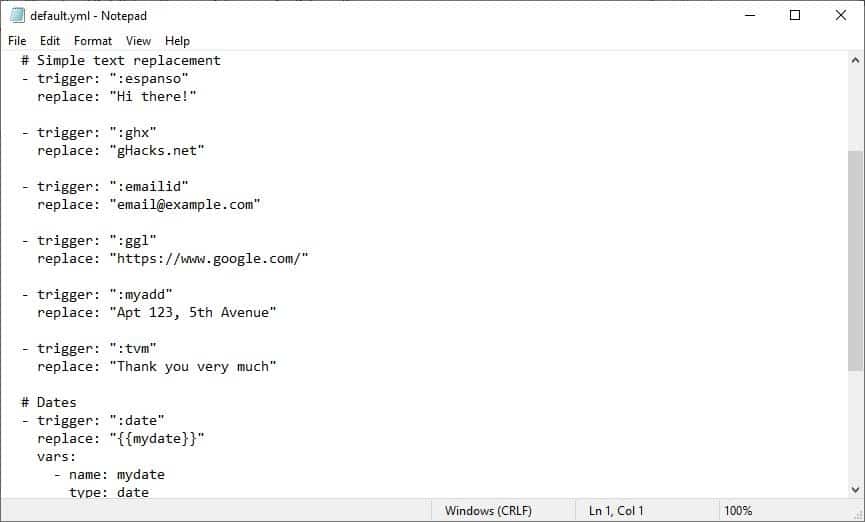
- Configuration as Code: The developer edits their
default.ymlfile—a plain text file—to define snippets. This file is saved in a private Git repository, version-controlled alongside their other projects. - Simple Snippet: Typing
:nowinstantly expands to the current ISO 8601 timestamp, useful for logging. - Script Execution: Typing
:ipdoesn’t just paste text; it executes a shell script (curl ifconfig.me) and pastes the output (their public IP address) directly into the terminal or code editor. - Cross-Platform Sync: When the developer moves to their Mac laptop, they simply
git pullthe latest version of their configuration files, and all snippets are instantly available and identical.
Verdict: For developers, Espanso’s text-based configuration, extensibility through scripts, and lightweight performance are features, not limitations. It aligns perfectly with their existing tools and “keyboard-first” philosophy.
Part 6: Comparing Top TextExpander Alternatives
Choosing the right alternative requires a clear-eyed look at the trade-offs. Here we break down the top competitors using a consistent framework to help you match a tool to your needs.
For more side-by-side breakdowns of competing tools, see our broader category of comparison articles covering productivity software.
When it’s the best choice
- Your team is not technically savvy and needs the most intuitive, polished onboarding experience.
- Your primary need is to sync non-sensitive snippets effortlessly across Mac, Windows, and iOS.
- You value a clean, modern user interface and a simple management dashboard for team leaders.
Prerequisites for success
- A budget that can accommodate a perpetual SaaS subscription for every user.
- A data policy that permits storing business communications and templates on a third-party cloud service.
- Your workflows do not involve highly sensitive data like PHI, financial secrets, or API keys.
✅ Strengths
- Most intuitive, polished onboarding experience
- Cross-platform cloud sync across Mac, Windows, iOS
- Clean, modern UI and simple admin dashboard
- SOC 2 Type II verified with HIPAA BAA available
⚠️ Considerations
- Perpetual SaaS subscription cost over time
- Snippet data stored on vendor cloud servers
- Limited advanced scripting / conditional logic
- Data hostage risk on fill-ins during migration
When to avoid
- Your budget is tight, and you are looking to minimize long-term operational expenses.
- You operate under strict compliance regulations (e.g., GDPR, HIPAA) that favor data localization and control.
- You need advanced scripting, conditional logic, or integration with local scripts.
When it’s the best choice
- Security and absolute data control are your non-negotiable top priorities.
- You need to build complex, dynamic document templates with forms and conditional logic.
- You work in a high-compliance industry (legal, medical, finance) and must self-host your snippet library.
Prerequisites for success
- Willingness to invest time in learning a complex system; it is not a “plug-and-play” tool.
- Access to IT resources to manage team sharing via a self-hosted server or properly configured network share.
- Users who value power and granularity over a modern, minimalist user interface.
✅ Strengths
- Local-first architecture with full data custody
- Powerful native scripting and conditional logic
- One-time license model (no recurring SaaS fees)
- Self-hosted SQL server option for teams
⚠️ Considerations
- Steep learning curve, not plug-and-play
- Per-platform licensing (Win/Mac purchased separately)
- Dated user interface
- Requires IT support for setup and maintenance
When to avoid
- Your team needs to be up and running in minutes; the learning curve is too steep.
- You lack dedicated IT support for setup and maintenance.
- Your users work on both Mac and Windows devices and you want to avoid purchasing separate licenses for each.
When it’s the best choice
- You are a developer, sysadmin, or technical user comfortable working in code editors and configuration files.
- You prioritize speed, efficiency, and a negligible system footprint above all else.
- You demand a 100% free, open-source solution with zero vendor lock-in.
Prerequisites for success
- Comfort with editing YAML configuration files in a text editor.
- Familiarity with using Git for version control and sharing configurations with a team.
- Your snippet needs are primarily text-based; rich text and image support are not a priority.
✅ Strengths
- 100% free, open-source, zero vendor lock-in
- Plain-text YAML config — true data portability
- First-class Linux, Windows, and Mac support
- Lightweight performance and shell scripting
⚠️ Considerations
- No graphical user interface (GUI)
- Unsuitable for non-technical business users
- Experimental rich-text and image support
- Community-only support via GitHub/Discord
When to avoid
- You are not a developer. The complete lack of a GUI for management makes it fundamentally unsuitable for non-technical users.
- You need robust support for formatted text, images, or complex forms out of the box.
- You expect dedicated customer support; support is community-based via GitHub and Discord.
If you’d like a complete head-to-head examination of these solutions, you can also explore our dedicated piece on top TextExpander alternatives and competitors for additional context.
Part 7: Conclusion & Frequently Asked Questions
The text expander market is at a crossroads, split between the easy-but-risky path of the cloud and the powerful-but-complex path of local control. The Total Cost of Ownership can vary by over 800% between these tools, and the security implications of your choice are enormous.
Choosing between TextExpander competitors is not about which tool has the most features, but about finding a scalable solution that fits your context.
So, let me make it simple for you. Choose TextExpander if you prioritize simplicity above all else and have no sensitive data. Choose PhraseExpress if you prioritize absolute data control and require advanced scripting power. Choose Espanso if you are a developer who values speed, efficiency, and open-source principles. And choose Magical if your entire workflow exists within a web browser and you can justify its high cost.
Before you click “buy” or “subscribe,” run a pilot. Challenge the marketing claims. Calculate the real TCO for your team size over three years. The best tool is never the one with the flashiest marketing, but the one that safely, reliably, and affordably fits your workflow. For specific compliance needs, please consult with your organization’s security professionals.
Frequently Asked Questions
Q1: What’s the main difference between TextExpander and its alternatives?
A: The main difference lies in the trade-off between security, cost, and convenience. TextExpander prioritizes easy-to-use cloud synchronization, which comes with an ongoing subscription cost and means your data is stored on their servers TextExpander Trust Center. Alternatives like PhraseExpress and Espanso prioritize local data control, offering a more secure posture for sensitive information and potentially lower long-term costs, but require more technical setup. This architectural difference—cloud-trust versus local-control—is the most critical distinction and impacts everything from compliance to data ownership.
Q2: How does TextExpander’s pricing compare?
A: TextExpander’s pricing is a standard SaaS subscription model, which is predictable but perpetual. For a 10-user team, the 3-year TCO is approximately $3,899 TextExpander Pricing Page. This is significantly more than a one-time purchase of PhraseExpress (around $2,316 over 3 years with maintenance) but less than half the cost of Magical’s Pro plan (around $9,000). While not the most expensive tool overall, its value is debated by users who are sensitive to long-term subscription costs, which drives many to seek out competitors with different pricing structures and to look for an exclusive coupon for TextExpander to bring the effective price down.
Q3: Which TextExpander alternative is the most secure?
A: From a data custody perspective, PhraseExpress and Espanso are the most secure alternatives. Because they operate on a local-first model, your snippet data never leaves your computer or your own private server by default. This completely eliminates the risk of a third-party vendor data breach, a risk that is inherent in any cloud-based tool like TextExpander or Magical. PhraseExpress offers built-in snippet file encryption PhraseExpress Security, while Espanso’s security relies on the user’s own filesystem encryption, giving organizations full control over their security posture.
Q4: Can I use a text expander for sensitive information like passwords or patient data?
A: You should ONLY use a local-first tool like PhraseExpress or Espanso for highly sensitive data. Using a cloud-based tool like TextExpander or Magical for Personally Identifiable Information (PII), Protected Health Information (PHI), or secret keys introduces an external data storage risk. It is critical to note that Magical is explicitly not HIPAA compliant Magical Security. For any regulated industry, a tool’s ability to operate entirely within your own security perimeter is a non-negotiable feature, making local-first options the only prudent choice.
Q5: Is there a good free alternative to TextExpander?
A: Yes, Espanso is the best free and open-source alternative to TextExpander, but with a significant caveat: it is designed exclusively for technical users. It is incredibly fast, powerful, and offers ultimate control with zero data lock-in. However, it lacks a graphical user interface (GUI) and requires all configuration to be done by editing plain text YAML files Espanso Documentation. This makes it a perfect fit for developers, system administrators, and other command-line power users, but completely unsuitable for the average business user.
Q6: Why shouldn’t I just use Magical for everything?
A: You can’t use Magical for everything because it is primarily a browser extension, not a system-wide text expander. It excels at transferring data between web pages and automating tasks within Chrome or Edge. However, it is not functional in native applications like the Slack desktop app, Microsoft Word, your code editor, or other local software Magical FAQ. This limitation makes it a powerful companion tool for specific sales, recruiting, or data-entry workflows, but it cannot fully replace a true text expander that needs to work across your entire operating system.
Q7: What is the biggest “gotcha” with PhraseExpress?
A: The licensing model is the most frequently cited “gotcha” for PhraseExpress. Licenses are sold on a per-platform basis, meaning you must buy separate licenses for Mac and for Windows PhraseExpress Purchase Page. For an individual or team that works across both operating systems, this can effectively double the cost and adds administrative complexity. While the one-time purchase is attractive compared to a subscription, this per-platform restriction is a significant annoyance and a key consideration for cross-platform environments. Its complexity is also a significant hurdle for non-technical teams, often leading to poor adoption without proper training.
Q8: How do I choose the right tool for me?
A: You must follow the “Security > Workflow > Budget” framework. First, determine your security requirements: can your data be stored on a third-party cloud, or must it remain within your control? This is a hard line that will immediately eliminate some options. Second, analyze your workflow: are you working system-wide across many applications, or do you live exclusively in a web browser? Third, and only after answering the first two questions, should you compare the 3-year Total Cost of Ownership (TCO) to see which of the remaining options fits your budget. For a visual guide, refer to our decision tree infographic in Part 1.

