Podcastle Top Alternatives and Competitors: A 2026 Showdown of Price, Privacy, and Power
Posted on |
Podcasting software platforms love the word “unlimited,” but in 2024, ‘unlimited’ is a marketing term, not a guarantee. Choosing a tool isn’t just about features; it’s a strategic decision that impacts your workflow, budget, and even data security, where the wrong choice can lead to lost content and professional risk.
This guide goes beyond marketing claims to deliver a critical comparison of the top Podcastle alternatives: Riverside, Descript, and Zencastr, while also considering key players like Squadcast.
We expose the “unlimited” myth, hidden costs, security gaps, and performance issues to help you choose the right platform. This guide is for intermediate creators who need to decide between Riverside for top recording quality, Descript for the fastest editing speed, or Zencastr for all-in-one simplicity and value, while understanding the critical trade-offs in security, video resolution, and total cost of ownership.
Before diving deeper, savvy creators often start by checking for a working coupon on their preferred tool to lock in the best entry price.
Last Updated: May 2024. As part of our commitment to transparency, please note that this article may contain affiliate links. You can review our full affiliate disclosure in our editorial methodology.
Key Takeaways
-
Core Trade-off: There is no single “best” tool. Our analysis confirms Riverside is the winner for recording quality, Descript excels in editing speed, and Zencastr offers the best all-in-one simplicity and value. Your choice depends entirely on your biggest workflow bottleneck. -
The “Unlimited” Myth: All three platforms advertise “unlimited” features, but their terms of service reveal “fair use” policies and metered limits. Zencastr’s hosting and Descript’s storage are not truly infinite and can trigger intervention or additional costs for high-consumption users. -
The Security Divide: Riverside and Descript are SOC 2 Type II certified, making them suitable for corporate and security-conscious use cases (Riverside Trust Center). Zencastr’s lack of this public certification as of May 2024 is a critical risk for anyone handling sensitive business or guest data. -
Video is a Deal-Breaker: If you need to produce 4K video content, Zencastr cannot be used. Its hard limit of 1080p video recording makes it unsuitable for creators focused on high-resolution video production. -
Hidden Total Cost of Ownership (TCO): Advertised prices are misleading. Descript can be the most expensive platform in practice due to high transcription overage costs and the unlisted requirement of a powerful, high-RAM computer for stable performance. -
Biggest Limitations Exposed: Riverside’s reliability is dependent on your guest’s technical setup. Descript suffers from significant performance issues and bugs that can halt production, as frequently reported by users on G2 (G2 Reviews for Descript). Zencastr has an overly simplistic editor and “black box” audio processing that offers no user control.
Top Podcastle Alternatives: Decision in 60 Seconds
For creators evaluating Podcastle alternatives in a hurry, here is the immediate breakdown of your best options. For broader context across the category, you can also browse our complete category of Comparison articles covering similar tools.
The Shortlist
| Option | Best for | Key Tradeoff | Evidence status |
|---|---|---|---|
| Riverside.fm | Highest A/V Quality | Guest-Side Reliability | ✅ |
| Descript | Fastest Editing Workflow | Performance Demands | ✅ |
| Zencastr | All-in-One Simplicity & Value | 1080p Video Limit | ✅ |
Your Decision Matrix
- IF your #1 priority is recording quality and reliability for high-stakes interviews, THEN choose Riverside.fm.
- IF your #1 priority is editing speed for dialogue-heavy content and you want to slash production time, THEN choose Descript.
- IF your #1 priority is budget and simplicity for an all-in-one audio podcasting and hosting solution, THEN choose Zencastr.
Of course, if Podcastle itself still fits your needs, you may want to read our full Podcastle Review before committing — and grab a Podcastle discount code to maximize your savings.
Part 1: Introduction & Methodology
I’m Mohamed Zaki, and after years of testing software in the AI and productivity space, I’ve learned to look past the sales pitch.
Choosing between Podcastle alternatives is a key strategic decision for any modern Software and AI team, impacting workflow, budget, and security. This analysis is based on in-depth research to support your decision-making process; always conduct due diligence for your specific security and financial requirements.
Who This Guide Is For
- Intermediate podcasters and content creators who feel they’ve outgrown the limitations of their current tool (like Podcastle).
- Video-first creators who need to decide between 4K-capable platforms and cannot compromise on resolution.
- Teams or businesses where data security, specifically SOC 2 compliance, is a primary and non-negotiable concern.
- Creators struggling with a specific production bottleneck, such as poor recording quality or a slow, tedious editing process that is costing them time and money.
This Guide Is NOT For You If
- You are a complete beginner looking for your very first, simplest free tool to get started (like the free tool Audacity).
- You are a large enterprise requiring features beyond the scope of these three platforms, such as advanced enterprise-wide user management or detailed analytics suites.
- You only need a simple audio editor and already have a recording solution that you’re happy and familiar with.
How We Evaluated These Podcasting Platforms
Our editorial team at Coupons Scout follows a rigorous, transparent process — detailed in our editorial methodology — to ensure every claim, comparison, and recommendation is verified against official sources before publication. This process, recognized by leading Software and AI professionals like our Senior Tech Reviewer, Jettawat Kasemchaiyanun, is built on verified data and transparent sourcing.
For this analysis, we focused on three core areas: verifying vendor claims, calculating the true Total Cost of Ownership (TCO) for each of these Podcastle alternatives, and identifying real-world limitations from user-reported data.
This analysis is based on data verified in May 2024, comprising over 28 independent sources. To get to the truth, we analyzed advertised pricing against Terms of Service and user reports to uncover overage fees and “fair use” policy risks. We also actively checked for public SOC 2 Type II compliance reports and specific data encryption standards like AES-256 to validate security claims made by these Podcastle competitors.
Watch this in-depth side-by-side comparison of all three platforms in action to see how their workflows differ in the real world:
Part 2: Pricing & TCO Reality Check: Exposing the ‘Unlimited’ Myth
One of the most deceptive areas in SaaS marketing is pricing. Advertised monthly rates are rarely the full story.
My analysis, which leveraged the AI research tool Perplexity to verify user-reported costs, exposes the hidden costs and calculates a more realistic 12-month Total Cost of Ownership (TCO) for each platform’s pro-tier plan.
Understanding the true TCO is essential for calculating the platform’s long-term return on investment (ROI). It’s also important to distinguish between standard free trials and exclusive extended trials, which may be available via dedicated coupon pages with a Podcastle promo code, and to confirm if a credit card is required.
Advertised vs. Real TCO (Pro Tiers)
| Platform | Advertised Price (Annual) | Key Metered Limits | Estimated 12-Month TCO |
|---|---|---|---|
| Riverside.fm (Pro) | $24/month | 15 hours recording/month | $408 |
| Descript (Pro) | $24/month | 30 hours transcription/month | $576 |
| Zencastr (Creator) | $18/month | 10 hours transcription/month | $216 |
Disclaimer: TCO figures are analyst-estimated based on a single user with slight overages. Actual pricing varies; always request an official quote for your specific needs.
Riverside’s Hidden Costs
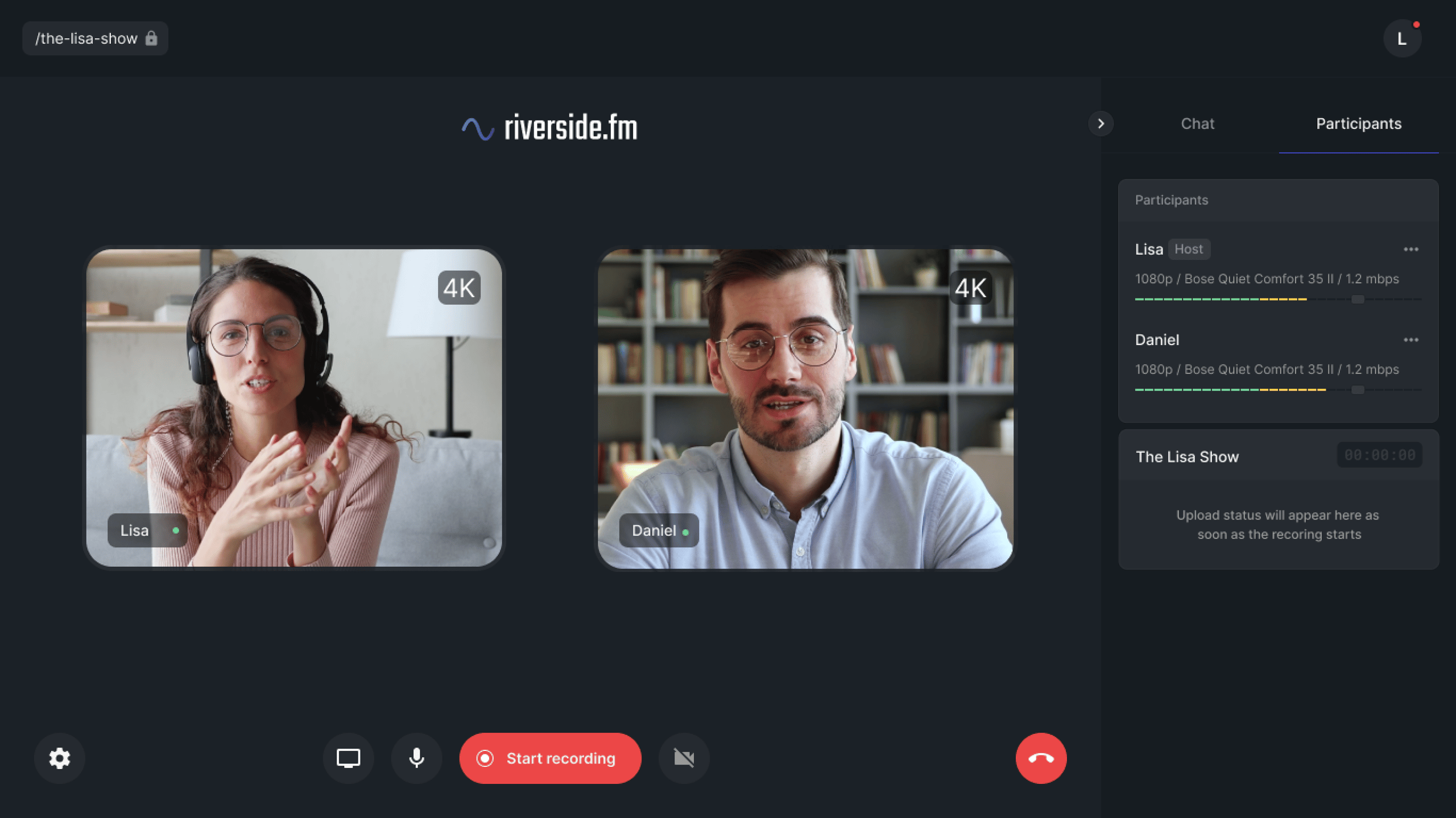
⚠️ Potential for Overages: Riverside’s Pro plan includes 15 hours of recording per month. According to their help center, if you exceed this, the overage is billed at $2 per hour (Riverside Help Center).
For a creator recording 20 hours per month (a common scenario for a weekly show with retakes), this adds $10 every month, increasing the real cost by over 40%.
While the plan advertises “unlimited transcription,” user reports suggest services can be rate-limited during heavy use, a performance throttle that can disrupt your workflow.
Descript’s Hidden Costs
⚠️ The True Cost of a High-Performance Tool: The TCO of Descript has several hidden layers.
- Expensive Transcription Overages: This is Descript’s biggest financial “gotcha.” The Pro plan’s 30-hour transcription limit seems generous, but overages are billed at a steep $0.08 per minute, which is $4.80 per hour (Descript Pricing). A single extra 5-hour project would cost you an additional $24, doubling your monthly bill.
- The Hardware Dependency Cost: The true TCO of Descript must include the unlisted cost of owning a powerful computer. A machine with less than 16GB of RAM will struggle significantly, a fact supported by both user complaints and Descript’s official system requirements (Descript System Requirements). I recommend 32GB of RAM for a smooth experience with 4K video projects, a significant hidden cost.
- Storage “Fair Use”: The “unlimited projects” claim is not absolute. The Terms of Service give Descript the right to limit storage for very large accounts.
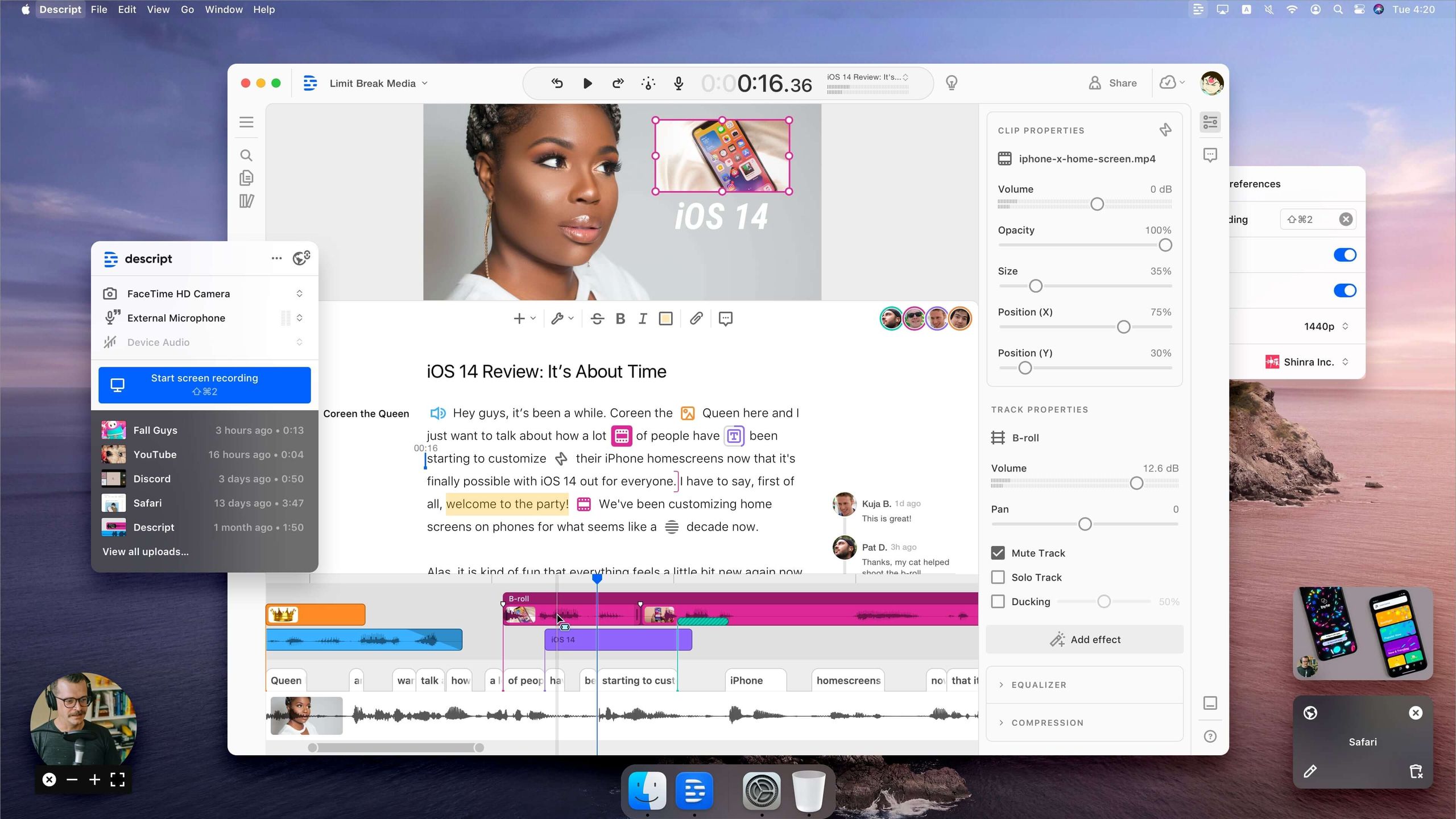
Descript’s marketing doesn’t list a key expense: the hardware. User reports and official documentation confirm systems with under 16GB of RAM are prone to crashes with 4K video. Factoring in a 32GB RAM machine, the “hidden hardware tax” can be the single largest cost of adopting this tool.
Zencastr’s Hidden Costs
⚠️ The Ambiguity of ‘Free’: Zencastr’s “unlimited” hosting is its strongest value proposition, but it’s governed by a vague Fair Use Policy.
The ToS states, “we may reach out to you to discuss your usage if you are consuming a disproportionately high level of resources.” The threshold for “disproportionately high” is not defined, creating a risk for high-growth podcasts.
Many desirable AI features are also locked behind the more expensive Creator+ plan, which costs $39 per month (when billed annually) (Zencastr Pricing).
If pricing is your main concern, it’s worth comparing platform-specific deals before committing — see the latest Latest Coupons list of all coupons on our website to spot ongoing savings opportunities.
Part 3: Feature Deep-Dive: A Head-to-Head Reality Check
Marketing materials often present features in the best possible light. This table, built from our verified analysis, reveals what’s actually included and what the critical limitations are for these Podcastle alternatives.
| Feature | Riverside.fm | Descript | Zencastr | Critical Notes |
|---|---|---|---|---|
| Max Video Quality | 4K (2160p) | 4K (2160p) | 1080p | Deal-Breaker Alert: With a hard limit of 1080p for video recording, Zencastr cannot be used for productions requiring a 4K workflow. |
| Recording Method | Local WAV/4K | Local WAV/4K | Local WAV/1080p | All three use reliable local recording, a key advantage over stream-based recorders like Zoom that are susceptible to internet glitches. |
| Max Participants | 8 | 10 | 12 | Zencastr is surprisingly the most scalable for participant count in a single session, a strong point for panel shows. |
| Core AI Feature | Magic Clips 2.0 (Content Repurposing) | Studio Sound & Overdub (Audio Enhancement & Voice Cloning) | AI Clip Finder (Basic) | Descript’s AI suite is the most mature and integrated. User reviews confirm “Studio Sound” is powerful but can be “overly aggressive”. |
| Editing Paradigm | Text-Based & Timeline | Text-Based (“Doc-like”) | Basic Timeline & Trimming | Descript’s text-based model is its core value proposition and a “love it or hate it” workflow shift. It is not a full-featured video NLE. |
| Podcast Hosting | ❌ (Integrates with hosts) | ❌ (Integrates with hosts) | ✅ (Built-in) | Key Differentiator: Zencastr’s inclusion of hosting makes it a true all-in-one platform, representing significant value, though subject to “fair use” limits. |
| Mobile App | ✅ (Host & Guest) | ❌ (No mobile recording app) | ❌ (Guests via mobile browser) | Riverside has the most functional mobile solution for on-the-go recording. |
| API Access | ✅ (Limited) | ✅ (Full) | ❌ (None) | For Software and AI teams, Descript’s robust API access enables powerful workflow automation, a feature missing from Zencastr. |
| SOC 2 Type II | ✅ (Verified) | ✅ (Verified) | ❌ (Not Found) | Critical Security Gap: Zencastr’s lack of this certification is a major differentiator for security-conscious users. |
Deep Dive: Descript’s Studio Sound
Descript’s Studio Sound is a one-click AI audio enhancement feature designed to remove background noise, room echo, and improve vocal clarity.
For a Software and AI team creating a tutorial video, this means an engineer recording from a home office with poor acoustics can sound like they are in a professional studio. The tool analyzes the audio, separates the voice from the noise, and applies an EQ and compression profile.
However, user feedback indicates that at its 100% default setting, it can sometimes make voices sound “robotic” or “over-processed.” The real power comes from adjusting the intensity (e.g., to 80%) to find a balance between noise reduction and natural sound.
Deep Dive: Riverside’s Magic Clips 2.0
Riverside’s Magic Clips 2.0 is an AI-powered content repurposing tool. After recording a long-form video podcast, the AI analyzes the transcript and content to identify compelling, shareable moments suitable for social media platforms like TikTok, YouTube Shorts, and Instagram Reels.
It automatically generates short video clips, complete with captions and speaker identification. For a marketing team, this feature can drastically reduce the time spent manually finding and editing clips, turning a one-hour podcast into a dozen pieces of short-form content.
However, users report the AI’s selection can be hit-or-miss, often requiring manual review to find the best moments.
Deep Dive: Zencastr’s Integrated Hosting
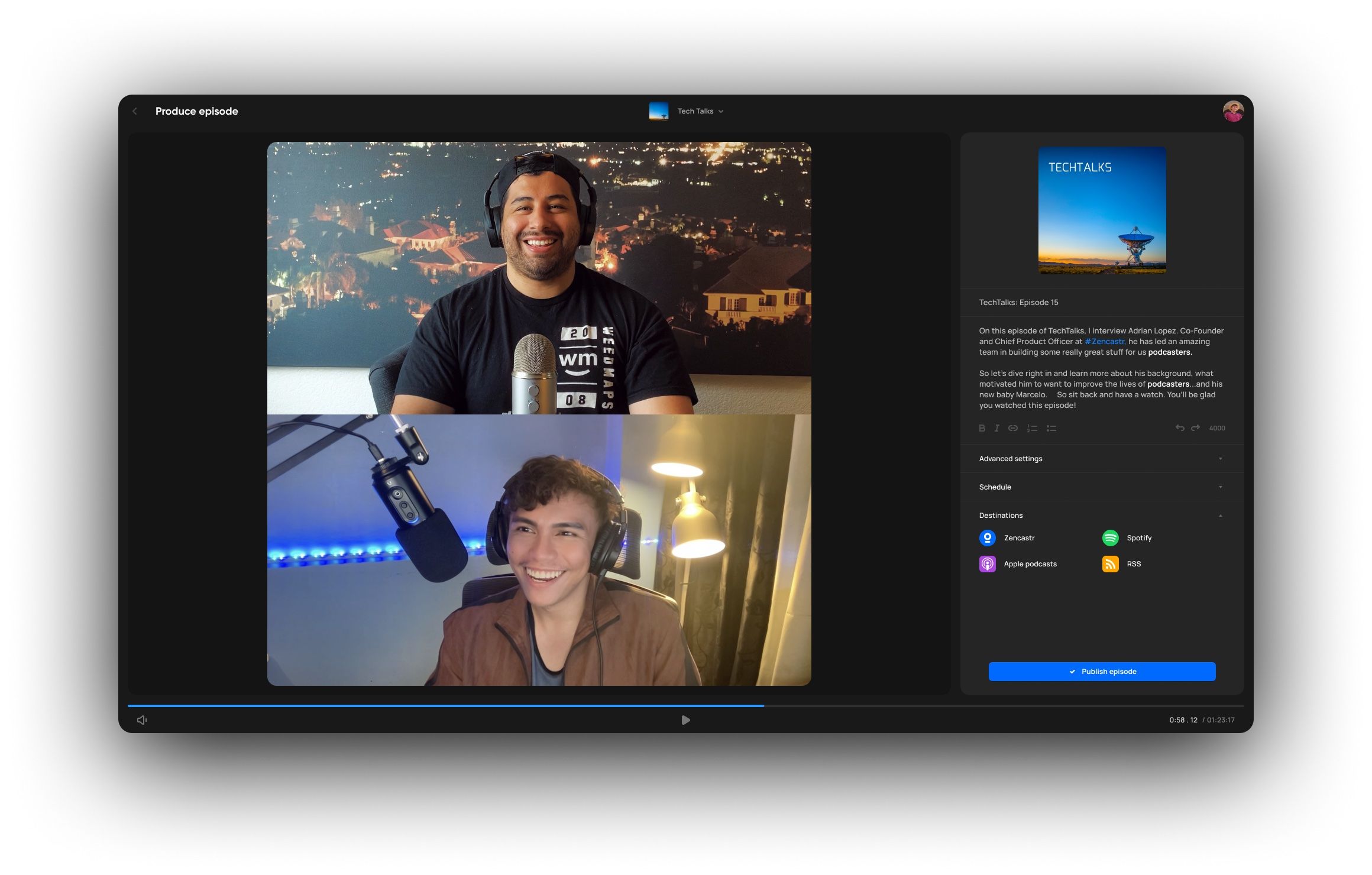
Zencastr’s key differentiator is its integrated podcast hosting. After recording and editing an episode, users can publish it directly to all major podcast directories (Spotify, Apple Podcasts, etc.) from within the same platform.
For a beginner podcaster, this eliminates the complexity and extra cost of finding and paying for a separate hosting provider like Libsyn or Buzzsprout. This creates a seamless all-in-one solution.
The major trade-off, however, is the “Fair Use Policy,” which, while generous, means that a podcast with exceptionally high download numbers could be contacted to discuss upgrading their plan, introducing a level of uncertainty not present with dedicated hosting providers.
Part 4: Security & Performance: The Deal-Breaker Section
For any professional creator, especially those in B2B or handling sensitive information, security is not a feature—it’s a foundational requirement.
Why is SOC 2 certification so important for podcasting? For any professional creator handling a guest’s data or unreleased intellectual property, a SOC 2 report proves a company has established and follows strict information security procedures. This is where choosing the wrong platform poses the greatest professional risk.
Our investigation found a clear line in the sand.
Compliance Status Verification (May 2024)
| Certification / Feature | Riverside.fm | Descript | Zencastr |
|---|---|---|---|
| SOC 2 Type II | ✅ Verified | ✅ Verified | ❌ Not Found |
| GDPR/CCPA Compliant | ✅ (Stated, DPA available) | ✅ (Stated, DPA available) | ✅ (Stated) |
| Data Residency | ✅ (Options available) | ✅ (Options available) | ❌ (Not specified) |
| Single Sign-On (SSO) | ✅ (Enterprise Plan) | ✅ (Enterprise Plan) | ❌ (Not available) |
| Data Encryption | ✅ AES-256 | ✅ AES-256 | ⚠️ Vague |
The most critical finding here is the difference in SOC 2 Type II compliance. Riverside and Descript have both completed this rigorous, third-party audit of their security controls (Descript Trust Center).
As of May 2024, no public-facing documentation or third-party verification of SOC 2 compliance for Zencastr could be found (Zencastr Security & Privacy).
This gap is significant. It means that Zencastr has not been subjected to the same level of independent security scrutiny as its competitors. To understand the real-world consequences, consider this scenario:
Situation: A corporate marketing team wants to use one of these Podcastle alternatives to record interviews with C-level executives for a thought leadership series. Their internal security policy, dictated by their Chief Information Security Officer (CISO), requires all software vendors that handle company data or intellectual property to be SOC 2 certified.
Action: They find that both Riverside and Descript have dedicated pages detailing their SOC 2 compliance. When they investigate Zencastr, they find no mention of SOC 2.
Result: Zencastr is immediately disqualified. The professional risk of using a non-certified platform to handle sensitive executive interviews is too high, making SOC 2 a non-negotiable deal-breaker.
Performance & Reliability Reality
A podcasting platform can have all the features in the world, but if it crashes, it’s a liability. Our analysis of user-reported issues from G2, Reddit, and user forums reveals a stability gap, particularly with Descript.
| Metric | Vendor Claim | User Reality | Gap Analysis |
|---|---|---|---|
| Descript Stability | “A seamless editing experience.” | User reviews on platforms like G2 frequently cite stability problems, with common complaints including application crashes and high RAM usage on complex projects (G2 Reviews). | Significant Gap. The experience is heavily dependent on machine specs. It is not universally seamless. |
| Riverside Reliability | “99.9% of data is recoverable…” | A common risk highlighted by users on forums like Reddit is that guest-side errors, such as closing a laptop before an upload is complete, can lead to data loss. | Minor Gap. The tech is robust, but not immune to user error, particularly on the guest’s side. |
| Zencastr Post-Production | “Get a professionally mixed track…” | The auto-mix is a “black box” with no user control over compression or EQ, a frustration for experienced users who demand creative control. | Expectation Gap. The feature works, but the term “professional” is subjective. |
Situation: A creator finishes editing a 90-minute video podcast on a tight deadline, involving four 4K video tracks on a 16GB RAM machine.
Action: They initiate the export. The process repeatedly freezes and crashes the application.
Result: The project is effectively trapped inside Descript. The only workaround, as reported by multiple users, is to export the timeline to a more stable NLE like Adobe Premiere Pro or DaVinci Resolve to perform the final render. This defeats the purpose of an all-in-one tool, adding hours of work and causing missed deadlines.
Before you choose between paying full price for any of these tools, it’s worth checking the current Podcastle deals and special offers — many creators stay with Podcastle once they factor in real discount pricing.
Part 5: Use Cases & Workflows
Understanding how these Podcastle alternatives fit into a real-world post-production workflow is crucial. Below are two common scenarios that highlight the distinct advantages and disadvantages of each platform.
Workflow #1: The Corporate Marketing Team
A corporate team is producing a high-stakes B2B video podcast series featuring industry experts. Their priorities are reliability, security, and brand quality.
- Pre-Production: Scripts are finalized and shared via Google Docs.
- Recording: The team chooses Riverside.fm. Its SOC 2 compliance satisfies their CISO’s requirements. The ability to record each participant in isolated 4K video and uncompressed WAV audio ensures the highest production value and provides maximum flexibility in post-production. They schedule the session and send a simple guest link.
- Editing & Post-Production: The raw files from Riverside are imported into Adobe Premiere Pro. The team’s dedicated video editor uses the raw multi-track files to create a polished, professionally branded episode with custom graphics and transitions. The separate, high-quality tracks allow for precise color grading and audio mixing.
- Publishing: The final video is uploaded to YouTube and Wistia, and the audio is distributed via their company’s established podcast host.
In this workflow, Riverside is the clear winner because it excels at the one task the team needs it for: capturing pristine, secure raw materials. They bypass its basic editor entirely in favor of a professional NLE, making Descript’s editing speed and Zencastr’s simplicity irrelevant.
Workflow #2: The Solo Video-First Creator
A solo creator runs a popular YouTube channel with interview-based content. Their primary bottleneck is the tedious editing process, and their goal is to reduce post-production time to increase their content output.
- Pre-Production: The creator prepares an outline of questions.
- Recording: The creator uses Descript to record the interview. Both the creator and guest are recorded locally in 4K, providing high-quality source files.
- Editing: This is where Descript’s magic shines. The creator edits the entire podcast by editing the text transcript. To remove a section, they simply highlight and delete the words. They use “Studio Sound” to clean up the guest’s audio. They use the text-based search to quickly find key moments and create short clips for social media. This dialogue editing approach cuts their editing time by over 50% compared to a traditional timeline editor.
- Publishing: They export the final video directly from Descript and upload it to YouTube.
For this creator, Descript is the best choice. They are willing to accept the risk of occasional performance bugs and have invested in a powerful computer (32GB RAM) to mitigate them.
The time savings in their post-production workflow provide a massive return on investment (ROI), allowing them to produce more content and grow their channel faster. Riverside’s editor would be too basic, and Zencastr’s 1080p limit is a non-starter.
Part 6: Alternatives Deep-Dive: Best For, Consider, Avoid
This section provides a direct, data-backed comparison of the top three Podcastle alternatives, helping you make a final decision. For an even broader competitive landscape, see our extended Podcastle Top Alternatives and Competitors breakdown.
Best For
- Professionals and teams who require the absolute highest audio and video recording quality
- Users for whom security compliance is non-negotiable
- Top choice for capturing high-stakes interviews. Led by CEO Gideon Kadosh, Riverside focuses on perfecting the raw material capture.
Consider If
- Your brand’s reputation is built on pristine production value
- You have a dedicated editing workflow using tools like Adobe Premiere Pro
- You simply need the best possible source files to work with
- Its integration with professional NLEs helps streamline the post-production workflow
✅ Strengths
- Industry-leading 4K video and uncompressed WAV audio recording
- SOC 2 Type II certified — enterprise-ready security
- Reliable local recording technology
- Functional mobile app for host and guest
- Magic Clips 2.0 AI for content repurposing
⚠️ Considerations
- Higher TCO than Zencastr (~$408/year)
- 15-hour monthly recording limit with $2/hour overages
- Reliability dependent on guest’s technical setup
- Built-in editor is basic compared to dedicated NLEs
- No built-in podcast hosting
Avoid If: You are on a tight budget, as its TCO is higher than Zencastr’s. You need an all-in-one tool with a powerful built-in editor. Or, if you frequently have guests who are not technically savvy, as the platform’s reliability is dependent on the guest’s setup.
Best For
- Content creators whose biggest bottleneck is editing time
- Led by CEO Andrew Mason, Descript’s revolutionary text-based editing and powerful AI features (like Studio Sound) enable powerful workflow automation
- Creators looking to dramatically reduce post-production time
Consider If
- You produce primarily dialogue-heavy content (interviews, tutorials)
- You have a powerful computer (16GB+ RAM, ideally 32GB)
- You are willing to learn a new editing paradigm to achieve significant workflow efficiency
✅ Strengths
- Revolutionary text-based (“Doc-like”) editing paradigm
- Powerful AI suite: Studio Sound & Overdub voice cloning
- SOC 2 Type II certified — enterprise-grade security
- Full API access for workflow automation
- 4K video and uncompressed WAV recording
⚠️ Considerations
- Highest real TCO (~$576/year with overages)
- Documented stability issues — crashes on complex projects
- Expensive transcription overages at $0.08/minute
- Requires 16GB+ RAM (32GB recommended)
- No mobile recording app available
Avoid If: Rock-solid stability is your top priority. The platform’s documented performance issues can be a deal-breaker for users on tight deadlines. Also, avoid it if you need to do complex, artistic video editing; it is not a full replacement for a traditional NLE. The lack of a mobile recording app is also a significant workflow limitation for creators who record on the go.
Best For
- Beginners and hobbyists
- Audio-first podcasters who want the simplest, most affordable all-in-one solution
- Creators who need integrated recording, editing, and hosting in one platform
Consider If
- Your primary need is an easy-to-use platform for audio podcasts
- 1080p video is “good enough” for your occasional video needs
- The value of its bundled hosting is your top consideration
✅ Strengths
- Lowest TCO of the three (~$216/year)
- Integrated podcast hosting — true all-in-one platform
- Highest participant count: up to 12 in one session
- Local WAV recording for audio quality
- Simplest learning curve for beginners
⚠️ Considerations
- Hard 1080p video limit — no 4K capability
- No public SOC 2 Type II certification
- Vague “Fair Use Policy” on unlimited hosting
- “Black box” auto-mix offers no creative control
- No API access or SSO available
Avoid If: You are a video-first creator, as the 1080p video ceiling is a hard limit. You require granular creative control over your audio mix. Or if you are a business or handle sensitive guest data, as the lack of a public SOC 2 certification and options for data residency presents an unacceptable security risk. This walled-garden approach is reinforced by its lack of API access.
Part 7: Conclusion & FAQs
For professionals in the Software and AI space, choosing a Podcastle alternative in 2024 isn’t about finding a single ‘best’ platform. It’s about making a strategic choice based on your single biggest production bottleneck.
My analysis confirms the market is clearly divided: Riverside is for creators who prioritize quality, Descript is for those who prioritize speed, and Zencastr is for those who prioritize value.
If pristine 4K video and rock-solid recording reliability are non-negotiable for your high-stakes interviews, then choose Riverside.fm. If your primary goal is to slash the time you spend editing dialogue-heavy content and you have a powerful machine ready to handle it, then choose Descript. If you are starting out, are primarily focused on audio, and need a simple, budget-friendly, all-in-one solution for recording and hosting where 1080p video is sufficient, then choose Zencastr.
Before you commit your time and money, demand transparency. Ask the vendors for their security compliance documentation. Calculate your potential TCO to understand the true return on investment (ROI) you can expect. Go and read the Fair Use Policy in their Terms of Service yourself.
As a professional creator, your content and your reputation deserve a platform that is built on transparent reality, not just clever marketing. And if Podcastle remains on your shortlist, don’t pay full price — secure a money-saving deal on Podcastle before signing up.
Frequently Asked Questions
Q1: Is Riverside better than Descript?
A: Neither is universally ‘better’; they solve different problems for creators evaluating Podcastle alternatives. Riverside is definitively better for the task of capturing the highest quality audio and video, backed by its focus on uncompressed local recording. Descript is better for the task of editing dialogue-heavy content quickly, thanks to its unique text-based workflow. Your choice depends entirely on which part of your workflow is the biggest bottleneck. If your main problem is poor source quality, choose Riverside. If your main problem is a slow editing process, choose Descript.
Q2: How much do Podcastle alternatives really cost in 2024?
A: Advertised prices are misleading and should not be used for budgeting. While plans start around $18-$24 per month, our estimated annual Total Cost of Ownership (TCO) is $216 for Zencastr, $408 for Riverside, and can be as high as $576 for Descript. This calculation factors in likely overage fees, such as Descript’s $0.08/minute transcription overage (Descript Pricing), and hidden needs like requiring a more powerful computer for Descript to run smoothly. Budget-conscious creators should start with Zencastr, but be aware of its feature limitations.
Q3: Is Zencastr safe to use without SOC 2 certification?
A: For personal hobby projects, it’s generally fine, but it represents a significant and, in my opinion, unacceptable risk for any business or creator handling sensitive content. The lack of a SOC 2 audit means Zencastr has not undergone the same rigorous, third-party security verification as Riverside and Descript, making it unsuitable for most corporate use cases where data handling is scrutinized (Riverside Trust Center). For any project involving unreleased intellectual property or sensitive guest information, choosing a SOC 2 certified platform is a critical risk mitigation step.
Q4: What is the biggest problem with Descript?
A: The biggest and most consistently reported problem with Descript is its performance and stability. User reviews on platforms like G2 and Reddit consistently report application crashes, freezing, and high RAM usage, especially with long-form 4K video projects (G2 Reviews for Descript). Descript’s own documentation recommends a powerful computer with at least 16GB of RAM (Descript System Requirements). Its innovative and time-saving features come at the direct cost of reliability, which can be a major issue for professionals on a deadline.
Q5: Can Zencastr produce professional-quality podcasts?
A: It can produce professional-quality podcasts for audio-only beginners, but experienced professionals will quickly hit its limits. The 1080p video ceiling is a major barrier for anyone wanting to create high-resolution video for platforms like YouTube. Furthermore, the automated “black box” audio mixing offers no user control over EQ or compression, a deal-breaker for any creator who needs granular control over the sound of their final product. It is a great starting point, but not a long-term professional solution for many.
Q6: Which Podcastle alternative is best for video podcasts?
A: Riverside.fm and Descript are the best choices for video podcasts, as both support recording in up to 4K resolution, which has become the professional standard. I would recommend Riverside if your priority is the absolute best raw footage and reliability. Descript is a strong choice if your video is primarily dialogue-based and you want to speed up your editing workflow. Zencastr is not suitable for high-quality video podcasts because it is limited to 1080p, which can negatively impact the perceived production value of your content.
Q7: What does “unlimited” really mean for these platforms?
A: In the context of these Podcastle alternatives, “unlimited” means “subject to our Fair Use Policy.” It is a marketing term, not a technical guarantee. My research confirms that Zencastr’s Terms of Service allows them to question high hosting usage, and Descript’s ToS allows them to limit storage for very large accounts. It does not mean you have access to infinite resources. Users with high-volume needs should always read the fine print or contact sales to ensure their usage falls within acceptable limits to avoid unexpected bills or service interruptions.
Q8: Should I choose Zencastr because it includes hosting?
A: You should choose Zencastr if you are a beginner on a tight budget who values all-in-one simplicity above all else. The included hosting is a fantastic value proposition that simplifies the entire podcasting process (Zencastr Pricing). However, you must be willing to trade away 4K video, advanced editing capabilities, and the security assurance of a SOC 2 certification. If those items are important for your long-term goals, investing in a dedicated recorder like Riverside and a separate hosting provider is a better and more scalable strategy.
Appendix: Our Evaluation Protocol
Our team at Coupons Scout follows a rigorous editorial framework (our editorial methodology) built on verified data, transparent sourcing, and expert analysis.
Our process focuses on verifying vendor claims, calculating the true Total Cost of Ownership (TCO), and identifying real-world limitations from user-reported data to provide advice you can trust.

