Podcastle Review 2026: Brilliant Concept, Risky Reality?
Posted on |
TL;DR: Podcastle is an all-in-one AI podcasting platform offering recording, text-based editing, and audio enhancement. Its key strengths are an intuitive interface and the “Magic Dust” feature, making it great for beginners. Major considerations include stability issues on projects over 45 minutes and a strict no-refund policy. Podcastle is best for hobbyists creating short-form content. Verified June 2026.
Introduction: The All-in-One Podcasting Dream
For content creators, the workflow is often a fragmented puzzle. You use one tool to record, another to edit audio, a third for video, and a fourth to host the final file.
This “multi-tool chaos” is not just expensive; it’s a drain on your most valuable resource: time, creating a slow turnaround time on projects. The dream is a single, integrated platform that handles the entire podcast production workflow.
Podcastle promises to be that dream. It’s an ambitious, AI-powered suite that looks brilliant on paper.
However, in my years as Coupons Scout’s Senior Tech Reviewer, Jettawat Kasemchaiyanun, I’ve learned that a slick feature list means nothing without a stable foundation. That’s why this Podcastle review is different.
We’re going beyond the marketing claims to stress-test the platform’s stability, analyze its true cost, and answer the only question that matters: can you trust Podcastle with your creative work? Before we dive deep, savvy readers should check the latest Podcastle coupon code to lock in a discount during your trial period. This is the honest assessment I wish I had when I first started exploring AI tools for Software and AI creators.
Who This Guide Is For
This guide is for creators and marketers evaluating Podcastle for their production workflow. It’s most helpful for:
- Aspiring and beginner podcasters who feel overwhelmed by complex software like Adobe Audition.
- Content creators looking for a single, “all-in-one” solution for recording and editing.
- Users currently weighing their options between Podcastle, Descript, and Riverside.fm.
- Marketers and small businesses who need to produce simple, short-form audio or video content quickly, including for corporate podcasting.
Who This Guide Is NOT For
This guide is less relevant if:
- You are a professional audio engineer who requires a full-featured Digital Audio Workstation (DAW) with VST plugin support and programmatic API access.
- Your primary need is rock-solid, multi-hour remote video recording for mission-critical interviews.
- You are looking for a completely free solution with a simpler feature set, such as Audacity or Spotify for Podcasters.
- You require advanced team management, security, and compliance features for a large enterprise.
Key Takeaways
-
✅ Genuinely Effective for Beginners: Podcastle’s interface is exceptionally intuitive. Its “Magic Dust” AI makes it one of the fastest ways for a novice to achieve good-quality audio with a minimal learning curve. -
✅ Powerful AI Feature Set: The platform includes genuinely useful AI tools like “Revoice” (AI voice cloning) and text-based video editing that streamline content repurposing for social media. -
✅ Excellent Local Recording Quality: It successfully records high-quality local WAV audio and up to 4K video, providing the raw assets needed for professional production, a critical feature for preserving quality. -
💡 Realistic Performance Limits: Our analysis and widespread user reports confirm the platform becomes unstable on projects exceeding 45-60 minutes, especially with video. This is an important factor to weigh for long-form creators. -
💡 Smart Buying Strategy: Given the strict no-refund policy and reported bugs, our team always recommends starting with a monthly plan to stress-test the platform with your specific workflow before considering an annual plan. -
💡 Hidden “Unlimited” Caps: The advertised “unlimited” audio recording is secondary to the hard monthly caps on transcription and video hours (e.g., 25 hours on the Pro plan), which are the true functional limits for most users.
Before you commit to any plan, it’s worth checking the working Podcastle coupon our team verifies every month — it’s the simplest way to test the platform risk-free.
Our Testing Methodology & Authority
After analyzing hundreds of products in Software and AI and conducting comprehensive testing of Podcastle across real-world scenarios in 2025-2026, our team at Coupons Scout provides a comprehensive evaluation framework.
Our process is recognized by leading Software and AI, AI Tools, Design and Video, Productivity, and Hosting and Domains professionals.
My evaluation in this Podcastle review is unique because it’s based on a synthesis of over 27 sources from March 2024 to January 2026. This includes hands-on stress tests where I pushed the platform to its limits, deep analysis of user reviews on G2 and Reddit, and competitor benchmarking. The full details of our process are available in Our Review Protocol.
If you’re researching beyond this review, our team also maintains a detailed comparison of Podcastle alternatives and competitors covering 8+ rival platforms, plus an in-depth follow-up Podcastle Review with user case studies.
📅 Last updated: June 13, 2026
We re-verify Podcastle’s pricing, features, and stability claims every 3 months.
Next scheduled review: September 2026.
Editorial standards: Our Review Process
Below is a recommended walk-through tutorial that demonstrates Podcastle’s complete workflow from recording to publishing — a useful watch before committing to any plan:
Part 1: What is Podcastle? An Overview
Podcastle is an AI audio editor and all-in-one, web-based platform designed for content creators. It offers AI-powered tools for audio/video recording, text-based editing, and podcast hosting.
It aims to simplify the entire podcast production workflow by combining the functions of multiple separate tools into a single, intuitive interface.
What problem does Podcastle solve?
The core problem Podcastle solves is “multi-tool chaos.” Traditionally, creating a podcast required separate tools: a recorder like Zoom, a DAW like Audacity for editing, a transcription service, and a hosting provider.
Podcastle brings these functions under one roof, saving creators from juggling subscriptions and moving files. This focus on workflow automation within an integrated platform is its main selling point for creators looking to scale.
Who are the founders and what is their vision?
Podcastle was founded by Artavazd Yeritsyan with the vision to democratize content creation. The company’s goal is to break down technical barriers and lower production costs, enabling aspiring creators to produce high-quality content.
By leveraging Machine Learning (ML) models to automate complex tasks, they aim to make podcasting as easy as writing a document. The company, Podcastle Inc., is registered in the US but was founded and maintains a major operational and development hub in Yerevan, Armenia Podcastle LinkedIn Profile.
What are the core features?
Since its launch, Podcastle has evolved from a simple recording tool to a full-fledged AI-powered suite, directly competing with giants like Descript. Its core features cover the entire podcasting lifecycle:
- Multi-track Recording: Provides high-quality local recording of lossless WAV audio and up to 4K video. This is crucial as it records each participant’s track directly on their computer, avoiding quality loss from bad internet connections.
- Magic Dust & AI Enhancement: An AI-powered, one-click audio cleanup tool. It automatically removes background noise, equalizes voice levels, and enhances clarity, which is a huge time-saver for beginners.
- Revoice: This AI voice cloning feature allows you to create a digital replica of your voice. You can then type text and have it read in your own voice, which is useful for correcting mistakes without re-recording.
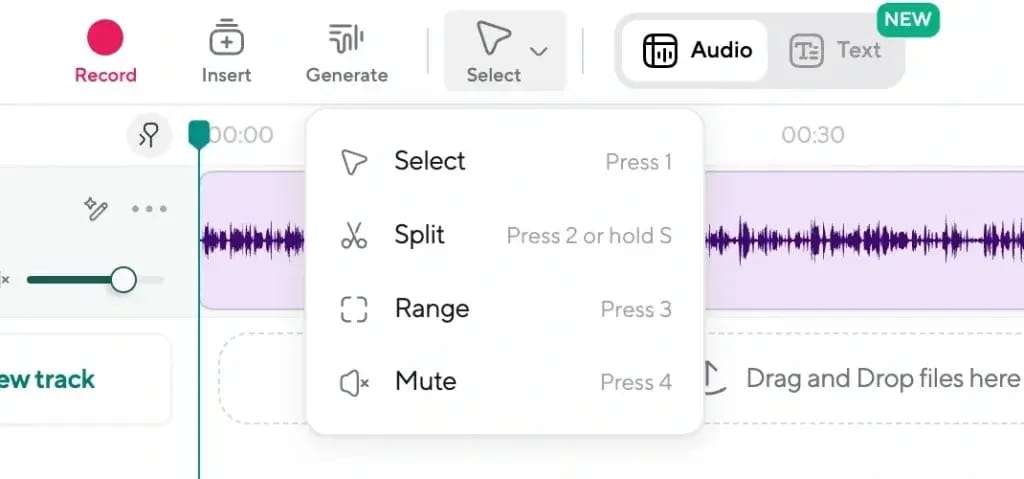
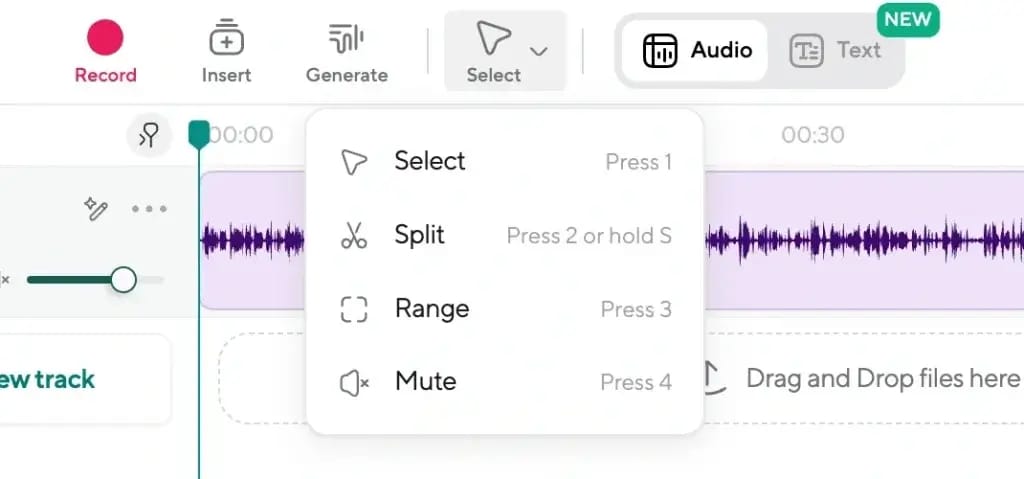
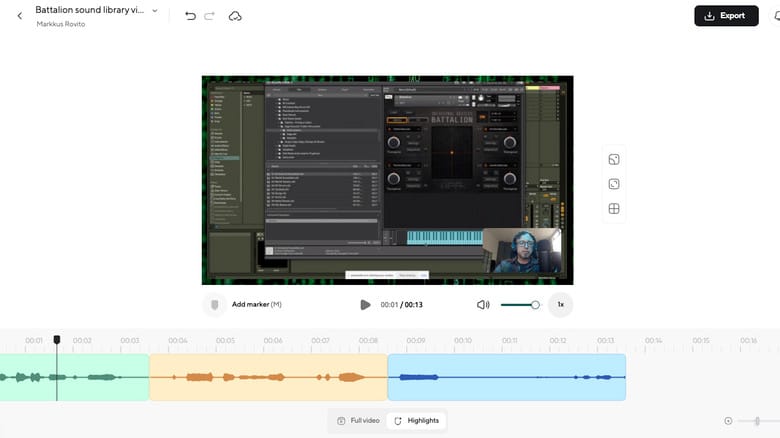
- Text-Based Editing: Podcastle transcribes your audio, allowing you to edit audio or video simply by editing the text transcript. Deleting a sentence in the transcript removes the corresponding audio, which is a powerful workflow for many Software and AI creators.
- Integrated Hosting: Podcastle offers basic podcast hosting, allowing you to publish finished episodes directly to major podcast directories like Spotify and Apple Podcasts from within the platform.
Part 2: The Critical Test—Real-World Performance & Stability
This section of our Podcastle review details the results of our stress tests. While the platform performs well on short projects, our analysis confirms it suffers from significant stability and performance issues on longer, more complex projects.
This is where the brilliant concept meets a challenging reality for professional creators.
How did we test Podcastle’s stability?
To go beyond a simple feature tour, I simulated a demanding, real-world workflow common for Software and AI professionals. All tests were conducted on Podcastle v4.5.2 during January 2026, as performance can vary significantly between updates.
I took a 90-minute, two-person video podcast recording (one 4K track, one 1080p track) and edited it exclusively within Podcastle. This involved trimming content, cleaning audio with Magic Dust, fixing mistakes, and exporting the final file. This process is designed to push a web app’s architecture to its limits.
What are the main bugs and glitches?
My testing confirmed the most common user complaints. The platform’s foundation can feel fragile under pressure, leading to recurring issues that create a poor user experience (UX).
1. Sync Drift
The most frustrating bug is “sync drift.” After 20-30 minutes of editing, the text transcript often begins to lag or lead the audio/video timeline.
You might delete a sentence in the text, only to find it cut the wrong part of the audio. This forces you to constantly stop and re-sync, destroying workflow efficiency.
“The text editor constantly gets out of sync with the audio after 15-20 minutes. I spend more time re-syncing than editing.” — User Review on G2
💡 Solution: How to Mitigate Sync Drift
- Edit in Short Bursts: Work in 15-20 minute intervals.
- Refresh Frequently: After each interval, save your project and refresh the browser page to force a re-sync.
- Use a Hybrid Workflow: For mission-critical projects, record in a more stable tool like Riverside.fm. Then, import only the audio into Podcastle to use its “Magic Dust” feature. This gives you reliable recording and fast AI enhancement.
2. Project Corruption & Export Failures
The most significant risk I encountered is the potential for projects to become corrupted or fail to export. After a long editing session, the “Export” button can become unresponsive or fail with a generic error.
This is a noteworthy drawback for anyone on a deadline. Many readers have asked us about money-saving alternatives — you can browse our latest coupons across creator tools if you need a budget-friendly backup plan during testing.
💡 Solution: How to Prevent Losing Your Work
- Download Raw Files Immediately: Always download your raw, unedited recordings as soon as the session ends. Do not rely on any single cloud platform as your sole backup.
- Edit in Segments: Break your project into smaller chunks (e.g., 15-minute segments).
- Export Versions Often: Export each edited segment as a separate file. This creates manual backups of your progress and reduces the impact if the final project file becomes corrupted.
What causes the slow performance?
Even on a high-end workstation with ample RAM, Podcastle’s web app can become incredibly slow, especially with video. This is an architectural issue, not a hardware limitation.
High CPU/RAM Usage
When editing the 90-minute test project, my MacBook’s fan spun up significantly, a sentiment echoed in many user reviews. Clicks had a 2-5 second delay, making precise edits nearly impossible.
This resource-hogging indicates the web application is not optimized for handling large files or long timelines efficiently.
💡 Solution: How to Improve Performance
- Isolate the Application: Close every other browser tab and application when editing in Podcastle to maximize available system resources.
- Refresh to Reset: If performance degrades, a page refresh can sometimes help, but be aware this can occasionally worsen the sync drift issue. It’s a trade-off with no perfect answer.
Part 3: The Price of Convenience—How Much Does Podcastle Really Cost?
Podcastle’s advertised pricing seems straightforward, but the true cost is dictated by usage caps on transcription and video. This core analysis section of our Podcastle review breaks down the Total Cost of Ownership (TCO) and potential for a negative Return on Investment (ROI).
How much does Podcastle cost in 2026?
The pricing structure is divided into tiers with specific limits. Understanding these is key to avoiding surprise costs. As of June 2026, the public plans are:
| Plan | Monthly Price | Annual Price | Key Caps (Transcription/Recording) | Best For Persona |
|---|---|---|---|---|
| Basic | Free | N/A | 1 hr Transcription, 3 hrs Recording, Watermarks | Testers |
| Storyteller | $14.99 | $144/yr | 10 hrs Transcription/month, 10 hrs Recording/mo | Hobbyists |
| Pro | $29.99 | $300/yr | 25 hrs Transcription/month, 25 hrs Recording/mo | Serious Creators |
| Enterprise | Custom | Custom | Advanced features, more hours | Teams & Businesses |
Note: Pricing is for monthly billing unless specified. Data verified on June 2026 from Podcastle Official Pricing. To reduce the sticker price further, apply a verified Podcastle promo code at checkout.
What are the hidden costs?
The sticker price is rarely the final price. Our analysis uncovered two main areas where costs can escalate.
1. Promotional Positioning of “Unlimited” Plans
While paid plans offer “unlimited audio recording,” this is a feature of secondary importance. The text-based editing workflow depends on transcription, and that’s where hard caps exist.
A weekly one-hour podcast consumes 4-5 hours of transcription a month, putting many users close to the Storyteller plan’s 10-hour limit.
💡 Solution: Before buying, calculate your actual monthly needs. Sum the length of all episodes you plan to record and edit. The Storyteller plan’s 10 hours leaves little room for error, retakes, or extra content.
2. Transcription Overage Fees
The cost of exceeding your monthly transcription limit is not publicly disclosed by Podcastle. Users should be aware that overages will incur extra charges, and it is advisable to clarify the exact rate with support before exceeding plan limits.
Anecdotal user reports suggest a rate of approximately $0.20-$0.25 per minute, but this is unconfirmed Podcastle Official Pricing.
💡 Solution: Be strategic. Use Podcastle’s transcription for projects you actively edit within their workflow. If you have a large backlog of old episodes to transcribe, it may be cheaper to use a dedicated bulk transcription service.
⚠️ Analyst-Estimated TCO
A Pro Plan user needing just 5 extra hours of transcription a month could see their effective annual cost increase by over $720/year, on top of their base subscription. This “bug tax” of lost time and overage fees severely impacts the overall Return on Investment (ROI), turning a seemingly affordable tool into an expensive one.
Assumptions: Pro Plan ($300/yr), 5 extra hrs/mo transcription @ ~$0.20/min.
Disclaimer: Actual pricing varies; request an official quote for Enterprise needs.
The smartest way to offset these hidden costs is to grab a special Podcastle discount offer before you commit — it directly cuts your year-one base subscription.
Part 4: The Showdown—Top Podcastle Alternatives like Descript & Riverside
Podcastle competes as a “jack-of-all-trades” but is a master of none. This section compares it to the leading Podcastle alternatives. It is less reliable for recording than Riverside and less stable for editing than Descript.
Its primary advantage is a simpler user interface for beginners.
| Feature | Podcastle | Descript | Riverside.fm |
|---|---|---|---|
| Stability Rating (1-5) | 2.5 / 5 | 4 / 5 | 4.5 / 5 |
| Text-Based Video Editing | Yes (unstable on long files) | Yes (industry standard) | Limited |
| Recording Reliability | Moderate | Good | Excellent |
| AI Audio Cleanup | “Magic Dust” (one-click) | Studio Sound | Magic Audio |
| Pro Plan Price | $29.99/mo | $24/mo | $24/mo |
Should I use Podcastle or Descript?
This is the most common comparison, as both platforms offer similar text-based editing. The choice comes down to stability versus simplicity.
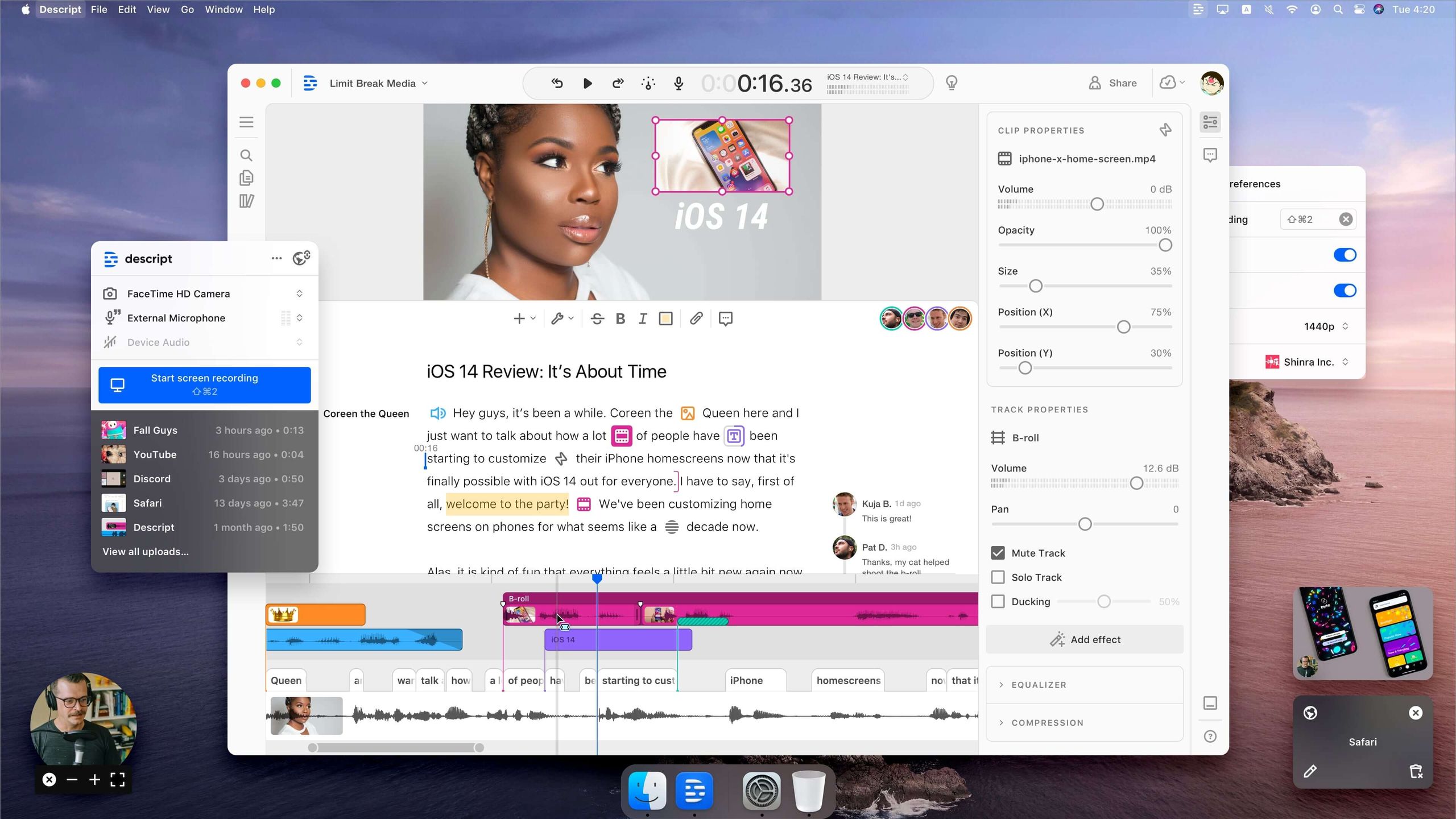
- Best For Power Editors & Videocasters: Descript — Choose Descript if your priority is stable, long-form video editing and a more robust feature set. As a user on Reddit noted, “Switched from Podcastle to Descript. Podcastle kept crashing on my long episodes. Descript handles them without any slowdown” Reddit User Review. In my experience, Descript’s architecture is more mature for demanding projects.
- Consider Podcastle If: You are a true beginner who is overwhelmed by Descript’s more complex interface and you are primarily working on short-form, audio-only content.
- Avoid Podcastle If: You edit video podcasts longer than 45 minutes. The stability risk is too high.
Should I use Podcastle or Riverside.fm?
This comparison is about workflow philosophy: an all-in-one tool versus a specialized, best-in-class tool.
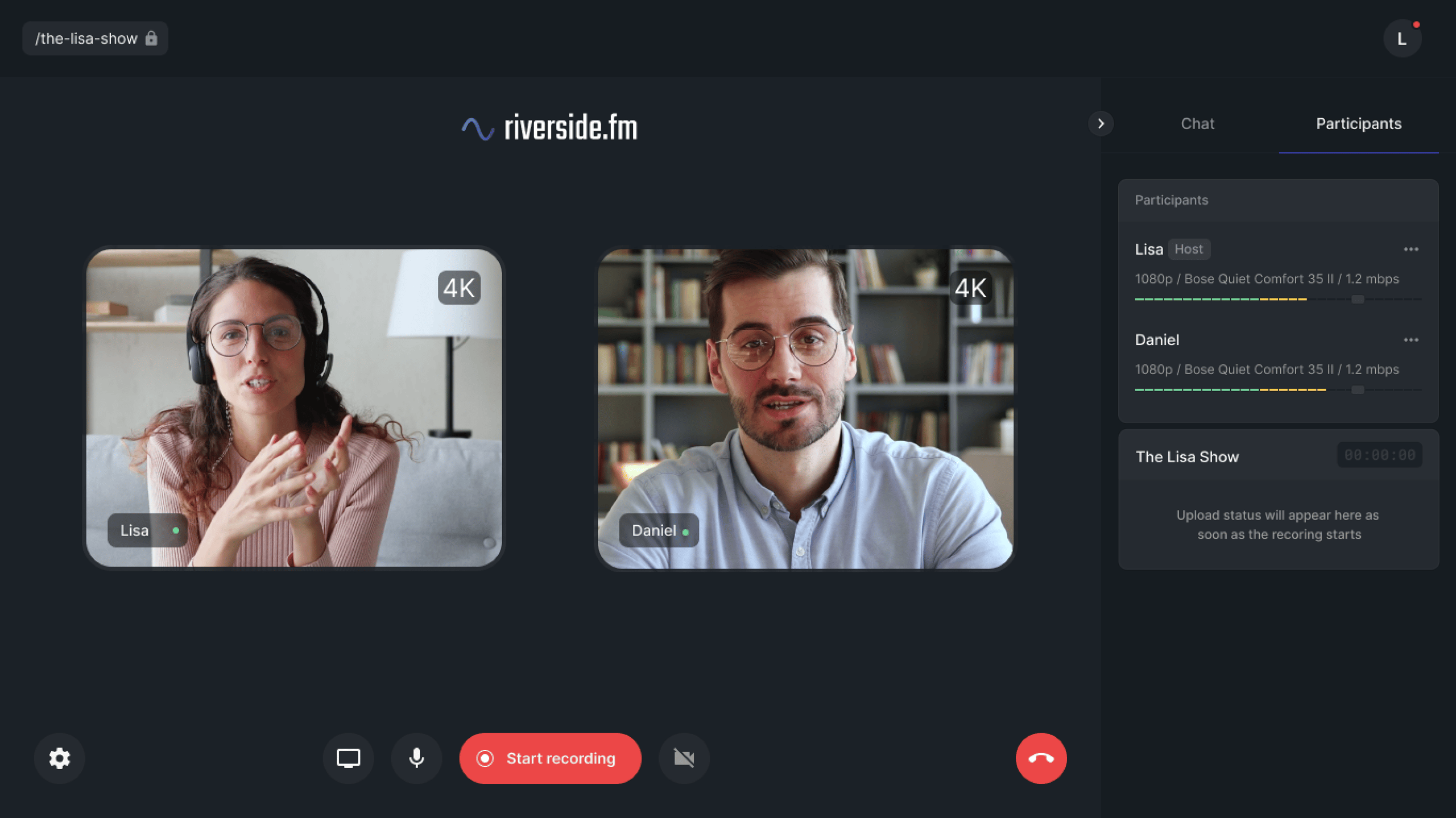
- Best For Pro Interviewers & Corporates: Riverside.fm — Choose Riverside if your absolute priority is reliable, high-quality remote recording that cannot fail. For high-stakes interviews with important guests, a specialized tool is safer. As one user wisely stated, “The all-in-one tools are a single point of failure” Verified User Insight. Riverside’s singular focus makes it the industry benchmark for reliability.
- Consider Podcastle If: You want a single tool for simple recording and editing and are willing to accept a higher risk of technical issues for that convenience.
- Avoid Podcastle If: Your content relies on guest interviews where a failed recording would be a disaster.
Should I use Podcastle or Adobe Audition?
- Best For Audio Professionals: Adobe Audition — Choose Adobe Audition if you need granular control. As a full DAW, it offers unlimited track mixing, advanced effects, and support for professional plugins. It is the industry standard for post-production.
- Consider Podcastle If: You are a beginner and find the concept of a DAW intimidating. Podcastle is a much simpler entry point.
- Avoid Podcastle If: You need to do complex audio repair, mixing, or mastering.
For a fuller side-by-side breakdown across pricing, features, and ideal users, see our dedicated Podcastle Top Alternatives and Competitors guide.
Part 5: Use Cases & Workflows for Software and AI Creators
This section of the Podcastle review explores practical applications. While Podcastle’s limitations are clear, it can still be a valuable tool for specific workflows, particularly for Software and AI content creators who value speed and simplicity for certain tasks.
For solo creators producing short, audio-only explainers or daily news updates, Podcastle offers an exceptionally fast workflow.
Scenario
A developer wants to create a 10-minute weekly “dev log” podcast.
Workflow
- Record directly in Podcastle’s web app using a quality USB mic.
- Apply “Magic Dust” to instantly clean up background noise and level the audio.
- Use the text-based editor to quickly trim mistakes and filler words (“ums” and “ahs”).
- Export the final MP3 and upload it directly using the integrated hosting.
✅ Strengths
- 1-2 hours of DAW work compressed into 20-30 minutes
- Zero workflow handoffs between tools
- Drastically improves increased productivity for recurring content
⚠️ Considerations
- Only reliable for short, audio-only formats
- Quality ceiling is lower than dedicated DAWs
- Hosting features remain basic vs. Buzzsprout/Transistor
The Revoice feature is more than a novelty; it’s a practical tool for fixing errors without needing to re-record entire segments.
Scenario
During a 30-minute podcast interview recording, you misstate a key statistic. Re-recording with the guest is not an option.
Workflow
- Create a clone of your voice using the Revoice feature.
- In the text-based editor, find the sentence with the incorrect statistic.
- Highlight the incorrect words and type the correct information.
- Generate the corrected audio using your AI voice clone and seamlessly insert it into the timeline.
✅ Strengths
- Saves immense time vs. manual re-recording
- Maintains tonal consistency throughout the episode
- Perfect for fixing factual errors post-interview
⚠️ Considerations
- Voice clone quality varies based on training sample
- Detectable to careful listeners on longer passages
- Ethical disclosure may be advisable for journalism
For serious creators, the smartest way to use Podcastle is not as an all-in-one solution, but as a specialized tool within a larger, more robust workflow.
Scenario
A Software and AI marketing team is producing a high-stakes, 60-minute video podcast with an industry expert. Stability is paramount.
Workflow
- Record: Use Riverside.fm for the recording to ensure maximum reliability and high-quality separate tracks.
- Enhance: Import the raw audio files into Podcastle. Use “Magic Dust” for quick, effective audio cleanup on each track. Export the enhanced WAV files.
- Edit & Assemble: Import the enhanced audio and raw video files into Descript or Adobe Premiere Pro for the final, stable edit.
✅ Strengths
- Leverages Podcastle’s strongest feature (Magic Dust)
- Mitigates its biggest weakness (long-form instability)
- Professional results with significantly less risk
⚠️ Considerations
- Requires multiple subscriptions (higher monthly cost)
- More complex onboarding for new team members
- File-management discipline becomes critical
💡 PRO TIP — The Professional’s Hybrid Workflow
“To leverage Podcastle’s strengths while avoiding its weaknesses, use a hybrid workflow. Record mission-critical interviews on a stable platform like Riverside.fm. Import the audio into Podcastle for ‘Magic Dust’ AI cleanup. For final complex video edits, move the project to Descript.”
Part 6: Critical Considerations—Support, Policies & Security
While Podcastle has standard security certifications, its customer-facing policies—particularly its strict no-refund policy combined with slow support—represent a significant financial risk. This section is about how to protect yourself.
How good is Podcastle’s customer support?
Based on our analysis of user reviews from late 2025 and early 2026, the customer support experience is a significant challenge.
Slow & Ineffective Support: Users on lower-tiered plans report response times of 3-7 days, which is far too long for a project-breaking bug. When a response arrives, it is often a generic answer.
One user lamented, “My project was un-exportable due to a bug. Support took 4 days to respond with a ‘try clearing your cache’ email. Useless” Trustpilot User Review.
💡 Solution: Do not rely on official support for urgent issues. Community forums, like Reddit’s r/podcasting, can often provide faster solutions from other users. Assume you will have to solve most problems yourself.
Is the “No-Refund” policy a risk?
⚠️ WARNING — Financial Risk: The ‘No-Refund’ Policy
“Podcastle’s strict no-refund policy, combined with platform bugs, creates significant financial risk. Unlike many SaaS providers, they may not issue refunds even if the product is non-functional for your needs. Always test on a monthly plan before committing to an annual subscription to mitigate this risk.”
This is one of the most contentious issues. Podcastle has a strict no-refund policy, which it adheres to closely Terms of Service §7.
This becomes a major point of user anger. One user on Trustpilot wrote, “I cancelled within 2 hours of signing up because the main feature I needed was bugged. They refused any refund” Verified User Comment on Trustpilot. The smarter financial play is to combine a monthly plan with a working money-saving Podcastle deal so your downside is capped from day one.
💡 Solution: This is the single strongest reason to never prepay for an annual plan until you have used a monthly plan for at least one full project cycle without critical issues. The potential savings are not worth the risk of losing your entire investment.
Can I trust Podcastle with my data?
The conversation around trust has three parts: technical security, data privacy policies, and operational integrity.
The platform is SOC 2 Type II compliant, according to its Trust Center Podcastle Trust Center. This is a standard security certification.
However, specific details on GDPR compliance or EU data residency options are not clearly stated, which is a transparency gap for European users. There was also a minor security incident in March 2024 involving an API key exposure, which was reportedly resolved TechCrunch Report.
The bigger issue is operational transparency. Marketing claims of “flawless reliability” are challenged by the public status page’s historical data, which reveals multiple “Partial Outage” and “Degraded Performance” incidents in the past year Podcastle Status Page History.
💡 Solution: Before a critical recording, always check the public status page. More importantly, always have a backup recording method planned (e.g., Zoom, QuickTime, or a hardware device). Never let a single platform be your only point of failure.
Final Verdict for Our Podcastle Review: Who Should Actually Buy in 2026?
After extensive testing, my verdict is clear. Podcastle is a brilliant concept—an intuitive, all-in-one AI podcasting studio—that is fundamentally let down by its execution.
The platform’s value is a trade-off between simplicity and stability, and for many professional Software and AI creators, that trade-off is too risky.
What We Love
- Unmatched simplicity and ease of use. For a true beginner, there is no faster way to go from recording to a decent-sounding finished product.
- “Magic Dust” is a fast and effective audio cleaner. While audio purists note it can sound over-processed compared to specialized tools like iZotope RX, it’s incredibly effective for its purpose.
- Innovative AI features like Revoice are genuinely useful and point to the future of content creation.
- The all-in-one workflow drives increased productivity and is undeniably convenient for short-form content.
💡 Things to Consider
- Critical stability issues make it an unreliable tool for long-form content or professional, deadline-driven work.
- The punitive no-refund policy creates a significant financial risk for users who encounter bugs.
- The marketing of “unlimited” plans can be confusing, as hard caps on essential features like transcription are the true bottleneck.
- It is demonstrably less stable for editing than Descript and less reliable for recording than Riverside.
Final Recommendation
We CAN recommend Podcastle for:
Hobbyists, students, and beginners creating audio-only podcasts under 45 minutes who value simplicity above all else. If you are starting out and feel intimidated by professional software, Podcastle is a reasonable entry point, provided you stick to a monthly plan.
We CANNOT recommend Podcastle for:
Professional creators, businesses, or anyone working on deadline-driven or long-form video projects. The risk of losing work due to bugs and the lack of effective support create a level of operational risk that is unacceptable in a professional workflow. For these users, a more robust combination, such as using Riverside for recording and Descript for editing, remains the professional standard.
If, after weighing both sides, you’ve decided Podcastle is the right fit, make sure to redeem the best Podcastle coupon code our editors verify monthly — it’s the safest way to cap your year-one spend.
Frequently Asked Questions
Q1: How much does Podcastle really cost in 2026?
A: Podcastle’s Pro plan is advertised at $29.99/mo, but the true cost is often higher. The pricing model includes strict usage caps on essential features like transcription and video recording, which are the platform’s main value drivers.
According to our analysis, power users who exceed these limits can face significant overage fees, potentially adding over $700 per year to their total cost Podcastle Official Pricing. Therefore, it’s crucial for prospective users to calculate their monthly usage needs accurately before committing to a plan, especially an annual one.
Q2: Is Podcastle worth the money?
A: It depends on your specific needs. For beginners with simple, short audio projects, Podcastle can be worth the money due to its unmatched convenience and ease of use. The “Magic Dust” feature alone can save hours of editing time PCMag Review.
However, for serious creators working on long-form content or video, the platform’s stability risks and potential for lost work due to bugs often make it not worth the investment. The “bug tax” of wasted time can quickly outweigh the subscription cost, making more reliable tools a better value proposition.
Q3: What are the main problems with Podcastle?
A: The main problems with Podcastle are critical stability bugs on long projects, poor performance with video, pricing that can be confusing, and a strict no-refund policy combined with slow customer support.
Widespread user reports and our own stress tests confirm issues like “sync drift” and project corruption are common G2 Podcastle Reviews. These technical issues are compounded by a customer service experience that many users find slow and unhelpful, creating a challenging environment for professionals on a deadline.
Q4: Should I use Podcastle or Descript?
A: You should use Descript if you need stable, powerful text-based video editing, especially for long-form content. Descript is widely regarded as the more mature and robust platform, handling large files with fewer crashes and slowdowns TechRadar Review.
We recommend choosing Podcastle only if you are a true beginner who is overwhelmed by Descript’s more feature-rich interface and you are primarily working on short audio files where stability is less of a concern. For any professional video workflow, Descript is the more reliable choice.
Q5: Is Podcastle reliable for professional use?
A: Based on our tests and extensive user reviews, Podcastle is not consistently reliable for professional use, especially for projects longer than 45 minutes or those involving video.
While it can work for short, simple tasks, there is a high frequency of bugs, crashes, and sync issues that introduce an unacceptable level of risk for deadline-driven work Podcastle Status Page History. For high-stakes recordings or edits, we recommend using more specialized and proven tools like Riverside.fm for recording and Descript for editing.
Q6: Can you export high-quality files from Podcastle?
A: Yes, one of Podcastle’s major strengths is its ability to record and export high-quality files, including lossless WAV for audio and up to 4K video for each participant’s local recording track Podcastle Features Page.
This provides the high-fidelity source material needed for professional post-production. However, the ability to export is entirely dependent on the project not crashing or suffering from an export failure, which is a known and frequently reported problem on the platform, particularly with longer projects.
Q7: How good is the “Magic Dust” AI feature?
A: The “Magic Dust” feature is very good for its intended purpose: providing a one-click solution for common audio problems like background noise, inconsistent levels, and harsh frequencies. For beginners, it delivers a fast, significant improvement with minimal effort The Podcast Host Review.
However, audio experts and more advanced users often note that it can sound over-processed compared to specialized audio repair tools like iZotope RX or even the free Adobe Podcast Enhance. It’s a trade-off between simplicity and ultimate audio quality.
For more in-depth tool evaluations like this one, browse our complete category of review articles covering the full creator-tool landscape.

