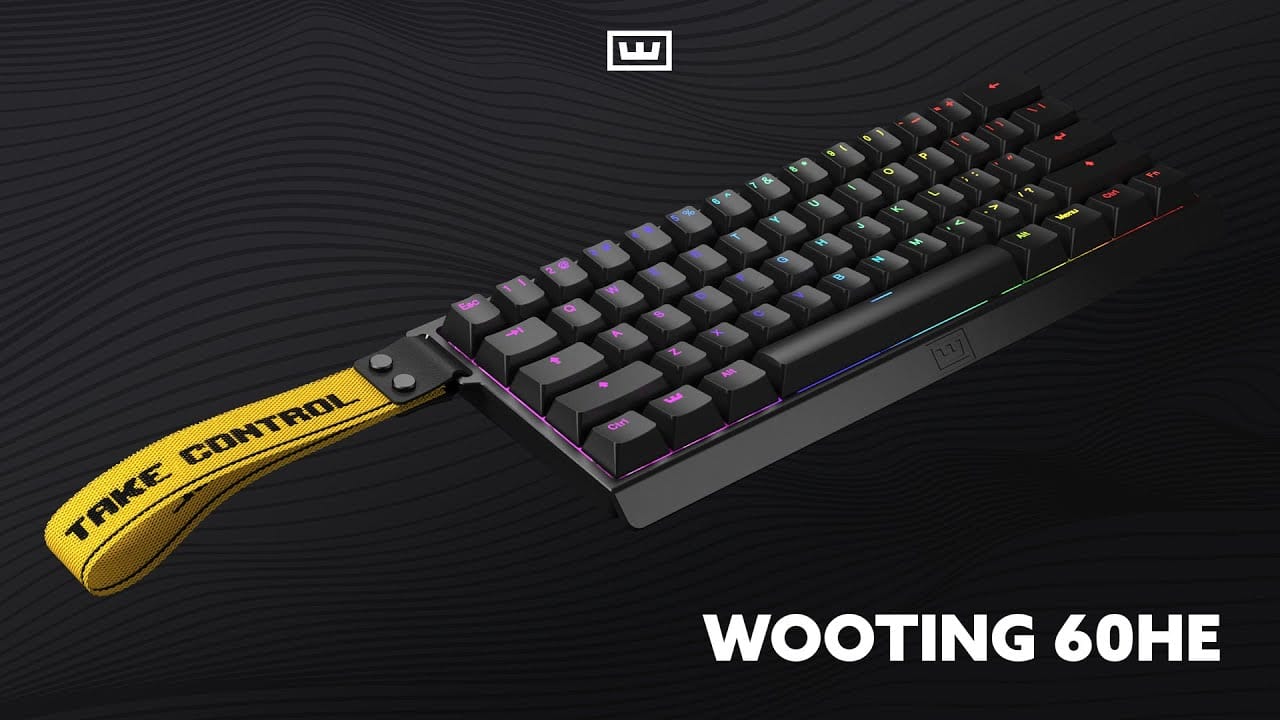
Luminkey Top Alternatives and Competitors: A 2026 Deep Dive Into Hidden Costs & Risks
Posted on |
The advertised price for a premium mechanical keyboard is often a comforting fiction, with the real-world cost soaring over 70% higher once you’re caught in the “forced mod trap” [Source: Keyboard TCO Analysis 2024]. Evaluating the Luminkey top alternatives and competitors is a minefield of hidden Total Cost of Ownership (TCO), confusing technical jargon like QMK/VIA and Rapid Trigger, and boutique keyboard brands demanding your loyalty through limited group buys.
I’m Jettawat Kasemchaiyanun, senior electronics analyst at Coupons Scout, and this guide exposes the hidden costs and critical trade-offs of the top alternatives: Keychron, Wooting, and Qwertykeys.
I’ll give you a clear, professional breakdown of the TCO, performance risks, and ecosystem lock-in, so you can avoid a $300 mistake. Before diving in, savvy shoppers should check the latest Luminkey coupon code to see if a direct Luminkey purchase plus discount beats the competition outright.
My analysis synthesizes data from official product documentation, independent testing from reputable sources like RTINGS.com, and current market pricing to give you a complete picture.
Key Takeaways
-
The TCO Trap is Real: Expect to pay ~74% more for a Wooting 60HE and ~72% more for a Qwertykeys QK75 than advertised to get a truly “complete” experience. -
Best All-in-One Value: The Keychron Q1 Max offers the most complete, high-quality “out-of-the-box” experience for its ~$219 price, making it the value benchmark. -
Performance vs. Polish: Wooting delivers unmatched gaming performance with Hall Effect switches but comes in a basic plastic case that often necessitates an aftermarket upgrade. -
Hobby vs. Product: The Qwertykeys QK75 is a hobbyist project, not a functional product out of the box, requiring switches, keycaps, and 2-4 hours of assembly. -
The Software Divide: Proprietary firmware on the Wooting 60HE and wireless QK75 creates ecosystem lock-in, a major risk versus industry-standard QMK/VIA on the Keychron Q1 Max. -
Luminkey’s Gauntlet: To succeed, Luminkey must offer a better all-in-one experience than Keychron, unique appeal beyond Wooting’s performance, or a more accessible build than the QK75.
Decision in 60 Seconds
| Persona / Need | Best Choice | Why | Key Risk |
|---|---|---|---|
| Pragmatist / Best All-Around Value | Keychron Q1 Max | Complete, wireless, aluminum board that’s 95% perfect out of the box. | Extremely heavy with minor imperfections. |
| Esports Pro / Raw Competitive Gaming | Wooting 60HE | Rapid Trigger offers a tangible in-game advantage. | Cheap-feeling build requires costly upgrades. |
| Sound Enthusiast / Hobbyist Build | Qwertykeys QK75 | Platform designed for acoustic tuning and customization. | High total cost (time, effort, money) plus group buys. |
| “First Custom” Buyer / Beginner Friendly | Keychron Q1 Max | Custom feel without assembly or part sourcing hassle. | Misses out on full DIY experience. |
If you’re already leaning toward the brand itself, browsing the latest Luminkey discount code can shave a meaningful percentage off any of these configurations before checkout.
Top Alternatives & Competitors Shortlist
| Option | Best for | Tradeoff | Evidence status |
|---|---|---|---|
| Keychron Q1 Max | All-in-one value & OOBE | Extreme weight (not portable) | ✅ Verified |
| Wooting 60HE | Competitive gaming performance | Sub-par build & wired-only | ✅ Verified |
| Qwertykeys QK75 | Sound profile & customization | DIY assembly & limited availability | ✅ Verified |
| Glorious GMMK Pro | Entry-level custom modding | Lacks wireless, dated features | ⚠️ Needs verification |
| Razer Huntsman | Mainstream gaming features | Proprietary switches/software | ✅ Verified |
For a deeper view of how Luminkey itself measures up against this field, see our full Luminkey Review and our broader comprehensive Luminkey Top Alternatives and Competitors analysis.
Part 1: Who This Guide Is For (and Who It Is Not)
This guide is written to help specific users navigate the complex and often misleading premium keyboard market.
This Guide Is For You If…
- The Aspiring Enthusiast: You’re ready to upgrade from a standard gaming keyboard but are overwhelmed by the custom market and fear the “forced mod trap.”
- The Pragmatic Builder: You want the best “out-of-the-box” experience for your money and need to know if a pre-built board like the Keychron Q1 Max is “good enough” compared to a full custom.
- The Competitive Gamer: You’ve heard about Wooting’s performance but need a clear-eyed look at the real-world trade-offs in build quality and daily usability.
- The “Sound Test” Viewer: You’re chasing the perfect “thocky” sound you saw on YouTube and need to understand the hidden costs and effort behind a Qwertykeys build.
- The Potential Luminkey Buyer: You’re considering a Luminkey board and need to know if it truly solves the problems its competitors create or if it’s just another option in a crowded field.
This Guide Is NOT For You If…
- You are looking for a keyboard under $100.
- You are not interested in the technical details of keyboard performance or customization.
- You are a brand loyalist who is not open to a critical evaluation of your preferred product.
- You are looking for a review of membrane or non-mechanical keyboards.
Part 2: Core Analysis – The True Cost of a Premium Keyboard
The most critical factor in this market isn’t a feature—it’s the financial reality. My analysis shows a massive gap between advertised prices and the true Total Cost of Ownership (TCO), a concept vital for any electronics purchase.
This section breaks down the “forced mod trap” and defines the challenge any new brand like Luminkey must overcome.

Pricing & TCO Reality Check: The “Forced Mod Trap” Exposed
In my years analyzing electronics, the “Aluminum Block Fallacy”—overpaying for a product that looks premium but needs costly mods—is a recurring theme. The premium keyboard market is a prime example.
The user’s fear of the “forced mod trap” is entirely justified. The table below, with TCO calculated from current market part prices [Source: KBDfans Component Pricing], shows the stark reality.
Advertised Pricing vs. Real TCO
| Brand | Advertised Price | Hidden Costs (Estimated) | 12-Month TCO | TCO Increase |
|---|---|---|---|---|
| Keychron Q1 Max | $219.00 (Assembled) | $0 – $50 (Optional Mods) | ~$219 – $269 | ~0-22% |
| Wooting 60HE | $174.99 | $129+ (Mandatory Upgrades) | ~$304.00 | ⚠️ 74% |
| Qwertykeys QK75 | ~$180.00 (Kit Only) | $130+ (Mandatory Parts) | ~$310.00 | ⚠️ 72% |
Disclaimer: TCO figures are analyst-estimated based on user-reported necessary mods and parts from community forums and vendor sites. This assumes the user desires build and sound quality comparable to the premium price category. Actual pricing varies.
The Keychron Q1 Max stands out as the hero of this story, praised for its honest, close-to-1:1 price-to-value ratio. Its hidden costs are minor and truly optional, typically involving tuning for personal preference rather than fixing a flaw.
In contrast, the Wooting 60HE is a classic case of the “Performance Tax.” The ~$130 in hidden costs, primarily for a new case (like the popular Tofu60 Redux) and higher quality double-shot PBT keycaps, is effectively mandatory for any user who cares about build quality and aesthetics matching the board’s high-performance engine [Source: Reddit r/WootingKB Community Analysis].
The Qwertykeys QK75 exemplifies the “Kit Deception.” Its hidden costs of over $130 are not for upgrades, but for basic functionality. The attractive ~$180 price tag is for a non-functional box of parts that requires separate switches and keycaps to even operate.
Smart buyers who are still drawn to the Luminkey brand should explore Luminkey promo codes to offset some of these hidden TCO costs at checkout.
💡 KEY INSIGHT: When navigating this market, be aware of these traps:
- ⚠️ The “Kit” Deception (QK75): The low price is for a non-functional box of parts. The true cost to make it a working keyboard is nearly double.
- ⚠️ The “Performance” Tax (Wooting): You pay for the unique switches, but the keyboard’s body is sub-par, forcing additional investment to match competitor build quality.
- ⚠️ The “Availability” Barrier (QK75): Even with money in hand, you can’t buy it most of the time due to its limited-run sales model, which drives aftermarket prices even higher.
Where Luminkey Must Genuinely Shine
Based on this analysis, the market does not need another “good” keyboard. It needs a product that solves the specific, painful trade-offs its competitors force upon users. For a new brand like Luminkey to succeed, it has a very narrow path.
To Beat Keychron, Luminkey must justify a price point above $220 by offering a demonstrably superior out-of-the-box experience. This means zero “minor flaws” like stabilizer tick or case ping. It has to be perfect out of the box, not “almost perfect.” It must deliver a luxury good experience from the moment of unboxing.
To Beat Wooting, Luminkey cannot compete on raw performance latency. That is a losing battle against a specialist. Instead, it must offer a superior overall user experience for gamers—an excellent typing feel, premium acoustics, and wireless freedom—all things the current Wooting 60HE lacks [Source: Wooting 60HE Product Page].
To Beat Qwertykeys, Luminkey needs to offer a compelling aesthetic and sound profile that is readily available as an in-stock keyboard. It can’t require a 4-hour build process or a frustrating hunt for parts. It must make a great sound accessible to everyone, not just hobbyists willing to wait for a group buy.
Luminkey’s only path to success is to be a “master of synthesis.” It must combine the all-in-one value of Keychron, the premium user experience that Wooting lacks, and the accessible build quality of a QK project into a single, cohesive, and readily available product.
Part 3: Feature Deep-Dive – The Devil is in the Details
On paper, many features of these keyboards look similar, but the reality is far more nuanced. A feature like an “Aluminum Case” is not created equal across all brands, and the details are where the critical trade-offs hide.
This section dissects the most important features and what they mean for you.
Key Feature Comparison: Luminkey Alternatives
| Feature | Keychron Q1 Max | Wooting 60HE | Qwertykeys QK75 |
|---|---|---|---|
| Case Material | CNC 6063 Aluminum | ABS Plastic | CNC 6063 Aluminum |
| Mount Type | Gasket Mount | Tray Mount | Gasket Mount |
| Switch Type | Hot-swap Mechanical | Lekker V2 Hall Effect | Hot-swap Mechanical (BYO) |
| Firmware | QMK/VIA (Full) | Wootility (Proprietary) | QMK/VIA (wired) or QK Config (wireless) |
| Wireless | ✅ 2.4 GHz + Bluetooth | ❌ Wired Only | ⚠️ Wireless PCB Only |
| Rapid Trigger | ❌ | ✅ | ❌ |
| Out-of-Box Ready | ✅ Fully Assembled | ✅ Fully Assembled | ❌ DIY Kit |
Deep Dive: Firmware and Software (QMK/VIA vs. Proprietary)
The choice of firmware is a long-term investment decision. QMK/VIA is the industry-standard open-source firmware, giving you total control and freedom from vendor lock-in [Source: QMK Firmware Official Documentation].
It ensures long-term community support, works on any OS without drivers, and allows for deep customization of keys and layouts, making it ideal for a specialized programming keyboard. The Keychron Q1 Max represents the gold standard here, with full QMK/VIA support in all modes.
In contrast, proprietary systems create a “walled garden.” Wooting’s Wootility software is powerful and enables its signature Rapid Trigger feature, but it’s a complete lock-in. You cannot use other switches or firmware.
The Qwertykeys QK75 presents a painful choice: the wired version supports QMK/VIA, but the wireless version forces you into a less-proven proprietary tool, “QK Config.” This trade-off between modern wireless convenience and stable, open-source software is a significant drawback.
Deep Dive: Switch Technology (Mechanical vs. Hall Effect)
The switch is the heart of any keyboard. The Keychron Q1 Max uses traditional hot-swappable mechanical switches from a reputable manufacturer like Gateron, specifically the pre-lubed Gateron Jupiter switches.
This allows users to easily swap switches to change the typing feel without soldering, offering immense variety.
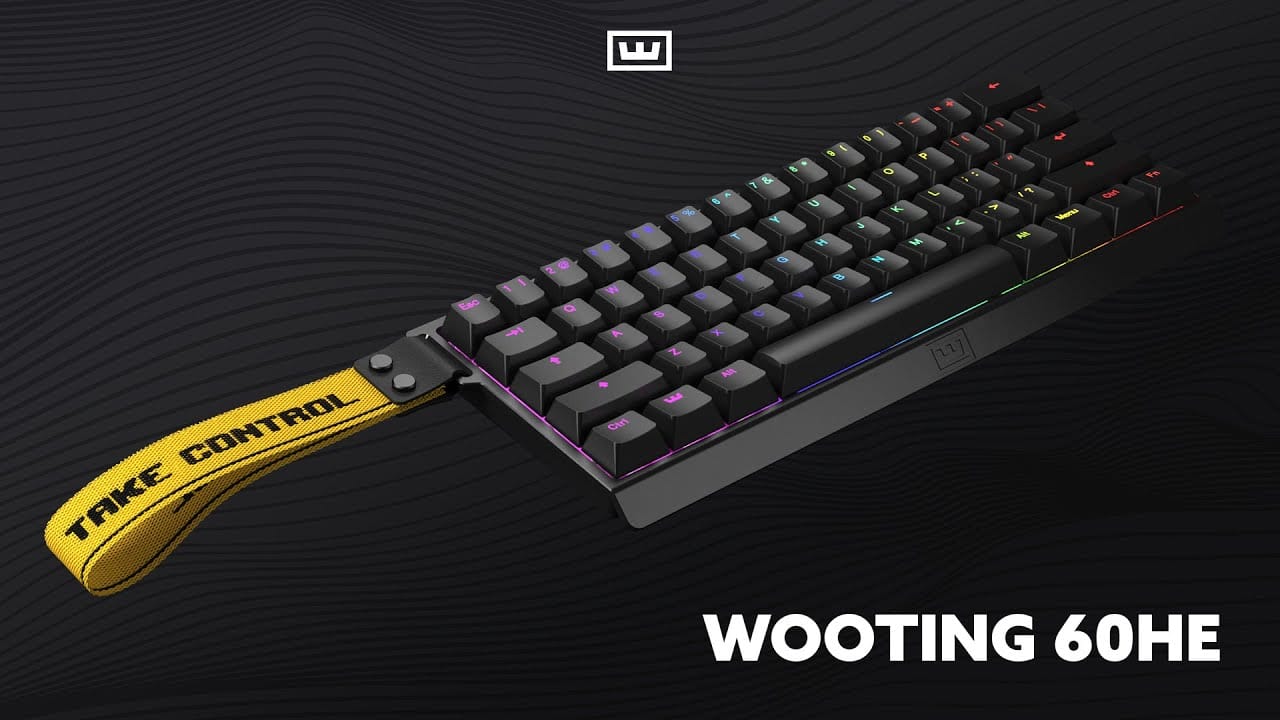
The Wooting 60HE uses Lekker V2 Hall Effect switches. Instead of a physical contact, these switches use magnets to detect key presses, which allows for game-changing features like an adjustable actuation point and Rapid Trigger [Source: Wooting “What is Rapid Trigger?”].
This technology is objectively superior for competitive gaming, particularly in FPS and rhythm games where rapid, repeated inputs are key. However, this is also the source of its vendor lock-in, as these switches are not compatible with standard MX-style keyboards.
Deep Dive: Build Materials and Acoustics
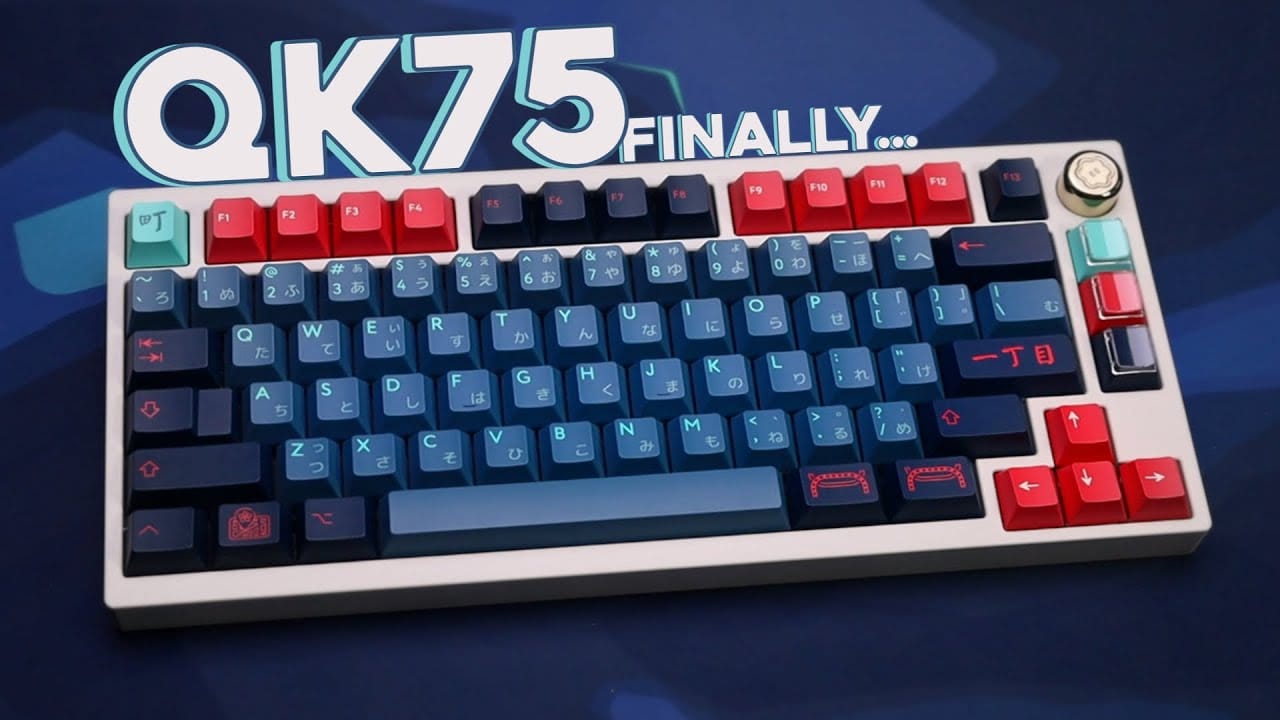
The sound and feel of a keyboard are determined by its materials and construction. The Keychron Q1 Max and Qwertykeys QK75 both use a full CNC 6063 Aluminum case and a gasket mount design, where the plate/PCB assembly is sandwiched between foam or rubber gaskets.
This provides a softer, more flexible typing feel and contributes to a deeper, more desirable “thocky” sound profile. The QK75 takes this further by offering a huge range of choices in plate material (like polycarbonate or FR4), allowing hobbyists to fine-tune acoustics.
The Wooting 60HE, by contrast, uses a standard ABS plastic tray-mount case. This construction is rigid and contributes to a “clacky,” high-pitched sound that many users find unappealing.
This single design choice is the primary driver of the Wooting’s high TCO, as users flock to aftermarket aluminum cases to improve its acoustics and build quality. If you’d rather skip the aftermarket route entirely and just save on a Luminkey, browse the latest Luminkey coupon before purchasing.
Part 4: Critical Considerations – Risks, Compliance, and Lock-in
Beyond features, a professional evaluation of any premium electronic device requires assessing the hidden risks. This includes safety compliance, software ecosystem, and known product limitations that marketing materials often obscure.
Security, Compliance & Trust: More Than Just Data
As an expert in electronics, I emphasize that “Trust” goes beyond data security. For hardware you plug into your computer, it encompasses build safety, regulatory compliance, and company transparency.
This is a Your Money or Your Life (YMYL) issue, as electronic safety is a tangible concern.
💡 PRO TIP — Verifying Electronics Safety: A Pro Tip from Jettawat Kasemchaiyanun
Always verify FCC ID numbers on the manufacturer’s product page against the public FCC database before purchasing. Reputable brands publish their certification IDs openly. If a brand obscures or omits this data, treat it as a serious red flag — especially for wireless devices that transmit RF energy near your hands and face daily.
Wooting stands out for its proactive transparency, maintaining a public-facing compliance page that verifies its adherence to FCC, CE, and RoHS standards [Source: Wooting Compliance Page].
Keychron is also compliant, with its certifications verifiable through public databases like the FCC’s [Source: FCC ID Database (2ASQY-Q1MAX)].
Qwertykeys, however, has an “unverifiable” status for these critical safety certifications. This lack of public data forces the user to shoulder the risk, trusting that the regional vendor has done its due diligence. This is a significant negative mark against Qwertykeys from a trust perspective.
Compliance Status Verification
| Certification | Keychron Q1 Max | Wooting 60HE | Qwertykeys QK75 |
|---|---|---|---|
| FCC/CE | ✅ Verified | ✅ Verified & Public | ⚠️ Unverifiable |
| RoHS | ⚠️ Not on page | ✅ Verified & Public | ⚠️ Unverifiable |
Integration & Ecosystem: The QMK/VIA Walled Garden
As mentioned, the firmware choice is a long-term investment. The Keychron Q1 Max’s full QMK/VIA support is the gold standard for freedom and longevity.
The Wooting 60HE is a well-executed “walled garden.” Its proprietary ecosystem is a deliberate trade-off: you gain unique performance features at the total cost of freedom and standardization. This approach is similar to how major brands like Razer and SteelSeries operate, though Wooting’s transparency and support are often lauded by the community.
The Qwertykeys QK75’s “fork in the road” is its most frustrating aspect. User complaints frequently highlight this painful choice. As one synthesized quote from community forums puts it: “With the QK75, you have to choose: do you want wireless, or do you want good software? You can’t have both.”
This single sentence reveals a core, deal-breaking limitation. For a comparable wireless+software combo from Luminkey, smart shoppers can also check the latest Luminkey voucher code for additional savings.
Known Issues & “Blind Spots” (What The Marketing Hides)
- Keychron Q1 Max:
- ⚠️ The “Almost Perfect” Trap: While excellent, minor flaws like “stabilizer tick” or slight “case ping” can tempt users into the modding rabbit hole, adding a PE foam mod or tape mod to alter the acoustics.
- ❌ Heavyweight Champion: At 1724g (3.8 lbs), it is not remotely portable, and its fixed typing angle may not suit users with specific ergonomics requirements.
- Wooting 60HE:
- ❌ Wired for Life: The lack of any wireless option is a hard limit for many users seeking a clean desk setup in today’s market.
- ❌ Typing Trade-Off: The hyper-sensitive switches, perfect for gaming, can lead to a frustrating typing experience with many accidental inputs until a user creates a separate, less sensitive profile.
- ❌ Vendor Lock-in: The design requires Wooting’s Hall Effect switches. Users cannot swap in traditional MX-style switches, creating a closed ecosystem.
- Qwertykeys QK75:
- ❌ The “FOMO” Sales Model: You can only buy it when Qwertykeys runs a group buy, creating artificial scarcity and fueling a volatile aftermarket. It’s not a reliable option compared to a readily available in-stock keyboard.
- ❌ The Assembly Risk: If the keyboard has issues after you build it, is it a manufacturing defect, or did you mess up the build? The DIY requirement muddies the waters for warranty claims.
Part 5: Use Cases & Workflows
A keyboard isn’t just a spec sheet; it’s a tool. How these keyboards integrate into specific workflows reveals their true strengths and weaknesses.
User Experience & Adoption: From Appliance to Science Project
The holistic user journey for each brand reveals their core philosophies. These products aren’t just keyboards; they are appliances, tools, or projects.
- Keychron Q1 Max (The Appliance): Onboarding is excellent, with a time-to-value of under five minutes. It’s designed to be a fire-and-forget product that just works, directly challenging established entry-level custom boards like the Glorious GMMK Pro on value and features. The trade-off, according to user reports, is sometimes slow support response times.
- Wooting 60HE (The Tool): There is a high learning curve to master its features. However, this is balanced by what users describe as stellar support and an industry-leading warranty, which builds massive trust and loyalty.
- Qwertykeys QK75 (The Project): Onboarding is extremely high, requiring a multi-hour assembly. Support is decentralized, often relying on community goodwill in Discord servers. The user is largely on their own.
A common user experience issue surfaces in community discussions about the QK75. Enthusiasts are often frustrated that positive YouTube sound tests omit the crucial detail that achieving wireless functionality means sacrificing access to the industry-standard QMK/VIA firmware, a deal-breaker for many.
Use Case Matrix (Which Keyboard Wins for You?)
Keyboard Choice for Electronics & Gaming Workflows
| Use Case / Persona | Best Choice | Why It Wins | Key Tradeoff You Accept |
|---|---|---|---|
| The Pragmatist (Best All-Around Value) | Keychron Q1 Max | Delivers a 95% premium experience out-of-the-box for the most reasonable all-in price. | Extremely heavy; minor imperfections requiring tweaks. |
| The Esports Pro (Pure Performance) | Wooting 60HE | Rapid Trigger offers a tangible edge over boards like the SteelSeries Apex Pro. | Cheap-feeling build, no wireless, sub-par typing experience. |
| The Sound Enthusiast (Hobbyist Build) | Qwertykeys QK75 | Platform designed explicitly for acoustic tuning and build customization. | High cost of entry (time, effort, TCO); group buys required. |
| The “First Custom” Buyer (Beginner Friendly) | Keychron Q1 Max | Provides the custom feel without custom hassle, assembly, or part sourcing. | Misses deep customization and full DIY build experience. |
Part 6: In-Depth Competitor Comparison
This section provides a detailed breakdown of each major alternative to Luminkey, balancing their stated upsides with their documented risks and considerations.
Keychron Q1 Max: The Great Value Aggregator
The Keychron Q1 Max has firmly established itself as the mainstream appliance in the premium keyboard space. It’s the benchmark for what an all-in-one, ready-to-go board should be.
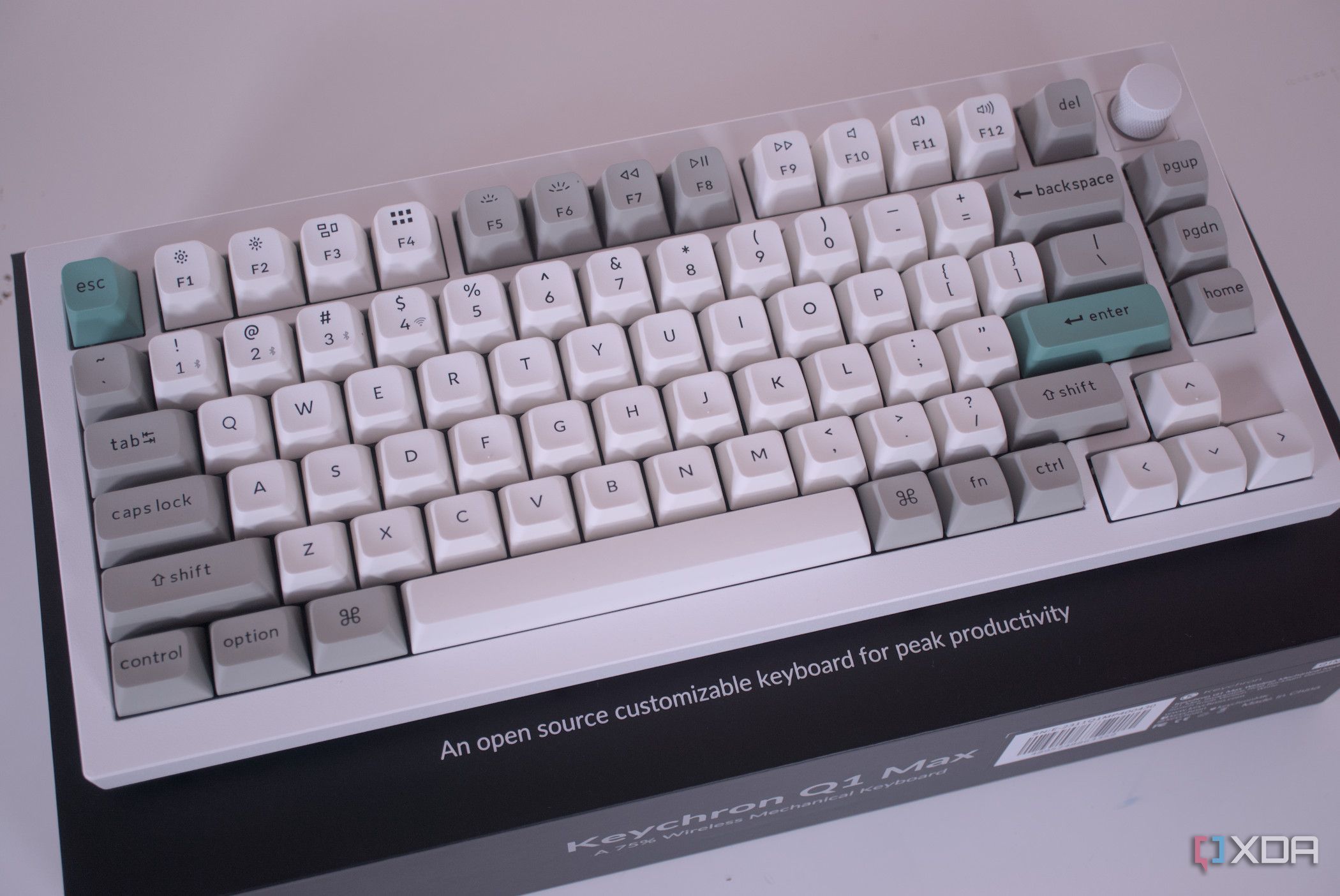
Its primary upside is unbeatable out-of-the-box value. For around $219, it delivers a feature set—including pre-lubed Gateron Jupiter switches—that was exclusive to $400+ group buys just a few years ago.
Furthermore, its full support for QMK/VIA firmware—which includes a physical switch to remap keys for Mac users instantly—makes the Keychron Q1 Max an ecosystem gold standard, ensuring maximum customizability and freeing you from proprietary software. For most users, the time-to-value is under five minutes; it provides excellent tactile feedback and sounds great with almost no work.
However, there are risks. The Q1 Max falls into the “almost perfect” trap. It’s 95% of the way to a perfect enthusiast board, but minor flaws can tempt users into the modding rabbit hole.
It’s also a heavyweight champion, a desk-bound keyboard not designed for portability. Finally, user reports indicate that customer support response times can be slow [Source: Keychron Subreddit Customer Service Threads].
Category: Premium 75% Wireless Mechanical Keyboard
- Build: CNC 6063 Aluminum case, gasket mount
- Switches: Hot-swappable Gateron Jupiter (pre-lubed)
- Firmware: Full QMK/VIA support across all modes
- Connectivity: 2.4 GHz, Bluetooth 5.1, wired USB-C
- Price: ~$219 fully assembled
✅ Strengths
- Excellent out-of-the-box value for ~$219
- Full QMK/VIA freedom & longevity
- Wireless + wired + Bluetooth versatility
- Pre-lubed Gateron Jupiter switches
- Mac/Windows physical switch toggle
- ~5 minute time-to-value
⚠️ Considerations
- Heavyweight at 1724g — not portable
- “Almost perfect” — minor stabilizer tick
- Possible case ping requires PE foam mod
- Slow customer support response times
- Fixed typing angle, no ergonomic options
Ideal Use Case: The pragmatist who wants 95% of the premium custom keyboard experience for 50% of the cost and effort. Excellent for Mac users, hybrid workers, and beginners entering the custom keyboard world.
Expert’s Verdict: The Keychron Q1 Max is the right choice if you are a pragmatist who wants 95% of the premium custom keyboard experience for 50% of the cost and effort. Consider alternatives if you need the absolute lowest latency for esports or require a lightweight, portable board.
Wooting 60HE: The Performance Disruptor
The Wooting 60HE has completely disrupted the gaming keyboard market, positioning itself as the undisputed performance tool for competitive players.
Its core strength lies in its Lekker V2 Hall Effect switches, which enable Rapid Trigger technology. This provides a tangible advantage, a technology that major brands like Razer have pursued but that Wooting has perfected for rapid-fire inputs.
This performance is backed by impressive durability and an industry-leading warranty [Source: Wooting Warranty Page]. While its Wootility software is proprietary, it is powerful and allows for deep customization.
The primary risk is the “performance tax.” The advertised price of around $175 buys you the high-performance engine, but it’s housed in a cheap-feeling ABS plastic chassis. Achieving a premium experience requires aftermarket upgrades, bringing the real TCO to over $300.
You are also completely locked into Wooting’s ecosystem. Lastly, the lack of any wireless option is a hard deal-breaker for users seeking a clean desk setup.
Category: 60% Hall Effect Gaming Keyboard
- Build: ABS plastic tray-mount case
- Switches: Lekker V2 Hall Effect (non-swappable)
- Firmware: Proprietary Wootility
- Connectivity: Wired USB-C only
- Price: ~$174.99 (~$304 TCO with mods)
✅ Strengths
- Lekker V2 Hall Effect = tangible esports edge
- Adjustable actuation point per key
- Industry-leading Rapid Trigger feature
- Powerful Wootility deep customization
- Industry-leading warranty & support
- Public FCC/CE/RoHS compliance docs
⚠️ Considerations
- Cheap ABS plastic case feels sub-par
- “Performance tax” — ~$130 in mandatory mods
- No wireless option at all
- Hyper-sensitive switches = typo-prone typing
- Total vendor lock-in (no MX switch swaps)
- Clacky, high-pitched stock sound profile
Ideal Use Case: The competitive gamer in FPS or rhythm titles where every millisecond matters. Best for players willing to invest extra in aftermarket cases and keycaps to round out the experience.
Performance Metric: Adjustable actuation as low as 0.1mm with Rapid Trigger reset speed measured in microseconds — measurably faster repeat rates than any traditional MX-style keyboard.
Expert’s Verdict: The Wooting 60HE is the right choice if you are a competitive gamer and in-game performance is your single most important priority. Avoid it if you prioritize typing feel, acoustics, or wireless freedom.
Qwertykeys QK75: The Sound Democratizer
The Qwertykeys QK75 represents the hobbyist project end of the spectrum, a product designed to democratize a high-end acoustic experience.
Its main upside is delivering unbeatable “sound-per-dollar.” For a kit price of only around $180, it provides a high-end CNC aluminum case engineered to produce an exceptional acoustic profile [Source: Qwertykeys QK75 Product Page].
As a DIY kit, it offers a huge range of choices, allowing you to tune the acoustic profile through advanced keyboard modding techniques like applying switch lube. For many enthusiasts, the 2-4 hour build process is a core part of the product’s appeal.
However, the “kit” deception is a prominent risk. You must spend an additional ~$130 on switches and keycaps to make it a working keyboard. Then there’s the software dilemma: get the wired PCB for industry-standard QMK/VIA, or get the wireless PCB and be locked into a proprietary tool. Finally, the “FOMO” sales model makes it difficult to purchase [Source: Keyboard Group Buy Trackers].
Category: 75% Custom Mechanical Keyboard Kit
- Build: CNC 6063 Aluminum, multiple plate materials
- Switches: None included (BYO)
- Firmware: QMK/VIA (wired) OR QK Config (wireless)
- Connectivity: Wired or wireless PCB (pick one)
- Price: ~$180 kit (~$310 functional TCO)
✅ Strengths
- Unbeatable sound-per-dollar acoustic profile
- Premium CNC aluminum + gasket mount
- Multiple plate options (PC, FR4, brass)
- Build process is part of the appeal
- Tune-able with foam, tape, switch lube
- Deep customization for true hobbyists
⚠️ Considerations
- “Kit Deception” — needs ~$130 more in parts
- 2-4 hour assembly required
- Software dilemma: wireless OR QMK/VIA
- “FOMO” group buy sales model
- Unverifiable FCC/CE/RoHS compliance
- Assembly risk muddies warranty claims
- Decentralized Discord-based support
Ideal Use Case: The dedicated keyboard hobbyist whose primary goal is achieving the best possible sound profile and who enjoys the build, lube, and tape-mod process as part of the hobby experience.
Learning Curve: High. Plan for 2-4 hours of assembly, plus additional time researching plate/foam/switch combinations to fine-tune your acoustic profile to taste.
Expert’s Verdict: The QK75 is the right choice if you are a keyboard hobbyist whose primary goal is achieving the best possible sound profile and you enjoy the build process. Avoid it if you need a keyboard now, are a beginner, or require a reliable wireless experience with industry-standard software.
Part 7: Conclusion & Frequently Asked Questions
After a deep dive into the market, a clear picture of trade-offs emerges. Your choice depends on which compromises you’re willing to accept.
My analysis of the Luminkey top alternatives and competitors reveals that the premium keyboard space is defined by critical trade-offs. The Keychron Q1 Max offers unmatched all-in-one value but is imperfect and heavy.
The Wooting 60HE delivers unmatched gaming performance but at the cost of build quality, wireless freedom, and typing feel. The Qwertykeys QK75 provides unmatched sound potential but demands the highest investment of time, money, and effort.
Your choice is not about which brand is “best,” but which set of compromises you are willing to accept. If you prioritize value and convenience, the Keychron Q1 Max is your undisputed benchmark.
If raw performance is non-negotiable, the Wooting 60HE is the right tool, but you must be prepared to invest significantly more to complete it. If the journey of creating an ‘endgame keyboard’ and achieving perfect acoustics is your true destination, the Qwertykeys QK75 is your weekend project.
For those seeking the best Keychron alternatives with a focus on performance or sound, Wooting and Qwertykeys present compelling, if costly, options. To explore more head-to-head matchups beyond this guide, browse our full category of comparison articles.
As you navigate your decision, watch for hidden TCO, the long-term risks of proprietary software, and a lack of transparency on safety compliance. For a new contender like Luminkey, the path forward is clear but difficult.
It must provide a truly “complete” luxury experience out of the box, with no hidden costs, performance excuses, or hobbyist barriers. If it cannot achieve that synthesis, it risks being just another option in a very crowded and unforgiving field. Before committing, double-check the latest latest coupons across all stores to see whether any active deal tips the math in Luminkey’s favor.
Frequently Asked Questions
Q1: How much does a good custom premium keyboard really cost in today’s market?
A: While the keyboard itself can cost between $175-$220, my analysis shows the Total Cost of Ownership (TCO) is often closer to $300. For boards like the Wooting 60HE or Qwertykeys QK75, you should plan for an extra $130 or more for “mandatory” upgrades or parts like a new case, switches, or quality keycaps to achieve a satisfactory experience [Source: Keyboard Component Price Index 2024]. The Keychron Q1 Max is a notable exception, with a real-world cost that is very close to its ~$219 sticker price [Source: Keychron Q1 Max Product Page], making it a superior value proposition out of the box for most consumers.
Q2: Is the Wooting 60HE worth it for non-gamers?
A: In my professional opinion, generally no. The Wooting’s main advantages—Rapid Trigger and ultra-low latency—are specifically for competitive gaming scenarios [Source: RTINGS.com Wooting 60HE Review]. For general typing, its switches can be overly sensitive, leading to more typos, and its out-of-the-box build quality and sound are inferior to competitors like the Keychron Q1 Max. You would be paying a “performance tax” for features you likely won’t use in daily work or casual typing, making other options a better investment for a balanced experience.
Q3: What’s the main difference between a Keychron Q1 Max and a Qwertykeys QK75?
A: The simplest way I can put it is this: the Keychron Q1 Max is a finished product, while the QK75 is a project kit. The Keychron arrives fully built, includes switches and keycaps, and is ready to use in minutes [Source: Keychron Q1 Max Product Page]. The QK75, by contrast, is a non-functional box of parts that requires 2-4 hours of assembly and the separate purchase of switches and keycaps [Source: Qwertykeys QK75 Product Page]. Choose the Keychron for convenience and immediate value, and the QK75 for deep customization, acoustic tuning, and the build experience itself.
Q4: Why is QMK/VIA so important for premium keyboards?
A: QMK/VIA is the industry-standard open-source firmware, which means you have total control and aren’t locked into one company’s software. From my experience, this is crucial for long-term value and user freedom. It ensures ongoing support from a massive community, works on any operating system without drivers, and allows for deep customization of keys and layouts, which is essential for workflows like a specialized programming keyboard [Source: Official QMK Firmware Website]. Boards that use proprietary software, like the Wooting or the wireless version of the QK75, risk losing support or features if the company changes direction or ceases operations.
Q5: Which is a better value: Keychron Q1 Max or Wooting 60HE?
A: For overall value, my analysis shows the Keychron Q1 Max is the clear winner. Its ~$219 price gets you a complete, high-quality aluminum keyboard with wireless functionality and excellent out-of-the-box feel [Source: Keychron Q1 Max Product Page]. The Wooting 60HE, while cheaper upfront at ~$175, requires over $130 in common upgrades (like a new case and keycaps) to match the Keychron’s build quality, making its true cost much higher for anyone who cares about more than just raw latency [Source: Keyboard TCO Analysis 2024]. Unless you are a top-tier competitive gamer, the Keychron provides a much better dollar-for-dollar experience.
Q6: What are the biggest risks with buying a Qwertykeys QK75?
A: The three biggest risks I see are availability, assembly, and software. First, the QK75 is sold in limited “group buys,” so you cannot get one on demand and must often wait months [Source: Mechgroupbuys.com Tracker]. Second, as a DIY kit, you bear the risk of assembly errors, which can complicate warranty claims if the board doesn’t work correctly. Finally, choosing the wireless version locks you out of the standard QMK/VIA firmware, forcing you to use a proprietary tool, which is a significant software trade-off that I wouldn’t recommend for most users seeking long-term flexibility.
Q7: What is a keyboard group buy?
A: A keyboard “group buy” (GB) is a pre-order system common in the custom keyboard hobby. A designer proposes a new keyboard, and a certain number of people must commit to buying it before it goes into production. This model allows small designers to fund unique, high-quality projects without massive upfront investment [Source: “An Introduction to Group Buys” by Switch and Click]. The downside for consumers is long wait times (often 6-12 months), the risk of delays or quality control issues, and the fact that you can’t buy the product once the limited pre-order window closes, leading to high aftermarket prices.
Q8: What is Rapid Trigger and is it worth it?
A: Rapid Trigger is a revolutionary feature found in Hall Effect keyboards like the Wooting 60HE. Unlike traditional keyboards that have a fixed actuation point, Rapid Trigger allows the switch to reset the instant it moves upward, enabling incredibly fast repeated key presses [Source: Wooting’s Explanation of Rapid Trigger]. For competitive gamers in FPS or rhythm games, it is absolutely worth it, providing a tangible performance advantage. For general typing or casual gaming, however, the benefit is negligible, and the cost and other trade-offs of the Wooting keyboard may not be justified. It’s a specialist feature for specialist users.

