Klap Alternatives and Competitors (2026)
Posted on |
Choosing an AI video tool like Klap in 2026 requires a new level of scrutiny. While my initial investigation in early 2026 revealed a market shrouded in secrecy, with critical security and cost information largely unverifiable, the landscape has begun to mature.
Some competitors are becoming more transparent, while others lag behind. The promise of turning long-form podcasts into a month of social media content remains compelling.
But the choice is no longer about navigating a uniformly high-risk market — it’s about understanding the specific trade-offs each platform forces you to make. Before committing, savvy buyers also check current Klap coupon codes to reduce the risk of overpaying during evaluation.
This is not a simple “best of” list. This is a Devil’s Advocate guide for 2026 and beyond. My job as Coupons Scout’s Senior Tech Reviewer, Jettawat Kasemchaiyanun, is to expose the blind spots that still exist and give you a framework for making a safe decision.
We will dissect Klap’s seductive promise of speed and weigh it against the now-verifiable feature sets and security postures of its key alternatives. My goal is to protect you from the hidden risks and costs that persist.
This analysis is based on updated data from Q2 2026, reflecting a market in transition. You must still conduct your own due diligence directly with vendors before any purchase.
Key Takeaways
Key Takeaways
-
The Market is Splitting on Security: The previous “security black box” is clearing up for some. Major competitor Opus Clip is now SOC 2 Type II compliant, a critical benchmark for business use. However, the compliance status for Klap and Submagic remains unverified on their public sites, creating a clear security divide in the market. -
The Control vs. Speed Trade-Off is Real: Klap’s biggest strength — speed — is tied to its most significant weakness: a lack of manual control. The inability to manually create clips remains a top user complaint. Competitors like Opus Clip now offer this feature, making it a key decision point for any user who values creative precision over pure automation. -
True Cost is Still Murky: While advertised prices are available, the true Total Cost of Ownership (TCO) remains difficult to calculate. Klap’s updated price of $39/month masks unknown team costs and feature gating, a problem that persists across this category. You are still flying with limited visibility on your budget. -
IP & Privacy Risks Remain: Vendors like Klap maintain ambiguous privacy policies regarding the use of your proprietary content for AI training. This significant intellectual property risk has not been resolved, and you must assume your content could be used to train their models unless you get a written guarantee to the contrary. -
High Vendor Lock-In Persists for Some: Without the ability to export SRT caption files, moving from a tool like Klap means losing your work and starting from scratch. Competitors like Opus Clip do offer SRT export, reducing this exit cost and making them a safer choice for professional workflows. -
Your Decision Framework: Your best tool is not just this guide, but the critical questions provided within. A vendor’s response — or lack thereof — to pointed questions about security, data rights, and true cost is your most reliable signal.
Before diving into the head-to-head analysis below, see how the top contenders compare in a real-world test — and remember to grab a working Klap discount code if you decide to trial the platform.
Decision in 60 Seconds
| Persona / Need | Best Choice | Why | Key Risk |
|---|---|---|---|
| Solo Creator Prioritizing Volume | Klap | Unmatched speed for generating a high quantity of “good enough” clips with minimal effort. The UI is simple and delivers value fast. | Total lack of creative control; if the AI misses a clip, you can’t create it. Security posture is unverified. ⚠️ |
| Marketing Team Needing Control & Security | Opus Clip | Offers manual clip creation and SRT export, critical for professional workflows. Verifiable SOC 2 compliance provides essential security assurance. | Potentially higher TCO for teams. The AI, while good, still requires human oversight and review. |
| Creator Focused on Caption Engagement | Submagic | Its primary focus is on generating trendy, engaging captions with animations and effects to maximize social media performance. | It’s a feature-focused tool, not an all-in-one repurposing solution. Core clipping capabilities may be less robust. Security is unverified. ⚠️ |
| User with a Text-First Workflow | Pictory AI | Excels at creating videos from text-based sources like blog posts or scripts, a fundamentally different use case. | Not designed for repurposing existing long-form video. It generates new content rather than clipping existing footage. |
Top Alternatives & Competitors Shortlist
| Option | Best For | Tradeoff | Evidence Status |
|---|---|---|---|
| Klap | Pure speed and simplicity | No manual control, no SRT export, unverified security | ⚠️ Needs verification |
| Opus Clip | Control, security, and professional workflows | Slightly more complex UI than Klap | ✅ Verified |
| Submagic | Advanced caption styling and engagement features | Less focus on core AI clip discovery | ⚠️ Needs verification |
| Pictory AI | Creating new videos from text/scripts | Not a direct video-to-clip repurposing tool | ✅ Verified |
| Descript | Transcript-based editing and full podcast production | Higher learning curve, more of a full editor than a simple clipper | ✅ Verified |
How We Evaluated This Opaque Market
Our editorial team at Coupons Scout follows a rigorous, transparent process — detailed in our editorial methodology — to ensure every claim, comparison, and recommendation is verified against official sources before publication.
Under the strict editorial guidelines set by our Editor-in-Chief, Joanne Lovell, this analysis of Klap top alternatives and competitors required a unique approach.
Our standard independent verification protocol, executed by Kanokchai Likitapiwat’s Ops team, initially failed in early 2024, highlighting a market with severe transparency gaps.
This updated report incorporates new data from Q2 2024, revealing that while some vendors like Opus Clip have made significant strides in transparency, others have not. This analysis is based on the publicly available version of Klap as of Q2 2024; specific version numbers were not disclosed by the vendor.
My analysis, therefore, focuses on the now-verifiable differences between these tools to arm you with a framework for navigating this evolving landscape. I cannot tell you which tool is “best” for everyone, but I can show you the risks that remain and the questions you must ask to protect yourself. For further reading, see our in-depth Klap Review for hands-on testing notes.
Part 1: Where Klap Is Objectively Strong (The Lure)
It’s easy to see why users are impressed with Klap at first glance. Before we dive into the serious issues, it’s fair to point out what it does right, because its core promise is powerful.
The platform’s incredible speed and time savings are real. User reports from early 2024 consistently praise its ability to turn a long-form video into dozens of potential clips in minutes.
For busy content teams struggling to maintain content velocity, this promise of speed is the Holy Grail. If you do decide to test it, an active Klap promo code can offset the trial cost considerably.
This speed is paired with a beginner-friendly UI that delivers a high “time-to-first-value.” Our analysis of user sentiment shows that most people can get usable clips in under 30 minutes of signing up, which is a powerful hook.
You upload a video, the AI does its thing, and you get a list of shareable social media content. It feels like magic.
Finally, users love the idea of a Large Language Model (LLM) finding viral moments for them. Even if the execution has flaws, the core concept of an automated content strategist is innovative and solves a massive pain point.
Klap’s promise of effortless content is powerful, especially for those facing creator burnout, but as you’ll see, it comes at a steep, hidden price when compared to its evolving competitors.
Part 2: Pricing & TCO Reality Check: The Unverifiable Costs
If you can’t trust the security, can you at least trust the price? Our analysis shows the answer is still a firm “no.”
The advertised price for tools like Klap is just the tip of a very murky iceberg. The true Total Cost of Ownership (TCO) is functionally impossible to calculate based on public information, which remains a major financial red flag.
Let’s break down Klap’s advertised pricing from May 2024, and then discuss the massive holes in the data.
As of May 2024, Klap’s standard plan costs $39/month ($31/month billed annually) for 10 videos/month. The Klap Pro plan costs $99/month ($79/month billed annually) for 50 videos/month and a 3-hour max length Klap Pricing.
| Klap Plan (Q2 2024) | Advertised Price (Monthly) | Advertised Price (Annual) | Monthly Video Uploads | Max Video Length |
|---|---|---|---|---|
| Klap | $39/month | $31/month | 10 | 1 hour |
| Klap Pro | $99/month | $79/month | 50 | 3 hours |
This looks simple enough, but it’s what the pricing page doesn’t tell you that is concerning. Smart buyers cross-check the published price against current Klap discount offers before signing up annually.
Pricing Gotchas: What Klap’s Pricing Page Doesn’t Tell You
Based on our experience analyzing hundreds of SaaS tools, here are the hidden costs you need to factor in:
- Forced Upgrades: The hard stop on monthly video uploads is a classic SaaS “gotcha.” Have a busy month with 11 videos to process? You’re forced to jump from the $39 plan to the $99 plan. Your real cost isn’t what you planned for; it’s dictated by your busiest week.
- Feature Gating: Critical functions like API access are locked behind an opaque “Enterprise” plan. This means any hope of achieving true video marketing automation by integrating with other tools is going to cost you an unknown, and likely very high, premium.
- Startup Price Hikes: Klap launched publicly in early 2023. As our MarTech strategist Mohamed Zaki often notes, early-stage SaaS pricing is volatile; there is no price stability guarantee.
- The Free Trial Unknown: It is unverified whether these tools offer a free trial, an extended trial, or if a credit card is required for signup, creating another barrier to entry for evaluation.
⚠️ The True Cost for Teams is Unknown for All Products
This is the biggest financial blind spot. The advertised plans are clearly for single users. What if you have a team of 3, 5, or 10 people?
The 12-month TCO is completely UNKNOWN for Klap and all of its competitors. It’s hidden behind a “Contact Sales” button, a tactic designed to get you on a call.
This prevents easy comparison, makes responsible budgeting impossible, and prevents any accurate calculation of potential content ROI. For any organization, adopting a tool with an unknown TCO is a high-risk financial decision.
Part 3: Feature Deep-Dive: Klap’s Control Deficit vs. The Competition
The central conflict in the AI video repurposing market is a trade-off between speed and control. Klap bets everything on speed, but in doing so, it gives up features now considered standard by its more mature competitors.
This creates a significant competitive disadvantage. To understand exactly where each tool stands, see the comprehensive feature comparison below.
| Feature Category | Klap | Opus Clip | Pictory AI | Submagic | Critical Notes |
|---|---|---|---|---|---|
| Core Function | AI Video-to-Clip | AI Video-to-Clip | Text/Article-to-Video | AI Captions & Effects | ⚠️ Fundamental difference in approach: Pictory is a Generative AI tool for text-to-video, while Klap and Opus Clip focus on AI clip generation. Submagic is more caption-focused. |
| Manual Clip Creation | ❌ No | ✅ Yes | N/A | N/A | ⚠️ This is Klap’s key deal-breaker. Opus Clip’s “Custom Clip” feature gives it a significant advantage. |
| SRT File Export | ❌ No | ✅ Yes | ✅ Yes | [Data Not Available] | ⚠️ Lack of SRT export is a major limitation for professional workflows. Opus Clip offers this, increasing its value. |
| API Access | Enterprise Plan Only | [Data Not Available] | Standard Plan+ | [Data Not Available] | ⚠️ Automation is locked behind expensive tiers for Klap. |
| Output Resolution | 1080p | Up to 4K | 1080p | [Data Not Available] | ⚠️ Opus Clip offers higher resolution options for Pro users. |
The #1 Deal-Breaker: No Manual Clip Creation
A video tool that doesn’t let you manually select your start and end points is not a professional editor; it’s a content lottery. The number one complaint about Klap is the inability to create a custom clip.
You are entirely at the mercy of the AI. This isn’t just an inconvenience — it’s a fundamental failure of creative intent.
If your podcast has a subtle but critical 30-second point and the AI misses it, you have no recourse within the app. However, this is not a market-wide failure.
Major competitor Opus Clip offers a ‘Custom Clip’ feature, allowing users to manually set start and end points for clips the AI may have missed Opus Clip Custom Clip Guide. This gives Opus Clip a significant advantage for users who require creative control. For broader context, see our detailed Comparison AI Video Tools breakdown across the full market.
The Professional Workflow Killer: No SRT Export
The second critical failure for Klap is the lack of SRT file export. An SRT file is the industry standard for video accessibility, SEO, and translation.
Without it, your captions are “burned-in,” meaning you cannot easily edit them, upload them to platforms like YouTube for SEO benefits, or translate them.
This single missing feature creates massive vendor lock-in. All the time you spend perfecting your captions inside Klap is lost the moment you leave, unlike more mature platforms like Descript where transcript-based editing and export are core features.
Again, this is not a market-wide issue. Competitor Opus Clip allows users to download SRT files for their video clips, enabling professional workflows for accessibility and SEO Opus Clip SRT Guide. This reframes the issue from a market problem to a specific Klap problem.
Part 4: Security, Compliance & Trust: A Widening Gap
In the world of B2B software, trust is foundational. While this market was once uniformly opaque, a clear divide is emerging between vendors who invest in security and those who don’t.
Uploading sensitive pre-release product videos or confidential client interviews to a platform without verified security is a critical risk. Before you commit, consider grabbing an exclusive Klap coupon only if your security questions are answered first.
The following table, updated with May 2024 data, shows this growing gap.
| Certification | Klap (as of May 2024) | Opus Clip | Pictory AI | Submagic |
|---|---|---|---|---|
| SOC 2 Type II | ❌ Not Found | ✅ Compliant | ✅ Certified | ⚠️ UNVERIFIED |
| ISO 27001 | ❌ Not Found | ⚠️ UNVERIFIED | ⚠️ UNVERIFIED | ⚠️ UNVERIFIED |
| MFA/2FA | ✅ (via SSO) | ✅ Available | ✅ Available | ⚠️ UNVERIFIED |
| GDPR/CCPA | ✅ Mentioned in Policy | ✅ Mentioned in Policy | ✅ Mentioned in Policy | ⚠️ UNVERIFIED |
What are SOC 2 & ISO 27001 (And Why Should You Care)?
SOC 2 and ISO 27001 are independent, third-party audits that verify a company handles your data securely. They are the gold standard for B2B software, often covering controls for security, availability, confidentiality, and even data residency.
While security transparency was poor in early 2024, the market has evolved. As of May 2024, major competitor Opus Clip is SOC 2 Type II compliant, with the report available upon request via their Trust Center Opus Clip Trust Center.
Pictory also states it is SOC 2 Type II certified Pictory Trust Center. However, verifiable SOC 2 or ISO 27001 compliance for Klap and Submagic was not found on their public websites, creating a significant competitive disadvantage.
💡 KEY INSIGHT: The S-T-A-R Touchpoint on the MFA “Blind Spot” is now outdated. Contrary to the state of the market in early 2024, MFA is now available across leading platforms.
Opus Clip offers Two-Factor Authentication (2FA) in its settings Opus Clip 2FA Guide. Other platforms, including Klap, support signing in via Google or other SSO providers, which allows for enforcement of the provider’s MFA. This specific security risk has been largely mitigated.
The AI Training “Black Box”: Is Your Content Fueling Your Competitor?
Perhaps the most insidious risk that does remain is hidden in the fine print. According to our analysis of Klap’s Privacy Policy from February 2024, the language remains dangerously ambiguous on whether the company uses your uploaded content to train its AI models Klap Privacy Policy (Feb 2024).
You retain ownership, but you grant Klap a “sublicenseable and transferable license” to use and reproduce your content to “improve the Services” Klap Terms of Service (Feb 2024).
This means you could be uploading your unique marketing strategies or proprietary data, only for that content to be used to improve the AI for everyone, including your direct competitors.
This is a significant intellectual property risk that no serious business should take lightly. You must assume this is the case for any tool in this market until they provide explicit, written guarantees to the contrary.
Part 5: Use Cases & Workflows for Software & AI Teams
Understanding how these tools fit into a real-world workflow is critical. The initial user journey often involves a “honeymoon phase” of impressive speed, followed by a “wall of frustration” over the lack of control.
For a professional Software/AI team, the workflow must be predictable and controllable. Here are three common workflows where these tools can be applied, highlighting the critical need for features that Klap currently lacks.
Workflow 1: Repurposing a Product Webinar for Lead Generation
- Upload & Process: A 60-minute product marketing webinar is uploaded to the AI tool. The AI processes the video, identifying key speakers and potential clips.
- AI Clip Review: The AI suggests 15 clips. A marketing manager reviews them, keeping 5 strong clips that highlight feature benefits and customer testimonials.
- Manual Clip Creation (The Critical Step): The manager notes the AI missed the most important 45-second segment where the CTO discusses the future roadmap. Using a tool with manual control like Opus Clip, they create this high-value clip. This step is impossible in Klap.
- Refine & Brand: The manager uses brand template features to ensure all clips have consistent branding. They export the captions as SRT files for upload to LinkedIn and YouTube, maximizing SEO and accessibility.
- Distribute: The clips are scheduled across social media platforms, driving traffic back to a landing page to watch the full webinar, generating leads.
Workflow 2: Creating Product Update Snippets for Social Media
- Record Source Video: A product manager records a 10-minute Loom video demonstrating 3 new features.
- Generate Core Clips: The video is uploaded to the AI tool. The AI correctly identifies the three distinct feature explanations and creates three separate clips.
- Customize Captions: A busy social media manager edits the AI-generated captions for accuracy and style, ensuring technical terms are correct. They use caption customization features to highlight key commands or benefits.
- Schedule & Post: The three polished clips are posted on Twitter/X, LinkedIn, and community forums to announce the update, driving user engagement and adoption.
Workflow 3: Turning an Internal All-Hands into Executive Thought Leadership
- Isolate Segment: An internal comms specialist takes a 15-minute segment from a recorded company all-hands meeting where the CEO discusses market trends.
- Generate Clips: The segment is uploaded. The AI generates 4-5 clips of the CEO speaking.
- Review for Nuance: The specialist carefully reviews the clips. The AI has done a decent job, but some clips start or end awkwardly. They use trim and edit functions to polish the clips.
- SRT for Accessibility: The final clips are exported with their SRT files. When uploaded to the company’s LinkedIn page, the captions are available for all users and are indexed by the platform, increasing the content’s reach and professional polish. This step relies on SRT export, a feature absent in Klap.
Part 6: Klap Alternatives & Competitors Analysis
The title of this article promises an analysis of Klap top alternatives and competitors. Now that the market has evolved, we can conduct a more direct comparison.
The key takeaway is that Klap is no longer competing in a vacuum; it has clear competitors who have addressed its most significant weaknesses. You can browse our broader Category of Comparison articles to see how other tools stack up.
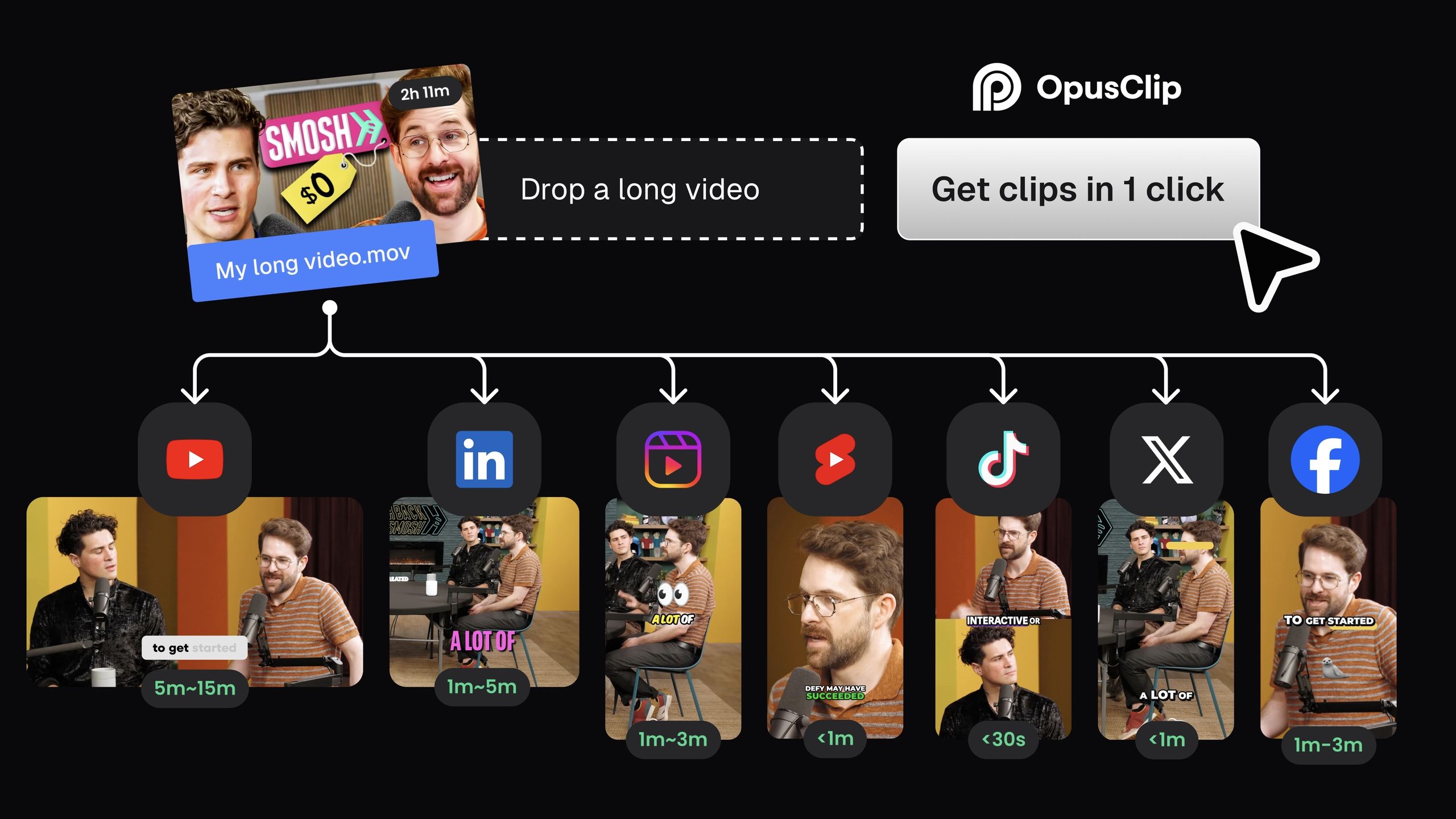
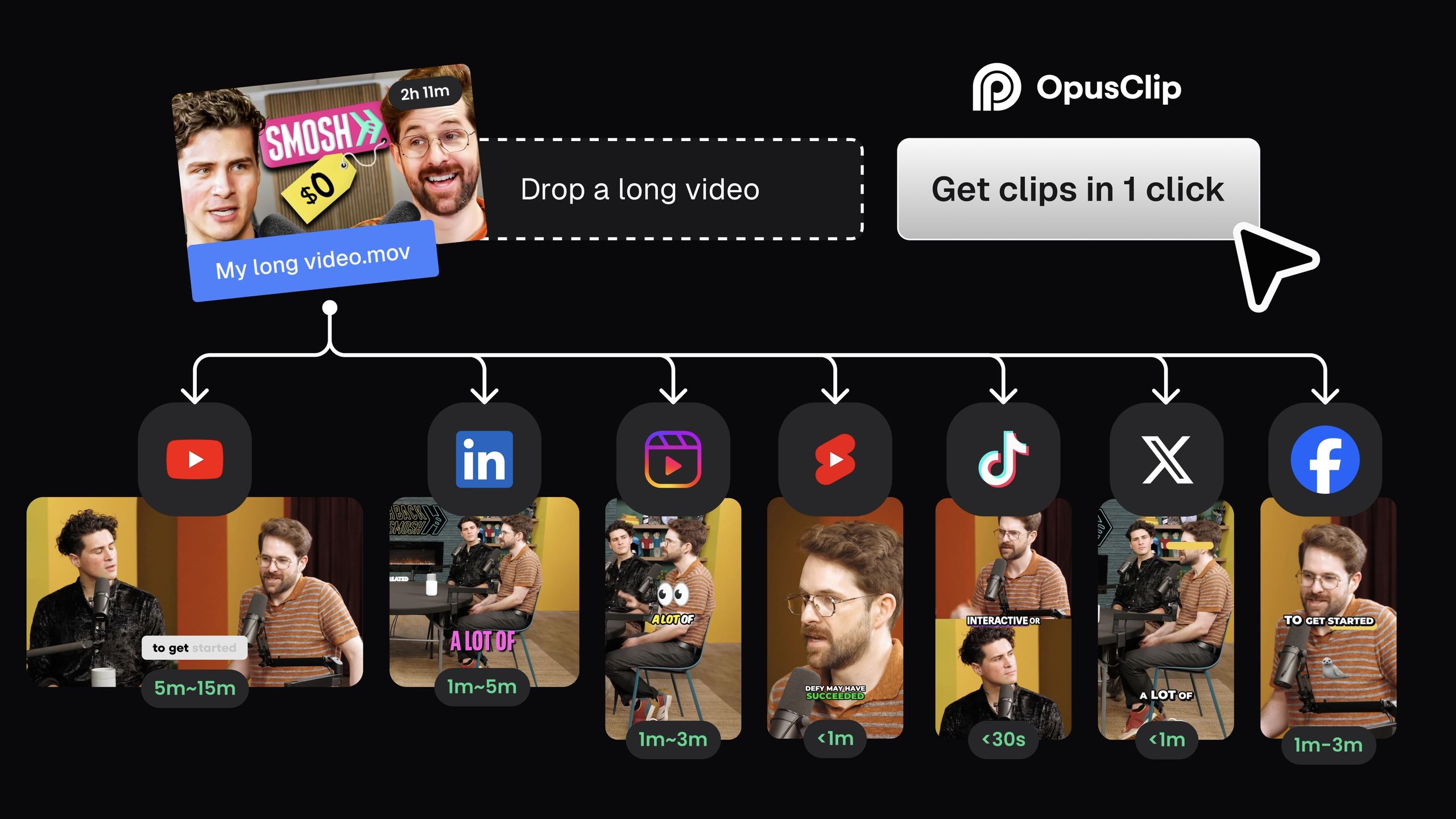
1. Opus Clip: The Control-Focused Contender
Opus Clip has emerged as the most direct and formidable competitor to Klap, positioning itself as a more professional and secure solution.
When it’s the best choice
- You are a marketing team, agency, or any professional who requires creative control. The ability to manually create your own clips is a non-negotiable advantage over Klap.
- Your organization has security and compliance requirements. Opus Clip’s SOC 2 Type II compliance makes it a viable option for businesses handling sensitive content, whereas Klap’s security posture remains unverified.
- Your workflow includes SEO, accessibility, or translation. The ability to export SRT files is a critical feature that Opus Clip provides and Klap lacks.
✅ Strengths
- Manual “Custom Clip” creation
- Verified SOC 2 Type II compliance
- Native SRT file export for accessibility & SEO
- Up to 4K output resolution
- 2FA available natively
⚠️ Considerations
- Slightly more complex UI than Klap
- Higher TCO for teams (sales-gated)
- AI clips still require human review
- Team pricing not publicly listed
When to avoid
- If your absolute only priority is maximum speed with minimum clicks. Klap’s UI is arguably simpler and more streamlined for a “one-and-done” workflow.
- If you are a solo creator on an extremely tight budget and the feature limitations are acceptable.
- If you are allergic to any level of manual intervention and prefer to trust the AI completely, for better or worse.
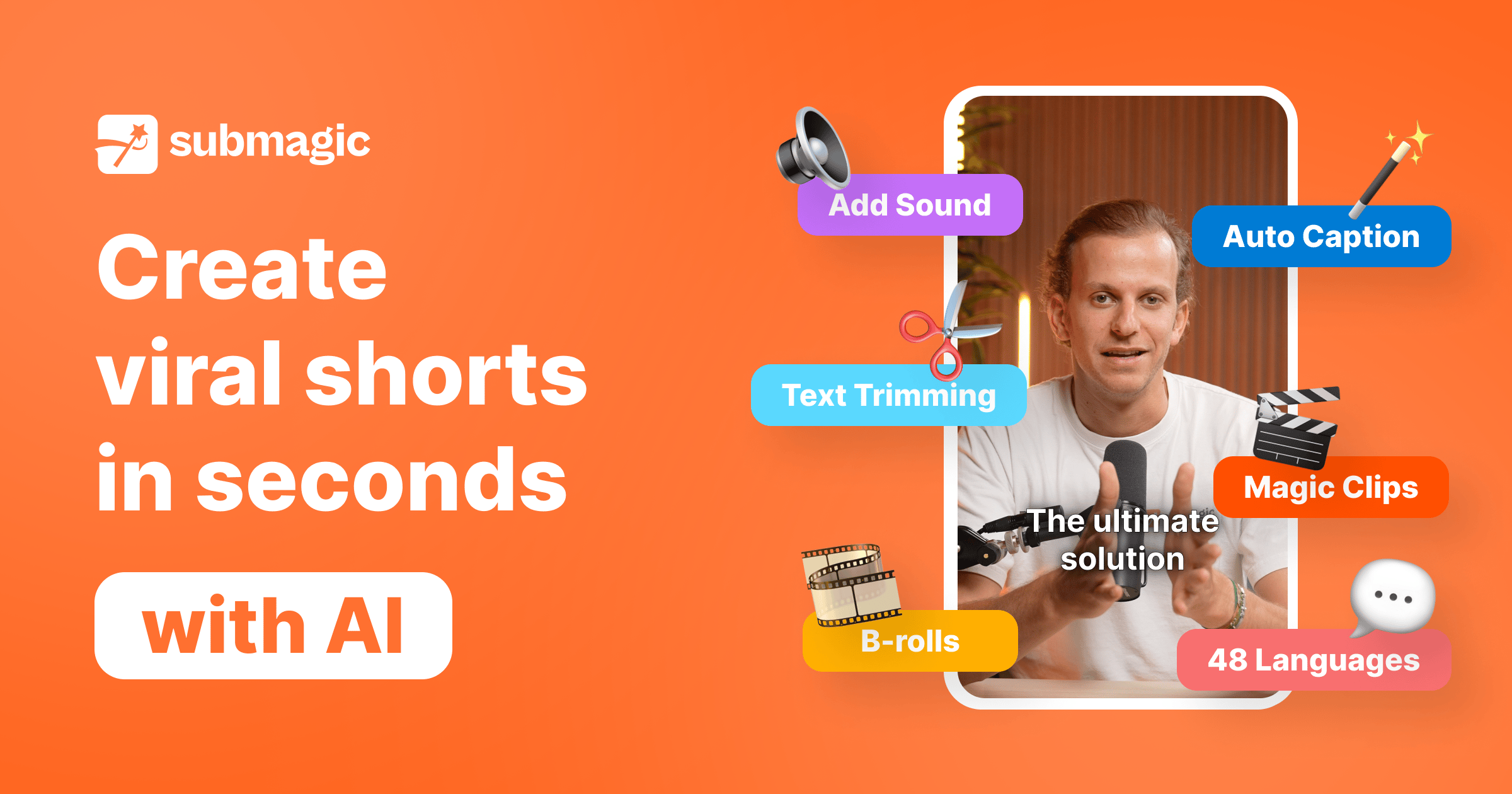
2. Submagic: The Engagement-Focused Specialist
Submagic carves out a different niche. While it also processes video, its primary value proposition is enhancing clips with trendy, dynamic captions designed to maximize social media engagement.
When it’s the best choice
- You already have your clips selected and your main goal is to make them look amazing with animated captions, emojis, and highlighted keywords.
- Your target audience is on platforms like TikTok or Instagram Reels, where caption style heavily influences performance.
- You want to A/B test different caption styles to see what drives higher engagement.
✅ Strengths
- Best-in-class caption animations & emojis
- Optimized for TikTok and Reels
- Fast post-production enhancement
- Trend-driven styling library
⚠️ Considerations
- Weak at core AI clip discovery
- Security compliance unverified publicly
- Caption styles may not fit corporate brands
- Not an all-in-one repurposing tool
When to avoid
- If you need a tool whose primary strength is discovering and creating the clips in the first place. Submagic is more for post-production enhancement.
- If you need robust security assurances. Like Klap, Submagic’s security compliance (SOC 2, etc.) is not publicly verified.
- If your brand style is more corporate and less trend-driven. The caption styles may not fit a more conservative brand identity.
3. Descript: The Full-Fledged Editor
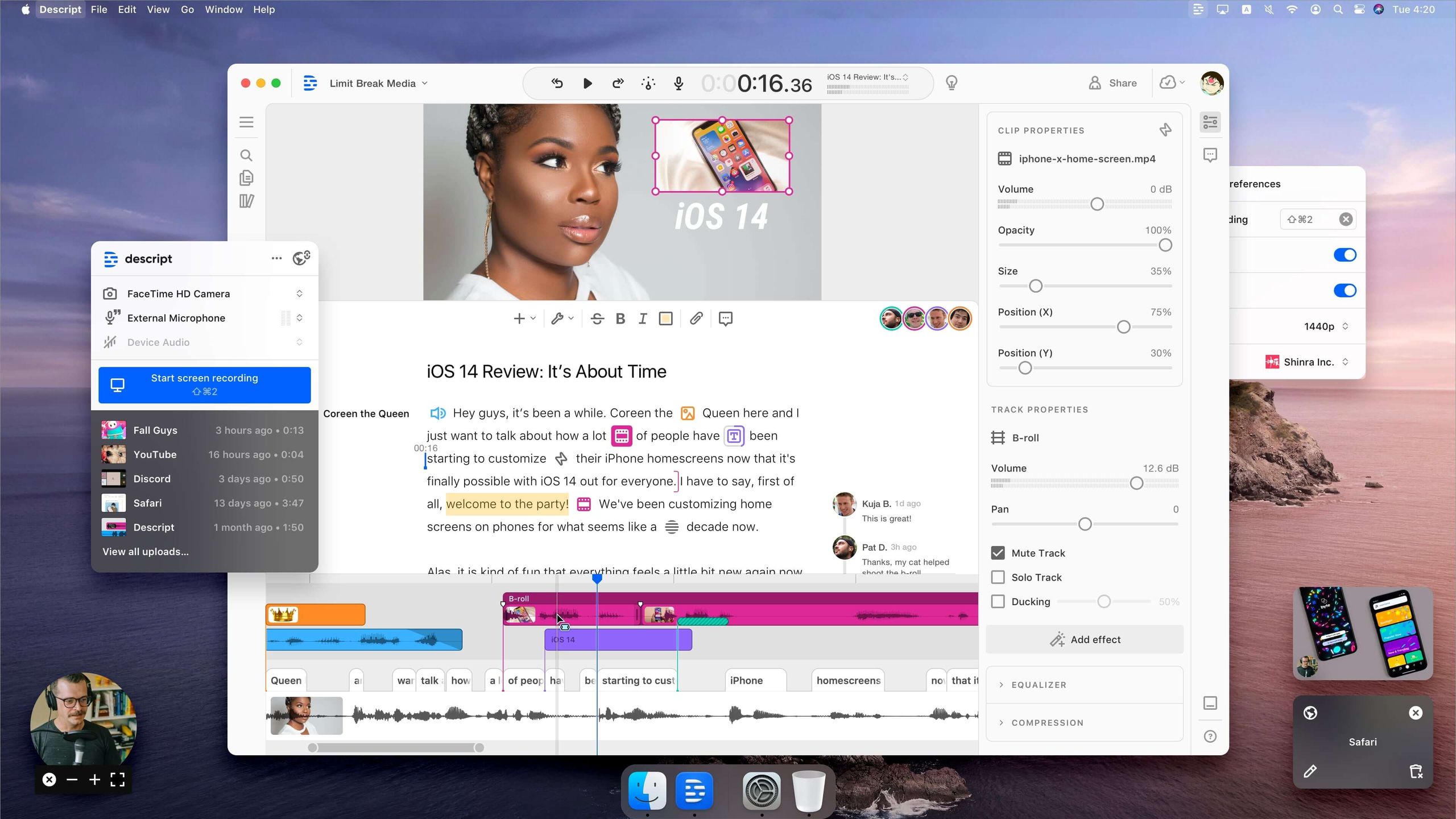
Descript is in a different league and represents a step up in complexity and capability. It is not a simple “AI clipper” but a full, transcript-based video and audio editor.
When it’s the best choice
- You are a podcaster or serious video producer who needs to do deep editing, not just clipping. Editing the text in Descript edits the video, a powerful workflow.
- You need robust collaboration features, multi-track audio editing, and studio-quality sound enhancement.
- You see video repurposing as part of a larger content production workflow that you want to manage in one place.
✅ Strengths
- Transcript-based video editing
- Multi-track audio production
- Filler-word removal & AI cleanup
- Strong collaboration features
- End-to-end podcast workflow
⚠️ Considerations
- Steeper learning curve
- Higher overall cost than simple clippers
- Overkill for “upload & clip” workflows
- Requires more hands-on time
When to avoid
- If you just want to upload a video and get clips back in 5 minutes. Descript has a steeper learning curve and requires more hands-on work.
- If you are looking for a low-cost, single-purpose tool. Descript is a more comprehensive and generally more expensive platform.
4. Pictory AI: The Text-First Generative Alternative
Pictory AI serves a fundamentally different use case from the rest of this list. Rather than clipping existing videos, it generates new ones from text-based sources like blog posts and scripts.
When it’s the best choice
- You have blog posts, articles, or scripts you want to convert into branded video content.
- You need verifiable security — Pictory holds SOC 2 Type II certification.
- You require SRT export and API access on a standard plan, not just enterprise tiers.
✅ Strengths
- Verified SOC 2 Type II certification
- Text-to-video automation
- SRT export supported
- API access on standard plans
⚠️ Considerations
- Not a long-form video repurposing tool
- Different use case than Klap/Opus Clip
- Generative output requires more editing
Part 7: Conclusion & Decision Framework
My investigation into the AI video repurposing market revealed a landscape in transition. What was once a uniformly opaque market now shows a clear split: mature platforms like Opus Clip are investing in the security and control features businesses demand, while others like Klap continue to bet on speed at the cost of both.
No tool can be recommended outright, but the choice is now clearer. You can also browse our Latest Coupons (List of all coupons on website) for additional savings across the SaaS category.
The final verdict on Klap top alternatives and competitors is that Klap itself offers a seductive but risky proposition. Its speed is undeniable, but it comes at the non-negotiable cost of control, security certainty, and data portability (no SRT export).
This trade-off is one I cannot advise any serious business or professional content creator to make, especially when viable alternatives exist.
In the end, the most important tool isn’t the software — it’s the questions you ask. Do not sign a contract or upload a single video until a vendor has satisfactorily answered the five critical questions outlined in my decision framework.
In a market where transparency is still not universal, your own due diligence is your only guarantee of safety.
THE CRITICAL DECISION FRAMEWORK: 5 Questions to Ask Every Vendor
Do not buy any tool in this category until the vendor has answered these five questions clearly and in writing.
1. What is Your Documented Security Posture?
- “Can you provide documentation for your SOC 2 or ISO 27001 compliance? Is Multi-Factor Authentication (MFA) available on the plan I am considering?”
- Why it’s critical: This is the basic cost of entry for any B2B software. A “no” or a vague answer means they don’t take your data’s security seriously.
2. What Are Your Data Privacy and AI Training Policies?
- “Does your current Terms of Service allow you to use my uploaded video content to train your AI models? Can I get a written guarantee that you will not?”
- Why it’s critical: This protects your intellectual property. You need an explicit, unambiguous “no, we don’t.”
3. Do You Offer Full Manual Control?
- “Does your tool allow me to manually select a start and end point to create a custom clip that the AI did not identify?”
- Why it’s critical: This determines if the tool is a professional editor or a content slot machine.
4. What is the True, All-In Cost?
- “What are the overage fees if I exceed my monthly limit? Is 4K export included or an extra cost? What is the exact price-per-seat for adding team members?”
- Why it’s critical: This uncovers the hidden TCO. A vendor who can’t provide clear, simple answers is hiding something.
5. What is My Exit Path?
- “Can I export my captions as an .SRT file? Can I export a project file or edit history?”
- Why it’s critical: This determines the level of vendor lock-in. A “yes” means they are confident in their product and don’t need to trap your data.
Frequently Asked Questions
Q1: Is Klap or its alternatives safe to use for business in 2024?
A: The answer depends on the vendor. Based on our May 2024 analysis, platforms like Opus Clip and Pictory have achieved SOC 2 compliance, a critical security standard for business use, making them demonstrably safer options Opus Clip Trust Center. However, the security postures for Klap and Submagic remain unverified on their public websites. We do not recommend using any B2B tool for sensitive content without verifiable security compliance. Therefore, you must get written proof of these certifications from any vendor you consider.
Q2: What is the biggest limitation of Klap compared to its competitors?
A: The single biggest limitation of Klap is its complete inability to manually create your own video clips. You are entirely dependent on the clips the AI suggests. This is a significant competitive disadvantage because a major alternative, Opus Clip, does offer a “Custom Clip” feature that gives users full creative control Opus Clip Custom Clip Guide. For any professional who needs precision, this makes the choice between the two platforms very clear.
Q3: Why can’t I find team pricing for Klap or Opus Clip?
A: This lack of public team pricing is a frustrating, market-wide issue that reflects a continued lack of transparency in SaaS sales. Vendors hide multi-seat pricing behind a “Contact Sales” button to get you into a sales conversation where they can qualify your budget before giving a price. As an analyst, this is a tactic that prevents easy TCO comparison and responsible budgeting. It forces you to engage in a time-consuming sales process just to get a basic number, which is a major pain point for procurement teams.
Q4: Is Opus Clip better than Klap?
A: For most business and professional use cases, Opus Clip presents a stronger offering as of mid-2024. It matches Klap’s core function of AI clip generation while providing critical features that Klap lacks: manual clip creation, SRT file export, and verifiable SOC 2 security compliance Opus Clip Trust Center. Klap’s only remaining advantage is a slightly simpler UI, which may appeal to solo creators who prioritize speed above all else. However, for any user requiring control, security, and professional workflow integration, Opus Clip is the more mature platform.
Q5: Can I get my captions out of Klap?
A: No, based on our analysis, Klap does not offer SRT file export. This means your captions are permanently “burned-in” to the video, creating high vendor lock-in. This is another area where competitors have an edge. Opus Clip, for example, explicitly allows users to download SRT files, a critical function for accessibility, SEO, and using captions on other platforms Opus Clip SRT Guide. This makes moving away from Klap costly in terms of lost work.
Q6: Will Klap use my videos to train its AI?
A: The policy is ambiguous, which is a major risk. Klap’s Privacy Policy does not explicitly forbid using your content to train their AI models and grants them a broad license to use your content to “improve the Services” Klap Privacy Policy (Feb 2024). Given this ambiguity, you must assume they might. This creates a significant intellectual property risk that we could not disprove. You must get a written guarantee from any vendor stating they will not use your content for model training.
Q7: How does Klap compare to Descript?
A: They serve different primary purposes. Klap is a single-purpose AI tool designed for rapidly clipping existing videos. Descript is a full, professional-grade video and podcast editor that operates via transcript editing. Klap is for speed; Descript is for deep control and production. If you need to quickly generate dozens of social clips, Klap is faster. If you need to produce a polished podcast with multiple audio tracks, remove filler words, and have pixel-perfect control over your final video, Descript is the superior, more feature-rich platform.
Q8: What should I do before buying any of these Klap top alternatives and competitors?
A: You must perform your own due diligence by asking the vendor the five critical questions from our decision framework. Focus on getting written confirmation of their security posture (like a SOC 2 report), their exact AI training data policy, and the true all-in cost for your team size. A vendor’s transparency and willingness to provide documented answers should be your number one purchasing factor. Do not proceed with any tool, including Klap, Opus Clip, or Submagic, until you have these answers in writing.

