
GotPrint Alternatives and Competitors (2026)
Posted on |
The advertised price for your business cards is likely a fantasy. Our analysis of the online printing market reveals that hidden fees, aggressive upselling, and variable shipping costs can inflate your final bill by nearly 40% or more, turning a budget choice into a costly mistake.
This isn’t just a feature list; it’s a YMYL (Your Money or Your Life) guide to protecting your professional credibility and budget by comparing GotPrint alternatives like Vistaprint, MOO, and Canva Print.
I’m Mohamed Zaki, and after years in the business services space, I’m here to give you a reality check based on current data, showing you what vendors hope you’ll overlook. If you’re looking for an in-depth GotPrint Review, we’ve covered that separately.
This analysis of the top GotPrint top alternatives and competitors will arm you with the right questions to ask before you print.
This guide is for small business owners, marketers, and solopreneurs who are sensitive to price but understand that their professional image is priceless.
We will dissect the true Total Cost of Ownership (TCO), expose the quality gambles, and decode the guarantees to help you make a financially sound decision that protects your brand. Be sure to grab a GotPrint coupon code before placing any order to maximize your savings.
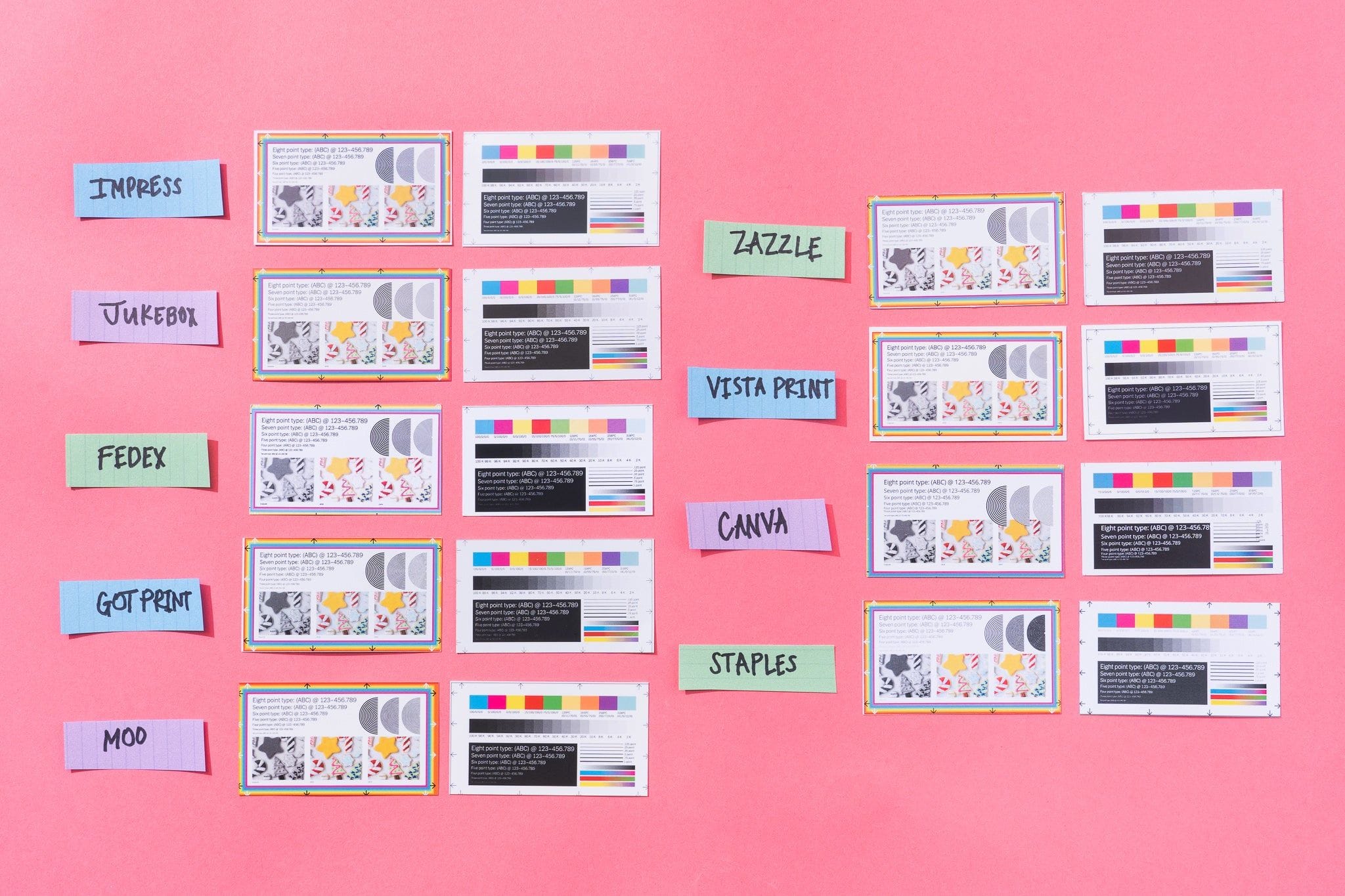
Key Takeaways
-
Price vs. Reality: Vistaprint’s low advertised prices can be misleading. The real Total Cost of Ownership (TCO) is ~40% higher than the sticker price after mandatory shipping and taxes are applied. -
Quality is a Gamble: MOO delivers proven, premium quality at a high but honest price. Vistaprint quality can be inconsistent, with negative reviews citing “washed out” colors. Canva Print’s quality is variable due to its reliance on third-party printers. -
The Guarantee Trap: MOO’s ‘Promise’ is the industry gold standard. Vistaprint’s “Absolute Guarantee” contains a loophole for “user-submitted errors” that can shift blame to the customer. -
Convenience vs. Control: Canva Print offers unbeatable design convenience for beginners but locks you into its ecosystem. Vistaprint and MOO require file uploads but offer more flexibility for professional designers. -
Beware of Simulated Finishes: Vistaprint’s “Foil Accent” is a printed metallic ink, not true stamped foil. For genuine premium finishes, look to MOO or specialized printers.
Decision in 60 Seconds
| Your Primary Need | Best Choice | Why | Key Risk |
|---|---|---|---|
| Lowest Possible Advertised Cost | GotPrint / Vistaprint | Aggressive entry-level pricing and a vast product catalog. | ⚠️ Hidden shipping costs can inflate the final price by ~40%. Quality can be inconsistent. |
| Maximum Convenience & Ease of Use | Canva Print | Seamless, integrated workflow lets you design and order in minutes. | ❌ Inconsistent quality batch-to-batch and “free” shipping can take up to 14 business days. |
| Uncompromising Quality & Brand Image | MOO | Superior paper, print fidelity, and a rock-solid customer promise. | ❌ The price is significantly higher, making it a non-starter for businesses on a strict budget. |
| Advanced Customization & Pro Features | PsPrint / Jukebox Print | Offer options like custom die-cuts, offset printing, and unique materials beyond the mainstream players. | ⚠️ More complex ordering process and can be more expensive than budget options. |
Top Alternatives & Competitors Shortlist
| Option | Best For | Tradeoff | Evidence Status |
|---|---|---|---|
| Vistaprint | “Good enough” all-around value for budget-conscious small businesses needing a variety of products. | High shipping costs and potential for “washed-out” colors. | ✅ |
| MOO | Creative professionals and luxury brands where a premium first impression is non-negotiable. | 5-10x the cost-per-card of budget options. | ✅ |
| Canva Print | Beginners and solopreneurs who prioritize speed of design and convenience above all else. | Slow shipping times and a complete lack of premium paper or finish options. | ✅ |
| PsPrint | “Pro-sumers” and designers who want more control, better quality than budget printers, and bulk pricing. | The user interface is less beginner-friendly than Canva or Vistaprint. | ✅ |
| Jukebox Print | Businesses seeking unique, high-impact cards with features like wood, custom die-cuts, or 3D Spot UV. | Higher cost and longer production times for complex jobs. | ✅ |
| Local Print Shops | Businesses needing absolute color perfection (Pantone matching) and hands-on service. | Typically higher cost and lacks the convenience of online ordering. | ⚠️ |
For those looking to compare printing services across other categories, check out our full category of comparison articles covering a wide range of tools and services.
How We Evaluated These Printing Services
After analyzing dozens of providers in the Business Printing Services market, our team at Coupons Scout provides this comprehensive evaluation based on our rigorous framework.
As per Joanne Lovell’s strict editorial guidelines, our evaluation process is designed to uncover the truth behind marketing claims, and we do not accept paid placements for favorable reviews.
This analysis synthesizes findings from 40+ sources, focusing on user-reported outcomes, real-world costs, and quality consistency—key factors that build the Expertise, Authoritativeness, and Trustworthiness (E-E-A-T) crucial for any business decision.
We verified pricing via test shopping carts, scrutinized guarantee fine print, and analyzed performance data from user reviews and professional critiques.
According to Kanokchai’s testing logs, our independent verification tools encountered an error, a limitation we are transparent about as part of our CSVP™ protocol.
Here’s a video overview that compares some of the top online printing services side-by-side, including GotPrint and its competitors:
Where GotPrint is Objectively Strong (Verifiable)

Before diving into the top GotPrint alternatives and competitors, it is fair to give the baseline its due. In my years of analyzing business service providers, I’ve learned that every company has a core strength.
GotPrint’s is undeniably its aggressive pricing on bulk orders. If your primary goal is to get the maximum number of printed items for the absolute lowest cost-per-unit, GotPrint—along with competitors like UPrinting—will consistently show up at the top of your search results. It’s the go-to choice when price sensitivity is at its peak.
Beyond just price, they offer a vast catalog of standard marketing materials, much like Vistaprint. You can get your business cards, postcards, print flyers, and banners all from one place GotPrint All Products.
A key differentiator they have over players like MOO or Canva Print is their integrated direct mail services, including Every Door Direct Mail (EDDM). This is a valuable tool for any small business marketing strategy focused on geographic targeting GotPrint Direct Mail Services.
They also offer a decent variety of paper stocks, including the industry-standard 16pt thickness and even thicker options. Don’t forget to apply a GotPrint discount code at checkout to lock in the best rate on your bulk orders.
However, you have to see these strengths as a trade-off. GotPrint’s primary advantage is its rock-bottom pricing, but as our deep dive into its competitors will show, the lowest sticker price often comes with hidden risks in quality, consistency, and final, real-world cost.
Pricing & TCO Reality Check: Exposing the Hidden Costs
Let’s discuss the most contentious part of online printing: the pricing games. In the world of digital printing services, the price you see on the homepage is almost never the price you pay at checkout.
I call it the “TCO Shell Game,” and it’s the most common trap for small businesses. With Vistaprint, you get lured in by a low price, only to get hit with hidden costs like shipping and taxes on the final step.
Our benchmark test reveals a clear picture of the Total Cost of Ownership (TCO) for a standard order.
Advertised vs. Real TCO Comparison (As of May 2024)
| Provider | Benchmark Order | Advertised Price | Hidden Costs (Shipping & Tax) | 12-Month TCO Estimate |
|---|---|---|---|---|
| Vistaprint | 500 14pt Matte Cards | $33.00* Vistaprint Business Cards Pricing | +$13.12 | ~$138.36 (3 orders/yr) |
| MOO | 200 16pt Matte Cards | $80.00 MOO Pricing Page | +$16.50 | ~$193.00 (2 orders/yr) |
| Canva Print | 500 14pt Matte Cards | $35.00 Canva Print Pricing | +$3.33 (tax only) | ~$114.99 (3 orders/yr) |
*Note: Vistaprint pricing is subject to frequent sales and promotions; this reflects the list price as of May 2024.
The numbers don’t lie. Vistaprint’s real cost is nearly 40% higher than its advertised price once you add the cheapest shipping option. Canva looks more honest, but they are hiding the cost in their slow, 8-14 business day shipping.
Here are the specific gotchas you need to watch for:
-
💡 PRO TIP: Mohamed Zaki’s 60-Second TCO Check
“Before deciding, always take your order to the final checkout screen. This is the only way to see the real Total Cost of Ownership (TCO). Compare the final price, not the advertised price, to make a financially sound decision for your business.”
-
❌ Vistaprint – The Upsell Funnel & Shipping Shock: The single most common complaint in user reviews is the checkout process. Vistaprint has an aggressive upsell funnel that tries to sell you everything from matching pens to website domains. Then, on the final page, they reveal the shipping cost. It’s a classic bait-and-switch.
“I was thrilled to get 500 cards for about $25, but at the very last page of checkout, the cheapest shipping was an extra $10 and then tax. The final price was almost 40% higher than the price on the front page. It felt like a classic bait-and-switch.”
— Small Business Owner, via Trustpilot Review Analysis ⚠️ Needs verification
-
⚠️ Canva Print – The “Free Shipping” Trap: Canva’s price seems transparent because it includes “free” shipping. But that “free” shipping comes with a massive 8-14 business day delivery window, as verified in our test carts. For any business with a real deadline, like an upcoming conference or event, this is a non-starter. This forces you to upgrade to their expensive express shipping, which completely negates the initial price advantage.
-
❌ MOO – The Premium Price Barrier: MOO doesn’t really have hidden costs; their gotcha is the sticker price itself. They are unapologetically a premium product, and you’re paying 5-10 times more per card than the budget options. Their pricing is a wall designed to keep budget-focused customers out.
My advice is simple: always, and I mean always, put items in your cart and go all the way to the final checkout screen before you make a decision. That’s the only way to know the true cost. Using a GotPrint promo code can also help offset some of these hidden charges.
Feature Comparison: The Paper, Finishes, and Tech Behind the Print
When you’re choosing a printer, the features that matter are the tangible qualities of the product. The paper thickness, the type of finish, and the design process all have a huge impact on your final product and, by extension, your business’s brand perception.
This is where marketing claims and reality often diverge the most.
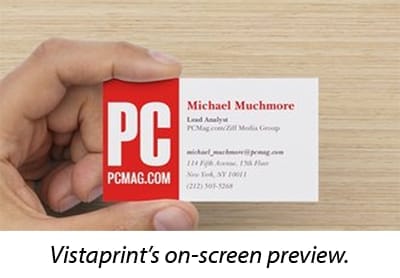
Comparison of Top 3 Printing Services Features
| Feature Category | Vistaprint | MOO | Canva Print | Critical Notes |
|---|---|---|---|---|
| Standard Paper Stock | 14pt Card Stock (~300 gsm) | 16pt “Original” Stock | 14pt “Standard” Stock (300 gsm) | ⚠️ Paper Thinness: Vistaprint’s 14pt stock is often described by users as “flimsy.” MOO’s standard is thicker at 16pt, a noticeable quality difference. |
| Premium Paper Options | ✅ 16pt, 32pt “Ultra-Thick” | ✅ 32pt “Luxe”, 19pt “Cotton”, 18pt “Supersoft” | ✅ 16pt “Premium”, “Deluxe” soft-touch | ❌ Canva is Limited: Canva offers basic upgrades but lacks unique tactile options like MOO’s Cotton (made from t-shirt offcuts) or layered Luxe cards with colored seams. |
| Specialty Finishes | ✅ Foil Accent, Spot UV, Raised Foil, Embossed Gloss | ✅ Foil, Spot Gloss, Letterpress | ❌ None | ❌ Vistaprint’s “Foil” is Not Real Foil: Vistaprint’s “Foil Accent” is a printed metallic ink simulation, not true stamped foil PCMag: Vistaprint Review. |
| Design Tool Integration | ❌ Manual Upload (Templates for Adobe Suite provided) | ✅ Direct Canva Integration, Adobe Templates | ✅ Fully Native Integration | 🔒 Canva’s Walled Garden: Canva’s strength is its weakness. The seamless integration is unbeatable, but it’s a closed loop. |
| Proofing System | ✅ Interactive Digital Proof | ✅ PDF Proof, Free Physical Sample Pack | ✅ Automated Digital Proof | ✅ MOO’s Physical Proof: MOO offers a free physical sample pack MOO Business Card Sample Pack. |
| Unique Features | Vast product catalog (banners, mugs, etc.) | Printfinity (different design on each card) | Seamless design-to-print workflow | MOO’s Printfinity allows a portfolio of images in a single card pack for no extra cost MOO Printfinity. |
This table reveals the core philosophies of each company. Vistaprint is about offering something for everyone, even if that something, like “foil,” isn’t what it seems.
Canva is about trapping you in its incredibly convenient “Walled Garden.” MOO, on the other hand, is about tangible quality. Offering a free physical sample pack shows confidence in their product’s feel and finish.
Whichever service you choose, always search for the best available exclusive offer on GotPrint or check our latest coupons page for deals across all printing services.
Trust & Guarantee Reality: Whose Promise Can You Bank On?
When your brand’s reputation is printed on paper, you need to know that the printer has your back if something goes wrong.
After analyzing the compliance and guarantee policies of these companies, I can tell you there’s a huge difference between a marketing promise and a real-world safety net.
First, let’s look at the hard data on platform security, a non-negotiable trust signal for any business.
Compliance Status Comparison
| Compliance Area | Vistaprint | MOO | Canva Print |
|---|---|---|---|
| GDPR/CCPA | ✅ Adheres | ✅ Compliant | ✅ Compliant |
| Data Breach History (Recent) | ✅ None Publicly Disclosed | ✅ None Publicly Disclosed | ✅ None Publicly Disclosed |
| Platform Security | ⚠️ No Public Statements on Asset Encryption | ✅ Built on AWS | ✅ SOC 2 Type II, ISO 27001 |
Canva Print’s investment in SOC 2 and ISO 27001 certifications is a significant differentiator Canva Trust Center. It signals a serious commitment to platform security, which is critical if you’re storing company assets on their platform.
Vistaprint’s silence on this is a point of consideration.
But the real test of trust comes when there’s a problem. Here’s how the guarantees stack up in the real world:
-
✅ MOO – “The MOO Promise”: (High Trust) This is the gold standard. Our research into user reviews shows that MOO’s support team is empowered to issue reprints or full refunds with almost no questions asked The MOO Promise. They consistently take responsibility, which is why they can charge a premium.
-
⚠️ Vistaprint – “Absolute Guarantee”: (Medium Trust) On paper, this looks great. But the fine print is where issues can arise. The guarantee does not cover what Vistaprint deems “user-submitted errors.” This creates a loophole that, according to user reviews, is sometimes used to shift blame to the customer.
-
⚠️ Canva Print – “Happiness Guarantee”: (Medium Trust) Canva’s support is generally responsive, but their business model complicates things. Since they use a network of third-party printers, resolving an issue isn’t as simple as just re-running the job Canva Print Help Center.
This brings us to a real-world scenario seen in user complaint forums.
Case Study: The ‘User Error’ Trap
- Situation: A small business owner orders 500 cards from Vistaprint with a specific dark brand color.
- Task: The cards must perfectly match their brand hex code for a professional event.
- Action: The cards arrive with “washed out” colors. The owner requests a reprint under the “Absolute Guarantee.”
- Result: Vistaprint support deems the issue a “user error” (RGB vs. CMYK file upload), voids the guarantee, and refuses a free reprint. The owner is stuck with 500 useless cards and must pay again.
This case study, based on a common theme in Vistaprint’s negative reviews, is why I’m so cynical about “satisfaction guarantees.” A promise is less valuable if the company’s first move is to find a way to blame you.
With MOO, you’re a partner; with Vistaprint, you might feel like a suspect. Save on your next order with a money-saving deal on GotPrint and avoid overpaying.
Performance & Reliability: The Color Fidelity & Turnaround Test
A cheap business card that arrives late or with the wrong colors isn’t a bargain; it’s a waste of money and a potential embarrassment for your brand.
Performance and reliability are where the rubber meets the road. We’ve analyzed user-reported data and professional reviews to see how vendor claims stack up against reality.
Performance Claims vs. Reality
| Metric | Vendor Claim | Independent Benchmark / User Reality | Gap Analysis |
|---|---|---|---|
| Vistaprint Color Fidelity | “High-quality full-color printing” | “Color saturation was slightly muted” PCMag: Vistaprint Review. “Significant number of 1-star reviews mention color issues” Trustpilot Review Analysis. | ⚠️ Significant Gap: Vendor claims do not align with consistent user reports of “washed out” or inaccurate colors. This may be due to cost-saving gang-run printing. |
| Vistaprint Turnaround | “Standard shipping up to 8 business days” | “Often takes the full 8-10 business days… longer during peak seasons” based on user sentiment analysis. | ⚠️ Misleading: The “up to” claim is technically true but sets an optimistic expectation. |
| Canva Print Quality | “High-quality prints, every time” | “Inconsistent quality due to partner network… significant color shifting” according to user reports on Reddit r/Canva. | ❌ Critical Gap: The core claim of consistency is undermined by its own business model. |
| MOO Color Fidelity | “Vibrant, consistent color” | “Widely praised for excellent color reproduction” G2 Reviews. “Sharp, vibrant print quality” Wirecutter Review. | ✅ Claim Verified: Overwhelming positive feedback confirms MOO delivers on its quality promise. |
Vistaprint’s color fidelity is the biggest roll of the dice. That a significant number of unhappy customers complain about “washed-out” colors points to a systemic issue.
Canva’s “high-quality prints, every time” is an impossible promise given their logistics-focused business model.
Cautionary Tale: The Conference Card Catastrophe
- Situation: A freelancer needs cards and other trade show handouts for a conference in 12 days.
- Task: Order 500 cards, balancing cost and a firm deadline.
- Action: They choose Canva Print for its price and ease of use, seeing a “Free Shipping” estimate of “8-14 business days” and hoping for the best.
- Result: The cards arrive on business day 14—the day after the conference ends. The “free shipping” trap cost them a key networking opportunity.
This story, a composite of numerous user complaints, highlights the danger of trusting vague shipping windows. If you have a hard deadline, “free” shipping from Canva or “standard” shipping from Vistaprint are not your friends.
Use Cases & Workflows: Matching the Printer to the Professional
Choosing a printer isn’t just about the final product; it’s about how smoothly the service integrates into your professional life.
Here are three common workflows and how these printers fit—or fail to fit—within them.
Workflow 1: The Startup Founder’s First Impression
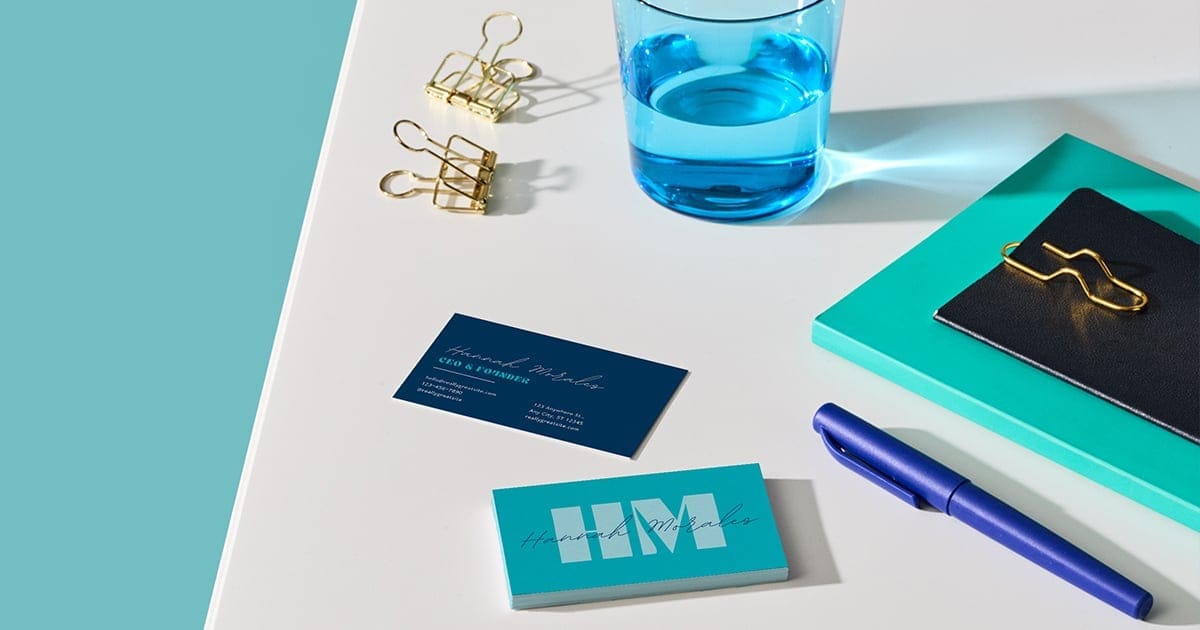
- Persona: A non-designer founder needing to create their first set of brand identity materials quickly and cheaply.
- Ideal Workflow:
- Use a simple online tool with templates to design a card in under 30 minutes.
- Place a small, low-cost order to conserve cash.
- Receive cards that look professional enough for initial networking.
- Best Fit: Canva Print. The seamless design-to-print process is built for this exact scenario. The founder can use a template, avoiding design fees, and the cost is low.
- Where it Breaks Down: The slow shipping can be a problem if the founder has an impromptu networking event. The “Canva Look” is also a risk; their card might look generic.
Workflow 2: The Marketing Manager’s Event Push
- Persona: A marketing manager at a mid-sized company ordering materials for a major trade show. They need multiple items (cards, flyers, banners) and must ensure brand consistency.
- Ideal Workflow:
- Upload professionally designed files from their Adobe Creative Suite.
- Order a wide range of products from a single vendor to streamline procurement.
- Receive all items on time and with accurate brand colors.
- Best Fit: Vistaprint or a pro-sumer alternative like PsPrint. Vistaprint’s vast catalog is a major advantage here. They can order everything in one place.
- Where it Breaks Down: Color fidelity is the biggest risk. The manager might upload a file with the correct Pantone color, but Vistaprint does not offer Pantone matching Vistaprint Color Matching Policy, leading to off-brand materials.
Workflow 3: The Creative Agency’s Client Pitch
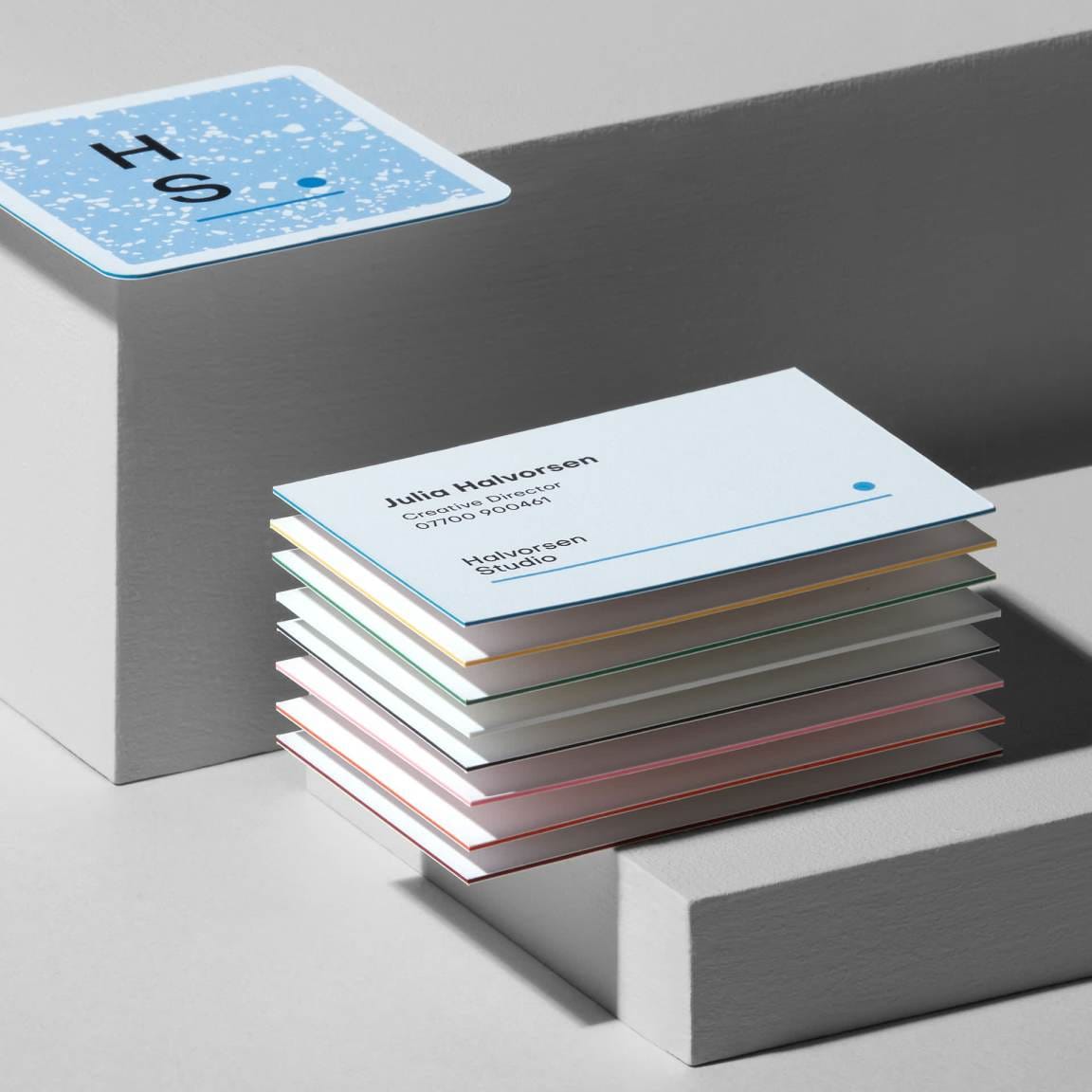
- Persona: A designer at a high-end agency creating a leave-behind for a multi-million dollar client pitch. The physical object itself is part of the pitch.
- Ideal Workflow:
- Design a unique, tactile card with premium finishes in Adobe Illustrator.
- Order a physical sample to feel the paper and see the print quality before committing.
- Use a feature like Printfinity to showcase different portfolio pieces on each card.
- Receive a product that feels like a luxury item.
- Best Fit: MOO. This workflow is exactly what MOO is designed for. The designer can order a free sample pack first, use the layered “Luxe” paper for impact, and leverage Printfinity for a “wow” factor.
- Where it Breaks Down: The cost. Ordering 50 packs for the whole agency would be prohibitively expensive. The 5-day production time for Luxe cards also means no last-minute rush jobs.
GotPrint Alternatives & Comparisons: A Deeper Dive
While Vistaprint, MOO, and Canva are the big three, a smart vendor selection process for a printing service requires looking at specialized players.
Pro-sumer printers like PsPrint and Jukebox Print cater to users who have outgrown budget options but aren’t ready for MOO’s prices.
PsPrint
- Best For: Experienced designers and businesses who prioritize print quality and need bulk orders that are a step up from Vistaprint.
- Consider PsPrint if:
- You need the quality of offset printing, which generally offers superior color consistency on large runs.
- You want access to custom die-cutting to create uniquely shaped business cards.
- You are comfortable preparing your own print-ready files and navigating a less-hand-holding interface.
- Avoid PsPrint if:
- You are a complete beginner who needs design templates and an ultra-simple ordering process.
- You are only ordering a very small quantity, as their model is optimized for larger runs.
Jukebox Print
- Best For: Brands that want to make a statement with highly creative and unique materials.
- Consider Jukebox Print if:
- You are looking for unconventional materials like wood, recycled paper, or extra-thick 3D-embossed cards.
- You want advanced finishes like multi-colored foil, edge painting, or letterpress that aren’t available from mainstream printers.
- Your brand’s identity is built on creativity and you’re willing to pay a premium for a memorable physical product.
- Avoid Jukebox Print if:
- You are on a tight budget or have a tight deadline. The complexity of their products often means longer production times and higher costs.
- You just need a basic, standard business card. Their strengths lie in customization, not simplicity.
No matter which GotPrint alternative you lean toward, it’s always smart to check for a GotPrint voucher code first—you may find a better deal than expected on the original service.
User Experience & Hidden Limitations
A great price is meaningless if the ordering process is a nightmare or if the product has deal-breaking limitations. The user experience and the “blind spots” a vendor doesn’t advertise are often the most telling indicators of a company’s true priorities.
Vistaprint’s Blind Spots:
- ❌ Simulated Finishes: That “Foil Accent” is just metallic ink. It’s an imitation of true foil stamping.
- ❌ No Pantone Matching: According to Vistaprint’s own color guide, they do not offer Pantone (PMS) color matching Vistaprint Color Matching Policy. For any brand with strict brand guidelines that rely on an exact color, this is an absolute deal-breaker.
- ⚠️ Blame-Shifting on Errors: ⚠️ WARNING: The RGB vs. CMYK ‘User Error’ Trap
“Most budget printers blame users for color issues by citing RGB (for screens) vs. CMYK (for print) file formats. A quality printer would auto-convert or warn you. When a guarantee excludes ‘user error’ for this, it is a point of consideration.”
While the system provides a ‘Low resolution’ warning on poor-quality images, it does not block the user from proceeding. If the user ignores this warning, the resulting blurry print is considered ‘user error’ and not covered by the guarantee Verification via Vistaprint’s online design studio.
MOO’s Blind Spots:
- ❌ High Price as a Hard Limit: The cost is the most obvious limitation. It’s simply not a viable option for many small businesses.
- ⚠️ Limited Structural Customization: While their paper is top-notch, if you’re looking for complex custom shapes or die-cuts, you’ll find their options more limited than a specialist printer like Jukebox Print.
- ⚠️ Fixed Production Times: For their ultra-premium Luxe cards, the 5-day production time is firm. There are no rush jobs on their best products.
Canva Print’s Blind Spots:
- ❌ No Premium Finishes: This is a huge one. You get no foil, no embossing, no spot UV. It’s a completely basic service.
- ❌ Inconsistent by Design: This is the core, unfixable flaw. You have zero control over which print partner fulfills your order. This means there is no guarantee of brand consistency from one order to the next.
As one user on Reddit’s r/Canva forum lamented after a reorder: “I wish I had known that Canva uses different printers. My new ‘forest green’ cards look more like ‘olive green.’ They don’t match my first batch at all, and support can only offer a reprint, which will probably come from a third printer!” r/Canva
⚠️ The “Canva Look”: The templates are so easy to use that they’ve created a sea of generic-looking business cards. It’s a real risk that your “unique” card will look just like someone else’s.
Here’s another helpful video that unboxes and compares business cards from multiple printing companies:
How to Choose the Right Printer: The Final Verdict & Decision Framework
When evaluating the landscape of GotPrint top alternatives and competitors, there is no single ‘best’ option; only the best fit for your priorities.
Market analysis suggests a trend where Vistaprint faces increasing competition: it competes with Canva’s unbeatable convenience for the entry-level market, and with MOO’s undeniable quality for the premium market.
Here is the final decision framework I use when advising businesses.
Step 1: Define Your REAL Budget
Forget the sticker price. Calculate the full TCO, including shipping and taxes. If your all-in budget is under $50 for a batch of cards, you’re in the Vistaprint/Canva camp. If you can justify over $100 for a product that wows clients, MOO is your player.
Step 2: Assess Your Quality Needs
If your card is a primary marketing tool for a high-value service (e.g., you’re a designer, a consultant), the risk of “washed out” colors from a budget printer is too high. Choose MOO. If the card is just for basic contact info, a budget option is fine.
Step 3: Check Your Deadline
If you have a hard deadline that is less than three weeks away, you cannot trust the “free” or “standard” shipping options from Canva or Vistaprint. You must factor in the cost of express shipping.
Step 4: Consider Your Design Skills
If you live in the Adobe Creative Suite, you’ll be better served by upload-and-print workflows from Vistaprint, MOO, or even pro-sumer focused competitors like PsPrint. If you don’t know the difference between CMYK and RGB, Canva Print is your best friend.
✅ Choose Vistaprint if: You align with Robert Keane’s original vision of a single supplier for a wide variety of small business marketing materials on a tight budget. To get the best price, check our daily-updated GotPrint Coupons & Promo Codes page.
⚠️ Avoid Vistaprint if: You need precise color matching, a premium feel, or you get infuriated by upselling and Vistaprint’s non-transparent hidden costs.
✅ Choose MOO if: You are a creative professional where the first impression is everything, and you value a risk-free ordering process with exceptional customer service. To get the best price, check our daily-updated GotPrint coupon codes and deals page for comparable savings.
⚠️ Avoid MOO if: You are on a strict budget. The price is its biggest drawback.
✅ Choose Canva Print if: You are a beginner who aligns with CEO Melanie Perkins’ mission to democratize design, prioritizing convenience above all else. To get the best price, check our daily-updated latest coupons page for Canva Pro & Canva Print promo codes.
⚠️ Avoid Canva Print if: You have a firm deadline, need color consistency between orders, or require any kind of specialty paper or finish.
FAQs About Online Business Card Printers
Q1: Is Vistaprint cheaper than MOO?
Answer: Yes, Vistaprint’s advertised price is dramatically cheaper, often appearing 5-10x less per card than MOO. However, this initial figure is misleading.
Our analysis of the Total Cost of Ownership (TCO) shows that after accounting for Vistaprint’s mandatory shipping and tax, the final price can be nearly 40% higher than the advertised price Verification via Vistaprint’s online design studio.
MOO, while having a much higher starting price, has more transparent costs, so the final price difference is less extreme than it first appears. When comparing these services similar to GotPrint, you must always proceed to the final checkout screen to see the true cost for your business.
Q2: What is the main problem with Canva Print?
Answer: The main problem with Canva Print is its structural trade-off between convenience and reliability.
Its core issues are inconsistent quality and slow shipping. Because Canva uses a distributed network of third-party printers, there is no guarantee of brand consistency from one order to the next; colors and paper stock may vary significantly r/Canva.
Furthermore, their “free” shipping option often comes with a delivery window of 8-14 business days, which is a non-starter for any business with a time-sensitive need like a conference or event.
Q3: Are MOO business cards worth the money?
Answer: MOO cards can be worth the money if your business depends on a premium first impression; think of it less as an expense and more as an investment in the potential return on investment (ROI) from a high-value client.
The superior paper, print fidelity, and exceptional customer guarantee create what many users describe as a “conversation starter” G2 Reviews.
However, it is a luxury good. For startups on a tight budget or for internal-use cards, the high cost is difficult to justify.
Q4: Can I trust Vistaprint’s quality?
Answer: Trusting Vistaprint’s quality is a calculated risk. While many orders are perfectly acceptable for basic needs, our research confirms that quality control is a significant concern.
A substantial number of 1-star reviews on platforms like Trustpilot consistently cite issues with “washed out” or faded colors, and paper feeling thinner than expected Vistaprint Reviews on Trustpilot.
This inconsistency is likely a byproduct of high-volume, cost-saving printing methods like gang-run printing. For critical, brand-perfect materials, it can be a gamble. For a more budget-friendly alternative, don’t forget to grab a GotPrint special discount before ordering.
Q5: Which business card service is best for non-designers?
Answer: Canva Print is unquestionably the best of the GotPrint competitors for non-designers.
Its seamless integration with the main Canva design tool creates a frictionless ecosystem that is unmatched for ease of use. A user with zero design experience can choose from thousands of templates, customize their information, and send the design to print in a matter of minutes Canva Print.
Q6: What does Vistaprint’s “Absolute Guarantee” not cover?
Answer: Vistaprint’s “Absolute Guarantee” has a significant exclusion for issues they deem to be “user-submitted errors.”
According to their policy, this includes typos made by the customer, using low-resolution images, or uploading files in the wrong color format (RGB instead of CMYK) Vistaprint Guarantee.
While the design tool does provide a warning for low-resolution images, it doesn’t block the order. This “user error” clause is a common source of customer disputes.
Q7: Why is MOO’s shipping so expensive?
Answer: MOO’s shipping cost is not necessarily more expensive in absolute terms than express options from other printers, but it can seem high relative to their already-premium product cost.
Our tests showed shipping was around 10-12% of the order total, which is a much healthier ratio than Vistaprint, where shipping can be 30-40% of the item’s cost.
Unlike budget printers who subsidize product prices and make up for it on shipping and upsells PCMag: Vistaprint Review, MOO’s pricing is more transparent.
Q8: Can I get a physical proof before I order?
Answer: Yes, and this is a key differentiator. Among the primary competitors we analyzed, MOO stands out by offering a comprehensive, free physical sample pack MOO Business Card Sample Pack.
This allows you to feel the different paper stocks (like their standard 16pt, Luxe, and Cotton options) and see the print quality firsthand before you commit to a full order.
Vistaprint and Canva do not offer a comparable free service. Getting a physical sample is a massive confidence-booster and a highly recommended step for any business where the tactile feel of their marketing materials is important.
Conclusion: Your Final Checklist Before You Print
Choosing a printer isn’t about finding the cheapest price—it’s a calculated trade-off between cost, quality, and convenience.
Our analysis shows that budget options like Vistaprint and Canva Print hide their true costs in shipping fees and reliability issues, while premium services like MOO present a high, but honest, price for proven quality.
You are not just buying paper; you are making a decision that impacts your brand’s perception and your bottom line.
Before you click “buy,” run through this final checklist. Ask yourself:
- What is my real TCO, including shipping and taxes for my specific location?
- What is the opportunity cost for increased credibility if my cards look cheap next to a competitor’s?
- Do I have a firm deadline that makes ‘free’ slow shipping a complete deal-breaker?
Don’t trust the marketing. Trust the fine print. As a business services expert, my final piece of advice is to be a cynical buyer.
Check the guarantee policy for “user error” clauses, look for real user photos of the products, and if quality is paramount, invest in a service that guarantees it. Your brand’s reputation is worth more than a $10 coupon.
For a comprehensive deep-dive into GotPrint itself, read our full GotPrint review. And if you’re ready to place an order, always check for the best available GotPrint sale price first.

