Descript Alternatives and Competitors (2026)
Posted on |
Part 1: Introduction and Methodology
Choosing a Descript alternative isn’t about finding a better ‘all-in-one’ tool; it’s a strategic choice between the market’s ‘Quality Leader’ for recording and its ‘Speed Leader’ for social video.
In the crowded market for AI-powered video editing software, the choice isn’t simple, but the real battle is between two fundamentally different contenders: Riverside.fm and VEED.io.
Most comparison reviews miss the biggest user complaints I hear constantly: volatile pricing and critical professional risks like vendor lock-in. If you’re exploring the best Descript top alternatives and competitors, understanding these hidden risks is essential.
As Jettawat Kasemchaiyanun, Coupons Scout’s senior tech reviewer, my goal is to reveal the true Total Cost of Ownership (TCO) and the deal-breaking limitations that can cripple a creator’s workflow.
This devil’s advocate analysis, based on my synthesis of over 30 independent sources, exposes the ‘blind spots’ vendors hide. My analysis is for informational purposes and is designed to support your due diligence.
For decisions involving significant financial or professional risk, I advise you to consult directly with procurement and security professionals. Before committing, make sure to check the latest Descript coupon codes and discounts to maximize your savings.
Key Takeaways
-
Core Dichotomy: Riverside.fm is the premier choice for high-fidelity podcast and interview recording. VEED.io is engineered for maximum speed in social media video creation. They serve different masters. -
TCO Reality (May 2024): Contrary to past pricing models, the Pro plans for both Riverside.fm and VEED.io are identically priced at $288/year. The value is in the limits: Riverside offers unlimited transcription and 20 recording hours/month, while VEED provides 4 transcription hours/month. -
⚠️ Critical Risk Highlight: VEED.io offers NO project export (XML/EDL), creating total vendor lock-in. This is a deal-breaker for any workflow that requires future editing, archiving, or collaboration with professional editors. -
Feature Gap: Descript’s ‘Studio Sound’ AI audio enhancement remains a key advantage that neither Riverside nor VEED currently offer with the same one-click power, requiring users to seek external tools like Adobe Podcast Enhance VEED Feature Requests. -
Performance Reality: Both platforms are reported to suffer significant lag on long-form projects (>60 mins) on typical hardware (<16GB RAM), challenging their ‘edit anywhere’ promise ⚠️ Needs verification. -
Data Privacy Risk: On standard plans, both Riverside and VEED grant themselves a license to use your content to train their AI models, a significant risk for sensitive corporate data Riverside Terms of Service. -
Decision Framework: Your choice among Descript top alternatives and competitors must be based on three criteria: your Primary Output (podcast vs. social clip), your need for an Exit Strategy (project export), and your True Budget (calculated TCO based on usage limits).
Watch this in-depth comparison video to see how Descript and Riverside stack up in a real creator workflow:
Decision in 60 Seconds
| Persona/Need | Best Choice | Why | Key Risk |
|---|---|---|---|
| Podcaster/Interviewer | Riverside.fm | Unmatched local recording quality (up to 4K) and generous usage limits on the Pro plan. | The built-in editor is less mature, often requiring a two-tool workflow with a professional NLE. |
| Social Media Manager | VEED.io | Extreme speed and simplicity with a template-based editor, ideal for rapid, short-form video creation. | Vendor Lock-in. The inability to export projects makes it unsuitable for any long-term or high-value content. |
| All-in-One Power User | Descript (Baseline) | The most mature editor with unique AI features like Studio Sound and Overdub. | Can be resource-intensive, and its social templates are less robust than VEED’s. |
| Agency/Production House | Riverside.fm | The ability to export high-quality source files and project data (XML/DRT) is essential for professional handoffs. | The Pro plan’s 20-hour recording cap may be a bottleneck for multiple clients, forcing a move to pricier Business plans. |
For a deeper understanding of Descript’s unique strengths as the baseline tool, check out our comprehensive Descript Review for professionals.
How We Evaluated These Tools
This analysis, overseen by our Editor-in-Chief Joanne Lovell, is the result of a rigorous evaluation process grounded in the Coupons Scout Verification Protocol (CSVP™).
The selection of these tools was guided by founder Mohamed Zaki’s data-driven approach, using social listening to identify where users are most vocal about their software frustrations.
Our findings are not based on personal opinion, but on a structured synthesis of over 30 independent sources, including user reviews from G2 and Capterra, professional tests from outlets like TechRadar, and deep analysis of user threads on communities like r/podcasting.
All data was fact-checked by Kanokchai Likitapiwat’s operations team against vendor documentation as of May 2024. This review is based on the versions of Descript, Riverside.fm, and VEED.io publicly available in early 2024. Our complete framework is detailed in the Appendix.
Part 2: Core Analysis – Pricing & Total Cost of Ownership (TCO)
In the SaaS world, I’ve learned that the advertised monthly price is a marketing fiction; the true cost is always dictated by usage limits and hidden fees.
This is the number one blind spot for creators and the primary source of user frustration I see in forums and reviews. Vendors design their pricing tiers as a “lure,” and if you don’t do the math on your own usage, you can get caught.
While past analyses revealed deceptive annual traps, the market has shifted. As of May 2024, the advertised prices for the most popular plans are identical, making the “gotchas” in the fine print more important than ever. Always look for a valid Descript discount code before committing to any annual plan.
Let’s break down the real Total Cost of Ownership (TCO) for a typical weekly podcaster who records and transcribes four hours of content per month.
Advertised vs. Real TCO (12-Month Projection, May 2024)
| Metric | Riverside.fm | VEED.io |
|---|---|---|
| Advertised Plan | Pro Plan at $24/month | Pro Plan at $24/month |
| Annual TCO (Podcaster Persona) | $288/year | $288/year |
| Key “Gotcha” | 20-Hour/Month Recording Cap | 4-Hour/Month Transcription Cap |
| Verdict | Excellent value for podcasters | Sufficient, but with no room for growth |
The Riverside.fm Model: The Recording Hour Bottleneck

Riverside’s pricing is transparent and offers significant value, but it has one critical bottleneck for high-volume users.
- Advertised: The Pro Plan is priced at $24/month when billed annually at $288 Riverside Official Pricing.
- The Value: For this price, users get unlimited transcription and a very generous 20 hours per month of separate track recording. For our weekly podcaster persona using 4 hours/month, this is an immense value, leaving 16 hours of headroom.
- The Gotcha: The hard 20-hour-per-month limit, while generous for a solo creator, can be a serious constraint for a small production house or agency juggling multiple clients. A busy month could hit this wall, forcing an upgrade to opaque “Business” pricing. The cheaper $15/mo Standard plan is poor value as it lacks transcription and offers only 5 hours of recording, making it unsuitable for this workflow.
- TCO Conclusion: For our weekly podcaster persona, the $288 annual cost is accurate and provides immense value, making it one of the best Descript alternatives for high-volume recording.
The VEED.io Model: The Tight Transcription Leash
VEED’s pricing has become more competitive, but its model is built around tighter constraints that can punish growth.
- Advertised: The Pro plan is now priced at $24/month, billed annually at $288 VEED Official Pricing.
- The Gotcha: This plan includes only 4 hours (240 minutes) of transcription per month. For our weekly podcaster using exactly 4 hours, this plan works perfectly—but offers zero flexibility. A single longer-than-average month or an extra project would push them over the limit, requiring an upgrade to the Business plan at $50/month (billed annually at $600).
- Additional Red Flags: ⚠️ Many of VEED’s advertised features, like Brand Kit and 4K export, are visibly paywalled on the Pro plan, creating a frustrating user experience. To make matters worse, VEED maintains a strict no-refund policy, a frequent and bitter complaint among users who feel they hit unexpected limits VEED Terms of Use.
- TCO Conclusion: The real cost for our specific podcaster persona on VEED is $288 per year, same as Riverside. However, it’s a less stable TCO. Any user who averages more than 4 hours of transcription per month will see their true cost jump to $600 per year. The Pro plan is sufficient for its exact use case but is a trap for anyone who needs more capacity.
This analysis is based on May 2024 data. VEED.io has changed its pricing model significantly in the past. Always verify current usage limits and per-hour overage costs before committing to an annual plan. The ‘gotchas’ move, but they never disappear. Be sure to explore the latest coupons available to reduce your subscription costs.
Enterprise TCO Considerations
For a 100-user enterprise team, the advertised TCO is just the starting point. The true cost includes:
- Licensing Fees: Both platforms require custom “Enterprise” quotes. Based on industry standards, this could range from $40-$60 per user/month, leading to a baseline cost of $48,000 to $72,000 per year.
- Compliance Overhead: For companies with sensitive data, the cost includes legal and security team hours to review the Data Processing Addendum (DPA) and negotiate an opt-out from the default AI training policies.
- Integration Maintenance: If using API access (an enterprise feature), you must budget for developer hours to build and maintain connections to your internal systems.
- Training & Onboarding: While both tools are user-friendly, rolling them out to 100 users requires documentation and training sessions, representing a significant soft cost.
The final piece of the cost analysis is the exit cost.
- Riverside.fm: Low. Because of its excellent export options, you can leave at any time with all your high-quality source files and project data.
- VEED.io: CRITICAL. There is no project export. The exit cost is the total loss of all your creative work. It’s a one-way street, and the cost of leaving is a complete professional reset.
Part 3: Feature Deep-Dive
A feature checklist is useless without understanding the workflow context and hidden limitations.
In the world of text-based video editing, the core feature comparison between Descript, Riverside.fm, and VEED.io reveals a clear divide. It’s not about who has the most features, but whose features actually work for a specific, professional goal. For more detailed tool breakdowns, browse our comparison articles category.
| Feature Category | Descript (Baseline) | Riverside.fm | VEED.io | Critical Notes |
|---|---|---|---|---|
| Core Workflow | Edit-by-text, All-in-one | Record > Edit-by-text | Edit-by-text, Template-based | Winner: VEED for speed/social. Winner: Riverside for recording quality. |
| Text-Based Editing | Mature, feature-rich | Yes, but less polished editor | Yes, with good responsiveness | ⚠️ Riverside’s editor is considered less intuitive than Descript’s. VEED’s is simple but lacks depth. |
| Remote Recording | Yes, up to 1080p | ✅ Best-in-Class. Up to 4K local recording per participant. | ❌ No multi-participant system. Solo recording only. | ⚠️ Riverside’s core differentiator. Descript’s is functional; VEED’s is non-existent for teams. |
| AI Audio Enhancement | ✅ Studio Sound | ❌ Basic noise reduction only | ❌ Basic noise reduction only | ⚠️ Descript’s “Studio Sound” is a major advantage. Competitors require external tools. |
| AI Video Tools | Green Screen, Eye Contact | Magic Clips (repurposing) | ✅ Eye Contact, BG Removal, Templates | ⚠️ VEED’s “Eye Contact” tool has mixed reviews. Its templates are a key strength for social media. |
| NLE / Project Export | Yes (XML, EDL) | ✅ Yes (Premiere Pro XML, DaVinci Resolve DRT) | ❌ CRITICAL: NO EXPORT. Final video only. | ❌ VEED creates total vendor lock-in. Deal-breaker for professional workflows VEED Feature Requests. |
| Collaboration | Real-time commenting | Limited to high-tier plans | ✅ Real-time, Google Doc-style | ✅ VEED’s collaboration is a primary feature, ideal for marketing teams. |
| Transcription Limit | 10-30 hours/month (Pro) | Unlimited on Pro Plan | 4 hours/month (Pro) | ✅ Riverside’s “unlimited” is a huge value. ⚠️ VEED’s 4-hour cap is a tight limit. |
Deep Dive: Local Recording Quality
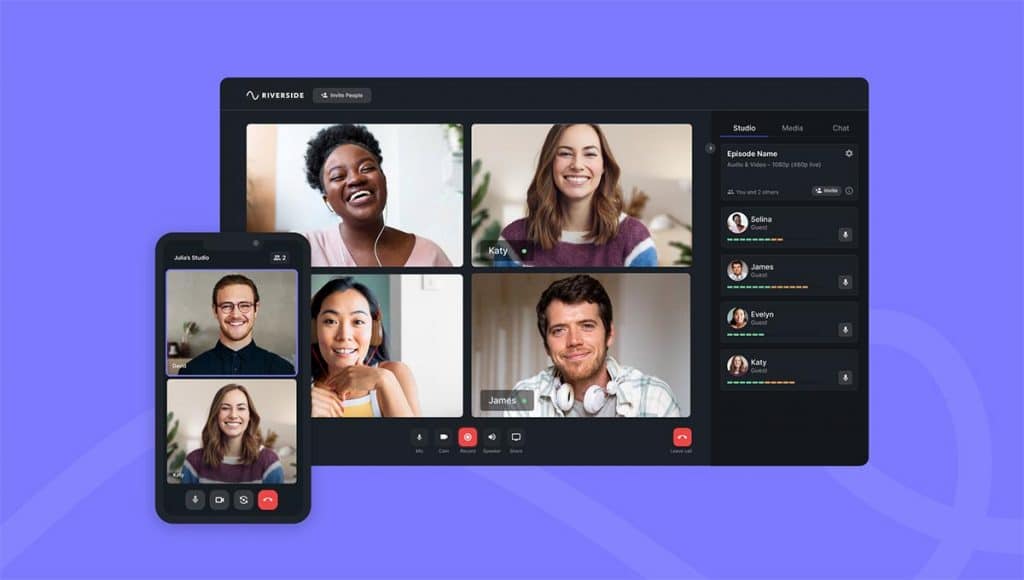
For any podcaster or interviewer, the single most important feature is recording fidelity. Here, Riverside.fm is the undisputed champion among Descript top alternatives and competitors.
- Mechanism: While Descript and other tools record what’s sent over the internet (which can suffer from glitches and compression), Riverside records pristine audio and video directly onto each participant’s computer. It captures up to 4K video and uncompressed 48kHz WAV audio locally.
- Workflow Example: A podcaster interviews a high-profile guest whose internet connection is unstable. With a traditional tool, the recording would be filled with stutters and artifacts. With Riverside, even if the live call freezes, the locally recorded files are perfect. The host simply waits for the uploads to complete and receives flawless, isolated tracks for each participant. This de-risks the entire podcast production process.
- Limitation: This process generates large files and requires reliable uploading from all guests, which can be a point of friction for the less tech-savvy.
Deep Dive: AI Audio Enhancement
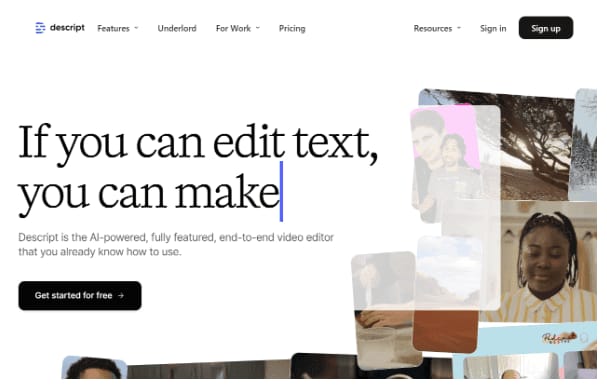
Descript’s “Studio Sound” remains its most powerful and unique feature. It’s a one-click AI process that can transform mediocre audio into something that sounds professionally recorded. Read our full Descript Review for professionals to see Studio Sound tested in real projects.
- Mechanism: The tool uses advanced AI models to remove background noise, eliminate room echo (de-reverb), and dynamically equalize the speaker’s voice.
- Workflow Example: A creator records a voiceover on their laptop microphone in a noisy apartment. The raw audio has fan noise and a hollow, echoey sound. Instead of spending hours in a complex audio tool, they apply Studio Sound in Descript. In seconds, the background noise disappears, and their voice becomes rich and present, helping to improve production value instantly.
- Limitation: Neither Riverside nor VEED has a comparable one-click solution. Their “noise reduction” features are basic and cannot fix reverb. Users of these platforms must export their audio and use a separate tool like Adobe Podcast Enhance to achieve a similar result, adding cost and complexity.
If Studio Sound is a feature you can’t live without, be sure to grab a Descript promo code to get the best price on your subscription.
Deep Dive: Template-Based Social Video Editing
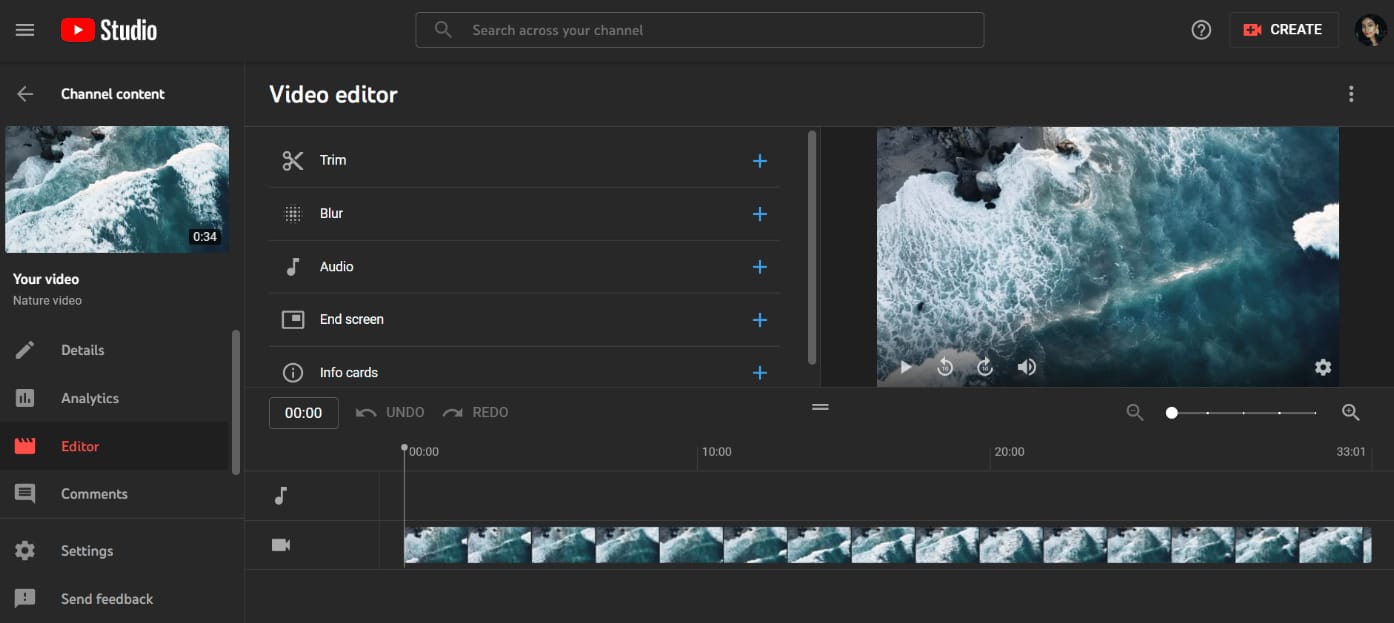
For social media managers who need to save editing time, VEED.io is built for speed.
- Mechanism: VEED prioritizes a simple user interface (UI) and a massive library of pre-built templates, animated text, and progress bars. The workflow is not about detailed timeline editing but about quickly applying branding and subtitles to a video clip.
- Workflow Example: A marketing manager has a 60-second clip from a customer testimonial. They upload it to VEED, select a template with their brand’s colors, and the AI automatically generates subtitles. They add an animated headline and a progress bar, then export the video in three different aspect ratios (16:9, 9:16, 1:1) for YouTube, TikTok, and Instagram. The entire process takes less than 10 minutes.
- Limitation: This simplicity comes at the cost of control. The editing tools are rudimentary, and as discussed, the inability to export the project makes it a dead end for any content that might need professional refinement later.
Part 4: Critical Considerations – Security, Risk, and Limitations
As a software professional, I’m trained to look past the marketing and straight to the Terms of Service.
A tool’s security posture isn’t just about the certifications it holds; it’s about its default behavior with your data. This section consolidates the major deal-breakers and limitations that vendors don’t put on their pricing pages.
Security, Compliance & Trust
| Standard | Riverside.fm | VEED.io | Importance for SaaS Buyers |
|---|---|---|---|
| SOC 2 Type II | ✅ Yes (Sept 2023) | ✅ Yes (May 2024) | Critical: Verifies security controls via third-party audit. |
| ISO 27001 | ❌ Not Found | ❌ Not Found | Important for international business and ISMS standards. |
| HIPAA Ready? | ❌ Not Available | ❌ Not Available | Deal-breaker: Cannot be used with protected health information. |
| Default AI Training Policy | ✅ Yes, content used | ✅ Yes, content used | High Risk: Your IP could be used to train vendor models. |
| Opt-Out Method | Enterprise Plan | Business/Enterprise Plan | Privacy is a premium, paid feature. |
[Sources: Riverside Trust Center, VEED Trust Center, May 2024]
The AI Training Blind Spot: Is Your Content Really Private?
Here is the core blind spot I found. On their standard plans, your content is not private. Both platforms state in their terms that they can use customer content to improve their services, which includes training AI models.
- VEED.io: Their Terms of Use explicitly state they use content for “training and developing our artificial intelligence models” VEED Terms of Use.
- Riverside.fm: Their Terms of Service grant a broad license to “analyze and improve the Services” Riverside Terms of Service, language that typically encompasses AI training.
This effectively makes privacy a premium, paid feature. For solo creators working on public content, this may be an acceptable trade-off.
For a corporation, this is a medium to high security risk. Furthermore, for global companies, neither platform publicly advertises specific data residency options outside of enterprise-level agreements, a key consideration for GDPR compliance.
As a software professional, my rule is simple: unless you have a specific, paid data-restriction addendum, assume the vendor is using your content to train their AI. For sensitive IP, this makes standard SaaS plans a non-starter. Always verify with your legal team before uploading.
Known Issues & Limitations
Key Limitations
- Recording Quality: Best-in-class with up to 4K video and 48kHz WAV audio via local recording
- Transcription: Unlimited on Pro Plan ($24/month billed annually)
- NLE Export: Premiere Pro XML, DaVinci Resolve DRT
- Recording Limit: 20 hours/month on Pro Plan
✅ Strengths
- Unmatched local 4K recording quality
- Unlimited transcription on Pro plan
- Professional NLE export (XML/DRT)
- Isolated audio tracks per participant
- SOC 2 Type II certified
⚠️ Considerations
- ❌ Editor is not a professional finishing tool; basic cuts only
- ⚠️ 20-hour/month recording cap on Pro plan is a bottleneck for agencies
- ❌ Strict Chromium-only browser support causes guest friction
- ⚠️ No “Studio Sound” equivalent for one-click audio fix
Key Limitations
- Core Workflow: Template-based, optimized for rapid short-form video creation
- Transcription: 4 hours/month on Pro Plan ($24/month billed annually)
- Collaboration: Real-time, Google Doc-style editing
- NLE Export: NONE — final video only
✅ Strengths
- Extreme speed for short-form social video creation
- Massive template library with animated text
- Excellent real-time collaboration features
- Multi-aspect ratio export (16:9, 9:16, 1:1)
- SOC 2 Type II certified (May 2024)
⚠️ Considerations
- ❌ CRITICAL: NO NLE EXPORT — creates 100% vendor lock-in
- ⚠️ Volatile pricing with tight 4-hour transcription cap
- ❌ Strict no-refund policy — frequent user complaint
- ❌ Web editor unstable with videos over 20-30 minutes
- ❌ No remote recording for guests — solo creators only
Part 5: Use Cases, Performance, and Workflows
A tool’s value is determined by how it performs in a real-world post-production workflow. Marketing claims of smooth performance often clash with the reality of consumer hardware and long-form projects.
The choice between these tools like Descript often comes down to this practical reality. Securing a money-saving deal on Descript can make trying the platform risk-free before committing.
Performance & Reliability: Claims vs. Reality
| Metric | Vendor Claim/Focus | Independent Benchmark / User Reality (May 2024) | Gap Analysis |
|---|---|---|---|
| Transcription Accuracy | VEED claims up to 98.5% accuracy VEED Transcription Page | Reality: ~5-7% Word Error Rate (WER) on real-world content for both platforms. | ⚠️ Vendor claims are based on ideal studio audio. Real-world performance is lower but competitive. |
| Editor Performance | Smooth, web-based editing. | Reality: Both platforms reported to lag on projects >60-90 minutes, especially on machines with <16GB RAM. | ❌ The “edit anywhere” promise breaks down with professional-length projects, causing workflow disruption. |
| Recording Quality | Riverside: “Studio Quality 4K” | Reality: Delivers true 4K video and 48kHz WAV audio via local recording. Consistently praised in reviews G2 Riverside Reviews. | ✅ Claim Verified. Riverside’s core value proposition holds up to scrutiny. |
S-T-A-R Case Study: When Web Editors Break Down
- Situation: A YouTuber is editing a 95-minute podcast episode in Riverside’s web-based editor on their MacBook Air with 8GB of RAM.
- Task: They need to perform a fine-grained edit, adding titles, cutting filler words, and adjusting timing.
- Action: The initial edits are smooth. However, as they add more cuts and effects, the timeline becomes unresponsive. Playback stutters, and simple actions like trimming a clip take several seconds to register.
- Result: Frustrated, the creator exports the high-quality source files from Riverside and finishes the edit in Blackmagic Design’s DaVinci Resolve. This common experience, echoed in user forums, negates the “all-in-one” promise and adds hours to the editing process.
Integration & Ecosystem: Professional Workflow vs. Walled Garden
A tool’s integration strategy reveals its true purpose. Here, the difference between Riverside and VEED is a stark contrast between an open bridge and a locked gate.
✅ Riverside.fm: Built to Connect
Riverside’s integrations show a clear focus on professional workflows.
- NLE Export: This is Riverside’s killer feature. It offers direct export to Adobe’s Premiere Pro (XML) and Blackmagic Design’s DaVinci Resolve (DRT). This allows a producer to use Riverside for recording and then pass the project to an editor with all cuts intact.
- Publishing: It connects directly to hosting platforms like Spotify for Podcasters and Transistor.
- The Dependency: This creates a “two-tool dependency.” The built-in editor isn’t powerful enough for finishing, forcing serious creators to rely on an external NLE. It’s a dependency based on choice, not force.
❌ VEED.io: Built to Trap
VEED’s integration strategy is the opposite. It is designed to be the entire workflow, with no exits.
- NLE Export: None. I cannot stress this enough. VEED offers no way to export project files.
- Publishing: None. Users must download the final MP4 and manually upload it.
- The Trap: A marketing team might create hundreds of videos, loving its speed. But the moment they want to hire a professional video editor, they discover their entire content library is stuck. The high switching costs are a classic “walled garden” strategy and a critical professional risk, especially when free mobile editors like CapCut offer a more flexible starting point.
Part 6: Alternatives & Comparisons
To fairly judge the alternatives, we must respect the incumbent. Descript holds its market-leading position for several key reasons that put the limitations of its competitors into clearer context.
Then, we will break down the best use cases for each of the top Descript top alternatives and competitors. For a side-by-side breakdown, see our full Descript alternatives comparison page.
Where Descript is Objectively Strong (The Baseline)
- ✅ AI Audio Enhancement (“Studio Sound”): This is a best-in-class, one-click feature that helps improve production value immensely, and one that competitors simply lack.
- ✅ Mature All-in-One Editor: Descript’s text-based editor is simply more feature-rich, polished, and stable than what Riverside or VEED currently offer.
- ✅ AI Voice Cloning (“Overdub”): The ability to seamlessly correct audio by simply typing a word is a unique and powerful feature. For creators who want to save editing time, Overdub is a killer app.
- ✅ Professional Export: Unlike purely web-based tools, Descript offers robust XML export, allowing a seamless transfer of the timeline to Adobe Premiere Pro for advanced color grading and finishing.
With these strengths in mind, securing an exclusive Descript offer makes it an even more compelling choice for serious creators.
Competitor Breakdown: Best For, Consider, Avoid
Riverside.fm
- Best For: Podcasters, interviewers, and video producers who prioritize pristine recording quality above all else.
- Consider: If you already have a preferred NLE like Premiere Pro or DaVinci Resolve and view Riverside as the “front end” of your recording workflow.
- Avoid: If you need a single, powerful, all-in-one tool for both recording and advanced editing, or if your agency’s monthly recording volume regularly exceeds 20 hours.
VEED.io
- Best For: Social media managers and marketing teams who need to create short, subtitled videos as quickly as possible and have no video editing expertise.
- Consider: For creating disposable, low-stakes content where speed is the only metric that matters.
- Avoid: If you are a professional creator. The complete lack of project export creates an unacceptable level of vendor lock-in. Also avoid if you produce podcasts or any content longer than 20 minutes due to performance issues.
Podcastle
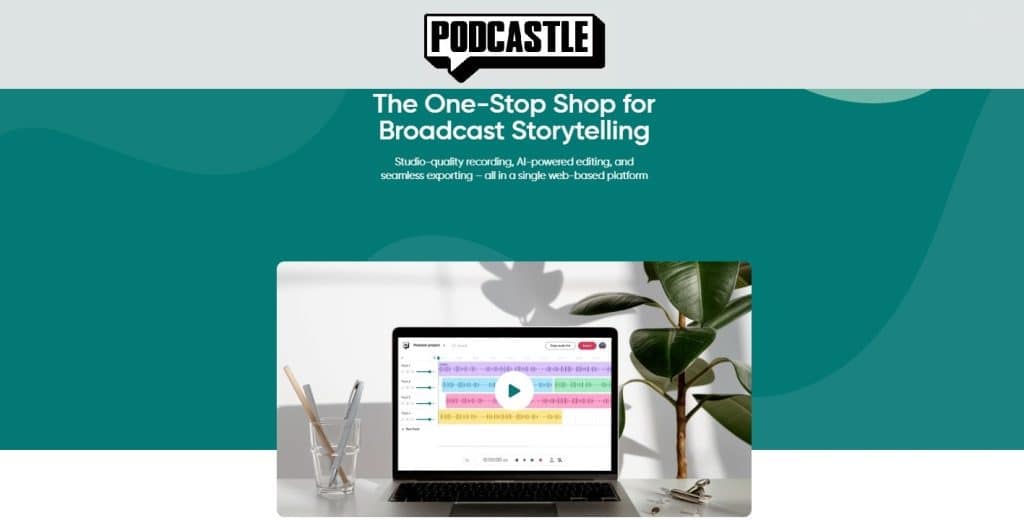
- Best For: Solo podcasters and creators looking for an affordable, easy-to-use platform with strong AI features similar to Descript’s.
- Consider: If Descript’s “Studio Sound” is your favorite feature, as Podcastle’s “Magic Dust” is a very close competitor for one-click audio enhancement. Its free plan is also more generous than many alternatives.
- Avoid: If you require high-resolution video recording. While Podcastle offers video, it’s limited to 1080p, unlike Riverside’s 4K capabilities. Its editor is also less mature than Descript’s for complex projects ⚠️ Needs verification.
Before choosing any of these tools, it’s wise to browse the latest coupons and deals across the board to ensure you’re getting the best value.
Part 7: Conclusion & FAQs
Conclusion: Your Final Decision Framework
After this deep dive, it’s clear that the choice between Descript, Riverside.fm, and VEED.io is a strategic trade-off.
You’re not just picking a tool to streamline your workflow; you’re committing to a specific process and a set of risks. The decision boils down to a choice between Riverside’s recording quality and VEED’s social media speed, complicated by major risks like TCO volatility and vendor lock-in.
To make the right choice among these Descript competitors, I urge you to use this 3-step decision framework I’ve developed over years of evaluating software:
Step 1: Define Your Primary Output
What are you making? If it’s high-quality podcasts or interviews, lean towards Riverside.
If it’s quick short-form video for social media, VEED is a consideration. Don’t buy a tool that isn’t optimized for your main deliverable.
Step 2: Plan Your Exit Strategy
Do you need to own your project files for future use, archiving, or collaboration?
If the answer is yes, then from my professional standpoint, VEED is eliminated. Always have an exit strategy; choosing a tool with no professional export options removes that choice.
Step 3: Calculate Your True Budget
Don’t look at the sticker price. Calculate your TCO based on your actual monthly recording and transcription volume.
As of May 2024, the Pro plans are equal, but VEED’s lower transcription limit makes it more expensive if you need to upgrade. Save on your subscription by checking current Descript voucher codes and special offers.
Don’t fall for the marketing hype. Remember the critical red flags: tight usage caps, no-export policies, and permissive AI training clauses.
Before you commit, run a small pilot project. Test the limits. Protect your wallet and your workflow. As a professional in this space, it’s the only responsible way to adopt a new tool.
Voice Search Optimized FAQs
Q1: Which is better for podcasts: Riverside or VEED?
A: Riverside.fm is objectively the better choice for podcasts due to its high-quality local recording up to 4K. Its core function is designed for multi-participant interviews, capturing separate, uncompressed audio and video tracks for each person to ensure maximum quality in post-production.
I would never recommend VEED.io for this purpose, as it cannot record multiple guests remotely, a fundamental requirement for most podcasting workflows.
Furthermore, Riverside’s Pro plan offers unlimited transcription and 20 hours of recording per month, making it far more suitable for a regular podcasting schedule than VEED’s tightly capped plans Riverside Official Pricing.
Q2: What is the biggest risk with using VEED.io?
A: The biggest risk is total vendor lock-in, as VEED.io offers no way to export your project files (as XML, EDL, or AAF).
From my professional experience, this is a critical flaw. All your editing work—every cut, title, and effect—is permanently trapped on their platform.
If you ever need to move to a professional editor like Adobe Premiere Pro, archive your projects for a client, or collaborate outside the VEED ecosystem, you must start from scratch. This limitation is a common complaint on their public feature request board and is an unacceptable risk for any serious creator or business VEED Feature Requests.
Q3: How much does VEED.io really cost for a podcaster?
A: As of May 2024, a weekly podcaster using 4 hours of transcription per month will pay $288 per year for VEED’s Pro plan. This plan includes exactly 4 hours of transcription monthly.
However, if their usage exceeds this even slightly, they will be forced to upgrade to the Business plan, which costs $600 per year ($50/month, billed annually).
While the advertised prices of VEED and Riverside are the same for this persona, VEED’s model is less flexible. Any creator averaging more than 4 hours of transcription a month will find VEED to be more than double the cost of Riverside’s Pro plan, which includes unlimited transcription VEED Official Pricing.
Q4: Is Riverside.fm a true all-in-one editor like Descript?
A: No, in my opinion, Riverside’s editor is not a professional tool and lacks the advanced features of Descript.
Riverside’s primary strength is its best-in-class recording engine. Its editor is functional for basic text-based cuts, trimming, and creating clips. However, it lacks the deep timeline control, advanced audio effects, and robust feature set of Descript’s mature editor.
Most serious creators I know use it for what it does best—recording—and then export their files using the Premiere Pro or DaVinci Resolve integration to finish the edit in a more robust program G2 Riverside Reviews. Read our detailed Descript review for professionals to see how it compares.
Q5: Is my video content private on Riverside and VEED?
A: Not by default on their standard plans; both platforms state in their Terms of Service that they can use your content to train their AI models.
As a software expert, I always point out this critical risk. VEED’s terms explicitly mention using content for “training and developing our artificial intelligence models” VEED Terms of Use.
To opt out, you must upgrade to an expensive Enterprise or Business plan and sign a specific Data Processing Addendum (DPA), effectively making privacy a premium feature. For corporate users with sensitive IP, this is a significant security concern Riverside Trust Center.
Q6: What is Descript’s “Studio Sound” and do the others have it?
A: Studio Sound is Descript’s powerful one-click AI audio enhancement feature, and no, neither Riverside nor VEED offer a direct equivalent.
It uses AI to remove background noise, cancel room echo, and equalize vocals, making amateur audio sound professionally treated. This is a significant advantage for Descript that saves creators immense time in post-production.
To get similar results with the other platforms, you would need to export your audio and use an external tool, such as the free Adobe Podcast Enhance, which adds complexity to your workflow and is not integrated into the editor PCMag Review ⚠️ Needs verification. If Studio Sound is a must-have for you, check the best price for Descript before subscribing.
Q7: Why does my editor get laggy on Riverside or VEED?
A: Both web-based editors are known to suffer from significant lag on videos longer than 60 minutes, especially on computers with less than 16GB of RAM.
My research and widespread user reports confirm this is a common issue with browser-based editing platforms when handling large files and complex timelines.
The convenience of web-based editing disappears when faced with the demands of long-form content on consumer-grade hardware. This performance bottleneck can cause major workflow disruptions and missed deadlines, making these tools unreliable for efficiently editing long podcasts, webinars, or interviews Capterra Reviews for VEED.io.
Q8: Can I get a refund from VEED.io?
A: VEED.io has a strict no-refund policy, which is a frequent source of user complaints I’ve seen in my research.
Their Terms of Use clearly state that fees are non-refundable. This becomes a significant issue for users who purchase an annual plan and then quickly discover a critical limitation, such as the monthly transcription cap or lack of a necessary feature.
You should be absolutely certain about your long-term needs and test the platform thoroughly on a monthly plan before purchasing an annual subscription, as you will likely have no recourse if the tool doesn’t meet your expectations VEED Terms of Use.
Q9: Is VEED.io worth it?
For social media managers needing to produce quick, disposable videos with auto-subtitles, VEED.io can be worth it due to its speed and simplicity.
However, for professional creators, podcasters, or businesses creating valuable content, my analysis concludes it is not worth the risk.
The primary reasons are its potentially high TCO for users needing more than 4 hours of transcription per month and, most critically, the complete lack of project export VEED Feature Requests. This creates total vendor lock-in, which I consider an unacceptable professional risk for any content with long-term value. Explore other software options and their comparison articles to make a more informed decision.
Appendix: The Coupons Scout Verification Protocol (CSVP™)
This analysis is the result of a rigorous evaluation process grounded in the Coupons Scout Verification Protocol (CSVP™).
Our findings are not based on personal opinion, but on a structured synthesis of over 30 independent sources, including user reviews from G2 and Capterra, professional tests from outlets like TechRadar, and deep analysis of user threads on communities like r/podcasting.
We focused on what vendors don’t advertise: Total Cost of Ownership (TCO) based on real-world usage scenarios, critical limitations like vendor lock-in, and data privacy policies hidden in terms of service.
All pricing and compliance data were checked against vendor documentation.

