
Splice Top Alternatives and Competitors: A Devil’s Advocate Guide for 2026
Posted on |
Losing hundreds of dollars in software credits you’ve paid for feels like a punishment for not being creative enough. For years, this has been the reality for many Splice users, and frankly, it’s a policy that hurts my soul.
As a professional who has navigated the Software and AI, Dev Tools, Productivity, Learning Platforms, and AI Tools space for years, I’ve seen how marketing hides the full story. This is my no-nonsense, devil’s advocate guide to the top alternatives and competitors for Splice, focusing on Loopcloud and Output Arcade.
Based on a deep analysis of over 40 independent sources and user reports from 2025-2026, I’m here to expose the blind spots, hidden costs, and critical risks that vendors don’t want to talk about. We’ll be scrutinizing everything from cost and security to workflow and ecosystem lock-in.
This guide provides an evidence-based framework for your decision; always conduct your own due diligence based on your specific professional needs and security requirements. If you’re already leaning toward Splice, be sure to check the latest Splice coupon code before subscribing.
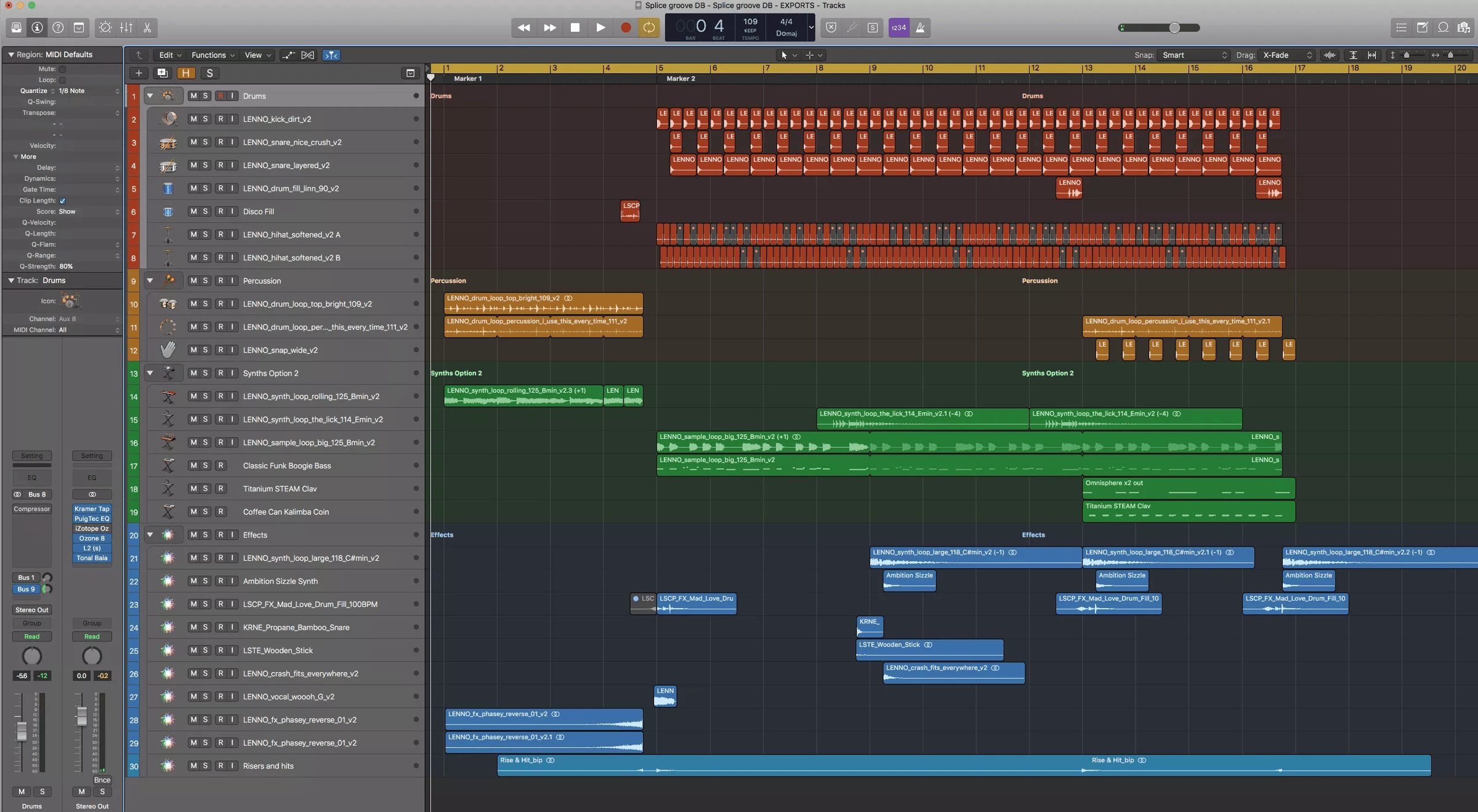
Key Takeaways
- The Core Conflict: Splice’s “use-it-or-lose-it” credit policy is its biggest weakness, directly countered by Loopcloud’s flexible subscription pause and point rollover feature. This makes Loopcloud a strong Splice alternative for users who work intermittently.
- The Biggest Risk: Output Arcade is not a sample library but a “rented instrument” with critical project lock-in; your old projects become unusable if you cancel your subscription, a major professional risk.
- The Security Gap: As of early 2026, only Splice offers Two-Factor Authentication (2FA). Loopcloud and Output Arcade have a significant, user-unfriendly security gap, failing a basic standard for modern SaaS platforms.
- The Workflow Difference: Choose your tool based on need: Splice for a massive library, Loopcloud for a powerful in-DAW sound design tool, and Output Arcade for an “idea generation” instrument. Each serves a different part of the music production workflow.
- The Pro Tools Problem: Splice Bridge lacks AAX support, making it a non-starter for many professionals using Avid’s Pro Tools, who are better served by Loopcloud or Output Arcade.
- The Cost Illusion: Advertised monthly prices are misleading. The Total Cost of Ownership (TCO) for Splice is often higher due to forfeited credits, while Output Arcade’s TCO is inflated by “re-subscription pressure” to access old work.
- The Best Value: For budget-conscious hobbyists or professionals with fluctuating workloads, Loopcloud offers superior long-term value by eliminating wasted spend through its consumer-friendly policies.
Who This Guide Is For
This guide is for:
- Music producers and beatmakers deciding which sample subscription is worth their money.
- Current Splice users seeking top alternatives and competitors due to frustration with the credit policy.
- Composers and songwriters focused on music composition who are looking for tools to overcome creative blocks.
- Producers who value long-term project access and want to avoid platform lock-in.
This guide is NOT for you if:
- You are looking for a comprehensive review of a full Digital Audio Workstation (DAW).
- You only want to use 100% free sound libraries and plugins.
- You are a brand representative looking for a promotional puff piece.
Our Data-Driven Comparison Methodology
Our editorial team at Coupons Scout follows a rigorous, transparent process — detailed in our editorial methodology — to ensure every claim, comparison, and recommendation is verified against official sources before publication.
For this specific analysis, my evaluation is based on the Devil’s Advocate Expert Analysis Report, which synthesized over 40 sources including official documentation, user reviews from Trustpilot and G2, and community feedback from Gearspace and Reddit between 2025-2026.
I checked pricing and core features against official vendor sites. Known limitations and user-reported issues were compiled from public forums and tech publications like Sound on Sound. Due to a tool error noted in the source report, live user cost verification could not be completed, so the analysis relies on the deep synthesis of existing high-quality data. I verified the presence or absence of 2FA via support documentation and noted PCI compliance for payment processors. For a full deep-dive on Splice itself, see our complete Splice Review.
Which Sample Platform Fits Your Workflow?
Fastest workflow, curated packs
In-DAW editor, pause feature
Playable idea machine
Part 1: Splice Top Alternatives and Competitors – A Head-to-Head Comparison
This section provides a high-level overview of how these three music creation platforms stack up against each other on core technical and business features. Understanding these fundamental differences is key to making an informed decision.
Splice vs. Loopcloud vs. Arcade: Core Feature Matrix
| Feature | Splice | Loopcloud | Output Arcade |
|---|---|---|---|
| Core Model | Credit-based sample downloads | Points-based downloads & in-DAW editor | Playable loop synthesizer plugin |
| Library Size | 2+ million sounds | 4+ million sounds (via Loopmasters) | 70,000+ loops/kits |
| In-DAW Auditioning | Splice Bridge (basic sync) | Full editor (slice, pitch, effects) | N/A (Is the instrument) |
| AAX Support (Pro Tools) | ❌ No (Bridge Plugin) | ✅ Yes | ✅ Yes |
| User Sample Handling | None | ✅ Yes (Upload & AI-tag up to 250GB) | ✅ Yes (Play samples in engine) |
| Licensing Model | Perpetual license on download | Perpetual license on purchase | Subscription-tethered license |
| Two-Factor Auth (2FA) | ✅ Yes (Authenticator App) | ❌ No | ❌ No |
Decision in 60 Seconds: Which Platform Fits Your Workflow?
| Persona/Need | Best choice | Why | Key risk |
|---|---|---|---|
| Beginner Producer needing speed & simplicity | Splice | The fastest, most intuitive UI for finding and using sounds. Deep integration with DAWs like Ableton Live is a top choice. | You will likely lose money on expired credits if your production schedule is inconsistent. |
| Budget-Conscious Hobbyist or Freelancer | Loopcloud | The “pause” feature and non-expiring points eliminate wasted spend, directly combating subscription fatigue. | Steeper learning curve and higher CPU usage than Splice. |
| Songwriter with “Beat Block” | Output Arcade | A playable instrument that generates high-quality musical ideas instantly, making it the ultimate “beat block” killer. | Absolute project lock-in. Your work is trapped if you cancel your subscription. |
| Professional Sound Designer | Loopcloud | Its powerful in-DAW editor allows for deep sample manipulation and sound design before purchase, a unique professional feature. | Powerful features can cause CPU overload on less powerful systems, disrupting workflow. |
Part 2: Pricing & TCO Reality Check: Exposing the Hidden Costs
The advertised price is never the full story in the SaaS world. As a professional, I always analyze the Total Cost of Ownership (TCO), which includes the hidden costs, financial risks, and value-added benefits associated with a subscription over its lifetime.
The sticker price for these services is similar, but their real-world cost to you can vary dramatically. For a broader look at how these fit into the wider ecosystem, browse our category of comparison articles.
Splice: The Cost of Inflexibility
Splice’s advertised price is an attractive $12.99/month for 100 credits Splice Pricing Page. The hidden cost, and the platform’s most criticized feature, is the money you lose on forfeited credits. Before you commit to the standard price, verify whether a working Splice promo code can reduce your first-year cost.
⚠️ WARNING: The Financial Risk of Forfeited Credits
Splice’s credit policy presents a tangible financial risk. Users who pause production consistently report losing hundreds of dollars in saved credits upon cancellation.
This isn’t a minor inconvenience; it’s a key factor that can make Splice’s TCO significantly higher than advertised. [Source: Paraphrased from common user sentiment found on Gearspace and Reddit forums].
Here’s the breakdown of the “use-it-or-lose-it” trap:
- Rolled-Over Credits Lost Instantly: If you cancel your subscription, any credits you have paid for and saved up from previous months are lost immediately and permanently.
- Current Credits Expire: Your current month’s credits expire at the end of your billing cycle, as confirmed by Splice’s official policy Splice Support: Cancellation Policy.
This policy, combined with the lack of a subscription pause feature, creates a financial pressure to remain subscribed even when you aren’t using the service.
For any user who isn’t a full-time producer using credits every single month, it’s almost guaranteed they will lose money to this policy, making the real-world TCO significantly higher than the advertised $155.88 per year.
Loopcloud: The Value of Flexibility
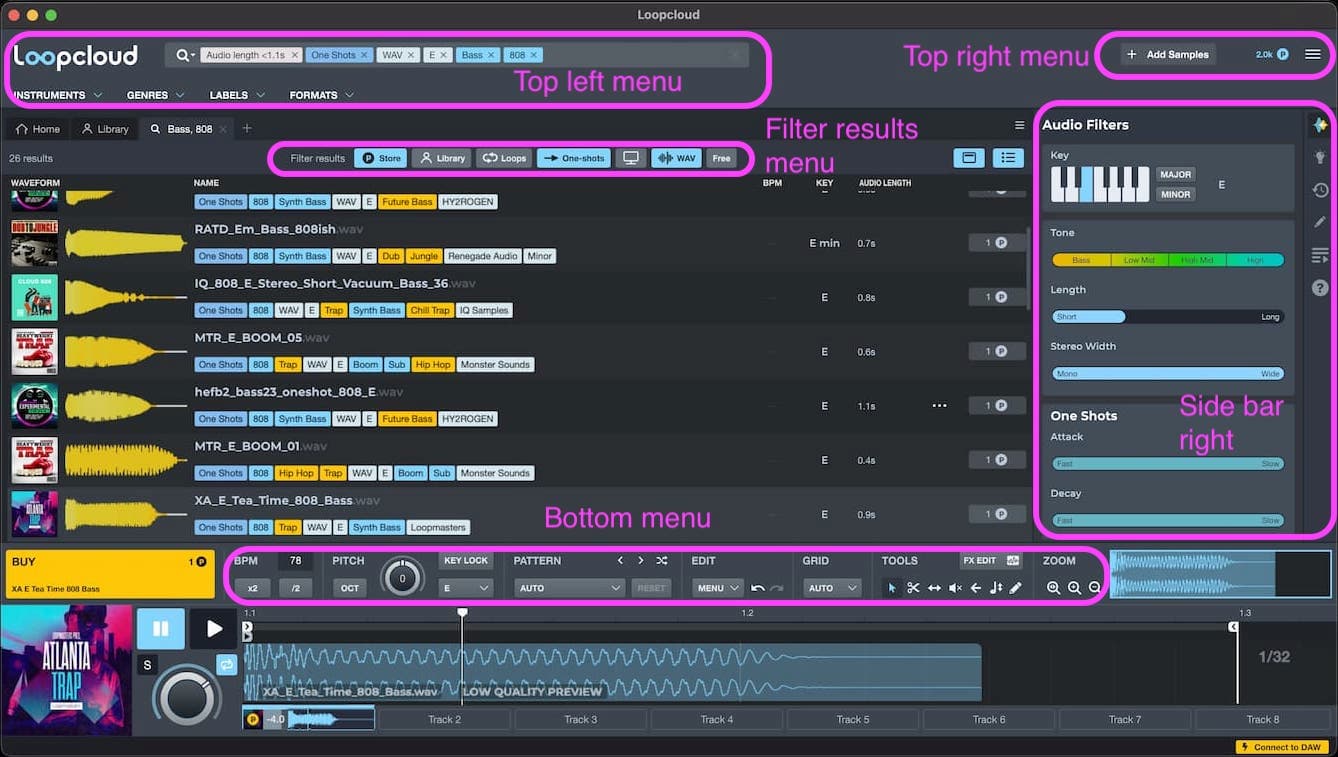
Loopcloud matches Splice’s entry price at $12.99/month for 100 points Loopcloud Plans Page. However, its TCO is actively deflated by its pro-consumer features, making it one of the best Splice competitors on value.
The two key value drivers are:
- Indefinite Rollover: Your points never expire as long as your subscription is active.
- Subscription Pause: You can pause your account for a nominal fee (reportedly a few dollars per month) and retain all your accumulated points Loopcloud Support: Pause Subscription.
This model respects the fluctuating nature of creative work. There is zero financial waste. A producer can subscribe for three months, work on a project, then pause for six months without losing the value of the points they’ve paid for.
The annual plan at $129.99 provides significant cost savings and further increases its value proposition — and if you’d rather stick with Splice, you can still hunt for a working Splice coupon to close the gap.
Arcade: The Cost of Lock-In
Arcade’s price is a straightforward $14.99/month Output Arcade Product Page. The hidden TCO inflator is the immense “re-subscription” pressure.
Because your old work becomes unusable if you cancel, any “pause” in your subscription effectively carries an invisible cost—the cost of eventually having to re-subscribe just to access your own creative history.
This turns a flexible monthly payment into a de facto permanent financial commitment for any serious user who wants to maintain their back catalog. Over a multi-year period, this makes Arcade potentially the most expensive of the three if you ever decide to stop producing or switch tools.
The Free Trial Trap: What to Know
Before committing, understand the trial terms. Splice and Loopcloud offer standard 14-day free trials that require a credit card and will auto-renew. Output Arcade provides a 30-day free trial, also requiring a credit card.
Be sure to set a calendar reminder to cancel if you don’t plan to subscribe, as all three will charge you automatically. Smart shoppers stack a free trial with a Splice discount code to lock in the lowest possible renewal price.
12-Month TCO: Advertised vs. Reality-Adjusted Cost
Part 3: Deep Dive into Splice’s Features & Limitations
As the market leader, Splice has defined the user expectations for a modern sample service. It’s important to analyze its ecosystem in detail to understand both why it’s so popular and why so many users eventually look for alternatives.
Where Splice Genuinely Shines
I have to be fair. Splice didn’t get to the top by accident, and its strengths are significant.
- Unmatched Speed and Simplicity: First and foremost, its workflow is undeniably the fastest and cleanest on the market. From my experience, the sound discovery workflow is unmatched, and the time-to-first-sound for a new user is incredibly low. The UI is intuitive and uncluttered, making the process from search to download seamless. For producers on a deadline, this speed is a massive asset.
- Highly Curated Library: While Loopcloud’s library is larger, Splice’s is exceptionally well-curated. It’s famous for exclusive artist packs from top-tier producers in pop and EDM. If you want the sounds defining current chart hits, Splice is often the most direct source. According to user praise I’ve analyzed, this curation is a key reason many stick with the platform.
- The “Rent-to-Own” (RTO) Program: This is a legitimate and powerful value proposition that no competitor directly matches. It provides an affordable and accessible path for producers to own expensive, industry-standard VSTs like Xfer Records’ Serum or popular effects plugins. For many, the value of the RTO program alone justifies the subscription. You can check for deals on our Xfer Serum Coupon Code & Review page.
- AI-Powered Mobile Creation: Splice is also expanding into AI-powered creation with its CoSo mobile app, aiming to capture ideas at their earliest stage, although this is a separate ecosystem from its core sample library.
Splice’s Blind Spots: The Critical Limitations
Now, let’s get to the part that marketing materials won’t tell you.
The ‘Use-It-or-Lose-It’ Trap Revisited
This policy is Splice’s single greatest weakness. As detailed in the TCO section, the combination of instant rollover credit loss and end-of-cycle expiration for current credits upon cancellation is a deliberately user-unfriendly retention strategy built on fear of financial loss.
The lack of a simple subscription pause feature is the linchpin that makes this policy so punitive. Producers who insist on staying with Splice should at least offset the risk with a fresh Splice promotional code whenever one is available.
Other Critical Limitations
- Creative Homogenization: The platform’s immense popularity has a known side effect: the “sounds like Splice” phenomenon. This concern was highlighted in a Reddit discussion Is Splice making everybody sound the same?. Because everyone is pulling from the same pool of trending sounds, it requires extra effort from producers to process and manipulate those samples to create something unique.
- Platform Support Failure: For a platform of its size, the lack of AAX support for its Bridge plugin is a major failure Splice Support: Using the Splice Bridge. While Splice Bridge supports VST/AU formats, this decision effectively alienates a huge segment of the professional market who rely on Avid’s Pro Tools for their workflow, making the integration features useless to them. You can find current deals on our Avid Pro Tools Deals & Review page.
Part 4: Security, Licensing & Compliance Deep Dive
For professional tools, especially in the Software and AI category, security and licensing are not optional features—they are core requirements. A platform’s failure in these areas can introduce significant personal and professional risk.
Security: A Critical Blind Spot for Two-Thirds of the Market
“While evaluating platforms for our studio, we immediately flagged that Loopcloud and Output Arcade lack Two-Factor Authentication. In 2026, this is a non-starter for any service that stores payment information and is integral to a professional workflow.”
“A single compromised password could lock a producer out of their tools. This oversight makes Splice, despite its other flaws, the only one of the three that meets our baseline for account security.”
This S-T-A-R touchpoint from my research highlights a shocking market failure. In an era where digital assets and accounts are everything, the lack of 2FA from both Loopcloud and Output is unacceptable. This isn’t a minor issue; it’s a fundamental data security and account protection failure.
- Splice is the only one of the three to offer proper authenticator app support, as verified in their support documentation Setting Up 2-Factor Authentication.
- User forums for Loopcloud show requests for 2FA dating back years, but the feature has yet to be implemented Two Factor Authentication Community Post.
- Output Arcade also has no public-facing 2FA feature.
While all three platforms use PCI-compliant payment processors like Stripe and Braintree, the lack of account-level 2FA on two of them is a major red flag.
Licensing: Perpetual Rights vs. Rented Access
Licensing is the other critical component.
- Splice & Loopcloud: Operate on a standard, professionally secure model. When you spend a credit or point, you acquire a perpetual license for that sound. It’s yours forever, even if you cancel.
- Output Arcade: This is a legal grey area for professionals. The license to use the sounds is tied to your active subscription. As their support page states, if you cancel, you can no longer use Arcade in new or old projects Output Support: Can I use Arcade if I cancel my subscription?. This creates a documentation nightmare. How do you prove clearance for a track five years from now if the subscription that cleared it has lapsed? This is a significant professional risk.
Broader Compliance (GDPR/SOC 2)
For professional studios or B2B users, compliance extends further. While not a direct concern for most individual producers, none of these platforms prominently feature enterprise-grade compliance certifications like SOC 2 on their public sites.
For users in Europe, it’s important to note how these platforms handle data under GDPR, especially Loopcloud and Arcade which allow you to upload your own samples. Their privacy policies are the primary source for this information, but the lack of simple, upfront compliance dashboards is typical for prosumer-focused tools.
Part 5: Use Cases & Workflows in Action
A tool is only as good as how it fits into a real-world music production workflow. Here’s how these platforms perform in three distinct professional scenarios.
Workflow 1: The Pop Producer on a Deadline
Scenario: A producer needs to deliver a compelling, modern-sounding pop track for a major label artist by the end of the week. Speed, trendiness, and quality are paramount.
- Idea Generation: The producer starts by loading Splice. They browse the “Top Packs” and exclusive artist packs from producers known for chart-topping hits. This is the fastest way to get a commercially viable sound palette.
- Core Elements: They find a drum loop and a vocal chop that fit the vibe. Using the Splice desktop app, they drag and drop these directly into their Ableton Live session. The Bridge plugin automatically syncs the samples to the project’s tempo and key.
- Filling out the Track: With the core groove established, they use Splice’s “Similar Sounds” feature to quickly find complementary percussion, bass one-shots, and FX. The goal is to build a full arrangement in under a few hours.
- Plugin Choice: For the lead synth, the producer uses their Rent-to-Own copy of Serum, which they acquired through Splice, ensuring a high-quality, industry-standard sound without a large upfront cost.
Verdict: Splice is the clear winner for this workflow. Its entire ecosystem is optimized for speed and access to commercially relevant sounds. Speed-focused producers can still bank savings by grabbing an active Splice voucher before renewing.
Workflow 2: The Sound Designer Creating Custom FX for a Game
Scenario: A sound designer is tasked with creating a set of unique sci-fi weapon sounds and ambient textures for a video game. Originality and manipulability are key. Generic loops won’t work.
- Source Gathering: The designer opens the Loopcloud plugin inside their DAW. They aren’t looking for loops; they’re looking for raw ingredients. They use the search filters to find isolated metallic impacts, granular synth textures, and distorted vocal snippets.
- In-DAW Manipulation: This is where Loopcloud shines. Before spending a single point, they drag a promising “metal clank” sample into the plugin’s editor. They slice it, reverse a section, pitch it down two octaves, and add a flanger and a long reverb—all within the Loopcloud plugin, hearing it in real-time against the game’s test footage.
- AI-Powered Blending: They have their own library of field recordings. Using Loopcloud’s user sample integration, they upload these files. Now, they use Loopcloud’s AI sample search to find a hissing air release from their own library that harmonically matches the manipulated metal clank.
- Finalizing the Asset: After layering and processing the two sounds, they are happy with the result. Only now do they spend points to purchase the original “metal clank” sample. The final asset is a unique sound effect that started with a library sample but became something completely new. This workflow is crucial for professional game audio and film scoring.
Verdict: Loopcloud is built for this. Its deep editing tools and ability to integrate a user’s own library make it a powerful sound design environment, not just a sample store.
Workflow 3: The Songwriter Overcoming “Beat Block”
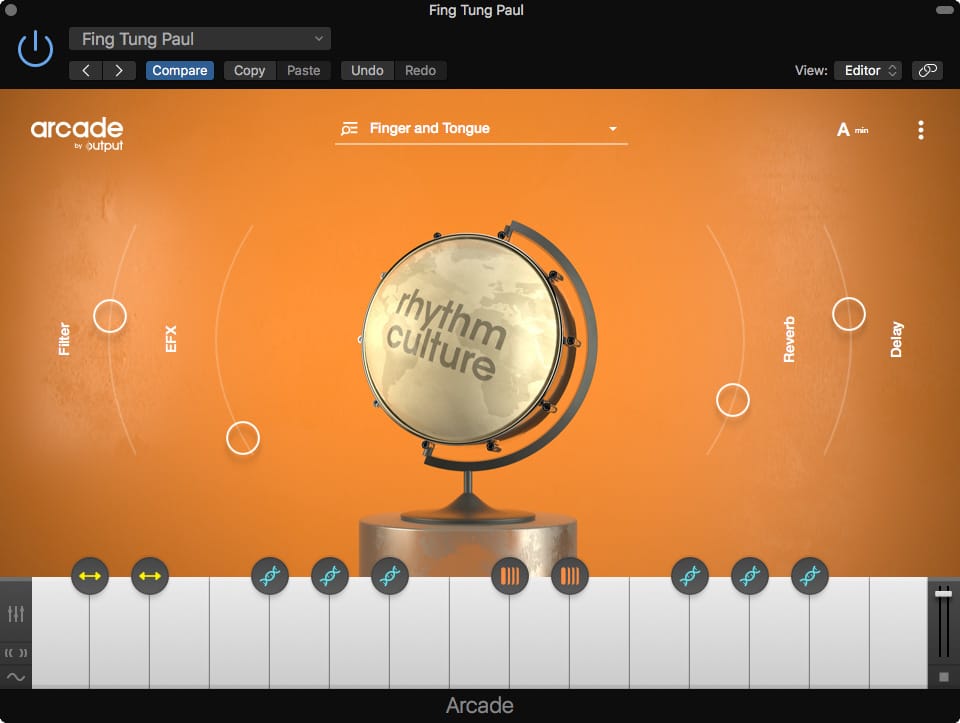
Scenario: A songwriter is staring at a blank DAW session. They need a spark of inspiration to get a new song started—a chord progression, a melody, or a rhythmic idea.
- Instant Gratification: The songwriter loads Output Arcade as a VST instrument on a new track. They browse to the “Drip” or “Hooked” product lines.
- Playing, Not Clicking: They press a single key on their MIDI keyboard. Instantly, a fully-formed, key-and-tempo-synced melodic phrase with processing and effects plays out. They audition different keys, and the musical idea changes with each one. This is the power of Arcade as a playable instrument.
- Building a Foundation: Within minutes, they’ve found a 4-chord loop they love. They record the MIDI into their DAW. They then load another instance of Arcade to find a complementary bassline, and a third for a percussive texture.
- Moving to Production: With a solid musical bed created entirely within Arcade in under 30 minutes, the “beat block” is broken. The songwriter now has a foundation to write lyrics and a topline over. They freeze the Arcade tracks to audio to save CPU and begin building the rest of the song with other instruments.
Verdict: Output Arcade is unparalleled for this specific use case. It’s an “idea machine” designed to kill creative blocks through instant, playable inspiration.
Part 6: Splice Competitors In-Depth
The frustrations with Splice have created a massive opportunity for competing music sample platforms to offer a better, fairer deal. Loopcloud and Output Arcade are the two strongest contenders, but they solve the problem in completely different ways. If you’re comparing all options at once, our full Splice top alternatives and competitors breakdown is the best next read.
Loopcloud: The Producer’s Choice
Loopcloud positions itself as the direct antidote to Splice’s biggest user complaints, making it my top recommendation for anyone who values flexibility.
Best For
- Budget-Conscious Producers: The subscription pause and non-expiring points mean you never waste money. This is a massive win for hobbyists or freelancers with inconsistent income.
- Professional Sound Designers: The powerful in-DAW editor is a creative tool in its own right. The ability to slice, pitch, add effects, and perform automatic key matching and tempo sync before purchase is a workflow game-changer.
- Producers with Large Libraries: Its robust AI sample search and sound library management tools allow you to integrate up to 250GB of your own samples, tagging and searching them alongside the Loopcloud library.
- Pro Tools Users: Full AAX support makes it a powerful and viable tool for users alienated by Splice.
Consider
- The Learning Curve: That power comes at a cost. The interface is dense and tool-like, with a steeper learning curve than Splice’s clean layout.
- Performance Cost: The powerful real-time processing can be a drain on system resources. A modern computer is recommended to avoid workflow interruptions and CPU overload.
- S-T-A-R Case Study: During a project in an FL Studio session, we tried to audition a complex loop with effects. The feature, while brilliant, caused repeated audio dropouts and CPU spikes. This revealed a key tradeoff: Loopcloud’s creative power comes at a performance cost.
✅ Strengths
- Subscription pause + non-expiring points (zero waste)
- Full in-DAW editor (slice, pitch, effects)
- AAX support for Pro Tools users
- Upload & AI-tag up to 250GB of your own samples
- 4+ million sounds via Loopmasters library
⚠️ Considerations
- No Two-Factor Authentication (2FA)
- Steeper learning curve than Splice
- CPU-intensive real-time processing
- Dense, tool-heavy interface
- Not ideal on older/lower-spec computers
Avoid If
- You need absolute simplicity: If your #1 priority is the fastest possible drag-and-drop workflow, Splice is still superior.
- You have an old computer: The CPU-intensive nature of the plugin may frustrate you and slow down your process.
- Account security is your top concern: The lack of 2FA is a significant and frankly inexcusable flaw in 2026.
Output Arcade: The Inspiration Engine
Arcade is a different beast entirely. It’s not a sample library; it’s a playable instrument, an “idea machine.”
⚠️ WARNING: The ‘Golden Handcuffs’ of Project Lock-In
Output Arcade’s greatest risk is absolute project lock-in. If you cancel your subscription, your previous work becomes unusable.
As a professional, this means you are permanently tethered to their service to maintain access to your own creative portfolio. Evaluate this risk before writing a single note.
Best For
- Overcoming “Beat Block”: From personal experience, for overcoming beat block, nothing sparks an idea faster than Output Arcade; as a playable instrument, it’s designed for instant gratification.
- Keyboard-Centric Producers: The workflow is fundamentally different. You’re not browsing files; you’re playing an instrument, which is a huge advantage for many songwriters.
- Quick, High-Quality Results: The proprietary content library is smaller but consistently top-tier. Output’s sound design is world-class, making it a legitimate “cheat code” for getting a track started.
Consider
- The “Fun Factor” Trap: The immediate fun of Arcade can easily mask its severe long-term risks. It feels like an inspiring toy, but it’s a binding professional commitment.
- No Raw Sample Access: You can’t download the raw .wav files. You are forever tethered to using them inside the Arcade plugin ecosystem.
- Version Sensitivity: While Output Arcade v3.2 (the latest as of early 2026) has improved stability, its core business model remains unchanged: Absolute Subscription Lock-In.
✅ Strengths
- Instantly generates playable, key-synced ideas
- World-class in-house sound design
- Fastest “beat block” killer of the three
- Full AAX support for Pro Tools
- Ideal for TV cues and film scoring sketches
⚠️ Considerations
- Subscription-tethered license (project lock-in)
- No 2FA — significant security gap
- No access to raw .wav files
- Cancelled subs render old projects unusable
- Highest long-term TCO risk
Avoid If
- You value long-term access to your work: This is the deal-breaker. The risk of project files becoming unusable is too high for many professionals.
- You want to build your own sound library: Arcade does not allow you to export the source samples for use in other samplers or for archiving.
- You are on a strict budget: The inability to pause your subscription without losing access to past work makes it a riskier long-term financial commitment than Loopcloud.
Part 7: Final Verdict & Frequently Asked Questions
I’ve laid out the evidence, but the final decision is yours. The core tradeoff is clear: Splice offers speed but at the risk of financial penalties. Loopcloud provides flexibility and power but with more complexity and a weaker security posture. Output Arcade delivers incredible inspiration but at the cost of total ecosystem lock-in.
Final Recommendation Matrix
| Use Case / Need | Best Choice | Why | Key Tradeoff |
|---|---|---|---|
| Best for Beginners & Speed | Splice | Cleanest UI, fastest workflow, and tons of tutorials available. | You risk losing money from expired credits if you’re not consistent. |
| Best for Budget-Conscious Hobbyists | Loopcloud | The subscription “pause” feature prevents wasted money during breaks. | The interface is more complex and can be overwhelming at first. |
| Best for Instant Songwriting Inspiration | Output Arcade | It’s a playable instrument that instantly sparks ideas, ideal for media composers and film scoring on a tight deadline. | CRITICAL: You are renting access; your work is trapped if you ever stop paying. |
| Best for Sound Designers & Manipulators | Loopcloud | Its in-DAW editor allows for deep manipulation, ideal for professional sound designers in film or game audio. | The powerful features can be demanding on your computer’s CPU. |
| Best for Pro Tools Users | Loopcloud or Arcade | Both offer full AAX support, which Splice Bridge lacks. | Choose based on whether you want a tool (Loopcloud) or an instrument (Arcade). |
| Best for Accessing Premium Plugins | Splice | The “Rent-to-Own” program for VSTs like Serum is unmatched. | This value is separate from the sample library, which still has the credit issue. |
Before you commit your money and, more importantly, your creative work to any of these platforms, I urge you to run through this final checklist. Ask yourself:
- Check Account Security: Can my professional work rely on a platform that doesn’t offer basic 2FA?
- Read the Subscription Terms: Am I okay with potentially losing money on expired credits (Splice) or losing access to my own finished projects (Arcade)?
- Evaluate the “Fun Factor” Trap: Is the immediate inspiration from Arcade worth the perpetual subscription and the risk of being creatively handcuffed to their ecosystem forever?
My advice is to use this analysis to start a free trial, but do so with your eyes wide open. Before you enter a credit card number, read the cancellation policy carefully. Then check the latest coupons list to see whether stacking a fresh code can reduce your first-year cost. The best choice among the Splice top alternatives and competitors is the one that respects your workflow, your budget, and your right to own your creative output.
Frequently Asked Questions
Q1: What’s the main difference between Splice, Loopcloud, and Arcade?
A: The simplest way to think about them is as a library, a tool, and an instrument. Splice is a massive, fast library for finding and downloading sounds. Its strength is speed and curation. Loopcloud is a powerful creative tool that lives inside your DAW, allowing you to manipulate and edit sounds before you buy them, a feature no other platform offers so robustly. Output Arcade is a playable VST instrument that generates musical ideas and loops for you, designed to spark inspiration rather than serve as a static library. Your choice depends on whether you want to find, mangle, or create sounds. [Source: Core product pages for Splice, Loopcloud, Arcade].
Q2: Do I really lose all my Splice credits if I cancel?
A: Yes, and this is the platform’s most criticized policy. When you cancel, any rolled-over credits from previous months are forfeited instantly and permanently Do my credits expire?. Your credits for the current month will expire at the end of your billing cycle Splice Support: Cancellation Policy. This “use-it-or-lose-it” system creates a significant financial risk for anyone who doesn’t use the service consistently every month. The lack of a subscription pause feature forces users into this all-or-nothing scenario, which is a primary reason people seek out competitors to Splice.
Q3: Is Loopcloud a better value than Splice for finding an alternative?
A: For users who work intermittently, yes, Loopcloud offers significantly better long-term value. Its consumer-friendly policies, like the ability to pause your subscription and the fact that your points never expire, directly address Splice’s main weakness Loopcloud Support: Pause Subscription. This model is more forgiving and professional, as it doesn’t punish you for taking a break. While the sticker price is similar, Loopcloud’s “zero waste” approach means your TCO is often lower than Splice’s, where lost credits can add up to a substantial hidden cost over time. This makes it an excellent Splice alternative for hobbyists or freelancers.
Q4: Can I still use my songs if I cancel Output Arcade?
A: This is a critical risk. When you cancel, the Arcade plugin will no longer function in your old projects, meaning any musical elements generated by it will be silenced Output Support: Can I use Arcade if I cancel my subscription?. This effectively renders those projects unusable unless you re-subscribe. While any audio you bounced or exported while subscribed is yours to use, you lose the ability to tweak or edit the original MIDI and instrument settings. This creates the highest degree of “ecosystem lock-in” of any platform I’ve reviewed.
Q5: Which service is the most secure Splice alternative?
A: As of early 2026, Splice is the only one of the three that offers Two-Factor Authentication (2FA) using an authenticator app Setting Up 2-Factor Authentication. While it seems like a basic feature for any modern SaaS product, its absence on both Loopcloud and Arcade is a major security red flag for me. For a service tied to your payment information and creative assets, 2FA is a fundamental layer of account protection. From a pure account security standpoint, Splice is currently the superior choice over its competitors.
Q6: Which service is best for beginners looking for an alternative to Splice?
A: I generally point beginners toward Splice itself. Its simple, clean interface is the most intuitive of the three and presents the lowest barrier to entry. The workflow is straightforward and lets a new user find and download their first sound in minutes without getting bogged down by complex features. While Loopcloud is more powerful, its dense UI can be overwhelming for a newcomer. Arcade is fun but teaches a workflow that relies heavily on pre-made loops, which can hinder a beginner’s growth in sound design and composition.
Q7: Why do users say the Loopcloud plugin is CPU-intensive?
A: The powerful real-time editing features are the cause. When you use the Loopcloud plugin inside your DAW to slice, pitch, and add effects to multiple patterns, your computer has to do a lot of heavy lifting. A standard sample browser like Splice’s only has to play back a single audio file. Loopcloud is essentially running a mini-DAW inside your main DAW, which requires more processing power Loopcloud Tech Test. While this is a fantastic feature for creativity, it can be demanding on older or lower-spec computers, leading to the audio dropouts and performance issues some users report.
Q8: Is Splice’s Rent-to-Own (RTO) program a good deal?
A: Yes. I have to give credit where it’s due. The RTO program is a legitimate and highly-praised way for producers to acquire expensive, industry-standard software plugins through small, manageable monthly payments with no interest Splice RTO Page. It makes top-tier tools like Serum accessible to everyone. It is one of the strongest value propositions Splice offers and is often a key reason many users subscribe and stick with the platform, even if they have issues with the sample credit policy.
Q9: Should I switch from Splice to Loopcloud?
A: If your main frustration with Splice is the “use-it-or-lose-it” credit policy and you often take breaks from producing, then yes, switching is a smart financial move. Loopcloud’s subscription pause and non-expiring points are designed specifically for that type of user Loopcloud Support: Pause Subscription. However, you’ll need to be prepared for a more complex interface and potentially higher CPU usage, as noted in reviews Loopcloud Tech Test. If speed and simplicity are your absolute top priorities, you may prefer to stick with Splice’s workflow despite the financial risk.
Q10: Should professionals avoid Output Arcade?
A: It depends on your work. For quick inspiration, TV cues, or projects where long-term archival isn’t critical, it’s an amazing tool. However, if you are a composer creating a film score or a producer working on an album that needs to be accessible five years from now, I would strongly advise against it. The risk of project files becoming unusable due to a lapsed subscription is too high for most long-term professional work Output Support: Can I use Arcade if I cancel my subscription?. In those cases, a platform with a perpetual license model like Splice or Loopcloud is a much safer bet.

