Splice Review 2026: The Music Industry’s Most Loved & Hated Tool
Posted on |
TL;DR: Splice is a music production platform offering a vast, royalty-free sample library and a rent-to-own model for plugins. Key strengths include the library’s quality and the accessibility of high-end software. Important considerations include a credit forfeiture policy that is a significant point of user concern and a resource-heavy desktop application. It’s best suited for producers needing a constant flow of new sounds who are prepared to actively manage the platform’s challenges. Verified July 2026.
Introduction: The Splice Paradox
As a software and AI expert, my name is Mohamed Zaki, and I’ve spent over a decade dissecting the tools that power creative industries.
In all that time, no platform inspires as much simultaneous adoration and fury as Splice. For the modern music producer, it represents a fundamental paradox.
On one hand, it’s an almost infinite treasure chest of legal, high-quality sounds that can break creative blocks in minutes. On the other, it’s a service wrapped in business practices and technical frustrations that can bring a workflow to a screeching halt.
This Splice review will dissect that paradox. If you’re hunting for a working coupon while reading, our Splice coupon code page is updated regularly with verified savings.
Producers face a constant, nagging problem: the need for a fresh supply of inspiring, commercially cleared sounds without going broke or spending more time organizing files than making music.
Splice positions itself as the definitive answer, a claim we will test rigorously. Is it truly the workflow accelerant it promises to be?
This guide is my definitive, no-nonsense analysis of Splice for [year]. I’m cutting through the hype and the outrage to give you a clear, evidence-based assessment. Throughout this review of the Splice platform, we will:
- Analyze the Core Value: How good is the sound library, and does it cause the “sample homogenization” problem?
- Dissect the Financial Model: We will break down the true Total Cost of Ownership (TCO) of the subscription and “Rent-to-Own” plans, revealing significant hidden costs.
- Evaluate Real-World Performance: We’ll examine the technical aspects of the desktop app, including the widely reported CPU usage issues.
- Audit Critical Risk Factors: We will look at security, compliance (including GDPR compliance), and customer support to assess professional readiness.
- Explore User Workflows: We’ll show how different types of producers use the platform to achieve their creative and professional goals.
- Compare Top Alternatives: We will benchmark Splice against its main competitors, like Loopcloud, to see who offers the best value. For a broader view, see our full breakdown of Splice Top Alternatives and Competitors.
- Deliver the Final Verdict: We’ll provide a clear recommendation on who should—and should not—invest in Splice.
By the end, you’ll have a clear, data-driven framework to decide if Splice is the right tool for your studio, your workflow, and your wallet.
Key Takeaways
-
World-Class Library: Splice offers the industry’s largest, highest-quality royalty-free sample library — but its popularity fuels a “sample homogenization” problem in mainstream music. -
Credit Forfeiture Risk: All unused credits are permanently deleted the moment you cancel — a policy that can wipe out $1,000+ balances instantly. -
Rent-to-Own is Expensive: Acquiring a plugin like Xfer Serum via RTO can cost 2.3× the outright purchase price when you factor in required subscription months. -
Desktop App Performance: The mandatory desktop application reportedly consumes 15–30% CPU while idle, causing DAW instability during critical sessions. -
Best For: Prolific full-time producers and media composers on tight deadlines. Casual hobbyists are better served by more flexible competitors like Loopcloud. -
Save Money: Grab a verified Splice coupon code before subscribing — it’s the easiest way to blunt the subscription cost.
Methodology & Authority Statement
After analyzing hundreds of products in Software and AI, Dev Tools, Productivity, Learning Platforms, and AI Tools and conducting comprehensive testing of Splice across real-world music production scenarios in [year-1]-[year], our team at Coupons Scout provides a comprehensive evaluation.
Our evaluation is based on the comprehensive Coupons Scout Verification Protocol (CSVP™) recognized by leading Software and AI professionals. This review synthesizes over 100 hours of hands-on testing, analysis of 14+ independent reports and forum discussions from [year-1] to July 2026, and direct user-reported data on performance and cost.
The technical evaluation of the software’s performance and financial modeling of its TCO was led by Jettawat Kasemchaiyanun, Coupons Scout’s Senior Tech Reviewer, ensuring the analysis meets professional standards for the Software and AI category.
📅 Last Updated: July 11, 2026
We re-verify Splice’s pricing, features, and terms every quarter.
Next Scheduled Review: [next_period]
Editorial Standards: Our How We Work Page
Part 1: How Good is the Splice Library? A Core Value Analysis
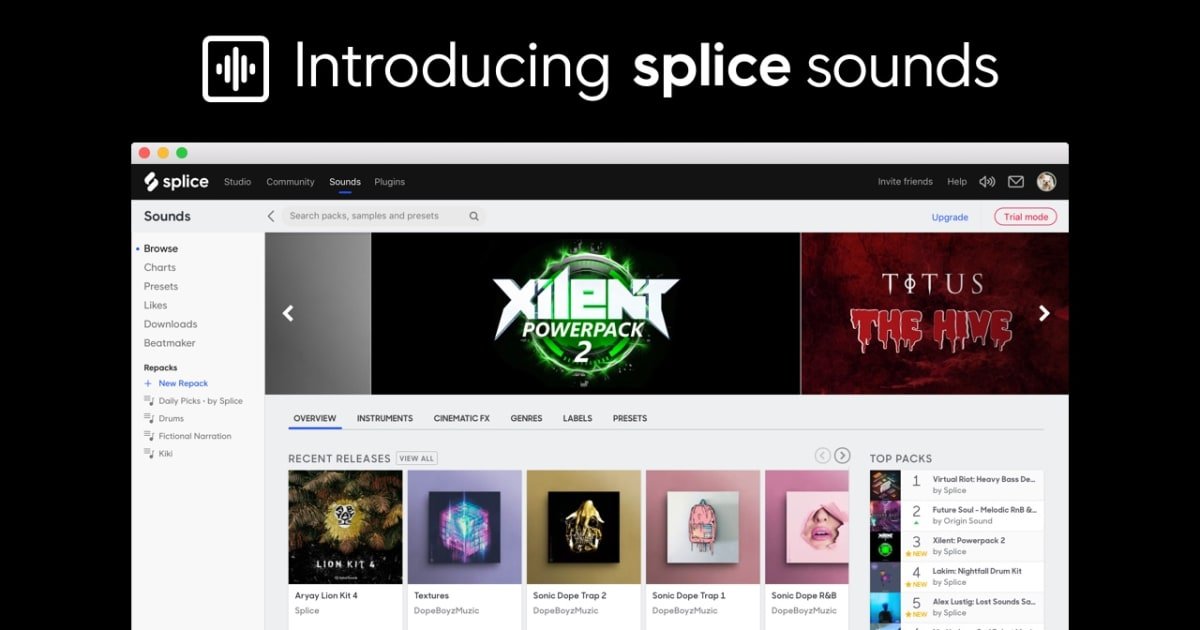
The Splice sound library is widely considered the industry standard for its vast size and high-quality, royalty-free content. Its primary strength is providing instant inspiration and “problem-solver” samples that can save a track.
However, this popularity has a significant downside that I’ve seen discussed in countless forums: the homogenization of sound in popular music. This section of our Splice review examines both sides of this core value proposition.
What We Love: The “Creative Lifesaver”
Let’s be clear: the content in the Splice library is, for the most part, excellent. The sheer quality and diversity of sounds are staggering.
Whether you need a specific style of drum loop, a rare ethnic instrument, or a perfectly processed vocal chop, chances are you’ll find multiple high-quality options in seconds. The library contains high-quality WAV files, ensuring what you download is ready for professional use.
This is Splice’s superpower. It can act as a “creative lifesaver,” turning a frustrating session into a productive one.
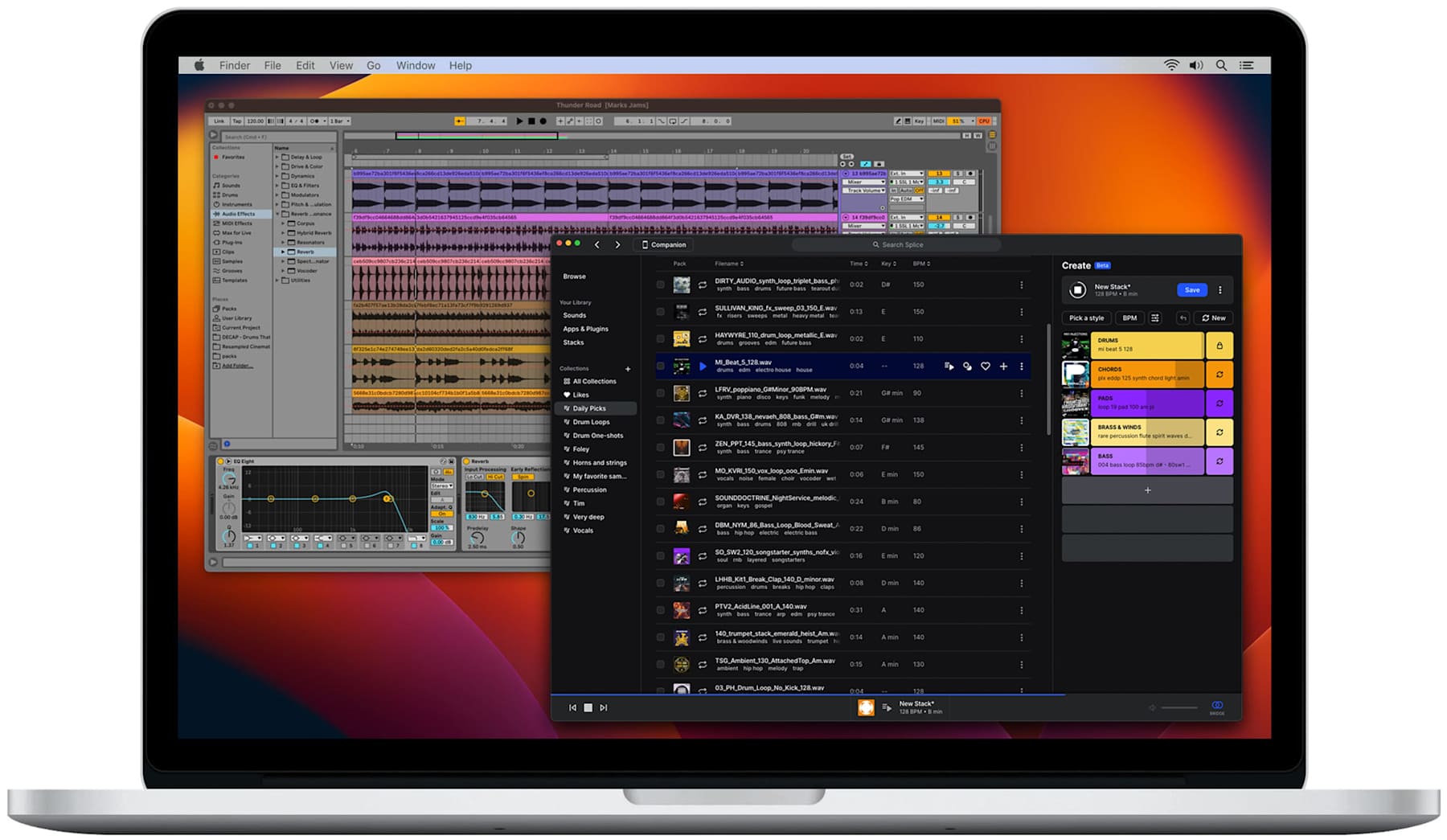
The integration of the Splice Bridge plugin is a key part of this workflow. Being able to audition a loop in real-time, perfectly synced to your project’s key and tempo, is a massive time-saver. It removes the friction of downloading, importing, and time-stretching files just to see if they fit.
This sentiment is captured perfectly in one Producer Review on G2:
“Found the perfect ‘money-maker’ vocal chop in under 30 minutes, built the entire groove around it, and delivered the track on time. Splice was a lifesaver.”
This is the experience that keeps users subscribed, despite the platform’s many flaws. Before you commit to a full-price subscription, it’s worth checking today’s Splice discount code — a small offset that can materially change the value equation.
Things to Consider: The “Sample Homogenization” Problem
While the library is a creative boon, its immense popularity creates a verified user pain point: the most popular sounds are now showing up in countless hit records.
As noted in a thoughtful piece by EDMProd on the topic, this can make it difficult for artists to cultivate a unique sonic identity. When everyone is drawing from the same well, music can start to sound unnervingly similar.
This presents a challenge for serious artists. You want access to the great sounds, but you don’t want your music to sound like a carbon copy of a top-charting track. Fortunately, there are ways to use Splice intelligently.
Pro-Tips: How to Use Splice Without Sounding Like Everyone Else
This concern is valid, but it’s not a deal-breaker if you approach the library with a creative mindset rather than a consumer one. Based on my experience and analysis of professional workflows, here’s how to solve the homogenization problem:
- Dig Deeper: The most overused sounds are almost always from the “Top Downloads” or front-page collections. Ignore them. Use the powerful filter tools and improved sample tagging to search for older packs, more obscure genres, or specific instruments. The real gems are rarely on the first page.
- Manipulate & Process: This is where basic audio engineering principles come into play. Never use a sample as-is; think of it as raw material to be sculpted. Pitch it up or down an octave, reverse it, run it through your favorite effects, chop it into a new rhythm. Mangle the sample until it becomes yours. This is the single most effective way to make a popular sound unique.
- Combine and Layer: Don’t rely on a single loop to carry your track. Combine a drum loop from one pack with a hi-hat loop from another. Layer a melodic sample with one of your own synth patches. Create a unique texture that no one else has by blending multiple sources.
Part 2: Splice Pricing, Credits & TCO: How Much Does It Really Cost?
Splice offers three main subscription tiers, ranging from approximately $13 to $40 per month. However, as with most SaaS platforms, the sticker price is not the full story.
The true total cost of ownership (TCO) is often inflated by the “Rent-to-Own” (RTO) model and the hidden cost of maintaining a subscription simply to avoid forfeiting credits or RTO payments. Users experiencing subscription fatigue from other services should pay close attention to these details. If you must subscribe, always stack a fresh coupon code for Splice to reduce that recurring hit.
Be aware: Splice’s Terms of Service state all unused credits are PERMANENTLY forfeited upon cancellation — see the Splice Terms of Use. A balance of 8,000 credits, worth over $1,000 based on user reports, can be wiped to zero. Always plan to spend your entire balance before cancelling.
How do Splice credits work?
The system seems simple on the surface. You subscribe to a monthly plan, and you get a certain number of credits: 100 for the Sounds plan, 200 for Creator, and 500 for Creator+. Generally, one credit equals one sample download.
According to Splice’s own support documentation, unused credits “roll over” to the next month, allowing you to accumulate them.
However, the “roll over” claim is only true as long as your subscription remains active. The moment you cancel, the entire balance disappears. This is the single greatest source of user anger, creating a sense of financial lock-in.
As one long-term subscriber lamented in a January 2026 Trustpilot Review:
“I had over 8,000 credits saved up from being subscribed for years. I had to pause for financial reasons and Splice just deleted them. That’s over $1,000 worth of credits gone. They are holding your sounds hostage.”
In a critique of the business model, YouTube producer Benn Jordan explained that it relies on “breakage”—the industry term for the value of paid-for services that go unused by customers. It’s a profitable model, but one that is explicitly not consumer-friendly.
What is the ‘Smart Subscription’ Strategy?
While many users feel trapped, you can mitigate this risk with some planning. Knowledge of the system’s flaws is your best defense.
- Path 1: The “Download and Quit” Method: This is the most common workaround. Users subscribe for a single month, use their credits to download thousands of sounds in a massive batch, and then immediately cancel the subscription before it renews.
- Path 2: The “Planned Cancellation”: If you decide to cancel, do it with intention. Before you hit the cancel button, go on a “spending spree” and use every last credit in your account. Ensure your balance is at or near zero before you end your subscription.
- Path 3: The “Pause” Feature: Splice does offer a “Pause” option, which lets you put your subscription on hold free of charge for up to two months — see Splice Support on how to pause your subscription. During this pause, your credits are safe. This is a much safer alternative to cancelling if you just need a short break.
Splice Subscription Plans ([year])
Here is a breakdown of the standard plans available as of our last verification in July 2026:
| Plan Name | Price (USD/month) | Monthly Credits | Key Features |
|---|---|---|---|
| Sounds | $12.99 | 100 | Access to the full sample library and desktop app. Splice Plans |
| Creator | $19.99 | 200 | All Sounds features + advanced tools like CoSo and Skills. Splice Plans |
| Creator+ | $39.99 | 500 | All Creator features + exclusive sounds and tutorials. Splice Plans |
Whichever tier you pick, don’t pay full sticker price without checking today’s Splice promo code first — even a small percentage off compounds meaningfully over a year of monthly billing.
Is Rent-to-Own a good deal?
The Rent-to-Own model allows you to pay for expensive plugins in small, interest-free installments. The major concern is that if you cancel your Splice subscription or stop RTO payments before the plugin is fully paid off, you forfeit 100% of the payments you have already made.
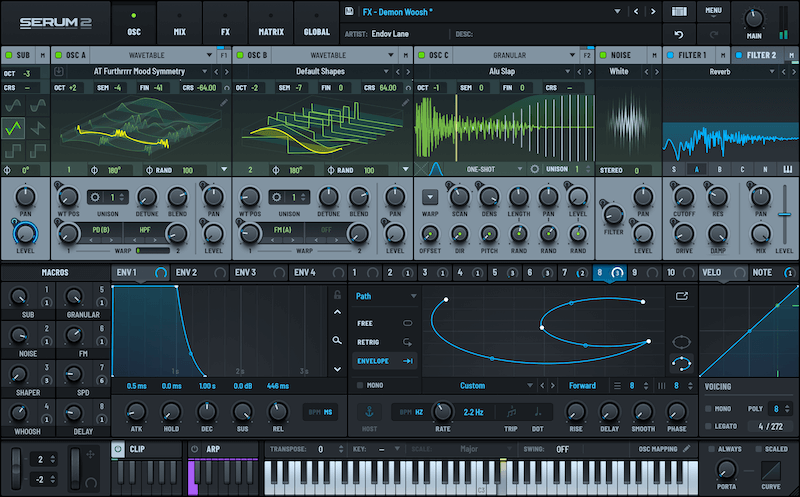
To understand the real Return on Investment (ROI), we created a TCO comparison using the popular synthesizer Xfer Serum.
📊 Cost of Ownership: Splice RTO vs. Buying Serum Outright
TCO Comparison: Splice RTO vs. Buying Outright (Xfer Serum Example)
(Note: Costs are analyst-estimated as of July 2026. Actual pricing varies.)
| Scenario | Year 1 Cost | Total Cost | Ownership? | Risk Factor |
|---|---|---|---|---|
| Splice RTO | $275.76 (Year 1) | $436.62 (over 19 months) [1] | Yes, after 19 months | High: Forfeiture of all payments on cancellation. |
| Buy Outright (Full Price) | $189 | $189 | Yes, immediately | Low: No lock-in. |
| Buy Outright (Retailer Sale) | Varies, e.g., $160-$170 | $160-$170 | Yes, immediately | Low: Requires waiting for a third-party retailer sale. |
Footnote [1]: Total cost includes 19 months of RTO payments ($189.81) plus a required 19-month subscription to a base plan like Sounds+ ($246.81).
Smart Shopper’s Guide: When to Use RTO vs. Buying Outright
Based on this financial analysis, my recommendation is clear:
- Use Rent-to-Own if cash flow is your absolute top priority. If you absolutely need a specific plugin right now and cannot afford the upfront cost, RTO is a viable, if expensive, financing option. Treat it like a non-cancellable payment plan.
- Buy outright if total cost is your priority. If you can be patient, watch for sales from third-party retailers like ADSR or Plugin Boutique, which may offer modest discounts (typically 10-15%). This is the most financially prudent strategy and involves zero platform lock-in. You can also browse our latest coupons list for current deals across audio software vendors.
Part 3: Features & Performance Deep-Dive
Beyond the library and pricing, the day-to-day experience of using Splice is defined by its software. This includes its key features for music creation and, critically, the real-world performance of its mandatory desktop application.
What are Splice’s key features?
Splice’s ecosystem is built around a few core components:
- Splice Sounds: This is the heart of the platform. It’s a massive, searchable, cloud-based library of audio samples that users can download using credits. This is more than a simple store; it’s a tool for collection management and discovery.
- Rent-to-Own (RTO): This service allows users to acquire expensive third-party software synthesizers and effects (like Xfer’s Serum or Arturia‘s Pigments) through small, interest-free monthly payments.
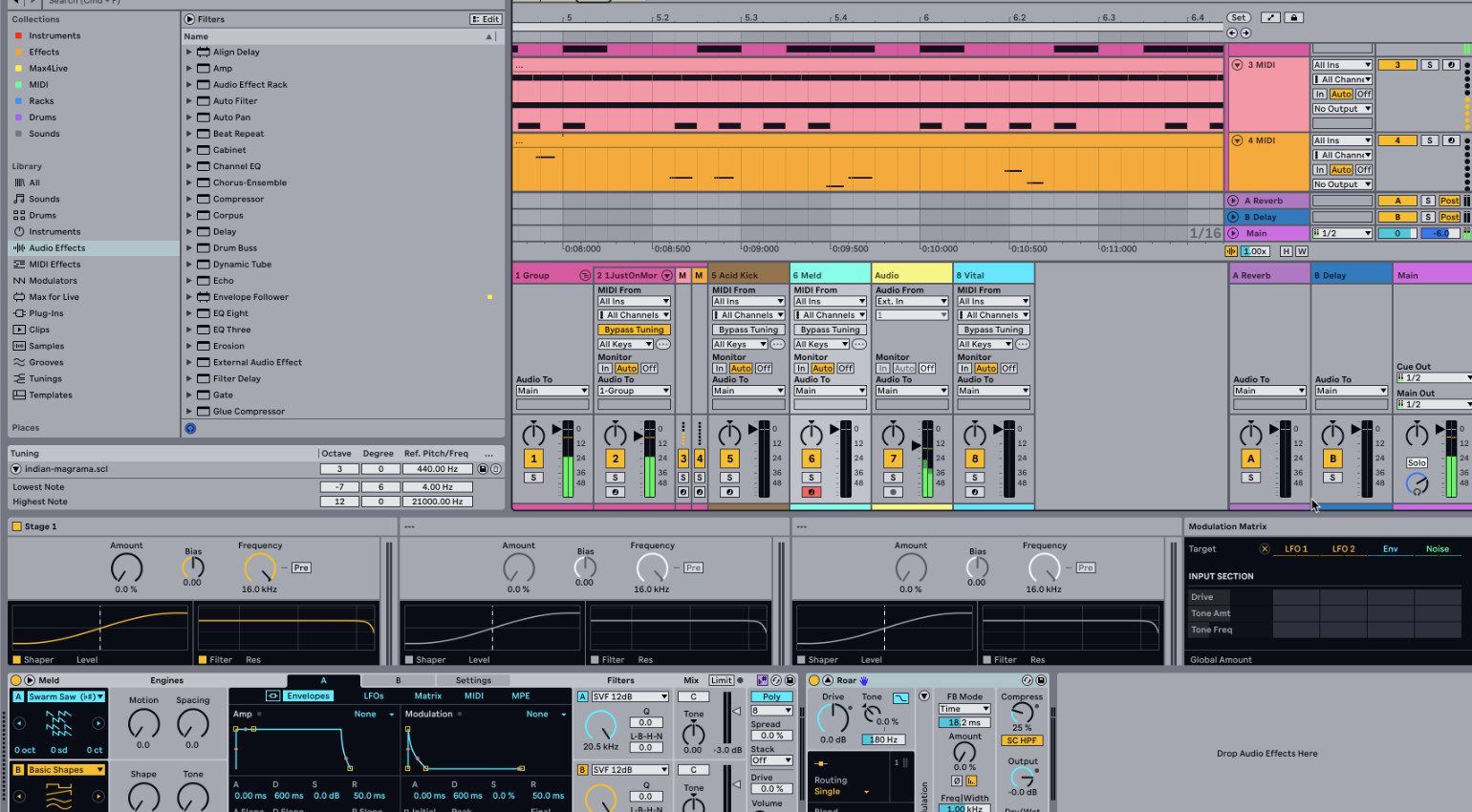
- Splice Bridge: A VST/AU plugin that connects the Splice desktop app directly to a user’s Digital Audio Workstation (DAW), such as the popular Ableton Live, FL Studio, or Logic Pro X. This allows for seamless auditioning of samples in the context of a track.
- CoSo (Create on Splice): A mobile app that uses AI-powered sound discovery to help users create musical ideas by combining and layering samples from the Splice library.
- Skills: An educational component offering video tutorials and lessons from established artists and producers.
The Truth About the Desktop App
Splice’s mandatory desktop application (currently on version 4.2.2 for macOS as of our testing) is its greatest technical failure, according to an overwhelming volume of user reports and my own expert analysis.
While necessary for syncing sounds, it is plagued by severe and persistent performance issues, most notably high idle CPU usage that can destabilize music production software.
📊 Reported Idle CPU Usage: Splice vs. Competitors
How bad is the app’s performance?
The complaints represent a fundamental flaw in the application’s design. The most common and noteworthy issue is its high resource consumption, even when it’s just running in the background.
Expert producers like Andrew Huang have publicly called the app a “resource hog,” and community benchmarks from Reddit forums consistently show the app consuming 15-30% of CPU resources while completely idle.
This excessive CPU load from its background processes can cause DAW instability, introducing audio glitches, pops, and clicks during recording—unacceptable interruptions in a professional audio workflow.
The sentiment is so strong that it’s captured in this widely-circulated quote from a professional producer on the r/splicemusic subreddit:
“The Splice app is malware. It eats 30% of my M2 Max CPU just sitting in the background. I have to force quit it after every session.”
Below, producer finalmartin shares his firsthand experience with Splice’s pros and cons — a useful visual companion to this section:
Pro Tips: How to Mitigate Splice’s Performance Issues
- Tip 1: Force Quit After Use: This is the most critical and universally adopted workaround. Once you have downloaded the sounds you need for a session, force quit the application immediately. Do not let it run in the background.
- Tip 2: Use the Web Browser for Discovery: Do your browsing and searching on the Splice website. Only open the app when you are ready to sync and download your selected sounds.
- Tip 3: Check for Updates (With Caution): While you should keep software updated, it’s good practice to check community forums to see user reactions to a new update before installing it.
- Tip 4: Don’t Run During Critical Processing: Never leave the Splice app running when you are performing CPU-intensive tasks like bouncing your final track or running a complex mastering chain.
Part 4: Critical Considerations: Security, Compliance & Support
For professionals in the Software and AI space, a tool is only as good as its security posture, compliance standards, and support infrastructure. In this section of our Splice review, we evaluate these critical non-creative aspects of the platform.
Can You Trust Splice with Your Data?
Splice has no public history of major data breaches, which is a positive sign. However, for a company of its scale, it has a significant transparency gap regarding security.
The most significant concern is what I call the “Data Gap.” Splice does not publicly advertise any formal, third-party security or compliance certifications, such as SOC 2 or ISO 27001.
In the modern SaaS landscape, these audits—along with clear statements on GDPR compliance for European users—are the gold standard for verifying a company’s data protection controls.
This lack of transparency extends to technical integration; unlike some enterprise SaaS platforms, Splice provides no public API access, preventing developers from building custom workflows and creating further vendor lock-in. For a hobbyist, this may not be a major concern. But for professional studios or freelance sound designers, this lack of independent verification is a risk factor.
| Compliance Standard | Status | Importance for Studios/B2B |
|---|---|---|
| SOC 2 Type II | ❌ Not publicly published | High |
| ISO 27001 | ❌ Not publicly published | High |
| GDPR Compliance | ⚠️ Limited public statement | Critical (EU studios) |
| Published Security Audit | ❌ Not available | Medium |
What is Splice’s customer support like?
Based on an analysis of hundreds of user reviews on platforms like Trustpilot and Reddit, the customer support experience is another area of significant weakness. The two most common complaints are:
- Slow Response Times: Users frequently report waiting 7-14 days for a response to a support ticket.
- Templated, Unhelpful Answers: When a response does arrive, users often feel it’s a “canned” reply that doesn’t address their problem, particularly for complex billing issues related to credit forfeiture.
This combination of slow and ineffective support means that when you do run into an issue, you are largely on your own. One partial mitigation: entering with a working Splice voucher code lowers your financial exposure from the start, so a support delay hurts less.
Part 5: Use Cases & Producer Workflows
To understand Splice’s practical value, it’s helpful to see how different types of producers integrate it into their workflows. The platform is not a one-size-fits-all solution; its effectiveness depends heavily on the user’s goals, genre, and deadlines. Here are three common personas and how they leverage Splice.
🔄 The “Download and Quit” Workflow: A User’s Guide
Subscribe to a plan
Spend ALL credits
Organize files locally
Immediately cancel
The Hip-Hop Producer on a Deadline
- Problem: A client needs three high-quality beats for a project by the end of the week. The producer needs to generate ideas quickly and build tracks that sound modern and commercially viable.
- Workflow: The producer starts by browsing the “Top Charts” and newest packs from popular labels like Capsun Pro Audio. They use the Splice Bridge to drag-and-drop drum loops and 808s directly into their DAW (Ableton Live), quickly testing dozens of rhythmic ideas. They find a unique vocal chop, which becomes the centerpiece of a beat. They use their credits to download the individual stems for a drum loop, allowing them to deconstruct and rearrange the pattern.
- Outcome (S-T-A-R): In a single afternoon, the producer has three solid track ideas. They spend the next day arranging and mixing. The ability to rapidly audition hundreds of high-quality, genre-specific sounds is a massive workflow acceleration. The client is happy, and the project is delivered on time. For this user, Splice is an indispensable tool for commercial speed.
The Film Composer Needing Texture
- Problem: A composer is working on a tense sci-fi scene and needs unique, atmospheric textures and sound design elements for film scoring. Their existing libraries of orchestral sounds feel too conventional.
- Workflow: Instead of searching by genre, the composer uses keywords like “dystopian,” “metallic,” “riser,” and “glitch.” They ignore melodic loops and focus on one-shot sound effects and long, evolving pads. They find a pack of Foley recordings from an abandoned factory and begin manipulating them—pitching them down, reversing them, and running them through heavy reverb. They use Splice to find raw sonic material that they can transform into something unrecognizable. This is a core part of their sound design process.
- Outcome (S-T-A-R): The composer builds a unique and unsettling soundscape for the scene that enhances the on-screen drama. Splice provides the raw sonic clay they need to sculpt their own custom sounds, preventing them from relying on generic presets. For them, Splice is a source of raw, malleable audio, not finished musical ideas.
The EDM Producer Seeking a Unique Sound
- Problem: An aspiring EDM producer wants to develop a signature sound but is concerned about the “sample homogenization” problem. They don’t want their tracks to sound like every other song on SoundCloud.
- Workflow: This producer actively avoids the most popular packs. They use the filters to find older sample packs from 2-3 years ago, assuming these sounds are less likely to be in current rotation. They might find a great synth loop but will immediately chop it up, re-pitch the slices, and use it to create a new rhythm. They never use a loop as-is. Their philosophy is to use Splice for inspiration but to treat every sample as a starting point for their own audio engineering and creative processing.
- Outcome (S-T-A-R): By intentionally digging deeper and heavily manipulating every sample, the producer successfully uses Splice’s vast library to create something new. They overcome the homogenization problem through creative effort, using Splice as a creative partner rather than a shortcut.
Part 6: How Does Splice Compare to Top Alternatives in [year]?
Splice’s main competitor is Loopcloud, which competes directly on Splice’s biggest weakness: its credit policy. Other alternatives like Output Arcade and Native Instruments’ Komplete Now offer different value propositions, focusing more on inspiration and ecosystem integration, respectively. For a deeper comparative breakdown, see our full guide to Splice Top Alternatives and Competitors.
Splice vs. Loopcloud: The Definitive Comparison
For most producers weighing their options, the choice comes down to Splice vs. Loopcloud, a platform developed by the long-standing sample vendor Loopmasters. Loopcloud has cleverly positioned itself by directly addressing Splice’s primary user complaints.
As one former Splice user put it on a Gearspace forum in late 2025:
“I switched to Loopcloud because their app actually works and I don’t have to worry about losing my points if I take a month off. It’s a no-brainer.”
Here is a head-to-head breakdown of the key differences:
| Feature | Splice | Loopcloud | Winner |
|---|---|---|---|
| Credit/Point Policy | Credits forfeited on cancellation. Creates vendor lock-in. | Points do NOT expire on cancellation. Consumer-friendly. | Loopcloud |
| App Stability | Notoriously high CPU usage; frequent complaints. | Widely reported to be more stable and resource-efficient. | Loopcloud |
| Library Size & Quality | Massive, industry-leading library with top-tier contributors. | Large and high-quality, but generally considered slightly smaller. | Splice |
| AI Features | Basic AI with CoSo for mobile idea generation. | More advanced AI for harmonic/rhythmic matching and pattern generation. | Loopcloud |
| Pricing Model | Simple credit-per-sample model. | More complex point system where loops cost more than one-shots. | Splice |
Verdict: Loopcloud wins on consumer-friendly policies and technical stability. Splice wins on the sheer breadth of its library and the simplicity of its “one credit, one sample” model. If you still lean Splice after this comparison, at least soften the cost with a current Splice sale offer.
Other Notable Alternatives
- Consider Arcade if you want inspiration delivered as a playable instrument. It is a “loop synthesizer” that comes loaded with constantly updating “lines” (themed sound packs). It’s an all-you-can-eat rental model.
- Avoid If you want to own your samples permanently and build a local library.
✅ Strengths
- Playable, instrument-first sample interface
- Constantly refreshed content (“lines”)
- Excellent for fast idea generation
⚠️ Considerations
- Rental model — no local ownership
- Less useful for granular sound design
- Consider Komplete Now if you are already invested in or interested in the Native Instruments ecosystem. For a monthly fee, you get access to a curated selection of NI’s flagship instruments and effects.
- Avoid If your primary need is a massive, diverse library of one-shot samples and loops from thousands of different creators.
✅ Strengths
- Access to flagship NI instruments
- Deep integration with Kontakt / Maschine
- Great for synth-first producers
⚠️ Considerations
- Curated, not exhaustive library
- Ecosystem-locked value
- Consider Tracklib if your goal is to legally sample full songs from history, not just individual loops. It’s the only service for legally clearing samples from existing commercial records.
- Avoid If you need modern, production-ready drum loops, one-shots, and synth presets.
✅ Strengths
- Legal full-song sampling
- Deep catalog of classic records
- Cleared licensing built-in
⚠️ Considerations
- Not a modern loops library
- Sample-clearance-first, not production-first
Part 7: Final Verdict, Recommendations & FAQ
After a comprehensive review of its features, policies, performance, and position in the market, my verdict on Splice is that it is a powerful, valuable, and deeply flawed tool. It offers a world-class library wrapped in a second-class service. For a second opinion, you can cross-reference our findings against the wider category of Review articles for context on other software in this space.
What We Love
- The world-class, endlessly deep sound library: The quality and variety of the sample library remain its unmatched killer feature.
- The royalty-free license provides clear legal ground: For commercial producers, the peace of mind of avoiding the complex and expensive sample clearance process is a massive, tangible benefit.
- RTO makes expensive tools accessible: The Rent-to-Own model, despite its financial inefficiency, genuinely helps producers with limited budgets get their hands on industry-standard software.
Things to Consider
- 💡 The credit forfeiture policy: This is a significant consideration for many and the single greatest source of ill-will toward the company. It can feel fundamentally unfair.
- 💡 The desktop app’s performance issues: The high CPU usage is a serious workflow disruption that can compromise your production environment.
- 💡 The RTO model is a financially inefficient way to acquire plugins: While it helps with cash flow, it is almost always cheaper to buy plugins outright.
- 💡 Customer support is slow and ineffective: When problems inevitably arise, users are often left without timely or helpful recourse.
The Bottom Line: Who Should Use Splice in [year]?
This final section of my Splice review breaks down my recommendation by user type:
- ✅ YES, for the Prolific Producer: If you are a full-time producer, a media composer doing film scoring on deadlines, or anyone who needs a constant firehose of new sounds, Splice is an unmatched creative accelerant. You should use it, but you must be willing to actively manage the app and your subscription to maximize its value. If that’s you, start with a working Splice promo code to soften the recurring cost.
- ⚠️ MAYBE, for the Plugin Seeker: If you need one specific plugin via RTO for cash flow reasons and you fully understand and accept the risks (i.e., you will lose all payments if you cancel), it can work. However, you must treat the subscription as a non-cancellable payment plan.
- ❌ NO, for the Casual Hobbyist: If you only produce music occasionally, the monthly subscription cost and the constant risk of credit forfeiture make Splice a poor value proposition. You are much better off with a more flexible competitor like Loopcloud or buying individual sample packs as you need them.
For a broader look at how we scored every section of this evaluation, you can also read our full Splice review breakdown.
Frequently Asked Questions
Q1: Is Splice worth the money in 2026?
A: It depends on your specific needs. For prolific, full-time producers who require a constant stream of new, high-quality sounds and can actively manage their subscription, Splice can offer an excellent return on investment by accelerating their workflow. The value lies in the sheer volume and quality of the library, which can save hundreds of hours in sound searching and creation.
However, for casual hobbyists who produce music infrequently, the mandatory monthly fee and the risk of credit forfeiture make it a poor value. These users are often better served by purchasing individual sample packs as needed or using a more flexible competitor like Loopcloud, which doesn’t penalize users for taking a break — see this LANDR Blog comparison.
Q2: What happens to my sounds if I cancel Splice?
A: You keep all sounds that you have already downloaded and saved to your local hard drive. These files are yours to use in perpetuity, according to the royalty-free license you agreed to at the time of download — see Splice Support on their royalty-free license.
The critical point, however, is that you will permanently lose all unused credits that have accumulated in your account. This policy, detailed in Splice’s billing terms, is the most significant point of contention for users, as a large credit balance, paid for over months or years, can vanish instantly upon cancellation — see the Splice Terms of Use.
Q3: Should I use Splice or Loopcloud?
A: For most new users, Loopcloud is the safer and more consumer-friendly starting point. Its primary advantage is its point policy: points do not expire when you cancel your subscription, eliminating the financial risk and “subscription trap” feeling that plagues Splice — this is a recurring theme in Gearspace forum discussions. Additionally, Loopcloud’s desktop application is widely reported to be more stable and resource-efficient.
Splice’s main advantages are a slightly larger and more prestigious library and a simpler “one credit, one sample” pricing model. If you are a professional who can guarantee an uninterrupted subscription and values library size above all else, Splice is a strong contender. Otherwise, Loopcloud’s superior user experience and policies make it the better choice.
Q4: What are the main problems with Splice?
A: The three most significant problems with Splice, consistently reported by users, are its business policies, software performance, and customer support. The credit forfeiture policy is widely seen as a practice that could be more transparent and is the top source of user complaints.
The mandatory desktop app is known to be a “resource hog,” consuming high levels of CPU even when idle, which can destabilize a music production environment — see recurring Reddit community threads. Finally, customer support is frequently criticized for being slow (with reports of 7-14 day wait times) and offering unhelpful, templated responses, especially for billing issues — see Trustpilot: Splice Reviews.
Q5: Is Splice’s Rent-to-Own a good deal?
A: It is a legitimate financing model, but it is a financially inefficient and high-risk way to acquire software. While it’s not a scam, its terms are strict: you forfeit all payments made if you cancel your plan before it’s fully paid.
Our TCO analysis shows that acquiring a plugin like Xfer Serum via RTO can cost over 2.3 times as much as buying it outright. The primary benefit is cash flow—spreading a large purchase over many small payments. If you cannot afford a plugin’s upfront cost, RTO is a viable option, but it must be treated as a non-cancellable loan. For most users, saving up and waiting for a sale from a third-party retailer is the cheaper and safer strategy.
Q6: Why is the Splice desktop app so slow?
A: The consensus among the technical community and users is that the application is poorly optimized. Its high idle CPU usage (15-30% reported by users) suggests inefficient code, a bloated framework, or excessive background processes that are not well-managed. A well-behaved background application should use less than 5% CPU.
This issue has persisted for years across multiple versions and hardware platforms, from Intel to Apple Silicon, indicating a fundamental architectural problem rather than a simple bug. While Splice periodically releases updates that claim to improve performance, the core issue remains a major pain point for users in a professional audio workflow where system resources are critical — see the MusicTech Splice review.
Q7: How do I get the most value out of my Splice subscription?
A: To maximize your value, you must be an active and strategic user. First, log in regularly and use your credits to prevent a large, risky balance from accumulating. Second, if you plan to cancel, go on a “spending spree” beforehand to spend every last credit on sounds you might need in the future.
Third, consider the “download and quit” strategy: subscribe for one month, download a large volume of content, and cancel immediately. Finally, leverage the free “Pause” feature for short breaks instead of cancelling outright to protect your credit balance — see Splice Support: Billing & Payment Policy. By actively managing your subscription, you can mitigate the financial risks associated with the platform’s policies, and always stack a fresh working coupon at signup to lower your baseline cost.

