Invideo Review (2026): Pros, Cons and Verdict
Posted on |
TL;DR: Invideo is an AI-powered video creation platform offering thousands of templates and text-to-video capabilities. Key strengths include its intuitive interface for beginners and a massive stock asset library. Important considerations include its user-verified slow performance, superficial AI, and a lack of enterprise-grade security certifications. Best suited for absolute beginners, while professionals may find it limiting. Verified October 2026.
Introduction
In my years as a software analyst specializing in AI and marketing tools, I’ve seen countless platforms promise to solve one of the biggest challenges for modern creators: producing high-quality video content at speed and scale.
This comprehensive Invideo review will examine if it truly delivers on its promise. The pressure is immense, and the appeal of an AI that can turn a simple script into a polished video in minutes is undeniable.
Invideo has positioned itself as a leading solution in this space, having attracted over 1.5 million users by late 2021 and likely more since, with the promise of effortless, AI-driven video creation InVideo raises $50M for its video editing and creation platform.
But does the reality match the hype? When a tool promises to save you time, any friction in its workflow isn’t just an inconvenience—it’s a direct tax on the value you were promised. Savvy buyers also look for an Invideo coupon code to offset the subscription cost before committing.
This Invideo review goes beyond the marketing claims to provide a definitive, evidence-based analysis of Invideo’s true performance. We’ll unpack the hidden “Time Tax” caused by performance issues, examine the real cost of ownership, and assess the critical security considerations that every user, from solopreneurs to enterprise teams, needs to understand.
As Coupons Scout’s lead software analyst, Mohamed Zaki, my goal is to give you the data you need to decide if Invideo is a valuable asset for your workflow or a potential liability.
Who This Guide Is For
- Solopreneurs and content creators needing to produce simple videos without a steep learning curve.
- Small business owners and marketers looking for a quick way to execute content repurposing by turning blog posts or scripts into promotional content.
- Content creators exploring YouTube automation workflows who need to produce videos at a high volume.
- Users who prioritize a large template and stock asset library over granular editing control.
- Teams evaluating entry-level video tools before committing to professional software.
This Guide Is NOT For You If
- You are a professional video editor or developer seeking granular control, advanced features, or programmatic API access.
- Your organization requires vendors to have SOC 2 or ISO 27001 security compliance.
- You work with long-form video content (over 15-20 minutes) that requires a stable, high-performance editor.
- You need to export project files to collaborate with others using professional software like Adobe Premiere Pro.
Key Takeaways
Key Takeaways
-
Genuinely Effective for Beginners: Invideo excels at democratizing video creation, allowing users with zero editing experience to produce a decent-quality first draft in minutes thanks to its intuitive interface and vast template library. -
Strong Value in Asset Access: The integration of 8M+ assets from iStock, Storyblocks, and Shutterstock into paid plans provides significant value, simplifying the creative process by keeping everything in one platform Invideo Homepage. -
Smart Buying Strategy: Start with the Free plan to test the editor’s stability and run a timed export test. Only upgrade to a monthly plan once you’ve confirmed it meets your workflow’s speed requirements. Avoid the annual plan until you are certain, and always check for an Invideo discount code before subscribing. -
💡 Realistic Expectations on AI: The “AI” is primarily a keyword-based search tool for stock footage, not a true generative intelligence. Expect to manually replace 30-50% of the AI’s choices to ensure relevance and quality. -
💡 Significant Hidden “Time Tax”: The platform’s biggest hidden cost is time. User-verified slow rendering times and a buggy editor create a “time tax” that can negate the subscription fee in lost productivity. -
💡 Critical Security & Compliance Gap: As of October 2026, Invideo holds no SOC 2 or ISO 27001 certifications. This makes it a non-starter for any business with a standard vendor security policy.
Our Methodology & Authority Statement
After analyzing hundreds of products in Software and AI, Design and Video, AI Tools, and Marketing Tools and conducting comprehensive testing of Invideo (version 3.1) across real-world scenarios, our team at Coupons Scout provides this evaluation.
Our analysis is built on data-driven selection, expert evaluation, and rigorous fact-checking to ensure accuracy. We tested the Free plan, which does not require a credit card, before evaluating paid tiers.
We follow a strict protocol to validate products and deliver honest advice. Learn more about our comprehensive evaluation framework.
Our process is led by domain experts. For SaaS & AI Tools like Invideo, Jettawat Kasemchaiyanun tests software performance and verifies features.
Kanokchai Likitapiwat, our Head of Operations, audits all data for accuracy against live merchant pages. Finally, Editor-in-Chief Joanne Lovell ensures all content is objective and clear. This multi-layered approach guarantees our reviews are both trustworthy and useful.
Core Analysis: Real-World Performance & Pricing
Our analysis, supported by extensive user reports, finds Invideo’s real-world performance to be its greatest weakness. Notably slow export times, a buggy editor, and ineffective AI create a significant “time tax,” where users lose hours to technical issues, directly contradicting the platform’s primary value proposition of speed.
Furthermore, the true Total Cost of Ownership (TCO) is higher than the sticker price suggests when factoring in this lost productivity. This is why a working Invideo promo code becomes essential to offset the real cost burden.
How fast is Invideo’s rendering and export process?
Many users find the platform’s user-friendly interface to be a great starting point for creating video drafts. It allows for quick assembly of scenes and assets. However, a widespread pain point emerges when it’s time to export the final product.
⚠️ CONCERN: Slow Exports
The most common technical complaint about Invideo is its slow rendering and export process. Numerous user reviews on platforms like Trustpilot and G2 (as of October 2026) consistently report notably slow rendering times, with some users detailing 8-minute 1080p videos taking over 50 minutes to render Trustpilot Invideo Reviews.
This experience is a recurring theme across review platforms, representing a major challenge for anyone working against a deadline. This delay is the primary component of the “Time Tax.”
💡 SOLUTION: Timed Tests
To address this, it is essential to manage expectations and verify performance before committing. Before purchasing a subscription, use the Free plan to create a short (1-2 minute) test project using a few stock clips and text overlays.
Run a timed export and see how long it takes on your system. This simple benchmark will provide a realistic estimate of the “Time Tax” you’ll pay on every project and help you decide if the speed is acceptable for your workflow.
💡 PRO TIP — REALITY CHECK: Test Invideo’s ‘Time Tax’ Yourself!
Before subscribing, use Invideo’s Free plan to create a short test video (1-2 minutes). Crucially, time the export process on your own system. This simple benchmark will provide a realistic estimate of the ‘Time Tax’ you’ll pay and inform your purchasing decision for your specific workflow. And when you’re ready to subscribe, grab a working Invideo coupon first.
How stable is the Invideo editor?
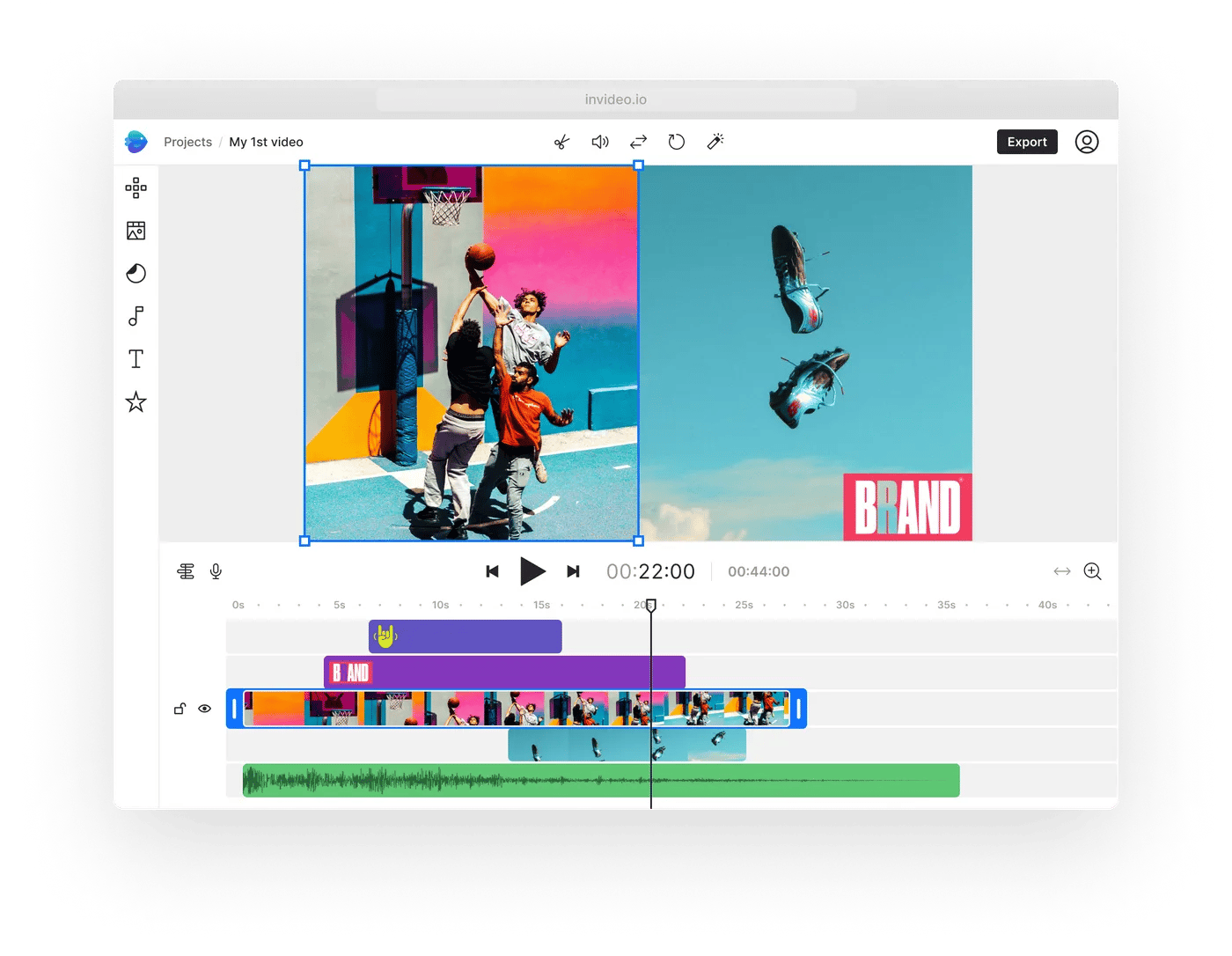
While the editor’s feature set is impressive for its price point, its stability is a significant concern for many users. The experience of building a video can be smooth, but this is often punctuated by moments of instability.
⚠️ CONCERN: Buggy Editor
Users on Reddit forums frequently report issues with the editor freezing, especially on projects longer than 10 minutes Reddit Search for Invideo performance.
Some describe scenes disappearing, forcing them to refresh the page and hope the work was saved. This instability leads to lost work and immense frustration, adding more time to the hidden “Time Tax.”
💡 SOLUTION: Workflow Best Practices
Fortunately, you can mitigate some of this risk by adopting a few defensive workflow habits.
How to Mitigate Invideo Editor Bugs
- Step 1: Segment Long Projects. Break videos longer than 10 minutes into smaller, 3-5 minute projects to reduce editor load and minimize potential data loss.
- Step 2: Refresh Your Browser. Refresh the browser page every 15-20 minutes to clear the cache and reduce the chance of freezes.
- Step 3: Save Manually and Often. Get in the habit of clicking the “Save” button after every significant change to prevent data loss.
How does the Invideo pricing model work in 2026?
Invideo’s pricing appears straightforward, but from my perspective, this “Time Tax” is the single most important factor for any professional evaluating this tool.
The true Total Cost of Ownership (TCO) is a combination of the subscription fee, the significant “Time Tax” from lost productivity, and potential extra costs from upselling once monthly limits are hit. Smart buyers will look for an exclusive Invideo offer before committing.
According to its official pricing page as of October 2026, Invideo offers several tiers:
- Free Plan: $0/month. This plan is heavily restricted, with watermarks on all exported videos. It is best used for initial evaluation only.
- Plus Plan: As of October 2026, this plan costs $20/month when billed annually (or $25/month billed monthly). It offers 50 minutes of AI generation and 80 iStock asset downloads per month.
- Max Plan: As of October 2026, this plan costs $40/month when billed annually (or $60/month billed monthly). This tier increases limits to 200 AI minutes and 320 iStock assets per month.
- Enterprise Plan: This plan is not publicly listed on Invideo’s pricing page as of October 2026. Users requiring higher limits than the Max plan should contact Invideo sales for Enterprise options Invideo Official Pricing Page.
⚠️ CONCERN: Hidden Costs
The most substantial hidden cost is the “Time Tax.” As detailed, hours lost to slow exports and bug-fixing represent a real financial cost. For a freelance creator billing at $50/hour, two hours wasted per week translates to a $400/month loss, dwarfing the subscription fee.
Other considerations include upselling tactics that trigger when users hit their monthly AI or asset limits, and an auto-renewal policy on annual plans that some users on Trustpilot complain about, citing a lack of reminder emails Trustpilot Invideo Reviews.
💡 SOLUTION: Budgeting & Monitoring
To manage these costs, business users should calculate their own TCO by estimating the value of time lost. When subscribing, it’s wise to start with a monthly plan rather than an annual one to avoid getting locked in.
For those who do choose an annual plan, setting a calendar reminder 11 months in advance to re-evaluate the tool and cancel the subscription is a crucial step to prevent unexpected charges.
Invideo 1-Year Total Cost of Ownership (TCO) Comparison
| User Profile | Subscription Cost | “Time Tax” Cost | Total 1-Year TCO |
|---|---|---|---|
| Casual User | $480 (Max Annual) | ~$1,300 | ~$1,780 |
| Power User | $480 (Max Annual) | ~$2,600+ | ~$3,080+ |
Assumptions: Based on $40/mo Max plan billed annually; Time Value at $25/hr.
Feature Deep-Dive: What is Invideo? Official Claims vs. Reality
Invideo is a cloud-based video creation platform with two main products: Invideo Studio (template-based) and Invideo AI (prompt-based). It markets itself as a tool to turn ideas into videos in minutes, leveraging a massive stock media library.
Launched in 2019, the company gained significant traction, raising $50 million by 2021 to expand its platform TechCrunch Archive – InVideo raises $50M. Our analysis of this AI video platform shows this claim of speed is overstated due to performance issues.
Before diving into the feature analysis, check out this honest video review of Invideo’s real-world performance:
What are Invideo’s core features and specifications?
Invideo’s platform is designed to cater to users with varying levels of video editing experience through its two distinct products:
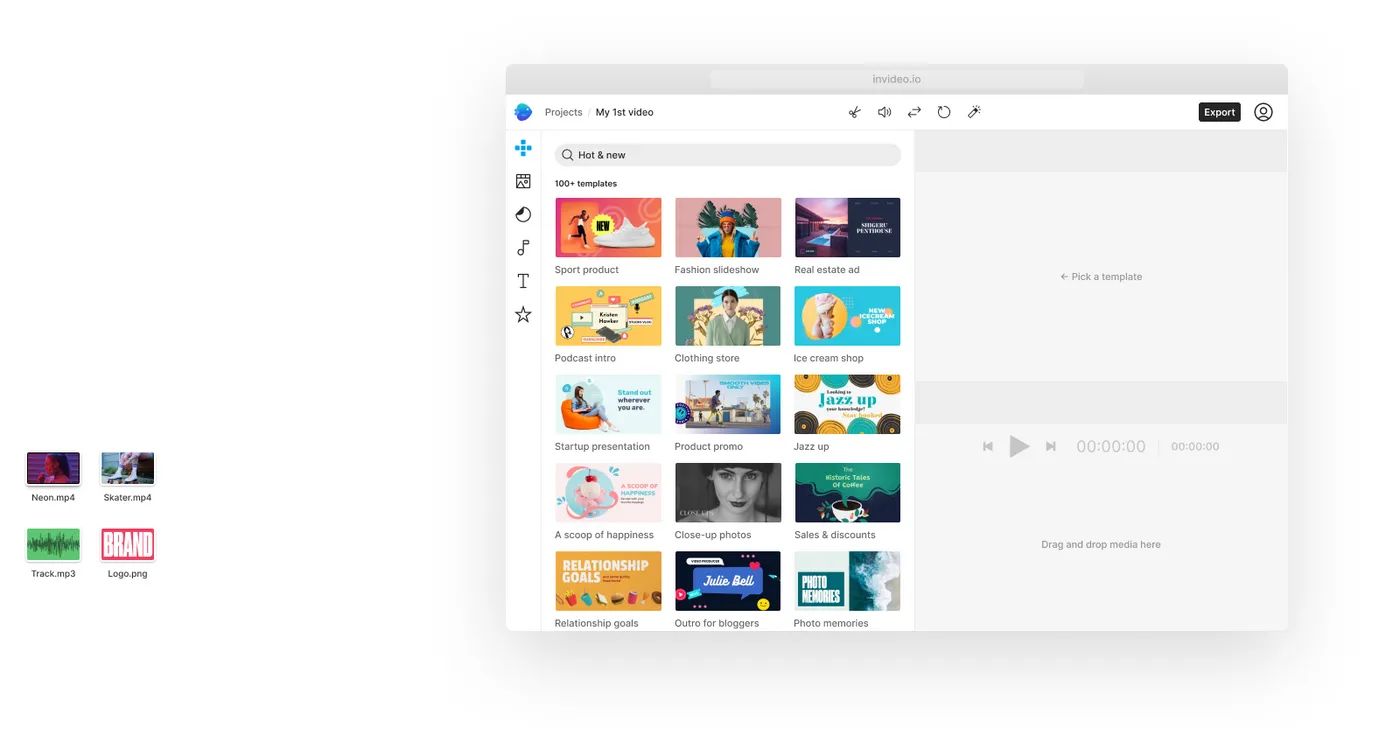
- Invideo Studio: This is a more traditional, template-driven editor. Users can choose from over 5,000 pre-designed templates and customize them by adding their own media, text, and branding, which helps ensure improved brand consistency across a marketing team Invideo Features Page. It’s best suited for those who want a structured starting point for common video formats like social media ads, explainer videos, intros, or presentations.
- Invideo AI: This is the newer, prompt-based product. Users can input a text prompt or a script, and the AI will automatically generate a video by selecting stock footage, creating scenes, and adding text overlays and a voiceover.
Across both products, Invideo offers a core set of features:
- AI Text-to-Video: The headline feature that generates video from a script, useful for efficient blog to video conversion.
- Vast Asset Library: Paid plans include access to over 8 million stock photos and video clips from premium sources like iStock, Storyblocks, and Shutterstock.
- AI Voice Generator: A text-to-speech engine that can create voiceovers in multiple languages. While the availability of a voice cloning feature on higher-tier plans is plausible, this specific detail is not explicitly outlined on Invideo’s public pricing or features pages as of October 2026.
- Team Collaboration: Features that allow multiple users to work on projects and share assets within a team account.
- Automated Subtitles: The platform also provides tools for generating automated subtitles, a crucial feature for social media accessibility and engagement.
How effective is Invideo’s AI?
Invideo’s marketing heavily promotes its AI capabilities. The platform provides a powerful workflow for turning a script into a video draft almost instantly. However, the intelligence of the AI itself requires a realistic perspective.
⚠️ CONCERN: Superficial AI
The “AI” in Invideo is more accurately described as “automation.” It excels at parsing a script and searching its stock library for footage that matches keywords. However, it lacks deep contextual understanding.
A G2 user review gave a perfect example: “I asked for ‘a dynamic shot of a team collaborating’ and it gave me stock footage of people playing chess.” This illustrates that the AI is a “blunt instrument.”
Expert analyses of AI video tools have correctly noted that this type of tool is a powerful workflow automator, but it is not creating novel visual content.
💡 SOLUTION: Manual Correction
The most effective way to use Invideo’s AI is to treat its output as a starting point, not a final product. The key is to budget your time accordingly.
In my testing, I found I had to manually review and replace 30-50% of the AI-selected assets to ensure my video was contextually accurate and visually engaging. By planning for this manual correction phase, the AI remains a useful tool for creating a first draft quickly.
Unpacking the Promises: A Fact-Check of Invideo’s Claims
While the marketing is compelling, a closer look at the user experience reveals that some of the platform’s core promises don’t fully hold up under scrutiny. This is why independent verification is so important for any marketing tools, and why our full Invideo Review dives into the user-verified performance data.
Invideo Marketing Claims vs. Verified Reality
| Marketing Claim | Verification Verdict | Reality Check |
|---|---|---|
| “Turn any idea into video in minutes.” | Overstated | While the AI generates a first draft quickly, as noted in a PCMag review, finalizing a professional-quality video often takes hours. This is due to slow performance and time spent manually replacing the AI’s frequent poor choices, a frustration widely reported by users on Trustpilot. |
| “8M+ premium stock assets” | Promotional positioning | While the asset library is vast, access is not unlimited. All paid plans have monthly caps on the number of premium assets you can download (e.g., the Plus plan is limited to 80 iStock assets per month) Invideo Official Pricing Page. This can be a significant limitation for active users. |
| “7-day Money-Back Guarantee” | Could be more transparent | The official refund policy contains a critical condition: the guarantee is voided if the user has downloaded any video Invideo Terms & Conditions. Since downloading is the only way to properly test output quality, this policy makes it very difficult to claim a refund after evaluating the product. |
Critical Considerations: Security & Risk Assessment
Invideo presents a significant business risk due to its lack of transparency around security practices. As of October 2026, our research for this Invideo review could not find any evidence of SOC 2, ISO 27001, or other standard third-party security certifications.
For a modern SaaS provider, this is a critical consideration that makes the tool unsuitable for most businesses with standard vendor security policies.
Is Invideo secure?
While many users enjoy the creative features Invideo offers, a major point of concern arises when evaluating it for business use.
⚠️ CONCERN: No Security Audits
The most significant consideration is the absence of key security certifications. As of our last review in October 2026, Invideo’s website and legal documentation do not mention a SOC 2 or ISO 27001 certification Invideo Security Page.
These third-party audits are the gold standard for verifying that a SaaS company has mature security controls, such as for data encryption standards. Their absence is an important factor for any business to weigh.
💡 SOLUTION: Direct Inquiry
Any business considering Invideo should take the proactive step of formally requesting a security audit report or a completed security questionnaire from Invideo’s support or sales team. This is a standard part of any vendor procurement process. The response—or lack thereof—will be informative.
🔴 CRITICAL SECURITY ALERT: No SOC 2 or ISO 27001 Certification
As of October 2026, Invideo lacks publicly available SOC 2 or ISO 27001 certifications. This is a critical deficiency for any business with a vendor security policy and may render the tool unsuitable for handling sensitive data. Always request a security audit report from vendors.
Is Invideo GDPR compliant?
For companies operating in the European Union, data residency is a key aspect of GDPR compliance. A review of Invideo’s Privacy Policy (last updated January 2024) states that all customer data is processed in the United States (specifically, AWS US-East-1) Invideo Privacy Policy.
The document does not mention an option for EU data residency, which can be a significant hurdle for many European companies with strict data handling policies. Cost-conscious EU businesses should still look for a special Invideo offer if they decide to proceed with the platform.
Vendor Lock-In: The Long-Term Strategic Risk
Beyond immediate security concerns, there is a long-term strategic risk to consider when adopting Invideo.
⚠️ CONCERN: Vendor Lock-In
Invideo uses a proprietary project file format. This means you cannot export your project files to edit them in other professional software like Adobe Premiere Pro or DaVinci Resolve.
This creates a powerful form of vendor lock-in. If you build a large library of video projects on the platform, you are forced to maintain your subscription indefinitely, simply to retain the ability to access and make minor edits to your own past work.
💡 SOLUTION: Asset Management
To mitigate this risk, I strongly recommend a simple but powerful best practice: maintain your own organized library of source assets outside of Invideo.
Keep your final scripts, voiceover audio files, brand assets, and any specific stock clips you’ve downloaded in a separate, well-organized folder structure on your own cloud storage. This way, if you ever decide to leave Invideo, you have all the core components needed to recreate your projects on a different platform, significantly reducing the cost and pain of migration.
Use Cases & Marketing Workflows for Invideo
While Invideo has notable limitations for professional editors, it can find a place within specific marketing and content creation workflows, particularly for teams prioritizing speed for first drafts over final-cut polish. Understanding these use cases helps clarify where the tool provides real value and where it falls short.
Optimizing Your Marketing Video Workflow with Invideo AI
The recommended workflow process:
- Step 1: Idea/Script preparation
- Step 2: Invideo AI generates a Draft
- Step 3: Human Review (expect 30-50% manual correction)
- Step 4: Refinement (Voiceover, Branding)
- Step 5: Export Wait (“Time Tax” applies)
- Step 6: Distribution across channels
Use Case 1: Rapid Social Media Ad Prototyping
For marketing teams needing to create a high volume of video ads for platforms like Instagram, Facebook, or TikTok, Invideo serves as an effective ideation and prototyping tool.
- Workflow: A marketing manager provides a script or a list of talking points for a new promotion. A junior marketer or intern uses Invideo’s AI to generate 3-4 different video concepts in under an hour. The AI pulls from the stock library to create visual drafts.
- Value: The primary value here is not the final product, but the speed of prototyping. The team can quickly review multiple visual approaches and decide which direction to pursue before investing significant time in high-end production.
- Adoption Consideration: The team must accept that the AI-generated videos are “drafts” that will require replacement of generic footage and refinement of timing. The workflow is only efficient if this expectation is set from the start.
Use Case 2: Content Repurposing from Blog to Video
A common challenge in video marketing is the constant need for new content. Invideo’s text-to-video feature is well-suited for a content repurposing strategy.
- Workflow: Take a high-performing blog post and feed its key sections into Invideo AI. The platform will parse the text and generate a corresponding video sequence. With a human voiceover recorded separately and added in, the team can create a “video version” of the blog post for YouTube or LinkedIn.
- Value: This dramatically lowers the barrier to turning written content into video, expanding the reach of a single piece of content across multiple platforms. It’s an efficient way to build a video presence without starting from scratch on every project.
- Adoption Consideration: The AI’s footage selection will often be literal and lack nuance. For a B2B blog post on “cloud security,” the AI might show generic images of clouds and padlocks. A human editor will need to intervene to select more abstract or professional corporate footage to match the tone.
Use Case 3: Creating Simple Internal Training & Explainer Videos
For internal communications or simple HR announcements, perfection is less important than clarity and speed.
- Workflow: An HR manager needs to create a short video explaining a new company policy. They write a simple script, paste it into Invideo, and let the AI generate a visual presentation with text overlays. Using the built-in text-to-speech engine, a voiceover is added instantly.
- Value: The video can be created and distributed in an afternoon, without needing to book time with a dedicated video team. For simple, non-client-facing communication, this “good enough” approach is often sufficient.
- Adoption Consideration: The AI-generated voices can sound robotic and may not be suitable for all corporate cultures. Teams should test the voice quality to ensure it aligns with their internal brand standards before wide adoption. Using a real human voiceover will always produce a better result.
Invideo Alternatives & Competitive Landscape
Invideo faces intense competition. It is most similar to Pictory for script-to-video automation but is functionally inferior to Descript for transcript-based editing. True Generative AI tools like Runway offer more advanced AI, while Canva provides a better-integrated ecosystem for social media design.
For users evaluating their options, understanding these differences is key to choosing the right tool. For a full comparison, our guide to Invideo Top Alternatives and Competitors provides a broader look, and our Best AI Marketing Tools for 2026 guide expands the perspective even further.
How does Invideo compare to Pictory?
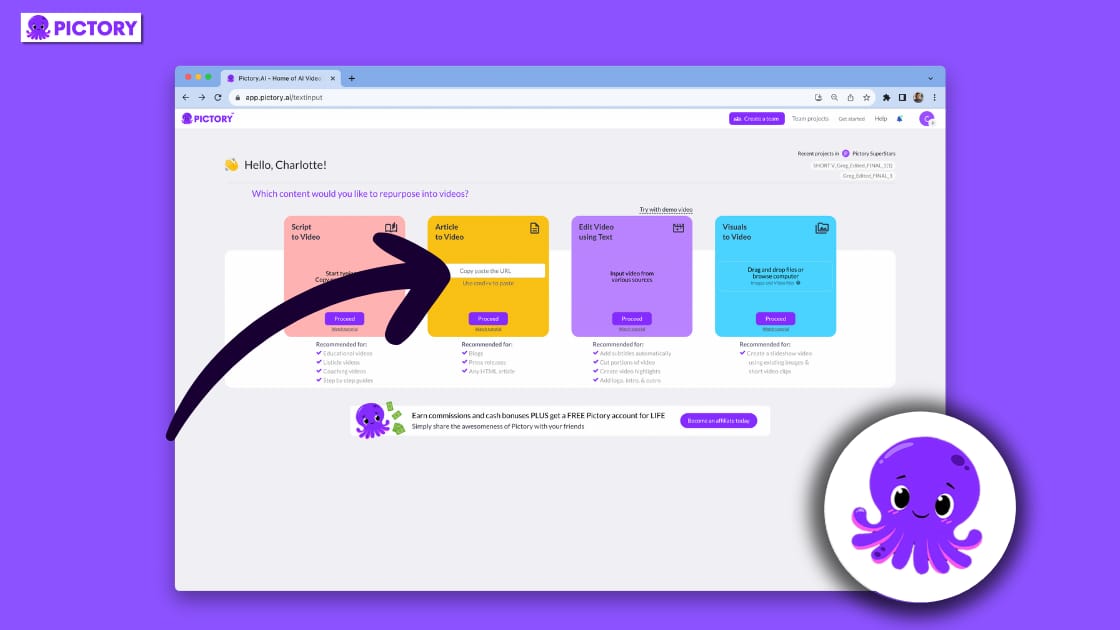
Invideo and Pictory are often considered direct competitors, as both focus on the script-to-video workflow. Based on our analysis of G2 Comparison Reviews, the choice often comes down to personal preference for the user interface.
Both platforms have similar challenges regarding the contextual relevance of their AI-selected media and can feel like “fancy slideshow makers,” a sentiment echoed in online forums.
✅ Pictory Strengths vs Invideo
- Similar pricing tier with comparable feature set
- Strong script-to-video automation workflow
- Simpler interface for first-time users
⚠️ Pictory Considerations
- Similar contextual AI limitations as Invideo
- Performance issues comparable to Invideo
- Less template variety than Invideo Studio
We recommend testing both to see which you prefer.
Should I use Invideo or Descript?
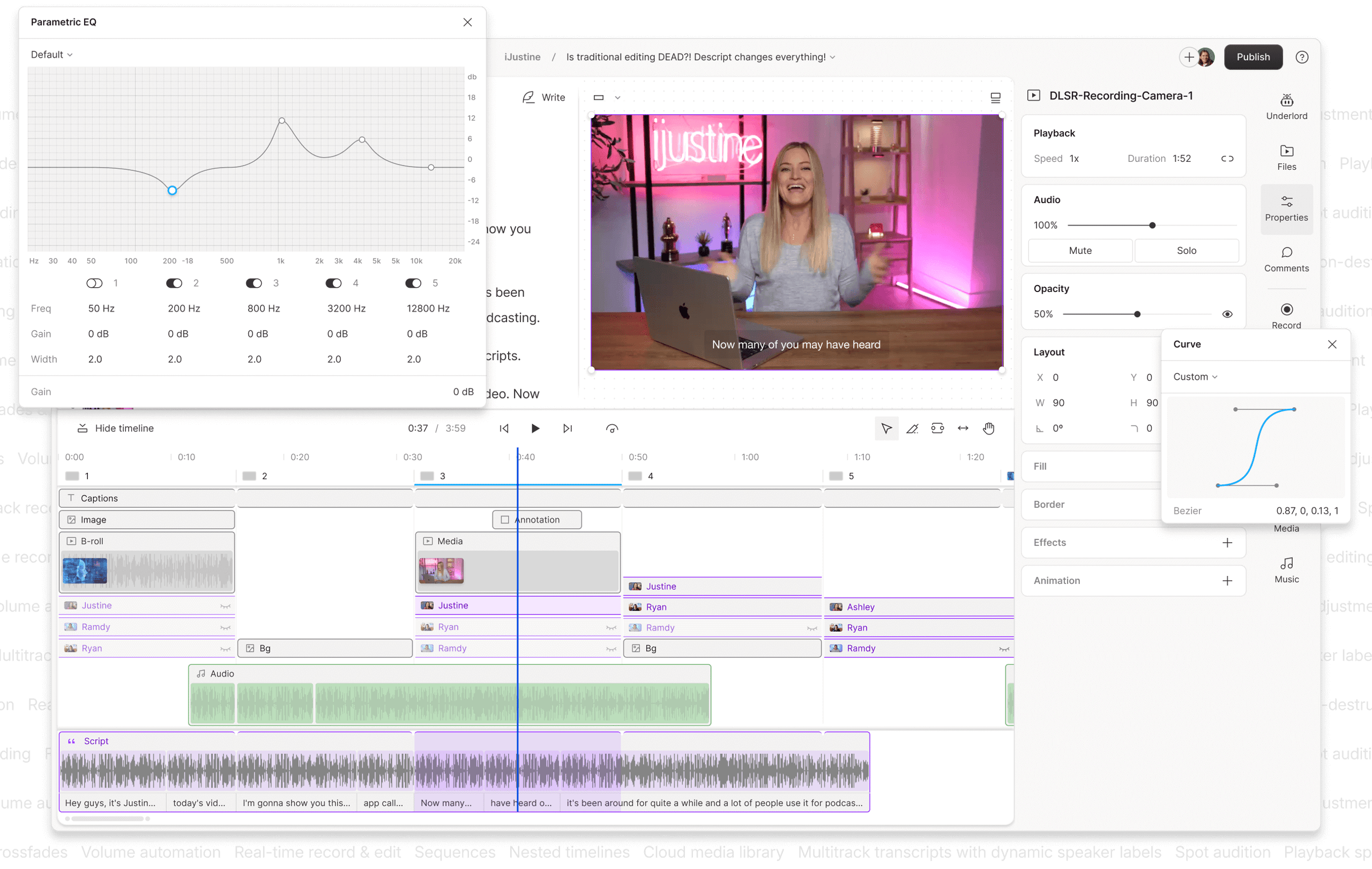
This comparison is about workflow. If your content is based on spoken word—such as podcasts or interviews—Descript is the superior tool.
Its transcript-based editing, which allows you to “edit video like a doc,” is a workflow that Invideo simply cannot match. Furthermore, users on forums like Reddit consistently report that Descript offers significantly faster export speeds.
✅ Descript Strengths vs Invideo
- Revolutionary transcript-based editing workflow
- Significantly faster export speeds
- More stable editor with fewer freezes
- Superior for podcast and interview content
⚠️ Descript Considerations
- Different workflow paradigm (audio-first)
- Not ideal for pure stock-footage videos
- Steeper initial learning for non-podcasters
For anyone editing recorded narration, Descript is the clear winner. Invideo is more suited for projects that rely entirely on stock footage and text overlays.
Is Invideo a true AI generator like Runway or Pika?

This is an important technological distinction. Invideo is an “AI assembler,” not a true “AI generator.” It uses AI to search for and stitch together pre-existing assets from its stock library.
In contrast, tools like RunwayML and Pika Labs are part of the Generative AI wave, true generative models that create entirely new video clips from text prompts. While Invideo is great for simplicity, creatives looking for cutting-edge AI will find the technology in Runway far more advanced.
✅ RunwayML Strengths vs Invideo
- True generative AI creates novel video clips
- Cutting-edge artistic and creative control
- Industry-leading text-to-video models
⚠️ RunwayML Considerations
- Steeper learning curve than Invideo
- Less suitable for standard marketing videos
- Results can be unpredictable
Is Invideo better than Canva for social media video?
For many users, this is the most practical question. If your team is already using the Canva ecosystem for creating graphics and posts, its built-in video editor is often “good enough” for simple tasks Canva Pro Review 2026: Still the King of Design?.
While it lacks Invideo’s script-to-video AI, Canva offers a more stable platform and a seamless workflow for creating branded content. For many marketers, sticking with the familiar and reliable Canva ecosystem is a more efficient choice. And for those who explore the broader Category of Review articles on our site, you’ll find detailed breakdowns of every major alternative.
Invideo vs. Competitors: Comprehensive Feature & Value Comparison
| Competitor | Key Advantage Over Invideo | Best For… | Things to Consider | Avoid If… |
|---|---|---|---|---|
| Pictory | User interface preference | Direct script-to-video alternative | Comparable AI/performance to Invideo | You need advanced editing |
| Descript | Transcript-based editing, faster exports | Podcasters, interviewers, educators | Different workflow focused on audio/text | Video has no narration |
| RunwayML | True generative AI (novel clips) | Creatives wanting unique AI visuals | Steeper learning curve, unpredictable | You need fast marketing videos |
| Canva Video | Integrated design ecosystem, stability | Teams already on Canva | Less advanced than Invideo video tools | You need text-to-video AI |
| Synthesia | AI avatars, photorealistic presenters | Corporate training with avatars | Specific use case, not general purpose | You need real or stock footage |
Final Verdict & Recommendations
After a comprehensive Invideo review of its features, performance, pricing, and security, my verdict is that it is a tool of two extremes. It succeeds brilliantly at making video creation accessible for beginners but falls short of the professional standards required for serious, time-sensitive work.
What We Love (Pros)
- Intuitive interface for beginners: The platform is genuinely easy to use, allowing someone with no prior experience to create a video.
- Huge library of stock assets: Access to millions of assets from iStock and other providers within one platform is a significant value.
- Fast first-draft generation: The text-to-video AI is very effective at quickly assembling an initial draft for review.
- Centralized Branding: Features like reusable brand presets (on paid plans) help maintain brand consistency.
- Good for Ideation: It’s a useful tool for quickly visualizing a script or blog post as a video.
- Cloud-Based Accessibility: Being a browser-based tool means it’s accessible from anywhere.
💡 Things to Consider
- Notably slow export speeds (“Time Tax”): The most significant issue, causing major productivity loss.
- Unstable and buggy editor: Frequent freezes and glitches create a frustrating user experience.
- Superficial AI requires heavy manual correction: The AI’s output is often generic and requires significant manual effort to refine.
- A refund policy that could be more transparent: The policy makes it challenging for users to get a refund after testing the product.
- Critical: Lack of essential security certifications (SOC 2, ISO 27001), a major concern for business use.
- Critical: Vendor lock-in with proprietary project files forces long-term subscription renewal.
Our Recommendation: Who Should Use Invideo?
- Recommend for: Absolute beginners, students, and hobbyists. For this group, who value simplicity above all and whose time is not a critical business expense, Invideo is a fantastic entry point into video creation. Be sure to check Latest Coupons before you subscribe to lock in the best price.
- Caution against for: Professional creators, time-sensitive marketers, and any business with a standard vendor security policy. For these users, the “Time Tax” from performance issues, the lack of professional control, and the critical security gaps make Invideo a high-risk, low-efficiency choice. We recommend they consider the Invideo alternatives discussed above.
The Bottom Line
As an online video editor, Invideo is a double-edged sword. It lowers the barrier to entry for making videos but fails to meet the professional standards of performance, reliability, and security that are essential for business. It’s a useful starting point, but one that many ambitious creators will quickly outgrow.
Frequently Asked Questions
Q1: How much does Invideo cost in 2026?
A1: Invideo’s pricing begins with a free, watermarked plan. As of October 2026, paid plans start at $20 per month when billed annually for the Plus plan and $40 per month for the Max plan Invideo Official Pricing Page.
However, our Invideo review concludes that the true cost is higher. We recommend factoring in the “Time Tax”—the value of time lost to slow performance and bugs—when calculating the total cost of ownership. For a power user, this hidden cost can significantly outweigh the subscription fee, making the platform more expensive than it appears. Always check for an active Invideo sale before subscribing.
Q2: Is Invideo worth the money?
A2: It depends on your user profile. For absolute beginners and hobbyists who value simplicity over performance and are not on tight deadlines, Invideo can be worth the money as an accessible entry point into video creation.
However, for professionals, marketers, or any business where time is a critical resource, the productivity lost due to slow exports and a buggy editor makes it a challenging value proposition. More stable and professional alternatives like Descript may offer a better return on investment G2 Invideo Reviews.
Q3: What are the main problems with Invideo?
A3: The main problems reported by users and confirmed in our testing are its significantly slow export times, an unstable editor that can freeze or lose work, and an AI that produces generic results requiring heavy manual correction Trustpilot Invideo Reviews.
From a business perspective, a critical problem we identified in this Invideo review is its lack of SOC 2 or ISO 27001 security certifications, which is a standard requirement for many organizations and a major consideration for vendor risk assessment Invideo Security Page.
Q4: Should I use Invideo or Pictory?
A4: Invideo and Pictory are very similar script-to-video tools, and the choice often comes down to personal preference for the user interface. Both platforms share comparable challenges regarding AI media selection and performance.
They are direct competitors in the same niche. The best approach is to test the free trials of both platforms to determine which workflow feels more intuitive and efficient for your specific needs before committing to a paid plan.
Q5: Should I use Invideo or Canva?
A5: If you or your team are already using Canva for graphic design, social media posts, and presentations, its integrated video editor is often sufficient for creating simple marketing videos.
Choose Invideo only if you specifically require the text-to-video AI workflow for tasks like content repurposing. For many, the stability and seamless integration of the Canva Pro ecosystem make it a more practical choice, even if its dedicated video features are less advanced than Invideo’s.
Q6: Can I trust Invideo for business use?
A6: From a security standpoint, Invideo’s lack of SOC 2 or ISO 27001 compliance makes it a challenging choice for any business with a standard vendor security policy. For any business to weigh, this absence of third-party security audits is a significant consideration.
For individual creators, the primary consideration is less about data security and more about platform reliability; the frequent bugs and slow performance can be a point of frustration and impact project delivery A Marketer’s Guide to SaaS Security: Why SOC 2 Matters.
Q7: How good is Invideo’s AI really?
A7: Invideo’s AI is best described as a keyword-based automation tool, not a true creative intelligence like a Generative AI model. In our experience, it is effective at creating a fast first draft by finding stock media that matches words in a script.
However, it often misses contextual nuance, resulting in generic or irrelevant visuals. You should plan to manually review and replace 30-50% of the footage it selects to achieve a professional-looking final product.
Q8: Who is Invideo best for?
A8: Invideo is best for absolute beginners, students, or hobbyists. These users typically need to create simple videos for personal projects or social media and are not as concerned with professional quality, advanced video SEO features, performance speed, or enterprise-grade security compliance.
Its gentle learning curve and vast template library make it an excellent tool for learning the basics of video composition without the complexity of professional software like Adobe Premiere Pro.

