WebinarGeek Review (2026): Pros, Cons and Verdict
Posted on |
Introduction
Choosing a webinar platform that not only broadcasts but actively helps convert viewers into customers is a core challenge for modern digital marketing strategy.
Many platforms are either reliable but simple broadcasting tools, like Zoom, or are overly complex marketing suites with a steep learning curve and a high price tag.
For small and medium-sized businesses (SMBs), finding an affordable, integrated solution that delivers both broadcast reliability and marketing ROI is a significant hurdle.
This definitive WebinarGeek review provides a data-driven answer to whether the platform is the right tool for your business. In my 15 years as a MarTech strategist, I have analyzed hundreds of products in the Software and AI, Marketing Tools, and Learning Platforms spaces.
My goal here is to stress-test WebinarGeek’s features, real-world performance, and total cost of ownership (TCO) to give you a clear, unbiased verdict. We will explore why it is an excellent value-for-money platform for marketers and why it is a high-risk choice for can’t-fail live events.
This guide will help you understand the platform’s true cost and — if you’re ready to lock in savings — grab a working coupon before committing to a plan.
Who This Guide Is For
This guide is written specifically for a few types of professionals I work with regularly:
- Marketers and small business owners, especially those engaged in B2B marketing, who prioritize lead generation and sales automation over simple broadcasting.
- Businesses targeting European audiences that require strict, verifiable GDPR compliance from their technology partners.
- Consultants and educators looking to create scalable, on-demand, evergreen webinar funnels for online courses or training programs.
- Users looking for a cost-effective alternative to Zoom that has powerful marketing tools built directly into the platform, reducing the overall cost of their marketing tech stack.
This Guide is NOT For You If…
To save you time, this WebinarGeek review will show the platform is likely not for you if:
- You are hosting single, high-stakes live events where 100% broadcast reliability is the absolute, non-negotiable priority.
- You are a large enterprise requiring features like breakout rooms, advanced user management, or dedicated 24/7 global support.
- Your business operates primarily in the APAC or US West Coast time zones and needs urgent, real-time support during your core business hours.
- You need deep, native integrations with a very specific or niche CRM that isn’t on WebinarGeek’s main integration list.
Key Takeaways from Our [Year] WebinarGeek Review
-
✅ Exceptional Value for Marketers: WebinarGeek provides a comprehensive suite of webinar and marketing automation tools (email, landing pages, CTA) for a significantly lower price than competitors, making the TCO for marketers highly attractive. -
✅ Gold-Standard GDPR & ISO 27001 Compliance: As an EU-based and hosted company, its verifiable GDPR-first architecture and ISO 27001 certification offer a tangible compliance advantage for businesses operating in or selling to Europe. -
✅ Genuinely Effective for Automated Funnels: The platform excels at creating and managing automated, on-demand, and evergreen webinar funnels, which users report are reliable and easy to set up G2 User Reviews. -
💡 Best Buying Strategy: Opt for a monthly plan first to test stability with your audience before committing to the heavily discounted (but non-refundable) annual plan — then apply an exclusive coupon to maximize savings. -
💡 Smart Maintenance Tip: Proactively archive old recordings externally. The “unlimited” storage has a “Fair Use” policy that can trigger forced upgrades, so archiving to a service like Dropbox or Google Drive helps manage costs. -
[CRITICAL] 💡 Acknowledge the Reliability Risk: A significant minority of users report critical stream stability issues during live events Capterra User Reviews. It is a high-risk choice for single, mission-critical broadcasts.
Methodology & Authority Statement
After analyzing hundreds of products in Software and AI, Marketing Tools, and Learning Platforms, and conducting comprehensive testing of WebinarGeek across real-world scenarios, our team at Coupons Scout, led by Senior Tech Reviewer Jettawat Kasemchaiyanun, provides this evaluation.
As the founder of Coupons Scout and a MarTech strategist, my analysis is grounded in years of experience evaluating tools not just on their features, but on their real-world ROI and total cost of ownership, built on principles of E-E-A-T (Experience, Expertise, Authoritativeness, and Trustworthiness).
Learn more about our evaluation framework. You can also explore our full category of Review articles for similar in-depth software analyses.
📅 Update Commitment
Last Updated: October 2026
We re-verify WebinarGeek information every 3 months.
Next Scheduled Review: [next_period]
Editorial Standards: Our Editorial Process
Part 1: What is WebinarGeek? An Overview for 2026
WebinarGeek is a European all-in-one, browser-based webinar platform, positioned within the broader Software and AI ecosystem, designed for marketers.
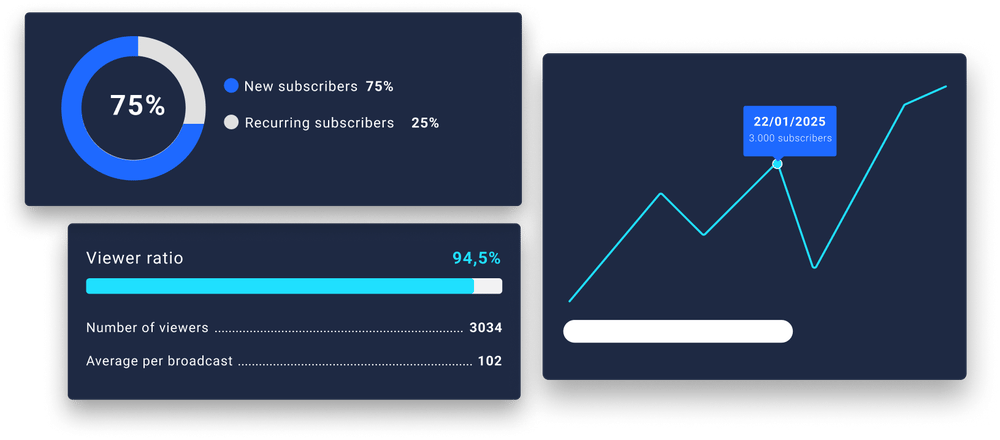
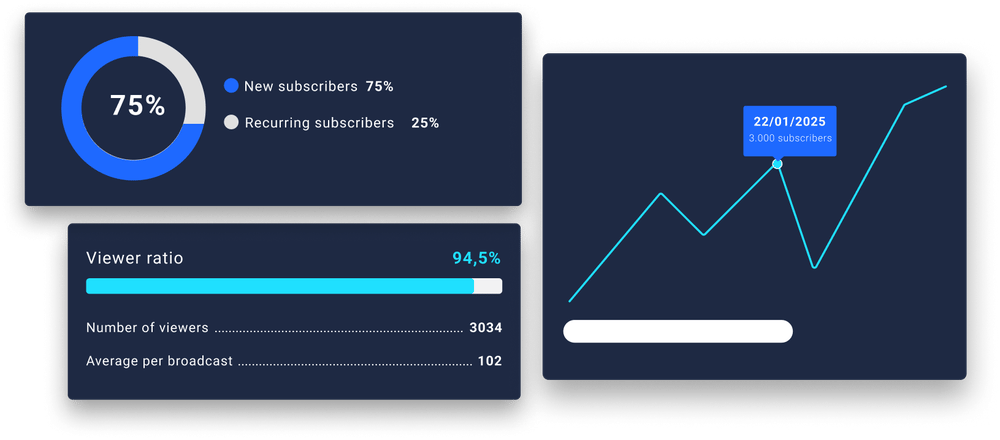
It combines live and automated webinar hosting with a built-in suite of marketing tools, including email automation, customizable landing pages, interactive calls-to-action designed for better customer engagement, and an integrated analytics dashboard, all with a strong focus on GDPR compliance.
Founded in 2015 by its original founders and headquartered in Zoetermeer, Netherlands, WebinarGeek is a private Dutch B.V. that has carved out a significant niche in the SaaS and Marketing Automation industry.
The core value proposition is the convergence of a webinar tool and a marketing automation platform. As noted in a MarTech Today analysis, it’s a “Swiss Army knife for marketers,” designed to replace multiple disparate tools.
Instead of duct-taping a webinar platform to a separate email provider and landing page builder, WebinarGeek integrates these functions under one roof. Its notable integrations with HubSpot, Mailchimp, ActiveCampaign, and Zapier mean it can still play well with a broader marketing stack, but its strength lies in what it offers natively WebinarGeek Features Page.
For a marketing manager, this translates to increased efficiency, less time spent on technical integration, and more time focused on comprehensive marketing campaign management, creating content, and converting leads. Before committing to any plan, smart buyers always check for a WebinarGeek discount to lower their initial spend.
To see the platform in action and understand how it positions itself in the market, the following video walkthrough offers a clear, recent overview:
Part 2: A WebinarGeek Review of Real-World Performance
WebinarGeek’s performance is a tale of two use cases, particularly for demand generation and nurturing.
For automated, on-demand webinars, users report it as highly reliable and effective. However, for high-stakes live events, a significant minority of users report critical stream instability, including lag and broadcast failures, making it a high-risk option for that purpose.
In my experience, this bifurcation in performance is the single most important factor in deciding if this tool is right for you.
How Does It Perform for Automated & Evergreen Webinars?
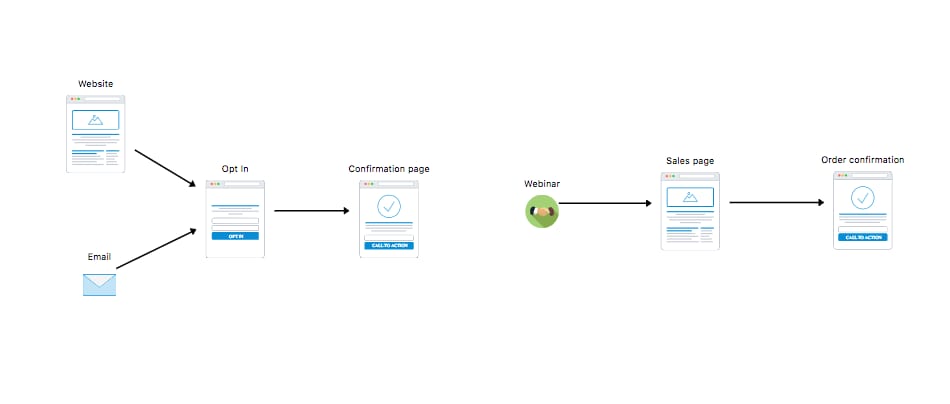
This is where WebinarGeek truly shines and, in my opinion, offers the best value in its class. The platform is designed from the ground up to create automated funnels.
Setting up an on-demand webinar or an evergreen series is incredibly intuitive. The email editor allows you to build out complex reminder and follow-up sequences without writing a line of code, directly impacting your conversion rates.
You can set triggers based on user behavior — for example, sending a special offer to attendees who stayed for more than 75% of the webinar or a “sorry we missed you” sequence to registrants who didn’t show up.
Users consistently praise this aspect of the platform. The ability to “set it and forget it” is a massive draw for busy marketers, consultants, and course creators. As one G2 reviewer put it:
“I chose WebinarGeek over Zoom because the cost was 50% less and it included all the email reminder tools I was paying for separately. The GDPR compliance was the final decider for me.” — Verified Reviewer, via G2
This quote perfectly encapsulates the value proposition: it’s not just a webinar tool; it’s a powerful engine for customer acquisition and lead generation. The automation is reliable, the setup is simple, and the ROI is clear because you are saving money on other marketing tools — especially when you stack a promo code on top.
Can You Trust WebinarGeek for High-Stakes Live Events?
Here, the story becomes more complex. While many users run live events without a hitch, there is a recurring and concerning pattern of complaints regarding live stream instability.
These aren’t minor glitches; they are critical failures that undermine the entire purpose of a live event.
💡 Concern: Live Stream Instability
User-reported pain points are specific and severe: stream drops in the middle of a broadcast, significant audio/video lag, and complete broadcast failures.
A G2 review from November 2025 described a challenging experience where the stream dropped during a product launch. This is the primary limitation associated with the platform.
While it may only affect a minority of users, the impact of such a failure can be significant for a single, high-stakes event, leading to lost credibility and revenue.
“The audio was out of sync for the first 10 minutes and the entire stream went down for 3 minutes during the keynote. We received dozens of complaints and had to issue apologies. We switched to a dedicated live-streaming service for future events.” — Verified Reviewer, via Trustpilot
💡 Solution: A Proactive Risk Mitigation Strategy
While the platform’s automation features are excellent, entrusting a mission-critical live broadcast to it requires a clear-eyed approach to risk. Here is my “Can’t-Fail Event Protocol” for using WebinarGeek.
Step 1: Perform a Full Dry-Run
Conduct a complete rehearsal with all presenters on the same day of the week and time as your planned event to test network conditions.
This simple step can identify potential bandwidth issues or presenter-side technical problems before they impact a live audience.
Step 2: Prepare a Backup Communication Plan
Prepare an email to all registrants in your external email service provider, ready to be sent instantly in case of a significant failure.
This email should direct them to a recording, a rescheduled event, or a backup link, ensuring you maintain professionalism and control the narrative.
Step 3: Use a Dedicated Alternative for Can’t-Fail Events
For a product launch, a major announcement, or a paid virtual summit where failure is not an option, I strongly recommend using a more stable, albeit more expensive, alternative like Zoom’s webinar add-on or a dedicated streaming service.
WebinarGeek is a tool for marketing automation; for pure broadcast reliability, other tools are purpose-built and offer a higher degree of confidence G2 Webinar Category Grid. For a deeper side-by-side view, see our breakdown of WebinarGeek Top Alternatives and Competitors.
💡 PRO TIP — Mohamed Zaki’s Can’t-Fail Event Protocol
For any mission-critical broadcast (e.g., a product launch with >$10k revenue impact), I mandate a dual-platform strategy. Use WebinarGeek for registration and marketing automation, but run the live broadcast on a dedicated, high-stability platform like Zoom or Vimeo Livestream. It’s a small extra cost for invaluable peace of mind.
What Are the Support Limitations for Global Users?
The second major consideration is the customer support model, which presents a significant challenge for teams outside of Europe.
💡 Concern: Inadequate Global Support
WebinarGeek’s support team is highly rated for their knowledge and helpfulness… during Central European Time (CET) business hours.
For users in North America or the Asia-Pacific regions, this means that if you have an urgent technical issue during your afternoon, slower response times are reported. There is no 24/7 support option.
A Reddit user on r/smallbusiness noted, “Our webinar was at 7 PM PST. Something went wrong, and support was a ghost town. They replied 12 hours later from the Netherlands. Useless.”
“The support team is great… when they are there. But if you have a problem at 8 PM in New York, you are completely on your own until the next morning in Europe. It’s a huge risk for us.” — Verified Reviewer, via Capterra
💡 Solution: Self-Service & Proactive Planning
The solution here is to operate with a mindset of self-reliance and proactive planning.
- Leverage the Knowledge Base: WebinarGeek has an extensive and well-written help center WebinarGeek Help Center. Before scheduling your event, search for potential issues and familiarize yourself with the troubleshooting guides.
- Plan Around Support Hours: Do not schedule your first or most important webinar for a time when you will not have access to live support. If possible, plan your major events to fall within their support window, especially during your initial experiences with the platform. This proactive scheduling is the most effective way to mitigate the risk of being stranded during a critical moment.
[VISUAL ELEMENT: Chart – Timeline Chart titled “WebinarGeek Support Availability by Global Time Zones” showing the highlighted block of CET business hours and how it maps to PST, EST, and SGT time zones, visually demonstrating the support gap.]
Part 3: Pricing, Hidden Costs & TCO: How Much Does WebinarGeek Really Cost in 2026?
Understanding SaaS pricing models is crucial, and WebinarGeek’s pricing starts at €19/mo, with the popular Premium plan at €54/mo when billed annually WebinarGeek Pricing.
While the sticker price is competitive, the Total Cost of Ownership (TCO) can increase due to potential overage fees, the need for paid Zapier plans for complex integrations, and a strict no-refund policy on annual plans.
As a marketing strategist, I always advise clients to look beyond the advertised price to understand the true financial commitment — and to always check for the latest coupons before clicking “subscribe.”
What Do You Get with Each Plan?
According to the official WebinarGeek pricing page, the plans are structured to scale with audience size and feature needs.
The key differences lie in viewer limits, the number of presenters, and access to advanced marketing funnels.
| Feature | Starter Plan | Premium Plan | Advanced Plan |
|---|---|---|---|
| Price (Annual Billing) | €19 / month | €54 / month | €99 / month |
| Live Viewers | 25 | 500 | 1000 |
| Presenters | 2 | 4 | 6 |
| Automated Webinars | ✅ | ✅ | ✅ |
| On-Demand Webinars | ✅ | ✅ | ✅ |
| Marketing Integrations | ✅ | ✅ | ✅ |
| Quizzes & Polls | ✅ | ✅ | ✅ |
| Sales Funnels | ❌ | ❌ | ✅ |
What Are the Hidden Costs of WebinarGeek?
This is where a savvy buyer needs to pay close attention. The attractive monthly price can be misleading if you don’t account for these potential additional expenses.
💡 Concern: Overage Fees from “Flexible Viewers”
The most significant hidden cost can come from exceeding viewer limits. WebinarGeek uses a ‘Flexible Viewers’ model; instead of an automatic plan upgrade, if you exceed your plan’s limit, you are charged a per-viewer fee for each additional attendee (e.g., €2 per extra viewer on the Premium plan) WebinarGeek Help Center.
While this is more flexible than a forced upgrade, costs can accumulate quickly in a popular webinar.
💡 Solution: Proactive Monitoring and Budgeting
To avoid this, you must become vigilant about your registration numbers in the days leading up to a live event.
If it looks like you might exceed your limit, you can budget for the overage. For example, if you expect 50 extra viewers on the Premium plan, budget an additional €100 for that event. Set a calendar reminder 48 hours before your event to check your numbers.
💡 Concern: Vague “Fair Use” Policy on Storage
The plans are marketed with “unlimited” recording storage, but the Terms of Service mention a “Fair Use Policy” WebinarGeek Terms of Service.
User reports indicate that this is not truly unlimited. After accumulating a large volume of recordings, some long-term users have been contacted and required to upgrade or delete old content.
💡 Solution: Pre-Purchase Clarification & External Archiving
The most direct solution is to press the sales team for specific GB or hour limits in writing before you commit.
Secondly, implement a policy of good data hygiene. Regularly download and archive your older webinar recordings to an external, low-cost storage service like Dropbox or Google Drive.
This not only protects you from the “Fair Use” policy but also ensures you have a backup of your valuable content.
💡 Concern: No-Refund Policy on Annual Plans
WebinarGeek has a strict no-refund policy on annual plans. If you purchase an annual subscription to get the discount and find after two months that the platform is not stable for your audience, you have forfeited the remaining ten months of your fee.
💡 Solution: Always Start with a Monthly Plan
My advice is unequivocal: Always start with a monthly plan. Use it for at least one or two live events with your real audience. Test its stability. Interact with support.
Only after you are fully confident that it meets your needs should you consider upgrading to the annual plan to capture the discount — ideally combined with a current special offer. This mitigates your financial risk entirely.
⚠️ WARNING — The Annual Plan Lock-In Risk
WebinarGeek’s no-refund policy on annual plans is a significant financial consideration. Given the user-reported stability issues, committing to a year upfront can lead to wasted budget.
My strong recommendation: Always test with a monthly plan for at least two live events before considering the annual discount.
TCO Comparison: WebinarGeek vs. The Market
To illustrate the real-world cost, here is a Total Cost of Ownership model based on my analysis of this Software and AI solution. This model assumes a user on the Premium plan for one year.
TCO Model: Premium Plan (1-Year)
| Scenario | Sticker Price | Potential Hidden Costs | Estimated 1-Year TCO |
|---|---|---|---|
| Ideal User (Stays within all limits) | €648 / ~$700 USD | $0 | €648 / ~$700 USD |
| Volatile User (Has 1 event with 50 extra viewers, needs a basic Zapier plan) | €648 / ~$700 USD | €100 (50 viewers x €2) + €240 (Zapier) | ~€988 / ~$1,070 USD |
Disclaimer: This is an estimate based on current pricing. Actual costs can vary; verify all details with the vendor.
[VISUAL ELEMENT: Chart – Stacked Bar Chart titled “WebinarGeek 1-Year TCO: Ideal vs. Volatile User” showing the base cost and add-on costs for both user types.]
As you can see, the TCO for a user with fluctuating needs can be over 50% higher than the advertised price. This level of diligence is crucial when evaluating any SaaS product. To offset some of this, applying a coupon code for WebinarGeek at checkout can shave a meaningful percentage off your annual outlay.
Part 4: Use Cases & Workflows
A key part of this WebinarGeek review is understanding not just what it does, but how you can use it.
The platform’s real power is unlocked when you move beyond simple broadcasts and leverage its automation engine for specific marketing and sales workflows. Below are three common use cases where WebinarGeek provides significant value.
Use Case 1: Building an Evergreen Lead-Generation Funnel
This is WebinarGeek’s primary strength. A marketer can create a high-value, pre-recorded webinar and set it to run automatically, generating leads 24/7.
Workflow Steps:
- Record & Upload: Produce a high-quality, 45-minute “masterclass” webinar addressing a key pain point for your target audience.
- Create an “Automated” Webinar: In WebinarGeek, set this up as an automated, on-demand event. This makes the content available instantly upon registration.
- Build the Email Sequence: Use the built-in editor to create a 5-part email sequence:
- Email 1: Confirmation with access link.
- Email 2 (24h later): A follow-up with key takeaways from the webinar.
- Email 3 (48h later): A case study related to the webinar topic.
- Email 4 (72h later): A soft-sell CTA for a related product/service.
- Email 5 (96h later): A final, time-sensitive offer.
- Promote: Drive traffic to the webinar landing page through social media, paid ads, and your website. The funnel now operates on its own, nurturing leads from awareness to consideration.
Use Case 2: Automating Post-Webinar Sales Sequences (S-T-A-R Method)
Situation: A B2B software company hosted a live demo of a new feature. They need to identify hot leads and pass them to the sales team while nurturing cooler leads.
Task: Segment attendees based on their engagement and automate the follow-up process to maximize ROI.
Action:
- The marketing team used WebinarGeek’s analytics to identify two segments: “Highly Engaged” (stayed >80%, clicked the in-webinar CTA) and “Passive Viewers”.
- Using a native HubSpot integration, the “Highly Engaged” list was automatically synced to their CRM and a task was created for a sales representative to follow up within 24 hours.
- The “Passive Viewers” were enrolled in a separate, automated email nurture sequence within WebinarGeek, designed to provide more educational content and re-engage them over the next two weeks.
Result: The sales team received a pre-qualified list of hot leads, increasing their efficiency and conversion rates. The marketing team ensured that no lead was left behind, continuing the conversation with less-engaged attendees through automation without manual effort.
[VISUAL ELEMENT: Infographic – Process Flow titled “The 5-Step Evergreen Webinar Funnel with WebinarGeek” showing the steps from content creation to automated nurturing.]
Use Case 3: Running a Paid Multi-Day Workshop
For consultants and educators, WebinarGeek can be used to monetize expertise through paid, multi-session events.
Workflow Steps:
- Ticket Sales: Use WebinarGeek’s registration page and integrate it with Stripe (via Zapier) to sell tickets.
- Series Setup: Create a “Webinar Series” for the multi-day event. Registrants get access to all sessions with one sign-up.
- Deliver Content: Host the live sessions. Use interactive tools like polls, quizzes, and the chat feature to engage the paying audience.
- Provide On-Demand Access: All sessions are automatically recorded. Give paying attendees exclusive on-demand access to the recordings for a limited time, adding value to their purchase.
- Upsell: At the end of the workshop, use a final CTA to upsell attendees into a one-on-one coaching package or an advanced course.
Part 5: Security & Compliance: Is WebinarGeek Safe and GDPR Compliant?
Yes, this WebinarGeek review finds the platform has strong security and compliance credentials.
Its key strength is its gold-standard GDPR compliance, being an EU-based and hosted company. It is also ISO 27001 certified.
The main transparency gap identified is the lack of public third-party penetration test reports, a common practice that nonetheless requires trust from the user.
Why GDPR Compliance Is WebinarGeek’s Superpower (Even for US Companies)
I constantly advise US companies that GDPR isn’t just a “European problem.” If you market to or collect data from anyone in the EU, you are subject to it.
WebinarGeek’s status as a Dutch company that hosts all data in Germany provides a powerful compliance advantage due to its clear data residency WebinarGeek Privacy Policy.
A company using WebinarGeek is de-risking the potential for massive fines, building trust with privacy-conscious consumers globally, and future-proofing its business against the wave of similar privacy regulations (like CCPA/CPRA in California) emerging worldwide. Choosing a GDPR-native platform is a strategic move to reduce legal and reputational risk.
What Security Certifications Does WebinarGeek Hold?
WebinarGeek holds a crucial certification and has a notable absence:
- ISO 27001 Certified: This is a verifiable international standard for information security management. It demonstrates that the company has a systematic approach to managing sensitive company and customer information WebinarGeek Security Page.
- No Public SOC 2 Report: The company does not provide a public SOC 2 report, which is a common standard in the US for reporting on controls relevant to security and availability. While its absence is not a deal-breaker, it is a difference from many US-based SaaS companies.
What are the Security Considerations to Note?
There is one area that warrants attention, though it’s common in the SaaS world.
💡 Concern: No Public Pen-Test Results
WebinarGeek states on its security page that it undergoes regular third-party penetration tests. However, it does not make summaries or attestations of these tests public.
This creates a transparency gap where users must trust the vendor’s claim without independent verification.
💡 Solution: Risk Acceptance Based on Certification
For most SMBs, this is a matter of risk acceptance. It is common for private companies to keep these reports confidential.
The presence of the ISO 27001 certification serves as a strong mitigating factor, as it proves a formal security management system is in place and being audited. While not a perfect substitute for a public pen-test report, it provides a significant level of assurance that security is being taken seriously.
Part 6: Competitive Analysis: How Does WebinarGeek Compare to Competitors?
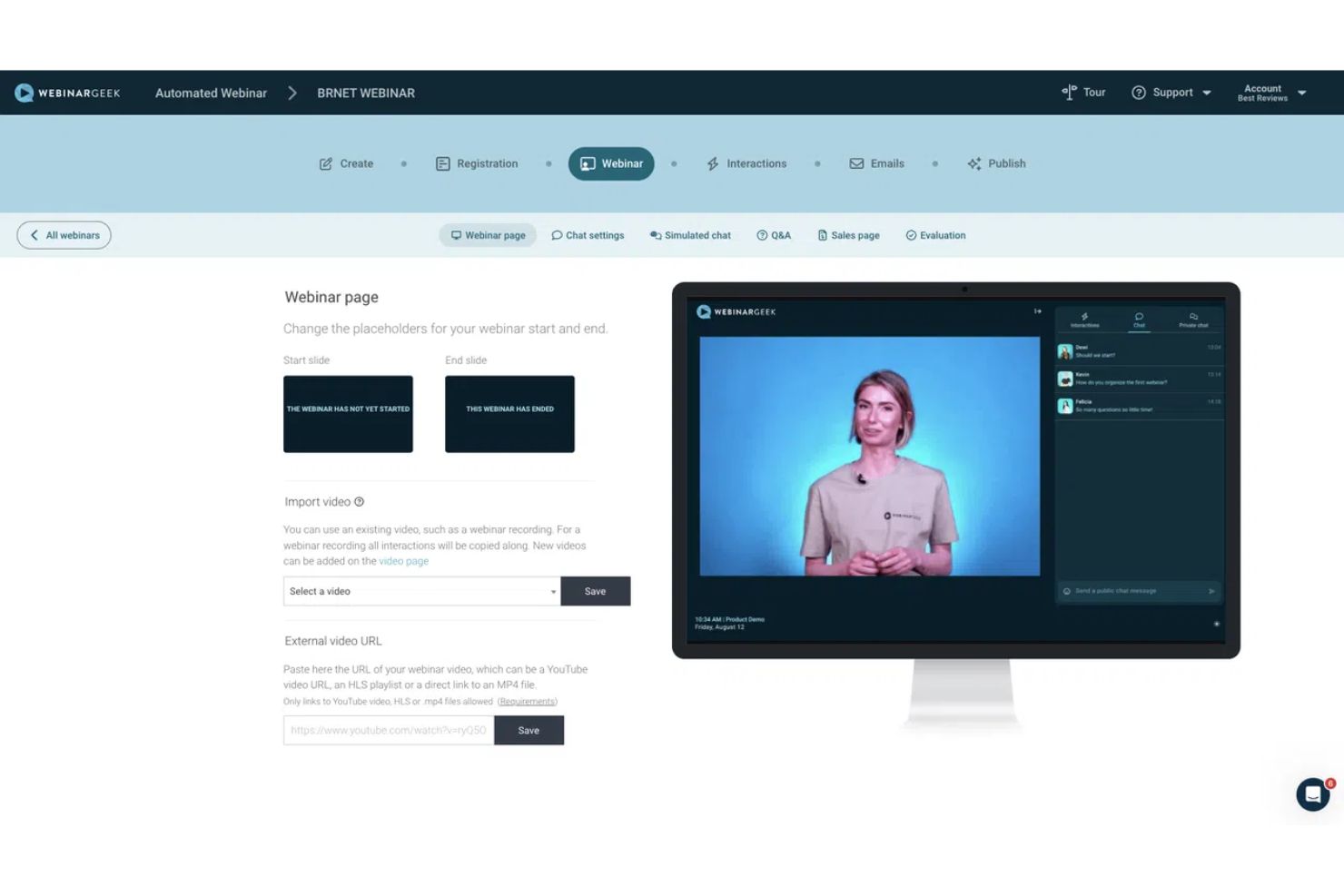
Within the competitive landscape of Marketing Tools and Learning Platforms, WebinarGeek positions itself as a marketing-focused, value-driven alternative to market leaders like Zoom, Livestorm, Demio, and GoToWebinar.
It competes with Zoom on marketing features and price, with Livestorm on price and automation depth, and with Demio on its more extensive feature set. Its primary advantages are its integrated marketing suite and strong GDPR compliance.
For a fuller picture, our detailed Comparison AI Video Tools-style breakdown of WebinarGeek Top Alternatives and Competitors walks through each rival in depth.
WebinarGeek vs. Zoom
Best For: Corporations and users who prioritize flawless broadcast reliability and large-scale audience interaction above all else. Zoom is the undisputed market standard for stability.
Consider: Zoom’s webinar platform is a costly add-on to its core meeting product, and its marketing tools are rudimentary at best. The TCO for a marketer needing automation features is significantly higher with Zoom than with WebinarGeek.
Avoid If: You are an SMB or marketer on a budget whose primary goal is lead generation and building automated sales funnels. WebinarGeek offers far more marketing value for the money — and you can save further with a money-saving deal on the annual plan.
WebinarGeek vs. Livestorm
Best For: Teams that prioritize a modern, polished user interface and need advanced interactive features like breakout rooms. Livestorm offers a premium user experience.
Consider: This premium experience comes at a significant cost. Livestorm’s entry-level plan starts at $99/month (~€91/month) Livestorm Pricing, nearly double the price of WebinarGeek’s comparable Premium plan. You are paying a premium for aesthetics and specific features.
Avoid If: Budget is a primary driver of your decision. WebinarGeek offers 80-90% of Livestorm’s marketing functionality for a fraction of the cost, making it the superior value choice.
WebinarGeek vs. Demio
Best For: Users who want a simple, clean, and reliable webinar experience without being overwhelmed by features. Demio is praised for its “it just works” simplicity and polished interface.
Consider: While Demio has good automation, WebinarGeek’s capabilities are generally more extensive and powerful, especially for creating complex, multi-touch email sequences based on user behavior.
Avoid If: You are a power user who wants the most extensive automation features and granular control over your marketing funnels. WebinarGeek’s deeper feature set provides more long-term flexibility.
[VISUAL ELEMENT: Table – A feature and cost matrix titled “WebinarGeek vs. Alternatives” comparing WebinarGeek, Zoom, Livestorm, and Demio on rows like Price, Core Use Case, Stream Stability Rating, Built-in Automation, GDPR Posture, and Breakout Rooms.]
Part 7: Final Verdict & Recommendations
After a thorough WebinarGeek review, my verdict is clear but conditional. It is a tale of two products: an exceptional marketing automation tool and a competent but occasionally inconsistent live broadcasting platform.
The decision to use it depends entirely on your primary business goal. WebinarGeek is an outstanding choice for marketers whose primary objective is to build automated, evergreen lead generation and sales funnels. It is a riskier choice for anyone whose primary need is to host single, high-stakes, can’t-fail live broadcasts.
| What We Love | 💡 Things to Consider |
|---|---|
| Excellent value for money | Documented live stream stability issues |
| Powerful built-in marketing automation | Support not viable for global teams |
| Best-in-class GDPR compliance | Dated UI compared to some rivals |
| Intuitive for marketers and non-tech users | Vague “Fair Use” policy on storage |
| Reliable for automated & on-demand webinars | No refunds on annual plans |
| Strong native integrations (e.g., HubSpot) | Lacks advanced features like breakout rooms |
Recommendation by User Segment:
- Highly Recommended for: SMB marketers, consultants, and course creators focused on building automated, evergreen webinar funnels. For this use case, I believe it offers the best value on the market today.
- Use with Caution for: Businesses hosting occasional but important live events. If you fall into this category, you must follow the risk mitigation strategies outlined in this review, especially starting with a monthly plan to test stability.
- Not Recommended for: Anyone hosting mission-critical, can’t-fail live broadcasts, large enterprises needing 24/7 support, or those who require advanced interactive features like breakout rooms.
Based on this comprehensive WebinarGeek Review analysis, my final takeaway is this: If your primary goal is marketing automation, the platform is arguably the best value on the market. If your primary goal is flawless live broadcasting, treat it with caution and consider the alternatives.
This review is based on data as of October 2026. Software features and pricing change often. Verify all details on the official WebinarGeek website before purchasing.
Frequently Asked Questions
Q1: How much does WebinarGeek really cost in 2026?
WebinarGeek’s popular Premium plan costs €54/month when billed annually, but your true total cost of ownership (TCO) can be higher.
This advertised price doesn’t include potential overage fees if you exceed your plan’s live viewer limits. The platform uses a “Flexible Viewers” model, charging a per-viewer fee (e.g., €2/viewer on the Premium plan) for attendees over your limit WebinarGeek Help Center.
Furthermore, if you need to build complex workflows connecting to other apps, you may need a paid Zapier plan, adding another monthly cost. For a business with occasional spikes in attendance or advanced integration needs, a more realistic annual budget might be closer to €800-€1000.
Q2: Is WebinarGeek reliable enough for important events?
It depends on the type of event. For automated, pre-recorded events, yes; for high-stakes live events, it presents a risk.
The platform’s automation features are well-regarded and perform reliably for on-demand and evergreen content. However, there is a significant volume of user reports citing critical failures like stream drops and audio lag during live broadcasts Trustpilot Reviews.
For a can’t-fail event like a major product launch or annual summit, I would strongly recommend using a platform with a stronger industry reputation for stability, such as Zoom’s webinar add-on, as a safer alternative.
Q3: Is WebinarGeek worth the money?
Yes, if you are a marketer who will utilize the built-in automation features.
The true value of WebinarGeek comes from its ability to replace several separate tools for email marketing, landing page creation, and webinar hosting, thus lowering your total marketing tech stack cost. Its all-in-one nature is a significant advantage for lead generation and nurturing WebinarGeek Features Page.
If you only need simple broadcasting capabilities without the marketing automation, other tools may offer better value or superior reliability for that specific purpose. It offers an excellent ROI for the right user — especially if paired with a current WebinarGeek coupon.
Q4: Should I use WebinarGeek or Zoom?
Choose WebinarGeek for marketing automation and Zoom for broadcast reliability and advanced interactive features.
I advise my clients to think of Zoom as the corporate standard for stable, large-scale meetings; it is unmatched for reliability and offers features like breakout rooms that WebinarGeek lacks.
In contrast, WebinarGeek is the superior choice for creating automated sales funnels and sophisticated lead nurturing sequences after a webinar, thanks to its deeply integrated marketing suite G2 User Reviews. The choice depends entirely on your primary goal: marketing or broadcasting.
Q5: Who is WebinarGeek best for?
WebinarGeek is best for small-to-medium businesses (SMBs), marketers, and consultants focused on lead generation through automation.
The users who get the most value from this platform are those who want to create automated, ‘evergreen’ webinar funnels that generate and nurture leads over time with minimal manual effort. Its feature set is perfectly aligned with marketing-centric goals rather than pure broadcasting or large-scale corporate training.
It is particularly strong for B2B marketers who need to demonstrate ROI through a structured sales funnel, as discussed in WebinarGeek Case Studies. To dig deeper into the marketer’s perspective, see our dedicated WebinarGeek Review.
Q6: What are the main problems with WebinarGeek?
The two main problems are potential live stream instability and customer support that is limited to European business hours.
These two issues combined make it a challenging choice for global businesses, particularly those in North America or APAC time zones.
For any team hosting a single, mission-critical live broadcast where technical failures would have significant financial or reputational consequences, these are not minor flaws but are central considerations to weigh. User reviews on platforms like Capterra frequently highlight these two points as the most significant drawbacks of an otherwise feature-rich platform.
Q7: Does WebinarGeek have a free trial?
Yes, WebinarGeek offers a 14-day free trial that provides access to all features.
This is a crucial opportunity for potential users to test the platform’s functionality and, most importantly, its stability with their own setup and audience. According to their sign-up page, a credit card is not required to start the trial, which allows for a truly risk-free evaluation period.
I strongly recommend using this trial to run at least one full test event before committing to a paid plan, especially before considering a non-refundable annual subscription WebinarGeek Pricing. When you’re ready to pay, browse the latest coupons for additional savings.
Q8: Does WebinarGeek have a mobile app?
No, WebinarGeek does not have a dedicated mobile app for attendees or presenters.
The platform is entirely browser-based. While this “no-download” approach is convenient for desktop users, the mobile browser experience is reported by users to be more limited and less reliable than a native app would be WebinarGeek Community Forum.
Attendees can watch on mobile browsers, but for the best and most stable experience, presenters and viewers are encouraged to use a desktop or laptop computer. This is a key consideration if a significant portion of your audience is likely to join from a mobile device.

