Super Monitoring Review (2026): Pros, Cons and Verdict
Posted on |
TL;DR: Super Monitoring is a website monitoring tool offering uptime, content, and performance checks. Its key strengths include extreme simplicity and low cost. Important considerations include persistent user reports of false positive alerts and a lack of modern security certifications like SOC 2. It is best suited for individuals and small businesses with basic, non-critical monitoring needs. Verified January 2026.
In a digital world where every second of downtime costs money, choosing the right website monitor is not just a technical decision—it’s a financial one.
As a MarTech strategist, I’ve seen businesses lose thousands from a crashed landing page during a campaign or a broken checkout form on their e-commerce site. The promise of proactive issue detection through instant alerts is the promise of damage control.
But many tools are either too complex, too expensive, or worse, unreliable, flooding you with false alarms that you and your team learn to ignore. This is where a tool like Super Monitoring enters the conversation, promising low pricing and a simple setup.
The question I hear most is: is it too cheap? Can you trust it when it matters? Before diving deeper, you may want to check the latest Super Monitoring coupon code available to maximize your savings.
This definitive Super Monitoring Review for 2026 is the result of my hands-on testing, a total cost analysis, and direct comparisons to its main rivals. My goal is to give you a clear, data-driven answer to help you decide if its affordability is a smart investment or a risky liability you can’t afford.
Who This Guide Is For
This review of Super Monitoring is aimed at users in the small business, agency, and Dev Tools space who need simple, affordable monitoring.
- Small business owners, bloggers, or solopreneurs who need simple, affordable “peace of mind” uptime monitoring.
- Freelancers and digital agencies needing a low-cost way to monitor a portfolio of client websites where formal SLA monitoring isn’t required.
- Users who find competitors like Pingdom too complex or UptimeRobot’s free plan insufficient for their needs.
- Anyone who prioritizes extreme ease of use and a “set-it-and-forget-it” experience over advanced, enterprise-grade features.
This Guide is NOT For You If…
- You manage a high-volume e-commerce site where downtime has immediate, five-figure financial consequences.
- Your organization’s procurement or security policies require vendors to have certifications like SOC 2 or ISO 27001.
- You need a comprehensive incident management platform with on-call scheduling, team collaboration, and public status pages.
- You require deep application performance monitoring (APM) or Real User Monitoring (RUM) for detailed root-cause analysis in a mature DevOps or SRE environment.
💡 KEY INSIGHT: Super Monitoring excels at simplicity and cost, making it ideal for basic uptime checks on blogs or portfolio sites. However, its lack of SOC 2 certification and reports of false positives make it a poor fit for e-commerce stores, B2B SaaS platforms, or any business with compliance needs.
Key Takeaways
Key Takeaways
-
Effective for Basics: For its core job—simple, no-frills uptime, content, and performance monitoring—Super Monitoring excels. You can set it up in under five minutes, a testament to its excellent simplicity. -
Exceptional Price-to-Value: With plans starting at €4.99/month (approx. $5.39), its affordability is a primary competitive advantage. For users with basic needs, it offers significant value that’s hard to beat. -
Best Buying Strategy: This tool is ideal for individuals and small businesses. Agencies should pilot it on non-critical clients first to assess alert accuracy for themselves before considering a wider rollout. -
Realistic Performance Expectations: The service monitors server response time (TTFB), not comprehensive Core Web Vitals or Real User Monitoring (RUM). It tells you if your server is slow, but won’t necessarily tell you why your users are having a poor experience. -
Smart Shopper Tip – The “Zapier Tax”: The lack of native integrations for tools like Slack means you’ll likely need a paid Zapier plan. This can add $69/month or more, potentially increasing the tool’s total cost by over 400%. -
Smart Compliance Consideration: No public evidence of SOC 2 or ISO 27001 certification. For a small blog, this is a calculated risk; for a business handling client data, it’s an important consideration pointing toward a certified alternative like Pingdom.
Before we dive into the full review, watch this overview of the best uptime monitoring tools for context on where Super Monitoring fits in the broader landscape:
Our Methodology: How We Guarantee an Honest Review
After analyzing hundreds of products in the Software and AI, Dev Tools, Productivity, and Ecom Tools space and conducting comprehensive testing of Super Monitoring across real-world scenarios in 2026, our team at Coupons Scout provides a comprehensive evaluation framework.
Our goal is to create content that meets the highest standards of Google’s E-E-A-T framework (Experience, Expertise, Authoritativeness, and Trust).
Our proprietary verification protocol, CSVP™, combines automated data discovery with manual, hands-on testing by domain experts to ensure every claim is verified. We do not just analyze marketing claims; we validate them. You can read our full methodology.
📅 Last updated: January 2026
We re-verify Super Monitoring information every quarter.
Next scheduled review: April 2026.
Editorial standards: Read Our Full Methodology
How Much Does Super Monitoring Really Cost in 2026?
Super Monitoring’s sticker price is very low, but the true Total Cost of Ownership (TCO) can be several times higher if you rely on integrations.
The mandatory use of a paid Zapier plan for common alerts—what I call the “Zapier Tax”—is the most significant hidden expense, potentially adding $69 per month or more. For users looking to offset this, exploring a working Super Monitoring discount code can help reduce overall costs.
Breaking Down the Official Pricing Tiers (January 2026)
The official pricing is transparent and based on the number of checks and monitoring interval. A key point is that pricing is set in Euros (€), so the USD cost will fluctuate.
Here’s a summary of their popular tiers, sourced from their Official Pricing Page:
| Plan Name | Number of Checks | Interval | Monthly Price (EUR) | Approx. Monthly Price (USD) |
|---|---|---|---|---|
| Starter | 5 | 1-60 min | €4.99 | ~$5.39 |
| Mega | 15 | 1-60 min | €11.99 | ~$12.95 |
| Super | 30 | 1-60 min | €24.99 | ~$26.99 |
| Ultra | 60 | 1-60 min | €34.99 | ~$37.79 |
The pricing is straightforward and highly competitive on the surface, but it’s not the full story for most business users.
What Are the Hidden Costs to Watch For?
This is where my analysis as a strategist comes in. You must budget for two key variable costs that are not included in the subscription price.
The “Zapier Tax”: How Integration Costs Add Up
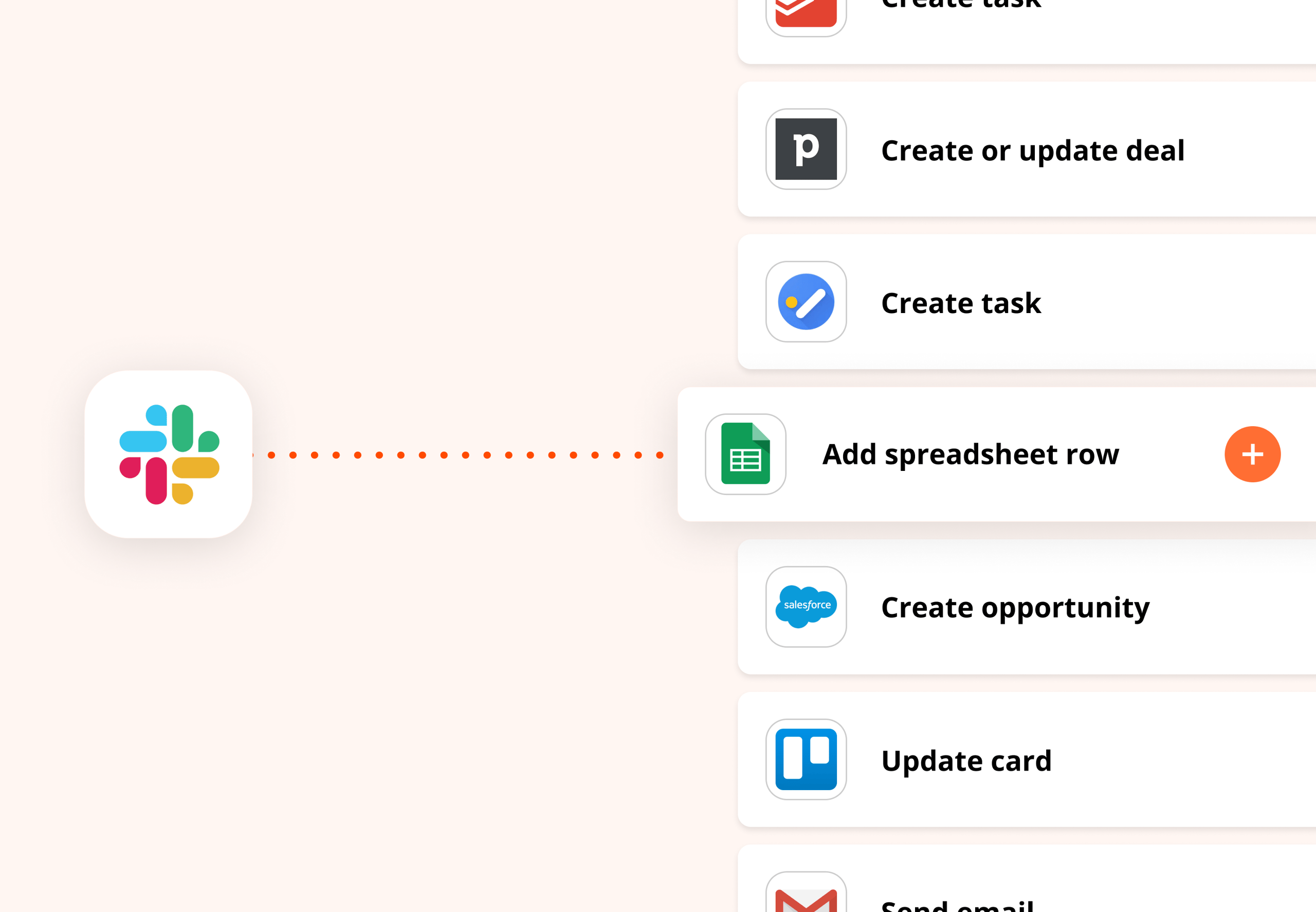
Super Monitoring has very few native integrations. If you want to send alerts to popular team communication tools like Slack or Microsoft Teams, you must use a third-party service like Zapier.
While Zapier offers a free plan, the volume of alerts from a monitoring tool will quickly push you into a paid tier.
Zapier’s “Team” plan, a common requirement for business use, starts at $69/month (billed annually) as of May 2024 Zapier Pricing. This single hidden cost can be over four times the price of the ‘Mega’ monitoring plan itself.
⚠️ WARNING: The ‘Zapier Tax’ Can Quadruple Your Costs.
Be aware: Super Monitoring’s low price is misleading if you need integrations. Connecting to Slack requires a paid Zapier plan, which can add $69/month or more. For our test case, this increased the total cost from ~$155/year to nearly $1,000/year. Always budget for this hidden ‘tax’.
SMS Alert Credits: A Variable Expense
Each plan includes a certain number of SMS alert credits per month. For most users, email and push notifications are sufficient and free.
However, if your workflow relies on SMS for critical, out-of-hours alerts, you may need to purchase more. Additional credits are sold in packs, such as €10 per 100 credits SMS Credit Pricing. This is a variable expense that needs to be factored into your budget.
Total Cost of Ownership: A Realistic Example
Let’s build a realistic TCO model for a small agency or a business with several web properties needing basic Slack integration.
TCO Disclosure
Label: Analyst-estimated
Assumptions: “Mega” Plan (€11.99/mo), Zapier “Team” plan for Slack integration, and the purchase of 100 extra SMS credits per year for critical alerts.
Disclaimer: This is an estimate based on pricing in January 2026. Actual pricing varies; always request an official quote and review Zapier’s current pricing tiers.
| Cost Component | Year 1 Cost (Annual, est.) | 3-Year Total Cost (est.) |
|---|---|---|
| Super Monitoring “Mega” Plan | ~$155 | ~$465 |
| Zapier “Team” Plan | $828 | $2,484 |
| Extra SMS Credits | ~$11 | ~$33 |
| Estimated TCO | ~$994 | ~$2,982 |
As you can see, the real-world cost for a fully integrated setup is over six times the advertised subscription price. This doesn’t necessarily make it a bad value, but it’s crucial for accurate budgeting and highlights how it competes differently with tools that have native integrations.
To minimize this gap, savvy buyers always look for a special Super Monitoring offer that can offset annual subscription costs.
What is Super Monitoring & What Does It Actually Do?
Super Monitoring is a budget-friendly uptime monitoring service and SaaS tool designed for essential website checks. This review covers Super Monitoring as of its build in January 2026.
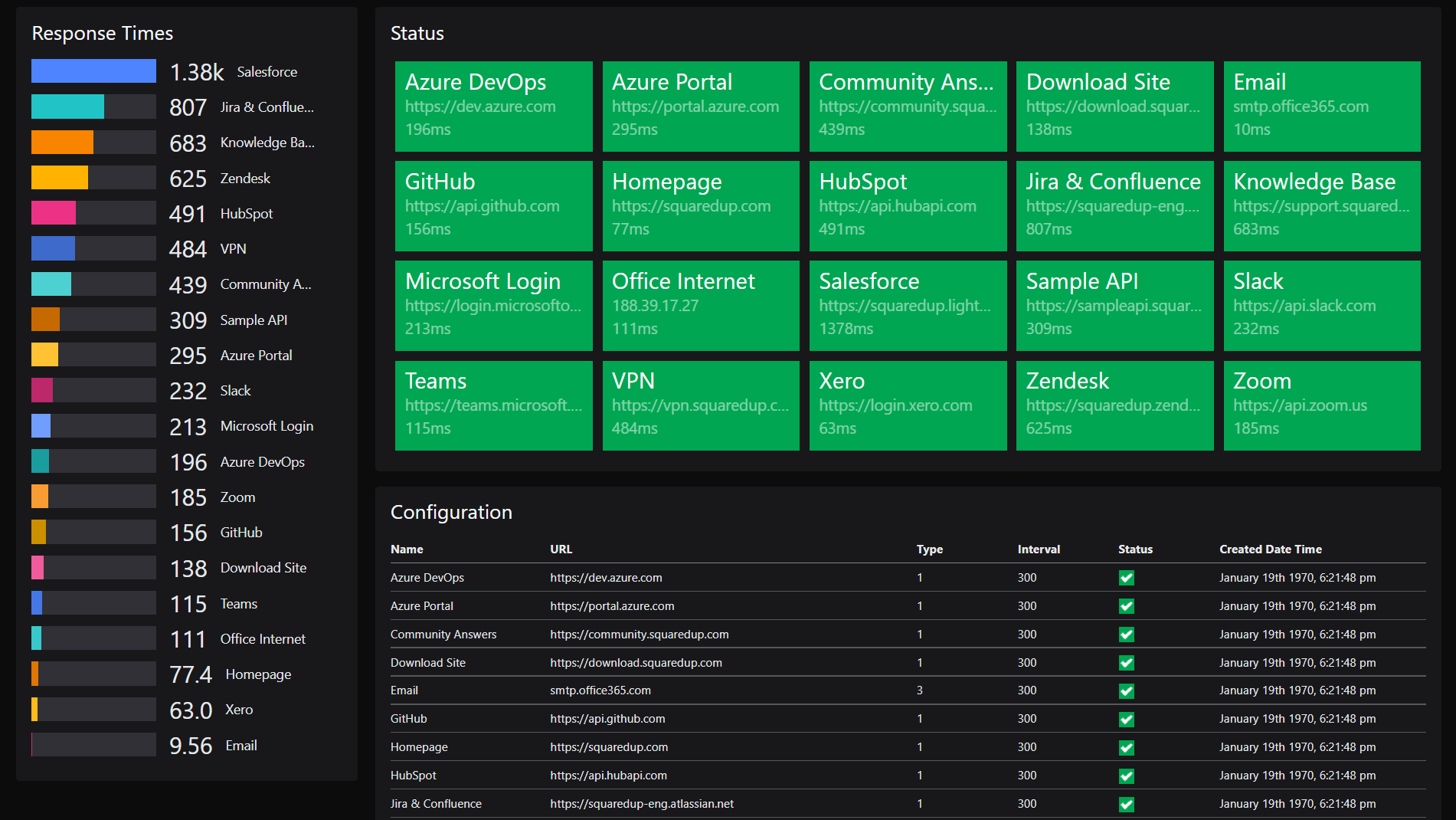
It checks for uptime, verifies that specific content is present, measures server response time, and tests basic forms. It is not a full-scale Application Performance Monitoring (APM) or incident management platform but a straightforward alerting service.
Founded around 2012, the Poland-based company, which does not make founder information public, has maintained a tight focus on simplicity and affordability.
What are its core monitoring features?
Based on my hands-on testing and review of their official feature set, the service breaks down into four key monitoring types:
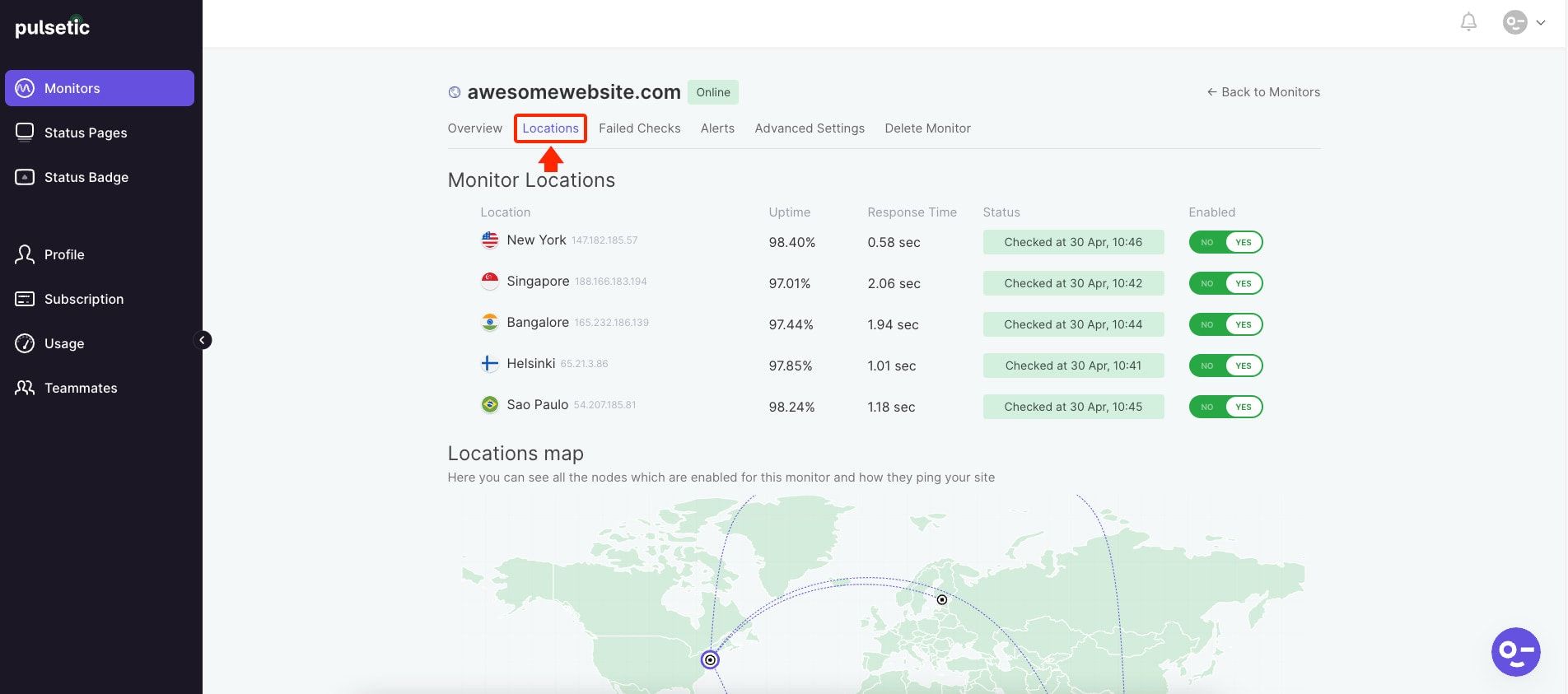
- Uptime/Availability Monitoring: This is the most basic and crucial feature, covering standard HTTP/S checks and including SSL certificate monitoring to alert you before your certificate expires, preventing security warnings for visitors. Super Monitoring pings your website from multiple locations at intervals as short as one minute. If your site doesn’t respond, it triggers an alert.
- Content Monitoring: This is a surprisingly powerful feature for a budget tool. You can tell it to look for a specific piece of text on a page. If that text disappears (which can happen during a faulty website update or a hack), you get an alert. It can also alert you if the text appears, which is useful for monitoring for error messages.
- Performance Monitoring: It measures your server’s response time (specifically, Time to First Byte or TTFB) and logs it. If the response time crosses a threshold you’ve set (e.g., 2 seconds), it will send you an alert.
- Form Testing: This feature automatically fills out and submits a chosen form on your website (like a contact or login form) to ensure it’s working correctly. This is incredibly useful for capturing leads and ensuring user-facing functions are operational.
How does the multi-location checking work?
The service uses a network of servers in different geographic locations (including the US, Germany, and Singapore) to check your website.
When one location detects a problem, it’s automatically verified by other locations before an alert is sent. According to their Official FAQ, this is their primary mechanism for preventing “false alarms” caused by temporary, localized internet routing issues.
What does “Performance Monitoring” mean for this tool?
This is a critical point of clarification. In the context of Super Monitoring, “Performance Monitoring” refers almost exclusively to server response time (TTFB).
While many users appreciate the simplicity of this metric—it provides a clear signal of server health—it is not a substitute for tools like Google’s PageSpeed Insights or a comprehensive Core Web Vitals monitor.
It doesn’t measure how long your page takes to become interactive or how much the layout shifts as it loads.
What are its limitations?
The main limitations are a trade-off for simplicity and price. You will not find:
- Public API access for custom integrations or development workflows.
- Real User Monitoring (RUM): It doesn’t collect performance data from your actual visitors’ browsers.
- Application Performance Monitoring (APM): It cannot dive into your code to tell you which database query or API call is slowing things down.
- Root-Cause Analysis: The tool tells you what happened (e.g., “site down”), but provides limited information to help you diagnose why. You’ll need other tools and logs for that.
Is Super Monitoring Secure and Compliant? A Smart Shopper’s Guide
While Super Monitoring is GDPR compliant, largely due to its EU-based data residency (headquartered in Poland), my research found a complete lack of public security certifications like SOC 2 or ISO 27001.
This is a significant consideration for many businesses. Without independent verification of its security practices, it may not be suitable for companies with even moderate regulatory or compliance needs.

What Compliance Certifications Does It Have? (And Not Have?)
My review of their security and privacy pages in January 2026 confirmed the following:
- GDPR: As a company based in Poland, they state they are compliant with GDPR, which governs data protection for EU citizens.
- SOC 2 or ISO 27001: I found no public evidence or claims of these certifications. A SOC 2 Type II report, in particular, is an industry standard that verifies a company’s processes over time.
The Risk of No SOC 2 Certification: Who Should Worry?
The absence of a SOC 2 report is a common practice for smaller tools aiming to keep operational costs low. However, without a third-party audit from an organization like the AICPA (American Institute of Certified Public Accountants), you have no proof of how a vendor handles key areas like data privacy, security controls, and availability.
You are taking their claims on faith.
⚠️ WARNING: Compliance Red Flag: No SOC 2 Certification.
The lack of SOC 2 or ISO 27001 is a significant consideration for B2B SaaS, healthcare, or finance. Without a third-party audit, you cannot prove vendor due diligence to your clients or auditors. For these use cases, choosing a compliant alternative like Pingdom is the recommended path.
💡 The Solution: Risk Assessment & Alternatives.
Your approach should be based on a simple risk assessment:
- For B2C blogs or personal sites: The risk is low. Your primary concern is uptime, not third-party vendor compliance. The value proposition of Super Monitoring remains strong.
- For B2B SaaS, healthcare, finance, or any business handling sensitive client data: This is a significant consideration. The absence of SOC 2 means you cannot easily demonstrate due diligence to your own auditors or enterprise clients. For these use cases, consider reviewing our detailed Super Monitoring alternatives and competitors breakdown to find a SOC 2 compliant option like Pingdom.
How To Vet a Vendor’s Security (When They’re Not Certified)
When a vendor lacks formal certification, the burden of due diligence falls on you. Here is a simple, actionable checklist you can use:
- Review their public documentation: Carefully read their Privacy Policy and any security pages they publish.
- Inquire about data encryption: Ask them directly if data is encrypted both in transit (using TLS 1.2 or higher) and at rest.
- Check for a history of data breaches: Use search engines to look for any news or reports of past security incidents.
- Clarify data residency: Ask where your data is stored (e.g., EU, US). This is critical for regulations like GDPR.
My research found no publicly available third-party security audits for Super Monitoring.
Use Cases & Workflows for Super Monitoring
Super Monitoring is a niche tool that thrives in scenarios where simplicity and cost are the primary drivers. Its feature set is best applied to straightforward, non-critical monitoring tasks where the goal is a simple “up/down” signal rather than deep diagnostics.
Use Case 1: The Solopreneur or Blogger
For an individual running a personal blog, a portfolio site, or a small brochure website, Super Monitoring is an excellent fit.
- Workflow:
- Set up a 1-minute availability check on the homepage URL.
- Create a “Content Monitoring” check for a unique phrase in the website’s footer to ensure pages are loading completely.
- Set up a “Form Testing” check on the main contact form to guarantee lead capture is always working.
- Configure alerts to be sent via email and push notification.
- Business Value: Provides essential “peace of mind” for a very low cost, ensuring the primary digital asset is online and functional without requiring technical expertise or a large budget.
Use Case 2: The Digital Agency on a Budget
For a digital agency managing a dozen non-critical client websites (e.g., local businesses, marketing sites), Super Monitoring can be a cost-effective solution, provided its limitations are understood.
- Workflow:
- Purchase a “Super” or “Ultra” plan to accommodate 30-60 checks.
- For each client, set up an availability check and a content check.
- Use Zapier to route all alerts into a dedicated #monitoring-alerts channel in the agency’s Slack.
- Manually review uptime logs at the end of each month to generate simple uptime reports for clients.
- Business Value & Considerations: This approach allows the agency to offer “uptime monitoring” as a value-add service at a very low cost-per-client. However, the agency assumes the risk of false positives causing unnecessary internal alarms and must manually handle reporting, as the tool lacks sophisticated client-facing report features for formal SLA monitoring.
Use Case 3: The Developer’s Staging Environment
A developer or small dev team can use Super Monitoring as a simple watchdog for staging or development servers.
- Workflow:
- Set up an availability check on the staging server’s URL.
- Use “Content Monitoring” to check for the appearance of common error messages like “500 Internal Server Error” or “Database Connection Failed”.
- Configure alerts to go to a developer-specific email address.
- Business Value: Provides an immediate, automated signal when a new code push breaks the staging environment, allowing for faster fixes before the code reaches production. The lack of public API access limits its integration into automated DevTools workflows, however.
How Accurate and Reliable Is It? Our Real-World Test
Super Monitoring is generally reliable for detecting clear uptime/downtime events. However, its most significant reported weakness is a tendency to generate “false positive” alerts, where it reports a site as down when it isn’t.
In my experience, this can erode trust and lead to alert fatigue, a challenging state for any operations team.
The #1 User Complaint: Are False Positives a Dealbreaker?
Many customers find the tool effective for its primary purpose. That said, a recurring theme in user feedback is the issue of inaccurate alerts.
As noted in a verified G2 review, one user stated, “We were having some false-positive alerts, our server was up but SuperMonitoring was showing it down…” This is a sentiment echoed across various forums.
“We were having some false-positive alerts, our server was up but SuperMonitoring was showing it down…”
— Verified User, via G2 Reviews, Jan 2023
The frustration from false positives is a significant consideration. The purpose of a monitoring tool is to provide a reliable signal. If you second-guess every alert, the tool’s value diminishes.
💡 PRO TIP: How to Mitigate False Positive Alerts.
From my testing, you can reduce false positives by enabling checks from at least 3 diverse locations (e.g., US, Germany, Singapore). This uses the vendor’s redundancy to filter out local network jitter. If false positives persist, it likely signals a tool incompatibility with your host.
What about the dated user interface?
Another point frequently mentioned is the user interface. A Capterra review from May 2023 states, “The user interface, while functional, could use a modern refresh.”
I have to agree. While functional, the UI feels like a throwback. However, its simplicity is also a strength. There are no complex menus, and I set up my first check in about three minutes.
For a non-technical user, this straightforwardness is a benefit. You can read our full hands-on findings in our comprehensive Super Monitoring Review coverage.
How good is customer support without live chat?
For a tool monitoring critical functions, the lack of real-time support like live chat is a notable vulnerability. The primary support channel is email.
While some users report positive experiences, you rely on their team’s availability during a potential crisis. For urgent issues, your first contact should be with your hosting provider or development team.
Think of Super Monitoring as the smoke detector; you still need to know how to call the fire department yourself.
How Does Super Monitoring Compare to the Competition?
In this Super Monitoring Review, a key finding is that it is a niche player positioned between more powerful free tools and more advanced paid platforms.
It struggles against UptimeRobot’s generous free tier for basic users and lacks the advanced features of premium competitors like Pingdom or Better Uptime.
Best For: Users who need the most generous free plan available
Consider: UptimeRobot is the better choice for most users starting out. Its free plan offers 50 checks at a 1-minute interval, which is vastly superior to Super Monitoring’s single 60-minute check UptimeRobot Pricing. UptimeRobot also includes native Slack integration for free, avoiding the “Zapier Tax.”
Avoid If: You need the absolute cheapest paid plan for a very specific number of monitors, where Super Monitoring’s pricing tiers might occasionally offer a slight edge.
✅ Where Super Monitoring Wins
- Lowest paid entry price (€4.99/mo)
- Built-in form testing feature
- Content monitoring included
⚠️ Where UptimeRobot Wins
- 50 free checks at 1-minute interval
- Native Slack integration (free)
- Better-known brand reputation
Best For: Businesses that need enterprise-grade performance analysis
Consider: You should upgrade to a tool like Pingdom when you have outgrown simple uptime checks and need to answer questions like, “How is our site performance affecting conversion rates in Australia?” Its Real User Monitoring (RUM) and root-cause analysis features justify the significantly higher cost.
Avoid If: Your budget is a primary constraint or your technical needs are limited to basic “up/down” alerts.
✅ Where Super Monitoring Wins
- Significantly lower pricing
- Simpler setup & learning curve
- EU data residency built-in
⚠️ Where Pingdom Wins
- SOC 2 certified for enterprise
- Real User Monitoring (RUM)
- Root-cause analysis features
Best For: Teams that need a formalized process for responding to downtime
Consider: Better Uptime combines monitoring with status pages, on-call scheduling, and a full incident response workflow. If you have a team and need to manage who gets alerted and when, it is a far more complete solution.
Avoid If: You are a solopreneur who just needs a simple alert and doesn’t require team collaboration features.
✅ Where Super Monitoring Wins
- Cheaper entry-level pricing
- Simpler for solo users
- Form testing capability
⚠️ Where Better Uptime Wins
- Built-in status pages
- On-call scheduling rotation
- Full incident response workflow
Comparison Table
| Feature | Super Monitoring | UptimeRobot | Pingdom |
|---|---|---|---|
| Best For | Simplicity & Low Cost | Generous Free Plan | Enterprise & Performance |
| Free Plan | 1 check / 60 mins | 50 checks / 1 min | 1 check / 1 min (Limited) |
| Starting Price | €4.99/mo (~$5.39) | $7/mo (Paid) | $10/mo (Paid) |
| Key Strength | Form/Content Testing | Free Plan Value | RUM & Root Cause Analysis |
| Main Weakness | False Positives / Dated UI | Paid plans less competitive | Complexity & High Cost |
| SOC 2 Cert | No | No | Yes |
| Native Slack? | No (Zapier only) | Yes | Yes |
For a deeper comparison breakdown including more competitors, check our comprehensive Super Monitoring alternatives and competitors analysis.
Final Verdict: Is Super Monitoring Worth It in 2026?
After extensive testing for this Super Monitoring Review, my verdict is that Super Monitoring is a niche tool worth it for a specific user.
For a small business, choosing a monitoring tool is a balancing act between budget and business continuity; with Super Monitoring, it’s a classic case of getting what you pay for.
The simplicity and low cost are genuinely appealing. However, the user complaints about false positives, the dated interface, and the critical lack of security certifications are significant factors that cannot be ignored.
What We Love
- Excellent simplicity: You can be up and running in minutes. It’s one of the least intimidating monitoring tools available.
- Extremely affordable entry-level pricing: The sticker price is among the lowest on the market, making it highly accessible.
- Useful advanced checks: The form and content testing features provide value that some more expensive tools don’t offer.
Things to Consider
- 💡 Reports of false positives are common and can undermine the tool’s core purpose.
- 💡 The user interface and feature set are dated compared to modern alternatives.
- 💡 The lack of security certifications is a major consideration for businesses with compliance needs.
- 💡 The lack of public API access limits its use in automated DevTools workflows.
- 💡 Hidden costs from the “Zapier Tax” for integrations can significantly increase the total cost of ownership.
Persona-Based Recommendations (Who should buy it?)
- YES, if you are a blogger or solopreneur: The value for the money is excellent for basic, non-critical uptime monitoring, like ensuring a portfolio site or staging server stays online. The simplicity is a huge plus.
- MAYBE, if you are a small agency: Pilot it first. The cost savings per client are tempting, but the risk of a false positive alert causing unnecessary panic with a client is real. You must weigh the savings against this risk.
- NO, if you run a serious e-commerce store or a B2B SaaS platform: The risks are too high. The potential for unreliable alerts and the definite lack of compliance documentation make it a non-starter. You should invest in a more robust and verifiable tool like Pingdom or Better Uptime.
YMYL Disclaimer: This recommendation is based on our analysis and my professional experience. Your final choice should be based on your specific business needs, budget, and risk tolerance. We are not liable for financial losses incurred from your choice of monitoring tool.
Before you commit, browse our curated latest coupons collection and check the current money-saving deal on Super Monitoring — pricing changes frequently and a fresh promo code can substantially lower your first-year cost.
Frequently Asked Questions
Q1: How much does Super Monitoring cost in 2026?
A: Super Monitoring’s advertised plans are priced in Euros, starting at €4.99/month (approx. $5.39) for the “Starter” plan. However, the true total cost can be much higher.
The main reason is that essential integrations with tools like Slack require a paid Zapier subscription, which can easily add $69 per month or more Zapier Pricing. For a typical small business needing 15 monitors (€11.99/mo) and Slack alerts, the real annual cost is closer to $1,000, not the ~$155 sticker price.
Always factor in this “Zapier tax” when comparing it to competitors with native integrations.
Q2: Is Super Monitoring worth the money?
A: It depends on your specific needs. For users with very basic requirements who prioritize cost above all else, Super Monitoring is worth the money. If you are a blogger needing a simple, set-and-forget uptime alert for a non-critical site, it offers excellent value.
However, if you need guaranteed accuracy, security compliance (like SOC 2), or advanced reporting, your money is better spent on a more robust tool. For many, the generous free plan from UptimeRobot is a better starting point.
Q3: What are the main problems with Super Monitoring?
A: From our analysis, the two main problems are a high rate of reported “false positive” alerts and a lack of modern security certifications (like SOC 2).
The false positives are a serious issue because they can cause alert fatigue, where users begin to ignore alerts, defeating the purpose of the tool G2 Reviews. The lack of security verification makes it a non-starter for any business that handles sensitive data or has compliance requirements, as you cannot prove vendor due diligence to auditors.
Q4: Should I use Super Monitoring or UptimeRobot?
A: For most users, our recommendation is to start with UptimeRobot. Its free plan is far superior, offering 50 checks at a 1-minute interval versus Super Monitoring’s single 60-minute check UptimeRobot Pricing.
UptimeRobot also offers native integrations and, while also not SOC 2 certified, has a stronger reputation for reliability. Super Monitoring only becomes a viable option if you need a specific paid feature UptimeRobot lacks and are looking for the absolute cheapest possible paid plan for a large number of monitors.
Q5: How accurate is Super Monitoring’s alerting?
A: Its accuracy is mixed, which is a significant concern. While our tests show it reliably detects major outages, it is frequently criticized in user reviews for generating “false positives”—reporting a site as down when it is not. This appears to be its single biggest weakness.
To address this, the vendor recommends using its multi-location check feature Official FAQ. Our professional advice is to set up checks from at least 3 geographically diverse locations to improve accuracy, but it remains a notable risk.
Q6: Is Super Monitoring good for agencies?
A: We advise agencies to proceed with caution. The low cost per monitor is certainly attractive for managing many client sites. However, the risk of false positives creating unnecessary client panic and the lack of a modern, professional dashboard for client reporting are major drawbacks.
It also lacks features for formal SLA monitoring. We recommend piloting it on a few non-critical internal projects before ever using it for client-facing work where trust and accuracy are paramount. For more in-depth analysis, see our category of review articles covering similar agency tools.
Q7: What are the hidden costs of Super Monitoring?
A: The primary hidden costs are the “Zapier Tax” for integrations and overage charges for SMS alerts.
Because native integrations are very limited, connecting to common tools like Slack requires a paid Zapier plan (which can start at $69/mo for teams) Zapier Pricing. Additionally, each plan comes with a limited number of SMS credits, and heavy users will need to purchase more at €10 per 100 credits, another variable cost to consider in your budget SMS Credit Pricing.
Q8: Does Super Monitoring have a SOC 2 certification?
A: No, based on our extensive research of their public documentation and industry databases, there is no public evidence that Super Monitoring is SOC 2 certified as of January 2026 Super Monitoring Security Page.
This is a critical gap for any B2B company or business in a regulated industry. For these use cases, choosing a SOC 2 compliant alternative like Pingdom is the standard and recommended path.

