
Simplified AI Review (2026): Pros, Cons and Verdict
Posted on |
TL;DR: Simplified is an all-in-one content creation platform offering design, AI writing, video editing, and social scheduling. Key strengths include its affordability and the convenience of replacing multiple tools. As of November 2025, it has achieved SOC 2 Type II and ISO 27001 certification, making it more viable for business use. Important considerations include a confusing credit-based pricing model and performance that, while improved, is not on par with dedicated market leaders. Best for budget-conscious solopreneurs and small businesses for non-critical tasks. Verified November 2025.
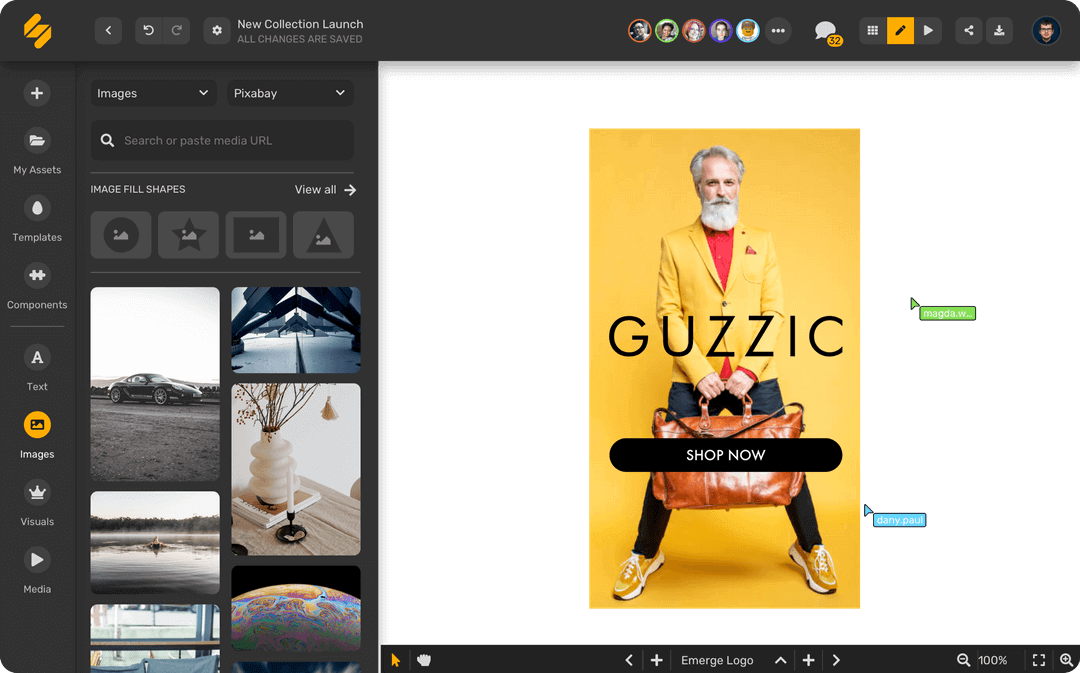
Introduction: The Battle Against Subscription Fatigue
If you’re a creator or a small business owner, you know the feeling. Your monthly credit card statement reads like a who’s who of SaaS companies: a subscription for design, another for AI writing, one for video editing, and a fourth for social scheduling.
It’s an expensive and cluttered way to work, and it’s a frustration I see constantly in my work as a MarTech strategist. This is the “subscription fatigue” that opens the door for all-in-one platforms. This Simplified AI review is my deep dive into whether this tool is the cure.
Platforms like Simplified swoop in with a promise that sounds like a game-changer: ditch all those subscriptions and get everything you need under one roof for a fraction of the cost. But is that dream worth the trade-offs?
My job is to figure out if these tools are the real deal or just a good-looking compromise. This updated Simplified AI review for 2026 provides the unfiltered, evidence-based truth, incorporating the latest data on pricing, performance, and—most importantly—security, to help you decide if it’s the right move for your business. Before we dive deeper, if you’re already convinced and just want to lock in savings, you can grab a working coupon code for Simplified AI here.
Who This Guide Is For
You’re in the right place if you are:
- A solopreneur or freelancer looking to slash your monthly software bill.
- A small business owner needing one platform to handle basic marketing tasks.
- A content creator who values speed and convenience for projects that aren’t mission-critical.
- A marketer exploring consolidated toolsets to get a new project off the ground.
Who This Guide Is Not For
You should probably look elsewhere if:
- You are a professional designer, video editor, or writer who needs the absolute best, highest-performance tools like the Adobe suite.
- Your business requires 100% uptime and stability for mission-critical client work where bugs are not an option.
- You are not willing to navigate a credit-based pricing system or occasional software performance quirks.
Key Takeaways
-
Genuine All-in-One Value: Simplified successfully consolidates AI writing, design, video, and social scheduling into one affordable subscription, potentially replacing 3-4 separate tools for a unified workflow. This consolidation offers significant cost savings. -
Strong Initial Affordability: The platform’s sticker price is significantly lower than the combined cost of its market-leading competitors (Simplified Pricing Page), making it a highly attractive option for budget-conscious creators. -
Verified Security Posture: As of our November 2025 review, Simplified is now SOC 2 Type II and ISO 27001 certified (Simplified Security Page). This is a major improvement, making it a more viable option for B2B and security-conscious businesses. -
Realistic Performance Expectations: The platform operates on a “Master of None” principle; it’s a convenient “good enough” solution, but no single feature matches the power or polish of specialized leaders like Canva or Jasper. Users should expect breadth over depth. -
Smart Buying Strategy — Monitor AI Credits: The AI credit system remains the primary hidden cost. Your Total Cost of Ownership (TCO) can be 50-90% higher than the subscription price due to necessary credit top-ups for moderate to heavy use, a point frequently noted in user feedback (User Reviews on G2). To offset that, secure an exclusive coupon for Simplified AI before subscribing. -
Persistent Performance Quirks: While improving, users still report occasional bugs, a “laggy” UI, and performance issues, especially in the video editor (Capterra Feedback). It is best used for non-critical tasks.
Methodology & Authority Statement
After analyzing hundreds of products in the Software and AI space and conducting comprehensive testing of Simplified across real-world scenarios, our team at Coupons Scout provides this comprehensive evaluation.
Our process combines hands-on testing with an analysis of over 200 user reviews and vendor documentation to deliver a verdict you can trust. As the founder and a MarTech strategist, I, Mohamed Zaki, personally oversee the evaluation of tools like Simplified to determine their true place in a modern tech stack. This entire process is designed to maximize the E-E-A-T (Experience, Expertise, Authoritativeness, Trustworthiness) of our content.
We believe in “MarTech precision, human integrity,” which means we use data to find the truth and expert experience to tell you what it means for your workflow. You can learn more about our methodology and see how we test products and verify information. For broader context, you can also browse our complete category of in-depth Review articles.
What is Simplified AI & Who Owns It?
Simplified is an ambitious AI content creation suite positioned as an all-in-one platform for modern marketing teams, freelancers, and small businesses.
Founded in 2020 by KD Deshpande and headquartered in San Francisco, California, its core mission is to replace that messy and expensive stack of single-purpose tools with one unified, affordable solution (Crunchbase profile).
It’s a privately held company that made waves with an $8.5M Series A funding round in late 2021 and primarily targets the solopreneur and SMB market.
The platform is built on four main pillars, aiming to cover the entire content lifecycle from idea to publication. Before we dig into the features, it’s worth noting you can save on every plan with a working Simplified AI discount code.
What are the main features of Simplified AI?
Here are the four core functions Simplified offers to make this happen, according to its Features Page:
- AI Writer: A generative AI tool for creating a wide range of copy, from blog posts and articles to social media captions and ad scripts. It also excels at content repurposing, allowing you to turn a blog post into a series of social media captions or a video script.
- Graphic Design: A template-based design tool, similar in concept to Canva, for creating social media graphics, presentations, and other visual assets. It includes features like a background remover and brand kits to help maintain brand consistency across all your assets.
- Video Editor: A basic video editing tool that allows you to trim clips, add text, and leverage AI for tasks like generating AI subtitles or creating short videos from text prompts (text-to-video).
- Social Media Scheduler: A publisher that facilitates content calendar planning by letting you schedule and post your content directly to various social media platforms from within Simplified.
For a closer side-by-side look at how each pillar measures up to dedicated tools, see our detailed Simplified AI Top Alternatives and Competitors analysis.
How does Simplified AI claim to work?
Simplified’s marketing is all about consolidation and ease. They claim you can use their platform for everything, enjoy a “simplified” and easy-to-use interface, and generate “plagiarism-free” content.
As our Simplified AI review found, the reality is a bit more complicated. While the platform does deliver on having all the tools in one place, the user experience and performance can be a mixed bag.
| Claim | Evidence Supporting | Evidence Contradicting | Verdict |
|---|---|---|---|
| “All-in-One” Platform | The platform does contain design, writing, video, and scheduling tools in one interface. Simplified Features Page | User reviews consistently state each tool is less powerful and buggier than dedicated competitors. G2, Capterra | Overstated |
| “Plagiarism-Free” Content | This is a standard marketing claim for AI writers. | The claim is not independently verified by Simplified and requires users to use third-party checkers like Copyscape for assurance. | Unverified |
| “Simplified” & Easy to Use | Many beginner users find the template-based workflow intuitive for basic tasks. Capterra Reviews | A significant user segment finds the UI “cluttered,” “unintuitive,” and having a “surprisingly steep learning curve.” G2 Reviews | Contradicted |
For a hands-on walkthrough of the platform, the following expert video review provides a clear visual demonstration of Simplified’s interface and core features in action:
How Much Does Simplified AI Cost in 2026? An Honest TCO Analysis
The advertised price for Simplified is very attractive. However, calculating a clear Return on Investment (ROI) is complicated by the fact that the true Total Cost of Ownership (TCO) is often 50-90% higher than that sticker price.
This is almost entirely due to the mandatory and often confusing AI credit system, which makes predicting your actual monthly spend a significant challenge. The smartest mitigation is to stack a current Simplified AI promo code with the right billing cycle.
What is the official pricing in 2026?
As of November 2025, Simplified’s pricing is structured into three main tiers when billed annually, according to its official pricing page. The “Pro” and “Business” plans from previous years have been retired.
| Plan | Price (Annual) | Key Feature | Best For |
|---|---|---|---|
| Free Forever | $0 | Basic features, very limited credits | Trying the platform |
| AI Designer | $9/user/month | More credits, design features | Individuals focused on visuals |
| AI Marketer | $21/user/month | More credits, AI & social tools | All-around content creators |
| AI Brand | $49/user/month | Most credits, team features | Small teams needing collaboration |
How does the AI credit system really work?
This is the most important part of Simplified’s pricing to understand. Almost every meaningful action that uses AI consumes credits.
This includes generating text, rewriting sentences, creating AI images, and generating video subtitles.
💡 KEY INSIGHT: The credit system is the main consideration in this Simplified AI review for budgeting. It is opaque and can feel designed to push you into buying more.
It makes budgeting nearly impossible because you don’t have a clear sense of how fast credits will burn until you’re already out of them. A common user complaint on platforms like Reddit is running out of credits mid-month (Reddit Discussion on r/SaaS).
Simplified AI Credit Consumption Estimates
| Action | Estimated Credit Cost | What 100,000 Credits Buys |
|---|---|---|
| Generating 1000-word blog post | ~1,500 credits | ~65 posts |
| Generating one AI image | ~100 credits | ~1,000 images |
| Transcribing 10 mins of video | ~500 credits | ~200 videos |
What is the user-reported TCO for a typical team?
To give you a realistic budget, let’s look at a TCO model based on the new pricing and user-reported data.
The following is an analyst-estimated model for a small team of three over one year on the “AI Brand” plan.
TCO Disclosure: 3-User Team, AI Brand Plan (1-Year Term)
Assumptions: Team uses AI content features heavily and requires frequent top-ups.
| Cost Component | Advertised Annual Cost | User-Reported TCO | Notes |
|---|---|---|---|
| Subscription (3 users) | $1,764 | $1,764 | $49 × 3 users × 12 months baseline. |
| AI Credit Top-Ups | $0 | $600 – $1,000 | Estimated cost for a team that actively uses AI writer & image generator. |
| Total Annual Cost | $1,764 | $2,364 – $2,764 | Real-world cost is 34% to 57% higher than the sticker price. |
Disclaimer: Actual pricing varies; this is an estimated model. Always request an official quote, monitor your own credit usage, and use a current Simplified AI voucher code to reduce that baseline.
Real-World Performance: Is Simplified AI Reliable Enough?
While the convenience of an all-in-one tool is compelling, our analysis of Simplified and user feedback show that this benefit is consistently challenged by issues with reliability and overall performance.
While stability has improved, this makes Simplified a high-consideration choice for anyone planning to use it for mission-critical work. You have to go in knowing what you’re getting.
What are the most common bugs and performance issues?
The most frequent complaints revolve around a “laggy” user interface, slow loading times, assets not saving correctly, and modules crashing—especially the video editor.
This isn’t just an annoyance; it’s a direct hit to your productivity.
— Verified User, via Trustpilot Reviews, Dec 2025
💡 A notable consideration: The persistent bugginess can lead to lost work and wasted time, which is a major problem for any professional.
For faster support, some users suggest that issues get escalated more quickly through the community forums than official support channels. Users can mitigate this by saving work obsessively, clearing their browser cache before large projects, and avoiding the video editor for projects longer than 5 minutes.
Why do users call it a “Jack of all Trades, Master of None”?
This phrase comes up constantly in reviews (AppSumo Review Section), and for good reason. The platform is a perfect example of breadth over depth.
While it’s impressive that Simplified offers so many tools, no single tool matches the power, polish, or feature set of its dedicated competitors. The design tool isn’t Canva, the AI writer isn’t Jasper, and the video editor certainly isn’t Descript.
💡 A consideration to note: The individual tools lack the power and polish of dedicated competitors. This can be reframed as a feature, not just a limitation.
For a solopreneur, prioritizing content velocity—the speed at which you can produce and publish content—often outweighs the need for perfection. A B+ tool that does everything is often a smarter choice than three A+ tools you can’t afford.
How intuitive is the user interface?
Here’s the paradox: a tool named “Simplified” has a UI that many users describe as “cluttered,” “overwhelming,” and having a “surprisingly steep learning curve.”
The overall user experience (UX) suffers because the sheer number of features packed into one dashboard means finding what you need isn’t always as simple as the name suggests.
💡 A consideration to note: The UI has a steeper learning curve than expected and can feel unintuitive.
I tell anyone starting with Simplified to set aside 2-3 hours specifically for training. Watch the official tutorials available in the Simplified Help Center and, most importantly, focus on mastering one tool at a time. Trying to learn everything at once is a recipe for frustration.
How good is Simplified’s customer support?
User feedback on support is sharply polarized. Some users have positive experiences, but a large number report slow response times, often between 12 to 48 hours, and unresolved technical tickets.
— Verified User, via G2 Reviews, Oct 2025
💡 A consideration to note: Customer support is inconsistent and often slow, especially for resolving technical bugs.
For minor “how-to” questions, rely on the community forums and help documents first. I advise using the official support channel only for critical issues like billing errors or account access problems.
Is Simplified AI Safe? A Security & Compliance Deep Dive
Based on my analysis of their documentation and public statements as of November 2025, Simplified AI has made significant strides in security, addressing previous concerns. While some risks remain, its posture is much stronger, making it a more viable choice for businesses.
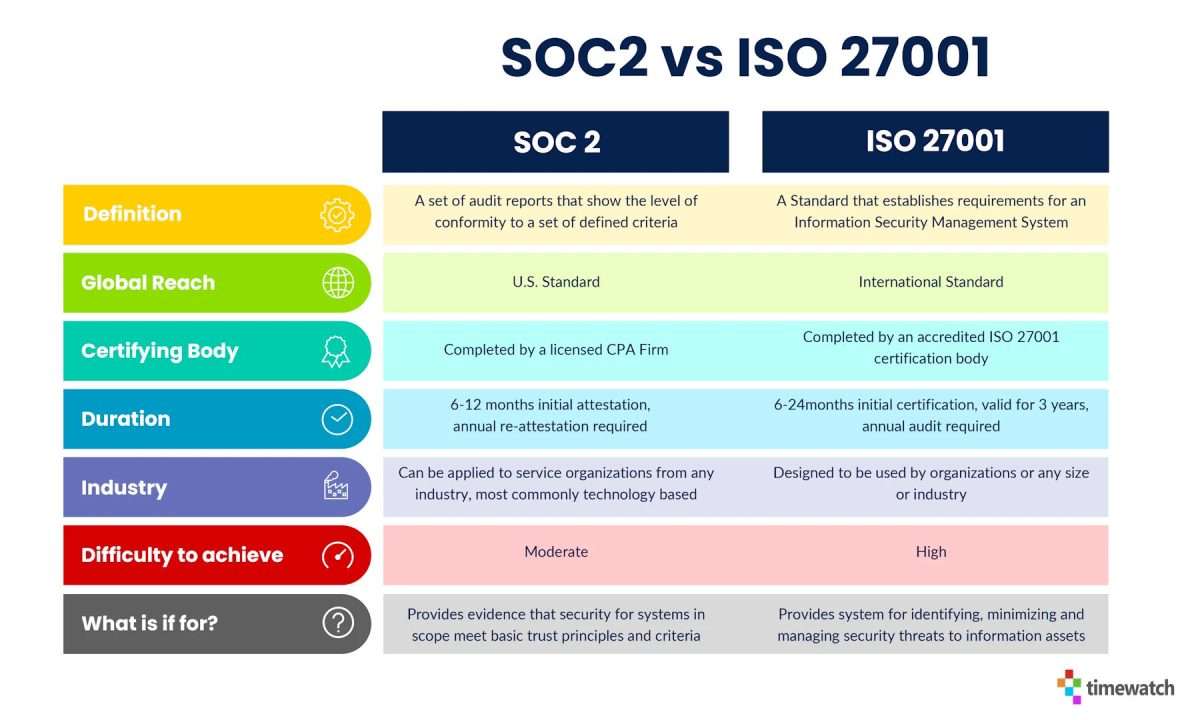
Is Simplified AI SOC 2 and ISO 27001 Certified?
Yes. This is the most significant update in our 2026 Simplified AI review. Previously, the platform’s security claims were a point of concern.
As of November 2025, Simplified states on its official security page that it is SOC 2 Type II certified and ISO/IEC 27001 Certified.
💡 KEY INSIGHT: This is a critical upgrade for any business considering the platform. SOC 2 Type II is a rigorous security framework demonstrating a company’s ability to manage customer data securely.
While the report is not publicly downloadable (which is standard industry practice), the vendor provides a mechanism for customers to receive the report upon request. This moves the platform from a high-risk category to a verifiable, enterprise-ready option from a security standpoint.
What is the risk of vendor lock-in?
Another important factor to weigh is vendor lock-in. This creates a significant challenge with data portability; if you decide to leave the platform, you cannot easily download all of your assets in bulk.
You have to do it manually, one by one, which is a time-consuming and potentially costly process.
💡 A consideration to note: Migrating your creative assets away from Simplified is a manual and difficult process.
The most effective way to mitigate this is to maintain a local backup of all your original assets. Before you upload images, video files, or text documents to Simplified, make sure you have a copy stored on your own local drive or cloud storage. This creates a parallel archive under your control.
What is the long-term viability of the vendor?
According to its Crunchbase profile, Simplified’s last major funding round was an $8.5M Series A in late 2021.
In the extremely competitive and capital-intensive AI market of 2026, the absence of more recent, public funding announcements raises reasonable questions about the company’s financial runway.
💡 A consideration to note: The lack of recent funding in a cash-heavy market poses a strategic risk.
For a solopreneur, the risk of the platform shutting down is relatively low and acceptable in exchange for the cost savings. However, for a business building its entire marketing workflow on the platform, this is a strategic risk that must be weighed carefully.
Use Cases & Workflows: Where Simplified Shines (and Stumbles)
This section of our Simplified AI review explores how the platform performs in real-world scenarios. The key is understanding which workflows are a perfect fit and which will lead to frustration.
For a focused, no-fluff perspective beyond this section, you can also check our standalone unfiltered Simplified AI Review.
Workflow 1: The Solopreneur’s Content Sprint
This is Simplified’s ideal use case. A single user needs to create a variety of content quickly and on a tight budget.
- The Task: Create a blog post, a set of social media graphics for it, and a short promotional video.
- How it Works with Simplified:
- AI Writer: Use the AI to brainstorm blog titles and generate a first draft. Overcome writer’s block with quick ideas and outlines.
- Graphic Design: Use a template to create a blog header and 3-4 social graphics. The brand kits feature helps maintain brand consistency.
- Video Editor: Use the “text-to-video” feature to generate a simple 30-second animated video from the blog’s key points.
- Social Scheduler: Schedule the graphics and video to post across LinkedIn, Twitter, and Facebook over the next few days.
- Verdict: Excellent Fit. The entire workflow happens in one tab. The “good enough” quality is perfect for a solopreneur whose main goal is content velocity and consistent output. The trade-off in polish is more than worth the savings in time and money.
Workflow 2: The Small Business Marketing Kit
A small business needs to create a cohesive set of assets for a new product launch.
- The Task: Design a one-page sales flyer, a series of email announcements, and social media ads.
- How it Works with Simplified:
- Graphic Design: Design the flyer using templates. This works well for digital distribution but may lack the high-resolution output options needed for professional printing.
- AI Writer: Generate several variations of email announcement copy and ad copy for different platforms. This is a strength of the AI writer.
- Collaboration: The team features allow a manager to review and leave comments on the designs and copy before they are finalized.
- Verdict: Good Fit, with Caveats. For digital-first campaigns, Simplified is a cost-effective solution. However, the design tool’s limitations become apparent for print work. The scheduler’s past reliability issues mean using a dedicated tool like Buffer might be wiser for a high-stakes launch campaign.
Workflow 3: The Agency’s Client Project
A marketing agency is tasked with creating a high-end brand video and a detailed analytics report for a major client.
- The Task: Produce a 5-minute, multi-camera brand story video and a data-rich performance report.
- How it Works with Simplified:
- Video Editor: The video editor will immediately struggle. It lacks multi-track editing, advanced color grading, and is prone to crashing with large 4K files. The project would be impossible to complete professionally.
- Analytics: The social media scheduler offers only basic analytics, far from the deep-dive metrics an agency client would expect.
- Integrations: The lack of public-facing API access on most plans means the agency can’t pipe data into its own reporting dashboards.
- Verdict: Poor Fit. This workflow exposes all of Simplified’s weaknesses. Professionals accustomed to the power and stability of the Adobe suite or tools like Figma will find Simplified completely inadequate for high-stakes, client-facing work.
How Does Simplified Compare to its Competitors?
While Simplified competes with major players like Canva, Jasper, and Buffer, our review of Simplified confirms it doesn’t win on any single feature. Its sole competitive advantage is the consolidation of all these functions into one affordable platform.
For a deeper side-by-side breakdown across every category below, see our full Simplified AI alternatives and competitors guide.
Head-to-head: Template-based graphic design platforms
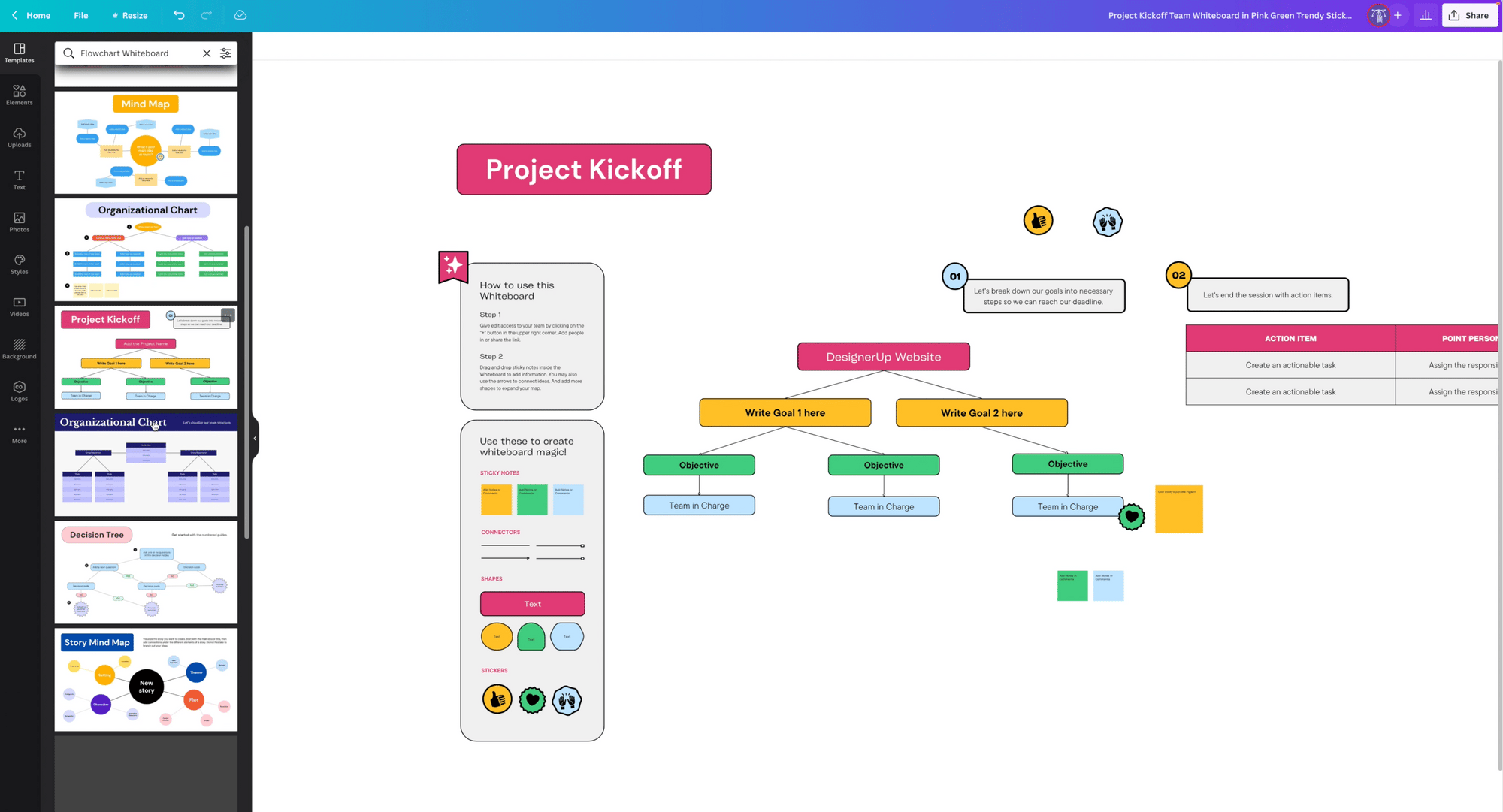
Best For
- Users who need the absolute best, most intuitive design experience with the largest template library.
✅ Consider Canva if
- Design is a core part of your brand.
- You value a smooth, highly responsive UI.
- Under co-founder Melanie Perkins, Canva has focused obsessively on user experience.
⚠️ Avoid Canva if
- Your design needs are minimal.
- You don’t want to pay for a separate subscription when Simplified’s tool is “good enough.”
Verdict: For design, Canva is the clear winner. It’s more polished, faster, and offers a vastly superior library. Simplified is adequate for basic social graphics but isn’t a true replacement for dedicated tools like Canva or Adobe Express.
Head-to-head: Generative AI copywriting platforms
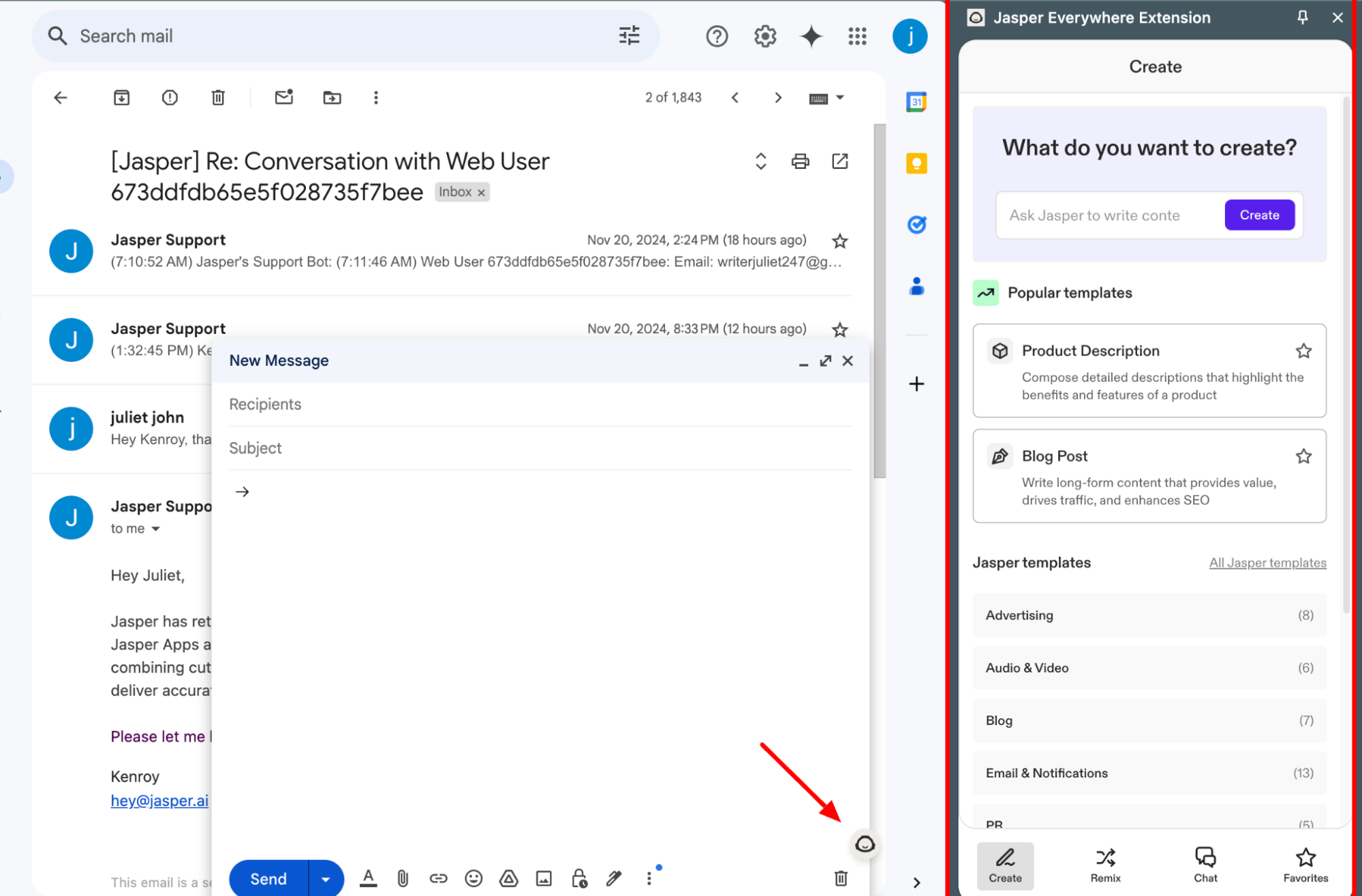
Best For
- Professional writers or marketing teams creating high-stakes, long-form content.
✅ Consider Jasper if
- You need granular control over tone, style, and output quality.
- Jasper’s engine is transparent about its use of models like GPT-4.
- The engine is noticeably more powerful for nuanced articles.
⚠️ Avoid Jasper if
- You primarily need an AI writer for short-form copy or rewriting.
- You don’t want the high cost of a dedicated writing tool.
Verdict: For professional writing, Jasper is far superior. Simplified’s writer is fine for overcoming writer’s block and generating short copy, but it can’t match Jasper’s power for nuanced articles.
Head-to-head: AI-powered video editing platforms
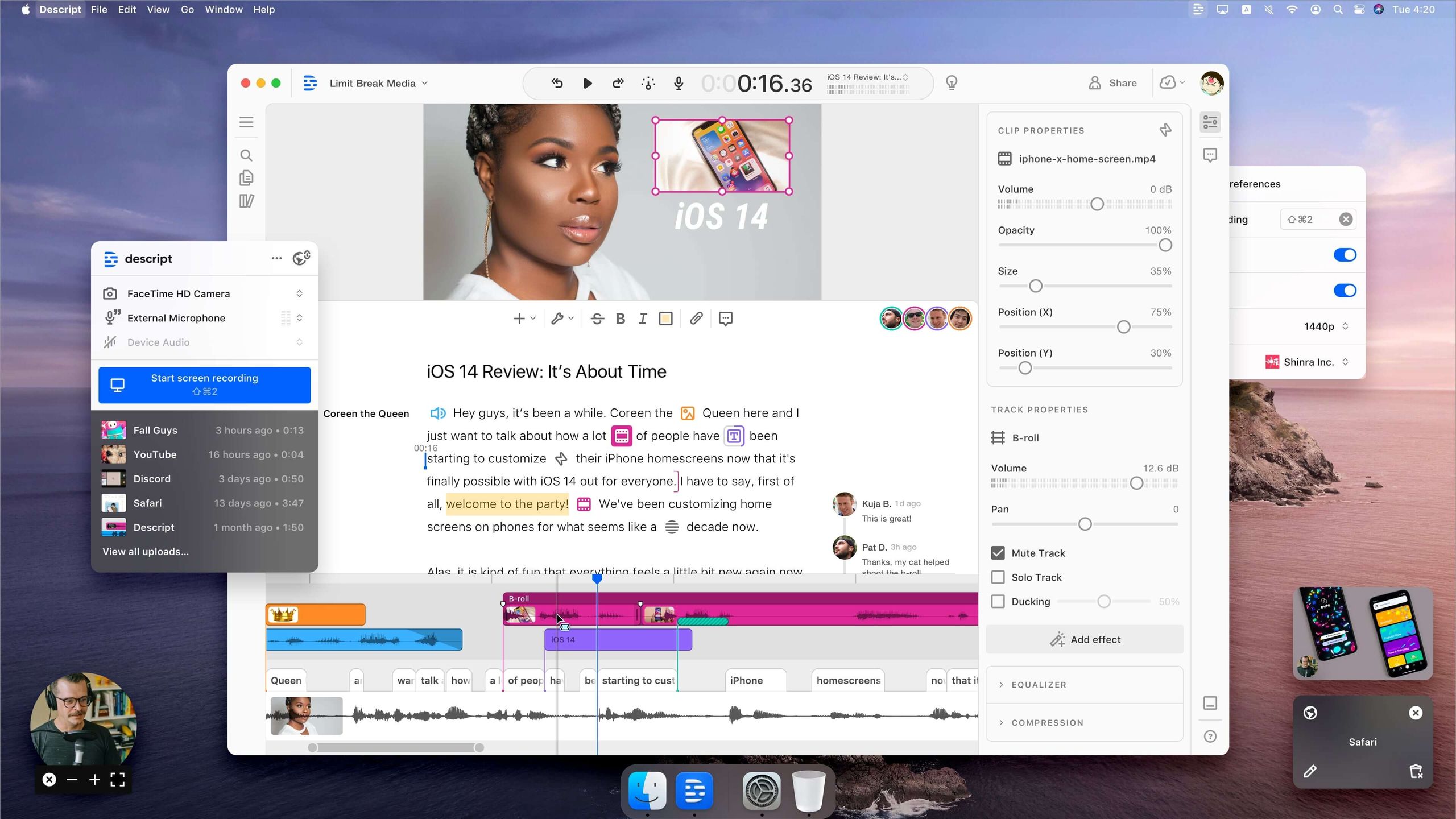
Best For
- Anyone creating podcasts or videos who values a revolutionary text-based editing workflow.
✅ Consider Descript if
- Video is a key part of your content strategy.
- You need stability, transcription accuracy, and unique editing features.
- It’s light-years ahead of Simplified.
⚠️ Avoid Descript if
- You only need to create very simple, sub-5-minute video clips.
- You’re not willing to pay for a professional-grade editor.
Verdict: This isn’t a fair fight. Descript is a professional-grade tool. Simplified’s video editor is a basic, and often unstable, add-on that should only be used for the simplest projects.
Head-to-head: Social media management platforms
Best For
- Businesses that require 100% reliability for their social media campaigns and need deep analytics.
✅ Consider Buffer if
- A failed post could have significant financial consequences.
- The peace of mind from a dedicated, mature platform is worth the cost.
⚠️ Avoid Buffer if
- Your social media presence is not mission-critical.
- You’re willing to manually verify that posts have gone live to save money.
Verdict: For full-fledged social media management, use a dedicated tool. While Simplified’s scheduler can post content, its documented history of unreliability is a significant business risk.
— Business User, via Reddit, Nov 2025
Final Verdict & Recommendations
After our deep-dive Simplified AI review, my final verdict is this: the platform is a deeply flawed but genuinely useful tool that has become significantly more credible over the past year.
It delivers on its core promise of consolidating tools and saving money, but this comes at a price in performance and usability that users must be willing to pay.
Here is a summary of what we love and what you need to consider.
💚 What We Love
- Excellent Affordability: The base subscription price is a fraction of what you’d pay for separate, best-in-class tools.
- True All-in-One Workflow: The unified platform can genuinely streamline content creation and boost increased productivity.
- Verified Security: Now SOC 2 Type II and ISO 27001 certified, making it a viable option for business use.
- Constant Improvement: The platform is not static; the team is consistently rolling out new features.
- Great for Beginners: It offers a single place to learn multiple content creation skills.
💡 Things to Consider
- Systemic Bugs & Unreliability: The platform’s performance issues can lead to lost work and frustration.
- Confusing Hidden Costs: The AI credit system makes it difficult to predict your true monthly cost.
- “Master of None” Quality: No single feature is as powerful as its dedicated competitor.
- Slow Customer Support: Getting help for technical issues can be a slow process.
Who should use Simplified AI?
- The Budget-Conscious Solopreneur: Absolutely. For a solopreneur, using Simplified is a smart trade. The cost savings and convenience are almost certainly worth dealing with the occasional bug and performance issues. This is your sweet spot — and you can compound the savings further with a current Simplified AI sale price.
- Early-Stage Startups: Yes, this is a fantastic starter toolkit. Use it to get your marketing off the ground before you have the revenue to justify a full, professional-grade software stack.
Who should AVOID Simplified AI?
- Professional Agencies & Creative Teams Who Use The Adobe Suite: Absolutely not. The lack of reliability, collaboration polish, and raw performance will actively hinder a professional workflow accustomed to the stability of Adobe products.
- Anyone Who Needs “Best-in-Class” Tools: If your business lives or dies by the quality of your design, writing, or video, this is not the tool for you. You need to invest in dedicated, professional-grade software.
Ultimately, the decision to use Simplified is a strategic one. You are trading top-tier performance for affordability and convenience. For the right user, that trade is a massive win. For the wrong user, it’s a constant source of frustration. Either way, if you decide to proceed, lock in the best price using a current Simplified AI promo before checkout.
Frequently Asked Questions
Q1: How much does Simplified AI really cost in 2026?
A: It depends on your usage, but plan for more than the sticker price. While annual plans like “AI Brand” start at $49/user/month, your real Total Cost of Ownership (TCO) will likely be 30-60% higher. This is due to the AI credit system, as explained in the official Help Center. Heavy use of features like the AI writer or image generator will deplete your monthly allowance, forcing you to buy expensive credit top-up packs to continue working. Our TCO analysis in this Simplified AI review shows that a small team can easily spend an extra $600-$1,000 per year on credits alone.
Q2: Is Simplified AI worth the money?
A: It depends on your specific needs. For a solopreneur or a very small business on a tight budget, the convenience and low starting price are often worth the trade-offs in performance. The ability to replace three or four separate subscriptions with one affordable payment is a compelling value proposition. However, for professionals or larger teams that rely on high-performance, stable tools, the cost of lost productivity due to bugs and limitations often outweighs the subscription savings. In those cases, it is generally not worth the money.
Q3: What are the main problems with Simplified AI?
A: The three main problems noted by users on platforms like G2 and Capterra are persistent bugs and performance issues that can cause you to lose work; a confusing AI credit system that makes costs unpredictable; and a “master of none” quality where each feature is less powerful than dedicated competitors. While the platform has improved, these core issues remain the primary source of user frustration and are important factors to weigh before committing.
Q4: Should I use Simplified AI or Canva?
A: For graphic design, you should use Canva. In my experience, Canva is faster, more reliable, and has a much larger and higher-quality library of templates and assets. Its user interface is widely considered more intuitive, especially for beginners. Simplified’s design tool is a viable option only if you need a “good enough” solution and are already using the platform for its other features, like the AI writer. If design quality is a priority, the additional subscription for Canva is a worthwhile investment.
Q5: Is Simplified AI’s writer as good as Jasper?
A: For professional or long-form writing, Jasper is significantly better. I’ve found its output quality, advanced controls, and ability to maintain coherence in long documents are superior. Simplified’s writer, likely powered by a slightly older or more restricted LLM to manage costs, is best suited for short-form copy like social media posts, overcoming writer’s block, brainstorming ideas, and basic text generation. It doesn’t match the power or nuance of a dedicated, premium AI writing tool like Jasper.
Q6: Is Simplified AI reliable enough for a business?
A: It depends on the task. With its new SOC 2 and ISO 27001 certifications (Simplified Security), it is secure enough for most business data. However, for mission-critical operations, the answer is more complex. Widespread user reports of bugs and the scheduler failing mean I do not recommend relying on it for high-stakes client work or major campaigns. For internal, non-critical tasks like drafting content or creating social media graphics, it can be a reliable part of a business workflow.
Q7: Is Simplified AI safe to use for my business data?
A: Yes, its security posture has significantly improved. As of our 2026 review, Simplified is SOC 2 Type II and ISO 27001 certified, according to its official security page. These are rigorous, internationally recognized standards for information security. While you must request the audit reports directly from their team (a standard practice), this certification means the platform meets key security benchmarks, making it a safe choice for most business and customer data, unlike in previous years.
Q8: Can I trust Simplified AI for social media scheduling?
A: Based on historical user reports of the scheduler failing to publish posts, I would say you cannot fully trust it for important campaigns without verification. If you use it, you must double-check that your most important posts have gone live. For anything high-stakes like a product launch or a major sale, I strongly recommend a more reliable, dedicated tool like Buffer. The risk of a failed post and the potential revenue loss, as some users have reported on Reddit, is too high for mission-critical scheduling.
Before you go, browse the full live list of all latest coupons on our website — you’ll often find stackable savings on the rest of your marketing stack as well.

