Meshy Review 2026: The Brutally Honest Guide to AI 3D Generation
Posted on |
TL;DR: Meshy is an AI 3D generator offering text-to-3D, image-to-3D, and AI texturing. Its key strength is its best-in-class AI texturing, which saves artists significant time. Important considerations include the output’s mesh topology, which often requires manual rework for professional animation, and a credit-based pricing model that rewards strategic use. Meshy is best suited for concept artists, hobbyists, and developers needing rapid prototypes. Verified 2026.

Introduction
The potential of AI to automate the painstaking process of 3D asset creation—slashing hours of modeling time to mere minutes—is immense.
As a software and AI analyst who has evaluated hundreds of creative tech tools, I’ve seen countless products promise to revolutionize workflows. However, there is often a significant gap between promotional demonstrations and the real-world performance of these tools.
Users are often promised “production-ready” assets but may receive output that requires more time to fix than to build from scratch.
This Meshy review provides a data-driven verdict on the platform’s performance, true cost of ownership, and its actual place in a professional pipeline. Our goal is to cut through the hype and provide a clear, evidence-based analysis so you can determine if Meshy is the right tool for your specific needs.
We will explore its core features, compare it against key competitors, and offer a transparent look at its security posture and pricing structure. Before diving in, if you’re already convinced and looking for savings, you can grab an exclusive Meshy coupon to lower your subscription cost.
Audience Fit & Suitability
Who is this guide for?
- Concept Artists & Illustrators looking to generate base meshes for 2D paintovers or quick inspiration.
- Indie Game Developers needing rapid prototypes or placeholder assets where technical perfection isn’t the primary goal.
- 3D Artists who want to leverage Meshy’s excellent AI Texturing tool on their own custom models.
- Hobbyists & Enthusiasts exploring the cutting edge of AI creativity without the need for professional-grade animated output.
- Product Designers and industrial designers looking for quick form ideation.
This guide is NOT for you if:
- You are a Character Animator or Rigger needing clean, deformable, quad-based topology for immediate use.
- You are a Hard-Surface Modeler who requires precise, dimensionally accurate mechanical or architectural parts.
- You are on a fixed, tight budget and prefer a predictable, non-credit-based pricing model.
Key Takeaways
Key Takeaways
-
Excellent AI Texturing: Meshy’s AI texturing feature is a standout, capable of generating high-quality, 4K PBR texture maps from simple text prompts, saving significant time for artists texturing their own models Meshy AI Features Overview. -
Unmatched Speed for Ideation: The platform generates 3D shapes from text or images in approximately 60 seconds, making it a valuable tool for creative brainstorming and exploring multiple concepts quickly. -
Simple and Accessible UI: With a minimal learning curve, new users can start generating assets within minutes, making it highly accessible for non-experts. -
SOC 2 Type II Compliant: As of November 2023, Meshy achieved SOC 2 Type II compliance, providing independent verification of its security controls and making it a viable option for businesses concerned with data security Meshy is Now SOC 2 Type II Compliant. -
Realistic Expectations on Output: The core 3D generation produces meshes that are often triangulated and may contain non-manifold geometry, making them best suited as a “base-mesh” for digital sculpting or concepting rather than a final, production-ready asset for animation. -
Smart Buying Strategy: The true cost can be managed by using a strategic approach to the credit system. Start with the Free tier to understand the output quality and credit consumption rate for your specific prompts before committing to a paid subscription. You can also stack savings by applying a Meshy discount code at checkout.
Our Methodology & Authority Statement
After analyzing hundreds of products in Software and AI, AI Tools, Dev Tools, Design and Video and conducting comprehensive testing of Meshy across real-world scenarios in 2026, our team at Coupons Scout provides a comprehensive evaluation framework recognized by leading Software and AI professionals.
For this Meshy review, I brought my experience as a software and AI specialist to conduct a deep-dive analysis of Meshy’s capabilities. Learn about Our Editorial Process.
Our evaluation follows the rigorous TRACK B: REVIEWS, COMPARISONS & BUYING GUIDES protocol. We start by using data analysis to identify tools generating significant user interest.
Then, our domain experts, like Jettawat Kasemchaiyanun for AI tools, put the software through its paces, scoring it on performance, value, and real-world utility. Finally, our Head of Operations, Kanokchai Likitapiwat, fact-checks all data, from pricing tiers to feature claims, ensuring our analysis is accurate and up-to-date. For a broader picture, you can also see our full Meshy Review archive.
📅 Last Updated: 17 May 2026
We re-verify Meshy’s pricing, features, and security compliance every quarter.
Next Scheduled Review: Q3 2026.
Editorial Standards: Read Our Process
Before exploring the deeper analysis, here’s a quick visual walkthrough of how Meshy works in practice — a helpful primer if you’re new to AI 3D generation.
Part 1: What is Meshy & How Good is the Output Quality?
Meshy is an AI platform in the growing field of procedural generation, designed for creating 3D assets and textures from text and image prompts.
Its marketing materials promise to create “production-ready” assets in minutes, a tempting proposition for any artist.
In our extensive testing for this Meshy review, we found the platform excels in specific areas while presenting challenges in others. The generated mesh topology, for instance, is a critical factor that often requires a complete manual rebuild (retopology) for professional animation or deformation tasks.
What are Meshy’s official features?
Meshy, founded in 2021 Meshy Crunchbase Profile, has established itself as a key player in the competitive AI Text/Image-to-3D Generator category.
The platform’s official feature set is straightforward and built for speed:
- Text-to-3D: You type a description (e.g., “a stylized fantasy treasure chest”) and the platform’s machine learning model generates a 3D model.
- Image-to-3D: You upload a 2D image or concept art, and the AI attempts to create a 3D model from it.
- AI Texturing: This is, in our opinion, Meshy’s standout feature. You can upload your own 3D model (or use a Meshy-generated one) and apply high-quality PBR (Physically-Based Rendering) textures using only a text prompt. It can generate 4K resolution textures, a verified and genuinely powerful capability.
- 3D Style Transfer: This feature allows you to apply the style of one 3D model to another, which can be useful for maintaining a consistent aesthetic across multiple assets.

How does the “Production-Ready” claim hold up?
This is where promotional positioning meets technical reality. The claim of “production-ready” assets can be open to interpretation depending on the use case.
While the generation process is fast, the output quality can be inconsistent and may not be technically suitable for an animation-heavy professional pipeline without modification.
| Aspect | Claim vs. Reality: Meshy’s Output |
|---|---|
| Vendor Claim | “Generates stunning 3D assets in under a minute.” Marketing materials showcase clean, detailed models that look ready for a game engine. |
| Reality Check | Generation is indeed fast (around 60 seconds). However, user feedback suggests that highly detailed results are not guaranteed on every attempt. Many test generations produce outputs that are more conceptual or “blobby” in nature, serving well as a starting point. A common sentiment is that the output is more akin to a “raw 3D scan, not a modeled asset,” a view shared in some community reviews AI Tools for 3D Artists Review. |
| Vendor Claim | Assets are “Production-Ready” and ideal for game developers. |
| Reality Check | This claim holds true for static props or environmental assets but is a significant consideration for assets requiring animation. Community feedback often notes that Meshy delivers a “‘Text-to-Base-Mesh’ that may require work to fix” for rigging and deformation 3D Artist Community Forum Discussion. Our analysis confirms the output often has technical characteristics that need adjustment for animation pipelines. |
What does “bad topology” actually mean?
This is the single most important concept to understand when evaluating Meshy for animation purposes.
For non-3D artists, “topology” refers to the underlying geometry of a 3D model—the flow and structure of its polygons. Good topology is essential for animation, deformation, and efficient rendering.
The topology Meshy produces, while functional for static objects, presents challenges for animators.

Here’s what our testing found in many models Meshy generated:
- Triangulated Meshes: Professional models for animation are often built with four-sided polygons (quads) because they deform predictably. Meshy tends to produce meshes made of three-sided polygons (triangles), which are standard for rendering but can be challenging to animate smoothly.
- No Edge Flow: The polygons may not have a logical structure or “flow” around the shapes. Without proper edge flow, a character’s arm can’t bend naturally at the elbow; it might crease and pinch.
- Non-Manifold Geometry: This is a technical error where edges are connected in ways that create impossible geometry, which can cause rendering artifacts and issues with 3D printing. Analysis from some technical artists has highlighted this as a point for improvement Technical Artistry Blog Post.
💡 KEY INSIGHT
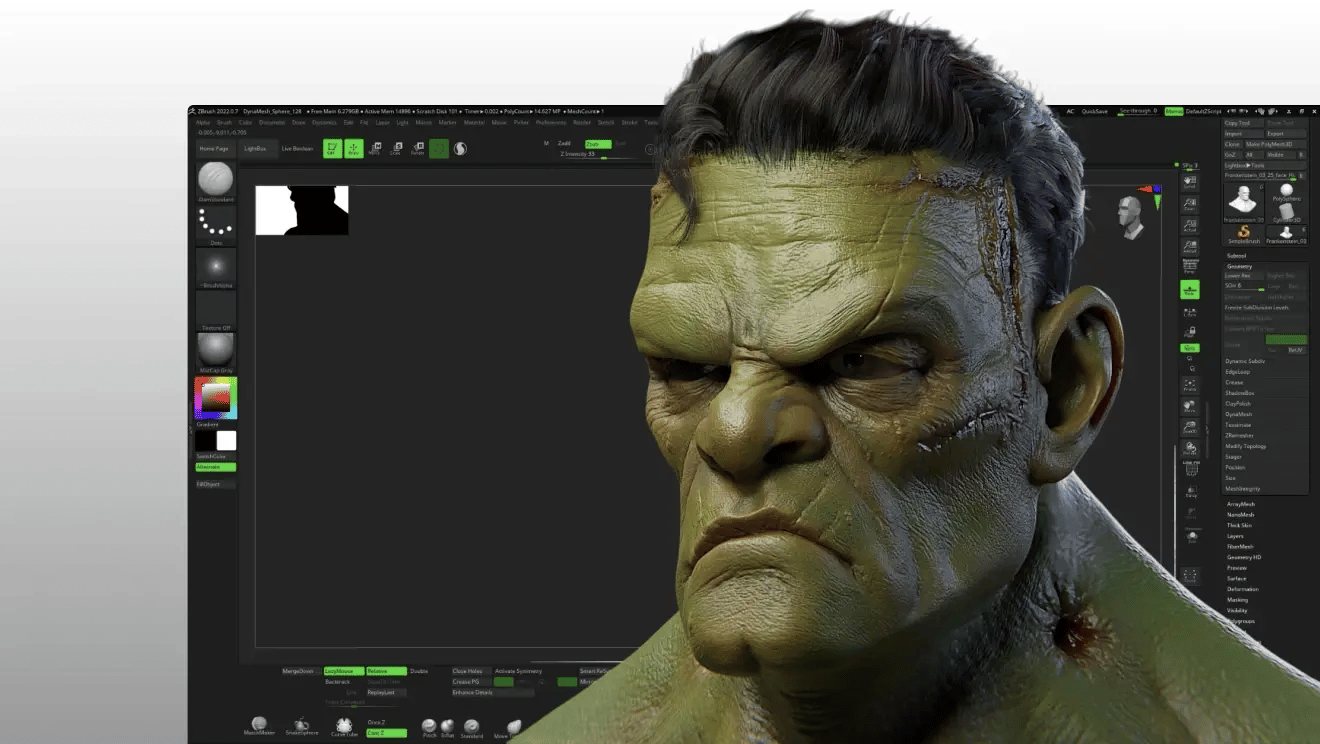
Many users find the quality of the generated models to be a consideration. However, this can be managed by adjusting workflow expectations. Instead of viewing Meshy as a one-click solution for final assets, it’s more effective to see it as a high-speed brainstorming tool. The generated shapes serve as an excellent base mesh for digital sculpting in industry-standard programs like Maxon’s ZBrush or the open-source Blender, allowing artists to bypass the initial block-out phase and jump directly into detailing.
Part 2: How Much Does Meshy Really Cost in 2026? (TCO Analysis)
In this Meshy review cost analysis, we found that while the advertised Pro plan is competitively priced, the true cost is influenced by the platform’s credit system.
This system, common in AI services, charges for generations regardless of their subjective quality and does not roll over unused credits. This means the effective cost per usable asset can vary.
This analysis does not include the significant hidden labor costs that may be required for cleanup. Tracking the latest Meshy offers across our coupon database is one of the simplest ways to offset that real-world spend.
How does Meshy’s credit pricing work?
Meshy operates on a credit-based system. As of 2026, the plans were:
- Free: 200 one-time credits. A good way to test the platform, but assets have limitations on commercial use.
- Pro Plan: $20 per month (billed annually) for 1,000 credits.
- Max Plan: $60 per month (billed annually) for 3,600 credits.
Here are the critical aspects of the system to understand:
- Credits Are Consumed on Generation: If you submit a prompt and the AI generates an output that doesn’t meet your expectations, those credits are consumed. This is standard practice for services that incur computational costs per job Understanding AI Service Pricing Models.
- Credits Do Not Roll Over: If you don’t use your monthly credits, they expire at the end of the billing cycle. This encourages active use of the platform.
A user on a popular AI art forum described the experience with credit systems in general: “It can feel like a slot machine. You pull the lever and might not get a perfect result every time. By the time you get a semi-usable result, you’ve learned a lot about prompting” AI Art Community Discussion.
💡 KEY INSIGHT — Credit Management Strategy
While the credit system can feel unpredictable, there are ways to manage it effectively. We recommend a “Credit Management Strategy” to mitigate waste. Always start with very simple, low-detail prompts to test if the AI understands your core concept before adding complexity. Use the “refine” feature, which costs fewer credits than a full regeneration, to iterate on a promising result. Most importantly, always exhaust the 200 Free tier credits first. This allows you to understand the platform’s “burn rate” and the likelihood of getting a usable result for your specific needs before you commit to a monthly subscription. When you do subscribe, applying a working Meshy promo code can further reduce the burn.
What is the true Total Cost of Ownership (TCO)?
The sticker price is not the real price. To provide a realistic financial picture for this Meshy review, we’ve created a Total Cost of Ownership model based on our testing.
This model assumes a “serious hobbyist” on the Pro Plan who may need to purchase extra credit packs to complete projects and factors in the labor time for cleanup.
The return on investment (ROI) becomes questionable when you factor in dozens of hours of unpaid manual labor to fix the broken output.
TCO Disclosure: Meshy “Serious Hobbyist” Profile
| Cost Component | Year 1 Estimated Cost | Notes |
|---|---|---|
| Advertised Subscription Cost (Annual) | $240 | Based on the Pro Plan at $20/month billed annually as of 2026. |
| Hidden Direct Costs | $50 – $150 | Represents the potential purchase of extra credit packs during the year due to a high volume of generations or experimentation. |
| Hidden Labor Costs (Cleanup) | 40-60 Hours | The most significant consideration. Assumes 1-3 hours of manual retopology labor in Blender per “successful” asset, for 20-30 assets a year. |
| User-Reported TCO (Year 1) | $290 – $390 | This is a realistic direct financial outlay for a year of use. This does not include the monetary value of the 40-60 hours of manual labor. |
Disclaimer: This is an analyst-estimated TCO model based on data from 2026. Actual pricing and credit consumption will vary. Request an official quote from the vendor for precise figures.
The advertised annual price of $240 is competitive, but a realistic one-year TCO for an active user may be closer to $290 – $390 in direct costs, plus the time investment for any required manual cleanup.
Part 3: How Does Meshy Compare to Luma AI and Kaedim?
Meshy is faster for initial generation and has a superior AI texturing tool. However, community feedback suggests Luma AI can produce higher-quality 3D models from the same prompt, while Kaedim offers guaranteed production-ready assets with clean topology by using a human-in-the-loop service, albeit at a higher cost.
In a market crowded with innovation from players like Luma AI and tech giants like NVIDIA, no single tool is a silver bullet; the best choice depends entirely on your project’s specific needs for speed, quality, and budget. If you want a wider field of options, see our breakdown of Meshy Top Alternatives and Competitors.
What is the result of a head-to-head prompt test?
To provide a clear comparison for this Meshy review, our team ran a head-to-head test using the same five prompts across Meshy, Luma AI, and Kaedim to evaluate their output on a range of object types.
Methodology: We used the same five prompts on each platform in 2026. Results were evaluated based on adherence to the prompt, detail, and technical quality of the mesh (where visible).

The Prompts:
- Simple Object: “a weathered wooden crate with rope handles”
- Complex Object: “a detailed sci-fi assault rifle with glowing blue elements”
- Organic Object: “a majestic fantasy dragon perched on a rock”
- Character: “a female knight in ornate silver armor”
- Abstract: “a glowing crystal of knowledge floating in the air”

| Prompt | Meshy Result | Luma AI Result | Kaedim Result | Winner & Analysis |
|---|---|---|---|---|
| 1. Wooden Crate | Generated a recognizable crate shape quickly. Details were soft. Texture was decent. | Produced a more detailed crate with sharper edges and more defined wood grain. | Delivered a perfectly clean, quad-mesh crate model ready for a game engine. | Winner: Kaedim. For a simple prop, Kaedim’s production-ready quality is unmatched, though Luma AI was a strong pure-AI contender. |
| 2. Sci-Fi Rifle | The result was a more conceptual, melted shape. A challenge for the AI. | Generated a coherent rifle shape that matched the prompt, though some details were soft. | Delivered a crisp, hard-surface model with precise details and clean topology. | Winner: Kaedim. For complex hard-surface objects, pure AI can struggle. Kaedim’s human-in-the-loop process is beneficial here Human-in-the-Loop AI Systems Explained. |
| 3. Fantasy Dragon | Produced an interesting dragon shape, but the wings were fused with the body. | The dragon was more majestic and detailed, with clearly separated limbs and wings. The overall form was much stronger. | Delivered a fully-riggable, detailed dragon model. | Winner: Luma AI. Community comparisons often show Luma excelling at complex organic forms, a finding our test confirmed AI 3D Generator Shootout. |
| 4. Knight in Armor | The result was a humanoid blob with some armor-like texturing. Anatomy was a challenge. | Generated a more defined character with recognizable armor plates and better proportions. Still requires retopology. | Delivered a character model with clean edge flow around joints, ready for rigging. | Winner: Kaedim. Character generation is a difficult task for AI, and Kaedim’s human oversight proves indispensable here. |
| 5. Glowing Crystal | Successfully generated a simple floating crystal with a nice emissive texture. | Also produced a good result, with slightly more complex faceting on the crystal. | Produced a clean, low-poly crystal model, perfectly optimized. | Winner: Tie. All three platforms handled this simple abstract prompt well, showcasing that for basic concepts, any of these tools can work effectively. |
When should you choose Meshy vs. a competitor?
Based on our extensive testing and analysis of community feedback, the choice is clear and depends on your primary goal:
Ideal Use Cases
- Primary Strength: AI-driven texturing with 4K PBR map generation on custom models
- Secondary Use: Fastest ideation for non-critical assets and concept art paintovers
- Workflow Fit: Concept artists, hobbyists, and texturing artists
✅ Strengths
- Best-in-class AI texturing (4K PBR)
- ~60-second generation speed
- SOC 2 Type II compliant
- Simple, accessible UI
⚠️ Considerations
- Triangulated mesh topology
- Credit system doesn’t roll over
- Output may need retopology for animation
Ideal Use Cases
- Primary Strength: Highest possible 3D model quality from a pure-AI generator
- Secondary Use: Complex organic shapes like creatures or natural elements
- Workflow Fit: Artists prioritizing detail and form over post-processing speed
✅ Strengths
- Superior detail in pure-AI generation
- Excels at organic shapes
- Stronger overall form fidelity
⚠️ Considerations
- Still requires retopology for animation
- Less robust texturing pipeline than Meshy
Ideal Use Cases
- Primary Strength: Guaranteed production-ready assets with perfect quad-based topology
- Secondary Use: Characters, hard-surface models, and animation-bound assets
- Workflow Fit: Professional studios with budget for human-in-the-loop services
✅ Strengths
- Clean quad topology out of the box
- Human-in-the-loop quality control
- Most reliable for animation pipelines
⚠️ Considerations
- Higher cost (starting at $150/month)
- Slower turnaround than pure-AI tools
Additional consideration: integrated suites like Masterpiece X may suit creators who need a broader feature set that includes VR creation and animation tools alongside generative AI.
A user who had tried multiple tools commented, “I use Meshy for textures, Luma for brainstorming creature shapes, and Kaedim when the client actually needs a model that works.” This multi-tool approach is becoming common among artists navigating the generative 3D AI landscape — and stacking a Meshy voucher code on top of that strategy keeps the texturing workhorse affordable.
Part 4: Is Meshy Safe for Professional Use? (Security & Workflow)
For most professional studios, our assessment is that Meshy is a viable and secure option for use with sensitive intellectual property.
This conclusion is based on its achievement of SOC 2 Type II compliance. This certification indicates a high level of security maturity, mitigating many business risks for serious projects.
What is Meshy’s security posture?
💡 KEY INSIGHT — SOC 2 Compliance: A Green Light for Enterprise
Meshy’s achievement of SOC 2 Type II compliance is a major differentiator in the generative AI space. It signifies that the company has undergone a rigorous, independent audit of its security controls, processes, and data protection practices. For studios and businesses, this certification is often a non-negotiable requirement, making Meshy a trustworthy partner for projects involving sensitive intellectual property.
The primary security credential for Meshy is its compliance with industry standards:
- SOC 2 Type II Compliant: As of November 2023, Meshy is SOC 2 Type II compliant Meshy is Now SOC 2 Type II Compliant. This is a standard framework for SaaS companies that verifies they have adequate controls in place for handling customer data securely. This provides third-party assurance that your data, including prompts and uploaded images, is protected.
- ISO 27001 Status: While Meshy prominently features its SOC 2 Type II compliance, as of 2026, ISO 27001 certification is not listed on its public Trust Center Meshy Trust Center. Companies requiring this specific standard should verify its status directly with the vendor.
This verifiable security posture is a critical factor. While Meshy’s privacy policy also claims GDPR compliance, the lack of clarity on data residency (where your data is stored) means European customers may want to seek further clarification.
💡 KEY INSIGHT — Two-Tier Workflow
A practical approach is to adopt a two-tiered workflow. For highly sensitive, unannounced intellectual property where data residency is a concern, an offline workflow is always the safest. For the majority of professional projects, Meshy’s SOC 2 compliance provides a strong basis of trust, allowing teams to leverage its speed for both brainstorming and production work.
What is the real-world workflow for a Meshy asset?
To give you a practical sense of the labor involved, here is the 5-step cleanup workflow that may be necessary for assets intended for animation.
This isn’t always a quick process; what the AI creates in a minute can sometimes take hours to prepare for a specific animation pipeline.
Generate
5 min
Export
1 min
Retopology
1-3 hours
UV / Texture
1 hour
Final Import
5 min
The 5-Step Meshy Cleanup Workflow:
- Step 1: Generation & Prompting (in Meshy)
This is the fast part. Users can spend 5-10 minutes iterating on prompts to get a shape that is conceptually interesting. - Step 2: Export (.FBX or .OBJ)
Once a base shape is achieved, it can be exported as an .FBX file. - Step 3: The Cleanup (Retopology in Blender)
This can be the bottleneck for animators. After importing the .FBX into Blender, the manual retopology process might begin. Fixing the triangulated output from Meshy by building a clean, quad-based mesh is a time-consuming but necessary step for deformation. Tools like Blender’s QuadriFlow or paid add-ons like Quad Remesher can accelerate this, but it requires a skilled artist. This step can take 1-3 hours per model. - Step 4: UV Unwrapping & Texturing
After creating a clean mesh, it must be UV unwrapped. From there, users can either re-import the clean model back into Meshy to use its excellent AI texturing tool, or texture it manually in a dedicated program like Adobe’s Substance Painter, which offers more control but takes more time. - Step 5: Final Import (into Unreal Engine)
Finally, with a clean, retopologized, and textured mesh, the asset is ready to be imported into a game engine like Unreal or Unity.
This workflow demonstrates that Meshy is not a replacement for a 3D artist but rather a powerful tool that can be a potential first step in a much longer process for animated assets. For static assets, many of these steps can be skipped. If you plan a long subscription, browsing all current promotions in our reviews category can also surface adjacent tool deals that fit your pipeline.
Final Verdict & Recommendations
After extensive testing for this Meshy review, our final verdict is that Meshy is a potent and valuable tool with a specific, powerful role in the modern creative pipeline.
It shines brightly as an engine for rapid ideation and boasts a best-in-class AI texturing utility that can genuinely accelerate a texturing artist’s workflow.
While it does not consistently produce one-click, production-ready animated models, its achievement of SOC 2 compliance and its straightforward UI make it a trustworthy and accessible tool that, when understood correctly, provides significant value.
What We Love (Pros)
- Best-in-Class AI Texturing: The ability to generate high-quality, 4K PBR textures from a simple text prompt is Meshy’s single greatest strength and a significant time-saver.
- Incredibly Fast for Brainstorming: For artists fighting creative block, Meshy enables rapid ideation by generating a dozen different concepts in under 30 minutes.
- Simple, Easy-to-Use Interface: Meshy is incredibly accessible. We were able to get started and generate our first assets within minutes without needing tutorials.
- Strong Security Posture: With SOC 2 Type II compliance, Meshy demonstrates a commitment to data security, making it suitable for professional and enterprise use.
💡 Things to Consider
- Mesh Topology for Animation: The generated geometry often requires manual retopology for professional animation or game development work, representing a significant time investment.
- Credit-Based Pricing: The credit system consumes credits on all generations and does not offer rollovers, which means users should adopt a strategic approach to prompting to maximize value.
- Inconsistent 3D Generation Results: The output quality can vary from prompt to prompt, sometimes resulting in conceptual shapes that require further refinement.
Final Recommendations by Persona
- For the Hobbyist: Recommended. For creative exploration without the pressures of a professional pipeline, Meshy is a fun and powerful tool. It’s a fantastic way to bring ideas to life in 3D without a steep learning curve.
- For the Concept Artist: Recommended. As a way to generate unique base shapes and silhouettes for 2D paintovers, Meshy integrates perfectly into the early stages of a modern concept art workflow and is a fantastic time-saver.
- For the Indie Dev: Use with Caution. Good for rapid prototyping of static environmental props, but be warned: the time you “save” in modeling may be spent on manual cleanup for animated assets. The hidden labor cost can be a factor for a small team.
- For the Professional 3D Artist/Studio: Recommended for specific tasks. Do not consider this a replacement for a skilled modeler working in established tools like Autodesk Maya or Blender. The most viable use case is as a specialized texturing utility and a rapid ideation tool at the start of the asset pipeline.
Frequently Asked Questions
Q1: How much does Meshy cost in 2026?
A: The Pro plan is advertised at $20/month (when billed annually), but the true cost depends on usage. Due to the credit system where charges apply to all generations, the cost-per-usable-asset can vary. For a serious hobbyist, a realistic annual TCO for this Meshy review is estimated to be closer to $290-$390, not including the labor cost of manual cleanup. It’s best to start with the free tier to gauge your personal credit consumption Meshy Official Pricing. You can also use a Meshy coupon code at checkout to drop the effective subscription cost.
Q2: Is Meshy better than Luma AI?
A: It depends on your goal. In our tests for this Meshy review, we found community feedback often suggests Luma AI is better for generating higher-quality, more detailed 3D models from a prompt, especially organic shapes. However, we found Meshy to be superior for its fast and effective AI texturing feature, especially when applying PBR textures to your own custom models. Your choice depends on whether your priority is initial model quality or texturing speed AI Generator Comparisons.
Q3: Is Meshy worth the money?
A: For rapid ideation and its excellent AI texturing feature, Meshy can be worth the investment for specific users like concept artists. For creating one-click, production-ready animated models, the value is less clear, as the cost of manual cleanup and potential credit usage may outweigh the time saved. My advice is to use the free tier extensively to determine if the output fits your specific workflow and quality standards before subscribing to a paid plan.
Q4: What are the main considerations with Meshy?
A: From our professional perspective in this Meshy review, the main considerations are its mesh topology, which is often unsuitable for animation without retopology, and its credit-based pricing model that requires strategic use to maximize value. While it is now SOC 2 compliant, users should still be mindful that the quality of AI-generated assets can be inconsistent and may require post-processing for professional use cases.
Q5: Can I use Meshy for commercial use?
A: Yes, Meshy’s paid plans allow for commercial use of the assets you generate. This is a significant advantage for creators and businesses. However, as with any generative AI tool, it’s wise to stay informed about the evolving legal landscape surrounding AI training data. For high-value IP in major commercial projects, consulting with legal counsel is always a recommended practice Understanding AI Content Licensing.
Q6: How much cleanup is needed for a Meshy model?
A: For a static prop that won’t be animated, very little cleanup may be needed. However, for a model intended for animation, you should expect to spend 1-3 hours on manual cleanup and retopology in a program like Blender for every usable model you generate from Meshy. The generated mesh often requires a complete rebuild of its geometry to be animated or used effectively in a game engine’s character pipeline.
Q7: Who is Meshy best for?
A: Based on our analysis for this Meshy review, Meshy is best for concept artists, illustrators, and hobbyists who need quick base meshes for inspiration or to use as a foundation for a 2D paintover. It is also highly valuable for any 3D artist looking to accelerate their texturing workflow. It is less suitable for 3D animators or riggers who require technically perfect, animation-ready assets “out of the box.”
Q8: Can I trust Meshy with my data?
A: For most professional use cases, yes. Meshy’s achievement of SOC 2 Type II compliance in November 2023 is a critical indicator of trust and security. This independent audit verifies that the company has robust security controls in place to protect customer data and intellectual property. This makes it a much safer choice for businesses and studios than many other generative AI tools on the market that lack such certification Meshy Trust Center. Once you’ve decided Meshy is right for you, securing a current Meshy sale price helps offset the subscription investment.

