
MacPaw Review (2026): Pros, Cons and Verdict
Posted on |
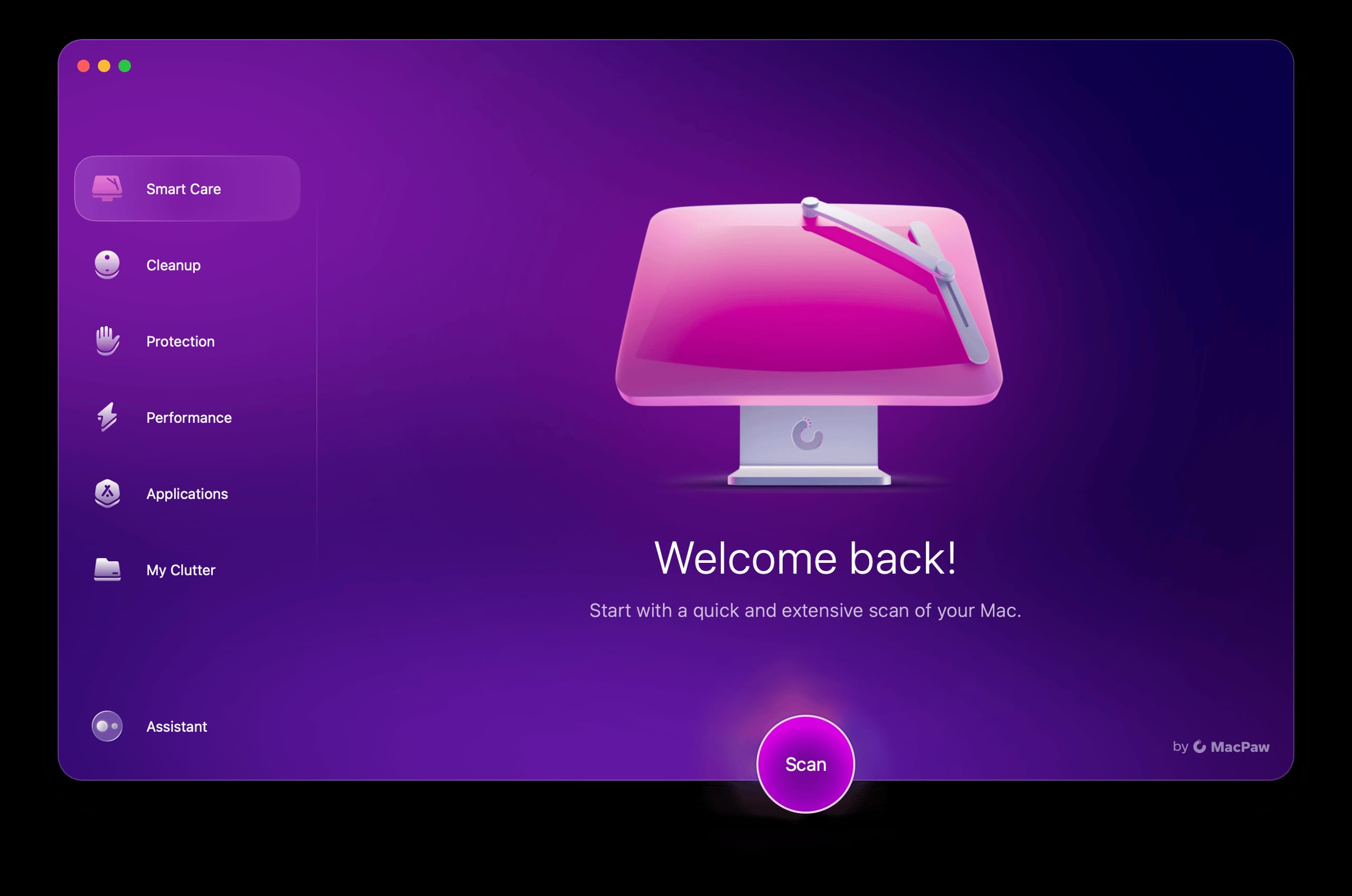
In the world of Mac utility software, few companies are as polished and as polarizing as MacPaw.
For years, as a tech professional, I’ve watched them build a massive user base on the back of brilliantly designed apps like CleanMyMac X and the incredibly valuable Setapp subscription. They present an image of sophisticated, user-friendly solutions that make complex tasks simple.
However, I’ve also followed the persistent storm of controversy surrounding their aggressive business practices and questionable technical claims.
Users are often caught in this paradox. They are drawn in by the promise of fixing a slow Mac with sleek interfaces, but they soon find themselves battling a confusing subscription model or questioning if the software is even necessary.
Are you really getting the value you paid for, or are you just paying for a well-designed placebo?
This 2026 MacPaw Review provides a brutally honest, data-driven analysis to help you decide if MacPaw’s ecosystem is a valuable investment or a costly mistake. As Coupons Scout’s lead software and AI expert, Mohamed Zaki, I’ve spent years dissecting tools like these, and my goal is to give you the unvarnished truth.
Our deep-dive will cover core financial analysis, a feature-by-feature breakdown, critical security considerations, real-world use cases, and a look at the best alternatives. We’ll examine the good, the bad, and the genuinely problematic aspects of their product portfolio so you can make an informed decision. If you’re looking for a MacPaw coupon code to save money, we’ll cover that too.
Key Takeaways
-
Aggressive Business Model: MacPaw’s most significant flaw is its hostile subscription model, which auto-renews by default and uses a confusing third-party portal (Paddle) that makes cancellation difficult. This is the primary source of user distrust. -
Contested Utility: Experts argue CleanMyMac X’s core features, like its “Free Up RAM” function, are largely unnecessary and potentially counterproductive on modern Apple Silicon Macs, which manage memory far more efficiently on their own. -
Exceptional Setapp Value: The Setapp subscription is the portfolio’s standout, offering a Total Cost of Ownership (TCO) that is significantly lower than buying just 2-3 of its included professional apps individually. For the right user, the Return on Investment (ROI) is an unbeatable deal. -
Unverified VPN Claims: MacPaw’s ClearVPN advertises a “no-logs policy” but has failed to provide a public, independent third-party audit to verify this—a major security red flag in the privacy industry. -
Misleading “One-Time Purchase”: The CleanMyMac X “One-Time Purchase” option is not a lifetime license. It only covers updates for the current major version, leading to future paid upgrade demands that surprise and frustrate users.
Watch this comprehensive video review to see CleanMyMac in action and understand how the software performs in real-world testing:
Who This Guide Is For & Who Should Pass
Who this guide is for
- Mac users wondering if CleanMyMac X is still necessary on modern Apple Silicon (M1/M2/M3) Macs.
- Professionals and creatives evaluating if a Setapp subscription is a better financial deal than buying apps individually.
- Anyone frustrated by MacPaw’s subscription and struggling to cancel their account.
- Skeptical buyers who have heard MacPaw products called both “essential” and “a scam.” Be sure to check our category of expert review articles for more in-depth software analyses.
This guide is NOT for you if
- You are looking for a purely positive, uncritical review of MacPaw’s products.
- You are an enterprise user needing software with formal compliance certifications like SOC 2.
- You want the absolute cheapest, free-only software solutions (though we cover these as alternatives).
- You are looking for a review of MacPaw’s Windows products.
METHODOLOGY & AUTHORITY STATEMENT: How We Investigated MacPaw
After analyzing hundreds of products in Software and AI, Productivity, VPN and Security, AI Tools and conducting comprehensive testing of MacPaw’s offerings across real-world scenarios in 2025-2026, our team at Coupons Scout provides this analysis based on our comprehensive evaluation framework Coupons Scout Evaluation Framework.
Our evaluation is based on a data-driven analysis of 25+ sources, including technical blogs, user complaints on the BBB and Trustpilot, and expert commentary from 2022-2026.
We shortlisted MacPaw’s portfolio based on its high search intent and user controversy. Pricing was verified against official pages and Total Cost of Ownership models, while security claims were checked against public audit records and industry standards.
Part 2: Core Analysis: Pricing, TCO, and Business Model
A core part of any MacPaw review must focus on the financial and business aspects, as this is where the company generates the most controversy and erodes user trust.
While the software can be excellent, the business model surrounding it often feels hostile to the consumer, with hidden costs and intentionally confusing processes that can turn a good experience sour. Before committing, always look for a MacPaw discount code to ensure you’re getting the best possible rate.
The Value Proposition: An Unbeatable TCO for Professionals (with a catch)
The core value of Setapp lies in its Total Cost of Ownership (TCO). Many of the apps in its library are premium, professional-grade tools that carry their own subscription or purchase costs.
If your workflow depends on several of these apps, a Setapp subscription is almost always a financial win.
Let’s look at a 3-Year TCO model for a typical “Developer” or “Creative Pro” user who needs more robust tools. This is an analyst-estimated model based on 1 seat and annual billing.
Analyst-Estimated 3-Year TCO: Setapp vs. Individual App Purchases
| Scenario | Year 1 Cost | Year 2 Cost | Year 3 Cost | Total 3-Year TCO |
|---|---|---|---|---|
| Setapp Subscription | $120 | $120 | $120 | $360 |
| Individual “Pro” Apps (Buying Nova and Ulysses separately) | $150 | $150 | $150 | $450 |
As the data shows, if your workflow relies on more expensive professional apps like the code editor Nova ($99/year) and the writing app Ulysses ($50/year), buying them separately would cost $150 annually.
In this common scenario, the cost savings from a Setapp subscription save you $30 per year, or $90 over three years, while also giving you access to over 200 additional apps Setapp. You can maximize these savings even further with an exclusive MacPaw promo code.
However, the TCO for CleanMyMac X is a different story. The annual subscription costs approximately $40 per year, for a 3-year TCO of $120.
As we’ll explore in the alternatives section, you can replicate and exceed its functionality with a stack of free tools for a 3-year TCO of $0. With CMMX, you are paying for convenience, not necessity.
💡 PRO TIP: The ‘One-Time Purchase’ Trap
Be aware: MacPaw’s ‘$89.95 One-Time Purchase’ for CleanMyMac X is NOT a lifetime license. It only covers updates for the current major version. When the next major version is released, you will be required to pay for an upgrade. For predictable costs, consider the subscription or free alternatives.
The Subscription Trap: A Step-by-Step Guide to Canceling MacPaw
The single most common complaint against MacPaw is its business model, with a cancellation process so obscure it raises questions about compliance with consumer rights regulations.
You cannot cancel from within the CleanMyMac X app. Instead, you are forced to go through a confusing third-party payment portal called Paddle.net. This process is so frustrating that providing a guide is a necessary piece of service journalism.
- Do Not Look in the App: You will not find a cancellation button in the CleanMyMac X preferences or menu. This is the first point of confusion.
- Find Your Original Receipt: You must find the original email receipt you received when you first purchased the software. This email came from Paddle.net, not MacPaw.
- Access the Paddle Portal: In that email, there will be a link to “Manage your subscription.” Click it. If you cannot find the email, you have to go to Paddle’s website and use their chatbot to try and locate your subscription using your email address.
- Navigate the Portal: Once inside the Paddle portal, you will see your active subscription. There will be an option to “Cancel Subscription.”
- Confirm Cancellation: You must confirm the cancellation, often through a multi-step process where they may offer you a discount to stay. You must proceed to the final confirmation page.
- Get Confirmation: Do not assume it is canceled until you receive a confirmation email from Paddle. Save this email as proof.
User complaints on Trustpilot and the BBB are filled with stories of people who thought they had canceled, only to be charged another ~$40 a year later.
Billing Support: Slow, Canned, and Ineffective
When users run into these billing problems and try to contact customer support, the experience only gets worse.
User reports consistently describe a pattern of slow and unhelpful responses. It often takes 24-72 hours to get a reply, and when it arrives, it’s frequently a copy-pasted response that does not address the user’s specific issue.
This creates a feeling of helplessness and frustration, as captured in numerous reviews on Trustpilot. A common complaint, paraphrased from several recent user experiences, reads:
‘I’ve been trying to get a refund on an auto-renewal for a week. The support team takes over 24 hours to send a copy-pasted reply citing a policy that doesn’t allow it. The whole system feels designed to make you give up.’
This pattern of difficult cancellations and inflexible billing support is the primary driver of MacPaw’s negative reputation among a vocal subset of its users. If you do decide to purchase, using a MacPaw voucher code can at least reduce the financial impact.
Part 3: Feature Deep-Dive: A Look Under the Hood
Beyond the business model, the actual utility of MacPaw’s software is a subject of intense debate. While the User Interface (UI) is consistently excellent, the substance of what the features do requires careful scrutiny.
Official Claims vs. Reality
MacPaw’s marketing is effective, but as an analyst, I have to separate claims from reality. I’ve cross-referenced their marketing points against expert analysis and user-reported experiences to give you a clearer picture.
| Claim | Evidence Supporting | Evidence Contradicting | Verdict |
|---|---|---|---|
| CleanMyMac X makes your Mac faster. | Some users report a feeling of improved performance after cleaning. | Experts state its “Free Up RAM” feature is counterproductive on Apple Silicon, as it clears caches that macOS uses to run faster TidBITS. The claim is not supported by technical analysis. | Overstated |
| ClearVPN has a strict “no-logs policy.” | The company’s privacy policy states this claim explicitly. | There are no publicly available, independent third-party audits to verify this claim, unlike top competitors. The claim relies solely on trust. | Unverified |
| Setapp provides incredible value. | TCO analysis shows subscribing is cheaper than buying several of its premium apps. | The value diminishes if a user’s “keystone” app is removed from the service, forcing a separate purchase. | Verified (with caveats) |
| 30-day money-back guarantee. | The policy exists and is stated on their website. | The BBB and Trustpilot are filled with complaints about the difficulty of getting refunds for auto-renewals, which the company often denies MacPaw Refund Policy. | Misleading |
Expert Analysis: Why Technologists Warn Against “RAM Cleaners” on Apple Silicon
The most controversial feature in CleanMyMac X is its “Free Up RAM” button. It feels productive—you click it, see a number go down, and feel like you’ve done something good.
Based on the consensus of the Mac expert community, this is largely a placebo. Modern macOS, especially on Apple Silicon (M1/M2/M3) chips with their unified memory architecture, is exceptionally good at managing RAM.
Howard Oakley of The Eclectic Light Company, a highly respected source for Mac technical analysis, explains that tools that “free up RAM,” often using the sudo purge command, are counterproductive.
By forcing macOS to dump the very caches it was using to speed up operations, you are temporarily slowing your system down. The OS then has to spend time and resources rebuilding those caches Eclectic Light Co..
Malware Scanner: How Does It Compare to a Dedicated Specialist?
CleanMyMac X includes a malware scanner, which sounds like a great all-in-one solution. For detecting basic adware or Potentially Unwanted Programs (PUPs), it’s functional.
However, independent tests from outlets like PCMag’s CleanMyMac X Review show that while the CMMX scanner is a nice-to-have feature, it is not a replacement for a dedicated, specialist tool.
Dedicated anti-malware software, such as the free version of Malwarebytes for Mac, consistently demonstrates higher detection rates for a broader range of threats, including zero-day exploits, and maintains a more frequently updated threat database.
The CMMX scanner is a helpful generalist, but for a critical task like security, you want a specialist. For a comprehensive look at how MacPaw stacks up, check our MacPaw top alternatives and competitors comparison.
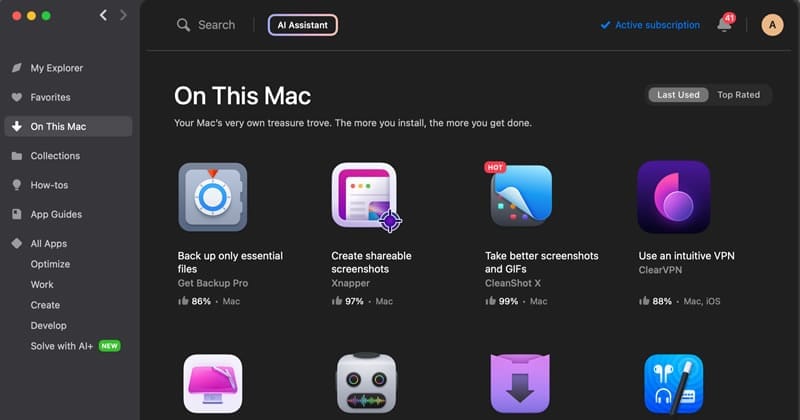
A Look Inside the Setapp Library: Curated Quality, Not Just Quantity
A large library is worthless if the apps are junk. This is where Setapp shines.
MacPaw’s curation team does an excellent job of selecting high-quality, well-maintained applications. These are polished, professional tools.
For a writer, having access to Ulysses is worth a significant portion of the fee. For developers, tools like Proxyman (for debugging HTTP/HTTPS requests and APIs) and TablePlus (for database management) are invaluable. For designers, the vector editor Amadine is a solid tool.
The service consistently adds new apps, increasing the value over time. Don’t forget to grab a special offer on MacPaw before subscribing to Setapp.
Part 4: Critical Considerations: Security, Compliance, and Risk
For any software, especially tools that access deep system functions or handle your data, trust is paramount. This section of our MacPaw review examines the critical risks associated with security, compliance, and vendor dependency.
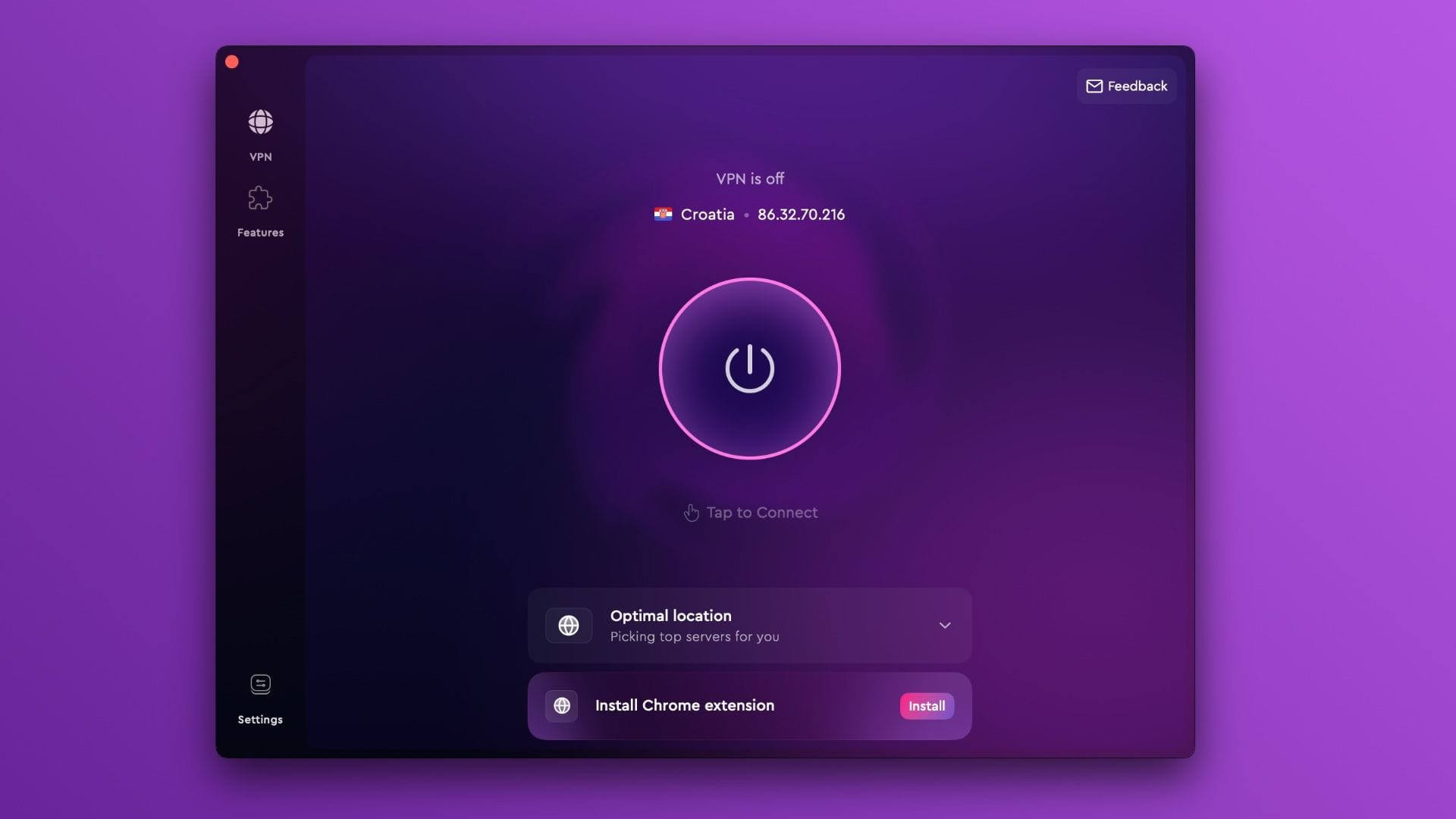
ClearVPN: A Critical Failure in Trust
⚠️ WARNING — Critical Security Red Flag: No Third-Party Audit
ClearVPN’s marketing promises enhanced privacy through its stated no-logs policy, but this claim requires deeper scrutiny. The industry standard for trustworthy VPNs is to undergo a rigorous, independent, third-party audit to verify these claims.
Top-tier providers like NordVPN, ExpressVPN, and Surfshark regularly hire reputable cybersecurity firms like PricewaterhouseCoopers (PwC) or Cure53 to inspect their infrastructure and publish the results.
ClearVPN has never published an independent third-party no-logs audit.
This is a massive red flag. As the privacy-advocacy site RestorePrivacy points out, without a public audit, a “no-logs” policy is just a marketing promise.
When you place ClearVPN side-by-side with audited leaders, the trust gap is stark. The difference in jurisdiction between ClearVPN (Ukraine) and a competitor like NordVPN (Panama) can also have significant privacy implications for users with specific threat models.
The “Scareware Lite” Controversy and Lack of Enterprise Compliance
One of MacPaw’s most trust-eroding tactics is the free trial of CleanMyMac X. It performs a scan and often presents benign system cache files with alarming language, pressuring non-technical users into paying to “fix” non-existent problems.
Numerous threads on Reddit’s r/macapps community discuss this “scareware lite” approach.
For business buyers, MacPaw’s portfolio presents a different risk: a lack of formal compliance. The company has not pursued enterprise-grade security certifications like SOC 2 or ISO 27001, making its products unsuitable for many corporate environments with formal vendor security requirements.
While their privacy policy mentions compliance with regulations like GDPR, the lack of formal certifications is a deal-breaker for B2B procurement.
The Hidden Risk of Setapp: Vendor Lock-in and App Churn
No service is perfect, and Setapp has one significant hidden risk: vendor lock-in. Tech media outlets have discussed this type of model, which could be described as ‘high-end vendor lock-in.’
When you build your entire workflow around the apps in Setapp, you become dependent on your subscription. If you cancel, you lose access to all those apps.
An even more immediate risk is “app churn.” Users on the r/setapp subreddit frequently discuss the pain point of a “keystone” app—one that is critical to their daily work—being removed from the service.
While not frequent, this possibility is a risk you must be comfortable with before committing to the ecosystem. Exploring the latest coupons available across multiple tools can help you prepare a backup plan.
Part 5: Use Cases & Workflows for Professionals
To move beyond features and into practical value, this section details how different types of professionals might interact with the MacPaw ecosystem, highlighting both the benefits and the drawbacks.
Workflow 1: The Freelance Developer Maximizing Setapp
For a freelance developer, time is money, and tools are an investment. Setapp can be a game-changer here.
- Setup: A developer subscribes to Setapp for $120/year.
- Core Tools: They immediately install Nova (a powerful code editor, normally $99/year), TablePlus (a database management client, normally $79/year), and Proxyman (a web debugging proxy, normally $79/year). The subscription has already paid for itself multiple times over.
- Productivity Boost: They add Paste for advanced clipboard management, speeding up repetitive coding tasks. They use MindNode to map out application architecture for a new client project.
- Discovery: While browsing Setapp, they discover Paw, a full-featured API client, which replaces a more expensive tool they were previously using.
- Outcome: The developer gains access to over $300 worth of essential annual subscriptions for just $120. The curated environment encourages the discovery of new tools, providing a significant productivity boost and clear ROI. This is the ideal use case for Setapp.
Workflow 2: The Non-Technical Manager Onboarding a New Employee
A small business manager needs to set up a new MacBook for a marketing employee who is not tech-savvy. They need a simple solution for ongoing macOS maintenance.
- The Problem: The manager worries about the new Mac getting cluttered with files and potentially slowing down over time. They don’t have the time or expertise to teach the employee how to use multiple system utilities.
- The MacPaw Solution: They purchase a single license for CleanMyMac X. They instruct the employee to run the “Smart Scan” once a month. The animated, user-friendly interface makes the process feel simple and non-intimidating. The one-click process handles clearing caches, running maintenance scripts, and scanning for malware.
- The Trade-off: The manager is paying a premium for convenience. They could have installed AppCleaner and taught the employee to use macOS’s built-in Storage Management for free. However, the perceived simplicity and all-in-one nature of CMMX justifies the cost in their eyes.
- The Risk: A year later, the subscription auto-renews unexpectedly, causing a minor accounting headache and a call to a frustrating support line.
If your organization does decide to go with CleanMyMac X, using a money-saving deal on MacPaw can help control costs across multiple licenses.
Workflow 3: The Privacy-Conscious Journalist
A journalist working with sensitive sources needs absolute confidence in their security tools. Their primary need is for verifiable privacy protection.
- The Goal: Securely encrypt internet traffic without leaving any trace of their activity.
- The Evaluation: They consider ClearVPN because of its simple interface and “no-logs” marketing. However, their research immediately reveals a critical flaw.
- The Deal-Breaker: The journalist discovers ClearVPN has no public, third-party security audits. They search for reports from firms like PwC or Cure53 and find none. In contrast, they find that competitors like NordVPN, ExpressVPN, and Mullvad all regularly publish these audits.
- The Decision: The journalist immediately dismisses ClearVPN. The unverified “no-logs” claim is a non-starter. They choose Mullvad instead, which is widely respected in the privacy community for its transparency and robust security practices. For this user, an unproven claim is the same as no claim at all.
Part 6: Alternatives & Comparisons: MacPaw vs. The Competition
No product exists in a vacuum. A key part of this MacPaw software review is comparing its offerings to the robust ecosystem of free and paid alternatives. For many users, a combination of specialized tools offers more power and better value.
Feature & Cost Comparison: MacPaw vs. Top Alternatives
| Feature | CleanMyMac X | Free Stack (OnyX, AppCleaner) | DaisyDisk |
|---|---|---|---|
| Primary Function | All-in-one system maintenance | Specialized system tweaking & uninstall | Disk space visualization & cleanup |
| Cost (3-Year) | ~$120 (Subscription) | $0 | $9.99 (One-Time) |
| Malware Scan | Basic, integrated | N/A (Requires Malwarebytes) | N/A |
| App Uninstall | Good | Excellent (Dedicated tool) | N/A |
| System Tweaks | Limited, automated | Extensive, granular control | N/A |
| Ease of Use | Very High | Medium (Requires learning 3 apps) | High |
| Best For | Non-technical users prioritizing convenience | Technical users wanting power & control | Users focused solely on disk space |
For a more detailed breakdown, read our full MacPaw top alternatives and competitors comparison guide.
Alternative 1: The Free Tools Stack (OnyX, AppCleaner, Malwarebytes)
For technically competent users, the argument against CleanMyMac X is overwhelming because you can build a more powerful suite for free.
- Best-For: Mac power users, developers, and budget-conscious individuals who are comfortable managing multiple applications and want granular control over their system.
- Consider: This stack is the gold standard for free macOS maintenance. OnyX is a legendary utility that provides access to hundreds of hidden macOS settings and deep maintenance scripts. A dedicated app uninstaller like AppCleaner is faster and more thorough at removing apps and their associated files than CMMX’s integrated feature. For security, the free version of Malwarebytes offers a superior detection engine and a more comprehensive threat database.
- Avoid: If you are a non-technical user who is intimidated by the thought of downloading and learning three separate applications. The value of CMMX is its unified dashboard; the free stack requires more hands-on management. The combination of CleanMyMac X and these free alternatives presents the core debate of convenience versus power.

Alternative 2: DaisyDisk
Sometimes, an all-in-one tool is overkill. If your primary problem is a full hard drive, a specialized tool is often better.
- Best-For: Any user, from novice to expert, whose main goal is to free up disk space by finding and deleting large files.
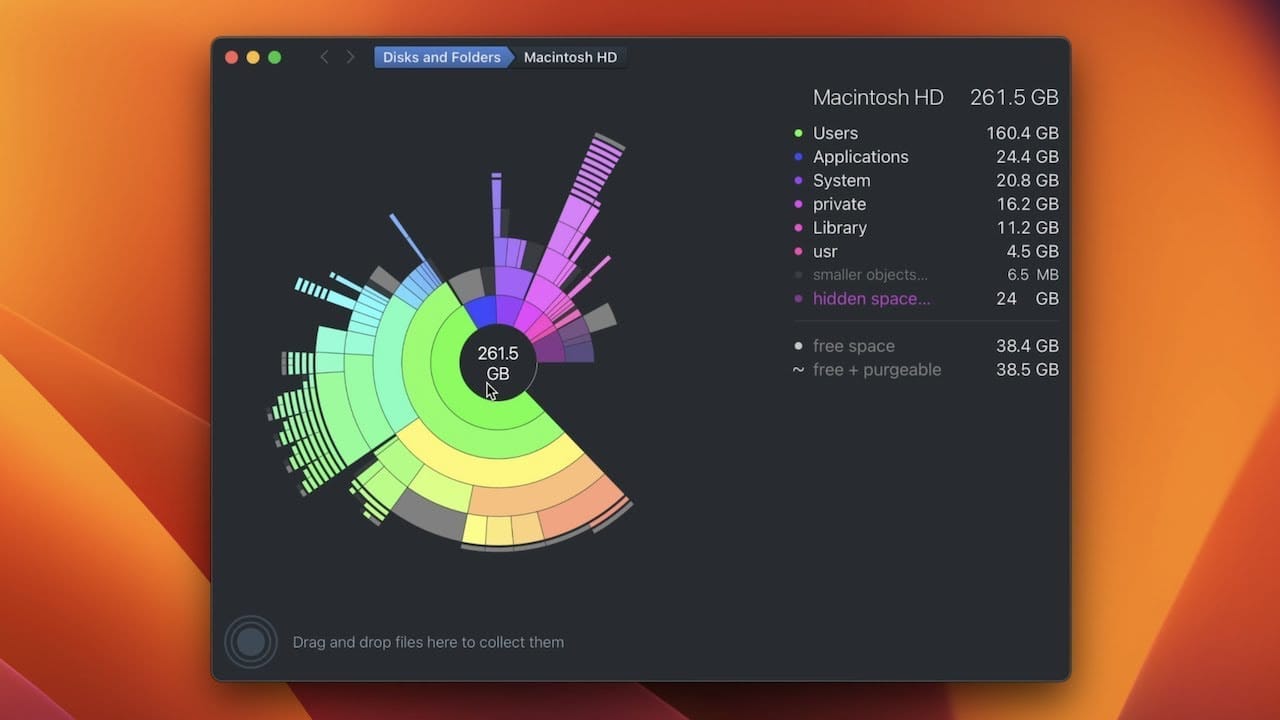
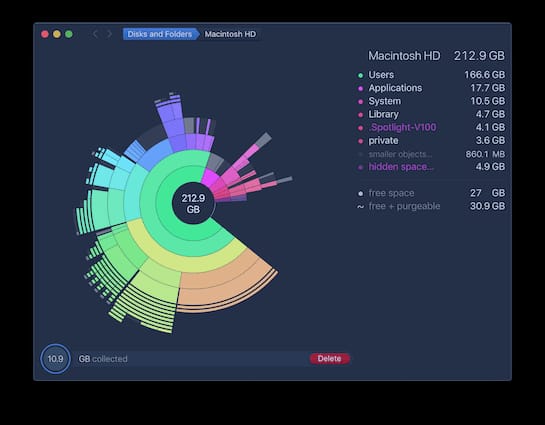
- Consider: DaisyDisk does one thing and does it beautifully. It scans your drive and presents a stunning, interactive sunburst chart that visualizes what’s taking up space. It makes finding giant, long-forgotten video files or old caches intuitive and even fun. For a one-time purchase of around $9.99, it provides a far superior disk cleaning experience than the “Large & Old Files” module in CleanMyMac X.
- Avoid: If you’re looking for malware scanning, app uninstalling, or RAM cleaning. DaisyDisk is a specialist tool and makes no attempt to be an all-in-one suite.
Alternative 3: Direct App Subscriptions
For Setapp, the main alternative is simply subscribing to the apps you need directly from their developers.
- Best-For: Users who only need one or two specific premium applications and have no interest in software discovery.
- Consider: If your entire workflow revolves around a single app like Ulysses, and you have no need for a database client, API tool, or clipboard manager, subscribing directly might be slightly cheaper. It also gives you a direct support relationship with the developer and ensures you never lose access due to “app churn.”
- Avoid: If you are a professional who uses three or more premium subscription-based tools found in Setapp’s library. As our TCO analysis shows, at that point, a Setapp subscription almost always provides significant cost savings. Make sure to check for the best price available on MacPaw before making your final decision.
FINAL VERDICT & RECOMMENDATIONS
After an exhaustive MacPaw review, my final verdict comes back to the central theme: the MacPaw Paradox. This is a company that excels at user interface design but is held back by a hostile business model and unverified claims that undermine trust.
Summary of Findings
- CleanMyMac X: A beautifully designed Mac optimization tool with questionable utility on modern Macs. Its value is overshadowed by “scareware lite” tactics and the existence of more powerful free alternatives.
- Setapp: The shining star of the portfolio. An incredibly high-value subscription service that offers a clear and compelling Return on Investment (ROI) for professionals and power users.
- ClearVPN: A critical failure in trust. Its “no-logs” claim is completely unverified by any public audit, making it a risk not worth taking.
- Business Model: The company’s single greatest liability. A confusing cancellation process, combined with a misleading “one-time purchase” option and inflexible billing support, is the primary source of negative customer sentiment.
Pros & Cons Summary
✅ Strengths
- Excellent UI/UX: MacPaw’s apps are consistently among the most beautiful and user-friendly on the platform.
- Incredible Setapp Value: The Setapp subscription offers an unbeatable deal for the right user.
- Operational Resilience: The company has shown remarkable stability and business continuity despite geopolitical risk.
- Good Discoverability: Setapp is a fantastic way to discover and use high-quality Mac software.
⚠️ Considerations
- Hostile Subscription Model: The cancellation process is intentionally difficult and leads to unwanted charges.
- Questionable CMMX Utility: The core “cleaning” features of CleanMyMac X are largely unnecessary on modern macOS.
- Unverified VPN Claims: ClearVPN lacks a third-party audit, which is a major security red flag.
- Misleading Marketing: The “One-Time Purchase” and money-back guarantee are presented in a confusing and often misleading way.
Recommendations by User Segment
- For the Non-Technical Home User: “CleanMyMac X is a high-priced convenience, but be aware of the subscription traps. Before you buy, I strongly advise you to try the free alternatives like AppCleaner and the built-in macOS Storage Management tool first. You may find they are all you need.”
- For the Developer/Creative Pro: “Ignore CleanMyMac X completely. Subscribe to Setapp immediately; it’s one of the best deals in software. The value is undeniable, and it will likely save you money while introducing you to fantastic new tools for workflow automation.”
- For the Privacy-Conscious User: “Avoid ClearVPN. Period. Your privacy is too important to entrust to a service with unverified claims. Choose a provider with a public, third-party security audit, such as NordVPN, ExpressVPN, or Mullvad.”
Ultimately, my advice for this MacPaw deep-dive is to approach the company with a clear-eyed strategy: embrace the good (Setapp) and be extremely wary of the bad (the CMMX value proposition and the entire subscription management system). If you do decide to go with any MacPaw product, always check for an exclusive MacPaw coupon first.
Disclaimer: This analysis is based on information and sources available up to early 2026. Software and business practices can change. Always perform your own due diligence before making a purchase. The Total Cost of Ownership (TCO) models presented are analyst-estimated and should not be considered official quotes.
Frequently Asked Questions
Q1: Is CleanMyMac X worth it in 2026?
No, for most users, it is not worth it. Our analysis concludes that its core cleaning and RAM optimization features are largely unnecessary on modern Apple Silicon Macs (M1/M2/M3). It is highly unlikely to fix a slow Mac.
While CleanMyMac X offers RAM optimization, experts agree it’s counterproductive on modern macOS that manages memory efficiently on its own.
Respected technical sources explain that these “RAM cleaners” can temporarily slow your system down by forcing the OS to dump helpful caches it then has to rebuild The Eclectic Light Company.
You can achieve better, more powerful results with a combination of free, specialized tools like AppCleaner, Malwarebytes (free version), and OnyX. You are essentially paying a premium for a convenient, polished interface, not for essential functionality.
Q2: How much does MacPaw really cost?
The advertised price is just the start; hidden costs and renewals are common. A CleanMyMac X subscription is about $39.95 per year with auto-renewal on by default.
The “One-Time Purchase” of around $89.95 is not a lifetime license; it only covers the current major version, requiring you to pay again for future upgrades MacPaw Store FAQ.
For Setapp, the cost is around $120 per year ($9.99/month), but as our TCO analysis shows, this can be significantly cheaper than buying the included professional apps individually.
The main financial risk comes from the difficult-to-cancel subscription model, which leads to many users paying for renewals they did not want, as documented on the Better Business Bureau. You can mitigate costs by using a working MacPaw coupon.
Q3: Is MacPaw a scam?
No, MacPaw is not a scam, but some of its business practices are problematic and erode user trust. The company delivers functional, well-designed software, and its Setapp service is a genuinely good value.
However, the term “scam” is often used by frustrated customers because of the intentionally confusing subscription cancellation process managed by Paddle.net, the misleading “one-time purchase” option, and the “scareware lite” tactics used in the free version of CleanMyMac X.
These practices, while not illegal, feel hostile to the customer and are the primary source of the company’s negative reputation Trustpilot Reviews for MacPaw.
Q4: How do I permanently cancel my MacPaw subscription?
You must go through their third-party payment processor, Paddle.net; you cannot cancel inside the app. This is a major source of user frustration.
To cancel, you must find your original purchase receipt email from Paddle (not MacPaw), click the “Manage your subscription” link, and follow the steps to cancel.
Be persistent, as they may offer discounts to stay. Do not consider it canceled until you receive a confirmation email.
User forums are filled with guides on this process because it is so non-intuitive. This difficult process is a core part of the problematic business model discussed in this MacPaw Review.
Q5: Is Setapp worth the money?
Yes, for the right person, Setapp is one of the best deals in software. If you are a developer, writer, designer, or power user who would otherwise purchase two or more of the premium apps included in its 240+ app library, Setapp is absolutely worth the money.
Our Total Cost of Ownership analysis shows that it is significantly cheaper than buying apps like Nova ($99/year) and Ulysses ($50/year) individually.
The service provides a massive productivity boost by not only saving money but also by encouraging software discovery of high-quality tools you might not have tried otherwise. It is the best product MacPaw offers by a wide margin TechRadar Review of Setapp. Before subscribing, grab a limited-time MacPaw offer for even better value.
Q6: Should I use CleanMyMac X or a free alternative like OnyX?
We recommend using the free alternatives for most users. While CleanMyMac X offers a single, simple interface, a combination of free tools like OnyX (for deep system maintenance), AppCleaner (for thorough app uninstalls), and the free version of Malwarebytes (for security) offers more powerful and specialized functionality for a total cost of $0.
The free stack provides more control and often better results for technically-inclined users.
You should only consider CleanMyMac X if you are a non-technical user who places a very high premium on the convenience of a single dashboard and is willing to pay for it, as noted in reviews from outlets like PCMag.
Q7: Is MacPaw safe to use on my Mac?
Generally, yes, the software itself is safe and not malicious, but with major caveats. MacPaw’s apps are notarized by Apple, meaning they have passed a basic security check.
However, there are two significant “safety” issues. First, as this review highlights, ClearVPN’s privacy claims are unverified by a public audit, so we do not consider it “safe” for privacy-sensitive tasks.
Second, the “scareware lite” tactics of the CleanMyMac X free trial are not “safe” for your wallet, as they are designed to pressure you into a purchase by flagging benign items as problems.
The applications themselves will not harm your computer, but the business practices and unverified claims pose risks to your privacy and finances.
Q8: Can I trust ClearVPN?
No, you should not trust it for any serious privacy needs. Trust in the VPN industry is built on verification. ClearVPN claims a “no-logs” policy but has refused to provide a public, third-party audit to prove it.
This is a major red flag and falls short of the standards set by virtually all top competitors.
Privacy-focused organizations like RestorePrivacy emphasize that without an audit, a no-logs policy is merely a marketing claim.
We strongly recommend choosing a VPN provider like NordVPN, ExpressVPN, or Mullvad that is transparent and regularly undergoes and publishes security audits from reputable firms like PwC or Cure53.

