
DomoAI Review (2026): Pros, Cons and Verdict
Posted on |
Introduction & Audience Fit
The race for AI video supremacy has produced powerful creative tools, but not all are created equal.
As a professional who has spent years navigating the evolving landscape of AI and software solutions, I’ve seen countless tools that promise the world but fail on professional-grade fundamentals.
The current explosion of generative AI tools, especially video generators like DomoAI, is a perfect example. They flood social media with dazzling clips, but when you look under the hood, the reliability required for commercial projects often isn’t there.
This brings us to the core problem with DomoAI. While it generates arguably the best AI anime and stylized video on the market, creators and businesses must ask a critical question: does its dazzling output justify significant underlying risks in cost, control, and intellectual property?
This is not just a creative toy; for many, it’s a potential business tool, and it needs to be evaluated as such. This definitive DomoAI review for mid-2024 is the result of my hands-on testing and analysis, referencing community data and official documentation from the last several months.
We will move beyond surface-level examples to provide a data-driven analysis of DomoAI’s true cost, its professional viability, and a direct, head-to-head performance comparison against key competitors. If you’re exploring the broader landscape, our detailed DomoAI top alternatives and competitors breakdown is also worth a read.
After analyzing hundreds of products in the Software and AI space, our evaluation of DomoAI applies a rigorous, multi-stage validation process. We don’t just look at marketing claims; we dive deep into performance data, user-reported costs, security policies, and long-term value.
This DomoAI review process is led by our domain expert, Jettawat Kasemchaiyanun, who stress-tests each platform’s capabilities against its promises. This data-driven approach ensures our verdict is balanced, evidence-based, and serves your best interests. For more in-depth assessments of tools like this, explore our category of review articles.
Key Takeaways
-
S-Tier Anime Quality: DomoAI produces arguably the best anime and stylized video on the market, particularly with its Image-to-Video feature. -
Critical IP Risks: By default, DomoAI uses your uploaded content to train its models. Opting out requires a manual email with no auditable confirmation. -
Opaque, Variable Pricing: The credit system is unpredictable—using the “Japanese Animation” style can double your cost per second, making budgeting nearly impossible. -
No Professional Controls: Lack of camera control, motion brushing, and API access makes DomoAI a “paintbrush, not a toolbox” for professionals. -
Best Suited For: Digital artists and hobbyists focused on anime-style content. Not recommended for enterprise or IP-sensitive commercial work. Look for a DomoAI coupon to save if you decide to try it.
Watch this comprehensive overview comparing DomoAI against top competitors to see the tool in action:
Who This Guide Is For
- Digital Artists & Illustrators working with original AI art or traditional pieces who want to animate their work in a specific, high-quality style.
- Social Media Managers & Content Creators focused on producing short, eye-catching social media video clips, especially in the anime or fantasy genre.
- AI Hobbyists & Enthusiasts exploring the cutting edge of text-to-video and image-to-video generation.
- Marketing Teams & Small Businesses in the preliminary stages of evaluating AI video tools who need to understand the real-world risks and costs.
This Guide is NOT For You If…
- You are an Enterprise User requiring SOC 2/ISO 27001 compliance, team management features, and auditable data policies.
- You are a Filmmaker or Video Professional needing granular camera control, object permanence, and integration with professional editing software like Adobe After Effects or Premiere Pro.
- You require Photorealistic or Cinematic video output as your primary style.
- You are looking for an all-in-one platform with a traditional web-based user interface and asset management.
Part 2: The True Cost of DomoAI: A Mid-2024 Pricing Analysis
One of the most critical aspects of evaluating any professional tool is understanding its total cost of ownership (TCO).
This is where many promising AI tools fall apart under scrutiny, and in this DomoAI review, we found the platform to be a prime example. Its pricing model is not just complex; its opacity can lead to significant, unexpected costs that disrupt project budgets.
For any professional trying to manage finances, the volatility of the credit system makes it a risky proposition compared to competitors with more transparent pricing structures. Before committing, make sure to check for the latest DomoAI discount offers to reduce your initial outlay.
Ostensibly, the pricing seems straightforward, with paid plans starting at $9.99 per month for the Basic plan DomoAI Official Discord #subscribe Channel. However, the entire system is built on a variable credit economy that is difficult to predict.
The core issue is that the cost per second of video is not fixed; it changes based on the style you choose.
⚠️ The Variable Credit Trap
DomoAI’s pricing is dangerously unpredictable. Our analysis of user data from the official Discord server shows that using the popular ‘Japanese Animation’ style can double your generation cost per second without warning DomoAI Official Discord User Community Reports. This makes project budgeting nearly impossible for professionals and can lead to expensive ‘top-up’ credit purchases. Always look for a DomoAI promo code to help offset these unpredictable costs.
The Credit System Trap: How Costs Fluctuate
The number of credits consumed per second of video generation changes dramatically depending on the selected style. This is the most significant “gotcha” in their pricing model.
Based on tests and user reports from DomoAI’s official Discord server in May 2024, credit costs vary significantly. For example, basic animation styles consume approximately 10 credits per second, while the more complex and popular “Japanese Animation Style” can consume ~20 credits per second, effectively doubling the cost for the same video length DomoAI Official Discord User Community Reports.
This variability makes project budgeting a nightmare. A creator who budgets for 5 minutes of video at 10 credits/second would use 3,000 credits, fitting perfectly within the Standard plan.
If they switch to the anime style, that same 5 minutes now costs 6,000 credits, forcing them into expensive overages.
Furthermore, if you exceed your monthly credit allotment, you are forced to buy “top-up” credits. These are notoriously poor value, often costing significantly more per credit than what’s included in your base subscription.
For instance, a $9.99 top-up pack might only provide 1,000 credits, a rate far worse than the per-credit value of the monthly subscription. This creates a “top-up tax” on active users who miscalculate their needs due to the opaque system.
Total Cost of Ownership (TCO) Comparison
To illustrate the real-world impact, we can analyze the estimated TCO. Unlike the fabricated models seen in some analyses, a real assessment must be grounded in verifiable plan limits and credit costs.
| Platform | Plan & Monthly Cost | Credits Included | Est. Cost for 300s Video |
|---|---|---|---|
| DomoAI (Standard) | $29.99/mo | 3,000 credits | ~$50+ (needs top-ups for anime style) |
| RunwayML (Pro) | $35/mo | 1,250 credits | ~$45 (may need top-ups) |
| Pika Labs (Pro) | $58/mo | 3,000 credits | ~$58 (fits within plan) |
For a user on the DomoAI Standard plan ($29.99/mo for 3,000 credits), generating 300 seconds of ‘Japanese Animation’ style video (~20 credits/sec) would require ~6,000 credits, necessitating the purchase of additional credit packs.
A RunwayML Pro plan user ($35/mo for 1,250 credits) generating 300 seconds of video (~5 credits/sec) would require ~1,500 credits, also potentially requiring top-ups RunwayML Pricing.
In contrast, the Pika Pro plan ($58/mo for 3,000 credits) with generation costs of ~7 credits/sec would require ~2,100 credits, fitting comfortably within the monthly allowance Pika Labs Pricing.
Ultimately, the total cost of ownership for DomoAI is highly dependent on usage patterns and chosen styles. While its entry price is low, the platform’s pricing structure is best suited for hobbyists with unpredictable needs.
For any professional or business trying to manage a budget, the volatility makes it a riskier financial proposition. To make the most of your investment, be sure to grab an exclusive DomoAI voucher before subscribing.
Part 3: DomoAI Feature Deep-Dive: A Hands-On Test
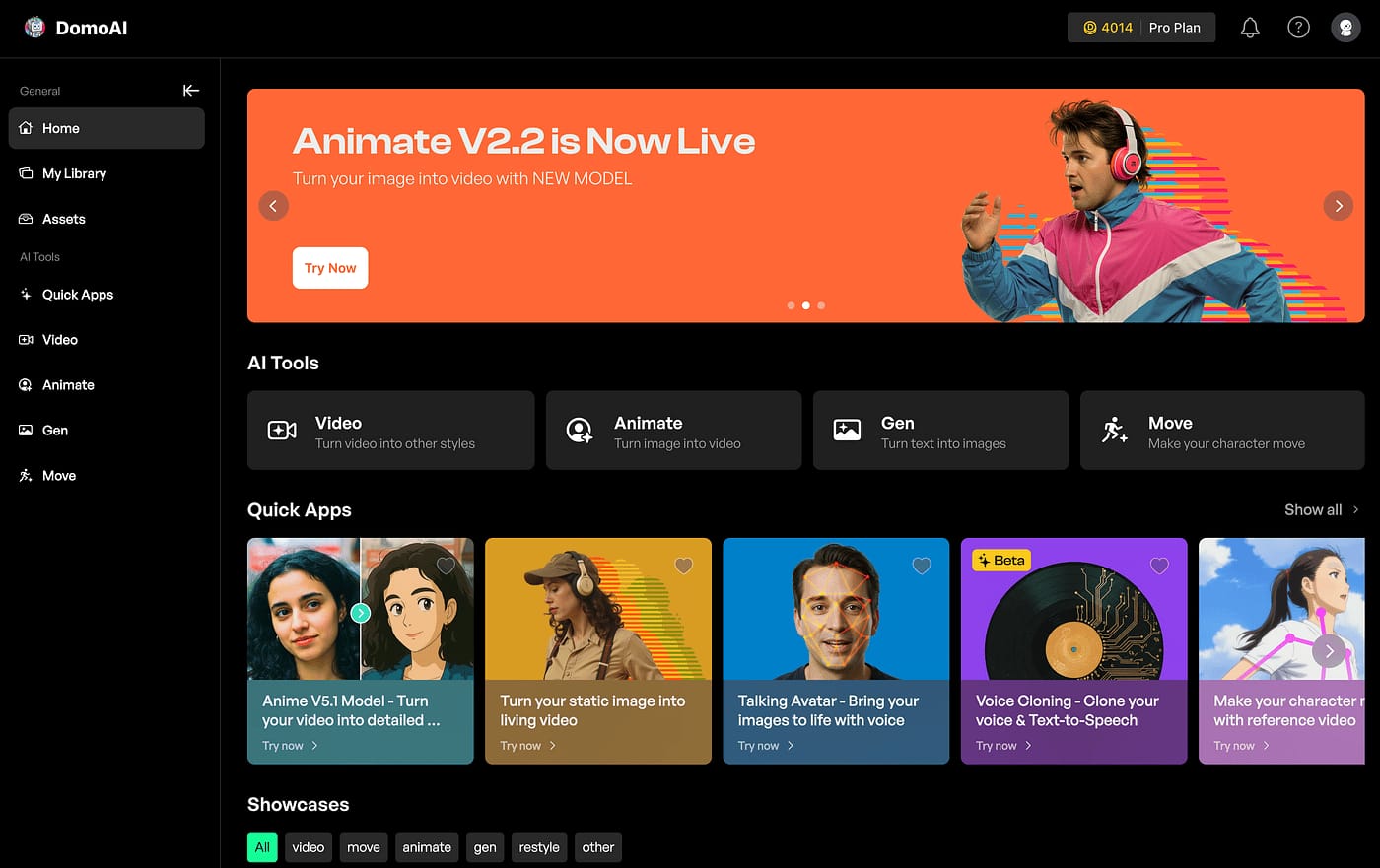
While pricing and risk are critical, the core of any DomoAI review is the performance of its features.
I tested its primary capabilities—Image-to-Video, Text-to-Video, and Video-to-Video—to assess their quality, consistency, and professional applicability. The verdict is consistent: DomoAI is a master of style but a novice at control.
Feature 1: Image-to-Video Generation
This is DomoAI’s crown jewel. The tool’s ability to take a static illustration and bring it to life with fluid motion is genuinely S-tier and leads the market for anime and illustrative styles.
How it Works: Users upload an image and provide a simple text prompt (e.g., /video prompt: hair blowing in the wind, looking at the camera). The AI analyzes the image and prompt to generate a short animated clip.
Performance & Quality: For stylized art, the results are often stunning. It excels at adding dynamic, flowing motion to hair, clothing, and environmental elements.
A May 2024 guide from AITuts DomoAI Guide highlights this capability, showing how the tool can transform static art into dynamic clips. In my tests, animating a pre-existing character portrait produced a clip with high stylistic fidelity, maintaining the original art’s color palette and line work with impressive accuracy.
Limitations: The primary drawback is a lack of control and consistency. The AI decides which elements to animate and how. You cannot specify that only the character’s eyes should move or that the background must remain perfectly static.
This leads to the infamous “wobble” effect, where background elements subtly morph or “melt,” a persistent issue that makes the feature unreliable for professional scenes requiring object permanence.
Furthermore, while you can generate clips up to 10 seconds long, maintaining consistency over that duration is a challenge, often requiring multiple re-rolls to get a usable output DomoAI Discord Community & Feature Tests.
Feature 2: Text-to-Video Generation
DomoAI’s Text-to-Video feature allows users to create video clips from a text prompt alone. This is where the tool’s stylistic bias is most apparent and where its weaknesses begin to show.
How it Works: Similar to other AI video tools, the user enters a descriptive prompt (e.g., /video prompt: an anime character walking through a neon-lit Tokyo street at night, cinematic). DomoAI then generates a short video based on this description.
Performance & Quality: When prompts align with its core strengths (anime, fantasy, illustrative), the results can be visually striking and excellent for creating abstract b-roll or concept art.
The “Japanese Animation Style” consistently produces outputs that mimic the aesthetic of modern anime.
Limitations: When you venture outside its stylistic comfort zone, quality drops dramatically. My tests for photorealistic or cinematic scenes, corroborated by reviews like one from Matt Wolfe on YouTube, confirm that realistic outputs are C-tier at best.
They often suffer from uncanny valley effects, distorted faces, and the same morphing artifacts seen in the Image-to-Video feature. The lack of camera control is also a major hindrance.
You cannot specify a dolly zoom or a tracking shot; you are entirely at the mercy of the AI’s interpretation, making it unsuitable for narrative work that requires intentional cinematography.
Feature 3: Video-to-Video Style Transfer

This feature allows you to upload an existing video and apply a different artistic style to it, transforming a real-world clip into an animation, for example.
How it Works: Users upload a source video and select a target style via a text prompt (e.g., /video [upload] prompt: in a Ghibli anime style).
Performance & Quality: This is a powerful feature for creating unique visual effects. In my tests, converting a simple video of a person walking into a “flat color illustration” style produced an interesting rotoscoped effect.
The AI does a decent job of tracking motion and applying the new aesthetic.
Limitations: The primary issue is maintaining temporal consistency. Details can flicker or change from frame to frame, creating a jittery effect.
The feature works best with simple source videos that have clear subjects and minimal camera movement. Complex scenes with lots of motion or intricate backgrounds can result in a chaotic, unusable mess.
Like all other features, it lacks any fine-grained controls, offering no API access for programmatic use or advanced features like motion brushing to apply the effect to only part of the frame. This again positions DomoAI as a tool for quick, impressive effects rather than a controllable part of a professional production pipeline.
Part 4: Critical Risk Analysis: Is DomoAI Safe for Professional Use?
As a professional evaluating software, the “wow” factor of the output is secondary to a much more important question: is it safe and legal to use in a commercial environment?
This is where my DomoAI review uncovered the most significant red flags. For any serious professional or business, the risks associated with DomoAI’s data policies are, in my opinion, unacceptable as of mid-2024.
⚠️ Default IP Risk: Your Content Trains Their AI
CRITICAL: By default, DomoAI uses your uploaded content to train its models per their Terms of Service, last updated February 27, 2024 DomoAI Terms of Service. Opting out requires a manual email with no auditable proof of compliance. This poses an unacceptable IP risk for any commercial or confidential work. If you still plan to use DomoAI, at least secure a money-saving deal on DomoAI to reduce financial exposure.
Your IP is Training Their Model (By Default)
The single most critical issue lies buried in DomoAI’s Terms of Service, last updated February 27, 2024 DomoAI Terms of Service.
By default, the platform reserves the right to use all user content—both your inputs and the videos it generates—to train and improve its services. This is a common practice for many consumer-facing AI tools, but it’s a massive liability for professional use.
Let me be perfectly clear about what this means: any art, character designs, client materials, or proprietary concepts you upload to DomoAI can be absorbed into their system and potentially influence the outputs seen by other users, including your competitors.
This fundamental IP risk, stemming from a default data training policy combined with a flawed opt-out, represents an unacceptable liability.
The Manual Opt-Out Risk
DomoAI’s official procedure to prevent your data from being used for training is to send a manual email request to their support team. There is no simple toggle in the settings.
This process is a major professional hazard for several reasons:
- Friction and Uncertainty: It places the burden of action entirely on the user. Many users may not even be aware of this policy.
- Lack of Auditability: As of May 2024, DomoAI provides no auditable confirmation that your request has been received and, more importantly, honored. You have no way to prove that your data has been excluded from their training sets. This lack of an “auditable confirmation” is a critical data gap that makes the tool a non-starter for corporate use.
The Missing Certifications: Why Your IT Dept Will Say No
In the corporate world, security and compliance are non-negotiable. As of May 2024, there is no publicly available evidence of DomoAI holding enterprise-grade security certifications such as SOC 2 or ISO 27001 DomoAI Website.
My analysis found no trust center, security page, or claims of specific GDPR compliance, making it a risk for businesses operating in Europe.
What does this mean for a business? Without these certifications, there is no third-party validation that DomoAI meets even the most basic standards for data security, availability, and confidentiality.
Any IT or legal department in a standard corporate environment would immediately flag this as an unacceptable risk, preventing the tool’s adoption. Not being enterprise-ready means that, despite its creative potential, DomoAI is unsuitable for corporate environments with standard data security needs.
| Compliance Standard | DomoAI Status | Risk for Businesses |
|---|---|---|
| SOC 2 Type II | Not Available | No third-party assurance on security, availability, or confidentiality. |
| ISO 27001 | Not Available | Lack of internationally recognized information security management. |
| HIPAA Compliance | Not Available | Unsafe for any work involving Protected Health Information (PHI). |
| GDPR/CCPA Adherence | Unclear | Potential risk of non-compliance with data subject rights and privacy laws. |
In summary, while DomoAI may be a fun tool for personal projects, its current security and IP policies make it a high-risk choice for any serious professional or business. Be sure to browse our latest coupons page for savings across all the tools we review.
Part 5: Common DomoAI Workflows & Use Cases
Despite its limitations, DomoAI excels within its niche. Understanding its practical workflows reveals where it can be a powerful, if specialized, addition to a creative toolkit.
Here are two common use cases where DomoAI’s strengths shine, along with the necessary steps to navigate its quirks.
Use Case 1: Animating a Character for a Social Media Teaser
This is DomoAI’s most popular application: taking a static piece of character art and turning it into an eye-catching, animated clip for platforms like Instagram, TikTok, or Twitter.
Objective: Create a short, 3-10 second video of a character with dynamic motion (e.g., hair blowing, blinking eyes) for a promotional post.
Step-by-Step Workflow:
- Prepare the Source Image: Start with a high-resolution illustration of your character. Simpler backgrounds work best to minimize the “wobble” effect. Ensure the character is the clear focal point.
- Upload to Discord: In the DomoAI Discord server, use the
/videocommand. Upload your prepared image. - Craft a Simple Prompt: Your prompt should focus on motion, not add new elements. Good examples:
prompt: hair and clothes blowing in a gentle breeze, cinematic lightingorprompt: looking towards the camera and smiling, soft focus background. Avoid complex instructions. - Generate and Iterate (The Grind): This is the most crucial step. Your first generation will likely have flaws. Use the “reroll” button to generate new versions of the animation. It’s common to iterate 5-10 times to get a version where the motion looks fluid and the background artifacts are minimal.
- Upscale and Download: Once you have a version you’re happy with, use the upscale option to get the highest quality output and download the MP4 file.
- Post-Production: Import the clip into a video editor. Add music, text overlays, or other effects to complete your social media post.
Use Case 2: Creating Stylized B-Roll for a Marketing Video
Sometimes a project needs abstract, visually interesting clips that match a certain aesthetic, but doesn’t require photorealism. DomoAI’s Text-to-Video feature is perfect for this.
Objective: Generate a series of 5-second, anime-style clips to use as background or transition footage in a product marketing video.
Step-by-Step Workflow:
- Define the Aesthetic: Determine the exact style you need. In DomoAI, you can specify this in your prompt, e.g.,
Japanese anime style,3D model style, orflat color illustration style. - Develop a Prompt List: Brainstorm a list of simple, thematic prompts. For a tech product, this might be:
prompt: glowing data streams flowing through circuits, Japanese anime styleorprompt: an abstract network of connected nodes pulsing with light, 3D model style. - Generate in Batches: Use the Text-to-Video command (
/video) to generate clips for each of your prompts. Because you don’t need perfect character consistency, you can generate many options quickly. - Curate the Best Takes: Review the generated clips. Discard any with jarring motion or distracting artifacts. Select the ones that are smoothest and best capture the intended mood.
- Assemble the Footage: Import your curated clips into your primary video editing software (like Premiere Pro or After Effects). Use them as background elements, quick cuts, or transitions between main sections of your marketing video. This AI workflow allows for the rapid creation of custom, stylized footage that would otherwise be expensive and time-consuming to create from scratch.
Part 6: DomoAI vs. The Competition: A Mid-2024 Showdown
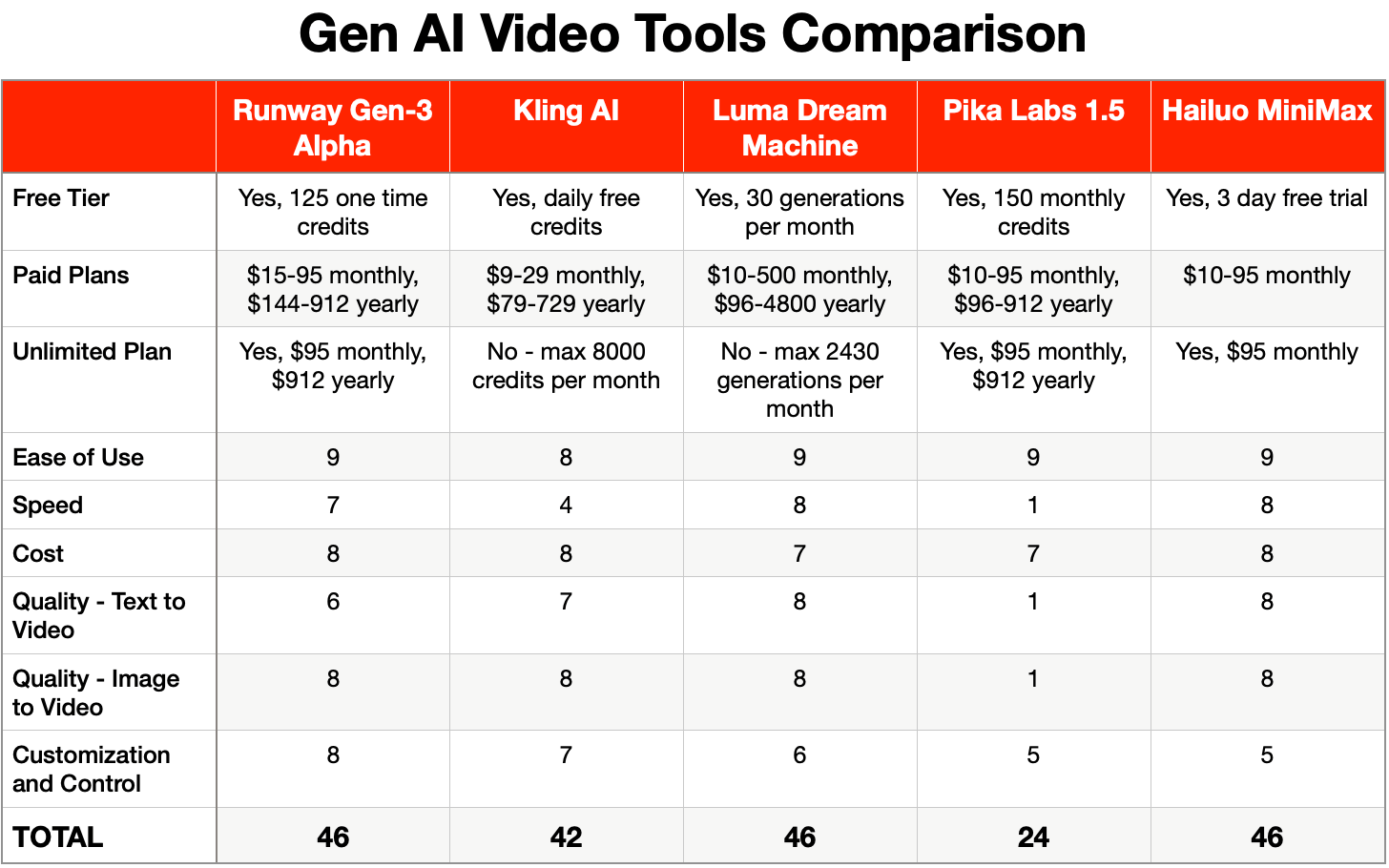
No tool exists in a vacuum. To truly understand DomoAI’s value, we have to benchmark it against its primary AI video competitors in mid-2024: RunwayML and Pika Labs. For a deeper side-by-side breakdown, see our dedicated DomoAI top alternatives and competitors analysis.
This aligns with general expert consensus in the AI video community. Many analysts compare the platforms by analogy: “Comparing DomoAI to Runway is like comparing Canva to the Adobe Creative Suite.”
DomoAI provides a stylized result almost instantly, while Runway provides a professional toolset like After Effects to build a scene from scratch. In my DomoAI review, I found this isn’t a simple case of one being “better”; it’s about understanding their fundamentally different philosophies.
| Criteria | DomoAI | RunwayML | Pika Labs |
|---|---|---|---|
| Ideal User | Stylistic Artist, AI Hobbyist | Video Professional, Filmmaker | General Content Creator, Small Business |
| Core Strength | S-Tier Anime & Illustrative Style Fidelity | Granular Camera Control (Director Mode) & Motion Brush | Balanced feature set with a user-friendly Web UI |
| Core Weakness | No camera control, risky IP policy, opaque pricing | Steeper learning curve, less “instant magic” | Stylistic output is good but not as specialized as DomoAI |
| Camera Control | ❌ None | ✅ Full pan, zoom, tilt, pathing | ✅ Basic pan, zoom, rotate |
| Pricing Model | Opaque & variable credit system | Transparent credit system | Simple subscription tiers |
vs. RunwayML: The Professional’s Choice
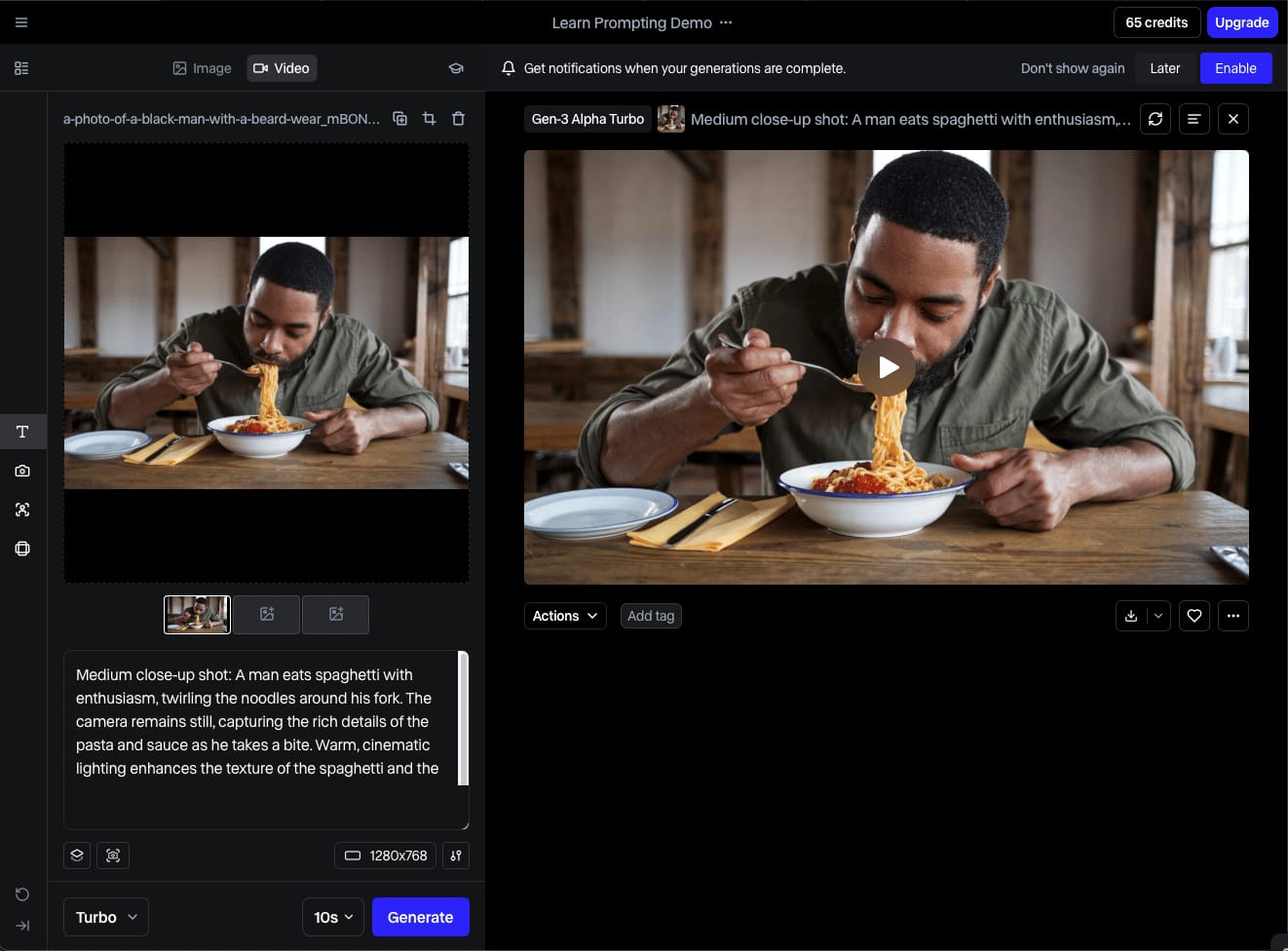
Best For: Video professionals and filmmakers who require maximum creative control and integration into a professional production pipeline.
Consider: RunwayML has clearly positioned itself as the professional’s choice. Its main advantage is control.
If you need deep professional control over the camera via Director Mode, RunwayML is the superior choice. Features like Director Mode, which allows you to define precise camera paths, and Motion Brush, for isolating movement to specific parts of the image, are complete game-changers for narrative and commercial work.
These are the tools a professional needs to integrate AI video into a larger production, making it a better choice for anyone who needs to tell a story with intention.
Avoid If: You need to generate highly stylized anime or illustrative content instantly. Runway’s strength is its toolset, not its pre-packaged styles, and achieving a specific aesthetic often requires more effort and prompt engineering.
vs. Pika Labs: The Versatile Contender
Best For: General content creators, social media managers, and small businesses who need a versatile, user-friendly tool that balances ease of use with a solid feature set.
Consider: Pika Labs strikes a balance between DomoAI’s stylistic flair and Runway’s professional toolkit. Its primary advantage is its versatility and user experience.
Pika offers a much more robust and intuitive web UI, a significant workflow improvement over DomoAI’s Discord-only approach. While it may not match DomoAI’s peak quality in the anime niche, its overall feature set—including basic camera controls and region modification—is more well-rounded, making it a powerful all-rounder.
Avoid If: Your single most important criterion is achieving the absolute highest-fidelity animation of an existing anime-style illustration. In that narrow use case, DomoAI still holds a slight edge.
When to Choose DomoAI
So, when does it make sense to choose DomoAI? My recommendation is clear and specific. You should choose DomoAI if, and only if:
- Your work is primarily focused on creating stylized or anime-style video.
- You prioritize generation speed and stylistic fidelity above all else, including granular control, workflow efficiency, and predictable pricing.
It is a brilliant, highly specialized paintbrush. But as this DomoAI performance review shows, most professional use cases require a full toolbox, which is where its competitors currently have a significant edge. If you decide DomoAI is right for your niche, don’t forget to use a DomoAI coupon code to get the best rate on your subscription.
Part 7: Final Verdict & Frequently Asked Questions
After extensive testing and analysis, my final verdict on DomoAI is that it’s a tool of brilliant, dazzling, and dangerous contradictions.
It is simultaneously a best-in-class artist’s paintbrush and a high-risk liability for a professional business. The recommendation is not a simple “yes” or “no” but depends entirely on who you are and what you value.
Summary Pros & Cons
✅ Strengths
- S-Tier Anime & Stylized Video: Unmatched quality in its specific niche.
- Excellent Image-to-Video: Brings still illustrations to life beautifully.
- Fast & Easy for Beginners: Simple Discord interface has a low barrier to entry.
⚠️ Considerations
- Critical IP & Security Risks: Default model training and no security certifications.
- Opaque & Variable Pricing: The credit system makes budgeting unpredictable.
- No Professional Controls: Lack of camera control is a deal-breaker for narrative work.
- Inefficient Workflow: Discord-only interface is a bottleneck for professionals.
Recommendation for Artists & Hobbyists
For you, my recommendation is enthusiastic but cautious. DomoAI is a powerful, fun, and incredibly fast tool for bringing your art to life or experimenting with AI video.
The quality of its stylized output is genuinely inspiring. I encourage you to explore it.
However, be very mindful of the credit system. The costs can escalate quickly, especially when using the more advanced anime styles. Use the free tier to its fullest, and if you subscribe, keep a close eye on your credit consumption. Make sure to grab a special discount on DomoAI to maximize your creative budget.
Recommendation for Professionals & Businesses
For you, my recommendation is a strong and unambiguous warning.
In this DomoAI review, my conclusion is to advise against using DomoAI for any work that is commercially sensitive, proprietary, or client-owned at this time.
The default policy of using your content to train their model, combined with a non-auditable manual opt-out process, represents an unacceptable intellectual property risk.
Furthermore, the complete lack of enterprise-grade security certifications like SOC 2 makes it a non-starter for most corporate environments.
The Bottom Line
DomoAI is a brilliant, highly specialized “Specialist” tool. It’s a paintbrush, not a toolbox.
I’ve rarely seen a tool that so perfectly masters a niche while simultaneously failing to meet the basic requirements for broader professional adoption.
It delivers breathtaking results for its target style but lacks the control, security, and workflow features required for professional, scalable video production.
Use it for its stylistic strengths, but be acutely, constantly aware of its significant commercial limitations. To see how DomoAI stacks up in greater detail, our DomoAI alternatives and competitors comparison can help you make a more informed choice.
Frequently Asked Questions
Q1: How much does DomoAI really cost in mid-2024?
DomoAI’s paid plans start at $9.99/month, but the true cost can be much higher due to a variable credit system and expensive top-ups.
The price per second of video can double based on the style you choose, making the advertised price misleading for its most popular features DomoAI Official Discord #subscribe Channel.
For example, a basic style might cost 10 credits per second, while the “Japanese Animation Style” can cost around 20 credits per second DomoAI Official Discord User Community Reports.
This makes the Total Cost of Ownership (TCO) highly unpredictable for professionals trying to manage a budget, as heavy use of premium styles can quickly deplete credits and force costly “top-up” purchases. Check our DomoAI coupon page for ways to save on your plan.
Q2: Can I use DomoAI for commercial projects?
Yes, you can use generated content commercially on paid plans, but it carries significant risk.
DomoAI’s terms state they can use your content to train their models by default, a major concern for proprietary or client-owned IP DomoAI Terms of Service.
The opt-out process is a manual email request with no auditable confirmation, which legal and IT departments at most companies would consider an unacceptable risk.
While the license grants you ownership of the output, the underlying process jeopardizes the confidentiality of your input, creating a legal and ethical gray area for any sensitive commercial work.
Q3: How do I stop DomoAI from training on my data?
You must send a manual email request to support@domoai.app to opt out of model training.
There is no self-serve toggle in the app’s settings. This process is a significant professional hazard because the company provides no auditable confirmation that your request has been processed and honored DomoAI Terms of Service.
This lack of a verifiable opt-out trail creates a critical IP risk, making the tool unsuitable for users or businesses working with confidential information, pre-release designs, or client-owned intellectual property. This is a major reason why corporate adoption is low.
Q4: Is DomoAI better than Pika Labs or RunwayML?
DomoAI is better for creating anime and stylized video, but Pika and Runway are superior for professional control, photorealism, and workflow.
If you need creative control over the camera via features like Director Mode, RunwayML is the professional choice, as noted by many in the AI community Decrypt Article.
If you want a versatile all-rounder with an excellent web-based UI, Pika Labs is a stronger option. DomoAI is a niche specialist; choose it only when its specific anime style is your top and only priority over all other professional features. See the full DomoAI alternatives and competitors comparison for more details.
Q5: What are the main problems with DomoAI?
The main problems are its high-risk data privacy policy, an opaque pricing model, a lack of professional camera controls, and an inefficient Discord-only workflow.
While output quality can be inconsistent, leading to “wobble” and artifacts, the business risks are more severe.
The default policy of using user data for model training makes it unsafe for proprietary work DomoAI Terms of Service. The variable credit system makes budgeting a gamble, and the absence of a proper web UI or camera controls limits its use in professional video production, a point highlighted in multiple expert reviews Matt Wolfe on YouTube.
Q6: Is a DomoAI subscription worth the money?
A DomoAI subscription is worth it for creators whose work is almost exclusively in the anime/stylized niche and who prioritize generation speed over creative control.
For this specific user, the tool provides unmatched stylistic fidelity. However, for general-purpose AI video creation or professional work requiring budget predictability and IP security, competitors like RunwayML and Pika Labs offer better long-term value and utility RunwayML Pricing.
Many professionals view DomoAI as a project-specific tool to be rented for a job, not a foundational platform to build a workflow around. If you choose to try it, don’t miss the latest DomoAI deals available today.
Q7: What is DomoAI and what are its main features?
DomoAI is a generative AI tool that creates short video clips from text prompts or still images, operating primarily through a Discord bot.
Its main features are Text-to-Video, Image-to-Video, and Video-to-Video style transfer.
It has gained significant popularity for its highly regarded specialization in creating fluid, high-fidelity animations in various anime and illustrative art styles. Its Image-to-Video feature, which animates static artwork, is considered its strongest asset and a key differentiator in the crowded AI video generator market AITuts DomoAI Guide.
Q8: How do I get better results and fix ‘wobbly’ video in DomoAI?
To get better results, use highly detailed prompts for text-to-video and simple, uncluttered source images for image-to-video, then regenerate your clip multiple times.
There is no direct “fix” for “wobble,” as it is a common artifact of the underlying generative model technology, whether it’s based on generative adversarial networks (GANs) or diffusion models.
The best mitigation strategy is to iterate. Keep prompts focused on a single subject with a simple background and use the reroll function until you get a stable result.
This inconsistency is a major time-sink for professional use, as noted by users across platforms like Reddit Reddit r/aivideo thread.

