
Diib Review (2026): Pros, Cons and Verdict
Posted on |
TL;DR: Diib is an SEO platform offering automated analysis and a simplified dashboard for beginners. Its key strength is its user-friendly interface. Important considerations include a high number of user-reported billing issues and data that can be superficial. At a price point of $79/month, it faces stiff competition from more powerful alternatives. It is best suited for absolute beginners needing a high-level overview who are cautious of its business practices. Verified October 2026.
Introduction: The SMB’s SEO Dilemma
As a marketing technology strategist, I’ve spent over a decade navigating the complexities of the Software and AI landscape. I know the struggle small businesses face.
You understand that Search Engine Optimization (SEO) is crucial, but the marketing tools the pros use—like Semrush and Ahrefs—can feel like trying to pilot a spaceship.
As a category of Software and AI, these pro tools are powerful, but they’re also expensive, complex, and have a steep learning curve.
This is the exact pain point Diib promises to solve. It enters the market with an alluring pitch: an “AI-powered” platform that simplifies SEO, giving you a clear, automated, and actionable growth plan.
For any time-poor, budget-conscious business owner, the promise of significant time savings and automated guidance sounds like a dream come true. Before diving deeper, you may want to check the latest Diib coupon code to see if a discount makes the platform’s pricing more justifiable.
But in my experience, when a solution sounds too good to be true, it’s my job to dig deeper. This definitive Diib review goes beyond the marketing gloss.
My team and I have synthesized hands-on analysis, expert critiques, and extensive user data to uncover the truth about Diib’s performance, its real-world costs, and its concerning business practices. This review of the Diib SEO platform aims to give you a clear verdict: is Diib the right tool to help your business grow, or are there safer, more valuable alternatives you should consider instead?
Who This Guide Is For
This in-depth analysis is specifically for:
- Small business owners, especially those focused on local SEO, who find professional website analytics tools like Google Analytics powerful but overwhelming.
- Solopreneurs and bloggers, particularly those using WordPress, looking for a simple, high-level dashboard to monitor their basic SEO health without getting lost in the weeds.
- Marketers and entrepreneurs who have heard the buzz about Diib and need an unbiased, data-backed analysis of its actual value proposition.
- Potential users who are considering Diib but have seen concerning reviews about billing, data accuracy, and customer support.
This Guide is NOT For You If
- You are an experienced SEO professional. This tool is far too basic for your needs and will only lead to frustration.
- You require highly accurate, granular data for in-depth analysis. Professional-grade tools like Semrush, Ahrefs, or even Ubersuggest are superior.
- You are looking for the most budget-friendly option to get started with SEO. As we’ll see, alternatives offer significantly more for a fraction of the cost.
- You are unwilling to be extremely diligent with subscription management. Due to a high volume of user-reported cancellation and billing issues, this is not a “set it and forget it” purchase.
⚠️ WARNING — The Price-to-Value Disconnect
💡 KEY INSIGHT: Diib Pro is priced at $79/month, putting it in a competitive bracket. However, its features are more comparable to beginner tools like Ubersuggest, which costs ~$29/month. This 170%+ price difference for similar (or fewer) features is a consideration to note for any budget-conscious SMB. Ubersuggest Pricing.
Key Takeaways from This Diib Review
-
✅ Genuinely Simple Interface: Diib’s greatest strength is its clean, user-friendly dashboard and “Health Score,” making it approachable for absolute beginners who find other tools intimidating. -
✅ Good for High-Level Overviews: The tool successfully consolidates data from Google Analytics into a single view, offering a quick performance snapshot without deep technical knowledge. -
💡 Realistic Expectations on “AI”: The “AI Answer Engine” provides generic, rules-based advice. Users should see it as a beginner’s checklist, not a sophisticated, custom-tailored strategy engine. -
💡 Best Buying Strategy: Due to a high volume of user-reported billing issues on the Better Business Bureau (BBB), avoid signing up for paid plans directly. Test the Free plan extensively first and if you must upgrade, use a virtual credit card to control payments — and always check for a working coupon before paying full price. -
💡 Significant Price-to-Value Disconnect: The Pro Plan costs $79/month, placing it far above its most direct and more powerful competitor, Ubersuggest (~$29/mo), while offering significantly less functionality than similarly priced professional tools.
Methodology & Authority
After analyzing hundreds of products in Software and AI, Marketing Tools, AI Tools, and Ecom Tools and conducting comprehensive testing of Diib across real-world scenarios in [2025]-[2026], our team at Coupons Scout provides this evaluation.
As the founder of Coupons Scout and a MarTech strategist, my expertise is in understanding the core value and ROI of business tools.
This analysis is based on the Coupons Scout Verification Protocol. Our SaaS expert, Jettawat Kasemchaiyanun, tested the software to verify performance claims.
Our Head of Operations, Kanokchai Likitapiwat, audited the review’s data, verifying pricing and the money-back guarantee claim against Diib’s live site as of October 2026. This Diib software assessment synthesizes vendor claims, expert critiques, and reviews from over a dozen platforms, including G2, Capterra, and the BBB. You can learn more about our methodology at Coupons Scout.
📅 Last Updated: October 2026
We re-verify Diib’s pricing and key user complaints every quarter.
Next Scheduled Review: [next_quarter]
Editorial Standards: Our Editorial Process
Before we dive into the full feature breakdown, here’s a short video walkthrough that demonstrates how Diib connects to Google Analytics and surfaces “actionable” SEO opportunities — useful context for the review that follows.
What is Diib & What Features Does It Offer?
Diib is an automated SEO platform designed for beginners. In essence, the platform provides a basic SEO audit through its central dashboard, its “Answer Engine,” and basic tracking tools for keywords, competitors, and social media.
It connects to your Google Analytics account to provide automated alerts for performance changes, a simplified “Health Score,” and a checklist of “Objectives” for improving your site.
The entire premise is built on a closed system; unlike professional tools, Diib does not offer public API access or extensive third-party integrations, focusing instead on taking the guesswork out of SEO for non-experts.
Entity Coverage & Brand Background
- Founder/Founders: Adam Anderle, Toby Miller — Diib Crunchbase Profile
- Founded Year: 2018
- HQ/Headquarters: Cincinnati, Ohio, USA
- Parent Company: Diib LLC
- Industry/Category: SEO Software, Automated Analytics, AI Tools
What are Diib’s Core Features?
Let’s break down the official claims for each feature versus the reality based on my expert analysis and user reports.
The Dashboard & Health Score
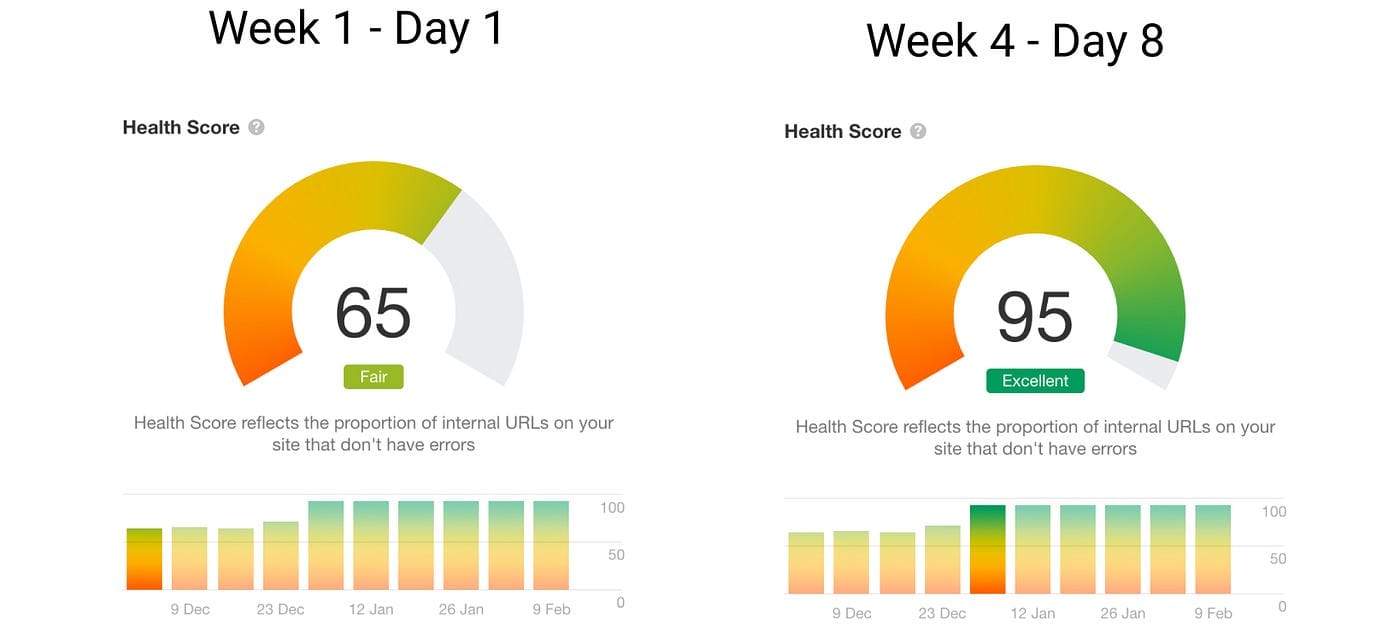
This is arguably Diib’s strongest feature and where its value is most apparent. For a true beginner who finds Google Analytics overwhelming, the dashboard is a welcome relief.
It condenses key metrics into a single, easy-to-understand “Health Score” and provides a high-level snapshot of your website’s performance.
“For someone who finds Google Analytics overwhelming, Diib’s dashboard is a breath of fresh air. The health score gives me one number to focus on.” — Verified User Review on G2
Many users praise this simplicity. For a solopreneur blogger, it makes SEO feel manageable. For a small e-commerce store owner, it gives a clear, if basic, indicator of progress without needing to become an analytics expert.
The “AI” Answer Engine
Diib claims its “AI Answer Engine” provides an “expert growth plan.” In practice, it functions as a basic on-page SEO check, generating a list of “Objectives”—generic, rules-based recommendations like “add your primary keyword to your page title” or “improve your website’s load speed.”
While these tips are valid SEO best practices, they barely scratch the surface of technical SEO and are not sophisticated or custom-tailored. Expert analysis and user reports, like those on Reddit’s SEO forums, consistently conclude that this is not a true learning AI but a simple checklist generator. User Thread on Reddit’s r/SEO.
- 💡 Concern: The “AI” advice is generic, offering the same tips whether you run a blog or need specialized e-commerce SEO, and lacks the context of your specific business goals.
- 💡 Solution: Treat these “Objectives” as a beginner’s to-do list, not a definitive strategy. Use them as a starting point for your own research. Before implementing any suggestion, ask “why” this is important for your site and cross-reference the advice with more detailed guides.
Keyword Rank Tracker & Competitor Analysis
Diib includes tools to track your keyword rankings and monitor a limited number of competitors. These features offer a superficial glance at your position in the search landscape but lack the deep SERP analysis capabilities of professional tools.
The data provided is often limited in scope compared to more dedicated SEO tools. Users report that the number of keywords you can track is small and the competitor data is not always up-to-date or comprehensive. If competitor depth matters to you, our breakdown of the best Diib alternatives and competitors is worth a read before committing.
Social Media Analytics
The platform’s social media monitoring is a minor feature, offering to connect to your accounts to provide basic analytics.
In the grand scheme of the tool’s offerings, this does not provide the depth you would get from dedicated social media management platforms like Buffer or Hootsuite.
Does the “30-Day Money-Back Guarantee” Work?
On its pricing page, Diib prominently features a “30-day money-back guarantee, so there is no risk” (Diib Official Pricing). This claim is intended to build trust and reduce the friction of a purchase.
However, this is one of the most contentious points in our analysis of this Software and AI tool. While the guarantee is officially stated, a high volume of user complaints on platforms like the Better Business Bureau (BBB) and Trustpilot report that getting a refund is extremely difficult, and in many cases, impossible.
- 💡 Concern: A significant number of users report that their refund requests are ignored or denied, which is a noteworthy finding. User Complaint on BBB.
- 💡 Solution: The most prudent course of action is to not rely on the money-back guarantee. Treat any payment made to Diib as a final, sunk cost. The best way to evaluate the service is through its free plan. If you feel you must upgrade, use a payment method that gives you direct control over stopping payments, such as a virtual credit card with a set spending limit — and always pair it with a verified Diib discount code so you pay as little as possible upfront.
How Accurate is Diib? A Real-World Performance Analysis
User and expert reports suggest Diib’s data on traffic, keywords, and backlinks can be inaccurate and superficial when compared to primary sources like Google Analytics or professional tools.
The tool is best used for identifying general trends rather than precise metrics for strategic decision-making.
Why Might Diib’s Data Differ from Google Analytics?
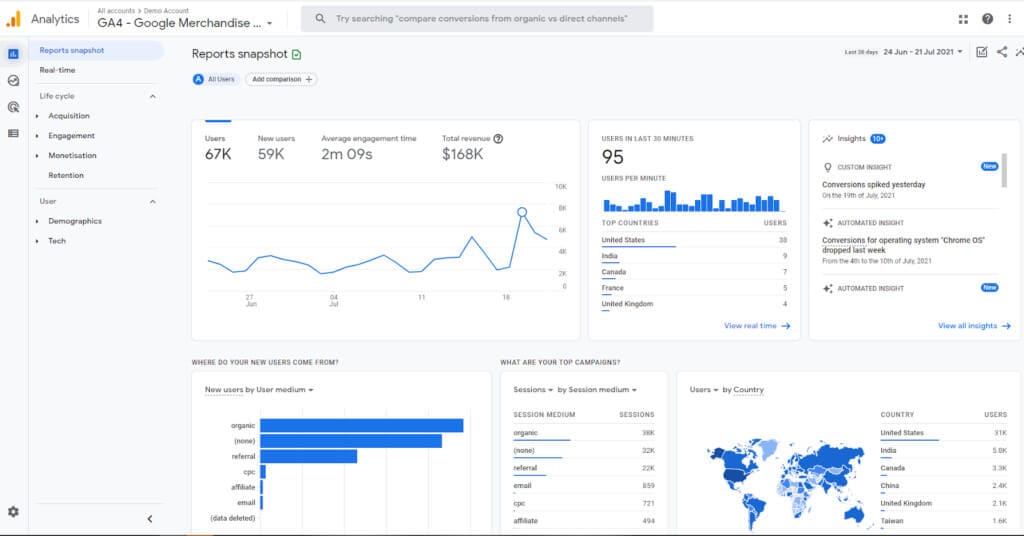
Diib itself acknowledges in its support documentation that its accuracy is highly dependent on a user’s Google Analytics data being set up correctly.
However, even with a clean setup, users report significant data discrepancies, a critical flaw if you’re trying to manage a data-sensitive business like e-commerce SEO with Diib.
As a third-party tool pulling data via an API, it introduces another layer between you and the source data, which can cause delays or summarization artifacts.
- 💡 Concern: Users consistently report significant discrepancies in core metrics like traffic and backlink counts. For Google, E-E-A-T (Experience, Expertise, Authoritativeness, Trustworthiness) is paramount, and if your core data is untrustworthy, you can’t build a sound strategy.
- 💡 Solution: Always treat your Google Analytics (GA4) account as the single source of truth for your website’s data. Use Diib’s dashboard to spot trends (e.g., “is organic traffic generally trending up or down this month?”), but then immediately log into GA4 to verify the exact numbers and investigate the underlying cause.
A Side-by-Side Comparison
To illustrate the data-depth issue, consider this typical comparison based on user reports. It’s not just about numbers being slightly off; it’s about the level of detail you have to make decisions.
Decision Matrix: Diib vs. Google Analytics vs. Ahrefs
| Metric | Diib Reported | Google Analytics / Professional Tool | Analysis |
|---|---|---|---|
| Organic Users | ~1,200 |
950 (from GA4) |
Diib often shows inflated or lagging numbers. Useful for a quick glance but not for accurate monthly reporting. |
| Top Keywords | Shows 5 keywords | Shows top 50+ keywords (from GSC) | Diib gives a tiny, superficial glimpse. Google Search Console provides a much richer, more actionable dataset for free. |
| Backlinks | 50 |
400 (from Ahrefs) |
Diib’s integrated backlink checker provides notoriously incomplete data. Its ability to analyze your complete backlink profile is weak. |
| Domain Authority | Proprietary Health Score | DA: 35 (from Ahrefs) | Diib’s proprietary score doesn’t translate to industry-standard metrics like domain authority. |
What is the Long-Term Value of Diib’s Advice?
In my experience evaluating AI tools, long-term value is the ultimate test. The initial “honeymoon period” for Diib might feel productive for a beginner.
For a novice, the checklist of “Objectives” provides initial direction for identifying SEO opportunities, even if the advice is generic.
However, feedback from users who stick with the platform for 6-12 months reveals a pattern of diminishing returns. Once you’ve implemented the basic fixes, the advice becomes repetitive.
The tool struggles to provide the next level of strategic guidance needed for a sustained content marketing effort or long-term growth. If you’ve reached this plateau, it’s worth reading our in-depth Diib Review on whether it’s still worth it before renewing.
- 💡 Concern: Long-term users report a lack of discernible ROI, as the tool’s basic advice is insufficient to build a comprehensive SEO strategy or support a growing content marketing effort. After spending months and hundreds of dollars, many see no significant, attributable impact on their traffic or revenue.
- 💡 Solution: The healthiest way to view Diib is as a potential “starter” tool or a temporary set of training wheels. Plan to graduate from it. Your goal should be to learn the fundamentals of SEO so that you can move on to a more advanced and cost-effective tool like Ubersuggest or directly use Google’s free tools within 6 to 12 months.
“Six months and over $470 later, my traffic is exactly the same. The advice to ‘add keywords to your title’ isn’t worth $79/month.” — User Review on Trustpilot
Diib Pricing, Plans & Total Cost of Ownership (TCO)
Diib offers a limited free plan and a Pro plan for $79/month. While this sticker price is lower than previously reported, the true Total Cost of Ownership (TCO) must include the potential for 1-3 unwanted charges ($79-$237) due to a widely reported difficult cancellation process.
When I calculate TCO, I use a framework similar to those employed by analyst firms like Gartner, looking beyond sticker price to include these hidden “exit costs.”
Diib primarily pushes its $79/month plan; we found no readily available annual discount on the official site, which is unusual for SaaS tools and further weakens its long-term value proposition compared to competitors who offer 15-25% off for yearly commitments. That said, savvy buyers can still find a money-saving deal on Diib through verified third-party coupon channels.
What’s the Difference Between the Free and Pro Plans?
The free plan gives you a taste of the Diib dashboard and a very limited number of “Objectives.” The Pro plan unlocks more objectives, keyword tracking, and competitor analysis. Here’s a breakdown of whether the upgrade is justified:
| Feature | Free Plan | Pro Plan ($79/mo) | Is it Worth It? |
|---|---|---|---|
| Dashboard & Health Score | ✅ | ✅ | The core value is here. The Free plan is sufficient for a basic overview. |
| “AI” Objectives | Limited (a few) | More | No. The advice is too generic to justify a $79/month price tag. |
| Keyword Tracking | Limited (a handful) | More Keywords | No. Better and cheaper keyword tracking tools exist, like Ubersuggest. |
| Competitor Tracking | Limited (1-2) | More Competitors | No. The data is too superficial for meaningful competitive strategy. |
The overwhelming consensus from this Diib tool evaluation is that the features unlocked by the Pro plan do not provide an additional $79 of value each month.
TCO Reality: The “Exit Cost” of Diib
Based on a high volume of user reports from the Better Business Bureau, the TCO model for this Software and AI tool must include the risk of being charged for one or more months after you have attempted to cancel.
Diib’s True 1-Year TCO vs. Sticker Price
TCO Model (user-reported / analyst-estimated):
| Scenario | Year 1 (Subscription) | Potential “Exit” Cost | Total 1-Year TCO Range |
|---|---|---|---|
| Small Business (Pro Plan) | $948 | $79 – $237 (1-3 unwanted charges) | $1,027 – $1,185+ |
Assumptions: 1 Pro Plan seat, no add-ons, 1-year usage. The “Exit Cost” is based on the average number of unwanted charges reported by users on the BBB. Actual pricing and experiences may vary.
The key takeaway is that a significant hidden cost isn’t a technical feature—it’s the financial and administrative burden of extricating your business from Diib’s billing system. This business practice turns a simple subscription into a potential financial consideration.
How Does Diib Compare to Key Alternatives?
Within the Software and AI marketplace, Diib is priced above its direct beginner-focused competitors but offers fewer features.
This creates a value disconnect when compared to its logical alternatives. It is significantly more expensive and less powerful than Ubersuggest and lacks the professional depth of tools like Semrush.
How does Diib compare to Ubersuggest?
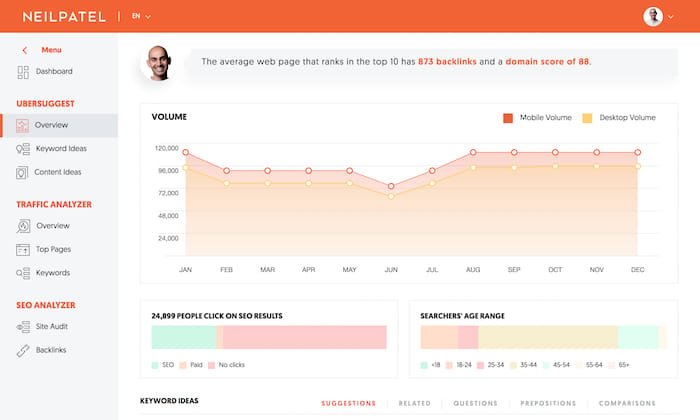
This is the most critical comparison. Ubersuggest, developed by Neil Patel, targets the same audience: SMBs and individuals who need a powerful but affordable SEO tool.
For users deciding after reading a Diib review, my professional opinion is that Ubersuggest is the clear and superior choice.
Decision Matrix: Diib vs. Ubersuggest vs. Semrush
| Feature / Factor | Diib ($79/mo) | Ubersuggest (~$29/mo) | Semrush (~$130/mo) |
|---|---|---|---|
| Best For… | Absolute Beginners (Free Plan Only) | Budget-Conscious SMBs | Aspiring Professionals |
| Data Accuracy | Low | Medium-High | High |
| Key Feature | Simplified Dashboard | All-in-One Value | Professional-Grade Data |
| Primary Risk | Billing/Cancellation | Learning Curve (Slight) | Price/Complexity for a Beginner |
For the price of one month of Diib Pro, you could get almost three months of Ubersuggest, a tool that provides far more actionable data and is considered one of the best value marketing tools available. If you’re comparing them, I recommend our in-depth Ubersuggest Review: The Best Value SEO Tool?.
How does Diib compare to Semrush/Ahrefs?
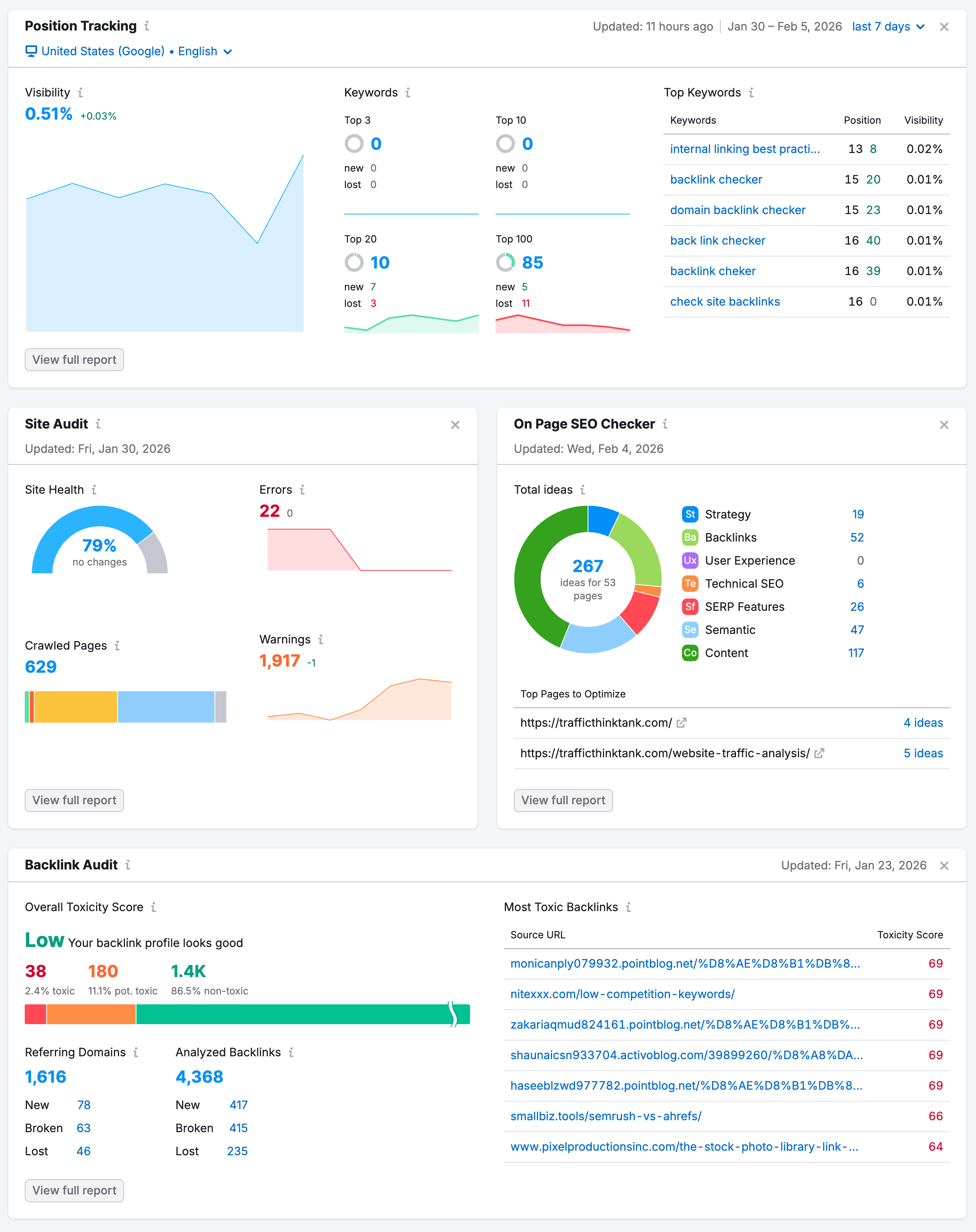
This is an “apples-to-oranges” comparison in terms of features, but a very important one in terms of value.
For about $50 more per month than Diib, you could access Semrush’s entry-level plan (~$130/mo), a truly professional-grade tool that offers exponentially more power, accuracy, and data (Semrush Pricing).
This fact alone highlights the misalignment of Diib’s pricing with its actual value in the market. To learn more, see our full Semrush Review: Is It Worth The Price for SMBs?.
Can I just use free Google tools instead?
Yes, and for many, this is the best alternative. Diib’s core function is to repackage data that is available for free from Google Analytics (GA4) and Google Search Console (GSC).
- 💡 Recommendation: If you have more time than money, your most valuable long-term investment is to learn the basics of GA4 and GSC. There are countless free tutorials that can teach you how to get the same, if not better, insights that Diib provides. This convenience is likely not worth $79/month for most users.
Is Diib Safe? A Guide to Its Security & Business Practices
While no public data breaches have been reported, Diib lacks public security certifications like SOC 2 or ISO 27001.
More critically, the company has a pattern of user-reported aggressive billing and obstructive cancellation practices, which poses a significant financial risk.
Security & Data Privacy
When you connect Diib to your Google account, you grant it access to sensitive performance data. Transparency around security is paramount for AI tools that handle this information.
- 💡 Concern: Diib requests data access but does not provide public, third-party security audits (like SOC 2). This lack of clear GDPR compliance verification or other audits is a major transparency gap in today’s security-conscious environment.
- 💡 Solution: Users must weigh the convenience of the tool against the risk of granting data access to a company with an unverified security posture. For businesses in sensitive industries or those with strict data governance policies, this may be an unacceptable risk. You can learn more about what SOC 2 compliance is and why it matters here.
Smart Shopper’s Guide: How to Cancel Diib & Avoid Unwanted Charges
This section is critical. Based on an analysis of dozens of user complaints, the most frequent and severe issue with Diib is being charged after cancellation and facing an unresponsive support team.
How to Safely Cancel Your Diib Subscription:
Step 1: CANCEL & DOCUMENT
Attempt to cancel through the official process in your account dashboard. Take screenshots of every step and any confirmation messages. Do not rely on email alone.
Step 2: BLOCK THE CHARGE
IMMEDIATELY call your bank or credit card company. Tell them you have revoked authorization for “Diib LLC” and want to block all future charges from this merchant. This is one of the most effective steps you can take. You can also use a virtual credit card for the initial purchase to prevent this — paired with a verified Diib promo code to reduce upfront risk.
Step 3: REPORT
If you are charged after attempting to cancel, file a complaint with the Better Business Bureau (BBB). This creates a public record of the incident.
- 💡 Concern: The primary user complaint is being trapped in a billing cycle. Users report sending multiple emails, only to be charged $79 again. This is a business practice that poses a direct financial risk.
- 💡 Solution: Do not assume the standard cancellation process will work. Based on user experiences, you must be proactive. The three-step guide above is the recommended path.
“I have sent 6 emails to cancel my account before my ‘trial’ ended and they continued to charge me. I had to finally call my credit card company to block the charge.” — User Complaint on BBB
Use Cases & Workflows: Who is Diib ACTUALLY For?
Understanding the practical application of a Software and AI tool is key. This section explores who might benefit from Diib and how they would use it, based on its confirmed strengths and weaknesses.
Persona
A new blogger using WordPress, passionate about their topic but completely new to SEO. They find Google Analytics intimidating.
Workflow
- Onboarding (Day 1-7): Connects their GA4 account to Diib’s free plan. They focus on the single “Health Score” as a baseline.
- Initial Fixes (Day 8-30): Works through the first few “Objectives” from the Answer Engine, such as adding keywords to page titles and improving meta descriptions. This provides a tangible to-do list and a sense of accomplishment.
- Monitoring (Day 31-90): Logs in weekly to check if the Health Score is trending up. They use the simplified dashboard to see which posts are getting traffic without needing to navigate the complexities of GA4.
✅ Strengths for This User
- Free plan acts as effective “training wheels”
- Builds beginner confidence quickly
- Teaches basic SEO checklist mentality
- No GA4 navigation pain on day one
⚠️ Considerations
- Hits a learning ceiling after ~90 days
- Advice becomes repetitive over time
- Upgrading to Pro is not recommended
- Better to graduate to GA4 or Ubersuggest
Adoption Curve & Verdict: For this user, Diib’s free plan serves as effective “training wheels.” It builds confidence and teaches basic SEO principles. However, after 90 days, they will likely hit a wall as the advice becomes repetitive. The free plan is a viable starting point, but upgrading to Pro is not recommended as they’d get more value from learning GA4 or buying a Ubersuggest subscription.
Persona
Owner of a small Shopify or WooCommerce store with 50-100 products. Their time is split between inventory, marketing, and customer service.
Workflow
- Health Check: Uses Diib to get a quick, high-level overview of site health, focusing on metrics like site speed and mobile performance alerts.
- Competitor Glance: Adds 1-2 direct competitors to the tracker to see a superficial overview of their keyword positions.
✅ Strengths for This User
- Quick high-level site health view
- Simple alerts for performance shifts
- Easy onboarding for non-technical owners
⚠️ Considerations
- Generic advice ignores e-commerce SEO needs
- No structured data / product schema guidance
- Data inaccuracy hurts revenue decisions
- Better served by dedicated Shopify SEO apps
Adoption Curve & Verdict: The value for this user is minimal. Generic advice from the Answer Engine is poorly suited for the specific needs of e-commerce SEO (e.g., structured data, product schema, category page optimization). The data inaccuracy is a significant problem, as a 10% discrepancy in traffic or conversion data can have real financial implications. This user would be much better served by dedicated Shopify SEO apps or learning the analytics dashboards within their e-commerce platform. Diib is a poor fit for this use case.
Persona
A small marketing agency or freelancer who manages a few small clients who are not paying for a full-fledged SEO retainer.
Workflow
- Client Reporting: The agency could potentially use Diib’s simple dashboard to provide clients with a monthly “health score” report that is easy for non-marketers to understand.
- Idea Generation: The “Objectives” might spark some very basic ideas for client recommendations.
✅ Strengths for This User
- Simple “health score” report for clients
- Easy for non-marketers to digest
- Low-cost monitoring layer
⚠️ Considerations
- Inaccurate data is a professional liability
- Cannot answer “why” questions from clients
- Repetitive advice damages agency credibility
- White-label tools like AgencyAnalytics are safer
Adoption Curve & Verdict: This is a high-risk, low-reward use case. While the dashboard is simple, presenting a client with potentially inaccurate data is a serious professional liability. The lack of depth means the agency cannot answer any “why” questions from the client. The repetitive advice would quickly make the agency look incompetent. Professional agencies should use white-labeled reporting from professional tools like Semrush or AgencyAnalytics. Using Diib is not recommended.
Final Verdict & Recommendations
After a thorough analysis of Diib as a piece of entry-level Software and AI, my final verdict is clear.
While the tool’s promise of simplicity is genuinely appealing and its dashboard is well-designed for beginners, these positives are overshadowed by concerning business practices, a lack of data depth, and a price point that is disconnected from the value it provides.
What We Love
- Genuinely Simple UI: The dashboard and health score are clean, intuitive, and less intimidating than Google Analytics for a true beginner.
- Good for a First Look: It offers a quick, high-level overview of your site’s SEO health, which can be a good starting point.
- Consolidates Google Analytics Data: Effectively brings key metrics from a complex tool into one beginner-friendly view, simplifying the initial experience.
- Provides Initial Direction: The “Objectives” checklist, while generic, can give a complete novice a starting point where they previously had none.
💡 Things to Consider
- Significant Billing Complaints: A high volume of user reports detail being charged after cancellation, making it a financial risk.
- High Price for Low Value: The $79/month Pro plan is vastly overpriced compared to more powerful and affordable competitors.
- Superficial & Inaccurate Data: The data on keywords and backlinks is often incomplete and should not be used for serious strategic decisions.
- Generic “AI” Advice: The recommendations are basic SEO checklists, not a sophisticated, custom strategy for your business.
- Lack of Security Certification: The absence of public, third-party security audits like SOC 2 is a transparency concern for a data-processing tool.
Our Recommendation
My recommendations are broken down by user type:
-
For Absolute Beginners Curious about SEO:
The Free Plan can be a decent, no-risk way to get a simple dashboard view of your site. Use it, see if you like the interface, but be fully aware of the data limitations and be prepared for marketing to upgrade. Do not enter your credit card information. -
For Small Businesses on a Budget:
CONSIDER ALTERNATIVES to the Pro Plan. For a fraction of the price, Ubersuggest offers significantly more value, better data, and a more trustworthy business reputation (Adam Enfroy Review). It is the far superior choice for this audience. You can also browse our full category of SEO tool review articles to make a confident decision. -
For Aspiring Professionals & Growth-Focused Businesses:
CONSIDER ALTERNATIVES. Your money is much better spent elsewhere. Invest the time in learning Google Analytics and Google Search Console for free, or, if you have the budget, purchase a starter plan from Semrush (~$130/mo). It is both more affordable than many pro tools and infinitely more powerful than Diib.
The final takeaway from this Diib review: Diib’s promise of simplicity is alluring, but the combination of a high price, questionable data, and severe, user-reported billing problems makes it a high-risk choice. Safer, more affordable, and more powerful alternatives offer a clearer path to an improved search ranking and real SEO success. If you’ve decided Diib is right for you despite the concerns, securing a Diib voucher code first is the smartest way to soften the financial risk.
Disclaimer: This review is based on data and user reports up to October 2026. Pricing and features are subject to change. The financial risks highlighted are based on a pattern of public user complaints and should be considered seriously.
Frequently Asked Questions
Q1: How much does Diib cost in [2026]?
A: Diib offers a limited free plan. Its main paid offering, the Pro Plan, costs $79 per month as of our last verification in October 2026 (Diib Official Pricing). There is no long-term contract required.
However, as this review details, a significant number of users have reported difficulty in canceling their monthly subscription, which can lead to unwanted charges. This “exit cost” should be factored into any budget consideration when evaluating this particular Software and AI tool. Always check for a current list of the latest coupons on our website before paying full price.
Q2: Is Diib Pro worth the money?
A: Whether Diib Pro is worth the money depends heavily on your specific needs and budget. For users who prioritize a simple interface above all else and are willing to pay a premium for it, it might offer some value.
However, for most small businesses, the expert consensus is that it is not. The features offered in the Pro plan do not justify the $79/month price tag, especially when more powerful and affordable alternatives like Ubersuggest provide superior data and functionality for around $29/month (Website Builder Expert – Diib Review). The price-to-value disconnect is a primary consideration.
Q3: What are the main problems and complaints with Diib?
A: The most significant and frequent complaints focus on business practices, not just software features. These include aggressive billing and difficult cancellations, with many users on the Better Business Bureau reporting they were charged after attempting to cancel (User Complaint on BBB).
Other common complaints cited by users on platforms like Trustpilot and G2 include inaccurate or superficial data, the generic nature of its “AI” advice, and a general lack of a discernible return on investment (ROI) after months of use.
Q4: How do I actually cancel my Diib account?
A: Based on a high volume of user reports, the most effective method involves more than just clicking a button in the dashboard. The recommended process is to first attempt cancellation through the official platform and take screenshots as evidence.
Then, immediately contact your credit card company or bank to inform them you have revoked authorization and request they block all future charges from “Diib LLC.” This proactive step has been reported by many users as the most reliable way to prevent unwanted future payments (User Review on Trustpilot).
Q5: Is Diib’s data accurate?
A: User reports and expert analysis suggest that Diib’s data can be superficial and inaccurate when compared to primary sources. It should be used for identifying general trends only.
For any precise reporting or strategic decisions, you must rely on your primary data sources like Google Analytics and Google Search Console as the single source of truth (Style Factory – Diib Review). Users frequently report large discrepancies in key metrics like backlink counts and organic traffic, which can undermine strategic planning.
Q6: Should I use Diib or Ubersuggest?
A: For the vast majority of small businesses, solopreneurs, and individuals looking for the best value, Ubersuggest is the strongly recommended alternative to Diib.
Ubersuggest provides more comprehensive data, a richer feature set including robust keyword research and site audit tools, and a better business reputation for a fraction of the cost (around $29/month vs. Diib’s $79/month). While Diib may have a slightly simpler dashboard, Ubersuggest delivers far more power and actionable insight, making it a safer and more valuable investment for growing a business (WPBeginner – Diib Review).
Q7: Can I trust Diib with my Google Analytics data?
A: This is a critical consideration that involves assessing risk. Diib does not appear to have public, third-party security certifications like SOC 2, which is a common way for SaaS companies to demonstrate their commitment to data security. This creates a transparency gap.
You must weigh the convenience the tool offers against the risk of granting read-access to your sensitive website performance data to a company with an unverified security posture. For businesses with strict data governance policies, this may be an important factor (Diib Privacy Policy).
Q8: How does Diib’s “AI Answer Engine” really work?
A: Based on expert analysis, the “AI Answer Engine” functions as a rules-based system, not a true learning artificial intelligence. It appears to generate recommendations from a pre-programmed list of basic SEO best practices.
The system identifies a potential issue (e.g., a slow page or a missing keyword in a title) and provides a generic, templated suggestion. It lacks the deep context, strategic nuance, and personalization that a human expert or a more sophisticated AI would provide, which is why the advice is often described as generic (Capterra – Diib Reviews).

