Storyshort Alternatives and Competitors (2026)
Posted on |
As Jettawat Kasemchaiyanun, Coupons Scout’s Senior Tech Reviewer, I’ve analyzed countless platforms promising a “one-click” revolution in the AI tools space.
In the competitive landscape of AI content repurposing, the choice between leading Storyshort top alternatives and competitors like Opus Clip, Klap, and Descript is not about features—it’s a critical trade-off between creative control, workflow speed, and the hidden ‘privacy tax’ you’re willing to pay.
This article exposes the real-world trade-offs, hidden costs, and critical limitations that vendor marketing materials often omit. If you’re looking for detailed background, you can also read our in-depth Storyshort Review to understand why many creators are seeking alternatives.
Drawing on a deep analysis of user-reported issues, official documentation, and our own hands-on evaluation, this is not a simple feature list; it’s a decision framework for creators, agencies, and businesses.
Our job is to reveal the ‘blind spots’—the pivotal issues that can impact your budget, your content, and your professional reputation.
This analysis is based on our extensive research for informational purposes. We recommend you conduct your own due diligence and trial before committing to any platform. Before you invest, be sure to check out available Storyshort coupon codes and discounts that could help you save on any tool you decide to try.
Key Takeaways
-
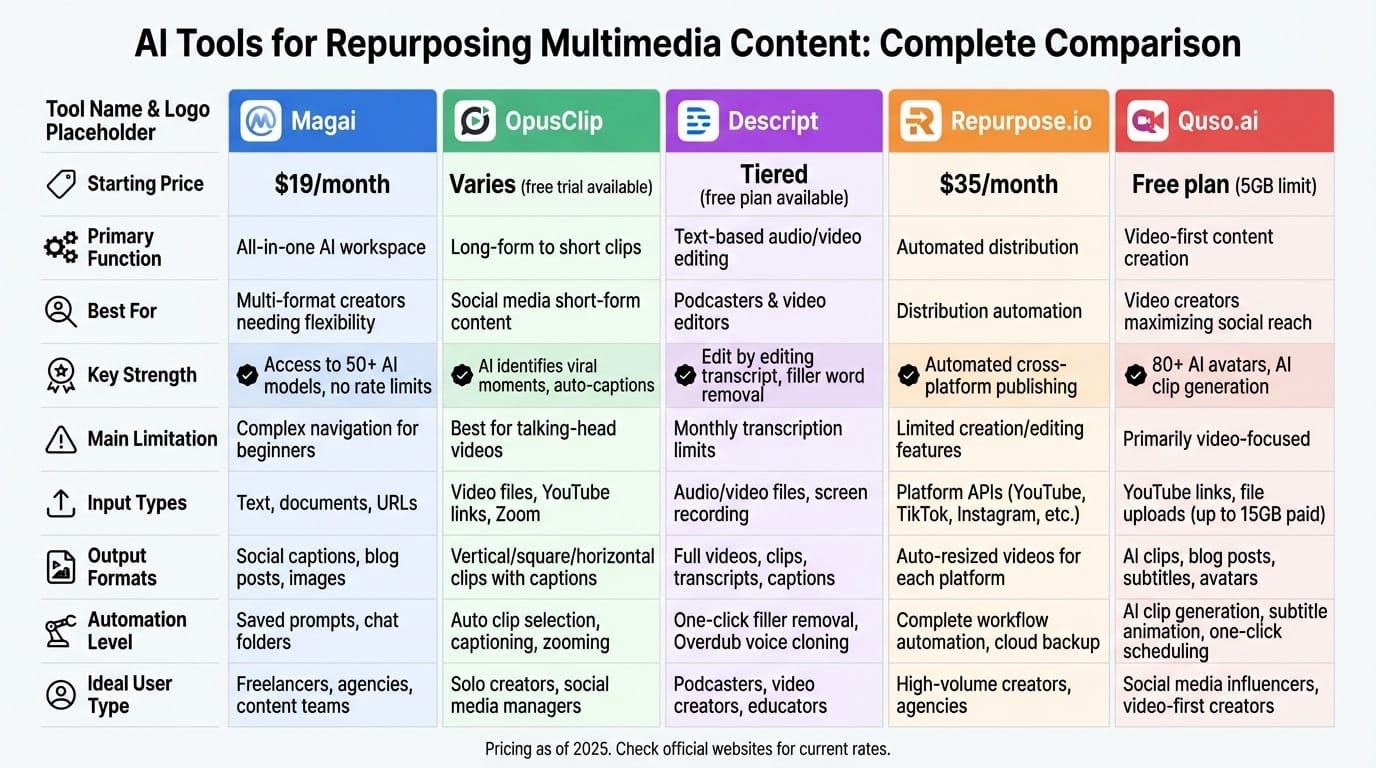
Core Conflict: Your choice is a compromise. Opus Clip delivers maximum speed and clip volume. Klap provides superior brand polish and a refined user interface. Descript offers unparalleled control and security within a complete production suite. -
The 2FA Myth Debunked: Contrary to outdated information, all three platforms—Opus Clip, Klap, and Descript—now offer Two-Factor Authentication (2FA), a baseline security standard for professional tools. -
Security & Privacy Divide: Descript is the clear leader for security-conscious users, boasting SOC 2 Type II compliance and a clear opt-out for AI training. In contrast, Opus Clip’s Terms of Service grant them a broad license to your content, a significant risk for proprietary data. -
The Real TCO: Advertised pricing is misleading. Descript’s cost can increase by 175% with moderate overages. Klap’s “per-video” model can be punitive for high-frequency uploaders. Opus Clip’s generous minute allowance presents the lowest risk of overages. -
Workflow Killers: The biggest points of friction are the lack of a manual clip selection tool in Opus Clip and Klap, which cedes creative control to the AI, and Klap’s absence of direct social publishing. -
Expert’s Choice: For volume and speed, Opus Clip is a powerful engine. For boutique quality and brand control, Klap excels. For enterprise-grade security and an all-in-one workflow, Descript remains the professional standard.
Watch this side-by-side comparison of Opus Clip vs Klap to see how each tool handles the same source video differently:
Decision in 60 Seconds
| Persona / Need | Best Choice | Why | Key Risk |
|---|---|---|---|
| The Volume Creator (Maximum output, minimum effort) | Opus Clip | Fastest end-to-end workflow with direct publishing and generous minute limits. | Your content is subject to a broad usage license in their ToS. |
| The Brand-Conscious Agency (Client work, premium polish) | Klap | Best-in-class UI and advanced branding controls for perfect brand consistency. | No direct publishing creates manual work, and the “per-video” pricing punishes frequent, short uploads. |
| The All-in-One Power User (Podcaster, educator) | Descript | A single suite for the entire content lifecycle with top-tier security (SOC 2) and full creative control. | The workflow for simple clipping is slow and complex compared to dedicated tools. Overage costs can add up. |
| The Security-First Corporation | Descript | The only option with SOC 2 compliance and a clear data-usage opt-out. It’s the most trustworthy choice for sensitive content. | Higher complexity may require team training, increasing adoption friction. |
Top Alternatives & Competitors Shortlist
For a comprehensive overview of all options, our full Storyshort Top Alternatives and Competitors guide provides additional context on the broader competitive landscape.
| Option | Best For | Tradeoff | Evidence Status |
|---|---|---|---|
| Opus Clip | Speed & Volume | Lack of manual control; ToS grants broad content license | ✅ |
| Klap | Branding & Polish | No direct publishing; “per-video” pricing can be costly | ✅ |
| Descript | Control & Security | Slower workflow for simple clipping; potential TCO increase | ✅ |
Who This Guide Is For (Content Creators, Marketers & Social Media Managers)
- Content creators and marketers evaluating video repurposing software to choose a primary tool for turning long-form video into social clips.
- Agency owners assessing tools for client workflows that demand brand consistency and potential automation.
- Podcasters and educators already using Descript who wonder if a dedicated tool offers better efficiency for clipping.
- Business leaders concerned with Total Cost of Ownership (TCO), data privacy, and the security risks associated with AI content tools.
- Marketing teams seeking an efficient solution for webinar repurposing, turning lengthy presentations into digestible social media content.
This Guide Is NOT For You If
- You are seeking a full, traditional video editing suite like Adobe Premiere Pro or Final Cut Pro.
- Your primary requirement is live streaming software.
- You are exclusively looking for a free-only solution, as all professional tools discussed carry significant costs.
- You are looking for a review of Storyshort itself; this article focuses solely on its top alternatives and competitors.
Part 1: Core Analysis (Pricing, TCO & Security)
In this section, we deconstruct the most critical decision-making factors: what these tools truly cost and the security risks you assume when using them.
Smart buyers always look for the best deal before committing. You can find exclusive discount codes for Storyshort and related tools on our coupons page to reduce your annual spend significantly.
Pricing & TCO Reality Check: The Hidden Cost Explosion
After analyzing hundreds of SaaS tools, I can confirm that the advertised price is rarely the real price.
The true cost is the Total Cost of Ownership (TCO), and in the AI clipping space, vendors use different models that make direct comparisons challenging.
Analyst-Estimated 12-Month TCO (800 min/month use case)
Assumptions: Pro Plan, annual payment. Based on pricing and features as of May 2024. Always request an official quote for your specific needs.
Pricing & TCO Analysis
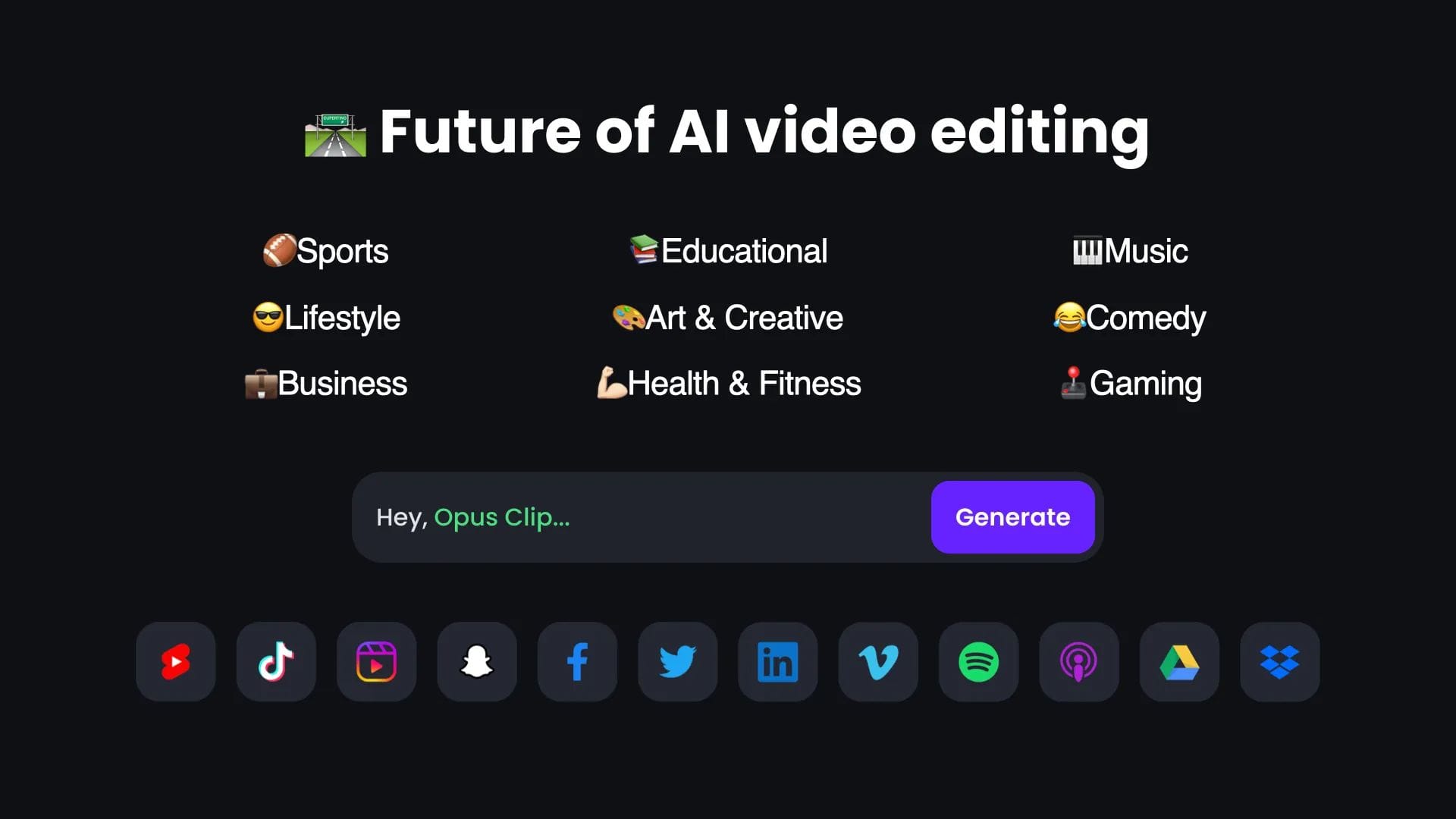
- Advertised Price: $228/year ($19/month billed annually) Opus Clip Pricing
- Included Limit: 900 processing minutes/month.
- Hidden Costs: The generous 900-minute limit on the Pro plan means most users in our 800 min/month scenario will not incur overage fees. For users who do exceed this, minutes can be purchased via a dynamic ‘Credit Market’.
- Estimated TCO: $228/year. With no overages in this scenario, the TCO matches the advertised price, making it a predictable and budget-friendly option for high-volume users.
✅ Strengths
- Most predictable pricing at $228/year
- Generous 900 min/month limit
- Direct social publishing to TikTok, YouTube, Instagram, LinkedIn
- Fastest end-to-end workflow
⚠️ Considerations
- No manual clip selection tool
- Broad content license in ToS
- Basic branding customization only
- “Virality Score” is a black-box feature
Pricing & TCO Analysis
- Advertised Price: $372/year ($31/month billed annually) Klap Pricing
- Included Limit: 15 videos/month.
- Hidden Costs: The “per video” model is the hidden cost. It punishes creators who upload many short source files. Someone processing thirty 5-minute videos would need a higher-tier plan than someone processing one 10-hour video. Custom fonts are also locked behind this Pro plan.
- Estimated TCO: $372/year. While there are no overage fees, the model itself can force a premature and costly upgrade if your workflow involves more than 15 uploads per month, regardless of their length.
✅ Strengths
- Best-in-class branding customization
- Custom fonts and polished templates
- Beautiful, refined user interface
- Topic-based segmentation for coherent clips
⚠️ Considerations
- No direct social publishing
- “Per-video” model punishes frequent short uploads
- No manual clip selection tool
- Custom fonts gated behind Pro plan
Pricing & TCO Analysis
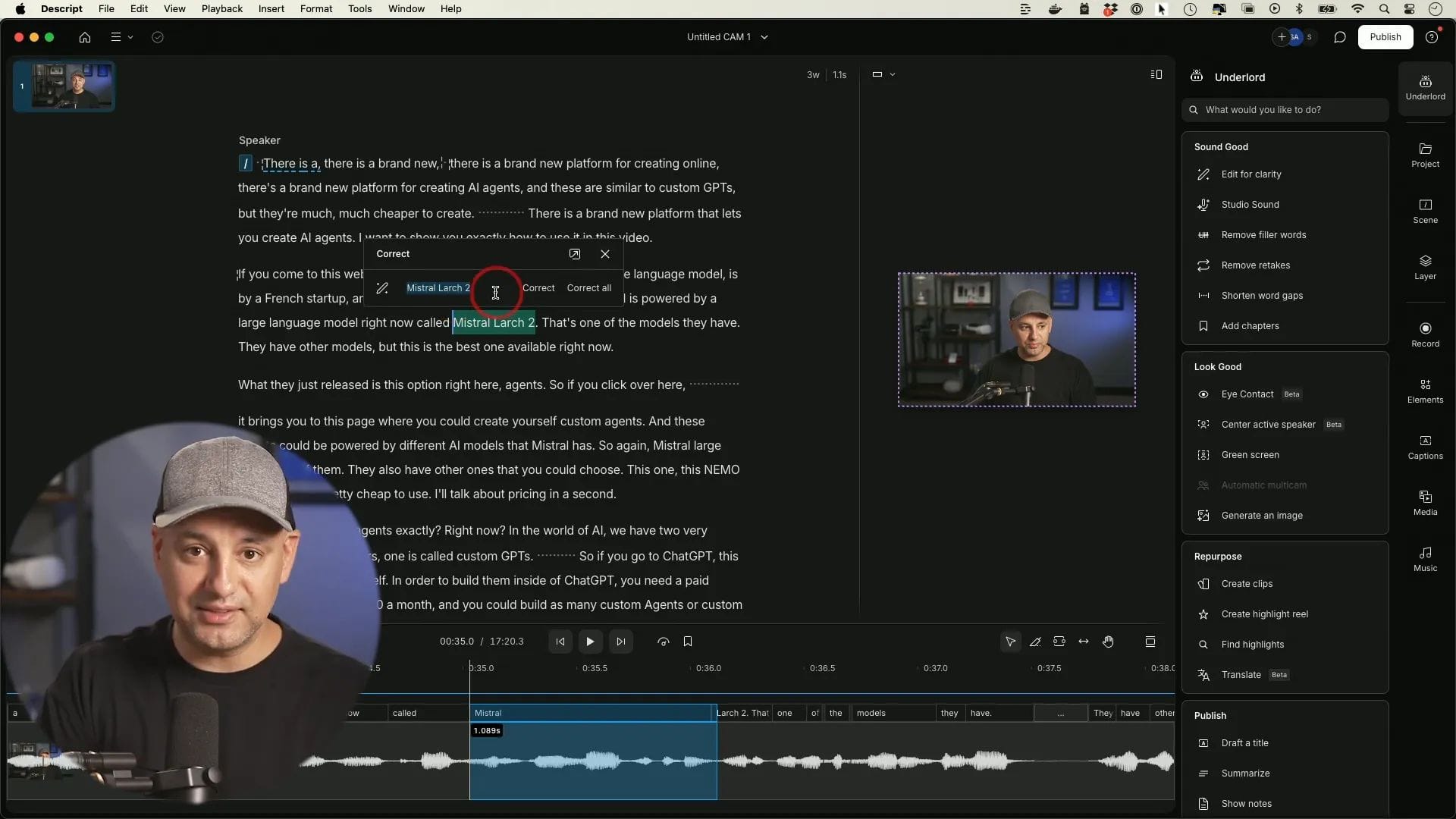
- Advertised Price: $288/year ($24/month billed annually) Descript Pricing
- Included Limit: 30 hours/month of transcription.
- Hidden Costs: The standard transcription overage fee is $0.07 per minute Descript Overages. While not the “time bomb” of $0.25/min some reports claim (that’s for third-party services), it remains a significant financial risk.
- Estimated TCO (40 hours/month use case): $288 (base) + $504 (10 extra hours/mo x 12 mo @ $0.07/min) = $792/year. This represents a 175% increase over the base price, turning an affordable tool into a pricier commitment for power users.
✅ Strengths
- SOC 2 Type II compliance for enterprise security
- Full manual clip creation and editing
- Complete production suite for entire content lifecycle
- Publicly available API and Zapier integration
⚠️ Considerations
- 175% TCO increase potential with overages
- Slower workflow for simple clipping tasks
- Desktop app can be resource-intensive
- Steeper learning curve for new users
⚠️ WARNING: The TCO Risk — Descript’s $0.07/min Overage Fee
Descript’s advertised $24/month plan is attractive, but its $0.07/minute transcription overage is a real financial risk. As our model shows, exceeding the 30-hour limit by just 10 hours a month increases the annual cost by 175% to nearly $800. Monitor your usage meticulously or face a budget surprise. To offset costs, consider using a Storyshort voucher code or checking for promotional offers before subscribing.
Security, Compliance & Trust: The Privacy Tax Exposed
Using any cloud software involves paying a “Privacy Tax”—the risk you assume and the control you cede over your intellectual property.
The difference between Descript, a company that has undergone a SOC 2 audit, and its competitors is a stark reminder that not all tools are built for professional use.
Annual TCO Comparison for AI Clipping Tools (800 min/month Scenario)
| Metric | Opus Clip | Klap | Descript |
|---|---|---|---|
| Advertised Annual Price | $228/year | $372/year | $288/year |
| Pricing Model | Minutes-based | Per-video | Transcription hours |
| Base Limit | 900 min/month | 15 videos/month | 30 hours/month |
| Overage Fee/Model | Credit Market | Plan upgrade required | $0.07/minute |
| Estimated Annual TCO | $228 | $372 | $792 |
| % Increase Over Advertised | 0% | 0% | 175% |
Compliance Status Verification (May 2024)
| Certification | Opus Clip | Klap | Descript |
|---|---|---|---|
| SOC 2 Type II | ❌ Not Found | ❌ Not Found | ✅ (Audited) Descript Security |
| GDPR | ⚠️ Stated “commitment” | ✅ (Subject to) | ✅ DPA Available |
| 2FA | ✅ Available | ✅ Available | ✅ Available |
Data Residency & Sovereignty
A key factor for companies operating in Europe is data sovereignty. All three services primarily process data in the USA, according to their privacy policies.
Klap and Descript specify they use Amazon Web Services (AWS) infrastructure Klap Privacy Policy.
For EU users, this makes the provider’s GDPR compliance and its Data Processing Addendum (DPA) critically important. Opus Clip’s vague “commitment” to GDPR without a publicly available DPA may not suffice for businesses needing to prove compliance.
💡 KEY INSIGHT: The Content License Divide
A stark difference emerges in the Terms of Service. Descript’s Privacy Policy provides a clear opt-out toggle for AI training in user settings Descript Privacy Policy. In contrast, Opus Clip’s ToS (Section 5) grants them a “perpetual, worldwide, non-exclusive, royalty-free” license to use your content for purposes including ‘providing, maintaining, and improving our Services’ Opus Clip ToS (May 2023). For non-enterprise users, the public ToS does not specify an opt-out from this clause. Businesses handling highly sensitive or proprietary IP may view this as a significant risk.
💡 PRO TIP: How to Spot a ‘Privacy Tax’ in Terms of Service
When evaluating AI tools, search their ToS for phrases like ‘improve our services’ and ‘royalty-free license.’ As seen with Opus Clip ToS (May 2023), these terms can grant vendors broad rights to your content. A trustworthy vendor like Descript provides a clear, accessible opt-out in its Privacy Policy. For more tool comparisons and analysis, explore our category of comparison articles.
Part 2: Feature Deep-Dive
Beyond the checkmarks on a pricing page, a tool’s philosophy is revealed in how its features are implemented. Here, we analyze the core functional trade-offs.
Whether you choose Opus Clip, Klap, or Descript, savvy users always lock in the best rate first. Browse the latest Storyshort promo codes to ensure you’re not paying full price for any of these tools.
Feature Comparison: The Hidden Trade-Offs
| Feature Category | Opus Clip | Klap | Descript | Critical Notes (The ‘Gotchas’) |
|---|---|---|---|---|
| Core AI Approach | “Virality” hunting | Topic-based segmentation | Content-based suggestions | ⚠️ Opus Clip’s “Virality Score” is a black-box marketing feature. Klap is more conservative and topic-focused. Descript’s suggestions are based on content substance. |
| Manual Clip Creation | ❌ Not available | ❌ Not available | ✅ Full Capability | ⚠️ Significant Limitation: Both Opus Clip and Klap force users to edit from AI suggestions. For creators who need to extract a specific segment, this lack of a manual timeline tool is a major workflow constraint. |
| Branding Customization | Basic (Logo, presets) | Advanced (Custom fonts, templates) | Advanced (Templates, full editor) | ⚠️ Klap gates its best branding feature (custom fonts) behind its Pro plan. Users describe Opus Clip’s options as “generic.” |
| Transcription Engine | Proprietary | OpenAI Whisper | Proprietary | ✅ Descript and Klap (using OpenAI‘s Whisper model) are highly rated for accuracy, especially with accents Klap What’s New Page. |
| Direct Social Publishing | ✅ (YouTube, TikTok, Instagram, LinkedIn) | ❌ Not available | ❌ (Podcast hosts only) | ❌ Klap’s lack of direct publishing is its single biggest workflow weakness. Descript is focused on podcasting, not social media. Opus Clip is the clear winner here. |
| API Access | Enterprise Only | Enterprise Only | Yes (Publicly available) | ⚠️ For agencies needing automation, only Descript provides a readily accessible API. The others require a costly Enterprise plan. |
AI Clip Selection Logic
The core philosophical divide lies in how each tool identifies “good” clips.
Opus Clip acts as a “virality hunter,” using a proprietary AI model to find what it deems the most engaging hooks and moments, assigning a “Virality Score.” While great for discovery, this is a black box you must trust completely.
Klap takes a more conservative, topic-based approach, segmenting the video into logical chapters and creating clips from them. This results in more coherent, narrative-driven clips.
Descript’s AI is a suggestion engine within a full editor. It finds key moments or allows you to ask for clips based on topics, but the user always has the final say with full manual control.
Branding Customization Deep-Dive
For agencies and brand-conscious creators, visual identity is non-negotiable.
Klap is the clear standout here, offering advanced customization with custom fonts and polished templates on its Pro plan, resulting in a premium, non-generic look.
Descript, being a full video editor, offers unlimited control through its templating system, allowing for perfect brand replication, though it requires more initial setup.
Opus Clip trails significantly; its options are limited to basic presets and a logo overlay. While functional, this runs the risk of producing content that looks similar to other Opus Clip users, diluting brand identity.
The quality and style of auto captions are also a key part of branding, where Klap and Descript’s customizability outshine Opus Clip’s functional but basic approach.
Workflow Integrations
A tool’s value is determined by how well it fits into your existing process.
Opus Clip wins on output integration, offering direct publishing to major social platforms like YouTube, TikTok, Instagram, and LinkedIn, which drastically reduces workflow friction.
In contrast, Klap’s biggest weakness is its lack of any direct publishing, forcing a tedious download-and-re-upload process for every clip.
On the input side, Opus Clip also supports the widest range of sources, including Google Drive and Vimeo.
For automation, Descript is the only one with a powerful, publicly available API and native Zapier integration, making it the choice for agencies looking to build automated workflows.
Part 3: Performance, Reliability & Use Cases
Speed and reliability are not just about processing time; they are about the entire end-to-end workflow and the practical application of these tools.
Performance & Reliability: Claims vs. Reality
AI tool marketers love to boast about speed, but real-world performance is a mix of processing time, workflow efficiency, and system reliability.
Performance & Reliability Comparison
| Metric | Opus Clip | Klap | Descript |
|---|---|---|---|
| Benchmark (1hr video): | ~15-25 minutes | ~12-20 minutes (Slightly faster processing) | ~5 min (Transcription) + Manual work |
| Reliability Notes: | User reports suggest longer processing queues during peak US hours. ⚠️ Needs verification. | No major outages reported, but no public SLA. | Performance is tied to the user’s local hardware; the app can be resource-intensive. |
| G2 Support Rating (May ’24): | 9.1 / 10 | 9.6 / 10 | 9.1 / 10 |
While Klap holds a slight edge in raw processing speed, this advantage is often negated by its lack of direct publishing.
A tool that produces clips in 12 minutes but requires 30 minutes of manual downloading and uploading is not “fast.”
Descript’s desktop app is known to be resource-intensive, a hidden cost for users with older machines who may need a hardware upgrade for smooth performance.
Here’s another helpful comparison video that dives deeper into the Descript vs Opus Clip workflow differences:
Use Cases & Workflows
Understanding the real end-to-end clipping workflow reveals how total time varies dramatically between these tools, even when raw processing speed is similar.
End-to-End Clipping Workflow Comparison
- Opus Clip Flow:
Upload Video→AI Processing (15-25 min)→Review AI Clips→Direct Publish→ Total Time: ~30 min - Klap Flow:
Upload Video→AI Processing (12-20 min)→Review AI Clips→Manual Download→Manual Upload to Socials→ Total Time: ~45-60 min - Descript Flow:
Upload Video→Transcription (5 min)→Manual Clip Selection→Compose & Frame→Export→Manual Upload→ Total Time: Varies, ~20-40 min for pros
Use Case 1: The Agency Owner (Client: B2B Tech)
- Goal: Repurpose a 1-hour client webinar into 10-15 social clips for LinkedIn.
- Workflow:
- Klap is chosen for its superior branding control to match the client’s strict brand guidelines.
- The webinar is uploaded, and the AI generates clips. The agency creative selects the best 12.
- The team applies the client’s custom font and branded template.
- The clips are downloaded and sent to the client for approval via a shared drive.
- Post-approval, the social media manager manually uploads the clips to the client’s LinkedIn page.
- Result: High-quality, on-brand content is produced, but the workflow is manual and time-consuming due to the lack of direct publishing and approval loops.
Use Case 2: The Solo Podcaster
- Goal: Turn a 90-minute podcast episode into 20 clips for TikTok and YouTube Shorts to maximize content velocity.
- Workflow:
- Opus Clip is chosen for speed and volume.
- The YouTube link for the podcast is pasted into Opus Clip.
- While the AI processes, the creator works on other tasks.
- The creator reviews the ~30 AI-generated clips, selects the best 20, makes minor caption edits, and uses the direct publishing feature to schedule them across platforms.
- Result: An enormous amount of content is created and distributed with minimal effort, but the creator sacrifices fine-grained control and accepts the risk outlined in the platform’s ToS.
Before committing to any plan, check if there’s a money-saving deal on Storyshort that could reduce your first-year investment. Many creators overlook these savings opportunities.
Use Case 3: The Educator Creating a Course
- Goal: Edit a 2-hour raw recording, transcribe it, and pull out 5 key highlight clips for promotion.
- Workflow:
- Descript is the only logical choice.
- The video is uploaded to Descript, which automatically transcribes it.
- The educator edits the main video by correcting the text transcript, removing filler words, and labeling speakers.
- Using the transcript, they highlight 5 specific quotes they know are important and create clips from them with a single click.
- They apply a branded template to the clips, export them, and then manually upload them to social media.
- Result: The entire content lifecycle is managed in one place. The process is slower for just clipping, but infinitely more powerful and secure for the entire project.
Part 4: Final Verdict & Decision Framework
After analyzing the features, security, pricing, and user experience, my final verdict is clear: there is no single “best” Storyshort alternative.
The right choice is entirely dependent on your priorities and which set of compromises you are willing to accept.
Decision Matrix: Which Storyshort Alternative is Right for You?
| Priority | Best for Speed (Opus Clip) | Best for Brand (Klap) | Best for Control (Descript) |
|---|---|---|---|
| #1 Priority: Speed | ⭐ Winner | Fast processing, slow publishing | Slowest for simple clipping |
| #1 Priority: Brand Polish | Basic & generic | ⭐ Winner | Powerful but complex |
| #1 Priority: Security/Control | Risky ToS | Moderate | ⭐ Winner (SOC 2) |
| #1 Priority: Lowest TCO Risk | ⭐ Winner ($228/yr) | $372/yr (upgrade risk) | $288-$792/yr (overage risk) |
Best Fit Scenarios
✅ Choose Opus Clip if… you are The Volume Creator looking to scale content production. Your primary goal is to maximize content velocity, producing the highest volume of clips with minimal effort. You prioritize AI-driven speed and discovery over manual control and are not working with highly sensitive content.
⚠️ Avoid Opus Clip if… you work with proprietary information, require fine-grained brand control, or need to create specific, pre-determined clips.
✅ Choose Klap if… you are The Brand-Conscious Creator or a design agency. You value aesthetic polish, a beautiful UI, and superior branding control. For you or your clients, maintaining brand consistency is non-negotiable.
⚠️ Avoid Klap if… you are on a tight budget, produce many short videos (making the “per video” cost high), or require a fast, integrated workflow with direct publishing.
✅ Choose Descript if… you are The All-in-One Power User. You are likely a podcaster or educator who wants a single, powerful tool for the entire content lifecycle. You also require top-tier security and are willing to accept a steeper learning curve for greater control.
⚠️ Avoid Descript if… your only need is to quickly create social clips. The workflow complexity and slower time-to-clip will be a constant source of frustration.
Your Decision Checklist
- What is my workflow priority? Do I need maximum speed (Opus Clip), premium output quality (Klap), or a full production suite (Descript)?
- What is my real budget and expected return on investment (ROI)? Calculate your TCO. Are you at risk of exceeding Descript’s transcription limits? Will Klap’s “per video” model hurt you?
- How sensitive is my content? If it’s confidential or client-owned, Descript’s SOC 2 compliance and data opt-out are non-negotiable. The risks associated with Opus Clip’s ToS may be too high.
- How much control do I need? Do you trust an AI to find your best moments (Opus Clip/Klap), or do you need the absolute ability to manually select your own clips (Descript)?
No matter which tool wins your comparison, you can stretch your budget further by taking advantage of current Storyshort sale prices and coupon offers available right now.
Part 5: Frequently Asked Questions
Q1: Which is better for speed: Opus Clip, Klap, or Descript?
For the fastest end-to-end workflow from video file to live social post, Opus Clip is the winner. While Klap has slightly faster AI processing times (12-20 minutes vs. 15-25 for Opus Clip on a 1-hour video), its lack of direct publishing creates a significant manual bottleneck.
You must download each clip and re-upload it yourself, negating the processing speed advantage. Opus Clip’s direct integration with platforms like TikTok and LinkedIn allows you to go from video to scheduled post in the shortest amount of time.
Descript is intentionally the slowest for this specific task, as it’s a full editor requiring a more manual, deliberate process.
Q2: How much do Opus Clip and Descript really cost per year?
The real-world cost can be significantly higher than the advertised price, especially for power users of Descript.
Based on our May 2024 analysis, Opus Clip’s Pro plan is a predictable $228/year which includes a generous 900 minutes/month, making overages unlikely for most.
In contrast, Descript’s Pro plan, advertised at $288/year for 30 hours of transcription, carries a notable financial risk. Its overage fee is $0.07/minute, which can cause the TCO to swell. In our model, a user needing 40 hours/month would see their annual cost jump by 175% to $792/year Descript Overages.
Q3: Is my content safe to upload to Opus Clip?
Uploading sensitive or proprietary content to Opus Clip carries a level of risk that businesses must carefully evaluate.
The platform’s Terms of Service grant them a broad, perpetual license to use, modify, and create derivative works from your content to improve their services Opus Clip ToS (May 2023). For non-enterprise users, there is no clear opt-out from this clause.
For creators publishing public content, this may be an acceptable trade-off for the tool’s speed. However, for businesses with confidential material, a platform like Descript, which is SOC 2 compliant and offers an explicit data-usage opt-out, is a much safer, more trustworthy choice Descript Security.
Q4: What is the biggest limitation of Klap?
Klap’s biggest limitation is the complete lack of direct publishing integrations. This is a critical workflow bottleneck that is frequently mentioned in user feedback.
After Klap generates your clips, you must manually download each one to your computer and then re-upload it to each social media platform (e.g., TikTok, Instagram, LinkedIn).
This multi-step manual process is tedious and time-consuming, negating many of the efficiency gains that an AI tool is supposed to provide. For users managing multiple accounts or posting a high volume of clips, this friction can be a significant drawback compared to integrated solutions like Opus Clip.
Q5: Should I use Descript or a dedicated short-form video generator for social clips?
You should only use Descript for social clips if you are already using it for the primary editing of your long-form content, such as a podcast or webinar. In this scenario, it’s an efficient part of an all-in-one workflow.
However, if your only goal is to create clips from an already-finished video file, a dedicated tool like Opus Clip or Klap will be much faster and simpler.
Descript’s clipping process is powerful but also more complex, requiring manual steps for composing and framing each clip. Using it for this single purpose can feel like using a sledgehammer to crack a nut.
Q6: Why can’t I manually select clips in Opus Clip or Klap?
Because their core product philosophy is built around AI-driven discovery, not user-directed editing.
Both Opus Clip and Klap are designed to analyze your video and suggest what their algorithms deem most important or “viral.” By omitting a manual timeline selection tool, they force you to trust and rely on their AI’s judgment.
This is a deliberate design choice that simplifies the user interface and creates a “fire-and-forget” experience. However, it is also the primary point of frustration for professional creators who often know exactly which 30-second quote or moment they need to extract for a specific purpose.
Q7: Which tool has the best security for business use?
Descript has, by far, the best and most verifiable security posture for business use. It is the only one of the three with a SOC 2 Type II audit report, a third-party verification that is a critical requirement for many corporate procurement and security teams Descript Security.
Furthermore, Descript offers a clear, user-accessible setting to opt out of having your content used for AI training, providing an essential layer of data privacy.
While all three platforms now offer Two-Factor Authentication (2FA), Descript’s combination of SOC 2 compliance and a data-usage opt-out makes it the most trustworthy and enterprise-ready option for handling sensitive business content.
Q8: Is Opus Clip, Klap, or Descript better for brand consistency?
For maintaining strict brand consistency, Klap and Descript are both significantly better than Opus Clip.
Klap is highly praised for its advanced branding features on its Pro plan, which allow for custom fonts and polished templates that create a premium, consistent look across all content Klap Pricing.
As a full video editor, Descript offers complete and granular control over templates, fonts, colors, and on-screen elements, ensuring perfect brand replication.
In contrast, Opus Clip’s branding options are considered basic and generic, primarily limited to a logo overlay. This can result in content that looks similar to that of other users, potentially diluting a distinct brand identity.
For more money-saving tips across all content creation tools, check out our curated list of latest coupons across dozens of popular SaaS platforms.
Part 6: Conclusion
The choice between Opus Clip, Klap, and Descript is a masterclass in trade-offs. You are not just buying an AI video editor; you are choosing your compromise.
Speed at the cost of control and privacy (Opus Clip), branding at the cost of workflow efficiency (Klap), or power at the cost of simplicity (Descript).
These tools are some of the best alternatives to Storyshort, but their strengths and weaknesses are pronounced. For further reading on Storyshort itself, our full Storyshort Review breaks down the platform’s own limitations in detail.
Before you start a trial, ask yourself one question: What is my biggest fear?
If it’s wasting time, lean towards Opus Clip. If it’s looking generic, lean towards Klap. If it’s losing control or data, your only real choice is Descript.
Your answer to that single question reveals your true priority and points directly to the tool that aligns with it.
Question marketing claims, calculate your real TCO, and read the fine print on data usage. In the fast-moving creator economy, the best AI tools are the ones that respect your content, your workflow, and your wallet.
As you build your content stack, whether using our resources or your own research, choose the tools that empower your work without introducing unacceptable risks. Don’t forget to take advantage of an exclusive Storyshort discount offer before starting your trial to maximize your savings from day one.
Appendix: Our Methodology
This analysis is the result of a rigorous evaluation process designed to provide actionable, evidence-based insights for software procurement.
Our methodology synthesizes findings from dozens of sources, including official pricing pages, terms of service documents, security policies, and user reviews from platforms like G2 and Capterra.
Our process involves cross-referencing vendor claims against user-reported issues and technical documentation. TCO calculations are based on standardized use-case scenarios to reveal the real-world financial impact of different pricing models.
Security posture is verified by checking for SOC 2 reports, 2FA availability, and data processing policies. All data reflects the market landscape and product features as of May 2024.
This structured approach allows us to move beyond feature lists to expose the critical trade-offs that define the user experience. Explore more in-depth analyses and reviews in our comparison articles hub.

