Pixel Surplus Alternatives and Competitors (2026)
Posted on |
As a Software and AI, Design and Video professional with over 15 years in the trenches, I, Mohamed Zaki, can tell you that choosing a provider for your digital resources isn’t about finding the prettiest fonts. It’s about navigating a legal minefield where one wrong step can cost thousands or kill a project.
The number one risk is the license. You’re likely here to find the best Pixel Surplus top alternatives and competitors, and if you’re hunting for the best ways to save money on Pixel Surplus while you compare, that context matters too.
This guide will compare the top 4 options — Envato Elements, Creative Market, Adobe Stock & Fonts, and Google Fonts — not on their marketing claims, but on their hidden costs, licensing traps, and real-world workflow implications. I’m here to be the devil’s advocate, to show you the risks before you commit.
This analysis is a starting point for your customer due diligence. We are not lawyers; always read the full license terms before you commit to a platform. For high-stakes projects, you should consult a legal professional.
The global digital asset market is projected to grow significantly, with licensing disputes costing businesses millions annually. One wrong step in asset usage can invalidate projects, incur hefty fines, or damage reputations. This makes understanding licensing terms paramount for every creative professional.
Key Takeaways
-
The Core Tradeoff: For Software and AI workflows, Envato Elements offers unbeatable value for volume, but at the cost of generic assets and tedious licensing. Creative Market provides unique, high-quality assets but can be significantly more expensive when you factor in real-world usage. -
The Ecosystem Lock-in: Adobe Stock & Fonts is the undisputed choice for professionals already in the Creative Cloud, but it’s a costly ‘walled garden’ that can create vendor lock-in. -
The Utility Player: Google Fonts is the essential, free, and commercially-safe utility for all web projects. It’s non-negotiable for web UI but has a limited stylistic range for premium branding. -
The #1 Risk: Licensing is the number one risk. Adobe’s standard license prohibits use on merchandise Adobe Stock License Terms. While Creative Market has removed its former sales cap, its Extended License is still required for merchandise use. Ignoring these details is a financial risk. -
The TCO Truth: “Unlimited” is a marketing myth. The true Total Cost of Ownership (TCO) must include the time you waste filtering “filler” content and the significant financial risk of needing a license upgrade after a project becomes successful.
Before we dive deeper, we’ve embedded a short, recent independent review of one of the platforms compared in this guide to give you a real-world perspective on what “unlimited” actually looks like in 2025–2026.
Decision in 60 Seconds
| Persona / Need | Best Choice | Why | Key Risk |
|---|---|---|---|
| The Budget-Conscious, Multi-Disciplinary Creator | Envato Elements | Unbeatable breadth of assets (video, audio, graphics) for one low price. | Your work might look generic; you’ll spend significant time filtering low-quality content. |
| The Designer focused on a unique branding project | Creative Market | Highest chance of finding a unique “hero” asset from an independent artist. | You must have the budget for a potential Extended License, which can be a significant multiple of the item’s price. |
| The Agency Professional in Adobe Creative Cloud | Adobe Stock & Fonts | Unparalleled workflow speed saves billable hours, which is money. | You’re paying a premium and are strategically locked into the Adobe ecosystem. |
| The Web Developer focused on performance | Google Fonts | 100% free & commercially safe with a robust open-source license, served via a fast CDN. | The stylistic range is limited for high-end, unique branding. |
Top Alternatives & Competitors Shortlist
Below, each of the four shortlisted platforms is broken down as a dedicated tool card with strengths, considerations, and a direct link to the latest Pixel Surplus coupon page so you can benchmark pricing in one click.
Best for: All-in-one creators (designers, marketers, video editors) who need volume across multiple asset categories.
Category / Classification
- Asset Coverage: Video templates, music, photos, graphics, fonts, web themes, audio tracks.
- Pricing Model: Flat-rate subscription (~$16.50/month billed annually).
- License Style: Per-project registration required while subscription is active.
✅ Strengths
- Unbeatable breadth across multiple asset categories.
- Low predictable monthly cost.
- Excellent for multi-disciplinary creators and YouTubers.
- Includes commercial-use license across most assets.
⚠️ Considerations
- Significant “filler” / generic content lowers signal-to-noise.
- Per-project re-licensing creates admin overhead.
- Risk of your work looking the same as competitors’.
- Assets become unusable for new projects after cancellation.
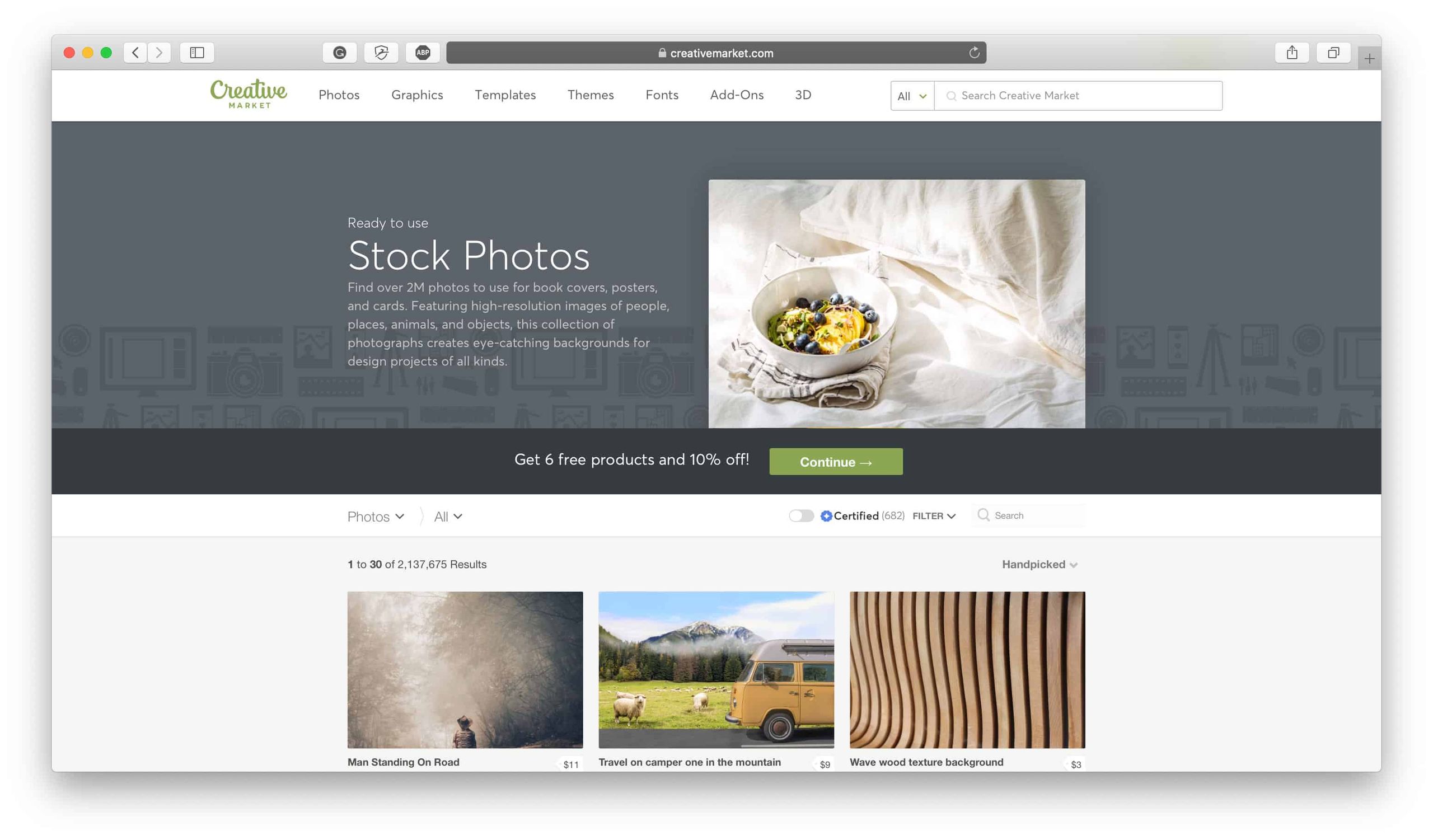
Best for: Designers seeking unique, high-quality “hero” assets directly from independent creators.
Category / Classification
- Asset Coverage: Fonts, illustrations, templates, themes, photos — boutique-curated.
- Pricing Model: Pay-per-item (~$40 average per asset).
- License Style: Standard Commercial License + paid Extended License for merchandise.
✅ Strengths
- Highest chance of finding a truly unique asset.
- Direct support to independent artists.
- Boutique-quality curation vs. mass marketplaces.
- One-time fee, no recurring subscription required.
⚠️ Considerations
- Extended License “price shock” — often 5–10x base cost.
- TCO can exceed $7,200/year for high-volume agencies.
- Integration support depends on individual creator.
- Standard license forbids merchandise use.
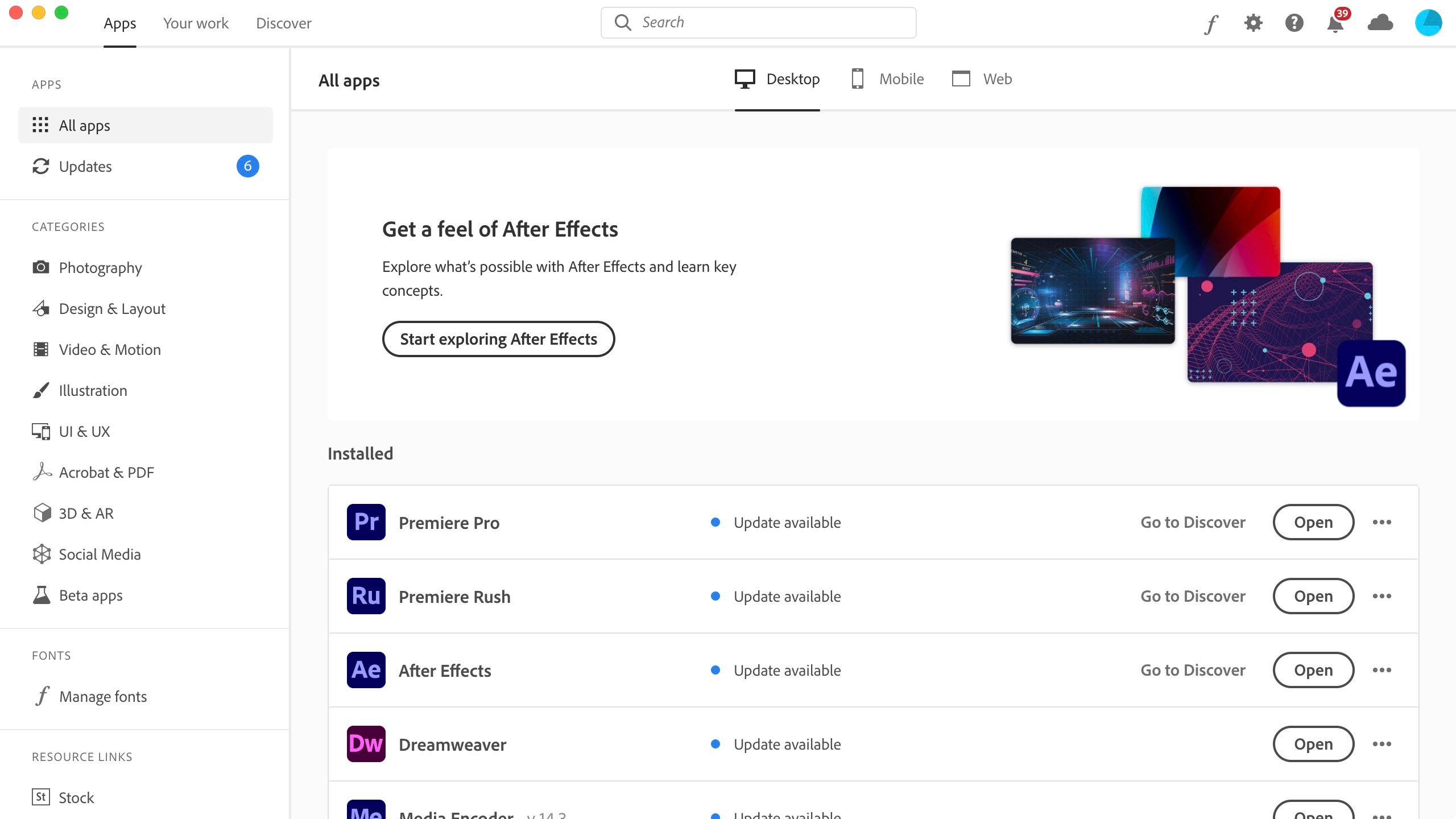
Best for: Professionals and agencies already inside the Adobe Creative Cloud workflow.
Category / Classification
- Asset Coverage: Stock photos, vectors, videos, fonts, Firefly AI-generated assets.
- Pricing Model: Bundled into Creative Cloud ($59.99/mo) + Stock add-on ($29.99/mo).
- License Style: Standard + paid Extended License (e.g., $79.99/image for merchandise).
✅ Strengths
- Unmatched workflow integration inside Photoshop, Illustrator, InDesign.
- Verified SOC 2 Type II & ISO 27001 compliance.
- Firefly AI commercially-safe generative assets.
- Ideal for enterprise clients with strict security requirements.
⚠️ Considerations
- Heavy ecosystem lock-in — fonts deactivate on cancellation.
- Fonts can’t be exported as .OTF/.TTF for non-Adobe tools.
- True TCO often 2–3x advertised after Extended Licenses.
- Standard license prohibits merchandise use.
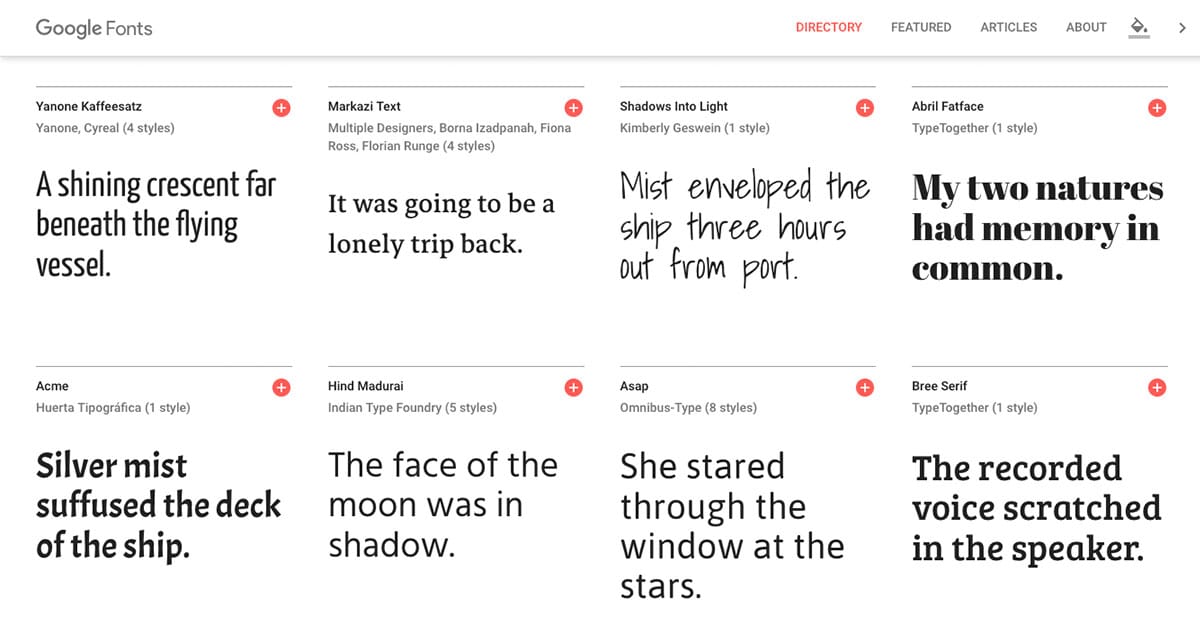
Best for: Web developers, UI/UX designers, and budget projects requiring commercially-safe fonts.
Category / Classification
- Asset Coverage: 1,500+ font families served via Google’s global CDN.
- Pricing Model: 100% free for all commercial & personal use.
- License Style: SIL Open Font License (OFL) — permissive open source.
✅ Strengths
- Zero cost, zero legal ambiguity for commercial use.
- Fast performance via Google’s global CDN.
- Permissive OFL license allows modification.
- Compatible with any platform — not locked to a vendor.
⚠️ Considerations
- Popular fonts (Roboto, Lato) are ubiquitous — branding looks generic.
- Limited stylistic range for premium display typography.
- Some older fonts have poor kerning or incomplete character sets.
- Not ideal for brands needing unique typographic identity.
Who This Guide Is For
- Freelance designers and small agencies, as core Software and AI professionals, are constantly weighing budget against asset quality.
- Marketers and content creators who need a variety of assets for marketing campaign visuals (video, graphics, fonts) and are tempted by “unlimited” plans.
- Professionals already invested in the Adobe ecosystem wondering if the cost is justified.
- Web Developers focused on commercial safety and performance-driven web design on a budget.
- Anyone who understands that the true cost of an asset includes the legal risk associated with its license.
This Guide is NOT For You If
- You are looking for a simple list of “the best” platform without understanding the tradeoffs.
- You believe “unlimited downloads” means zero hidden costs or consequences.
- You are unwilling to read and understand licensing agreements for the assets you use.
- You are a large enterprise with a dedicated legal and procurement team (though this guide can still inform their decisions).
- You are looking for free assets without considering the potential for overuse and lack of uniqueness.
How We Evaluated These Asset Marketplaces
Our editorial team at Coupons Scout follows a rigorous, transparent process — detailed in our editorial methodology — to ensure every claim, comparison, and recommendation is verified against official sources before publication.
Overseen by Editor-in-Chief Joanne Lovell, this framework is recognized by leading Software and AI, Design and Video professionals and is built to ensure E-E-A-T (Experience, Expertise, Authoritativeness, and Trustworthiness). We may earn a commission if you purchase through our links, but our analysis remains independent.
This analysis is informed by our internal CSVP™ (Coupons Scout Verification Protocol), specifically Track B, which governs reviews and is verified by Kanokchai Likitapiwat’s Ops Team.
The initial product shortlist is driven by data analysis led by founder Mohamed Zaki, who uses social listening and search intent data to find what the market is actually using. The deep-dive evaluation is then handled by domain experts like myself, where we test performance, integrations, and critically, the true price-to-value ratio. For complementary background on Pixel Surplus itself, see our standalone Pixel Surplus Review.
A Note on Our Research: Transparency on Limitations
For this analysis, we synthesized extensive upstream data and public information from vendor websites. We are highlighting the gaps that were scheduled for investigation to provide you with the most transparent analysis possible.
Where Pixel Surplus Shines (A Baseline for Comparison)
To have a fair fight before diving into the Pixel Surplus top alternatives and competitors, we have to establish a baseline. While this guide focuses on alternatives, it’s crucial to understand what Pixel Surplus likely gets right. Based on its market positioning, my analysis infers the following strengths.
Pixel Surplus likely excels at providing a highly curated selection of royalty-free assets, particularly fonts and textures, for free or at a very low cost. This sharp focus on freebies, dollar deals, and accessible graphics bundles appears to be its core value proposition.
For designers on a tight budget or those just starting, this is an incredibly attractive model — and if you want to push that value even further, the latest Pixel Surplus promo code can stack on top of already-discounted bundles.
Its licensing is probably simpler and more direct for its core assets, standing in stark contrast to the complex, multi-tiered commercial licenses of its larger competitors. This simplicity reduces the immediate friction and legal anxiety for users.
By focusing on a specific niche of trendy, high-quality assets, it potentially offers better quality within that niche than a “jack-of-all-trades” service like Envato Elements or emerging AI asset generators. By stating what Pixel Surplus probably does well, we can now more critically and fairly expose where the alternatives are better, worse, or just plain different.
Pricing Reality Check: Advertised vs. Real Total Cost of Ownership (TCO)
In the world of SaaS pricing models and digital assets, the price you see is almost never the price you pay. As a professional who has to manage budgets, I’ve learned to be deeply skeptical of advertised rates.
The true metric is the Total Cost of Ownership (TCO), which includes hidden fees, required upgrades, and the cost of your own time. This is a major financial risk, and vendors are banking on you not doing the math. When evaluating Pixel Surplus top alternatives and competitors, TCO is the most critical financial metric.
Envato Elements: Advertised $198/year vs. Analyst-Estimated TCO of $198 + significant “Time Cost” (5–10 unbillable hours/month).
Creative Market: Advertised ~$40/item vs. Analyst-Estimated TCO of $7,200+ for an active agency.
Adobe Stock & Fonts: Advertised $1,079+/year base vs. Analyst-Estimated TCO of $1,079 + frequent Extended License costs.
Advertised vs. Analyst-Estimated TCO
| Platform | Advertised Price | Analyst-Estimated Annual TCO | The Devil’s Advocate Reality |
|---|---|---|---|
| Envato Elements | $16.50/month ($198/year) [Pricing] | $198 + “Time Cost” | The financial cost is low, but the time cost is high. Filtering low-quality “filler” and managing the tedious per-project licensing can add 5–10 hours of unbillable admin work per month for an active agency. For an agency billing at $100/hour, that’s a hidden cost of $6,000–$12,000 per year. |
| Creative Market | ~$40 per item (average) | $7,200+ (for an agency) | A small agency needing just two assets per project for 10 projects a month could easily face a TCO over $7,200 annually. This platform can be over 36x more expensive than Envato for volume work. It’s for surgical strikes, not carpet bombing. |
| Adobe Stock & Fonts | $59.99/mo (CC) + $29.99/mo (Stock) [Plans] | $1,079+ | This is the base cost. The moment you need an Extended License for merchandise, a single image can cost $79.99 [License Info]. The true TCO for a commercial design agency is often 2–3x the advertised price. |
The Pricing Gotchas
Here are the traps I’ve seen trip up even experienced designers:
- ⚠️ Creative Market’s Extended License “Price Shock”: This remains a significant hidden cost. You find a perfect $20 font. If you need to use it on merchandise for sale, you must purchase an Extended License. The price of this license is set by the creator and can often be a significant multiple (5–10x) of the base cost Creative Market Extended License Terms. A $20 font could suddenly require a $100–$200 license, a shock to unprepared project budgets.
- ⚠️ Envato’s Cancellation Policy Landmine: This is a critical point. You cannot use assets you’ve downloaded for new projects after your subscription ends Envato Elements License FAQs. Each project must be registered while your subscription is active. If you cancel, your entire asset library for future work vanishes.
- ❌ Adobe’s Ecosystem Premium: The value of Adobe Fonts is entirely contingent on a pricey Creative Cloud subscription. If you primarily use other tools like Figma or Affinity Designer, you are paying a massive premium for a font library you can’t easily use. It’s a deliberate strategy to keep you paying for the entire suite.
For ‘unlimited’ subscriptions like Envato Elements, the true cost isn’t just the monthly fee. Analyst estimates suggest active agencies can spend 5–10 unbillable hours per month filtering filler content and managing tedious re-licensing. This time sink can erase the perceived savings, making cheaper options surprisingly expensive in human capital.
If shaving real dollars off your asset budget is the goal, grab the current Pixel Surplus discount code before you commit to any annual subscription — it’s the simplest way to lower your effective TCO immediately.
Licensing & Compliance: Exposing the #1 Risk to Creatives
This is the heart of my argument. Asset quality is subjective; licensing, as a form of digital rights management (DRM), is a contractual obligation with real financial and legal consequences.
As a professional, the license isn’t a feature; it’s the product. Getting this wrong can invalidate your work, expose your client to lawsuits, and destroy your reputation. This is the top consideration when evaluating Pixel Surplus top alternatives and competitors.
Essential Licensing Due Diligence Checklist
| Licensing Aspect | Checkpoint Questions | Criticality |
|---|---|---|
| Commercial Use | “Is it permitted for end products for sale?” | HIGH |
| Sales Volume Cap | “Are there limits on units sold?” | CRITICAL |
| Merchandise Use | “Can assets be used on t-shirts / mugs for sale?” | HIGH |
| Trademarking | “Can assets be used as part of a brand’s trademark?” | HIGH |
| License Transfer | “Is the license transferable or project-specific?” | MEDIUM |
Primary License Differences: The Fine Print That Bites
| Platform | Key License Limitation | Devil’s Advocate Interpretation |
|---|---|---|
| Creative Market | Prohibits use on merchandise with the standard Commercial License. | A major change from their old model. The risk has shifted from sales volume to product type. You need an Extended License for print-on-demand or other items for sale where the asset is the main value [Source]. |
| Adobe Stock & Fonts | Standard License prohibits use on merchandise (e.g., t-shirts, mugs). | A massive trap for designers working with consumer brands. The beautiful image you licensed for a web banner cannot be legally printed on a t-shirt without purchasing a costly Extended License [Source]. |
| Envato Elements | License requires re-registering the asset for every new project. | This creates a significant administrative burden for agencies. It’s a tedious workflow designed to make tracking and compliance difficult, especially at scale. The license is also a known “gray area” for print-on-demand (POD) use. |
| Google Fonts | SIL Open Font License (OFL) is extremely permissive. | The gold standard for free assets. It allows commercial use, modification, and distribution [Source]. The only real risk is that ubiquity makes branding difficult. |
Real-World Example: The Modern Licensing Trap
- Situation: A freelance designer buys a beautiful $30 graphic from Creative Market to use on a t-shirt for a small coffee brand.
- Task: The coffee brand wants to sell these shirts in their store and online.
- Action: The designer, focused on the creative work, uses the standard Commercial License. However, this license explicitly forbids use on merchandise where the asset is the primary value. The brand is unknowingly infringing on the artist’s copyright by producing the shirts.
- Result: The original artist discovers their work on the merchandise. The brand must either pull the product, pay a retroactive Extended License fee (potentially 5–10x the original price), or face legal action for copyright infringement. This exposes both the designer and their client to significant unplanned costs and legal risk, a key Your-Money-Your-Life (YMYL) concern.
Security & Trust
For agencies and professionals, the security posture and data privacy practices of your vendors are a direct reflection of your own. Handing client data to a platform without basic security certifications is a risk I’m not willing to take. Considerations like SOC 2, ISO 27001, and GDPR compliance are paramount for sensitive data.
Working with large enterprise clients or handling sensitive Intellectual Property (IP)? Publicly verified SOC 2 Type II and ISO 27001 certifications are often non-negotiable. Adobe’s transparency in this area positions it uniquely for these engagements. If your client requires such assurances, inquire directly or choose verified platforms.
Compliance Status (Based on Public Data)
| Certification | Envato Elements | Creative Market | Adobe Stock & Fonts |
|---|---|---|---|
| SOC 2 Type II | ⚠️ Not Found (Requires Inquiry) | ⚠️ Not Found (Requires Inquiry) | ✅ Verified [Trust Center] |
| ISO 27001 | ⚠️ Not Found (Requires Inquiry) | ⚠️ Not Found (Requires Inquiry) | ✅ Verified [Trust Center] |
The gap here is glaring. Adobe is the only platform in this comparison that provides publicly accessible, verified SOC 2 and ISO 27001 compliance documentation. For any work involving enterprise clients or sensitive data, this makes Adobe the only viable choice from a security standpoint.
Integration & Workflow Reality: The Ecosystem Trap
Vendors love to talk about “seamless integration” and API access, often masking underlying workflow inefficiencies. As a developer and product strategist, I’ve learned to translate that phrase to “vendor lock-in.”
Convenience always comes at a cost, and that cost is often your freedom to choose the best tools for the job. Effective digital asset management (DAM) requires a clear-eyed view of these tradeoffs.
The undisputed king of this strategy for creative workflow optimization is Adobe. Much like Satya Nadella’s vision for Microsoft’s integrated ecosystem, Adobe’s integration of Stock and Fonts into the Creative Cloud is a masterclass in workflow efficiency. However, this convenience is a gilded cage.
1. Subscribe to Adobe CC → 2. Integrate Adobe Fonts/Stock → 3. Build projects reliant on assets → 4. Consider canceling CC → 5. Fonts deactivate / Assets inaccessible → 6. Project files break → 7. Forced re-subscription to regain access.
Real-World Example: The Adobe Fonts Hostage Situation
- Situation: A freelance graphic designer has been using Adobe Creative Cloud for years. All their client project files, spanning hundreds of projects, are built using fonts synced from Adobe Fonts.
- Task: To save money, the freelancer decides to cancel their expensive CC subscription for a few months and use more affordable alternatives.
- Action: The moment the subscription is canceled, all Adobe Fonts on their system are deactivated [Adobe Fonts HelpX]. When they open an old project file to make a client-requested change, the text is replaced with a default font, breaking the entire layout.
- Result: The designer is held hostage. They cannot work on their own past projects without re-subscribing to Creative Cloud. They are forced to restart their subscription, not for the software itself, but to regain access to the fonts. This is the definition of vendor lock-in.
Integration Gotchas
- ❌ Adobe’s Closed Font Ecosystem: Adobe Fonts are not provided as downloadable .OTF files or .TTF files. This means you cannot easily use them in non-Adobe software like Figma, Canva, or Affinity Designer. This is a deliberate strategy.
- ⚠️ Envato’s Unstable Adobe Extension: Envato’s Adobe CC extension has “mixed reviews regarding stability.” You can’t build a reliable professional workflow on an unstable foundation. Envato also offers a native WordPress plugin for some assets.
- ⚠️ Creative Market’s Creator Dependency: Integration support is entirely dependent on the individual creator. If that creator abandons their shop, you’re on your own if a file is corrupted.
Want to compare these ecosystems against other paid-vs-free trade-offs before you spend a dollar? Browse our Category of Comparison articles for related deep-dives, and grab today’s working coupon for Pixel Surplus to soften the financial side of your decision.
User Experience: The Hidden Costs of “Unlimited” Choice
Vendors market “user-friendly” interfaces and massive libraries as key benefits. But a bad user experience (UX) can be a significant hidden cost. The “paradox of choice” is real; a library with millions of assets is useless if 90% are low-quality “filler.”
Envato Elements is the primary example. The promise of “unlimited” is alluring, but it comes with a steep, non-financial cost: your time.
The Real Cost of Unlimited: A Time-Sink Scenario
- Situation: A small marketing agency subscribes to Envato Elements for their social media clients.
- Task: A designer needs a short, upbeat video clip for an Instagram Reel with a 2-hour turnaround.
- Action: The designer spends 45 minutes sifting through low-quality, generic video clips. The search functionality returns irrelevant results. When they find a suitable clip, they have to go through Envato’s per-project licensing workflow.
- Result: The “cheap” subscription reveals its true cost. The agency wasted nearly an hour of a designer’s billable time on administrative tasks and time-sink filtering, eroding the financial benefit. This time-sink, repeated across projects, represents a massive hidden TCO.
Real User Praise vs. Pain Points
- Envato Elements:
- Praised For: Unbeatable value and breadth of library for multi-disciplinary creators.
- Pain Points: “Asset overuse” making work look generic; time wasted filtering “junk” content; tedious licensing workflow.
- Creative Market:
- Praised For: The best marketplace for finding unique, high-quality, trendy assets from independent artists.
- Pain Points: “Price shock” from Extended Licenses; confusion over license tiers.
- Adobe Stock & Fonts:
- Praised For: Unparalleled workflow integration and speed for Creative Cloud users, leading to increased productivity.
- Pain Points: The high cost of the ecosystem and strategic “vendor lock-in.”
- Google Fonts:
- Praised For: Unbeatable price (it’s free), reliability, and a commercially safe open-source license.
- Pain Points: Limited stylistic range; the most popular fonts are “overused” on the web.
Final Recommendation Framework & Red Flags
The right choice among Pixel Surplus top alternatives and competitors is a pragmatic decision based on your specific use case, budget, and risk tolerance.
Decision Matrix Snapshot
| Feature | Envato Elements | Creative Market | Adobe Stock & Fonts | Google Fonts |
|---|---|---|---|---|
| Primary Strength | Volume & Variety | Uniqueness | Workflow Integration | Free & Safe |
| Best Workflow | Multi-disciplinary | Boutique branding | Adobe CC | Web / UI |
| #1 Risk | Generic output | Extended License shock | Vendor lock-in | Ubiquity |
| Security/Compliance | Not Public | Not Public | SOC 2 + ISO 27001 ✅ | Google Cloud-grade |
| TCO Type | Time Cost | Per-Item Inflation | Ecosystem Premium | $0 |
✅ Envato Elements is Best For…
- Multi-disciplinary creators (like YouTubers or social media managers) who need a wide variety of assets — video templates, music, audio tracks — on a tight budget.
- Brainstorming and internal mockups where a massive library is more important than a unique final asset.
⚠️ Avoid Envato Elements If…
- Your primary need is a single, high-end “hero” asset for a major branding project.
- You are highly concerned about your work looking generic or using the same assets as competitors.
- You don’t have time for a tedious licensing workflow and filtering low-quality content.
✅ Creative Market is Best For…
- Finding the “perfect” unique font or illustration for a core branding project where distinctiveness is paramount.
- Designers who want to directly support independent artists.
- Projects where the budget can accommodate potentially expensive Extended Licenses.
⚠️ Avoid Creative Market If…
- You work on high-volume, low-budget projects. The TCO will be astronomical.
- Your project requires using the asset on merchandise for sale, but you don’t have the budget for an Extended License.
✅ Adobe Stock & Fonts is Best For…
- Professionals and teams already working within the Adobe Creative Cloud.
- Workflows where speed, efficiency, and seamless integration are top priorities.
- Enterprise clients who require verified security compliance (SOC 2, ISO 27001).
- Leveraging cutting-edge tools like Adobe’s Firefly AI for commercially safe generative asset creation.
⚠️ Avoid Adobe Stock & Fonts If…
- You do not use Adobe’s software suite. The entire value proposition collapses.
- Your primary decision-making factor is finding the lowest possible price.
✅ Google Fonts is Best For…
- Web developers and UI/UX designers building websites, apps, or any digital interface.
- Any project that needs 100% commercially safe fonts for a zero-dollar budget.
- Ensuring fast web performance, as the fonts are served via Google’s world-class content delivery network (CDN).
⚠️ Avoid Google Fonts If…
- You need high-end, stylistic display fonts for premium print design or major branding initiatives.
- The brand requires a completely unique typeface to stand out from competitors.
- Some older fonts in the library may have poor kerning or incomplete character sets.
🚩 The Three Red Flags to Watch For on ANY Platform
- Vague Licensing Terms: If I cannot easily find and understand the full license for commercial use before I pay, I walk away. Transparency is non-negotiable.
- Pricing That Isn’t All-Inclusive: Always hunt for the tiers, usage caps, and add-on costs. The advertised price is designed to hook you, not inform you.
- Overwhelmingly Large, Uncurated Libraries: An “unlimited” library can be a digital landfill. Asset curation is more valuable than sheer size. It saves time, which is your most valuable asset.
1. Licensing & Compliance | 2. Total Cost of Ownership (TCO) | 3. Workflow Integration & Efficiency
Before you click “subscribe” on any of these platforms, it’s worth comparing them side-by-side with the original baseline in our dedicated Pixel Surplus Top Alternatives and Competitors breakdown — and stacking the savings with a current Pixel Surplus coupon.
Frequently Asked Questions
Q1: Which Pixel Surplus alternative is cheapest?
For a pure financial outlay, Google Fonts is the undisputed cheapest option because it is 100% free for all commercial use, backed by a robust open-source license Google Fonts Licensing. Among paid platforms, Envato Elements offers the lowest subscription price for an “all-you-can-eat” model at around $16.50 per month (billed annually) Envato Elements Pricing.
However, this doesn’t account for the “time cost” of searching for high-quality assets. Creative Market is often the most expensive on a per-project basis for agencies due to its pay-per-item structure, where costs can accumulate rapidly.
Q2: What is the biggest legal risk in using these platforms?
The biggest legal risk is, without a doubt, license non-compliance. A common trap is using an asset from Adobe Stock’s standard license on merchandise intended for sale, like t-shirts or mugs, which is strictly prohibited without a costly Extended License Adobe Stock License Terms.
Similarly, using a standard Commercial License from Creative Market for merchandise is also a violation Creative Market Commercial License. These actions constitute a breach of contract and can expose both the designer and their client to legal action and significant financial penalties for copyright infringement.
Q3: Can I use assets from Envato Elements for new work after my subscription ends?
No, and this is a critical point of confusion for many users. The license for assets from Envato Elements is tied to an active subscription. Once your subscription is canceled, you can continue to use the assets in projects that were registered while you were an active subscriber.
However, you cannot use any of those downloaded assets for new projects or new clients. This policy effectively makes your asset library for future work disappear upon cancellation, serving as a form of vendor lock-in to encourage continuous subscription Envato Elements License FAQs.
Q4: Why shouldn’t I just use Adobe Fonts if I have Creative Cloud?
For most professionals already in the Adobe ecosystem, you absolutely should; the workflow efficiency is unmatched. The primary reason for caution is the powerful vendor lock-in. Adobe does not provide downloadable .OTF or .TTF font files, meaning you cannot easily use those fonts in non-Adobe software like Figma or Canva Adobe Fonts HelpX.
If you ever decide to cancel your Creative Cloud subscription, all the projects you’ve built using those fonts will break, as the fonts will be deactivated. You are essentially renting access to the fonts, not acquiring a permanent license to the files themselves.
Q5: Is Creative Market a rip-off?
No, but its purpose is often misunderstood. Creative Market is not a supermarket for bulk assets like Envato; it’s a boutique gallery for “hero” assets. You go there to find a unique, high-quality font or illustration that will become the centerpiece of a brand, and you pay a premium for that uniqueness and artistry from an independent creator.
It feels like a rip-off if you attempt to use it for high-volume, low-budget work where a subscription model would be more cost-effective. It’s invaluable, however, for high-stakes, single-asset purchases where distinctiveness is the main priority.
Q6: Are assets on Envato Elements lower quality?
Not necessarily “lower quality,” but the library is known to have a significantly higher percentage of “filler” or dated content compared to more curated platforms. Because the model is based on volume, you often have to spend more time sifting through generic or less-polished assets to find the high-quality gems.
The quality is certainly there, but the “signal-to-noise” ratio is lower. The real cost is the professional’s time spent on time-sink filtering rather than creative work, a hidden factor in its TCO.
Q7: Is Google Fonts good enough for professional branding?
For web UI and general digital body copy, yes, absolutely. Many highly successful brands use Google Fonts because they are reliable, performant, and completely free. However, for a premium branding project that requires a unique, stylistic display font for a logotype or a major campaign, you will likely need to purchase a professional font from a dedicated foundry or a marketplace like Creative Market.
Using popular Google Fonts like Roboto or Lato can make it difficult for a brand to establish a truly unique visual identity due to their ubiquity across the web.
Q8: Which platform is the most secure for business?
Based on publicly available compliance documentation, Adobe is the clear leader in security and trust for business and enterprise use. It is the only platform in this analysis with publicly verified SOC 2 Type II and ISO 27001 certifications, which are critical security standards for handling enterprise client data and intellectual property Adobe Trust Center.
This makes Adobe the default choice for any agency or freelancer working with clients who have stringent security and compliance requirements. The other platforms may have these controls, but their lack of public verification adds a layer of risk for professional engagements.
Q9: What is Pixel Surplus?
Pixel Surplus is a popular digital asset marketplace primarily known for offering a curated selection of design resources, especially fonts and textures, at very low costs or even for free. Its business model often revolves around “dollar deals” and “freebie” promotions, making it a go-to starting point for designers on a tight budget or those looking for high-value bundles.
Its niche focus on affordability and curated deals serves as a useful baseline for comparison against the broader, more expensive, or subscription-based models of the Pixel Surplus top alternatives and competitors analyzed in this guide. You can also browse the full archive of active deals via our Latest Coupons page if you want to see what’s discounted right now.
Conclusion
As a Software and AI professional, my final verdict is this: the best digital asset platform — an essential tool for modern asset management — isn’t the one with the biggest library or the cheapest price tag.
It’s the one whose business model, licensing terms, and workflow align directly with your own professional needs and risk tolerance. The core message of this devil’s advocate guide is that choosing a platform is a critical business decision, not just a creative one.
I’ve shown you how each of these Pixel Surplus top alternatives and competitors presents a different kind of trade-off. Envato Elements offers immense volume for a low price, but you pay with your time and the risk of generic work. Creative Market provides uniqueness, but at a potentially explosive cost. Adobe sells unparalleled workflow efficiency, but with a high price and deep ecosystem lock-in. And Google Fonts is the indispensable free utility that’s perfect for the web but limited for bespoke branding.
Your final, most critical action step as a Software and AI professional is not to click “buy now.” It is to read the license. Before you commit to any of these creative asset repositories, download their license agreement, read the fine print on usage, distribution, and termination, and understand the true cost and risks you are accepting.
This due diligence is not optional; it is the ultimate form of self-protection in a complex market.
```html
```

