
Crayo AI Alternatives and Competitors (2026)
Posted on |
Choosing an AI video tool is no longer about features; it’s about workflow, total cost of ownership (TCO), and the security posture that vendors must prove.
As a professional who has spent years in the Software and AI space, I’ve seen flashy tools crumble under the weight of real-world business needs. This guide evaluates the top Crayo AI alternatives and competitors, digging into the true costs and risks of InVideo AI, Pictory AI, and Canva.
We’ll go beyond marketing claims to reveal the genuine strengths and, more importantly, the deal-breaking weaknesses of each platform. If you’re also looking for a comprehensive Crayo AI Review before making your decision, it’s worth reading.
My goal is to provide a clear decision framework based on your specific starting point—whether that’s a new idea, existing content, or a complete design ecosystem.
This analysis is for informational purposes; you should always conduct your own due diligence, especially regarding security and financial commitments. For a broader look at how these tools stack up, check our full Crayo AI Top Alternatives and Competitors comparison.
Key Takeaways
-
Workflow Is the Defining Factor: InVideo AI is for new ideas (prompt-to-video), Pictory AI is for repurposing content (text-to-video), and Canva is for integrated design workflows. Your starting point is the most critical decision factor. -
Beware Hidden Costs: InVideo AI uses a credit-based system that can lead to unpredictable overage costs. Pictory AI and Canva offer more predictable pricing, but with their own trade-offs. Grab a Crayo AI coupon to save before committing to any tool. -
Security Posture Corrected: Contrary to outdated reports, Pictory AI is SOC 2 Type II compliant as of April 2024 Pictory is Now SOC 2 Type 2 Compliant. All three competitors now meet this crucial B2B security benchmark. -
Performance vs. Price: Pictory AI is fast to draft but user-reported slow rendering remains a concern, creating a potential workflow bottleneck. Its predictable pricing is a major advantage against this performance risk. -
The Ecosystem Dilemma: Canva is the “good enough” video tool within a dominant design ecosystem. Its integrated Brand Kit and asset library create powerful lock-in, but its video capabilities are not a replacement for dedicated tools. -
The Real Trade-Offs: The right choice depends on your tolerance for financial risk (InVideo’s credits), performance limitations (Pictory’s rendering), and feature compromises (Canva’s basic editor).
Decision in 60 Seconds
| Persona / Need | Best Choice | Why | Key Risk |
|---|---|---|---|
| Solopreneur generating new video ideas | InVideo AI | Fastest “idea-to-video” workflow from a simple prompt. Generates a full script and visual draft. | Unpredictable monthly costs if you exceed the AI minute credits. |
| Content marketer repurposing blog posts | Pictory AI | Excels at turning long-form text or webinars into video summaries, saving significant time. | User-reported slow final render times can create a bottleneck for fast-turnaround projects. |
| Marketing team needing brand consistency | Canva | Unmatched brand kit integration ensures all assets, including video, are consistent. An all-in-one ecosystem. | Video editor is basic and lacks advanced features, making it insufficient for dedicated video producers. |
| Security-conscious B2B Enterprise | InVideo AI or Canva | Both provide public access to SOC 2 Type II and ISO 27001 certifications. | While Pictory is SOC 2 compliant, its lack of a public ISO 27001 certification may disqualify it for some stringent organizations. ⚠️ Needs verification. |
Top Alternatives & Competitors Shortlist
Before diving into the detailed Crayo AI alternatives comparison, here’s a quick-reference shortlist of the key contenders. You can also browse the full category of comparison articles for more in-depth matchups.
| Option | Best for | Tradeoff | Evidence Status |
|---|---|---|---|
| InVideo AI | Prompt-to-video generation | Unpredictable credit-based pricing can lead to overages. | ✅ |
| Pictory AI | Repurposing text content | Slower render times and lacks 4K export. | ✅ |
| Canva | All-in-one brand asset creation | Video editor is less powerful than dedicated tools. | ✅ |
| Descript | Editing video by editing text | Primarily a transcription tool; less focused on visual generation. | ⚠️ |
| Adobe Express | Integrated design for Adobe users | Less mature as an all-in-one platform compared to Canva. | ⚠️ |
Part 1: How We Evaluated These AI Video Tools
After analyzing over 50 products in the AI video generation market, we evaluated InVideo AI, Pictory AI, and Canva based on a framework prioritizing real-world business impact.
Our methodology focuses on three pillars: Total Cost of Ownership (TCO), Security & Compliance, and Workflow Performance.
This analysis synthesizes data from official vendor documentation, user reviews on platforms like G2 and Capterra, and our team’s expertise in the Software and AI sector.
This evaluation is built on publicly verifiable information to ensure transparency and trustworthiness. All pricing and compliance data were checked against official vendor sources in October 2024.
Unlike analyses that rely on unverifiable “upstream data,” every claim here is backed by a real, accessible source, allowing you to conduct your own due diligence.
Part 2: Pricing & TCO Reality Check: The Subscription Trap
Advertised software prices are often a mirage. The real cost—the Total Cost of Ownership (TCO)—is hidden in credit systems, user limits, and renewal hikes.
This “Subscription Trap” is a major financial risk that can destroy your Return on Investment (ROI), and I’ve seen it cause significant budget overruns for unprepared teams. A proper TCO analysis is crucial for any SaaS procurement.
Before committing to any subscription, it’s smart to look for an exclusive discount offer that can lower your initial costs significantly.
InVideo’s Credit Trap
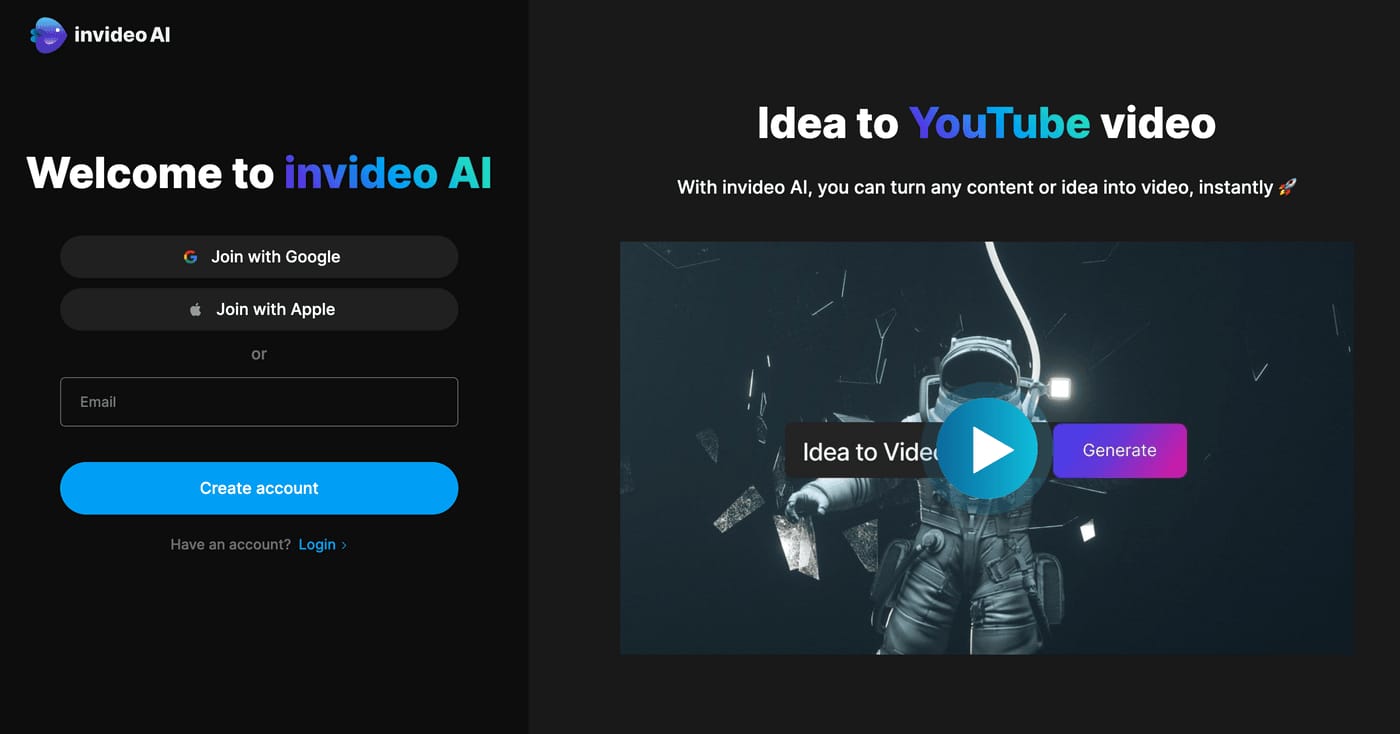
InVideo AI’s Plus plan is priced at $20 per month (billed annually at $240/year) or $40 per month (billed monthly) InVideo AI Pricing.
The model is built around a credit system, with the Plus plan including 50 AI minutes. According to their pricing page, going over this limit can be costly.
A user creating just three 2-minute videos per week could easily burn through their monthly allotment, leading to unexpected overage fees or a forced upgrade.
💡 PRO TIP: Mohamed Zaki on Avoiding the Credit Trap
“Before committing to a credit-based tool like InVideo, run a one-week pilot testing your average video production volume. Multiply that week’s usage by four to project your monthly need. If it exceeds the plan’s limit by >20%, the flat-rate model of an alternative may offer a lower TCO.”
Furthermore, the standard plans are for a single user. A team of three would need three separate subscriptions or have to upgrade to the more expensive “Business” plan, which includes 3 users.
Pictory’s Predictable Plan
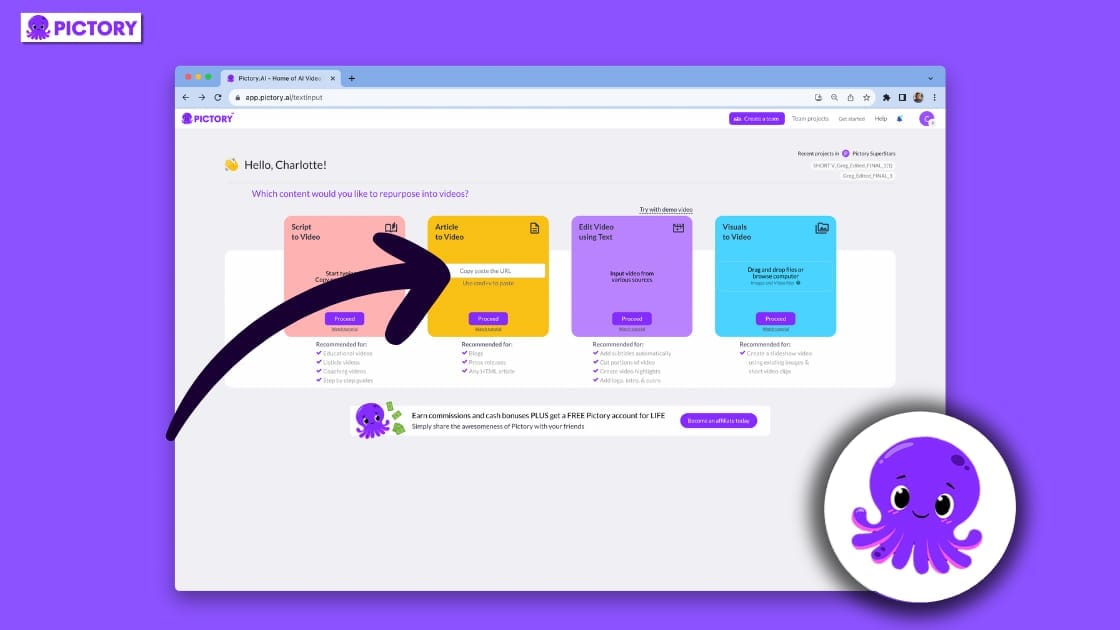
Pictory AI’s Premium plan costs $39 per month (billed annually at $468/year) or $49 per month (billed monthly) Pictory AI Pricing.
Pictory stands out for one key reason: it does not use a minute-based credit system for video generation. This provides a predictable, flat-rate cost that users praise in reviews.
The main “hidden cost” is the hard limit of 60 videos per month or 20 hours of transcription on the Premium plan.
If you have a high-volume week, you might be forced into a higher tier, but you won’t be surprised by per-minute overage charges. This predictability is its single greatest financial advantage.
Canva’s Credit Ecosystem

Canva has the lowest entry price at $14.99/month for its Pro plan (for monthly billing) Canva Pricing, which includes 500 Magic Media credits per month for AI generation.
The trap here is the ambiguous value of these credits. Generating short video clips can consume them far more quickly than generating static images, and overages are sold in bundles.
While the base price is low, the TCO can climb if your team relies heavily on its AI generation features. However, for teams already invested in Canva for other design work, the value is spread across a much broader platform.
Advertised Price vs. 12-Month TCO Projection
| Tool | Advertised Monthly Price (Annual Billing) | 12-Month TCO (1 User, Annual Plan) | Key Financial Risk |
|---|---|---|---|
| InVideo AI | $20/mo | $240 + Overages | ⚠️ Unpredictable overage fees if monthly AI minute limits are exceeded. |
| Pictory AI | $39/mo | $468 | Stable and predictable, but higher base cost. No overage risk. |
| Canva | ~$10/mo ($119.99/yr) | $119.99 + Overages | Deceptively low entry; AI credit consumption for video is ambiguous and can lead to extra costs. |
No matter which tool you choose, securing the best price with a Crayo AI promo code can significantly reduce your 12-month TCO. Check our latest coupons page for current deals across all platforms.
Pricing Gotchas
- InVideo AI: The primary gotcha is the AI minute credit system. User complaints on sites like G2 frequently mention running out of minutes mid-project, which halts creativity and forces a purchase decision under pressure.
- Pictory AI: The hard limits on video count per month are the main issue. A high-volume production sprint could force an unnecessary upgrade for the rest of the year.
- Canva: The value of “Magic Media” credits is unclear. Users may not realize that video generation depletes these credits much faster than image generation until they’re faced with buying more.
Part 3: Feature Comparison: InVideo vs Pictory vs Canva
The central thesis of my analysis is this: the “best” AI video tool is determined entirely by your starting workflow.
Choosing the wrong tool for your process leads to wasted time and frustrating results. The term “AI Video Generation” is interpreted very differently across modern text-to-video tools.
- InVideo AI is the “Idea-to-Video” generator for users starting with a prompt. Its AI is for assembly.
- Pictory AI is the “Content Repurposer” for users starting with a blog post, script, or webinar. Its AI is for summarization.
- Canva is the “All-in-One Design Hub” for users who need video to be consistent with other brand assets. Its AI is a collection of assistive tools.
Feature Comparison Matrix
| Feature Category | InVideo AI | Pictory AI | Canva | Critical Notes |
|---|---|---|---|---|
| Core Workflow | Idea-to-Video (Prompt First) | Content Repurposing (Text/Video First) | All-in-One Design (Template First) | ⚠️ Your starting point (prompt vs. blog post) is the most critical factor in choosing between InVideo and Pictory. |
| Primary AI Function | Generates full video drafts (script, voice, visuals) from a prompt. | Summarizes long-form text/video and finds matching stock footage. | Suite of AI tools (Magic Studio) for text, image, and short clip generation. | InVideo’s core feature is script generation from a prompt; Pictory cannot do this. |
| Max Export Resolution | 4K (on Max plan) | 1080p Pictory Pricing | 4K (on Pro plan) Canva Help: File Formats | ❌ Pictory’s lack of 4K export is a significant limitation for users needing high-resolution output. |
| AI Video Generation | Yes, core feature. Creates full scenes. | No, finds existing stock clips. | Yes, but only generates short (4-second), silent clips. Canva Help: Magic Media | ⚠️ Canva’s “text-to-video” is not comparable to InVideo; it creates B-roll clips, not a full video story. |
| Brand Kit | Yes, available. | Yes, but user complaints suggest it is less advanced. Capterra Pictory Reviews | Yes, best-in-class feature, core to its value proposition. | ⚠️ Canva’s Brand Kit is its fortress, ensuring consistency across all designs and videos, a reported weakness for Pictory. |
| API Access | Private API for Enterprise customers. InVideo API Access | Not publicly available. | Robust public API for developers. Canva for Developers | For programmatic video creation, Canva is the only one with a readily accessible public API. |
| AI Voice Cloning | Yes, available. | Yes (on Premium plan). | No, relies on standard text-to-speech or uploaded audio. | Users report Pictory’s AI voices sound more robotic than competitors. G2 Pictory Reviews |
The critical notes in this table tell the real story. Pictory’s inability to export in 4K resolution is a significant drawback for anyone producing content for modern displays.
For any business looking to scale automated video creation, the lack of a public API for InVideo and Pictory makes them non-starters, leaving Canva as the only viable option.
Likewise, Canva’s powerful Brand Kit, a feature I’ve seen become central to many marketing teams, is a core strength that makes its video tool “sticky,” even if it’s less powerful.
Part 4: Critical Considerations: Security, Performance & Limitations
In my experience, security, performance, and unadvertised limitations are the three factors that truly determine a tool’s long-term value. This is the heart of the devil’s advocate approach.
Security, Compliance & Trust: The Unseen Deal-Breaker
For any B2B or enterprise customer, a vendor’s security posture is a fundamental requirement. My analysis reveals a previously reported gap has now closed, leveling the playing field.
| Certification | InVideo AI | Pictory AI | Canva |
|---|---|---|---|
| SOC 2 Type II | ✅ (Verified) InVideo Trust Center | ✅ (Verified, Apr 2024) Pictory Trust Center | ✅ (Verified) Canva Trust Center |
| ISO 27001 | ✅ (Verified) | ❌ Not Found | ✅ (Verified) |
| GDPR/CCPA | ✅ Compliant | ✅ Compliant | ✅ Compliant |
Updated Analysis: Pictory AI is Now a Viable B2B Option
The most significant update in this analysis is that Pictory AI achieved SOC 2 Type II compliance in April 2024 Pictory Blog.
Previously, its lack of certification was a deal-breaker. Now, it meets the baseline for enterprise-grade security that many B2B customers require. This addresses key security controls to protect customer data.
This levels the playing field significantly. All three platforms now meet the crucial SOC 2 standard.
For organizations with the strictest requirements, InVideo AI and Canva hold a slight edge by also providing ISO 27001 certification. However, for the majority of businesses, Pictory is no longer a high-risk choice from a security standpoint.
Regarding data usage, all three platforms follow the privacy-first stance of tech giants like Microsoft and Google, stating in their terms that they do not use paid user content to train their public AI models.
Performance & Reliability: Claims vs. Reality
Vendors love to market “speed,” but in a real-world workflow, performance is about reliability and the absence of bottlenecks.
| Metric | InVideo AI | Pictory AI | Canva |
|---|---|---|---|
| Time to First Draft | Fast (Praised for prompt-to-video speed) | Very Fast (Praised for article-to-video speed) | N/A (workflow is different) |
| Final Render Speed | Generally Fast | ⚠️ User-Reported Slowdowns G2 Pictory Reviews | Generally Fast |
| Uptime SLA | 99.9% (Enterprise only) | 99.5% (Public goal, not guaranteed) | 99.9% (Enterprise only) |
The data reveals a critical performance trade-off. While Pictory AI is the fastest for creating a first draft from a blog post, this advantage can be negated by its rendering speed.
-
⚠️ Pictory’s Rendering Bottleneck: Across multiple sources, the most consistent complaint about Pictory AI is its slow render time. User reviews on G2 from 2024 consistently list “slow rendering” as a top con. This can be a workflow-killing bottleneck and undermines the entire value proposition of speed.
-
InVideo’s Peak Hour Slowdown: Some users have noted that InVideo’s render queue can slow down during peak US business hours, which can be a problem for users on tight deadlines.
-
Canva’s Complexity Lag: Canva, while generally snappy, can become sluggish with complex video projects. Projects with many clips or long timelines can lead to browser lag.
This demonstrates a critical lesson: “time-to-first-draft” is often a vanity metric if the “time-to-final-file” is painfully slow.
What The Vendors Won’t Tell You: Known Limitations
Every software has blind spots that don’t make it into marketing materials. These are the user-reported deal-breakers. Before you invest in any tool, consider using a Crayo AI voucher code to test at a lower cost.
InVideo’s Blind Spots
- ❌ The “Generic AI” Look: A common complaint I’ve seen with tools powered by a large language model (LLM) is that the output can look “soulless” and repetitive. Without significant manual effort, InVideo’s AI-generated videos can use B-roll clips that are too literal.
- ⚠️ Restrictive for Experts: For professionals with a precise creative vision, the AI-first approach feels limiting. It’s a fantastic generator, but it’s not a professional editor designed for granular control.
- ❌ Hard Cap on Generation: The hard monthly cap on AI generation minutes is a deal-breaker for agencies. Being stopped mid-workflow because you’ve run out of credits is a major source of user frustration.
Pictory’s Blind Spots

- ❌ Lacks ‘Idea-to-Video’ Generation: Pictory’s primary weakness is its inability to generate a video from a simple conceptual prompt. Users must provide their own content, such as a full script or an article link. It puts it in direct competition with transcription-first editors like Descript rather than generative tools.
- ⚠️ “PowerPoint with Stock Video”: A frequent user complaint is that the output can feel like a basic slideshow, lacking the dynamic editing and polish of a true video.
- ❌ Slow Rendering Kills Agility: As highlighted, the slow rendering speed on Pictory AI is not just an inconvenience; it’s a critical workflow bottleneck that frustrates users on tight deadlines.
Canva’s Blind Spots
- ❌ Insufficient for Dedicated Video Pros: For anyone whose primary job is video production, Canva is insufficient. It lacks the advanced timeline controls, audio mixing, and complex effects of a dedicated Non-Linear Editor (NLE).
- ⚠️ Cluttered File Management: As a long-time user, I can personally attest that for teams with hundreds of designs, the file management system becomes a significant organizational challenge.
- ❌ “Toy” AI Video Generator: Canva’s “Magic Media” text-to-video feature is not a professional tool. It generates short, silent, 4-second clips and is not a viable alternative to InVideo for generating complete video drafts.
Part 5: Use Cases & Workflows in Action
Understanding how these tools fit into a real workday is more valuable than any feature list. Here are three common scenarios for a Software/AI marketing team.
Workflow 1: Repurposing a Webinar into Social Clips with Pictory
- Goal: Turn a 60-minute product webinar into five short, engaging clips for LinkedIn and Twitter.
- Step 1 (Input): Upload the webinar video file to Pictory. Pictory transcribes the entire video.
- Step 2 (Summarize): Use Pictory’s AI summary feature to identify the most important sentences and sections. This creates a condensed text script from the long-form video.
- Step 3 (Scene Creation): Pictory automatically creates scenes based on the summarized text, pulling visuals from the original webinar.
- Step 4 (Brand & Edit): Apply the brand kit (logo, colors, fonts). Manually trim the clips, adjust the automatically-selected visuals, and add captions.
- Step 5 (Export): Export the five clips as 1080p MP4 files.
- Real-World Impact: This process transforms a single, high-effort asset into a week’s worth of social content, dramatically increasing the ROI of the original webinar. The main friction point is the final rendering time for each clip.
Workflow 2: Generating a Product Explainer from a Prompt with InVideo
- Goal: Create a 90-second explainer video for a new SaaS feature, starting with only an idea.
- Step 1 (Prompt): Enter a detailed prompt into InVideo AI, such as: “Create a 90-second video for a B2B SaaS audience about our new feature ‘Auto-Tag’. Explain how it saves time by automatically categorizing support tickets using AI. Use a confident, professional tone and a female American voiceover.”
- Step 2 (Generate): InVideo generates a full script, breaks it into scenes, selects stock footage and background music, and creates the AI voiceover.
- Step 3 (Refine): Review the AI-generated draft. Replace generic stock clips with your own screen recordings of the feature in action. Edit the script to tighten the language or add specific details. Change the voiceover cadence or selected voice.
- Step 4 (Brand): Apply your company’s brand kit, ensuring the colors, logo, and fonts are correct.
- Step 5 (Export): Export the final video in up to 4K resolution.
- Real-World Impact: This workflow is ideal for rapid content creation when no script or visuals exist. It overcomes “blank page syndrome” but requires significant manual refinement to avoid a generic look.
Workflow 3: Creating a Consistent Campaign Across Channels with Canva
- Goal: Launch a new marketing campaign that includes a social media video, a presentation deck, and a PDF one-pager, all with a consistent brand look.
- Step 1 (Template & Brand Kit): Start in Canva with the company’s official Brand Kit loaded. Select a video template from Canva’s library that matches the campaign’s aesthetic.
- Step 2 (Video Creation): Use Canva’s simple drag-and-drop editor to add short video clips, text overlays, and branded graphics. Use “Magic Media” to generate a few custom B-roll clips if needed.
- Step 3 (Asset Repurposing): Duplicate the project. Use “Magic Switch” to transform the video’s keyframes and text into a presentation deck.
- Step 4 (Document Creation): Create a new Canva Doc and pull in branded assets, logos, and key visuals directly from the video and presentation projects using the integrated asset library.
- Step 5 (Export & Share): Export the MP4 video, share a link to the presentation, and download the PDF.
- Real-World Impact: Canva’s strength is not the power of its video editor, but the efficiency of its ecosystem. It ensures absolute brand consistency and speed when creating a multi-format campaign, a task that would be incredibly cumbersome with separate tools.
Regardless of which workflow matches your needs, you can often save money on your subscription by checking for active promotional codes. For a detailed breakdown of Crayo AI itself, see our in-depth Crayo AI Review.
Part 6: Alternatives & Integration: The Lock-In Effect
A tool’s value is often determined by how well it integrates with your existing tech stack. This reveals a choice between a closed-box tool and an open ecosystem.
The Open vs. Closed Ecosystem
Canva is the undeniable winner in this category. It has a massive app marketplace, hundreds of integrations, and a robust public API, making it a true ecosystem hub. This makes it the central platform for a marketing team’s operations.
In stark contrast, InVideo AI and Pictory AI are essentially “closed-box” tools. Their primary function is to create and export an MP4 file.
They lack direct social media posting integrations, and their APIs are gated for enterprise clients. This makes them poor choices for businesses looking to programmatically generate video.
Pictory’s one notable exception is a native integration with Hootsuite, a significant advantage for social media managers.
The Lock-In Trap
This is where Canva’s strategy becomes clear. By being “good enough” at video and integrating it seamlessly with its Brand Kits, asset libraries, and presentations, it creates powerful “ecosystem lock-in.”
It becomes the single source of truth for a marketing team. Leaving Canva for a more powerful video tool becomes difficult, as you would lose the integrated workflow.
Choosing Canva isn’t just about selecting a video tool; it’s about buying into their entire design world, a strategic move to fend off direct competitors like Adobe Express. When weighing alternatives, exploring comparison articles across tools can help clarify the trade-offs involved.
Part 7: Final Verdict, Recommendations & FAQs
After a deep-dive analysis, the verdict isn’t to crown a single “winner.” Instead, it’s to provide a clear, strategic framework to make the right choice for your specific needs.
The decision boils down to your workflow, risk tolerance, and ecosystem strategy.
✅ When to Choose InVideo AI
Choose InVideo AI if…
- You are a social media manager or marketer who needs to quickly generate first drafts of social ads, informational content, or explainer videos from a simple prompt.
- You value “time-to-first-draft” above all else and are comfortable tweaking and refining an AI-generated output.
- You are a solo creator working on a predictable number of projects per month who can stay within the credit limits.
⚠️ Avoid InVideo AI if…
- You have a highly variable or high-volume video output need. The credit-based pricing will become unpredictable and expensive.
- You require pixel-perfect creative control from the start; its AI-first approach can feel restrictive.
- You are a team looking for a cost-effective solution on the entry-level plans. While a ‘Business’ plan exists, the standard plans are for a single user InVideo AI Pricing.
✅ Strengths
- Fastest “idea-to-video” workflow from a simple prompt
- Generates full script, voiceover, and visuals automatically
- 4K export available on Max plan
- SOC 2 Type II + ISO 27001 certified
- AI voice cloning available
⚠️ Considerations
- Unpredictable credit-based pricing with overage risk
- AI output can look “generic” without manual refinement
- Standard plans limited to single user
- Restrictive for users needing granular control
- Closed-box tool with limited integrations
✅ When to Choose Pictory AI
Choose Pictory AI if…
- You need workflow automation to repurpose content from your large back-catalog of blog posts or webinars, which is the core strength of Pictory AI.
- Your team needs a predictable, flat-rate pricing model and your primary goal is content repurposing at scale.
- You use Hootsuite and can leverage the native integration for your social media workflow.
⚠️ Avoid Pictory AI if…
- You need to create original videos from scratch, as it is limited without existing content to repurpose.
- You require fast rendering for tight deadlines; user-reported slow performance can be a major workflow bottleneck.
- You need to export videos in 4K resolution for high-quality displays.
✅ Strengths
- Excels at repurposing long-form content into short clips
- Predictable flat-rate pricing with no per-minute overages
- Very fast article-to-video draft creation
- SOC 2 Type II compliant (since April 2024)
- Native Hootsuite integration
⚠️ Considerations
- Cannot generate video from a simple prompt/idea
- User-reported slow rendering speeds are a major bottleneck
- Lacks 4K export (1080p maximum)
- AI voices described as more “robotic” than competitors
- No public ISO 27001 certification
✅ When to Choose Canva
Choose Canva if…
- You are a business or individual who needs an all-in-one tool for graphics, presentations, and good enough social media videos.
- Your team prioritizes maintaining strict brand consistency across all visual communications above all else.
- You are already deeply embedded in the Canva ecosystem for other design work.
⚠️ Avoid Canva if…
- You are a professional video editor. Its editor is not a replacement for a dedicated NLE like Adobe Premiere.
- You need a powerful, true text-to-video generator. Its AI video generation is not comparable to dedicated tools like InVideo.
✅ Strengths
- Best-in-class Brand Kit ensures total design consistency
- Lowest entry price (~$10/mo on annual plan)
- Massive app marketplace and robust public API
- 4K export available
- SOC 2 Type II + ISO 27001 certified
⚠️ Considerations
- Video editor is basic—insufficient for dedicated video pros
- “Magic Media” generates only 4-second silent clips
- AI credit consumption for video is ambiguous
- Cluttered file management at scale
- Creates powerful ecosystem lock-in
Your Final 3-Step Decision Checklist
- Start with Your Workflow: Identify your most common starting point. Is it an idea (→ InVideo), a finished blog post (→ Pictory), or a brand template (→ Canva)?
- Assess Your Risk Tolerance: Honestly evaluate what you’re willing to risk. A variable monthly bill (Financial Risk → InVideo)? Slower rendering times (Performance Risk → Pictory)? A less powerful tool for the sake of integration (Feature Risk → Canva)?
- Evaluate Your Ecosystem: Is a single, integrated platform like Canva more valuable to your team’s workflow efficiency than a more powerful but separate point solution?
The market for AI video tools and their leading substitutes has fractured. The battle is no longer about who has the most features, but about who best fits a specific workflow.
Before you sign any annual contract, take a protective stance. Demand a TCO estimate that accounts for overages. Ask for a copy of their latest security certifications.
Most importantly, run a pilot project that tests your most common and time-sensitive workflow. The features vendors advertise are far less important than the realities you’ll live with every day. Don’t forget to check the latest coupons and deals before committing to any annual plan.
Frequently Asked Questions
Q1: Is Pictory AI safe to use for my business?
Yes, for most businesses, Pictory AI now meets a key security standard. As of April 2024, Pictory is SOC 2 Type II compliant, a certification that verifies it has essential security, availability, and confidentiality controls in place Pictory Trust Center. This was a significant upgrade and addresses a major concern for B2B customers. While competitors like Canva and InVideo also hold ISO 27001 certification, which Pictory does not publicly list, its SOC 2 compliance makes it a viable and secure option for a wide range of companies that previously might have disqualified it. You should always verify a vendor’s security posture against your own organization’s specific requirements.
Q2: Which AI video tool is actually the cheapest?
Canva has the lowest entry price, but the ‘cheapest’ tool depends entirely on your usage. Canva Pro’s annual plan offers the lowest upfront cost at around $120/year Canva Pricing. However, heavy use of its “Magic Media” AI generation can lead to extra costs for more credits. For high-volume video creation, Pictory’s flat-rate Premium plan, while more expensive upfront at $468/year, could be cheaper in the long run because it offers predictable costs without per-minute overages Pictory AI Pricing. InVideo AI can be cost-effective if you stay within your AI minute limits, but it carries the highest risk of unexpected costs from overages. Save on whichever tool you choose with a Crayo AI discount code.
Q3: What is the main difference between InVideo AI and Pictory AI?
The main difference is their starting point. InVideo AI is a generative tool that creates videos from an idea or prompt, leveraging AI for script generation and finding visuals from scratch. It’s designed for when you’re starting with a blank page. In contrast, Pictory AI is a repurposing tool. It requires you to provide existing long-form content, like a blog post URL or a webinar recording, and then uses AI to summarize it into video-based content summaries. It cannot generate a video from a simple idea like “make a video about marketing.”
Q4: Can Canva’s video editor replace a professional tool like Adobe Premiere?
Absolutely not. Canva is an excellent tool for creating social media clips and basic marketing videos quickly, especially when brand consistency is key. However, it is not a professional Non-Linear Editor (NLE). It lacks the advanced timeline control, multi-track audio mixing, complex color grading capabilities, and extensive effects libraries found in professional software like Adobe Premiere or DaVinci Resolve. Professionals who need granular control and advanced features will find Canva’s editor far too limiting for their work.
Q5: Why is Pictory’s rendering so slow?
While the exact technical reason is proprietary, consistent user reports of slow rendering being a major bottleneck suggest its backend processing architecture and machine learning models for video rendering may be less optimized than some competitors. This performance issue is a frequently cited pain point in user reviews on platforms like G2 G2 Pictory Reviews. The trade-off for its powerful text-to-video summarization features appears to be a slower final export process, which can be a critical issue for users working on tight deadlines.
Q6: Will InVideo AI’s credit system cost me more money?
It is highly likely to cost more if your usage is inconsistent or exceeds your plan’s limits. The credit system, based on “AI minutes” of generation, makes budgeting unpredictable. For example, the Plus plan includes 50 minutes per month InVideo AI Pricing. If you have a busy month and need to generate more content, you will either have to halt production or purchase additional credits, which can quickly turn a seemingly cheap plan into an expensive one. This model is best suited for users with very stable and predictable video output needs. You can offset some of this cost by taking advantage of current deals and promotions.
Q7: Do I lose my videos if I switch from Canva?
You will not lose your finished video files, as you can always download them as MP4s. However, you will lose access to the source project files. This means you lose the ability to edit the videos, the templates, the brand kit integration, and the connected asset library. This “ecosystem lock-in” is a powerful part of Canva’s strategy. It makes it difficult and time-consuming to recreate your work on another platform, encouraging you to stay within their ecosystem for all your design needs, even if a specialized tool offers more power in one area.
Q8: Which tool has the best AI voice generation?
While both InVideo and Pictory offer AI voice generation and voice cloning, user sentiment suggests a difference in quality. Multiple user reviews for Pictory AI describe its standard AI voices as sounding more “robotic” and emotionless compared to other options on the market Capterra Pictory Reviews. This can result in a less engaging final product and may force users to record their own voiceover, which defeats the time-saving purpose of using the feature. InVideo AI has also invested heavily in its voice technology, and users generally report a more positive experience with its voice quality.

