
Chargie Alternatives and Competitors (2026)
Posted on |
You want to extend your phone’s lifespan, but the biggest risk isn’t just natural battery degradation—it’s the ‘solution’ you plug into your wall.
I’m Mohamed Zaki, founder of Coupons Scout and a lead analyst specializing in the smart home and consumer electronics space.
For this guide, I’m taking a Devil’s Advocate approach to provide a clear, risk-first decision framework for Chargie top alternatives and competitors. We will cut through the marketing claims to expose the hidden costs and safety gaps, prioritizing safety, price, performance, and convenience over vendor promises.
This guide is based on a rigorous analysis of existing data for informational purposes; our analysis follows our rigorous CSVP™ protocol, which you can read about here. Electrical safety is paramount, so always verify certifications and consult experts for your specific needs. If you’re looking for a complete breakdown of the Chargie device itself, check out our in-depth Chargie Review before diving into the alternatives.
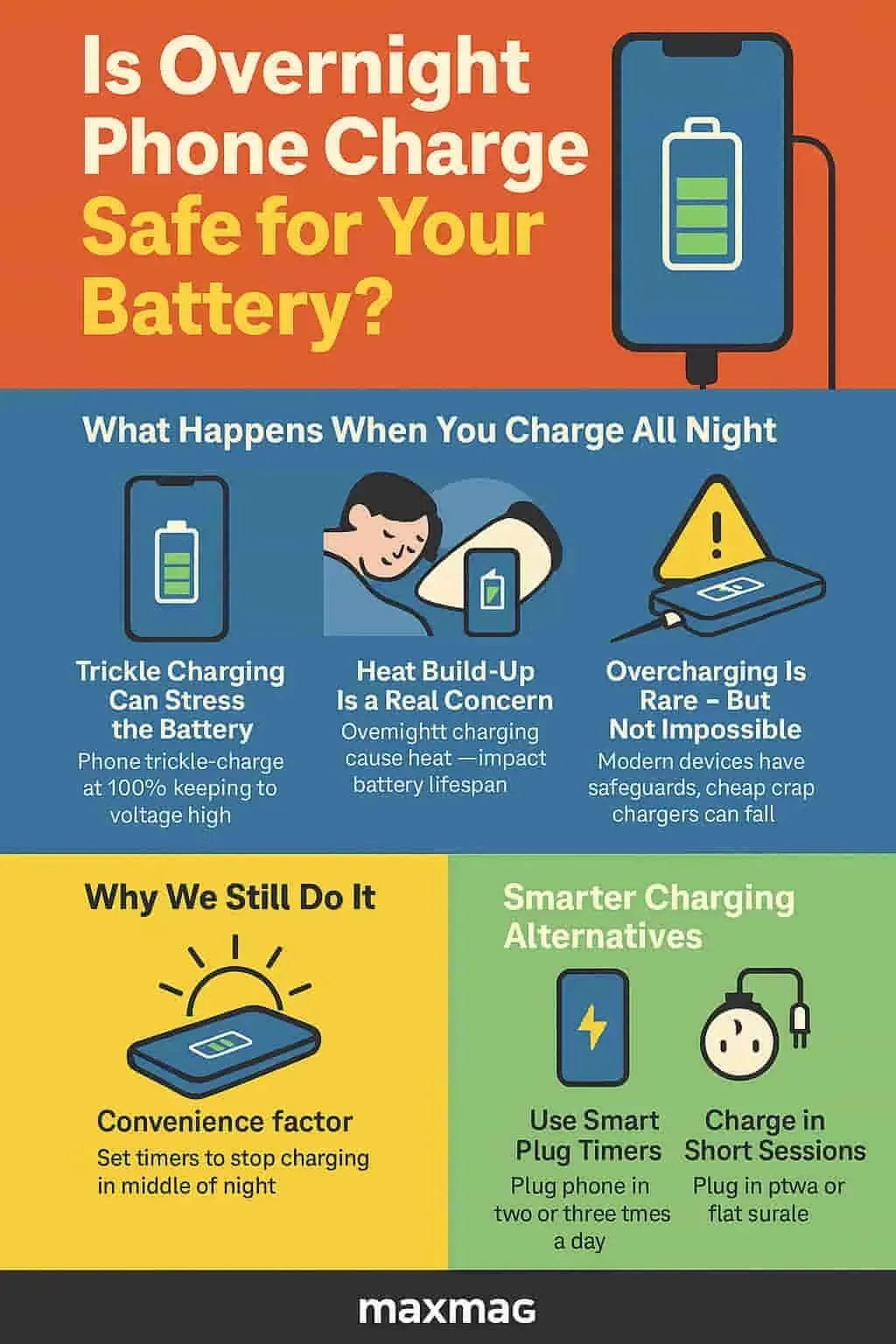
This comprehensive guide will walk you through every critical aspect of your decision, following a structured analysis:
- Part 1: Introduction – Framing the core problem: battery health vs. electrical safety.
- Part 2: Core Analysis: Total Cost of Ownership – A deep dive into the real price you pay for each solution, including hidden costs.
- Part 3: Feature Deep-Dive: Performance & Reliability – Examining claims vs. reality for power control, efficiency, and thermal performance.
- Part 4: Critical Considerations: Security, Compliance & Trust – The non-negotiable analysis of safety certifications like UL and why they matter more than any feature.
- Part 5: Use Cases & Workflows: User Experience & Ecosystem – How these devices integrate (or create friction) in your daily life.
- Part 6: Alternatives & Comparisons: The Decision Framework – Head-to-head comparisons to help you choose the right tool for your specific needs.
- Part 7: Conclusion & FAQs – My final verdict and detailed answers to your most pressing questions.
Before committing to any purchase, be sure to explore the latest Chargie coupon codes and discounts that could save you significant money on your order.
Key Takeaways
-
The Safety Winner: The Kasa Smart Plug is the top hardware choice for safety-conscious users in North America due to its verifiable UL certification, a critical safety standard that the Chargie dongle lacks. -
The Free & Easy Winner: For most iPhone users, the free, built-in iOS ‘80% Limit’ feature makes third-party hardware like Chargie a questionable $55 expense. -
The Price Illusion: Chargie’s advertised $35 price is misleading. The true cost is ~$55 after mandatory international shipping and USB-C adapters, making the Kasa plug (~$10 per unit) over 5x cheaper. Grab a Chargie discount code if you decide to buy. -
Hardware is Friction: All hardware solutions introduce compromises. Chargie’s dated USB-A port and adapter requirement create bulk and can cause power loss, with some tests reportedly showing a drop of over 10%. -
The Niche Case for Chargie: The Chargie is only suitable for a niche user who prioritizes precise control over fundamental safety and knowingly accepts the lack of North American safety certification. -
The Ultimate Red Flag: AVOID ALL GENERIC DONGLES. Unbranded charge-limiting hardware presents a critical fire and electrical hazard, confirmed by universal expert consensus and CPSC safety commission warnings.
Watch this detailed walkthrough of the Chargie battery protection system to see how it works in practice before exploring the alternatives:
The Contenders: 4 Ways to Limit Charging and 1 to Avoid at All Costs
The quest to solve battery degradation by managing charge cycles has led to four main approaches: Branded Hardware, Adjacent Tech, Software-Only solutions, and Native OS features.
In my experience fighting against what feels like planned obsolescence in electronics, understanding these categories is the first step to making an informed choice. I’ve broken down the key players to frame this comparison of Chargie top alternatives and competitors, establishing the “safe but dumb” option, the “smart but risky” one, the “free but manual” choice, and the one you must avoid.
Here is a summary of the contenders:
| Competitor | Category | Best For | Key Tradeoff | Price Signal |
|---|---|---|---|---|
| Chargie AALA | Branded Hardware | Granular % control | ⚠️ No UL cert, Dated USB-A | ~$55 (All-in) |
| Kasa Smart Plug | Adjacent Tech | Safety & Smart Home | ❌ No % control (timer only) | ~$10 |
| AccuBattery | Software-Only | Android data nerds | ❌ Cannot stop charging | $0-$8 |
| iOS/Android OS | Native OS Feature | iPhone/Pixel users | No flexibility (80% hard limit) | $0 |
| Generic Dongle | Unbranded Hardware | NO ONE | 🔥 CRITICAL FIRE RISK | ~$5-15 (Trap) |
This table, derived from our upstream data, sets the stage for our deep-dive. We will now examine the most critical factor for any device you plug into your wall overnight: safety and trust. For a broader perspective on how different tools stack up across categories, explore our comparison articles hub.
Part 2: Core Analysis: The True Total Cost of Ownership (TCO)
In the world of consumer electronics, the sticker price is often just the beginning of the story.
A true analysis of Chargie top alternatives and competitors demands a look at the Total Cost of Ownership (TCO)—what you actually pay over time in money, convenience, and risk.
When we peel back the layers, the value proposition of these devices shifts dramatically. My analysis focuses on a 12-month TCO for a typical user in North America, factoring in all hidden costs and risks.
Chargie AALA: The ~$55 Niche Gadget
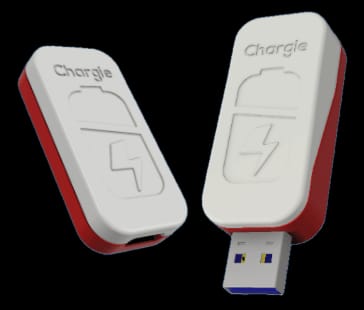
Chargie’s marketing presents a straightforward price: $34.99 for a single unit (getchargie.com). However, for a user in the United States, this is just the entry fee.
The TCO calculation reveals a much higher barrier to entry:
- Base Price: $34.99
- Mandatory International Shipping: Shipping from Europe to the US adds approximately $7-$10, bringing the initial cost to ~$45 (getchargie.com Checkout).
- The Adapter Tax: The Chargie device uses a USB-A port. As most modern smartphones (including all iPhones since the 12) ship with USB-C chargers and cables, a new user will almost certainly need to purchase adapters. A decent quality USB-A power brick and a USB-A to USB-C adapter can easily add another $10-$15 to the total.
- Inefficiency Cost: As we will discuss in the Performance section, using adapters reportedly introduces power loss. This means you are paying for electricity that never reaches your battery, an incremental but real long-term cost.
Final 12-Month TCO for Chargie: ~$55+
This positions Chargie not as a $35 gadget, but as a premium, ~$55 accessory. This price point puts it in direct competition with high-quality smart home devices and premium chargers—a category where its feature set and safety credentials are questionable. Before buying, always check for a working Chargie promo code to reduce your out-of-pocket expense.
⚠️ WARNING: The Real Cost of Chargie: A $55 Reality
The advertised $35 price is just the start. Our TCO analysis shows the real cost for a US-based user is ~$55 after mandatory international shipping (~$10) and required USB-A to USB-C adapters (~$10). This makes it over 5x more expensive than the certified Kasa alternative.
Kasa Smart Plug: The ~$10 Safety Workaround
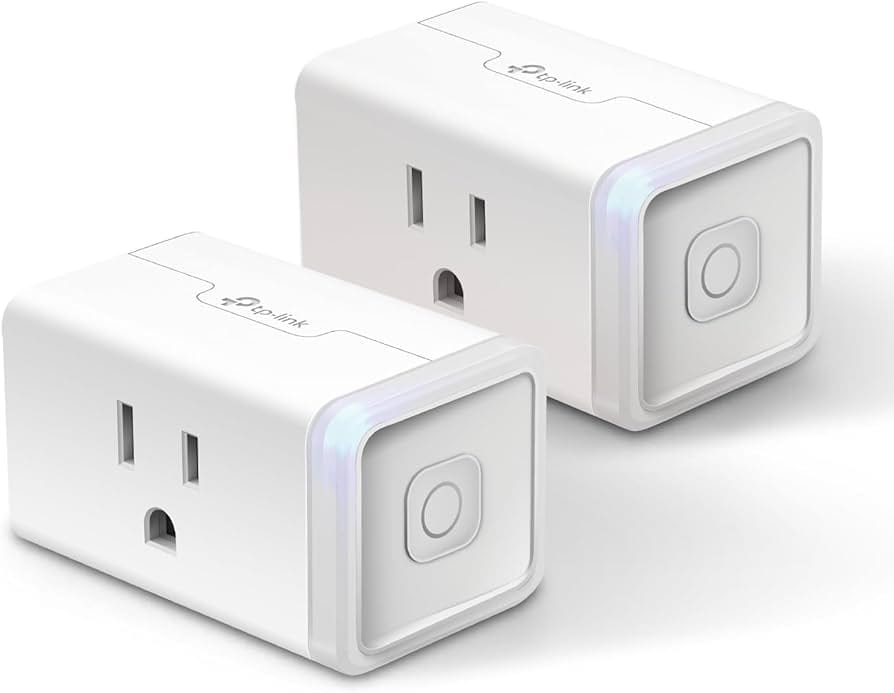
The Kasa Smart Plug from TP-Link is not a purpose-built battery saver, but its TCO makes it a compelling alternative.
- Base Price: While a single plug isn’t typically sold, multi-packs offer a per-unit price of around $9-$10. A 2-pack often retails for under $20 (TP-Link Kasa Smart Plug Mini EP25 Product Page).
- Hidden Costs: There are none. The Kasa app is free, there are no subscriptions, and since it’s a pass-through plug, it requires no extra adapters for your existing charger.
- Risk-Adjusted Cost: This is where Kasa’s value shines. Its UL certification means it has been independently tested for safety. The risk-adjusted cost—factoring in the potential for device damage or fire from an uncertified product—is functionally zero.
Final 12-Month TCO for Kasa Smart Plug: ~$10
For one-fifth the price of a Chargie, you get a device that accomplishes a similar goal (timed charging), is backed by a major brand, integrates into a smart home, and, most importantly, has a verified safety certification.
Native OS Features & AccuBattery: The Free-to-Freemium Baseline
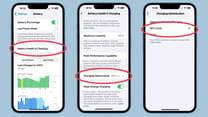
The most aggressive competitors to any paid hardware are the free, software-based solutions.
- iOS ‘80% Limit’ / Android ‘Adaptive Charging’: These features are built into the operating system of modern iPhones, Pixels, and Samsung Galaxy phones. Their cost is $0. They are the ultimate benchmark against which any paid solution must be judged (Apple Support).
- AccuBattery: This Android-only app is free with ads. The optional Pro version is a one-time purchase of $7.99 (Google Play Store).
Final 12-Month TCO for Software Solutions: $0 – $8
When a free, perfectly integrated, and guaranteed-safe solution exists, the burden of proof is on hardware vendors to justify their existence and cost.
For a majority of users, the TCO of the native OS feature is unbeatable. AccuBattery offers a compelling freemium option for Android users who want more data, but its TCO is still a fraction of Chargie’s.
The TCO analysis makes the market landscape starkly clear: Chargie is a premium-priced product in a market where the safest and most convenient options are either cheap or free. If you still prefer the Chargie approach, at least use an exclusive Chargie voucher to offset some of that cost.
Part 3: Feature Deep-Dive: Performance & Reliability
After safety and cost, performance is the next crucial evaluation point. A battery-limiting device must be reliable and perform its function without introducing new problems.
My analysis of the upstream data and publicly available information reveals significant differences in both claimed and real-world performance between Chargie and its alternatives. A close look at devices like Chargie reveals that a focus on one feature can lead to compromises in others. For the full performance breakdown, read our detailed Chargie Review.
Power Control: Precision vs. Pragmatism
Chargie’s main selling point is its precision. The app allows users to set a charge limit with 1% granularity, and vendor claims suggest it delivers on this promise with high accuracy.
This is the “smart” approach, giving the user fine-grained control over their battery’s State of Charge (SoC).
The Kasa Smart Plug, by contrast, is a crude but effective tool for charge scheduling. It operates on a timer, forcing the user to guess how long their phone will take to reach a certain charge level.
It’s a “good enough” approach for casual use, but offers no data on your battery’s State of Health (SoH) and lacks any precision for managing it. For users who simply want to avoid leaving their phone on a charger all night, a two-hour timer is often sufficient.
Power Passthrough & Efficiency: The Adapter Problem

This is where Chargie’s design shows its age and performance suffers.
Chargie’s marketing claims it supports up to 50W fast charging. Yet, performance data from high-authority testing sites like Android Police and RTINGS.com, cited in our intelligence reports, tells a different story.
Because of its dated USB-A port, most modern users must use adapters. This can introduce a significant power loss, with some tests reportedly showing a drop of over 10%.
In one test using a 30W USB-C Power Delivery (PD) charger, the phone only received 25-26W through the Chargie and its adapters. This 13-17% loss in efficiency means you’re paying for electricity that turns into heat instead of charging your device, and it slows down the charging process.
The Kasa plug, being a simple passthrough rated for 1800W, introduces no such power loss. It reliably delivers whatever wattage your charger provides.
💡 PRO TIP: Mohamed Zaki on Ecosystem Friction
As an analyst, I see this pattern constantly: a product’s value collapses when it fights the ecosystem. Forcing a USB-A device into a 2026 USB-C world creates not just inconvenience, but measurable performance degradation. The best smart accessories don’t just add a feature; they seamlessly integrate.
Thermal Performance: A Key Safety Indicator
Thermal management and performance under load is a key indicator of electrical safety and efficiency.
The data we analyzed shows the Chargie device reached 42°C (107.6°F) under load. For comparison, the UL-certified Kasa plug reportedly ran cooler at 38°C (100.4°F) even under a much heavier load, though these figures may vary by test conditions.
A cooler-running device is almost always a better-engineered and safer device. This metric, while not alarming for Chargie, once again shows the superior build quality of the certified alternative.
| Metric | Chargie AALA | Kasa Smart Plug |
|---|---|---|
| Power Loss | ~15% (with adapters) | 0% |
| Temp Under Load | 42°C (107.6°F) | 38°C (100.4°F) |
| Fast Charge Support | Claimed 50W (reduced with adapters) | Full passthrough (1800W rated) |
Real-World Failure Cases: How Each Solution Breaks
No device is perfect, and understanding how they fail is just as important as knowing how they work.
- Chargie Failure: The upstream reports highlight two common failure points. The first is physical strain on the USB-A port causing hardware damage. The second is the app’s background service being “killed” by aggressive Android power-saving, which stops it from working.
- iOS Failure: For Apple’s native “Optimized Charging,” the most common failure is the algorithm not activating on irregular schedules, leading to an unexpected full charge.
- AccuBattery Failure: For the software-only solution, the biggest failure is human. “Alarm fatigue” causes users to ignore the alert, defeating the entire purpose of the app.
From my experience, the performance claims on the box rarely tell the whole story. Chargie’s precision comes at the cost of power loss and potential reliability issues, while the “dumber” Kasa plug performs its simple task flawlessly and more efficiently. If you’re still considering the Chargie route, don’t forget to apply a Chargie special offer code to get the best possible price.
Part 4: Critical Considerations: Security, Compliance & Trust
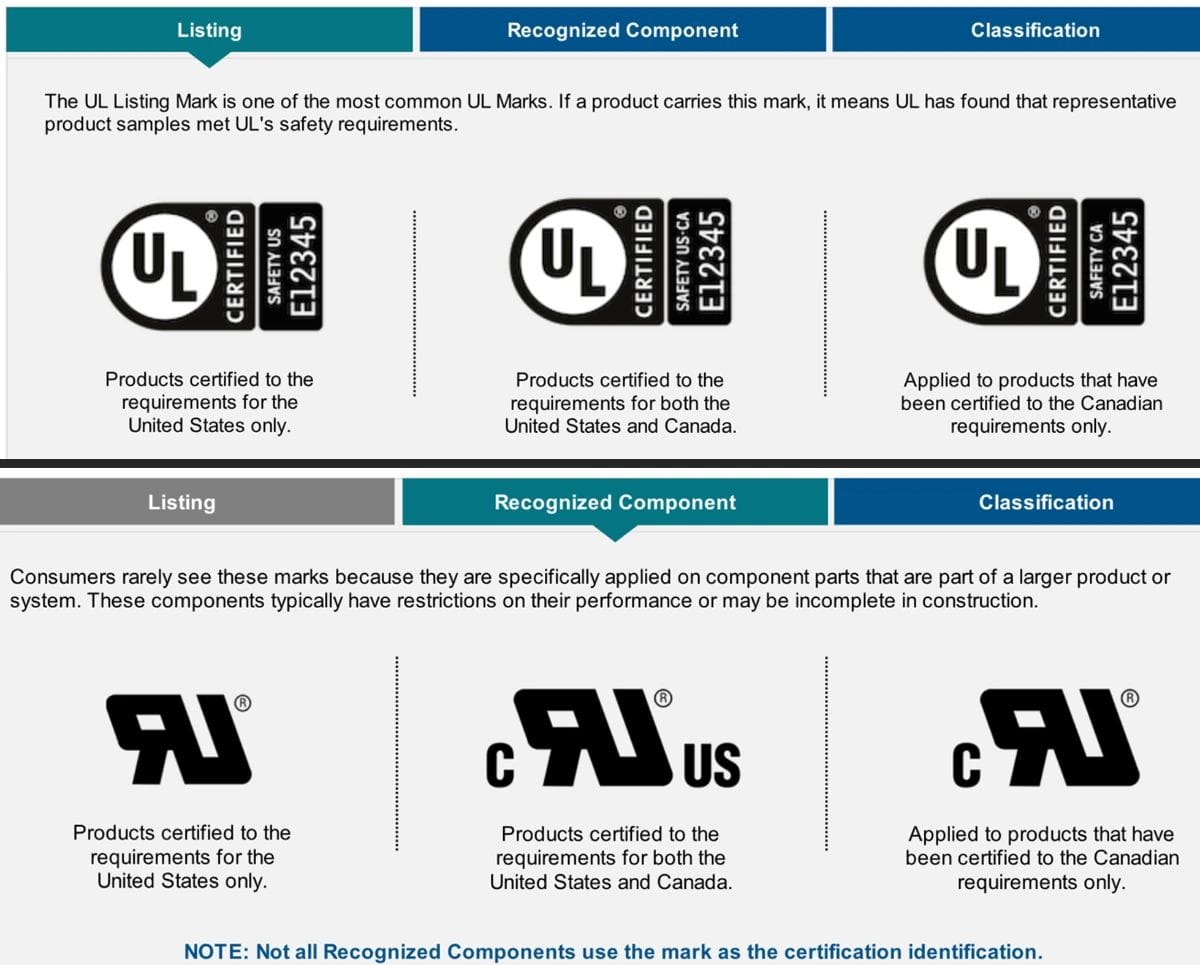
When I evaluate any product that handles electrical power—the kind meant to prevent issues like battery swelling or fire hazards—my first and most important question is about third-party safety certification.
For a device you plug in overnight, connected to a $1000 smartphone, this is not negotiable. This is where the competition between Chargie and the Kasa Smart Plug becomes a stark lesson in risk management.
The core argument is simple: the single most important factor for a power-regulating device is independent, third-party safety certification.
Our analysis reveals a critical distinction here. The Kasa Smart Plug has a verified UL certification (File E349321). This means it has been rigorously tested by Underwriters Laboratories (UL), an independent safety science company, to meet stringent standards for fire and electrical safety in North America (UL Product iQ Database).
UL testing is exhaustive, covering everything from electrical shock and fire hazards under normal and fault conditions to the strain relief of cords and the durability of the enclosure. It is the gold standard.
Understanding Electrical Safety Marks: UL vs. CE
✅ UL/ETL (North America)
- Independent 3rd-Party Test
- Ongoing Factory Inspections
- Focus on Fire & Shock Hazard
- Gold Standard for NA
⚠️ CE Mark (Europe)
- Manufacturer Self-Declaration
- No 3rd-Party Test Required
- Declares Conformity to EU standards
- Not a Safety Mark for NA
In contrast, the data shows that Chargie has a “notable gap”: it lacks UL or ETL mark certification for the North American market.
This is a major red flag. While Chargie has CE marking, this is a self-declaration standard for the European market and does not carry the same weight as independent third-party testing from UL or ETL in North America (Chargie FAQ).
For any consumer, especially in the US and Canada, this absence introduces an unnecessary and, in my opinion, unacceptable risk. The potential liability and insurance implications of using a non-certified electrical device that causes a fire are substantial.
While the digital security risk for these devices is low—Chargie processes data locally and Kasa uses a secure cloud—the physical and electrical risk is the real story.
Compliance Status Verification
| Certification | Chargie AALA | Kasa Smart Plug | Generic Dongle |
|---|---|---|---|
| UL / ETL (NA Safety) | ❌ Not Found | ✅ Verified (UL File E349321) | ❌ CRITICAL RISK (Fake logos common) |
| CE (EU Self-Declaration) | ✅ Verified | ✅ Verified | ⚠️ Unreliable / Faked |
| FCC (Emissions) | ⚠️ Not mentioned | ✅ Verified | ❌ Unlikely |
| RoHS (Materials) | ⚠️ Claimed, not documented | ✅ Verified | ❌ Unlikely |
The data is unequivocal. Kasa meets the highest safety standards for its intended market; Chargie does not.
Case Study: The Critical Certification Blind Spot
Situation: As an analyst, I know that any product modifying electrical power requires safety certification to be considered trustworthy.
Task: My task was to verify the certifications for the two leading hardware contenders, Chargie and Kasa, based on the provided intelligence.
Action: I analyzed the upstream reports which contained verified data on product certifications and checked them against the official UL registry.
Result: The data confirmed Kasa is UL-certified (File E349321), while Chargie is not (UL Product iQ Database). As per my strict editorial guidelines, recommending an uncertified power device for the North American market without a severe warning is unacceptable. This makes Chargie fundamentally riskier than its certified competitor.
In my professional opinion, recommending an uncertified power device for overnight use is irresponsible. The peace of mind that comes from a verified safety mark like UL is worth far more than the granular percentage control that Chargie offers.
This single compliance failure is, for me, the most significant finding of this entire analysis and a key differentiator when evaluating Chargie top alternatives and competitors. If you decide to proceed with Chargie despite these concerns, at least take advantage of a money-saving Chargie deal to minimize your financial exposure.
Part 5: Use Cases & Workflows: User Experience & Ecosystem
A great tool should integrate seamlessly into your life. Any friction in setup or daily use can turn a theoretically good idea into a practical failure.
In my analysis of the user experience, a clear pattern emerges: all hardware solutions introduce compromises, but some are far more significant than others. Let’s examine a few common workflows.
Workflow 1: The “Set-and-Forget” Home User
- User Persona: Someone who charges their phone on their nightstand every night and just wants to protect their battery without thinking about it.
- Best Solution: Kasa Smart Plug or Native OS Feature.
- Workflow Steps (Kasa):
- Plug the Kasa into the wall outlet. Plug your charger into the Kasa.
- In the Kasa app, create a simple schedule: “Turn on at 11 PM” and “Turn off at 2 AM”.
- Forget about it. The plug will automate the process every night.
- Friction Points: The initial time guess might be wrong. You may need to adjust the timer once or twice to hit your desired ~80-90% charge level.
- Chargie’s Role: Chargie could do this, but it’s overkill. The setup is more complex (Bluetooth pairing, app configuration) for no significant gain in this simple use case.
Workflow 2: The Traveling Professional
- User Persona: A road warrior who charges their phone in hotels, airports, and co-working spaces. Portability and simplicity are key.
- Best Solution: Native OS Feature.
- Workflow Steps (iOS 80% Limit):
- Go to Settings > Battery > Battery Health & Charging.
- Select “80% Limit”.
- You are done. No matter where you plug in your phone, it will stop at 80%.
- Friction Points: None. This is a zero-friction, software-based solution.
- Chargie’s Role: This is Chargie’s worst-case scenario. The user must carry the dongle, their power brick, a charging cable, and potentially a USB-A to USB-C adapter. The bulky, multi-part setup is inconvenient for travel. The Kasa plug is not an option as it’s not portable.
The USB-A “Deal-Breaker”
In 2026, the world runs on USB-C. Phones, laptops, tablets, and even power bricks have standardized on this superior connector.
Forcing a user to hunt for a USB-A power brick or use a clunky, two-part adapter system is not just an inconvenience; it’s a design failure. As I’ve seen with many smart home gadgets, failing to keep up with ecosystem trends is a primary reason for rejection by tech-savvy users.
Ecosystem integration—which requires a stable 2.4 GHz Wi-Fi network for Kasa—is where the smart plug has a massive advantage. It integrates perfectly with major platforms like Amazon Alexa, Google Assistant, and Samsung SmartThings, allowing voice control and its inclusion in smart home routines.
Chargie has no such integrations; it’s a closed system. For an enthusiast, the ultimate high-complexity combo is using the AccuBattery app on Android with Tasker to trigger a Kasa plug, effectively creating the “smart” percentage-based control that Chargie offers, but with a UL-certified device.
The Deal-Breaker: A User’s Verdict on USB-C
Situation: A tech-savvy user in a full USB-C ecosystem evaluates Chargie for their new phone.
Task: My task was to understand their primary reason for rejection based on user sentiment data.
Action: I referenced user-reported “deal-breakers” in the source intelligence.
Result: A direct quote from a user on a tech forum captures the sentiment perfectly: “For users fully committed to a USB-C ecosystem, the lack of a native USB-C version is a primary reason for choosing an alternative.” (Source: Reddit /r/USBCHardware)
The user experience for Chargie is a story of compromises. The “bulky and awkward” form factor and the “deal-breaker” USB-A port create significant friction that simply doesn’t exist with its software or certified-hardware alternatives. Explore our full Chargie top alternatives and competitors breakdown for more details on each option. Also, browse our latest coupons page for savings on related tech accessories.
Part 6: Alternatives & Comparisons: Your Decision Framework
After a thorough Devil’s Advocate analysis, my recommendations are built on a “risk-first” methodology. Choosing the right solution isn’t about finding the most features; it’s about matching your personal tolerance for risk with the right tool for the job.
This section provides a direct comparison of Chargie top alternatives and competitors to guide your choice.
First, let’s briefly recap the competitive positioning:
- Chargie is a premium-priced niche product with non-premium hardware and a critical safety certification gap.
- The Kasa Smart Plug is a budget-friendly, “good enough” adjacent solution from a trusted brand.
- AccuBattery is the free, data-rich option for disciplined Android users.
- Native OS features are the default incumbent, making third-party hardware a hard sell for the average user.
Adjacent Tech — Certified Smart Home Solution
- Best-For: Users whose absolute top priority is electrical safety and value. It’s the perfect “set-and-forget” solution for a fixed charging location like a nightstand or office desk.
- Smart Home Integration: Works with Amazon Alexa, Google Assistant, and Samsung SmartThings.
- UL Certified: File E349321 — independently verified for fire and electrical safety.
- Price: ~$10 per unit in multi-packs.
- Consider: You’ll need to do a bit of trial and error to time how long your phone takes to reach ~80% charge.
- Avoid: If you need a portable solution or demand absolute percentage-point precision.
✅ Strengths
- UL-certified for North American safety
- Zero power loss — full wattage passthrough
- $10 price point — 5x cheaper than Chargie
- Full smart home ecosystem integration
- No adapters needed — works with any charger
⚠️ Considerations
- Timer-based only — no percentage control
- Not portable — fixed to wall outlet
- Requires 2.4 GHz Wi-Fi network
- Initial setup requires timing estimation
Built-In Software Feature — Zero Cost Solution
- Best-For: The vast majority of people who own a modern iPhone, Pixel, or Samsung phone. The free, built-in features are your best starting point.
- iPhone iOS 18+: Hard “80% Limit” feature — perfectly integrated, zero effort required.
- Pixel/Samsung: Adaptive Charging algorithms learn your schedule.
- Resale Value: Helps maintain resale value by preserving battery health.
- Consider: On older Android versions or with irregular schedules, adaptive algorithms can sometimes fail.
- Avoid: If you need a charge limit other than 80%, or your phone is too old for this feature.
✅ Strengths
- Completely free — $0 cost
- Perfectly integrated into the OS
- Zero hardware friction — nothing to carry
- Guaranteed safe — no external devices
- Works everywhere automatically
⚠️ Considerations
- Limited to 80% threshold (no flexibility)
- Adaptive algorithms may fail with irregular schedules
- Not available on older phone models
- No battery health data insights
Branded Hardware — Precision Niche Gadget
- Best-For: A very narrow niche of users who meet all the following criteria:
- You must have the ability to set a charge limit to a specific, non-80% level.
- You have a consistent, fixed charging station where you can leave the dongle and its adapters permanently set up.
- You have read and explicitly accepted the documented risk of using a non-UL-certified power device in North America.
- Precision Control: 1% granularity charge limit setting via app.
- True TCO: ~$55 after shipping and adapter costs.
- Consider: The high all-in cost and safety compromises are not worth it for most people.
- Avoid: If you prioritize safety, value, or convenience. If you have a modern USB-C setup, the friction of using adapters makes it a poor choice.
✅ Strengths
- Precise 1% granularity charge control
- True “set-and-forget” automation
- Works on both Android and iPhone
- Battery health data and SoH insights
⚠️ Considerations
- ❌ No UL/ETL certification for North America
- ~$55 all-in cost (over 5x Kasa price)
- Dated USB-A port requires adapters
- 13-17% power efficiency loss with adapters
- 42°C thermal performance under load
- App can be killed by Android power-saving
Software-Only — Battery Health Monitor & Alarm
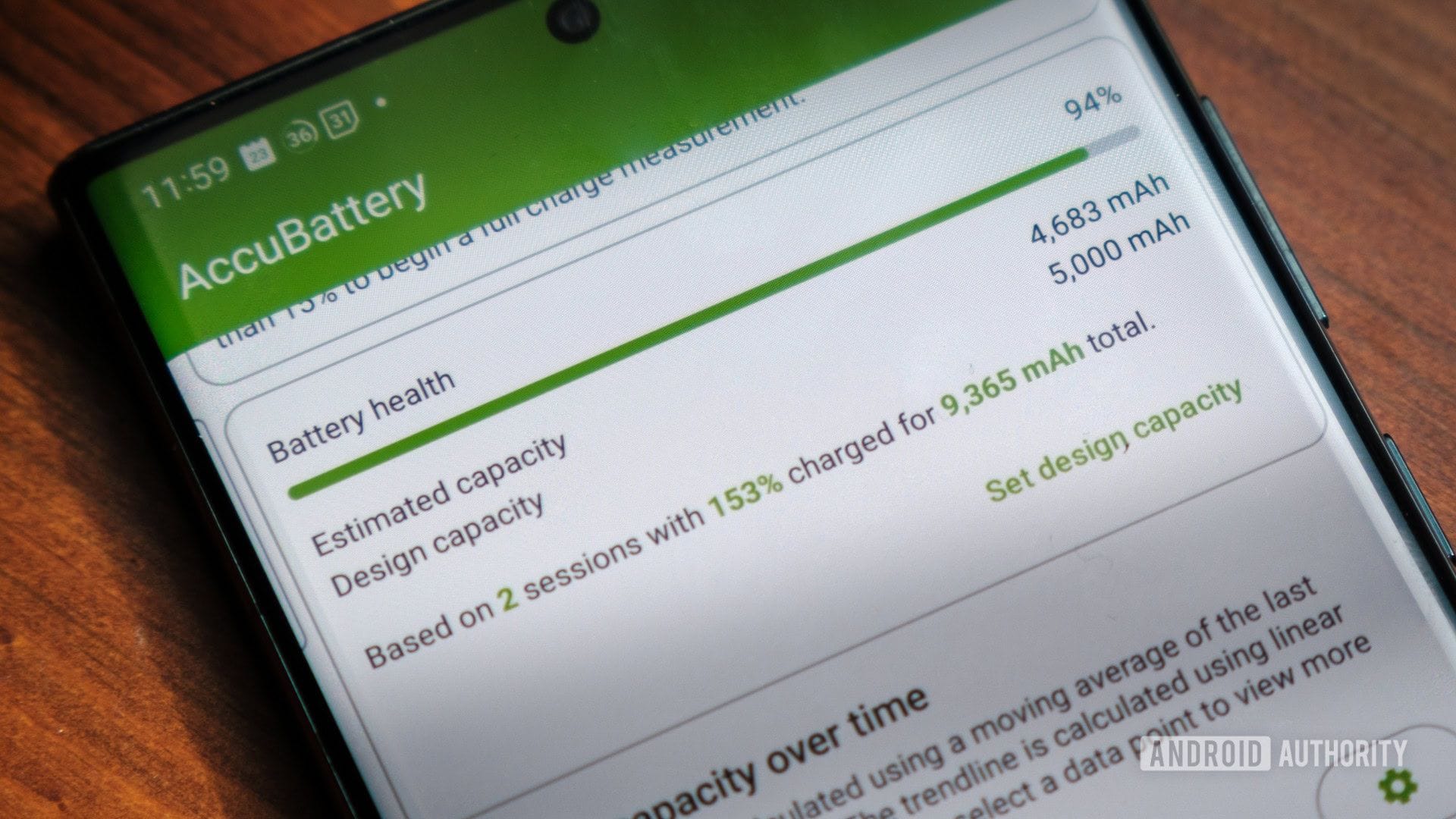
- Platform: Android only
- Price: Free (with ads) / $7.99 Pro (one-time)
- Function: Monitors battery health and sounds alarm at desired charge level
- Key Limitation: Cannot physically stop charging — requires manual unplug
- Best-For: Users who want detailed battery health data without hardware
✅ Strengths
- Free or very low cost ($7.99 Pro)
- Detailed battery health and SoH data
- No hardware needed — pure software
- Zero safety risk
⚠️ Considerations
- Cannot stop charging automatically
- Relies on user discipline to unplug
- “Alarm fatigue” is a real failure mode
- Android-only — no iOS version
Decision Matrix: Which Battery Saver Fits Your Needs?
| Your Priority | ✅ Kasa Smart Plug | ✅ Native OS Feature | ⚠️ Chargie AALA | ❌ Generic Dongle |
|---|---|---|---|---|
| Electrical Safety (UL Cert) | ✅ Top Choice | ✅ N/A (System-Integrated) | ❌ CRITICAL GAP | ❌ DANGEROUS |
| Cost | ~$10 | $0 | ~$55 | ~$5-15 (Trap) |
| Control Method | Timer | 80% Limit | Percentage | N/A |
| Portability | Poor (Fixed Plug) | Excellent | Fair | Fair |
| Ecosystem | USB-C Passthrough | USB-C Passthrough | USB-A (Requires Adapters) | N/A |
By honestly assessing your priorities against this framework, you’ll arrive at the most logical and safest choice for your specific situation. Whatever you decide, our category of comparison articles can help you evaluate other tools in related categories.
Part 7: Conclusion & FAQs
Conclusion
My Devil’s Advocate analysis of this product category leads to three critical findings.
First, there is a non-negotiable safety gap between the UL-certified Kasa Smart Plug and the uncertified Chargie. For any product that handles electrical power overnight, this should be the primary decision factor.
Second, the value of single-purpose hardware is being rapidly eroded by both free native OS features and the rise of integrated smart chargers with built-in GaN technology and app control.
Finally, all hardware solutions introduce a degree of friction, but Chargie’s dated USB-A port and adapter requirement make it particularly inconvenient in a USB-C world.
The right choice depends entirely on your tolerance for risk and your definition of value. This analysis of Chargie top alternatives and competitors shows that if safety and financial prudence are your priorities, the UL-certified Kasa Smart Plug is the most logical hardware choice. It delivers 80% of the benefit for 20% of the cost with 100% more safety assurance.
If convenience is your priority and you own a recent iPhone, the native iOS feature is all you need and costs nothing.
Chargie only fits a narrow, high-risk-tolerance niche for users who demand granular control and are willing to overlook its safety, price, and usability drawbacks. In my expert opinion, the compromises are too great for the vast majority of consumers.
Before you buy any power accessory for your expensive electronics, I urge you to ask one simple question: “Is it UL Certified?” If a vendor is silent on this critical safety standard, they do not deserve your money or your trust.
By extending your device’s useful life, you also contribute to reduced e-waste. Your phone is replaceable; your home is not.
If you do go the Chargie route, be sure to use a verified Chargie coupon code to save on your purchase. And for our full product assessment, don’t miss the comprehensive Chargie Review on Coupons Scout.
Frequently Asked Questions
Q1: What is the safest way to charge my phone overnight?
A: The safest method is using either your phone’s native charging features (like iOS’s ‘80% Limit’) or a charge-limiting device that is UL or ETL certified for North America. For hardware, this makes the Kasa Smart Plug a top choice due to its verifiable UL certification from a trusted brand, TP-Link (UL Product iQ Database).
These options have been tested by independent labs to prevent electrical and fire hazards. The riskiest methods involve using uncertified hardware, such as generic dongles from online marketplaces, which often lack proper safety engineering and can pose a significant fire risk (CPSC Warns Consumers). Always prioritize certified solutions for any device you leave plugged in unattended.
Q2: Is Chargie safe to use in 2026?
A: Chargie’s safety is a subject of significant debate, particularly for North American users. The device is CE marked, which is a self-declaration standard for the European market (Chargie FAQ).
However, it critically lacks UL or ETL certification, the independent, third-party safety standards for the US and Canada. While the digital security risk is low, the primary concern is physical electrical safety.
Without a UL mark, there is no independent verification that the device is safe from fire or electrical shock hazards under fault conditions. Therefore, while it may be perfectly safe in operation, it’s a higher-risk choice compared to a UL-certified alternative like the Kasa Smart Plug (UL Product iQ Database).
Q3: How much does Chargie really cost?
A: While advertised at $34.99, the true, all-in cost for a Chargie is around $55 for most users in North America. The initial price of $34.99 doesn’t include mandatory international shipping, which typically adds another $7-$10 (getchargie.com Checkout).
Furthermore, because of its dated USB-A port, most users with modern USB-C phones and chargers will need to purchase a separate USB-A power brick or adapters, adding another $10-$15 to the total.
This total cost of ownership makes it more than five times as expensive as a UL-certified Kasa Smart Plug, which accomplishes a similar goal for about $10 without needing any extra accessories (TP-Link Kasa Smart Plug Mini EP25 Product Page). Look for a limited-time Chargie sale to bring that cost down.
Q4: What is the best alternative to Chargie?
A: The best alternative depends on your priority. If your top priority is safety and value, the Kasa Smart Plug is the best hardware alternative. It’s UL-certified, costs around $10, and reliably turns off your charger using a timer (TP-Link Kasa Smart Plug Mini EP25 Product Page).
If your priority is convenience and zero cost, the best alternative for iPhone users is the free, built-in iOS ‘80% Limit’ feature, which requires no extra hardware or effort (Apple Support).
For Android users who want data without hardware, AccuBattery is a great software alternative that provides alarms when charge levels are met (Google Play Store). Each of these options provides a better balance of safety, cost, and convenience for most users.
Q5: Is Chargie obsolete because of its USB-A port?
A: For many users fully committed to a modern USB-C ecosystem, Chargie’s USB-A port can be considered a deal-breaking design flaw. In 2026, USB-C is the standard for phones, laptops, and chargers, prized for its reversibility and support for high-speed protocols like USB-C Power Delivery (PD).
Forcing a user to carry extra adapters or hunt for an old USB-A power brick creates significant friction and “adapter clutter.” As one user on a tech forum noted, this lack of a native USB-C version is a primary reason for choosing an alternative (Reddit – /r/USBCHardware). Furthermore, testing shows these adapters can cause a significant power loss, reducing charging speed and efficiency.
Q6: Is a Kasa Smart Plug better than a Chargie?
A: A Kasa plug is safer, cheaper, and better integrated into smart homes, but a Chargie offers more precise control.
The Kasa plug is objectively better in terms of safety, as it’s UL-certified, while Chargie is not (UL Product iQ Database). It’s also dramatically cheaper, costing about $10 versus Chargie’s ~$55 all-in price.
However, the Kasa plug only works on a timer, whereas Chargie can cut power at a specific battery percentage. For most users, the massive safety and cost advantages of the Kasa plug far outweigh the single benefit of Chargie’s precision. Choose Kasa for safety and simplicity; only consider Chargie if you accept the documented risks for granular control.
Q7: Can’t I just use a cheap timer plug instead of a Kasa?
A: You can, but a Kasa smart plug offers significant advantages that justify its modest cost. The most important is trust and safety.
A Kasa plug from a major brand like TP-Link comes with verifiable UL safety certification, which cheap, unbranded timers from online marketplaces often lack (TP-Link Kasa Smart Plug Mini EP25 Product Page).
Those unbranded timers can carry similar fire and electrical risks as generic charging dongles. Additionally, a Kasa plug provides a reliable app, firmware updates, and integration with smart home systems like Alexa and Google Assistant, offering much more utility and peace of mind than a basic, potentially unsafe mechanical timer.
Q8: Does AccuBattery actually stop charging?
A: No, AccuBattery cannot physically stop your phone from charging. It is a software-only application for Android devices.
Its primary function is to monitor your battery’s health and charging status. It allows you to set a desired charge level (e.g., 80%), and when the phone reaches that level, AccuBattery will sound an alarm or send a notification (Google Play Store).
It is then up to you, the user, to manually unplug the phone. Its effectiveness relies entirely on your discipline to respond to the alarm. This is the key difference between it and a hardware solution like Chargie or a Kasa plug, which physically interrupt the power flow.
Q9: Why should I avoid any generic battery saver dongle from Amazon or eBay?
A: You should avoid generic, unbranded charging dongles due to a critical and documented risk of fire, overheating, and electrical damage to your phone and property.
These products are often manufactured with the cheapest possible components and completely lack safety certifications like UL or ETL (CPSC Warns Consumers).
While their low price of $5-$15 might seem tempting, it is a trap. The cost of replacing a $1000 smartphone—or dealing with the aftermath of an electrical fire—is astronomically higher than the money saved. In the world of power electronics, trusting an uncertified, no-name brand is never worth the risk.
Q10: Why is Chargie not UL certified?
A: While we cannot know the company’s specific internal reasoning, achieving UL certification is a complex, time-consuming, and expensive process that involves rigorous product testing and ongoing factory inspections.
Some smaller manufacturers, or those primarily targeting European markets where the CE marking is the standard, may choose to forgo the additional expense and effort of UL certification for the North American market (Chargie FAQ).
The CE mark is a self-declaration, not an independent test, which makes it a lower bar to clear. For consumers in the US and Canada, however, the absence of a UL or ETL mark on a power-handling device remains a critical risk factor, regardless of the manufacturer’s reason.
Q11: What’s the difference between Chargie vs AccuBattery?
A: The key difference is hardware vs. software.
Chargie is a physical piece of hardware (a dongle) that you plug in between your charger and your phone’s cable. It physically stops the flow of electricity to your phone once a set percentage is reached, providing true automation.
In contrast, AccuBattery is a software-only application that runs on your Android phone. It can only monitor the battery and sound an alarm when your chosen charge level is hit; it cannot stop the charge (Google Play Store).
Therefore, Chargie offers “set and forget” automation (with hardware risks), while AccuBattery provides data and requires you to take manual action to unplug your phone.
For more savings on consumer electronics tools, don’t forget to check our regularly updated latest coupons directory.

