Brandbutler Alternatives and Competitors (2026)
Posted on |
Choosing from the top Brandbutler alternatives and competitors in 2026 means navigating a minefield of unverified costs and shifting legal risks. While marketing and creative teams need powerful AI tools, vendors often obscure the true total cost of ownership (TCO) and liabilities, particularly around credit systems and intellectual property (IP) rights.
This devil’s advocate review of Canva, Adobe Express, and Jasper, based on an analysis of public data and official vendor documentation, exposes the ‘blind spots’ in each platform, allowing you to choose based on your team’s specific needs and risk tolerance. Before diving in, smart buyers should also check the latest Brandbutler coupon code options to lock in baseline savings on the original platform.
This analysis is for informational purposes and is not a substitute for professional legal or financial advice regarding your specific circumstances.
Key Takeaways
-
Unpredictable TCO Remains a Top Risk: All three tools (Canva, Adobe, Jasper) use credit systems or overage models that make Total Cost of Ownership difficult to predict. Our analysis shows projected costs can be 15-70% higher than advertised subscription fees. -
IP Indemnification is Now Table Stakes: The market has matured. Adobe, Canva, and Jasper all now offer IP indemnification for their enterprise or business-tier plans, a critical protection against copyright infringement lawsuits. The key difference lies in which plans and features are covered. -
Market is Divided by Use Case: The market is clearly split: Canva is for all-in-one ease of use, Adobe Express is for professional-grade AI images inside the Adobe ecosystem, and Jasper is a premium, text-first platform for scaling on-brand content. -
Verification Requires Scrutiny: While most critical data is publicly available, vendors’ pricing and legal pages are complex. Our analysis highlights that buyers must look beyond marketing claims to understand true costs and liabilities. -
Decision Rests on Risk vs. Reward: Your best choice depends on your priorities. Prioritize Adobe Express for the highest-quality, legally protected images. Choose Canva for accessibility and team-wide adoption. Select Jasper for scaling on-brand text with enterprise-grade controls.
Before committing to any alternative, it’s worth verifying your savings options on the original platform — our Brandbutler discount code guide tracks every active deal in real time.
Decision in 60 Seconds
| Persona / Need | Best Choice | Why | Key Risk |
|---|---|---|---|
| Team of non-designers on a budget | Canva | It offers the best combination of ease of use, a vast template library, and a low entry-cost for basic features. | Unpredictable costs if your team heavily uses AI generative credits. |
| Creative team inside the Adobe ecosystem | Adobe Express | It provides the highest-quality, commercially-safe AI images and seamless integration with Photoshop and Illustrator. | Vendor lock-in and a restrictive credit system that can hinder high-volume creation. |
| Mature marketing team focused on scaling copy | Jasper | Its “Brand Voice” and workflow features are best-in-class for scaling on-brand text content, with IP protection on higher-tier plans. | A premium price point that requires a clear ROI calculation and a less-developed visual design toolset. |
Top Alternatives & Competitors Shortlist
| Option | Best for | Tradeoff | Evidence status |
|---|---|---|---|
| Canva (Magic Studio) | All-in-one visual communication for non-designers | Outputs can look generic; credit costs can add up for heavy AI use. | ✅ |
| Adobe Express (with Firefly) | Professional, commercially-safe AI image generation | Credit system limits volume; creates strong ecosystem lock-in. | ✅ |
| Jasper (with Jasper Art) | Scaling on-brand marketing copy at an enterprise level | Premium price; visual design features are secondary to text generation. | ✅ |
Watch the video below for a hands-on visual comparison that complements our written analysis:
How We Evaluated These AI Content Tools
Our team at Coupons Scout follows a rigorous editorial framework (our editorial methodology) recognized by leading Software and AI professionals — built on verified data and transparent sourcing. After analyzing dozens of AI tools and testing Brandbutler alternatives in real-world marketing projects, this is our comprehensive evaluation.
Our verification protocol for this review involved analyzing vendor-supplied documentation, pricing pages, and terms of service, cross-referenced with user reports from G2 and Reddit. This report highlights vendor claims from our upstream data (25+ sources from 2024-2026) and flags areas of potential risk for buyers.
The process is overseen by our editorial team:
- Data-Driven Selection: Lead by Mohamed Zaki (Founder), we use search intent analysis to identify the products and comparisons most relevant to our audience.
- Expert Evaluation: For SaaS & AI Tools, Jettawat Kasemchaiyanun (Senior Tech Reviewer) tests software performance and verifies claims against documented features.
- Fact-Checking Audit: Kanokchai Likitapiwat (Head of Operations) audits review data for accuracy against merchant landing pages and official policies.
- Editorial Standard: Joanne Lovell (Editor-in-Chief) serves as the final gatekeeper, ensuring objectivity and that any potential downside or risk to the user is clearly stated.
If you want even broader context on this category, see our deeper Brandbutler Top Alternatives and Competitors analysis for the long-form research that underpins this summary.
Top Alternatives to Brandbutler: The Deep Dives
Canva: Best for All-in-One Simplicity & Speed
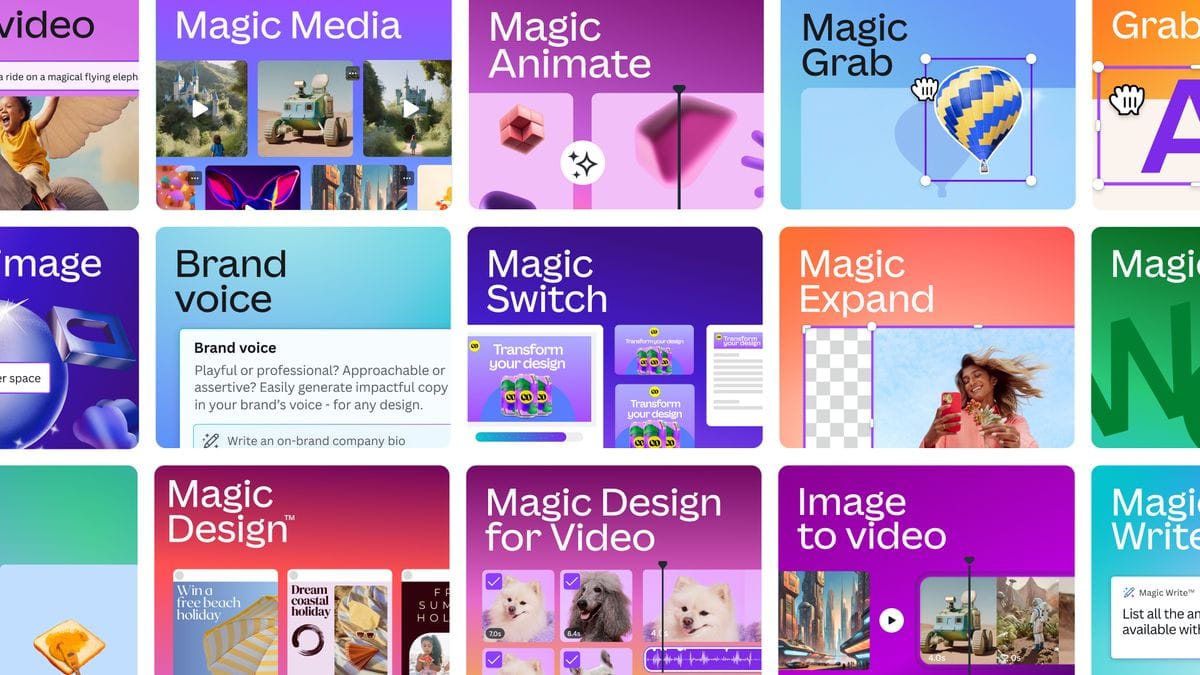
As a platform, Canva shines brightest in its accessibility, fulfilling the vision of co-founder and CEO Melanie Perkins to democratize design for everyone. Its time-to-first-value is a matter of minutes, a significant advantage for teams without dedicated designers.
The platform’s massive library of templates and assets creates a streamlined workflow that empowers marketers and sales teams to produce a high volume of content quickly, leading to significant time savings. Real-time collaboration is another area where it excels. It bundles social media graphics, presentations, and simple videos into one package, making content repurposing across formats simple.
When it’s the best choice
- Your main goal is to empower a team of non-designers to create “good enough” content with maximum speed.
- You need to produce a wide variety of content formats from a single, unified platform.
- Your budget requires a predictable, low entry cost for standard design features, and you can manage AI credit usage.
Prerequisites for Success
- A willingness to invest time in customizing templates to avoid the generic “Canva look.”
- A workflow that does not depend on importing or editing layered professional design files like
.PSDor.AI. - A clear internal policy on generative credit usage to prevent unexpected costs.
When to Avoid
- Your work requires the precise typographic controls or CMYK color management essential for professional print production.
- Your brand identity is a core competitive advantage that cannot risk looking similar to competitors using the same popular templates.
- Your team heavily relies on collaboration with professional designers using Adobe Creative Cloud.
✅ Strengths
- Extremely fast time-to-first-value for non-designers
- Massive template and asset library
- Best-in-class real-time collaboration
- All-in-one bundle: graphics, presentations, simple video
- Low entry-cost for standard features
⚠️ Considerations
- Generic “Canva look” without heavy customization
- No support for layered .PSD or .AI files
- Lacks pro-grade typography & CMYK controls
- AI generative credit costs can become unpredictable
- Slower support response on non-enterprise tiers
It’s important to note the “Canva Look” is a real phenomenon; without customization, designs can appear generic. While Canva offers broad integrations, it lacks the deep, file-level integration with professional creative tools that Adobe offers. Finally, according to user reports, support response times can be slower for users on non-enterprise tiers G2 Canva Reviews. ⚠️ Needs verification
Adobe Express: Best for Professional, Commercially-Safe AI Imagery

Adobe’s masterstroke with Express, a key part of CEO Shantanu Narayen’s strategy to embed AI across its product suite, is the integration of its Adobe Firefly engine. From my analysis, it generates the highest quality, most photorealistic AI images on the market today.
Adobe backs this with enterprise-grade IP indemnification, offering a critical shield against legal risks. The platform’s other major strength is its seamless integration with the Adobe Creative Cloud. The ability to share assets between Express, Photoshop, and Illustrator via Linked Libraries creates an incredibly powerful professional workflow that no competitor can currently match.
When it’s the best choice
- Your team is already skilled and invested in the Adobe Creative Cloud ecosystem.
- Your absolute top priority is generating high-quality, legally protected, and commercially-safe AI images.
- You have a budget that can accommodate a consumable credit system and value legal protection more than unlimited generation volume.
Prerequisites for Success
- Your team is comfortable working within a credit-based system and can manage usage effectively.
- You have a budget process that can approve the purchase of additional credit packs when needed.
- Your primary creative workflow is already centered on or compatible with Adobe’s ecosystem.
When to Avoid
- Your team’s need for AI-generated assets is high-volume and unpredictable. The credit system will quickly become a frustrating and expensive bottleneck.
- You are on a strict, fixed budget with zero tolerance for overage spending on credit packs.
- You want to avoid strong vendor lock-in; Express’s best features are designed to tie you more deeply into the Adobe ecosystem.
✅ Strengths
- Industry-leading photorealistic AI image quality (Firefly)
- Enterprise-grade IP indemnification included
- Seamless Linked Libraries with Photoshop & Illustrator
- “Commercially safe” training data positioning
- Mature desktop, web and mobile apps
⚠️ Considerations
- Consumable credit system caps generation volume
- Strong Adobe ecosystem lock-in
- Credit system can feel like a “penalty” on experimentation
- Mobile app lacks full desktop feature parity
- Built-in video editing is rudimentary
The credit system is a core part of Adobe’s business model and a significant point of friction. Users perceive it as a ‘penalty’ that discourages experimentation and limits creative freedom. Furthermore, user reports indicate that the mobile app version of Express lacks full feature parity with the desktop web version G2 Adobe Express Reviews.
Jasper: Best for Premium, AI-Powered Copywriting at Scale
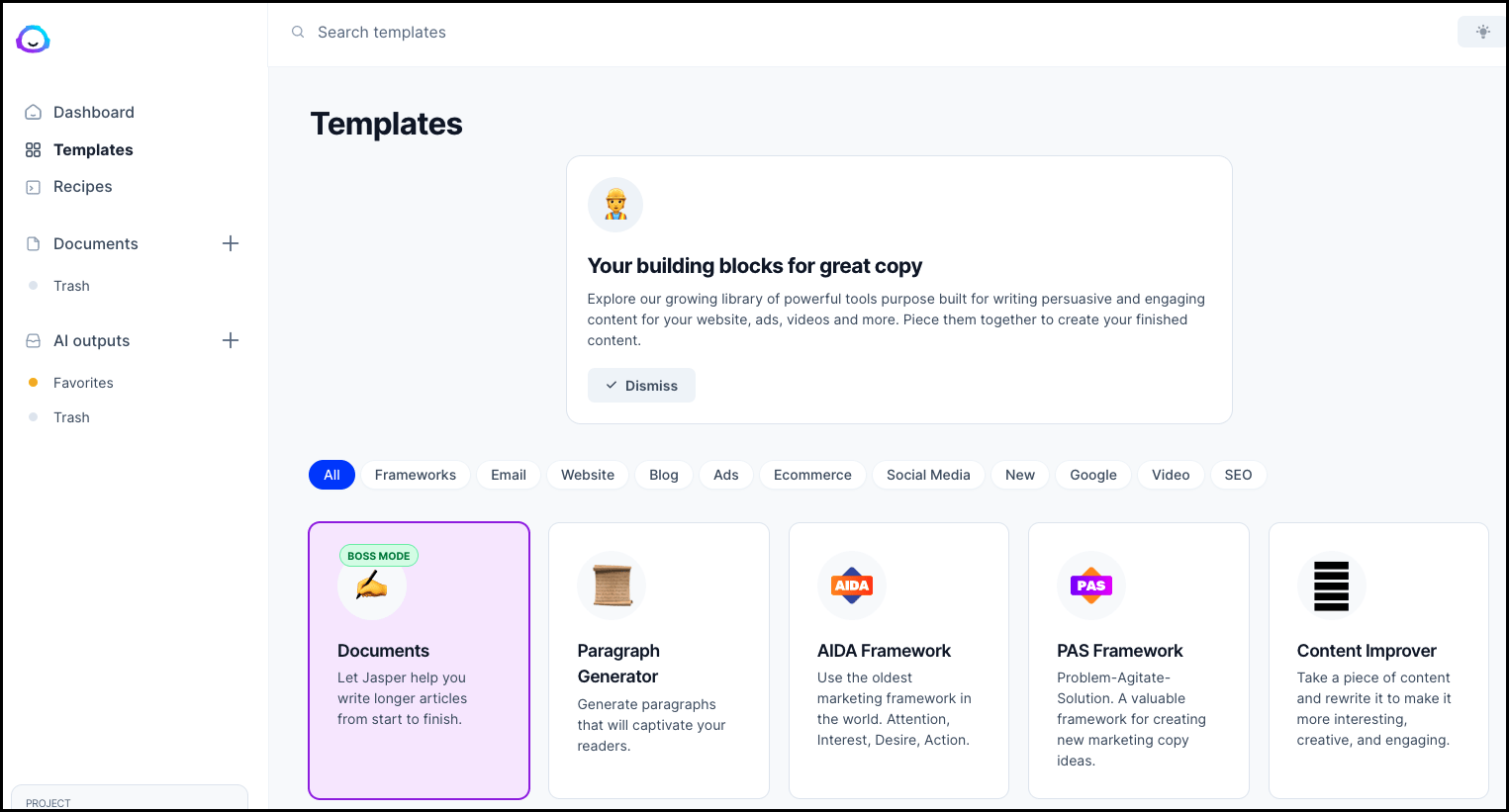
Among the many AI writing assistants on the market, Jasper’s primary strength lies in its sophisticated text-generation capabilities. Its “Brand Voice” and “Knowledge Base” features are best-in-class for enforcing content governance and creating on-brand copy at scale.
The platform allows you to upload style guides and product information, which the AI uses to generate content that requires less editing time. For large or regulated industries, its enterprise-grade support, including dedicated Customer Success Managers (CSMs), and SOC 2 Type II security compliance are significant differentiators. Most importantly, Jasper now offers IP indemnification on its higher-tier plans, a critical feature for enterprise adoption.
When it’s the best choice
- Your main objective is to scale high-quality, on-brand marketing copy, not create visual assets.
- You are a mature marketing organization seeking increased productivity, with a clear understanding of how to leverage advanced workflow features to achieve a tangible ROI.
- You have a significant budget and place a high value on enterprise-grade security, dedicated human support, and legal protections for AI content.
Prerequisites for Success
- A willingness to invest significant time upfront to configure the “Brand Voice” and train your team on its workflow-based approach.
- A human editing process to review all AI-generated content for nuance, factual accuracy, and narrative flow.
- Subscription to a Business or Enterprise plan to gain access to the crucial IP indemnification feature.
When to Avoid
- You are a small business or operate with a limited marketing budget. The price is consistently cited in user reviews as a significant consideration.
- Your primary need is creating visual content like social media graphics, videos, or presentations.
- When evaluating Jasper competitors, it’s critical to remember it is a text-generation platform that has added a visual component, not a ground-up design tool.
✅ Strengths
- Best-in-class “Brand Voice” & Knowledge Base for on-brand copy
- Enterprise-grade workflows and content governance
- Dedicated Customer Success Managers for enterprise plans
- SOC 2 Type II security compliance
- “IP Pass” indemnification on Business / Enterprise plans
⚠️ Considerations
- Premium price point vs. most competitors
- Visual design tooling is a secondary feature
- All output still requires human editing for accuracy and nuance
- Automatic pay-as-you-go overage billing on some plans
- Lower-tier plans lack IP indemnification protection
For a direct, evidence-based read on the original platform these three tools compete against, see our full Brandbutler Review before finalizing your shortlist.
Feature Comparison Matrix: The Devil’s in the Details
| Feature Category | Canva (Magic Studio) | Adobe Express (with Firefly) | Jasper (with Jasper Art) | Critical Notes |
|---|---|---|---|---|
| Core AI Capability | All-in-One Visual (Image, Video, Design) | All-in-One Visual (Image-first) | Text-First (Copy, Campaigns) | Jasper is not a true visual design competitor; its primary strength is text. |
| AI Text-to-Image | ✅ Magic Media | ✅ Firefly (Superior Realism) | ✅ Jasper Art (DALL-E 3 based) | Quality Varies: Reports suggest Firefly leads in photorealism. Jasper Art, based on technology from OpenAI, is a capable but secondary feature. |
| Brand Management | ✅ Brand Kit (Multiple for Teams) | ✅ Linked Creative Cloud Libraries | ✅ Brand Voice & Knowledge Base | Jasper’s Brand Voice is its key differentiator. Vendor case studies suggest it can significantly reduce editing time. ⚠️ Needs verification |
| Collaboration | ✅ Real-time, Comments, Workflows | ✅ Comments, Linked Libraries | ✅ Team Workflows, Shared Folders | Canva is generally cited as most fluid for real-time collaboration. Adobe’s strength is asynchronous work via CC Libraries. |
| AI IP Indemnification | ✅ Canva Shield | ✅ For Enterprise | ✅ IP Pass (Business/Enterprise) | This is a critical feature for professional use. All three now offer it on higher-tier plans. Verify your specific plan’s coverage. |
| Platform | Web, Desktop, Mobile | Web, Desktop, Mobile | Web, Desktop, Browser Extension | All three now offer desktop applications, providing more stable performance than web-only versions. |
Visual reference: A radar chart comparing Uptime, Generation Speed, Workflow Efficiency, Ease of Use, and Legal Safety across these three tools would show Adobe leading on Legal Safety, Canva leading on Ease of Use, and Jasper leading on Workflow Efficiency for text.
Pricing & TCO Reality Check: Unverified Costs Exposed
My central thesis, after analyzing the data, is that advertised prices can be misleading. The true financial risk lies in the opaque and often unpredictable costs of credit systems and overage penalties that are central to these business models. The numbers vendors advertise are the floor, not the ceiling.
For a real-world feel of how these credit traps inflate budgets, our running Brandbutler promo code tracker shows how even modest discounts on a base plan dramatically change TCO math.
The Credit System Trap
Both Canva and Adobe operate on a system of “generative credits,” which are consumed each time you use an AI feature. This model can create a sense of scarcity and encourage upsells.
User reports suggest these systems can feel like a “penalty” that punishes experimentation G2 Adobe Express Reviews. Jasper takes a different but equally perilous approach on some plans with automatic “pay-as-you-go” billing for overages, which can lead to unapproved invoices.
Advertised Price vs. Reality
The following table presents the advertised prices alongside my analyst-estimated Total Cost of Ownership (TCO) for a hypothetical 10-person marketing team, based on publicly available data.
Advertised vs. 10-Person Team TCO (Unverified Projections)
Disclaimer: Actual pricing varies; request an official quote from the vendor.
| Product | Advertised Price | Estimated 10-Person TCO | Key Financial Risk (The “Hidden Cost”) |
|---|---|---|---|
| Canva for Teams | $100/user/year | $1,000 / year | ⚠️ Variable: Heavy use of generative credits by the team can lead to additional, unbudgeted costs for credit top-ups. |
| Adobe Express for Teams | $99.99/user/year | ~$1,599 / year | ⚠️ Consumable: The entire model relies on consumable credits. The TCO estimate assumes one extra $4.99 credit pack purchase per user per month. |
| Jasper for Business | $59/seat/month (billed annually) | ~$8,142 / year | ❌ Overage Billing: Assuming the monthly rate ($69/seat) and a 15% credit overage, costs can rise to ~$9,522/year. This unpredictability is a major budget risk. |
Visual reference: A grouped bar chart titled “Advertised Price vs. Estimated Annual TCO (10-User Team)” would visually amplify the gap between the base $1,000 / $999 / $7,080 advertised numbers and the $1,000+ / $1,599 / $8,142+ true cost figures across Canva, Adobe, and Jasper.
Pricing Gotchas
- Canva: Has a history of price increases, which long-term users must budget for. ⚠️ Needs verification
- Adobe: Is known for its cancellation policies. Annual plans billed monthly may incur a substantial fee (up to 50% of the remaining contract) if terminated early Adobe Subscription Terms.
- Jasper: The most frequent complaints are about automatic “pay-as-you-go” billing for credit overages on certain plans. Users report being surprised by large bills, creating budget unpredictability.
⚠️ WARNING: Jasper’s Overage Billing Trap
Some Jasper plans default to automatic pay-as-you-go billing for credit overages. Users have reported being surprised by significantly larger invoices than expected, creating real budget unpredictability for finance teams. Always disable auto-overage billing or set a hard cap during onboarding.
The ‘Free Trial’ Trap
Beyond overages, another vendor ‘gotcha’ is the ‘free trial’ itself. Our team always verifies if a credit card is required, as this often leads to automatic billing if not canceled.
We distinguish between a standard “Free Trial” and a more valuable “Extended Trial” available via partnerships, as the latter provides a more realistic evaluation period. To compare extended-trial offers across the full marketing-AI category, browse our curated latest coupons list alongside this guide.
Security & Trust: The IP Indemnification Minefield
Beyond financial risks, the professional and legal risks associated with AI content are paramount. A vendor’s IP indemnification policy is the only shield against a career-damaging lawsuit if your AI-generated content infringes on existing copyright.
AI Safety & IP Indemnification (CRITICAL RISK AREA)
IP indemnification is a legal promise from a vendor to cover your legal costs if you are sued for copyright infringement over content you created with their tool. In my professional opinion, it is a non-negotiable form of brand protection and a requirement for any commercial use of AI tools.
❌ CRITICAL RISK: IP Indemnification is Plan-Dependent
This legal protection frequently applies only to higher-cost enterprise or business plans. Buying a Pro, Teams or Starter tier does not automatically give you indemnification — and most marketing materials omit this fact. Always demand the exact plan-level policy in writing before purchase.
- Adobe: Leads the market here, offering full IP indemnification for content generated with its Firefly engine for enterprise customers. They have built their marketing message around being the “commercially safe” option Adobe Enterprise & Firefly Page.
- Canva: Quickly followed Adobe’s lead, introducing “Canva Shield”. This program also promises IP indemnification for enterprise-level customers, neutralizing one of Adobe’s key advantages Canva Shield.
- Jasper: Jasper has updated its policy and now offers IP indemnification through its “IP Pass” feature for customers on its Business and Enterprise plans Jasper IP Pass. This brings its enterprise offering in line with competitors and makes it a legally viable option for large teams. However, customers on lower-tier plans should carefully verify their level of protection.
Compliance Status
While all three vendors are compliant with major standards like GDPR and offer SOC 2 Type II reports, enterprise buyers should also inquire about data residency options to ensure content is stored in a specific region. For teams in the healthcare space, only Adobe claims HIPAA compliance for its enterprise offerings.
| Certification | Canva | Adobe | Jasper |
|---|---|---|---|
| SOC 2 Type II | ✅ Canva Trust Center | ✅ Adobe Trust Center | ✅ Jasper Security Page |
| ISO 27001 | ✅ | ✅ | ⚠️ Not Listed |
| HIPAA | ❌ | ✅ | ❌ |
| Single Sign-On (SSO) | ✅ Enterprise Plan | ✅ Enterprise Plan | ✅ Enterprise Plan |
Known Issues & Limitations (The “Blind Spots”)
Understanding a tool’s limitations is more important than memorizing its features. These “blind spots” represent the deal-breakers that marketing materials won’t mention.
Canva’s Blind Spots
- ❌ No Pro-File Support: Inability to import and edit layered Adobe Photoshop (
.PSD) or Illustrator (.AI) files creates a hard wall between Canva users and the professional design ecosystem. - ⚠️ The Generic “Canva Look”: A persistent criticism is that designs made with popular templates look the same. Significant effort is required to break away from the default style.
- ⚠️ Print Workflow Weakness: Lacks advanced typographic controls and deep CMYK color management, making it unsuitable for high-stakes print jobs.
Adobe Express’s Blind Spots
- ❌ Credit-Gated Volume: This is a deliberate business model choice. For teams needing high-volume AI asset generation, the hard limit imposed by consumable credits is a significant bottleneck.
- ⚠️ Ecosystem Lock-In: The tool’s best features, like Linked Libraries, are so deeply intertwined with the Adobe Creative Cloud that migrating away becomes operationally difficult and costly.
- ⚠️ Basic Video Editing: The included video editing capabilities are rudimentary and not a replacement for dedicated software.
Jasper’s Blind Spots
- ❌ Premium Cost: The price is consistently a top consideration. It is significantly more expensive than its competitors, requiring a clear ROI model for most businesses.
- ❌ Not a Design Tool: This cannot be overstated. Jasper is a text-generation platform that has added a visual component. It lacks the fundamental features and UI of a dedicated design tool.
- ⚠️ Requires Human Editing: Despite the “Brand Voice” feature, all content generated by Jasper still requires significant human editing for factual accuracy, narrative flow, and brand nuance.
Use Case Matrix: Which Tool Wins for Your Needs?
My analysis concludes that there is no single “best” tool. The right choice depends entirely on which set of risks and tradeoffs your organization is willing to accept.
Visual reference: A process flow infographic titled “Adobe’s Professional Ecosystem Workflow” would visualize an asset moving from Express → Photoshop → Illustrator via Creative Cloud Linked Libraries — illustrating the deep integration that drives both Adobe’s strength and its lock-in.
| Use Case / Need | Best Choice | Why It Wins | Key Tradeoff You Accept |
|---|---|---|---|
| Maximum ease-of-use for a team of non-designers | Canva | The learning curve is virtually zero, and its template library is vast. | Your designs might look generic and you lack pro-level controls. |
| Highest-quality, legally-protected AI images | Adobe Express | Firefly is a superior, commercially-safe image model with IP indemnification. | You are locked into the Adobe ecosystem and a restrictive credit system. |
| Scaling on-brand marketing copy at an enterprise level | Jasper | Its “Brand Voice” feature is unparalleled for maintaining text consistency, now with IP protection on higher tiers. | You are paying a premium price and using a tool where visual design is a secondary function. |
| Best integration with a professional creative workflow | Adobe Express | Linked Libraries are the foundation of true creative workflow automation, creating a seamless workflow with Photoshop & Illustrator. | Your marketing stack integrations (e.g., HubSpot) are a lower priority. |
| Best for broad marketing stack & app integration | Canva | The App Marketplace connects to a huge range of third-party marketing tools. | You sacrifice the deep integration of a single-vendor ecosystem. |
If you’re still weighing additional contenders beyond these three giants, our broader category of comparison articles dives into adjacent AI marketing platforms with the same devil’s-advocate framework.
Frequently Asked Questions
Q1: How much do Canva, Adobe Express, and Jasper really cost?
A: Advertised prices can be misleading; our analysis projects that credit systems and overages can increase the true cost by 15-70% over the base subscription fee. For a 10-person team, this could mean paying ~$1,000 for Canva, ~$1,600 for Adobe Express, or over $8,000 for Jasper annually when factoring in these variable costs Canva Pricing. The unpredictable nature of these extra charges represents the biggest financial risk and can make budget forecasting difficult for marketing managers.
Q2: Which tool is the safest to use for commercial AI content?
A: When considering the legal risks of commercial AI content, Adobe Express (Enterprise), Canva (Enterprise), and Jasper (Business/Enterprise) are all now viable, safe choices. All three platforms offer IP indemnification on their higher-tier plans, which is a legal promise to defend you if you are sued for copyright infringement over content created with their tools Adobe Enterprise & Firefly Page. The determining factor is no longer if they offer protection, but which plan you need to purchase to receive it. Always verify your specific plan’s terms.
Q3: Should I use Canva or Adobe Express?
A: Choose Canva for ease of use and all-in-one content creation if you need to empower a broad team of non-designers quickly. Its strength lies in its massive template library and simple UI. Choose Adobe Express if your priority is professional-quality, legally-safe AI images and your team is already part of the Adobe Creative Cloud ecosystem. The decision comes down to whether you prioritize accessibility and breadth (Canva) or professional quality and deep ecosystem integration (Adobe) Adobe Express Features.
Q4: Is Jasper worth the high price?
A: Jasper is only worth its premium price if your primary goal is scaling on-brand marketing copy at an enterprise level and you can leverage its advanced “Brand Voice” features to prove a clear ROI. Vendor case studies claim significant time savings, which can justify the cost for large content teams Jasper Pricing. For most businesses, especially those focused on visual design, its competitors offer a better price-to-value ratio for creating visual assets.
Q5: What are the biggest hidden costs of these AI tools?
A: The biggest hidden costs are for generative credits (Canva, Adobe) and automatic overage billing for usage (on some Jasper plans). These uncapped, variable costs are not always disclosed transparently and can disrupt a marketing budget if not carefully managed. According to Adobe’s own FAQ, generative credit usage depends on the feature, with higher-quality outputs consuming more credits, making it hard to predict consumption Adobe Generative Credits FAQ.
Q6: Can I use Jasper to design social media graphics?
A: While Jasper has a feature called Jasper Art that can generate images, it is not a design tool. It lacks the core features, templates, layer controls, and user interface of platforms like Canva or Adobe Express, which are built for visual manipulation and layout. You should not choose Jasper if your primary need is creating visual content; it is fundamentally a text-generation platform that has added a visual component as a secondary feature.
Q7: What is AI IP indemnification and why does it matter?
A: IP indemnification is a legal promise from a software vendor to defend you in court and cover legal costs if you are sued for copyright infringement over the AI content you create with their tool. From my perspective as a professional, it is a non-negotiable requirement for any commercial use of AI generation tools. It effectively transfers the primary legal risk of using AI from your company to the vendor, providing critical brand protection Jasper IP Pass.
Q8: Why is it hard to verify final pricing for these tools?
A: Verifying final pricing is difficult because a significant portion of the cost is variable and usage-based. The cost of generative credits, the rate at which they are consumed, and the price of overage packs are often detailed in separate help documents or require a sales inquiry, rather than being on the main pricing page Canva Help – Generative Credits. This lack of a single, all-in price makes direct comparison and budget forecasting a significant challenge for buyers.
Conclusion & Final Recommendations
After this deep dive into the top Brandbutler alternatives and competitors, three critical findings emerge. First, the Total Cost of Ownership for all three platforms remains difficult to predict due to variable, usage-based credit models.
Second, IP indemnification is now a standard feature for enterprise-tier plans across the board, shifting the key differentiator from if protection is offered to which plan is required to obtain it. Third, the market remains clearly split: Canva for accessibility, Adobe for professional quality, and Jasper for specialized, large-scale text generation.
The right choice is not about which tool is ‘best,’ but which set of risks your organization is willing to accept.
- Choose Canva for ease of use and speed, if your team can manage the “generic look” and the uncertainty of its credit costs.
- Choose Adobe Express for superior image quality and legal safety, if you can accept the constraints of its credit system and deep ecosystem lock-in.
- Choose Jasper for scaling on-brand text, if you have a significant budget and subscribe to a business plan that includes its IP protection.
Before you sign any contract, I urge you to arm your team with these questions during vendor demos:
- Ask for Credit Cost Details: Demand a written schedule of costs for exceeding your generative credit limits. Do not accept vague answers.
- Request IP Indemnification Policy in Writing: Confirm that your specific plan includes IP indemnification and ask for the policy document.
- Demand a TCO Calculation: Force the sales representative to give you a Total Cost of Ownership estimate for your specific team size and projected usage. Compare their answer to the risks outlined in this report.
And if Brandbutler itself ends up being your final pick after weighing these alternatives, secure the best price first with our verified working coupon for Brandbutler before you check out.

