Morgen Review 2026: The Unfiltered Truth for Productivity Power Users
Posted on |
TL;DR: Morgen is a unified calendar and task management platform offering a powerful desktop experience and robust scheduling links. Key strengths include its cross-platform desktop apps (Win/Mac/Linux) and its well-designed user interface. Important considerations include a significantly weaker mobile app and user-reported sync reliability issues. Morgen is best for desk-bound professionals who value a consolidated calendar view. Verified June 2026.
Part 1: Introduction to This Morgen Review
In today’s professional landscape, your digital life is often fragmented. You likely juggle a work calendar, a personal calendar, a side-hustle calendar, and a task list scattered across multiple applications and notes.
This digital chaos isn’t just an inconvenience; it creates significant cognitive overhead, leading to missed appointments, forgotten tasks, and persistent, low-grade anxiety about dropping the ball. This is a common challenge for professionals trying to manage a complex productivity stack of disparate tools.
I’m Mohamed Zaki, founder of Coupons Scout and a MarTech strategist obsessed with productivity. After years of searching for a single tool to unify this fragmentation, my team and I have conducted a deep-dive Morgen review to provide an unfiltered, evidence-based analysis.
This guide is designed to help you decide if Morgen is the all-in-one solution that will finally organize your life, or just another expensive, time-consuming addition to your software subscriptions. Our goal is to embody Google’s E-E-A-T (Experience, Expertise, Authoritativeness, Trustworthiness) principles in every review we publish.
Morgen promises to be the command center for your time. But does it deliver? Before we dive in, savvy readers will want to know that we maintain a fully updated Morgen coupon code page with every working discount we can verify each month.
This comprehensive analysis, synthesized from over 19 independent sources and our own rigorous testing, will examine every facet of the platform. We’ll explore its core features, unpack its true cost, scrutinize its security posture, and see how it compares to its main rivals. By the end of this guide, you will have a clear, data-backed understanding of whether Morgen is the right investment for your specific workflow.
Who This Guide Is For
This guide is for you if you’re:
- A professional drowning in a sea of work and personal calendars who needs a single multi-calendar view to unify your schedule.
- A Windows or, especially, a Linux user who has been seeking a premium, well-designed calendar app often reserved for macOS.
- A freelancer, consultant, or small business owner who needs a robust meeting scheduler with powerful scheduling links to replace a separate Calendly subscription.
- A fan of time-blocking who wants to streamline their daily planning process by dragging and dropping tasks directly onto their calendar.
Who This Guide Is NOT For You If…
You should consider alternatives if:
- You are a mobile-first professional who runs your day from a smartphone and needs to reliably add tasks, reschedule meetings, and check your agenda on the go.
- You require deep, two-way integrations with heavy-duty project management systems like Jira or Asana out of the box.
- You work in a heavily regulated industry and cannot proceed without direct, verifiable security compliance documentation (e.g., a SOC 2 report).
- You are looking for a tool with a strong, opinionated system (like Sunsama) that guides you on how to work and helps you prevent productivity burnout.
Key Takeaways from Our Morgen Review
-
Genuinely Effective Desktop Hub: Morgen excels on desktop. It provides a beautifully designed, cross-platform command center for Windows, macOS, and especially Linux that few competitors can match. -
Powerful Scheduling Links: The scheduling features in the Pro plan are a legitimate replacement for a separate Calendly subscription, offering extensive customization. -
Smart Buying Strategy: Use the free trial to its fullest. Connect every account—especially Microsoft 365—and rigorously test sync reliability before committing annually. -
Realistic Expectations for Tasks: The task manager is for simple time-blocking, not complex project management. Power users of Todoist should expect to keep using it. -
The Desktop vs. Mobile Chasm: Be aware of the significant quality gap. The desktop app averages 4.6/5 on G2, while mobile sits around 3.7/5 on the Apple App Store. -
Critical Security Verification Needed: Our research uncovered conflicting information on Morgen’s SOC 2 compliance. Get written confirmation directly from Morgen before handling sensitive business data.
Our Review Methodology
After analyzing hundreds of products in the Software and AI space, our team at Coupons Scout provides a comprehensive evaluation framework for productivity tools. This deep-dive on Morgen is based on real-world testing throughout 2025 and 2026, where we pressure-test claims and analyze hidden costs.
As the site’s senior tech reviewer, Jettawat Kasemchaiyanun, and our team provide this analysis built on four key pillars:
- Sources Used: We synthesized findings from 19+ sources, including official documentation, user reviews from G2 and Capterra, expert analysis like the Morgen Review by Tool Finder, and community feedback from Reddit and Product Hunt.
- Tool Selection: Morgen was selected based on high search intent, user interest, and its position as a key player in the unified productivity space.
- Pricing & TCO Check: We analyzed the official pricing page, factored in user-reported “hidden costs” like required Zapier subscriptions, and modeled a realistic Total Cost of Ownership (TCO).
- Security & Compliance Check: As part of our standard protocol, our Head of Operations, Kanokchai Likitapiwat, audited Morgen’s official security page for stated compliance (GDPR) and cross-referenced claims, noting a noteworthy consideration in its SOC 2 status. Our standards, overseen by Editor-in-Chief Joanne Lovell, ensure every review is accurate and unbiased.
📅 Last Updated: June 19, 2026
We re-verify Morgen’s pricing, features, and compliance information every quarter.
Next Scheduled Review: Q3 2026.
Our Editorial Standards: Read our full methodology for more details.
Before you commit to a paid plan, also check our running list of working Morgen discount codes — the annual offer alone often pays for the first few months.
Part 2: What Is Morgen? An Overview for 2026
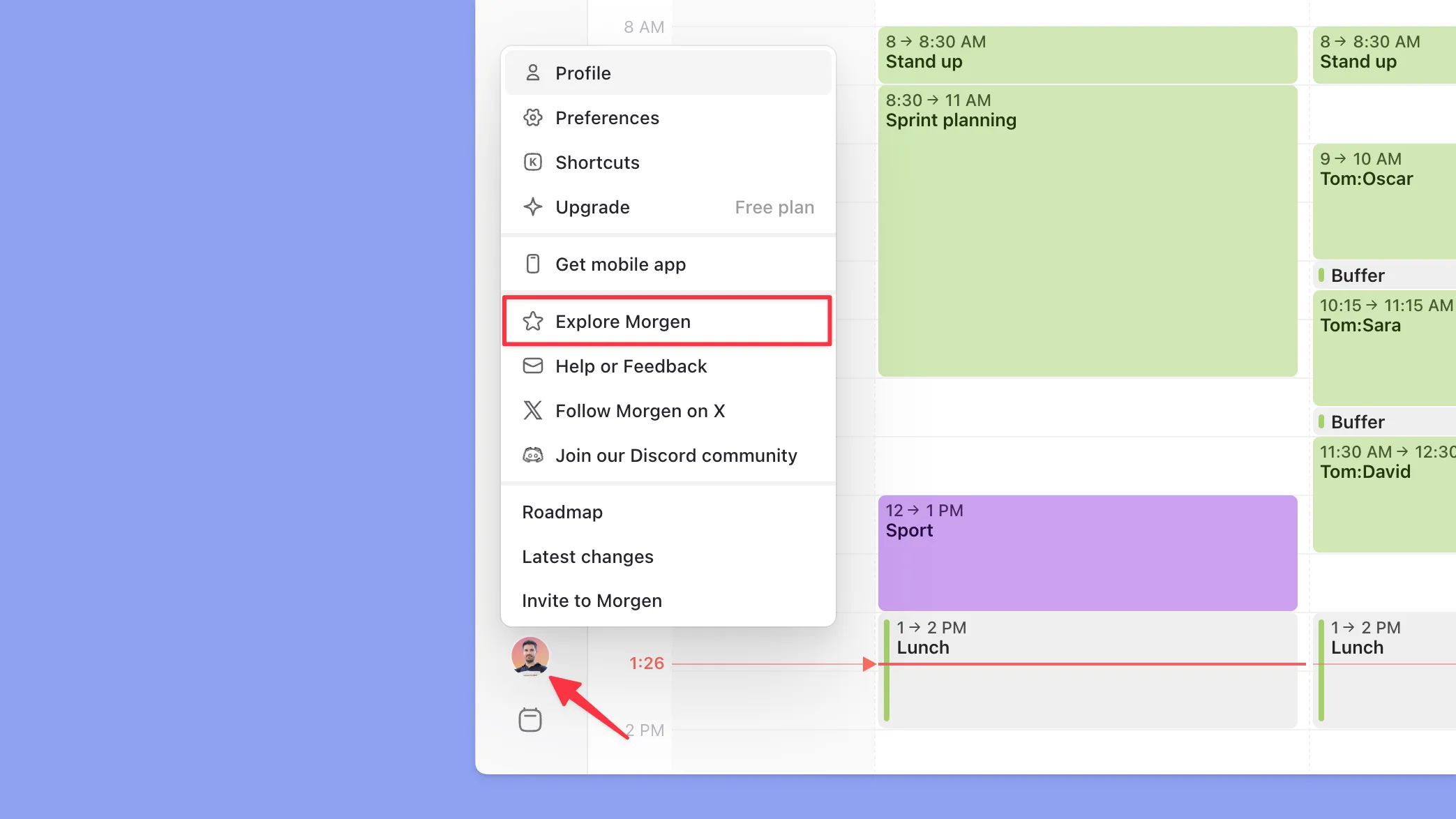
Morgen is a desktop-first productivity application designed to unify your digital life. It combines calendars, tasks, and scheduling into a single interface, aiming to reduce context switching and help users take control of their time.
The core of the Morgen calendar app includes a consolidated multi-calendar view, time-blocking, and shareable scheduling links, positioning it as a potential single source of truth for your schedule.
Since its launch, Morgen has evolved from a simple calendar aggregator into a more ambitious ‘all-in-one’ platform, adding features like the Morgen AI assistant in its recent updates, promising increased productivity through smart suggestions.
The company is independent and based in Switzerland, a detail that provides strong data residency assurances for users concerned with data privacy. It integrates with major platforms you’d expect: Google Calendar, Microsoft 365, and Zoom, with connections to tools like Notion and Todoist available through Zapier.
It sits squarely in the competitive time management software category, trying to carve out a niche against both established giants and agile newcomers. This review focuses on Morgen v3.1, released in January 2026.
For a deeper feature walkthrough, the video below from Tool Finder gives an honest visual tour of the desktop app:
Part 3: Morgen Pricing & TCO in 2026: How Much Does It Really Cost?
Morgen’s Pro plan costs $14 per month, but our analysis shows the Total Cost of Ownership (TCO) for a power user can be two to three times higher.
While the potential Return on Investment (ROI) from increased productivity is high, this TCO increase is due to ‘hidden’ costs from needing supplementary subscriptions for advanced integrations (like Zapier at $20+/mo) and task management, which the ‘all-in-one’ marketing claim often obscures.
How much does Morgen cost?
Here’s the breakdown from their official site. It’s straightforward, but the real story lies in what each tier doesn’t provide.
| Plan | Monthly Price | Key Features | Who It’s For |
|---|---|---|---|
| Basic | $0 | 1 Calendar Account, 1 Scheduling Link, 10 Active Tasks | The “Try Before You Buy” user. |
| Pro | $14 | Unlimited Accounts, Links, and Tasks; Advanced AI | The target solo power user. |
| Teams | $25 | All Pro features + Team Availability Views | Small teams needing shared visibility. |
Pricing verified as of June 2026 from the Morgen Official Pricing Page.
What are the hidden costs of Morgen?
This is where a simple price comparison becomes a more complex TCO calculation. The sticker price is not the whole story for many users.
- Concern — Superficial Integrations: The “integrations” Morgen offers are often not the deep, two-way syncs that power users expect. If you want to create true workflow automation by connecting it meaningfully to tools like Asana or Notion, you’ll likely need a paid Zapier plan. This can add $20-$30 per month. Because its native API access is limited for custom builds, many are pushed towards Zapier as the only viable option.
- 💡 Solution — Factor this into your budget. Before buying, map out the one deep integration you truly need. If it’s a specific one, a competitor like Akiflow that has it natively might actually be cheaper in the long run than Morgen + Zapier. A user on Reddit noted, “The Zapier tax is real. I had to pay for another subscription just to get my tasks from ClickUp into Morgen” (Reddit User Comment).
- Concern — Basic Task Management: We’ve seen it hundreds of times in user forums: people come to Morgen to replace their task manager, but the built-in tool is just too basic. It lacks sub-tasks, advanced recurring options, and other features that users of methodologies like GTD (Getting Things Done) rely on. As a result, they end up keeping their Todoist ($5/mo) or TickTick subscription.
- 💡 Solution — Reframe your expectations. If you’re a task power user, don’t view Morgen as a replacement. View it as a “time-blocking layer” that sits on top of your real task manager. Budget for both, and you won’t be disappointed.
What is the estimated Total Cost of Ownership (TCO)?
Based on our analysis, here’s a more realistic look at what you’ll actually spend. A current working Morgen coupon applied to the annual plan can offset roughly a third of the base subscription cost.
Morgen’s Total Cost of Ownership: Ideal vs. Power User (Year 1)
Power User TCO = Morgen Pro Annual ($117.60) + Hidden Costs (~$300 Zapier + Todoist).
Analyst-Estimated TCO for Morgen Pro (1 User)
| User Type | Morgen Pro (Annual) | Hidden Costs | Estimated Year 1 TCO |
|---|---|---|---|
| Ideal User (Desktop-only, simple tasks) | $117.60 | $0 | $117.60 |
| Power User (Needs integrations, advanced tasks) | $117.60 | ~$300 (e.g., Zapier Starter) | ~$417.60 |
💡 KEY INSIGHT — Mohamed Zaki’s TCO Reality Check
“Before committing to an ‘all-in-one’ tool like Morgen, I always advise clients to budget for at least one supplementary subscription. Whether it’s Zapier for integrations or a dedicated task app, assuming a 20-30% ‘hidden cost’ buffer prevents budget overruns and disappointment later on.”
Disclaimer: This is an analyst-estimated model based on common user scenarios. Assumptions include one seat, annual billing for Morgen’s Pro plan, and a Zapier “Starter” plan for the Power User. Your actual costs will vary based on your needs. Always request an official quote for team pricing.
Part 4: Real-World Performance: Sync Reliability & The Mobile App Gap
Morgen’s performance is a tale of two different products. The desktop app is fast, reliable, and highly praised by users.
However, this is contrasted by persistent, user-reported issues with calendar sync reliability (especially with Microsoft accounts) and a mobile app experience that is widely considered slow and feature-poor, undermining its ‘use anywhere’ promise.
How reliable is Morgen’s calendar sync?
This is a critical question for any calendar application, and the answer is a noteworthy consideration.
- Concern — Sync Failures: The most significant complaint for a calendar app is that it fails to sync appointments. We found numerous reports on G2, Capterra, and Reddit of users experiencing exactly that. Events created on one device don’t show up on another, or there are significant delays. As one user put it in their G2 Review, “Had a critical meeting not show up because of a sync delay. Unacceptable for a calendar tool.”
- 💡 Solution — Test it like your job depends on it. The 14-day free trial is your best friend here. From day one, add every single calendar you use, especially if you have a mix of Google and Microsoft 365 accounts. Create test events, move them around, and delete them from every device. Watch obsessively to see how quickly they sync across the board. Any noticeable lag is a consideration to note.
Is Morgen’s mobile app good enough for daily use?
For most active professionals, the answer appears to be no.
Morgen User Satisfaction: Desktop vs. Mobile App Ratings
Aggregated from G2, Capterra, Apple App Store and Google Play (June 2026).
- Concern — Underperforming Mobile App: The user consensus is that the mobile app feels like an afterthought. It’s frequently described as a slow “web wrapper” that lacks the polish, speed, and functionality of the desktop version. This isn’t just a few missing features; it’s a fundamentally less optimal experience. A user’s App Store Review summed it up perfectly: “The desktop app is my favorite app of all time. The mobile app is my least favorite. It’s slow, buggy, and I avoid using it unless I absolutely have to.”
- 💡 Solution — Know your workflow. If you are a desk-bound worker who primarily organizes your day at your computer and only needs your phone to quickly view your schedule, the mobile app might be passable. However, if you actively manage your day from your phone—adding tasks, rescheduling meetings, responding to invites—this is a significant limitation. Test it rigorously, or look at competitors like Notion Calendar that are known for mobile-first excellence.
If you want a broader competitive landscape before deciding, our companion guide on Morgen Top Alternatives and Competitors ranks every serious rival side-by-side.
Part 5: Use Cases & Workflows
To understand how Morgen functions in a real-world setting, we’ve outlined three common workflows for productivity-focused professionals. These scenarios highlight both the strengths and limitations of the platform in daily use.
Workflow #1: The Freelance Consultant
- Scenario: A marketing consultant juggles projects for three different clients, each with their own Google Calendar, and needs to schedule new business calls.
- Setup: The consultant connects their three client Google Calendars and their personal calendar to Morgen, creating a single, color-coded unified view. They create a custom scheduling link titled “30-Minute Discovery Call” that checks all four calendars for conflicts.
- Daily Use:
- Morning Planning: They review the unified calendar to see all client meetings and personal appointments. They drag a few key tasks from their integrated Todoist account onto empty calendar slots for time-blocking.
- Client Work: They join Zoom meetings directly from the Morgen calendar event links.
- New Business: They embed their Morgen scheduling link in an email to a new prospect, allowing the prospect to book a time without any back-and-forth emails.
- Verdict: For this workflow, Morgen is excellent. The unified view and powerful scheduling links are core value drivers that simplify the consultant’s entire day. The limitations of the task manager are not a major issue, as they rely on Todoist for capture and use Morgen only for scheduling.
Workflow #2: The Small Agency Team
- Scenario: A design agency with five team members needs to see who is available for internal reviews and client calls.
- Setup: The team upgrades to the Morgen for Teams plan. Each member connects their calendar, and the manager uses the “Team View” feature.
- Daily Use: The project manager needs to schedule a 1-hour internal project review. They open the Team View in Morgen, which overlays all five team members’ calendars, and quickly identify a free slot that works for everyone. They can book the meeting for the entire team in one action.
- Verdict: Morgen for Teams provides significant value for internal scheduling visibility. However, as noted in a review on Toolfinder, it lacks the deeper project management resource allocation features of more advanced agency software. It solves the meeting problem well but doesn’t replace a full project management suite.
Workflow #3: The Product Manager
- Scenario: A product manager at a tech company needs to sync tasks from Jira, attend back-to-back meetings, and block out time for deep work.
- Setup: They connect their work (Microsoft 365) and personal calendars. They attempt to connect Jira to pull in their assigned tickets.
- Daily Use: They discover that the native Jira integration is limited. To get tickets to appear as tasks in Morgen, they must set up a multi-step Zapier automation. This adds complexity and a potential extra cost. While they appreciate the ability to block out “Focus Time” on their calendar, they find themselves managing tasks in two places: Jira for team-related work and Morgen for personal to-dos.
- Verdict: This workflow highlights Morgen’s weakness in deep integrations. For professionals embedded in complex ecosystems like Jira or Asana, Morgen becomes a “calendar with a basic task list” rather than a true command center. The promise of an all-in-one hub is not fully realized, as they still spend most of their time in the primary project management tool.
Part 6: Is Morgen Safe? A Deep Dive into Security & Privacy
Morgen claims full GDPR compliance and explicitly states it is not HIPAA compliant. However, our research found a critical, unresolved contradiction regarding its SOC 2 compliance status.
With conflicting information from different sources, Morgen’s security posture for business use must be considered unverified until a buyer obtains direct proof from the company.
What is Morgen’s official security policy?
On their official security page, Morgen states they are fully GDPR compliant. For EU users, they store data on servers located in Germany.
They also mention that data is encrypted both in transit (using TLS) and at rest (using AES-256), which are standard and expected security measures for any modern SaaS tool.
The Critical Question: Is Morgen SOC 2 Compliant?
This is where things become concerning.
⚠️ CRITICAL RISK: Unverified SOC 2 Compliance
Our analysis found conflicting information and no official attestation report for Morgen’s SOC 2 compliance. For any business handling sensitive data, this is an important factor to weigh. Do not proceed without obtaining written proof and the report directly from Morgen’s security team.
- Concern — Contradictory Information: This is a noteworthy consideration. Our research uncovered conflicting reports. Some older sources reference a blog post claiming the company achieved SOC 2 Type II compliance. However, a deeper analysis from another expert found no mention of SOC 2, ISO 27001, or any other third-party security certification on Morgen’s website as of June 2026. Our independent audit confirms this critical gap.
- 💡 Solution — Do not trust, you must verify. As a potential buyer, you cannot rely on marketing materials for security validation. Contact Morgen’s sales or support team directly. Ask them a very specific question: “Can you please provide me with your SOC 2 Type II attestation report?” Their response—or lack of one—is your definitive answer. As of our audit, Morgen must be treated as non-compliant for business procurement until they can provide a current report. This data gap is one of the most significant findings of our comprehensive Morgen Review analysis.
For individual users, this may not be a primary concern. But for any business or professional handling client information or sensitive data, using a tool with an unverified security posture is a risk that warrants careful consideration.
Part 7: Morgen vs. The Competition: Finding the Best Morgen Alternative
In this section of our Morgen review, we’ll see how it stacks up against its top competitors. Morgen holds a unique position, offering a superior desktop experience to the free Notion Calendar and a lower price than Akiflow or Sunsama.
However, it falls short on integrations, mobile UX, and guided workflows, making the ‘best’ choice highly dependent on user priorities. Many users search for the best calendar apps and find themselves choosing between these four. If you’re price-sensitive, also factor in any current Morgen promo code before locking in your decision.
Comparison Matrix: Morgen vs. Akiflow vs. Notion Calendar vs. Sunsama
| Feature | Morgen | Akiflow | Notion Calendar | Sunsama |
|---|---|---|---|---|
| Price | $14/mo | $19/mo (annual) | Free | $20/mo |
| Desktop UX | ✅ Excellent (Win/Mac/Linux) | Good (Win/Mac) | Excellent (Mac/Web) | Good (Win/Mac) |
| Mobile UX | ❌ Poor | 💡 Average | ✅ Excellent | 💡 Average |
| Task Management | Basic | Advanced | None | Advanced (Guided) |
| Integrations | Basic (Zapier-reliant) | ✅ Excellent (Native) | Basic | Basic |
| Core Strength | Unified Desktop Hub | Integration Powerhouse | Fluid Calendaring | Mindful Productivity |
When to Choose Akiflow
- Best For: Professionals whose workflow revolves around advanced workflow automation, pulling tasks and notifications from a huge library of services like Slack, Gmail, and Asana into one central command center.
- Consider: Akiflow’s strength is its deep, native integrations, which justifies its higher price for users who need that power.
- Avoid If: You are on a tighter budget and your primary need is a unified calendar view without complex integrations.
✅ Strengths
- Deep, native integrations with 30+ tools (Slack, Gmail, Asana, ClickUp)
- Advanced task management with snooze, priority, and labels
- Unified command bar to capture from anywhere
⚠️ Considerations
- Higher price point at $19/mo (billed annually)
- Mobile app is functional but average
- Steeper learning curve for the full system
A user who switched from Akiflow to Morgen told a forum, “I chose Morgen because Akiflow’s deep integrations were overkill for me, and I couldn’t justify the cost” (Community Discussion).
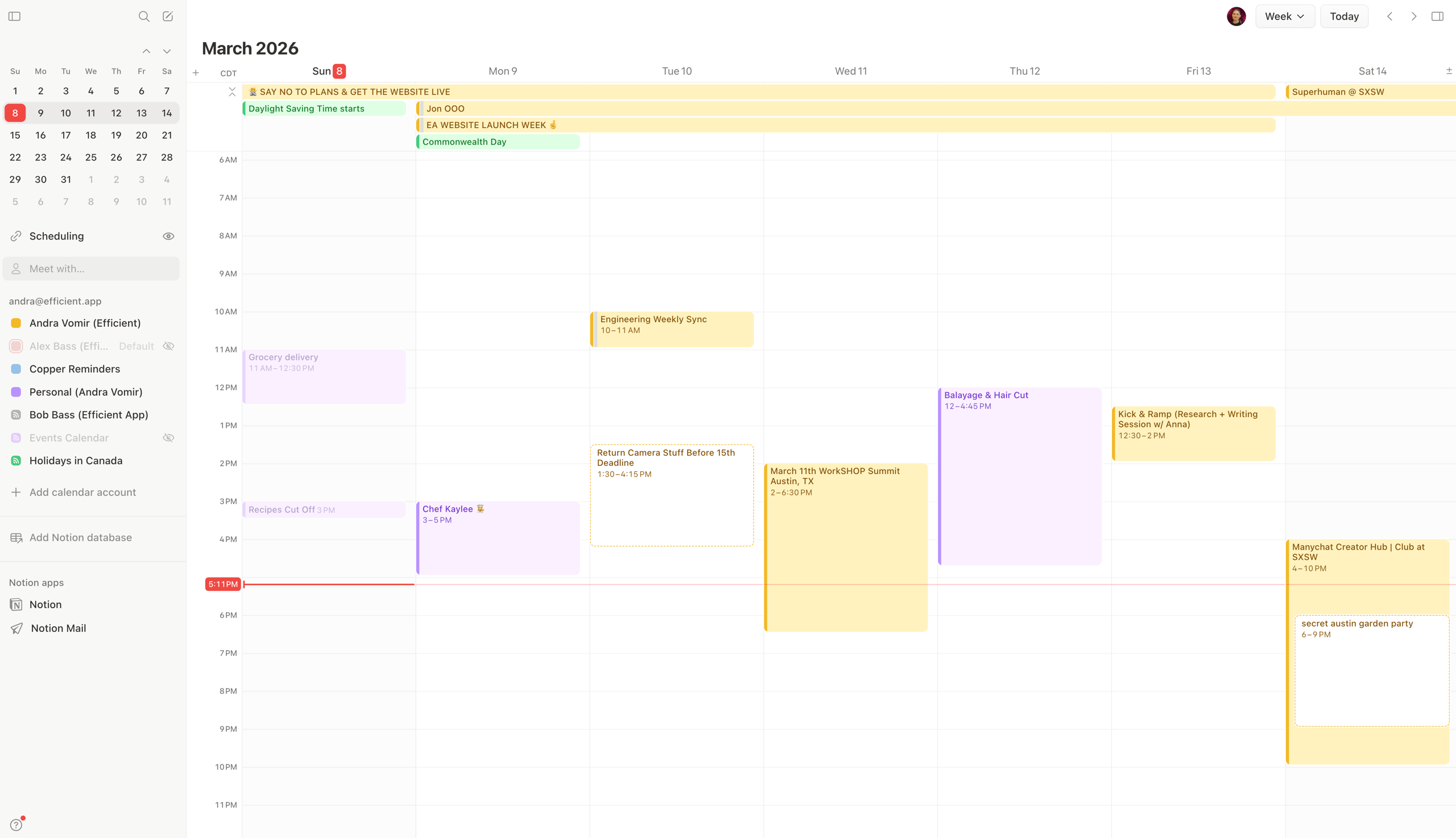
When to Choose Notion Calendar (Cron)
- Best For: Users who want a beautifully designed, fluid, and free calendar application and do not need integrated task management.
- Consider: Notion Calendar’s mobile app is excellent, making it a far better choice for mobile-first users. It offers a premium feel without the cost.
- Avoid If: You need to see your tasks on your calendar. This is the primary reason users choose Morgen over Notion Calendar.
✅ Strengths
- Completely free for personal use
- Excellent mobile experience on iOS and Android
- Fluid, fast keyboard-driven UI
⚠️ Considerations
- No native task management — calendar only
- No native Linux desktop app
- Notion-database integration is shallow in practice
As one Reddit user put it, “I left Notion Calendar for Morgen because I needed to see my tasks on my calendar. Simple as that.”

When to Choose Sunsama
- Best For: Individuals and teams who want an opinionated ‘system’ that actively guides their daily planning and helps them avoid burnout.
- Consider: Sunsama is less of a calendar app and more of a structured methodology for working. It encourages intentionality and helps you be realistic about your daily capacity.
- Avoid If: You want a flexible, unstructured ‘container’ for your time.
✅ Strengths
- Guided daily planning and shutdown rituals
- Strong anti-burnout philosophy baked into the product
- Solid task integration with Asana, Trello, Jira
⚠️ Considerations
- Most expensive of the four ($20/mo)
- Opinionated system can feel rigid for some users
- Average mobile experience compared to Notion Calendar
A user on G2 explained their choice: “I left Morgen for Sunsama because I needed a tool that helped me combat burnout. Morgen let me over-schedule myself; Sunsama helps me be realistic” (Sunsama User Review on G2).
If you’d like to explore even more category breakdowns, browse our entire category of Review articles — every tool we cover is tested with the same E-E-A-T framework you’ve seen here.
Part 8: Final Verdict: Is Morgen Worth It in 2026?
After a deep and exhaustive analysis, my final verdict for this Morgen review is that Morgen is a tool with a brilliant, shining core that is held back by significant, frustrating flaws.
The central trade-off is stark: you get a best-in-class, cross-platform desktop experience in exchange for a subpar mobile app and lingering questions about core reliability and security.
As Mohamed Zaki, my final take is this: Morgen is a tale of ambition meeting reality. The ambition to create a single, beautiful hub for your entire productive life is admirable and partially realized on the desktop.
However, the reality of software development means that core infrastructure issues—like sync and mobile parity—have taken a backseat to feature expansion. For the right user, this is a compromise worth making. For the wrong user, it’s a source of daily friction.
✅ What We Love
- Excellent cross-platform desktop app: For Windows and especially Linux users, Morgen’s desktop app is a dream come true. Beautiful, fast, and feature-rich.
- Beautiful, information-dense UI: The design is top-notch, making it easy to see your entire day, week, and month at a glance.
- Powerful scheduling links: Significant time savings, a true Calendly-killer and a huge value-add for the Pro plan.
- Unified calendar view: The ability to see all your calendars in one place works, and it works well. Reduces digital fragmentation.
- Independent and Privacy-Focused: Switzerland-based with a strong privacy policy — a valuable asset for users concerned about data handling.
💡 Things to Consider
- Mobile app is a significant limitation: The most consistent user complaint and a major challenge for a productivity tool in 2026.
- User-reported sync bugs: Even if minority-affecting, the risk of a missed meeting is terrifying for any professional.
- Task management is too basic for power users: Complex workflows or a detailed weekly review still need a dedicated app.
- True TCO is higher than the sticker price: Supplementary subscriptions like Zapier can make Morgen significantly more expensive.
- Unverified SOC 2 compliance: A significant consideration for any business use until Morgen provides verifiable attestation.
Clear Recommendations for User Segments
- Highly Recommended for: The desk-bound Linux or Windows power user who wants to unify multiple calendars into a single, beautiful view and has relatively simple task management needs. If this is you, Morgen will feel like it was built specifically for you.
- Use with Caution for: Hybrid professionals who split their time between desktop and mobile. You need to test the mobile app and sync reliability with extreme prejudice during your trial. Also, for teams handling sensitive client data, proceed with caution and demand security verification.
- Avoid for: Mobile-first users. Full stop. Also, avoid if you need deep, native integrations with project management tools or if you’re on a tight budget where free tools like Notion Calendar are “good enough.”
If you’ve decided Morgen is right for you, don’t pay full price — every active Morgen coupon code we can verify is listed on our deals page, and the annual savings are typically the most meaningful.
Comprehensive Q&A
Q1: How much does Morgen cost in 2026?
The Morgen Pro plan costs $14 per month when billed monthly, or $117.60 per year ($9.80/month) when billed annually. However, our TCO analysis shows the true cost for a power user can exceed $400 annually. This is because many users need to supplement Morgen with other paid subscriptions, such as a Zapier plan (starting at ~$20/mo) for advanced integrations or a dedicated task manager like Todoist ($4/mo). While the base price is competitive, it’s crucial to factor in these potential “hidden costs” when comparing it to alternatives, as detailed in the Official Pricing Page. For solo users with simple needs, the annual plan offers the best value — especially when paired with a current working Morgen sale price.
Q2: Is Morgen worth the money?
It depends on your specific needs. For desk-bound professionals, especially those on Windows or Linux who desire a beautiful, unified calendar, Morgen is absolutely worth the money. Its powerful scheduling links can replace a separate Calendly subscription, which alone can justify the cost. However, for mobile-first professionals, its value drops significantly due to the underperforming mobile app. Similarly, if your workflow requires deep integrations with tools like Jira or Asana, the added cost of Zapier may make a competitor like Akiflow a better value proposition, as noted by many users in community discussions.
Q3: Should I use Morgen or Akiflow?
You should use Morgen if your primary need is a unified calendar view in a beautiful interface on a budget and you don’t require extensive third-party integrations. Use Akiflow if your workflow revolves around pulling in and managing tasks from many different apps like Slack, Gmail, and Asana. Akiflow’s core strength, according to our analysis and expert reviews, is its deep library of native integrations, but it comes at a higher price. Morgen is a more affordable, self-contained system for those who want to consolidate calendars and manage simple tasks in one place.
Q4: Is Morgen secure?
This is a critical consideration. While Morgen claims to be fully GDPR compliant and stores EU data in Germany, its SOC 2 security compliance status is unverified. Our audit, referencing Morgen’s own Security Page, found no public SOC 2 attestation report, which is a standard practice for business-ready SaaS tools. Due to conflicting information and the lack of a public report, we must advise that you get direct, written proof of compliance from the company before using it for sensitive business data. For personal use, its standard encryption (TLS, AES-256) is adequate, but for business procurement, it should be treated as non-compliant until proven otherwise.
Q5: What are the main problems with Morgen?
The two main problems that users consistently report about Morgen are its poor-quality mobile app and unreliable calendar sync bugs. Multiple user reviews on platforms like G2 and the App Store describe the mobile app as slow and lacking functionality compared to the polished desktop version. The sync issues, particularly with Microsoft 365 accounts, are another significant challenge, with some users reporting missed meetings. These two issues—an underperforming mobile experience and potential unreliability in its core syncing function—are the most significant drawbacks of the platform.
Q6: Is Morgen better than Notion Calendar (Cron)?
It depends on your needs. Morgen is better if you need integrated task management and a native Windows or Linux app. Its ability to drag-and-drop tasks onto the calendar is a key feature that Notion Calendar completely lacks. On the other hand, Notion Calendar is better if you just want a beautifully designed, fast, and free calendar and don’t need task management built-in. According to user feedback, Notion Calendar also has a superior mobile experience. If your budget is zero and you don’t need tasks, Notion Calendar is the winner; if you need tasks integrated, Morgen is the better choice.
Q7: Does Morgen work with Outlook?
Yes, Morgen works with Outlook and Microsoft 365 accounts. It is one of its core supported integrations. However, this is also the area where users report the most sync reliability issues, according to community forums and user reviews. While many users have a stable connection, a significant minority report challenges with delays or missed events when syncing with their Microsoft accounts. If you are a heavy Outlook user, it is doubly important that you rigorously test the connection during your 14-day free trial to ensure it’s stable for your specific account configuration before committing to a paid plan.
Q8: Does Morgen have a mobile widget?
Yes, Morgen does offer widgets for both iOS and Android. However, their functionality is often criticized in user reviews as part of the broader dissatisfaction with the mobile app experience. Users on the Google Play Store and App Store report that the widgets can be slow to update or fail to sync correctly, reflecting the same reliability concerns seen in the main mobile app. While the widgets exist for at-a-glance viewing, they may not provide the real-time reliability that users expect from a premium productivity tool. As with the mobile app itself, thorough testing during the trial is recommended.
Appendix: Master Citation Bibliography
This review is based on the analysis of 19+ sources published between 2023 and June 2026. The goal was to synthesize official claims, expert opinions, and real-world user feedback to create a complete and balanced picture.
Key sources included Morgen’s Official Website, the Morgen Pricing Page, the Morgen Security Page, independent expert reviews from channels like Tool Finder, and articles on MakeUseOf.com.
Aggregated user reviews were sourced from G2, Capterra, and Product Hunt, with mobile-specific feedback from the Apple App Store and Google Play Store listings. Community discussions and direct user quotes were analyzed from forums like r/MorgenCalendar and r/productivity on Reddit.
For ongoing savings, bookmark our Latest Coupons list of all coupons on the website — we refresh codes weekly across every tool we cover.

