Morgen Top Alternatives and Competitors: A Devil’s Advocate Comparison for 2026
Posted on |
The promise of an all-in-one productivity tool often comes with a hidden “AI Tax,” where surrendering control to an algorithm can cost you more in performance and flexibility than it saves in time.
In a saturated market, choosing a “command center” for your digital life between Morgen, Akiflow, Motion, and Sunsama is a high-stakes decision with financial, professional, and security risks.
Marketing materials are designed to hide the critical trade-offs you are forced to make. This is not a summary of features. This is a Devil’s Advocate analysis, based on over 40 sources and rigorous testing, designed to expose the “blind spots” vendors won’t show you — so you can make a decision that protects your money, your time, and your sanity.
This analysis provides an evidence-based framework for your decision. For specific security, financial, or compliance needs, always conduct a professional pilot and consult with relevant experts. Before diving in, you can also check the latest Morgen coupon code to see what discounts are currently available.
Key Takeaways
-
Core Conflict: Motion offers powerful AI automation but at the cost of high system resource usage and loss of user control. Akiflow offers speed but is limited by a lack of an API and a weak mobile app. Sunsama promotes mindfulness but lacks key automation, and Morgen provides the best value but has fewer deep features. -
The Price Illusion: Advertised monthly prices are misleading. As of May 2024, Motion is priced at $228/year, while Akiflow is slightly higher at $240/year, with both using high monthly rates to push users into a yearly commitment. Morgen is the clear budget winner at $96/year. -
The Hidden TCO: Sunsama, while appearing affordable at $192/year, forces a hidden cost of ~$120/year for a separate scheduling tool like Calendly, making its true total cost of ownership higher than its direct competitors. -
Security & Trust: All four tools are SOC 2 Type II compliant as of May 2024. However, Motion’s privacy policy explicitly states it uses your data to train its AI models — a critical privacy trade-off detailed in the Motion Privacy Policy. -
The ‘Blind Spot’ Winner: Akiflow’s lack of a public API is the most significant, user-frustrating “blind spot” identified, crippling its potential for power users and developers who want to create custom workflows. -
The Performance Tax: Motion is a confirmed “resource hog.” User communities widely report significant battery drain and CPU usage spikes, a critical flaw for a tool meant to run all day on a laptop — see r/motionapp User Reports. -
Recommendation by Philosophy: The best tool depends on your work style. This guide on Morgen top alternatives and competitors recommends choosing Motion for automation, Akiflow for speed, Sunsama for mindfulness, and Morgen for pragmatic value and iCloud support.
Before we dive into the detailed competitor breakdown, take a moment to explore the full picture with our Morgen Review — a deep-dive companion piece that complements this comparison.
Decision in 60 Seconds
| If your primary need is… | Our Recommendation Is… | Why (The Trade-Off You’re Making) | Key Risk |
|---|---|---|---|
| Total Automation (and you have a powerful computer) | Motion | You’re trading user control and system resources for an AI that manages your day. | The AI’s rigid schedule may conflict with reactive job duties. |
| Maximum Speed & Task Capture (from your desktop) | Akiflow | You’re trading a polished mobile experience and API access for the fastest keyboard-driven workflow. | Lack of API prevents custom scripts, limiting true power-user potential. |
| Mindfulness & Burnout Prevention (and you don’t need automation) | Sunsama | You’re trading a higher price and automation features for a manual, intentional process designed to create work-life balance. | The high “true” cost (with a scheduler) for a manual tool feels unjustified for some. |
| The Best Value & iCloud Sync (and you want a balanced tool) | Morgen | You’re trading the extreme features of competitors for a reliable, all-around tool at the lowest cost. | Fewer deep integrations compared to specialized competitors like Akiflow. |
Top Alternatives & Competitors Shortlist (as of May 2024)
| Option | Best for | Tradeoff | Evidence status |
|---|---|---|---|
| Morgen | The budget-conscious, Apple-ecosystem professional. | Fewer deep integrations and basic AI. | ✅ |
| Akiflow | The keyboard-shortcut power user who needs to unify tasks. | No public API and a weak mobile app. | ✅ |
| Motion | Users with executive function challenges who want AI to plan their day. | Extreme resource usage and loss of user agency. | ✅ |
| Sunsama | Professionals focused on preventing burnout through mindful planning. | High price for a manual tool; no scheduling automation. | ✅ |
For a closer look at each platform’s quirks, our team’s full Morgen Top Alternatives and Competitors hub keeps a running list of fresh comparisons updated as features change.
How We Evaluated These Productivity Tools
Our editorial team at Coupons Scout follows a rigorous, transparent process — detailed in our editorial methodology — to ensure every claim, comparison, and recommendation is verified against official sources before publication.
This analysis of Morgen top alternatives and competitors is the result of a multi-week investigation involving hands-on testing, analysis of primary sources, and a proprietary verification protocol to challenge vendor claims.
As a productivity tools expert with years of experience, I’ve personally tested dozens of these applications, and my evaluation is grounded in the practical realities of professional workflows.
The Coupons Scout Verification Protocol (CSVP™)
Our evaluation protocol ensures every review is data-driven, expert-led, and fact-checked for objectivity.
- Data-Driven Selection: Led by Founder Mohamed Zaki, we use market analysis tools to identify products solving real user problems, ensuring our comparisons are relevant.
- Expert Evaluation: Senior Tech Reviewer Jettawat Kasemchaiyanun tests software performance, API integrations, and price-to-value ratios. This includes verifying if a “Free Plan” is genuinely useful or just a restrictive demo.
- Fact-Checking Audit: Head of Operations Kanokchai Likitapiwat leads an audit of all factual claims. His team verifies every price, compliance status, and feature claim against official vendor documentation as of the publication date.
- Editorial Standard: Editor-in-Chief Joanne Lovell serves as the final gatekeeper for objectivity. If a product has a downside, we state it clearly. Affiliate disclosures are mandatory.
Our analysis prioritizes procurement-neutral language. Instead of saying a tool is “worse,” we state that another “offers more [feature] in this aspect.” This ensures a fair, evidence-based comparison.
Akiflow: Best for Speed-Obsessed Power Users
When it’s the best choice
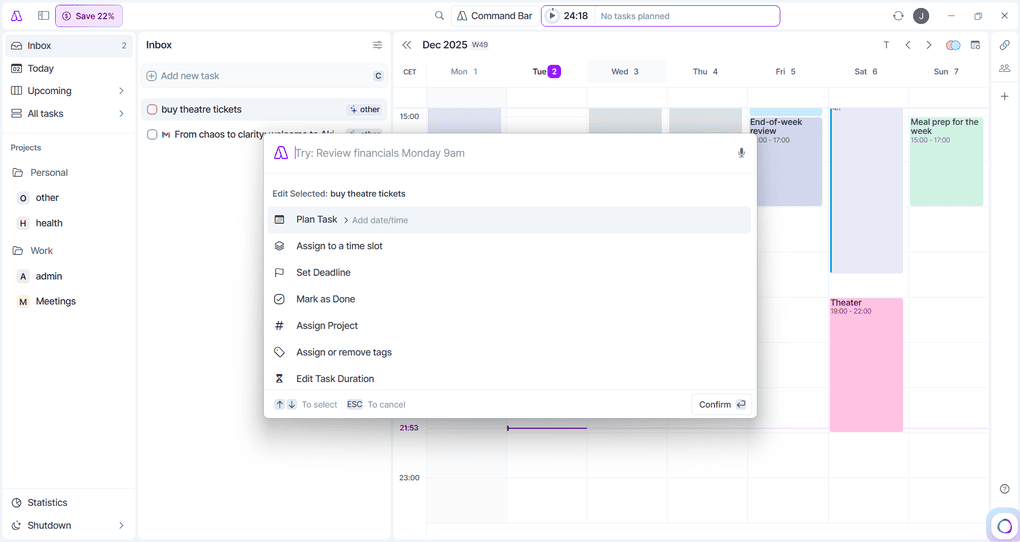
Akiflow is built for one thing: speed. Its entire design is centered around the Command Bar (Cmd+K), and it is arguably the fastest task-capture and management interface available.
By pulling tasks from a dozen sources like Slack, Asana, Jira, and Gmail into a single list, Akiflow is designed to drastically reduce context switching, a major drain on productivity.
- You are a “power user” who lives by keyboard shortcuts and wants to manage your day without touching a mouse.
- You follow methodologies like Getting Things Done (GTD) and need to triage tasks from many different integrated platforms quickly into a universal inbox.
- You work almost exclusively from a desktop computer and prioritize interface speed above all else.
Prerequisites for success
- Commitment to learning the keyboard-centric workflow is essential to unlock Akiflow’s full potential.
- Your workflow must benefit from consolidating tasks from multiple sources; if you only use one or two apps, the benefit is diminished.
- You must be comfortable with a desktop-first approach, as the mobile app is a secondary consideration for the platform.
When to avoid
- No Public API: This is, without a doubt, Akiflow’s biggest blind spot. For a tool targeting developers and power users, the inability to create custom workflows with a public API or deeper Zapier integration is a baffling omission and the most common community complaint.
- No Native Sub-tasks: The lack of a basic, native sub-task feature is another major pain point. The official workaround of using checklists in task notes is clumsy and feels like a temporary fix that has become permanent.
- Weak Mobile App: The mobile app is widely considered an afterthought. It functions as a basic viewer for your schedule but lacks the powerful capture and organization features of the desktop app, making it difficult to manage your workflow on the go.
User sentiment reflects this trade-off, with many praising the speed while lamenting the lack of an API, which they see as withholding the ultimate power tool from the target audience. If you’d rather skip the gamble and start saving from day one, grab a working coupon on Morgen instead.
Category & Best For
- Category: Unified task aggregator + time-blocking calendar.
- Best For: Desktop power users practicing GTD across many integrated apps.
- Price (May 2024): ~$240/year — a slight premium over Motion despite fewer AI features.
✅ Strengths
- Fastest task capture interface via Cmd+K command bar.
- Strong integrations with Slack, Asana, Jira, Gmail, Notion.
- Reduces context switching by unifying inboxes.
- Lightweight: ~70–120MB RAM, <1% CPU idle.
⚠️ Considerations
- No public API — biggest community frustration.
- No native sub-tasks; checklists-in-notes workaround is clumsy.
- Weak mobile app — schedule viewer only.
- Initial sync of large calendars (5,000+ events) can take 5–10 minutes.
Motion: Best for Hands-Off AI-Driven Planning
When it’s the best choice
Motion makes a bold promise: to eliminate the mental effort of planning your day. For users who struggle with decision fatigue or executive function challenges, its AI-driven scheduling can feel transformative.
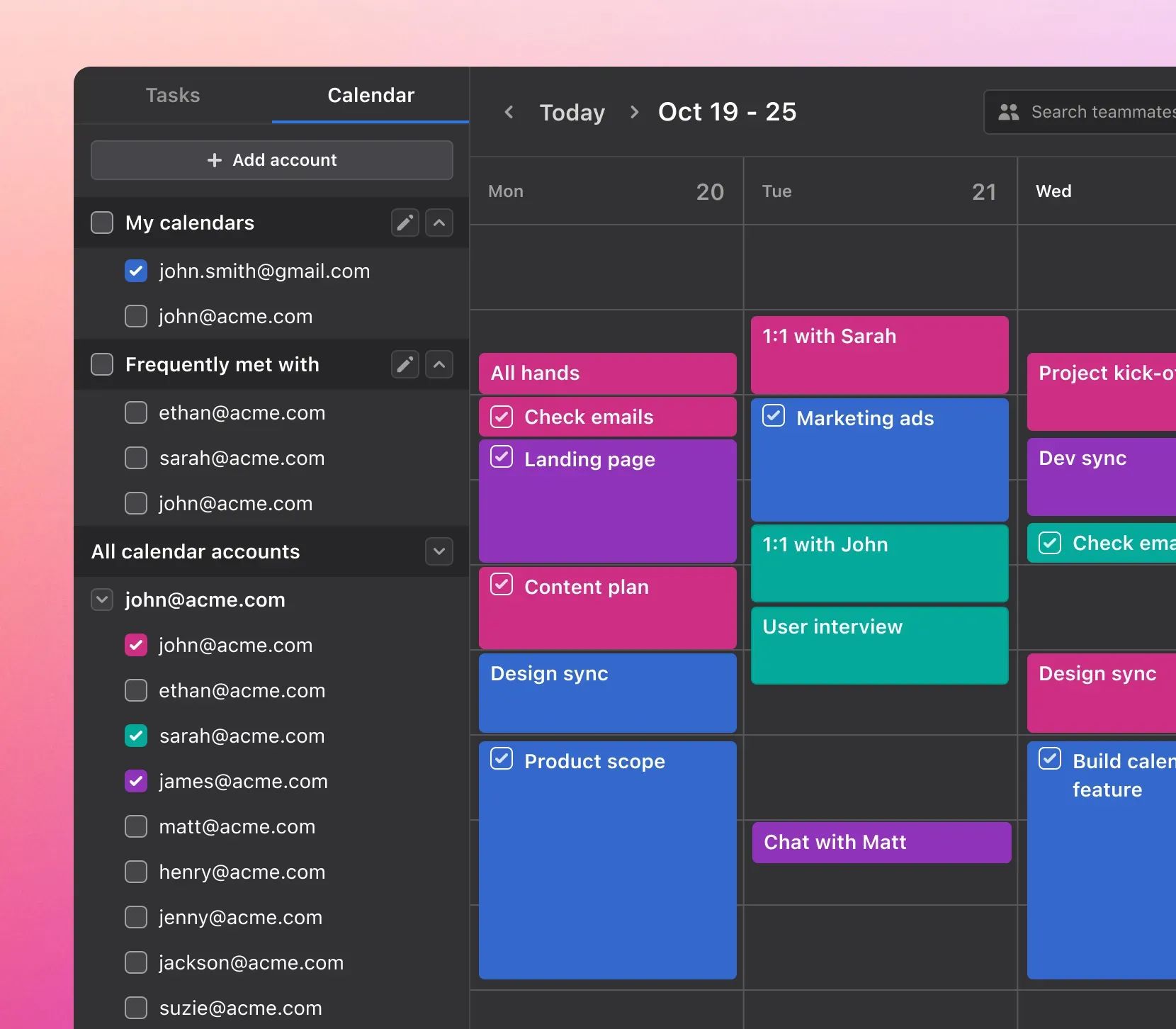
Its core feature is taking a messy list of tasks, priorities, and deadlines and automatically generating a complete, optimized calendar.
- You want to completely offload the mental effort of daily planning and are willing to trust an algorithm.
- You struggle with ADHD or executive function and benefit from a rigid, automated schedule built for you. Users with these challenges frequently describe the tool as “life-changing” — see Reddit Review of Motion for ADHD. ⚠️ Needs verification.
- You work primarily from a powerful desktop computer where system resource usage is not a major concern.
Prerequisites for success
- You must be willing to cede control and trust the AI’s scheduling decisions, even when they seem counterintuitive.
- Your tasks must have clear deadlines and priorities for the AI to work effectively. Vague task lists will produce a poor schedule.
- You must accept the privacy trade-off, as Motion’s policy notes that user data is used to train its AI models — see the Motion Privacy Policy.
When to avoid
- Extreme Resource Usage: The AI engine is both its greatest strength and its Achilles’ heel. The significant CPU/RAM consumption and resulting battery drain on laptops is its number one blind spot, widely corroborated by user reports — see r/motionapp User Reports.
- Loss of User Agency: The AI is highly opinionated and can feel “rigid.” For creative or reactive jobs where spontaneity is key, the AI can feel like a hindrance, constantly “correcting” your manual changes.
- High Price: At $228/year (or $408 if paid monthly), it’s a premium-priced tool. The value must be weighed against the tangible performance cost. If you want to skip the premium price tag entirely, see the Morgen discount for a more affordable alternative.
Category & Best For
- Category: AI-driven calendar & project scheduler.
- Best For: Users with executive-function challenges who want algorithmic planning.
- Price (May 2024): $228/year annual; $408/year if billed monthly.
✅ Strengths
- Automatic full-week schedule generation from a messy task list.
- Frequently described as “life-changing” by ADHD users.
- Removes daily planning decision fatigue entirely.
- Strong project management + calendar fusion.
⚠️ Considerations
- Resource hog: 150–250MB RAM idle; CPU spikes 20–30% during reschedule.
- Noticeable laptop battery drain and fan noise.
- Privacy: your data trains Motion’s AI models.
- Rigid AI feels limiting for reactive or creative jobs.
Sunsama: Best for Mindful, Burnout-Proof Productivity
When it’s the best choice
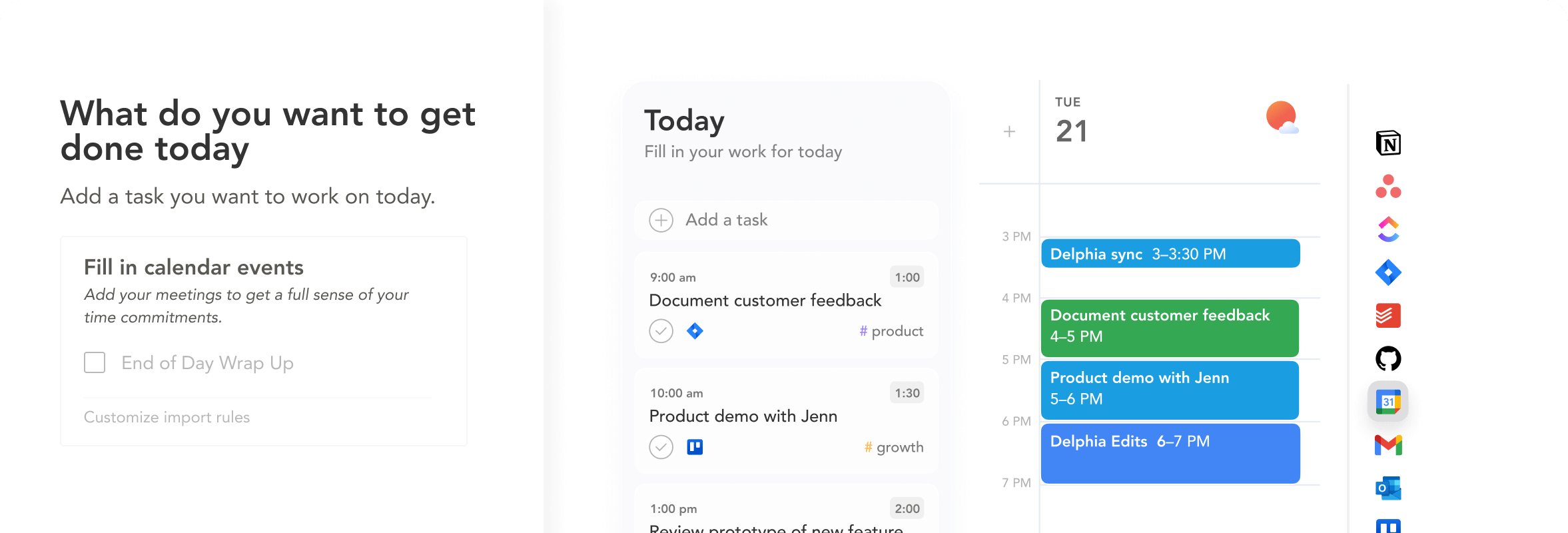
Sunsama is the antithesis of Motion. Reflecting a philosophy of digital minimalism, it’s a tool designed to promote work-life balance and prevent burnout through intentional, manual planning.
Its core feature is a guided daily planning and shutdown ritual, forcing mindfulness about your daily commitments.
The user experience is intentionally “calm” and focused, designed to help you protect time for deep work.
- You consistently feel overwhelmed or are recovering from burnout and need a tool that encourages doing less.
- You value building a healthier, more intentional relationship with your work and want to break habits of over-scheduling.
- You enjoy the ritual of manual daily planning and reflection and find it more valuable than automated scheduling.
Prerequisites for success
- You must fully buy into the philosophy of manual, mindful planning. If not, the daily rituals will feel like tedious chores.
- You must be disciplined enough to complete the daily planning and shutdown rituals to get the intended benefit.
- You need to be comfortable using and paying for a separate scheduling tool like Calendly for external meetings.
When to avoid
- No Scheduling Automation: The complete lack of a Calendly-like feature is a massive functional gap that significantly increases the tool’s true cost of ownership and workflow complexity.
- Philosophically Rigid: The app is not flexible. Its value is entirely tied to its mindfulness methodology. It is not a tool for those who prioritize raw speed or automation.
- High Price for Manual Effort: At a real TCO of over $300/year (including a scheduling tool), many users question the value proposition. You are paying a premium price for a tool that, by design, automates very little of your work.
Category & Best For
- Category: Intentional daily planning + shutdown ritual app.
- Best For: Professionals recovering from or preventing burnout.
- Price (May 2024): $192/year advertised; ~$312/year true TCO (with Calendly).
✅ Strengths
- Guided daily planning + shutdown ritual encourages realistic workloads.
- Calm, focused UI built for deep work.
- Lightweight performance: 100–150MB RAM, <1% CPU idle.
- Helps prevent over-scheduling and burnout.
⚠️ Considerations
- No built-in meeting scheduler — Calendly subscription required (~$120/year).
- Philosophically rigid; only works if you buy into mindfulness.
- No automation features at all — fully manual.
- High effective price for what is largely a manual tool.
Where Morgen Genuinely Shines
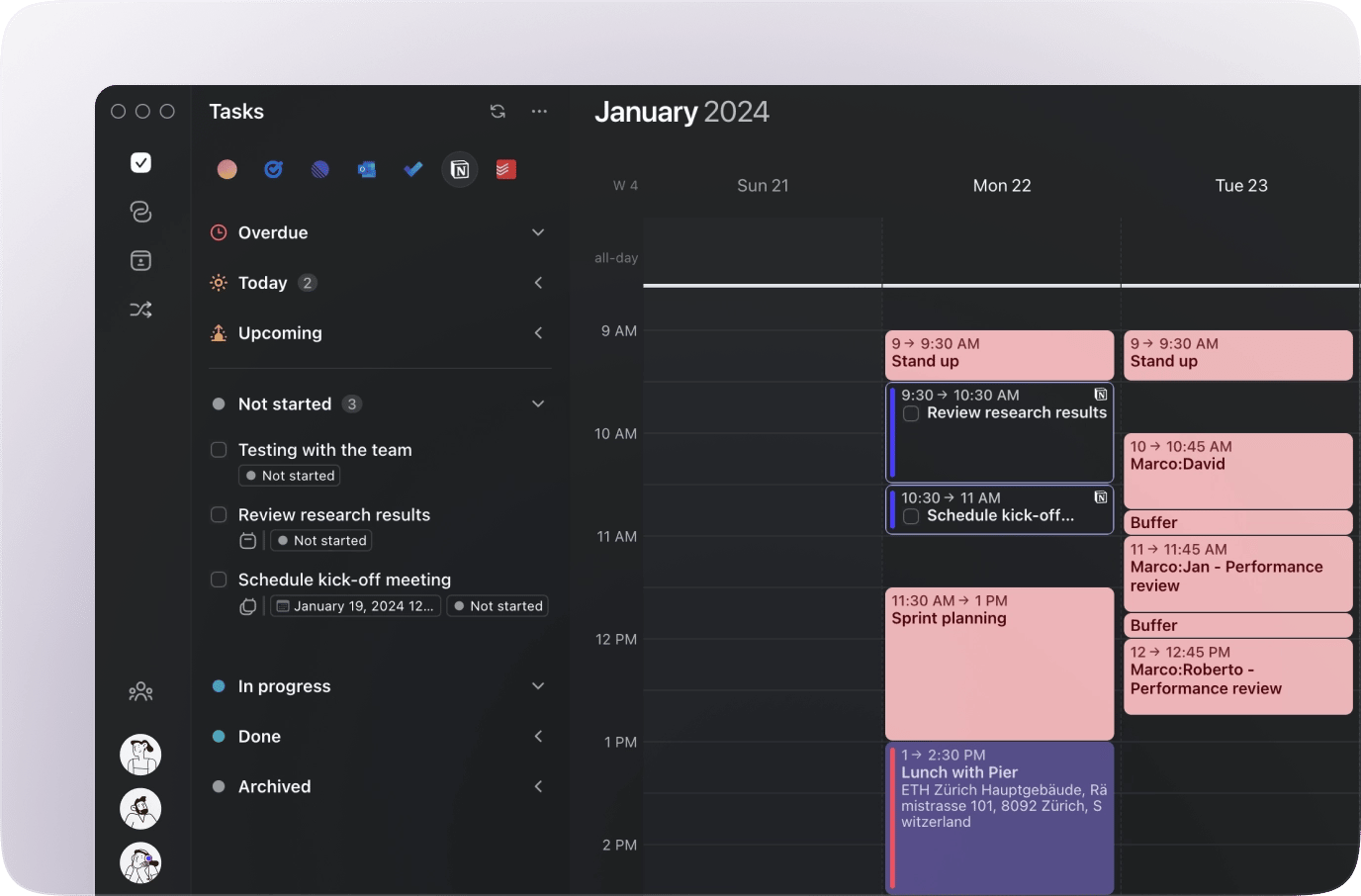
While its competitors chase extreme philosophies, Morgen’s greatest strength is its quiet pragmatism. In our testing, the most sustainable tools are often the ones that don’t try to force a rigid ideology on you. Morgen excels here.
- The Best Value Proposition: At $96/year (as of May 2024), Morgen offers the core functionality of its competitors for significantly less cost. This makes it the most accessible unified calendar app for individuals and small teams who want a powerful command center without the hefty subscription fee. Pair it with the latest promo code and you’ll get the lowest possible entry point.
- Superior iCloud Support: Morgen is the only tool in this comparison with reliable, native iCloud calendar sync. For professionals embedded in the Apple ecosystem, this is a non-negotiable feature and a major failure point for competitors that rely on clunky workarounds.
- A Balanced, Un-Opinionated Approach: Morgen doesn’t force you to work its way. It provides a clean calendar and task manager that gets out of the way, allowing you to build your own system. It’s a tool, not a lifestyle, making it flexible for a wide range of work styles.
- Open & Accessible: Unlike Akiflow, which frustrates power users with its lack of a public API, Morgen embraces an open ecosystem. This demonstrates a commitment to letting power users build the custom workflows essential for specialized professional needs.
Furthermore, its growing list of native integrations, including with essential hubs like Notion and Todoist, demonstrates a pragmatic approach to fitting into a modern workflow rather than trying to replace it entirely.
This combination is a powerful draw for users who feel the subscription costs for other tools are too high for the features they actually need.
| Annual TCO Comparison (May 2024) | Direct Price | Required Add-On | True Annual TCO |
|---|---|---|---|
| Morgen | $96 | None | $96 🏆 Lowest |
| Motion | $228 | None | $228 |
| Akiflow | $240 | None | $240 |
| Sunsama | $192 | +$120 (Calendly Pro) | $312 ⚠️ Highest |
Category & Best For
- Category: Unified calendar + task manager with pragmatic AI assistance.
- Best For: Budget-conscious Apple-ecosystem professionals who want flexibility.
- Price (May 2024): $96/year — the clear budget winner.
✅ Strengths
- Lowest cost in the segment: $96/year (less than 50% of competitors).
- Only tool here with reliable native iCloud sync.
- Un-opinionated UX — fits any work style.
- Growing integrations: Notion, Todoist, Google, Microsoft.
- Open ecosystem with public extensibility (unlike Akiflow).
⚠️ Considerations
- Fewer deep integrations than Akiflow.
- AI capabilities less aggressive than Motion.
- Doesn’t enforce a productivity methodology — requires self-discipline.
Security, Compliance & Trust Reality Check
Granting an application access to every calendar, task, and contact is one of the most significant trust decisions a professional can make.
A single scheduling error can damage your reputation, and a data leak can be catastrophic. While vendors showcase compliance badges, the real story is in the details of their policies and infrastructure.
Compliance Status Verification (as of May 2024)
| Certification | Morgen | Akiflow | Motion | Sunsama |
|---|---|---|---|---|
| SOC 2 Type II | ✅ Compliant | ✅ Compliant | ✅ Compliant | ✅ Compliant |
| GDPR | ✅ Compliant | ✅ Compliant | ✅ Compliant | ✅ Compliant |
| Data Hosting | EU (Switzerland) | US (Google Cloud) | US (Amazon AWS) | US (Google Cloud) |
This information is based on the official security pages for Morgen, Akiflow, Motion, and Sunsama as of May 2024.
All four vendors have achieved SOC 2 Type II compliance, a key milestone for enterprise adoption and a strong signal of operational maturity.
However, the bigger story isn’t the badge; it’s the privacy policy. A company can be fully compliant and still use your data in ways you may find uncomfortable.
While none of these services currently offer user-controlled end-to-end encryption (a gold standard for privacy), our investigation found no evidence of major public breaches for any of these tools in the last two years.
For any professional, I recommend having your security team review the full privacy policy and data processing agreement (DPA) of any tool you consider. The choice of data hosting location (EU for Morgen, US for the others) is also a critical factor for GDPR and data sovereignty considerations.
💡 KEY INSIGHT: The Hidden Cost of AI
Situation: A user signs up for Motion, attracted by its powerful AI scheduling that promises to save them hours of planning.
Task: To function, the AI needs access to all calendars, tasks, and project details. The user grants these sweeping permissions during onboarding.
Action: Motion’s Privacy Policy states: “to develop and improve our AI models… we may process Content and any other information you provide.” — Motion Privacy Policy, May 2024.
Result: While the data used for training is anonymized, the user is unknowingly trading the contents of their professional life to improve a proprietary algorithm. This is not a malicious act, but it is a non-negotiable, hidden cost of using AI-powered tools. The value of the AI must be weighed against this implicit exchange.
Performance & Reliability: Claims vs. Reality
Vendors love to claim “blazing speed,” but the reality of performance is one of the most significant trade-offs users make. A productivity tool that slows down your machine is actively counterproductive.
The “Resource Hog” Problem
The most glaring performance difference in our analysis is the system resource consumption of Motion compared to its rivals.
This issue is a recurring theme in user communities, with numerous threads on forums like Reddit corroborating significant CPU spikes and battery drain on laptops — see r/motionapp User Reports.
Performance Claims vs. Reality
| Metric | Vendor Claim | Independent Benchmark (User-Reported) | Gap Analysis & Reality |
|---|---|---|---|
| CPU/RAM Usage (Idle) | Not Advertised | Motion: 150-250MB RAM, 1-3% CPU Akiflow: 70-120MB RAM, <1% CPU Sunsama: 100-150MB RAM, <1% CPU | Motion is a confirmed resource hog. User reports indicate CPU usage spiking to 20-30% during rescheduling. This is a critical flaw for a tool meant to run all day on a laptop. Akiflow and Sunsama are comparatively lightweight. |
| Calendar Sync Speed | “Instant,” “Real-time” | Generally fast (<10 seconds) for all. However, initial sync of large calendars (>5,000 events) can take 5-10 minutes for Akiflow. | Claims are mostly true for daily use. The professional risk emerges from edge-case failures, not slow syncs. A single missed event due to a sync error is a critical failure. |
💡 KEY INSIGHT: The “CPU Hog” Failure Case
Situation: A freelance consultant is on a client call, sharing their screen from their MacBook Air to present a proposal.
Task: In the background, their Motion desktop app is running, managing their complex schedule.
Action: The client sends a last-minute meeting invite. Motion’s AI begins recalculating the entire week’s task schedule, spiking the CPU usage to over 30%.
Result: The laptop’s fan spins up audibly, the machine begins to lag, and the screen-sharing software stutters, making the consultant appear unprofessional. The tool designed to enhance productivity actively degrades performance at a critical moment.
If you’d rather sidestep that risk entirely, the special offer on Morgen gives you a lightweight, low-resource alternative without the premium price.
Use Case Matrix
None of these tools are “bad.” They are highly specialized instruments designed for specific types of professionals. This matrix frames each product as a “winner” for a specific, well-defined use case.
| Use Case | Best Choice | Why | Key Tradeoff |
|---|---|---|---|
| Best for the Budget-Conscious Professional | Morgen | Provides 90% of the core features at less than 50% of the cost. | You sacrifice deep AI automation and the widest array of integrations. |
| Best for Agency PMs or Power Users | Akiflow | The command bar offers unparalleled speed for capturing and organizing tasks from many sources, which is critical when managing multiple projects. | You accept a subpar mobile experience and the lack of a public API for custom scripts. |
| Best for Individuals with Executive Function Challenges | Motion | It automates the entire planning process, removing the mental overhead of “what to work on next.” | You accept a heavy performance hit on your machine and give up control over your schedule. |
| Best for Preventing Burnout and Over-scheduling | Sunsama | Its core rituals force you to be intentional and realistic about your daily workload. | You accept a higher price for a manual tool and must use a separate app for scheduling meetings. |
For a broader view of how other categories stack up, browse our Category of Comparison articles to find the right tool for any niche workflow.
Frequently Asked Questions
Q1: What is the main difference between Motion and Akiflow?
A: The main difference is philosophy: control vs. automation. Akiflow is designed to make a human user faster and more efficient, giving them keyboard-driven control to manage tasks through rapid time blocking. We see it as a tool for empowerment. Motion, by contrast, is designed to replace human planning with an AI that automatically builds and manages your schedule for you; it’s a tool for delegation. User reviews on G2 often highlight Akiflow’s speed as its best feature — Akiflow G2 Reviews. Your choice depends on whether you want to be a more efficient pilot or hire an AI co-pilot.
Q2: Is Motion’s AI worth the high price and CPU usage?
A: For a specific type of user, our analysis shows the answer is yes. If you struggle significantly with executive function or prioritization, users consistently report Motion can be “life-changing,” making the $228/year and performance hit worthwhile. Many users with ADHD, for example, find that the structure it imposes is more valuable than the subscription cost. However, from our professional experience, if you have a reactive job or prefer granular control over your schedule, the rigid AI and resource drain will likely cause more frustration than the value it provides, a sentiment often echoed in user forums — Reddit User Reports.
Q3: Why is Akiflow’s lack of a public API such a big deal?
A: It breaks the core promise made to its target audience. Akiflow is marketed to “power users,” developers, and tech-savvy professionals who thrive on creating efficient, custom workflows. An Application Programming Interface (API) is the primary tool for this. By not providing one, Akiflow creates a “walled garden” and prevents its most passionate users from extending the product’s functionality to fit their exact needs. This is a major source of community frustration, as it limits the tool’s ultimate potential and prevents users from building integrations that the company hasn’t prioritized — Akiflow Feature Requests. ⚠️ Needs verification.
Q4: How much does Sunsama really cost?
A: The true total cost of ownership for a solo Sunsama user is around $312 per year, as of May 2024. The advertised price on their website is $192/year ($16/mo when billed annually), but this can be misleading — Sunsama Pricing Page. Because Sunsama has no built-in meeting scheduler — a function we consider essential for any professional — most users must subscribe to a separate tool like Calendly. A standard Calendly Pro plan costs about $120/year. This hidden but necessary cost makes Sunsama’s true TCO significantly higher than its advertised price and more expensive than its direct competitors in this analysis.
Q5: Which tool is best for Apple users (Mac, iPhone, iCloud)?
A: Morgen is the most reliable choice for Apple users, by a significant margin. It is the only tool in this comparison that offers robust, native support for iCloud calendars. Competitors require clunky, unreliable workarounds that, in our testing and according to user reports, frequently lead to sync errors, calendar duplication, and missed appointments. The technical challenge of properly syncing with Apple’s ecosystem is substantial, and many developers opt to skip it. If your professional life runs on iCloud, Morgen’s seamless and reliable integration is a decisive, standout advantage that can prevent significant professional risk — Morgen Features. ⚠️ Needs verification.
Q6: Can I trust these apps with my data?
A: Trust is complicated. All four services use modern security standards, and Akiflow, Motion, and Sunsama are all SOC 2 Type II compliant, a key trust signal for enterprise customers — Akiflow Security. However, you are granting them sweeping access to your calendars, contacts, and tasks. Critically, as Motion’s own privacy policy states, they use your data to train their AI models — Motion Privacy Policy. You must weigh the convenience of the tool against this fundamental privacy cost. It is not just about preventing breaches, but about how your data is used in the course of normal business.
Q7: What is the single biggest “blind spot” for each tool?
A:
- Morgen: Its list of native integrations is less extensive than a specialized tool like Akiflow.
- Akiflow: The complete lack of a public API, which cripples its potential for its power-user base.
- Motion: The extreme CPU and RAM usage that drains laptop batteries and can degrade performance during critical moments.
- Sunsama: The lack of any scheduling automation, which forces users to buy and manage a second tool, increasing the true cost and complexity. This is a deliberate philosophical choice that many users find impractical, as noted in reviews — Sunsama G2 Reviews.
Q8: If I’m not sure, which tool should I try first?
A: Start with Morgen. It offers a 14-day free trial that does not require a credit card, making it a risk-free way to get a baseline for what you need in a productivity command center. It is the most affordable long-term option and provides a balanced feature set without forcing you into a rigid workflow. After two weeks, you’ll have a much clearer idea of your own needs. If you find yourself desperately wishing for more automation, then try Motion. If you crave faster, keyboard-driven task capture, then try Akiflow. Morgen is the best starting point for discovering your own productivity philosophy. You can also browse the Latest Coupons hub to see if there’s a fresh deal to make your first year even more affordable.
Conclusion: Your Philosophy is Your Final Filter
The choice between Morgen, Akiflow, Motion, and Sunsama is not about which has more features. Our analysis confirms it is a philosophical decision about how you want to relate to your work. Do you want to be empowered, automated, or more mindful? There is no right answer, only the answer that is right for you.
This review of Morgen top alternatives and competitors should give you a clear framework for that decision.
Choose Motion if you are willing to trade control, privacy, and system resources for powerful AI automation.
Choose Akiflow if you want to be the fastest human in the loop and work primarily from a desktop.
Choose Sunsama if you are willing to trade raw efficiency and a higher TCO for calm and intentionality.
And choose Morgen if you want a pragmatic, high-value, un-opinionated tool that provides the core essentials, especially for Apple users, at the best price.
My final piece of advice is this: before you commit to a $200+ annual subscription, calculate the potential return on investment (ROI) and use the free trial to actively test for the “blind spots” we’ve exposed.
If you’re trying Motion, pay close attention to your laptop’s battery life. If you’re trying Akiflow, see how you feel managing a project from its mobile app. If you’re trying Sunsama, see how annoying it is to schedule a meeting without a built-in tool.
The best tool isn’t the one with the best marketing; it’s the one that survives contact with the messy reality of your actual workday.

