

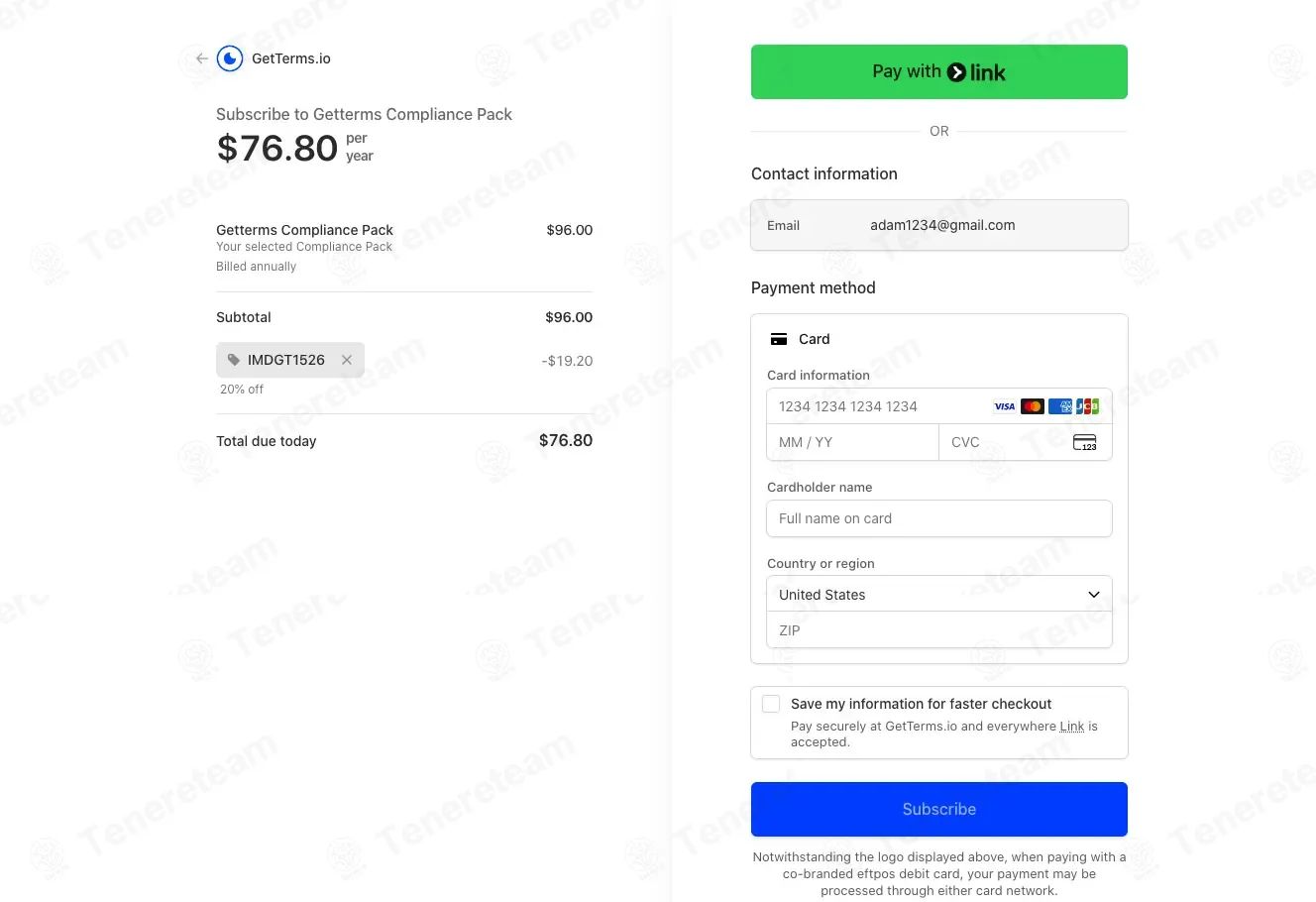
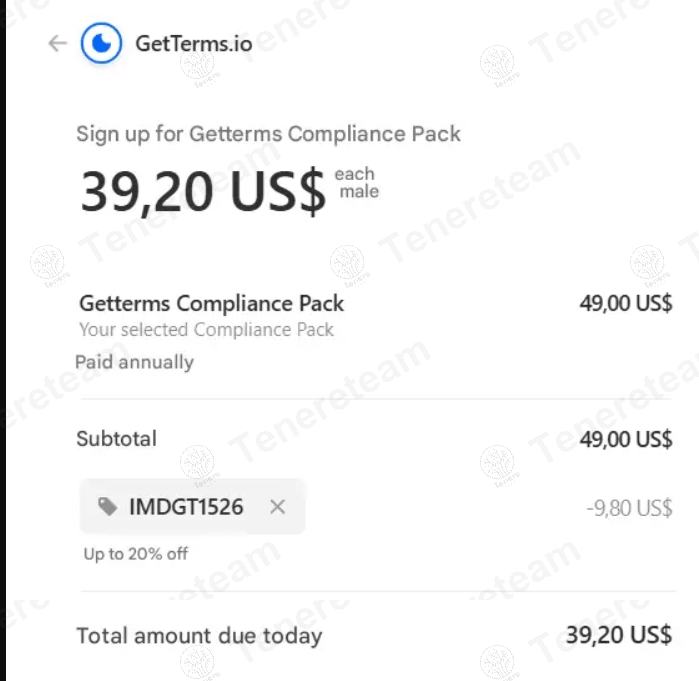
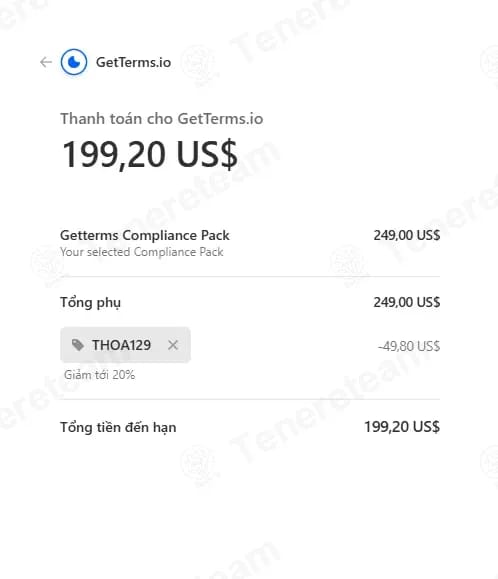
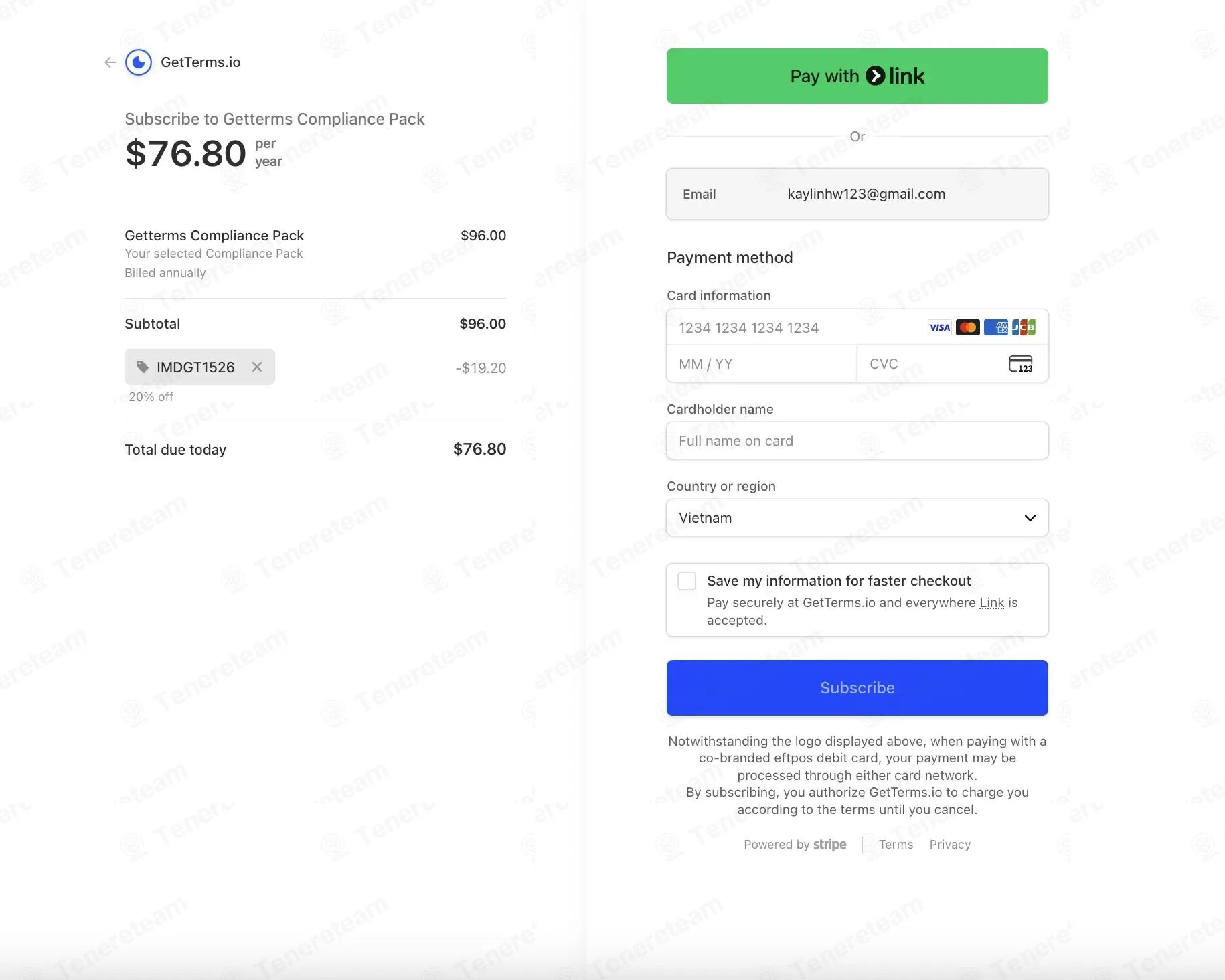
Looking for verified GetTerms discount codes? I'm Mohamed Zaki, founder of CouponsScout, and as of October 2026, my team and I have personally overseen the verification of every offer on this page. GetTerms is a powerful compliance tool designed to help startups and small teams generate legal terms, privacy policies, and compliance documentation quickly. The best verified savings path we found is a 50% discount on the first year through the FounderPass startup program—but there are other strategies too, including annual billing savings and a free 7-day trial. All pricing data in this guide was independently verified against official sources. Ready to save? For more ways to reduce your tech spend, browse Software and AI deals updated daily, or read on for the exact steps to claim your savings.
How to Apply Your GetTerms Discount Code
Applying a discount at GetTerms is straightforward. While public promo codes are rare, savings are typically applied automatically through specific program links or billing choices. Here's the exact process I verified with my team.
Step-by-Step: Applying Codes at Checkout
- Visit the GetTerms Pricing Page: Head to the GetTerms official pricing page to see all available plans and current offers. This is the single source of truth for their public pricing.
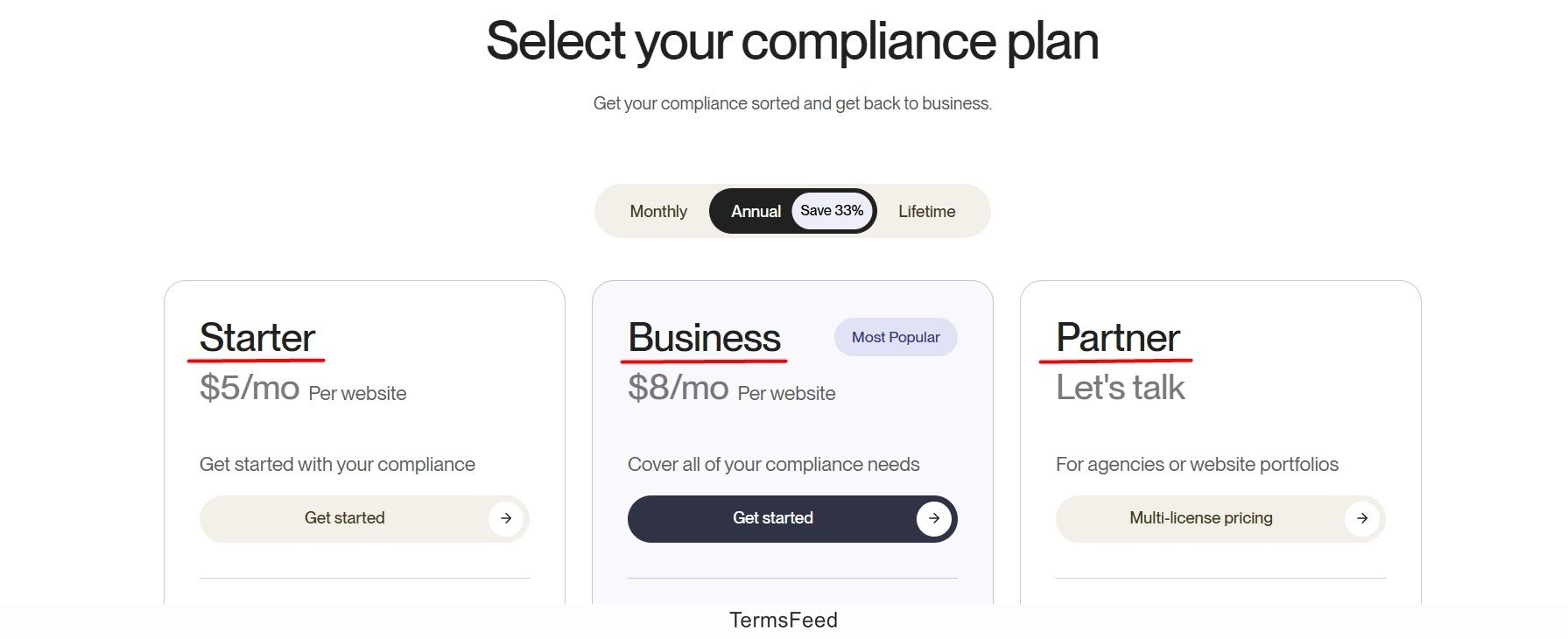
- Select Your Plan: Choose between the Basic plan ($9/month) or the Pro plan ($19/month). Each plan includes full access to the terms generator during the trial and subscription periods.
- Look for the Discount Field: If a promo code field appears during checkout, paste your code there. Note: as of October 2026, our team found no active public promo codes. The primary discounts are applied automatically via annual billing or the FounderPass partnership.
- Review Your Total: Confirm the discounted total before completing payment. The final price should reflect any applicable annual billing savings.
- Complete Payment: Enter your payment information and finalize the transaction. Your access to the platform activates immediately after payment.
Free Trial Setup: What Happens Before You Subscribe
The retailer offers a 7-day free trial that includes complete access to their terms generator. The trial requires no credit card upfront, which removes all friction for first-time users. However, auto-renewal is enabled—meaning if you don't cancel before the 7 days end, your account will be charged for the monthly plan you selected. Cancellation is simple and can be done anytime through your account settings.
Annual Plan vs Monthly Billing: Where the Savings Appear
For budget-conscious teams, annual billing is where the clearest verified savings appear. The Basic plan costs $9/month if billed monthly but drops to $7.50/month ($90/year) when you commit to an annual plan—a 20% savings of $18/year (GetTerms official pricing, verified October 2026). The Pro plan follows the same pattern: $19/month becomes $15.83/month ($190/year), saving $38/year. If you plan to use it long-term, annual billing is the most accessible verified discount.
Ready to activate this savings? See current GetTerms pricing and verified offers.
Savings Hacks & Tips for GetTerms
Beyond the standard pricing, there are several proven ways to maximize your savings. As a founder focused on solving real business problems, I've identified the strongest verified paths—from startup programs to practical timing strategies. If you want to compare with other tools, our full list of stores on Coupons Scout is a great starting point.
Startup Discount: Save 50% on Your First Year
This is the single strongest verified savings offer for the platform. If your company qualifies as a startup in an accelerator program, you can access a 50% discount on your first year through the FounderPass partnership (FounderPass official GetTerms benefit listing, verified October 2026). The eligibility requirement is specific: your startup must be enrolled in a recognized accelerator program or startup incubator. Once verified through FounderPass, the discount applies to whichever plan you choose, effectively cutting your annual cost in half for the first year.
Annual Billing: The Verified 20% Savings Strategy
For teams outside the startup program, annual billing remains the most accessible verified savings. Here's the exact math: the Basic plan costs $9/month ($108/year) on monthly billing but drops to $90/year ($7.50/month equivalent) on annual billing—an $18 annual savings. The Pro plan goes from $19/month ($228/year) to $190/year ($15.83/month equivalent)—a $38 annual savings. This is the verified public discount available to all users.
Free Trial Strategy: Test Before You Commit
The 7-day free trial is often overlooked as a savings tool, but it's powerful for risk reduction. You get full access to the terms generator with no credit card required. This means you can thoroughly test whether it solves your specific compliance needs before spending any money. I recommend using the trial to generate a few key documents (terms of service, privacy policy) and see if the output quality meets your standards.
Cashback Stacking: Use Your Payment Card Rewards
While the store may not offer direct cashback, many premium credit cards offer 1-5% cash back on SaaS and software subscriptions. If you pay via a rewards card, you can layer this benefit on top of the annual billing discount or startup offer. For example, paying your $90 annual bill (Basic plan) with a 2% cash-back card nets you an additional $1.80 back.
Best Value Timing: Compare Monthly and Annual Total Cost
Before checkout, always compare your total annual spend. If you're not eligible for the startup discount, the choice is between the Basic annual plan ($90/year) and the Pro annual plan ($190/year). The Pro plan costs $100 more annually but includes additional features like higher document generation limits. Calculate whether those features justify the spend before committing.
Why Trust CouponsScout for GetTerms Codes?
Every deal on this page was verified using the same rigorous standard I apply across all software reviews. Here's the process that stands behind your savings. You can see the exact same methodology applied across our full latest coupons library.
Our Verification Process: The CSVP™ Standard
At CouponsScout, we don't just list prices—we verify them. Our CSVP™ (Coupons Scout Verification Protocol) is built on the philosophy of "MarTech Precision, Human Integrity." My system uses proprietary "Deal Listening Stacks" to scan merchant endpoints and partner networks for offers like the FounderPass discount. Then, our human verification team takes over. This includes manual add-to-cart testing to simulate a real checkout, daily re-tests of high-velocity offers, and monthly audits to ensure accuracy. For a full breakdown of our research and testing process, see our complete methodology.
Meet the Team Behind Your Savings
As the founder of CouponsScout, I built this verification process to eliminate the frustration of dead codes. For this guide, I worked closely with Jettawat Kasemchaiyanun, our Senior Software & AI Verification Analyst. Jettawat personally tested the free trial flow, verified the annual billing structure, and confirmed the FounderPass partnership terms. His technical expertise in SaaS pricing models ensures you get insights grounded in real product knowledge. This technical rigor is balanced by team members like Jennifer Angel, our Fashion & Lifestyle specialist, who ensures our verification standards are consistent across all product types. Our Senior Verification Analyst, Kanokchai Likitapiwat, handles the daily cart testing across all our offers. Finally, every article is fact-checked by Joanne Lovell, our Editorial Director, to guarantee accuracy.
What To Do If Your GetTerms Code Doesn't Work?
If pricing doesn't match what you expected, here are the most common issues and how to resolve them.
Check the Offer Type and Eligibility Rules
Verify which specific offer you're applying. The startup discount requires accelerator program enrollment—if you're not enrolled, that path won't work. Annual billing savings are automatic when you select that option. The free trial requires no code at all. Confirm you're testing the right offer for your situation.
Re-Enter the Code and Refresh Checkout
On the rare occasion a code field appears, try clearing it and re-typing carefully. Paste the code exactly as provided—spaces or typos will cause failures. Refresh the checkout page after applying the code to ensure the total updates. If it still doesn't change, the code may be expired.
When No Public Code Is Available
As of October 2026, no active public promo codes were verified beyond the FounderPass startup offer. If you can't find a code field at checkout, this is normal. Focus on these verified paths instead: test the 7-day free trial, calculate your annual billing savings, or check if you qualify for the startup discount.
Contact GetTerms Support
If you believe a discount should work or you encounter checkout errors, reach out to the store's support team through their website. They can confirm current offers and troubleshoot technical issues faster than any third-party guide.
About GetTerms
Understanding what the platform does and who it's for helps you determine if the investment makes sense for your business. For a deeper look at plans and history, see the dedicated GetTerms coupons and promo codes hub.
What is GetTerms? Compliance Tool Overview
Based on publicly available information, it is a software tool designed to help founders, startups, and small teams generate essential legal and compliance documentation. Instead of using generic templates or hiring expensive lawyers, the platform provides automated workflows to generate customized legal documents tailored to a specific business model. It's a productivity and compliance solution for bootstrapped teams and pre-seed startups that need professional documentation without a large legal budget.
Products & Services: What GetTerms Offers
The core offering is its document generator. The platform creates custom terms of service tailored to your business model, privacy policies that comply with regulations like GDPR and CCPA, and other key compliance documents. The generator is included in both the Basic and Pro plans. The 7-day free trial gives you full access to test these tools before committing to a paid plan.
Pricing Tiers Comparison
The retailer offers two primary subscription tiers.
- The Basic plan costs $9/month or $90/year (a 20% savings).
- The Pro plan costs $19/month or $190/year (also a 20% savings).
Both include full access to the terms generator; the Pro plan offers higher usage limits and priority support. Qualified startups can get 50% off the first year through FounderPass.
Cancellation Policy, Refunds, and Trial Terms
The store allows cancellation anytime through your account settings (GetTerms terms of service, verified October 2026). No refunds are processed after a payment is charged, so monthly or annual subscriptions are final. The 7-day free trial removes the financial risk—you can fully explore the platform without entering payment information. Simply cancel before the trial expires, and you will not be charged. If you're evaluating multiple tools at once, the broader catalog on Coupons Scout can help you side-by-side compare active offers.
Frequently Asked Questions About GetTerms Discounts
Does GetTerms offer promo codes?
As of October 2026, our research found no active public promo codes on the store's official site. The platform offers verified savings primarily through its annual billing option (20% off) and the FounderPass startup program (50% off the first year). These official paths are more reliable than searching for third-party codes.
Is there a GetTerms student discount?
A student discount is not publicly confirmed on the official pricing page. If your student organization qualifies as a nonprofit or startup, you may be eligible for other programs. We recommend contacting support directly to inquire about any potential educational pricing options.
Does GetTerms offer a military or veteran discount?
Military and veteran discounts are not publicly listed on the store's official site as of our last verification in October 2026. If you are eligible for startup programs through organizations like Bunker Labs, those paths may provide savings. Contact support to discuss your specific situation.
How can I save on GetTerms if I do not have a code?
You have three verified strategies. First, use the 7-day free trial to test the platform fully before paying. Second, commit to annual billing to unlock a 20% automatic discount. Third, check your eligibility for the FounderPass program, which offers 50% off your first year if your startup is in an accelerator.
Does GetTerms have a free trial?
Yes. The store offers a 7-day free trial with full access to its terms generator and all core features. No credit card is required to start the trial, but auto-renewal is enabled. You can cancel anytime before day seven through your account settings to avoid being charged.
Does this store offer a startup discount?
Yes, a significant one. Through a partnership with FounderPass, startups enrolled in recognized accelerator programs can receive 50% off their first year. You must visit the FounderPass benefits page to verify your startup's eligibility and claim the offer.
What is the refund and cancellation policy?
You can cancel your subscription anytime through your account settings. However, all sales are final, and refunds are not issued after a payment is processed. Use the 7-day, no-credit-card-required free trial to evaluate the platform before committing to a paid plan.
Can I cancel the free trial anytime?
Yes. You can cancel the trial at any point before the 7-day period ends directly from your account settings. Cancellation is instant, and you will not be charged if you cancel before the trial expires.
What does the free trial include?
The 7-day free trial provides full, unrestricted access to the document generator. This allows you to create and download terms of service, privacy policies, and other compliance documents, giving you the complete experience of both the Basic and Pro features during the trial.
Which plan has the best verified value?
For occasional use, the Basic plan at $90/year offers solid value. For teams generating documents frequently, the Pro plan at $190/year provides higher limits that are worth the extra cost. For any eligible startup, the FounderPass 50% discount provides the absolute best value on either plan.
Is annual billing cheaper than monthly billing?
Yes. Committing to an annual plan saves you 20% across both tiers. The Basic plan drops from $108/year (paid monthly) to $90/year. The Pro plan drops from $228/year (paid monthly) to $190/year. If you plan to use the tool for a full year, annual billing is the most straightforward way to save.
When was pricing last verified?
All pricing and offer details in this guide were last verified by our team in October 2026. We re-check our data regularly, but we always recommend confirming the final price on the official website before making a purchase, as offers can change.
Conclusion
GetTerms transforms compliance documentation from a legal hurdle into an accessible tool for growing teams. The strongest verified savings path is the FounderPass startup discount, which provides 50% off your first year if you're in an accelerator program. For everyone else, committing to annual billing delivers a consistent 20% savings, and the 7-day free trial removes all risk from testing the platform. I recommend starting with the trial to confirm the tool fits your workflow, then committing to an annual plan if it does. For more ways to save on business tools, explore our Software and AI deals hub. Ready to secure your compliance? Unlock GetTerms savings today.
