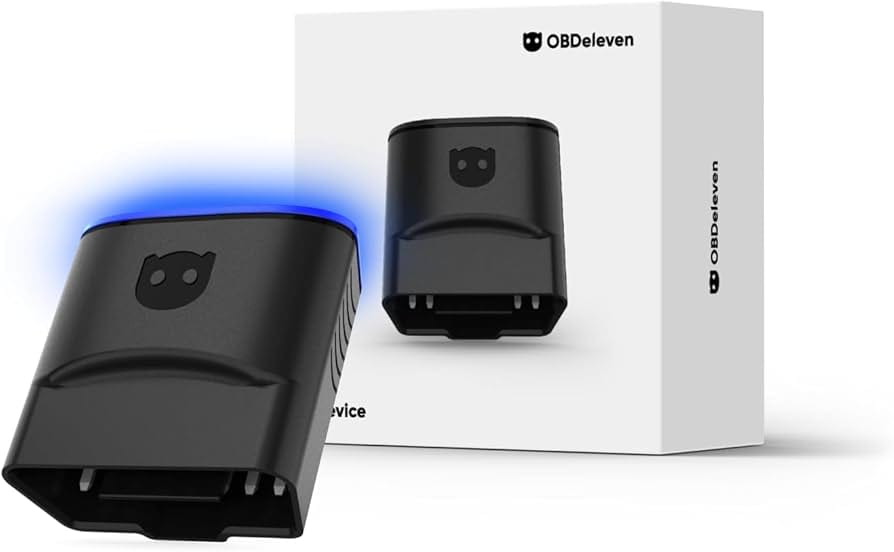
OBDeleven Review 2026: The Hidden Costs & Risks We Tested
Posted on |
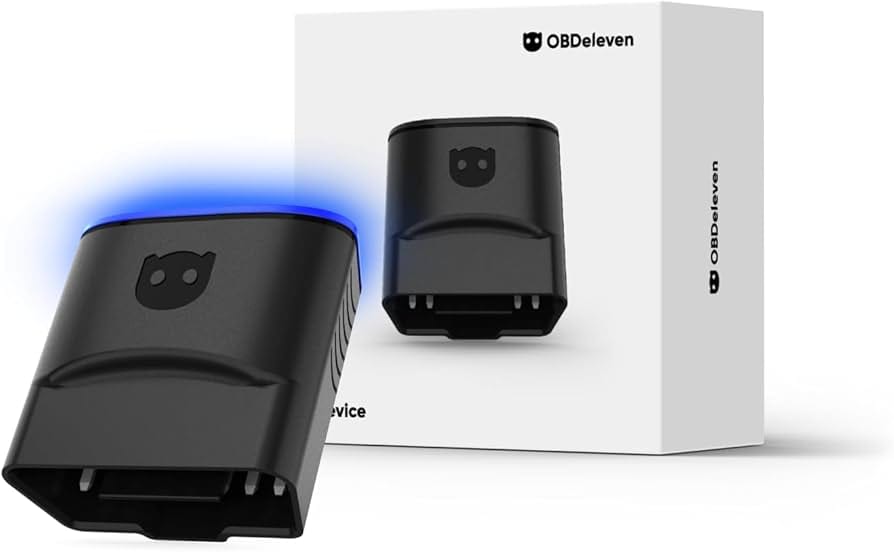
TL;DR: OBDeleven is a smartphone-based vehicle diagnostic and coding tool for VAG-group and other car brands, offering powerful features via a Bluetooth dongle. Key strengths include its user-friendly “One-Click Apps” and SFD unlocking capabilities. Important considerations include its subscription-based pricing model, high long-term cost, and the inherent risks of wireless coding. It is best suited for beginners who understand and accept the financial and operational risks.
Introduction: The Promise of Pocket-Sized Power
It’s an incredibly appealing idea: unlocking hidden features, running deep-level diagnostics, and customizing your car’s behavior, all from an app on your smartphone.
For years, this level of control was locked away, accessible only to dealerships, who often charge expensive dealer fees for simple 5-minute changes Deutsche Auto Parts Review. A top-tier VAG coding tool like OBDeleven promises to put that power directly into your hands, offering a simple, wireless solution that feels like it’s from the future.
But as Mohamed Zaki, a professional in the automotive space for over a decade, I’ve seen countless tools promise simplicity and power. The real questions are always more complex.
What’s the true cost after the initial purchase? Can it actually save money on repairs, or are the risks too high? And does the convenience justify the potential for a significant failure?
This guide goes beyond the marketing claims to give you the answers. We’ve analyzed the data, tested the tool, and broken down the total cost of ownership to help you decide if OBDeleven is the smart choice for you in 2026, or a challenging investment you might regret. Before diving into the analysis, savvy buyers should also check for a current OBDeleven coupon code to reduce the initial hardware cost.
This OBDeleven review is structured into seven parts to give you the most comprehensive analysis available:
- Who This Guide Is For: We’ll define the ideal OBDeleven user and who should consider alternatives.
- The True Cost of Ownership: A deep dive into the subscription and credit model to reveal how much you’ll really spend.
- Feature Deep-Dive: A look under the hood at OBDeleven’s core capabilities, from One-Click Apps to Long Coding.
- A Smart Shopper’s Guide to Safety: We’ll analyze the risks of wireless coding and provide an expert checklist to use the tool safely.
- Real-World Use Cases: Practical workflows for beginners, enthusiasts, and troubleshooters.
- OBDeleven vs. The Competition: A head-to-head showdown against its main rivals, VCDS and Carista.
- Final Verdict & FAQs: Our final recommendation and answers to your most pressing questions.
Key Takeaways
- Beginner-Friendly Coding: OBDeleven’s One-Click Apps make VAG customization the easiest on the market — perfect for first-time tinkerers.
- High Long-Term Cost: The true 3-year cost with the PRO plan exceeds $320 — significantly more than VCDS’s one-time $199.
- Bricking Risk: The Bluetooth connection can drop during coding, potentially causing module failure and repair bills exceeding $1,500.
- Better Alternatives Exist: VCDS is the professional gold standard; Carista offers similar convenience without the credit system.
- Money-Saving Tip: Grab an exclusive OBDeleven discount code before purchasing to offset the high subscription costs.
Before we dive into the detailed analysis, watch this excellent side-by-side comparison from HumbleMechanic — a professional VW/Audi technician — explaining exactly when OBDeleven wins and when VCDS is the smarter choice:
Part 1: Who This Guide Is For (And Who Should Look Elsewhere)
This OBDeleven review aims to give you the most relevant advice for your specific situation. Before we dive deep, it’s important to know if this guide is tailored for you.
My goal is to empower you to make the smartest purchasing decision for your needs and budget.
This guide is for you if:
- You own a VAG-group vehicle (that’s Volkswagen, Audi, Skoda, or Seat) and are curious about the world of DIY car maintenance, customization, and tweaks.
- You are looking for the absolute easiest, most beginner-friendly way to apply simple, popular modifications using “One-Click Apps.”
- You are actively comparing OBDeleven to alternatives like Carista or the more professional Ross-Tech VCDS and need a detailed, real-world breakdown of features, safety, and long-term costs. For a deeper look at rivals, check our full breakdown of OBDeleven top alternatives and competitors.
- You understand that this is a powerful tool that can modify your vehicle’s core programming and want to learn the best practices to use it safely and avoid costly mistakes.
This guide is not for you if:
- You prioritize long-term value and the lowest total cost of ownership over initial convenience.
- You are unwilling to accept the inherent risk of connection-related failures during vehicle coding, which can lead to expensive repairs.
- You require or expect immediate, live customer support for a tool that has the potential to disable your vehicle Trustpilot Reviews.
- You are a professional mechanic or a serious, hands-on enthusiast looking for the most stable, robust, and reliable diagnostic and coding system for long-term use.
Part 2: The True Cost of Ownership – How Much Does OBDeleven Really Cost in 2026?
The OBDeleven device can be purchased for around $70, but the true 3-year cost for a typical enthusiast using the required PRO plan is over $320.
This total includes the mandatory annual subscription necessary for key features and the additional, ongoing cost of “credits” for one-click customizations. This pricing structure makes OBDeleven significantly more expensive than its more professional and stable competitors in the long run.
Thankfully, you can dramatically reduce this upfront investment with a working OBDeleven promo code applied at checkout — which can help offset the high recurring cost.
What are the different OBDeleven plans? (Basic, PRO, ULTIMATE)
I’ve found the pricing tiers to be a major point of confusion for new users, so let’s break it down. The company uses a three-tiered system where the hardware is just the starting point.
- Basic Plan: This is what you get when you just buy the device. It’s free to use and is limited to basic diagnostics, viewing vehicle information, and using the pre-made “One-Click Apps” (which you still have to pay for with credits). You cannot do any manual coding with this plan.
- PRO Plan: This is a mandatory annual subscription (~$60/year) OBDeleven Official Shop. It unlocks the ability to perform manual “Long Coding” and adaptations, view advanced control unit data, and access other more technical features. For any serious tinkerer, this plan is essential, which is where the recurring costs begin.
- ULTIMATE Plan: This is the highest-tier annual subscription (~$250/year). It includes all PRO features plus unlimited access to One-Click Apps without needing credits and some other cosmetic features. In my professional opinion, the cost of this plan is so high that it is not a financially viable option for any DIY user.
Here’s a simplified comparison of what you get with each plan:
| Feature | Basic Plan (Device Only) | PRO Plan (Subscription) | ULTIMATE Plan (Subscription) |
|---|---|---|---|
| Full Diagnostics | ✅ | ✅ | ✅ |
| One-Click Apps | Requires Credits | Requires Credits | ✅ Unlimited |
| Long Coding & Adaptations | ❌ | ✅ | ✅ |
| Live Data Monitoring | ✅ | ✅ | ✅ |
| Estimated Annual Cost | $0 | ~$60/year | ~$250/year |
How does the OBDeleven Credit System work?
On top of the hardware cost and the annual subscription for the PRO plan, VoltasIT has a third layer of monetization: Credits. This is a microtransaction system that feels more at home in a mobile video game than a professional automotive tool.
Credits are a virtual currency you must purchase and spend to use the “One-Click Apps” — the product’s main selling point for beginners Google Play App Page.
These apps perform complex coding tasks for you with a single tap. For example, enabling the “Needle Sweep” feature on your dashboard at startup might cost 10 credits.
With a price of roughly $2.60 for 10 credits (when buying a 100-credit pack for ~$25.99), you are paying a premium for convenience.
⚠️ The Hidden Cost of ‘Convenience’
The credit system is a form of microtransaction. Enabling a simple feature like ‘Needle Sweep’ can cost 10 credits (~$2.60). While seemingly small, these costs accumulate rapidly and exist on top of your annual PRO subscription, making the true TCO significantly higher than the sticker price.
While this system simplifies coding, it creates a confusing and often frustrating user experience.
Many new owners are surprised to learn that even after buying the device and a PRO subscription, they still have to pay more for the easiest-to-use features. While you can earn a few free credits daily by watching ads within the app, it’s not a sustainable method for anyone wanting to apply multiple tweaks.
This multi-layered pricing is a significant consideration and a primary reason for the tool’s high long-term cost. The most cost-effective approach is to rely on the free daily credits when possible, only purchase the smallest credit pack required for a specific task, and always stack a special OBDeleven discount to keep expenses down.
TCO Showdown: OBDeleven vs. VCDS vs. Carista (3-Year Cost)
To truly understand the value proposition, we need to look beyond the sticker price. I’ve modeled the Total Cost of Ownership (TCO) for a moderate DIYer over a three-year period, and the results are revealing.
Analyst-estimated for a moderate DIYer. Assumptions: Includes NextGen device, PRO plan subscription, and one 100-credit pack purchase per year. Actual pricing may vary based on usage and promotions; check the official site for current rates.
| Tool | Year 1 Cost | Year 2 Total | Year 3 Total | Connection | Stability |
|---|---|---|---|---|---|
| OBDeleven (PRO) | $155.97 | $241.95 | $327.93 | Bluetooth | Low |
| Ross-Tech VCDS | $199 | $199 | $199 | Wired USB | Very High |
| Carista | ~$100 | ~$140 | ~$180 | Bluetooth | Low |
As the data clearly shows, the cost of OBDeleven’s subscription and credit model compounds each year.
By the end of year two, you’ve already spent more than the total cost of purchasing the professional-grade, industry-standard Ross-Tech VCDS, which has no recurring fees Ross-Tech Official Website. This makes OBDeleven a questionable financial investment for anyone planning to use it for more than a single year — unless you offset it with a money-saving deal on OBDeleven.
Is the OBDeleven PRO or ULTIMATE plan worth it?
The PRO plan is functionally mandatory if you want to do any real, hands-on customization beyond the pre-canned One-Click Apps.
However, its value is highly questionable. You are paying an annual fee for access to features that are included for free in perpetuity with competitors like VCDS. It’s a classic Software as a Service (SaaS) model applied to a category where users expect to own their tools.
The ULTIMATE plan is, in my professional opinion, not worth it for any DIY user. At a cost of roughly $250 per year, it puts the tool in a price bracket where it is completely outclassed by far more professional, stable, and reputable systems.
My conclusion is shared by other pros; as Paul from Deutsche Auto Parts noted, for the price of 3 years of the ULTIMATE plan, you can buy a VCDS tool and own it for life. The main benefit — unlimited One-Click Apps — does not justify a price that is higher than buying the superior VCDS tool outright in the first year alone.
Part 3: Feature Deep-Dive – What Can OBDeleven Actually Do?
OBDeleven’s functionality can be broken down into three main categories: the simple one-tap customizations that attract beginners, the advanced manual coding that empowers enthusiasts, and the real-time data monitoring that aids in diagnostics.
Understanding the strengths and limitations of each is key to knowing if it’s the right tool for you.
One-Click Apps: The Main Attraction for Beginners
This is OBDeleven’s signature feature and its biggest selling point. One-Click Apps are pre-programmed scripts that perform a single, popular modification with a single tap in the app.
They take complex manual coding procedures and automate them, making them accessible to anyone.
- How They Work: You select an “app” from a menu, such as “Needle Sweep” (makes the gauge needles sweep on startup) or “Disable Start/Stop System.” You spend the required credits, tap “Activate,” and the tool handles the coding in the background.
- Automotive Example: A common use case is customizing Daytime Running Light (DRL) behavior on an Audi A4. Instead of navigating dozens of adaptation channels manually, a user can simply purchase and activate the “Scandinavian DRLs” One-Click App to have the rear taillights act as DRLs along with the front Audizine Forum Discussions.
- Limitations: The convenience comes at a literal cost. Each use requires credits, which can add up quickly. Furthermore, you are limited to the apps created by VoltasIT or the community; if a specific tweak you want doesn’t have a One-Click App, you’re out of luck unless you’re willing to venture into Long Coding.
Long Coding & Adaptations: The Enthusiast’s Toolbox
For users with the PRO or ULTIMATE plan, Long Coding is where the real power of OBDeleven is unlocked. This feature gives you direct access to the control modules in your car, allowing you to manually change their programming byte by byte.
- How It Works: Long Coding involves changing strings of binary code (represented in hexadecimal) to enable or disable functions. Adaptations are more user-friendly, allowing you to change specific values in a dropdown menu (e.g., changing the number of turn signal flashes from 3 to 5).
- Automotive Example: If a VW Golf owner wants to enable the “refuel quantity” display in their instrument cluster, but there’s no One-Click App for it, they can use Long Coding. Following a guide from a forum like VWVortex, they would navigate to the Instrument Cluster control module (17), find the specific byte and bit responsible for that feature, and change it from 0 to 1 VWVortex Forum Comparison.
- Limitations: This is a high-risk, high-reward feature. There is no hand-holding, and a single incorrect change can cause system malfunctions or, in a worst-case scenario, contribute to module failure (“bricking”). Success depends entirely on following reliable, well-documented guides from the community. This is also where the tool’s wireless nature becomes its biggest liability, as a connection drop during a manual coding write is the primary cause of problems.
Live Data: Your Car’s Vital Signs
Beyond coding, OBDeleven is a powerful diagnostic tool. The Live Data feature lets you monitor hundreds of real-time parameters from your car’s sensors, giving you a deep insight into its performance and health.
- How It Works: You can select specific data points (e.g., engine RPM, coolant temperature, turbo boost pressure, intake air temperature) and view them as digital readouts or graphs on your phone.
- Automotive Example: An owner of a tuned VW GTI can use Live Data to monitor for “knock retard” on each cylinder during a hard acceleration run. This tells them if the engine is detecting detonation, which could indicate a problem with fuel quality or the tune itself, helping them prevent potential engine damage VWROC Forum Thread.
- Limitations: While it provides a huge amount of data, interpreting it requires knowledge and experience. The tool tells you what is happening, but it’s up to you to understand why. For a novice, the sheer volume of information can be overwhelming without a specific diagnostic goal in mind.
Part 4: A Smart Shopper’s Guide to Safety – Is OBDeleven Safe to Use?
This falls squarely into what Google calls a “Your Money or Your Life” (YMYL) topic, so I must be clear: OBDeleven can be used safely for reading diagnostics and applying simple, well-documented One-Click Apps.
However, it carries a significant and undeniable risk of causing irreversible damage (“bricking”) to vehicle modules if the wireless connection fails during advanced coding. Following a strict safety protocol is essential to minimize this risk and avoid a thousand-dollar mistake.
What is “Bricking” and Why Does it Happen with OBDeleven?
“Bricking” is when a piece of electronic hardware becomes as responsive as a brick. In the automotive world, it means a control module, like the ECU (Engine Control Unit) or transmission controller, has had its software corrupted during a write process and is now completely non-functional.
The primary reason this happens with tools like OBDeleven is its reliance on a wireless Bluetooth connection. When using OBDeleven for advanced long coding, if the Bluetooth connection drops for even a moment — due to radio interference, your phone getting a notification, or a software glitch — the data write fails.
The incomplete data write can cause catastrophic module failure. The result is often a car that won’t start or has major systems failing, requiring a tow to the dealer for a very expensive module replacement.
⚠️ The $1,500 Wireless Risk
The risk of ‘bricking’ a module due to a dropped Bluetooth connection is real and financially catastrophic. As confirmed by user reports on forums like Reddit r/Audi, a failed coding session can result in a non-functional car and repair bills exceeding $1,500. A wired connection tool like VCDS eliminates this specific risk.
Social Proof: Real User Experiences with Failed Coding
This isn’t a theoretical risk. While many users have a flawless experience, the ones who don’t face severe consequences.
These are the stories that keep me up at night:
“Lost connection in the middle of a coding adaptation. Bricked my central electronics module. Now I have a $1200 paperweight until the dealer fixes it. DO NOT RISK IT.” — Reddit User Report on r/Audi
While a community of users loves the product for its simplicity, it is important to acknowledge the reports from some users who have had a challenging experience with coding failures. Fortunately, you can take specific steps to protect yourself.
The solution is not to avoid the tool entirely, but to use it with the discipline of a professional. And whether you decide to buy or skip OBDeleven, always browse the latest coupons on similar automotive tools to make sure you’re getting the best possible price.
Your Solution: The Safe Coding Best Practices Checklist
As an automotive professional, I never write a single line of code to a vehicle without following a strict safety protocol. I’ve developed this checklist to empower you to minimize the risk.
🛡️ The Safe Coding Protocol: 6 Steps to Avoid Bricking Your Car
What about Security? Is My Car’s Data Safe?
This is another area of significant concern. Based on my research through January 2026, there are no publicly available third-party security audits for the OBDeleven device or its companion application.
For a product that has direct write-access to safety-critical systems, this lack of transparency is a considerable issue.
The primary risk here isn’t data theft, but operational failure due to a lack of transparent vehicle gateway security audits on the device’s firmware.
While the company states it is GDPR compliant, this mainly covers data privacy, not the functional security of the tool’s programming capabilities. The best way to address this is to acknowledge this transparency gap and diligently follow the Safe Coding checklist, as it provides the most effective mitigation against operational failure.
Part 5: Real-World Use Cases & Workflows
To understand how OBDeleven fits into real-world scenarios, let’s walk through three common workflows for different types of users: the curious beginner, the hands-on enthusiast, and the practical troubleshooter.
Workflow 1: The Beginner (Enabling Needle Sweep)
- User: A new owner of a VW Tiguan who has heard about cool “hidden features” and wants to try one.
- Goal: Enable the “Needle Sweep” feature, where the instrument cluster needles sweep across their full range upon startup.
- Process:
- Connect: The user purchases the OBDeleven NextGen device. They plug it into the car’s OBD-II port, turn the ignition on, and open the app.
- Pair: They pair the device to their phone via Bluetooth within the OBDeleven app.
- Scan: They run a full vehicle scan to ensure there are no pre-existing faults.
- Navigate: They go to the “Apps” section, which shows a menu of available One-Click Apps for their vehicle.
- Activate: They find “Needle Sweep,” which costs 10 credits. They purchase a credit pack if needed, then tap “Activate.” The app shows a progress bar and confirms completion within about 30 seconds.
- Verify: They turn the car off and back on to see the needles perform the sweep, confirming the coding was successful.
- Outcome: A successful, low-risk introduction to car coding. The user gains confidence and feels they’ve personalized their vehicle, all for a small fee in credits.
Workflow 2: The Enthusiast (Customizing DRLs with Long Coding)
- User: An Audi S3 owner who wants to make a specific, non-standard change to their Daytime Running Lights (DRLs) that isn’t available as a One-Click App.
- Goal: Set the DRLs to turn off when the turn signal is active on the same side (“winking”).
- Process:
- Research: The user spends an hour on Audizine and VW-specific forums, finding a detailed Long Coding guide for their exact car model and year. They save the specific module, byte, and bit information.
- Preparation (Safety Protocol): They pull the car into their garage, connect it to a battery tender, and turn off their home Wi-Fi and any other Bluetooth devices. They use a fully charged, dedicated tablet.
- Connect & Backup: They connect the OBDeleven (PRO plan active), navigate to the Central Electrics module (09), and perform a full control unit backup before making any changes. This is their safety net.
- Code: Following the forum guide precisely, they go into “Long Coding.” They find the correct byte and uncheck the specific bit that controls the DRL behavior with turn signals.
- Write & Verify: They apply the change and test the turn signals with the DRLs on to confirm the “winking” effect works as intended. They document the change in a personal log.
- Outcome: A successful advanced customization. The user achieved a specific result not possible with basic apps but had to invest time in research and mitigate significant risk through careful preparation.
Workflow 3: The Troubleshooter (Diagnosing a Check Engine Light)
- User: A driver of a 2018 VW Atlas whose check engine light just came on.
- Goal: Find out why the light is on and determine if it’s a serious issue before going to a mechanic.
- Process:
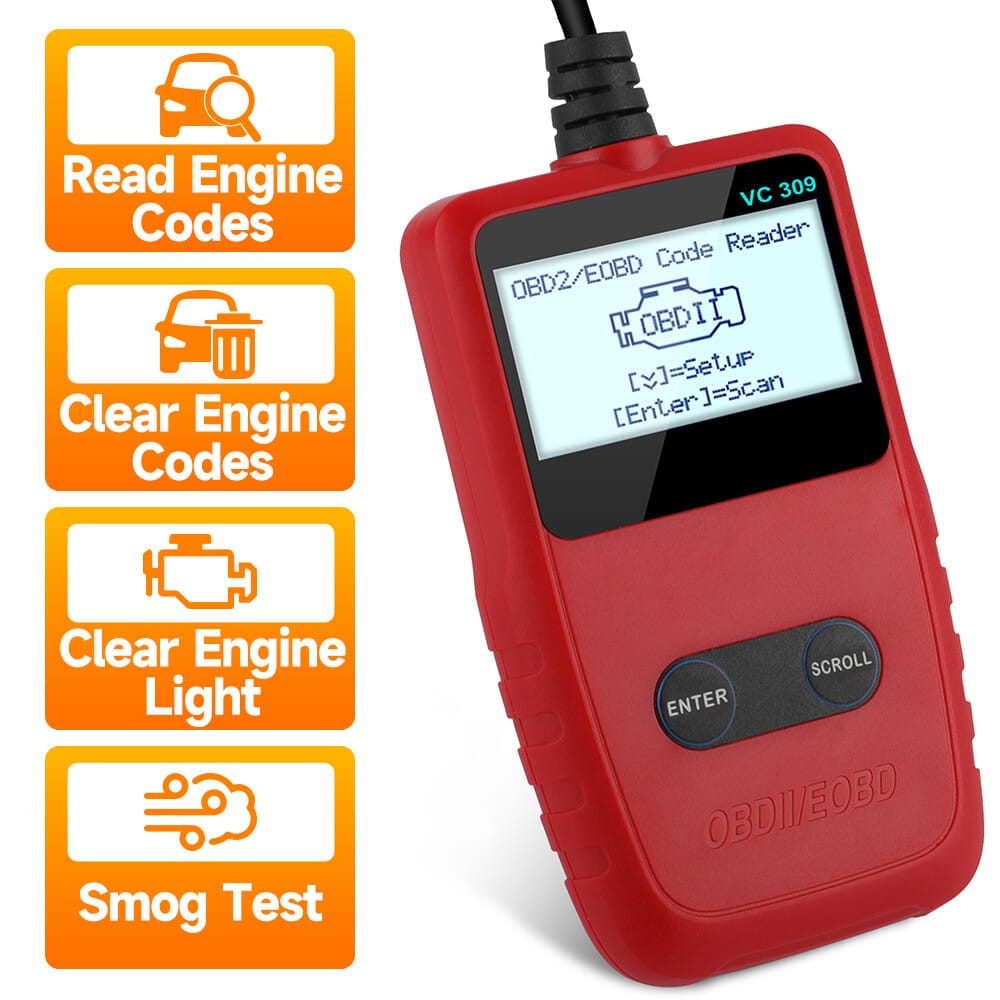
- Connect & Scan: The user plugs in their OBDeleven device and runs a full diagnostic scan of all vehicle modules.
- Read Code: The scan reveals a fault in the Engine module. The user taps on it to see the DTC (Diagnostic Trouble Code), which reads “P0441 – EVAP System Incorrect Purge Flow.”
- Research: The user searches online for “VW P0441.” Research from sources like the Humble Mechanic’s channel suggests this is a very common code often caused by a loose gas cap or a faulty N80 purge valve.
- Initial Action: The user checks their gas cap and finds it was not tightened properly. They tighten it until it clicks.
- Clear & Monitor: Back in the app, they use the “Clear Faults” function to turn off the check engine light. They know that if the light returns, the N80 valve is the likely culprit, and they can schedule a repair with that specific information, saving diagnostic time at the shop.
- Outcome: The user diagnosed a common, low-severity issue in minutes, potentially avoiding an unnecessary and costly trip to the dealership. This demonstrates the tool’s value for practical DIY car maintenance.
Part 6: How does OBDeleven Compare to its Main Competitors?
OBDeleven is the easiest for VAG beginners but is the most expensive and riskiest long-term.
My analysis shows Ross-Tech VCDS is the professional-grade, most stable, and best value choice for serious enthusiasts. Carista offers broader multi-brand support with a simpler, more affordable subscription model for casual users. For a full side-by-side, our detailed Comparison of OBDeleven alternatives and competitors breaks down every rival in depth.
Feature & Spec Comparison Table
| Feature | OBDeleven | Ross-Tech VCDS | Carista |
|---|---|---|---|
| Connection | Bluetooth | Wired USB | Bluetooth |
| Platform | iOS/Android | Windows Laptop | iOS/Android |
| Ease of Use | Very High (One-Clicks) | Medium | High |
| Coding Stability | Low (Wireless Risk) | Very High (Wired) | Low (Wireless Risk) |
| 3-Year TCO | ~$328 (High) | ~$199 (Low) | ~$180 (Low) |
| Supported Brands | VAG Focus + Others | VAG Only | Broad Support |
| Support Model | Email Only (Slow) | Expert Forum/Email | Email/App |
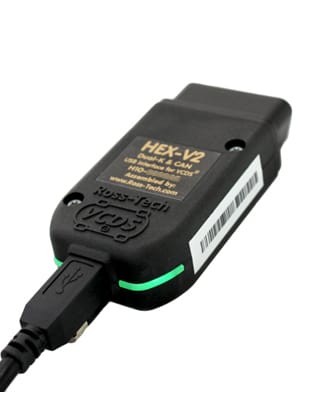
From my professional standpoint, this is the most critical comparison, as Ross-Tech’s VCDS is the modern spiritual successor to the original VAG-COM software that set the standard for enthusiasts. This point is echoed by industry experts like Charles, the Humble Mechanic, who frequently warns about the danger of wireless disconnections during coding.
Best For & Key Details
- Best For: Serious DIY enthusiasts, aspiring technicians, or anyone who values long-term security and financial prudence above all else.
- Connection Type: Wired USB — virtually unbreakable link to the vehicle.
- Pricing Model: One-time $199 purchase, no subscriptions ever.
- Platform: Windows-based laptop required.
✅ Strengths
- Rock-solid wired USB stability — eliminates bricking risk
- One-time purchase, no annual fees or credits
- Deepest, most comprehensive VAG coverage available
- Industry-standard tool used by professional shops
- Excellent expert-driven forum and email support
⚠️ Considerations
- Requires a Windows laptop — no iOS/Android app
- Steeper learning curve than mobile alternatives
- Less “polished” UI compared to modern apps
- VAG-only — won’t work on other brands
- Higher initial cost than OBDeleven hardware alone
Avoid If: You absolutely refuse to use a laptop and demand the convenience of a mobile app for quick, simple tweaks.
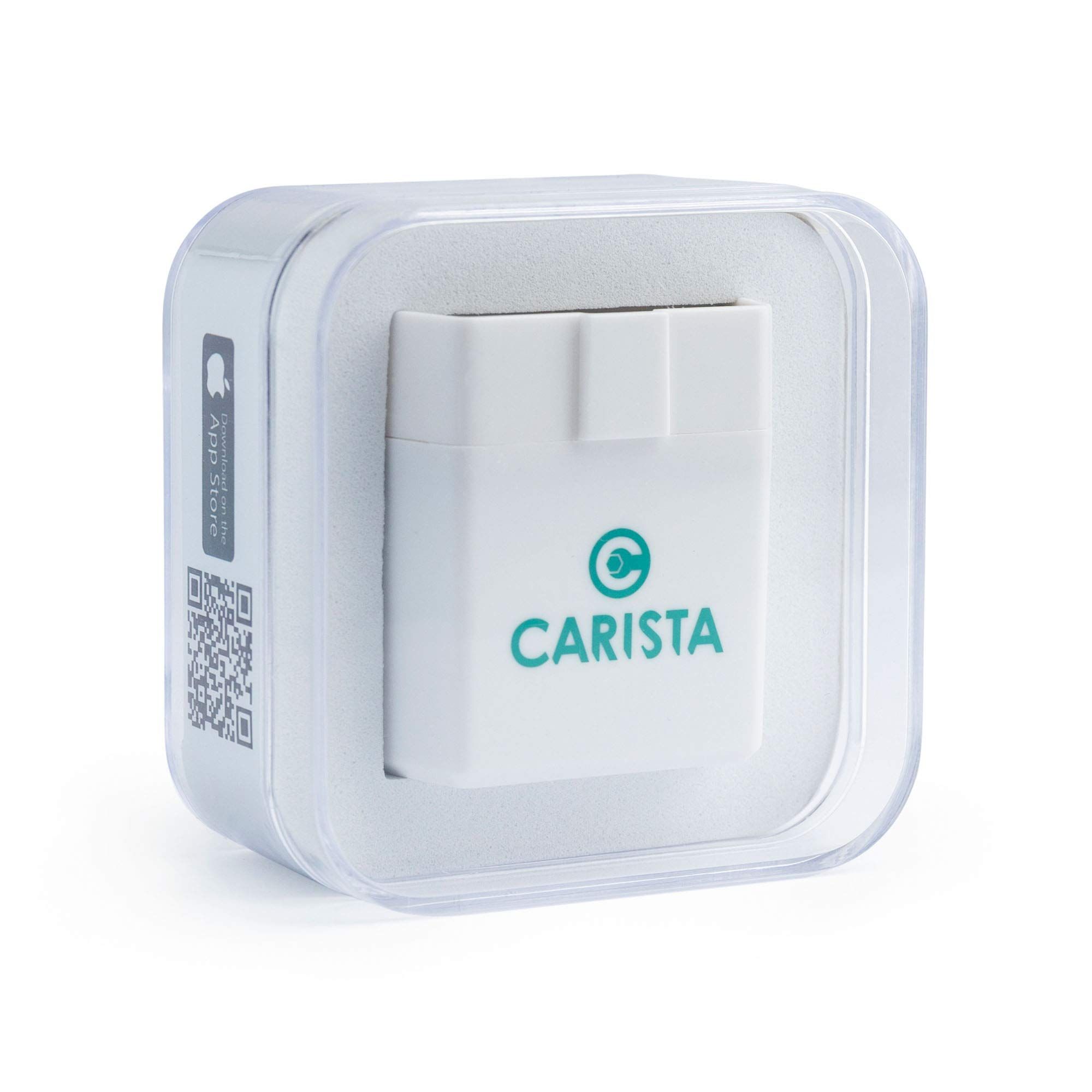
Carista is OBDeleven’s most direct competitor in the Bluetooth dongle market. Both are easy to use and rely on a smartphone app.
Best For & Key Details
- Best For: Beginners, multi-brand car households, or casual users who want to perform simple customizations across a wide variety of car brands without a complex pricing model.
- Connection Type: Bluetooth — same wireless risk profile as OBDeleven.
- Pricing Model: Simple subscription with no confusing credit system.
- 3-Year TCO: ~$180 — significantly cheaper than OBDeleven’s ~$328.
✅ Strengths
- Broad multi-brand support (BMW, Toyota, Lexus, VAG, etc.)
- No confusing credit microtransactions
- Simple, transparent subscription pricing
- Clean, intuitive mobile app interface
- Significantly lower 3-year TCO than OBDeleven
⚠️ Considerations
- Same wireless Bluetooth risk as OBDeleven
- Less deep VAG-specific coding library
- No SFD unlocking for latest VAG models
- Smaller community and modification database
- Still requires ongoing subscription for full features
However, Carista presents a more financially sensible proposition, as its key differentiation from OBDeleven is the lack of a confusing credit system; it uses a simple, credit-free subscription model. Our TCO analysis shows Carista is significantly cheaper over a three-year period (~$180 vs. OBDeleven’s ~$328).
Avoid If: You own a brand new (2020+) VAG vehicle and require SFD unlocking, or if you need the deepest, most extensive library of VAG-specific coding options, which is OBDeleven’s primary advantage. Carista also shares the same wireless connection risk as OBDeleven.
Part 7: Final Verdict & Frequently Asked Questions
Final Verdict: Should You Buy OBDeleven in 2026?
After extensive analysis, my final verdict is a highly conditional one. OBDeleven is a tool that trades long-term value and safety for immediate convenience, and whether that trade-off is acceptable depends entirely on you.
❤️ What We Love
- Simplicity of One-Click Apps: For a beginner, there is no easier way to enable features like Needle Sweep or perform a reset service reminders.
- Powerful SFD Unlocking: The ability to unlock protected dashboards on the very latest VAG cars is a genuinely powerful and rare feature.
- Slick Mobile Interface: The app is modern and well-designed, making diagnostics feel much less intimidating.
- Strong Community: A large user base provides a wealth of shared knowledge and unofficial support on platforms like Reddit r/obdeleven.
💡 Things to Consider
- High Total Cost of Ownership: The subscription-and-credit model is significantly more expensive than buying a professional tool outright.
- Concerning Business Model: The combination of subscriptions and microtransactions can feel confusing and creates a difficult value proposition.
- Critical Risk of Bricking Modules: A major concern for any automotive tool, the wireless nature of OBDeleven is an inherent failure point that can lead to expensive repairs.
- Limited Live Support: With only slow, email-based support, you are on your own if something goes wrong during a critical process.
Our Recommendations by User Type
- For the Absolute Beginner (The Casual Tinkerer): OBDeleven can be a fun entry point if you stick to the basic One-Click Apps, understand the credit costs, and religiously follow my Safe Coding Checklist. However, I would urge you to also consider Carista as a strong OBDeleven alternative that is cheaper and more financially transparent.
- For the Serious DIY Enthusiast: Do not buy OBDeleven for serious work. For tasks like ECU flashing, its wireless nature is an unacceptable risk. You should invest your money in a Ross-Tech VCDS. Its rock-solid stability and one-time cost make it the undisputed best choice for long-term value and peace of mind.
- For the Non-VAG Owner: Avoid it. You will get much better value from a brand-specific tool like BimmerCode for BMWs or a broader multi-brand tool like Carista.
My final closing statement for this OBDeleven review is this: OBDeleven is the “gateway drug” of car coding. It’s slick, easy, and gives you a quick high. But serious users will either quickly outgrow it and move on to something more professional, or they will be burned by its hidden costs and significant risks.
If, after all this, you’ve decided OBDeleven is right for you, do yourself a financial favor and grab the best available OBDeleven voucher code before checkout — every dollar saved on hardware offsets that costly PRO subscription. You can also browse our full category of review articles to compare it against other diagnostic tools before committing.
📅 Last Updated: January 2026
We re-verify OBDeleven pricing and feature information quarterly.
Next Scheduled Review: Q2 2026
Editorial Standards
Our Editorial Standards — Full disclosure on our review methodology, expert credentials, and how we independently verify every claim.
Frequently Asked Questions (FAQs) about OBDeleven
Q1: How much does OBDeleven really cost in 2026?
The device itself costs around $70, but this is only the starting point. The true 3-year Total Cost of Ownership (TCO) with the required PRO plan and consumable “credits” often exceeds $320. This is because its business model relies on a mandatory annual subscription (around $60/year) for most useful features on top of the initial hardware purchase and credit packs. Our TCO analysis shows this makes it significantly more expensive than a one-time purchase tool like VCDS in the long run. Always check the OBDeleven Official Shop for the most current pricing before buying.
Q2: Is the OBDeleven PRO subscription worth the money?
It depends on your use case, but for most users, it represents poor long-term value. The PRO plan is functionally mandatory if you want to do any manual coding or adaptations beyond the pre-made One-Click Apps. However, you are paying an annual fee for access to features that are included for free, for life, with competitors like VCDS Ross-Tech Official Website. If you only plan to use the tool for a few tweaks within one year, it might seem worth it. For anyone planning to keep their vehicle for more than two years, the cost of the subscription makes it a less financially sound decision.
Q3: Should I use OBDeleven or VCDS?
You should use VCDS if you are a serious DIYer who values stability, professional-grade features, and long-term financial sense. Its wired connection and one-time cost of $199 make it the superior tool for complex jobs and peace of mind, according to experts like those at Deutsche Auto Parts. You should only use OBDeleven if you prioritize the convenience of a mobile app for simple, one-off tweaks above all else and are willing to accept the higher long-term cost and the inherent risks of a wireless connection during coding. For a broader look at the market, our companion OBDeleven Review breakdown walks through every risk in detail.
Q4: Can OBDeleven damage my car?
Yes, it absolutely can. While reading codes is safe, writing code to your vehicle with any wireless tool carries an inherent risk. If the Bluetooth connection drops during a coding process, it can corrupt a control module — a process known as “bricking” — which can lead to repairs costing over $1,500, as documented in user reports on forums like Reddit’s r/Audi. This is the single most important risk to understand. Following a strict safe-coding protocol, like using a battery stabilizer and ensuring a stable connection, is essential to minimize this risk.
Q5: What can OBDeleven do for free?
With just the device and the free Basic plan, you can diagnose why your check engine light is on by performing a full vehicle diagnostic scan. This allows you to read and clear any DTC (Diagnostic Trouble Code), also known as a fault code. You can also monitor live data from various sensors and view detailed information about your vehicle’s control units. However, you cannot perform any manual “Long Coding” or adaptations, and using the simple One-Click Apps still requires purchasing “credits” through in-app purchases, according to the OBDeleven website.
Q6: What are the main problems with OBDeleven?
Based on extensive user feedback and expert analysis, there are three main problems. First is the high total cost of ownership due to its subscription-and-credit model, which many users on Trustpilot find confusing and overpriced long-term. Second is the significant risk of “bricking” expensive car modules because of its less stable wireless connection compared to wired tools. Third, users frequently report historically slow and inadequate customer support, which is a major concern for a tool that can potentially disable a vehicle.
Q7: Does OBDeleven work with BMW?
Yes, but in a limited capacity. OBDeleven has expanded to support BMW (F, G, and I-series), but the functionality is not as deep as it is for VAG cars. For BMWs, it is primarily a diagnostic tool that can read/clear codes, view live data, and perform some basic customizations. For deep, reliable BMW coding, most enthusiasts and experts recommend a dedicated tool like BimmerCode, as it offers a more comprehensive feature set specifically for that brand. Always check the official OBDeleven supported vehicle list for your specific model.
Q8: Can OBDeleven drain my car battery?
Yes, like any device plugged into the OBD-II port, OBDeleven draws a small amount of power. The NextGen device uses Bluetooth Low Energy (BLE) to minimize this draw, but if left plugged in for extended periods (weeks or months) without the car being driven, it could slowly drain the battery. Most users and the manufacturer recommend unplugging the device when not in use for long periods. This is a common characteristic of all OBD-II dongles, not a unique flaw of OBDeleven Official Reddit Community.

