Boords Review 2026: The Best Storyboard Tool… If You Don’t Draw
Posted on |
TL;DR: Boords is a cloud-based storyboarding platform offering rapid animatic creation and excellent client collaboration. Its key strengths are speed and an intuitive UI for assembling pre-made assets. Important considerations include the complete lack of drawing tools and a high per-user cost for teams. This Boords review finds it is best suited for agency workflows with dedicated illustrators. Verified September 2026.
Introduction: The Pre-Production Bottleneck
In today’s competitive creative market, the pressure to deliver high-quality video content faster than ever is immense.
The pre-production phase, especially storyboarding, is often where projects either gain momentum or drown in a sea of disconnected PowerPoint slides, chaotic email threads, and confusing file versions.
I’ve seen this inefficiency cripple timelines, frustrate creative teams, and jeopardize client relationships. When a workflow relies on tools not built for the job, you aren’t just wasting time; you’re actively losing money and creative energy.
As a tech expert who has spent over a decade dissecting the promises and pitfalls of Software and AI, Design and Video, Productivity, and Marketing Tools, I understand that the right tool can be the difference between a smooth, profitable project and a chaotic money pit.
This comprehensive Boords review for 2026 is born from a deep, hands-on analysis of the platform, cutting through the marketing hype to give you the ground truth. We’ll explore its powerful features, but more importantly, we’ll scrutinize its limitations, total cost of ownership (TCO), and security posture so you can make a clear-headed decision about whether it’s the right financial and workflow investment for your team. Before we dive in, savvy shoppers should also check the latest Boords coupon codes to see how much they can save on their subscription right now.
Who This Guide Is For & Who It Is NOT For
Who this guide is for:
- Creative directors and agency managers evaluating tools for teams of 2-10.
- Freelance animators or producers who work with external illustrators.
- Marketing teams needing to create animatics for ads and social content quickly.
- Anyone frustrated with the inefficiency of using slide decks for storyboarding.
This guide is NOT for you if:
- You are a solo illustrator who needs to sketch and storyboard in the same application.
- You need a free or very low-cost solution (check our Storyboarder section instead).
- You need a full-funnel production suite with call sheets and budgeting (check our StudioBinder review).
- You work in a highly regulated industry requiring SOC 2 or ISO 27001 compliance.
Key Takeaways
Key Takeaways
-
✅ Genuinely Effective Product: This Boords review confirms the software excels at its core job: turning existing images into clean storyboards and one-click animatics, dramatically speeding up pre-production for teams with established illustration workflows. -
✅ Strong Collaboration Features: Its key strength lies in real-time, link-based client commenting, which eliminates messy email chains and helps reduce revision cycles by centralizing feedback directly on the storyboard frames. -
✅ Smart Buying Strategy: Boords provides maximum ROI for solo producers or small teams (2-3 users) who work with pre-made assets. Test the free trial extensively to ensure the workflow fits before committing, and always check for a current Boords discount code before finalizing your subscription. Note: As of September 2026, a credit card is not required for the trial. -
💡 Realistic Expectations: The most important factor to weigh is its complete lack of drawing tools. It’s an assembly and presentation tool, not a creative one. You must use an external app like Procreate or Photoshop to create art. -
💡 TCO Reality: The per-user pricing model becomes cost-prohibitive for teams larger than 5. Our analysis shows a 3-year TCO for a 5-user team is estimated at over $4,500, significantly higher than more flexible alternatives like Milanote. -
💡 Smart Maintenance Tip: Due to user-reported performance issues on large projects Capterra User Reviews, it’s critical to pre-process and compress high-resolution images before uploading to maintain a smooth experience.
📅 Last Updated: September 2, 2026
We re-verify Boords information every 3 months.
Next Scheduled Review: [next_period].
Editorial Standards: Our Editorial Standards
How Much Does Boords Cost in 2026? A Full TCO Breakdown
Our Boords review finds that while the pricing starts at a seemingly reasonable ~$29 per user per month, its true total cost of ownership (TCO) becomes significantly higher than competitors for teams of more than 3-5 users.
This is due to a steep per-seat cost that can quickly inflate your subscription, making a thorough cost analysis essential before committing. To reduce that overhead, many teams look for a working Boords promo code before signing up. This section provides a complete breakdown of Boords’ pricing and hidden costs.
Boords Pricing Tiers Explained
As of September 2026, Boords offers three main pricing tiers, with discounts for annual billing Boords Pricing. The annual prices are the most relevant for TCO calculations.
- Solo: Priced at $29/month (billed annually at $348). This plan is for a single user and includes unlimited projects and 5GB of storage. It is ideal for a freelance producer or director.
- Pro: Starts at $49/month (billed annually at $588). This includes one user, adds features like custom branding and password-protected links, and increases storage to 20GB. This is the entry point for most professional use.
- Team: Starts at $139/month (billed annually at $1668) for 5 users. It includes everything in Pro plus team management features and consolidated billing. However, each additional user costs a hefty $20/month.
What are the hidden costs of Boords?
Based on my analysis and user feedback, the “sticker price” doesn’t tell the whole story. Here are the critical costs to factor into your evaluation of Boords.
⚠️ WARNING: The Hidden Cost of Per-User Pricing
“The biggest TCO trap is the $20/month fee for each user beyond the base plan. For a 10-person team, this adds $1,200/year, nearly doubling the subscription cost. Before buying, project your team’s growth for the next 24 months to avoid surprise budget overruns.”
- The Per-User Seat Cost: This is the biggest financial consideration. Adding a 6th person to the Team plan increases your annual bill by $240. A 10-person team would pay the base $1668 + an additional $1200, for a total of $2868 per year. This scaling cost was a primary reason for churn cited by an Agency Manager on G2.
- Non-Refundable Annual Plans: Boords’ terms of service state that refunds on annual plans are at their “sole discretion.” If the tool doesn’t fit your workflow after a few months, you’ve likely lost that entire investment, creating a significant financial risk.
- The “Time Cost” of Workflow Gaps: The lack of drawing tools means you’re paying for another subscription (like Adobe Creative Cloud) and the time it takes for your team to context-switch between applications. This is a real, albeit indirect, cost to your production workflow.
- The Cost of External Software: To follow best practices for mitigating vendor lock-in, you will need a robust cloud storage solution like Dropbox or Google Drive to serve as your primary asset library, which can be an additional subscription cost.
Boords 3-Year TCO vs. Alternatives
To put the cost in perspective, I’ve created an analyst-estimated TCO comparison for a creative team starting with 3 users and scaling to 5 in the second year. This is a common growth pattern for small agencies or startups. Before locking in an annual plan, it is worth grabbing the latest save money on Boords offer to offset the multi-year cost curve.
| Product | Year 1 (3 Users) | Year 2 (5 Users) | Year 3 (5 Users) | 3-Year TCO |
|---|---|---|---|---|
| Boords | $1,068 | $1,668 | $1,668 | $4,404 |
| Milanote | $360 | $600 | $600 | $1,560 |
| Storyboarder | $0 | $0 | $0 | $0 |
Assumptions: Boords cost is based on 1 Pro plan + 2 extra seats in Year 1, moving to a Team plan in Year 2. Milanote is based on its standard per-user annual pricing of $9.99/user/mo Milanote Pricing. Actual pricing varies; request an official quote for enterprise needs.
As you can see, the cost of Boords escalates dramatically, making it nearly three times more expensive than a more flexible tool like Milanote over a three-year period. This TCO reality is a central finding of this Boords review, and for a broader look at competing platforms, see our Boords Top Alternatives and Competitors guide.
Boords Review: Real-World Performance & Key Features Analysis
This Boords review found its features are polished, effective, and purpose-built to solve specific pre-production bottlenecks. The animatic generator and commenting tools are standout strengths that deliver tangible time savings.
However, power users, especially those needing deep customization or all-in-one creative solutions, will quickly encounter the platform’s intentional limitations.
How good is the Storyboard Creator?
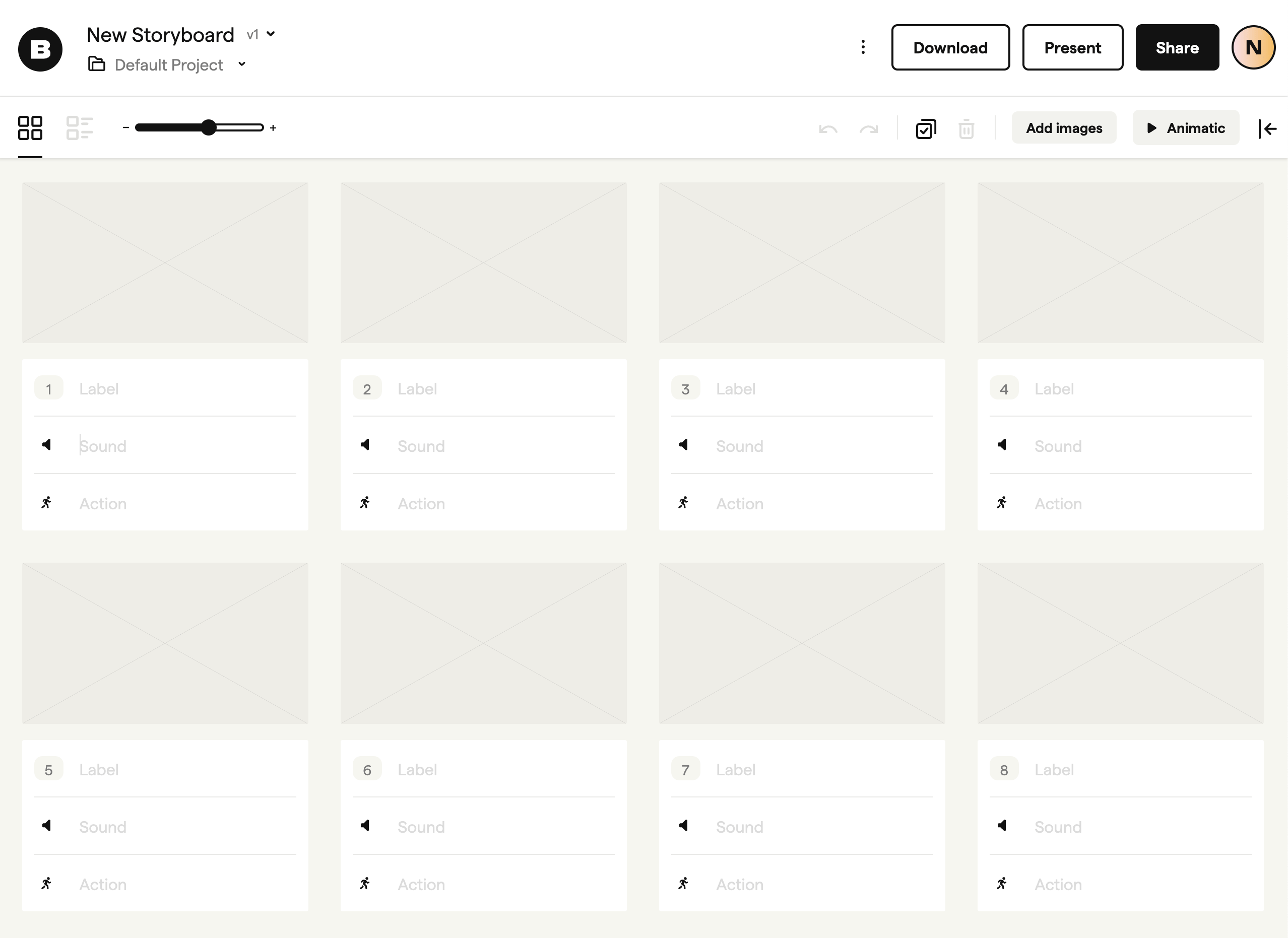
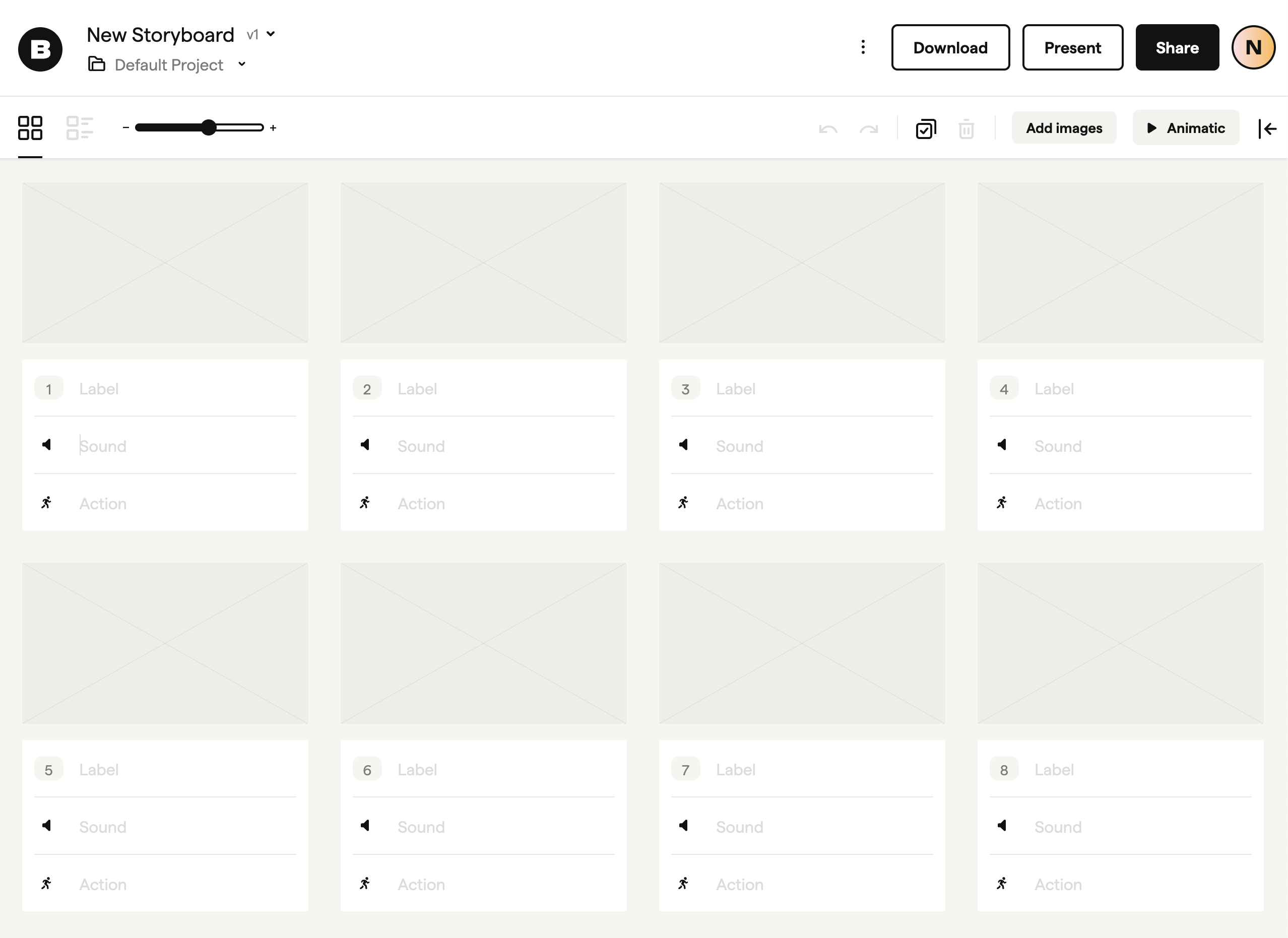
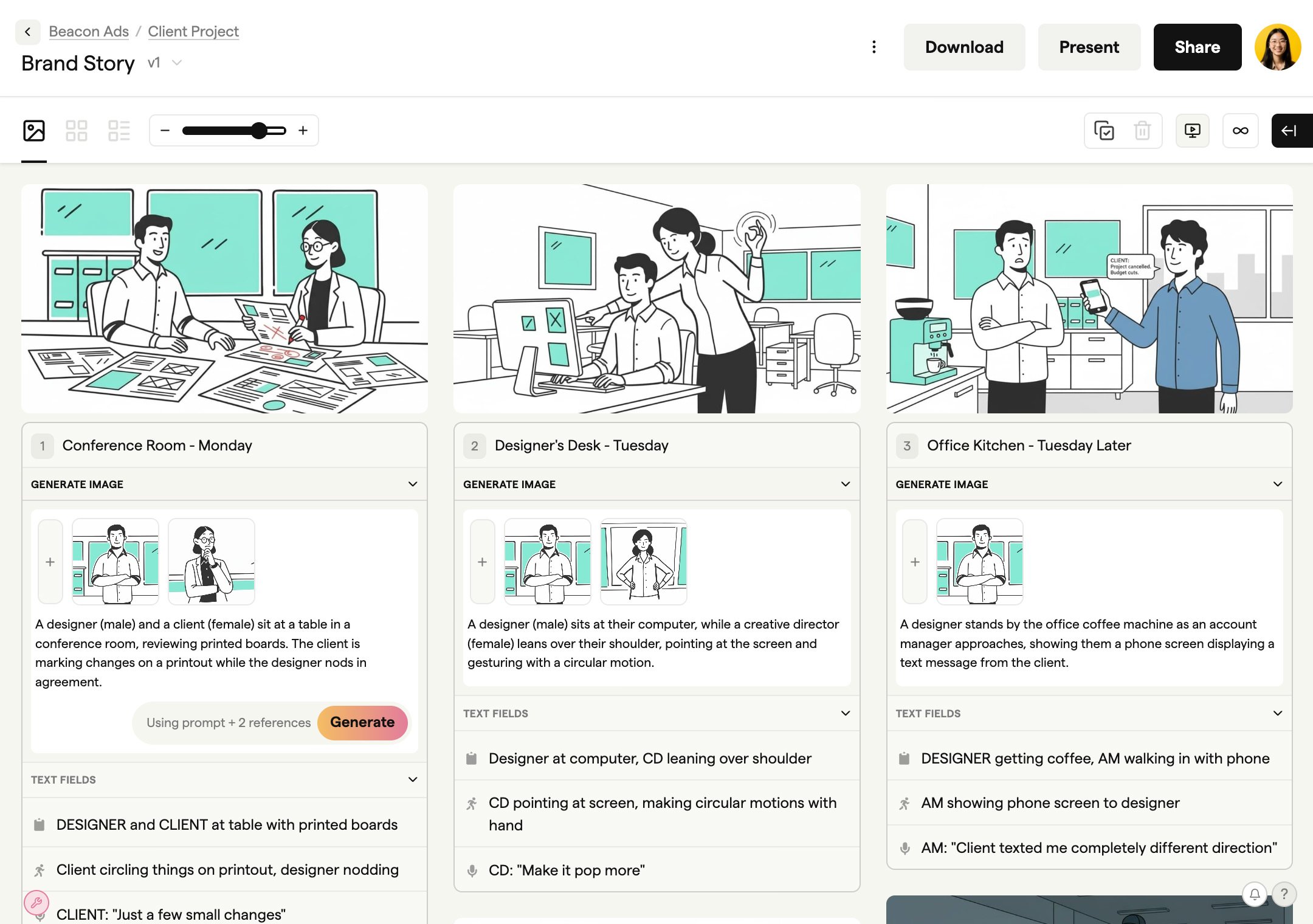
The storyboard creator is brilliantly simple and intuitive. The UI is designed for rapid shot sequencing: you drag images into frames, reorder them with ease, and use the integrated script editor to add notes for action, dialogue, and sound directly below each frame.
The interface is clean, uncluttered, and focuses your attention on the story’s flow and visual narrative. Many users love this streamlined experience because it prevents getting bogged down in unnecessary features Tooltester Review of Boords.
A notable consideration, however, is the workflow required by the lack of internal drawing tools. Some users report this as a point of friction, as it necessitates switching between applications.
💡 To address this, the most effective solution is to establish an efficient ’round-trip’ workflow. I recommend sketching in an app like Procreate or Photoshop, saving directly to a shared cloud folder (like Dropbox or Google Drive), and then dragging the images straight from the folder into the Boords web interface. This practice turns a potential bottleneck into a smooth, two-step process.
The Boords ‘Round-Trip’ Workflow for Illustrators
- Step 1: Sketch in Procreate or Photoshop
- Use native drawing tools to create keyframes
- Work at your preferred resolution and detail level
- Step 2: Save to Dropbox or Google Drive
- Maintain a versioned asset library
- Ensure team access to source files
- Step 3: Drag & Drop into Boords
- Import multiple images at once
- Boords auto-arranges into frames
- Step 4: Add Script & Generate Animatic
- Layer dialogue, action, and sound notes
- Apply frame timing with one click
- Step 5: Share Link for Client Feedback
- Password-protect sensitive projects
- Collect time-stamped comments per frame
How fast is the “One-Click” Animatic Generator?
My testing confirms that the “one-click” animatic claim is 100% verified. This is Boords’ most powerful and time-saving feature Boords Features. Once your frames and script are in place, you can generate a timed animatic with a single click.
Adding a scratch track, adjusting the timing of each frame, and tweaking transitions is incredibly straightforward. For teams that need to quickly test the pacing of a scene or present a concept to a client, this feature alone can justify the subscription cost by cutting down hours of manual editing work in programs like Premiere Pro or After Effects. It is the core reason many agencies choose Boords to accelerate pre-production.
How effective are the Collaboration & Feedback tools?
The collaboration tools are a core strength and arguably the primary reason for agencies to adopt this storyboard platform. You can share a project with a client via a simple, password-protected link.
This breaks the inefficient feedback loop common with email and eliminates the nightmare of deciphering feedback from a PDF with notes like “on slide 12, the third frame from the left.”
As a Video Producer on G2 noted, this feature is a ‘game-changer’ G2 Boords Reviews:
“Boords is my go-to for client pitches because I can whip up an animatic in minutes… The ability to share a link and get comments directly on the storyboard from clients without them needing an account is a game-changer.”
The version history feature also provides a safety net, allowing you to easily revert to previous iterations if client feedback sends the project in the wrong direction. Boords directly combats version control chaos with this feature, providing a clear record of changes.
What are the limitations of Boords’ export options?
Boords provides several essential export options, including high-quality PDFs, MP4 video files of your animatic, and sequences of PNG or JPG images. These cover the most common professional use cases for a storyboarding SaaS platform.
While the PDF exports are clean and professional, some users have noted that the branding customization options are limited, even on higher-tier plans. This can be a point of consideration for agencies with strict brand guidelines for client-facing documents.
💡 For full brand control, a simple workaround is to export the storyboard as individual PNGs. You can then import these images into a dedicated design tool from the Adobe Creative Cloud like InDesign, or a web-based tool like Canva, to create a custom layout that perfectly matches your brand identity. While this is an extra step, it offers maximum flexibility for those who need it.
Smart Shopper’s Guide: Risks, Limitations & Security
While reliable for its core task, our analysis of Boords uncovered significant data security and vendor lock-in risks that enterprise or security-conscious users must consider before purchasing.
For a B2B SaaS tool like Boords, the lack of public SOC 2 certification is a significant oversight. These are not minor issues; for some businesses, they could be non-negotiable disqualifiers.
💡 PRO TIP: Mohamed Zaki on Vendor Risk
“As a Software and AI strategist, I advise against using any tool without public SOC 2 certification for sensitive client IP. The legal and reputational risk is too high. Always request a vendor’s security audit report directly before signing an annual contract. No report, no deal.”
Is Boords Safe for Sensitive Client Projects?
This is a major area of concern. For a B2B tool designed to handle sensitive, pre-release client intellectual property, Boords’ public security posture is below the industry standard.
My research found that Boords lacks public SOC 2 or ISO 27001 certifications Boords Security Page. These independent audits are the gold standard for verifying a company’s security practices.
Furthermore, a review of their legal documentation in September 2026 revealed that their Privacy Policy and GDPR compliance documents were last updated in 2023 and 2022, respectively Boords Privacy Policy. For users in regulated regions, this lack of updates for standards like GDPR and the CCPA (California Consumer Privacy Act) is a point of concern.
💡 My recommendation is that for low-sensitivity projects, this risk may be acceptable. However, for high-stakes intellectual property, users MUST obtain a direct, written security statement from Boords or choose an alternative with verifiable compliance.
Boords Security & Compliance Scorecard (2026)
| Compliance Standard | Status | Notes for Software and AI Teams |
|---|---|---|
| SOC 2 Type II | ❌ Not Certified | Critical for verifying internal security controls. |
| ISO 27001 | ❌ Not Certified | International standard for information security management. |
| GDPR | ✅ Claimed (Docs outdated) | Policy last updated Nov 2022. |
| CCPA | ❌ Not Mentioned | No specific documentation for California compliance. |
| HIPAA | ❌ Not Compliant | Not suitable for protected health information. |
What is Boords’ Vendor Lock-In Risk?
This is another significant risk I identified. Boords does not offer a public API, and its project files are in a proprietary format. This means you cannot export your projects in an editable format that could be imported into another application.
If you decide to leave Boords, you can export your work as images or videos, but the editable project itself—with all its layers, timings, and comments—remains locked within their system.
This creates a high switching cost. The longer you use Boords, the more of your studio’s creative history becomes trapped on its platform.
💡 To mitigate this, I strongly advise implementing a proper asset management strategy with a meticulously organized external asset library. Your “source of truth” should always be your own cloud folder (e.g., on Dropbox or Google Drive) containing all the original image files and scripts. This practice ensures that even if migrating to a new tool would be tedious, it remains possible without losing your core creative assets. This was supported by a Capterra user review which, after facing performance limits, noted the importance of managing assets externally. For a deeper analysis of these trade-offs, see our full Boords Review.
Use Case Analysis: Where Boords Excels (and Where It Doesn’t)
This evaluation of Boords shows that understanding its specific use cases is key to determining its value. It is not a general-purpose tool; it is a specialist’s instrument.
Here is where it fits best in a professional creative pipeline.
Use Case 1: Rapid Animatics for Ad Agency Pitches
- Situation: An ad agency needs to pitch three different 30-second commercial concepts to a client by the end of the week. The in-house illustrator has created keyframes for each concept.
- Task: The producer needs to assemble these static images into timed animatics with a scratch voice-over and music to convey the pacing and tone of each spot.
- Action: The producer uploads the image sequences to Boords. They use the drag-and-drop interface for rapid shot sequencing, add dialogue to the script editor, and upload an MP3 audio track. The “one-click” animatic generator creates a viewable link for each concept.
- Result: Within two hours, the producer sends a single Boords link to the client containing all three animatics. The client leaves time-stamped feedback directly on the frames, and the agency completes revisions the same day. The workflow efficiency allows the agency to present polished concepts quickly, winning the business.
Use Case 2: Pre-visualization for an Animated Short
- Situation: A freelance animator is developing a 5-minute animated short. They have a script but need to block out the story and test the visual flow before committing to full animation.
- Task: Create a detailed pre-visualization (pre-viz) of the entire short to share with a sound designer and a potential funder.
- Action: The animator sketches rough storyboards in Procreate on their iPad, saving them to a shared Dropbox folder. They drag these sketches into Boords, building out the full sequence. They adjust the frame timing to match the script’s pacing and export the animatic as an MP4.
- Result: The animator has a tangible asset to share, making the project feel real and professional. It allows the sound designer to begin work and helps secure funding by clearly communicating the director’s vision.
Use Case 3: Streamlining Marketing Video Approvals
- Situation: A corporate marketing team produces a series of “explainer videos” and “social media video ads.” The approval process involves multiple stakeholders (legal, brand, product) and is often delayed by confusing email feedback.
- Task: Find a way to centralize feedback and get faster sign-offs on video concepts.
- Action: The marketing manager implements Boords as the standard tool for presenting storyboards. Before any production begins, the storyboard is shared via a Boords link.
- Result: All stakeholders comment in one place. The legal team can flag specific frames for compliance issues, and the brand team can comment on visual elements. This creates a clear, auditable feedback trail and significantly reduces the time to get creative approval, shortening the overall production timeline.
How Does Boords Compare to the Competition?
This Boords review places the software in a competitive squeeze. It’s more expensive than powerful free tools, less flexible than cheaper general-purpose canvases, and less powerful than professional production suites.
Its value is entirely dependent on whether its specific workflow advantages outweigh these factors for your team. Cost-conscious buyers should also compare current promotions — a fresh Boords voucher can meaningfully shift this competitive math.
| Feature | Boords | Storyboarder | Milanote | Toon Boom Storyboard Pro |
|---|---|---|---|---|
| Pricing Model | Per-User Subscription | Free | Per-User Subscription | Perpetual License / Subscription |
| Best For | Agencies & Producers | Artists & Illustrators | Brainstorming & Mood Boards | Professional Animation |
| Key Strength | Collaboration & Animatics | Drawing Tools & Price | Flexibility & Low Cost | Advanced Animation & 3D |
| Key Weakness | High TCO & No Drawing | No Web Collaboration | No Specialized Features | Steep Learning Curve |
| Drawing Tools | ❌ No | ✅ Yes | ✅ Yes (Basic) | ✅ Yes (Advanced) |
Boords vs. Storyboarder (The Free Alternative)
This comparison is about Speed/Collaboration vs. Cost/Creative Control.
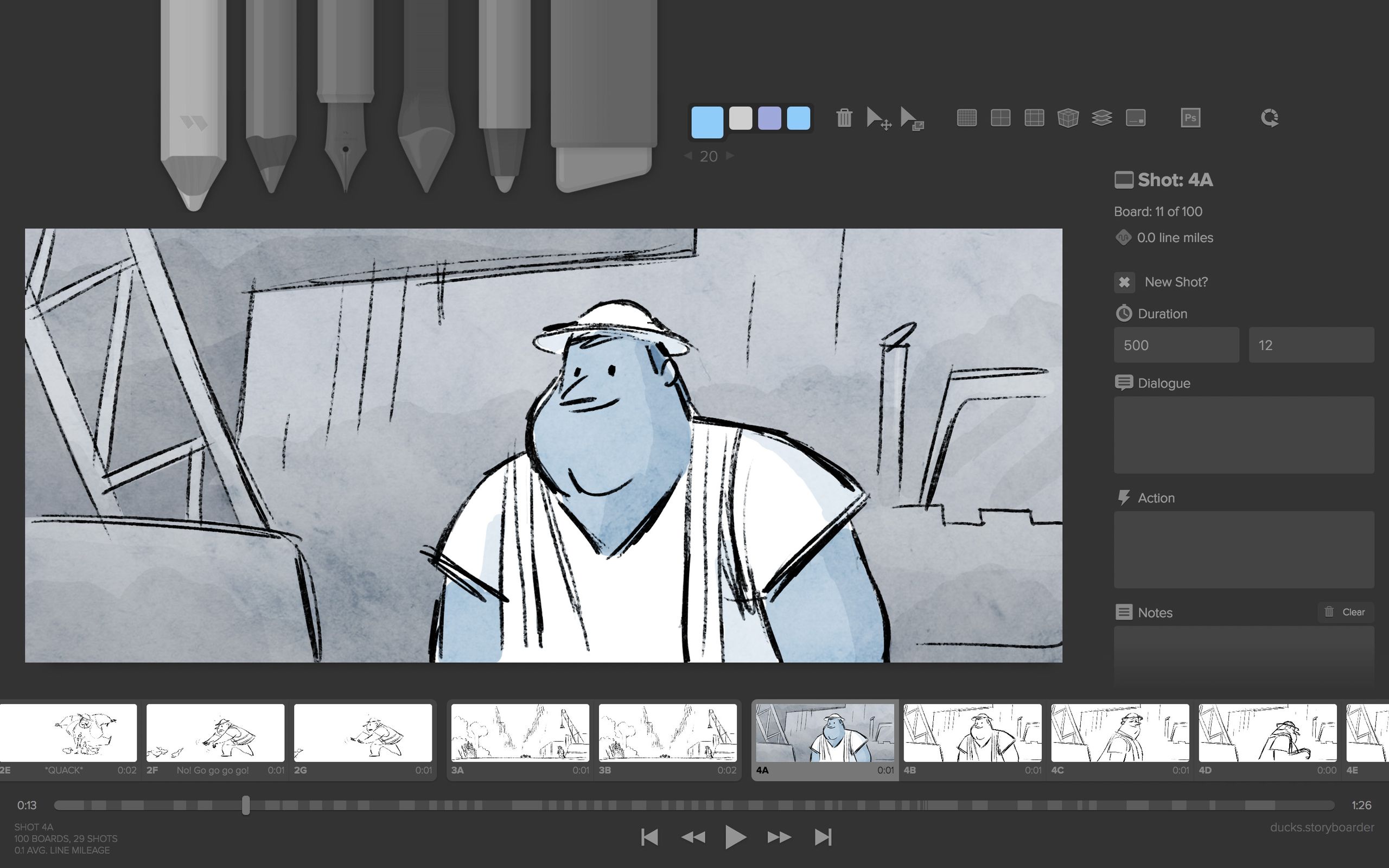
Category: Free Desktop Storyboarding for Artists
- Pricing Model: Completely free, open-source desktop application
- Best For: Solo illustrators, artists, students, and creators on a zero-dollar budget
- Key Features: Robust drawing tools, layers, shot generation, Photoshop integration
✅ Strengths
- Zero cost — completely free forever
- Built-in drawing tools with pressure sensitivity
- Layer support and Photoshop round-trip editing
- Shot generation features for camera direction
⚠️ Considerations
- No web-based collaboration for remote teams
- No real-time client feedback tools
- Desktop-only — requires local installation
- Limited animatic timing features vs. Boords
- Best For Storyboarder: Artists, illustrators, and anyone who needs to draw. Storyboarder by Wonder Unit is a downloadable desktop application that is completely free and includes robust drawing tools, layers, and shot-generation features Storyboarder Official Site.
- Consider Boords: If your primary need is client collaboration. Storyboarder’s main limitation is its lack of real-time, web-based feedback tools, which is Boords’ greatest strength.
- Avoid Storyboarder If: You work with a remote team and clients who need to comment on storyboards instantly from their browser.
Boords vs. Milanote (The Flexible Generalist)
This comparison is about a Specialist vs. a Generalist. The key differentiator between Boords and Milanote is the Total Cost of Ownership (TCO).
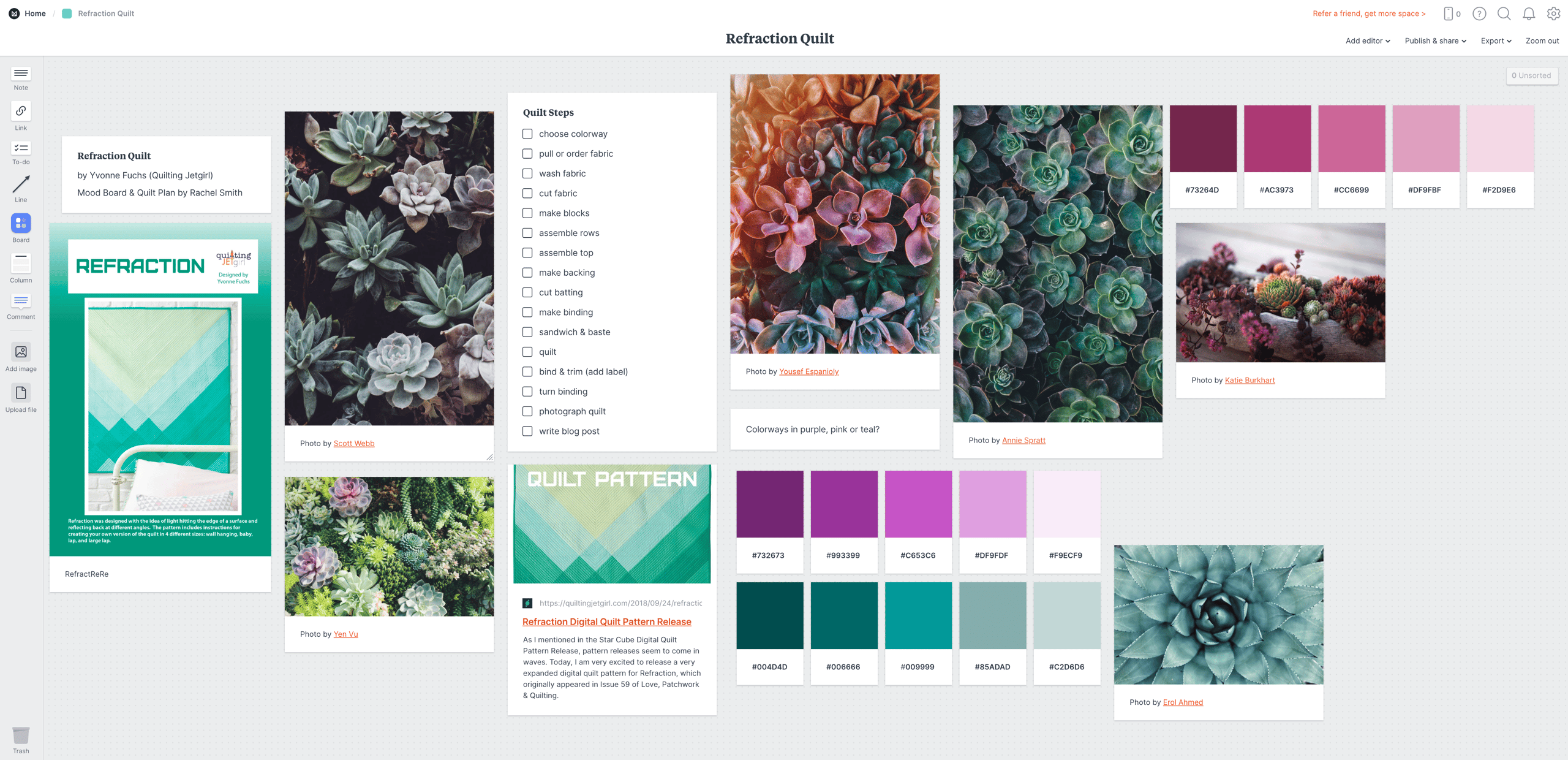
Category: Visual Collaboration & Creative Brainstorming Tool
- Pricing Model: Per-user subscription at ~$9.99/user/month
- Best For: Teams needing an “infinite canvas” for mood boards, brainstorming, and light storyboarding
- Key Features: Drag-and-drop cards, images, notes, and links in a freeform layout
✅ Strengths
- Significantly lower TCO than Boords
- Extremely flexible for many creative use cases
- Basic drawing capability included
- Excellent for early-stage ideation and moodboards
⚠️ Considerations
- No automated animatic generator
- Lacks specialized frame-timing tools
- Client feedback isn’t as structured as Boords
- Not purpose-built for shot sequencing
- Best For Milanote: Teams needing a flexible, low-cost creative space for more than just storyboards. Milanote is a visual collaboration tool that provides an “infinite canvas” for mood boards, brainstorming, and project planning. Its low TCO makes it a financially prudent choice for growing teams.
- Consider Boords: If the automated animatic generator is a critical feature for your workflow. Milanote can be used for storyboarding, but it lacks the specialized timing and feedback tools of Boords.
- Avoid Boords If: Your team’s needs are broad, and your budget is tight. A growing team can get much more utility from Milanote’s flexible canvas for a fraction of the cost.
Boords vs. Toon Boom / StudioBinder (The Pro Suites)
These tools are not direct competitors but represent the “next step up,” defining Boords’ ceiling.
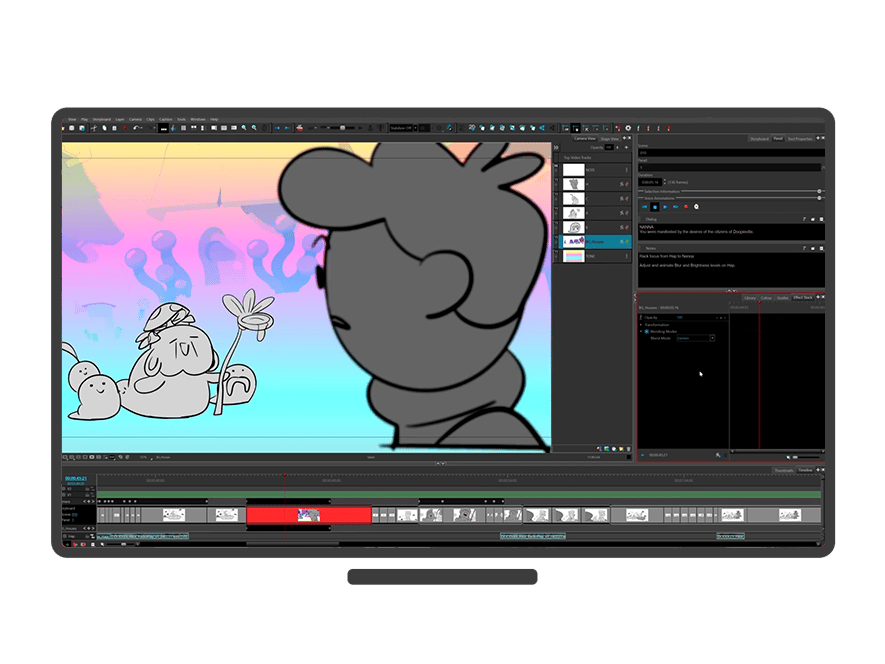
- Best For Toon Boom/StudioBinder: Teams needing a comprehensive, end-to-end production solution. Toon Boom Storyboard Pro is the industry standard for professional animation, offering advanced drawing and 3D controls Toon Boom Storyboard Pro Official Site. StudioBinder is a full production management suite that includes storyboarding alongside features like call sheets and scheduling StudioBinder Official Site.
- Consider Boords: For rapid pre-visualization before moving a project into a more complex suite like Toon Boom.
- Avoid Boords If: Your needs extend beyond simple pre-visualization into full-blown 3D integration or production management.
Final Verdict & Recommendations
After a comprehensive Boords review of its features, cost, and place in the competitive landscape, my verdict is clear: it is an exceptional, best-in-class tool for a very specific and narrow job.
The core trade-off is sacrificing creative flexibility for workflow speed. If that trade-off aligns with your team’s structure and needs, Boords can be a powerful tool to accelerate pre-production. If it doesn’t, it will be a source of frustration and unnecessary expense.
Who Should Buy Boords?
- ✅ The Fast-Paced Ad Agency: Yes. If you have dedicated illustrators churning out assets and your primary bottleneck is getting those assets into a client-friendly format for rapid feedback, Boords is a fantastic investment. The time saved on animatics and revisions will likely provide a positive ROI.
- ✅ The Solo Animator/Producer: Yes, conditionally. If you work with external artists or pre-made assets and your main job is direction and assembly, Boords can streamline your workflow significantly. The Solo plan offers good value for this use case.
Who Should AVOID Boords?
- ❌ The Artist/Illustrator: No. The complete lack of drawing tools is a fundamental deal-breaker. Your workflow will be faster and more intuitive in an all-in-one tool. I recommend Storyboarder as the best free alternative.
- ❌ The Budget-Conscious Growing Team: No. The per-user pricing model makes the Total Cost of Ownership uncompetitive for teams larger than five. A more flexible and affordable tool like Milanote is a much smarter financial choice for a growing studio.
- ❌ The Enterprise/Security-Conscious Company: No, not without verification. The lack of public SOC 2 or ISO 27001 security certifications makes it an unacceptable risk for companies handling high-value, confidential intellectual property. You must get direct, written confirmation of their security posture before considering it.
In conclusion, Boords is not a one-size-fits-all solution. It’s a specialist’s tool that has masterfully solved the problem of storyboard assembly and client feedback, but it has done so by ignoring the act of creation itself.
For the right production workflow, it’s a brilliant piece of software. For the wrong one, it’s an expensive detour. Use this guide to determine which category you fall into before you buy. And if you decide Boords is right for you, browse more latest coupons across our library and read additional reviews of similar tools to make an informed final decision.
Frequently Asked Questions
Q1: How much does Boords really cost in 2026?
Boords’ pricing starts at ~$29/month per user, but the true cost is in its team scaling. A typical 3-5 person team can expect a total cost of ownership (TCO) between $1,200 and $2,000 annually, according to our analysis.
This is due to the steep $20/month cost for each additional team member, which can quickly double or triple the base subscription price of the Team plan Boords Pricing. For larger teams, this makes Boords significantly more expensive than many alternatives, a key finding of this Boords review.
Q2: Is Boords worth the money?
It depends on your workflow. Boords is worth the money if your primary bottleneck is storyboard assembly and client feedback speed, not art creation.
For agencies that bill by the hour, the time saved on creating animatics and centralizing revisions can deliver a positive ROI, justifying the premium price for its specific workflow Creative Bloq Review of Boords. However, if your team includes illustrators who need to draw, the cost is harder to justify as you will still need separate illustration software.
Q3: What are the main problems with Boords?
The two biggest problems with Boords are its complete lack of drawing tools and its high per-user cost for teams. The no-drawing-tool limitation forces a multi-app workflow, which can be inefficient for some creatives G2 User Reviews for Boords.
The pricing model makes it financially unviable for larger teams compared to more flexible alternatives like Milanote, where the per-user cost is substantially lower. Security posture is another significant consideration for enterprise users.
Q4: Should I use Boords or Milanote?
You should use Boords for specialized, rapid animatic creation and Milanote for flexible, low-cost creative brainstorming. Boords is a specialist tool that does one thing very well, offering automated animatic features and structured feedback tools.
Milanote, on the other hand, is a generalist creative canvas that is far cheaper for teams and can be used for a wider range of activities beyond storyboarding Milanote Official Site. The choice depends on whether you need a specialist’s scalpel or a generalist’s multi-tool.
Q5: Can you draw in Boords?
No, you cannot draw or sketch directly in Boords. The platform is designed to assemble and sequence existing images created in other programs like Procreate, Photoshop, or Illustrator.
This is the most critical limitation to be aware of before purchasing, as confirmed by Boords’ own help documentation Boords Help Center. It is a tool for directing and storytelling, not for originating artwork.
Q6: How does Boords’ client feedback feature work?
You can share a project via a private, password-protected link, and clients can leave time-stamped comments directly on storyboard frames without needing to create an account.
This centralizes all feedback in one place and eliminates the confusion of notes scattered across emails and PDFs, which is praised in many user reviews as a key time-saving feature Capterra User Reviews for Boords. It is one of the platform’s strongest selling points.
Q7: Is Boords secure for confidential client work?
This is a significant consideration. As of early 2026, Boords does not have public SOC 2 or ISO 27001 security certifications.
While they state they use secure infrastructure from Amazon Web Services (AWS), the lack of independent verification makes it a choice that requires careful thought for highly sensitive intellectual property Boords Security Page. For high-stakes projects, it is advisable to get a direct security statement from the vendor.
Q8: What’s the best free alternative to Boords?
The best free alternative is Storyboarder by Wonder Unit. It is a downloadable desktop application that, unlike Boords, includes robust drawing and sketching tools with Photoshop integration, making it ideal for artists and creators who need creative control on a zero-dollar budget Storyboarder Official Site.
Its primary weakness is the lack of the polished, real-time web collaboration that Boords offers.

