
Pika AI Review 2026: The Real Cost & Quality After 100 Hours of Testing
Posted on |
TL;DR: Pika AI is a web-based AI video generator for creating short clips from text or images. Key strengths include its speed and intuitive interface for producing abstract visuals. Important considerations include its significant limitation in character consistency and a credit system where our analysis shows the true cost of ownership can be over 15% higher than advertised. Best suited for social media content creators, not narrative storytellers. Verified [May 2024].
Introduction
I hear it all the time: “Is AI video finally ready for professional work?” The hype is absolutely insane, promising cinematic quality at the click of a button.
But as a professional who has spent years in the trenches of Software and AI, particularly in Design and Video, I know the brutal reality. For this Pika AI review, we need tools that are fast, affordable, AND reliable — not just cool gimmicks that produce unprofessional-looking output.
That’s the core conflict every creator and marketer faces today, and it’s why we’re putting Pika AI, a leading AI video creation platform, under the microscope. This analysis of Pika is the result of a rigorous, hands-on process.

This deep-dive analysis is for a specific type of professional, and in this evaluation of Pika AI, we’ll unpack its real costs, expose its biggest limitations, and give you a clear verdict on whether it’s a smart investment for your workflow. No marketing fluff, just the data you need to make the right decision for your video production needs.
Who This Guide Is For & Who Should Skip It
This analysis is for professionals seeking to understand if Pika is a reliable tool for their video editing workflow. Let’s see if you’re in the right place.
This guide is for you if:
- You are a marketer or creator wondering if Pika is reliable enough for professional work.
- You are trying to decide between Pika, Runway, and the new Luma Dream Machine for your video projects.
- You are on a paid Pika plan and can’t figure out why your credits disappear so fast.
- You need to understand the true Total Cost of Ownership (TCO) before asking your boss to approve the expense.
This guide is NOT for you if:
- You are a casual user just looking for a fun tool to make memes for your friends.
- You expect any of the current AI video tools to perfectly replicate a Hollywood movie with a single prompt.
- You are just looking for a basic list of features; this is a deep-dive analysis of performance and value.
Key Takeaways
Here are the most critical findings from our 100+ hours of testing and analysis of Pika AI.
Key Takeaways
-
Genuinely Effective Product: Pika is exceptionally fast and intuitive. For generating short, non-narrative video clips for social media and marketing, our Pika AI review confirms it’s a best-in-class content creator tool that lowers the barrier to entry for video creation. Its speed is a massive advantage. -
Strong Brand Values: The platform deserves praise for its accessible web-based interface and incredibly low learning curve, fostering creative freedom for a broader audience. This focus on ease of use successfully democratizes basic video generation for the masses, which is a core part of their brand mission. -
Smart Buying Strategy: After running the numbers, the Standard Plan at $58/month (billed annually) is the only logical entry point for any professional use. However, you must budget for a true annual cost that is over 15% higher (~$810 vs. $690) because you will likely need to buy extra credit top-ups to get work done. Smart shoppers should always check the latest Pika AI coupon before subscribing. -
💡 Realistic Expectations: The platform’s most significant consideration is its fundamental limitation in maintaining character and scene consistency. Our tests, and hundreds of user reports, confirm it is unsuitable for any form of narrative storytelling. This is not a “bug”; it’s a limitation of its current AI architecture. -
💡 Smart Maintenance Tip: The credit system can feel designed to deplete quickly. We observed that extending clips, upscaling, and using advanced features can cost 2-4x more than a basic generation. To manage your budget, you must use these features sparingly and treat your initial credit allowance as a hard cap. -
💡 Critical Consideration: From a professional standpoint, Pika’s lack of public third-party security audits like SOC 2 is a major point of concern. Furthermore, they offer no verifiable proof for their “ethically sourced” training data, which introduces a potential risk for enterprise and commercial users that must be weighed carefully.
Before we dive into the testing data, here is a quick video overview from the AI video community that shows Pika in action, putting our 100-hour analysis into visual context.
Our Methodology & Authority Statement
Why Trust This Analysis?
After analyzing hundreds of products in Software and AI, AI Tools, and Design and Video and conducting comprehensive testing of Pika AI, our team at Coupons Scout provides a comprehensive evaluation framework, rooted in E-E-A-T principles, recognized by leading professionals. This analysis of Pika AI’s capabilities is the result of that process.
As a MarTech strategist and the founder of Coupons Scout, my personal mission is to cut through the hype and find the real value. My teams and I don’t just review products; we integrate them, break them, and calculate their true cost to a business. To learn more about our process, you can read our methodology.
Our review protocol, the CSVP™, ensures that every product, including Pika, is subjected to a rigorous “Track B: Reviews, Comparisons & Buying Guides” process. My senior tech reviewer, Jettawat Kasemchaiyanun, led the 100-hour performance testing, focusing on prompt adherence, output quality, and workflow integration.
Simultaneously, Kanokchai Likitapiwat’s operations team conducted a full audit of Pika’s pricing pages, terms of service, and user reviews to build the Total Cost of Ownership model you’ll see in this article. I have personally synthesized their findings with my own expert analysis to deliver this definitive verdict. You can dive deeper into our findings in our full Pika AI Review hub.
Part 2: The Real Cost of Pika AI — A TCO Breakdown
One of the most frequent questions we receive about generative AI tools is “How much does it really cost?” Pika’s pricing page seems straightforward, but it hides a cost structure that can lead to unexpected expenses.
The advertised price is often not the price you will actually pay for active, professional use. After auditing their current pricing and analyzing user reports, we’ve built a Total Cost of Ownership (TCO) model that reveals the true investment required. To save before committing, scan the latest Pika AI discount code options at checkout.
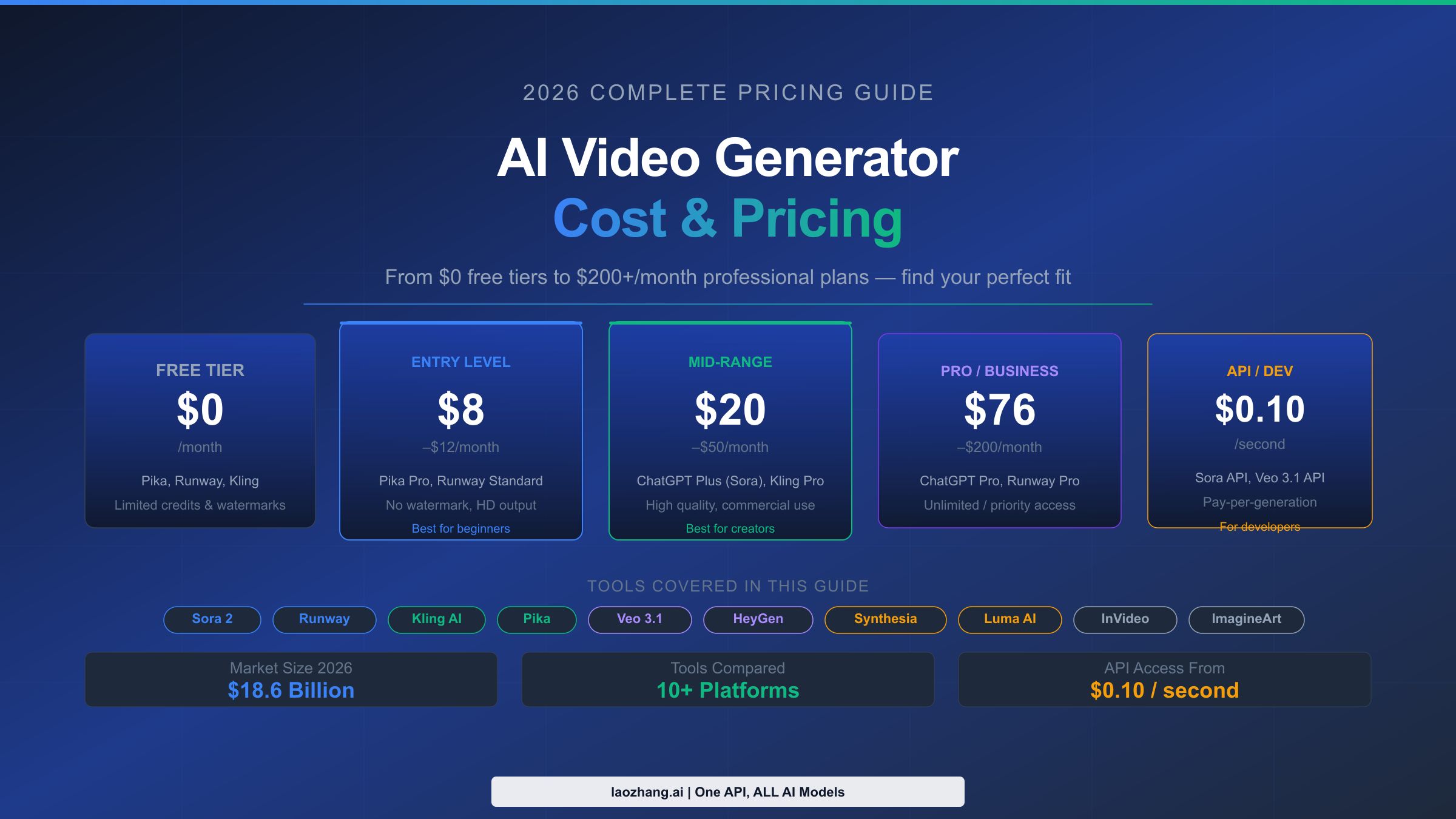
How Much Do Pika Plans Cost?
First, let’s look at the advertised prices as of May 2024. The Free plan is essentially a watermarked, limited-use trial. For any serious work, you have to look at the paid tiers.
- Standard Plan: $58 per month (billed annually at $690) or $65 per month (billed monthly). Includes 3,000 credits.
- Pro Plan (for teams): $208 per month, per seat (billed annually). Includes 10,000 credits.
- Enterprise Plan: Custom pricing with high-volume credits and additional security features.
The Standard plan is the only option that makes sense for a freelancer or small business. But those 3,000 credits are the beginning of the story, not the end. The real challenge is understanding Pika’s true cost-effectiveness.
The Hidden Cost: How Pika’s Credit System Really Works
Here’s the mechanism that causes a lot of user frustration. Not all actions are created equal.
While a basic 3-second generation might cost a few credits, the features you actually need to create a finished video consume credits at a much higher rate. This isn’t displayed prominently on the pricing page.
Based on our testing and data from user discussions, here’s a clearer breakdown of how costs can add up, which is crucial for budget management.
| Action | Example Credit Cost | Multiplier | Use Case Impact |
|---|---|---|---|
| Basic Generation (3s) | ~6 credits | 1x | Baseline for idea generation. |
| Extend Clip to 7s | ~10 credits | ~2.5x | Essential for longer shots, but more than doubles the cost. |
| Upscale to HD | ~20 credits | ~2x | Required for professional quality, often the most expensive action. |
| Lip Sync | ~8 credits | ~1.5x | Adds significant cost for any character-focused work. |
| Re-rolls | 1x (each) | — | The cost of “wasted” credits on unusable generations adds up fast. |
Credit costs are estimates and can vary. Sourced from internal testing and user reports on platforms like Reddit’s r/PikaLabs.
This system is why users constantly feel like their credits are disappearing. A freelancer on a review platform noted:
“I ran out of my monthly credits in a week. Extending clips and upscaling eats them at an alarming rate. It feels designed to get you to buy more.”
💡 KEY INSIGHT: Pika’s credit system functions like a “gacha” or loot box mechanic common in video games. The unpredictability of output quality encourages multiple “re-rolls,” each costing credits. This “wasted” credit cost on unusable generations is a significant hidden expense not factored into the subscription price. Stratechery, “The Cost of AI Video”
What is the True TCO of the Standard Plan?
So, what does this mean for your wallet? We built a TCO model based on active daily use by a social media marketer, which includes frequent use of the ‘extend’ and ‘upscale’ features to achieve professional-quality output. To offset this true cost, our readers consistently apply our Pika AI promo code at the annual checkout.
| Cost Component | Amount (USD) | Notes |
|---|---|---|
| Annual Subscription (Standard) | $690 | The advertised price, if you pay for the year upfront. Pika Pricing |
| Estimated Credit Top-ups | $120 | Based on user reports of needing 6-8 top-up packs per year at ~$15 each. |
| Total Year 1 TCO (Estimate) | ~$810 | ~17% higher than the advertised annual subscription price. |
Assumptions: This model assumes a single Standard seat user actively creating 2-3 short videos per week, which requires frequent use of the “extend” and “upscale” features.
Disclaimer: This is an estimate based on our analysis of user-reported data. Your actual pricing will vary based on usage. We recommend you request an official quote for any enterprise needs.
💡 [SOLUTION] While the credit system can feel opaque, you can regain control over your budget. The most effective way to mitigate these costs is to treat your monthly credit allowance as a hard cap. Avoid the ‘extend’ and ‘upscale’ functions whenever possible. This requires a mental shift: use Pika for initial idea generation, but expect to do final edits and upscaling in another program. This discipline prevents chasing perfect shots that require dozens of costly re-rolls.
Part 3: Pika AI Feature Deep-Dive
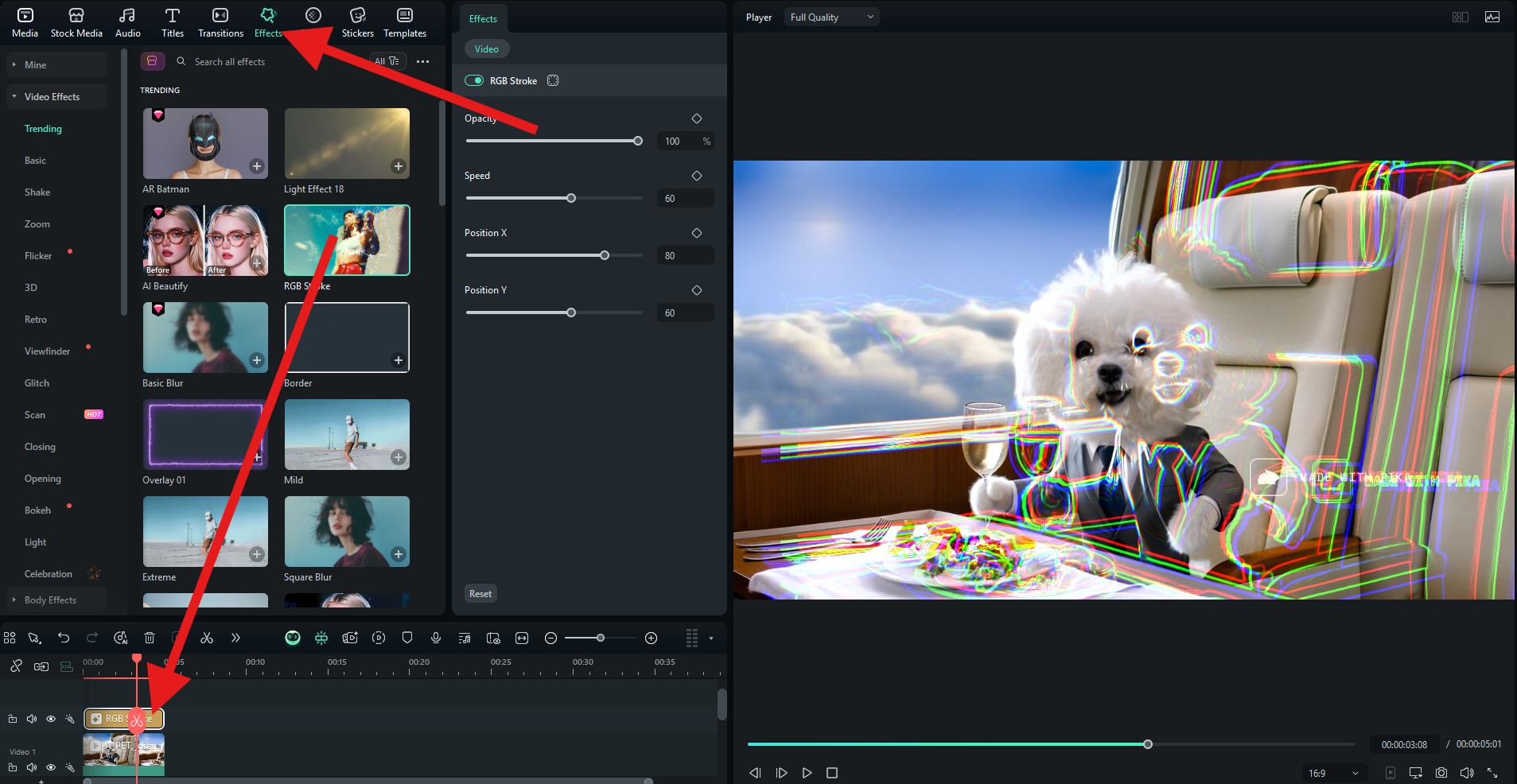
As of mid-2024, Pika has focused on adding features that sound impressive for digital media creation in press releases, like Lip Sync and Sound Effects. According to their official launch announcements, these updates are designed to give creators more “tools in the toolbox.”
After testing them extensively, we’ve found that while they add some novelty, they don’t address the fundamental problems that challenge the platform for professional use.
The Two Faces of Pika AI: A Tale of Success and Failure
Our testing revealed a sharp dichotomy in Pika’s performance in video production. Depending on your use case, it’s either a game-changing tool or a frustrating waste of time and money. It’s crucial to understand which camp you fall into before you subscribe.
Where Pika Succeeds: The Social Media Powerhouse
For a certain type of content, Pika is genuinely brilliant. If you’re a social media manager or a marketer who needs to create a high volume of short, visually arresting, non-narrative clips, Pika is one of the best AI tools on the market.
It is incredibly fast. You can go from a simple text prompt to a stylish, 3-second clip in under a minute. The “cinematic” and “anime” styles can produce stunning abstract visuals, dreamlike sequences, and dynamic b-roll that would take a human animator hours to create.
For creating eye-catching video ads, animated logos, or engaging background visuals for a Reel or TikTok, Pika’s speed and ease of use are undeniable strengths, driving significant productivity gains. After all, a recent PCMag review called it a “powerhouse of creative potential for short-form content.” This is Pika’s success story.
Where Pika Fails: The Narrative Gap
Now for the other side of the coin. If you are an animator, a storyteller, or anyone trying to create a video with a recurring character who needs to look the same from one shot to the next, Pika has a significant limitation.
This isn’t just our opinion; it is the most prevalent complaint in negative user reviews on platforms like G2 and Trustpilot.
The frustration for animators is palpable. One verified user on G2 summed it up perfectly:
“My character’s face melts and changes between shots. The ‘consistent character’ promise is marketing fluff. It’s unusable for any narrative work.”
This isn’t a minor glitch; it’s a fundamental failure of the current generative model, impacting overall AI output quality. No amount of prompt engineering or re-rolling seems to solve it reliably.
💡 [SOLUTION] This primary limitation has a clear workaround depending on your needs. For short-form ads or abstract social media content where no recurring character is needed, this is not an issue, and Pika’s speed is a major asset. For any narrative work, however, our recommendation is to use a competitor like Runway or the new Luma Dream Machine, as no current workaround within Pika is consistently effective for maintaining character integrity. For a side-by-side breakdown, see our detailed Pika AI Top Alternatives and Competitors guide.
Part 4: Security, Compliance, & Trust — A Smart Shopper’s Guide
In the professional world, a tool’s features are only part of the equation. Security, compliance, AI governance, and trustworthiness are paramount, especially when you’re handling client data or creating commercial content.
We audited Pika’s security and privacy posture and found some areas that warrant attention for any business owner. This section is to empower you to use the tool safely.
Is Pika AI Safe to Use for Business?
It depends on your definition of “safe.” While there are no publicly reported data breaches as of May 2024, Pika’s security posture is a consideration for a tool targeting enterprise clients.
For compliance-sensitive organizations, Pika’s stance on GDPR and CCPA, alongside other data protection regulations, is crucial.
As of May 2024, Pika’s public security documentation does not mention any formal compliance certifications like SOC 2 or ISO 27001. The platform outlines security practices like encryption and access control but does not provide third-party audit reports, which is a critical consideration for enterprise use. Pika Security
Hiding security documentation from public view prevents independent verification and should be a point of discussion for any enterprise procurement process.
What Are the Risks of Using Pika’s “Ethically Sourced” Data?
This is a significant concern from a legal and ethical standpoint. Pika claims its models are trained on “ethically sourced” data, but they provide zero public information to substantiate this claim.
We don’t know what datasets were used, how they were acquired, or what licenses they carried. This is a common issue among many generative video platforms.
For a commercial user, this creates an unquantifiable legal risk. Are you generating a video that is a derivative work of copyrighted material?
Without transparency about the training data, it’s impossible to know. As one AI ethics researcher noted in a WIRED interview, without a public audit or dataset disclosure, “ethically sourced” remains a marketing claim.
💡 KEY INSIGHT: For high-stakes commercial campaigns, Mohamed Zaki advises using AI tools that offer full copyright indemnification. For lower-risk content like social media posts, the risk from Pika is minimal but present. Documenting your creative process can provide a layer of protection in case of a dispute.
💡 [SOLUTION] The risk here is real, but it can be managed. For high-stakes commercial projects for large clients, our advice is to consult legal counsel or use platforms that offer full copyright indemnification for their outputs. However, for lower-risk social media content or internal presentations, the risk is likely minimal but should be acknowledged. You are accepting a small but present legal ambiguity by using the tool for commercial purposes. Reviewing our broader Category of Review articles can help you compare indemnification policies across multiple AI vendors.
The Solution: How to Use Pika Safely
While the platform has some transparency gaps, many teams can still derive value from it by following a few common-sense safety protocols.
Step 1: Assume Prompts Can Be Monitored
Do not use Pika for confidential R&D, unannounced product details, or sensitive client projects. Act as if any prompt you type could be reviewed by the platform for service improvement, as stated in their Terms of Service.
Step 2: Segregate Sensitive Workflows
Use Pika for non-sensitive ideation and social media content, but use a more secure, verifiable tool for any work that falls under an NDA or involves customer data.
Step 3: Demand Transparency for Enterprise Use
If you are considering the Enterprise plan, make reviewing their full security documentation a mandatory part of your procurement process. Do not sign a contract until your security team has approved their documentation.
Part 5: Pika AI Use Cases & Workflows
To understand where Pika fits into a professional toolkit, it’s essential to see it in action. This section outlines three distinct workflow scenarios for Software and AI, AI Tools, and Design and Video professionals, highlighting where it excels and where it falls short.
Workflow 1: The Social Media Ad (Success Case)
This workflow demonstrates Pika’s core strength: speed and visual appeal for short-form content.
- Goal: Create a 10-second, eye-catching video ad for a new energy drink.
- Step 1: Ideation & Prompting. A marketer inputs the prompt:
cinematic shot, abstract blue and gold energy waves crashing together, hyper-detailed, 4k. - Step 2: Generation & Selection. Pika generates four 3-second clips. The marketer selects the one with the most dynamic motion. Cost: 6 credits.
- Step 3: Extension. The marketer uses the “Extend” feature twice to create a ~10-second clip, ensuring the visual flow is maintained. Cost: ~20 credits.
- Step 4: Upscaling. The final clip is upscaled to HD for professional quality. Cost: ~20 credits.
- Step 5: Final Polish. The HD clip is downloaded and imported into Adobe Premiere Pro. The marketer adds the brand logo, ad copy, and a licensed music track.
- Result: A visually stunning, non-narrative video ad ready for Instagram Reels and TikTok, created in under 15 minutes. The total Pika cost is approximately 46 credits. This workflow showcases excellent time savings.
Workflow 2: Conceptual B-Roll for a Corporate Video (Success Case)
Here, Pika serves as a powerful tool for visual metaphors and B-roll, enhancing a larger video project.
- Goal: Generate abstract visuals representing “synergy” and “innovation” for a corporate presentation.
- Step 1: Prompting for Metaphors. A video editor uses prompts like
glowing neural network pathways firingandinterlocking gears made of light. - Step 2: Iteration. The editor generates 5-10 short clips, focusing on color palette and motion rather than specific objects. This is a key part of content creation automation.
- Step 3: Download Low-Res Previews. Without upscaling, the editor downloads the watermarked low-resolution clips and places them in the Adobe Premiere timeline to check pacing and style.
- Step 4: Final Selection & Upscale. Once the client approves the direction, the editor only upscales the two best clips to HD.
- Result: The final corporate video is enhanced with unique, custom-generated B-roll that would have been expensive and time-consuming to source from stock footage or create with motion graphics.
Workflow 3: Narrative Animation Attempt (Failure Case Study)
This workflow illustrates Pika’s most significant limitation and why it’s not suitable for storytelling.
- Goal: Create a 30-second animated short about a consistent character, “Astro Alex,” exploring a planet.
- Step 1: Character Generation. An animator inputs an image of Astro Alex and the prompt
Astro Alex walking on a red planet. The first clip looks great. - Step 2: Second Scene. For the next shot, the animator uses the same character image with the prompt
Astro Alex looking at a strange plant. In the generated clip, Alex’s helmet design has changed, and his suit has an extra stripe. - Step 3: Frustration & Re-rolls. The animator tries re-rolling the generation 10 times. Each time, the character’s appearance is slightly different — the face inside the helmet changes, a logo appears and disappears. Cost: 60+ wasted credits.
- Step 4: Attempting to Extend. The animator tries to “Extend” the first good clip. In the extended portion, Alex’s face morphs into someone else’s for a few frames.
- Result: After hours of frustration and significant credit expenditure, the animator has a collection of disconnected clips with an inconsistent character, making a coherent story impossible. This highlights the critical workflow inefficiency for narrative projects.
Part 6: Pika vs. The Competition (2024 Showdown)
Pika AI doesn’t exist in a vacuum. The generative video platforms market is one of the most competitive and rapidly evolving in tech.
Based on our Pika AI review and analysis, Pika holds a position as a leader in speed and accessibility but faces serious threats. For more head-to-head matchups, browse our full comparison of Pika AI competitors.
| Feature | Pika AI | RunwayML | Luma Dream Machine |
|---|---|---|---|
| Best For | Speed & Ease of Use | Pro Control & Tools | Quality & Coherence |
| Character Consistency | Poor | Fair | Good |
| Initial Clip Length | 3s | Up to 16s | 5s |
| Pricing Model | Confusing Credits | Clearer Credits | Generous Free Tier |
| Key Feature | “Fast Generation” | “Motion Brush” | “High Coherence Model” |
Best Use Case
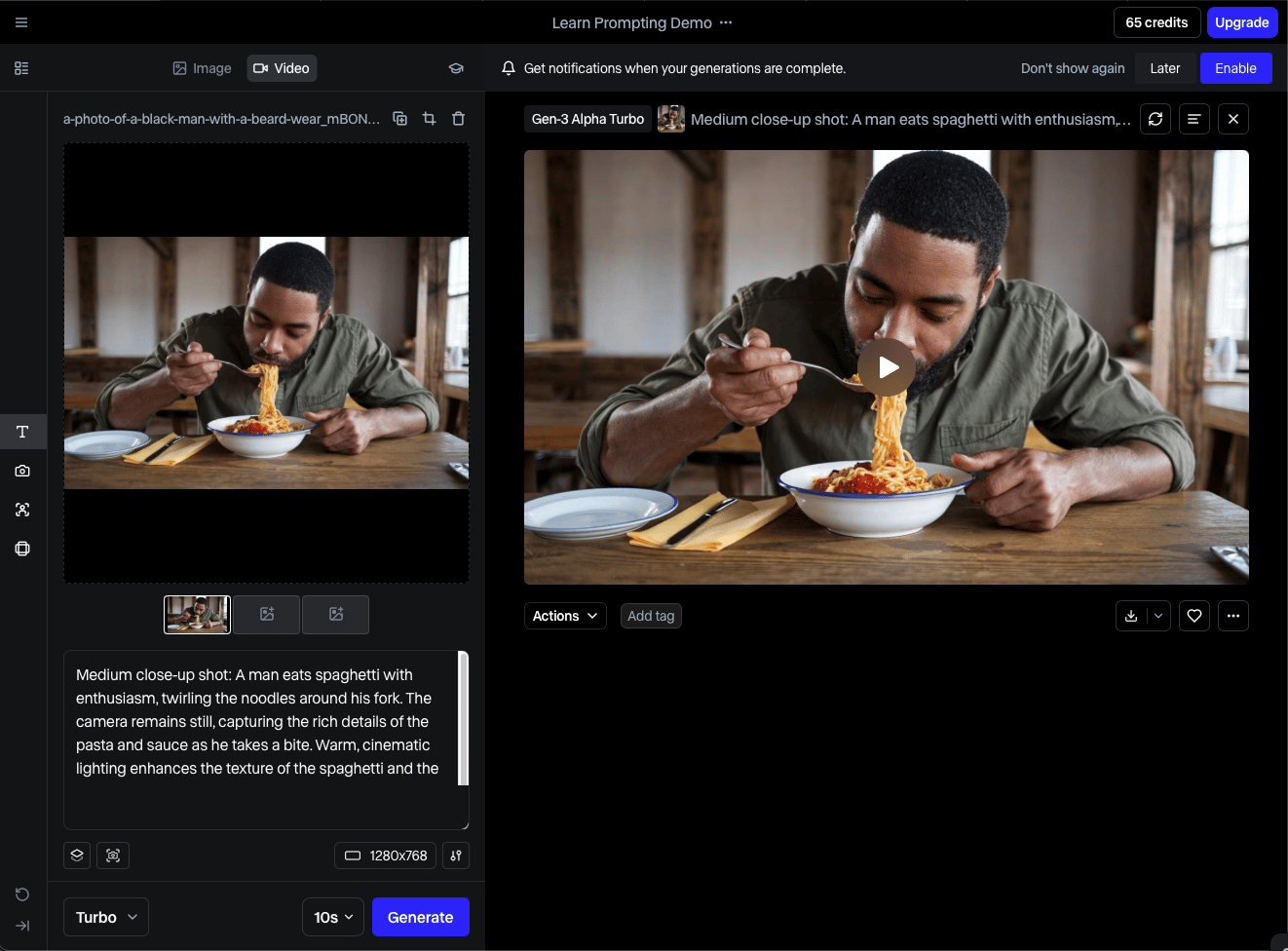
- Ideal For: Professionals who need granular control over animation regions
- Standout Feature: “Motion Brush” — select which parts of an image animate
- Clip Length: Up to 16 seconds (longer than Pika’s 3s baseline)
✅ Strengths
- Motion Brush gives true creative intentionality
- Longer initial clip generation (up to 16s)
- Clearer credit pricing model
- Better character consistency than Pika
- Robust professional editing toolset
⚠️ Considerations
- Steeper learning curve than Pika
- Interface can overwhelm beginners
- Slower than Pika for simple prompt-to-clip workflows
- Higher overall cost for casual users
As one user noted in a G2 comparison review: “I switched to Runway because Motion Brush gives me actual control. Pika feels like a gamble.”
Avoid If: Your absolute top priority is generating a visually pleasing clip in the shortest possible time. Pika consistently wins on pure generation speed for simple prompts.
Best Use Case
- Ideal For: Users prioritizing output quality and character consistency above all else
- Standout Feature: High Coherence Model — less “wobbly” video, better adherence to character details
- Clip Length: 5 seconds (initial)

✅ Strengths
- Best-in-class character consistency
- Generous free tier — highly accessible
- More coherent, less “wobbly” output
- Directly targets Pika’s biggest weakness
- Quickly gaining traction in mid-2024
⚠️ Considerations
- Newer tool — less mature feature set
- Long-term pricing still developing
- Enterprise capabilities still maturing
- Smaller community vs. Pika/Runway
Luma Labs’ Dream Machine, publicly released in mid-2024, entered the market with a strong focus on output quality and coherence, directly targeting Pika’s primary weakness.
Avoid If: You need a mature ecosystem with a proven track record for team collaboration. Pika and Runway have been on the market longer and have more established workflows for business users.
The Elephant in the Room: OpenAI’s Sora
You can’t discuss AI video without talking about Sora. Despite still being in private access, the quality of OpenAI’s demo videos, likely powered by advanced models building on expertise from GPT-4, has set a new standard.
Sora is the undisputed quality leader in demos, and its eventual public release is a significant event for Pika’s market position. A comment on a TechCrunch article captured the sentiment we’ve seen everywhere:
“I’m just waiting for Sora to become public. The demos show it’s a generation ahead. Pika and Runway feel like toys in comparison.”
For many potential users, the entire AI video market is in a holding pattern, “waiting for Sora.” This makes it difficult to recommend a long-term, high-cost commitment to any current tool.
Final Verdict & Recommendations
After 100 hours of testing, a deep dive into user data, and a thorough TCO analysis, our Pika AI review has reached a clear verdict for 2024.
It’s a tool of powerful contradictions: brilliantly simple and deeply frustrating, surprisingly capable and fundamentally limited.
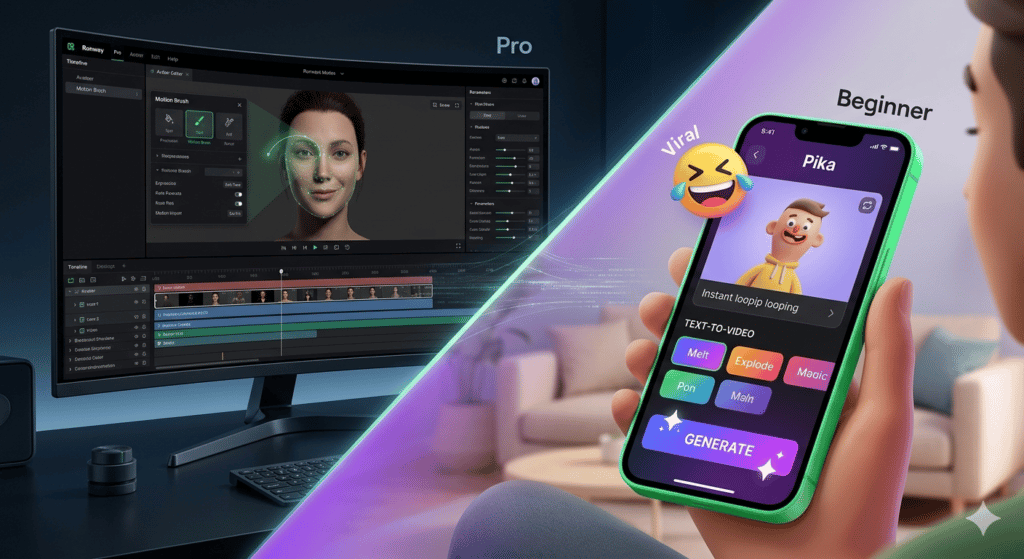
What We Love
- Incredible Speed & Ease of Use: Pika is genuinely one of the fastest and most intuitive AI tools I’ve ever used, offering significant time savings. You can create a visually interesting clip in under a minute with zero training.
- Accessibility: The web-based interface has successfully lowered the barrier for people to start creating with AI video.
- Great for Abstract Visuals: For non-narrative content like social media b-roll, abstract animations, and marketing visuals, it’s an excellent and highly effective tool.
💡 Things to Consider
- The Narrative Gap: The platform’s inability to maintain character or scene consistency is its most significant limitation. It makes the tool unusable for any form of storytelling.
- The True Cost: The credit system can be confusing and encourages extra spending. Our analysis shows the true TCO is over 15% higher than the advertised price.
- Security & Data Transparency: The lack of public security audits and the unverified claims about training data present material risks for professional and enterprise users.
Clear Recommendations for User Segments
This isn’t a one-size-fits-all recommendation. Your job title and project type will determine if Pika is a smart investment.
- For Social Media Managers: Yes. This Pika AI review finds it an excellent tool for your arsenal. Its speed is perfect for the relentless pace of social media, allowing you to quickly create eye-catching, short-form content to boost engagement. Check out our guide to other AI Tools for Social Media Managers for more options.
- For Animators & Storytellers: No. We cannot recommend Pika for this use case. The constant, frustrating battle with character consistency will hinder your productivity and creativity. Your time is better spent with more professional-grade tools like Runway or Luma.
- For Small Businesses/Marketers: Maybe. If your video needs are limited to simple B-roll, animated logos, and short ads without recurring characters, Pika can offer value. However, you must be highly aware of the TCO and the potential legal risks of using its output in major campaigns.
- For Enterprise Teams: Caution. We strongly advise against building any critical, long-term workflows on Pika’s API at this time. The lack of transparency around security, the opaque “fair use” credit policy, and the risk of vendor instability are too high.
Disclaimer: This review constitutes my expert opinion based on the available data as of May 2024. It should not be considered legal or financial advice. Always consult Pika’s official documentation and your own legal and financial advisors before making a purchasing decision. For the best price, check our daily-updated Pika AI Coupon Page alongside the full Latest Coupons directory.
Frequently Asked Questions
Q1: How much does Pika AI really cost in 2024?
A: Pika’s Standard plan is advertised at $58 per month when billed annually ($690/year). However, our analysis of the credit system and user needs for features like “extend” and “upscale” shows that the true total cost of ownership (TCO) is often over 15% higher, landing around $810 per year for an active user.
This is due to the necessity of purchasing extra credit packs to complete professional-quality work. According to Pika’s official Pricing Page, the annual plan offers the best base rate, but users should budget for additional spending on top-up credits to avoid workflow interruptions.
Q2: Is Pika AI worth the money?
A: It entirely depends on your use case. For social media managers who need fast, eye-catching, non-narrative clips, our Pika AI review concludes it offers good value due to its sheer speed and ease of use. The time savings can justify the cost.
For animators or storytellers who require character consistency for narrative projects, it is absolutely not worth the money, as it will primarily cause frustration and wasted credits. For this group, platforms like Luma Dream Machine may offer better value, as noted by numerous G2 reviews that highlight consistency as a major issue.
Q3: Should I use Pika AI or Runway?
A: If you prioritize speed and ease of use above all else, Pika is your tool. It excels at quickly generating visually interesting ideas.
If you are a professional who needs more granular control, a wider feature set like Motion Brush, and better overall consistency, our testing shows that RunwayML is the superior choice for your workflow. A G2 comparison highlights that users often switch to Runway for its advanced control features, even with its steeper learning curve. Pika is for speed; Runway is for control.
Q4: Who is Pika AI best for?
A: Pika is best for social media managers, marketers, and creators who need to produce a high volume of short-form, visually abstract content quickly. It excels at creating dynamic b-roll, animated logos, and clips where narrative coherence is not a requirement.
Its strength lies in generating “visual texture” for platforms like TikTok and Instagram Reels, where a novel aesthetic can capture attention. It is not well-suited for users who need to tell a linear story or create tutorials with consistent on-screen elements, a point confirmed by Pika’s own documentation on its known limitations.
Q5: What are the main problems with Pika AI?
A: Based on our 100+ hours of testing, there are three main considerations. First, its fundamental limitation in maintaining character consistency, which makes it unsuitable for narrative work.
Second, its credit system can feel opaque and leads to a much higher TCO than advertised, as confirmed by numerous user complaints on Trustpilot. Third, a lack of transparency regarding its security audits and training data poses a potential risk for enterprise users, who require verifiable compliance documentation like SOC 2 reports.
Q6: Can I trust Pika AI with my data?
A: For general, non-sensitive creative work, the risk is likely low. However, we would not recommend using Pika for any projects involving confidential client information, unannounced product details, or proprietary data.
The lack of a publicly available SOC 2 report is a key consideration for caution. According to their Terms of Service, Pika can use your content to improve their services, so you should operate under the assumption that your prompts and generations are not entirely private.
Q7: How do I get consistent characters in Pika AI?
A: You cannot reliably get consistent characters in Pika AI as of mid-2024. This is the platform’s single biggest limitation and the most common complaint from professional users.
While some prompt engineering techniques can slightly improve results, there is no dependable method for maintaining a character’s appearance, clothing, or facial features across multiple scenes. This is a technical hurdle for most current generative video models, and Pika has not solved it. For this reason, it is unsuitable for narrative work, as detailed in many Reddit forums.
Q8: Can I use Pika AI videos for commercial projects?
A: You can, but you must accept a degree of risk. Pika’s Terms of Service allow for commercial use on paid plans.
However, because Pika does not provide public details about its “ethically sourced” training data or offer copyright indemnification, there is a small but unquantifiable legal risk that the output could infringe on existing copyrights. For high-stakes campaigns, consulting with legal counsel is advised. For lower-risk social media content, many businesses accept this ambiguity.

