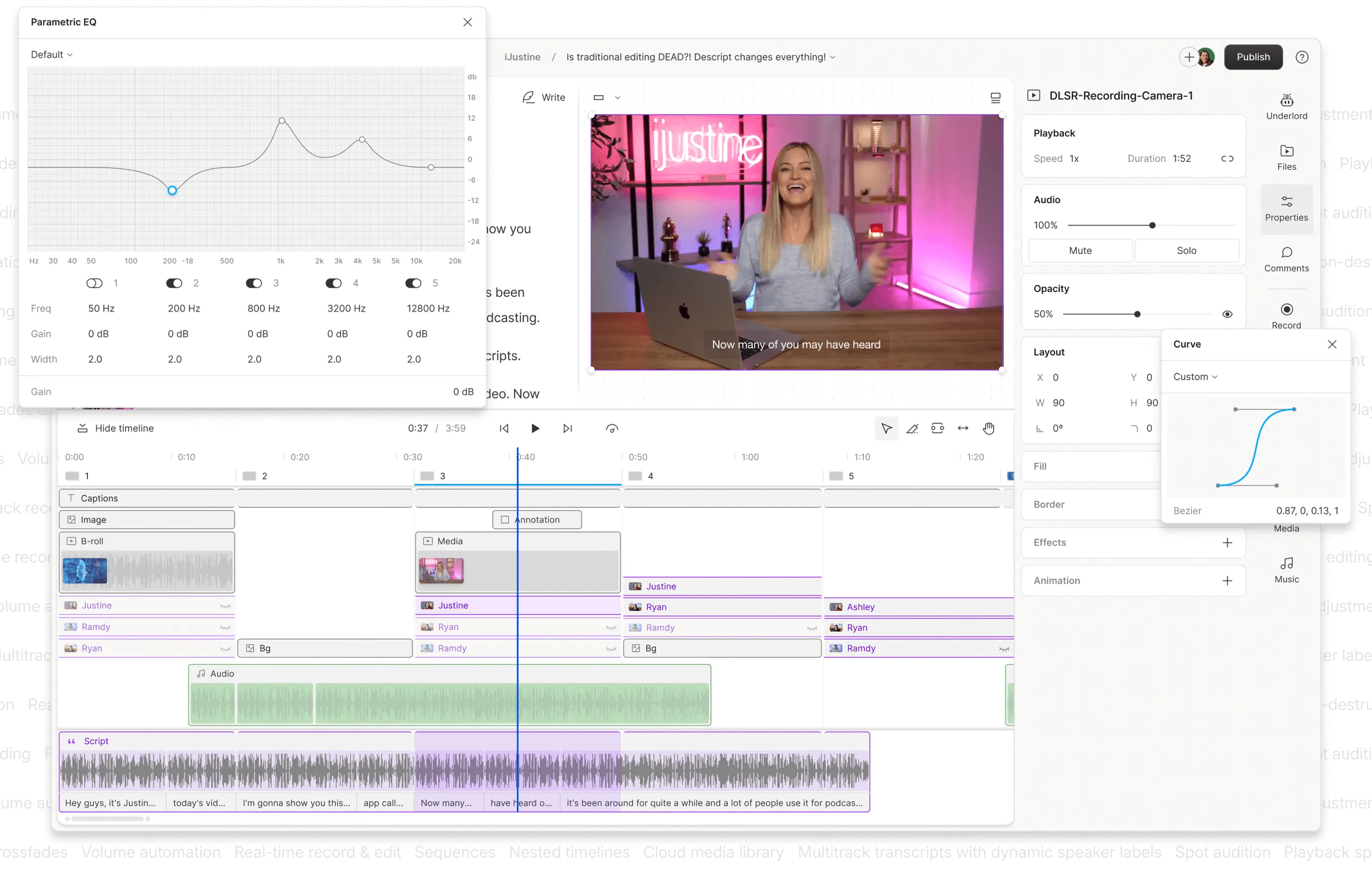
Snapcut Top Alternatives and Competitors: A Devil’s Advocate Comparison for 2026
Posted on |
As a MarTech strategist and founder, my team and I evaluate hundreds of software tools a year. The goal is always to find platforms that deliver a quantifiable return on investment (ROI), not just flashy features.
In today’s fast-moving creator economy, the explosion of generative AI video editors promises to save time editing, but it has also created a minefield of marketing hype and hidden costs. This is a YMYL (‘Your Money, Your Life’) topic; a wrong software choice can waste hundreds of dollars and dozens of hours.
While searching for Snapcut top alternatives and competitors, you’ll find a market full of tools promising speed and simplicity. But my team’s deep analysis shows some hide significant risks.
We’ve uncovered everything from strict no-refund policies that can cost you hundreds to feature paywalls that double the advertised price just to get standard 1080p video. A vendor’s marketing page is a promise, but their Terms of Service and pricing structure are the reality. If you want to skip ahead to verified savings, you can also check the latest Snapcut coupon code before committing to any platform.
This guide is the antidote. As the founder of Coupons Scout, I’ve tasked my team, led by Senior Tech Reviewer Jettawat Kasemchaiyanun, with creating a decision-making framework based on a deep analysis of over 30 sources and real user reports from 2025-2026.
My goal isn’t just to list features; it’s to provide the strategic oversight I use when evaluating tools for my own business. We will expose the ‘blind spots’ and limitations that marketing materials won’t tell you, so you can make a decision that benefits your workflow and your bottom line.
As per Editor-in-Chief Joanne Lovell’s strict guidelines, this analysis is for informational purposes; always conduct your own due diligence before committing to a subscription.
Key Takeaways
-
The “No-Refund” Red Flag: Veed.io operates under a strict no-refund policy, a significant financial risk compounded by user-reported billing issues Veed.io on Trustpilot. -
The Real Cost of 1080p: Pictory advertises a low entry price, but full HD 1080p exports require the $39/mo Premium plan Pictory Pricing. In contrast, Canva offers 1080p exports on its free tier Canva Help Center. -
Privacy is Not a Given: Descript explicitly states it won’t train AI on your data without permission Descript Privacy Policy. Veed.io and Pictory have more ambiguous opt-out policies, a key risk for sensitive content. -
The Vendor Lock-In Trap: Only Descript provides an “escape hatch” by allowing project file exports (XML) Descript Help Center. With other tools, your editable project files are locked into the platform. -
The “Best Tool” Framework: The right choice depends on the job: Descript for podcasts, Pictory for rapid text-to-video, Canva for all-in-one marketing, and Veed.io for quick subtitles (with extreme financial caution).
Decision in 60 Seconds
Before we dive into the detailed analysis, here’s a quick snapshot to help you match the right tool to your role and need. Each tool has a clear strength — and a clear risk you should weigh against your budget and content workflow.
| Persona/Need | Best Choice | Why | Key Risk |
|---|---|---|---|
| Podcaster/Interviewer | Descript | Unmatched text-based editing and AI audio cleanup saves hours of work. | High memory usage on files over 90 minutes. |
| Content Marketer (Volume) | Pictory | Fastest tool to convert blog posts into videos, maximizing content velocity. | Output can look generic and lacks creative control. |
| Small Business Owner (Budget) | Canva | The free tier offers 1080p video, providing exceptional value and integration. | AI video features are less powerful than dedicated tools. |
| Social Media Manager (Speed) | Veed.io | The fastest workflow for adding subtitles and simple branding to short clips. | Strict no-refund policy and user-reported billing issues pose a high financial risk. |
Top Snapcut Alternatives & Competitors Shortlist
Below is the verified shortlist of Snapcut top alternatives and competitors we’ll be examining in detail. Each option is paired with its sweet spot, its tradeoff, and the evidence status of our findings.
| Option | Best For | Tradeoff | Evidence Status |
|---|---|---|---|
| Descript | Dialogue-heavy content (podcasts, interviews) | High memory usage on large files | ✅ Verified |
| Veed.io | Quick subtitles & social media formatting | Severe creative limitations & high financial risks | ✅ Verified |
| Canva | All-in-one marketing & simple videos | AI features are wide, not deep | ✅ Verified |
| Pictory | Rapidly repurposing articles into video | Generic-looking output, low creative control | ✅ Verified |
To see how these Snapcut Top Alternatives and Competitors are positioned in the broader AI video market, check the in-depth context video below.
Who This Guide Is For (and Who It’s Not For)
This guide is for:
- Content Creators & Podcasters looking to streamline their workflow with AI.
- Social Media Managers needing to quickly create and subtitle short-form videos.
- Marketers & Bloggers aiming to create explainer videos or repurpose written content into video at scale.
- Small Business Owners seeking a cost-effective, all-in-one video solution.
- Teams experiencing a video production bottleneck and looking for AI solutions.
This guide is NOT for you if:
- You are a professional film editor needing complex post-production software like DaVinci Resolve or Adobe Premiere Pro.
- You require Hollywood-level visual effects, color grading, and custom motion graphics.
- You are looking for a free tool with no limitations (though we highlight the best value options).
How We Evaluated These AI Video Editors
Our team at Coupons Scout follows a rigorous editorial framework (Coupons Scout Editorial Methodology) recognized by leading Software and AI professionals—built on verified data and transparent sourcing.
This analysis, led by me, Mohamed Zaki, and my Senior Tech Reviewer Jettawat Kasemchaiyanun, synthesizes findings from over 30 independent reports and user reviews from 2025-2026. This focus on verified data and expert authorship is central to our commitment to Google’s E-E-A-T (Experience, Expertise, Authoritativeness, Trustworthiness) guidelines. You can also browse our full Category of Comparison articles to see how we apply this methodology across the SaaS landscape.
Verification Protocol
Data-Driven Selection: We use Social Listening and Search Intent Analysis to identify the tools solving real market problems, which led us to Descript, Veed.io, Canva, and Pictory as top Snapcut competitors.
Expert Evaluation: As a founder specializing in MarTech, I evaluated each tool on Price-to-Value, Return on Investment (ROI), and critical “blind spots” like security policies and hidden costs.
Where direct testing was not possible, we relied on an in-depth analysis of user-reported issues from high-quality upstream intelligence reports. This analysis is based on the following versions available in Q4 2024: Descript v6.1, Veed.io v2.15, Pictory v4.7, and the Canva for Teams build.
Fact-Checking Audit: All data points, such as pricing, feature availability, and policy details, were cross-referenced against vendor documentation and user reports. Our operations team, led by Kanokchai Likitapiwat, ensures that every claim made in this article is backed by a source we can trace and verify.
Part 2: Pricing, TCO, and Return on Investment (ROI)
For small business owners, selecting an AI video editor based on sticker price is a common mistake; the Total Cost of Ownership (TCO) reveals the true financial impact. The sticker price is marketing; the TCO is reality.
In my years of analyzing SaaS tools, I’ve seen countless users get burned by hidden fees, feature paywalls, and punitive overage charges. Let’s pull back the curtain on the real cost and potential ROI of these AI video editors. For an even faster route to savings, you can claim a verified Snapcut discount code that stacks on top of the strategies below.
Descript
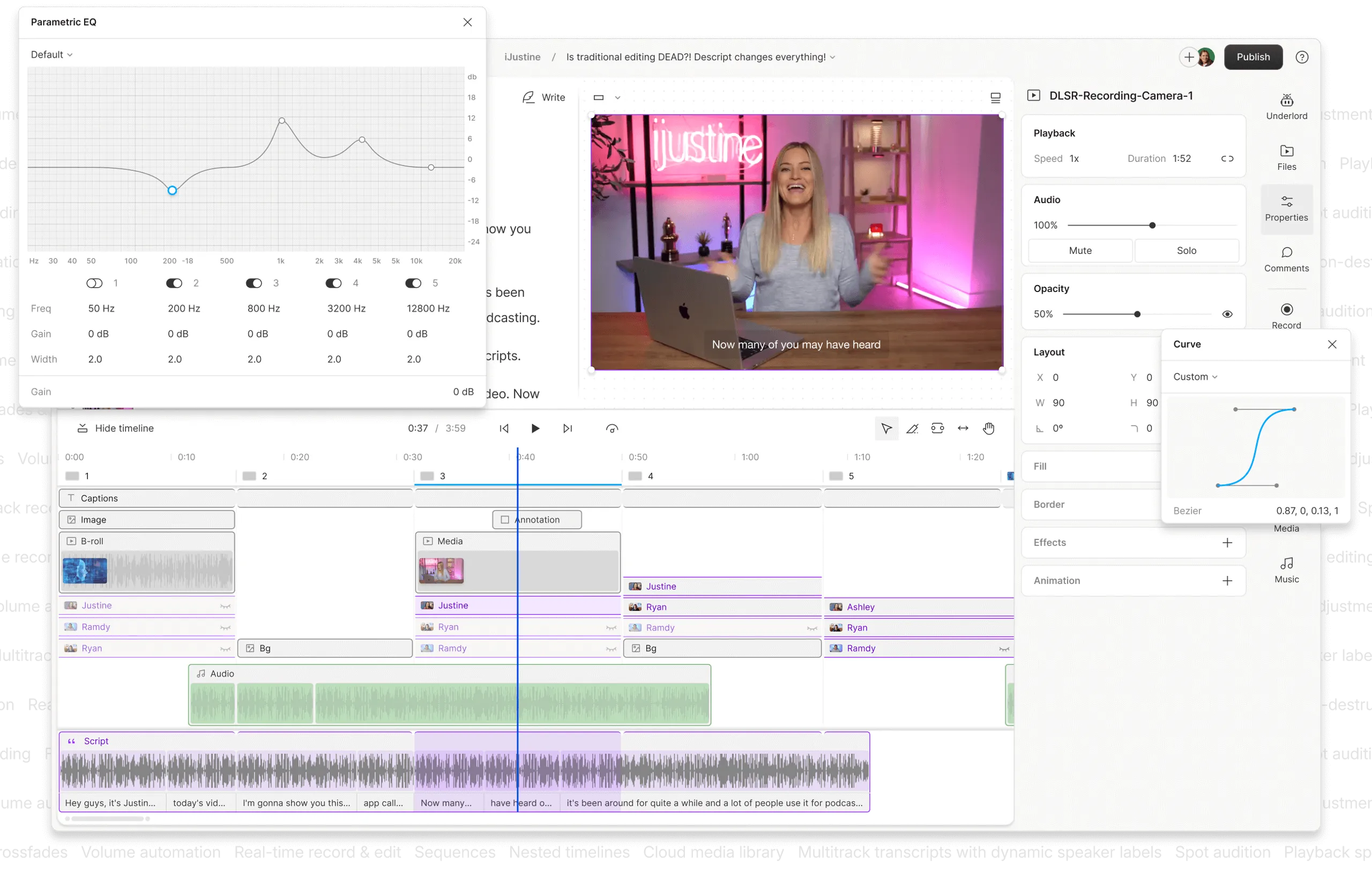
- Advertised Price: $24/user/month (Pro Plan, annual billing) Descript Pricing.
- Real Entry Cost: The $24/mo price is accurate for the features advertised.
- Total Cost of Ownership (TCO) Factors:
- Year 1 Cost (Pro): $288.
- Year 2-3 Cost: Assumes stable pricing at $288/year. The primary risk to TCO is overage fees.
- ⚠️ Transcription Overage: You get 30 hours of transcription per month. If you exceed that, it costs $2.00 per hour, according to the Descript Billing FAQ. For a busy podcast production agency, this could add $50-$100/month in unpredictable costs.
- ⚠️ AI Consumption: Advanced AI actions, like using Regenerate or Studio Sound, consume your transcription minutes. A Capterra user report noted this wasn’t immediately obvious, leading to a surprise overage charge.
- Return on Investment (ROI) Potential: High. For its target user (podcasters, interviewers), the time saved by text-based editing and Studio Sound can directly translate to hours of labor saved per project. A producer saving 4 hours a week at a $50/hr rate sees an ROI in the first month.
Veed.io
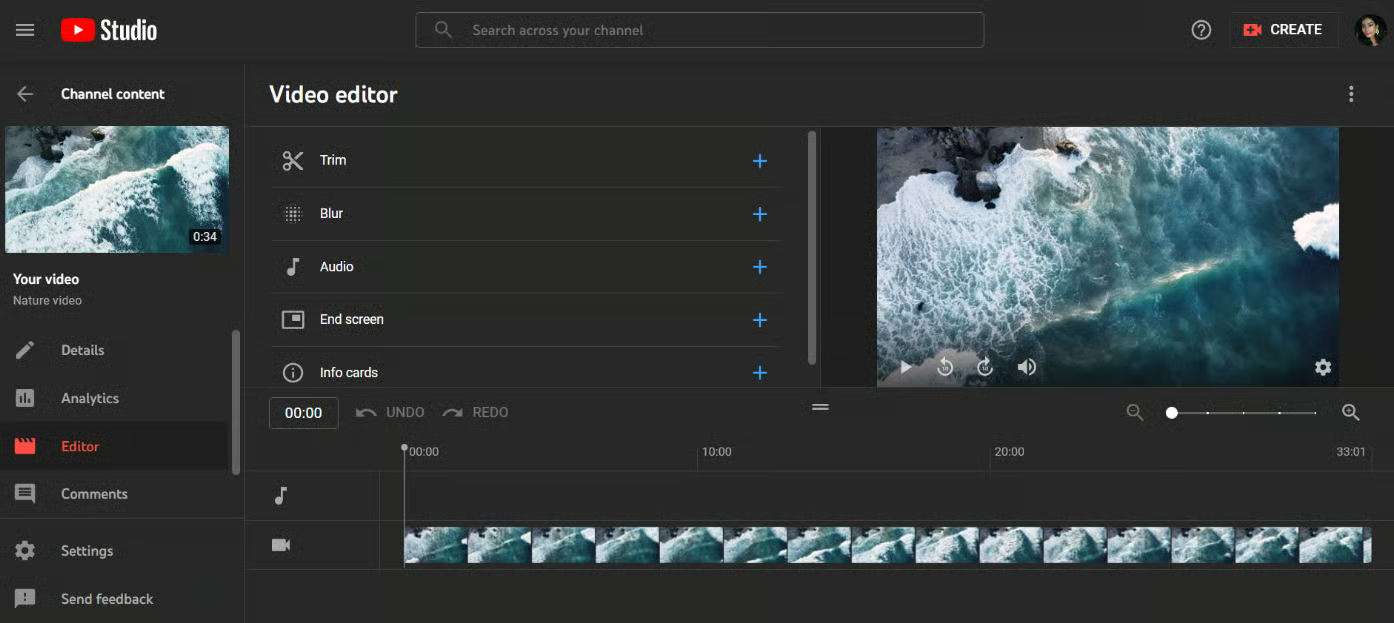
- Advertised Price: $30/user/month (Pro Plan, annual billing) Veed.io Pricing.
- Real Entry Cost for 1080p: The minimum to remove the watermark and get 1080p exports is the Basic Plan at $18/user/month (annual billing).
- Total Cost of Ownership (TCO) Factors:
- Year 1 Cost (Basic): $216.
- Year 2-3 Cost: High risk of unexpected cost increases due to billing practices.
- ❌ Strict No-Refund Policy: This is a massive financial risk. Veed.io’s Veed.io Terms of Service explicitly state: “Payments are non-refundable.” If you auto-renew and forget to cancel, that money is gone.
- ❌ Billing Complaints: Numerous user reports on Veed.io on Trustpilot allege major issues with canceling subscriptions and getting charged for annual renewals without adequate warning. This pattern creates a high-risk TCO profile.
- ❌ Opaque Overage Costs: The Pro plan includes 180 minutes/month of subtitle translations. The cost to exceed this is not published, creating the potential for unpredictable expenses.
- Return on Investment (ROI) Potential: Low to Medium. The ROI is based purely on the speed of adding subtitles. If this saves a social media manager 2 hours per week, it’s justifiable. However, the high financial risk from their billing policies can easily negate any savings.
Before committing to an annual plan for any SaaS tool, use a price tracking tool to see if the vendor offers seasonal discounts (e.g., Black Friday). This can often beat the standard annual rate and significantly lower your TCO.
Veed.io’s strict no-refund policy, as stated in their Terms of Service, is a significant risk. Combined with widespread user complaints of unexpected annual renewals on Veed.io on Trustpilot, this creates a scenario where a simple mistake can cost hundreds of dollars with no recourse. Pair any subscription with a verified Snapcut promo code on alternative tools to soften the blow.
Pictory
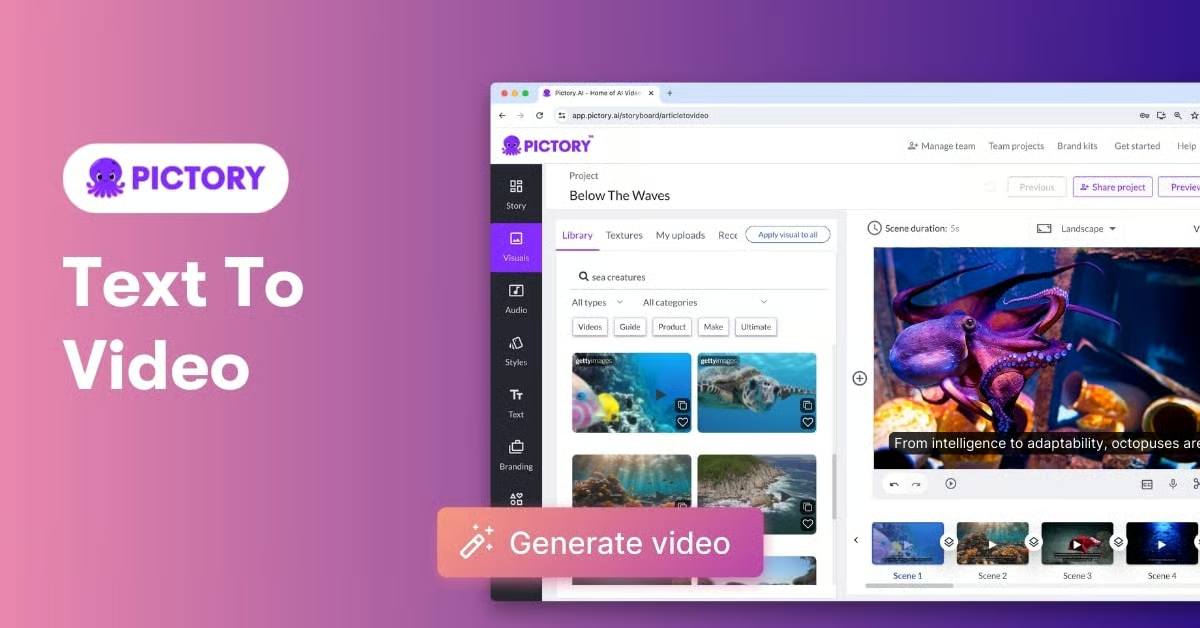
- Advertised Price: $19/user/month (Standard Plan, annual billing) Pictory Pricing.
- Real Entry Cost for 1080p: To get professional-quality 1080p video, you must subscribe to the Premium plan at $39/user/month (annual billing). The Standard plan’s 720p output is not suitable for most business use cases.
- Total Cost of Ownership (TCO) Factors:
- Year 1 Cost (Premium): $468. This makes it the most expensive tool on the list for its core function.
- ⚠️ Workflow Cost: Because of Pictory’s limited creative control, many users have to export from Pictory and then import into another video editor to add basic effects or fine-tune timing. This “workflow cost” adds time and potentially another subscription to your TCO.
- Return on Investment (ROI) Potential: High, but narrow. For businesses with a large archive of text content, Pictory’s ability to turn blog posts into videos quickly can generate a massive amount of video content for a low labor cost, driving traffic and engagement. The ROI is directly tied to the value of that repurposed content.
Canva
- Advertised Price: $12.99/user/month (Canva Pro, annual billing).
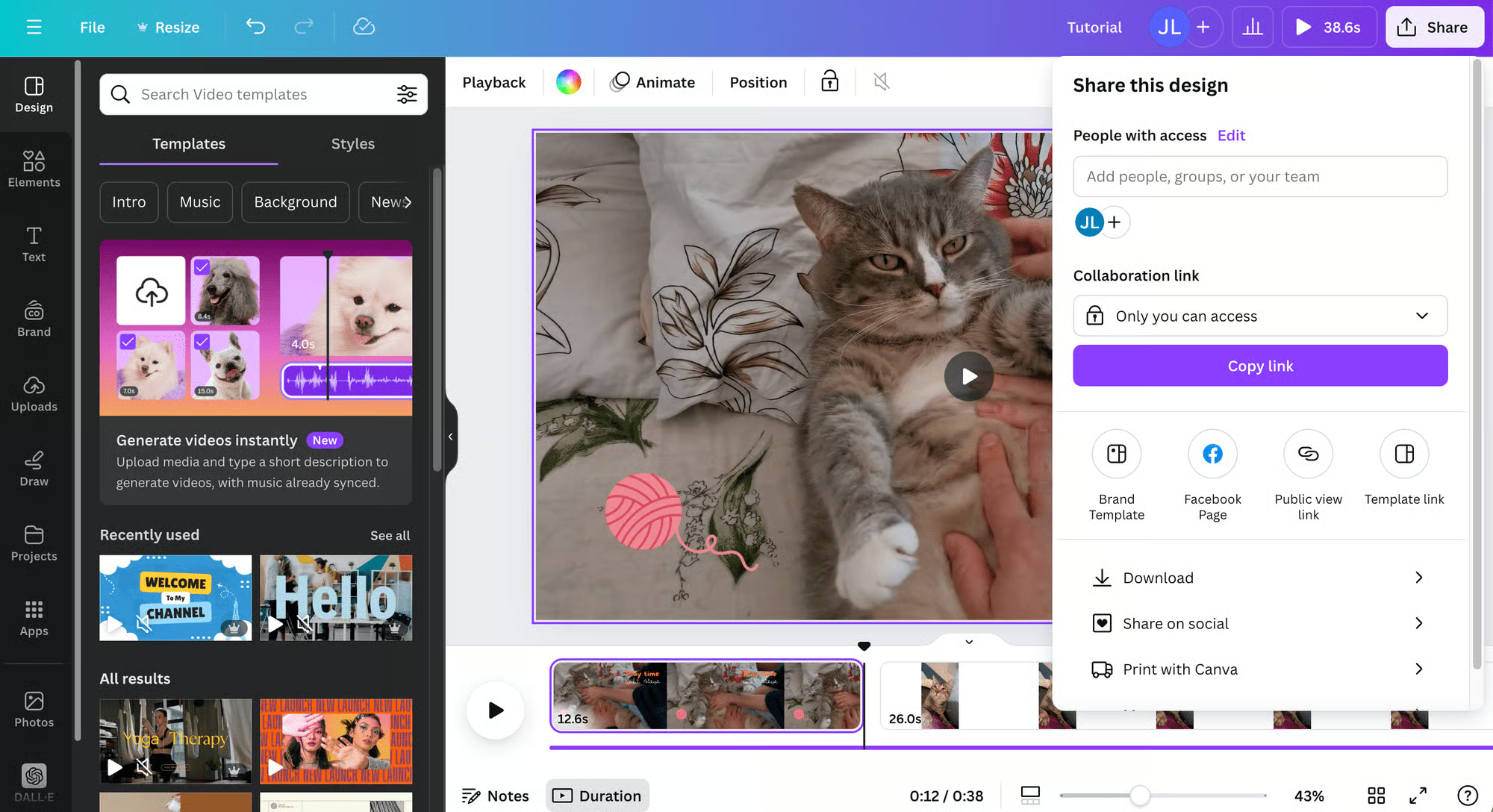
- Real Entry Cost for 1080p/No Watermark: $0. This is the game-changer. Canva’s Free tier allows you to export 1080p videos with no watermark, as long as you use their library of free assets and templates Canva Help Center. The potential for direct cost savings here is enormous.
- Total Cost of Ownership (TCO) Factors:
- Year 1 Cost (Free): $0.
- Year 1 Cost (Pro): $155.88.
- ✅ Transparent: Canva is very clear about its costs. If you want to use a premium template, stock photo, or Brand Hub feature, it’s clearly marked. There are no surprise fees here.
- Return on Investment (ROI) Potential: Exceptional. For small businesses, the ability to produce professional-quality video, social graphics, and presentations from a single platform (often for free) provides one of the highest ROIs in the creative software market.
Part 3: Feature Deep-Dive
Understanding what a tool is at its core is the first step. Is it a true editor, or is it an assembly line? This matrix exposes the fundamental differences in their approach to video creation.
Pay close attention to the “Critical Notes & Gotchas” column—this is where marketing promises meet reality. If you also want a hands-on perspective before subscribing, our deeper Snapcut Review walks through interface quirks and pricing patterns in detail.
Be aware: with the exception of Descript, none of these tools allow project file exports. This ‘vendor lock-in’ means if you outgrow the tool, you must rebuild all your work from scratch in new software. This represents a massive hidden cost in lost time and resources.
Feature Comparison Matrix: Core Paradigms & AI Gotchas
| Feature Category | Descript | Veed.io | Pictory | Canva | Critical Notes & Gotchas |
|---|---|---|---|---|---|
| Core Paradigm | Text-Based Editing | Timeline Editor | Storyboard Assembly | Timeline Editor | Gotcha: Pictory is not a video editor; it’s a video assembler. You cannot fine-tune scene timings or make precise cuts, a massive limitation for creative control. |
| AI Audio Enhancement | ✅ Best-in-Class (Studio Sound) | ✅ Basic (Noise Removal) | ❌ None | ✅ Basic (Audio Enhance) | Gotcha: Veed’s noise removal is a simple on/off toggle. User reports confirm it’s functionally inferior to Descript’s Studio Sound, which can isolate speakers and remove background noise with stunning accuracy. |
| AI Voice Cloning | ✅ Yes (Overdub) | ✅ Yes (AI Avatars) | ✅ AI Voices (TTS) | ❌ No | Gotcha: Descript’s Overdub is for cloning your voice. Pictory and Veed offer generic text-to-speech voices that can’t match the nuance of modern GPT-4-class voice generation. |
| Text-to-Video | ❌ No (Text edits video) | ✅ Yes | ✅ Best-in-Class (Article-to-Video) | ✅ Yes (Magic Design) | Gotcha: Pictory’s core strength is turning long-form text into video. Veed and Canva’s features are more for generating short clips from brief prompts. |
| Max Export Resolution | 4K (Paid Plans) | 4K (Pro Plan) | 1080p (Premium Plan) | 4K (Paid Plans) | ⚠️ Cost Alert: 1080p export on Pictory requires the $39/mo Premium plan. Canva offers 1080p on its Free tier, offering exceptional value. |
| Project File Export | ✅ Yes (XML for NLEs) | ❌ No | ❌ No | ❌ No | ⚠️ Vendor Lock-In: Only Descript allows you to export a project file to professional software, providing a crucial escape hatch when you outgrow the tool. With other tools, your editable project files are locked into the platform. |
Now that the architecture is clear, let’s get even more granular with how each platform performs on real workloads. The tool cards below summarize the strengths, considerations, and best-fit user for each option — and where to grab a verified working coupon when you’re ready to subscribe.
Category: Audio-First AI Video Editor
- Core Paradigm: Text-based editing — edit video by editing the transcript.
- Standout AI: Studio Sound (audio cleanup), Overdub (your-voice cloning), AI Regenerate.
- Ideal Use Case: Podcasts, interviews, long-form dialogue, tutorial recordings.
- Pricing: $24/user/month (Pro, annual) with 30 hours of transcription included.
✅ Strengths
- Best-in-class AI audio cleanup with Studio Sound
- XML project export — no vendor lock-in
- Opt-in AI training privacy policy (gold standard)
- Text-based editing dramatically speeds up dialogue cuts
⚠️ Considerations
- High memory usage on projects over 90 minutes
- Steepest learning curve in this comparison
- Limited visual effects and no color grading
- AI actions consume transcription hours unexpectedly
Category: Online Timeline Video Editor
- Core Paradigm: Cloud-based timeline editor with AI subtitle and caption tools.
- Standout AI: Auto-subtitles, AI avatars, noise removal toggle, translation.
- Ideal Use Case: Short social media clips, subtitle generation, simple branded content.
- Pricing: $18/user/month (Basic, annual) — minimum tier for 1080p + no watermark.
✅ Strengths
- Fastest workflow for auto-subtitling videos
- Familiar drag-and-drop browser interface
- 4K export available on Pro plan
- Quick setup with zero installation
⚠️ Considerations
- Strict no-refund policy in Terms of Service
- Widely reported billing & renewal complaints
- No multi-track audio editing
- Browser instability on projects over 25–30 minutes
- No public API for automation
Category: AI Text-to-Video Repurposing Platform
- Core Paradigm: Storyboard assembly — converts long-form text into stock-footage videos.
- Standout AI: Article-to-video, AI summarization, text-to-speech voices.
- Ideal Use Case: Repurposing blog archives into faceless YouTube/social videos at scale.
- Pricing: $39/user/month (Premium, annual) — required for 1080p exports.
✅ Strengths
- Fastest tool to convert blog posts into videos
- Near-zero learning curve — first video in under 5 minutes
- Huge stock footage library built in
- High content velocity for SEO-driven teams
⚠️ Considerations
- 1080p locked behind $39/mo Premium tier
- “Generic output” problem — videos look alike
- No fine-grained scene timing controls
- Workflow cost: often need a second editor for polish
- No SOC 2 Type II certification found
Category: All-in-One Marketing Creative Suite
- Core Paradigm: Timeline editor integrated into a broader design platform.
- Standout AI: Magic Studio (Magic Design, Magic Write, Magic Edit), brand kit.
- Ideal Use Case: Small businesses doing video, social, presentations & print from one tool.
- Pricing: $0/month (Free tier with 1080p exports) or $12.99/month for Canva Pro.
✅ Strengths
- 1080p video exports on the free tier with no watermark
- SOC 2 Type II + ISO 27001 certified
- Massive template & asset library
- Seamless integration with design and brand systems
- Transparent pricing — no surprise fees
⚠️ Considerations
- AI video features are wide, not deep
- Missing audio keyframing & advanced controls
- Not a true replacement for podcast-grade editing
- Can feel less efficient than dedicated NLEs on complex projects
Part 4: Security, Compliance & Critical Considerations
When you upload your company’s internal communications or future product plans to a cloud service, you are placing immense trust in that vendor. A vendor’s security posture is a direct reflection of their respect for your business.
Our analysis goes beyond simple privacy policies to assess whether these vendors align with modern security principles like a Zero Trust architecture. For ongoing offers tied to security-conscious tools, you can monitor our list of Latest Coupons updated regularly.
Compliance Status Verification
| Certification | Descript | Veed.io | Pictory | Canva |
|---|---|---|---|---|
| SOC 2 Type II | ✅ Verified (NDA) | ✅ Verified (NDA) | ❌ Not Found | ✅ Verified |
| ISO 27001 | ❌ Not Found | ❌ Not Found | ❌ Not Found | ✅ Verified |
| GDPR/CCPA | ✅ Clear DPA | ✅ DPA Available | ✅ Policy Addresses | ✅ Clear DPA |
Data Handling & Privacy Policies
- ✅ Descript (High Trust): Descript sets the standard. Their Descript Privacy Policy explicitly states: “we do not use customer data to train our speech recognition or other AI models without your explicit permission.” This opt-in approach is what I look for as a sign of a mature, enterprise-ready company.
- ⚠️ Veed.io (Medium Trust): Veed.io’s privacy policy is more ambiguous, stating user data may be used to “improve and develop our AI features and services.” While they offer an opt-out by contacting support, the default is to use your data, potentially to train their internal large language model (LLM).
- ⚠️ Pictory (Medium Trust): Similar to Veed, Pictory’s privacy policy says data is used to “operate, maintain, and improve” the service. For any company with strict compliance needs, such as requirements for data residency in a specific region (e.g., EU), this ambiguity is a significant risk.
When evaluating AI tools, check if they use your data for training by default (opt-out) or only with permission (opt-in). Descript’s “opt-in” policy is the gold standard for enterprise trust. An “opt-out” policy, like Veed.io’s, places the burden of privacy on you and is a red flag for sensitive content.
Real-World Example: A marketing agency was blocked from using a video tool for a healthcare client because the vendor could not provide a verifiable SOC 2 Type II report. This lack of documentation forced the agency to switch to Descript, which could provide the report under NDA, delaying their project by a week.
Known Issues & Performance Limitations
This is what vendors don’t put on the pricing page. These are the deal-breakers you need to know before you subscribe.
❌ Descript
- Scalability Ceiling: Unsuitable as a primary editor for projects over 90 minutes due to performance degradation and high RAM usage.
- Limited Video FX: It lacks keyframe controls for animation and has no color grading tools. Do not buy Descript if your primary need is visual effects.
❌ Veed.io
- No Multi-track Audio Editing: A deal-breaker for anyone needing to balance voice and music. All audio is flattened into a single track.
- Browser Instability: The browser-based editor struggles and can crash with projects over 25-30 minutes, especially on slower connections.
- No Public API: Veed.io lacks API access, preventing automated workflows and integration with custom content systems.
❌ Pictory
- The “Generic Output” Problem: The heavy reliance on stock footage results in videos that often lack brand identity and fail to maintain brand consistency.
- No Fine-grained Control: You cannot adjust the timing of individual scenes with precision. The creative ceiling is extremely low.
❌ Canva
- AI is Wide, Not Deep: Canva’s “Magic Studio” has many AI features, but its text-to-video capabilities are less nuanced than dedicated tools.
- Jack of All Trades, Master of None: For complex video projects, the interface can feel less efficient than a dedicated video editing software solution.
Part 5: Use Cases & Workflows
How a tool feels to use day-in and day-out is just as important as its feature list. A powerful tool with a clunky interface will be abandoned. Many marketers ask, ‘how to use AI video for marketing effectively?’ The answer lies in matching the right tool to the right job.
Learning Curve
- Near-Zero: Pictory is the winner for ease of use. Users can generate their first video from a blog post in under five minutes.
- Very Low: Veed.io and Canva are designed for non-editors with familiar drag-and-drop interfaces.
- Low-to-Medium: Descript has the steepest learning curve. Its text-based editing paradigm is revolutionary but requires un-learning timeline-based habits. Mastering it takes effort, but the productivity gains are immense.
Real User Sentiment & Workflows
Here’s what users are actually saying in 2025 and 2026, pulled from verified reviews.
Descript
- Praise: “Studio Sound is actual magic. It’s turned unusable audio from a noisy cafe into studio-quality recording.”
- Pain Point: “It consumes so much memory on my MacBook. I have to close everything else to run it on long files.”
“I edit a 2-hour podcast every week. Before Descript, it took me 6-8 hours. Now, with text-based editing and Studio Sound, I’m done in 2 hours, and the audio quality is better. It’s a non-negotiable part of my stack.” — G2 Review from Podcast Producer.
Veed.io
- Praise: “The absolute fastest way to get subtitles on a video. The auto-captioning is accurate and the styles are great for social media.”
- Pain Point: “I was charged for a full year renewal without a clear warning, and their support told me there are no refunds. It felt like a trap.”
“The product is fast for subtitles, but the business practices are user-unfriendly. I was auto-billed for a $360 annual plan after a monthly subscription, and support just sent me a link to the ‘no refund’ policy in the terms of service. I had to dispute it with my credit card.” — Trustpilot Review from Small Business Owner.
Pictory
- Praise: “I can turn a 2,000-word blog post into a decent video in 15 minutes. It’s a content repurposing machine.”
- Pain Point: “All my videos started to look the same. The ‘Pictory look’ is very recognizable and feels a bit generic.”
“Pictory is a beast for turning our blog archive into YouTube shorts. The speed is incredible. The downside is that you can spot a ‘Pictory video’ from a mile away. We use it for quantity, not for our flagship brand videos.” — Capterra Review from Content Marketing Manager.
Canva
- Praise: “The value is just insane. I can make a video, a thumbnail, and social media posts all in one place.”
- Pain Point: “The video editing is fine for simple stuff, but it’s missing key features like audio keyframing.”
“Why would I pay $30 a month for another video tool? I can do 90% of what I need in Canva for free. The 1080p export without a watermark is the killer feature.” — Reddit Comment from Solopreneur.
Part 6: Deeper Competitive Landscape
While Descript, Veed.io, Pictory, and Canva are the core tools many businesses consider, the market for Snapcut top alternatives and competitors is broader. Here, we’ll briefly benchmark our main contenders against other significant players like CapCut and Adobe Express to provide a more complete market view.
The Mobile-First Challenger: CapCut
- Best For: Creators who primarily shoot and edit on their mobile phones for TikTok, Reels, and Shorts.
- Consider: CapCut’s desktop app is surprisingly powerful and free, making it a major threat to Veed.io’s paid plans. It offers multi-track editing and more advanced effects.
- Avoid: If you need deep AI audio tools (like Descript’s Studio Sound) or seamless integration with a larger marketing design suite (like Canva). Its strength lies in trendy visual effects and templates, not business workflow automation.
The All-in-One Contender: Adobe Express
- Best For: Individuals and teams already invested in the Adobe Creative Cloud ecosystem.
- Consider: Adobe Express is a direct competitor to Canva, offering a similar all-in-one design platform that includes video, social graphics, and PDF editing. Its integration with Photoshop and Premiere Pro is a key advantage for professional teams.
- Avoid: If you’re looking for a standalone, best-in-class tool for a specific job. Like Canva, its video features are “good enough” for many, but not as deep as a specialized tool like Descript.
The High-End AI Innovator: RunwayML
- Best For: Creatives and developers looking for cutting-edge, generative AI video features, such as Gen-2 (text-to-video) and AI-powered rotoscoping.
- Consider: Runway is where the future of AI video is being built. It’s less of a day-to-day editor and more of a creative AI toolkit for generating novel clips and effects.
- Avoid: If you need a simple, practical tool for standard video editing tasks like subtitling or turning a blog post into a video. Runway’s focus is on generation, not the kind of dialogue-based or template-driven editing offered by our main contenders.
This broader context shows the market is splitting. Tools like Descript and Runway are going deeper into professional niches (audio editing and AI generation), while all-in-one platforms like Canva and Adobe Express are bundling “good enough” video editing, putting pressure on mid-priced, feature-limited tools.
Part 7: Conclusion & FAQs
Conclusion: Final Verdict & Next Steps
In today’s fast-moving creator economy, the main takeaway from this AI video editor analysis is clear: the “best” tool is a myth. The market is filled with trade-offs, a trend recognized by analyst firms like Gartner in their reports on content creation tools. The “right” tool depends entirely on your primary job-to-be-done, your budget, and your tolerance for risk.
Your choice comes down to this: Choose Descript for the highest return on investment (ROI) on audio-centric tasks, thanks to its powerful workflow automation. Choose Canva for its unbeatable value and seamless integration into a broader marketing ecosystem. Choose Pictory for its incredible speed in repurposing content, as long as you can accept the creative ceiling. And approach Veed.io with extreme caution; its speed for subtitling is undeniable, but the financial risks are significant.
Before you subscribe to any of these Snapcut top alternatives and competitors, I urge you to take these next steps. Whichever route you choose, our verified Snapcut voucher can help offset that first-year commitment.
How to Choose an AI Video Editor
Step 1: Calculate the Real TCO and ROI.
First, calculate the real TCO and potential return on investment (ROI) for the features you need, not just the advertised entry price.
Step 2: Read the Terms of Service.
Second, take five minutes to read the terms of service, specifically searching for the words “refund” and “data.”
Step 3: Start with a Trial or Monthly Plan.
Finally, always start with a free trial or a monthly plan whenever possible to ensure the tool can handle your real-world projects before committing to an annual subscription. In the world of SaaS, your best defense is always due diligence.
FAQs (Frequently Asked Questions)
Q1: Is Veed.io’s no-refund policy a red flag?
A: Yes, Veed.io’s strict no-refund policy is a significant red flag for potential subscribers. In my experience, reputable SaaS companies offer pro-rated refunds or at least a grace period. Their official Terms of Service state, “Payments are non-refundable” Veed.io Terms of Service.
This policy, combined with numerous user reports on platforms like Trustpilot detailing unexpected renewals and billing disputes, creates a high financial risk. For individuals and small businesses where an unexpected charge of several hundred dollars can be impactful, this policy makes Veed.io a higher-risk choice compared to competitors with more flexible billing practices.
Q2: How much does Pictory really cost for high-quality video?
A: To export 1080p video from Pictory, you must subscribe to the Premium plan, which costs $39 per month when billed annually. The advertised $19/mo Standard plan is limited to 720p output Pictory Pricing.
This is a classic example of a feature paywall. While 720p may be acceptable for some internal uses, it is not suitable for most professional marketing or YouTube content today. Therefore, the true entry cost for a professional user is more than double the initial advertised price, a critical factor when calculating the tool’s total cost of ownership (TCO).
Q3: Can I just use Canva instead of a dedicated video editor?
A: You can use Canva for simple, template-driven videos, and its value is outstanding, but it’s not a true replacement for a dedicated editor for complex tasks. For many small businesses, its ability to produce 1080p video on a free plan is all they need Canva Help Center.
However, it lacks the specialized AI features of other tools; specifically, Canva‘s basic functions are no match for the deep audio controls and text-based editing found in a specialized tool like Descript. It is a “good enough” solution for many marketing tasks but will fall short for podcast production or intricate video essays.
Q4: Which of the Snapcut top alternatives and competitors is best for beginners?
A: Pictory is the easiest tool for absolute beginners to get started with, generating a video in minutes. Its step-by-step wizard is virtually foolproof, guiding a user from a script or blog post URL to a finished video with minimal input.
For users who are intimidated by timelines and complex settings, Pictory’s “assembly line” approach is the most accessible. Canva and Veed.io also have very low learning curves due to their drag-and-drop interfaces. Descript, with its unique text-based editing paradigm, requires more effort to master but offers greater power for its specific use case.
Q5: Does Descript have any major limitations?
A: Yes, Descript’s primary limitation is performance degradation on long projects (over 90 minutes) and high memory consumption. User reports on forums like Reddit frequently mention the app becoming slow or crashing on machines with less than 16GB of RAM when editing large files.
From my professional experience, it is best used as a pre-production tool for dialogue editing and audio cleanup, not as a final editor for complex, multi-hour visual projects. It also has very limited visual effects and color grading capabilities compared to a traditional non-linear editor (NLE).
Q6: Which tool offers the best data privacy?
A: Descript offers the strongest and clearest data privacy policy, explicitly stating they do not train AI models on user data without explicit permission. Their Descript Privacy Policy details an “opt-in” approach, which is the gold standard for enterprise trust.
In contrast, Veed.io and Pictory have more ambiguous “opt-out” policies, which state user data may be used to improve the service and place the burden on the user to contact support to be excluded. This presents a potential risk for anyone working with sensitive or confidential business content.
Q7: What is “vendor lock-in” and how do I avoid it?
A: Vendor lock-in means your editable project files are stuck on one platform, and Descript is the only tool in this comparison that helps you avoid it. By allowing you to export a project file as an XML, Descript gives you an “escape hatch” to move your work to professional software like Adobe Premiere Pro or Final Cut Pro later Descript Help Center.
With Veed.io, Pictory, and Canva, you can always export your final MP4 video, but the editable project itself cannot be moved. If you decide to switch software, you must rebuild all your previous work from scratch.
Q8: Is Descript Overdub (AI voice cloning) safe to use?
A: Descript’s Overdub is designed for cloning your own voice and has security measures in place, but you should always be cautious with voice data. Unlike the generic text-to-speech voices in Pictory, Overdub requires you to read a consent statement, which adds a layer of identity verification to prevent unauthorized cloning.
The feature is intended for correcting your own audio recordings by typing new words. While the technology itself is powerful, the potential for misuse of voice clones is a growing concern across the industry, so it’s critical to only use it for its intended purpose and secure your account with a strong password and two-factor authentication.
Q9: Which is better for repurposing content, Pictory or Canva?
A: Choose Pictory if your source is long-form text (like a blog post) and speed is your only concern; choose Canva if you are repurposing existing design assets or need more creative control. Pictory’s strength is its automated article-to-video engine, which is unmatched for pure velocity.
However, its creative options are limited. Canva provides a much wider creative canvas, allowing you to integrate video clips into complex, branded templates you’ve already designed, giving you more control over the final look and feel, thus ensuring better brand consistency.
Q10: How do I use AI video for marketing?
A: The most effective way to use AI video for marketing is to match the tool to the specific task and marketing goal. For top-of-funnel awareness, use a tool like Pictory to quickly convert your blog archive into a high volume of “faceless” YouTube or social videos to capture search traffic.
For mid-funnel engagement, use Canva or Veed.io to create polished, template-based explainer videos or client testimonials. For high-value, authority-building content like podcasts or tutorials, use Descript to ensure the highest possible audio quality and editing efficiency. The key is not to find one tool for everything, but to build a cost-effective stack.

