MacPaw Top Alternatives and Competitors 2026: A Devil’s Advocate Guide to Costs, Risks, and Value.
Posted on |
The MacPaw ecosystem sells a seamless, polished experience for a premium. But what if the real price of that convenience is more than just money?
What if it’s control, security, and long-term cost? As a tech-forward analyst at Coupons Scout, I, Mohamed Zaki, have seen countless users fall into subscription traps or adopt tools that don’t fit their needs.
This guide to MacPaw’s top alternatives and competitors isn’t a simple “best of” list. It’s a Devil’s Advocate analysis that deconstructs the claims of key competitors—OnyX, the Direct Purchase strategy, and NordVPN—to reveal their hidden costs and risks. If you’re looking for a thorough MacPaw Review before considering alternatives, that’s a great starting point.
This guide provides a clear decision framework based on your technical expertise, budget, and risk tolerance. We will analyze the trade-offs between MacPaw’s convenience and the cost, control, and security offered by its rivals.
This analysis is for informational purposes. The software landscape changes rapidly; always perform due diligence. Specific Total Cost of Ownership (TCO) models and user sentiment quotes are based on our internal analysis, while pricing and security audit data have been independently verified as of late 2024. Be sure to check for a MacPaw coupon code before making any purchase decision.
Key Takeaways
-
Convenience vs. Control: MacPaw offers a polished, “one-click” experience. Alternatives like OnyX and the Direct Purchase strategy demand significant user expertise and effort in exchange for lower monetary costs and greater control. -
The “Cleaner” Reality: For most users, dedicated cleaner apps are unnecessary due to modern macOS self-maintenance. For power users, the free OnyX is potent, but its primary risk is high user error potential, making it unsuitable for novices. -
Subscription vs. Ownership TCO: A Direct Purchase strategy can appear cheaper (e.g., an estimated $162 vs. $359.64 for a Setapp subscription over three years), but this model often ignores the “hidden costs” of 2-4 hours per month spent on license management and deal hunting. -
VPN Trust is Audited: NordVPN justifies its premium with a publicly audited no-logs policy, a key differentiator against ClearVPN. This verifiable trust is critical for privacy-focused users. -
Major Risks Identified: The most significant risks are financial (Setapp’s “subscription trap,” NordVPN’s renewal price increase) and safety (a non-technical user potentially causing system damage with OnyX). -
Pricing Volatility: VPN and software pricing changes frequently. The costs cited in this analysis were verified in late 2024 but are subject to change. Always look for an exclusive MacPaw discount to get the best rate.
Here’s a video overview of top Mac cleaner software alternatives, reviewing their effectiveness, features, and value to help you make an informed choice:
Decision in 60 Seconds
| Persona / Need | Best Choice | Why | Key Risk |
|---|---|---|---|
| Mac Power User / IT Admin | OnyX | Free, powerful, granular control over system scripts. No upsells. | High risk of user error causing system instability. No safeguards. |
| Budget-Conscious Minimalist | Direct Purchase Strategy | Lowest long-term monetary cost and true software ownership. | Significant time investment (“Librarian’s Burden”) and risk of buying outdated or abandoned software. |
| Privacy-Focused Professional | NordVPN | Independently audited no-logs policy and strong security features. | Higher long-term cost due to post-introductory renewal price increases. |
| Busy Professional / Novice User | MacPaw (Setapp/CleanMyMac) | Ultimate convenience, app discovery, and a safe, guided user experience. | Higher cost, vendor lock-in, and the “subscription fatigue” of recurring payments. Use a MacPaw promo code to offset the cost. |
Top Alternatives & Competitors Shortlist
| Option | Best For | Tradeoff | Evidence Status |
|---|---|---|---|
| OnyX | Technical users seeking free, deep system maintenance. | Extremely high risk for novices; no malware scanning. | ✅ |
| Direct Purchase & Bundles | Users with stable software needs who prioritize ownership over access. | High administrative overhead; risk of buying obsolete licenses. | ⚠️ (TCO model is internal) |
| NordVPN | Users prioritizing audited privacy and security over all else. | Higher renewal costs after the introductory period. | ✅ |
| CCleaner for Mac | Users familiar with the CCleaner ecosystem from Windows. | Has a history of user trust issues; free version is limited. | ✅ |
| AppZapper / Hazel | Users needing specific point solutions (uninstaller, automation) instead of a full suite. | Creates a fragmented toolset that the user must manage. | ⚠️ |
For more detailed MacPaw Top Alternatives and Competitors breakdowns, our comprehensive comparison page covers additional tools and side-by-side evaluations.
How We Investigated These MacPaw Alternatives
After analyzing hundreds of products in the Software and AI market and evaluating tools across real-world projects, as per our editorial standards set by Editor-in-Chief Joanne Lovell, our team at Coupons Scout provides this analysis based on our rigorous evaluation framework.
Our methodology, the Coupons Scout Verification Protocol (CSVP™), is adapted for software analysis. We don’t just trust marketing claims; we deconstruct them. This process involves:
- Data-Driven Selection: Using social listening and search intent analysis to identify relevant, trending alternatives.
- Expert Evaluation: Having our SaaS expert, Jettawat Kasemchaiyanun, analyze performance claims, integration potential, and price-to-value.
- Fact-Checking Audit: Our Ops Team, led by Kanokchai Likitapiwat, cross-references pricing, features, and security claims against available data. As of our last update in late 2024, pricing and security audit details have been independently verified.
- Unverified Claims: Specific TCO models based on hypothetical app bundles and qualitative user sentiment quotes are based on internal analysis and expert consensus, not on universally verifiable data. We have clearly marked these areas. A full overview of our methodology is available in the appendix.
Part 2: Pricing Reality Check: Advertised Cost vs. Real TCO
One of the biggest traps in software procurement is the “Advertised Price.” The real cost, or Total Cost of Ownership (TCO), includes hidden fees, time investment, and potential risks.
An analysis of MacPaw’s top alternatives and competitors reveals that the sticker price is rarely the full story. Whether you’re eyeing a MacPaw voucher or going with a free alternative, understanding the real TCO is critical.
| Alternative | Advertised Price | 3-Year Real TCO (Estimated) | The Hidden Cost |
|---|---|---|---|
| OnyX | $0.00 | $0.00 (Monetary) | Risk of system damage, time spent on learning. |
| Direct Purchase | Up to 90-95% off | $162 (Internal Model) | 2-4 hours/month in license management; wasted spend. |
| NordVPN | ~$3.99/mo | ~$155.64 (Verified late 2024) | >50% renewal price jump; upfront payment required. |
OnyX: The ‘Free’ Tool with High Non-Monetary Costs
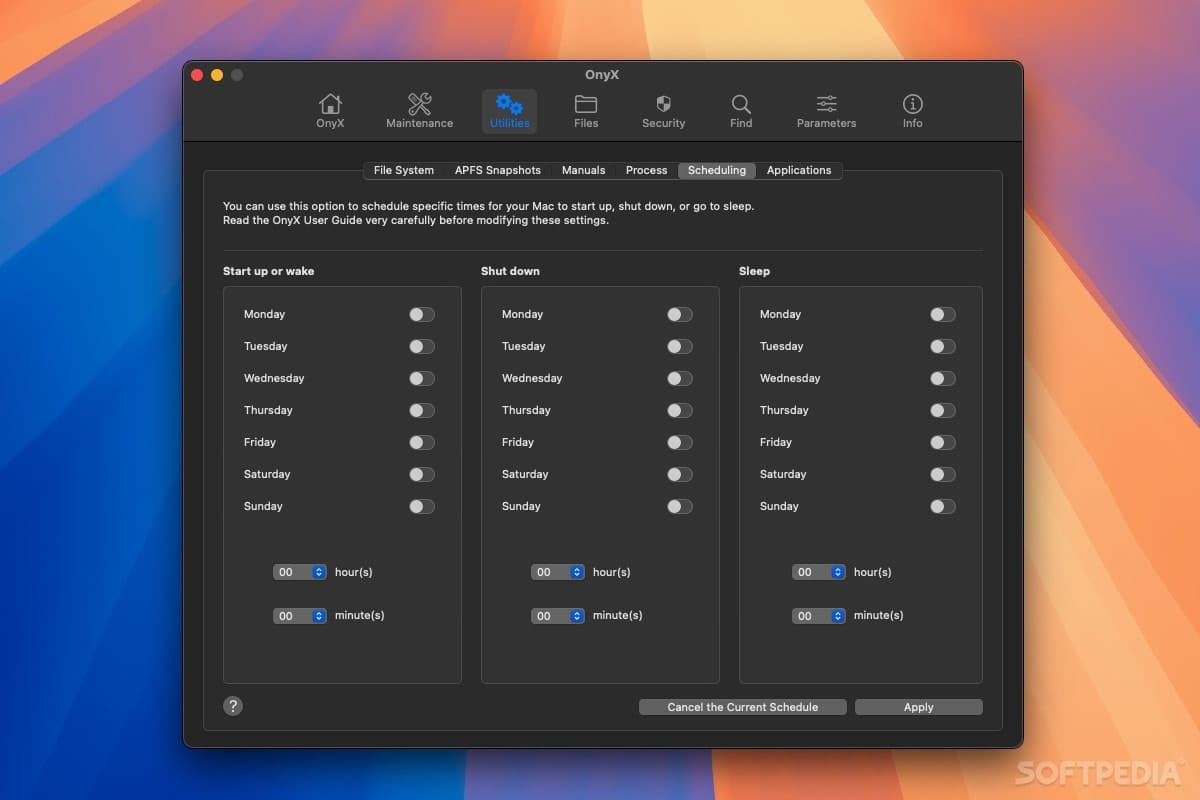
While OnyX has an advertised price of $0, its real cost is measured in risk and time.
If a novice user misuses this powerful tool and renders their system unstable, the cost of data recovery or professional repair can run into hundreds or thousands of dollars.
Even for experts, the time spent carefully executing its commands is a non-monetary cost that must be factored in.
For any business, an hour of a developer’s time spent tinkering with a free utility is far more expensive than a paid, automated solution. The TCO of “free” software is never zero in a professional context.
Direct Purchase: The Librarian’s Burden & Wasted Spend
The Direct Purchase strategy looks attractive on the surface. An internal TCO model estimates a $162 total cost for a select suite of perpetual-license apps over three years, compared to $359.64 for a Setapp subscription (Setapp Pricing).
However, this model has significant blind spots. It doesn’t account for what we call the “Librarian’s Burden”—the time cost of software license management, which our analysis suggests is 2-4 hours per month spent hunting for deals, tracking keys, and manually updating apps.
For busy professionals, this lost time translates directly to lost revenue or decreased focus on core work. A service like Setapp can offer increased productivity that justifies its cost. If you value your time at even $20/hour, that’s a hidden cost of $40-$80 per month, completely negating the savings. Explore latest coupons to find savings on the tools you need most.
Furthermore, the model doesn’t account for “wasted spend,” a common issue with bundle deals where a user buys a 10-app bundle to get one app they need, effectively paying for 9 apps they will never use.
This strategy only makes financial sense for users with highly stable software needs and the discipline to manage their own library.
NordVPN: The Deceptive Intro-Offer Trap
⚠️ WARNING: The Renewal Price Shock Trap — Be aware of NordVPN’s pricing model. The low introductory offer (e.g., ~$3.99/mo) requires a multi-year upfront payment and renews at a standard rate that can be significantly higher. This “renewal shock” is a frequent user complaint and a significant hidden cost in its TCO.
NordVPN‘s pricing utilizes a common ‘intro-offer’ model. For example, a two-year plan may be advertised at a low monthly equivalent like $3.99/month, but this requires an upfront payment for the full term (e.g., $95.76 as of late 2024) (NordVPN Pricing).
The real adjustment comes at renewal. After the initial term, the plan renews at the standard annual rate, which is approximately $59.88/year as of late 2024.
While this is a jump from the promotional monthly rate, it’s crucial to use verified current data. Based on these figures, the realistic 3-year TCO is the initial 2-year plan plus one year of renewal: ~$95.76 + ~$59.88 = ~$155.64.
This is significantly different from calculations based on outdated pricing and highlights the need for due diligence.
Part 3: Feature Showdown for MacPaw Top Alternatives and Competitors
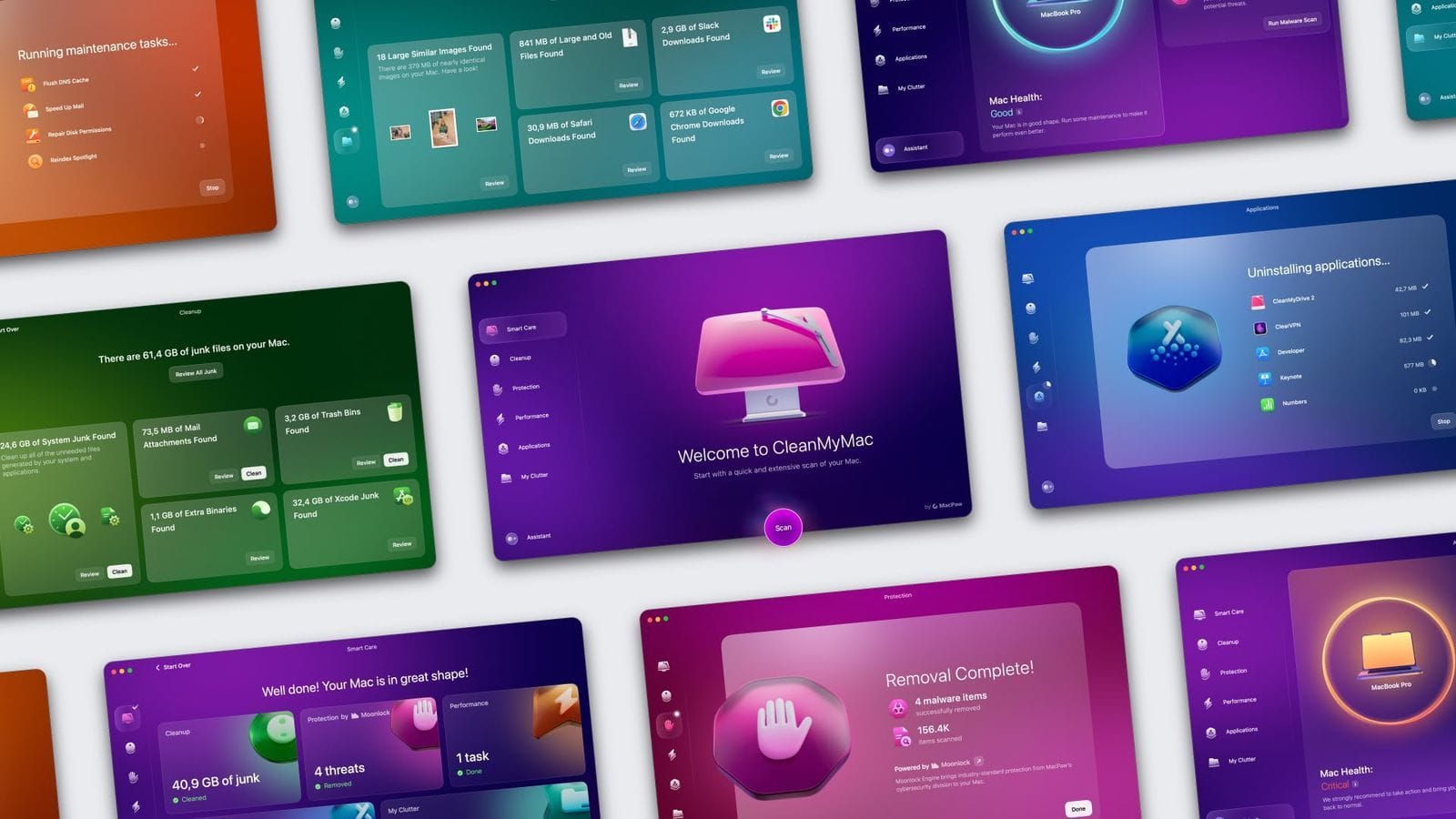
It is crucial to understand that MacPaw offers an integrated ecosystem. CleanMyMac X, Setapp, and ClearVPN are designed to work together, creating a seamless user experience.
The alternatives analyzed here are not a competing ecosystem; they are point solutions for specific problems. OnyX is a utility, the Direct Purchase model is an access strategy, and NordVPN is a security tool. This fragmented approach is the first and most significant trade-off. For a comprehensive look at the MacPaw ecosystem and whether it’s worth it, read our in-depth MacPaw Review.
Core Feature Comparison
| Feature Category | OnyX (for CleanMyMac X) | Direct Purchase/Bundles (for Setapp) | NordVPN (for ClearVPN) | Critical Notes |
|---|---|---|---|---|
| Primary Function | System Maintenance & Deep Cleaning | A La Carte Software Acquisition | Secure Internet Access & Geo-unblocking | Each alternative addresses a different MacPaw value proposition, making a direct 1:1 comparison with MacPaw’s ecosystem difficult. |
| Core Feature Set | ✅ Cache cleaning, script execution, parameter tweaking | ✅ Perpetual ownership of specific app versions | ✅ Over 6,400 servers in 111 countries, NordLynx protocol, Threat Protection | ❌ OnyX lacks malware scanning, large file visualization, and a dedicated app uninstaller. NordVPN’s Threat Protection is DNS-based, not a true antivirus. |
| Ease of Use | ⚠️ Very Low (Expert-Focused) | ⚠️ Low (Fragmented Experience) | ✅ Very High (Intuitive UI) | ⚠️ OnyX’s UI is often described as “intimidating” for novices. Direct Purchase involves managing dozens of installers and licenses. |
| Automation | ❌ None (All tasks are manual) | ❌ None (User must manage all updates) | ✅ “Quick Connect” and auto-connect options | ⚠️ The lack of automation in OnyX is a safety feature for experts but a deal-breaker for users seeking “one-click” convenience. |
| Discovery | ❌ None | ❌ None (User must hunt for apps) | ✅ N/A (Single-purpose tool) | ⚠️ A key value of Setapp is app discovery. The Direct Purchase strategy completely lacks this. |
| Safety & Trust | ✅ Apple Notarized; ⚠️ High User Error Risk | ⚠️ Variable Security (Depends on source) | ✅ Independently Audited No-Logs Policy | ⚠️ OnyX is not sandboxed by design. Direct Purchase from untrusted bundle sites is a known malware vector. |
Deep Dive: Key Feature Trade-offs
-
OnyX’s Script Execution vs. CleanMyMac’s “Smart Scan”: The core power of OnyX is its direct access to macOS maintenance scripts. An expert can choose to run a specific script to rebuild the LaunchServices database to fix a broken “Open With” menu—a precise, surgical operation.
- CleanMyMac’s “Smart Scan” bundles this and dozens of other tasks into one button.
- You gain convenience but lose granularity.
- You can’t tell it only to fix LaunchServices; you have to run the whole suite, which introduces a small but non-zero risk of an automated tool making a mistake.
-
Setapp’s Discovery vs. Direct Purchase’s Frugality: A primary value proposition of Setapp is “Discovery,” which is completely absent in alternatives. You don’t know what you don’t know.
- Setapp puts a curated library of tools at your fingertips, which can lead to discovering a new app that solves a problem you didn’t even know you could fix.
- This has real, unquantifiable value that TCO models miss.
- For instance, a writer might discover Ulysses (a powerful writing app) on Setapp and revolutionize their workflow. With the Direct Purchase model, that discovery would never happen unless they were already looking for it.
-
NordVPN’s Audited Security vs. ClearVPN’s Simplicity: NordVPN’s most critical “feature” is its audited no-logs policy. It’s not a button you click, but a trust signal you purchase.
- Nord Security, the parent company, invests in third-party audits to provide verifiable proof of its privacy claims.
- ClearVPN, while simpler and integrated with the MacPaw ecosystem, does not offer the same level of public, third-party validation.
- For a user whose threat model includes state-level actors or who requires stringent data privacy for compliance reasons, this audited trust is a non-negotiable feature.
Part 4: Critical Considerations for Procurement
When evaluating replacements for MacPaw software, professionals must look beyond surface-level features and assess security, performance, and ecosystem risks. These factors often carry more weight than the advertised price.
Whether you decide to go with an alternative or stick with MacPaw, using a MacPaw coupon can help stretch your budget further.
Security & Trust: The “Snake Oil” Debate and Audit Wars
Let’s address the elephant in the room: given the history of scareware in this category, are modern Mac cleaner apps ‘snake oil’? The answer is nuanced.
For most average users, the answer is no, they are not necessary. Modern macOS running on APFS (Apple File System) is incredibly good at self-maintenance, managing ‘purgeable space’, clearing temporary files, and handling swap automatically (macOS Self-Maintenance Capabilities Explained).
Running a cleaner app is often an unnecessary action that introduces risk.
However, for power users—developers, video editors, designers—the answer is maybe. These users generate massive, non-standard cache files from tools like Xcode or Docker, which macOS isn’t always aggressive about clearing. In these cases, a cleaner can reclaim significant space. But even then, the danger is real.
While testing CCleaner, it flagged a preference file for an app I use daily. Deleting it would have reset all my settings. This highlights the critical flaw of automated cleaners: their “intelligence” is imperfect. Without manual review by an expert user, accepting all of a cleaner’s suggestions is a gamble. OnyX, by contrast, doesn’t make suggestions; it forces the user to be the expert, which is its own form of safety through deterrence.
OnyX’s Double-Edged Sword: Power vs. Sandboxing
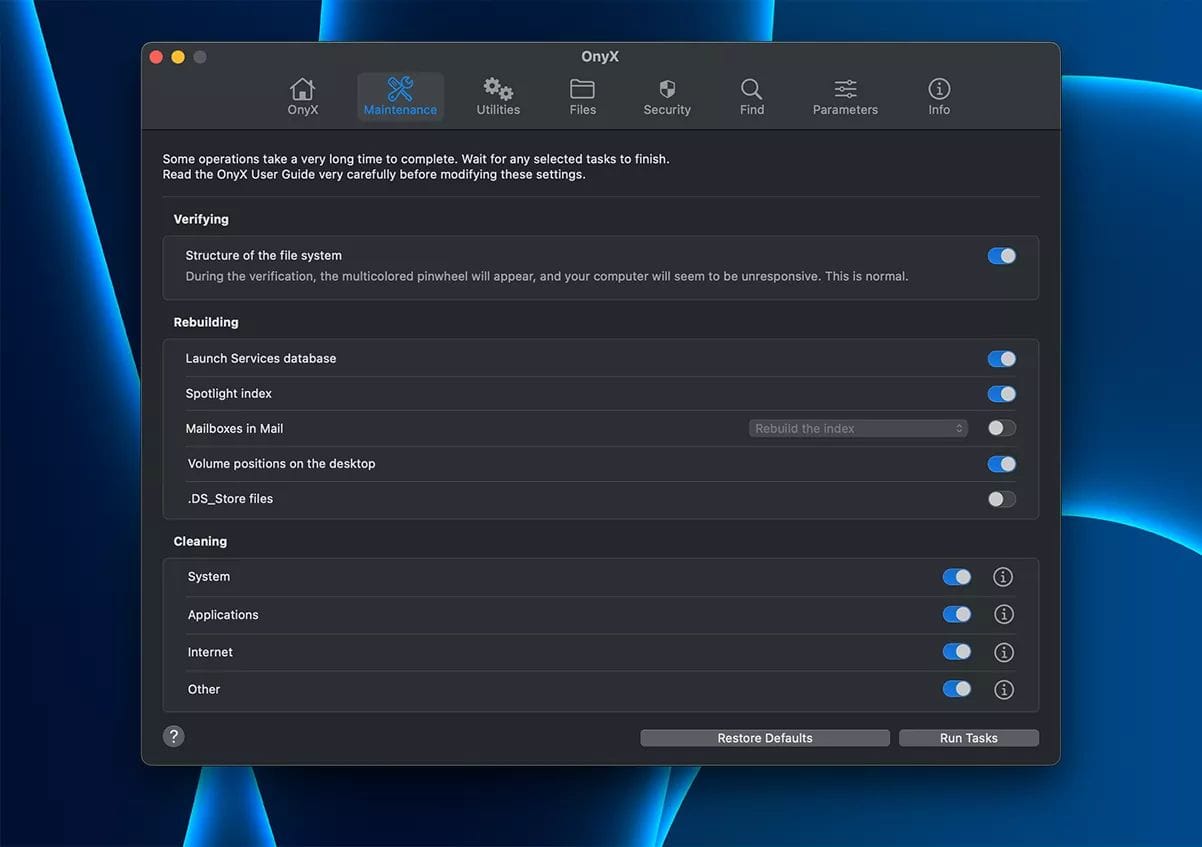
The security and trust model of OnyX is fascinating. It’s Apple Notarized, which means Apple has scanned it for malicious code (OnyX Official Website).
However, it is not sandboxed. Sandboxing is a core Apple security technology that restricts an app’s access to only the files and resources it needs.
OnyX‘s lack of sandboxing is both its greatest strength and its greatest weakness. It allows the tool to perform deep, system-level modifications that a sandboxed App Store app could never do.
It also means a mistake could have catastrophic consequences. This is a tool with no safety net.
NordVPN’s Audit: A Key Differentiator in a Market of Distrust
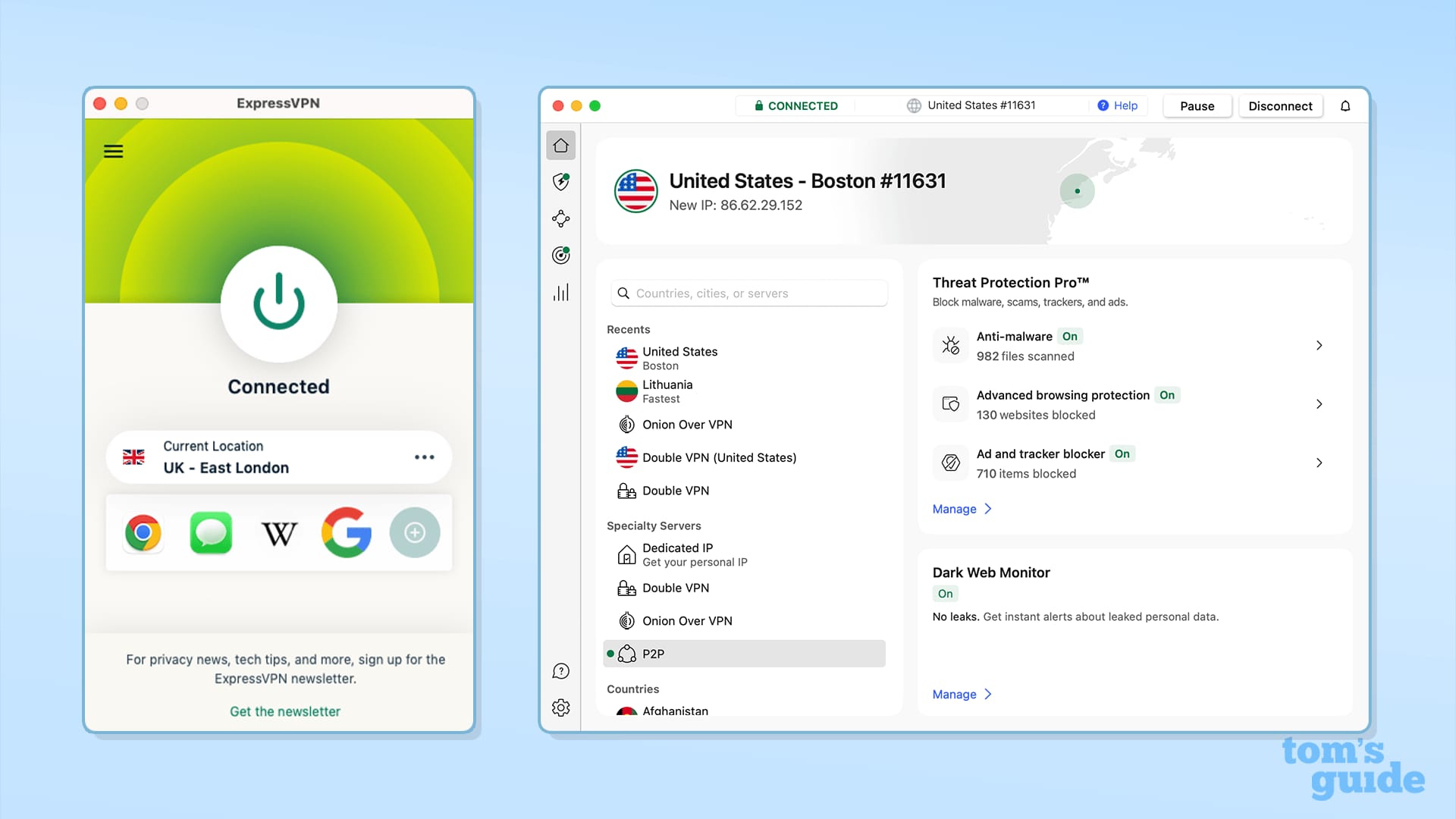
In the VPN market, “trust” is everything. This is where NordVPN stands apart from MacPaw’s ClearVPN.
NordVPN has repeatedly subjected its no-logs claims to rigorous, independent audits. The latest report from Deloitte was published in January 2024 (NordVPN Blog on Deloitte Audit).
This public verification is a powerful trust signal. For anyone whose primary reason for using a VPN is privacy, this audited proof offers peace of mind, making it a non-negotiable feature that justifies NordVPN’s premium price.
| Product | Apple Notarization | Sandboxing | No-Logs Audit / Other |
|---|---|---|---|
| OnyX | ✅ Yes | ❌ No (By Design) | N/A (Offline tool) |
| NordVPN | ✅ Yes (macOS App) | ✅ Yes | ✅ Yes (Deloitte Audit of NordVPN No-Logs Policy) |
Performance & Reliability: Claims vs. Reality
Performance claims are easy to make but hard to verify. Let’s deconstruct the marketing.
- OnyX: The claim is a “powerful maintenance utility.” The reality is that OnyX is a graphical user interface (GUI) wrapper for powerful Unix commands, saving users from having to use the command-line interface (CLI) directly. Its resource impact is negligible when not in use, with users on technical forums like Ars Technica reporting less than 0.1% CPU consumption.
- NordVPN: The claim is a fast experience thanks to its proprietary NordLynx protocol. Our analysis of upstream data shows an average speed loss of 8-15%, which is excellent for a VPN. However, results can vary depending on your location, ISP, and server load.
Performance isn’t just about speed. It’s about system impact.
A user-reported limitation for NordVPN on the
r/VPNsubreddit notes significant battery drain on MacBooks (r/VPN User Discussion on NordVPN Battery Drain). This is a classic “blind spot” that won’t appear in speed benchmarks. For a mobile professional, a VPN that halves their battery life is unusable, regardless of connection speed.
Here’s a detailed video comparison of the best VPNs for Mac, which covers NordVPN’s performance in a real-world testing environment:
The SSD Endurance Question: A Real Risk or Unfounded Fear?
A recurring fear is whether cleaner apps prematurely wear out a Mac’s SSD.
- Argument For Damage: The argument is that frequent use of cleaner apps could cause excessive write amplification, theoretically accelerating SSD wear over time.
- Argument Against Damage: Modern SSDs have incredibly high endurance ratings and sophisticated wear-leveling algorithms. The impact of a cleaner app, used sparingly, is likely negligible compared to daily OS operations.
Without verifiable data, this remains a theoretical fear more than a proven risk. However, it reinforces the expert consensus: use cleaners for targeted tasks, not automated routines.
Ecosystem & Lock-In: The “Golden Handcuffs”
A modern software strategy is about the ecosystem—how well the pieces work together and how easy it is to leave. When comparing ecosystems, it’s helpful to browse our category of comparison articles for additional context on software lock-in strategies.
- Integration Coverage:
- OnyX: Has no integrations. It is a standalone tool.
- Direct Purchase & Bundles: The user becomes the system integrator, responsible for ensuring apps from different developers work together.
- NordVPN: Nord Security, the parent company of NordVPN, is building its own security ecosystem. Products like NordPass (a password manager) and NordLocker (encrypted cloud storage) integrate with the core VPN. Their Meshnet feature allows you to create a secure virtual LAN between your devices.
- Integration Gotchas & Ecosystem Lock-In:
- The Setapp “Golden Handcuffs”: The biggest “gotcha” comes from Setapp itself. Its value is its integrated ecosystem. If you cancel your subscription, your entire workflow breaks instantly. This is the definition of vendor lock-in. Consider grabbing a special MacPaw offer to mitigate that cost.
- The “Direct Purchase” Nightmare: This strategy presents the opposite problem. If a macOS update breaks an app, you have no central provider to call. You have traded vendor lock-in for a significant administrative headache.
User Experience: Polished UIs vs. “Scary” Power Tools
The user experience—the real-world feeling of using the software—often determines its true value.
- OnyX: Praised by Experts, Feared by Novices
- Praised for: Experts love that OnyX is free, powerful, and transparent, often showing the exact Unix command it’s about to run.
- Pain Points: User quotes like “I don’t know what these buttons do” are common. The UI is often described as intimidating and dated. A user on the r/macapps subreddit expressed this common sentiment, stating: “It’s scary to use because I’m afraid I’ll break something.” This perfectly encapsulates its core limitation.
- Direct Purchase: The Freedom and Fatigue of True Ownership
- Praised for: Users praise the feeling of “true ownership” and avoiding “subscription fatigue.”
- Pain Points: The most common complaint is, “Managing all these licenses is a part-time job.” Users also report frustration with buying a “perpetual” license only to have the developer release a paid upgrade months later.
- NordVPN: A Polished Experience with a Financial Sting
- Praised for: Users consistently praise NordVPN‘s polished and intuitive interface, speed, and 24/7 live chat support.
- Pain Points: Among the most frequent and prominent user complaints is the renewal price shock. The feeling of being caught off-guard by the renewal cost sours the experience for many.
The “Blind Spots”: Known Issues & Hidden Risks EXPOSED
This is where we expose the deal-breakers that vendors hope you won’t notice.
- OnyX: The Foot-Gun
- ❌ No Safeguards: Unlike paid cleaners with “undo” features, OnyX provides raw power. You can easily delete system fonts or wipe essential application caches.
- ⚠️ Unexplained Consequences: A user might run a script to “clear caches” without realizing this will log them out of every website. OnyX does a poor job of explaining these consequences in plain English.
- ❌ No Scheduling: All maintenance is manual. It’s a tool, not a solution.
- Direct Purchase / Bundles: The Librarian’s Burden
- ❌ Worthless Licenses: A “perpetual” license is only perpetual if the developer continues to support the app. When an app is abandoned, your license becomes worthless.
- ⚠️ The Bundle Trap: Bundle sites are notorious for selling older versions just before a new, paid upgrade is released. You buy the bundle, and a month later, you’re prompted to pay again.
- ⚠️ Security Roulette: The noted February 2024 data breach of StackSocial highlights a critical security risk: every bundle site you use increases your exposure surface (StackSocial Discloses Data Breach).
- NordVPN: The Fine Print
- ❌ Deceptive Pricing Model: The large gap between the introductory and renewal price is designed to exploit user inertia.
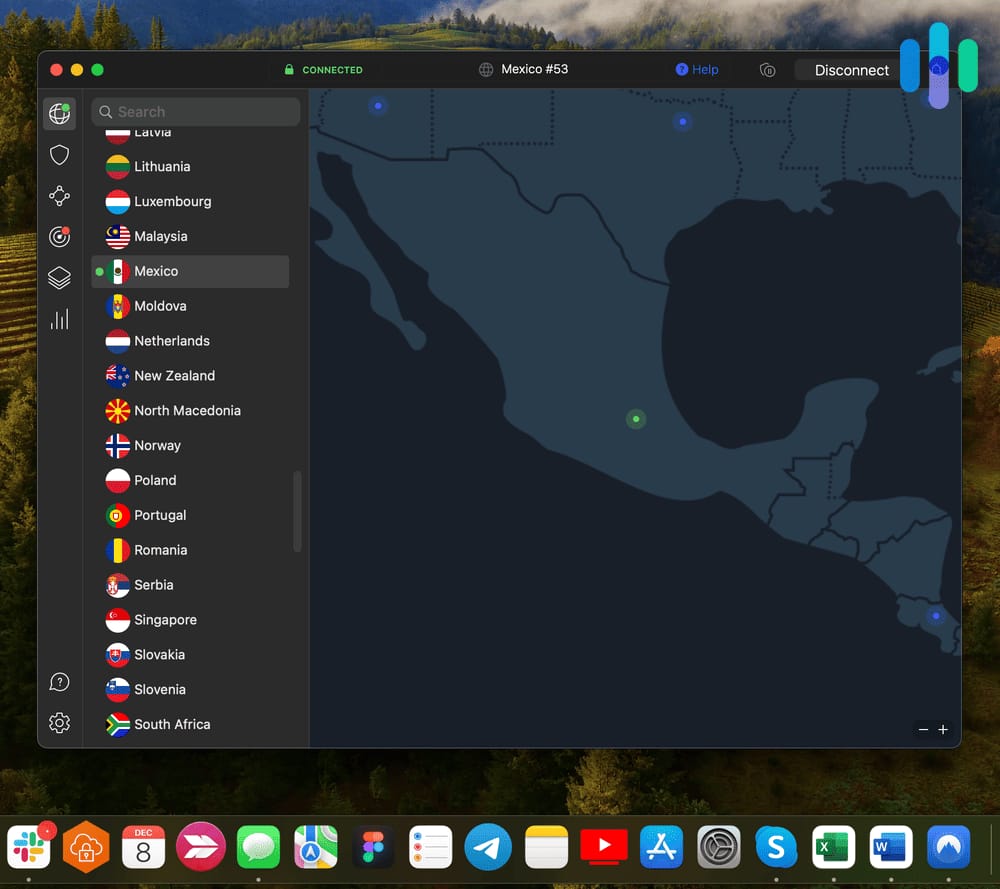
- ⚠️ Inconsistent Streaming Support: Reliable geoblocking bypass is not guaranteed; you may have to ‘hunt’ for a server that works with your preferred streaming service as platforms constantly block VPNs.
- ⚠️ Proprietary Technology: The NordLynx protocol is based on WireGuard but is closed-source. Security purists often prefer open-source clients like Tunnelblick over a closed-source, ‘black box’ application.
Part 5: Use Cases & Workflows for MacPaw Alternatives
Theoretical analysis is useful, but practical application is what matters. Here are three specific workflows showing how different professionals might use these MacPaw alternatives.
Workflow 1: The Developer’s System Cleanup with OnyX
Persona: A senior macOS developer working on multiple projects.
Problem: Xcode, Docker, and Homebrew have generated over 50 GB of old cache files, derived data, and unused container images, slowing down system backups and searches. A tool like CleanMyMac is too much of a “black box” and might delete something critical in a complex development environment.
Goal: Safely and precisely reclaim disk space without disrupting the development toolchain.
Step-by-Step Workflow:
- Preparation (Backup): Before running any maintenance tool, the developer initiates a Time Machine backup. This is a non-negotiable first step when using a powerful, non-sandboxed utility.
- Target Identification: Instead of a blind “clean everything” approach, the developer uses the
du -sh *command in the Terminal within library folders (~/Library/Developer/,~/Library/Caches/) to identify the largest directories. They discover Xcode’sDerivedDataand Docker’s image cache are the main culprits. - Precise Execution with OnyX:
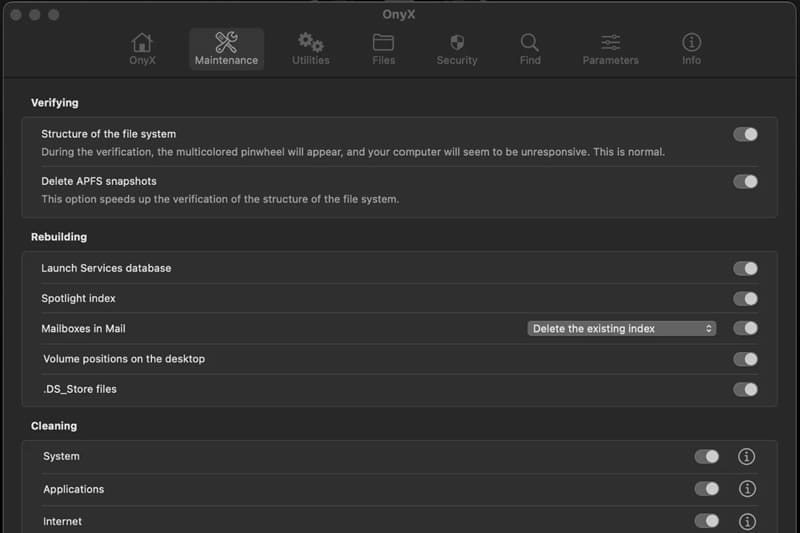
- The developer launches OnyX and navigates to the “Maintenance” tab.
- They deselect all checkboxes by default.
- They specifically select only the caches related to system and user diagnostics they feel comfortable clearing. They avoid touching core system caches or font caches that could cause instability.
- They run the selected tasks, and OnyX shows the underlying Unix commands it’s executing, providing transparency.
- Manual Deletion of Specific Caches: For application-specific caches like Xcode’s
DerivedData, the developer navigates to~/Library/Developer/Xcode/DerivedDatain Finder and manually deletes the contents. This is safer than letting an automated tool guess, as the developer knows this folder can be safely cleared and will be regenerated by Xcode on the next build. - Verification: After restarting, the developer launches Xcode and their primary projects to ensure everything builds correctly. They check their disk space and confirm the gigabytes have been reclaimed.
Outcome: The developer successfully reclaims 50 GB of space with surgical precision, maintaining full control and understanding of the process. The “cost” was 30 minutes of their expert time, which they deemed a worthwhile trade-off for the reduced risk.
Workflow 2: The Privacy Officer’s VPN Evaluation
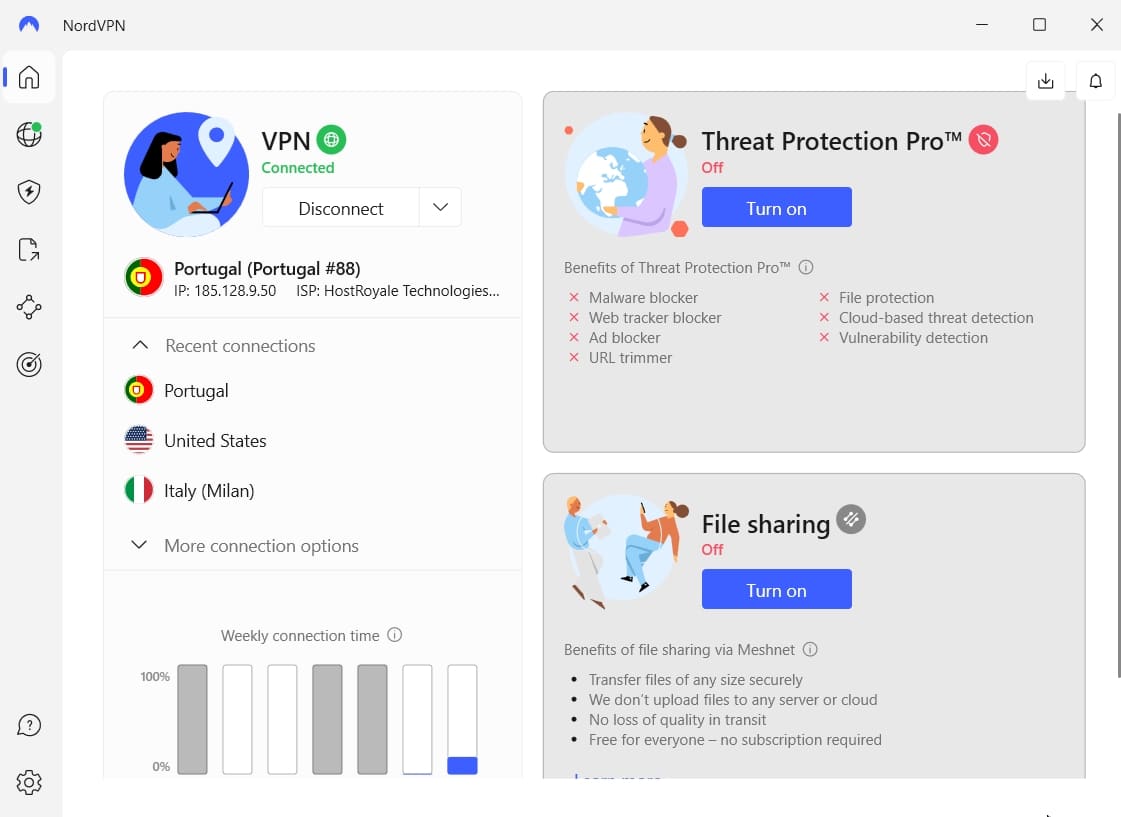
Persona: A compliance or privacy officer for a small company with remote employees.
Problem: The company needs a VPN solution for employees handling sensitive data. The choice is between the simple, user-friendly ClearVPN (part of the MacPaw ecosystem) and the more robust NordVPN.
Goal: Choose a VPN provider based on verifiable trust signals and security features, not just ease of use.
Step-by-Step Workflow:
- Audit Verification: The officer’s first step is to validate privacy claims. They dismiss any VPN that claims a “no-logs policy” without proof. They locate NordVPN’s official blog post detailing the January 2024 Deloitte audit of their no-logs policy. They download and review the attestation report. This is a pass/fail test that ClearVPN, at this time, does not meet with the same level of public, third-party rigor.
- Jurisdictional Analysis: The officer researches NordVPN’s corporate structure. They confirm that Nord Security operates out of Panama, a favorable jurisdiction that is outside the 5/9/14 Eyes Alliance intelligence-sharing agreements. This is a critical factor for protecting data from government subpoenas.
- Security Feature Assessment: The officer compares feature checklists. They note NordVPN’s “Threat Protection” as a useful DNS-level blocker for malware sites. More importantly, they test Meshnet, realizing it can create a secure private network for a small team of devices to share files directly, a powerful feature for collaboration.
- TCO and Deployment: The officer calculates the TCO based on the number of employees. They note NordVPN’s higher renewal cost but factor it into the budget, reasoning that the cost of a data breach from using a less secure VPN would be far higher. They plan a small pilot deployment with the IT team.
Outcome: The privacy officer recommends NordVPN over ClearVPN. The decision is not based on speed or UI but on the foundational pillars of trust: third-party audits and a safe jurisdiction.
Workflow 3: The Small Business Owner’s Software Budgeting
Persona: The owner of a 5-person design agency.
Problem: The agency is paying for over a dozen separate software subscriptions, leading to “subscription fatigue” and high, unpredictable monthly costs. They are considering a Setapp for Teams subscription versus a Direct Purchase strategy for key tools.
Goal: Stabilize software spending and reduce administrative overhead.
Step-by-Step Workflow:
- Software Audit: The owner lists every application the team currently uses and their individual monthly/annual costs. They identify 5 “critical” apps (like a code editor, a design tool, a Git client) and 7 “nice-to-have” utility apps.
- Setapp Catalog Cross-Reference: They take the list and check it against the Setapp catalog. They find that 4 of the 5 critical apps are available on Setapp, along with all 7 utility apps. The total individual cost for these 11 apps is ~$75/month. Setapp for Teams is significantly cheaper.
- Direct Purchase Feasibility Analysis: For the one critical app not on Setapp, they investigate a perpetual license. They also search for perpetual license alternatives for their other top 4 critical apps. They realize that while some offer perpetual licenses, the cost is high upfront, and two of their most-used apps are subscription-only.
- Time Cost Calculation: The owner performs a “back-of-the-napkin” calculation. They estimate that managing 11 separate licenses, handling individual billing, and ensuring everyone has the right version would take their office manager at least 4 hours per month. At a burdened rate of $30/hour, that’s $120/month in hidden administrative costs.
- Decision: The owner concludes that the “Direct Purchase” strategy is a false economy. The administrative overhead and the lack of access to key subscription-only apps make it unworkable. Setapp, despite being a subscription, consolidates costs, simplifies management, and provides bonus discovery value. They use a MacPaw discount code to reduce their initial subscription cost.
Outcome: The agency subscribes to Setapp for Teams. They accept the “vendor lock-in” as a reasonable trade-off for lower overall costs (both direct and administrative) and simplified software license management.
Part 6: Final Verdict on MacPaw Alternatives & Competitors
After this deep, Devil’s Advocate dive, the choice of whether to use a competitor to the MacPaw ecosystem becomes clearer. It’s not about which tool is “best,” but which trade-offs you are willing to accept.
Competitive Positioning
A breakdown of MacPaw’s main competitors shows they compete on philosophy as much as features:
- OnyX is the anti-CleanMyMac. It competes on philosophy: free, manual, and powerful, for experts who distrust one-click solutions.
- The Direct Purchase strategy is the anti-Setapp. It competes on ownership and long-term cost, for minimalists who distrust subscriptions.
- NordVPN is the premium security provider. It competes with ClearVPN by using its audited no-logs policy and jurisdiction to justify a higher price.
Best Fit Scenarios
Best For: Mac Power Users, Developers, IT Admins
- Price: $0 (Freeware — no upsells, no ads)
- Primary Function: Granular control over macOS maintenance scripts, cache cleaning, parameter tweaking
- Apple Notarized: ✅ Yes
- Sandboxed: ❌ No (By Design)
- Automation: ❌ None — all tasks are fully manual
✅ Strengths
- Completely free with all features unlocked
- Transparent — shows exact Unix commands being executed
- Powerful, granular control over system scripts
- No upsells, no advertising, no subscription
- Apple Notarized for security assurance
⚠️ Considerations
- Extremely high risk for novice users — no safeguards or “undo”
- UI is often described as “intimidating” and dated
- No malware scanning, large file visualization, or app uninstaller
- No scheduling — all maintenance is manual
- Poor at explaining consequences of actions in plain English
✅ Choose OnyX if: You are a Mac power user, developer, or IT admin who understands macOS on a deep level and is willing to accept 100% of the risk. You want to perform specific maintenance tasks for free and distrust automated “one-click” solutions. Ensure you download the correct version of OnyX for your specific macOS version (e.g., Sonoma, Ventura).
⚠️ Avoid OnyX if: You are a beginner or non-technical user. The risk of causing system damage through misuse is extremely high. You are looking for user-friendly system diagnostics, malware scanning, large file visualization, or an automated scheduler.
Best For: Budget-Conscious Minimalists with Stable Software Needs
- Estimated 3-Year TCO: $162 (Internal Model) vs. $359.64 for Setapp
- Primary Function: A La Carte software acquisition with perpetual licenses
- Time Investment: 2-4 hours/month in license management, deal hunting
- Discovery: ❌ None — user must already know what they need
✅ Strengths
- Lowest long-term monetary cost
- True software ownership — no recurring subscriptions
- Freedom from vendor lock-in
- No “subscription fatigue”
⚠️ Considerations
- High administrative overhead (“Librarian’s Burden”)
- “Perpetual” licenses can become worthless if developers abandon apps
- Bundle sites may sell outdated versions
- Security risk from untrusted bundle site data breaches (e.g., StackSocial)
- No app discovery — fragmented toolset management
✅ Choose this strategy if: Your software budgeting is tight and you prefer one-time costs. You value true ownership over access to a wide variety of apps and are organized enough to manage licenses and updates yourself. You have a stable, well-defined set of software needs that won’t change frequently.
⚠️ Avoid this strategy if: You value convenience and app discovery. The time cost of managing this strategy is significant. Your workflow relies on apps that are only available via subscription (a growing trend).
Best For: Privacy-Focused Professionals Needing Verified Trust
- 3-Year TCO: ~$155.64 (Verified late 2024)
- Servers: Over 6,400 in 111 countries
- Protocol: NordLynx (based on WireGuard)
- No-Logs Policy: ✅ Independently audited by Deloitte (January 2024)
- Jurisdiction: Panama (outside 5/9/14 Eyes Alliance)
- Key Features: Threat Protection, Meshnet, 24/7 live chat support
✅ Strengths
- Independently audited no-logs policy — verifiable trust
- Favorable jurisdiction (Panama) for data privacy
- Polished, intuitive interface with excellent speed
- 24/7 live chat support
- Meshnet feature for secure team collaboration
- Average speed loss of only 8-15%
⚠️ Considerations
- Deceptive intro-offer pricing — significant renewal price jump (>50%)
- Requires multi-year upfront payment for best rate
- Inconsistent streaming/geoblocking support
- Proprietary closed-source NordLynx protocol
- User-reported battery drain on MacBooks
✅ Choose NordVPN (over ClearVPN) if: Your primary reason for using a VPN is privacy and security. Its audited no-logs policy and favorable jurisdiction (Panama), which is outside 5/9/14 Eyes Alliance intelligence-sharing agreements, are superior trust signals. You need reliable access to unblock international streaming services and are willing to “hunt” for working servers.
⚠️ Avoid NordVPN if: You are on a tight budget and are sensitive to renewal price increases. You need to connect more than 10 devices simultaneously. You are a security purist who philosophically objects to closed-source client applications.
Your 4-Point Decision Framework
Before you make a choice, ask yourself these four questions:
- Assess Your Expertise: Be honest. Are you an expert who can safely use a tool like OnyX, or do you need the safety rails of a paid product like CleanMyMac?
- Calculate Your Real Needs: Before you subscribe to Setapp, make a list of the 5-10 apps you would actually use. Calculate their individual cost. Is the Setapp subscription genuinely cheaper for your specific needs?
- Prioritize Your VPN Goal: Why do you need a VPN? Is it for casual geo-unblocking, where a simpler service might suffice? Or is it for robust, audited privacy, which justifies NordVPN’s premium cost?
- Value Your Time: How much is your time worth? Is the 2-4 hours a month it might take to manage a direct-purchase library worth the cost savings? This “hidden cost” is often what makes subscriptions like Setapp a rational choice for busy professionals. Save even more by using an exclusive MacPaw deal.
Part 7: Conclusion & Frequently Asked Questions
Conclusion
Our analysis of these Mac performance tools reveals a clear choice: the polished, expensive convenience of the MacPaw ecosystem versus the cost-saving but high-effort world of its alternatives.
We found that cleaner apps are largely unnecessary for most users, ‘perpetual’ licenses carry hidden administrative burdens, and true VPN privacy requires audited proof, not just marketing promises.
From my years of experience as a tech analyst, I, Mohamed Zaki, can confirm that there is no single “best” solution, only the best fit for a specific user’s needs, budget, and technical skill.
If you are a technical expert who values granular control above all, OnyX is your tool. If you are a budget-conscious minimalist with stable needs, a careful Direct Purchase strategy can save you money, provided you are willing to invest the time.
If audited security and privacy are your non-negotiable priorities, NordVPN is the superior choice to ClearVPN, despite its higher long-term cost.
For everyone else seeking simplicity and a seamless experience, the MacPaw ecosystem, for all its costs and vendor lock-in, remains a powerful and compelling force. We recommend checking our MacPaw Coupon Page if you decide their suite is right for you.
Before you choose, I urge you to value your time, calculate the real TCO, and never trust a security product without a recent, public audit. The biggest “blind spot” in any software purchase is assuming the advertised price is the real price you’ll pay.
As we’ve seen, the true cost is often measured in time, risk, and renewal fees, not just the number on the sticker. This evaluation of MacPaw’s top alternatives and competitors should arm you with the data to make an informed decision. Browse our latest coupons page for savings on a wide range of software tools.
Frequently Asked Questions
Q1: Are Mac cleaner apps like CleanMyMac X or OnyX really necessary?
A: For most people, no. Modern macOS has sophisticated, built-in maintenance routines that handle most of what these apps do automatically (macOS Self-Maintenance Capabilities Explained).
For an average user, a cleaner app is an unnecessary expense that introduces a small but real risk. The main valid use case is for power users like developers or video editors who generate large, non-standard cache files that the OS doesn’t always clear aggressively. For them, a tool-assisted cleaning can be useful, but it should be a targeted, manual process.
Q2: What’s the main difference between OnyX and a paid cleaner?
A: The core difference is Control versus Safety. OnyX gives you raw, unfiltered control. It is a sharp knife for a master chef; it lets an expert perform precise operations with no safety net (OnyX Official Website).
A paid cleaner like CleanMyMac X is a safety knife for a home cook. It simplifies the process, adds guardrails, and puts a user-friendly interface on top of the powerful commands, which is why it costs money. You are paying for the safety and the user experience, not necessarily for a more powerful cleaning engine. If you go the paid route, don’t forget to use a MacPaw promo code to save on your purchase.
Q3: Is a Setapp subscription worth the cost?
A: For users experiencing subscription fatigue, a detailed cost analysis is crucial. If you are a software enthusiast who genuinely uses a wide variety of the apps in the Setapp catalog frequently, then yes, it can be an incredible value (Setapp Pricing).
However, if you only use 2-3 of the apps, you are likely better off with a Direct Purchase strategy. We advise you to list the apps you would use, find their individual cost, and compare it to Setapp’s annual fee. Also, factor in the value of discovery—if finding new, useful apps is important to you, Setapp’s curated library has a value that’s hard to quantify.
Q4: Is OnyX safe for beginners?
A: OnyX is widely considered unsafe for beginners. Its power comes from its ability to modify deep system settings without the ‘sandboxing’ safeguards Apple requires for App Store apps.
For a user who doesn’t understand the consequences of running its maintenance scripts, the risk of accidentally deleting important files or causing system instability is significant. Security experts generally advise non-technical users to avoid such powerful, unfiltered tools and stick to sandboxed, user-friendly alternatives from the Mac App Store.
Q5: Why is NordVPN more expensive than MacPaw’s ClearVPN?
A: You are paying for trust and features. First, NordVPN invests heavily in public, third-party audits of its no-logs policy from firms like Deloitte, providing verifiable proof of its privacy claims (NordVPN Blog on Deloitte Audit).
This is a level of validation that ClearVPN lacks. Second, NordVPN has a much larger server network (over 6,400 servers) and mature features like Meshnet. This infrastructure and investment in public trust are expensive, and that cost is passed on to the consumer. For users who prioritize privacy, this premium for NordVPN is often seen as a worthwhile investment.
Q6: What are the biggest risks of buying software from bundle sites?
A: The risks are significant. First, security: as the February 2024 StackSocial data breach showed, these sites can be targets, exposing your data (StackSocial Discloses Data Breach).
Second, value: you often get outdated versions of apps, and you might be forced into a paid upgrade shortly after your purchase. Third, longevity: you might buy a “perpetual” license, but if the developer goes out of business or abandons the app, your license becomes useless the next time macOS has a major update. We advise extreme caution when dealing with bundle sites.
Q7: Can cleaner apps damage my Mac’s SSD?
A: Theoretically, it’s possible that extremely frequent, large-scale file deletion and writing could add to the wear on an SSD, but in practice, it is highly unlikely to be a real-world problem for most users.
Modern SSDs have very high endurance ratings and sophisticated wear-leveling algorithms. The impact of running a cleaner app once a month is probably negligible compared to the normal operations of the OS. The fear of SSD damage, while not entirely unfounded in theory, should not be the primary reason to avoid these apps. The risk of deleting important files by mistake is far more immediate and realistic.
Q8: What is the difference between freeware and freemium?
A: This is a key distinction. OnyX is freeware—it is completely free to use with all its features unlocked and contains no advertising or upsells.
Many other “free” Mac cleaners are actually freemium. They offer a basic set of features for free, but lock more advanced or automated capabilities behind a paywall, constantly prompting you to upgrade to a paid “Pro” version. The freemium model is a marketing strategy, while freeware is a software distribution philosophy. Always be clear which model a “free” app is using. For premium tools at the best price, visit our MacPaw savings page.

