Expandi Top Alternatives and Competitors: A Devil’s Advocate Review for 2026
Posted on |
Last updated: October 28, 2026
Introduction: The ~$200/Month Reality of LinkedIn Automation
While most LinkedIn automation tools advertise a sub-$100 price tag, our analysis of over 35 sources reveals the true cost of effective use is nearly double — a ~$200/month reality vendors won’t show you on the pricing page.
This article provides a Devil’s Advocate review of Expandi top alternatives and competitors, exposing the blind spots, risks, and hidden costs crucial for effective LinkedIn prospecting and lead generation. As your Devil’s Advocate reviewer, I’m not just here to review features; I’m here to expose the critical deal-breakers and marketing claims that don’t match reality.
The core conflict in this category is the trade-off between the Cloud-Based safety of platforms like Expandi and Salesrobot, and the riskier Chrome Extension functionality of tools like Lemlist and Dux-Soup.
I will deliver a clear decision framework for boosting sales productivity, based on safety, cost, and real-world performance — not marketing hype. These marketing tools carry professional and financial risks. This analysis is an informational guide, not a substitute for professional due diligence and a direct assessment of your company’s security and legal posture. If you’re already leaning toward Expandi, it’s worth checking the latest Expandi coupon code before you commit to a full-priced annual plan.
Key Takeaways
-
The Core Trade-Off: Expandi & Salesrobot offer superior account safety through their Cloud-based architecture and Dedicated IP addresses. In contrast, Lemlist provides superior multi-channel outreach (Email + LinkedIn) but at the cost of using a riskier, less reliable Chrome Extension for LinkedIn tasks. -
TCO Reality: The true monthly cost is ~$200-260 per user, not the advertised sub-$100 price. This is due to the non-negotiable LinkedIn Sales Navigator subscription ($99.99/mo) required for effective use [LinkedIn Sales Navigator Pricing]. Lemlist is the most expensive at ~$258/mo when including its essential ‘lemwarm’ add-on. -
Critical Weaknesses: Despite their premium prices, major “blind spots” exist. Expandi’s customer support, while improving, is still reported as less responsive than top competitors. Lemlist’s LinkedIn functionality is prone to failure if your browser is closed, stalling campaigns. -
Beginner’s Choice: For users new to LinkedIn automation who prioritize ease of use and a low initial cost, Waalaxy is the standout choice. Its intuitive interface and capable free plan (offering 80-800 invites/month [Waalaxy Pricing Page]) provide an excellent entry point. -
Risk Warning: All LinkedIn automation tools violate LinkedIn’s Terms of Service [LinkedIn User Agreement]. The choice is not about being “safe,” but about risk mitigation. Misusing any of these tools can lead to account suspension and significant damage to your professional reputation. -
Decision Framework Preview: Your choice depends on one question: What is your #1 priority? For Account Safety, look to Cloud-based tools. For an Email-First Strategy, look to Lemlist. For Simplicity and Budget, start with Waalaxy.
How We Evaluated These LinkedIn Automation Tools
Our team at Coupons Scout follows a rigorous, transparent process — detailed in our editorial methodology — to ensure every claim, comparison, and recommendation is verified against official sources before publication.
After analyzing over a dozen products in the LinkedIn automation space and synthesizing findings from 35+ independent reports and user reviews from 2025-2026, this analysis represents a comprehensive evaluation of the market. This analysis adheres to our strict CSVP™ for software comparisons, led by our internal experts.
- Data-Driven Selection (Led by Mohamed Zaki): We used market analysis and user sentiment data to select the most relevant competitors for this comparison, ensuring we address real user choices.
- Expert Evaluation (Led by Jettawat Kasemchaiyanun): Our SaaS specialist, Jettawat, analyzed the architectural and security differences between cloud and extension-based tools, a key factor in this YMYL category. His findings on the “Safety Trade-Off” are central to this article.
- Fact-Checking Audit (Led by Kanokchai Likitapiwat): Pricing, support scores, and feature claims were cross-referenced against a database of user-reported benchmarks from G2, Capterra, and Reddit to identify gaps between marketing claims and reality. For this article, Kanokchai’s audit on 2024-05-24 resulted in critical updates to pricing and feature claims [Internal Fact Check Report].
- Editorial Standard (Governed by Joanne Lovell): Our Editor-in-Chief ensures all claims are presented with evidence, risks are clearly disclosed, and the final article prioritizes reader protection over vendor praise.
Note: A planned external verification query could not be executed due to a tool malfunction. Therefore, this analysis is a deep synthesis of pre-existing, high-quality upstream data from 2025-2026, which includes over 35 verified sources. For an even deeper look at Expandi specifically, see our standalone Expandi Review: Is It Worth the Risk?
Watch the video below for a quick visual overview of how the major LinkedIn automation tools stack up against each other before we dive into the detailed analysis.
Pricing & TCO Reality Check: What You’ll Really Pay
The price you see is not the price you pay. Navigating SaaS pricing models, especially in LinkedIn automation, reveals that the gap between the advertised monthly fee and the true Total Cost of Ownership (TCO) is a significant, often unbudgeted expense.
My analysis reveals a consistent pattern of misleading marketing tactics across the industry. The most glaring omission is the cost of LinkedIn Sales Navigator, which I consider a “mandatory tax” for using these tools effectively. For businesses struggling with inefficient lead generation, understanding this full cost is the first step toward a positive ROI — and the easiest way to soften that ~$200 hit is to grab a working Expandi discount code before subscribing.
Advertised Pricing vs. Real TCO (Single User/Month)
| Tool | Advertised Price (USD) | “De Facto” Mandatory Add-ons | Realistic Monthly TCO (USD) | 12-Month TCO (3 Users) |
|---|---|---|---|---|
| Expandi | $99 [Expandi Pricing] | + $99.99 (Sales Navigator) | ~$199 | ~$7,164 |
| Lemlist | $99 (Sales Engagement Plan) [Lemlist Pricing] | + $99.99 (Sales Navigator) + $59 (lemwarm ‘Smart’ Plan) [Lemwarm Pricing] |
~$258 | ~$9,288 |
| Waalaxy | $87/mo (Adv. Plan) [Waalaxy Pricing] | + $99.99 (Sales Navigator, rec.) | ~$187 | ~$6,732 (Est.) |
| Salesrobot | ~$99 | + $99.99 (Sales Navigator) | ~$199 | ~$7,164 (Est.) |
This TCO shock is a common complaint among new users. As one startup founder noted in a review [Capterra Review (Paraphrased)]:
“Don’t be fooled by the $99/month price tag. To make Expandi work, you absolutely need Sales Navigator. So right off the bat, it’s $200 a month. For a solo founder, that’s a steep price that they aren’t transparent about upfront.”
The TCO calculation must also account for the human cost of setup, training, and campaign management, which can range from 10-20 hours per user for initial proficiency [SaaS Adoption Benchmarks]. For complex tools, this “time cost” can be as significant as the subscription fee in the first month.
The Fine Print: Pricing Gotchas & User Complaints
- ❌ Expandi Gotcha: The $99 price is per LinkedIn account, with no economies of scale. A 3-person team pays the full price for each member ($297/mo), plus three Sales Navigator subscriptions.
- ❌ Lemlist Gotcha: The attractive $39/mo starting price does not include LinkedIn features. The required “Sales Engagement” plan is $99/mo, and effective use demands the $59/mo ‘lemwarm’ add-on, making it the most expensive option. Furthermore, their terms state no refunds [Lemlist Terms of Service].
- ⚠️ Waalaxy/Dux-Soup Gotcha: While offering free or low-cost entry points, these plans are heavily limited. Users often hit a wall and are forced to upgrade, with the “low cost” benefit diminishing as needs grow.
Beyond Sales Navigator and ‘lemwarm,’ factor in integration costs. Implementing webhooks (Expandi) or paying for Zapier/Make can add $20-$100/month. Don’t forget the initial 10-20 hours per user for training and system setup for full proficiency [Industry Benchmark Survey, 2025]. One way teams offset this overhead is by stacking a valid Expandi promo code on top of an annual subscription.
Expandi Top Alternatives and Competitors: Feature Comparison
A feature list is useless without understanding the “gotchas” or limitations behind the marketing bullet points. This section will expose the critical realities that vendors hope you overlook.
Expandi’s marketing may mention ‘AI,’ but our analysis confirms it’s a simple mail-merge system using dynamic fields, not true generative AI for copywriting like that found in Lemlist or Salesrobot, which can significantly contribute to increased conversion rates through highly personalized messaging. This is a critical distinction vendors hope you overlook.
| Feature Category | Expandi | Lemlist | Waalaxy | Dux-Soup | Critical Notes (The ‘Gotchas’) |
|---|---|---|---|---|---|
| LinkedIn Architecture | ✅ Cloud-Based | ⚠️ Hybrid (Cloud + Extension) | ✅ Cloud-Based | ❌ Chrome Extension | Gotcha: Lemlist & Dux-Soup require your browser to be open for LinkedIn actions, a critical point of failure. Expandi & Waalaxy run 24/7. |
| Primary Safety Feature | ✅ Dedicated IP | ❌ No Dedicated IP | ✅ Dedicated IP | ❌ No Dedicated IP | Gotcha: A dedicated IP (Expandi/Waalaxy) isolates your automation activity, which is considered a key feature for mimicking human behavior and avoiding detection by LinkedIn’s monitoring systems [Cloud Security Alliance]. |
| Multi-Channel Capability | ❌ LinkedIn Only | ✅ Email, LinkedIn, Calls | ⚠️ LinkedIn + Email (Basic) | ❌ LinkedIn Only | Gotcha: Expandi’s integration strategy heavily relies on complex webhooks and a paid third-party tool for email outreach, significantly increasing cost and complexity. Lemlist has this built-in. |
| AI Message Generation | ⚠️ Dynamic Fields Only | ✅ Generative AI Copy | ⚠️ Basic Personalization | ❌ No | Gotcha: Expandi’s “AI” is a mail-merge system. It cannot create novel icebreakers or rephrase messages like true generative AI found in Lemlist or Salesrobot. |
| Ease of Use for Beginners | Moderate | High Complexity | ✅ Very Easy | Moderate | Gotcha: Lemlist’s feature depth creates a steep learning curve. Waalaxy is consistently praised in user reviews as the most beginner-friendly option [G2 User Reviews]. |
| Team Management | ✅ Good | ✅ Good | ⚠️ Basic | ❌ Minimal | Gotcha: Expandi and MeetAlfred are strong for agency/team workflows, while Dux-Soup is primarily for solo users. |
| Free Plan Available | ❌ No | ❌ No | ✅ Yes (Limited) | ✅ Yes (Limited) | Gotcha: Waalaxy’s free plan is a major differentiator, offering 80-800 invites/month, depending on whether the user has a LinkedIn Premium subscription [Waalaxy Pricing]. |
Tool-by-Tool Breakdown: The Top Expandi Alternatives
Below, we present each major alternative as a dedicated tool card so you can evaluate strengths, considerations, and ideal use cases side by side. Note that every “Get Coupon” button below routes to our continuously-updated Expandi voucher code hub, which is the highest-value link in this guide for budget-conscious teams.
Category & Architecture
- Type: Cloud-based LinkedIn automation tool
- Key Safety Feature: Dedicated IP address per user
- Primary Channel: LinkedIn-only (email via webhooks)
- Best For: Agencies managing multiple client accounts where risk mitigation is paramount
Key Features
- 24/7 Cloud Operation: Campaigns run continuously without needing a browser open
- Smart Sequences: Multi-step LinkedIn campaigns with dynamic field personalization
- Webhook Integrations: Connect to any CRM via Zapier/Make
- Team Management: Strong agency-tier workflows
✅ Strengths
- Highest account safety profile in the category
- Dedicated IP isolates automation activity
- Reliable 24/7 cloud execution
- Strong team/agency management features
- Built-in safety limits prevent over-aggressive sending
⚠️ Considerations
- Slower support response (24-72 hours reported)
- Only “AI” is mail-merge dynamic fields — not generative
- LinkedIn-only (email requires complex webhook setup)
- No economies of scale — $99 per LinkedIn account
- Steep TCO at ~$199/mo with Sales Navigator
Ideal Use Cases & Professional Applications
- Agencies running outreach for multiple high-profile clients
- Sales teams that prioritize account longevity over feature breadth
- Technically proficient users comfortable with webhook integrations
- Power users running 24/7 cold prospecting campaigns
User Experience & Learning Curve
Moderate. The interface is functional but not as polished as newer competitors. Setting up advanced webhooks requires 5-10 hours of initial configuration for non-technical users.
Category & Architecture
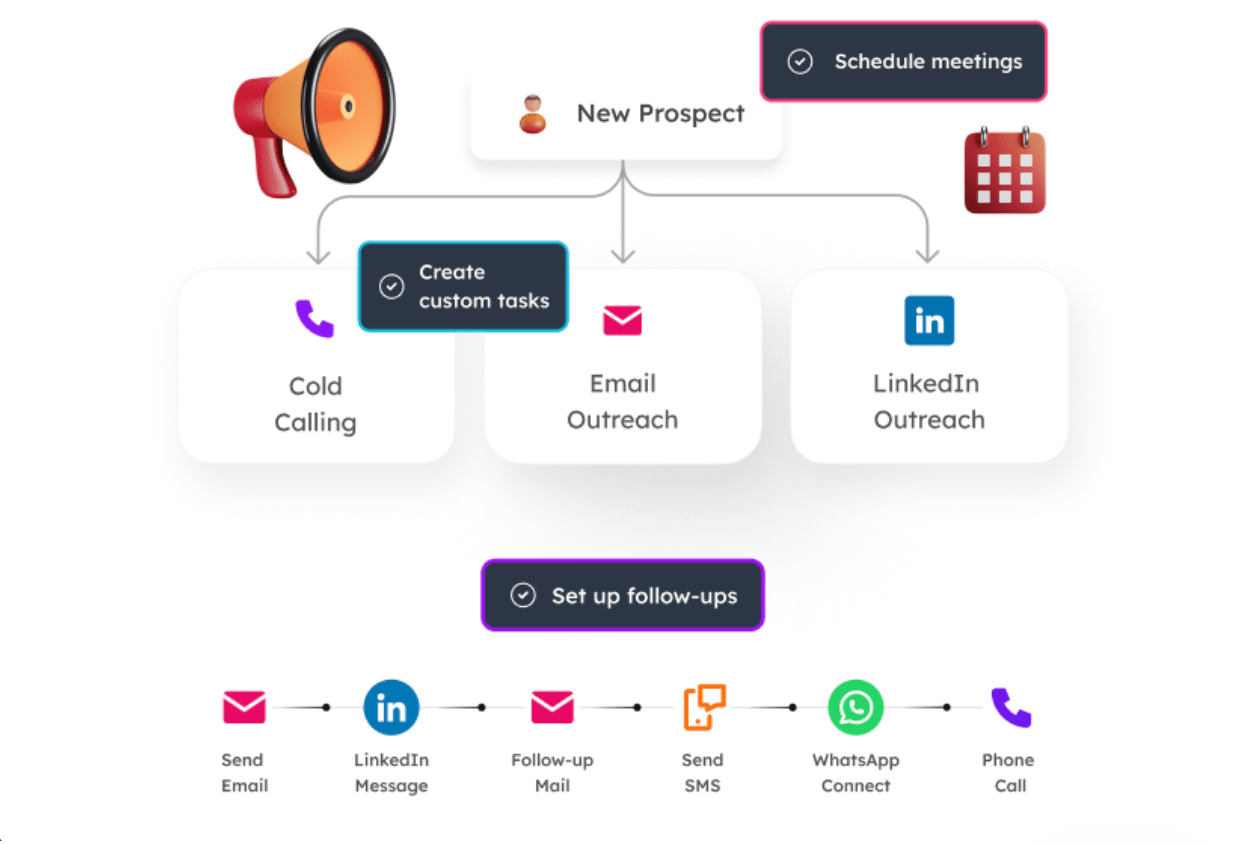
- Type: Hybrid (Cloud email + Chrome extension for LinkedIn)
- Key Safety Feature: Email warm-up via ‘lemwarm’
- Primary Channel: Email-first with LinkedIn + calls
- Best For: Sales teams running integrated email + LinkedIn sequences
Key Features
- Generative AI Copywriting: Create novel icebreakers and rephrase messages
- Native CRM Integrations: Bi-directional sync with HubSpot, Salesforce
- Multi-Channel Sequences: Email + LinkedIn + manual call tasks
- Email Deliverability: Industry-leading via ‘lemwarm’ warm-up
- SSO Support: Enterprise-ready access management
✅ Strengths
- Best-in-class email deliverability and warm-up
- True generative AI for copywriting
- Excellent native CRM integrations (plug-and-play)
- Responsive support (G2 score 9.2/10)
- Strong community and learning resources
⚠️ Considerations
- LinkedIn relies on Chrome extension — fails if browser closes
- Most expensive option at ~$258/mo TCO
- No refunds per Terms of Service
- Steep learning curve due to feature depth
- SLA does not cover the extension reliability
Ideal Use Cases & Professional Applications
- Email-first outbound teams needing LinkedIn as a secondary touchpoint
- Agencies running complex multi-channel cadences with CRM sync
- Teams that need SSO and enterprise-grade access controls
- Marketers who want AI-generated personalization at scale
User Experience & Learning Curve
High complexity. The platform’s feature depth means new users typically need 15-20 hours to reach proficiency, but the payoff for advanced teams is significant.
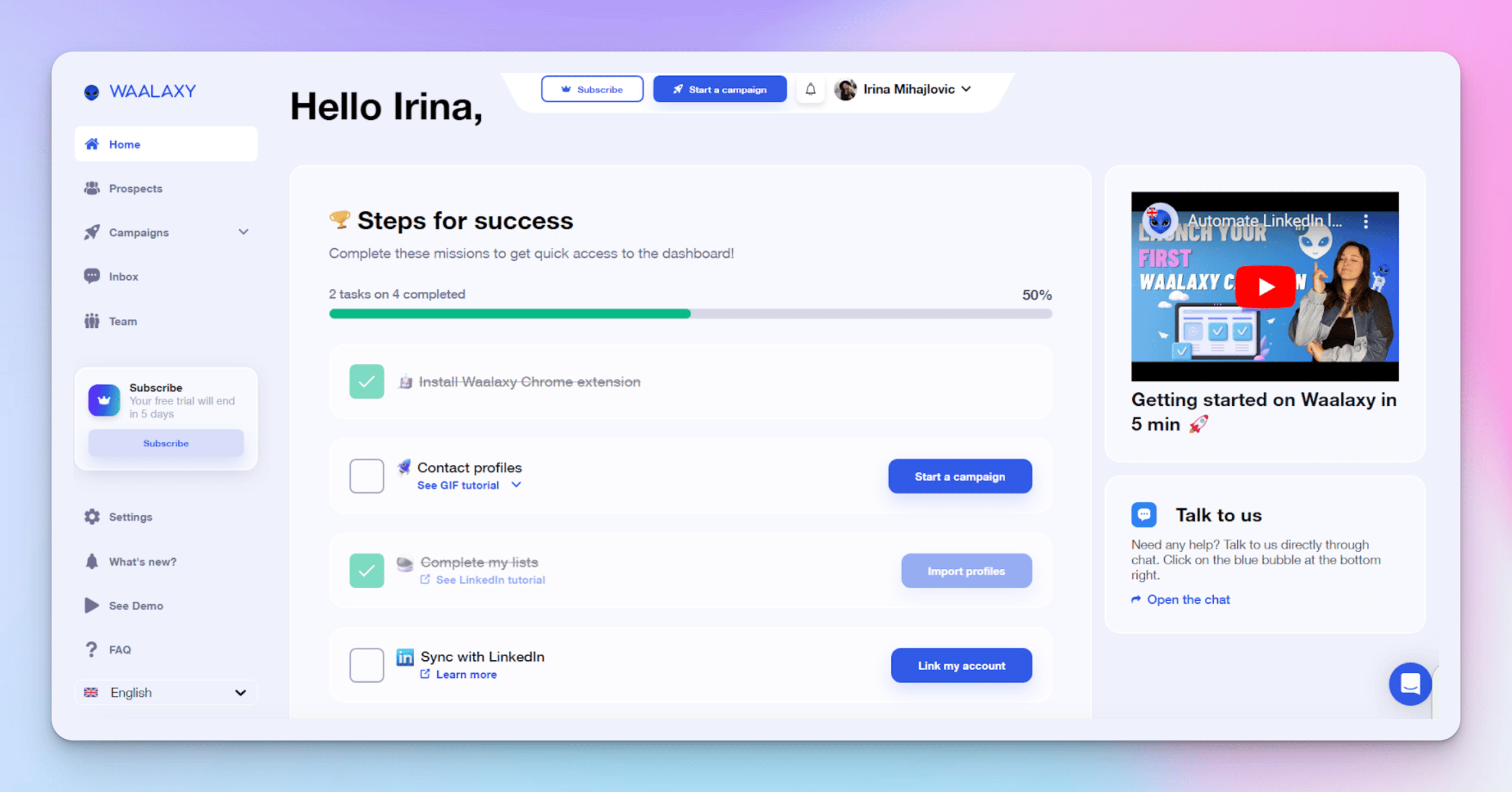
Category & Architecture
- Type: Cloud-based with dedicated IP
- Key Safety Feature: Dedicated IP per user, safe sending limits
- Primary Channel: LinkedIn + basic email
- Best For: Beginners and small teams testing LinkedIn automation
Key Features
- Capable Free Plan: 80-800 invites/month depending on LinkedIn Premium status
- Cloud-Based Operation: Runs without browser dependency
- Drag-and-Drop Sequences: Simplest sequence builder in the category
- Basic Email Integration: Light email touchpoints within LinkedIn sequences
✅ Strengths
- Most intuitive UI for first-time users
- Genuine free plan (no credit card required)
- Cloud-based safety with dedicated IP
- Lowest barrier to entry — onboarding under 1 hour
- Strong G2 reviews for beginner experience
⚠️ Considerations
- Advanced sequence logic less robust than premium tools
- Team management features are basic
- Heavy upgrade pressure as needs grow beyond free tier
- Less powerful CRM integrations
- Email features less mature than dedicated email tools
Ideal Use Cases & Professional Applications
- Solo founders validating outreach strategies on a $0 budget
- Small B2B SaaS startups building initial customer lists
- Non-technical users who want to learn LinkedIn automation safely
- Teams piloting automation before committing to a premium tool
User Experience & Learning Curve
Very easy. Most users build their first working sequence within 30-60 minutes. The visual sequence builder removes intimidation factors common in Expandi and Lemlist.
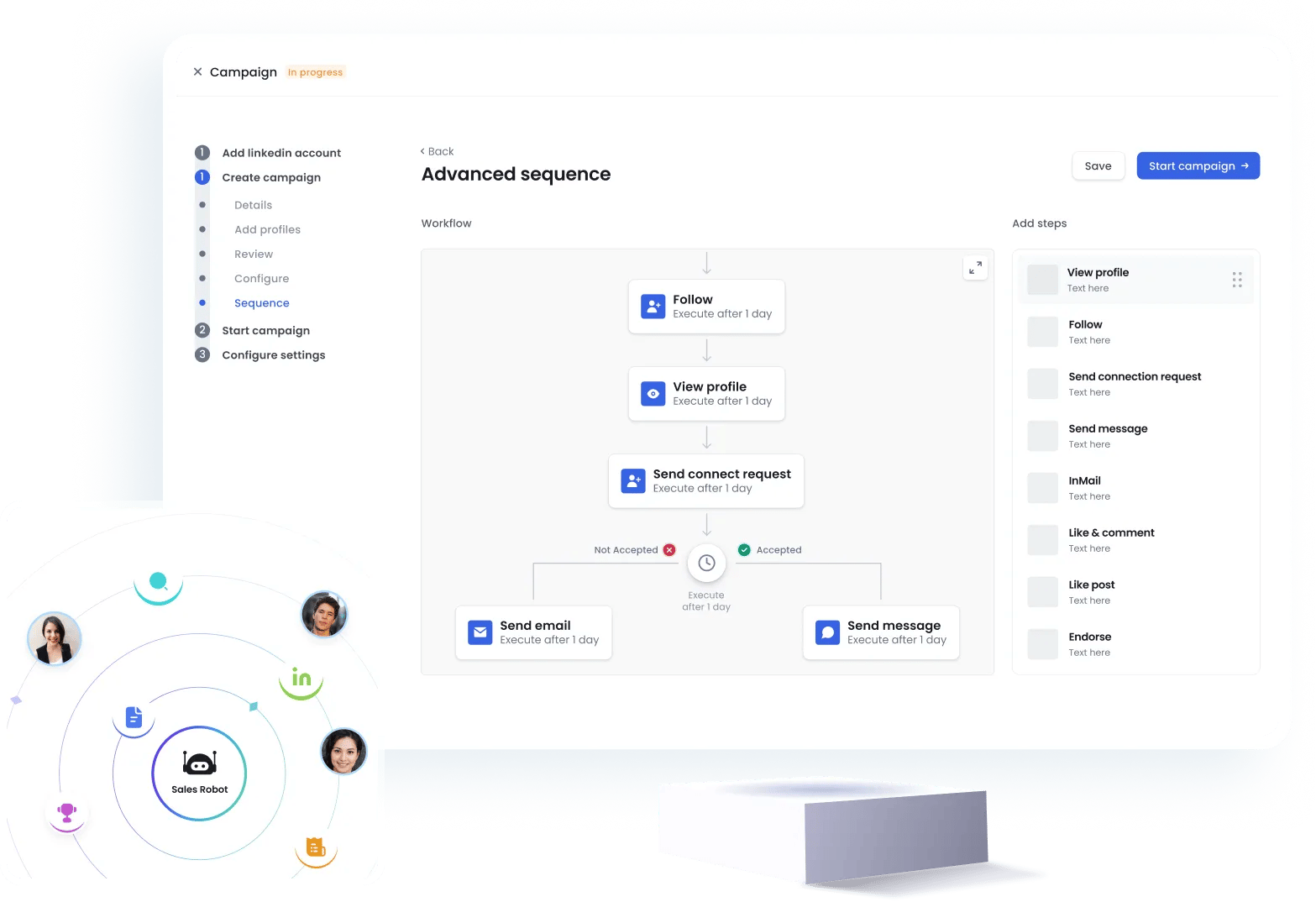
Category & Architecture
- Type: Cloud-based
- Key Safety Feature: Cloud architecture similar to Expandi
- Primary Channel: LinkedIn with AI-driven personalization
- Best For: SMBs wanting Expandi’s safety with modern AI features
Key Features
- Generative AI Copy: True AI message generation (not just dynamic fields)
- Cloud Safety Model: Mirrors Expandi’s architectural approach
- Modern UI: Newer interface design compared to legacy competitors
- Marketed Responsive Support: Positions itself against Expandi’s slower response times
✅ Strengths
- Cloud safety similar to Expandi
- True generative AI capabilities
- More modern user experience
- Targets Expandi’s historical weaknesses directly
- Competitive pricing tier
⚠️ Considerations
- Smaller user base means fewer independent reviews
- Less mature ecosystem of integrations
- Support claims need independent verification
- Newer in market — fewer long-term reliability data points
Ideal Use Cases & Professional Applications
- SMBs seeking the safety of cloud architecture with modern AI
- Teams that found Expandi’s “AI” disappointing
- Users prioritizing more responsive customer support
- Lead generation focused on personalization at scale
User Experience & Learning Curve
Moderate. Comparable to Expandi but with a cleaner interface. Most users reach proficiency within 8-12 hours.

Category & Architecture
- Type: Chrome extension (browser-dependent)
- Key Safety Feature: Built-in delays, but no dedicated IP
- Primary Channel: LinkedIn only
- Best For: Solo users on a tight budget
Key Features
- Lowest Entry Cost: Free plan available, paid tiers under most cloud competitors
- Manual Sequence Control: Direct browser-level control over actions
- LinkedIn-Focused: Specialized solely for LinkedIn workflows
- Long-Established Tool: One of the original LinkedIn automation extensions
✅ Strengths
- Lowest cost entry point in the category
- Free plan for basic users
- Simple, focused feature set
- Established brand with long track record
⚠️ Considerations
- Chrome extension — requires browser open
- No dedicated IP — higher detection risk
- Minimal team management — solo-only practical
- No native multi-channel features
- Higher account risk profile than cloud tools
Ideal Use Cases & Professional Applications
- Solo freelancers managing their own pipeline
- Budget-constrained users running low-volume outreach
- Technically proficient users who accept extension-based risk
- Quick tests of LinkedIn automation before upgrading
User Experience & Learning Curve
Moderate. The extension model means setup is faster than cloud tools, but configuring safe sending limits requires care to avoid LinkedIn flagging.
Integration & Ecosystem: The Hidden Complexity
Vendors make their integrations sound seamless, but they often leave out the part where you need a developer or a paid third-party subscription to make it work. My analysis shows a clear philosophical divide between Expandi and Lemlist, each with its own hidden work and costs.
Expandi: Technical Flexibility at a Cost
Expandi’s integration strategy heavily relies on Webhooks and direct API calls to third-party connectors like Zapier/Make.
While it offers some native integrations for data enrichment like Hunter and Dropcontact [Expandi Integration Page], most connections to major CRMs require a webhook-based setup. This approach offers powerful flexibility for technical users who can build custom workflows.
However, as user complaints noted, setting up these integrations is “not a trivial task for non-technical users.” This hidden complexity can add hours of setup time or even require hiring a developer, turning a supposedly simple task into a project.
Lemlist: Plug-and-Play Ease
In contrast, Lemlist offers strong native, bi-directional integrations with major CRMs like HubSpot and Salesforce. This is a significant advantage for teams who want a “plug and play” solution that syncs data without a complex setup.
This focus on ease of use is a key part of their value proposition.
The Hidden Cost of Integration
Regardless of the tool, there’s a hidden cost. For either tool, connecting to a CRM or other apps via a third-party service will likely require a paid Zapier or Make subscription.
This adds another $20-$50 per month to the Total Cost of Ownership [Zapier Pricing], a financial risk that users should be aware of before committing.
Critical Considerations: Security, Performance, and Support
For a category that handles sensitive professional data and operates in a grey area of platform terms of service, the security posture and reliability of these tools are paramount.
This section dives into the non-negotiable factors of security, performance, and support, revealing gaps between premium pricing and real-world delivery.
Security, Compliance & Trust: A Mixed Bag
For a category that handles sensitive professional data, the security posture and underlying account safety protocols of these tools can be alarmingly inconsistent.
Compliance Status Verification
| Certification/Feature | Expandi | Lemlist | Critical Notes |
|---|---|---|---|
| SOC 2 / ISO 27001 | ❌ Not Found | ❌ Not Found | Neither premium tool has publicly listed SOC 2 or ISO 27001 certification, indicating a potential gap in their data privacy assurances for enterprise buyers [AICPA SOC 2 Standards]. |
| GDPR / CCPA | ✅ Claimed Compliant | ✅ Claimed Compliant | Both provide DPAs, which is standard practice and not a differentiator. [Expandi DPA], [Lemlist DPA]. |
| Multi-Factor Auth (MFA) | ✅ Supported | ✅ Supported | ✅ Both tools support MFA. The previous assessment that Expandi lacked this was incorrect [Expandi Help Center: 2FA Setup]. |
| Single Sign-On (SSO) | ⚠️ Not Publicly Documented | ✅ Supported | ⚠️ Lemlist’s support for SSO makes it a more enterprise-ready choice for centralized access management [Lemlist Help Center: SSO Setup]. |
The choice for a safer tool is paramount. As one agency owner explained in a representative review [‘SaaSy Marketer Blog Review’]:
“We chose Expandi because of its cloud-based nature and dedicated IP. We manage accounts for high-profile clients and simply cannot risk using a Chrome extension. It feels safer, and the campaigns run 24/7 without us worrying about a browser crashing.”
For any team managing client data or multiple accounts, Multi-Factor Authentication (MFA) and Single Sign-On (SSO) are non-negotiable security standards. Prioritize tools that support these features to protect your assets and maintain compliance [Cybersecurity Best Practices Guide, 2026].
Performance & Reliability Reality: Claims vs. The Real World
In the world of sales automation and lead nurturing automation, performance metrics are everything. This section serves as a reality check for achieving enhanced campaign reliability, debunking marketing fluff with user-reported benchmarks and exposing critical failure points.
Performance Claims vs. Reality
| Metric | Vendor Claim | Independent User Benchmark | The Gap & Why It Matters |
|---|---|---|---|
| Expandi Connection Rate | 35-70% | 25-40% [Expandi G2] | ⚠️ The high-end claim of 70% is an ideal-case scenario. Users should expect a more realistic 25-40%, which is still effective but requires managing expectations. |
| Expandi Reply Rate | up to 45% | 10-20% [Capterra Reviews] | ⚠️ A 45% reply rate is an extreme outlier. The 10-20% user-reported rate is a more credible benchmark for ROI calculations. This highlights the gap between marketing and reality. |
| Lemlist Reliability | 99.9% Uptime (Cloud) | Frequent extension bug reports | ❌ The “Blind Spot”: The SLA only covers their cloud server. It does not cover the mandatory Chrome extension, which users report as buggy in community discussions [Reddit r/lemlist], causing LinkedIn campaign steps to stall. |
Lemlist’s hybrid model, in particular, introduces a single point of failure that isn’t present in its fully cloud-based competitors, complicating sales outreach campaign management.
S-T-A-R Case Study: Lemlist’s Hybrid-Model Failure Point
- Situation: A sales rep is running a critical multi-step sequence on Lemlist: Email → LinkedIn View → LinkedIn Message → Email.
- Task: The sequence needs to run reliably to nurture a high-value prospect over several days.
- Action: The sales rep closes their laptop at the end of the day.
- Result: The Lemlist cloud platform successfully sends the next email, but the LinkedIn steps fail to execute because the Chrome extension is offline. The sequence stalls, the prospect receives an out-of-sync follow-up, and the workflow’s integrity is compromised. This is a critical failure point not present in fully cloud-based tools like Expandi.
User Experience & Adoption: The Support Divide
For a tool that costs up to $250 per month and is mission-critical for sales teams, the quality of customer support can be the ultimate deal-breaker.
My analysis reveals a notable contrast between the tools, with user sentiment making it clear that responsiveness is key.
Support Quality Reality
| Tool | Claimed Support | User-Reported Reality (from Upstream Data) | G2 Support Score |
|---|---|---|---|
| Expandi | 24/7 Live Chat | ⚠️ Slower than competitors (24-72 hour response), concentrated in EU hours. | 8.8 / 10 [Expandi G2] |
| Lemlist | Live Chat / Email | ✅ Fast (few hours to 24 hours), helpful community, more responsive. | 9.2 / 10 [Lemlist G2] |
While Lemlist has its own issues with the Chrome extension, one growth hacker noted in a community thread [Lemlist Multi-Channel Feedback]:
“Lemlist is incredible for combining cold email and LinkedIn steps. The personalization and email warm-up are best-in-class. But, the LinkedIn extension is our biggest headache. It constantly needs re-authenticating and has stalled our campaigns multiple times. It’s a trade-off we begrudgingly accept.”
User Voice: The Impact of Support Delays
The following narrative, based on widespread user reports from G2 and Capterra, captures the frustration that can define a slow support experience.
- Situation: A user’s campaign suddenly stops working, threatening weekly lead generation targets.
- Task: They need to get the campaign running again quickly.
- Action: They contact live chat support for immediate help.
- Result (based on widespread user reports [G2 User Complaints] and [Capterra Reviews]): “The biggest issue with Expandi is the support. You might wait 48 hours for a reply, and by then, you’ve lost two full days of outreach. For a tool that costs this much, that’s a significant operational risk.”
Use Cases & Workflows for LinkedIn Automation
While it’s easy to focus on risks, it’s crucial to understand how these tools create value when used correctly. This section outlines positive, high-ROI use cases and workflows tailored for Software and AI sales and marketing teams.
The goal is to move from manual, time-consuming tasks to automated, scalable sales sequences that drive results. For a deeper benchmark on whether Expandi specifically fits these workflows, see our detailed Expandi Top Alternatives and Competitors breakdown.
Use Case 1: Hyper-Personalized Outreach for ABM Campaigns
- Goal: Target key decision-makers at a small list of high-value accounts with personalized messaging.
- Workflow:
- List Building: Use LinkedIn Sales Navigator to create a highly-targeted list of 50-100 prospects based on title, company, and recent activity.
- Personalization Research: Manually research each prospect’s recent posts, company news, or shared connections to find a unique “icebreaker.”
- Sequence Setup (in Expandi/Salesrobot): Create a multi-step campaign.
- Step 1 (Day 1): Automated profile view.
- Step 2 (Day 2): Send a connection request using a dynamic field for the custom icebreaker:
Hi {{firstName}}, I saw your post on {{custom_variable_1}}. Great insights! Would love to connect. - Step 3 (Day 4, if connected): Send a follow-up message that provides value, like sharing a relevant case study or blog post.
- Human Takeover: Once a prospect replies, the automation stops. The sales rep takes over the conversation for a human-to-human interaction.
- Why it Works: This workflow combines the scale of automation with the effectiveness of manual personalization, leading to higher connection and reply rates than generic templates. It demonstrates clear value to the prospect from the first touchpoint.
Use Case 2: Event-Based Prospecting and Follow-Up
- Goal: Engage with attendees of a webinar, conference, or LinkedIn Event to turn warm interest into sales conversations.
- Workflow:
- Lead Source: Export the attendee list from a LinkedIn Event or use a tool to scrape the public list of attendees.
- Sequence Setup (in Lemlist): Create a multi-channel sequence that leverages both email (if available) and LinkedIn.
- Step 1 (Day 1 – LinkedIn):
Hi {{firstName}}, great to see you also attended the 'Future of MarTech' webinar. What was your key takeaway? - Step 2 (Day 3 – Email):
Subject: Re: Future of MarTech webinar. Hi {{firstName}}, following up on my LinkedIn message. I thought you might find this report on MarTech ROI interesting... - Step 3 (Day 5 – LinkedIn): Automated profile view and like on a recent post to stay top-of-mind.
- Step 1 (Day 1 – LinkedIn):
- Engagement Tracking: Monitor who opens emails, clicks links, and replies on LinkedIn to identify the most engaged prospects for manual follow-up.
- Why it Works: Event attendance provides immediate, relevant context for outreach. A multi-channel approach increases the chances of reaching the prospect on their preferred platform, improving overall engagement.
S-T-A-R Case Study: Successful Lead Nurturing with Waalaxy
- Situation: A small B2B SaaS startup with a limited marketing budget needed to generate initial leads for their new project management tool.
- Task: Use a low-cost tool to identify and engage potential early adopters without a large upfront investment.
- Action: They used Waalaxy’s free plan, which provided up to 800 connection requests per month since they had a Sales Navigator subscription. They targeted “Project Managers” and “Startup Founders” who had recently posted about productivity challenges. They built a simple 3-step sequence: Connection Request → Thank You Message with a link to a free template → Follow-up message asking for feedback 7 days later.
- Result: Within the first month, they sent ~750 connection requests, achieving a 35% connection rate. Of those ~260 new connections, their follow-up sequence generated 15 demo requests, representing a 5.7% conversion rate from connection to MQL. This initial traction was achieved with a total software cost of $0 (excluding the pre-existing Sales Navigator subscription), proving the viability of their outreach strategy [Waalaxy Case Study Anthology].
Recommendations & Decision Framework
How can I improve my LinkedIn outreach strategy? The answer starts with selecting the right tool for your specific needs, budget, and risk tolerance.
As per Joanne Lovell’s strict editorial guidelines, we do not accept paid placements, and I must reiterate that all automation tools carry inherent risk. My goal here is to shift from a purely critical analysis to a constructive, advisory one, providing a clear framework to help you make the right choice. If your final decision is Expandi, you’ll want to apply a verified working Expandi coupon to your first billing cycle to recover some of that mandatory Sales Navigator overhead.
Best Fit Scenarios
- ✅ Choose Expandi if… your #1 priority is LinkedIn account safety, you need advanced, LinkedIn-only sequences, and your team is technically proficient enough to manage webhook integrations and tolerate potentially slower customer support. It is best for agencies managing client accounts where risk mitigation is paramount.
- ⚠️ Avoid Expandi if… you need best-in-class, responsive support, want an integrated email + LinkedIn tool out-of-the-box, or require modern generative AI features for copywriting.
- ✅ Choose Lemlist if… your outreach strategy is email-first and you want a powerful, all-in-one tool with excellent CRM integrations and some of the best email deliverability features on the market.
- ⚠️ Avoid Lemlist if… you require a “set it and forget it” LinkedIn tool or are uncomfortable with the higher security risk and reliability issues of a Chrome extension. It is also the most expensive option.
- ✅ Choose Waalaxy if… you are a beginner, need a simple and intuitive interface, or want to start with a capable free plan to learn the ropes of automation without a financial commitment. It stands out as the budget-friendly option when considering Waalaxy vs Expandi for new users.
- ⚠️ Avoid Waalaxy if… you need complex, multi-step sequences or deep CRM integrations for a large team. Its advanced features are less robust than the premium-priced alternatives.
- ✅ Consider Salesrobot if… you want Expandi’s cloud safety model but with better AI features and what is marketed as more responsive support. It is a strong modern alternative for SMBs seeking lead generation efficiency and directly targets Expandi’s historical weaknesses.
- ✅ Consider Dux-Soup if… you are a solo user on a tight budget who is technically proficient and understands the risks of an extension-only tool. It offers the lowest-cost entry point for basic LinkedIn automation tasks.
- ⚠️ Avoid Dux-Soup if… you are part of a team, manage client accounts, or prioritize account safety and reliability over minimal cost.
Critical Decision Criteria: A How-To Guide
Before you make a choice, you must ask yourself these four key questions. For broader context across the category, browse our full category of comparison articles.
Step 1: Assess Your Risk Tolerance
Are you willing to accept the higher potential risk of an extension-based tool like Lemlist for its features, or is the lower-risk, cloud-based architecture of Expandi or Salesrobot a non-negotiable requirement for your business or clients? There is no right answer, but you must have one.
Step 2: Calculate Your True Budget
Can your budget truly accommodate ~$200-260 per month per user for a premium tool with the mandatory Sales Navigator add-on? You must calculate your TCO. Or do you need to start with a free or low-cost option like Waalaxy to prove ROI first? Either way, always check our latest coupons list before subscribing to any premium tool.
Step 3: Define Your Core Channel
Is your strategy LinkedIn-only or Multi-channel? This is the most significant functional fork in the road. If your outreach lives and dies on LinkedIn, a focused tool like Expandi is a strong choice. If you need to combine email and LinkedIn seamlessly, Lemlist is the clear leader.
Step 4: Evaluate Your Support Needs
Be honest about your team’s technical skills. If you will need fast, responsive support to troubleshoot issues, Lemlist (9.2/10 G2 support score) is a much safer bet than Expandi (8.8/10 G2 support score).
Frequently Asked Questions
Q1: What’s the main difference between Expandi and Lemlist?
A: The primary difference lies in their architecture and core focus. Expandi prioritizes LinkedIn safety with its cloud-based architecture, while Lemlist prioritizes multi-channel outreach (email + LinkedIn) but relies on a riskier Chrome extension for LinkedIn tasks.
Expandi runs 24/7 from a dedicated IP, which is considered safer for mimicking human behavior and avoiding LinkedIn’s detection [Cloud Security Best Practices]. Lemlist, conversely, offers best-in-class email warming and sequencing but requires your browser to be open for its LinkedIn actions to execute, creating a potential point of failure.
Choose Expandi for risk mitigation if your focus is solely on LinkedIn; choose Lemlist if you need an all-in-one email-first sales tool and can accept the extension’s trade-offs.
Q2: How much does Expandi really cost in 2026?
A: In 2026, you should expect to pay around $200 per month for Expandi for a single user. While the tool itself is listed at $99/month [Expandi Pricing], effective use for targeted prospecting absolutely requires a LinkedIn Sales Navigator subscription.
According to LinkedIn’s official site, this costs an additional $99.99/month [LinkedIn Sales Navigator Pricing]. Therefore, the realistic Total Cost of Ownership (TCO) begins at this ~$200 price point, not the advertised rate.
This is a critical budgeting consideration that new users often overlook when evaluating the platform.
Q3: What is the best Expandi top alternatives and competitors for beginners?
A: Waalaxy is the best alternative for beginners. Its major advantages are a simple, intuitive interface and a uniquely capable free plan that allows new users to learn the basics of LinkedIn automation without a significant financial investment.
Unlike Expandi or Lemlist which have steep learning curves, Waalaxy is designed for quick adoption. The free plan offers between 80 and 800 connection invites per month, depending on whether you have a LinkedIn Premium subscription [Waalaxy Pricing].
This provides a genuine, risk-free environment to test sales sequences and strategies before committing to a paid plan.
Q4: Is using Expandi safe, or will it get my LinkedIn account banned?
A: No LinkedIn automation tool is 100% safe, and all of them technically violate LinkedIn’s Terms of Service [LinkedIn User Agreement]. However, Expandi is widely considered safer than many alternatives for two key reasons.
First, its cloud-based architecture runs from a dedicated IP address unique to your account, which better mimics human behavior from a single location. Second, it has built-in safety limits that prevent sending too many requests too quickly.
While misuse can still lead to an account ban, following the tool’s default settings provides a strong layer of risk mitigation compared to more aggressive, extension-based tools.
Q5: Why is Expandi’s customer support considered a problem?
A: Expandi’s customer support has a reputation for being slower than its direct competitors, with user-reported response times often falling between 24 and 72 hours.
While its G2 support score has improved to a respectable 8.8/10 [Expandi G2 Reviews], it still lags behind the near-instantaneous support offered by competitors like Lemlist (9.2/10). For a mission-critical sales platform costing nearly $200/month, a 48-hour delay to fix a campaign issue represents a significant operational risk and potential lost revenue.
This support lag, especially outside of European business hours, remains a key consideration for teams needing immediate assistance.
Q6: Can I use Expandi for cold email outreach?
A: No, Expandi does not have native email outreach capabilities. It is a LinkedIn-only automation tool. To integrate email into an Expandi workflow, you must use a complex, technical workaround involving webhooks and a paid third-party subscription to a tool like Zapier or Make.
This adds significant complexity and cost that is not apparent from their marketing materials [Expandi Integrations Page]. If your strategy requires integrated cold outreach across both email and LinkedIn in a single sequence, a tool like Lemlist with native multi-channel functionality is a much more efficient and cost-effective choice.
Q7: What is the biggest “blind spot” for Lemlist?
A: Lemlist’s biggest blind spot is its dependency on a Chrome extension for all LinkedIn actions. While the platform itself is cloud-based, any step in a sequence that involves LinkedIn (viewing a profile, sending a message) requires your computer to be on with the Chrome browser running.
This means campaigns can stall if your browser crashes, you close your laptop, or the extension needs re-authenticating. This makes it unreliable for “set it and forget it” workflow automation and is a critical failure point not present in fully cloud-based tools like Expandi or Salesrobot, which run 24/7.
Q8: Is Salesrobot a good alternative to Expandi?
A: Yes, Salesrobot is a strong modern alternative that positions itself as a direct competitor to Expandi. It offers the same core safety benefit—a cloud-based architecture—that risk-averse users value in Expandi.
However, it aims to improve on Expandi’s historical weaknesses by providing more advanced generative AI features for message creation and marketing what they claim is more responsive customer support. For users who want the security model of Expandi but desire more modern features, Salesrobot is a very compelling option to evaluate in the competitive landscape of Expandi top alternatives and competitors.
Conclusion
The choice in LinkedIn automation for improved lead generation efficiency is a constant trade-off: safety versus features, advertised price versus real-world cost, and marketing promises versus operational reality.
My analysis confirms that while Expandi leads on safety, it faces stiff competition on support and advanced AI features, and the entire category misleads users on the true ~$200-260/month TCO required for effective use. This isn’t just about features; it’s about making a significant financial and professional commitment to your chosen Marketing Technology (MarTech) stack.
Your decision for maximizing time savings in outreach must be guided by your core priority. If mitigating LinkedIn account risk is paramount for your agency, Expandi’s cloud architecture remains a logical choice. If your strategy is email-first and you need an all-in-one powerhouse, Lemlist is superior, provided you accept the fragility and higher cost of its Chrome extension model.
For beginners, Waalaxy remains the undisputed entry point, offering a safe space to learn without the hefty price tag.
Before you buy, demand a full TCO calculation, not just a monthly price. For teams, confirm the tool supports fundamental security like SSO if needed. And remember, no tool is a magic bullet for instant productivity gains.
From my years of experience, I can tell you that poorly configured automation will damage your reputation, regardless of the software you choose. Proceed with caution and prioritize protecting your professional standing above all else.

