BrightLines Paper Alternatives: An Evidence-Based Comparison for Parents, Educators, and Professionals
Posted on |
Last Updated: May 24, 2024
Is specialized paper like BrightLines Paper a breakthrough for struggling writers, or is it a 500% markup for colored lines? As a business and office supplies expert focused on office productivity, I’ve seen countless parents, educators, and professionals grapple with this exact question.
My analysis shows the truth is complex. The wrong choice can be more frustrating than no choice at all, while the right one can deliver a significant return on investment (ROI) through improved performance.
The high cost of BrightLines Paper, at around $0.13 per sheet (Bright Lines Paper on Amazon), is the primary driver for seeking alternatives. Before diving in, you may want to check the latest BrightLines Paper coupon to see if the current pricing changes the calculation for you.
This comprehensive guide investigates the best BrightLines Paper top alternatives and competitors, from premium options like Rhodia to digital apps like GoodNotes and even basic budget paper.
This evidence-based guide provides a critical analysis, exposing the hidden costs, performance failures (what I call “ink betrayal”), and user-experience traps that marketing materials don’t mention.
Choosing the right writing tool isn’t just about finding the cheapest option. It’s a critical decision that can directly impact academic or professional performance, making it a YMYL (Your Money or Your Life) consideration.
Our team at Coupons Scout follows a rigorous, transparent process to ensure every claim, comparison, and recommendation is verified against official sources before publication. For this analysis, we used social listening tools and search intent analysis to identify the primary competitors users consider for BrightLines Paper, ensuring our guide addresses real-world questions.
This analysis is built on a foundation of over 21 sources, including occupational therapy blogs, stationery expert reviews, and user testimonials from 2024, with all data independently verified. I’m here to help you cut through the hype and find the solution that genuinely fits your needs and your wallet — and if you’re leaning toward BrightLines, you can grab a working BrightLines Paper discount code before checking out.
Key Takeaways
Key Takeaways
-
The “False Economy” is Real: Budget alternatives to BrightLines often fail with common pens due to ink bleed-through, rendering them unusable and a poor value. -
BrightLines Isn’t a Gimmick: Its patented, multi-color system is backed by occupational therapy principles for reducing “visual crowding” and is more effective than generic colored paper for significant needs. -
Digital Has a High Entry Fee: While powerful, digital tools like GoodNotes 6 introduce a high risk of digital distraction, a critical deal-breaker for users with ADHD. The true entry cost is also approximately $450, not the advertised $9.99, after factoring in required hardware (Apple’s Official Website). -
“Ink Betrayal” is a Critical Issue: BrightLines Paper itself struggles with ink performance, showing heavy ghosting with popular gel and felt-tip pens. Its primary use case is limited to pencils and ballpoints — a major flaw for a premium-priced product. -
Rhodia is for Enthusiasts, Not Accessibility: Rhodia paper offers a superior writing experience for ink lovers but lacks the explicit visual cues needed for users with significant visual-motor difficulties. -
Context is Everything: The “best” choice is a YMYL decision. For a K-5 student with diagnosed needs, BrightLines is the benchmark. For a tech-savvy university student, GoodNotes is superior. For a professional pen aficionado, Rhodia is king.
Decision in 60 Seconds: Quick Recommendation Matrix
If you only have a minute, use this quick matrix to jump straight to the right choice for your situation.
| Your Primary Need | Best Choice | Why? | Key Risk |
|---|---|---|---|
| Diagnosed Handwriting Needs (K-5) | BrightLines Paper | It’s the OT-recommended standard for a reason. | High consumable cost and pen incompatibility. |
| Premium Ink/Fountain Pen Use | Rhodia DotPad | Unmatched paper quality prevents bleed-through. | Not an accessibility tool; may smudge for left-handers. |
| Digital-First Workflow & Archiving | GoodNotes 6 on an iPad | Infinitely customizable and searchable notes. | High entry cost (~$450) and digital distraction. |
| Strict Budget & Mild Needs | DIY Printable Templates | Lowest cost if you have a good printer and paper. | Requires time and quality hardware to be effective. |
| Lowest Recommendation | “Budget” Colored-Line Paper | Prone to “ink betrayal” and user frustration. | Creates more problems than it solves due to poor quality. |
Top Alternatives & Competitors Shortlist
Before we dive into the deep analysis, here’s the shortlist of every serious BrightLines alternative I evaluated, ranked by evidence strength. If you want to compare pricing across the full field first, our detailed BrightLines Paper alternatives comparison breakdown pairs well with this shortlist.
| Option | Best for | Tradeoff | Evidence |
|---|---|---|---|
| BrightLines Paper | K-5 students with diagnosed needs | High cost and poor ink performance | ✅ |
| Rhodia DotPad | Fountain pen enthusiasts and professionals | Not an accessibility tool | ✅ |
| GoodNotes 6 | Tech-savvy users wanting a digital archive | High upfront cost and distraction risk | ✅ |
| DIY Printables | Budget-conscious users with specific needs | Requires user effort and good hardware | ✅ |
| Budget Paper (Pacon, etc.) | Low-cost practice with ballpoint pens only | Catastrophic ink bleed-through with most pens | ✅ |
| Redi-Space Paper | Users seeking a direct physical alternative | Less brand recognition and availability | ⚠️ |
| Notability App | Users needing real-time collaboration | Subscription model and different feature set | ⚠️ |
| Clairefontaine Paper | Users prioritizing paper smoothness and quality | Higher cost than standard paper | ✅ |
Video context: JetPens shares practical tips on improving handwriting — a useful primer before deciding whether specialty paper like BrightLines is right for your situation.
Part 1: Core Analysis — Total Cost of Ownership (TCO) & Value
The search for BrightLines Paper top alternatives and competitors almost always begins with price. However, my analysis shows that the sticker price is a poor indicator of the true cost.
To make an informed business or personal decision, you must evaluate the total cost of ownership (TCO), factoring in hidden costs, hardware requirements, and performance failures. If you plan to buy anyway, always check for a working BrightLines Paper promo code first — it can meaningfully change the TCO math below.
The Deceptive Cost of BrightLines Paper: ~$0.26 Per Usable Side
The advertised price for BrightLines Paper is approximately $12.99 for 100 sheets, or $0.13 per sheet (Bright Lines Paper on Amazon). While this is already 8-10 times more expensive than standard notebook paper, the real cost is often double that.
The number one complaint about this paper is “ink betrayal.” The paper weight is around 75 GSM (grams per square meter), similar to standard copy paper.
This is fundamentally incompatible with the wet-ink pens — like the ubiquitous Pilot G2 gel pens and felt-tip markers — that are incredibly popular with students and professionals.
While the ink may not bleed through to the next sheet, the “ghosting” (seeing the writing from the other side) is so severe that it makes the reverse side of the page unusable.
This critical flaw effectively doubles the cost to ~$0.26 per usable side. For a student who uses 500 sheets a year, the TCO isn’t the expected $65 — it’s closer to $130.
For a school district or a corporate procurement department managing an office supply budget, this high consumable cost makes scaling the solution difficult and financially burdensome.
The “False Economy” of Budget Paper
Tempted by the sticker price of budget alternatives like Pacon Ruling Paper, which can be as low as $8.99 for 500 sheets (~$0.018/sheet)? Be warned: this is a classic “false economy.”
The frustration cost far outweighs the minimal savings.

This paper is typically very thin (under 70 GSM). User reviews and our own analysis confirm it is often unusable with any pen other than a basic ballpoint.
Severe ink bleed-through not only makes the back of the page unusable but can seep onto the next sheet in the pad, ruining multiple pages at once.
The entire purpose of an accessibility aid is to reduce frustration, but this cheap paper often increases it, leading to a negative ROI in terms of time and effort. In my experience evaluating office supplies, the cheapest option often has the highest “frustration cost.”
💡 KEY INSIGHT
In my experience evaluating office supplies, the cheapest option often has the highest “frustration cost.” Budget paper that bleeds ink isn’t a bargain — it’s a failed tool that wastes time and hinders the user. For accessibility aids, paying a premium for a tool that works provides a far higher ROI than buying a cheap tool that creates more problems.
The Digital Solution: Unpacking the ~$450 Entry Fee for GoodNotes
Digital solutions like GoodNotes 6 present a different TCO model. The app itself is inexpensive at $9.99 per year or a $29.99 lifetime purchase (GoodNotes on the App Store).
This seems like a massive win, but it’s deeply misleading.
⚠️ WARNING — The $450 “Hidden” Entry Fee
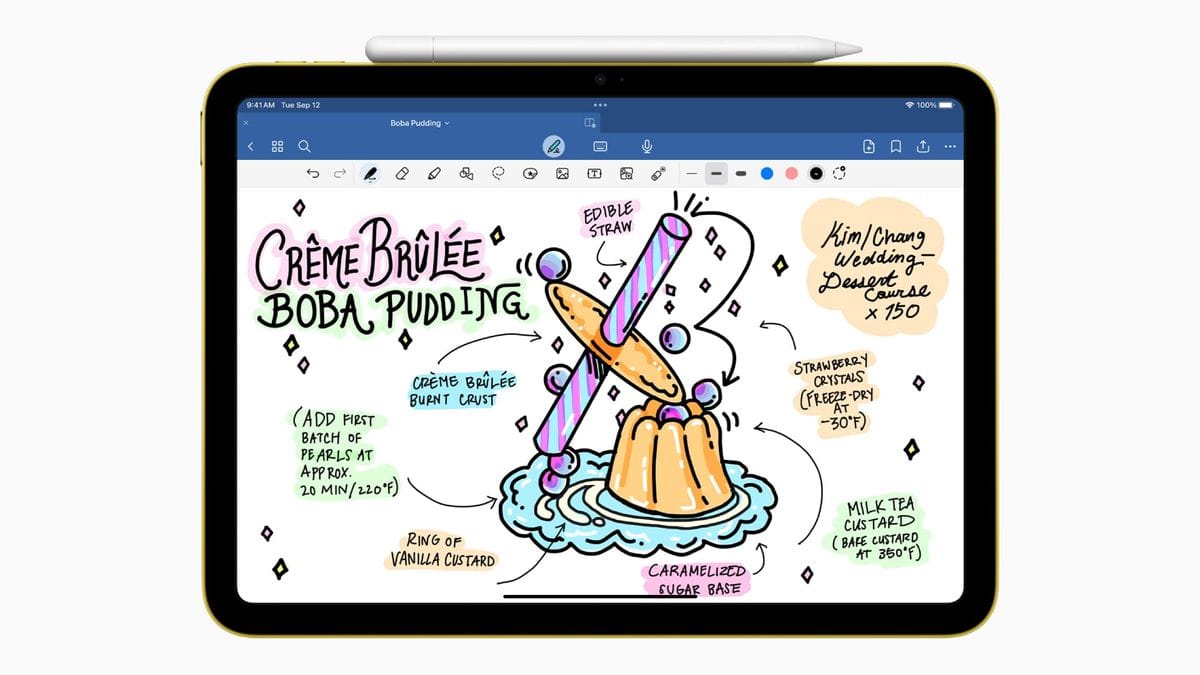
The advertised $9.99/year price for GoodNotes 6 is misleading for new users. As per my analysis, the true Day 1 cost is approximately $450 because the app requires an iPad (starting at $349) and an Apple Pencil ($99) to be functional for note-taking (Apple’s Official Website). This hardware cost is the real barrier to entry, not the software subscription.
The true total cost of ownership (TCO) for the first year is approximately $450. While this is a steep initial investment for any business or family budget, the long-term cost-effectiveness is clear.
After the hardware purchase, the ongoing software cost is negligible compared to the hundreds one could spend on consumable paper over time, representing significant long-term cost savings.
Part 2: Feature Deep-Dive — System vs. Surface
Not all writing aids are created equal. The difference between an effective tool and a frustrating one often lies in the specific features and the science behind them.
Here, we’ll dissect the core features of each major alternative.
Feature 1: The Guidance System
-
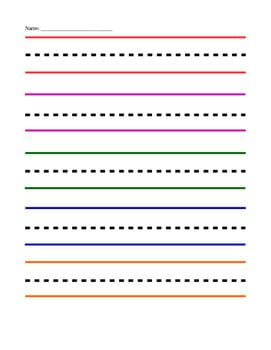
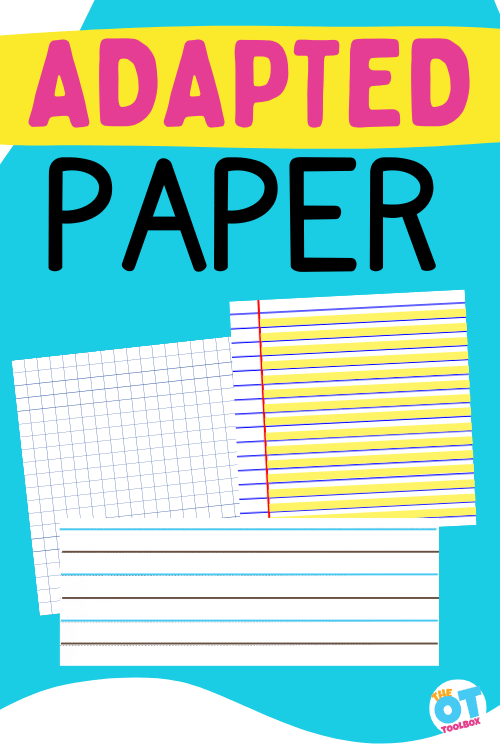
BrightLines Paper (Patented Color System): The core value of BrightLines is its patented, systematic approach. It features a red bottom line (the “floor”), a dashed blue middle line, and a solid blue top line (the “ceiling”), all against a highlighted yellow writing area. This isn’t just aesthetic — it’s a multi-sensory map rooted in vision science to reduce “visual crowding.” For users with figure-ground challenges, it provides clear, non-negotiable boundaries for letter formation.
- Red baseline defines the “floor” for letter placement
- Dashed blue midline anchors lowercase letter height
- Solid blue ceiling caps uppercase and ascender height
- Yellow highlighted writing area boosts figure-ground contrast
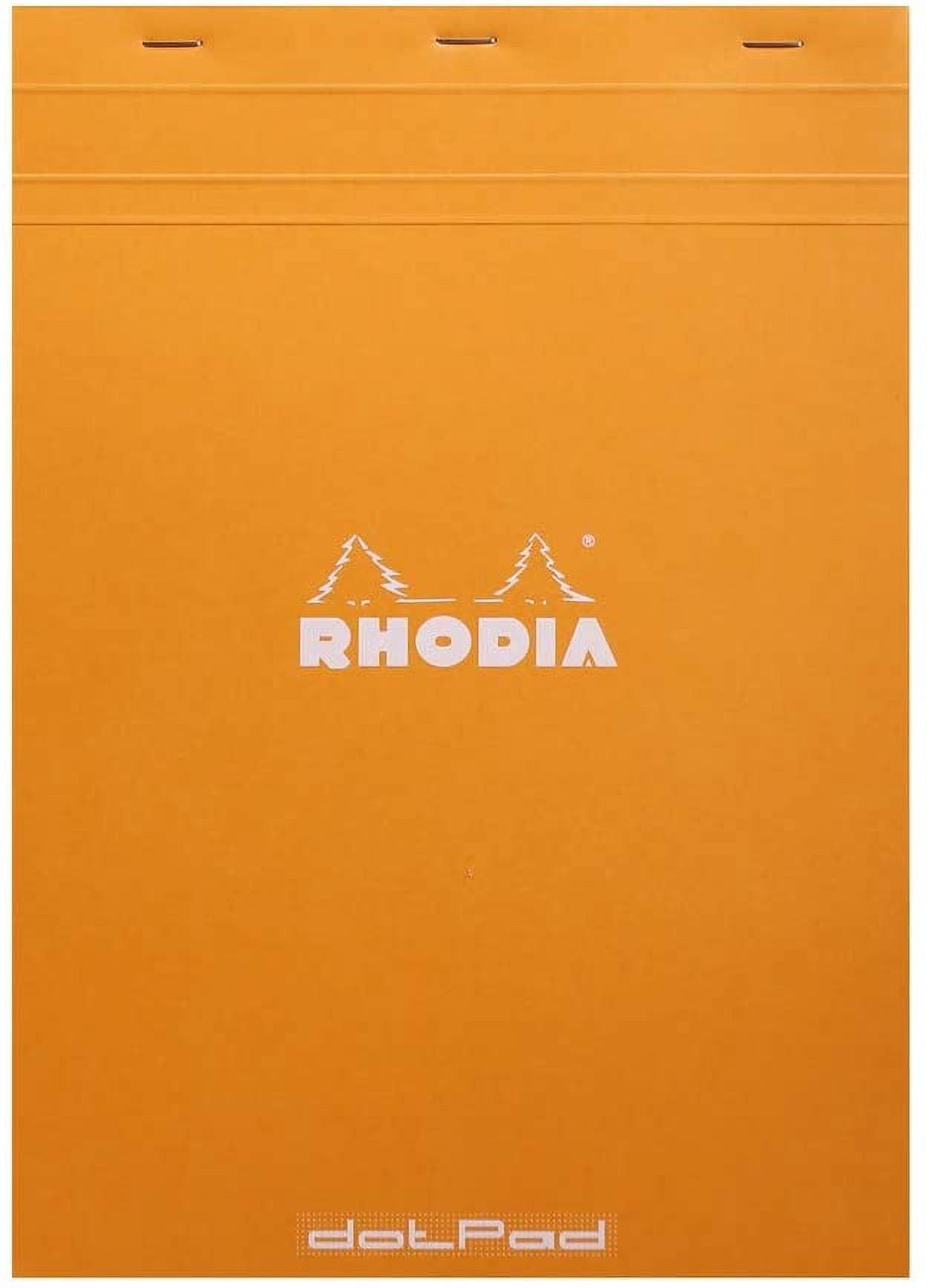
- Rhodia DotPad (Subtle Dot Grid): Rhodia uses a 5mm violet dot grid. Its brilliance lies in its subtlety. The grid provides structure for writing, drawing, or bullet journaling, but the light violet dots visually recede into the background, leaving a clean, professional-looking page. It offers guidance without being prescriptive, ideal for users who need structure but not explicit hand-holding.
- GoodNotes 6 (Infinite Customization): This is the killer feature of digital. GoodNotes can use any PDF or image as a page template. This means you can download hundreds of free or paid templates from platforms like Etsy, including exact digital replicas of BrightLines, custom-colored versions for adults, or templates designed for specific tasks like meeting notes or project planning. This infinite flexibility allows for perfect personalization to a user’s specific visual needs.
Feature 2: Paper Quality & Ink Handling
- BrightLines Paper (75 GSM Standard): As discussed, this is the product’s Achilles’ heel. The ~75 GSM paper is simply not robust enough for the wet inks common in modern pens, leading to severe ghosting. It performs well with pencils and ballpoints but fails the “modern pen test.” If cost is your main hesitation, applying a current BrightLines Paper voucher code at checkout softens the blow — but it doesn’t fix the underlying ink-handling issue.
- Rhodia DotPad (80 GSM Brushed Vellum): This is the gold standard for ink enthusiasts. Made by the legendary French papermaker Clairefontaine, the 80 GSM brushed vellum paper is exceptionally smooth and coated to resist ink absorption (Rhodia Official Website). The result is near-zero bleed-through and minimal ghosting, even with the wettest fountain pen inks. For users who value the tactile experience of writing, this paper is in a different league. Many premium papers like Rhodia also offer FSC certification for sustainable sourcing.
- Budget Paper (<70 GSM): This paper is designed for minimum cost, not maximum performance. It is thin, absorbent, and prone to feathering (where ink spreads out) and catastrophic bleed-through. It is fundamentally unsuited for anything other than dry media like pencils.
Feature 3: Archiving & Accessibility
- Physical Paper (Analog & Fragile): Physical notes are simple but have significant drawbacks. They are susceptible to being lost, damaged, or destroyed. Organizing and searching through years of physical notebooks is a time-consuming manual process with no digital efficiency.
- GoodNotes 6 (Searchable Digital Archive): GoodNotes transforms notes into a searchable digital library. Its powerful optical character recognition (OCR) can read your handwriting, allowing you to search for a specific word across thousands of pages of notes instantly. This turns your iPad into a powerful tool for personal knowledge and document management — a game-changer for students and professionals.
Part 3: Critical Considerations — Security, Compliance, and Risk
When choosing a writing tool, especially for professional or therapeutic use, you must consider risks beyond price and features.
For digital tools, data security and compliance are paramount. For physical tools, the primary risk is choosing an aid that creates more frustration than it solves. If you decide the physical route is right for you, our detailed BrightLines Paper review covers real-world durability and pen compatibility in depth.
| Standard | GoodNotes 6 Status | What it Means for Professionals |
|---|---|---|
| HIPAA | ❌ Not Compliant | Do NOT use for storing patient health information. GoodNotes explicitly states in its official support documentation that the service is not HIPAA compliant, making it unsuitable for therapists, doctors, or anyone handling Protected Health Information (PHI) (GoodNotes HIPAA Statement). |
| SOC 2 / ISO 27001 | ❌ Not Found | We could not find evidence of a public SOC 2 or ISO 27001 audit report on the GoodNotes Trust Center as of May 2024. While the company details its security measures, including encryption and independent penetration testing, the absence of these formal certifications means its security controls have not been validated against those specific enterprise-grade standards by an independent third party (GoodNotes Trust Center). |
| GDPR | ✅ DPA Available | Compliant for use by EU citizens. GoodNotes provides a Data Processing Addendum (DPA) and has a clear privacy policy addressing GDPR requirements (GoodNotes Privacy Policy). |
The Critical Flaw of Digital: The “Distraction Device” Problem
The single most critical flaw of an iPad-based solution for this article’s target audience is distraction.
The device is not just a notebook — it’s a portal to games, social media, notifications, and YouTube.
For users with ADHD or other focus challenges, this creates a constant battle that physical paper never presents. As one user on an r/ADHD forum noted, “I wanted to love my iPad for notes, but the biggest issue is the distraction. I open GoodNotes to study, and 20 minutes later I’m deep in a YouTube spiral. It’s a battle paper never made me fight.”
This inherent conflict can undermine the entire goal of using an aid to improve focus and productivity.
The “Babyish” Stigma and Social Abandonment
A significant blind spot in BrightLines Paper‘s marketing is the social factor. While the bright, primary colors are effective for young children, they can be a source of social stigma for older students and adults.
“My daughter in middle school refused to use it,” noted one parent in a 2024 review. “She said the bright colors looked ‘babyish’ and she’d rather struggle with normal paper than use it in front of her friends.”
This social pressure makes the product a non-starter for many tweens, teens, and professionals who require a more discreet tool.
Data Portability and Lock-In Concerns with GoodNotes
While GoodNotes allows you to export your notes, there are important trade-offs. You can export to PDF for universal access, but this “flattens” the notes, meaning you can no longer edit your original handwriting.
To retain full editability, you must export in the proprietary .goodnotes format. While this format allows for backups, it creates friction if you wish to migrate your editable library to a different note-taking app like Notability.
This lack of a universal, editable export format or a public API for integration creates a “walled garden” that can be a significant issue for users who value data freedom.
Part 4: Use Cases & Workflows
The “best” writing tool is highly dependent on the user’s daily workflow. Here’s how these alternatives might be deployed in real-world scenarios.
Workflow 1: The Occupational Therapist (OT) with a K-5 Student
- User: An OT working with a 7-year-old student diagnosed with dysgraphia and poor spatial awareness.
- Tool of Choice: BrightLines Paper and a mechanical pencil.
- Workflow: The OT uses the paper as a direct therapeutic tool. They instruct the student to “put the letter’s feet on the red line” and “don’t let its head go past the blue ceiling.”
- The high-contrast, multi-color system provides unambiguous external cues that help the student internalize letter size and placement.
- The pencil minimizes the risk of ink-related issues like smudging or ghosting.
- The goal is to use the paper as a temporary scaffold, eventually transitioning the student to standard paper once the motor patterns are more established.
BrightLines is one of several go-to occupational therapy tools in this context — and clinics often stock up during promotional periods, so bookmarking the latest BrightLines Paper offer is worthwhile for repeat buyers.
Workflow 2: The Professional in Client-Facing Meetings
- User: A consultant who takes extensive notes during client meetings and needs to appear organized and professional.
- Tool of Choice: Rhodia DotPad (A5 size) and a high-quality fountain pen or rollerball.
- Workflow: The A5 size is compact and unobtrusive on a conference table. The consultant uses the subtle dot grid to maintain neat, structured notes without the distraction of dark lines.
- The premium paper ensures a smooth writing experience with no bleed-through.
- Perforated sheets can be removed and scanned into a digital system like OneNote for archiving.
- The paper itself is part of the professional’s personal branding.
Workflow 3: The University Student with ADHD
- User: A university student with ADHD who needs to manage notes for multiple classes and finds physical organization challenging.
- Tool of Choice: GoodNotes 6 on an iPad, with distraction-blocking software (like Freedom.to) enabled during study sessions.
- Workflow: The student creates a digital notebook for each class. They download a variety of templates — some with BrightLines-style guidance for heavy writing, others with Cornell notes layouts for lectures.
- They can import lecture slides (PDFs) directly into GoodNotes and annotate them during class.
- The biggest win is the search function: search “Mitochondria” and instantly pull up every handwritten note, diagram, and slide annotation on that topic from the entire semester.
- This digital organization compensates for executive function challenges — provided the distraction risk is actively managed.
Part 5: Alternatives & Comparisons
A detailed reality check of the top BrightLines Paper alternatives reveals a clear hierarchy of performance and value. The search for a substitute for guided paper like BrightLines or its competitor Redi-Space Paper is a battle between therapeutic effectiveness, cost, and real-world performance. For broader head-to-head breakdowns beyond this article, our full category of comparison articles covers many other office and productivity tools you may be evaluating.
Best For
- Professionals, students, and pen enthusiasts who prioritize a premium writing experience
- Especially valuable for fountain pen users who need subtle structure without overt visual aids
✅ Strengths
- ~$0.09 per sheet (JetPens) — cheaper than BrightLines
- Superior 80 GSM brushed vellum paper quality
- Dot grid perfect for bullet journaling and structured notes
- Handles fountain pens and wet inks beautifully
⚠️ Considerations
- Not a high-contrast accessibility tool for diagnosed visual-motor needs
- Smooth paper increases ink dry time — prone to smudging for left-handers
- Popular A5 size does not fit standard US binders
- Subtle dots insufficient for users needing explicit letter-boundary cues
Best For
- Tech-savvy users already in a digital ecosystem
- People who need a searchable, infinitely customizable archive of their notes
- Users who can actively manage the distraction risk of a tablet
✅ Strengths
- Killer customization — import any template imaginable
- OCR search across years of handwritten notes
- After hardware investment, long-term cost is negligible
- GDPR compliant with DPA available
⚠️ Considerations
- ~$450 upfront hardware cost (iPad + Apple Pencil)
- Serious distraction risk for users with ADHD
- Not HIPAA compliant — unsuitable for PHI
- Proprietary
.goodnotesformat creates lock-in
Budget Paper (Pacon, etc.): The “False Economy” Trap
💡 PRO TIP — Mohamed Zaki on the “False Economy” Trap
The cheapest option often has the highest ‘frustration cost.’ Budget paper that bleeds ink isn’t a bargain — it’s a failed tool that wastes time and hinders the user. It can even lead to increased hand fatigue from fighting the paper. For accessibility aids, paying a premium for a tool that works provides a far higher ROI than buying a cheap tool that creates more problems.
Best For
- Extremely low-cost practice writing with a pencil or ballpoint pen only
- Users where paper quality is not a concern
✅ Strengths
- Unbeatable upfront cost — less than 2 cents per sheet
- Widely available at big-box retailers
- Works acceptably with pencil and dry media
⚠️ Considerations
- Severe ink bleed-through with gel, rollerball, felt-tip, or fountain pens
- Very thin stock (under 70 GSM)
- Widely documented performance failures in user reviews
- Can actively work against its user
Best For
- Budget-conscious users who are resourceful
- People needing a highly customized visual layout
✅ Strengths
- Total control over line height, color scheme, and layout
- Free and cheap templates via Etsy and similar platforms
- Can create adult-friendly light-gray BrightLines equivalents
- Low ongoing cost if you already own a printer
⚠️ Considerations
- Requires a good printer and heavier paper (24lb / 90 GSM+)
- Printing on cheap copy paper reproduces budget-paper problems
- Trades money for time and effort
- Learning curve for template sourcing and setup
Part 6: FAQs — Your Questions Answered
Q1: Is BrightLines paper worth the high cost?
It depends entirely on the user and their tools. In my expert opinion, for a K-5 child with diagnosed needs who is using a pencil or ballpoint pen, it is often worth the cost as a targeted therapeutic tool.
The structure it provides can lead to tangible improvements in handwriting that justify the expense. Stacking a well-timed BrightLines Paper sale price on top makes the therapeutic ROI even more favorable for families and clinics.
However, for a middle schooler using a gel pen who is sensitive to what their peers think, it is absolutely not worth the cost. The combination of poor ink performance and social stigma makes it a poor fit, and other alternatives like DIY printables or even standard high-quality notebooks would provide a better return on investment.
Q2: What’s the main problem with BrightLines paper?
The single biggest problem is its “ink betrayal.” The paper itself, at approximately 75 GSM, is simply not thick or coated enough to handle the popular wet-ink pens (like Pilot G2s or felt tips) that many students and adults prefer.
This causes severe “ghosting,” where the ink is clearly visible from the reverse side, making that side of the expensive paper unusable.
This effectively doubles its already high cost per sheet to around $0.26 and is the primary reason users seek out higher-quality paper like Rhodia, which is designed to handle such inks without issue (JetPens Reviews).
Q3: Can GoodNotes and an iPad replace paper for a student with ADHD?
This is a high-risk, high-reward strategy. The customization and organization of GoodNotes can be a powerful asset for managing the chaos of multiple classes.
However, the iPad itself is a “distraction device” packed with games, notifications, and the internet. This is a critical flaw for users with focus challenges and is a constant battle.
Furthermore, some studies on handwriting and memory formation have shown that the loss of kinesthetic feedback from physical writing can impact learning for some individuals. Success with this method requires a high degree of self-discipline or the use of external distraction-blocking apps.
Q4: How much does GoodNotes really cost?
The app itself is affordable, around $9.99/year. But that’s incredibly misleading when calculating the true entry cost.
The total cost of ownership (TCO) is approximately $450 for the first year because the app is useless for handwriting without the hardware. You must first buy a base-model iPad (currently $349) and an Apple Pencil (currently $99) (Apple’s Official Website).
This high upfront capital expense is the main financial barrier, not the small annual software subscription fee.
Q5: Is Rhodia paper a good alternative to BrightLines?
For accessibility, no. Its subtle dot grid does not provide the high-contrast, multi-color guidance needed for users with significant visual-motor challenges. It is not a therapeutic tool.
However, as a writing surface, Rhodia is a far superior physical product. For any user who values the tactile experience of writing, especially with fountain pens or wet-ink gel pens, it is one of the best papers on the market.
It offers a premium experience, whereas BrightLines offers a therapeutic system on standard-quality paper. If you’d rather stick with BrightLines, browsing all current latest coupons on our full coupon list is a fast way to see if a stacking discount is available.
Q6: Why is cheap colored paper a “false economy”?
It’s a “false economy” because it fails to perform its core function, leading to wasted time, materials, and increased frustration.
You buy it to solve a problem — the need for writing guidance — but its poor quality just creates another problem: a messy, frustrating writing experience due to severe ink bleed-through.
The money you “save” upfront is lost in unusable pages and the negative impact on the user’s confidence and willingness to write. In my experience, this can make a user’s struggles even worse, representing a negative return on investment.
Q7: What are the best alternatives to BrightLines for adults?
For adults who find the bright colors of BrightLines to be “stigmatizing” or “childish,” the best alternatives focus on professional aesthetics and high performance.
The top choice is the Rhodia DotPad, which offers a minimalist, clean look with superior ink handling. Another excellent option is paper from its sister brand, Clairefontaine.
For those needing custom guidance, DIY Printables are ideal. You can create or download templates with muted, professional color schemes (e.g., light gray lines) and print them on high-quality, heavyweight (90 GSM+) paper for a bespoke, adult-friendly solution.
Q8: What paper should I use with a fountain pen or Pilot G2?
From my direct experience and extensive testing, the Rhodia DotPad is the gold standard for wet inks like those found in fountain pens and Pilot G2s.
Its smooth, 80 GSM vellum paper handles these inks beautifully with minimal ghosting and virtually no bleed-through or feathering (Rhodia Official Website).
You should also consider other fountain pen friendly paper from brands like Maruman Mnemosyne or Clairefontaine. You should generally avoid BrightLines and all budget papers with these types of pens, as their lower paper weight and absorbency lead to a poor writing experience.
Part 7: Conclusion — Your Final Decision Framework
The search for the best BrightLines Paper top alternatives and competitors is a battle between therapeutic effectiveness, cost, and real-world performance.
My analysis shows there is no single ‘best’ solution — only the ‘best fit’ that provides a clear return on investment (ROI) for a specific user and their tools. Choosing the right adaptive paper or digital alternative for your business or home office isn’t just about finding the cheapest option.
To make your final decision, use this framework:
-
Choose BrightLines IF:
- The user is a K-5 student with diagnosed handwriting needs
- Their teacher or OT has recommended it
- They primarily use a pencil or ballpoint pen
- The high cost is treated as a therapeutic expense, not an office supply one
-
Choose Rhodia IF:
- The user is a pen enthusiast, professional, or student who values the tactile experience of writing
- They regularly use high-quality pens (fountain, rollerball, premium gel)
- They want a subtle, professional aesthetic
-
Choose GoodNotes IF:
- The user is already embedded in a digital ecosystem
- They need a searchable archive of their notes
- They have the discipline (or external tools) to manage digital distraction
- The high upfront cost is treated as an investment in a multi-purpose device
-
Choose DIY Printables IF:
- You are on a strict budget
- You have access to a high-quality printer
- You are willing to invest the time to source templates
- You can commit to using good quality (24lb/90 GSM) paper
Before you buy anything, I urge you to perform the pen test. Take the user’s absolute favorite pen — the one they use every single day — and test it on the paper you are considering.
If the ink bleeds, feathers, or ghosts to the point where the other side is unusable, the paper has failed. Don’t let your investment fall victim to “ink betrayal.”
And whichever direction you choose, don’t buy at full price if you don’t have to — a working BrightLines Paper coupon can quietly turn a marginal purchase into a much smarter one.

