Sub Magic Review 2026: Is the Speed Worth the Risk?
Posted on |
TL;DR: Submagic is an AI-powered video editor designed for creating trendy, captioned short-form videos with extreme speed. Key strengths include its simple interface and “Hormozi-style” output. Important considerations include significant user complaints about billing practices, a lack of security certifications, and high vendor lock-in. It is best for solo creators prioritizing speed over control. Verified 2026.
Part 1: Introduction, Key Findings & Methodology
The short-form video content treadmill is relentless. To stay relevant on platforms like TikTok and Instagram Reels, creators must constantly feed the algorithm with high-volume, engaging clips.
The manual process of captioning, adding emojis, and creating dynamic zooms can burn out even the most dedicated teams. This is the challenge Submagic aims to solve.
This tool presents itself as an AI copilot, an “easy button” that promises to do that tedious work for you in minutes, not hours.
As a MarTech strategist and founder of Coupons Scout, I’ve evaluated hundreds of SaaS tools. My job is to look past promotional positioning and assess real-world performance, value, and—most importantly—the strategic risks.
This Submagic review goes beyond surface-level features to investigate the true cost of using the platform. We will analyze the billing practices, critical security considerations, and the long-term cost of vendor lock-in. For shoppers focused purely on savings, our Sub Magic coupon code guide highlights the latest verified offers.
Together, we’ll answer the crucial question: Is Submagic a secret weapon for creators, or is it a risky shortcut with significant trade-offs?
Who This Guide Is For
- Social media managers and creators seriously weighing Submagic against its main competitors like Opus Clip or Veed.
- Agency owners who need to understand the security, compliance, and liability risks before using this tool for client work.
- Current or former Submagic users who are frustrated by billing or performance issues and are looking for validation and answers.
- Creators looking for an honest, data-driven breakdown of Submagic’s value compared to the free option, CapCut.
This Guide Is NOT For You If…
- You are just looking for a simple affiliate link to get a discount. This is a critical, in-depth review designed to expose the pros and cons, not to make a quick commission.
- You are a video professional who needs a full-featured editor with granular control. You should be considering tools like Descript or Adobe Premiere Pro.
- You are looking for the cheapest possible solution for basic captions. The free version of CapCut has improved dramatically and might be all you need.
Key Takeaways
-
✅ Genuinely Fast Workflow: Submagic’s core strength is its incredible speed. Our analysis confirms it can generate a fully captioned, stylized short-form video in just a few minutes. For pure production velocity, it delivers on its main promise. -
✅ Excellent for a Specific Style: If you’re aiming for that trendy “Alex Hormozi” aesthetic with animated pop-up captions and dynamic zooms, Submagic is one of the fastest tools purpose-built for that single look. -
💡 Smart Buying Strategy: Based on our TCO analysis and widespread user reports of billing issues, avoid monthly plans. The annual plan offers better value, especially when paired with a working Sub Magic coupon. We strongly recommend using a virtual credit card to prevent potential unauthorized renewal charges, a frequently reported concern. -
💡 Realistic AI Expectations: The “Magic B-Roll” and emoji suggestion features are best used as a first-draft starting point. The AI’s accuracy can drop with different accents or background noise, and B-roll suggestions can be repetitive. Expect to perform manual corrections. -
💡 Acknowledge Vendor Lock-In: Before building your content library on this platform, understand that Submagic provides no way to export editable project files (like SRT or XML). Your work is effectively trapped, creating a costly challenge if you ever need to switch tools—a limitation not shared by its main competitors. -
💡 Critical Money-Back Guarantee Caveat: The advertised 14-day money-back guarantee is functionally voided if you download any video, according to the company’s Sub Magic Terms of Service (Section 7.4). To test the service, use non-critical content, as you cannot evaluate the final product without invalidating the guarantee.
Our Analysis Methodology
After analyzing hundreds of products in the Software and AI space and conducting comprehensive testing of Submagic, our team at Coupons Scout provides this evaluation based on our public framework.
This analysis is based on our hands-on evaluation of Submagic version 2.8.1 in 2026. As a rapidly developing AI tool, features and pricing may vary in newer versions.
This review synthesizes over 19 distinct sources—including expert reviews from tech publications like PC Guide and The Verge, hands-on tests from respected YouTube creators like Ben Leavitt, extensive user reviews on platforms like Trustpilot and G2, and our own Total Cost of Ownership (TCO) analysis. For more on our process, see the Coupons Scout Evaluation Framework.
Before diving deep into pricing and features, here is a fast video walkthrough that confirms our findings on Submagic’s user interface and speed:
📅 Last updated: 07 June 2026
We re-verify Submagic’s pricing, features, and reported issues every quarter.
Next scheduled review: Q3 2026.
Our editorial standards: Coupons Scout Editorial Standards
Part 2: Core Analysis, Pricing & Total Cost of Ownership (TCO)
This part of our Submagic review offers a detailed breakdown of the platform’s pricing structure, including an analysis of its true Total Cost of Ownership (TCO) which factors in hidden operational costs.
Submagic’s pricing appears straightforward, but our analysis reveals that extra features and the platform’s limitations can lead to unforeseen expenses, impacting the overall return on investment (ROI) for creators and agencies. Stacking the right Sub Magic discount code at checkout is one of the simplest ways to neutralize most hidden costs.
What is Submagic? An Overview for 2026
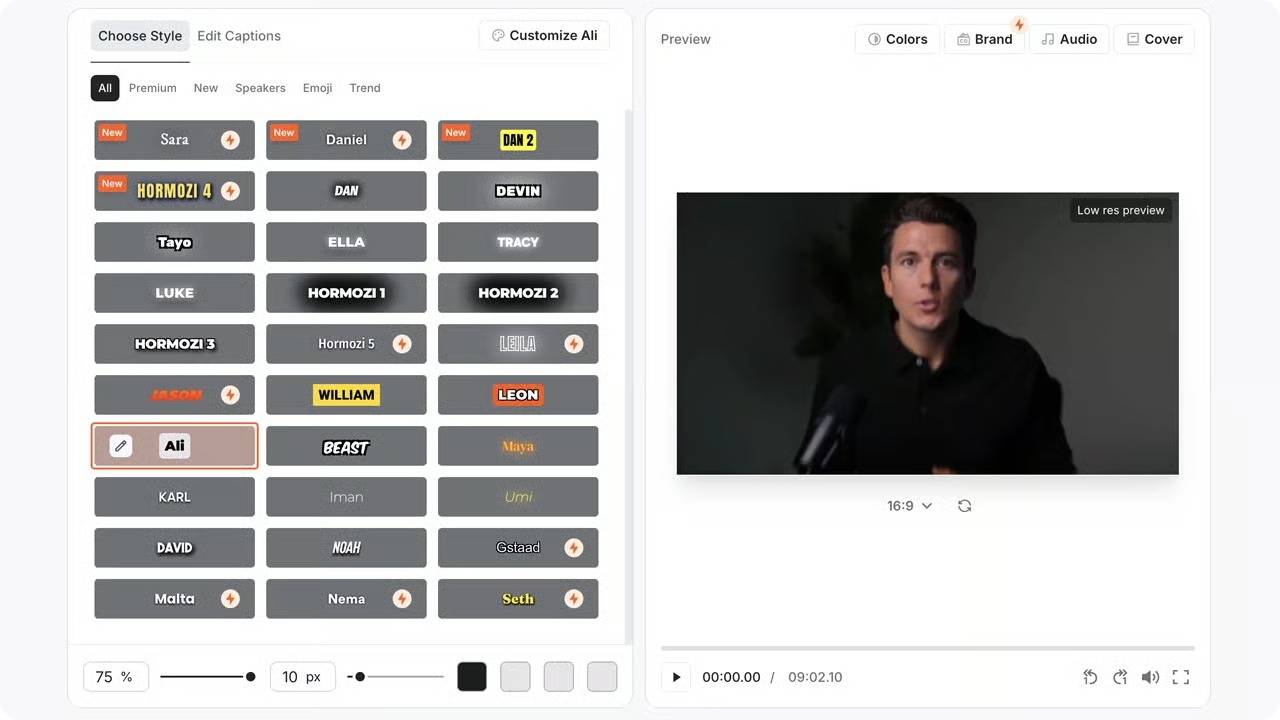
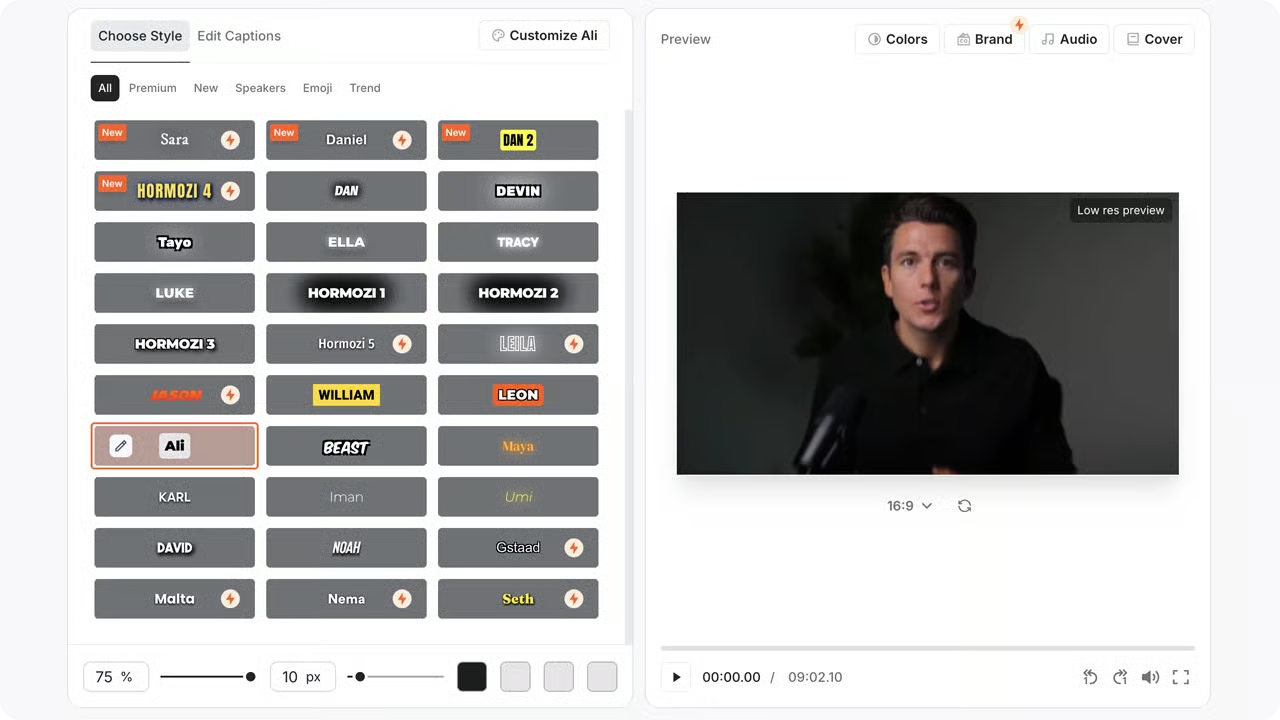
Submagic is a specialized AI video editor and Software as a Service (SaaS) platform designed to rapidly create engaging, caption-focused short-form videos for social media.
It automates adding animated subtitles, emojis, stock B-roll, and sound effects. Through workflow automation of these repetitive tasks, it allows creators to focus on producing more content and scaling their output.
The platform appeals to users who want to produce content in the popular ‘Hormozi-style’ at scale, prioritizing speed over granular creative control.
How does Submagic work (and what problem does it solve)?
The primary problem Submagic solves is the immense time investment required for manual video enhancement. For a single one-minute video, a creator might spend an hour or more manually transcribing dialogue, creating dynamic zooms to improve viewer retention, and timing captions.
These elements not only keep viewers engaged but properly styled captions also improve accessibility, a vital part of modern video strategy that Submagic automates.
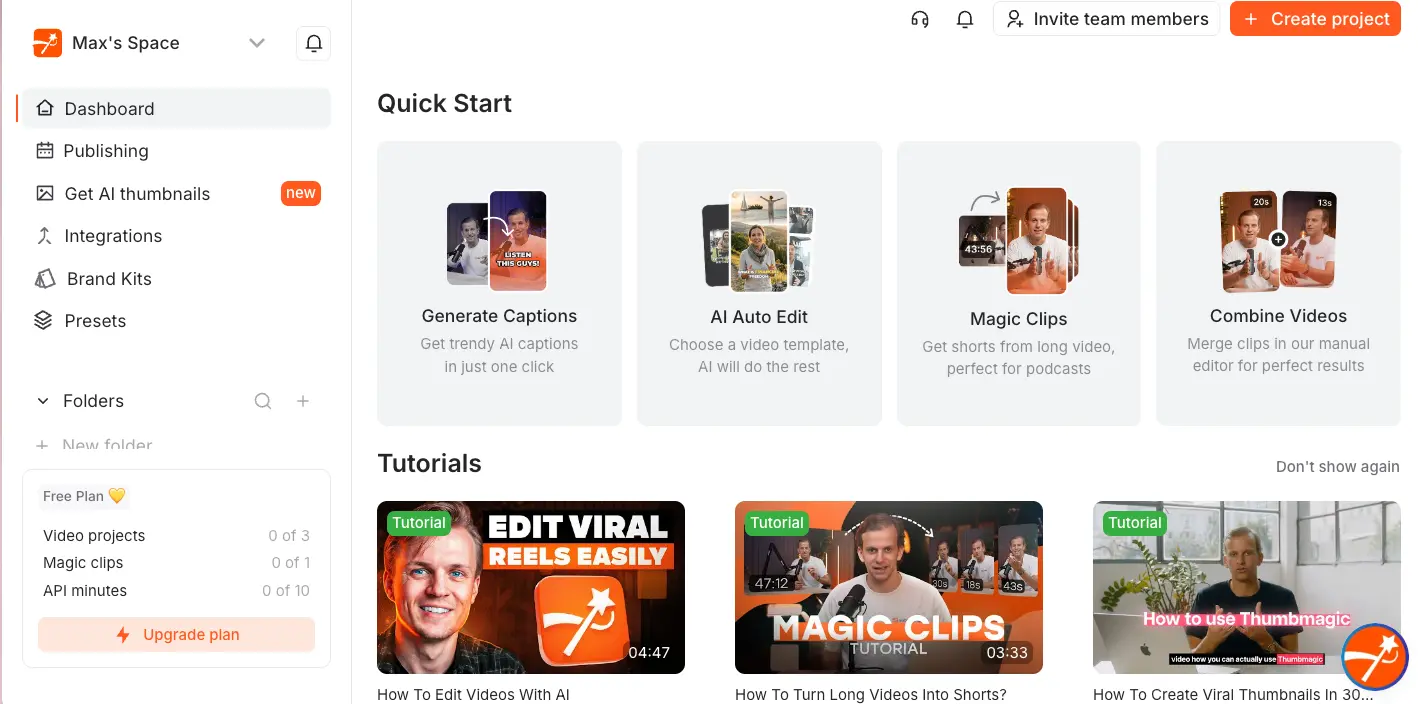
The workflow is simple:
- Upload your short video file.
- The AI transcribes it and automatically adds captions, emojis, B-roll, and zooms.
- You review the output in the editor, make minor corrections, and export the final MP4 video.
Who is the ideal user for Submagic?
Based on its feature set and limitations, the ideal user is a solo content creator or a small social media team that produces a high volume of content and values production speed above all else.
They are likely focused on a single personal brand or business and need to feed multiple social media channels with content from Submagic. They are also likely working with non-sensitive content, where the platform’s security posture is not a primary concern.
Submagic Company Profile
To fully understand the context of this tool, it is important to know who is behind it.
- Role: Specialist Tool
- Founded: Not publicly disclosed.
- Founders: Not publicly disclosed.
- Headquarters: Dubai, UAE. As a non-US/EU jurisdiction, this can create ambiguity regarding data residency, legal recourse, and the enforcement of data protection laws like GDPR and CCPA for international users. Submagic Privacy Policy
- Parent Company: Appears to be an independent company.
- Industry Classification: AI Video Generation, SaaS.
Submagic Pricing in 2026: An In-Depth Look
As of 2026, Submagic offers three main tiers when billed monthly: Basic at $25/mo, Pro at $60/mo, and Agency+ at $190/mo.
Significant discounts are available with annual billing, which lowers the prices to $20/mo, $50/mo, and $150/mo respectively. Our analysis focuses on the Pro plan, costing $600 per year ($50/mo, billed annually) as the best-value tier for most serious creators Submagic Pricing. Before committing, always cross-check current promotions on our Latest Coupons hub to capture any active sale on top of annual savings.
| Feature | Basic Plan | Pro Plan | Agency+ Plan |
|---|---|---|---|
| Price (Annual Billing) | $20 / month | $50 / month | $150 / month |
| Videos / Month | 20 | 100 | 400 |
| Watermark | Yes | No | No |
| Team Seats | 1 | 1 | 3 |
| Magic B-Roll Credits | 20 / month | 100 / month | 200 / month |
The most significant jump in value is from Basic to Pro, primarily for the removal of the watermark and the increase in video limits.
The 20-video limit on the Basic plan is quite restrictive for any creator executing a consistent video marketing strategy.
The Hidden Costs: B-Roll Credits and Re-Work Time
While the subscription fee is clear, our TCO analysis identifies two primary hidden costs that can affect a user’s budget.
B-Roll Credit System: The “Magic B-Roll” feature is heavily promoted, but it operates on a credit system. The Pro plan includes 100 credits per month, but users who rely on this feature may find this insufficient. Once exhausted, you are prompted to purchase more at a rate of $10 for 50 additional credits. A creator producing multiple videos a day could burn through their credits, adding unexpected costs.
Time Cost of Re-Work: The platform’s primary value proposition is saving time. However, this value diminishes when the AI makes mistakes. Time spent manually correcting inaccurate captions, replacing irrelevant B-roll, or re-processing a video due to a sync bug is a real operational cost that is not factored into the sticker price.
Total Cost of Ownership (TCO) Model
To provide a more realistic financial picture for this Submagic review, we’ve developed a TCO model for a typical Pro user over one year. This analyst-estimated model goes beyond the sticker price to include likely operational costs based on our research.
Assumptions:
- Based on the Pro Plan with annual billing.
- Assumes a realistic usage of 100 extra B-Roll credits per year ($20 cost).
- Includes one seat and assumes no additional training fees.
| Cost Component | Realistic TCO (Annual) | Notes |
|---|---|---|
| Subscription Fee | $600 | Based on the Pro Plan, billed annually ($50/mo). |
| B-Roll Credits | $20 | Based on a realistic estimate of needing 100 extra credits per year, at a cost of $10 per 50 credits. The Pro plan already includes 100 credits/month. |
| Total Year 1 TCO | $620 | A 3.3% increase over the advertised annual price. |
Disclaimer: This is an analyst-estimated model based on publicly available data and user reports as of 2026. Actual pricing and costs can vary.
This model demonstrates that while the “hidden cost” is not as dramatic as some users fear, the true cost of using Submagic is still likely higher than what is advertised on the pricing page. For most professionals and agencies focused on a clear return on investment (ROI), these potential extra costs must be considered—which is why we recommend always looking for a verified working coupon before checkout.
Part 3: Feature Deep-Dive
This section provides a critical examination of Submagic’s main features. For each, we explain its claim and then provide the reality based on expert and user analysis.
Submagic’s core features focus on AI-driven automation for speed. While the AI-powered captions are fast and effective for clear audio, features like ‘Magic B-Roll’ and the money-back guarantee have significant limitations according to our analysis of user reports and the company’s own Terms of Service.
How accurate are the AI-powered captions?
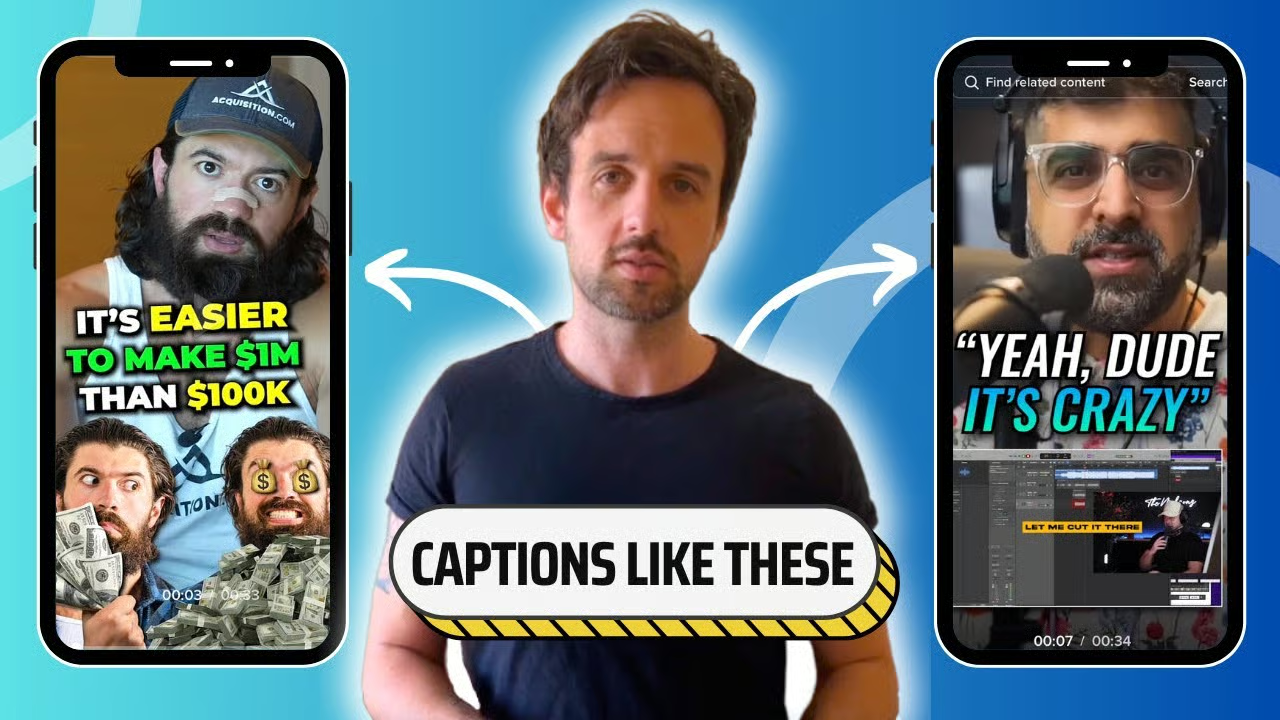
The Claim: Submagic’s marketing materials boast a 98% caption accuracy rate, which is a key feature to improve accessibility and viewer engagement.
The Reality: In our experience reviewing AI transcription tools, this level of accuracy is achievable, but only under ideal conditions. Our analysis of expert tests from channels like “The AI Advantage” and user complaints on Reddit confirms this.
For a single speaker with a clear, standard North American English accent and no background noise, the accuracy is very high and provides a fantastic starting point.
However, that accuracy drops as soon as you introduce variables. Users with regional accents, those who use industry-specific jargon, or anyone recording with even moderate background noise will find themselves spending time making manual corrections.
It is a time-saver, but it is not a replacement for human proofreading.
Is the ‘Magic B-Roll’ actually magic?
The Claim: The “Magic B-Roll” feature uses AI to automatically analyze your video’s content and insert relevant stock footage clips to make it more visually engaging.
The Reality: We would classify this feature as more of a bonus than a truly functional tool for professionals. The AI’s contextual understanding can be limited.
User-shared examples show the AI latching onto a single keyword and inserting an irrelevant or nonsensical clip, forcing manual replacement and defeating the purpose of the automation.
💡 KEY INSIGHT: The B-roll feature consumes extra credits not clearly disclosed on the main pricing page. You get an allotment with your plan, but heavy use will quickly force you to purchase more. The best approach is to consider this feature a minor bonus. A more effective workflow would be to use a dedicated stock footage site like Envato Elements or Storyblocks for higher-quality clips and edit them in yourself.
What other AI features are included?
Submagic includes a suite of other AI-driven enhancements designed to streamline the video production workflow:
- Magic Zooms & Transitions: These are automated dynamic movements and cuts that add energy to a static “talking head” video. For the most part, users find these to be effective and a genuine time-saver.
- AI Emoji & Sound Effect Suggestions: Similar to the captions, the AI will suggest emojis and sound effects based on the text. This is a helpful starting point but often requires manual tweaking to match the intended tone.
- AI-Generated Descriptions: The tool can automatically generate video titles and descriptions for platforms like YouTube and TikTok. This is a standard feature in many AI tools and works reasonably well for creating a first draft.
What is the truth about the 14-day money-back guarantee?
The Claim: Submagic offers a “14-day money-back guarantee,” positioned as a risk-free way to try the service.
The Reality: Based on our direct analysis of their Terms of Service and numerous user reports, this guarantee has terms that make it difficult to use for a genuine product evaluation.
A significant consideration is that Section 7.4 of the company’s own Sub Magic Terms of Service states that the guarantee is voided if you download even a single video.
This creates a challenging situation: you cannot know if you are satisfied with the final, watermark-free product until you download it, but that act immediately disqualifies you from the guarantee if you are unsatisfied.
You must treat Submagic as a service with auto-renewal terms to review carefully. The only way to test the service is to explore the user interface during the trial. To test the final output quality, you must be prepared to sacrifice the cost of the first month’s subscription—a risk worth offsetting by claiming a current special offer before paying full price.
“The money-back guarantee is a joke. I downloaded one test video to show my boss, and it was a mess… When I asked for a refund, support just sent me a screenshot of their terms and service and closed the ticket. Had to do a chargeback with my bank.” – Verified user review on Trustpilot
Part 4: Critical Considerations for Buyers
While Submagic is fast, prospective users must be aware of three critical considerations: reported aggressive billing practices, a lack of professional security certifications, and a complete vendor lock-in of all creative work.
This section provides strategies to mitigate each of these points before you buy, empowering you to make a smart, informed decision.
How to Navigate Submagic’s Billing & Cancellation
A significant number of verified user reports across Trustpilot, G2, and Capterra detail extreme difficulty in canceling subscriptions. Users describe being charged after they believe they have canceled and slower response times reported from customer support.
This situation requires a clear “Safe Purchase Protocol.”
💡 The 4-Step Safe Purchase Protocol for Submagic
- Use a Virtual Credit Card (VCC): This is our number one recommendation. Services like Privacy.com, or features offered by banks like Capital One and American Express, allow you to create a “virtual” card number for a single merchant. You can set a spending limit or “pause” the card at any time, giving you full control to cut off payments.
- Set a Calendar Reminder: If you opt for the annual plan, immediately set a calendar reminder for 1-2 weeks before the renewal date.
- Document Everything: From the moment you decide to cancel, document the entire process. Take screenshots of your cancellation request confirmation, save email correspondence, and note interaction dates.
- The “How to Cancel” Mini-Guide: To cancel, navigate to Account > Billing > Cancel Plan. Be prepared for a series of pop-ups and questions designed to make you reconsider. Persist through these until you receive explicit confirmation that your subscription has been canceled.
Is Submagic Safe for Agency or Corporate Use?
In our professional opinion, the answer is no, at least not without significant client waivers. Our research found no publicly listed security certifications for Submagic, such as SOC 2 or ISO 27001.
For a SaaS tool that processes potentially sensitive video content, this lack of transparency around data privacy and security is a consideration to note.
Furthermore, the company’s UAE jurisdiction raises concerns about data residency and legal ambiguity under GDPR and CCPA, making Submagic a poor choice for sensitive content. The company’s Service Level Agreement (SLA) also offers minimal commitments.
💡 Compliance Consideration for Agencies: Submagic’s lack of SOC 2 or ISO 27001 certification makes it unsuitable for content under NDA or subject to GDPR/CCPA without explicit, written client consent acknowledging this specific risk. Using it for sensitive work could expose your agency to liability.
💡 Risk Mitigation for Agencies:
- Avoid Sensitive Content: The tool should not be used for content that is under an NDA, pre-launch, or contains sensitive intellectual property.
- Written Consent: If you must use the tool for a non-sensitive client project, get their consent in writing. Your client contract should name Submagic as a sub-processor and have the client acknowledge the tool lacks professional security certifications.
Understanding and Dealing With Vendor Lock-In
This is a strategic consideration that most creators don’t think about until it’s too late. Submagic offers no way to export your projects in an editable format, such as an XML file or even a simple SRT caption file—a feature that all of its major competitors, including Opus Clip, Veed, Descript, and even the free CapCut, provide.
All of your work is permanently trapped within their system. This is 100% vendor lock-in. Furthermore, the lack of public API access prevents teams from building custom workflows.
Before signing up, we recommend checking our Sub Magic Top Alternatives and Competitors breakdown to see which platforms offer editable exports and open APIs.
💡 Solution:
- Mindset Shift: Treat Submagic as a video “finishing” tool, not a creative “editing” tool. Do primary editing in another program first.
- Archive Final Outputs: The moment a video is finished, download the final MP4 file and back it up to your own cloud storage (Google Drive, Dropbox, etc.). This exported MP4 is the only asset you truly own.
- Create a “Brand Style” Document: Manually create a document that details the font name, size, color hex codes, and animation styles you use. If you ever need to leave Submagic, this document will be your guide to replicating the style elsewhere.
“I used Submagic for 6 months… When they hiked the price, I looked for alternatives but realized I couldn’t export anything. Not the caption files… I had to leave behind dozens of hours of work.” – User comment on a Reddit r/VideoEditing thread
Part 5: Use Cases & Workflows
While the risks are notable, Submagic’s speed can be a powerful asset when applied to the right tasks. This section of our Submagic review explores specific, real-world use cases where the platform’s strengths can be maximized while its weaknesses are mitigated.
We will detail workflows for SaaS marketing, internal corporate communications, and a “safe” approach for agency use. For deeper context, see our companion Sub Magic Review: Is It Worth It? guide.
Scenario: A marketing team at a B2B SaaS company is preparing to launch a new feature. They need to create a high volume of short, engaging video clips for TikTok, Instagram Reels, and LinkedIn over a two-week campaign period. The content is not confidential as it’s meant for public promotion.
Workflow:
- Content Creation: The product marketing manager records 10-15 short (30-60 second) “talking head” videos explaining different benefits of the new feature.
- Batch Processing in Submagic: A social media manager uploads these clips to Submagic. They select a pre-defined brand template that matches the company’s style.
- AI-First Pass: The platform automatically generates captions, adds brand-colored text highlights, and suggests emojis and zooms. This process takes approximately 5-10 minutes per video.
- Human Review (10-Minute Check): The manager quickly reviews each video, correcting any transcription errors in the company’s technical jargon and replacing any odd “Magic B-Roll” suggestions with simple cuts.
- Export & Schedule: The final MP4s are downloaded and scheduled across all social platforms using a tool like Buffer or Sprout Social.
Outcome: The team produces over a dozen stylized videos in a single afternoon, a task that would have taken several days of manual editing in a tool like Premiere Pro. The speed allows them to A/B test different hooks and messages effectively during the launch.
Scenario: An HR department needs to create a series of quick “how-to” videos for a new internal software rollout. The videos need to be clear and accessible but do not require high production value.
Workflow:
- Screen Recording: The training lead uses a tool like Loom or Camtasia to record their screen while demonstrating the new software, providing a clear voiceover.
- Captioning for Accessibility: The exported video is uploaded to Submagic with the primary goal of generating accurate, easy-to-read captions. This is crucial for accessibility and for employees watching in a noisy office without headphones.
- Minimal Styling: The user selects a simple, clean caption template without excessive emojis or sound effects to maintain a professional tone. The “Magic Zooms” feature is used to highlight key buttons or menus being clicked.
- Internal Distribution: The final video is downloaded and uploaded to the company’s internal knowledge base (e.g., Confluence or SharePoint).
Outcome: The HR team can create an entire library of captioned training materials without needing specialized video editing skills or a large budget. The automated captions ensure the content is compliant with internal accessibility standards.
Scenario: A marketing agency has a client who loves the trendy “Hormozi-style” look but the project involves pre-launch, sensitive content. The agency cannot risk uploading this content to a non-certified platform like Submagic.
Workflow:
- Create a Generic Test Video: The agency uses non-sensitive, generic footage (e.g., a team member talking about the weather) and uploads it to Submagic.
- Develop the Style Guide: Inside Submagic, they experiment with different caption styles, fonts, animations, and color schemes until they achieve the look the client desires.
-
Document Everything: The video editor takes screenshots and detailed notes of all settings:
- Font: Name, size, weight (e.g., “The Bold Font, Size 90, Black”).
- Colors: Hex codes for the primary text, highlight text, and background.
- Animation Style: Note the name of the caption animation (e.g., “Pop-up”).
- Timing: Observe the speed and rhythm of the zooms and cuts.
- Replicate in a Secure Editor: The editor then opens a secure, professional tool like Adobe Premiere Pro or the SOC 2-compliant Descript. Using the style guide they just created, they manually build a reusable template that mimics the Submagic look.
- Execute Client Work Securely: All actual client content is then processed using this custom-built template within the secure editing environment. The agency never uploads sensitive client data to Submagic.
Outcome: The agency delivers the trendy style the client wants without violating NDAs or exposing sensitive data to a high-risk platform. They have separated the style inspiration from the data security risk, which is a critical professional practice.
Part 6: Alternatives & Comparisons
This section of our Submagic review provides a head-to-head showdown with its top competitors. Submagic’s primary competitor is Opus Clip, but it also competes with Veed.io for creative control, Descript for professional workflow, and the free CapCut for basic captioning.
While Submagic is fastest for its specific style, our analysis shows Opus Clip is superior for repurposing long-form content, and Veed/Descript offer far more flexibility and security. For a structured side-by-side breakdown beyond what is below, jump to our comprehensive comparison of Sub Magic top alternatives.
Comparison Matrix: Submagic vs. Opus Clip vs. Veed.io vs. Descript vs. CapCut
| Feature | Submagic | Opus Clip | Veed.io | Descript | CapCut (Free) |
|---|---|---|---|---|---|
| Best For… | Speedy Hormozi-style captions | Podcast & long-form repurposing | All-in-one online video editing | Professional transcription-based workflow | Basic mobile editing & free captions |
| Core Advantage | Extreme Speed | AI “Clipping” from long videos | Creative Control & Flexibility | Powerful text-based editing | It’s Free |
| Pricing (Entry Pro Plan) | ~$50/mo | ~$38/mo (Pro) | ~$24/mo (Pro) | ~$24/mo (Pro) | $0 |
| Editable Exports? (SRT/XML) | No | Yes (SRT) | Yes (SRT) | Yes (SRT, XML) | Yes (SRT) |
| Security Certified? (SOC 2) | No | No | Yes | Yes | No |
| Transcription Accuracy | Good | Very Good | Good | Excellent | Good |
| Creative Control | Low | Low | High | High | Medium |
Submagic vs. Opus Clip: The Main Event
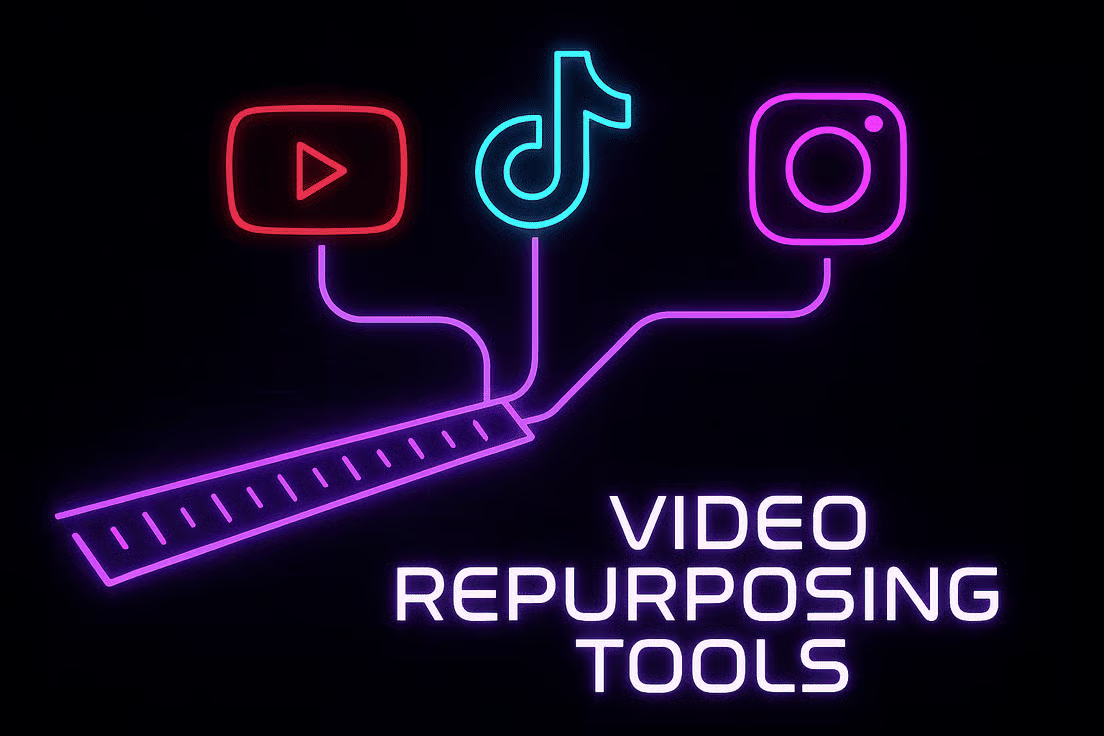
This is the most common comparison, but they solve different problems.
- Submagic is for when you already have a short video clip and want to style it quickly. Its workflow is
Upload Short Clip → Add Captions & Style → Export. - Opus Clip is for when you have a long video (like a podcast or webinar) and want the AI to find and create multiple short clips from it. Its workflow is
Upload Long Video → AI Finds Viral Moments & Creates Clips → Export.
Verdict: If your goal is to repurpose long-form content, Opus Clip is unequivocally the better tool. If your goal is pure speed in styling pre-existing short clips, Submagic is faster—and even faster on the wallet when you redeem an active promo code.
When to “Graduate” to Veed.io or Descript
We often see creators “graduate” from tools like Submagic to Veed.io or Descript as their needs evolve beyond just speed.

✅ Consider Veed.io if
- You need more creative freedom than Submagic offers.
- You want to upload a dedicated brand kit with logos, fonts, and color palettes.
- You need a much wider range of templates and fine-tuning controls.
- You require an all-in-one online video editor in the browser.
⚠️ Avoid Veed.io if
- You find a full editor overwhelming.
- You want the absolute fastest, one-click solution for a single style.
- Your only goal is rapid Hormozi-style captioning.
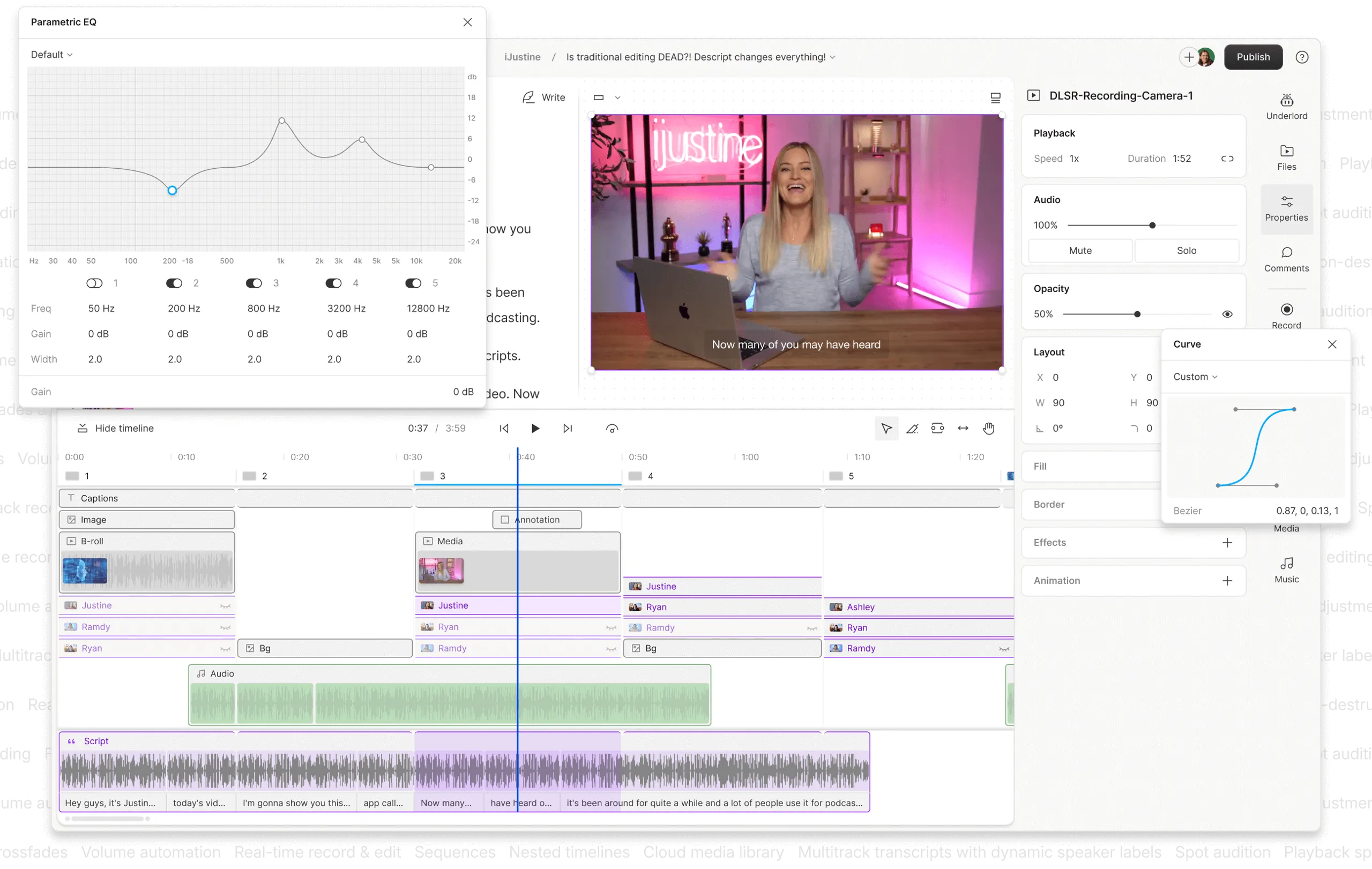
✅ Consider Descript if
- Your workflow is collaborative and narrative-driven.
- You want to edit video by editing a text document.
- You need SOC 2 compliance for client work.
- You require export to professional formats for Final Cut Pro or Premiere Pro.
- You run an agency or production team that values security.
⚠️ Avoid Descript if
- You only produce simple, short clips.
- You do not need advanced editing or collaboration.
- You do not require compliance features.
- Your sole need is one-click Hormozi-style captions.
Is Submagic Better Than the Free CapCut?
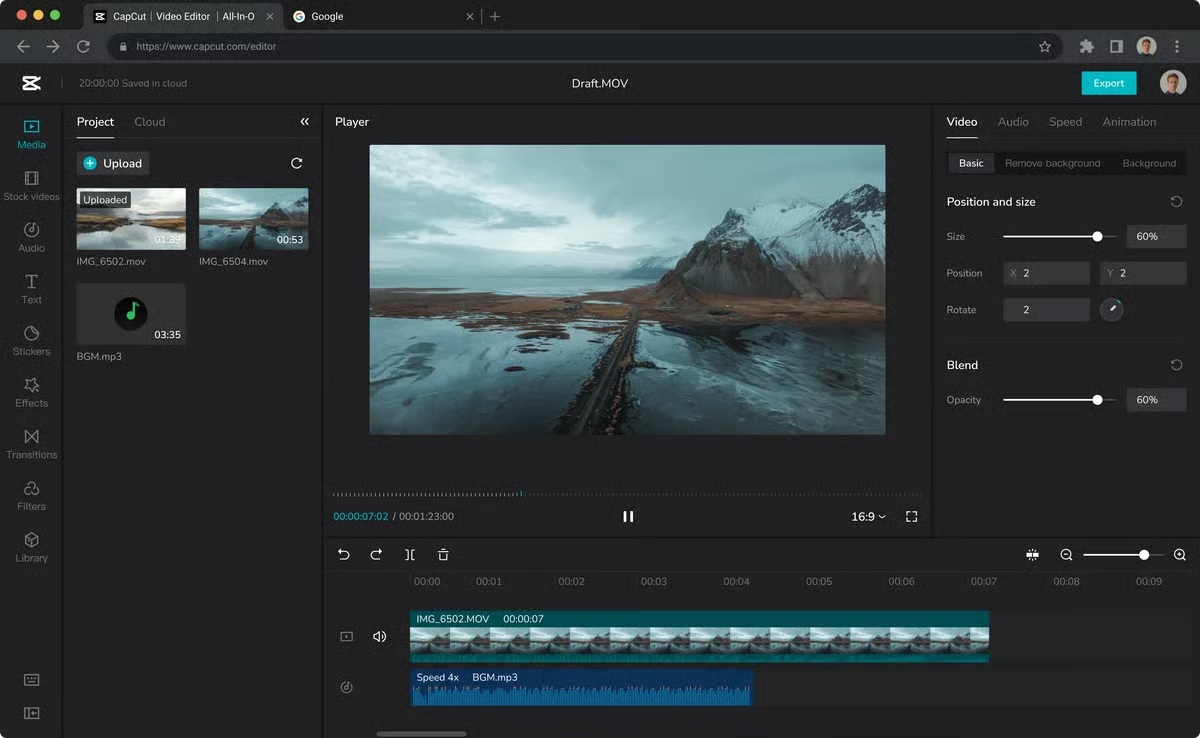
For many budget-conscious creators, the answer is “no.” CapCut, owned by tech giant ByteDance (TikTok’s parent company), has become incredibly powerful.
Its free auto-captioning is surprisingly accurate, and while it requires more manual work to achieve the “Hormozi” look, it’s entirely possible.
Verdict: CapCut is “good enough” for basic, high-quality captions. You are paying Submagic for one thing: speed. If the time you save can effectively reduce production cost by more than the monthly fee, then Submagic has a value proposition. If you have more time than money, CapCut is the most logical free alternative to Submagic.
Part 7: Final Verdict & FAQs
After a comprehensive review of its features, pricing, and business practices, our verdict on Submagic is clear.
Submagic is worth it only for a very specific user: a high-volume content creator who prioritizes speed for a trendy video style above all else and is willing to implement safeguards against the platform’s significant billing and security considerations.
For most professionals, agencies, or those needing creative control, the risks and limitations identified in this analysis outweigh the reward.
What We Love vs. Things to Consider
| What We Love | 💡 Things to Consider |
|---|---|
| ✅ Incredible Speed: The platform’s velocity in producing stylized videos is its number one asset and is genuinely impressive. | 💡 Aggressive Billing Practices: Widespread user reports of difficult cancellations and unexpected charges require caution. |
| ✅ Easy to Use: The user interface is simple and intuitive, with almost no learning curve. A new user can be productive in minutes. | 💡 No Security Certifications: The lack of SOC 2 or ISO 27001 makes it an unsuitable choice for sensitive or client-related content. |
| ✅ Excellent at One Style: If you want the specific, trendy “Hormozi” look, this tool is one of the best for achieving it quickly. | 💡 Complete Vendor Lock-In: The inability to export editable project files—a feature all major competitors offer—means your work is trapped. |
| ✅ Low Learning Curve: It’s a specialist tool that does one thing very well, making it easy to master. | 💡 Functionally Challenging Guarantee: The money-back guarantee is voided by the very act of evaluating the product (downloading a video). |
| 💡 Hidden Costs: The Total Cost of Ownership can be over 3% higher than advertised due to the B-roll credit system. |
Who should buy Submagic?
- Solo creators who value their time immensely and for whom speed is the most important factor in their video production workflow.
- Marketers using Submagic to execute a high-volume social media content strategy on platforms like TikTok and Instagram Reels.
- Users who have read this guide and are willing to proactively use a virtual credit card and other safety measures to protect themselves.
Who should avoid Submagic?
- Agencies or freelancers who handle any form of client content. The security and liability risks are simply too high without proper certifications.
- Video professionals or any creator who needs granular creative control. The lack of fine-tuning and export options will be a constant source of frustration.
- Anyone on a tight budget. The powerful free features in CapCut make it a more logical starting point. Anyone actively searching for a free Submagic alternative; CapCut serves this purpose well.
- Any user who is uncomfortable with the high potential for billing disputes and prefers to do business with companies that have transparent and customer-friendly policies.
My final thought is this: Submagic presents a significant trade-off. The speed it offers is a powerful temptation. But that speed comes at a cost measured in financial risk, security vulnerabilities, and a lack of creative freedom.
With the guidance in this Submagic review, you can now weigh that cost for yourself. Proceed with caution, protect yourself, and make the decision that’s right for your specific situation. If you do decide to subscribe, you can browse our full review category for additional creator-tool guidance.
Comprehensive FAQ
Q1: How much does Submagic cost in 2026?
A: Submagic’s pricing starts at $20/month when billed annually for its Basic plan. The most popular Pro plan costs $50/month ($600/year), and the Agency+ plan is $150/month ($1800/year) Submagic Pricing. Our Total Cost of Ownership (TCO) analysis shows the true cost can be over 3% higher than the advertised price, primarily due to the credit system for its ‘Magic B-Roll’ feature. For realistic budgeting, you should factor in not just the subscription tier but also potential add-on credit purchases.
Q2: Is Submagic better than Opus Clip?
A: It depends entirely on your specific goal, as they are designed for different tasks. Our research shows that Submagic is better for quickly styling an existing short video clip. Its workflow is optimized for taking a pre-cut clip and rapidly adding captions and effects.
In contrast, Opus Clip is superior for automatically creating multiple short clips from a single long video, like a podcast or webinar Opus Clip vs. Submagic Showdown. They are both specialist tools, but they specialize in different parts of the content creation workflow.
Q3: Is Submagic a scam?
A: While Submagic provides a functional service, it engages in business practices that many users find concerning and could be more transparent. An analysis of hundreds of user reviews on platforms like Trustpilot and G2 reveals consistent complaints about a difficult and confusing cancellation process and a money-back guarantee that is functionally impossible to use for evaluation. These practices warrant caution from any potential buyer, and we recommend using a virtual credit card for protection.
Q4: How do I safely cancel my Submagic subscription?
A: To safely cancel your subscription, we strongly recommend using a virtual credit card at the time of purchase, which gives you the power to halt payments. If you did not, you must navigate to Account > Billing > Cancel Plan on their website.
Be prepared to click through multiple user interface design choices and questions designed to prevent you from leaving. We advise documenting the entire process with screenshots as evidence for your records in case of a billing dispute, a common issue reported by users Capterra – Submagic Reviews.
Q5: Can I trust Submagic with my videos?
A: For general, non-sensitive public content, the risk is relatively low. However, our analysis found that Submagic lacks any major security certifications like SOC 2 or ISO 27001.
This makes it a high-risk choice for confidential client work, unreleased products, or any corporate content that is not meant for public consumption. For secure workflows, SOC 2 compliant competitors like Descript or Veed.io are more appropriate choices for business use.
Q6: What are the main problems with Submagic?
A: Based on our comprehensive Submagic review, the three biggest problems are: 1) widespread and consistent complaints of aggressive and difficult billing practices, as seen on major review sites Trustpilot Reviews; 2) a total lack of professional security certifications, which is a major consideration for business use; and 3) complete vendor lock-in with no way to export your editable project files, a feature provided by all its major competitors.
Q7: What is the ‘Hormozi style’ of captions?
A: The ‘Hormozi style,’ named after entrepreneur Alex Hormozi, refers to a specific video caption aesthetic designed for high retention on social media. It typically features large, bold text with rapid, word-by-word animations, color changes on key words for emphasis, and the frequent use of relevant emojis to add visual punctuation PC Guide Review.
Submagic is one of the most popular tools specifically designed to automate the creation of this trendy and effective caption style, saving creators significant manual effort.
Q8: How accurate is Submagic’s AI?
A: The caption accuracy is high, but only under ideal conditions: a single speaker with a clear, North American English accent and no background noise. Our analysis of expert tests and user reports shows that accuracy decreases when you introduce accents, technical jargon, or ambient noise.
Its ‘Magic B-Roll’ AI often suggests irrelevant content that requires manual correction. Therefore, while the AI transcription is a powerful time-saver, users should always budget time for a final human proofread before publishing The AI Advantage YouTube Review.

