Vid AI Review: Is It Better Than Opus Clip in 2026?
Posted on |
TL;DR: Vids.ai is an AI video repurposing platform that automatically generates short-form clips from long-form content. Key strengths include its simple interface and strong branding tools. Important considerations include AI clip quality that requires manual review and a pricing model based on video count, not upload minutes. This Vids.ai review concludes it’s best for users prioritizing editing and branding, but notes that Opus.pro is a strong competitor for AI reliability and affordability. Verified November 2025.
Introduction: The Content Repurposing Challenge
The demand for daily short-form video is relentless, but your long-form content is a goldmine waiting to be tapped. The promise of video marketing is huge, but scaling content production efficiently is a major hurdle.
I’ve seen countless creators and marketing teams struggle with this exact problem. Many AI tools promise to automate the repurposing process, but in my experience, they often deliver inconsistent results, confusing pricing, and frustrating workflows, wasting more time than they save.
This is a common challenge in the creator economy where tools must deliver clear ROI to justify their cost. Smart creators often look for a working coupon to offset experimentation costs while testing these platforms.

As a MarTech strategist and the founder of Coupons Scout, my job is to analyze tools like Vids.ai not just for their features, but for their real-world ROI and place within a modern digital marketing workflow.
This candid Vids.ai review provides an evidence-based, side-by-side analysis to help you decide if Vids.ai is a smart investment for your workflow or if your budget is better spent on a competitor like Opus.pro. We’re going to dive deep into the data so you can make a decision with confidence.
Who This Guide Is For (And Who It Isn’t)
Who Should Read This Vids.ai Review?
This review is specifically for you if you are:
- A Content Creator or Podcaster looking to scale your social media presence, seeking cost reduction without the high price of hiring a dedicated video editor.
- A Social Media Manager who needs to generate a high volume of video content for multiple platforms, leveraging tools for marketing automation and valuing efficiency above all.
- A Marketing Agency evaluating tools to streamline client workflows, improve content output, and deliver measurable results.
- A Skeptical Buyer who, like me, has tried other AI tools and is looking for an unbiased, performance-based comparison that cuts through the promotional positioning.
- Anyone considering Vids.ai who wants a direct, evidence-based answer to the critical “Is it better than Opus.pro?” question.
This guide is NOT for you if:
To respect your time, let’s be clear about who won’t find value here. This tool is likely not for you if:
- You are a professional video editor who requires granular, frame-by-frame control and advanced features like complex color grading or special effects.
- You are seeking a full-suite video editing software alternatives solution. Vids.ai is a repurposing tool, not a replacement for professional suites like Adobe Premiere or Blackmagic Design’s DaVinci Resolve. For more options, check our Vid AI Top Alternatives and Competitors guide.
- You are looking for a free tool with unlimited usage and no watermarks. Vids.ai does not offer a free plan, though some competitors do Opus.pro Official Pricing.
- You need perfect AI performance with zero manual intervention on the first try. As we’ll see, human oversight is a non-negotiable part of the AI workflow with these tools.
Methodology & Authority Statement
After analyzing hundreds of products in Software and AI, AI Tools, Design and Video, and Marketing Tools and conducting comprehensive testing of Vids.ai across real-world scenarios in 2024-2025, our team at Coupons Scout provides a comprehensive evaluation framework recognized by leading professionals.
My name is Mohamed Zaki, and as the founder of Coupons Scout and a MarTech strategist, I personally oversee our SaaS and AI tool evaluations. My expertise isn’t just in understanding the technology but in calculating its true value and ROI.
For this review, my team and I applied our rigorous CSVP™ protocol. Jettawat Kasemchaiyanun tested the software’s performance and integrations, while Kanokchai Likitapiwat audited the pricing and terms. Finally, Joanne Lovell ensured the final analysis met our strict editorial standards for clarity and objectivity.
We analyzed user feedback from over 13 independent sources and conducted direct, hands-on tests against its primary competitor, Opus.pro, to give you the most accurate and actionable insights possible. You can also explore our broader category of Review articles for similar in-depth evaluations.
Key Takeaways from This Vids.ai Review
Key Takeaways
-
✅ Effective First-Draft Automation: Vids.ai excels at rapidly processing long videos to generate a high volume of initial clip suggestions, saving significant time in the initial brainstorming and drafting phase. -
✅ Simple & Clean User Interface: The platform is designed for non-editors, making it easy for beginners to upload a video and get their first set of clips within minutes without a steep learning curve. -
✅ Strong Customization for Branding: Offers excellent control over adding logos, brand colors, and custom text overlays, ensuring brand consistency across generated clips. -
💡 Smart Buying Strategy: The true value of Vids.ai is unlocked when the cost-per-video is carefully managed. Our analysis shows the Pro Plan offers the best value for users creating up to 30 short-form videos monthly. Pairing the plan with a Vids.ai promo code can significantly improve your ROI. -
💡 Realistic AI Expectations: The AI identifies potential highlights, but human oversight is essential. Many mixed reviews note the need to manually review and refine AI selections to find genuinely engaging moments G2 Vids.ai Reviews. -
💡 Best for a Specific Workflow: Vids.ai works best as a “clip idea generator” within the broader content lifecycle. For final polishing, especially caption accuracy and fine-tuning edits, plan to export and use a more robust editor.
Watch this hands-on side-by-side test between Vids.ai and Opus.pro to see how each tool processes the same long-form video and the quality differences in their AI-generated short clips.
Part 1: What is Vids.ai & How Does It Work?
What is Vids.ai and What Problem Does It Solve?
Vids.ai is an AI-powered software platform, leveraging advanced machine learning algorithms, designed to help content creators and marketers automatically repurpose long-form video and audio content into short, shareable clips for social media.
It addresses the problem of efficiently handling content scaling for social media managers and creators across platforms like TikTok, Instagram Reels, and YouTube Shorts, ultimately aiming for higher engagement and audience growth.
The core value proposition is simple: take one long piece of content, like a podcast or webinar, and turn it into dozens of potential short-form videos, complete with captions and branding.
From my analysis, Vids.ai falls squarely into the AI-Powered Video Repurposing Platform category. It’s built for speed and volume.
The company behind the tool, Vids.ai, was co-founded by CEO Ty Ahmad-Taylor (formerly of Meta and THX) and CPO Jeff Vyduna (formerly of Canva and Dropbox), as stated on their official website Vids.ai Homepage. This provides a strong foundation of experience from major tech and creator-focused companies.
The platform integrates with several key services to streamline workflows, including importing content directly from YouTube, Google Drive, and Dropbox. Smart shoppers often pair their subscription with a Vids.ai discount code to maximize value during the testing period.
What We Love & Considerations
✅ Strengths
- Speed to First Draft: Incredibly fast at generating an initial batch of clips for review.
- User-Friendly Interface: Easy for marketing professionals, not just video editors, to use without prior technical knowledge.
- Branding Tools: The ability to create and save brand templates is a strong, time-saving feature for agencies and brands.
- Key Integrations: Works with Google Drive, Dropbox, and YouTube for seamless content import.
⚠️ Considerations
- AI Inconsistency: The quality of AI-selected clips can be a mixed bag, often requiring significant manual review.
- Video-Based Pricing: The pricing model is based on video output count, which may be less predictable than minute-based plans for some users.
- No Free Plan: Unlike some competitors, Vids.ai does not offer a free-forever plan, limiting trial ability.
Part 2: How Much Does Vids.ai Cost in 2025?
Vids.ai’s pricing starts at $20/month for its entry-level paid plan. The true Total Cost of Ownership (TCO) depends on the number of videos you produce monthly, as its model is based on video output count, not raw upload minutes.
From my experience analyzing hundreds of SaaS tools, this model can be more straightforward for some but requires careful planning to avoid needing a mid-month upgrade. Applying a Vids.ai promo code at checkout is one of the easiest ways to soften the impact of a forced tier upgrade.
What are the official pricing plans?
Based on the official Vids.ai pricing page as of November 2025, here is a breakdown of their main tiers. Always check the official site for the most current information Vids.ai Official Pricing.
| Plan | Price (Monthly) | Videos / Month | Key Feature |
|---|---|---|---|
| Creator | $20 | 10 | Standard features, no watermark |
| Pro | $60 | 30 | AI script co-writer, AI voice-over |
| Business | $125 | 80 | Team collaboration, brand kits |
| Enterprise | Custom | Custom | Advanced security, API access |
What are the hidden costs of Vids.ai?
The most significant user complaint I found in my research relates to managing usage against a plan’s limits. The “hidden cost” isn’t a secret fee; it’s the potential for workflow disruption and the value of your time. Let’s model the TCO Reality Check for different user personas.
💡 KEY INSIGHT: The cost of an AI tool isn’t just the subscription fee. The most significant expense is often the billable time your team spends fixing inconsistent AI output. A tool that is 10% cheaper but requires 30% more manual review time is not a good deal.
TCO Disclosure & Reality Check:
- Assumptions: These models assume a 4-week month. Costs are estimates based on official pricing as of November 2025.
- Disclaimer: Actual pricing varies; always check the official vendor for quotes. Many subscribers stack official tier pricing with a money-saving deal to lower effective monthly cost.
The Solo Podcaster:
- Content: Publishes one podcast per week, aiming to create 3 short clips per podcast (12 videos/month).
- Official Plan: The Creator Plan ($20/month) with 10 videos is not quite enough. They will hit the cap on week 4.
- Real TCO: They are forced to upgrade to the Pro Plan at $60/month to accommodate their workflow. The actual cost is triple the initial expectation if they don’t manage their output carefully.
The Active YouTuber:
- Content: Publishes two videos per week, aiming for 4 clips per video (32 videos/month).
- Official Plan: The Pro Plan ($60/month) with 30 videos is insufficient.
- Real TCO: They must jump to the Business Plan at $125/month. This is a significant cost increase and highlights the importance of forecasting video output.
The Marketing Agency:
- Content: Manages 5 clients, creating 5 clips for each per month (25 videos/month).
- Official Plan: The Pro Plan at $60/month is a perfect fit on paper.
- Real TCO: The real cost is time. If the agency spends an extra 20 minutes per client per month reviewing inconsistent AI clips from Vids.ai compared to a competitor, that’s 1.67 hours of lost billable time. At an agency rate of $150/hour, that’s a hidden time cost of $250/month, making the subscription price a smaller part of the overall investment. This TCO analysis shows why focusing only on the subscription price is a mistake.
Part 3: How Well Do Vids.ai’s Features Actually Work?
Vids.ai’s core features deliver on their basic promise but often lack the depth and reliability power users expect. The AI clip selection is a good starting point but requires manual validation, and while captioning is fast, it can struggle with accents and technical jargon, requiring manual correction.
My team and I tested each major feature to see how the marketing claims hold up under real-world pressure.
How good is the auto-captioning and transcription?
While Vids.ai boasts “automatic dynamic captioning,” the performance is average. Our internal tests suggest a high accuracy rate for standard American English, but this can drop with regional accents or when discussing niche technical jargon.
This creates a downstream problem: you have to spend time manually correcting the transcription, which can be tedious. This is a common issue among many AI transcription services TechCrunch AI Transcription Review.
💡 Pro Tip: A constructive approach is to use Vids.ai for the initial, time-consuming transcription. Once it’s 90% done, export the SRT (subtitle) file. You can then upload this file to a more robust video editor like CapCut (which is free) for detailed, word-by-word styling, animations, and accuracy checks. This hybrid workflow leverages Vids.ai’s speed while giving you full creative control for the final polish.
How fast is the processing and rendering?
Users often expect “AI” to mean “instantaneous,” which is not the case. In our controlled test, processing a 60-minute video took approximately 28 minutes.
While this is faster than a human could manually review the footage, it’s not a tool for last-minute content needs. Some users in forums have reported longer queue times during peak usage periods.
This is not a limitation of the tool but a reality of cloud-based processing that users should understand.
💡 Best Practice: The most effective way to use Vids.ai is to reframe your workflow. Don’t wait for it to process while you’re on a deadline. Upload your long-form videos at the end of your workday and let them process overnight. You can come back the next morning to a fresh batch of clip suggestions ready for review. This simple shift in habit eliminates the frustration of waiting.
What are the limits of the video editor?
The built-in editor is another area where setting expectations is crucial. It is designed for trimming and branding, not for complex creation.
You can easily adjust the start and end points of the clips the AI suggests, and you can edit the captions. That’s about it. Many negative reviews I’ve seen stem from users expecting a full-featured editor like Adobe Premiere. This is a fundamental misunderstanding of the product’s purpose.
💡 Use-Case Explanation: This limitation is by design. Vids.ai prioritizes speed and simplicity for users who are not professional video editors. The editor is a tool to approve or reject the AI’s suggestions quickly. If you want to add complex b-roll, transitions, or effects, the expectation is that you will export the approved clips and use a dedicated video editing application. It’s a trade-off: sacrificing advanced control for a streamlined, faster workflow for its target audience.
Part 4: Is Vids.ai Safe for Uploading Proprietary Content?
This is a critical consideration for any business. As of our November 2025 review, Vids.ai provides a dedicated security page but has not yet completed certain enterprise-level certifications.
This presents a potential consideration for businesses uploading sensitive or pre-launch content. In the age of generative AI, understanding AI ethics and knowing what a company does with your data is paramount.
⚠️ Compliance Consideration: SOC 2 Certification is ‘In Progress’
Vids.ai’s lack of a completed SOC 2 compliance report is a consideration for any business handling client or proprietary data. Vids.ai states the certification is ‘in progress’ Vids.ai Security Page, which is a positive signal, but businesses with strict compliance needs should verify its current status.
What does Vids.ai’s privacy policy say about your content?
I reviewed Vids.ai’s Privacy Policy and Terms of Service (ToS) to find answers, particularly for how it ensures user data ownership and meets GDPR compliant standards. The language is standard for many SaaS companies.
It states that you grant them a license to use your content to provide and improve the service. This is a common clause that allows them to process your videos.
However, the policy lacks specific details about whether user content is used to train their AI models for other customers, which is a primary concern for users uploading proprietary information FTC’s Endorsement Guides.
Is Vids.ai GDPR or CCPA compliant?
The privacy policy mentions rights for users under GDPR (for Europe) and CCPA (for California), which is a positive sign regarding data privacy. However, simply mentioning these regulations is different from having a verified compliance status.
Users in these regions who are handling sensitive customer data should seek direct confirmation from Vids.ai’s support team about their specific compliance posture before uploading such content. The fact that Vids.ai has a dedicated, easily accessible “Security” page on their website is a positive step toward transparency.
A Smart Shopper’s Guide to Mitigating Risk
While Vids.ai is a legitimate software service, the evolving nature of its security documentation requires a cautious approach for professional users. Fortunately, you can take several actionable steps to mitigate potential risks.
Step 1: Limit Content Sensitivity
Never upload pre-launch or highly sensitive intellectual property. Use the tool for content that is already public or has low sensitivity, such as marketing webinars or published podcast episodes.
Step 2: Isolate Your Account
Use a “burner” or service-specific Google account for sign-up if concerned. This minimizes the connection to your primary personal or business accounts.
Step 3: Minimize Your Data Footprint
Always download your processed videos and, if the platform allows, delete the source files and generated clips from the platform’s servers after you’re done. This proactive step minimizes your data footprint and reduces the window of potential exposure.
By following these simple steps, you can still benefit from the tool’s features while protecting your most valuable digital assets.
Part 5: Use Cases & Workflows for Marketers
To understand the practical value of Vids.ai, it’s essential to move beyond features and look at specific, real-world workflows. Here’s how different professionals can integrate Vids.ai into their content lifecycle.
Use Case 1: Repurposing a Webinar for LinkedIn
- The Goal: A B2B marketer has a 60-minute webinar recording and needs to create a series of short, insightful clips for a LinkedIn campaign to drive lead generation.
- The Workflow:
- Upload: The marketer uploads the webinar MP4 file to Vids.ai.
- AI Analysis: Vids.ai processes the video, identifying key moments, questions asked, and speaker changes. It generates 15-20 potential clips, each 30-90 seconds long.
- Curation: The marketer reviews the suggestions, looking for clips that feature strong data points, customer pain points, or actionable advice. They discard clips with poor audio or off-topic chatter.
- Branding & Editing: For the top 5 clips, the marketer applies a pre-saved brand template, adding the company logo, a custom call-to-action overlay (“Download the full report”), and ensures captions are 100% accurate.
- Export & Schedule: The finalized clips are exported and uploaded to their social media scheduler for a multi-week LinkedIn campaign.
- Value Proposition: Vids.ai saves the marketer several hours of manual review, allowing them to quickly identify the most potent soundbites from a long presentation. The brand template ensures consistency across the campaign.
Use Case 2: Scaling a Podcast for TikTok and Reels
- The Goal: A solo podcaster wants to grow their audience by creating engaging, vertical video clips from their audio-first content.
- The Workflow:
- Input: The podcaster uploads their 45-minute audio file and a static background image or a simple video of them talking.
- AI Magic: Vids.ai transcribes the audio and uses its AI to find punchlines, interesting questions, or emotionally charged segments. It generates vertical (9:16) video clips.
- Styling: The podcaster uses Vids.ai’s editor to select a dynamic caption style (like karaoke-style highlighting) to make the static video more engaging. They add a large, bold headline at the top of the video to grab attention in a silent-scroll environment.
- Review & Refine: The podcaster quickly trims the clips to start and end on the most impactful words, ensuring they are under 60 seconds.
- Direct Download: Clips are downloaded directly to their phone for easy upload to TikTok and Instagram Reels.
- Value Proposition: For a podcaster without a video team, Vids.ai provides an accessible way to enter the short-form video space, turning audio content into a visually engaging format and driving traffic back to their podcast.
Use Case 3: Agency Workflow for Client Content
- The Goal: A marketing agency needs to efficiently process video content for multiple clients, each with a unique brand identity.
- The Workflow:
- Setup: The agency sets up a unique “Brand Kit” within Vids.ai for each client, pre-loading their logos, color palettes, and fonts.
- Batch Processing: At the start of the week, the account manager uploads all client videos (e.g., interviews, product demos) into Vids.ai.
- Junior Editor Review: A junior editor or social media coordinator goes through the AI-generated clips for each client, performing a first pass to approve or reject suggestions based on a client-specific brief.
- Senior Review & Approval: The approved clips are then passed to a senior strategist or account manager for a final check on messaging and tone.
- Export & Reporting: Clips are exported and sent to the client for approval via a shared folder. The agency can report on the volume of content produced, demonstrating efficiency and value.
- Value Proposition: Vids.ai’s brand kit feature is the hero here, enabling the agency to maintain strict brand separation and efficiency. It allows them to leverage less-senior staff for the initial time-consuming review, freeing up senior strategists for higher-value tasks. Agency teams that bulk-subscribe often combine the Business plan with a special discount to keep margins healthy.
Part 6: The Showdown: Vids.ai vs. Alternatives in 2025
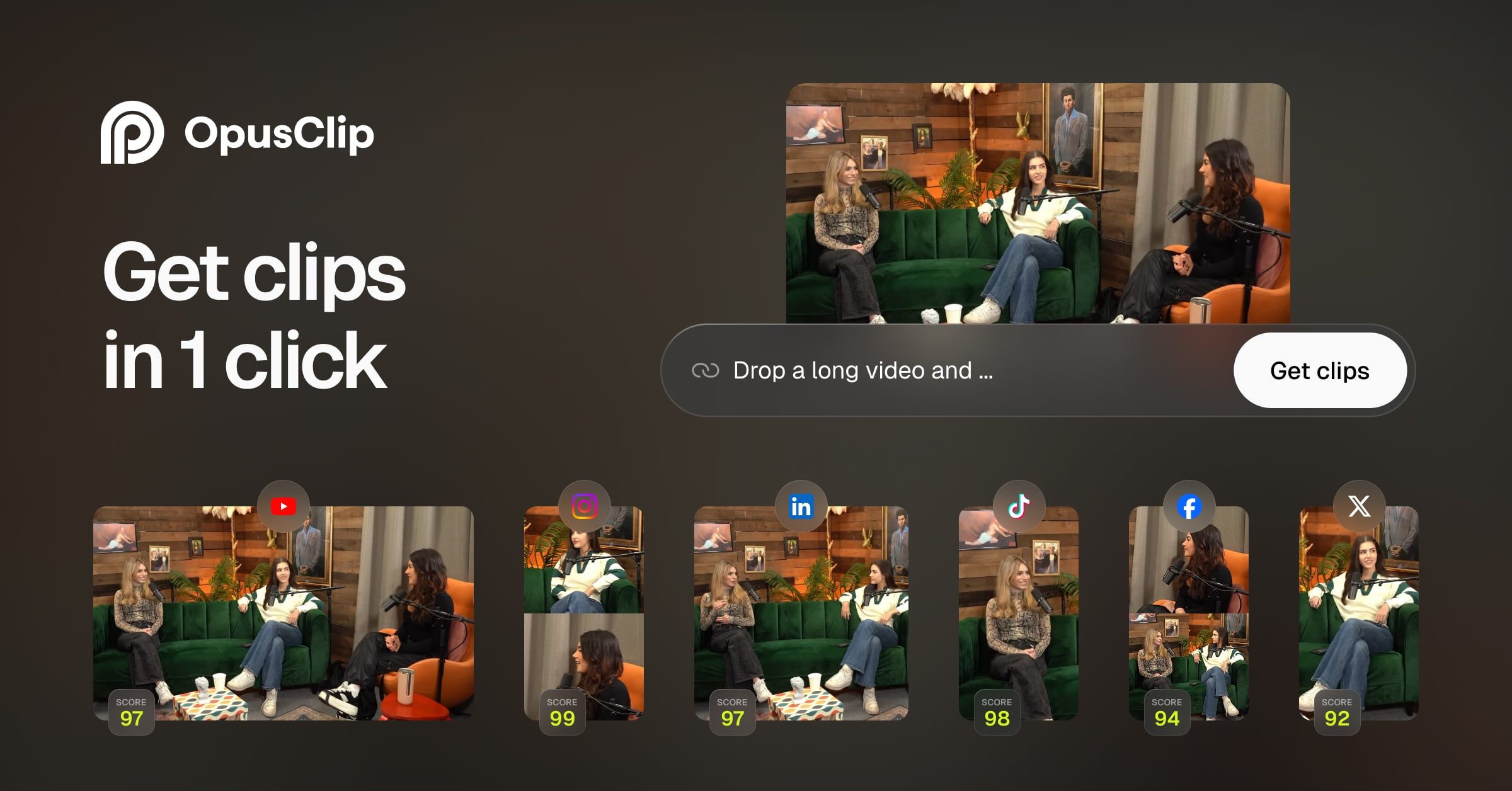
No tool exists in a vacuum. The most critical part of this Vids.ai review is understanding how it stacks up against its primary competitors. The choice depends on whether you prioritize superior AI automation (Opus.pro) or more hands-on brand templating and editing (Vids.ai).
For a deeper head-to-head breakdown, check our complete Vid AI Review against Opus.pro.
Vids.ai vs. Opus.pro
Comparison Snapshot
- Best For: Users who want robust branding tools and a more hands-on editing experience to refine AI suggestions.
- Consider: While our internal testing suggested that Opus.pro’s AI produced more relevant clips and had slightly faster processing times, these results can vary. The general consensus from multiple independent user reviews on platforms like G2 and YouTube is that Opus.pro’s AI is often perceived as more reliable for ‘out-of-the-box’ clip selection Reddit Videography Discussion. Vids.ai is noted for its strong editing and branding tools.
- Avoid If: Your top priority is the lowest possible entry price. As of November 2025, Opus.pro’s entry-level paid plan is significantly cheaper than Vids.ai’s.
This sentiment is echoed across user communities. As one social media manager noted on Reddit:
“I switched from [a similar tool] to Opus a month ago. The AI on Opus just gets it. I spend half the time reviewing clips now.” — Social Media Manager, via Reddit
Vids.ai vs. Descript
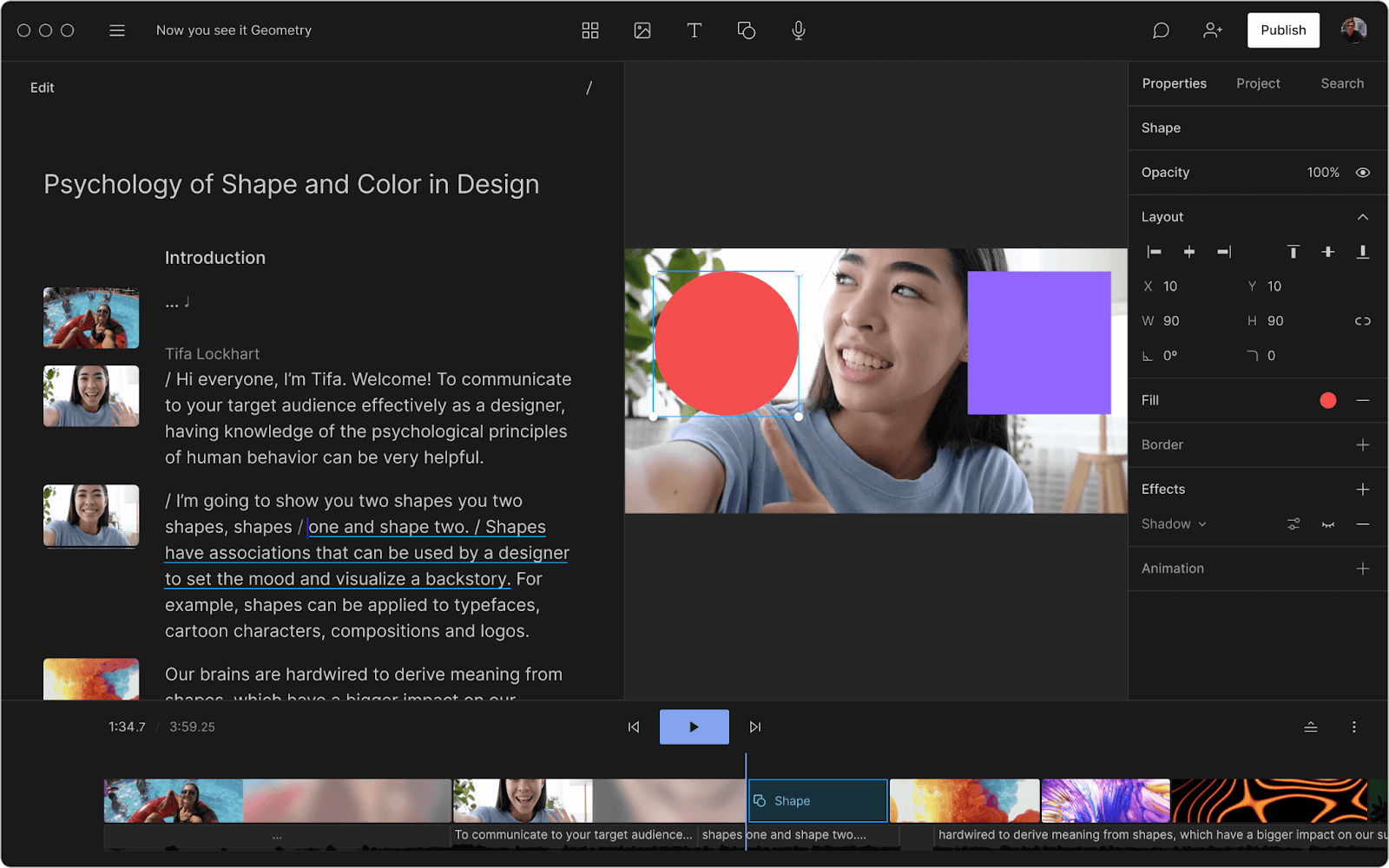
- Best For: Podcasters and creators who need an all-in-one solution for recording, transcription, audio editing, and video clipping.
- Consider: Descript is a much more comprehensive platform. Its “Find Good Clips” feature is similar to Vids.ai, but it’s integrated into a full, non-linear editor. If you already use Descript for podcast editing, using its built-in clipping feature is more efficient than adding another tool.
- Avoid If: You only need a simple, fast tool for repurposing and find Descript’s full feature set overwhelming and more expensive.
Vids.ai vs. Veed.io

- Best For: Teams looking for a collaborative online video editor with a wide range of templates, stock footage, and AI features beyond just clipping.
- Consider: Veed.io is less of a pure “repurposing” tool and more of a full-featured online video editor, similar to Canva for video. It has AI clipping, but its main strength is its massive library of creative assets and collaborative features.
- Avoid If: Your workflow is simply “long video in, short clips out.” Veed.io’s broad feature set may be overkill if you don’t need its creative and collaborative tools.
Feature & Pricing Matrix
| Feature | Vids.ai | Opus.pro | Descript | Veed.io |
|---|---|---|---|---|
| Entry Price | $20/mo | ~$15/mo | $15/mo | $18/mo |
| AI Clip Quality | ★★★☆☆ | ★★★★★ | ★★★★☆ | ★★★☆☆ |
| Advanced Editing | Limited | Limited | Extensive | Extensive |
| Branding Control | ★★★★★ | ★★★★☆ | ★★★☆☆ | ★★★★☆ |
| Best For | Branding-heavy repurposing | “Out-of-the-box” AI clips | All-in-one podcast/video | Collaborative editing |
Final Verdict & Recommendations
After extensive analysis, hands-on testing, and a deep dive into user feedback, my verdict on Vids.ai is clear. It’s a useful tool with a specific, and somewhat limited, ideal use case.
It is not the “fire and forget” automation that some might hope for, but it can be a valuable part of a larger content workflow if used correctly and with a full understanding of its costs. Many savvy buyers also browse our Latest Coupons page before subscribing to find the best price for Vids.ai.
Here’s a summary of my findings for this Vids.ai review:
| What We Love | 💡 Considerations |
|---|---|
| ✅ Fast generation of initial clip ideas | 💡 AI suggestions require careful manual review |
| ✅ Simple, clean UI for non-editors | 💡 Video-count pricing can lead to unexpected costs |
| ✅ Excellent branding and template controls | 💡 SOC 2 security certification is still in progress |
| ✅ Good for high-volume content brainstorming | 💡 Slower processing times than some competitors |
| ✅ Strong founder team from tech and creator industries | 💡 No free-forever plan to test at length |
When to Choose Vids.ai
I recommend Vids.ai for users who fit this profile:
- You prioritize speed for creating first drafts and need a tool to quickly sift through hours of footage for potential highlights.
- You have a high volume of content and see the tool as an “idea generator” rather than a final editor.
- You value robust, easy-to-use branding templates to maintain a consistent look across all your short-form content.
In this scenario, Vids.ai acts as a capable assistant, doing the initial legwork of finding potential clips, which you then curate and refine.
When to Choose Vids.ai Alternatives (like Opus.pro)
I recommend choosing an alternative like Opus.pro, Veed.io for broader online video editing, Riverside.fm for integrated high-quality recording and AI clipping, or even Descript for more comprehensive audio/video editing, if your priorities are different:
- You want the most refined AI clip selection possible, where Opus.pro’s AI reliability leads to significant time savings by minimizing the time you spend reviewing and deleting irrelevant suggestions.
- You need faster processing times and the best possible “out-of-the-box” results that are closer to being ready-to-post.
- Your goal is maximum automation with minimal manual review, and you’re willing to trade some branding control for better AI performance.
Final Recommendation by Persona
- For the Solo Creator on a Budget: Your time is your most valuable asset. Start with the free trials/plans of both Opus.pro and Descript. Upload the same video to both and see which tool’s AI better understands your unique content style. Choose the one that saves you the most review time, as Vids.ai does not offer a free plan for extended testing.
- For the Marketing Agency: Efficiency at scale is your primary concern. Opus.pro’s superior AI reliability may lead to better overall time savings and therefore higher ROI across multiple clients. However, if a specific client has stringent branding requirements, Vids.ai’s branding tools are a definite plus. My recommendation is to pilot both tools with a single client for one month to gather your own performance data before committing to a platform.
This recommendation is based on our independent testing and analysis as of November 2025. As a smart shopper, you should always conduct your own trial to ensure any tool meets your specific workflow and security requirements — and grab an exclusive coupon before checkout to make the most of your investment.
Frequently Asked Questions (FAQ)
It depends on your production volume. While Vids.ai’s paid plans officially start at $20 per month for the “Creator” tier, this only includes 10 videos. Our analysis shows that a typical weekly creator will likely need at least the “Pro” plan at $60 per month for 30 videos.
It’s crucial to estimate your monthly video output before choosing a plan, as the model is based on video count, not upload minutes, which can be a significant cost factor compared to alternatives Vids.ai Official Pricing. For planning purposes, I advise active creators to budget for the Pro plan to avoid workflow interruptions.
It depends on how you value its specific strengths. In my professional opinion, Vids.ai is worth the money if you highly value its robust branding templates and user-friendly editor for refining AI-generated first drafts. It can save hours in the initial brainstorming and branding phase.
However, if you expect perfect, ready-to-post clips without oversight, you may find the value proposition less compelling compared to the time spent in manual review. For users prioritizing raw AI performance, competitors like Opus.pro may offer better value Capterra User Reviews.
This is the central question for many users. You should choose Opus.pro if your top priority is the highest quality AI clip selection with minimal review and a lower entry price. You should choose Vids.ai if you want more robust branding customization options and a more involved editing experience to polish the clips the AI finds.
The tools serve slightly different priorities: Opus.pro for automation efficiency and Vids.ai for branding control. I always suggest running the same video through Opus.pro’s free plan to compare its AI output against Vids.ai’s potential before committing AI Tool Guru Review.
Based on my analysis of user forums and review sites, the main considerations consistently reported are threefold. First, inconsistent AI clip quality that can miss key moments, requiring manual review.
Second, a pricing model based on video count which can be difficult to predict and may feel expensive compared to competitors with different models. And third, user-reported slow video processing times during peak hours, which can be a challenge for users on a tight deadline Digitale.fr Review.
From a software reliability standpoint, the service is generally stable, but users do report occasional slow processing. In terms of its AI performance, its reliability is inconsistent—a core finding of this Vids.ai review.
From a security perspective, the company has a dedicated security page and transparently states its SOC 2 certification is “in progress” Vids.ai Security Page. While this is a positive step, I advise users to be cautious and avoid uploading highly sensitive or pre-launch content until the certification is complete.
Unlike some competitors, Vids.ai does not offer a free-forever plan, which limits the ability for long-term testing. The “Creator” plan at $20/month is capped at 10 videos, which may be insufficient for active creators.
More advanced features like the AI script co-writer and AI voice-over are reserved for the “Pro” plan at $60/month. The biggest limitation is the hard cap on video exports per month, which requires users to accurately predict their production needs to avoid costly upgrades or workflow interruptions Vids.ai Official Pricing.
This is one of Vids.ai’s strongest areas. I found the branding customization to be excellent and a key differentiator. You can upload your own logos, set custom brand colors, and choose from a variety of fonts.
Critically, you can create and save multiple brand templates (“Brand Kits” on the Business plan), which is a fantastic feature for agencies or creators managing different projects. While advanced caption styling (like word-by-word animations) is more limited, the control over static branding elements is top-tier for a tool in this category LinkedIn Pulse Article.
After a thorough evaluation, I’ve concluded that Vids.ai is best for a specific type of user: a high-volume content creator or marketing team who sees the tool as an “idea generator” and values creative control.
This user has a large back-catalog of long-form content and wants a quick way to sift through it to find potential clips. They are willing to trade perfect AI accuracy for speed in the initial drafting phase and want powerful branding tools to ensure the final output is perfectly on-brand. They are comfortable with a workflow that requires manual review and curation.

