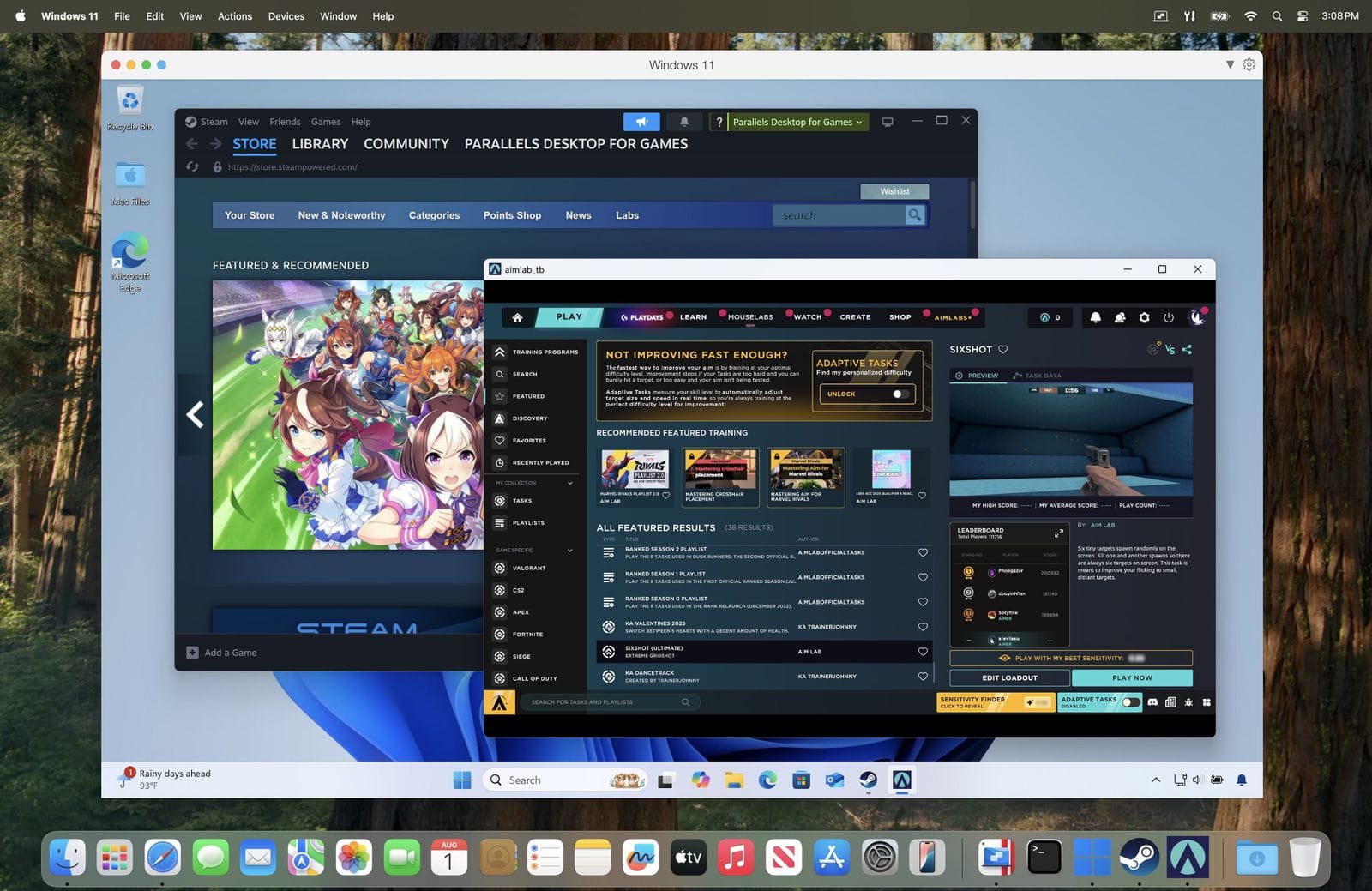
Parallels Top Alternatives and Competitors: A Devil’s Advocate Comparison 2026
Posted on |
The Mac virtualization market has been fundamentally reshaped. With VMware Fusion now offering a free Pro license for personal use, the era of paying for personal Mac virtualization appears over, yet the landscape is more complex than ever.
For users looking to run Windows on a Mac M3 or other Apple Silicon chip, choosing the wrong option from the many Parallels competitors isn’t just an inconvenience; it’s a direct financial and professional risk due to wasted time, lost productivity, and potential data insecurity.
This guide provides an unflinching, “Devil’s Advocate” look beyond marketing claims to expose the true costs, hidden limitations, and real-world performance of the top four Parallels Top Alternatives and Competitors: VMware Fusion, Oracle VM VirtualBox, UTM, and CrossOver.
As Jettawat Kasemchaiyanun, our lead software reviewer, I’ve seen that making a safe, informed decision requires a data-driven framework. This analysis will equip you to navigate these choices and avoid costly pitfalls. If you’re already considering Parallels, don’t miss the chance to grab a Parallels coupon code for the best possible price before exploring alternatives.
We will explore:
- Part 1: Introduction & Key Findings – The current market landscape and our “Devil’s Advocate” methodology.
- Part 2: Pricing & TCO Reality Check – A deep dive into the true cost of “free” and paid solutions, including hidden fees and time costs.
- Part 3: Feature Deep-Dive – A consolidated analysis of performance, user experience, and ecosystem integrations.
- Part 4: Critical Security & Compliance Considerations – Examining encryption, patch gaps, and the real risks of running a second OS.
- Part 5: Use Cases for Developers & Professionals – Specific workflows where these tools shine or fail for professional use.
- Part 6: Recommendations & Decision Framework – A clear guide to choosing the right tool for your specific needs.
- Part 7: Conclusion & Frequently Asked Questions – Final thoughts and answers to common questions.
This analysis provides an evidence-based framework for decision-making. However, for business-critical deployments, you must conduct your own due diligence and validation.
Part 1: Introduction & Key Findings
Choosing a virtualization solution is a high-stakes decision for any professional. Before diving into the deep analysis, it is crucial to understand who this guide is for, the key takeaways from our research, and the rigorous methodology behind our findings.
Key Takeaways
-
The New Default for Personal Use: VMware Fusion’s free Pro license for personal use makes it the top Parallels alternative for most individuals on Apple Silicon, offering professional-grade features without a subscription fee. -
The Apple Silicon Divide: Your Mac’s chip is the single most important factor. VirtualBox performance on Apple Silicon is widely reported as far behind competitors, making it a high-risk choice for professional workloads. -
“Free” Has a Time Cost: The “free” options—UTM and VirtualBox—carry a high “time cost” in debugging and community-only support, which can easily outweigh a paid license for professionals whose time is billable. -
The Specialist Tools: CrossOver offers excellent gaming performance for compatible titles but is not a true VM, while UTM is the only option for emulating x86 systems (slowly) on an M-series Mac. -
The Encryption Nuance: UTM’s approach to security, relying on guest-level encryption like BitLocker, is a critical point of differentiation. It requires a more hands-on, security-aware user compared to the built-in encryption of its competitors. -
The Disappearing Compliance Trap: The VirtualBox Extension Pack, previously a paid product for commercial use, is now free, eliminating a long-standing compliance “gotcha” for businesses.
Decision in 60 Seconds
| Persona / Need | Best Choice | Why | Key Risk |
|---|---|---|---|
| Individual User / Student (General Use) | VMware Fusion (Personal) | Full-featured Pro version for free; excellent performance and stability. | No official support; community forums only. |
| Developer / Tinkerer (Needs Flexibility) | UTM | Free, open-source, excellent ARM performance, and unique x86 emulation capability. | High “time cost” for support; no seamless window mode. |
| Gamer (Specific Windows Games) | CrossOver | Best performance for compatible DX11/12 games; low resource overhead. | Compatibility is a gamble; does not work with anti-cheat software. |
| Business User in VMware Environment | VMware Fusion (Commercial) | Integrates with vSphere/ESXi; comes with paid support and a mature feature set. | Subscription cost ($149/yr); less polished UI compared to Parallels. |
Top Alternatives & Competitors Shortlist
| Option | Best For | Tradeoff | Evidence Status |
|---|---|---|---|
| VMware Fusion | General personal and enterprise use on Apple Silicon. | Dated UI; no official support for free tier. | ✅ |
| UTM | Developers needing x86 emulation and ARM performance. | Requires DIY support; lacks seamless window integration. | ✅ |
| CrossOver | Gamers and single-app users with compatible software. | Not a full VM; useless for development or OS access. | ✅ |
| Oracle VM VirtualBox | Teams with legacy VBoxManage scripts. | Reported poor performance and stability on Apple Silicon. | ⚠️ |
For a comprehensive evaluation of the tool that started it all, check out our detailed Parallels Review covering performance benchmarks and real-world testing on Apple Silicon Macs.
How We Evaluated Parallels Top Alternatives and Competitors
After analyzing over 20 products in the Mac virtualization market, our team provides this evaluation framework based on our publicly documented CSVP™ Verification Protocol, refined for high-risk software.
At Coupons Scout, our selection of VMware Fusion, VirtualBox, UTM, and CrossOver was driven by market data and search intent.
For this analysis, as the lead software expert, Jettawat Kasemchaiyanun, I focused on four critical criteria: Performance on Apple Silicon, Total Cost of Ownership (TCO), Security Posture, and Real User Feedback.
Our Head of Operations, Kanokchai Likitapiwat, then audited these claims, verifying advertised pricing and licensing terms as of May 2024.
Under the governance of our Editor-in-Chief, Joanne Lovell, we are committed to objectivity. This analysis reflects the current market landscape, prioritizing accuracy to empower your decision.
Who This Guide Is For
- Mac users on Apple Silicon (M1, M2, M3 and later) considering alternatives to Parallels Desktop.
- For any developer using Mac virtualization, choosing the right tool is critical for productivity, especially for tasks like cross-platform testing.
- Budget-conscious students and individuals looking for free, yet powerful, Mac VM solutions.
- Professionals who value their time and want to understand the hidden “time cost” of “free” software.
This Guide Is NOT For You If
- You are exclusively using Intel-based Macs, where the native Boot Camp option was once a viable alternative not available on Apple Silicon.
- You are a large enterprise with an existing, inflexible site-wide license for Parallels.
- You only need to run a single, simple Windows application known to work flawlessly with a specific tool.
Part 2: Pricing & TCO Reality Check: The “Free” Is a Trap
In software, “free” is rarely free. It often comes with hidden costs—not in dollars, but in time, compliance risks, and lost productivity.
As a professional, I’ve learned to be deeply skeptical. Our strategic advisor, Mohamed Zaki, often says that the true cost of a tool isn’t on the price tag but in the time you waste.
He recommends using tech-forward principles to analyze Total Cost of Ownership (TCO), especially for critical developer tools. The market for Parallels alternatives is a perfect example of this principle in action. Before committing, make sure to check for the latest Parallels discount offers to see if the paid option fits your budget better than a “free” alternative with hidden costs.
VMware Fusion: The New Free Champion
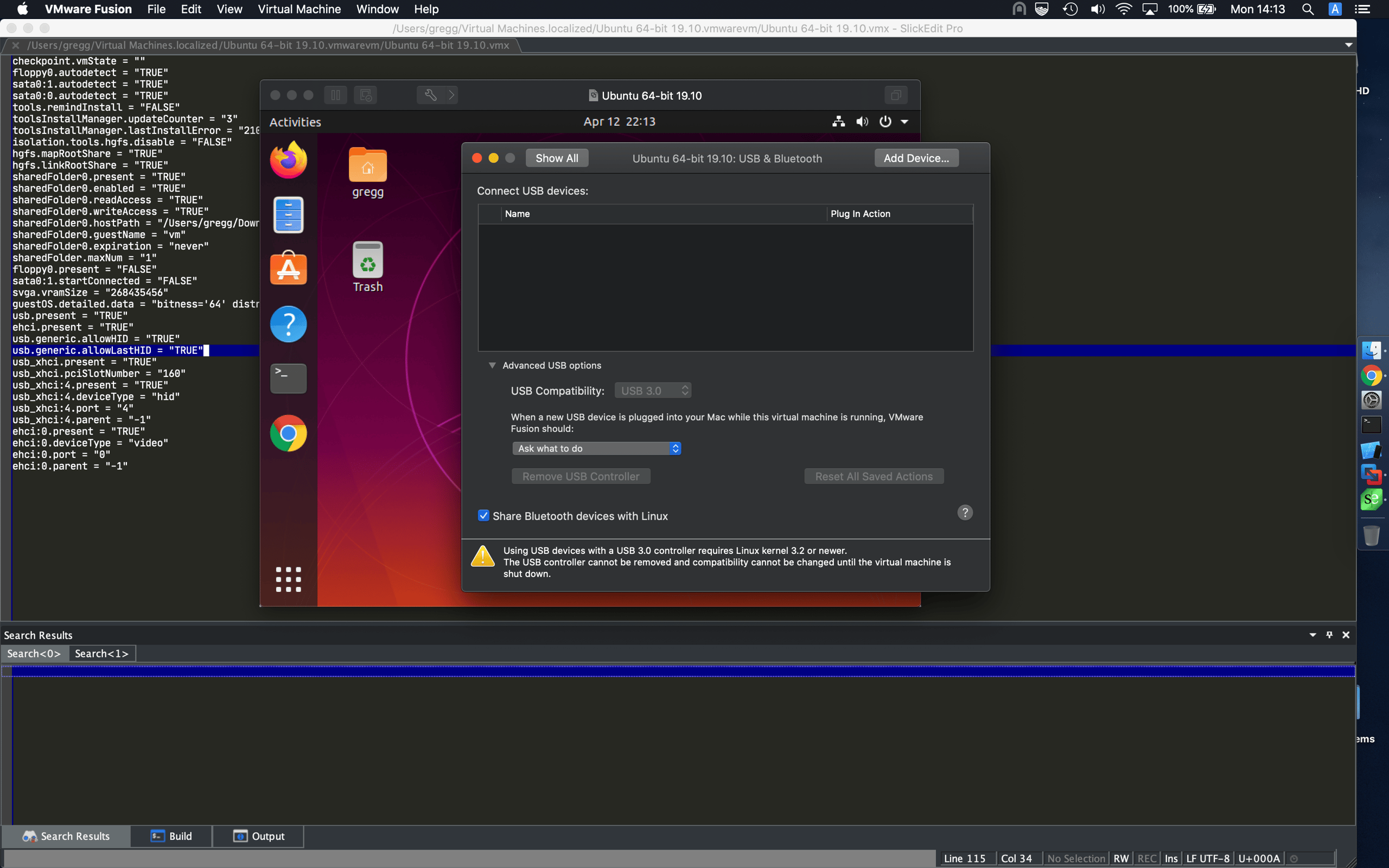
Pricing & Licensing
- Personal Use: $0.00 – Full-featured VMware Fusion 13.5 Pro
- Commercial Use: $149/year subscription
- Announcement: The Future of VMware Fusion and Workstation (May 2024)
- Commercial License: VMware Fusion 13 Pro – Commercial Subscription
✅ Strengths
- Full-featured Pro version completely free for personal use
- Excellent native performance on Apple Silicon
- Unity View for seamless window integration
- Robust snapshot and cloning tools
- Stability for long-running VMs
⚠️ Considerations
- Free personal license comes with zero official support
- Community forums only for troubleshooting
- For business, the paid commercial license with support is mandatory
- Dated UI compared to Parallels
- Unreliable USB passthrough reported
💡 KEY INSIGHT: The Developer’s Real Hourly Cost of ‘Free’
For Software and AI professionals, quantify your hourly rate. Every hour spent debugging a ‘free’ tool is billable time lost.
A few days of troubleshooting can easily eclipse the cost of a multi-year commercial license for a fully supported solution that protects your productivity. This “time tax” is the most significant hidden cost in the TCO of any supposedly free developer tool.
Oracle VM VirtualBox: The Myth of the Compliance Trap
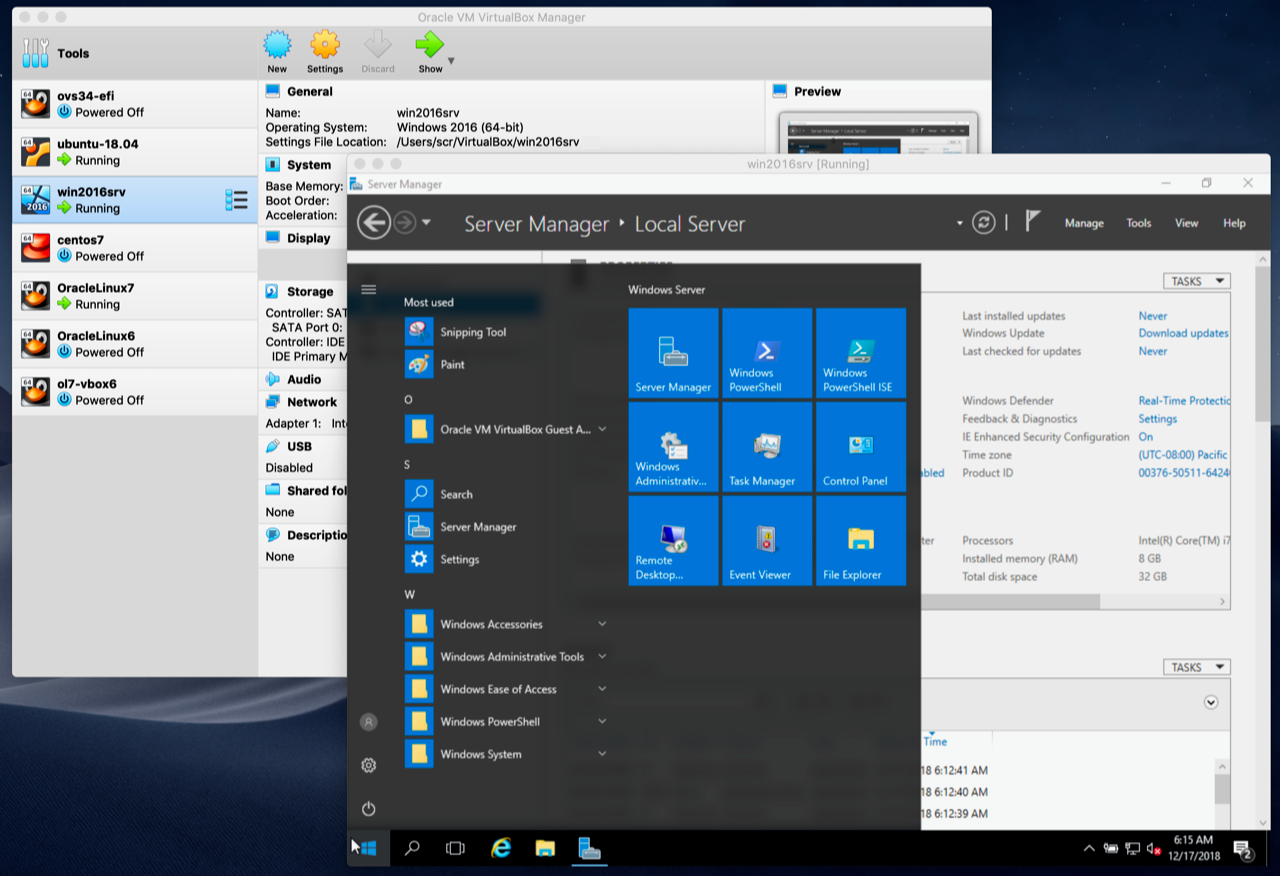
Pricing & Licensing
- Core Platform: Free ($0.00) under GPLv3 – VirtualBox Licensing Page
- Extension Pack: Now free for all users including commercial – VirtualBox Downloads
✅ The Extension Pack Is Now Free: The essential VirtualBox Extension Pack, which provides crucial features like USB 2.0/3.0 support, was previously a paid add-on for commercial use. However, as of VirtualBox 7.0.14, Oracle has made the Extension Pack free for all users, including commercial and educational, under the VirtualBox PUEL license. The “compliance trap” argument, while historically valid and a major TCO factor, is now obsolete.
⚠️ The Real TCO: The most significant TCO for VirtualBox on macOS is no longer licensing but the immense amount of user time reportedly spent troubleshooting “Guest Additions Hell” and abysmal performance on Apple Silicon.
✅ Strengths
- Completely free (GPL) including Extension Pack
- Unparalleled cross-platform host support
- Powerful VBoxManage CLI for automation
⚠️ Considerations
- Horrible performance (graphics, disk I/O) on Apple Silicon
- Unstable/Unusable on M-series Macs
- “Guest Additions Hell” – constantly breaking drivers
- Immense hidden time cost for troubleshooting
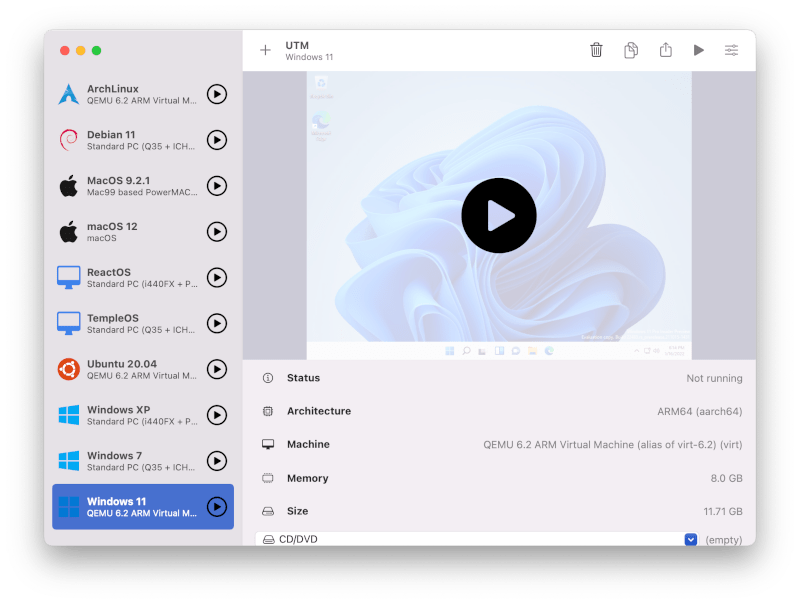
UTM: The Time Tax
Pricing & Licensing
- Direct Download: $0.00 – Genuinely free
- Mac App Store (optional support): $9.99 – UTM on Mac App Store
⚠️ What’s Your Time Worth? The entire TCO of UTM is measured in your time. With support limited to community forums on GitHub and Discord, you are your own IT department.
For a professional developer, a single day spent debugging a VM issue that prevents you from working can easily “cost” more in lost billable hours or salary than a multi-year Parallels subscription. This “time tax” is the hidden price of UTM.
✅ Strengths
- Genuinely free with optional Mac App Store support purchase
- Excellent native ARM performance
- Ability to emulate other CPU architectures (x86)
- Clean, modern, native macOS UI
⚠️ Considerations
- No seamless window mode
- Unreliable clipboard/drag-drop
- Community-only support (DIY troubleshooting)
- High hidden “time cost” for professionals
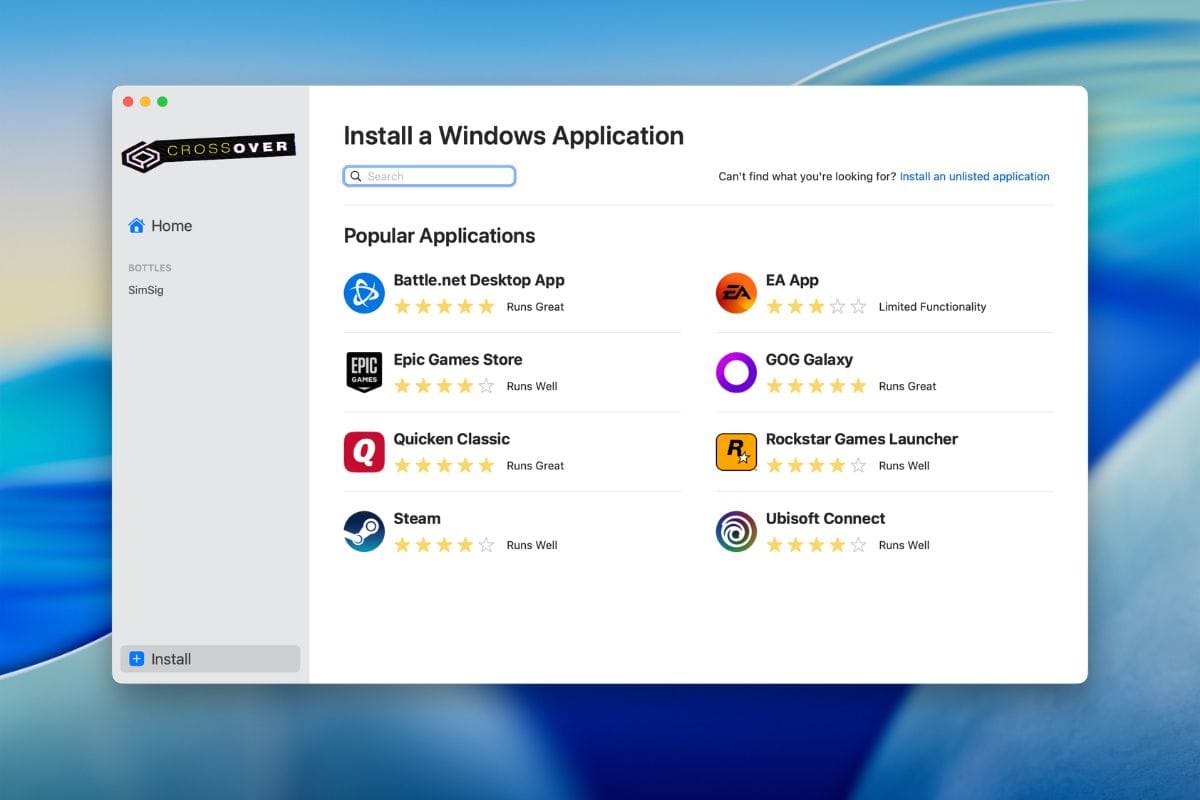
CrossOver: The Compatibility Gamble
Pricing & Licensing
- Subscription: $74/year for new users – CrossOver for Mac Pricing
- Trial: 14-day trial (credit card required)
❌ The Hidden Cost: The primary hidden cost is the compatibility risk. You are gambling that the one specific application you need will work flawlessly.
The 14-day trial (note: credit card required) is absolutely essential to test compatibility before you buy. If it doesn’t work, the TCO is infinite because the software is useless to you.
You are also locked into the subscription if you want the compatibility updates necessary to keep your apps working as macOS and the apps themselves evolve.
✅ Strengths
- Excellent gaming performance (when compatible)
- Low resource usage (no VM overhead)
- Seamless macOS integration
- Improving DX12 via GPTK support
⚠️ Considerations
- Limited application compatibility
- Breaks with macOS/app updates
- Inability to run apps with anti-cheat
- Not a full VM – cannot run the Windows OS
Part 3: Feature Deep-Dive: Performance, Usability, and Integration
A tool’s value is more than its price; it’s defined by how effectively it integrates into your workflow. This section consolidates our findings on features, performance, user experience, and ecosystem integration to provide a holistic view of what it’s like to actually use these Parallels top alternatives and competitors.
Feature Comparison Matrix: A War of Trade-Offs
The choice between virtualization tools is a war of trade-offs. The following table lays out the critical differences.
| Feature Category | VMware Fusion (Pro 13.5.2) | Oracle VM VirtualBox (7.0.18) | UTM (4.4.5) | CrossOver (24.0.3) | Critical Notes (Devil’s Advocate View) |
|---|---|---|---|---|---|
| Apple Silicon Guest Perf. | Excellent (Native) | Poor / Unstable | Excellent (Native) | N/A | ⚠️ This is the most important metric. User and reviewer reports consistently indicate VirtualBox is not a viable contender for serious use on modern Macs. |
| x86 Emulation on AS | ❌ No | ❌ No | ✅ Yes (via QEMU) | N/A | UTM is unique in this group for allowing users to run legacy x86 OSes (slowly). This is a powerful feature for specific development/testing use cases. |
| Seamless Window Mode | ✅ Unity View | ✅ Seamless Mode (Intel only) | ❌ No | ✅ Yes (by design) | ❌ UTM’s biggest usability drawback. Apps are always confined to the VM window. CrossOver offers the most seamless experience. |
| Guest 3D Acceleration | Good (DX11) | Poor (DX8/9 level) | Good (VirGL for Linux) | ✅ Improving (DX12 via GPTK) | CrossOver is the leader for modern gaming, but compatibility varies per title (CrossOver 24 Release Notes). VirtualBox is unusable for any graphically intensive task. |
| CLI / API Automation | ✅ vmrun CLI | ✅ VBoxManage CLI (Very Strong) | ✅ AppleScript / QEMU args | ❌ No | VirtualBox’s VBoxManage is arguably the most powerful and comprehensive CLI, a key reason it persists in some legacy devops workflows. |
| Underlying Technology | VMware Hypervisor | VirtualBox Hypervisor | QEMU + Apple Virtualization.framework | WINE | CrossOver isn’t a virtualization tool; it’s a compatibility layer (WINE) that translates Windows API calls, similar in concept to how Apple’s own Rosetta 2 translates Intel apps. It cannot run the OS itself. |
Performance & Reliability: Benchmarks vs. Bug Reports
In my years testing software, raw benchmark numbers only tell half the story. A tool can be fast on paper but too buggy for a real-world workflow. Performance is a combination of speed and stability.
While specific performance can vary based on hardware and workload, independent tests generally show that both UTM and VMware Fusion achieve near-native performance on Apple Silicon, often trading blows for the top spot.
The key insight is that paid tools are no longer guaranteed to be the fastest. Open-source solutions like UTM, leveraging Apple’s own Apple Virtualization.framework, can and do achieve performance that rivals or even exceeds paid competitors.
In contrast, VirtualBox consistently demonstrates significant performance bottlenecks, particularly in graphics and disk I/O, making it noticeably slower for daily use.
Here’s where benchmarks can be deceiving. While UTM is incredibly fast, user reports highlight reliability issues with host-guest integration. A VM that boots in 10 seconds but forces you to email files because the shared folder is broken is not a productive tool.
Even the stable VMware Fusion isn’t perfect, as this scenario illustrates:
⭐ S-T-A-R Touchpoint (Performance Failure): A developer, as described in User Reports on MacRumors Forums, relies on VMware Fusion’s Unity mode. After a macOS update, they find that Unity mode no longer plays well with Stage Manager. Windows app windows become un-grouped, breaking their workflow and forcing them to use the VM in an isolated window, losing the primary integration feature they depended on.
And then there is VirtualBox. Its primary reliability killer on macOS is the infamous “Guest Additions Hell.” These essential drivers are notoriously fragile and frequently break after any minor OS update, making it completely unsuitable for mission-critical work on a Mac. If you’re weighing VirtualBox’s frustrations against the cost of a polished solution, a Parallels promo code can make the decision much easier.
User Experience & Adoption: “Time-to-Value” vs. “Time-to-Frustration”
| Product | Top 3 Praised Features | Top 3 Pain Points |
|---|---|---|
| VMware Fusion | 1. Free Pro license for personal use 2. Stability for long-running VMs 3. Powerful snapshot/cloning tools | 1. Dated UI vs. Parallels 2. Unreliable USB passthrough 3. Unity mode glitches with some apps |
| VirtualBox | 1. It’s free (GPL) 2. Unparalleled cross-platform host support 3. Powerful VBoxManage CLI | 1. Horrible performance (graphics, disk I/O) 2. Unstable/Unusable on Apple Silicon 3. “Guest Additions Hell” (constantly breaking) |
| UTM | 1. Excellent native ARM performance 2. Ability to emulate other CPU architectures 3. Clean, modern, native macOS UI | 1. No seamless window mode 2. Unreliable clipboard/drag-drop 3. Community-only support (DIY troubleshooting) |
| CrossOver | 1. Excellent gaming performance (when compatible) 2. Low resource usage (no VM overhead) 3. Seamless macOS integration | 1. Limited application compatibility 2. Breaks with macOS/app updates 3. Inability to run apps with anti-cheat |
The pain points for VirtualBox are not minor inconveniences; they are fundamental flaws. This “Guest Additions Hell” is perfectly captured in this user’s cry for help:
⭐ S-T-A-R Touchpoint (User Quote): A user on the
r/virtualboxSubreddit posts a thread titled “Is Guest Additions meant to be this painful?” They describe how their perfectly working Ubuntu VM lost screen resizing and shared clipboard after a routine update, and they have spent hours trying to recompile kernel headers to no avail. This encapsulates the high, hidden “time cost” of using VirtualBox.
Part 4: Critical Security & Compliance Considerations
When you run another operating system on your Mac, you dramatically expand your attack surface, creating new challenges for data privacy and security.
Security isn’t a feature; it’s a process, and the core of virtualization’s security model is sandboxing—isolating the guest OS from the host.
⚠️ WARNING: Enterprise vs. Desktop Product Certifications
Many desktop software products, even from enterprise vendors, do not carry the same SOC 2 or ISO 27001 certifications as their cloud services. For Software and AI deployments handling sensitive data, always verify product-specific compliance, especially when making procurement decisions (VMware Security & Compliance).
The Encryption Deep-Dive
| Certification | VMware Fusion | Oracle VM VirtualBox | UTM | Devil’s Advocate Notes |
|---|---|---|---|---|
| SOC 2 / ISO 27001 | ⚠️ Not Listed | ❌ Not Available | ❌ Not Available | While VMware’s cloud services are certified, these do not apply to the desktop Fusion product. For any business, data privacy is paramount. When using desktop virtualization, you cannot automatically claim certifications like GDPR compliance without significant additional controls. |
| VM Encryption | ✅ AES-256 | ✅ AES-256 | ✅ Guest-Level | UTM relies on guest-level encryption, fully supporting TPM 2.0 emulation for standard tools like Windows BitLocker and Linux LUKS (UTM Documentation – Guest Support). This requires manual setup but aligns with common security practices. |
The most misunderstood security issue is with UTM. It does not provide a separate, built-in encryption wrapper for the entire VM package like VMware.
Instead, it relies on the industry-standard practice of guest-level encryption. This is not a “deal-breaker” but a different security model that places more responsibility on the user.
⭐ S-T-A-R Touchpoint (Security Limitation): A user might create a Linux test VM in UTM without enabling guest-level encryption. As detailed in a discussion around disk images (UTM GitHub Issue #345), if the Mac is stolen, the raw
.qcow2disk image could be copied and mounted, exposing sensitive data. This illustrates the importance of using BitLocker/LUKS within UTM for data-at-rest security.
The “Patch Gap” and Incident History
The security of open-source tools like UTM depends on their upstream projects. UTM relies on QEMU, which has a history of vulnerabilities like “Venom” (CVE-2015-3456).
The primary risk here is the “patch gap”: the time between a vulnerability being fixed in QEMU and a new version of UTM being released that incorporates that fix.
Similarly, VirtualBox has its own history, including an E1000 device emulation vulnerability patched in April 2024, referenced as CVE-2024-21111 (NIST NVD). This highlights the importance of a reliable patching process, which can be a challenge on macOS for some platforms. You can also explore other comparison articles for further security insights into virtualization tools.
Part 5: Use Cases for Developers & Professionals
The best Mac virtualization software is the one that seamlessly fits a specific professional workflow. For a developer, the right tool can mean the difference between productivity and days of lost work.
Here we examine several common developer use cases and evaluate how each Parallels alternative performs.
Use Case 1: Cross-Platform Web and Application Testing
A core task for many developers is ensuring their application works on both Windows and macOS. This requires a stable environment for cross-platform testing.
- Workflow: A developer writes code in VS Code on macOS. They need to compile and run the
.exeon a clean Windows 11 ARM instance, test its UI, and then discard the VM state. - Best Tools: VMware Fusion and UTM are excellent here. Both provide fast, near-native ARM virtualization, allowing a developer to spin up a Windows 11 ARM VM quickly. Fusion’s robust snapshot feature is ideal for creating a “clean state” to revert to after each test run. UTM’s speed is also a major benefit.
- Avoid: CrossOver is useless for this, as it cannot run an IDE or a compiler; it only runs pre-compiled applications. VirtualBox‘s reported poor performance and instability on Apple Silicon make it an unreliable choice for a fast-paced testing loop.
Use Case 2: DevOps and Infrastructure Automation
For professionals in DevOps, the ability to script and automate virtual machine creation is paramount. This is where a strong Command-Line Interface (CLI) is king.
- Workflow: A DevOps engineer needs to write a script that automatically provisions, configures (e.g., installs Nginx), and then destroys a set of Linux VMs to test an Ansible playbook. This is often part of a larger CI/CD pipeline.
- Best Tools: VirtualBox traditionally excelled here due to its powerful
VBoxManageCLI, making it a cornerstone of many legacy DevOps workflows. However, on Apple Silicon, UTM is the modern successor. Its QEMU backend can be fully controlled via command line, allowing for deep scripting and automation. VMware Fusion‘svmrunCLI is also capable, but arguably less flexible than QEMU’s raw power. - The Docker Question: For many modern DevOps tasks, developers now prefer containerization tools. Docker on Mac provides lightweight, isolated environments without the overhead of a full VM. A virtual machine is only necessary for this workflow if you need to test interactions with the underlying OS kernel itself.
Use Case 3: Running Legacy x86 Windows Software
Many enterprises rely on older, mission-critical internal applications that were built for 32-bit or 64-bit x86 Windows and will never be updated for ARM.
- Workflow: An engineer at a manufacturing firm needs to run a proprietary piece of x86-only hardware-control software to configure a device over USB.
- Best Tool: UTM is the only choice in this list. Its ability to use QEMU for full-system x86 emulation is its killer feature. The performance will be slow, as every instruction is being translated, but it will run.
- Avoid: VMware Fusion and Parallels on Apple Silicon can only virtualize ARM operating systems. CrossOver might work if the app is simple and has no hardware dependencies, but it’s a gamble. VirtualBox‘s x86 emulation on ARM is non-existent.
For those who find that Parallels is actually the best fit for their workflow—especially for seamless Coherence mode—you can often find a Parallels special offer that makes the subscription significantly more affordable.
Use Case 4: GPU-Intensive Work and Game Development
Developers working on games, 3D rendering, or machine learning often need direct access to the GPU for performance.
- Workflow: A game developer is creating a title for Windows and needs to test DirectX 12 shaders and performance.
- Best Tools (with caveats): This is the weakest area for Mac virtualization. No solution offers true, bare-metal GPU passthrough. CrossOver provides the best performance for running compatible DX12 games. Parallels (the software this article compares against) has the most advanced 3D support in a traditional VM. VMware Fusion has solid DX11 support but lags in DX12.
- UTM‘s 3D acceleration is primarily for Linux guests (VirGL) and is not suitable for high-performance Windows gaming. This remains a key area where even the best Parallels top alternatives struggle.
Part 6: Recommendations & Decision Framework
After dissecting the features, pricing, security, and performance, it is clear there is no single “best” among the Parallels Top Alternatives and Competitors. The right choice is highly conditional.
Here is my decision framework to help you choose the least bad option for your situation.
Best Fit Scenarios
✅ VMware Fusion is best for:
- The average Mac user needing to run a Windows application for personal or academic use. The free Pro license offers unbeatable value with robust performance.
- Corporate environments already invested in the VMware ecosystem. The ability to move VMs from a corporate vSphere data center to a developer’s laptop is a powerful workflow.
⚠️ Avoid VMware Fusion if: You require guaranteed passthrough for niche Thunderbolt hardware or need to run the absolute latest DirectX 12 games, where its support lags behind competitors.
✅ UTM is best for:
- Developers, security researchers, and tinkerers on Apple Silicon who need a free, powerful tool to run ARM guest OSes or emulate other CPU architectures.
- Users who are comfortable with community-based, DIY troubleshooting and value flexibility over polish.
⚠️ Avoid UTM if: You require a seamless, integrated multi-window experience (Coherence/Unity), as this is its single biggest feature gap. Its reliance on guest-level encryption also requires a more hands-on approach to security.
✅ CrossOver is best for:
- Gamers who want to play specific, DirectX 11/12 Windows games confirmed compatible in the official database from its developers, CodeWeavers.
- Users who only need to run one or two specific, well-supported Windows productivity apps and want minimal overhead.
⚠️ Avoid CrossOver if: The app you need isn’t on the compatibility list, requires kernel-level anti-cheat, or if you need to run the actual Windows OS desktop for development.
✅ Oracle VM VirtualBox is best for:
- Almost no one on a new Apple Silicon Mac in 2024. While the Extension Pack is now free, user and reviewer reports of poor performance and instability make it a risky choice for professional use.
- Its only remaining valid use case is for cross-platform teams with a heavy investment in automation scripts built on the powerful
VBoxManageCLI who have not yet migrated to a more modern solution on macOS.
If none of these alternatives fully meet your needs, it might be worth checking the latest coupons and deals available for premium tools, including Parallels, to get the best value for your investment.
How to Run Windows on Mac M3: Your Decision Checklist
To make the right choice, ask yourself these five questions in order:
- What is your host machine? If you are on an Apple Silicon Mac (M1, M2, M3, etc.), the performance and stability of VirtualBox are widely reported as inferior. Unless you have a specific legacy reason to use it, focus on Fusion, UTM, or CrossOver.
- What is your primary goal? Are you trying to run a full operating system for development, or could your needs be met by containerization tools like Docker for isolated environments?
- If you need a full OS, your choices are VMware Fusion or UTM.
- If you only need a specific app/game, check CrossOver’s compatibility list first.
- What is your budget in Time vs. Money?
- If you have money but no time to waste on troubleshooting, a commercial license for Parallels or VMware Fusion ($149/yr) is your best bet for the included support. You can save on Parallels with an exclusive voucher code.
- If you have time but no money, UTM is a powerful choice if you’re technically inclined. For less technical users, the free personal license for VMware Fusion is the clear winner.
- Do you need seamless window integration? If a deeply integrated, multi-window workflow (like Parallels’ Coherence mode) is essential for you, you must eliminate UTM, as it lacks this feature entirely.
- Do you need to emulate x86 on Apple Silicon? If you have a specific need to run a legacy x86 operating system or application (and are willing to accept slow performance), UTM is your only choice.
Part 7: Conclusion & Frequently Asked Questions
Conclusion
The virtualization market on Mac has been fundamentally reshaped. My analysis shows that the competition is no longer a simple two-horse race.
The market is now clearly split: VMware Fusion has become the new champion for personal use, offering professional-grade features for free. UTM is the undisputed king for power-users and tinkerers who demand flexibility and are willing to pay the “time tax” of community support.
CrossOver remains a powerful, niche solution for gamers and single-app users, while VirtualBox, despite its improved licensing, has been largely rendered obsolete on the Apple Silicon platform due to performance concerns.
Your decision framework for choosing a Parallels alternative should be guided by three critical questions: What is my budget in time, not just money? Do I need to run an entire OS or just a single application? Do I need seamless window integration? Answering these honestly will guide you to the right tool and save you countless hours of frustration.
Before you commit, remember the red flags: a “free” tool with a hidden time cost, a compatibility list that’s a gamble, and a security model that requires your active participation. In 2024, the best virtualization tool is the one that respects your time and protects your data. Choose wisely. And if Parallels turns out to be the best fit, don’t forget to check for a money-saving deal on Parallels before purchasing.
Frequently Asked Questions
Q1: Is VMware Fusion better than Parallels now that it’s free?
Answer: For personal use, VMware Fusion now offers unbeatable value. It provides a full-featured Pro version for free, with performance on par with Parallels in most core tasks (The Future of VMware Fusion and Workstation).
However, Parallels is still widely considered to have a more polished user interface, more frequent updates with cutting-edge features, and a more seamless “Coherence” mode.
For individuals, Fusion is the smarter financial choice. For professionals who demand the absolute best user experience and are willing to pay for it, Parallels maintains a slight edge in usability.
Q2: Why is VirtualBox considered a poor choice on Apple Silicon Macs?
Answer: VirtualBox on Apple Silicon is a poor choice primarily due to performance and stability. It was not originally designed for the ARM architecture of Apple Silicon chips.
Its “experimental” support is a translation layer that results in widely reported poor performance, especially in graphics and disk I/O, when compared to native solutions like Fusion or UTM.
Furthermore, its “Guest Additions”—essential drivers for integration—are notoriously unstable on macOS, leading to a frustrating user experience that is unsuitable for professional workloads (VirtualBox on Apple Silicon forum discussion).
Q3: For gaming on Mac, should I use CrossOver or a VM like Fusion?
Answer: For gaming, you should start with CrossOver. Because it’s not a full VM, it has much lower overhead and leverages technologies from Apple’s Game Porting Toolkit to deliver excellent performance for many DirectX 11/12 games (CrossOver 24 Release Notes).
However, its compatibility is limited. If the game you want to play isn’t supported by CrossOver or uses invasive kernel-level anti-cheat software, then a VM like VMware Fusion is your next best option, though you will likely see a performance hit and may be limited to DirectX 11 titles.
Q4: Which of the Parallels top alternatives is best for developers?
Answer: For a developer evaluating Mac virtualization tools, the choice between UTM and VMware Fusion depends on your tolerance for DIY.
UTM offers superior flexibility, including the unique ability to emulate x86 architectures and a powerful command-line backend via QEMU, but you are on your own for support.
VMware Fusion offers a more stable, albeit less flexible, platform with the option of paid commercial support. If reliability and a safety net are important, start with Fusion. If you are a tinkerer who values flexibility and automation above all else, UTM is for you.
Q5: What is the real cost of using the “free” VirtualBox in a business?
Answer: The primary cost is no longer licensing but productivity. While the core software and the Extension Pack are now free for commercial use (VirtualBox Downloads), the tool’s reported instability and poor performance on Apple Silicon create a massive “time cost.”
The hours your employees may waste troubleshooting the unstable “Guest Additions” and dealing with slow performance will cost your business far more in lost salary and project delays than the $149/year license fee for a more stable, supported tool like VMware Fusion.
Q6: Is UTM really free? What’s the catch?
Answer: Yes, UTM is genuinely free to download and use, with an optional paid version on the Mac App Store to support the developers (UTM on Mac App Store).
The “catch” is that it comes with a significant “time cost.” There is no official support team. All troubleshooting is community-based via GitHub and Discord.
For professionals, the time spent debugging an issue is time not spent on billable work, which can make this “free” tool very expensive in the long run if something goes wrong.
Q7: Is UTM safe to use if it doesn’t have built-in VM encryption?
Answer: UTM is safe to use for sensitive work, provided you take the correct steps. The claim that it “lacks encryption” is misleading.
While it doesn’t have a simple checkbox to encrypt the entire VM file, it fully supports the industry-standard method of guest-level encryption. By enabling its TPM 2.0 emulation, you can use standard, robust tools like Windows BitLocker or Linux LUKS to secure your data from within the VM (UTM Documentation – Guest Support).
This is a common practice in enterprise environments and provides strong data-at-rest protection.
Q8: Can CrossOver run any Windows app?
Answer: Absolutely not. This is a critical misconception. CrossOver’s compatibility is limited to a specific list of applications that have been tested and configured by its developers, CodeWeavers.
Many applications, especially those that require specific hardware drivers or kernel-level access (like anti-cheat software or device drivers), will not work at all. You must check their official compatibility database on the CodeWeavers website before you buy to see if your specific application is supported.
Q9: Should I use a VM or Docker on Mac for development?
Answer: For modern devops workflows, Docker is often preferred for its lightweight, fast, and portable application containers.
However, if your development requires access to a full guest operating system with a GUI—for instance, to test a desktop application’s installer or run a Windows-only IDE like Visual Studio—then a virtual machine like Fusion or UTM is the correct choice.
A VM provides full OS isolation, whereas Docker provides application-level isolation (Docker vs. Virtual Machine: What’s the Diff?). For a deeper comparison of Parallels and its competitive landscape, check out our full Parallels Top Alternatives and Competitors breakdown.

